


 View Products



Looking for the right lead generation tools can be tough, especially for marketers and startup owners seeking growth. You need tools that bring in quality leads without breaking the bank or being too complex.
So, recognizing this challenge, we’ve searched far and wide for solutions. And we found 10 tools that strike the perfect balance between being easy to use, affordable, and effective.
These tools mix automated advanced features with a personal touch, ensuring you get the best of both worlds. So, let’s explore these tools that promise to make your journey easier and more productive.
Quick List of Lead Generation Tools B2B
Here’s a list of lead generation tools to help you find the perfect tool for your business needs, each described in a simple, straightforward manner.
- Swordfish AI: Best for uncovering hard-to-find contact details with real-time validation.
- ZoomInfo: Best for comprehensive B2B data across industries for targeted outreach.
- Hunter.io: Best for finding and verifying professional email addresses quickly.
- AeroLeads: Best for automating prospecting with a vast database of emails and phone numbers.
- Dealfront: Best for European market entry with GDPR-compliant sales intelligence.
- Clearbit: Best for enriching marketing campaigns with detailed B2B data insights.
- FindThatLead: Best for scaling B2B outreach with personalized email marketing campaigns.
- LinkedIn Sales Navigator: Best for utilizing LinkedIn’s network for precise sales targeting.
- Wisepops: Best for engaging website visitors with personalized pop-ups and notifications.
- Apollo.io: Best for end-to-end sales process management with a focus on engagement and intelligence.
What is a Lead Generation Tool?
A lead generation tool is designed to simplify the way you identify and collect information on potential customers interested in your products or services. These tools make it easier and faster to get in touch with clients by automating lead acquisition.
Besides, they’re essential for businesses looking to streamline the way they attract, assess, and turn potential clients into opportunities for sales.
However, the Hubspot Marketing Trends Report shows that more than half of marketers around the world say their biggest problem is getting leads and traffic. It shows how difficult it is to stay competitive in this market.
These tools come equipped with various features to aid in generating leads, such as tools for creating landing pages, automating emails, and categorizing leads based on their potential value.
Things to Consider for Selecting Lead Generation Tools
Finding the right lead generation software is key to improving how your business attracts and converts leads. Here’s a straightforward guide to help you choose wisely.
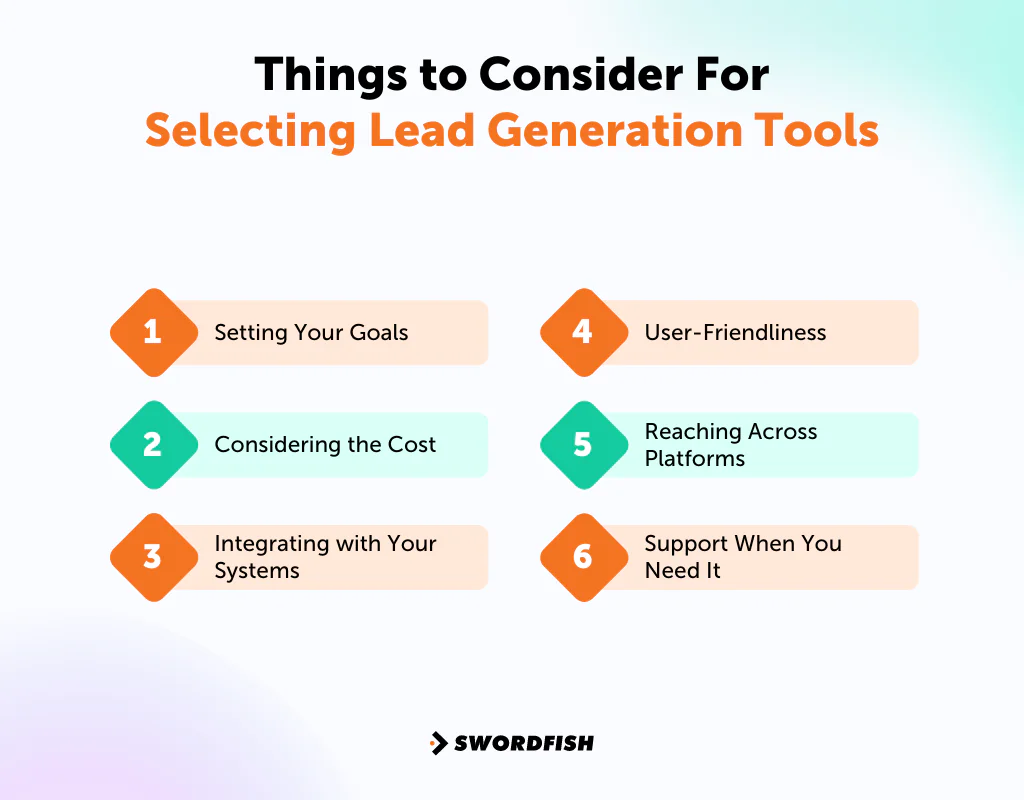
Setting Your Goals
Start by clearly stating what you want your business to achieve with lead generation. Whether you aim to grow your customer base, increase sales, or boost your brand’s visibility, understanding your goals will help you pick tools that are right for you.
It ensures your chosen tool aligns with your business strategy, making your investment more focused and effective.
Considering the Cost
Budget is always important, but it’s also vital to think about what you’ll get back from your investment. For instance, if spending $200 on a tool brings you 100 leads worth $6.5 each, you gain $650 in value.
Thus, you should select a tool that balances cost and value, ensuring it fits your budget and significantly improves your revenue.
Integrating with Your Systems
It’s important to choose tools that fit smoothly with the systems you already use, like your CRM or marketing software. It ensures you can keep your workflow smooth and get the most out of your existing setups. You want your tools to work well together so that you’re more efficient.
User-Friendliness
The ease of using a tool is important. You should be able to understand and start using your lead generation tool quickly without changing your current way of working too much. Some tools might need more learning time but could be worth it if they become central to your operations.
Reaching Across Platforms
Your lead generation shouldn’t just happen on your website. So, look for tools that let you capture leads from everywhere online, including social media and email. This approach helps you reach potential customers no matter where they spend their time online, increasing your chances of success.
Support When You Need It
Make sure the tool you choose comes with excellent support. Good customer service, easy-to-follow guides, and training can make a big difference in how well you can use the tool. In fact, quick help when you run into problems ensures your lead-generation efforts keep running smoothly.
Top Lead Generation Tools List: A Comparison Chart
Choosing the right lead generation sites can significantly impact your B2B strategy. That’s why our comparison chart simplifies your decision-making process by highlighting the key features of each tool.
Tools | Database Size | Integration Capabilities | Chrome Extension | Diverse Channels for Lead Generation |
 | 3.5 billion data profiles | Salesloft, Salesforce, LOXO, Outreach, Zapier, Lever, etc. | LinkedIn, Twitter, Facebook Profiles, Facebook Groups, etc. | Email, Phone, and Social Media |
 | 321 million professional contacts at 104 million companies | Salesforce, Zoho, HubSpot, Microsoft Dynamics 365, etc. | Email, Phone, and Social Media | |
 | 107 million professional email addresses | Salesforce, Pipedrive, Copper, HubSpot, etc. | Look for email addresses on the pages you are currently viewing. | |
 | 120 million personal emails and 20 million phone numbers | Hubspot, SalesForce, Pipedrive, FreshSales, Zoho, MailChimp, etc. | LinkedIn Profile or company website. | Email, Phone |
 | In Europe, over 30 million companies and 83 million contacts. USA & Rest of the World, over 36 million companies and over 145 million contacts | Salesforce, HubSpot, Pipedrive, Slack, Zapier, etc. | Company websites, LinkedIn and LinkedIn company profiles, Xing profiles, and Xing company profiles. | Email, Social Media |
 | 50 million company records, and 389 million contact records | Salesforce, HubSpot, Drift, Facebook, Chili Piper, etc. | LinkedIn and Sales Navigator | Email, Social Media |
 | 200 million professional profiles | Pipedrive, Zoho, Zapier, etc. | LinkedIn and Crunchbase | Email, Social Media Platforms |
 | LinkedIn Database | Demandbase, Gong, HubSpot, Groove, Outreach, etc. | Social Media (LinkedIn) | |
 | Over 166 million popups displayed every month across 193 countries | HubSpot, Shopify, Salesforce, Joomla, etc. | Not available | Website Popups, Notifications |
 | Over 275 million contacts with rich buyer data | LinkedIn, Zapier, Salesloft, Outlook, Outreach, etc. | Email, Phone, and Social Media |
10 Best Lead Generation Tools For B2B Marketing
We carefully selected the top 10 lead generation tools for B2B marketing, focusing on cost-effectiveness, simplicity, and the quality of leads they generate. In our selections, we emphasize tools that automate processes, simplify interactions, integrate well with other systems, and offer varied pricing options.
1. Swordfish AI
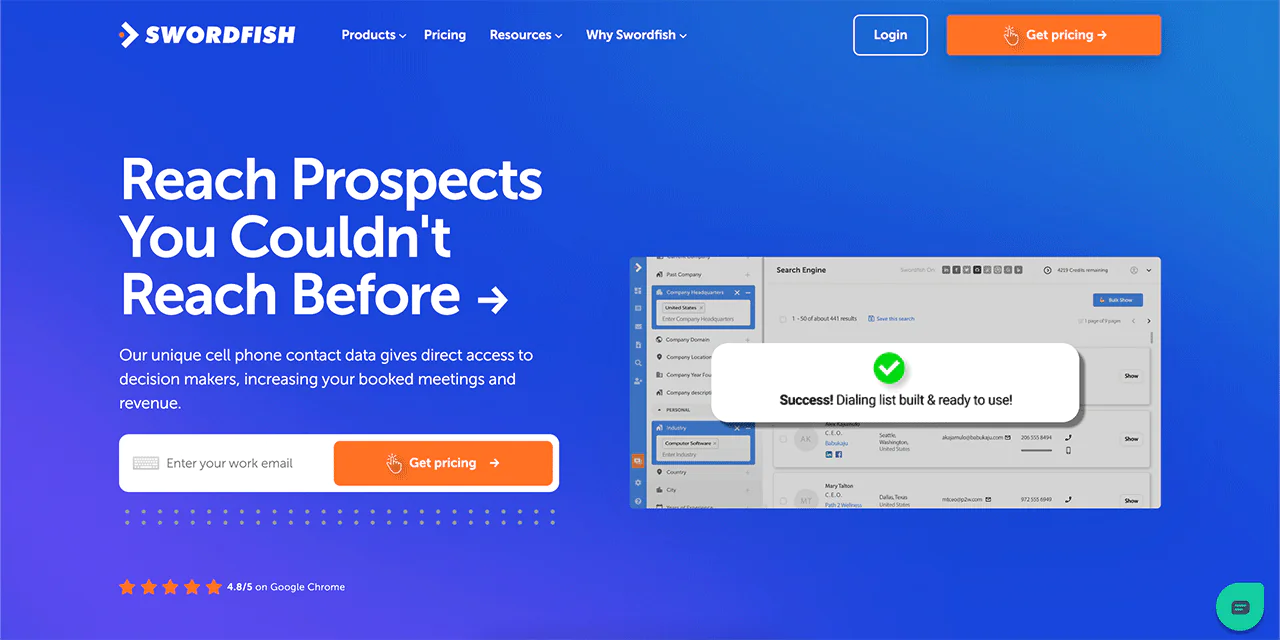
Swordfish AI excels as a reliable source for precise email lists, essential for generating leads. We offer access to a vast database including exclusive cell phone numbers and high-quality business emails.
Our goal is to connect you directly with decision-makers, offering real-time verified contact information. In addition to 82% accuracy on the first attempt, Swordfish AI ensures 95% accuracy for each profile, making it a favorite among over 25,000 professionals.
By using Swordfish AI, you’ll get straight to the important contacts, enjoy lower email bounce rates, and schedule more meetings faster. As a result, Swordfish AI is a must-have for sales and recruitment experts.
About Swordfish AI
- Founding year: 2015
- Founding team: Ben Argeband
- Company Size: 11 to 50 employees
What Sets Swordfish Apart?
Swordfish stands out with its special cell phone number and verification system, making it an excellent option for cold calling. With access to more than 3.5 billion data profiles, we provide you with extensive information.
Moreover, Swordfish AI offers professional and top-tier business emails that are unmatched elsewhere. Sales Development Representatives (SDRs) can improve their performance using our cell phone matching technology.
This makes Swordfish AI a top choice in lead generation, thanks to our distinctive method of ensuring data is accurate and easy to access.
Features of Swordfish AI
Swordfish AI shines as a leading tool for generating leads, with features that simplify finding and connecting with potential leads. Let’s dive into what makes it special —
-
Prospector
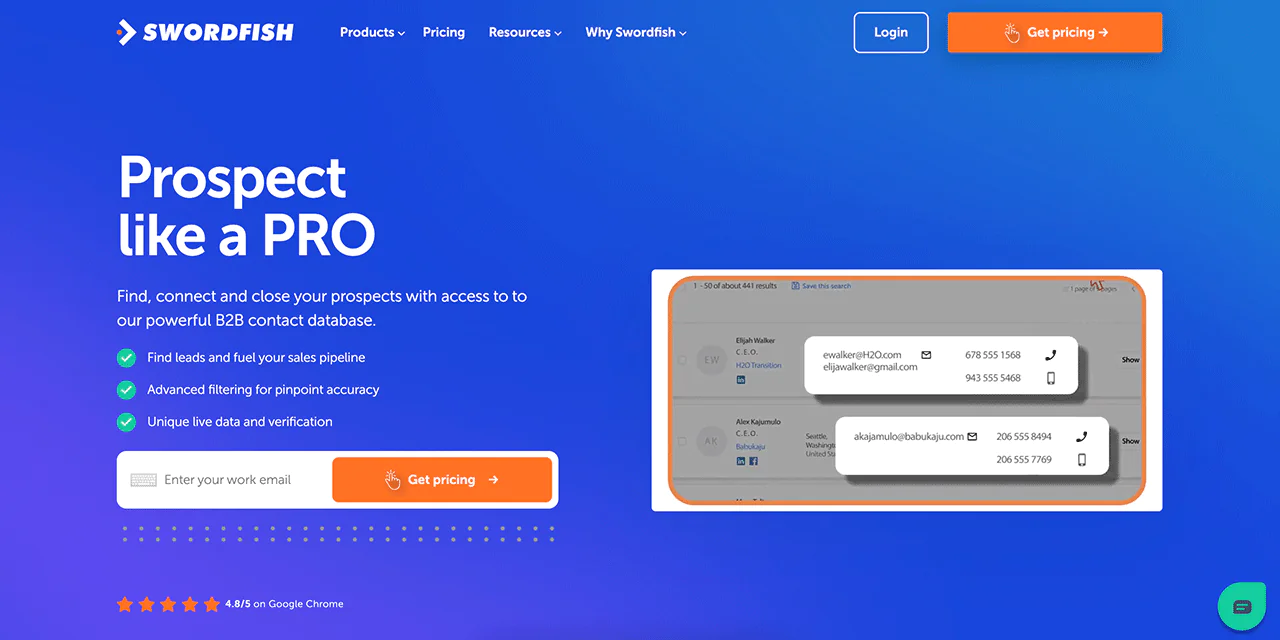
This powerful tool helps you create targeted lists for calling and emailing in no time. It filters out irrelevant data, ensuring the leads you get are perfect for your sales goals.
-
Chrome Extension
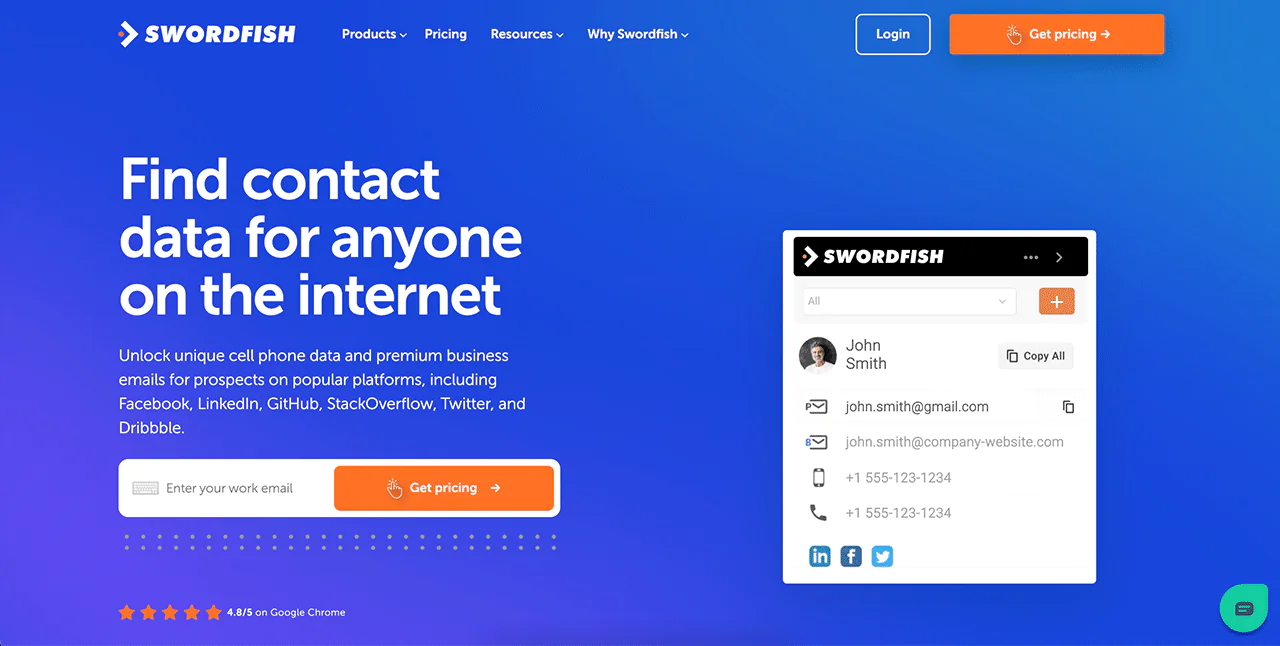
You can quickly find anyone’s contact details online with this extension. It works on many platforms, including Twitter, LinkedIn, and Facebook, giving you verified contact information in just a few clicks.
-
Reverse Search
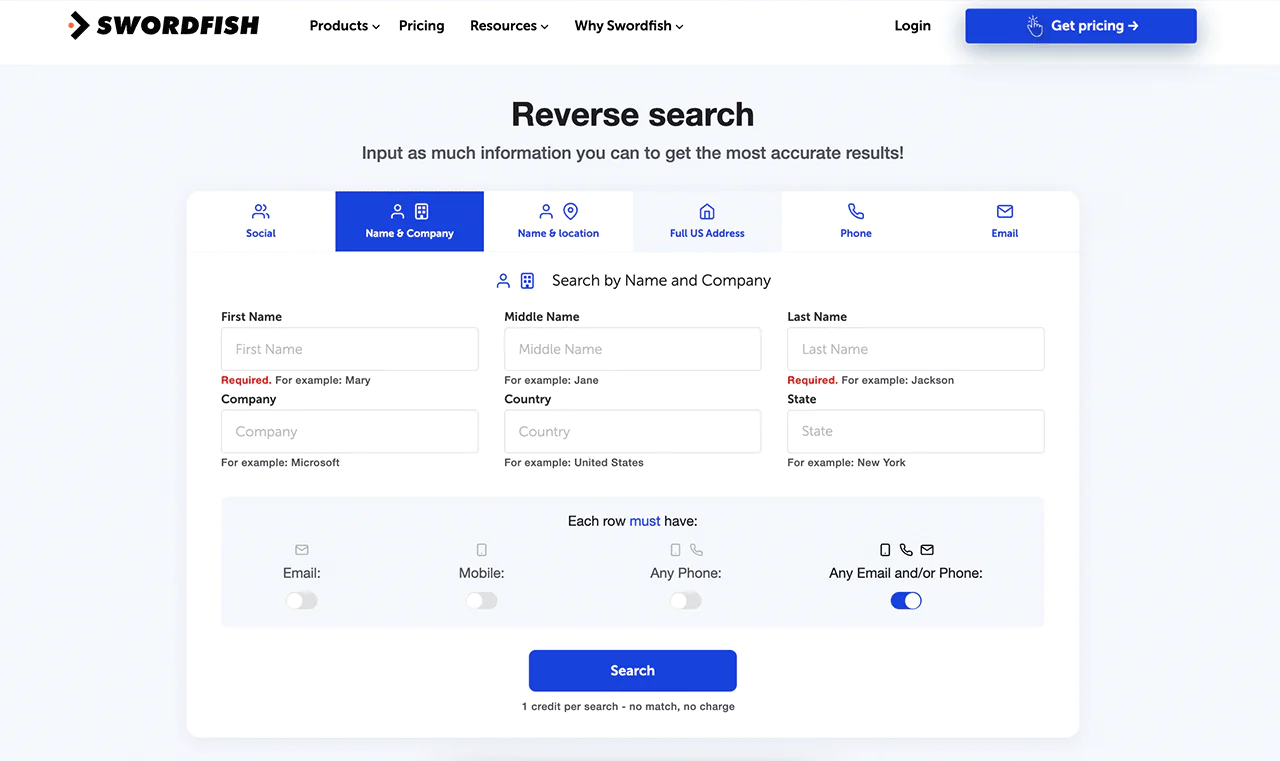
If you have some information but need more, Reverse Search comes to the rescue. Just enter what you know, like a name or email, and it finds the missing pieces for you.
-
File Upload
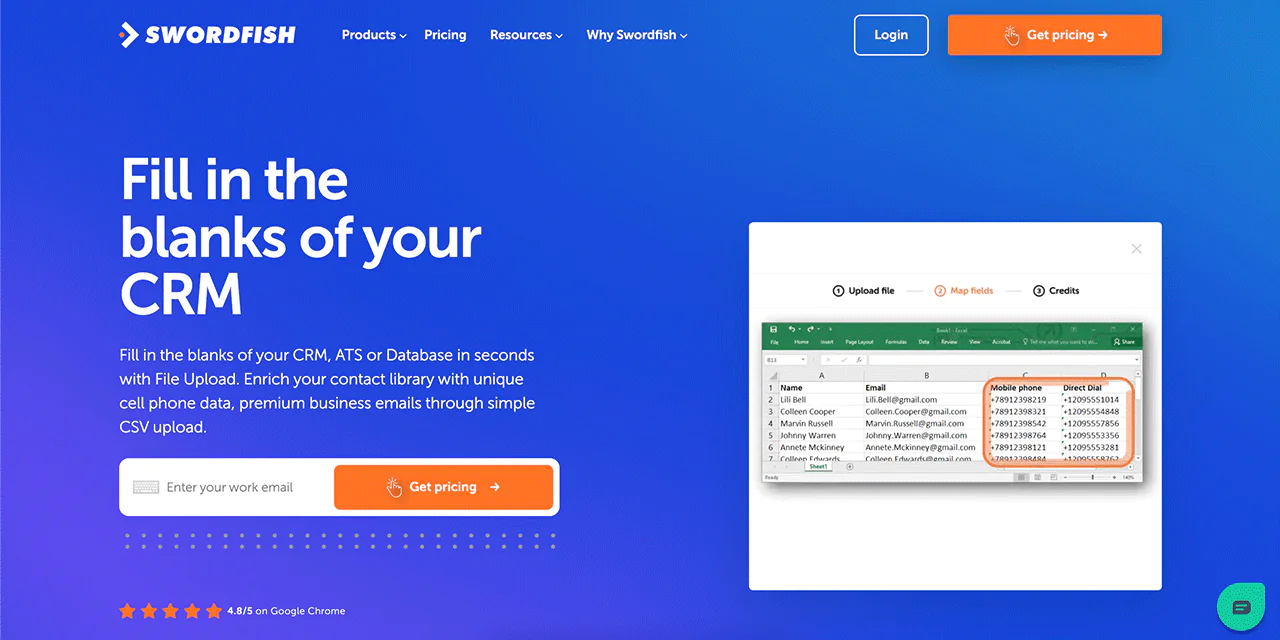
Got a list of contacts but missing some details? Upload it as a CSV file, and Swordfish fills in the gaps with phone numbers and emails, making your database complete and up-to-date.
-
Bombora Intent Data
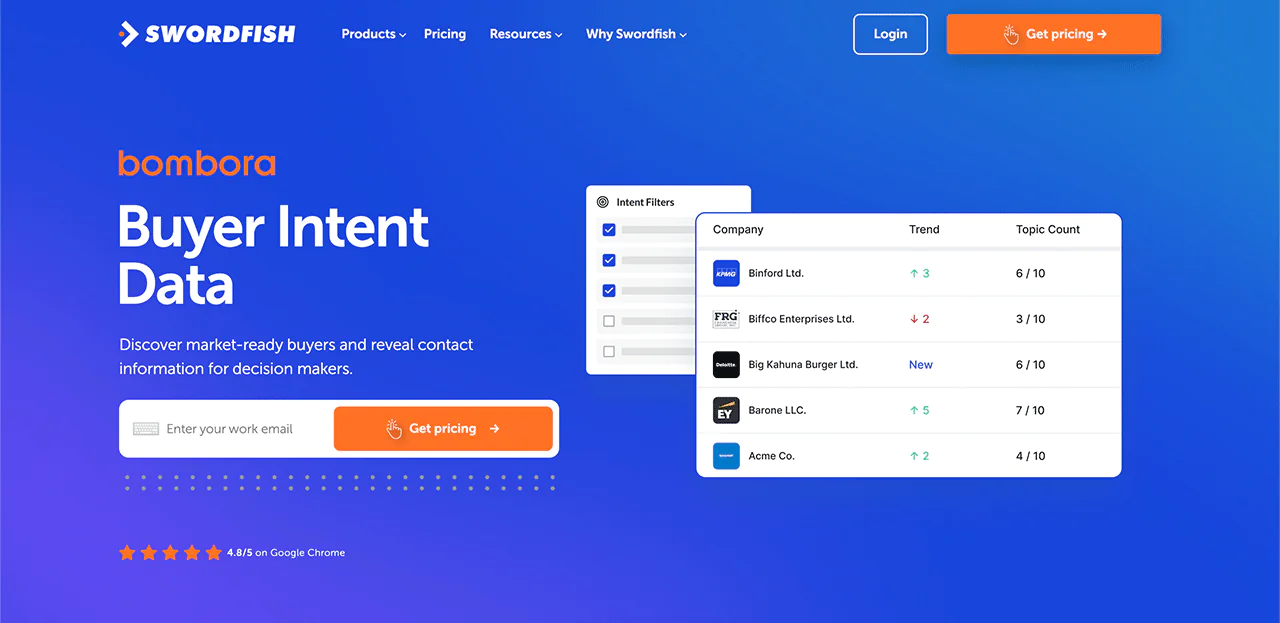
With intent data from Bombora, you can discover companies that are already interested in what you’re selling. Thus it makes your outreach more targeted and effective, boosting your chances of success.
-
API Integration
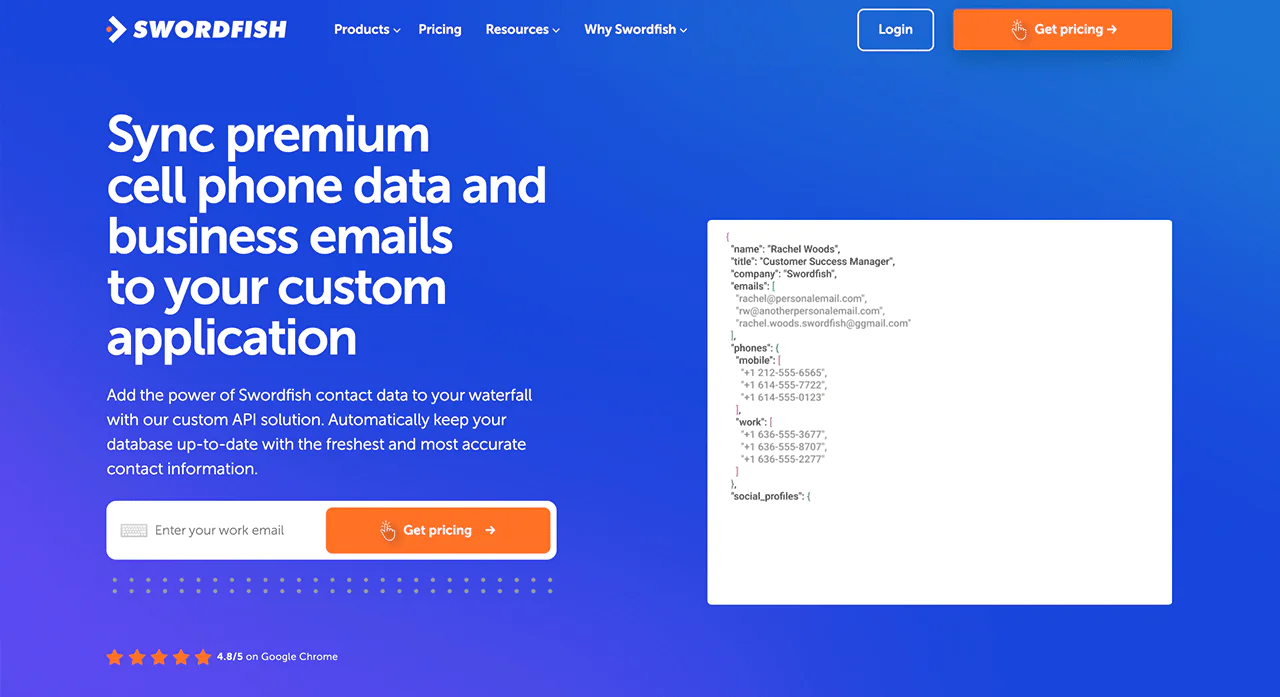
For those who want to blend Swordfish’s data into their own systems, API integration makes it smooth. It’s great for businesses that need to scale up their operations with reliable data.
Best Use Cases of Swordfish AI
Swordfish AI serves a wide range of purposes across various industries. Here’s how it can be beneficial —
- Lead Generation: Find contact details for potential leads quickly, making the process more efficient for sales teams.
- Recruitment: Helps recruiters get in touch with potential candidates faster by providing their contact information.
- Marketing: Allows marketers to easily find and connect with key people like influencers and decision-makers to boost their marketing efforts.
- Sales: Enables salespeople to contact important decision-makers directly, skipping over any intermediaries.
- Collaboration: Makes it easier for teams to work together by sharing contact details of potential clients and industry experts.
- Communication: Improves how you reach out to others by providing accurate contact information, which is useful for various communication strategies.
- Customer Research: Helps businesses understand their target market better by offering insights through contact data.
Pros of Using Swordfish AI
- Makes finding contacts quicker and boosts work output.
- Improves how quickly and effectively you can generate leads.
- Speeds up contacting people with reliable information.
- Gives you an advantage by providing rare contact details.
- Makes it easier to update your contact management system.
- Gives you easy-to-use tools that help in many ways.
Cons of Using Swordfish AI
- Setting it up takes around 1-2 mins max.
Pricing
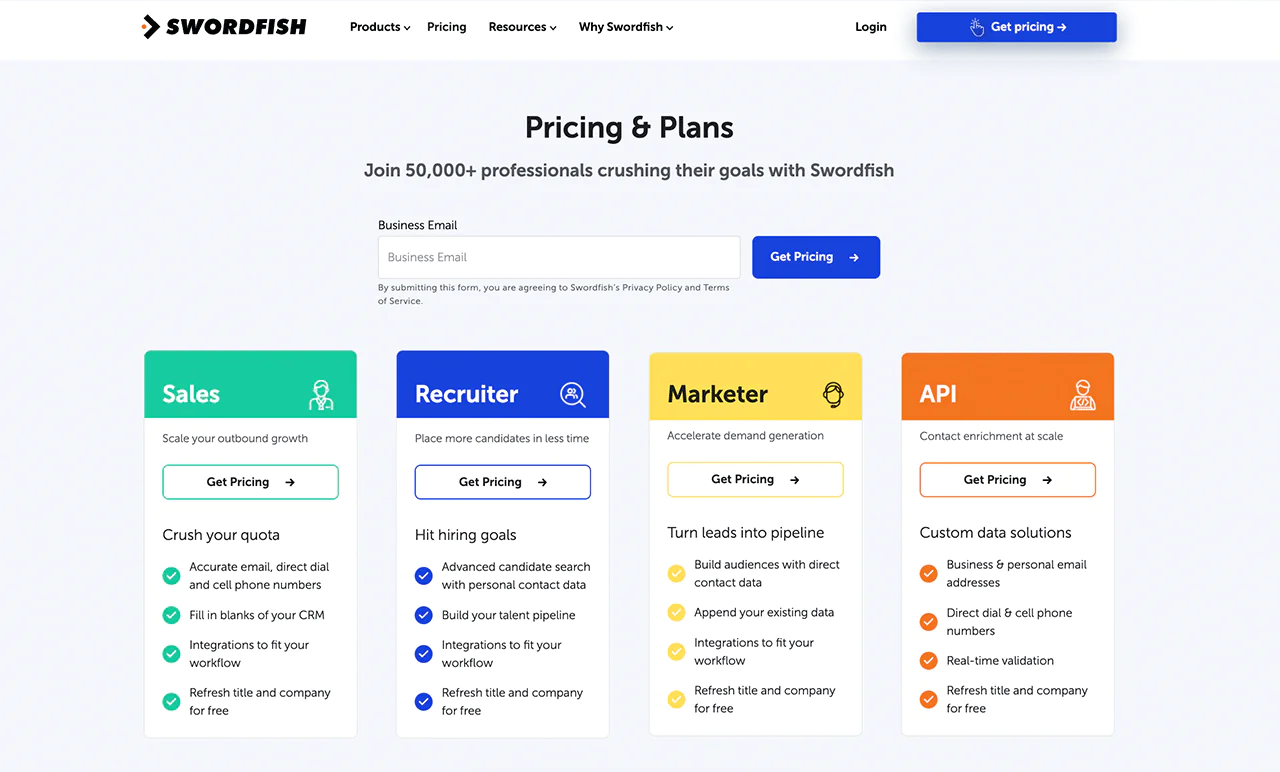
Swordfish AI provides customized pricing options for different fields, such as sales, recruitment, marketing, and API services. Find the package that fits your needs, whether you want to increase your outbound activities, hire more efficiently, or grow your market demand.
Plus, we offer a customized free trial to give you a taste of our service. Each package includes accurate email addresses, direct phone lines, and mobile numbers. You’ll also benefit from free updates on job positions and company details.
To find a package that suits your company’s needs, just ask for the pricing information.
What Users Say About Swordfish AI
- G2: 4.5 out of 5 (84 reviews)
“Swordfish is easy to use and is efficient. The information is accurate and proves to find it when other sites can’t. I looked forward to using it when finding contact information, and it makes it stress-free.” – Verified User in Staffing and Recruiting
- Gartner: 4 out of 5 (48 reviews)
“Our principal use cases are locating contact details and Swordfish was the best we’ve found since JigSaw was available and far less expensive than other platforms.”
 Try Swordfish Ai
2. ZoomInfo
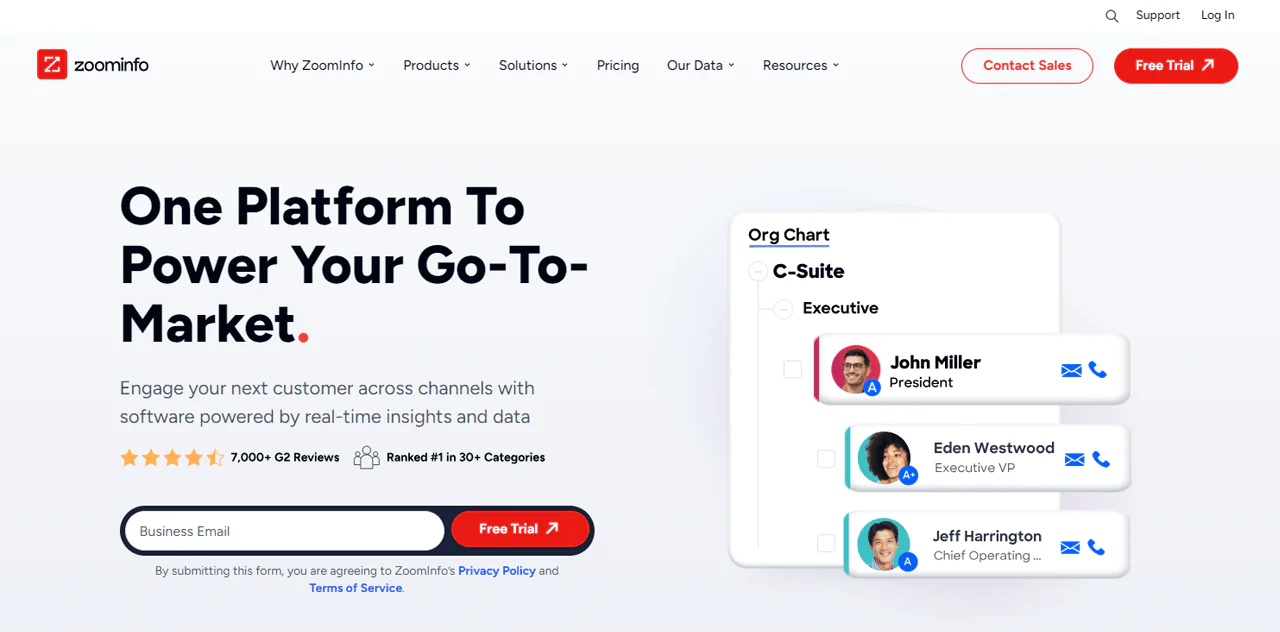
If you’re in the market for top-notch B2B data, ZoomInfo is your go-to. It’s built to give you powerful, ready-to-use business insights, thanks to its massive collection process. With 1.5 billion daily data points, you get access to over 600 million professional profiles and 1.3 billion company profiles.
You’ll find everything from web activity to news and tech info, helping you connect with buyers who are ready to make a move. ZoomInfo doesn’t just gather data; it makes sure it’s accurate using smart tech like AI and machine learning.
Looking globally? ZoomInfo shines here too, with extensive data beyond North America. It gives you a broad view of the market, unlike AeroLeads, making it a great tool for finding contact information.
For companies looking to expand and explore new markets, ZoomInfo offers a comprehensive toolkit.
About ZoomInfo
- Founding year: 2007
- Founding team: Henry Schuck
- Company Size: 1,001 to 5,000 employees
Features of ZoomInfo
ZoomInfo comes packed with features designed to make your sales, marketing, and recruitment efforts more effective and efficient. Let’s dive into what it offers:
- Wide-Ranging B2B Database: ZoomInfo’s core is its large database with 321 million professional contacts at 104 million companies. You can find a wealth of information, including contact details, to uncover potential leads and opportunities that fit your needs.
- Precise Search Filters: With ZoomInfo, you can use detailed filters to pinpoint leads. Whether you’re looking by industry, company size, location, or job role, these filters help you find the exact prospects you’re after.
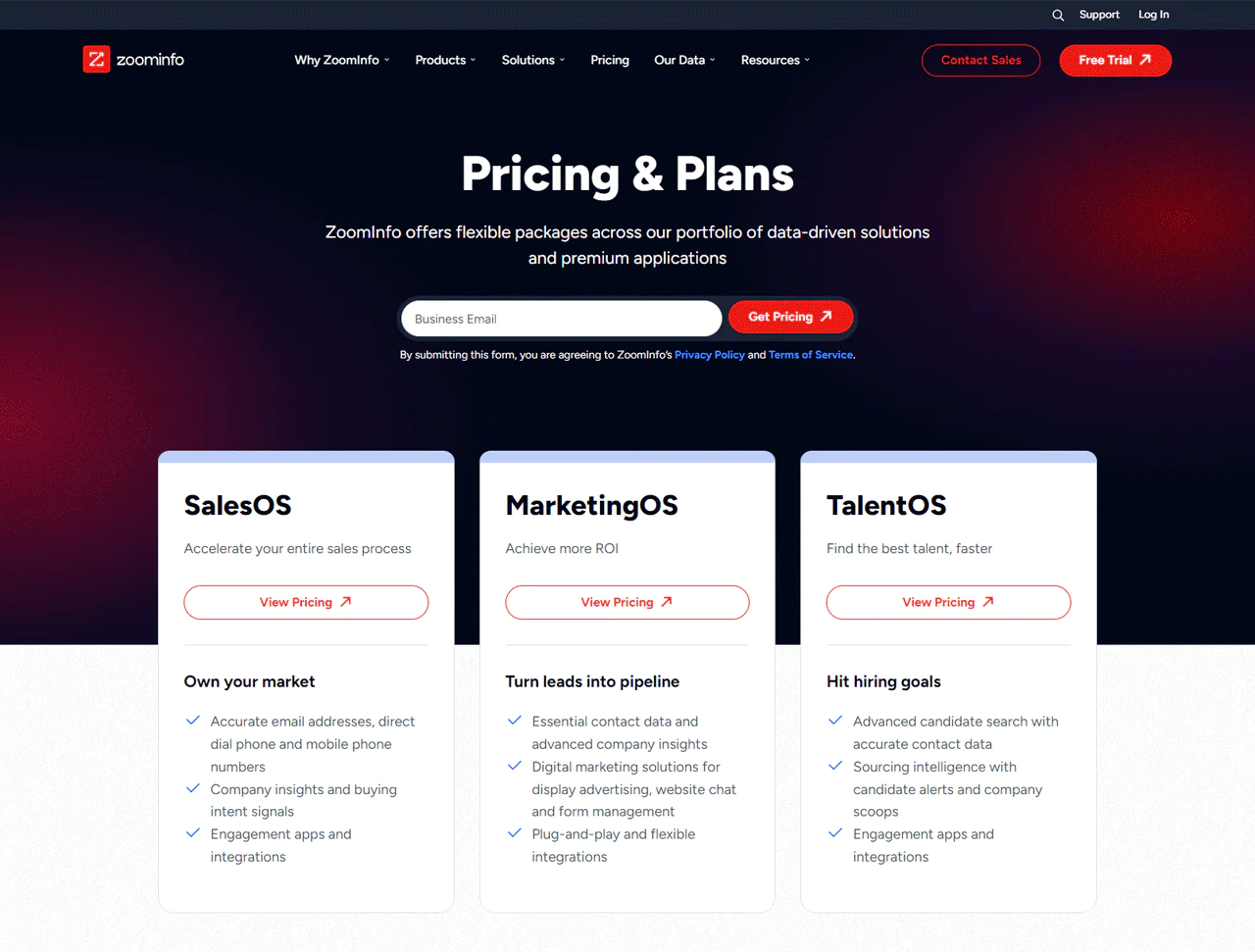
- SalesOS for Streamlined Sales: This tool gives your sales team everything they need to prioritize leads, engage effectively, and keep track of progress. It’s all about finding and focusing on the most likely to convert leads, making your sales process smoother.
- MarketingOS for Campaign Success: Designed for marketers, it helps you plan and run campaigns, target the right audience, and analyze results. It’s designed to help you create campaigns that hit the mark.
- OperationsOS for Data Management: This tool is all about keeping your sales and marketing data clean, organized, and ready to use. It automates workflows, ensuring your teams have the actionable data they need when needed.
- TalentOS for Recruitment: If you’re looking to hire, TalentOS uses ZoomInfo’s vast database to help you find and reach out to the perfect candidates for your open roles.
- Buyer Intent Signals: ZoomInfo looks at online customer behavior to show you which companies are currently looking into products or services like yours. This lets you focus your efforts on leads ready to hear from you.
- Technographic Data: Knowing what technology your potential leads use can be a game-changer for personalized outreach. ZoomInfo gives you insights into a company’s tech stack, helping you tailor your pitch.
- Easy Integration: ZoomInfo plays well with many CRM and marketing automation platforms, making it easy to integrate and streamline your existing workflows.
- Committed to Data Privacy: With a strong stance on data privacy, including GDPR and CCPA compliance, ZoomInfo ensures your data is managed responsibly.
Pros
- Guarantees precise information through instant verification.
- Improved search options increase precision in finding leads.
- Smoothly works with well-known CRM systems.
- Automates the removal and correction of duplicate data.
- Regularly refreshes lead information to keep it current.
Cons
- Learning to use its sophisticated functions takes dedication.
Pricing
ZoomInfo adjusts its pricing to fit your needs, requiring you to contact its sales team for a precise quote. Our thorough investigation revealed that ZoomInfo has three main pricing levels.
Starting with the Professional plan, it’s designed for basic B2B details and is priced at $8,000 a year. Next, the Advanced plan offers more detailed insights for $12,000 annually. Lastly, for comprehensive business analysis, the Elite plan comes in at $40,000 a year.
By sharing your specific needs with them, ZoomInfo will customize a pricing plan just for you, ensuring you get exactly what you’re looking for.
What Users Say About ZoomInfo?
- G2: 4.4 out of 5 (7,898 reviews)
- Capterra: 4.1 out of 5 (280)
“What do you like best about ZoomInfo?
“Zoominfo has a reliable database which is accurate most of the time.
The interface is user friendly and doesn’t require much training. Love the “suggest company update” option, one can easily provide the correct information if it is not in the tool and the team really does consider that. Integration with outreach is amazing.
It is easy to implement, with just a single click and your contacts are in the outreach. I use the tool most of the time, it really helps in identifying the right persona in the organization.”
What do you dislike about ZoomInfo?
Tool is awesome but there is a scope of improvement. Even though they have a vast majority of organisational data, there are certain challenges with some geolocations, mostly developing markets. The data is not updated. If they are able to fix it, it will be really helpful for most of the companies out there.” – Ahtisham A.
Our Review of ZoomInfo
After diving into what ZoomInfo has to offer, we’ve come to see it as a key asset for any business eager to boost its lead generation and sales efforts. We were particularly impressed by how it simplifies finding and engaging with the right contacts through its advanced search filters and smooth CRM integration.
On the flip side, we’ve also noticed a couple of hurdles. The initial setup and mastering of the tool’s extensive features can be daunting, especially for smaller teams or those on a tight budget. The time and financial commitment required might be a bit much for some.
From our perspective, ZoomInfo is one of the efficient business lead generators for improving your outreach capabilities, but only if you’re willing to learn how it works.
Note: Take a look at ZoomInfo alternatives for a chance at better prospecting.
3. Hunter.io
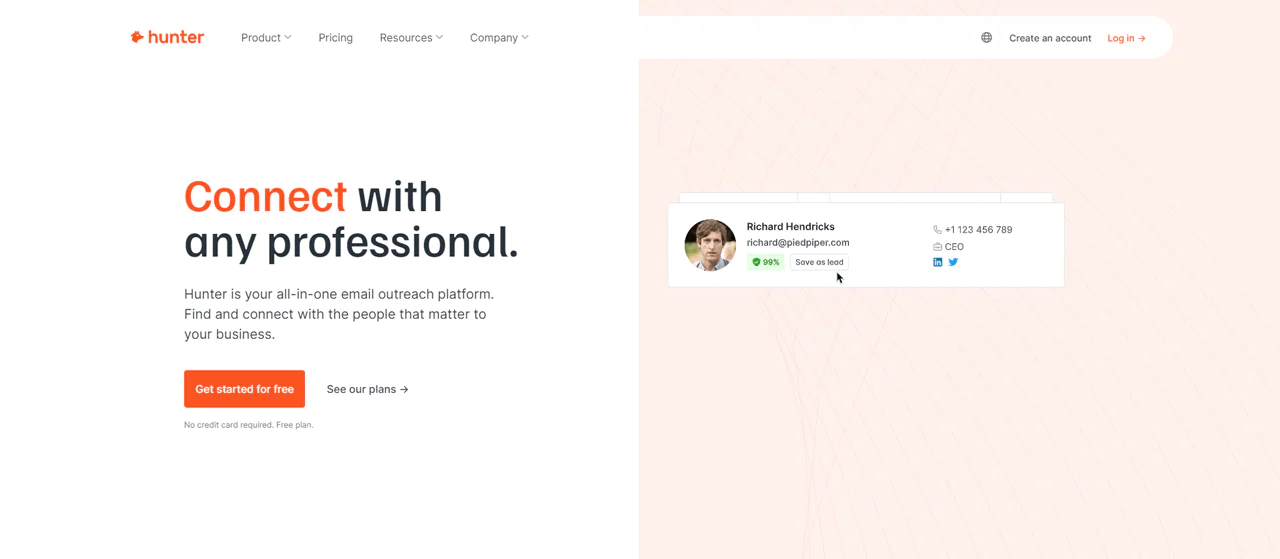
Hunter.io stands out as a leading business lead generator for anyone looking to find and check professional email addresses easily. It works by checking millions of websites every day to collect the most current business contacts from the public web.
Hunter.io lets you send out cold emails confidently, knowing you’re respecting data protection laws. Its tools, the Email Finder and Email Verifier, help you make sure your emails reach the right people by providing accurate email addresses.
Compared to ZoomInfo, known for its wide range of B2B data and insights, Hunter.io specializes in finding and verifying email addresses. This focus makes it an ideal choice for email marketing and reaching out directly to important contacts in your industry.
So, if your main goal is to connect with business professionals through email, Hunter.io could be exactly what you need.
About Hunter.io
- Founding year: 2015
- Founding team: Antoine Finkelstein and François Grante
- Company Size: 11 to 50 employees
Features of Hunter.io
Hunter.io simplifies the task of finding and checking email addresses, as well as managing email campaigns. Let’s dive into its main features —
- Domain Search: When you enter a company’s domain into Hunter.io, it shows you a list of emails tied to that domain, complete with how confident Hunter.io is about each email and where it found them.
- Chrome Extension: With the Hunter.io extension for Chrome, you can spot and check email addresses without stopping your web search. It’s great for quickly collecting emails when you’re looking into companies or doing online research.
- Email Finder: Hunter.io uses different pieces of information, like common email patterns and addresses found online, to guess the most likely email address of the person you want to contact.
- Email Verifier: Hunter.io checks emails in real-time to confirm they’re valid and can receive messages. This helps lower the chance of emails not being delivered and makes your email campaigns more effective.
- Campaigns: It helps you craft, schedule, and send out personalized emails, keep track of replies, and see who opens and clicks on your emails.
- Bulk Tasks: If you have a list of emails you need to find or check, Hunter.io lets you upload the list and does the work for you in one go.
- API: The API lets you add Hunter.io’s email finding and verifying functions straight into your apps. It means you can create custom solutions and automate your work, making things run smoother and more efficiently.
- TechLookup: TechLookup lets you see the tools and technologies websites are built with, whether it’s for selling online or hosting. It’s great for tech research, seeing what your competitors use, or just exploring the tech behind websites.
Pros
- Find professional email addresses fast.
- Keeps data current by scanning millions of websites.
- Follows data protection laws closely.
- Clear about how it finds and checks emails.
- Fits smoothly into your current business processes.
- Offers a no-cost option to begin.
Cons
- Depends on what information is publicly available.
Pricing
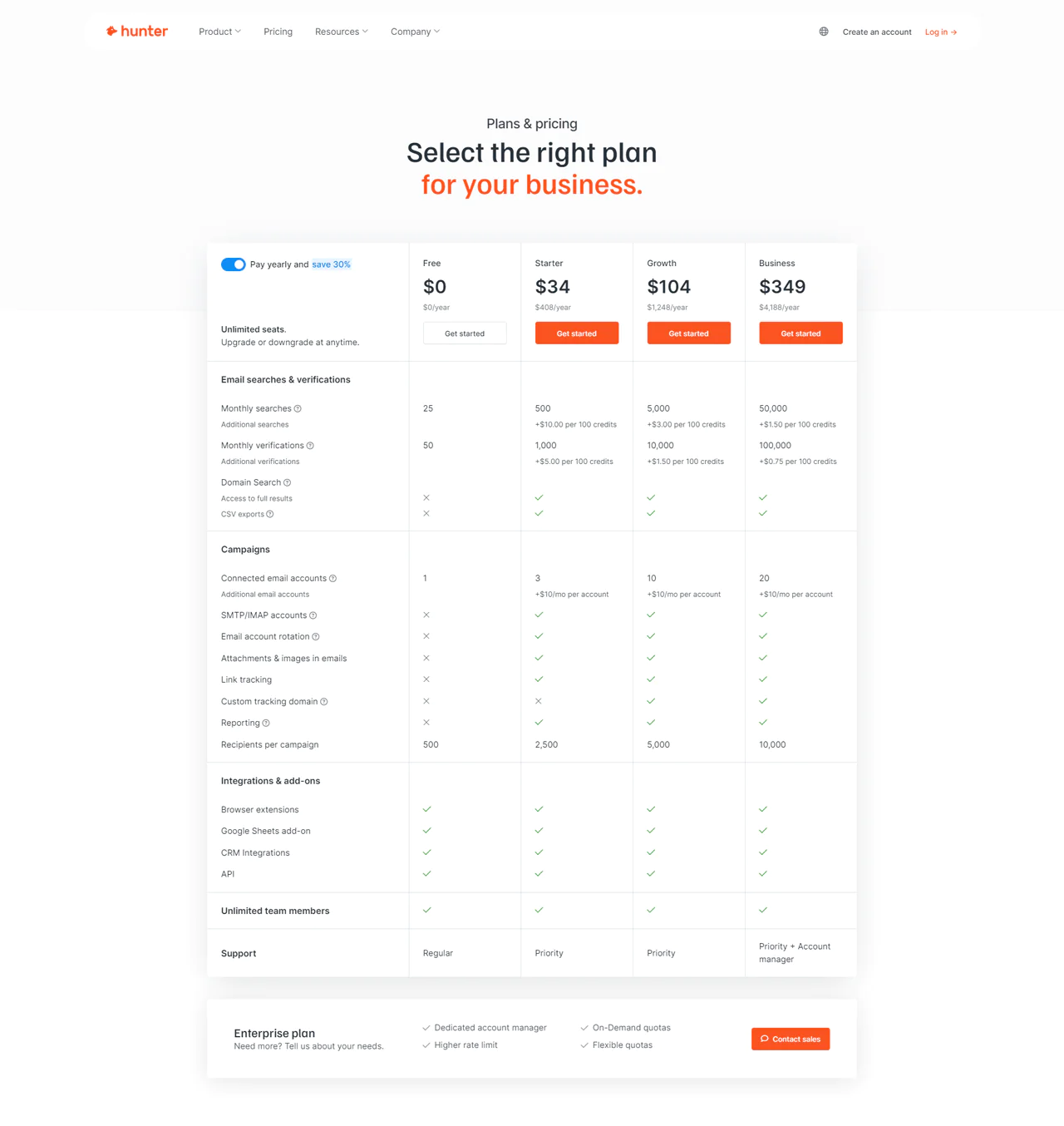
Hunter.io has pricing options customized to suit your needs at any stage of your business journey. The Free plan is perfect if you’re just getting started or need the basics, and it won’t cost you anything.
As you begin to expand your outreach efforts, the Starter plan, priced at $49 a month, gives you access to key email search and verification tools. Then, as your needs increase, the Growth plan at $149 a month provides a broader range of features to support your business’s development.
For businesses aiming for the widest reach and access to all features, the Business plan at $499 a month is the best choice. These plans are flexible, allowing you to switch between them, upgrade, or cancel according to your business’s evolving needs.
What Users Say About Hunter.io?
- G2: 5 out of 5 (526 reviews)
- Capterra: 4 out of 5 (610 reviews)
“What do you like best about Hunter.io?
How quick it is to find email addresses for corporate decision makers. I love the click to copy feature for email addresses. Implementation is easy – just signup and go. I haven’t used their customer support yet because didn’t need to!
As someone in Sales / BD, I use it often, ranging from multiple times a day to multiple times a week.”
What do you dislike about Hunter.io?
not much here really, I am a fan 🙂 They interface is easy and doesn’t require a steep learning curve” – Madhu C.
Our Review of Hunter.io
After checking out Hunter.io and how it gathers data, we’ve discovered it’s a top-notch tool for reaching out via email. With Hunter.io, you can find and check professional email addresses using data from the web. In addition to keeping data accurate, it follows privacy laws, making it a trustworthy option.
On the downside, relying on data that’s out in the open might make it hard to find emails for people who keep a low profile or prefer to stay private. Also, the price for more advanced plans might be too much for small businesses or startups watching their spending.
Despite these issues, Hunter.io’s clear way of collecting data and powerful features offer great value for businesses.
4. AeroLeads
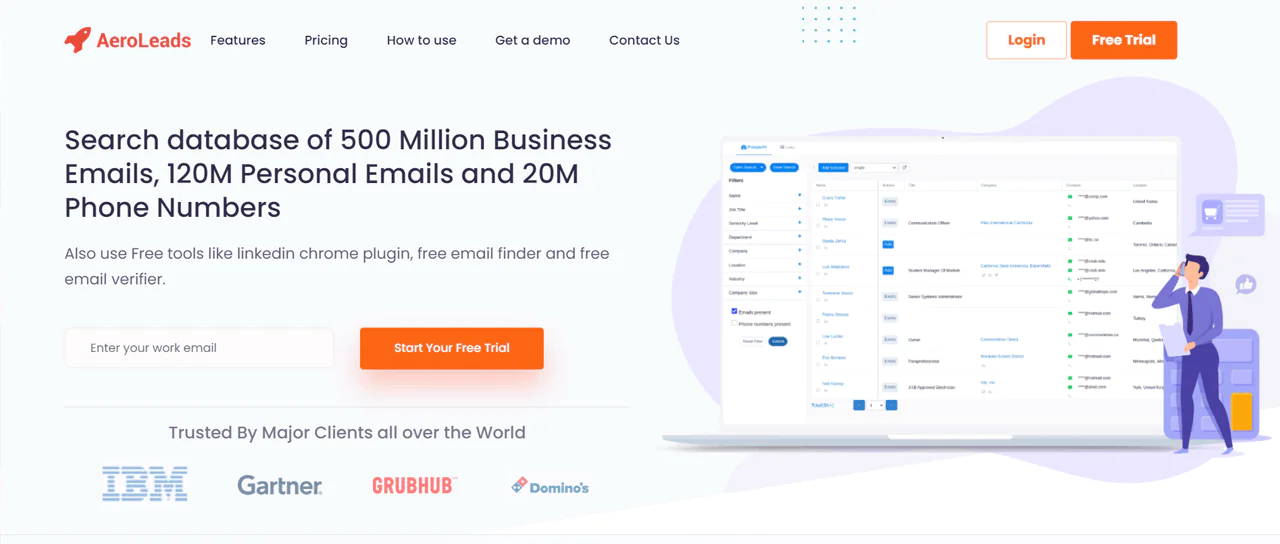
AeroLeads is a key tool for anyone looking to find sales leads and contact details fast. It searches a huge pool of data, including 500 million business emails, 120 million personal emails, and 20 million phone numbers.
Plus, it stands out because it checks emails as you find them, so you’re always using the latest information. Its Chrome extension and the way it works with popular CRMs make everything from finding to contacting leads simple.
Now, if you compare Hunter.io which searches websites for professional email addresses, AeroLeads gives you a more straightforward way to get leads. You can search for contacts with specific details and get accurate information right away.
Unlike Hunter.io, AeroLeads offers more tools for managing leads, making it better for those needing a full set of lead generation tools.
About AeroLeads
- Founding year: 2014
- Founding team: Pushkar Gaikwad
- Company Size: 11 to 50 employees
Features of AeroLeads
AeroLeads provides a range of tools aimed at improving your efforts in finding leads and managing email campaigns. Let’s dive into the specifics of what it offers:
- Bulk Email Verifier: AeroLeads lets you check the validity of multiple email addresses at once. Simply upload your list, and the tool will identify which emails are good to go.
- Campaign Management: This feature helps you set up and run your email campaigns smoothly. It allows you to schedule when emails go out, keep track of who opens and clicks on your emails, and manage your contact list effectively.
- LinkedIn Email Finder: AeroLeads can find email addresses linked to LinkedIn profiles. It’s great for professionals who want to reach out to others in their field or industry for networking or business opportunities.
- File Uploads: You have the option to upload files straight to AeroLeads. It helps import data from different sources, helping you keep all your lead and contact information in one place.
- Upload LinkedIn Profiles: This feature makes it easy to collect contact information from LinkedIn. By uploading profiles, you can quickly gather emails and other details to expand your list of potential contacts.
- Chrome Extension: AeroLeads’ Chrome extension makes finding and adding new leads to your account easier. It’s especially useful when you’re browsing the web or using social media sites like LinkedIn.
Pros
- Makes finding leads faster and more efficient.
- Checks data quality in real-time for trustworthy information.
- Integrates with many CRM systems for better workflow.
- The Chrome extension simplifies collecting data online.
- Allows for specific searches with adjustable filters.
- Provides both a software option and a service for versatility in lead finding.
Cons
- Processing searches in large numbers might take a while.
Pricing
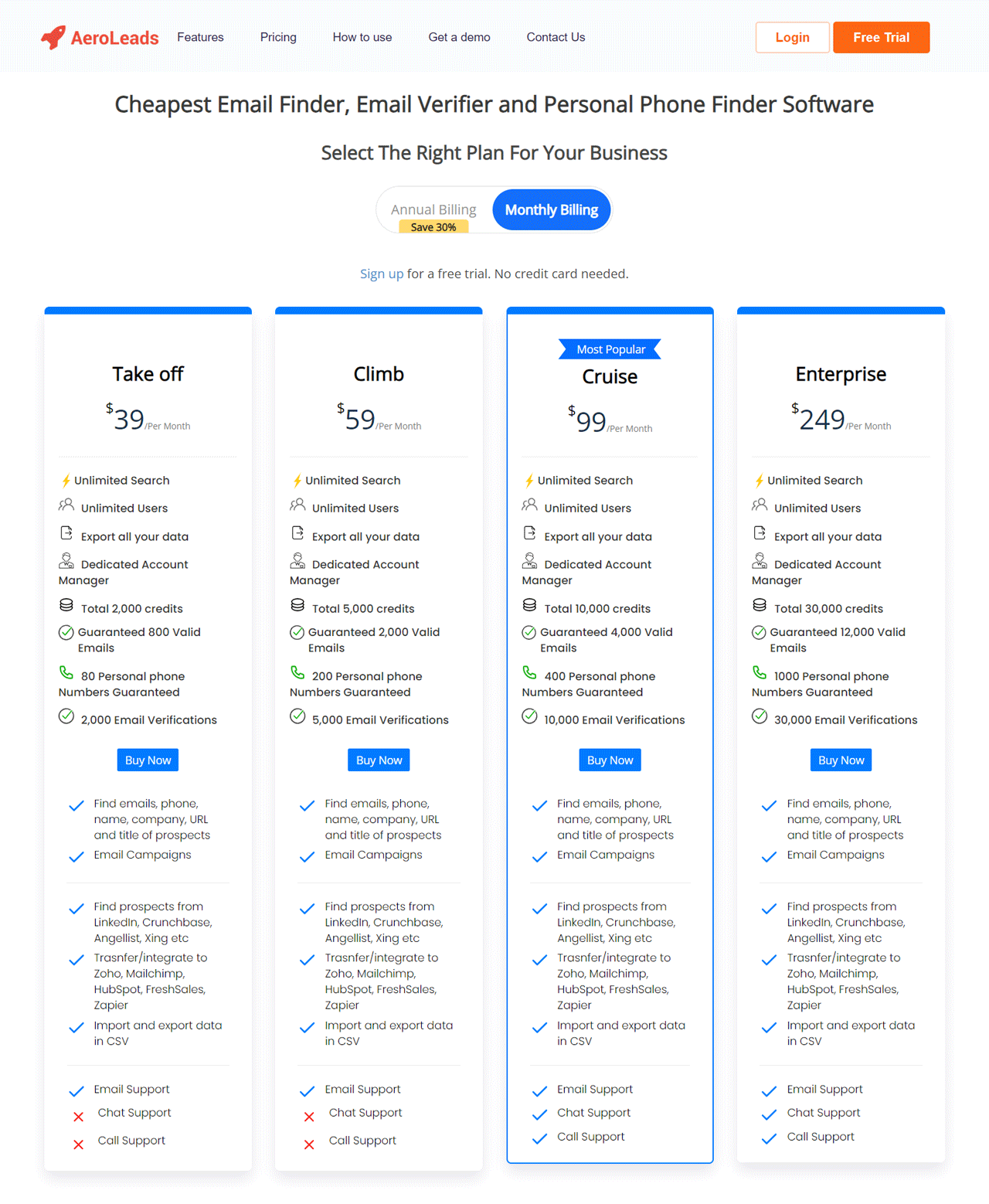
AeroLeads has designed its pricing options to meet the diverse needs of businesses, from small startups to large corporations. The tool offers four straightforward plans.
Start with the Take Off plan at $39 a month if you’re working solo. This plan offers unlimited searches and 24,000 credits. If your team is growing, the Climb plan at $59 a month, with 60,000 credits, might be the right fit.
For larger teams, consider the Cruise plan at $99 a month, which provides 120,000 credits. And for big organizations, the Enterprise plan at $249 a month offers a generous 240,000 credits.
What Users Say About AeroLeads?
-
- G2: 4 out of 5 (61 reviews)
- Capterra: 4.6 out of 5 (38 reviews)
“What do you like best about AeroLeads?
Their free plan offers valuable tools at low cost. The ability to acquire additional credits while on the free plan is great and overall low effort. For someone to gain value using this tool they should be a very consistent LinkedIn user as well.”
What do you dislike about AeroLeads?
The platform’s UI appears somewhat dated and would be benefited by an upgrade to something like a material design theme.” – Tom P.
Our Review of AeroLeads
In our experience, AeroLeads shines as a top-notch lead generation tool. It excels in quickly finding and verifying contacts, making it easier to build a solid list of leads. The tool allows for efficient lead searches, keeping data fresh and cutting down on search time.
Its ability to sync with major CRM systems and the handy Chrome extension for capturing data on the go are big pluses, boosting workflow efficiency.
However, its focus on bulk tasks can slow things down, and the wealth of features might overwhelm newcomers. Despite these small setbacks, AeroLeads offers some powerful features that integrate well with business tools and support sales and marketing efforts well.
Note: Alternatives to AeroLeads could open new doors for you if you are looking for more.
5. Dealfront
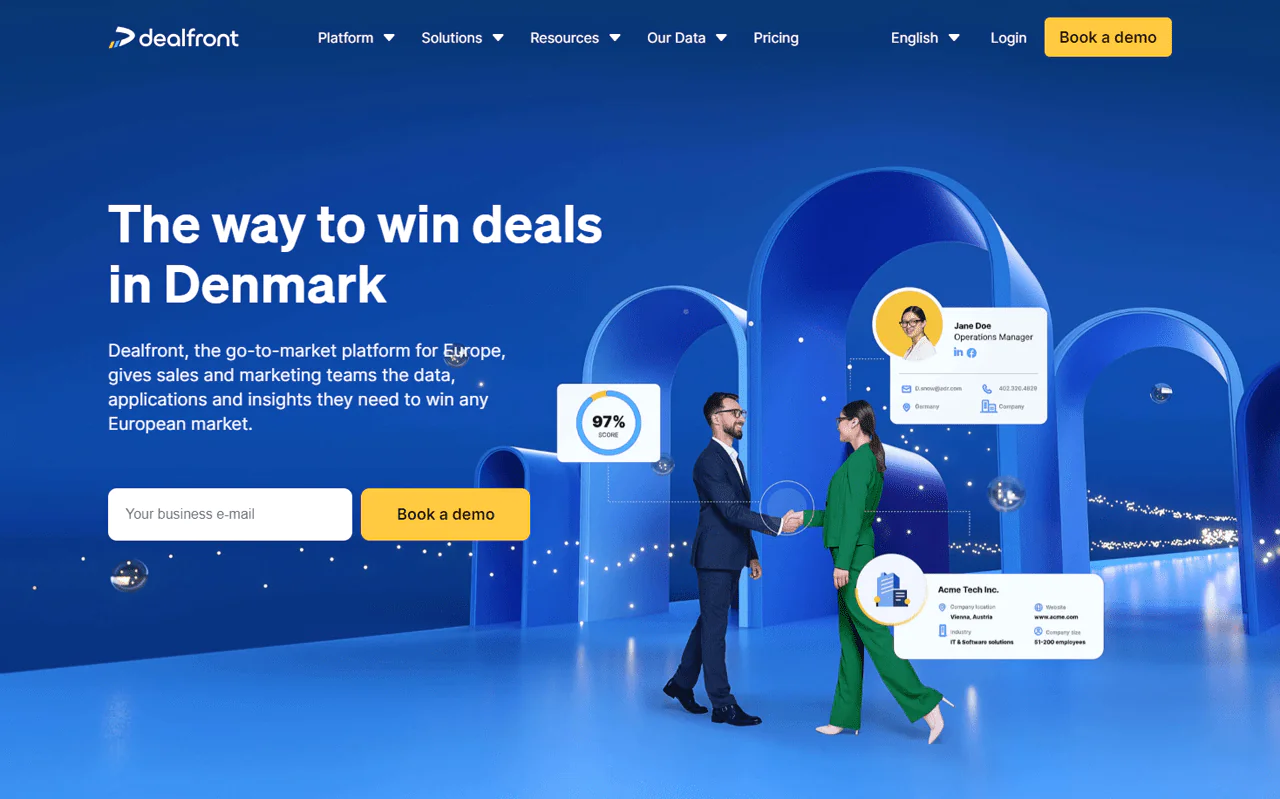
Dealfront is a top choice for businesses looking for effective lead generation tools in digital marketing. This all-encompassing tool gives you the data, tools, and insights you need to identify leads and finalize deals efficiently.
Plus, it offers you access to top-quality, compliant B2B data, making it easier for your team to find and connect with potential clients who are ready to buy. You can easily find key decision-makers, get their contact information, and streamline your team’s efficiency with this tool.
If you look at Dealfront and FindThatLead, it’s clear that each offers distinct benefits for generating leads. In particular, Dealfront provides European market data like trigger events and buying signals, in compliance with regulations. On the other hand, FindThatLead focuses more on finding emails and facilitating outreach across the globe.
So, if your company is mainly focusing on the European market, it’s your go-to sales lead generator.
About Dealfront
- Founding year: 2023
- Founding team: Echobot and Leadfeeder
- Company Size: Over 330 employees
Features of Dealfront
Dealfront provides a set of tools to improve the effectiveness of sales and marketing teams through detailed data insights. Here’s a simplified overview of what it offers —
- Understanding Buyer Interest: Dealfront figures out who’s likely to buy soon by watching how they interact with online content. It looks for signs of interest in your products, helping you know when to make your sales pitch.
- Choosing the Right Companies: You can make lists of companies that are a perfect fit for what you’re selling. Dealfront helps you sort and pick the best potential customers based on specific details, so you can focus your efforts where they count the most.
- Works with Your CRM: Dealfront fits right into your existing CRM system, making sure all your customer info is current and easy to get to. It makes managing sales smoother by keeping everything you need to know about your contacts in one spot.
- Keeping Data Clean: Dealfront keeps your CRM data accurate and complete. It regularly updates contact details, getting rid of old data and adding new, relevant information.
- Direct Advertising to Companies: Use IP-based ads to get your brand in front of specific businesses. This method helps increase awareness among companies that are likely to be interested in what you offer, speeding up your sales process.
- Easy Lead Capture with a Browser Extension: With Dealfront’s browser add-on, you can easily grab leads from the internet and add them to your Dealfront account. It includes grabbing info from LinkedIn and other websites, making the lead collection a breeze.
Pros
- Smoothly works with CRM for better contact handling.
- Uses advanced AI to ensure data is accurate and useful.
- Covers a wide range of detailed business information in Europe.
- Makes it easier to discover and connect with new leads.
- Delivers useful information for more effective marketing.
Cons
- Focuses mainly on Europe, not as much elsewhere.
Pricing
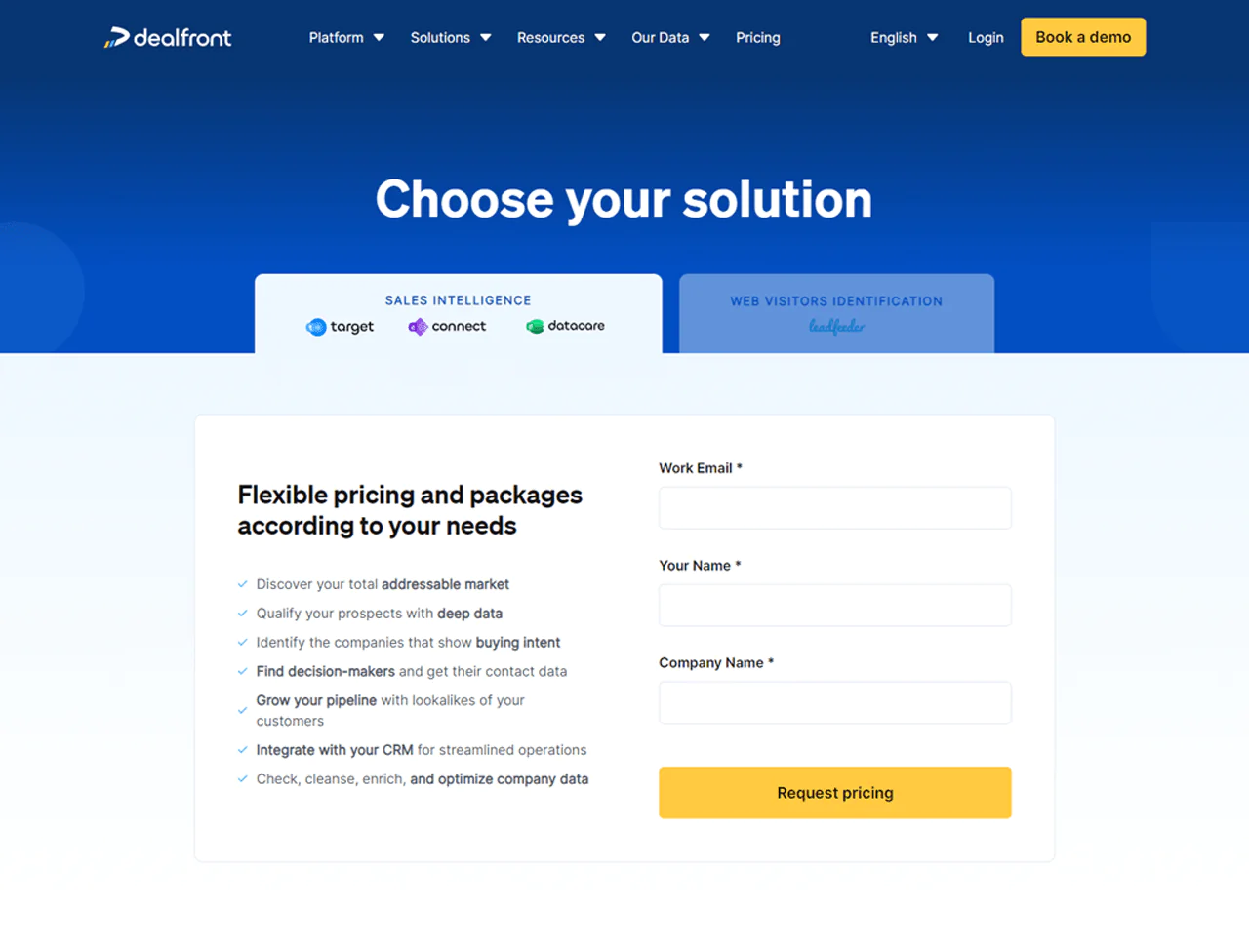
Dealfront provides a forever-free plan that lets you track up to 100 companies visiting your website each month for free, making it a great choice for solo entrepreneurs or small startups.
If you need more from the service, their premium plans begin at $139 a month (paid yearly). These are suited for growing businesses, as they come with no limits on users or data storage.
The cost depends on how many companies you identify, giving you the freedom to expand your marketing reach without the stress of hitting any caps.
What Users Say About Dealfront?
- G2: 4.3 out of 5 (773 reviews)
- Capterra: 4.3 out of 5 (129 reviews)
“What do you like best about Dealfront?
“I really like how they do their subscriptions. It feels like a great value, especially for the support. When we implemented Dealfront (Leadfeeder at the time), they were very helpful in getting our sales team taught how to use this. They also shared great content with us that explained how to reach out to customers using the data we were able to gather.
What do you dislike about Dealfront?
There’s not much downside. I haven’t used much of the Target Basics yet, so I can’t really speak to that.” – Verified User in Business Supplies and Equipment
Our Review of Dealfront
During our time using Dealfront, we found it to be an exceptional lead generation tool. And particularly for its thorough compliance with B2B data. Connecting with key decision-makers and understanding their needs became straightforward.
Plus, the ease of integrating it into our CRM and gaining detailed insights into prospect interactions significantly improved our sales strategies and results.
However, the tool’s focus on European data might not fit companies seeking a global approach, and the amount of information provided may overwhelm new users.
Despite these minor issues, Dealfront has been a dependable asset in sharpening our sales tactics.
6. Clearbit
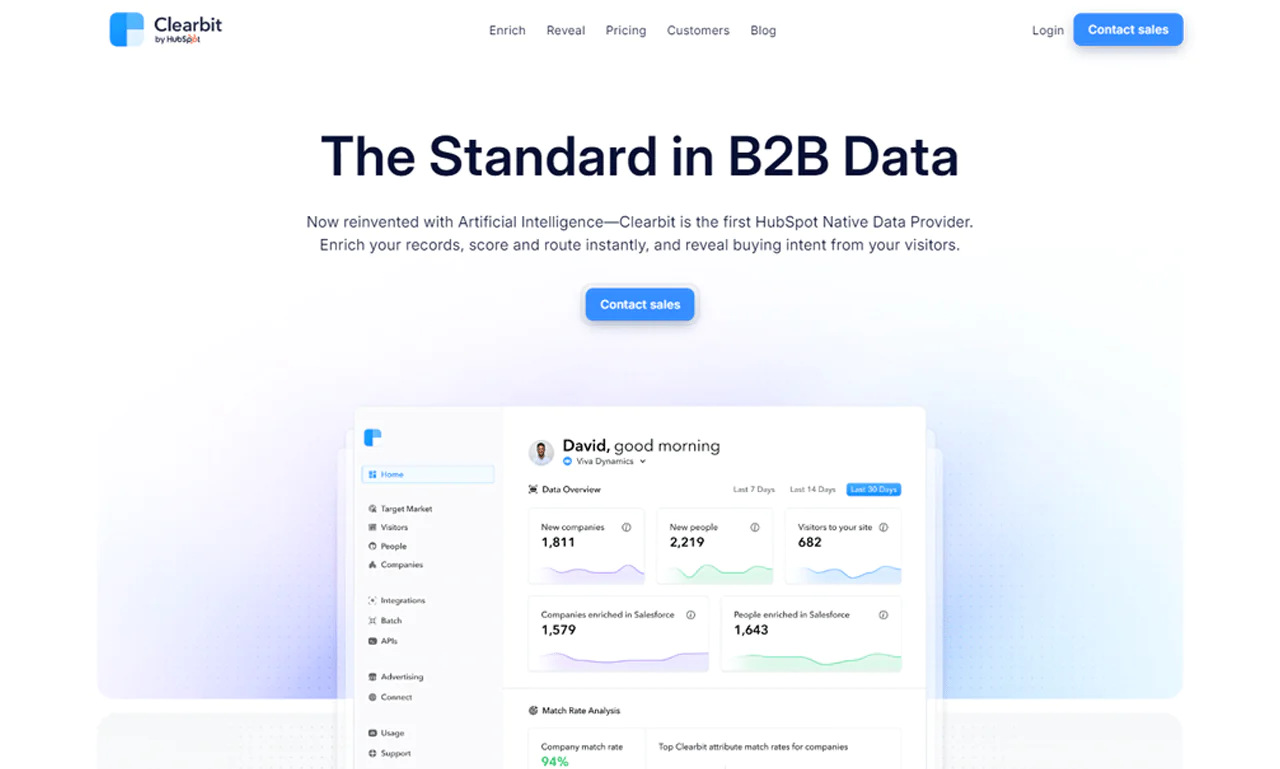
Clearbit has set a new standard in B2B data with its innovative use of artificial intelligence. Recognized as HubSpot’s first Native Data Provider, Clearbit revolutionizes how companies handle B2B marketing data.
This tool uses artificial intelligence to give you a wide range of B2B data, including details about companies, contacts, and IP addresses. It’s great at making your records more useful, quickly deciding which leads to focus on, and figuring out who’s likely to buy based on their website activity.
When you compare Clearbit with AeroLeads, Clearbit excels with AI for real-time lead management and data enrichment, including industry-specific insights. While AeroLeads focuses on a broad email database, Clearbit offers deeper insights and buying signals through IP intelligence.
As a result, it’s a go-to sales lead generator for businesses wanting a strong database for their marketing and sales efforts.
About Clearbit
- Founding year: 2015
- Founding team: Alex MacCaw, Amit Vasudev, Andrew O’Neal, Harlow Ward, Matt Sornson, and Rob Holland.
- Company Size: 51 to 200 employees
Features of Clearbit
Clearbit offers two main tools, Enrich and Reveal, designed to improve your B2B marketing. Let’s explore each tool and its features for a clearer understanding of how they can improve your marketing and customer interaction.
Enrich
Clearbit’s Enrich tool is about enriching your database to make every contact detail as useful as possible.
- Real-Time Data Enrichment: As soon as leads, contacts, and accounts enter your system, Clearbit updates their details in real-time. It ensures your interactions are always based on the latest information.
- Comprehensive B2B Attributes: Clearbit pulls together over 100 B2B data points from 250+ sources, offering insights into company size, industry, technology, and more. This depth of information helps you know your prospects better.
- Automated Data Refreshing: Clearbit keeps your database current by automatically updating records when changes occur. It guarantees that your team always works with the most recent data.
- Seamless Integration: Clearbit easily connects with your current tools, thanks to its APIs and webhooks, removing the need for manual data entry and making your processes more efficient.
- Lead Scoring and Routing: With the rich data from Clearbit, you can more accurately score leads and direct them to the appropriate team, ensuring time is spent on the most promising prospects.
- Rich Customer Segmentation: With detailed information from Clearbit, you can segment your customers more precisely, allowing for targeted marketing campaigns that better address their specific needs.
Reveal
Clearbit’s Reveal tool helps you identify anonymous businesses visiting your website, offering potential leads.
- Website Visitor Identification: Reveal shows you which companies are on your site and their interests. This helps you understand what attracts businesses to your offering.
- Actionable Insights: Clearbit analyzes visitor interactions to give you insights into which efforts are working. You discover which campaigns attract the right traffic and which content draws in your target market.
- Instant Sales Alerts and Workflows: When potential customers visit your site, Clearbit alerts your sales team right away and starts relevant marketing workflows, helping you engage visitors effectively.
- Targeted Account-Based Experiences: You can customize your website for the most valuable visitors by tailoring content and offers to their interests, creating a more compelling online experience.
Pros
- Increases sales through current customer data.
- Reduces effort in lead search and qualification.
- Provides comprehensive global company information.
- Ensures data is private and accurate.
- Makes turning leads into customers faster and easier.
Cons
- Starting and learning to use it can be tricky.
Pricing
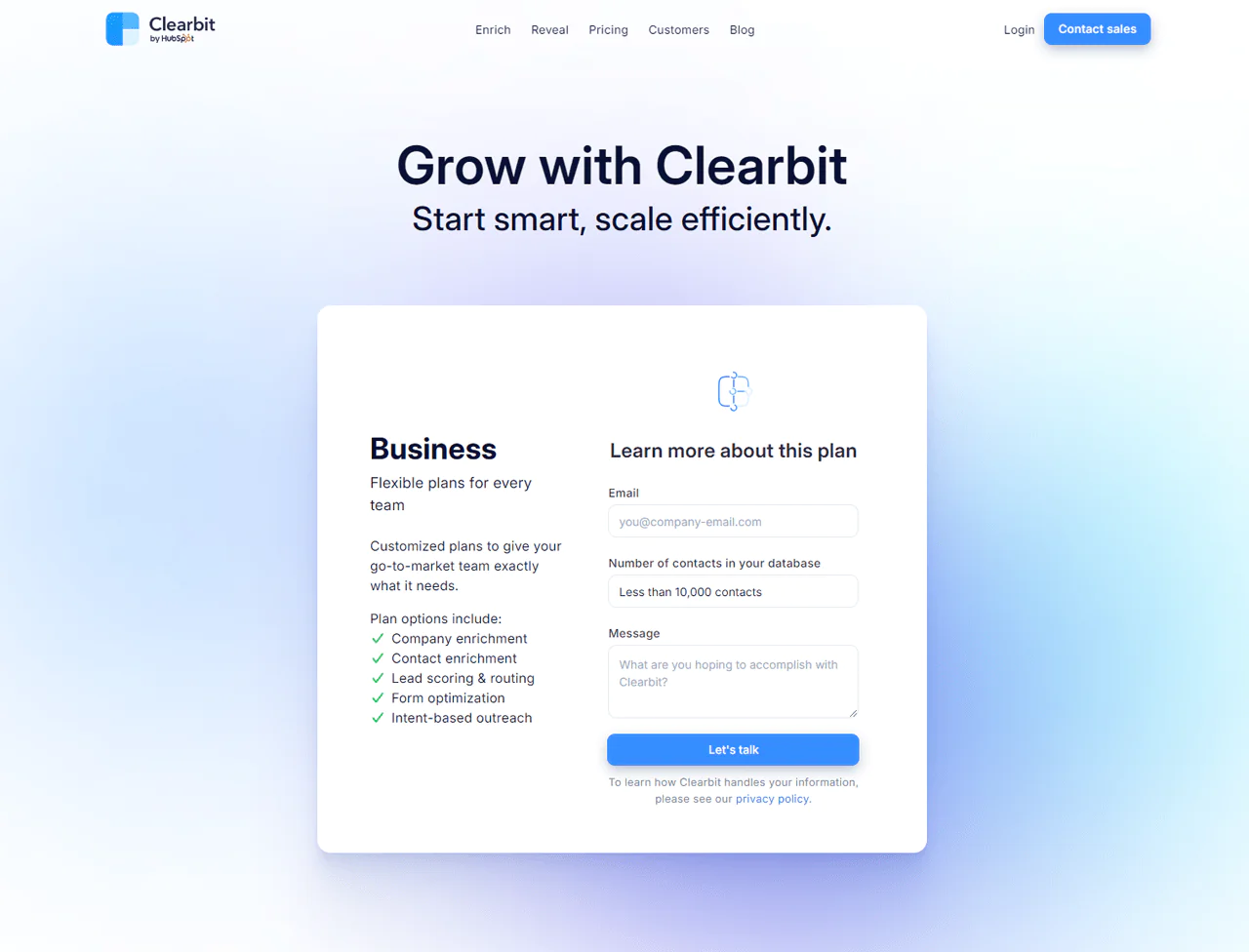
While detailed pricing isn’t fully disclosed, we found that Clearbit offers pricing plans starting at $99 per month for 275 API requests. With charges applied per request, Clearbit ensures billing transparency.
Moreover, Historical plans ranged from $99 to $999 monthly, adapting over time. However, we encourage you to reach out to the Sales team of Clearbit to get your customized pricing.
What Users Say About Clearbit?
- G2: 5 out of 5 (617 reviews)
- Capterra: 4 out of 5 (33 reviews)
“What do you like best about Clearbit?
“Clearbit Real-Time Form Enrichment, Account Level Visits, Real-time Slack Notification. The tool has a good integration ecosystem, so it can be helpful for organizations looking to grow their integrated marketing tech.
What do you dislike about Clearbit?
Platform enablement and user adotpion needs to be imporved. The Enrichment fails 3/10 times at the Enterprise Level and 6/10 times at the SMB level for Data Enrichment.” – Sidharth I.
Our Review of Clearbit
During our exploration of Clearbit, we found it to be an incredibly useful tool for improving B2B marketing and sales efforts. As leads, contacts, and accounts are updated, Clearbit gives businesses detailed information to shape their marketing and sales strategies.
However, there are a couple of hurdles to consider. Learning to use Clearbit’s detailed data might be challenging for some teams. Also, its pricing could be a bit steep for smaller companies or those with limited budgets.
Clearbit, though, provides invaluable insights and simplifies lead generation processes, making it a powerful ally for businesses seeking informed growth.
Note: To explore further, Clearbit alternatives present more advanced opportunities.
7. FindThatLead
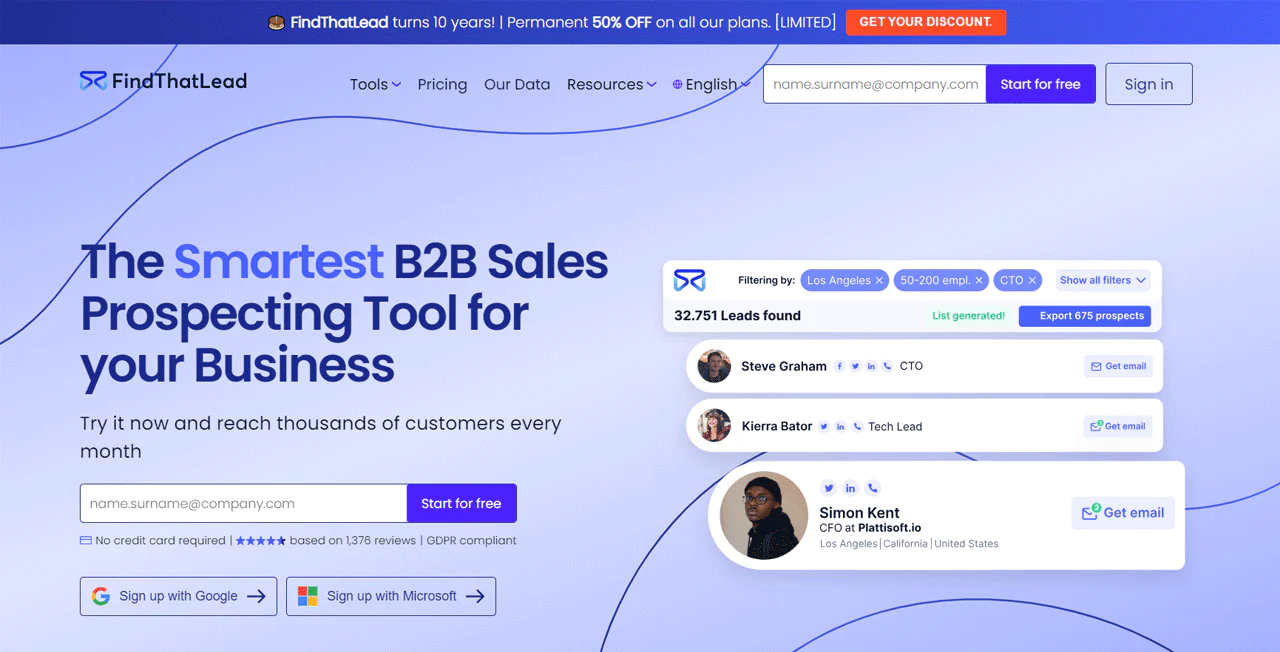
For businesses focused on lead generation tools for small businesses, FindThatLead is an excellent choice. It simplifies finding and contacting potential customers by offering easy-to-use features.
Also, specify the type of people you want based on their job, industry, or location, and FindThatLead will create a custom list of email addresses for you. Plus, with its Chrome extension, you can grab emails from websites and LinkedIn, making it easier to gather leads.
When you compare FindThatLead with Clearbit, FindThatLead directly generates leads with its email search and outreach tools, ideal for targeted campaigns. Clearbit, however, offers a broader data set for B2B insights, including identifying sales opportunities through AI.
About FndThatLead
- Founding year: 2014
- Founding team: Gerard Compte and Cristian Vitales
- Company Size: 11 to 50 employees
Features of FndThatLead
FindThatLead gives you a set of tools to make finding leads and reaching out via email much easier. Let’s dive into what it offers:
- Chrome Extension for Email Extraction: It allows you to easily grab emails from sites like LinkedIn and Crunchbase with a click. This extension makes any webpage a source for potential leads.
- Lead Search Tool: You can look up email addresses using a name, company, or domain. This tool quickly sifts through a large database to find the contact info you need.
- Email Sender for Drip Campaigns: FindThatLead can set up and send custom email sequences with ease. This feature takes care of the follow-up emails for you, helping you keep in touch with leads over time.
- Prospector Tool: This tool finds top-quality leads fast with this tool’s advanced filters. It generates up-to-date emails in real time, giving you the latest information.
- Local Business Finder: It allows you to connect with local businesses by entering your desired location and industry. You’ll get a list of businesses, complete with emails and phone numbers.
- Social Search Tool: Pull email addresses from social media profiles by just entering their URL. Whether it’s LinkedIn or Instagram, you get the email linked to the profile.
- Lead Manager: FindThatLead keeps your leads organized with this built-in CRM feature. It works together with FindThatLead’s other tools, streamlining how you manage and work with your leads.
Pros
- Quickly collects and checks email lists.
- Automates lead generation, saving valuable time.
- Improves the success of email marketing campaigns.
- Offers a large collection of confirmed emails.
- Helps customize messages directly to potential clients.
Cons
- Costs may increase with heavy use.
Pricing
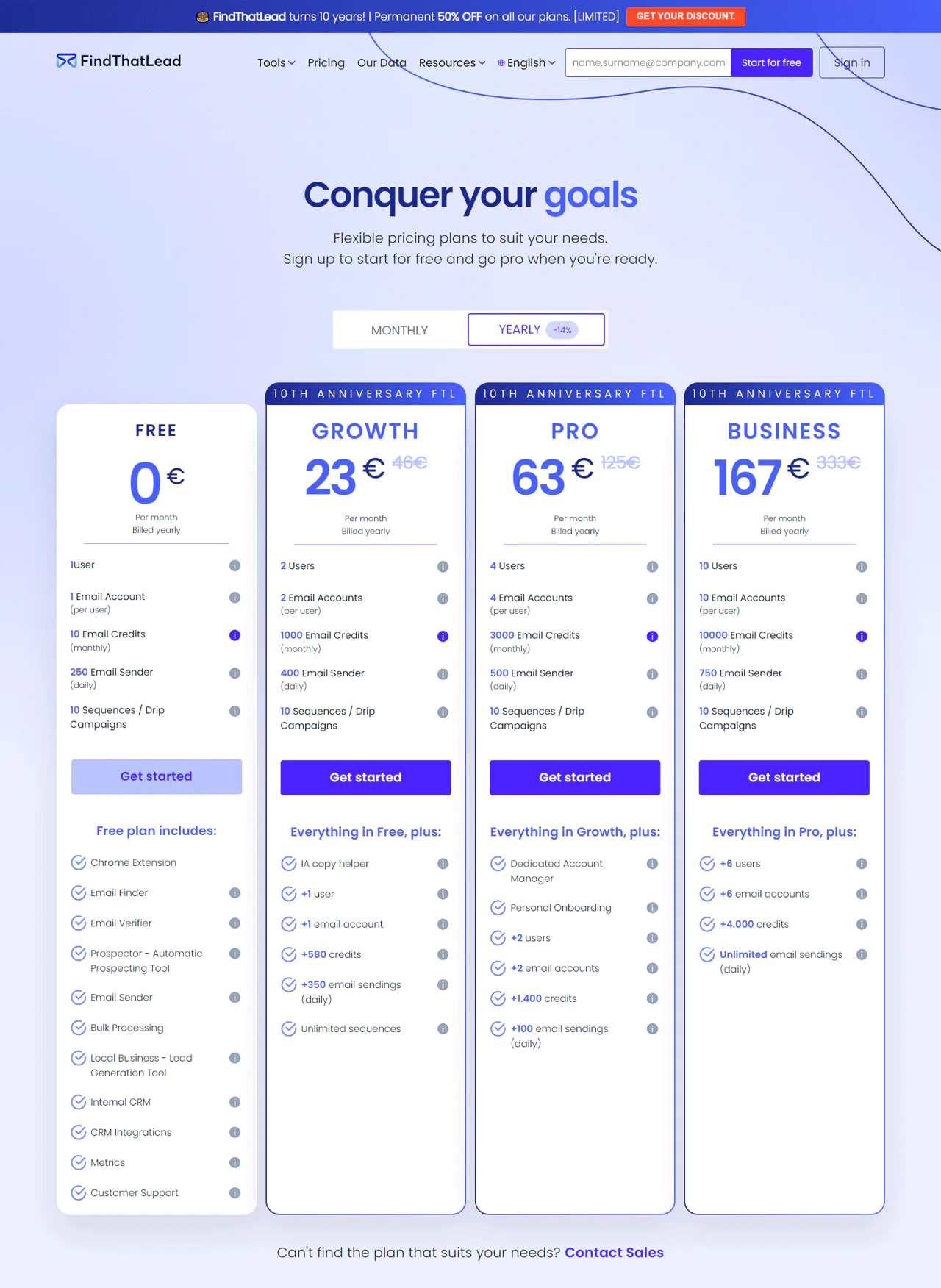
FindThatLead is marking its 10th year by offering a lasting 50% off all its plans.
Start with a free plan, which gives individual users 10 email credits each month. Small teams can choose the Growth plan for €23 a month (paid annually), which includes 1,000 credits. The Pro plan, at €63 a month, is ideal for bigger teams, providing 3,000 credits.
For businesses with larger outreach goals, the Business plan at €167 a month offers 10,000 credits. Each option is tailored to support your outreach efforts, giving you the tools needed to grow your network and business.
What Users Say About FindThatLead?
- G2: 4 out of 5 (85 reviews)
- Capterra: 4.2 out of 5 (74 reviews)
“What do you like best about FindThatLead?
FindThatLead is one of the best, easy to use and very convenient email finder and prospecting tool. You can just install the chrome extension, and register, it’s free then go to any website and click the extension. That’s it.
What do you dislike about FindThatLead?
I think like any other prospecting tools, it’s the accuracy and sometimes it doesn’t show any email address. There’s no perfect prospecting tools so, it’s okay. Nothing to complain about. it’s free.” – Mark C.
Our Review of FndThatLead
We’ve taken a close look at FindThatLead and discovered it’s a powerful tool aimed at making B2B sales prospecting much simpler. Our hands-on experience showed us that it smoothly generates and checks lead data on the spot.
You can easily find prospects by specifying their industry, job role, or location, helping you pinpoint the right contacts. Additionally, its Chrome extension helps us gather leads from websites and social media directly.
On the flip side, we noticed a few drawbacks. Depending mainly on algorithms to create and check data might miss some details that only human checking can catch, which could lead to some errors.
Also, it might not work for every business, depending on how detailed your search is and what industry you target.
8. LinkedIn Sales Navigator
LinkedIn Sales Navigator is a powerful tool for anyone looking to improve their sales approach. It gives you special access to LinkedIn’s large network, making it easier to find and connect with potential customers.
Besides, this tool is great for sales teams because it has advanced search options, lead suggestions, and valuable company information. It helps you concentrate on the most likely prospects by using LinkedIn’s big database for focused marketing efforts.
When you look at LinkedIn Sales Navigator versus Hunter.io, you’ll see LinkedIn shines in giving you deep insights into networks and customized suggestions for leads. On the other hand, Hunter.io is your go-to for swiftly finding and confirming professional emails, perfect for reaching out directly.
As a result, it’s an excellent choice for those who seek to succeed in sales, marking it as one of the best lead generation tools for B2B.
About LinkedIn Sales Navigator
- Founding Year: 2014
- Founding Team: LinkedIn
Features of LinkedIn Sales Navigator
LinkedIn Sales Navigator provides a suite of features tailored to enhance the sales process for sales professionals. Here’s a concise overview —
- Advanced Search Filters: Use LinkedIn’s detailed search to quickly find the exact leads and accounts you need. You can search by job titles, company size, or even the technology they use, making it easier to find the right contacts.
- Real-Time Sales Updates: You can get updates about your leads instantly. Whether they change jobs, their company makes an announcement, or they share something new, you’ll know right away.
- InMail Messaging: It sends messages directly to potential leads, even if you’re not connected. This lets you reach out personally to people who are usually hard to contact.
- Lead and Account Recommendations: LinkedIn suggests new leads and accounts for you based on what you’ve looked for before and how you’ve interacted with profiles. It keeps your pipeline full of fresh prospects.
- Integration with CRM: You can connect Sales Navigator with your CRM to keep track of all your sales activities and lead interactions in one place. This makes sure you and your team always have the latest information.
- Sales Insights: This gives you valuable information about your leads and accounts, like company growth and new hires. It helps you tailor your approach to exactly what your prospects need, making your messages more effective.
Pros
- Improves how you find leads with detailed search options.
- Keeps you informed about what your leads are doing now.
- Gives tips to help you reach out in a more personal way.
- Connects you with a large number of professionals.
Cons
- New users might find it hard to learn at first.
Pricing
Though, you won’t see open prices on the website, we’ve researched for you.
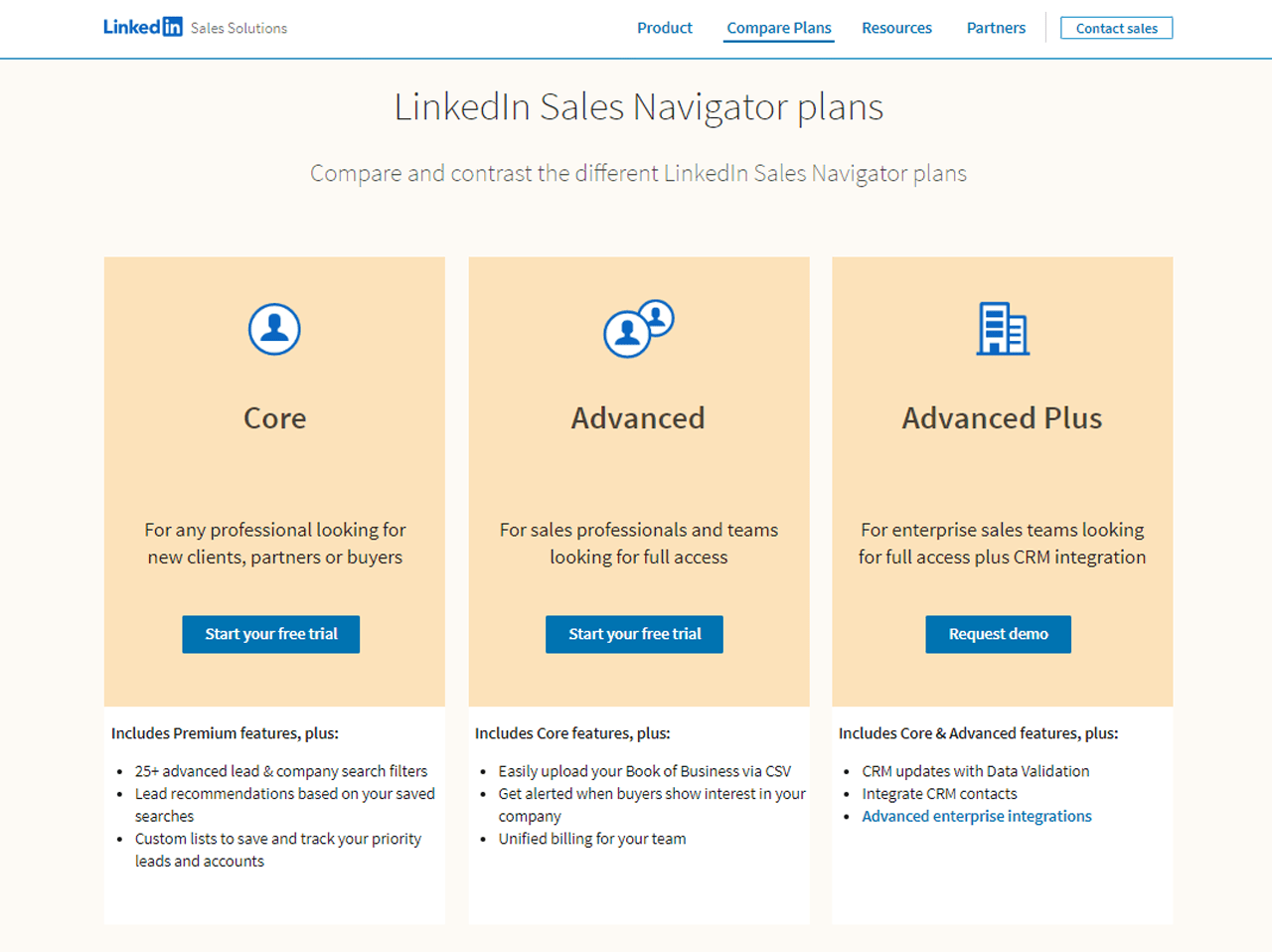
LinkedIn offers you three Sales Navigator plans: Core at $99 per month for individuals, Advanced at $149 per month for advanced users, and Advanced Plus at $1600 per month for comprehensive needs.
Opting for annual payment grants you a 25% discount, making each plan more accessible based on your specific requirements.
What Users Say About LinkedIn Sales Navigator?
- G2: 5 out of 5 (1,831 reviews)
- Capterra: 4 out of 5 (136 reviews)
“What do you like best about LinkedIn Sales Navigator?
Sales Navigator is the most essential tool for anyone working in sales in “the modern day”. No other tool allows you to view and prospect as well as Sales Navigator does, especially with such ease. The implementation is super easy and myself and my colleagues use it every single day without fail. With countless amounts of features its an absolute must have within your fleet of tools. –
What do you dislike about LinkedIn Sales Navigator?
There isn’t a huge amount about Sales Nav I dislike. I use the tool more than anything else and I have never really found an issue with it. What’s not broken, don’t fix!” – Joshua H.
Our Review of LinkedIn Sales Navigator
During our time with LinkedIn Sales Navigator, we found it to be an effective tool for making sales efforts more efficient. We particularly liked how its detailed search options and instant updates make it easier to find and connect with the right leads.
Its smooth integration with CRM tools also stood out, helping sales reps work better. However, its price might be too high for smaller companies, and new users might find it a bit complex.
Even with these points, LinkedIn Sales Navigator can be a great asset for businesses looking to improve their sales approach.
9. Wisepops
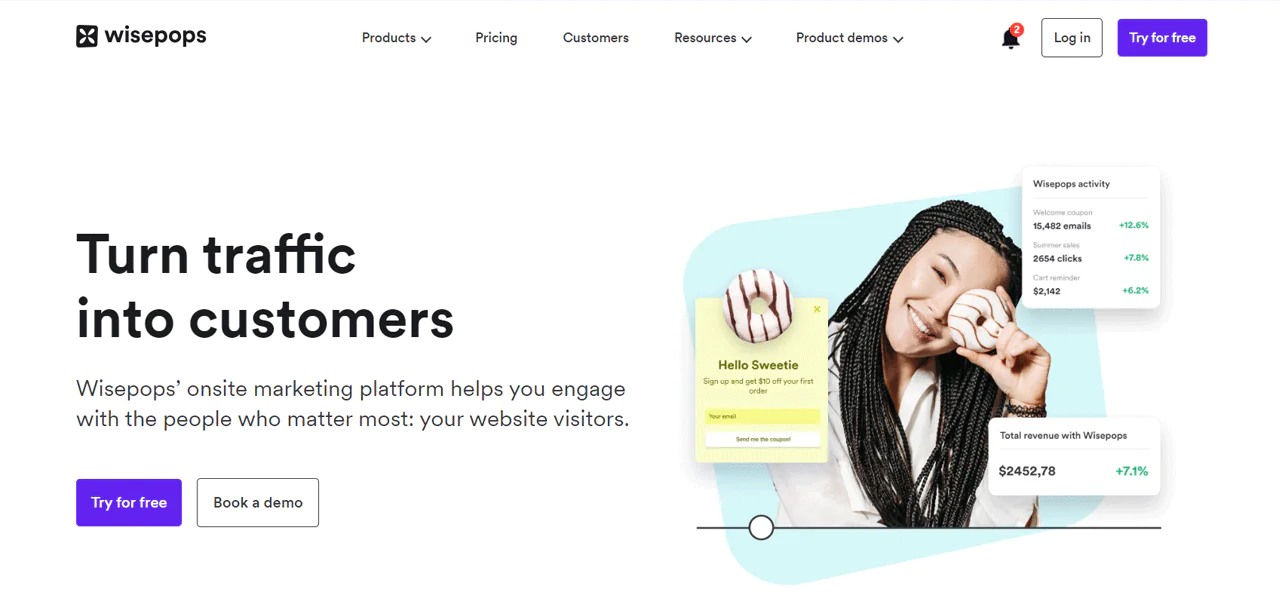
Wisepops stands out as a great choice for companies looking to improve their website’s ability to engage visitors and turn them into customers. This tool is all about creating custom pop-ups and alerts that grab the attention of those who visit your site.
Thanks to its straightforward design tools, anyone can quickly make pop-ups, bars, and other elements that fit well with their website’s look and marketing aims. Plus, Wisepops shines with its ability to target messages accurately, making sure they reach the intended audience at just the right moment.
If you compare Wisepops with LinkedIn Sales Navigator, Wisepops is better at creating engaging popups. However, LinkedIn Sales Navigator uses extensive network insights to precisely target B2B prospects.
About Wisepops
- Founding year: 2010
- Founding team: Ben
- Company Size: 1 to 10 employees
Features of Wisepops
Wisepops brings a collection of sales tools to make your website more engaging and effective at capturing qualified leads. Let’s dive into what it offers —
- Custom Popups and Bars: With Wisepops, you can easily create popups and bars that look great and fit perfectly with your website’s style. You can use these to get more email subscribers or highlight special deals, making your website more interactive.
- Target Right Visitors: Wisepops lets you show your messages to the right people at the right time. If someone has been browsing for a while or is on a specific page, you can catch their attention with perfectly timed messages.
- Friendly Notifications: It uses a subtle way to grab your visitors’ attention without annoying them. A small red badge signals something new, inviting them to explore without interrupting their browsing.
- Guide Your Visitors: You can create a series of steps with Wisepops to welcome visitors, ask for their feedback, or show them special offers. It turns a simple visit into a journey that encourages them to stay.
- Easy to Use Builder: You don’t need to be a tech whiz to use Wisepops. Its drag-and-drop landing page builder makes it super easy for anyone to create eye-catching pop-ups that get people to take action.
- Works Well With Others: Wisepops plays nice with the tools you already use, like Shopify, Klaviyo, and Google Analytics. It means you can easily connect it to your existing setup, making your marketing efforts more cohesive.
- Keep Track and Improve: It allows you to see how your popups are doing with Wisepops’ analytics. You can check out real-time data, try different versions with A/B testing, and tweak your approach based on your learning.
Pros
- Increases email signups with targeted popups.
- Enhances user engagement through personalized messages.
- Offers smooth integration with marketing tools.
- Easy to create and deploy custom popups.
- Improves conversion rates with behavior-based targeting.
Cons
- May be costly for small businesses.
Pricing
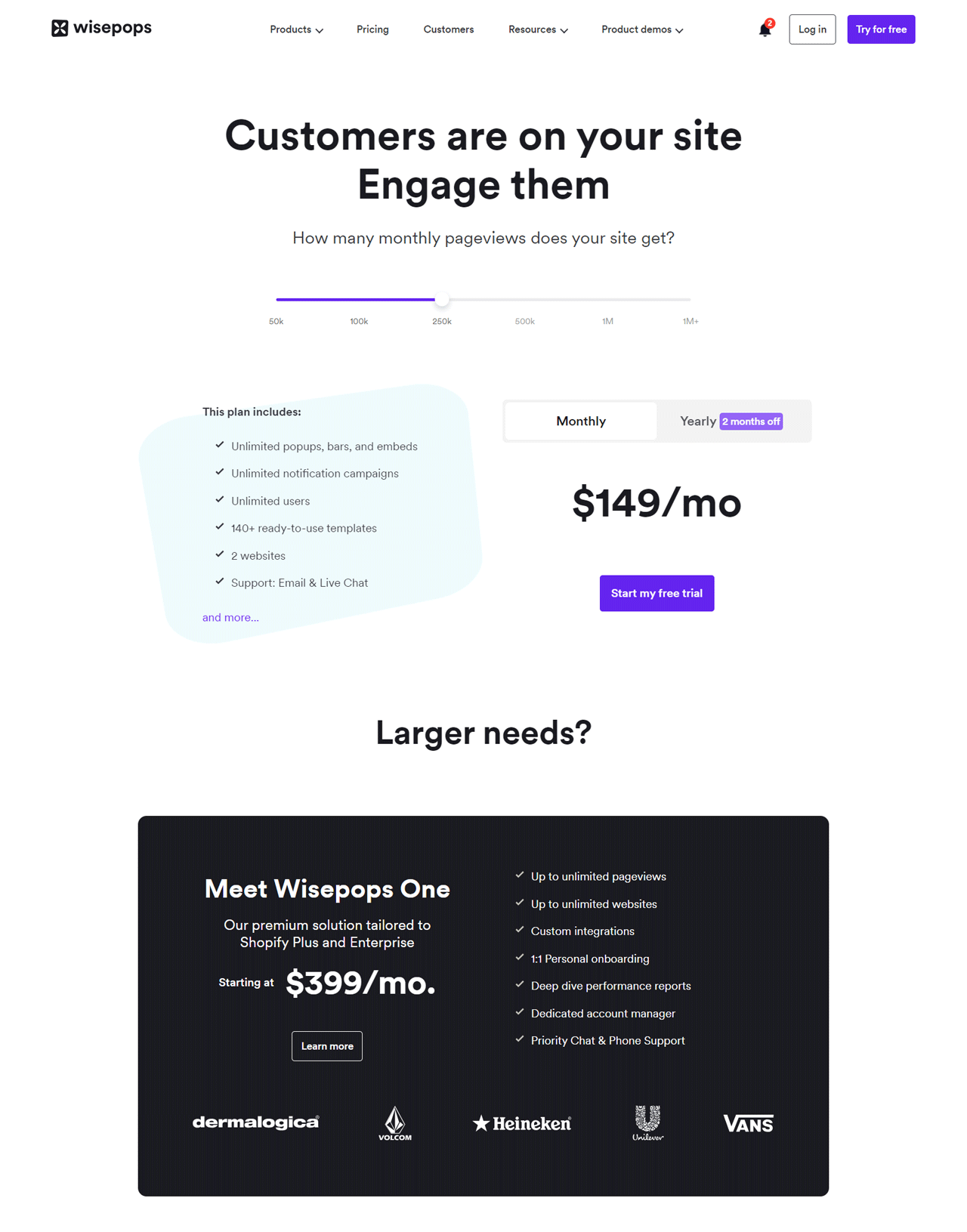
Wisepops offers a variety of pricing plans, starting off with an entry-level option at $49 monthly with 50K pageviews. It offers endless popups and catering to 2 websites—ideal for beginners.
For expanded needs, you can pick a $199 monthly package that supports 5 websites. Or, enhance your experience with the top-tier $399 monthly option, designed specifically for Shopify Plus and Enterprise users.
If you need more, you can contact them and go for a customized plan. So, select the plan that fits you perfectly.
What Users Say About Wisepops?
- G2: 3.8 out of 5 (10 reviews)
- Capterra: 4.9 out of 5 (78 reviews)
“What do you like best about Wisepops?
Pop ups are easy to build and deploy. We have been using them to direct online visitors to sales and promotion pages. So far we’ve had a decent amount of success in getting folks to opt in and purchase our products using the service.
What do you dislike about Wisepops?
We have had some issues/inconsistencies in WisePops working for some users. Not sure what the cause of the issues are. One example is three customers (all using Chrome OS) seemed to have issues viewing the pop ups. But I couldn’t re-create the issue using Chrome OS on my end. Just odd – and certainly not a deal breaker.” – Verified User in Retail
Our Review of Wisepops
We’ve tested Wisepops and found it to be an effective tool for boosting website engagement and conversions. Its user-friendly design allows for easy creation of personalized popups that capture attention at the right moments.
We appreciate its drag-and-drop functionality and seamless integration with email and CRM platforms, which simplify lead management. However, its pricing may be steep for smaller companies or individuals, and customization options, while extensive, may not satisfy those seeking unique designs.
Despite these concerns, Wisepops offers significant value for businesses looking to improve their online presence and sales.
10. Apollo.io
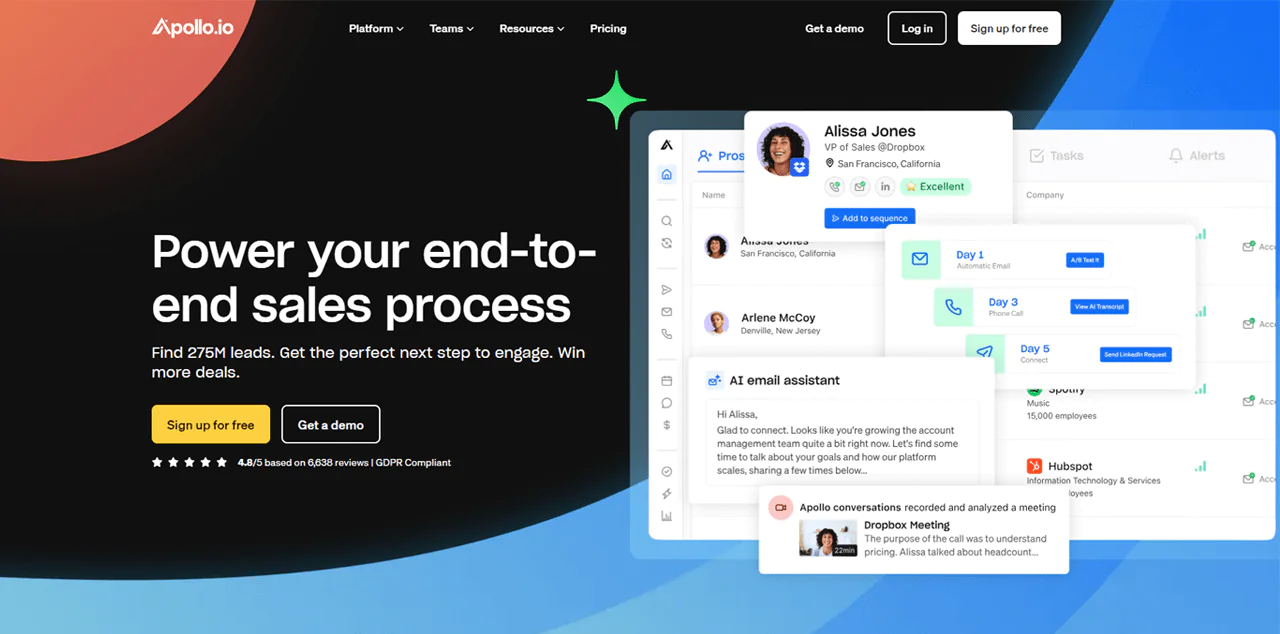
Apollo.io is a top pick for anyone looking for a detailed sales intelligence and engagement tool. It’s got a massive database containing information on over 275 million contacts from more than 73 million companies. And that’s a vital resource for sales teams who want to find, connect with, and win over new customers effectively.
Plus, it makes the sales journey smoother by offering easy-to-use tools for identifying potential leads, contacting them via email and social media, and improving sales tactics. It also works well with CRM systems, keeping sales data fresh and making the sales process more efficient.
When you compare Apollo.io to Dealfront, Apollo.io offers more contacts and companies for lead generation and customer engagement. In contrast, Dealfront gives you detailed insights into the European market, with a focus on compliance.
About Apollo.io
- Founding year: 2015
- Founding team: Tim Zheng
- Company Size: 501 to 1001 employees
Features of Apollo.io
Apollo.io offers a range of tools to make the sales process smoother from start to finish. Here’s what you can expect —
- Enrich: This feature keeps your CRM data up to date automatically. With Apollo.io, you don’t have to manually update your CRM, saving you time for more important tasks.
- Prospect: Apollo.io gives you access to over 275 million contacts, letting you filter through them with over 65 attributes. This way, you can easily find high-quality leads that match what you’re looking for.
- Engage: This tool automates your outreach by letting you set up personalized sequences for emails, calls, and LinkedIn messages. It keeps you in touch with prospects without the manual hassle.
- Close: Apollo.io helps you close deals more efficiently by providing tools for analyzing conversations and managing deals. It gives you insights into what’s working in your sales talks and helps you manage your deals better.
- Living Data Network: You get access to a huge, always-updated database. This ensures you always have the latest information for your sales and marketing efforts.
- Sales Intelligence: This feature offers detailed insights into your prospects, like their buying intent. It helps you customize your approach based on their specific needs and interests.
- Chrome Extension: Apollo.io’s Chrome Extension integrates with your daily tools like LinkedIn, Gmail, and your CRM. This makes it easier to access information and perform tasks without switching apps.
- Meetings: Booking meetings with prospects is made easy with this feature. It automates scheduling, including lead qualification and routing, and syncs directly with your calendar to cut down on the usual scheduling back and forth.
Pros
- Significantly cuts down on the time needed for finding leads.
- Saves money by merging several functions into a single platform.
- Increases the success of email and phone campaigns.
- Improves the chances of making sales with focused lead lists.
- Makes managing customer data and integrating with CRM systems easier.
- Provides useful data and insights to make better decisions.
Cons
- The more advanced options can be quite expensive.
Pricing
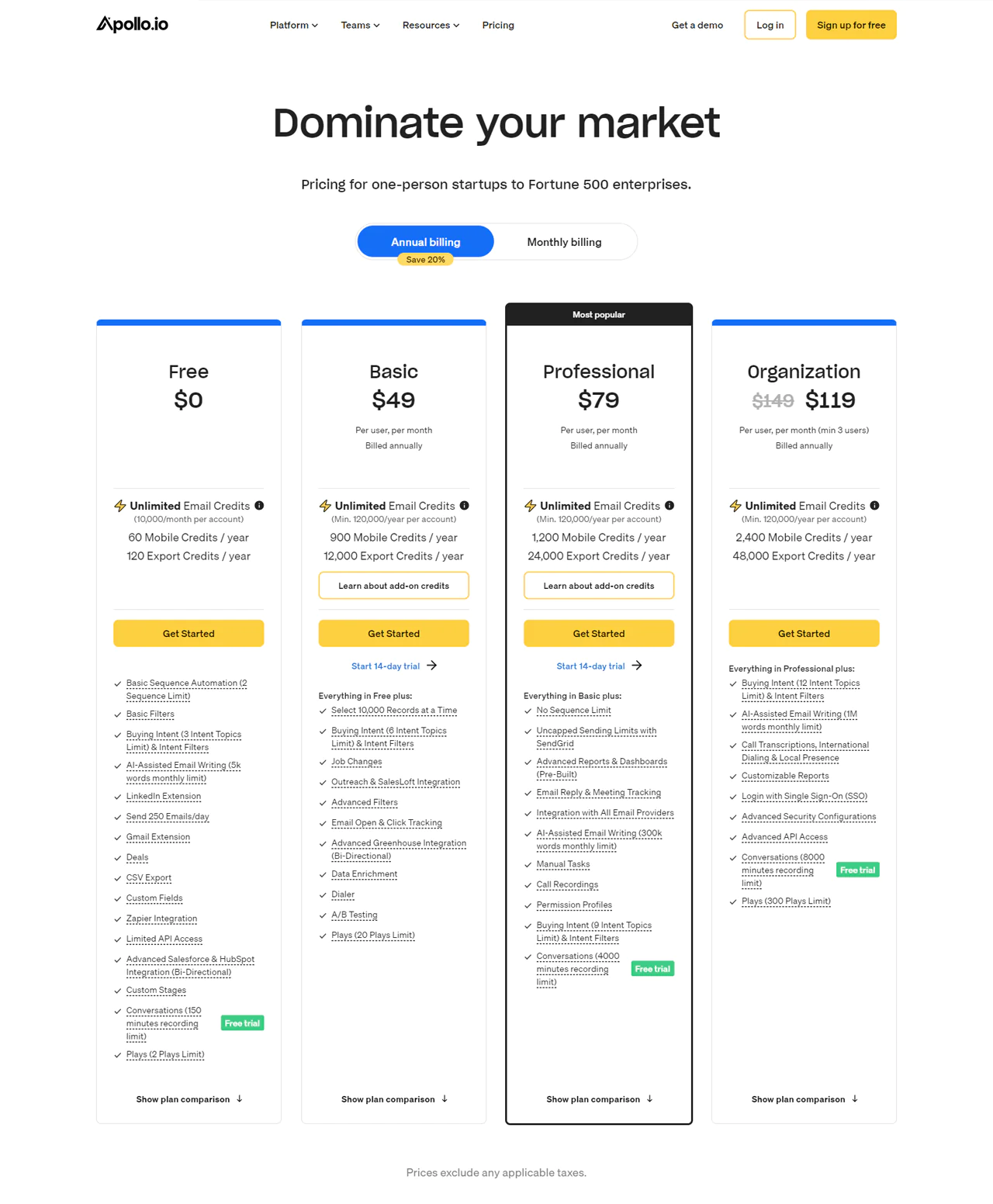
You can start for free, using unlimited email credits and essential tools right away. If you’re looking for more, the Basic plan is $59 per month for each user (paid annually) and includes additional features such as email tracking and alerts for job changes.
For $99, the Professional plan removes limits on email sequences and improves your reporting capabilities, making it ideal for growing businesses. Larger teams might prefer the Organization plan at $119 per user, with a minimum of five users (billed annually), which offers AI email support and improved security.
Each plan lets you pay only for the features you need, ensuring they match your business’s needs.
What Users Say About Apollo.io?
- G2: 5 out of 5 (6,639 reviews)
- Capterra: 4 out of 5 (338 reviews)
“What do you like best about Apollo.io?
The expansion is highly useful and inventive in every way. Apollo has been a part of my marketing and research profession from the start. I have acquired exceptional comprehension regarding the potential of any industry. As a marketing expert, I’ve dealt with a number of lead generating problems. Apollo has greatly simplified my work, saving me the trouble of conducting extensive research on websites in order to find a single, straightforward lead. There is exceptional customer support and they are really cooperative. It eases my breathing and is seamlessly connected with all the websites. It goes without saying that I use it as my go-to extension on a regular basis. –
What do you dislike about Apollo.io?
I’m in awe of most things about Apollo, but I would really like to earn more recognition. I do not mean to suggest that the UI is not pleasant; rather, I am saying that it could be made a bit more user-friendly.” – pranjal m.
Our Review of Apollo.io
We found Apollo.io, a powerful tool for improving lead generation and engagement, in our quest to simplify our sales process. This tool caught our attention with its rich database and ability to offer deep insights into millions of contacts.
Especially liked how well it integrates with CRM systems and automates reaching out to prospects, which has greatly improved our productivity. However, we noticed it can be a bit complex for newcomers, and its pricing may be a stretch for smaller companies.
While these hurdles remain, Apollo.io is now a key part of our sales approach, supporting different aspects of the sales process.
Note: For those interested, Apollo.io alternatives offer more promising options.
Types of Lead Generation Tools
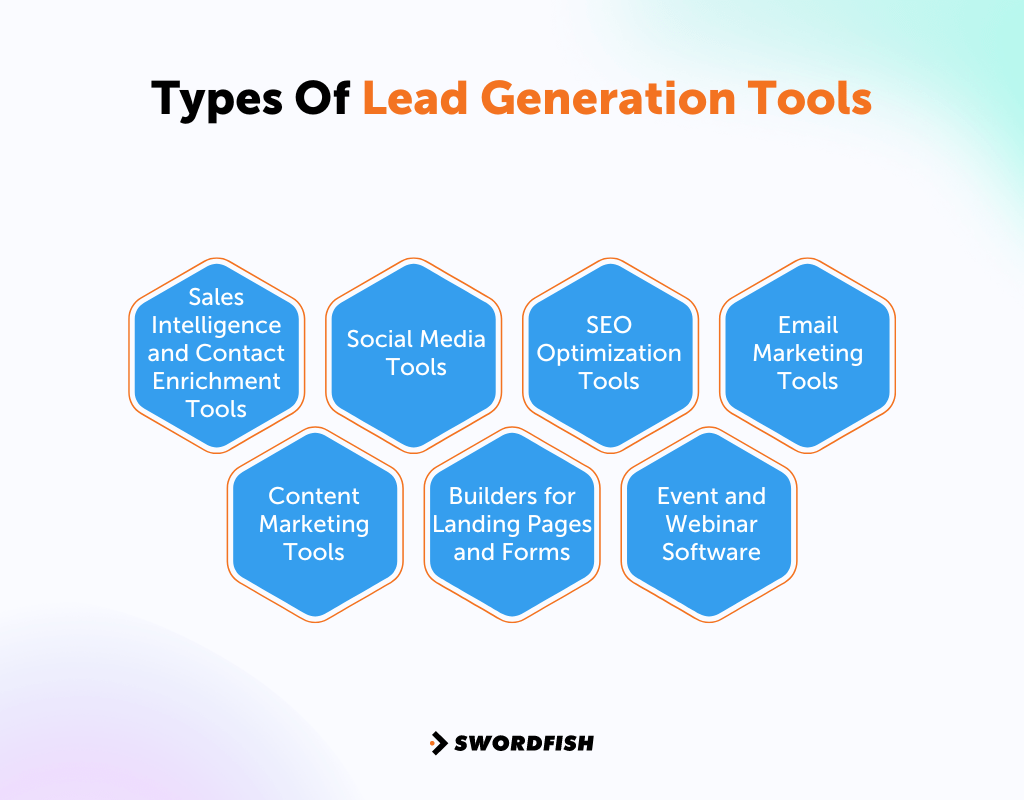
Businesses can use a variety of tools to identify and draw in prospective customers. By effectively using a mix of these tools, businesses can widen their reach, forge meaningful connections, and drive sales and growth.
Here are some key tools employed in lead generation —
- Sales Intelligence and Contact Enrichment Tools: These tools provide detailed information about potential leads, including contact information and business details.
- Social Media Tools: They help businesses to discover and engage with potential customers on social networks such as LinkedIn, Twitter, and Facebook.
- SEO Optimization Tools: With these tools, you can improve your site’s search engine ranking and attract more customers.
- Email Marketing Tools: Businesses use these to craft and send customized emails to potential leads, tracking how recipients interact with the content.
- Content Marketing Tools: Employed to produce and disseminate engaging content like articles, e-books, and webinars, these tools help attract leads by offering valuable information.
- Builders for Landing Pages and Forms: These applications help in creating tailored landing pages and forms that collect data from visitors, converting them into leads.
- Event and Webinar Software: This category includes tools that facilitate the hosting of webinars and events, attracting potential customers, and providing opportunities for lead generation.
Conclusion
Choosing the right B2B lead generation tools is key to making your marketing and sales work smoother. So we covered 10 top tools, highlighting the need to set clear objectives, stick to your budget, and make sure the tools work well with your existing systems.
Plus, our selected tools are easy to use, can operate across different platforms, and come with dependable support. It’s important to mention here that Swordfish AI is a standout option because of its real-time verification, making it a great fit for many needs.
As a result, try Swordfish AI to help you get more leads without getting bogged down by complex tech talk.
FAQs
How hard is lead generation?
A survey among B2B marketing leaders in the U.S. found that 35% struggle because potential buyers don’t see the value in what they’re selling. Another 33% have a hard time reaching specific groups of people.
What does the lead generation process look like?
It’s the path potential customers follow from first hearing about your company to finally buying something. Marketing and sales teams work together to guide potential customers through this journey, encouraging them to make a purchase.
Why do some lead generation efforts fail?
Often, it’s because the campaigns target the wrong people. If you don’t correctly identify who your customers are and what they want, your efforts won’t succeed.

