


 View Products


Last updated: September 3, 2026
Byline: Swordfish.ai RevOps Team
Who this is for
- RevOps, SDR, recruiting, and partnerships teams running legitimate outbound to SMBs, local businesses, and healthcare practices that maintain a Facebook presence.
- Operators who need a repeatable way to find a facebook business email without relying on personal-profile data.
- Teams that want compliant prospecting with documented permissible use, a working opt-out process, and respect for privacy.
Quick Answer
- Core Answer
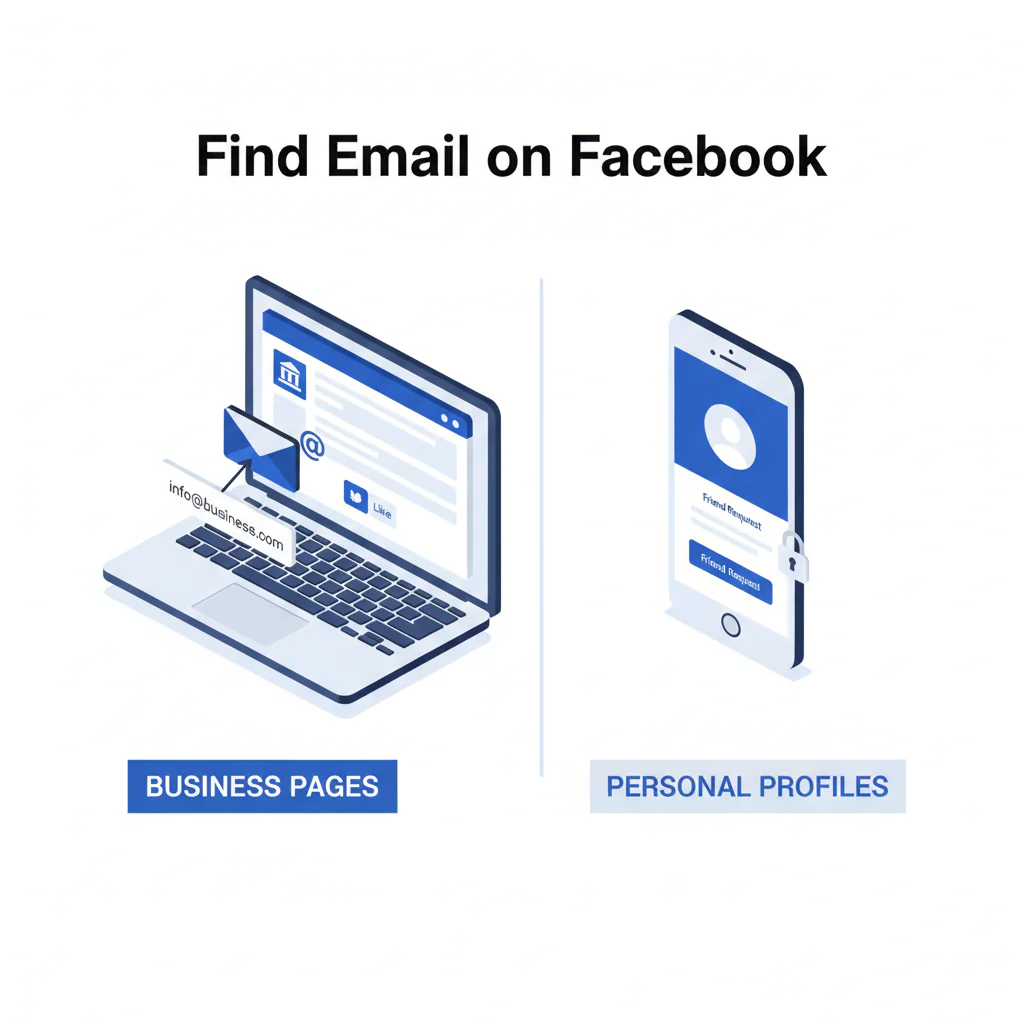
- To find email on Facebook, start with a business Page: check the About/contact fields and action buttons, then confirm the address against the linked company website. Personal profiles almost never show an email because of privacy settings, so lean on business-owned channels or a compliant enrichment workflow instead.
- Key Insight
- Facebook Pages sometimes list a business email; personal profiles almost never do.
- Best For
- Social contact lookup for SMB outreach when you want the lowest-risk route to a business inbox and a fast opt-out path, which cuts down on wasted touches and spam complaints.
Compliance & Safety
This method is for legitimate business outreach only. Always respect Do Not Call (DNC) registries and opt-out requests.
Use only publicly available business contact info for relevant outreach; honor opt-out and applicable consent rules.
Framework: Signal quality: business page vs personal profile
Signal quality comes down to one question: is the contact method meant for business inquiries? A Page is built to publish facebook page contact info, including email in some cases. A personal profile is built to restrict it. Treat that as a hard boundary rather than something to work around.
Step-by-step method
- Confirm you’re on a Facebook Page, not a personal profile. Pages show a business category (e.g., “Restaurant” or “Medical Center”), action buttons (Call, Email, WhatsApp), and business details. Personal profiles are built around posts and friends, not contact fields.
- Desktop path: Open the Page, click About, and scan Contact and basic info (labels vary) for Email and Website.
- Mobile path: Open the Page, tap About (or scroll to “Details”), and find Contact info for Email, Website, and Address. Some Pages label this section “Details” instead of “About”; either way, you’re looking for the Contact info block.
- Click the action buttons. Some Pages don’t print the email in About but expose it through an Email/Contact button instead.
- Use the Page’s website link to confirm. If the Page has no email, the official site’s Contact page or contact form is usually the intended route. When you land on a Contact Us form, treat it as the business’s preferred intake rather than a dead end.
- Don’t treat Groups or Events as email sources. Groups and Events rarely publish member emails; use them for context, not contact capture.
- Log the source and outreach rationale. In your CRM, record where you found it (Page About vs. website), the source URL, the date observed, and why the message meets permissible use.
What you’ll see in the wild (3 common patterns):
- Local restaurant: About shows “Email: reservations@domain.com” plus a Call button.
- Contractor: No email listed; only “Call Now” and a website link that leads to a contact form.
- Boutique service or small clinic: Messenger-only (“Send Message”) with no published email.
Messenger-only fallback (one message, then stop):
- Template: “Hi [Name]—quick question. What’s the best email for [business name] inquiries about [specific, relevant topic]? If this isn’t relevant, tell me and I’ll close the loop.”
- Rule: If they decline or don’t respond, don’t chase. Move on.
Diagnostic: Why this fails
Mixed results here are normal. Outcomes depend on (1) Page vs. personal profile, (2) how completely the Page was set up, and (3) whether the business routes inquiries to Messenger instead of email.
- Personal profile limitation: personal profiles usually don’t publish an email publicly, and visibility is controlled by the user.
- Incomplete Page setup: many SMB Pages, including small healthcare practices, never fill in the Email field or hide contact behind a button.
- Messenger-first operations: some businesses intentionally avoid publishing email to cut down on spam.
- Duplicate Pages: SMBs often run multiple Pages for the same brand; pick the one whose website link matches the domain you plan to email so you don’t contact the wrong entity.
Checklist: Weighted Checklist
Use this to prioritize actions by impact vs. effort. The weighting follows the core fact pattern: Pages may list business email; personal profiles usually don’t.
- High impact / Low effort: Check the Facebook Page About/contact fields for a published email.
- High impact / Low effort: Click Page action buttons (Email / Contact / Call) to reveal the intended inquiry path.
- High impact / Medium effort: Open the linked website and use its Contact page or contact form as the primary business-owned source.
- Medium impact / Medium effort: Validate deliverability with a real-time connectivity check (signal validation) before sequencing.
- Low impact / High effort (avoid): Trying to derive personal emails from personal profiles, which carries low signal and higher privacy risk.
How to improve results
- Apply a two-source rule. A Facebook Page email that also appears on the company website is higher confidence than either alone.
- Prefer business-owned routes when Facebook is thin. A published contact form is still the business’s chosen intake, and using it keeps you inside platform boundaries.
- Use a compliant enrichment workflow when the Page is incomplete. Start from domain plus company name plus public URLs, generate candidate inboxes, then apply signal validation before outreach.
- Centralize opt-out. Don’t let opt-out live only in your sequencer. Use an opt-out workflow that persists across tools and exports.
- Standardize compliance. Hold your reps to one bar for permissible use, consent context when applicable, and suppression rules using contact data compliance.
- Keep outreach relevant. A message tied to an actual business reason draws fewer spam complaints than a generic pitch.
Decision Tree: Conditional Decision Tree
- If you’re on a Facebook Page and the About section lists an email, then use it and log the source.
- If the Page has no email but has a website, then use the website’s contact page or contact form as the primary route.
- If the Page only offers Messenger, then send one short message asking for the right inbox for business inquiries.
- If you’re on a personal profile, then assume email discovery is unreliable and switch to business-owned channels or a compliant enrichment workflow.
- Stop Condition: If you can’t justify permissible use for ethical outreach or can’t support opt-out, don’t send the message.
Legal and ethical use
Finding an email isn’t the same as having permission to use it. Ethical outreach means you can explain why you’re contacting someone, you respect social platform boundaries, and you make opt-out immediate.
- Privacy boundaries: prefer business Pages and official websites over personal profiles.
- Consent and permissible use: some jurisdictions, channels, or use cases require consent. When unsure, default to stricter rules and document your permissible use rationale.
- Opt-out handling: honor opt-out across CRM, sequencer, and exports. Once someone opts out, they stay opted out until they opt back in.
- Not for sensitive decisions: don’t use contact discovery to make decisions about housing, employment eligibility, credit, or other sensitive outcomes.
What we don’t do:
- We don’t scrape Facebook for personal data.
- We don’t use password recovery or other deceptive tactics.
- We don’t guess personal email addresses from names.
References: Facebook Business Help Center, FTC CAN-SPAM compliance guide, and FTC privacy & security guidance.
Myth Bust
Question: If an email exists somewhere online, does that mean you’re entitled to use it for outreach?
Troubleshooting Table: Diagnostic Table
| Symptom | Root Cause | Fix |
|---|---|---|
| No email visible anywhere | You’re on a personal profile, or the Page didn’t publish contact fields | Switch to the company website/contact form; don’t chase personal data |
| Messenger-only Page | Business routes inquiries to Messenger to reduce spam | Ask once for the right inbox; stop if they decline |
| Email found but bounces | Stale listing or typo | Use signal validation and confirm on the website |
| Generic inbox (info@) with no response | Inbox unmonitored or overloaded | Use the contact form, call the published number, or ask for the right channel |
| You found an email but can’t justify relevance | Poor targeting and weak permissible use rationale | Re-qualify fit; if you can’t explain value, don’t send |
Evidence and trust notes
- Last updated: Jan 2026
- Core premise used throughout: Facebook Pages may list business email; personal profiles usually don’t.
- “Real-time” is treated as a real-time connectivity check / signal validation, not instant database updates.
- Compliance is operational: document permissible use, store consent context when needed, and enforce opt-out everywhere.
- External references used: Facebook Business Help Center and FTC guidance.
FAQ
Where is the email on a Facebook page?
On a Facebook Page, it’s usually in About under contact details, or exposed via an Email/Contact action button. If it isn’t published, use the Page’s website link to reach the official contact route.
Can you find someone’s personal email on Facebook?
Sometimes, but it’s unreliable. Personal profiles usually won’t show an email publicly because of privacy settings. For business outreach, focus on a facebook business email on a Page or the company website.
Is it okay to scrape Facebook?
In most cases, no. Scraping can violate social platform boundaries and creates avoidable risk. Stick to publicly displayed business contact fields and business-owned websites.
What is permissible use?
Permissible use means you’re using contact data for a legitimate, relevant business purpose, respecting privacy expectations, and offering opt-out. If you can’t defend the purpose and the process, don’t send the message.
How do I opt out?
Every outreach message should make opt-out easy, and you should honor opt-out across systems. Centralize suppression using an opt-out workflow so it persists across tools and exports.
Next steps
- Day 1: Update your SOP: Pages and official websites are in-scope; personal profiles are not a required source. Use this as the baseline for contact data compliance.
- Day 3: Add CRM fields: source URL, date observed, permissible use rationale, consent notes (when applicable), and opt-out status. Train reps on the two-source rule.
- Day 7: Standardize your enrichment fallback: start from company domains and public sources, then apply signal validation before outreach. Keep your team aligned on how to find someone’s email address so the workflow stays consistent.
About the Author
Ben Argeband is the Founder and CEO of Swordfish.ai and Heartbeat.ai. With deep expertise in data and SaaS, he has built two successful platforms trusted by over 50,000 sales and recruitment professionals. Ben’s mission is to help teams find direct contact information for hard-to-reach professionals and decision-makers, providing the shortest route to their next win. Connect with Ben on LinkedIn.

