


 View Products


Key takeaways
- A sales leads database helps teams find and organize prospect contact details, but data quality and freshness can vary.
- Hunter.io focuses on professional email discovery and verification, while RocketReach offers a broader contact database with email and phone data.
- Apollo combines contact data with sales engagement tools, while LeadIQ is positioned for workflows centered on LinkedIn Sales Navigator.
- UpLead promotes a 95% accuracy guarantee; review its terms and test results against your target audience.
- Compare platforms based on contact coverage, verification, integrations, workflow fit, pricing, and applicable privacy requirements.
Last updated: September 3, 2026
Prospecting for new leads by hand eats up hours you don’t have, and stitching together several tools just to verify a phone number or email address makes it worse. A sales leads database solves that problem by putting verified contact records in one place, so you can find, connect with, and convert prospects faster.
Not every database fits every team, though. Data goes stale quickly, and a platform that looked accurate a year ago may not hold up today. The tools below were chosen for how well they handle continuous updates, data accuracy, and contact verification.
Below, you’ll find what makes each platform distinct, where it may fall short, and why some sales teams use more than one source rather than relying on a single database.
Quick List of Top Sales Leads Database Platforms
- Swordfish AI: Best for providing direct access to decision-makers through unique cell phone contact data and real-time validation.
- Hunter.io: Best for finding and verifying professional email addresses and streamlining business email outreach.
- RocketReach: Best for accessing a massive database of emails and phone numbers with high deliverability and automated prospect lists.
- UpLead: Best for its commitment to data accuracy, offering a 95% accuracy guarantee and real-time email verification.
- Seamless.AI: Best for using a real-time people search engine to build massive lead lists for sale of decision-makers.
- Apollo.io: Best for its extensive, up-to-date lead database with AI-driven sales intelligence and lead scoring.
- LeadIQ: Best for smooth pipeline creation with accurate B2B contact data and seamless integration with sales and CRM platforms.
Top Sales Leads Database: A Comparison Chart
This table provides a brief yet comprehensive comparison of the key features of each tool, helping you understand what each platform offers.
Tools | B2B Leads | Phone Number Finding | Database | Bulk Searching |
 | Access to decision-makers | High accuracy for cell numbers | Over 3.5 billion contact data profiles | Bulk prospect search |
 | Decision maker contact details | No | Over 200 million | Process large lists of names or domains |
 | Large database of contacts | Global phone and email coverage | Over 700 million profiles | Automated prospect lists |
 | High data accuracy | Mobile and direct dial numbers | Over 155 million B2B contacts with email addresses | Bulk lookup feature |
 | Verified emails and direct dials | Real-time search engine for contact info | Over 1.9 billion verified records | Build lists and find contact information for multiple leads at once |
 | Extensive lead database | Verified emails and phone numbers | Over 275 million contacts | It does bulk searching |
 | Accurate B2B contact data | Real-time verified profiles | 500 million public and private sources | - |
Top 8 Sales Leads Database to Enrich Your Lead Collection
We looked at database size, lead generation capabilities, and real-time verification to pick the platforms below. Here’s the breakdown of each one.
1. Swordfish AI
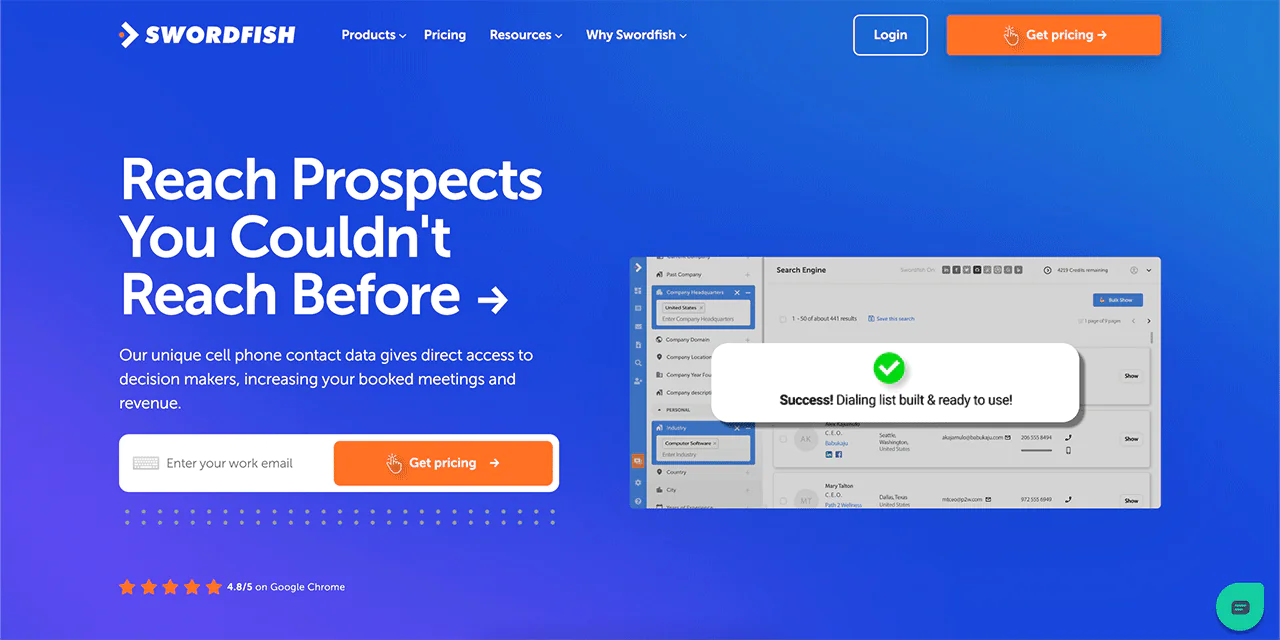
Swordfish AI focuses on surfacing hard-to-find contact information, particularly personal cell phone numbers and email addresses. Recruiters and sales teams who need to reach someone directly rather than waiting on a LinkedIn InMail tend to gravitate toward it.
The platform’s value comes from combining a large contact database with real-time connection verification, so contacts are less likely to be dead numbers or defunct addresses by the time you dial or send.
Swordfish AI’s database spans 3.5 billion data profiles, and the Chrome extension makes it straightforward to pull data while browsing LinkedIn or other professional networks without switching tabs.
For teams working with healthcare provider contact data, direct dials and verified emails may be useful when general office lines do not reach the right person. Contact data can become outdated, so check records before using them and follow applicable privacy and outreach requirements.
About Swordfish
- Founding Team: Ben Argeband
- Founding Year: 2015
- Company Size: 11 to 50 employees
Features of Swordfish AI
Here’s a closer look at the features that support prospecting and outreach.
-
Prospector
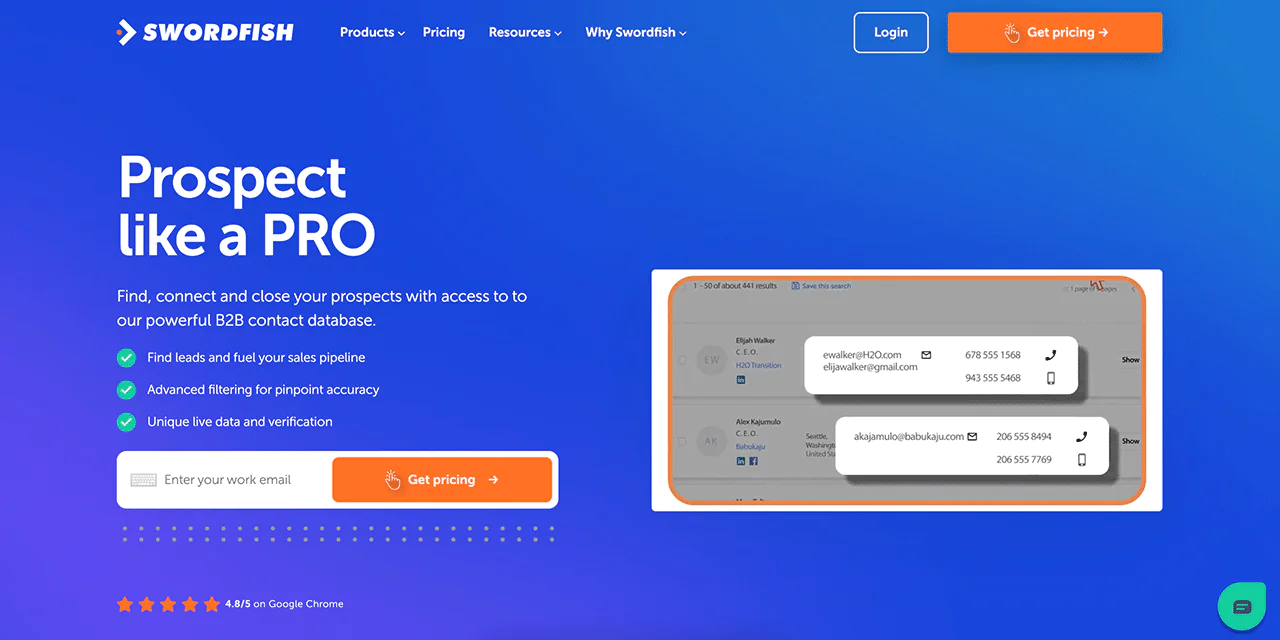
Swordfish’s Prospector tool lets you build targeted calling and email lists using advanced filters, which is useful when you need to narrow in on specific decision-makers rather than a broad list.
-
Chrome Extension
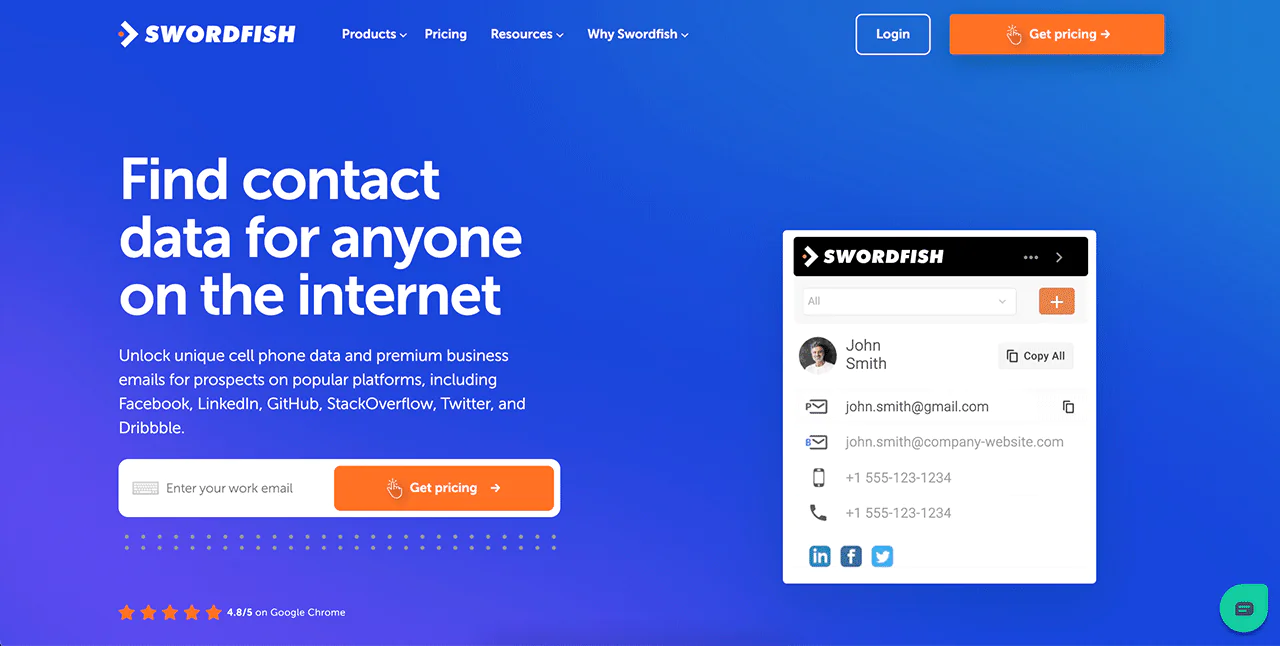
The Chrome Extension pulls verified contact information directly from LinkedIn, Twitter, and Facebook while you browse, which speeds up manual prospecting considerably.
-
File Upload
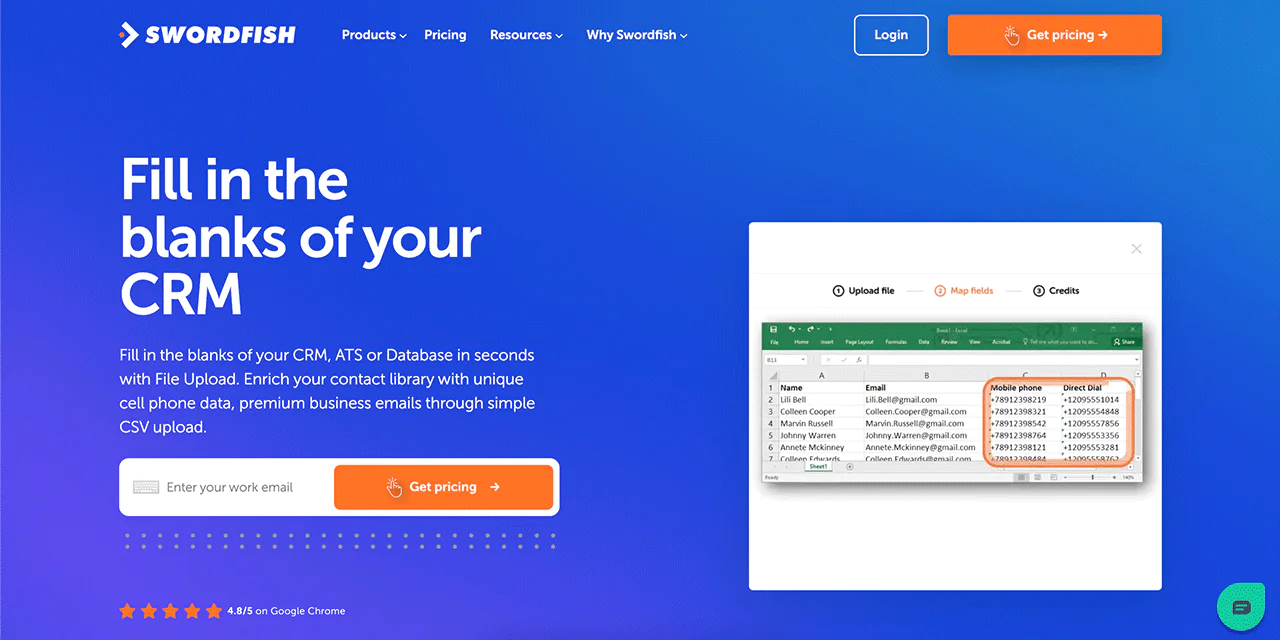
The File Upload feature enriches an existing CRM export: upload a CSV and it fills in missing cell phone numbers and emails, which saves considerable manual cleanup time on large contact lists.
-
Reverse Search
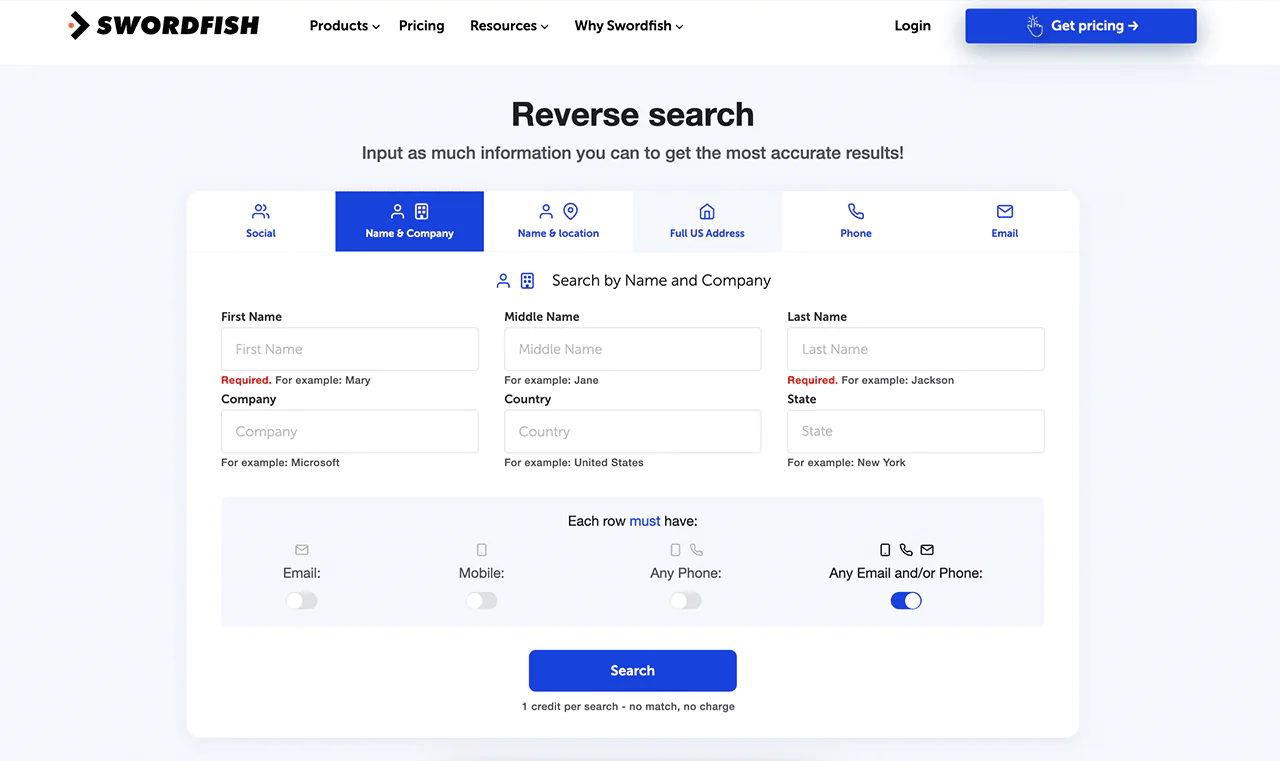
The Reverse Search function works from whatever partial information you already have, a name, company, email, or phone number, to fill in the rest, which helps with detailed, one-off lookups.
-
Bombora Intent Data
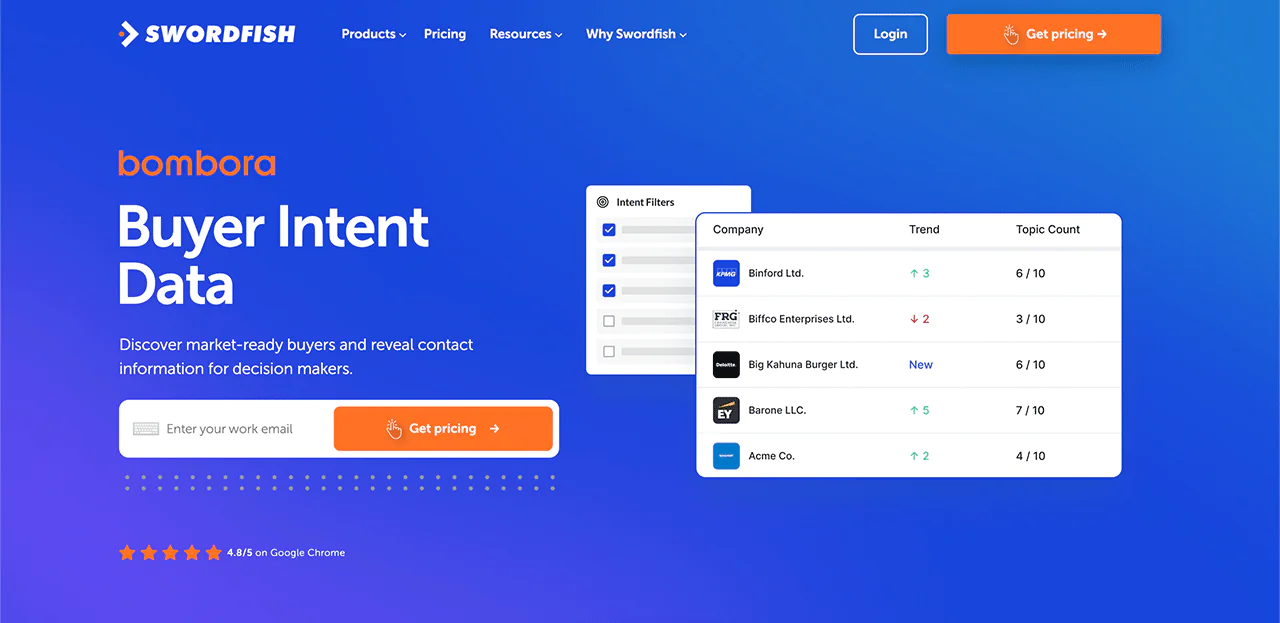
Swordfish integrates with Bombora to surface buyer intent signals, helping identify accounts that are actively researching solutions like yours before you reach out.
-
API Integration
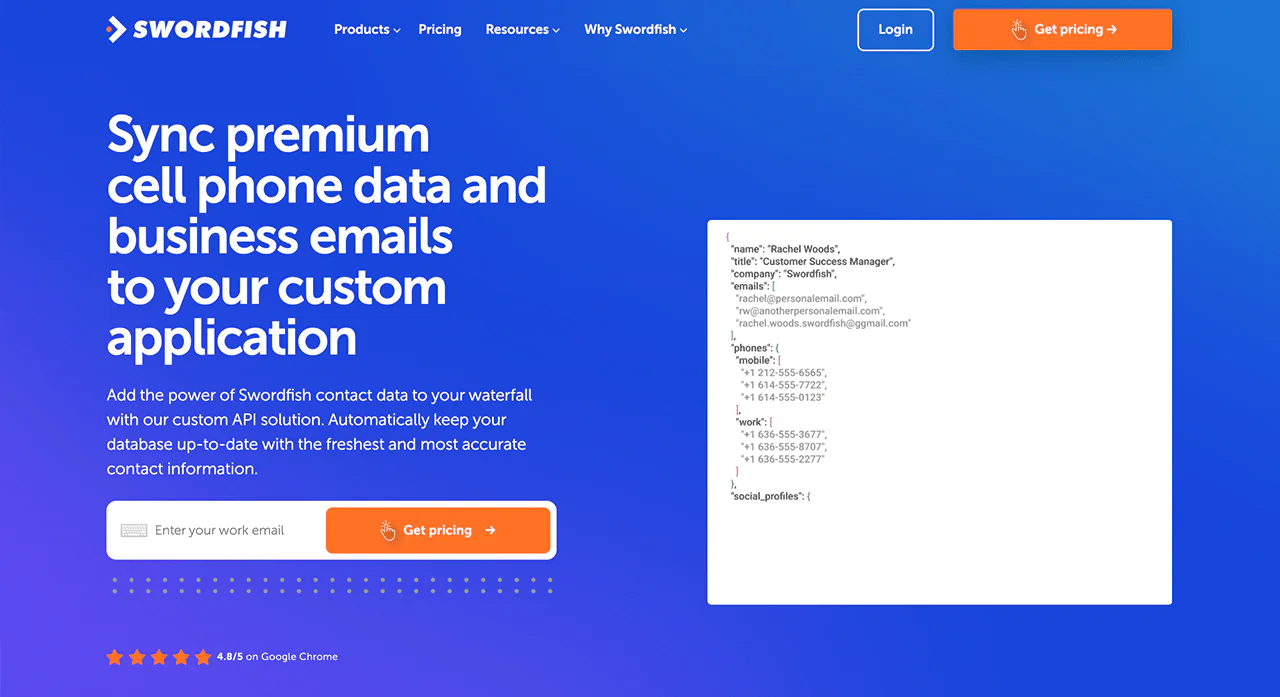
The API integration syncs Swordfish’s contact data directly into custom applications, keeping records current without manual exports.
Best Use Cases of Swordfish AI
A quick look at where Swordfish AI tends to fit best.
-
Lead Generation
Building a pipeline of qualified leads is the core use case, and the verified-contact approach tends to raise conversion odds compared with unverified lists.
-
Data Enrichment
Filling gaps in an existing CRM is a common secondary use, especially when records are missing direct phone numbers.
-
Enhanced Sales Prospecting
Identifying and reaching potential clients faster shortens the early stages of a sales cycle.
-
Recruitment and Talent Acquisition
Recruiters use it to reach candidates directly rather than relying solely on InMail response rates.
-
Marketing Campaigns
Accurate contact data supports more targeted, less wasteful outreach campaigns.
-
Business Development
Direct access to decision-makers supports partnership and network-building efforts.
-
Customer Research
Understanding who you’re selling to, and how to reach them, informs product and messaging decisions.
Swordfish AI Pricing
Whether you’re in sales, marketing, or recruiting or have API requirements, Swordfish AI has a pricing plan built around exact email, direct call, and mobile phone connections.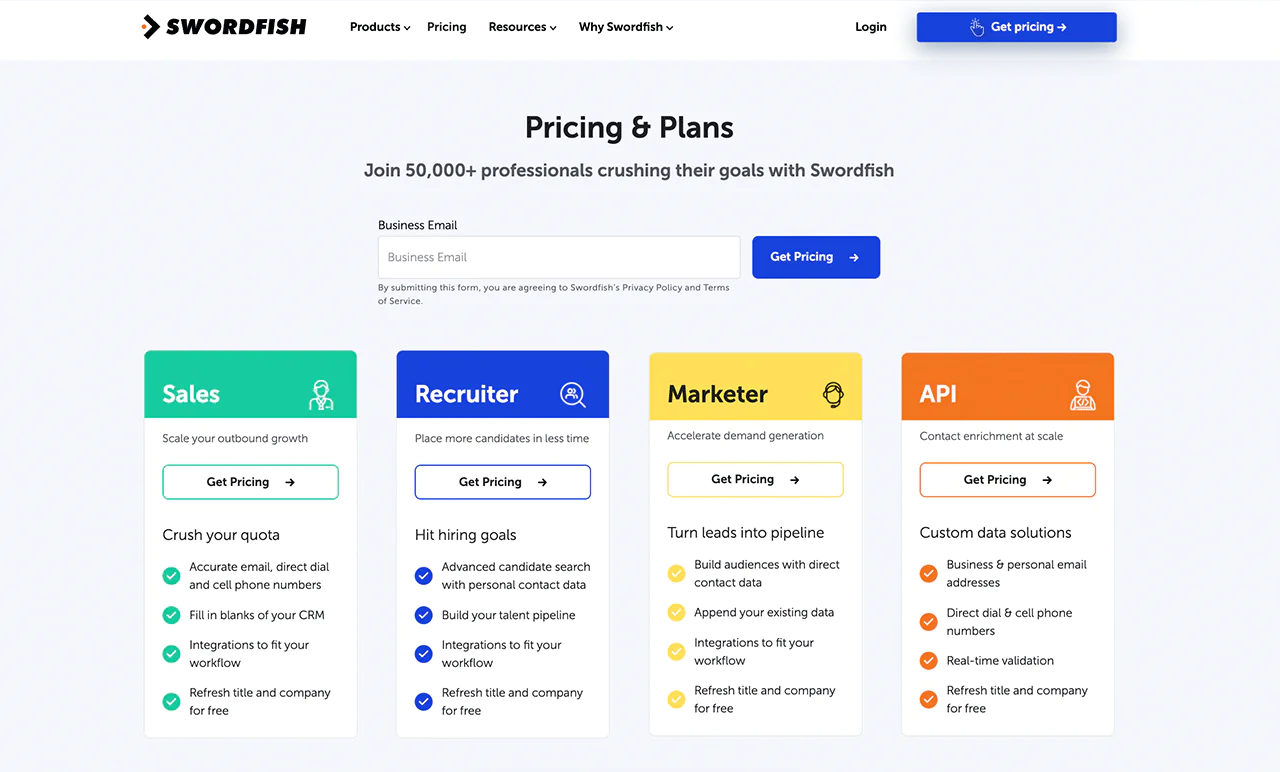
What Users Say About Swordfish
- G2 Review: 5 out of 5
“Swordfish has been extremely helpful in our candidate outreach efforts.” Reviewers note being able to reach people previously unreachable through LinkedIn, Indeed, or GitHub InMail alone. – Noel W.
- Capterra: 5 out of 5
“The contact info is validated and accurate, and candidates are amazed when connected.” – Sarah H.
2. Hunter.io
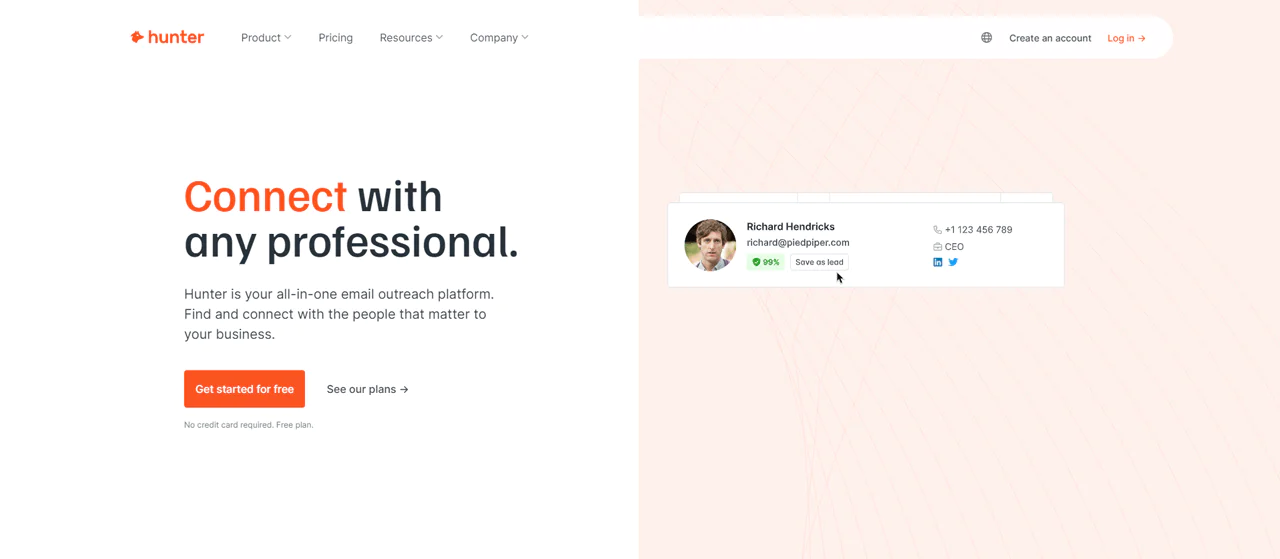
Hunter is built specifically around finding and verifying professional email addresses, using a mix of proprietary technology and AI to locate and check contact details tied to a given domain.
Its Domain Search lets you pull contacts by company name or website, while the Email Finder and Email Verifier tools confirm those addresses are live before you send anything.
Hunter offers cold email campaign tools. Teams sending outreach at volume should still confirm that their campaigns and data use comply with the rules that apply to them.
About Hunter.io
- Founding year: 2015
- Founding team: Antoine Finkelstein and François Grante
- Company Size: 11-50 employees
Features of Hunter.io
A rundown of the tools that make up the platform.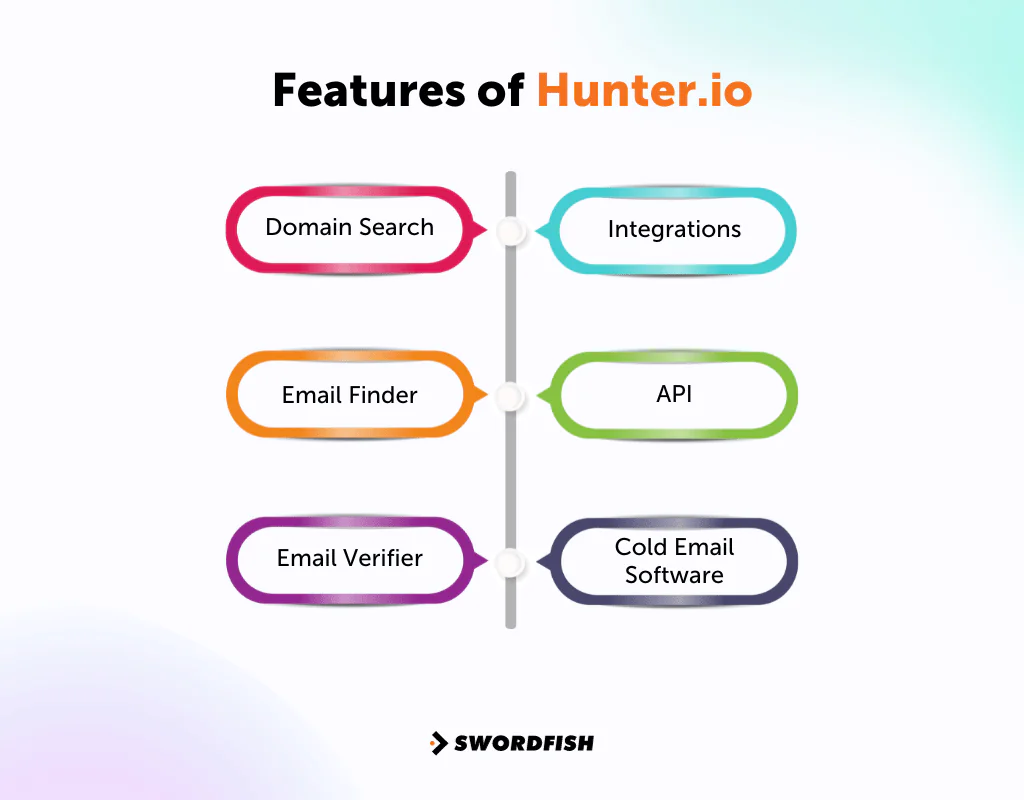
- Domain Search
Finds emails tied to a company or website, complete with confidence scores and sources, which is useful for identifying who at a target company you should contact first.
-
Email Finder
Combines known email formats and web data to locate reliable addresses for specific professionals.
-
Email Verifier
Checks format and domain validity at multiple levels before you send.
-
Integrations
Connects with HubSpot, Salesforce, Pipedrive, Zoho CRM, Close CRM, Copper, and other tools already in most sales stacks.
-
API
Lets you automate email lookups and build Hunter’s functionality into your own workflows.
-
Cold Email Software
Automates and personalizes outreach emails to improve open and response rates.
Hunter.io Pricing
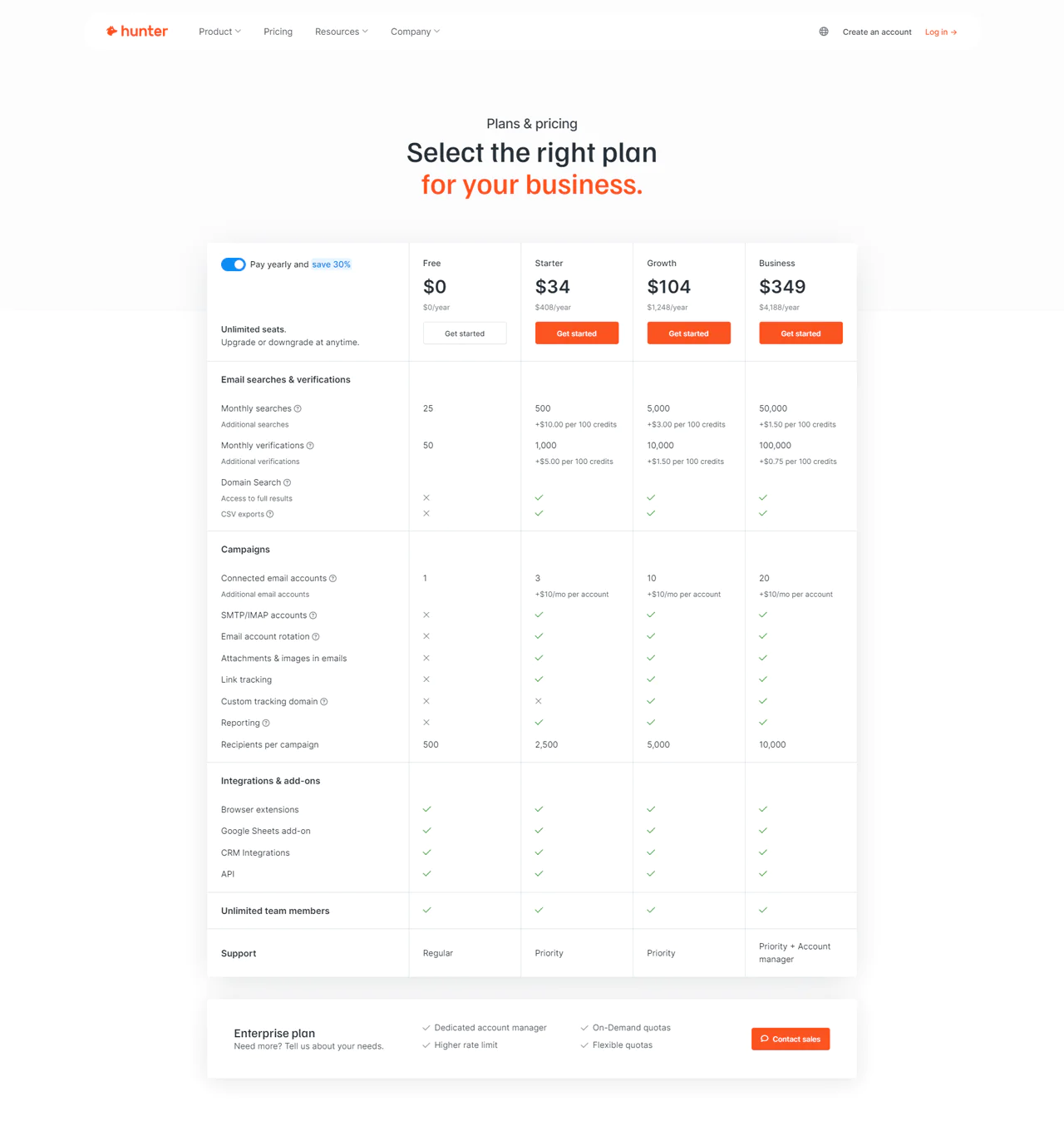
Hunter’s plans run monthly or yearly: a Free tier, Starter at $49 per month, Growth at $149 per month, and Business at $499 per month, with roughly 30% savings on annual billing.
Plan tiers differ mainly in search and verification volume, plus access to domain search, campaign features, and CRM integrations. The Starter plan, for example, includes 500 monthly searches and 1,000 verifications, a reasonable entry point for a small team.
What Users Say About Hunter io
- G2: 4.4/5 (525 reviews)
“The platform’s minimalist design and intuitive interface make it easy for users” to verify addresses without slowing down outreach. – Brant P.
- Capterra: 4.6/5 (607 reviews)
“This app is amazing and underpriced.” – Josh K
Our Review of Hunter.io
Hunter is designed for finding and checking professional email addresses. Domain Search and Email Finder can support that workflow, though results should be verified for your own use case.
The tradeoff is scope. Hunter doesn’t handle phone numbers, so if your outreach depends on direct dials, you’ll need a second tool alongside it. For email-only prospecting, it’s a solid, reliable choice.
Read More About: Jewelry Suppliers Email List
3. RocketReach
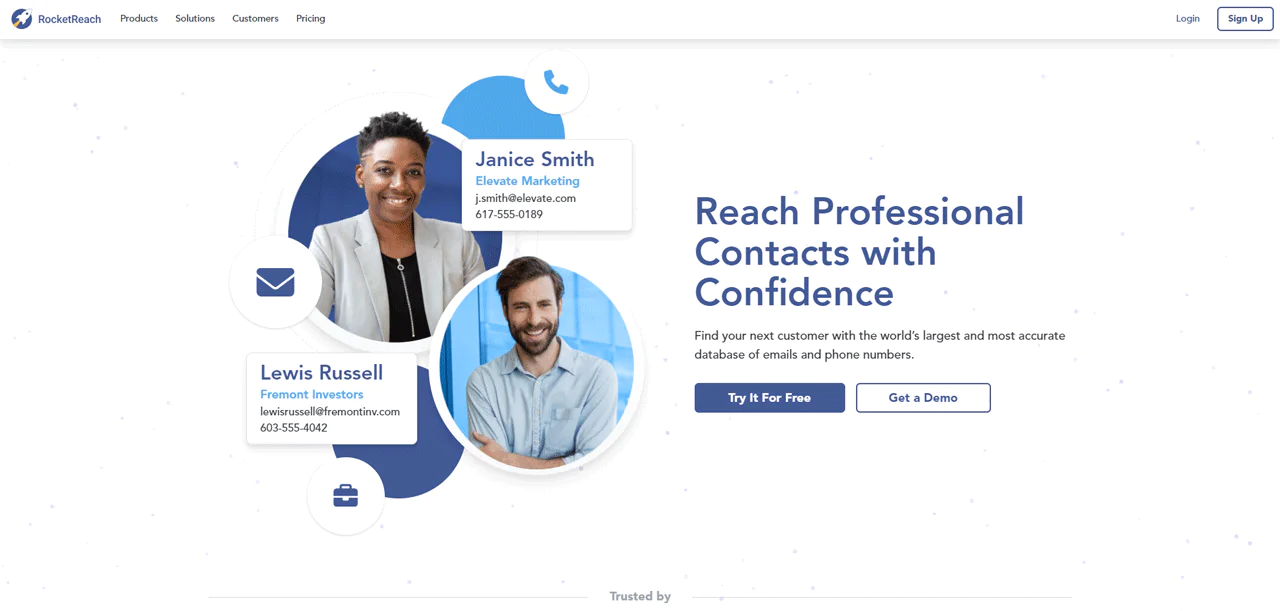
RocketReach’s core strength is scale: a large database of emails and phone numbers with global coverage. This may be useful for teams prospecting outside a single region; check data quality for your target market.
Its prospect lists update in real time, and searches can be filtered by location, job title, industry, and other criteria.
The Chrome Extension, Email Compose feature, and Bulk Uploads fit into existing workflows, including CRM integrations with Salesforce, HubSpot, and SalesLoft.
Through its API, RocketReach gives access to a large record set, and AI-powered suggestions plus intent data help round out prospecting.
About RocketReach
- Founding Team: Amit Shanbhag, Andrew Tso
- Founding Year: 2016
- Company Size: 130 employees
Features of RocketReach
Here’s what sets the platform apart from other lead databases.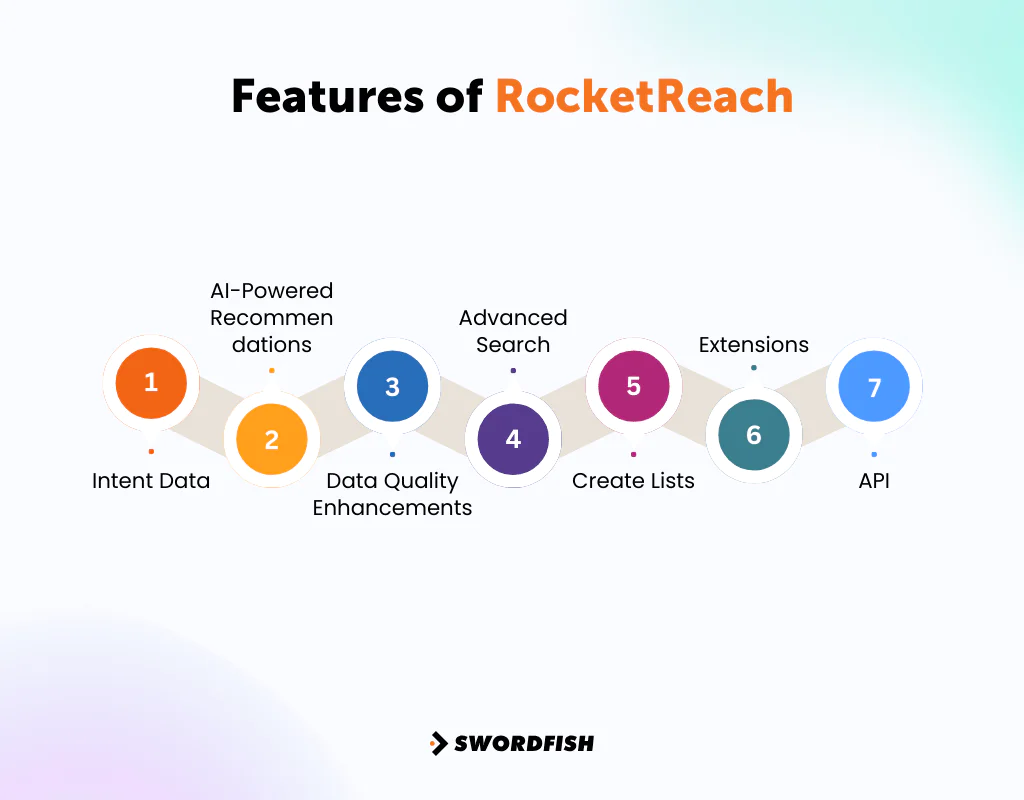
Intent Data
Surfaces buyer interests and purchase intentions so sales and marketing can target and engage more effectively.
AI-Powered Recommendations
Suggests profiles similar to your search criteria, which can surface contacts you wouldn’t have thought to look for.
Data Quality Enhancements
Ongoing verification processes aim to keep contact data current.
Advanced Search
Finds narrow profiles, such as Python developers or C-level executives, for targeted prospecting.
Create Lists
Builds full contact lists quickly for new campaigns or data enrichment.
Extensions
The Chrome Extension pulls contact and firmographic data directly from LinkedIn or any website.
API
Gives access to a large record set with a strong fill rate for scaling contact intelligence.
Pricing
RocketReach’s Essentials plan (email only) runs $53 per month or $468 billed annually. The Pro plan (email and phone) is $179 monthly or $1,188 annually. The Ultimate plan is $359 monthly or $2,988 annually for the fullest feature set.
What Users Say About RocketReach
- G2: 4.5/5 (645 reviews)
“I got a lot of benefit from this website… you can get emails and phone numbers which was very helpful for me.” – Musab H.
- Capterra: 4.2/5 (126 reviews)
“Great for lead generation! The browser extension makes using RocketReach easy and efficient to use.” – Morgan V.
Our Review of RocketReach
RocketReach is a solid source for emails and phone numbers, and its constantly updated list improves the odds of finding the right people.
The ability to filter qualified leads by location and job role is a real time-saver, and CRM integration with Salesforce keeps the workflow tight. The Chrome Extension makes it easy to pull contact info straight from a website you’re already viewing.
Overall, it’s an effective tool for widening customer outreach, particularly for teams that need broad coverage rather than niche precision.
4. UpLead
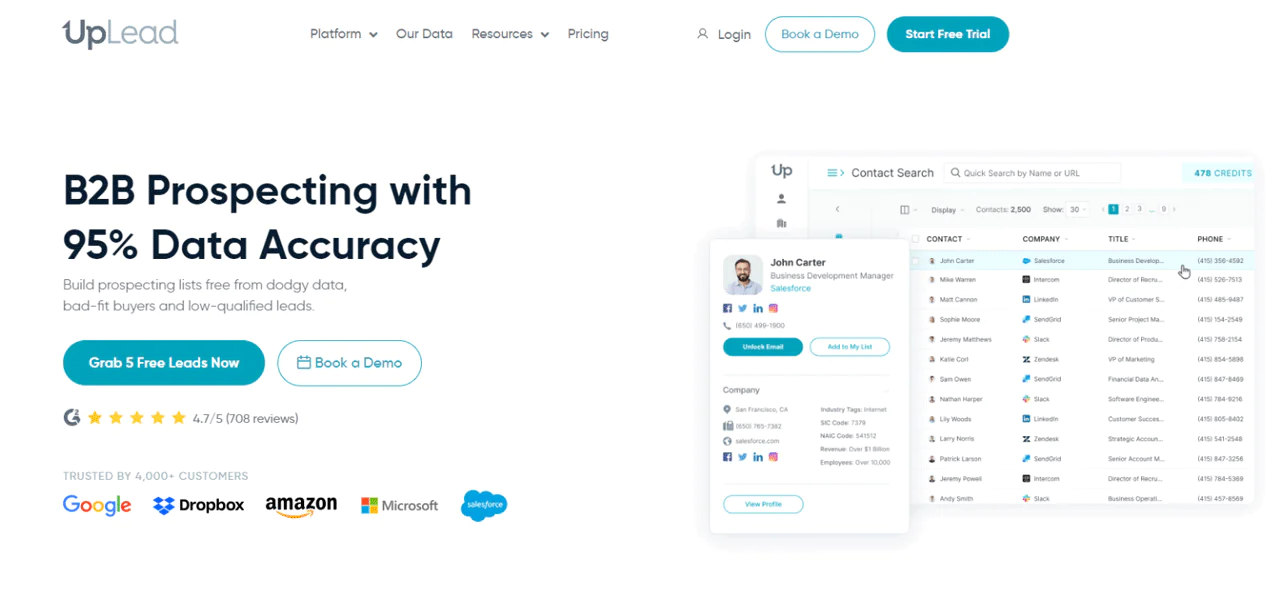
UpLead describes a 95% accuracy guarantee, which may matter to teams concerned about bounced emails and outdated contact details. Check the terms of the guarantee and how it applies to your intended use.
The platform gives you clean, ready-to-use prospect lists rather than raw data you have to clean up yourself, and it’s built to be usable without a steep learning curve.
With more than 50 search filters, you can narrow down to exact contact and company profiles. Real-time email verification and direct phone numbers round out the offering, along with the ability to surface leads that are actively in-market.
About UpLead
- Founding Team: Will Cannon
- Founding Year: 2017
- Company Size: 51-200 employees
Features of UpLead
Here are the features worth knowing about before you sign up.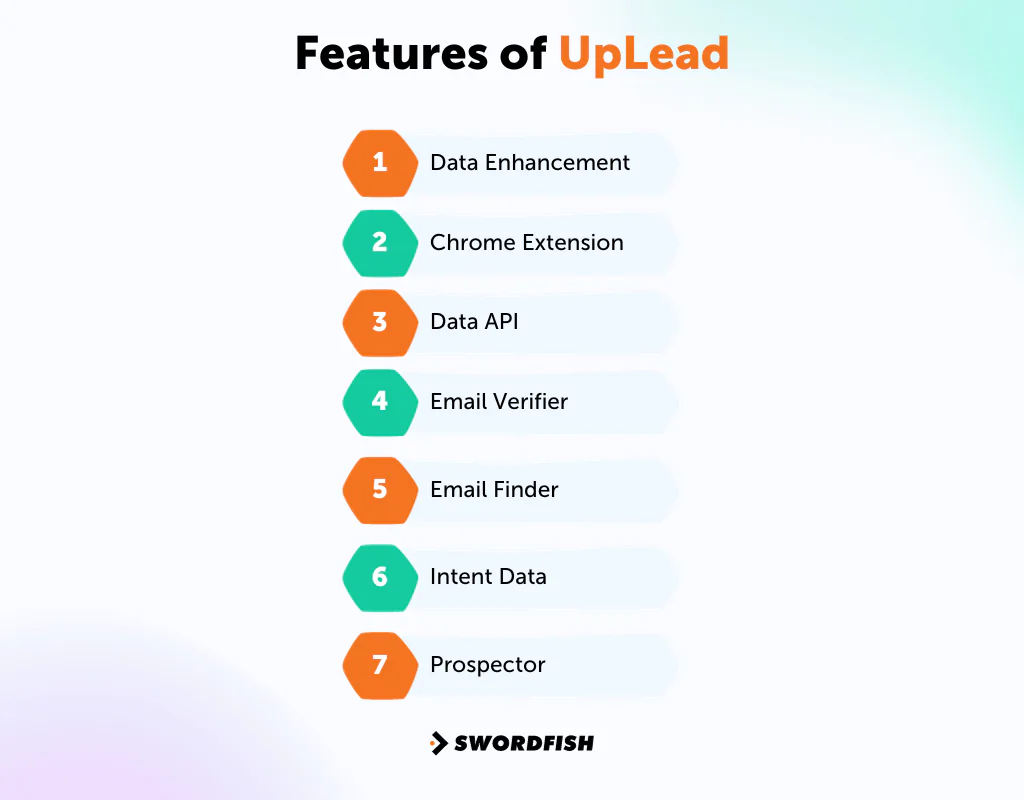
-
Data Enhancement
Appends over 50 data points to contact and company lists, turning bare-bones lists into usable sales opportunities.
-
Chrome Extension
Pulls sales information for prospects and companies directly from a website or LinkedIn profile.
-
Data API
Enriches company and contact records programmatically, integrating into your existing product or workflow.
-
Email Verifier
Verifies every email in real time, backing the 95% accuracy claim and reducing bounces.
-
Email Finder
Finds the right email for key decision-makers with the same accuracy guarantee.
-
Intent Data
Surfaces prospects actively researching solutions like yours, which helps prioritize outreach.
-
Prospector
Real-time prospecting with over 50 filters for building targeted, high-accuracy B2B contact lists.
UpLead Pricing
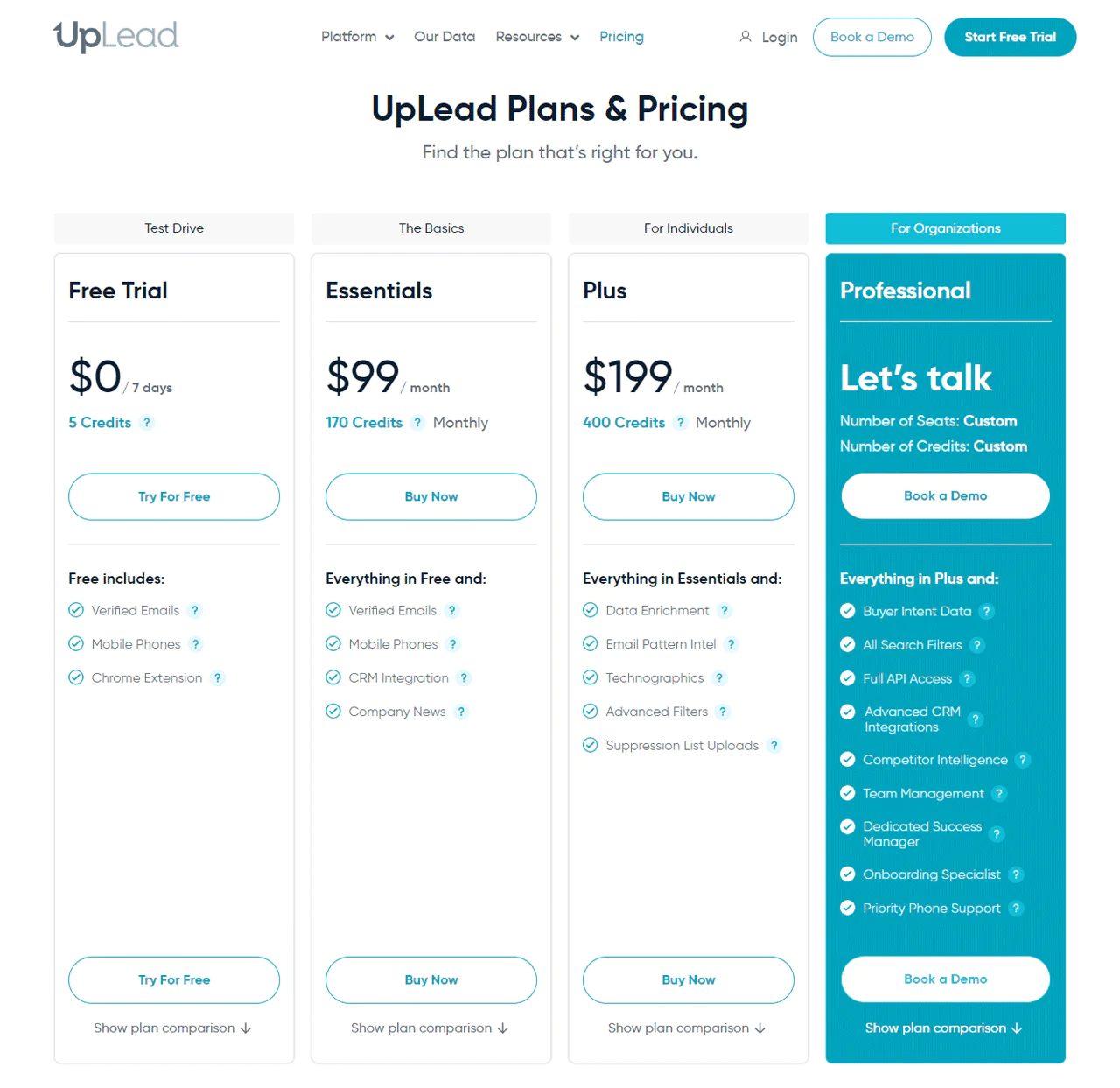
UpLead offers a variety of pricing plans on monthly or yearly terms. The Essentials plan starts at $99 per month with verified emails and mobile direct dials. The Plus plan, at $199 per month, adds data enrichment and technographics. The Professional plan is custom-priced for larger teams and includes buyer intent data and full API access.
Yearly billing brings costs down across tiers, which is worth factoring in if you plan to commit long-term.
What Users Say About UpLead
- G2: 4.7/5 (730 reviews)
“The search features are intuitive once you know what you are looking for. Identifying, downloading and then importing new leads into my CRM is a breeze.” – David S.
- Capterra: 4.7/5 (75 reviews)
“UpLead never disappointed me. I have been using it for more than a year, which helps me achieve my monthly target.” – Melody C.
Our Review of UpLead
UpLead promotes an accuracy guarantee and ready-to-use lists, which may reduce the amount of list cleanup needed. Check results against your own target audience.
The interface is straightforward and the real-time email verification catches problems before they cost you a bounced send.
Its intent-data features are designed to help prioritize prospects who are actively researching relevant solutions; results will depend on your market and targeting.
5. Seamless.ai
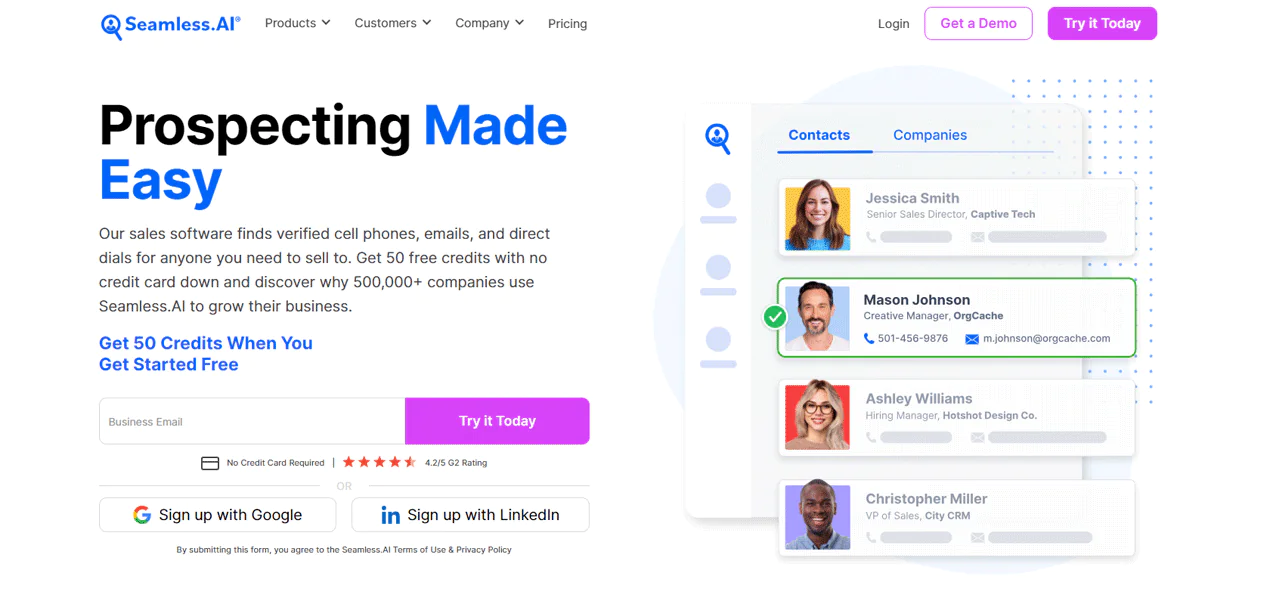
Seamless.AI runs a real-time search engine built for B2B sales leads, aimed at helping you connect directly with target customers rather than working through a static list.
The company reports verifying over 1.9 billion contacts and company records in 2023, and positions the platform as a way to shorten sales cycles and close more deals at scale.
The Chrome Extension turns the browser into a lookup tool for phone numbers and emails, and the Writer feature helps draft sales and marketing messages. Integrations cover Salesforce and HubSpot, among others.
About Seamless.ai
- Founding year: 2018
- Founding team: Brandon Bornancin
- Company Size: 201-500 employees
Features of Seamless.ai
Here’s what’s included on the platform.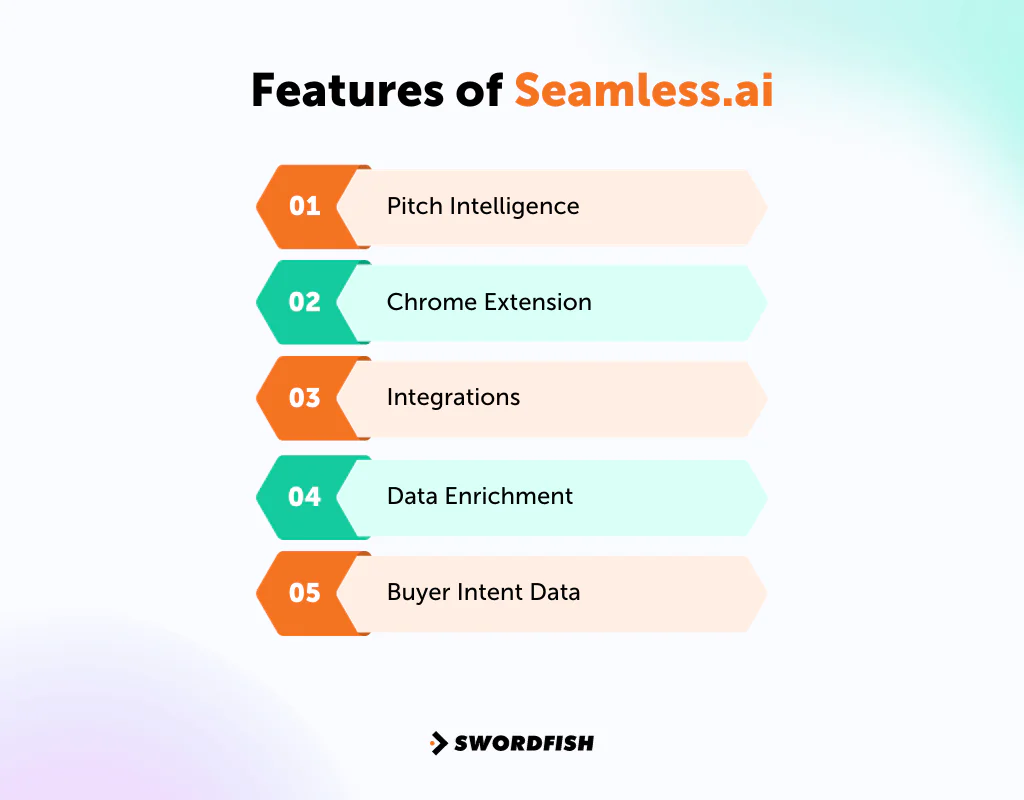
-
Pitch Intelligence
Provides tailored insight for each contact and account, aiming to help you deliver the right message at the right time.
-
Chrome Extension
Pulls real-time data from any website, including LinkedIn and Salesforce, turning the browser into a lead-generation tool.
-
Integrations
Connects with Salesforce, HubSpot, and Outreach so contact and company data flows into your existing tech stack.
-
Data Enrichment
Fills gaps in an existing B2B database with missing contact information.
-
Buyer Intent Data
Identifies ready-to-buy leads and surfaces the hottest prospects for faster follow-up.
Pricing
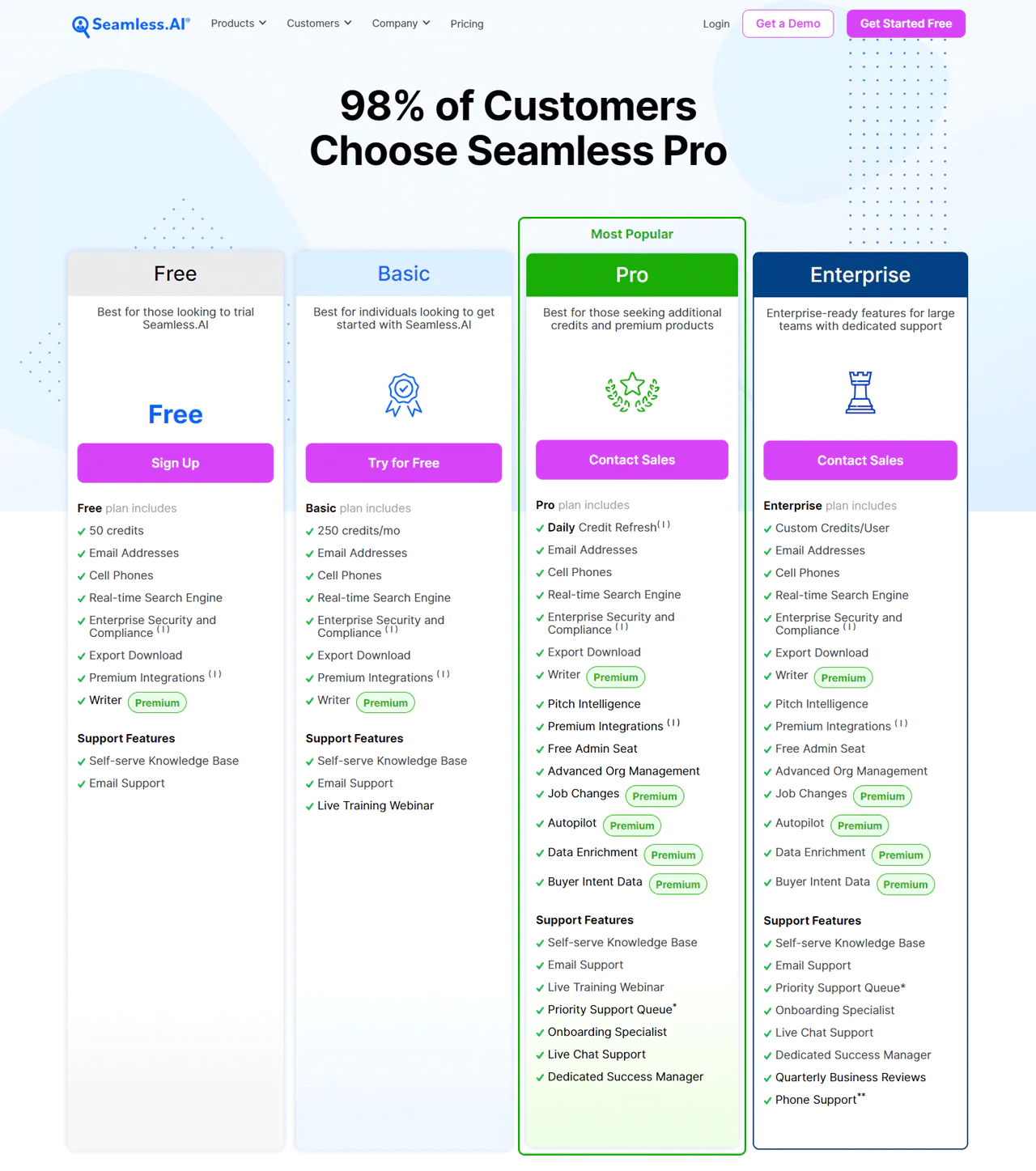
The Free plan includes 50 credits for emails and cell phones with real-time search. The Basic plan, for individuals, provides 250 credits monthly. The Pro plan offers daily credit refreshes and premium add-ons, and Enterprise is customized with dedicated support. Pro and Enterprise pricing require contacting sales directly.
What Users Say About Seamless.Ai
- G2: 4.2/5 (1293 reviews)
“The filtering works pretty good, and the proxy job titles are pretty good.” – Jeff R.
- Capterra: 3.7/5 (143 reviews)
“Seamless.ai is able to target smaller accounts and can find more data than it’s competitors.” – James H.
Our Review of Seamless.AI
Seamless.AI describes itself as a real-time search engine for B2B leads. Whether it reduces prospecting time will depend on the team’s workflow and the quality of results for its target market.
The Chrome Extension is the standout feature; pulling emails and phone numbers directly from a browsing session is genuinely efficient. The Writer tool is a nice extra for drafting outreach copy.
Overall, it’s a practical option for teams that want speed over exhaustive filtering.
6. Apollo
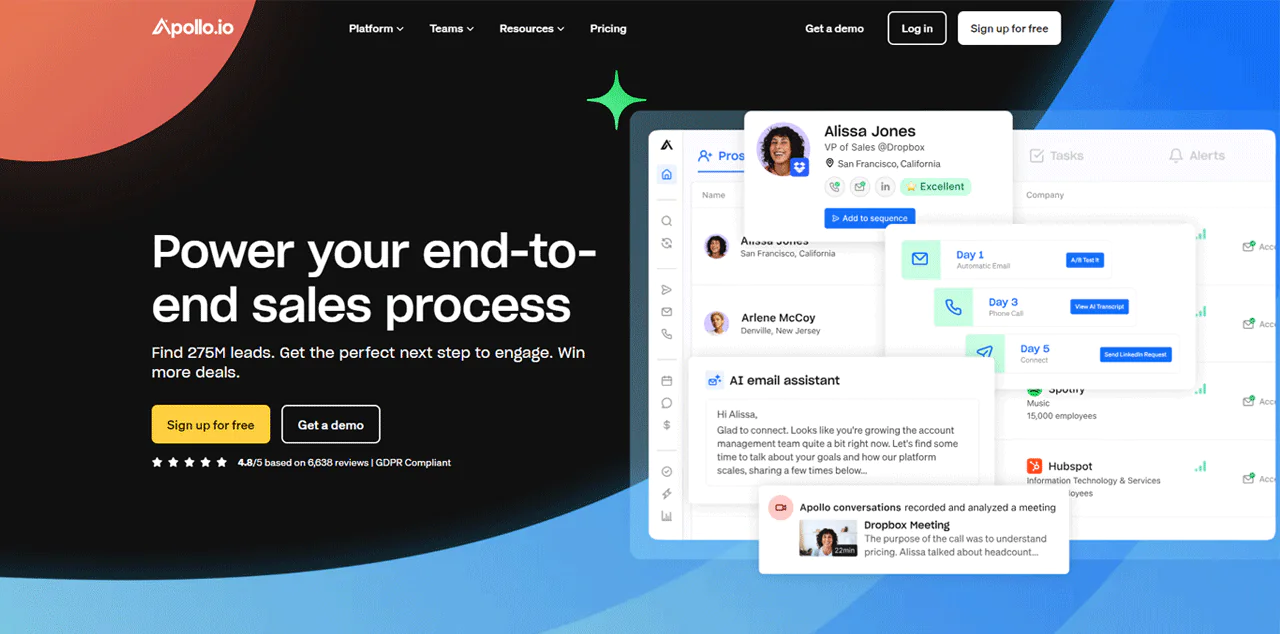
Apollo.io combines a large contact database, reported at over 275 million contacts, with sales engagement tools, making it more of an all-in-one platform than a pure data source.
Verified emails and phone numbers span a wide range of industries and job roles, and the database updates continuously.
Sales intelligence tools provide buyer data, while an AI-driven lead scoring system helps prioritize which contacts are worth pursuing first.
About Apollo
- Founding year: 2015
- Founding team: Tim Zheng
- Company Size: 490 employees
Features of Apollo
Here’s what makes up the platform.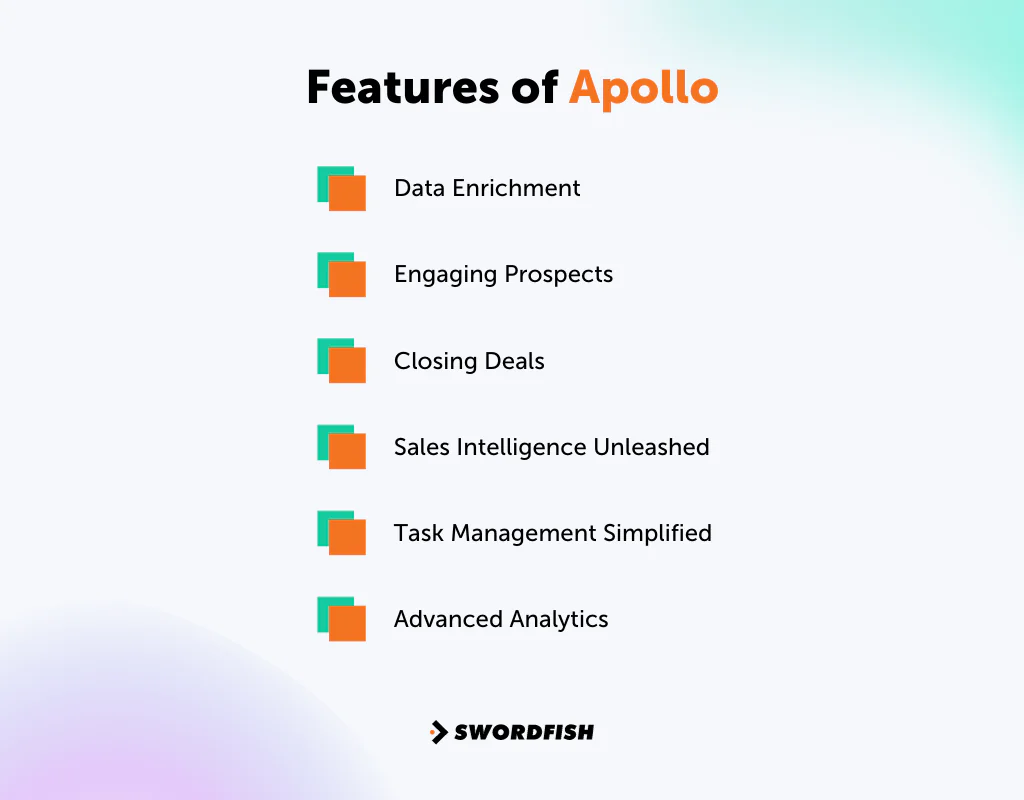
-
Data Enrichment
Automatic enrichment keeps contact and account details current, with API and CSV enrichment options for system integration.
-
Engaging Prospects
Access to the contact database with roughly 65 filtering factors, plus tools for calling, email sequencing, and LinkedIn outreach.
-
Closing Deals
Conversation intelligence and deal management tools help manage the sales funnel, backed by AI call summaries and analytics.
-
Sales Intelligence Unleashed
Filters help sort through the database to focus on contacts matching your ideal client profile rather than just casting a wide net.
-
Task Management Simplified
The Task Manager organizes calls, emails, and LinkedIn assignments in one place.
-
Advanced Analytics
Gives visibility into both the big picture and granular detail of your sales funnel.
Pricing
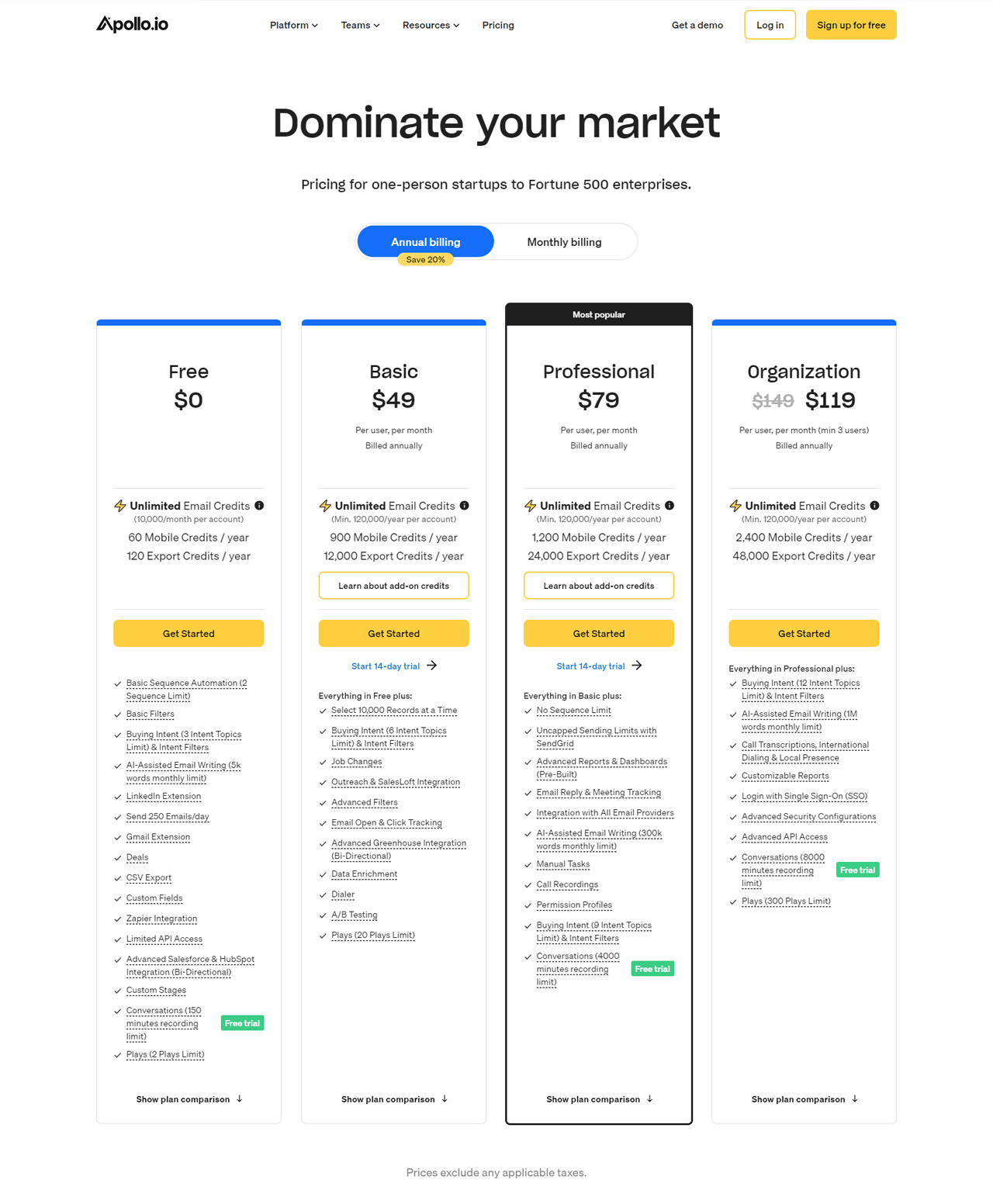
Apollo’s pricing plans include a Free tier with unlimited email credits and limited mobile and export credits. The Basic plan starts at $59 per month, Professional runs $99 per month with more credits and features, and the Organization plan starts at $149 per month per user with a five-user minimum for the fullest tool set.
What Users Say About Apollo
- G2: 4.8/5 (6524 reviews)
“Apollo has helped me generate good amount of direct numbers and professional and work email ids of the c suite level professionals from linkedin.” – Ajay S.
- Capterra: 4.5/5 (337 reviews)
“I highly recommend this software, I do really think is the best one in the market” – José Raúl P.
Our Review of Apollo
Apollo’s large database is a genuine asset for finding contacts, but the platform’s edge comes from what it does with that data. AI-assisted prospect scoring helps identify the most promising leads rather than leaving you to sift through raw records manually.
It’s a solid, well-rounded pick, especially for teams that want data and engagement tools bundled together instead of stitched from separate platforms.
7. LeadIQ
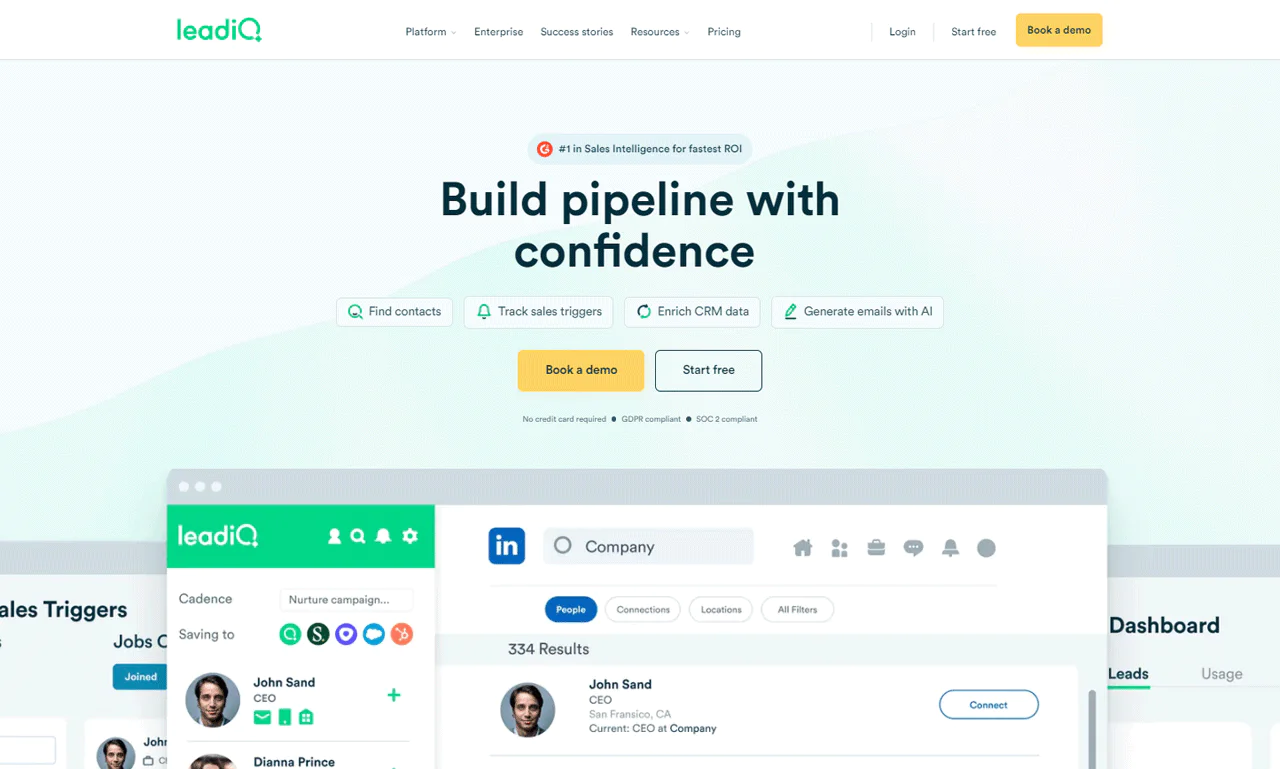
LeadIQ centers on accurate contact data, sales trigger tracking (like job changes), and AI-assisted personalized email drafting.
The company reports pipeline growth of up to 70% for users and a 90% success rate finding correct email addresses, which is a meaningful accuracy claim if it holds for your target market.
The idea is to find the right person at the right time and reach them with a message that actually lands, all from one interface backed by millions of verified profiles, emails, and phone numbers.
About LeadIQ
- Founding Team: Mei Siauw
- Founding Year: 2015
- Company Size: 180 employees
Features of LeadIQ
Here’s what’s inside the platform.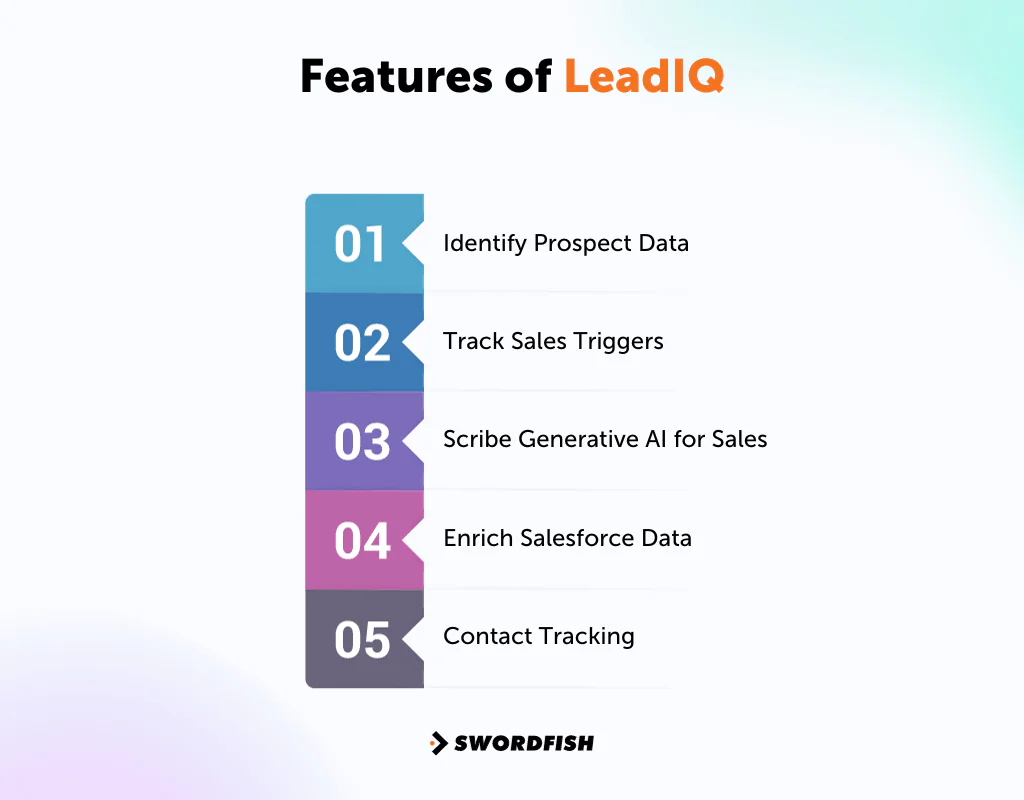
-
Identify Prospect Data
LeadIQ streamlines the process of capturing B2B emails and phone numbers, offering a Chrome extension that integrates seamlessly with platforms like LinkedIn Sales Navigator, Salesloft, and Outreach.
This integration facilitates the efficient gathering of prospect data directly from LinkedIn, enhancing lead generation efforts. For those looking to leverage these capabilities to their fullest, exploring pricing insights for LinkedIn Sales Navigator can provide valuable information on investment and potential return.
-
Track Sales Triggers
Syncs with your CRM to flag job changes and company news at target accounts, showing the ideal moment to reach out.
-
Scribe Generative AI for Sales
Uses AI to generate personalized outreach emails aimed at better reply rates.
-
Enrich Salesforce Data
Adds over 40 firmographic data points to Salesforce records, including location, employee count, and revenue.
-
Contact Tracking
Flags when champions, buyers, and decision-makers change jobs, letting you create new Salesforce records and re-engage warm leads.
Pricing
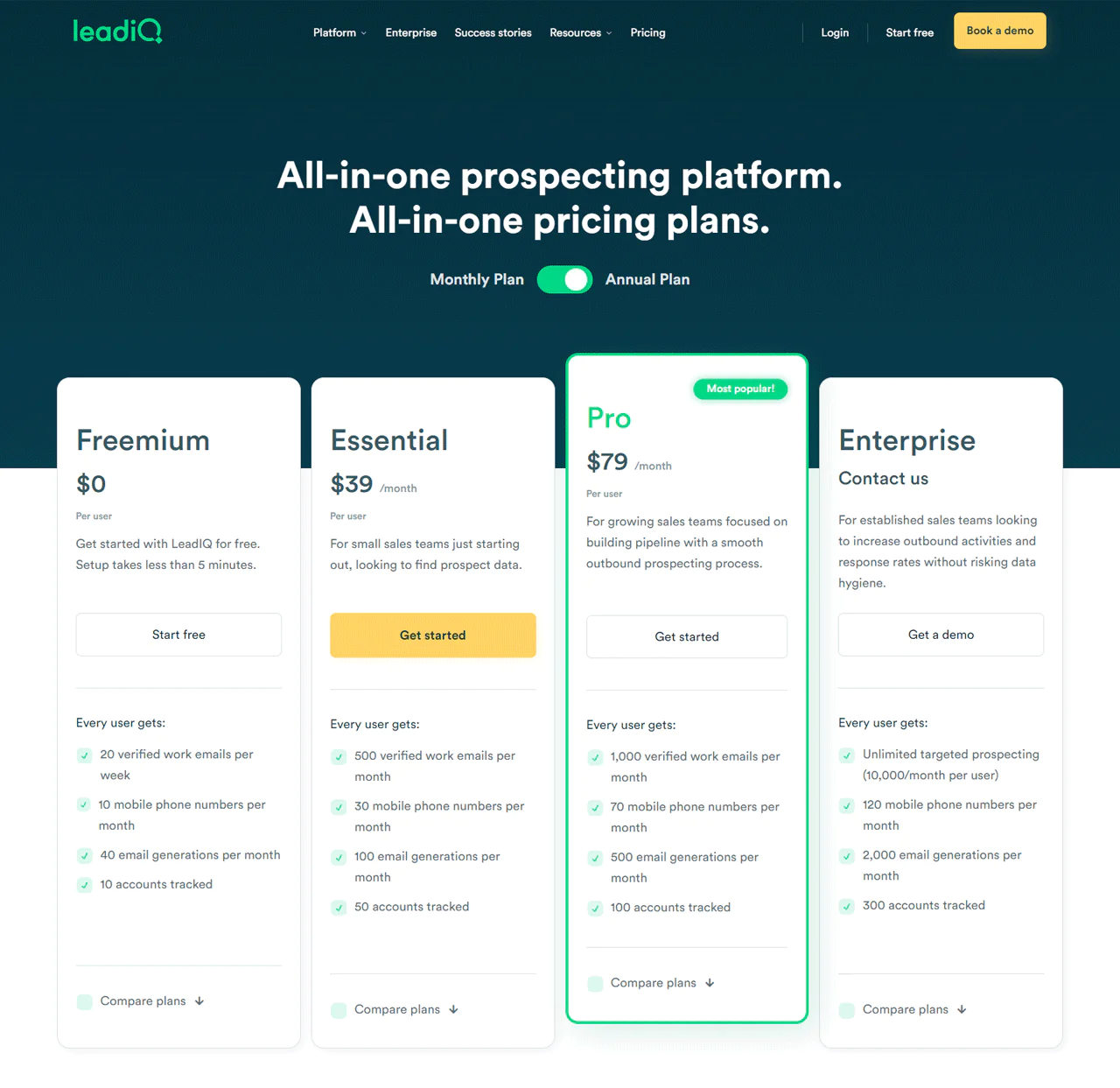
The Freemium plan is free with 20 verified work emails weekly and 10 mobile numbers monthly. The Essential plan, at $39 per month per user, includes 500 verified emails and 30 mobile numbers monthly. The Pro plan, at $79 per month per user, includes 1,000 verified emails and 70 mobile numbers monthly. Enterprise offers custom, unlimited targeted prospecting.
What Users Say About LeadIQ
- G2: 4.2/5 (734 reviews)
“I love how you can easily find a prospects cell number. It’s hard reaching people on their desk lines now but most will answer their cell.” – Brenda T.
- Capterra: 4.4/5 (24 reviews)
“Overall, LeadIQ is a solid tool for the money, but probably best used in conjunction w/ other contact retrieval offerings” – Sean D.
Our Review of LeadIQ
LeadIQ works best for teams already living inside LinkedIn Sales Navigator; the integration is tight and the CRM sync is fast.
Where it’s thinner is standalone database browsing outside of that workflow. If your prospecting doesn’t revolve around LinkedIn, you may find the database feels limited compared with broader platforms on this list.
Still, for LinkedIn-centric SDR teams, it’s a strong, focused pick.
What’s the Importance of a Sales Leads Database?
A sales leads database is more than a contact list; it’s a strategic tool for expanding a business. Here’s why it matters.
Identifying Target Markets
A sales lead database helps pinpoint who to target, saving time and resources on customized marketing rather than broad, unfocused campaigns. It also surfaces market trends and customer preferences you might otherwise miss.
Improving Customer Engagement
Working from a strong leads database means you can reach potential customers with a more personal message, which helps turn cold leads into loyal customers over time.
Streamlining the Sales Process
With the right leads database, sales teams have information at their fingertips instead of chasing it down mid-call. This cuts prospecting time and speeds up response, which matters for keeping interested prospects engaged.
Improving Product or Service Offerings
Analyzing lead data reveals what customers actually like and don’t, feeding continuous improvement and, sometimes, new product ideas. Buying leads for a specific market segment can help ensure offerings track evolving demand.
Increasing Conversion Rates
A well-maintained database raises conversion odds because targeting is sharper. Focusing effort on the leads most likely to buy makes better use of a limited marketing budget.
Facilitating Better Follow-Ups
A solid B2B sales leads database supports timely follow-ups so prospects aren’t forgotten. Consistent, well-timed communication keeps a brand top of mind and moves leads through the funnel.
Tracking Marketing ROI
A leads database makes it possible to see how campaigns are actually performing and adjust strategy accordingly, which leads to smarter budget allocation.
Gaining Competitive Advantage
In a crowded market, a solid database lets you market more strategically and react faster to shifts in customer needs than competitors relying on stale contact lists.
Things to Consider Before Investing in Sales Leads Database
A few practical checks before committing budget to a database platform.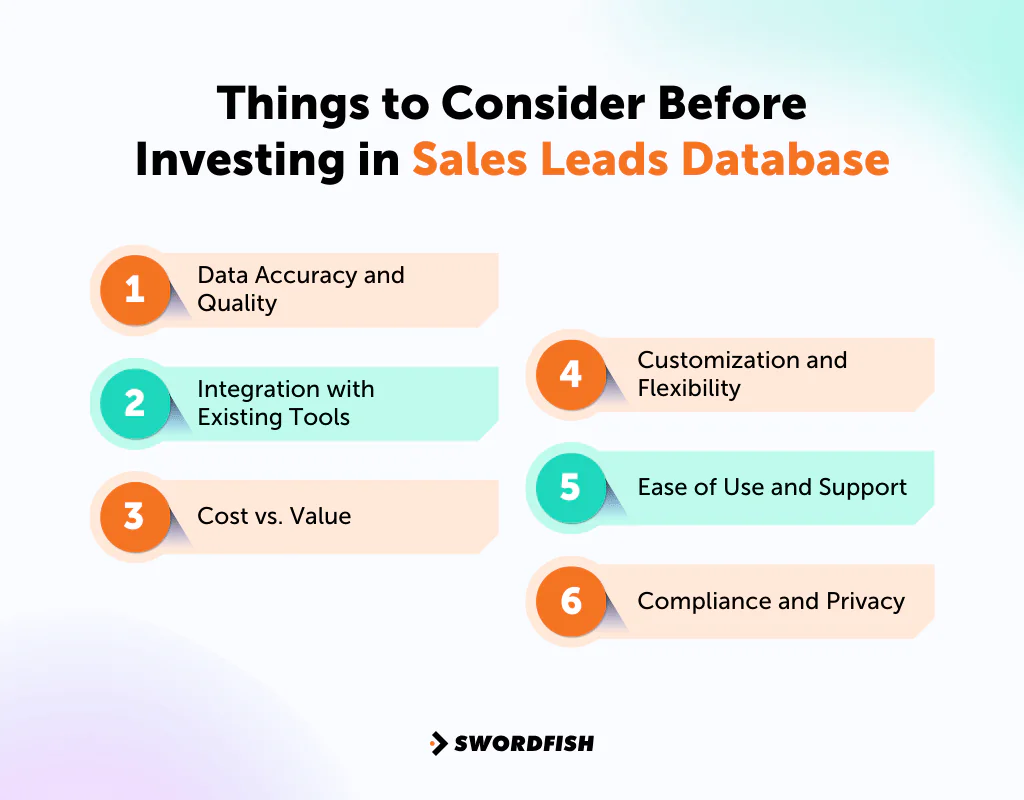
- Data Accuracy and Quality: Check how current the data actually is. Reliable data means you’re not wasting outreach time on dead numbers or outdated addresses.
- Integration with Existing Tools: Confirm the database integrates cleanly with your CRM and marketing stack so you’re not manually re-entering data.
- Cost vs. Value: Weigh the subscription cost against realistic lead volume and conversion expectations, not just the sticker price.
- Customization and Flexibility: Look for filtering and customization options that match your specific targeting needs rather than a one-size-fits-all search.
- Ease of Use and Support: A tool that’s simple to onboard, with responsive support, saves real time when something breaks mid-campaign.
- Compliance and Privacy: Confirm the provider follows data protection rules like GDPR. For anyone working with healthcare provider contact data specifically, this also means being mindful of HIPAA-adjacent considerations around how provider information is sourced and used, even though HIPAA itself governs patient data rather than business contact details.
How to Make a Sales Leads Database
A straightforward outline for building one from scratch:
- Gather Contact Information: Collect names, emails, and phone numbers. Accurate contact details are key for follow-ups.
- Note Company Information: Record the company’s name, industry, size, location, and website. This information helps you tailor your sales approach to each lead.
- Identify Decision Makers: Make sure to include job titles and roles in your database. Knowing who in the company can make purchasing decisions is vital for targeted engagement.
- Include Demographics and Firmographics: Add details like age, gender, company size, and revenue. This helps you prioritize leads and tailor your messaging.
- Document Lead Sources: Keep a record of how you found each lead. This is important for evaluating the effectiveness of your lead generation methods.
- Implement Lead Scoring: Assign a score to each lead based on their potential value and likelihood to convert. This helps you focus your efforts on the most promising leads.
- Record Interaction History: Keep a log of all interactions, such as emails and phone calls. This history provides valuable context for future communications.
- Allow Space for Notes: Add any additional relevant information about each lead. Notes about their interests or specific pain points can be very useful for personalizing your interactions.
- Use Segmentation Tags: Organize your leads into groups based on specific criteria. This makes it easier to target your marketing efforts and personalize your messages.
- Ensure Compliance: Always include an option for leads to opt out. Respecting data protection laws is crucial for maintaining trust and staying within legal boundaries.
Conclusion
The seven platforms covered here—Swordfish, Hunter.io, RocketReach, UpLead, Seamless.AI, Apollo, and LeadIQ—take different approaches to finding contact data and helping teams reach prospects.
Some lean toward broad database coverage, others toward verification accuracy or built-in engagement tools. The right fit depends on whether your bottleneck is finding contacts, verifying them, or acting on them fast enough.
Whichever platform or combination of platforms you choose, check data accuracy and follow applicable privacy and outreach requirements, especially when working in regulated industries such as healthcare.
 Try Swordfish Ai
Frequently Asked Questions
How does a Sales Leads Database enhance customer engagement?
It enables personalized communication with potential customers. Understanding customer needs and interests lets businesses craft messages that actually resonate, building stronger connections and trust.
What are the benefits of using a Sales Leads Database in the sales process?
It puts the information sales teams need directly at their fingertips, leading to smoother, faster sales operations and better customer interactions.
How does a Sales Leads Database provide a competitive advantage?
In a competitive market, a strong leads database enables more strategic, targeted marketing and helps identify untapped market segments before competitors do.
Related Post
- Auto Repair Leads: Where and How Can You Get Them?
- Golf Courses Email List: Maximize Sales in the Golfing Industry
- Realtor Email Lists: Connect, Communicate, and Convert with Experts
- Jewelry Stores Email List: Connect with Top Jewelry Retailers Today!
- Hospital CEOs Email List: Connect with Top Hospital Leaders Today!
- Automobile Industry Email List to Reach Parts and Dealership Owners

