


 View Products


Key takeaways
- Buying leads can save time, but contact lists do not guarantee interest, qualified prospects, or sales.
- This comparison covers 16 platforms, including contact-data providers and tools for capturing, managing, or engaging leads.
- Before purchasing, check a provider’s data sources, freshness, verification process, pricing, and permitted-use terms.
- The article lists pricing and user ratings that should be verified with providers and review sites because they can change.
- Privacy and marketing requirements depend on the data, audience, location, and outreach method; purchasing a list does not ensure compliance.
Last updated: September 3, 2026
Buying leads can help businesses reach potential customers without building every prospect list from scratch. Results depend on whether the contacts fit your target audience and whether the data is current and appropriate to use.
Before paying for leads, check the provider’s data sources, confirm the contacts match your industry and target customer, review privacy and consent requirements, and compare pricing and volume. The harder part is determining whether a provider’s data and terms fit your needs.
Below, we compare 16 platforms, including contact databases and tools for capturing or managing leads, with their features, pricing, pros, cons, and user reviews.
Quick List of Top Lead Databases
A quick summary of what each platform does best:
- Swordfish: Best for comprehensive contact information with a focus on personal email addresses and phone numbers.
- Uplead: Best for businesses seeking high-quality B2B leads with a user-friendly interface and accurate data.
- MegaLeads: Best for companies needing a large database of business contacts and leads without subscription fees.
- Salesfully: Best for small businesses and entrepreneurs looking for affordable access to a large U.S. leads database.
- CloudLead: Best for custom lead generation with a focus on quality, tailored B2B data.
- EasyLeadz: Best for B2B companies seeking mobile number data and direct contact information for decision-makers.
- SeedProd: Best for WordPress users who need an easy tool for building high-converting landing pages.
- CallPage: Best for businesses wanting to convert website visitors into sales calls instantly.
- Adobe Experience Cloud: Best for large enterprises seeking an integrated suite for marketing, advertising, and analytics.
- HubSpot: Best for comprehensive inbound marketing, sales, and service software with a strong CRM at its core.
- Drift: Best for businesses focused on conversational marketing and sales through chatbots and personalized messaging.
- Lusha: Best for quickly finding personal and contact details on social platforms, useful for recruiters and sales professionals.
- Salesforce: Best for a wide range of CRM and cloud-based solutions across diverse business needs.
- LeadIQ: Best for sales teams looking to simplify prospecting and capture leads directly from the web.
- Lead411: Best for accessing B2B contact data and sales intelligence for effective prospecting.
- Apollo.io: Best for sales engagement, lead generation, and email marketing automation.
Leads for Sale Tools: A Brief Overview
Lead-for-sale tools are software platforms built to speed up lead generation. Their core job is identifying and capturing potential customer data.
They simplify the process of getting contact details for prospects interested in a specific product or service.
Most combine inbound and outbound lead generation, CRM connectivity, and targeted advertising into one workflow, automating much of the manual work involved in prospecting.
Comparison Table of Best Websites to Buy Leads
Here’s a quick comparison of each tool:
Company | Database Size | Special Features | Primary Use Case |
 | 3.5 billion data profiles | Real-time connectivity validation | Sales prospecting |
 | Over 155 million B2B contacts | Real-time email verification, tech tracking | Lead generation |
 | Not publicly specified | Bulk email services | Email marketing |
 | Over 200 million US records | Unlimited access, simple search interface | Small business lead generation |
 | Custom data scraping | Data mining and B2B lead scoring | Custom B2B lead generation |
 | Not publicly specified | Contact data by job title and industry | B2B contact data provision |
 | N/A (tool based) | Landing page builder, real-time content | Website lead capture |
 | N/A (tool based) | Automated callback to visitors | Instant customer engagement |
 | N/A (tool based) | Comprehensive marketing suite | Digital marketing management |
 | N/A (tool based) | CRM, email marketing, lead nurturing | Inbound marketing, CRM |
 | N/A (tool based) | AI-driven chatbots, real-time messaging | Conversational marketing |
 | 94 million profiles | Data enrichment, browser extension | Sales and recruitment |
 | N/A (tool based) | Comprehensive CRM, customization | Customer relationship management |
 | Millions of contacts | Lead capture technology, team collaboration | Lead management and generation |
 | Not publicly specified | Data accuracy, targeted lists | Sales leads and marketing |
 | 275+ million contacts | Email verification, lead scoring | Sales engagement and intelligence |
15 Websites to Buy Leads From: Get the Best Leads Ever
Here are 15 more platforms, shortlisted by features, user reviews, and trade-offs. They serve different purposes: some provide contact data, while others help capture, manage, or engage leads.
1. Swordfish AI
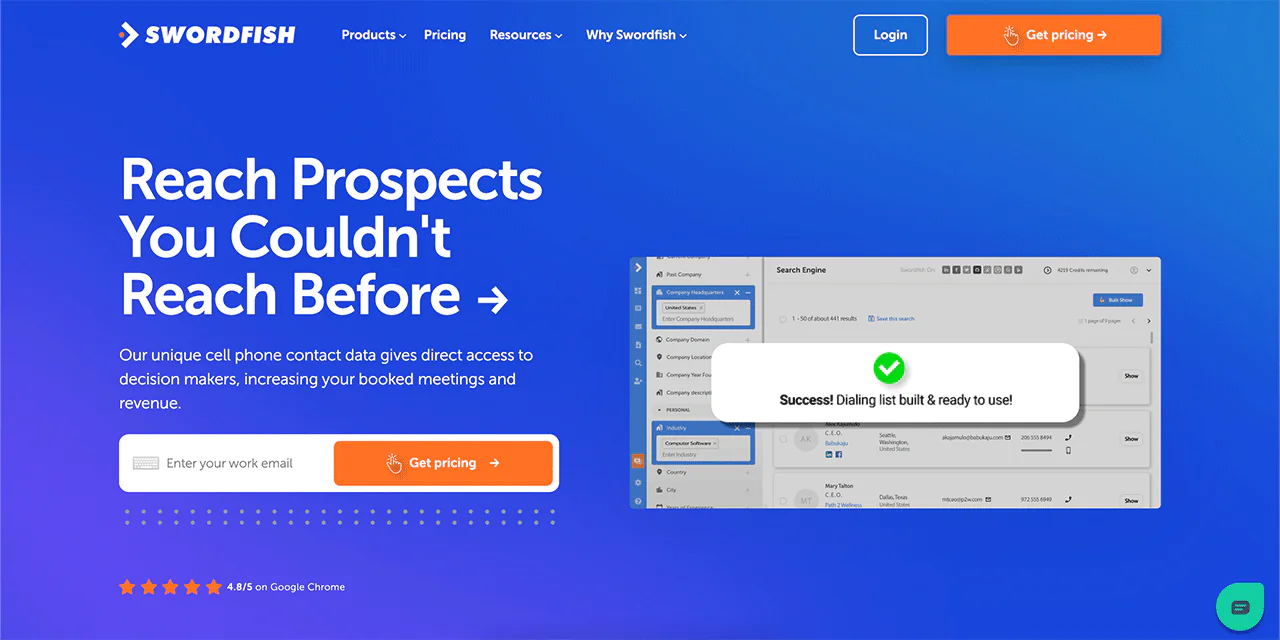
Swordfish AI is a sales intelligence tool built around finding accurate personal email addresses and cell phone numbers for professionals, a category most B2B databases handle poorly.
The platform runs on a live database of contact profiles, a self-serve Chrome extension, and a multi-product setup with real-time verification, all aimed at helping sales and recruiting teams reach people who don’t respond to email or LinkedIn.
Swordfish AI’s Prospector feature, with advanced filtering and search parameters, helps you find detailed contact information at scale, and the company positions itself around finding hard-to-reach cell numbers others can’t.
About Swordfish AI
- Founding year: 2015
- Founding team: Ben Argeband
- No. of users: 50,000+
Features of Swordfish AI
Below are the core features:
Extensive Contact Database
Swordfish AI says its database spans over 3.5 billion contact points and is continually refreshed. Check the provider’s current coverage and verification details to assess whether its data suits your outreach.
Real-Time Verification
The platform says contacts go through real-time verification. Verification can help identify stale or incorrect details, but it does not guarantee that every record is accurate.
Chrome Extension
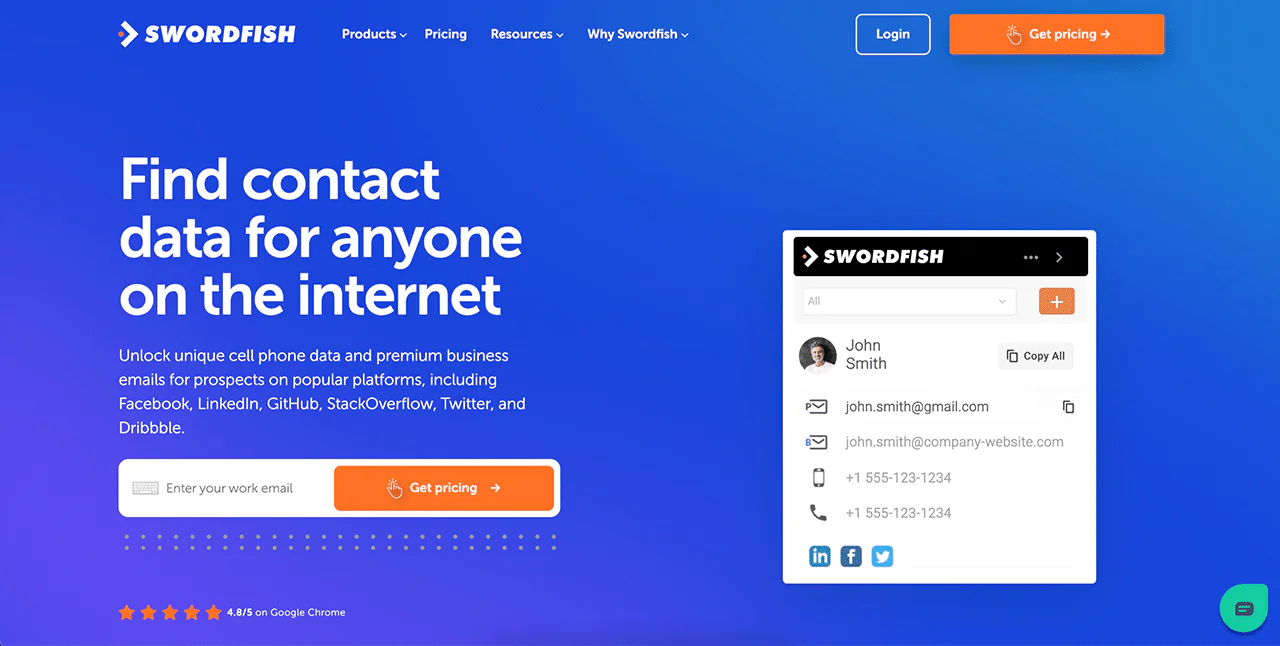
The platform’s Chrome extension overlays contact data directly onto LinkedIn, Google, and other professional sites while you browse, without breaking your workflow.
Deep Search Engine
The Deep Search Engine lets you locate specific individuals from detailed input data, which is useful for targeted lead searches where precision determines whether you find the right prospect.
Data Enrichment
Beyond finding new contacts, Swordfish AI fills gaps in partial records you already have, making your existing database more usable.
Lead Management
List creation and management tools help you organize prospects for a structured, repeatable outreach process.
Flexible Data Import and Export
Swordfish AI supports multiple data formats for import and export, which makes it easier to fit into whatever CRM or workflow you already use.
Pros
- Large live database with billions of contact points.
- Real-time verification for data accuracy.
- Chrome extension integrates with popular platforms.
- Advanced search for targeted lead identification.
- Data enrichment for existing contacts.
- Flexible data import and export options.
Cons
- Pricing isn’t published; you’ll need a quote based on your needs.
Pricing
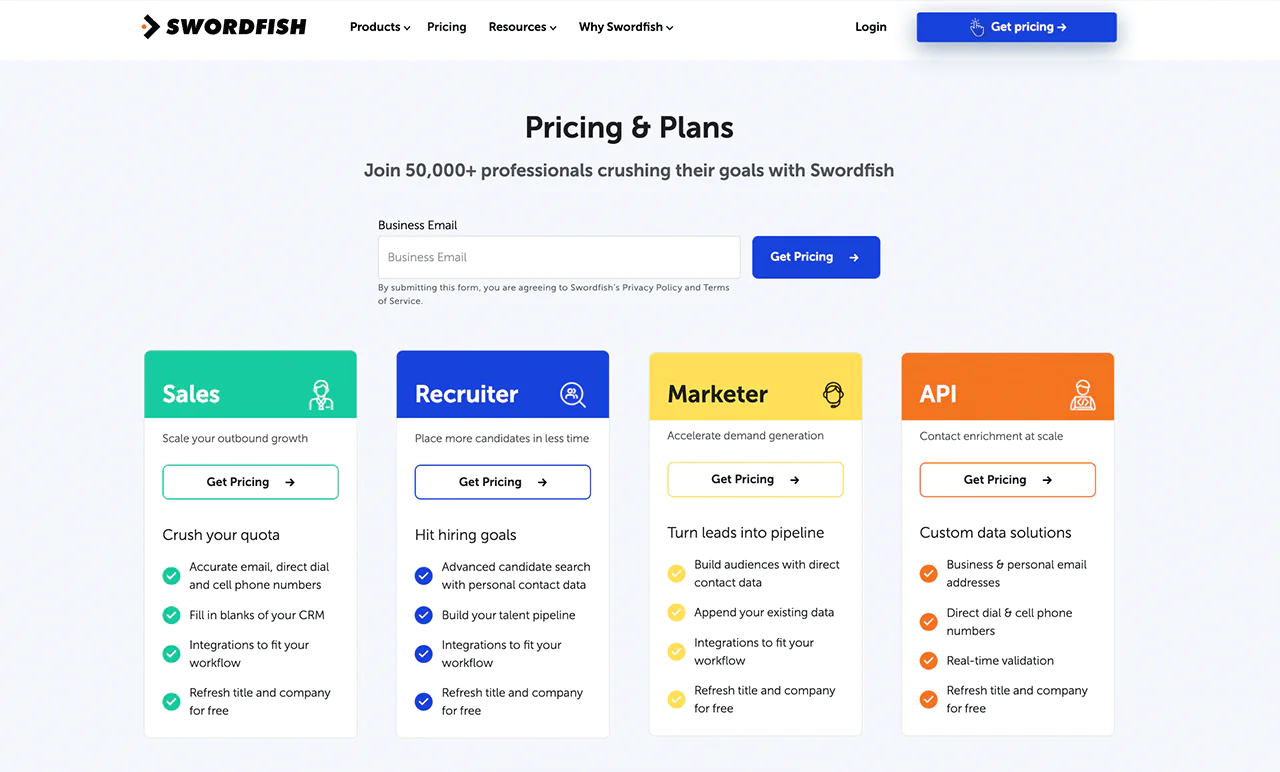
Swordfish AI offers different plans for sales, recruitment, marketing, and API use. Exact prices aren’t published, but each plan covers verified email addresses and phone numbers plus integrations with other software.
Job titles and company info can be updated for free, and you can request pricing tailored to your specific volume and use case.
 Try Swordfish Ai
What Users Say About Swordfish AI
- G2: 4.5 out of 5 (84 reviews)
“After testing numerous competitors to locate valid phone numbers, we’ve found Swordfish to be the most accurate of them all” – Don A
- Capterra: 4.6 out of 5 (12 reviews)
“Ease of use, system customer support, amount of information & the speed in which my information is produced.” – Andrea W
Note: Try Email Verifier Tools
2. UpLead
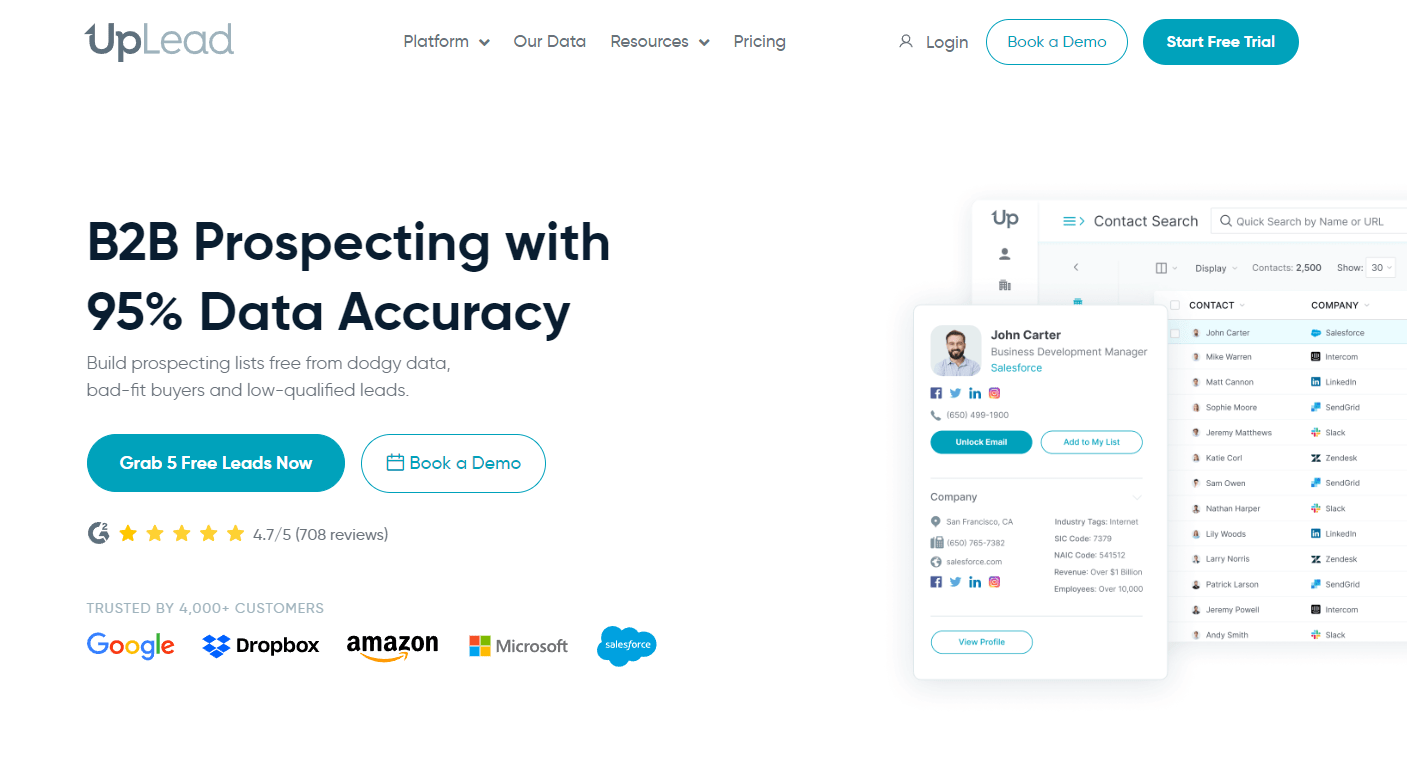
UpLead gives access to over 140 million B2B contacts across a range of industries, aimed at businesses that want precise, actionable leads rather than raw volume.
Verified data and detailed search filters let you target the right audience efficiently, and the platform enriches existing records while layering in Intent Data to flag prospects who are actively in-market.
About UpLead
- Founding Year: 2017
- Founding Team: Will Cannon
- Company Size: 10 employees
What Users Say About UpLead
- G2: 4.7 out of 5 (725 reviews)
“Ease of implementation is one of the best things about UpLead driven primarily by the ease of use of their product.” – Jeff J
- Capterra: 4.7 out of 5 (74 reviews)
“UpLead provides the best platform for quality lead generation and prospecting” – Ezekiel R.
Features of UpLead
Extensive Contact Database
UpLead’s database covers over 140 million business contacts across numerous industries, from real estate to tech to construction.
Verified Contact Information
UpLead says it verifies contact information. Verification may reduce the chance of using outdated or incorrect details, but it cannot guarantee that every record is current.
Specific Search Functionality
Detailed search parameters let you pinpoint exact contacts or companies for highly targeted campaigns.
Data Enrichment Capabilities
UpLead updates and refines your existing contact lists so the information stays usable for marketing and sales.
Access to Intent Data
Intent Data flags leads actively searching for products or services, helping you focus on prospects more likely to convert.
Industry-Centric Leads
Coverage spans a wide range of industries, useful if you sell across multiple verticals or are expanding into new ones.
Real-Time Data Updating
Data updates in real time, keeping information current for fast-moving B2B sales cycles.
Pros
- Wide array of contacts across industries.
- High accuracy with verified data.
- Targeted search options for precision.
- Data enrichment for existing contacts.
- Access to market-ready leads via Intent Data.
- Real-time data updates for relevance.
Cons
- Some contact details may be outdated despite verification.
- Limited functionality beyond lead generation.
Pricing
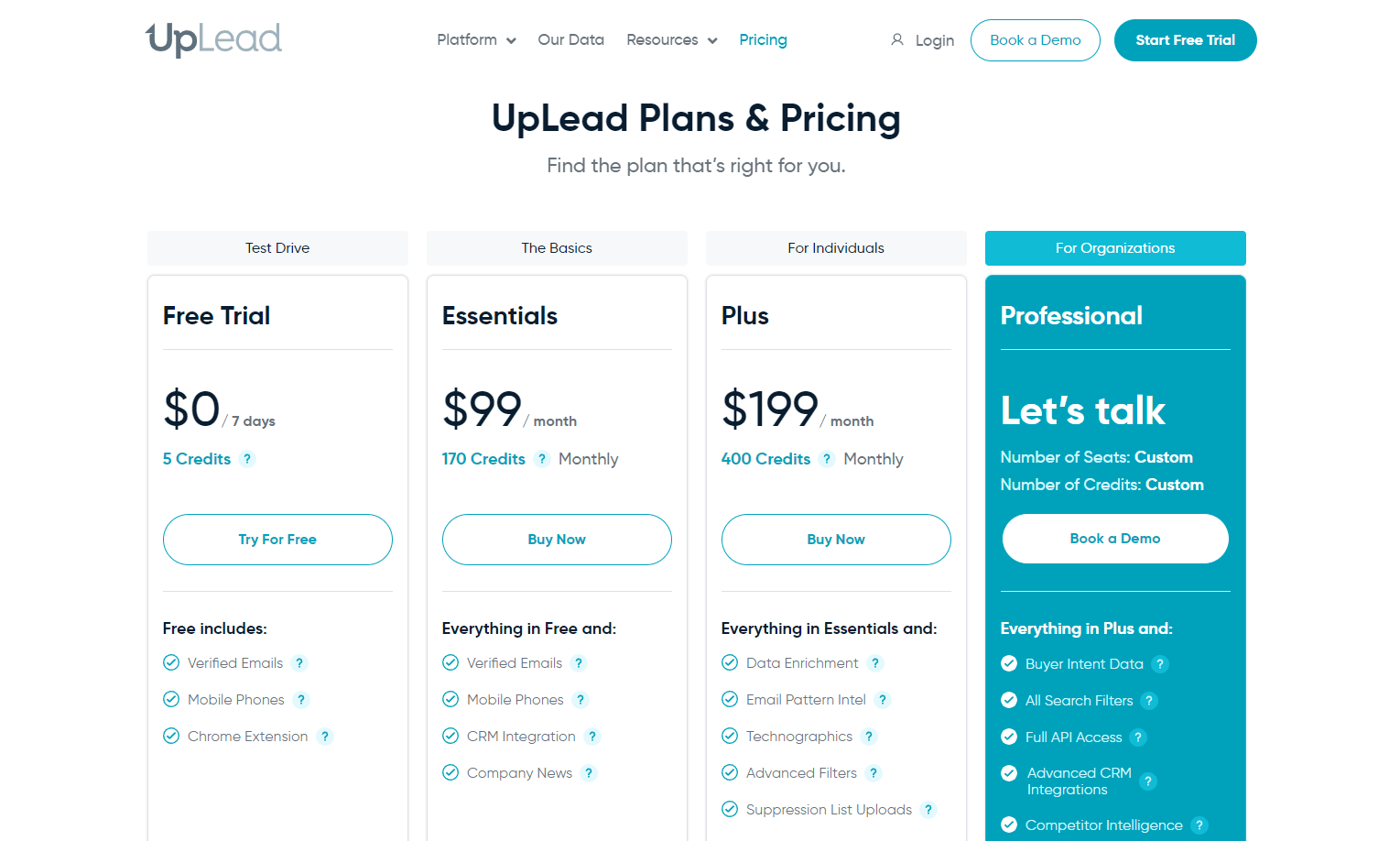
You’ll find UpLead’s pricing tailored to different needs, starting with a free trial offering 5 credits. Paid plans range from $99/month for 200 credits up to $399/month for 1,500 credits.
The tiered structure lets you pick a plan that fits your scale and lead volume needs.
Our Review of Uplead
UpLead stands out for real-time data verification paired with a deep set of search filters. The contact data is reliably accurate, which matters more than raw volume for most sales and marketing teams.
Beyond contact details, it surfaces insight into potential leads that can turn into meaningful business connections. The interface is straightforward, so navigation and data retrieval feel smooth even for newer users.
Learning the full feature set takes some time, but the payoff is worth it. UpLead is well suited to B2B lead generation and prospecting work specifically.
3. Megaleads
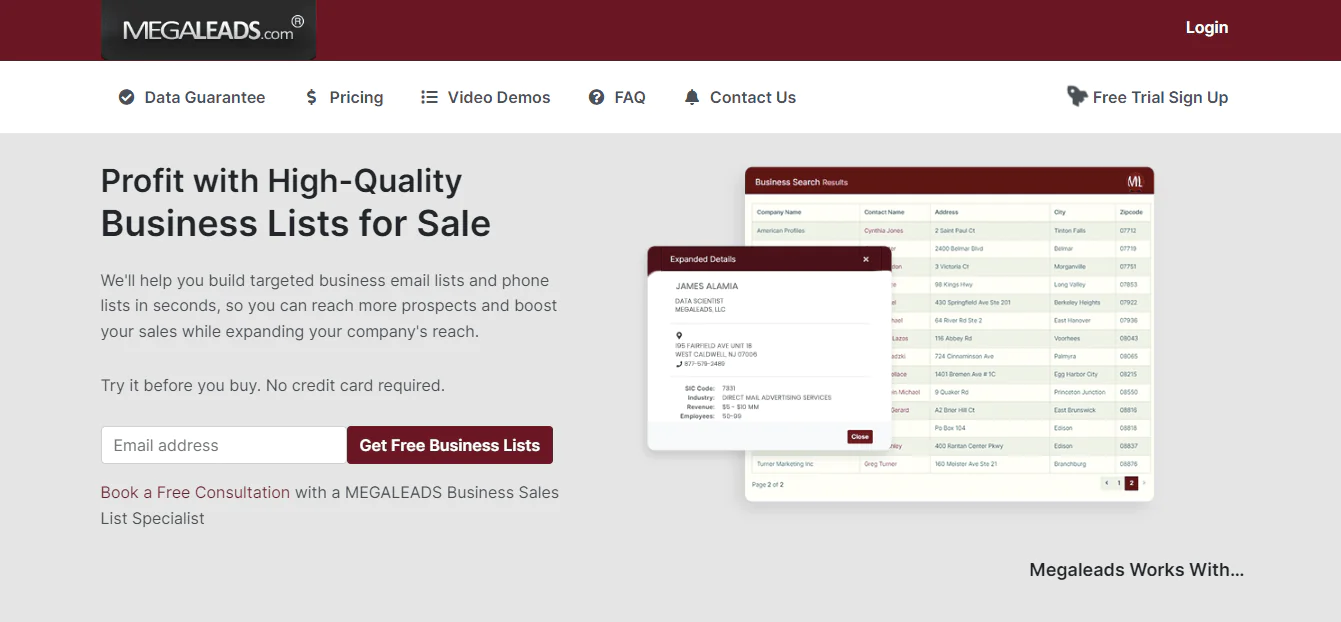
Megaleads is a lead-purchasing platform aimed at businesses of any size. Users pay for lead lists in batches and download them as CSV files for local use, an efficient model if you want to build a database quickly without a subscription.
About Megaleads
- Founding Year: 2011
- Founding Team: Jim Alamia
- Company Size: 10-50 employees
What Users Say About Megaleads
- Revain: 4.7 out of 5 (3 reviews)
“Easy way in order create automated marketing funnel emails & Websites easy set up process” – Awiwi Swift
Features of Megaleads
CSV File Download
Lead lists download in CSV format, making integration into your CRM or other systems simple.
Straightforward Interface
The interface is simple enough for non-technical users to navigate without much onboarding.
Competitive Pricing
Rates are competitive for batch lead purchasing, appealing to budget-conscious buyers.
Free Trial Availability
A free trial is available for first-time buyers to test the data before committing.
Pros
- Competitive pricing for lead batches.
- Straightforward, user-friendly interface.
- Free trial option available.
- Regular updates to lead lists.
- Downloadable CSV format for easy integration.
Cons
- Limited additional features or functionality.
- Some concerns over lead data accuracy.
Pricing
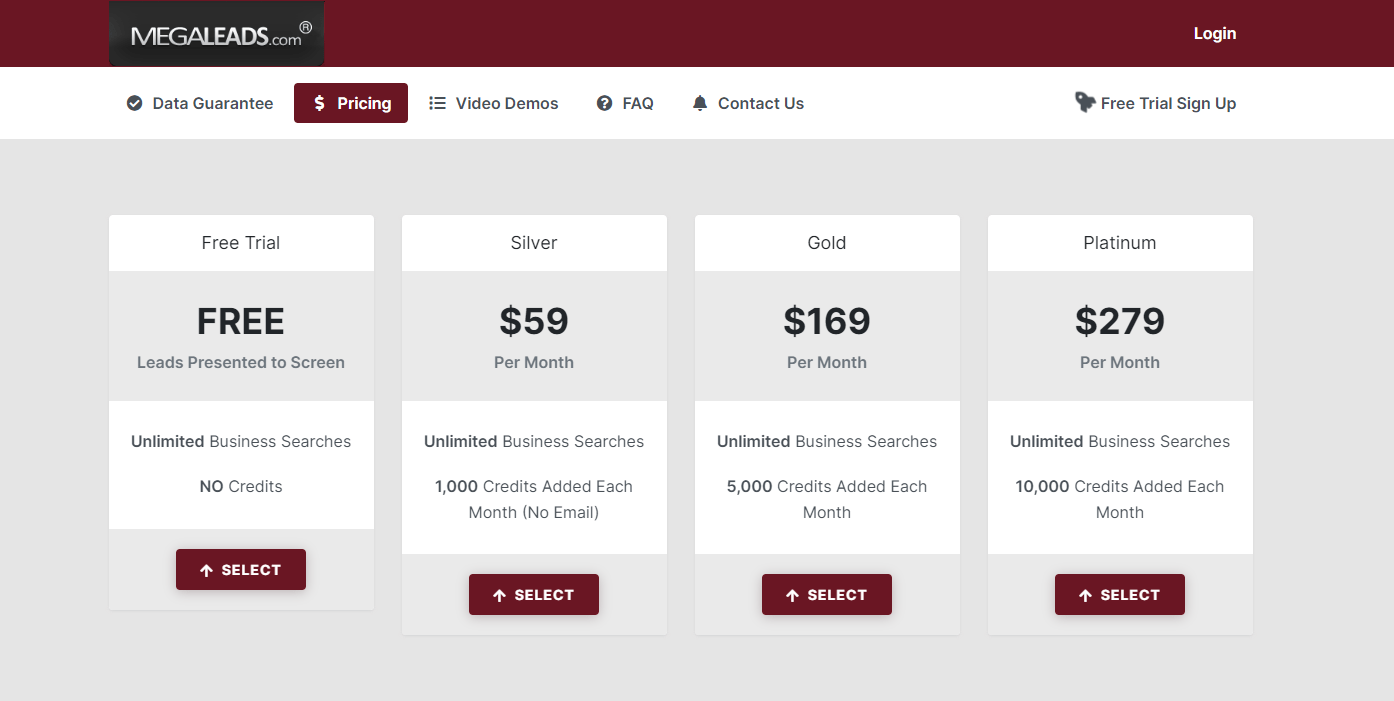
Plans start at $59/month for 1,000 downloads (Silver), scale to $159/month for 10,000 downloads (Gold), and top out at $279/month for 50,000 downloads (Platinum), letting you match spend to your outreach volume.
Our Review of Megaleads
MegaLeads makes it easy to build targeted business email and phone lists without a steep learning curve. The data depth is solid for the price, and the platform stays focused on accessibility rather than piling on extra features.
It’s a reasonable pick for businesses that mainly need volume lead lists for outreach rather than a full sales intelligence suite.
4. Salesfully
Salesfully offers access to consumer and business leads through a web-based platform for a flat monthly rate. The article says its data comes from public registries, including utility activations and property deeds; check the provider’s sourcing and permitted-use details before purchasing.
The pitch is simple: unlimited searching and downloading rather than per-lead pricing, which suits businesses trying to scale outreach without worrying about incremental costs.
About Salesfully
- Founding year: 2014
- Founding team: Frank Dappah
- Employee size: 1-10 employees
What Users Say About Salesfully
- Capterra: 5 out of 5 (4 reviews)
“Your UI is great. Easy to use software that does not take a lot of time to set up.” – Diandra F.
Features of Salesfully
Unlimited Lead Access
Unlimited searches and downloads keep a steady stream of prospects available.
Diverse Data Sources
Data sourced from varied public registries gives a broader, more varied lead pool.
High-Quality Data
Salesfully aims for high data standards while acknowledging that perfect accuracy across a large consumer database is hard to guarantee.
Customizable Searches
Filters by industry, age, occupation, and more allow precise targeting.
Extensive Consumer Database
With over 140 million U.S. consumers and households in the database, there’s a wide pool to work from for direct marketing.
Pros
- Unlimited access to consumer and business leads.
- Sourced from a variety of reliable public registries.
- Offers high-quality, well-performing leads.
- Customizable searches for targeted lead generation.
- Extensive database of U.S. consumers and households.
Cons
- Achieving 100% data accuracy is challenging.
- May take time to learn the full feature set.
Pricing
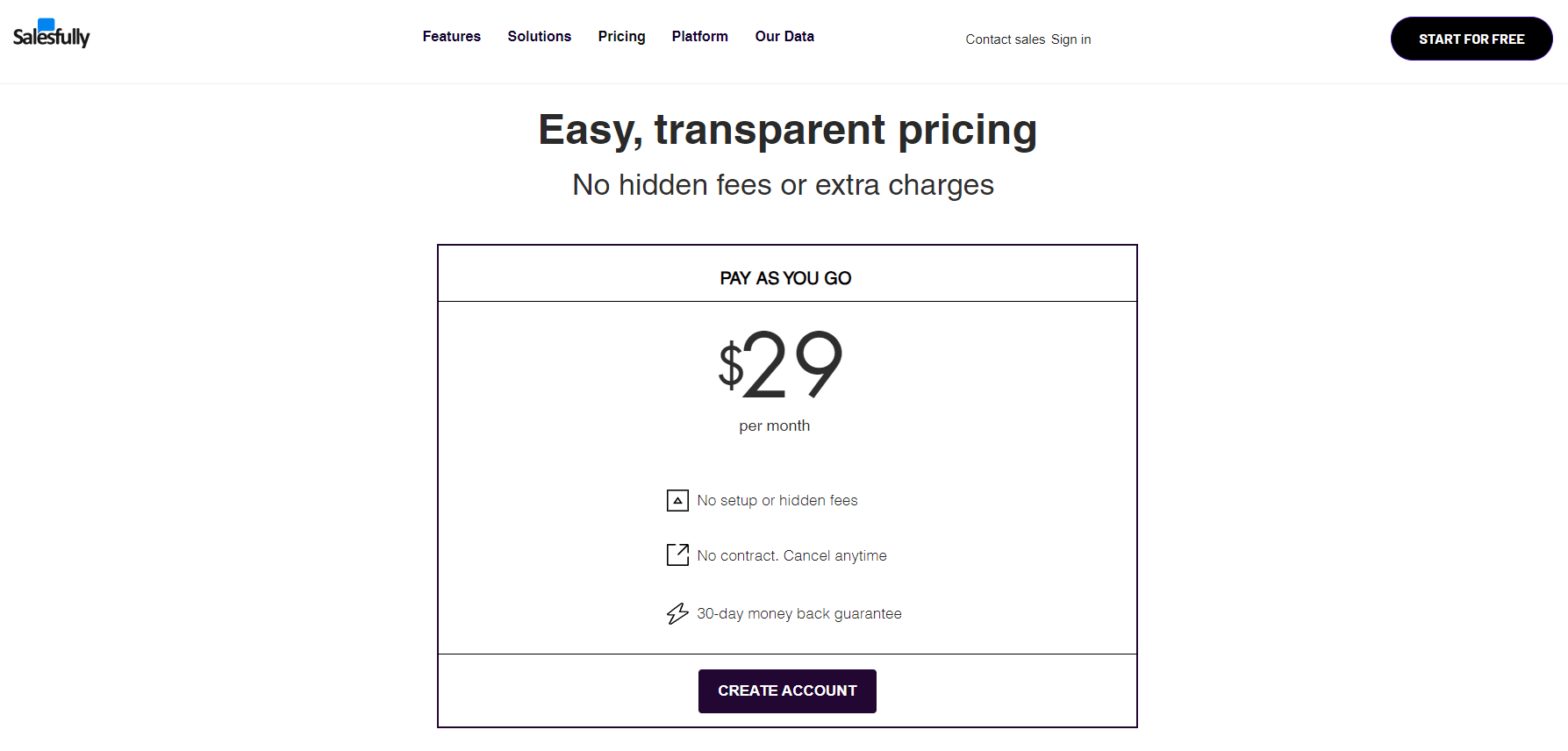
Salesfully runs on a flat monthly subscription covering unlimited lead searches and downloads, a cost-effective option for small to medium-sized businesses that want predictable pricing without per-lead fees.
Our Review of Salesfully
Salesfully is a comprehensive tool for accessing extensive B2C and B2B leads, and its detailed prospect lists are genuinely useful. The simple interface makes it approachable for beginners in lead generation.
It takes time to master the full range of filters, but for businesses looking to deepen market penetration, it’s a straightforward and cost-effective solution.
5. Cloudlead
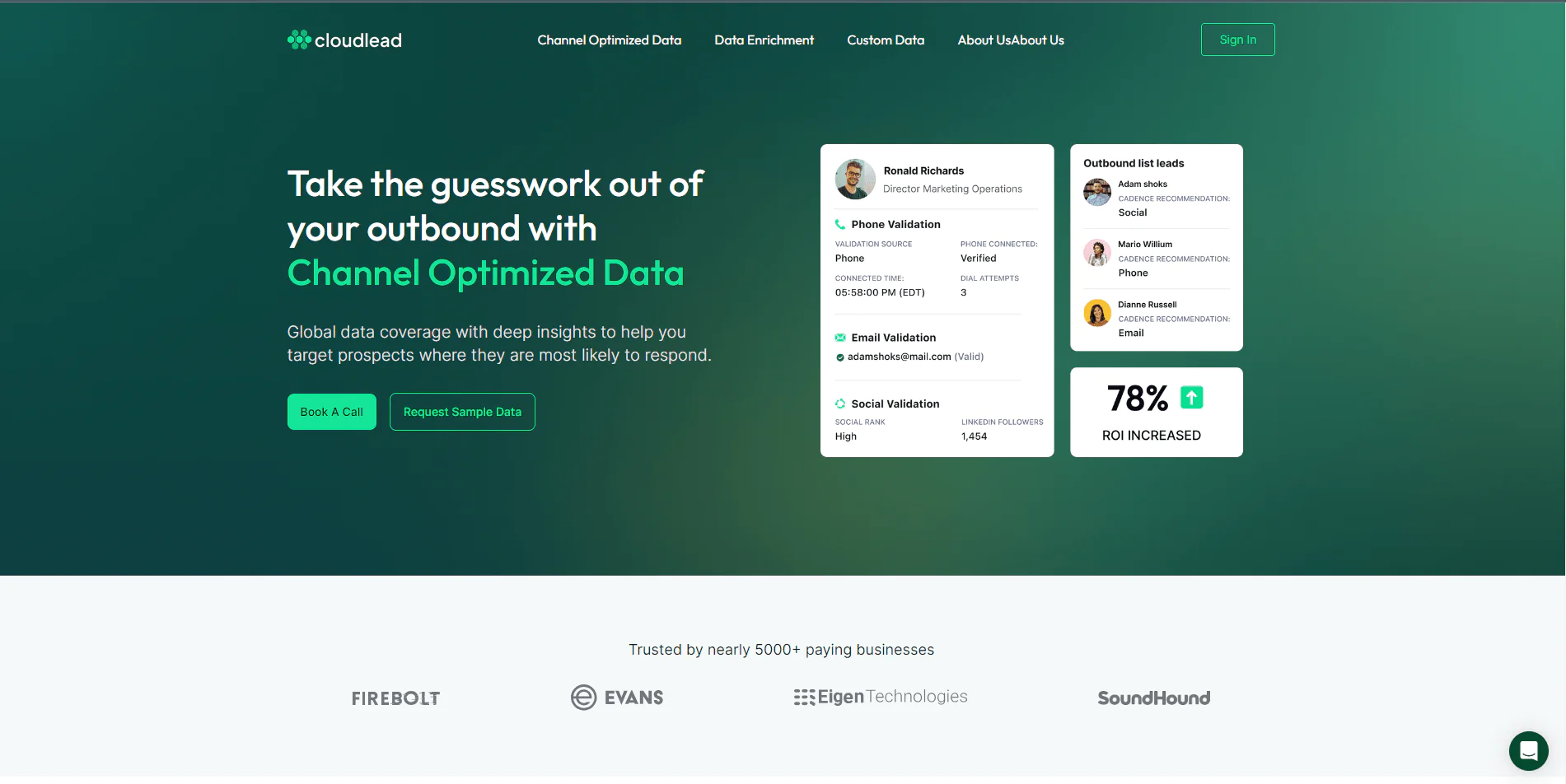
Cloudlead specializes in human-verified, customized B2B data, built for personalizing outreach rather than delivering generic contact lists. It supports enrichment, cleansing, and lead scoring alongside raw data delivery.
About Cloudlead
- Founding year: 2015
- Founding team: Noman Siddiq
- Employee size: 5-200 employees
What Users Say about Cloudlead
- G2: 4.8 out of 5 (39 reviews)
“the accurate data points which it provides while streamlining whole lead filtering process is exceptional” – Ranjit S
Features of Cloudlead
Custom Leads
Data built around your specific requirements supports highly personalized outreach.
Lead Enrichment
Firmographic, technographic, and demographic data get added to leads, refining them for specific campaigns.
Lead Cleansing
Database upkeep includes spam-trap testing and compliance checks against live social sources to preserve accuracy.
Lead Scoring
Scoring against your ideal customer profile helps your team prioritize the leads most likely to convert.
Pros
- Offers custom data tailored to business needs.
- Comprehensive lead enrichment services.
- High data accuracy through lead cleansing.
- Lead scoring feature to prioritize prospects.
Cons
- Feature complexity may require a learning curve.
- May suit larger businesses with specific data needs better.
Pricing
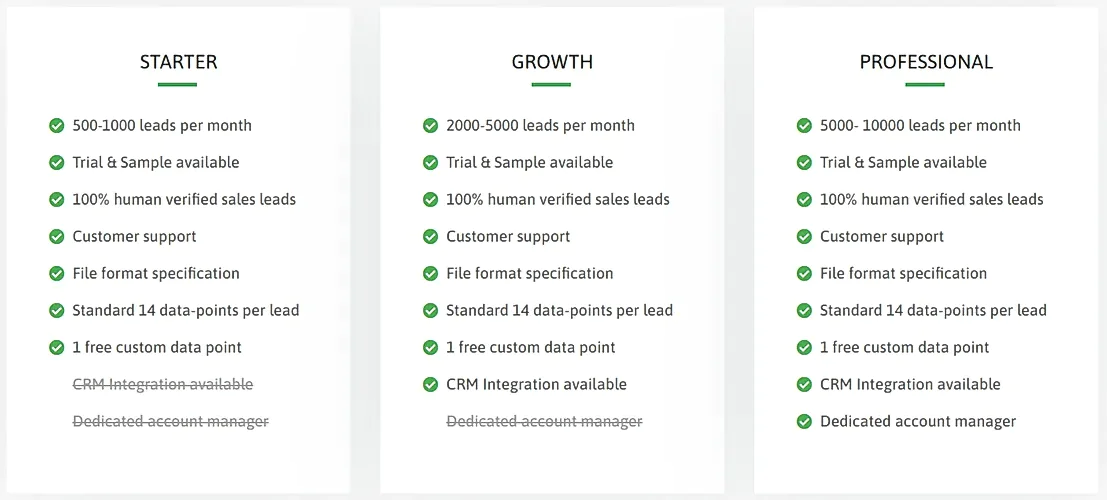
Cloudlead’s “Free Forever” plan gives lifetime access to over 50 million global contacts and direct dials without a credit card. Paid plans start around INR 5,000 + GST monthly or annually, with features like custom data requests, email unlocks, and free direct dials scaling by tier.
Our Review of Cloudlead
CloudLead stands out for custom lead generation and data enrichment rather than just handing over a contact list. The blend of human-verified leads and added data insight makes it more useful than a bare list provider.
The interface is clean and user-focused, making it a solid pick for businesses that want to personalize outreach without sacrificing data quality.
6. Easyleadz
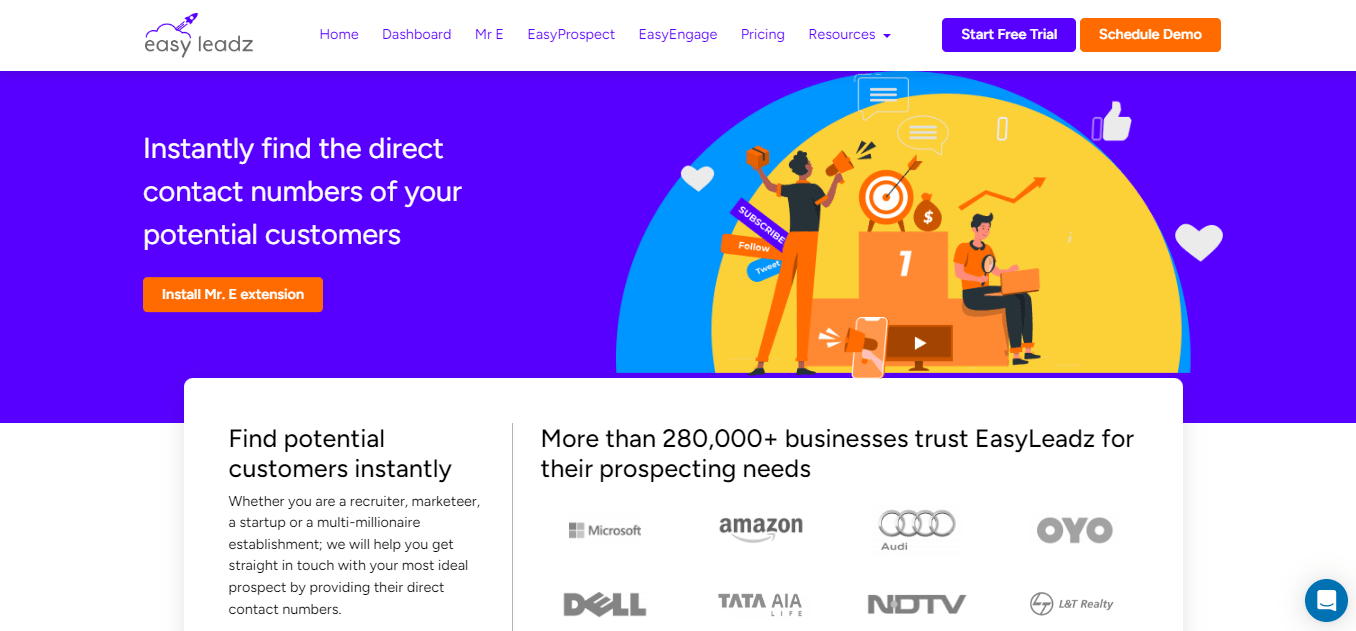
Easyleadz is built for pulling direct contact numbers from LinkedIn and other professional networks, with a particular focus on SMEs in India looking to expand outreach and sales without heavy setup.
About EasyLeadz
- Founding year: 2016
- Founding team: Nitin Bajaj
- Employee size: 10-15 employees
What Users Say about Easyleadz
- G2: 4.6 out of 5 (1,038 reviews)
“most useful app for finding contacts and information” – Mayur D
Features of Easyleadz
Streamlined LinkedIn Prospecting
Mr. E by Easyleadz simplifies pulling direct contact numbers from LinkedIn profiles, broadening your networking and prospecting reach. For those leaning on such tools for LinkedIn engagement, understanding LinkedIn Sales Navigator subscription rates can help round out your networking strategy.
EasyProspect: SME Focus
EasyProspect targets SME businesses in India, surfacing director-level contact numbers even for companies not present on LinkedIn.
API Integration
API access lets you auto-enrich your contact database, useful for teams building custom applications around lead accuracy.
One-Click Contact Reveal
A one-click reveal keeps the process of gathering contact information simple.
Free Trial
A free trial with 5 contacts lets you test accuracy before committing.
Focused Targeting
Contact information stores in a personalized dashboard, letting you categorize and list contacts by your own criteria.
Direct Contact
The platform is built to bypass gatekeepers and connect directly with decision-makers.
Pros
- Specialized tools for LinkedIn and SME prospecting.
- API integration for customized application development.
- Simple, one-click contact reveal feature.
- Free trial to assess the tool’s capabilities.
- Direct access to decision-makers for efficient outreach.
Cons
- Primary focus on the Indian market and SMEs may limit global reach.
- Relatively new in the market, which may affect reliability perceptions.
Pricing
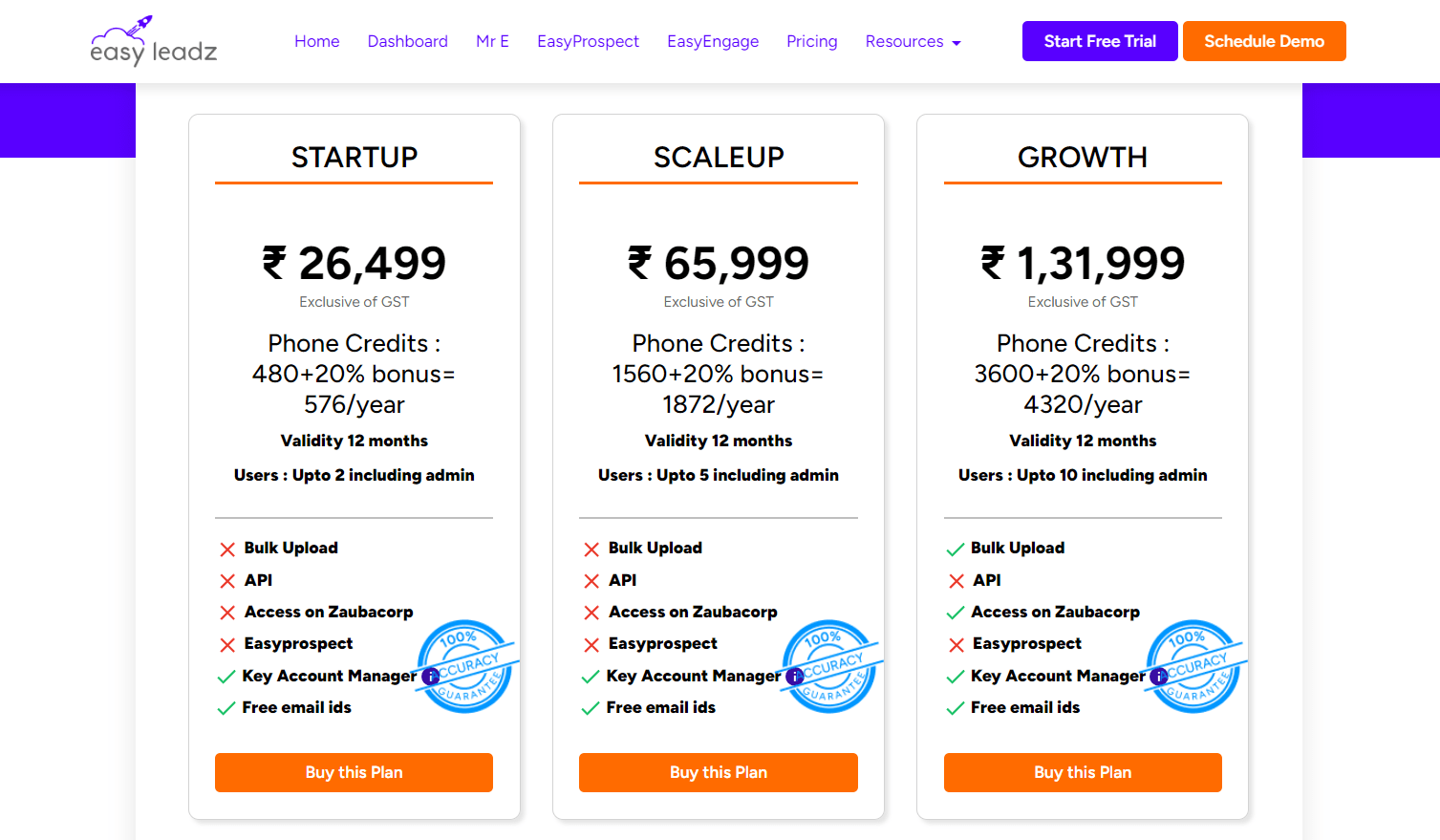
Plans include “Startup,” “Scaleup,” “Growth,” “Hyper Growth,” “Super Nova,” and various “Unlimited” tiers, starting from ₹2,199 up to ₹3,95,999 for the Super Nova annual plan, varying by phone credits, validity period, and user seats.
Additional services include bulk upload, API access, and key account manager support, with custom quotes available for tailored needs.
Our Review of EasyLeadz
EasyLeadz takes a direct approach to obtaining contact information and performs well for SMEs in India specifically. The interface is straightforward, making it a reasonable pick for teams that want to connect directly with decision-makers without a complex setup.
7. SeedProd
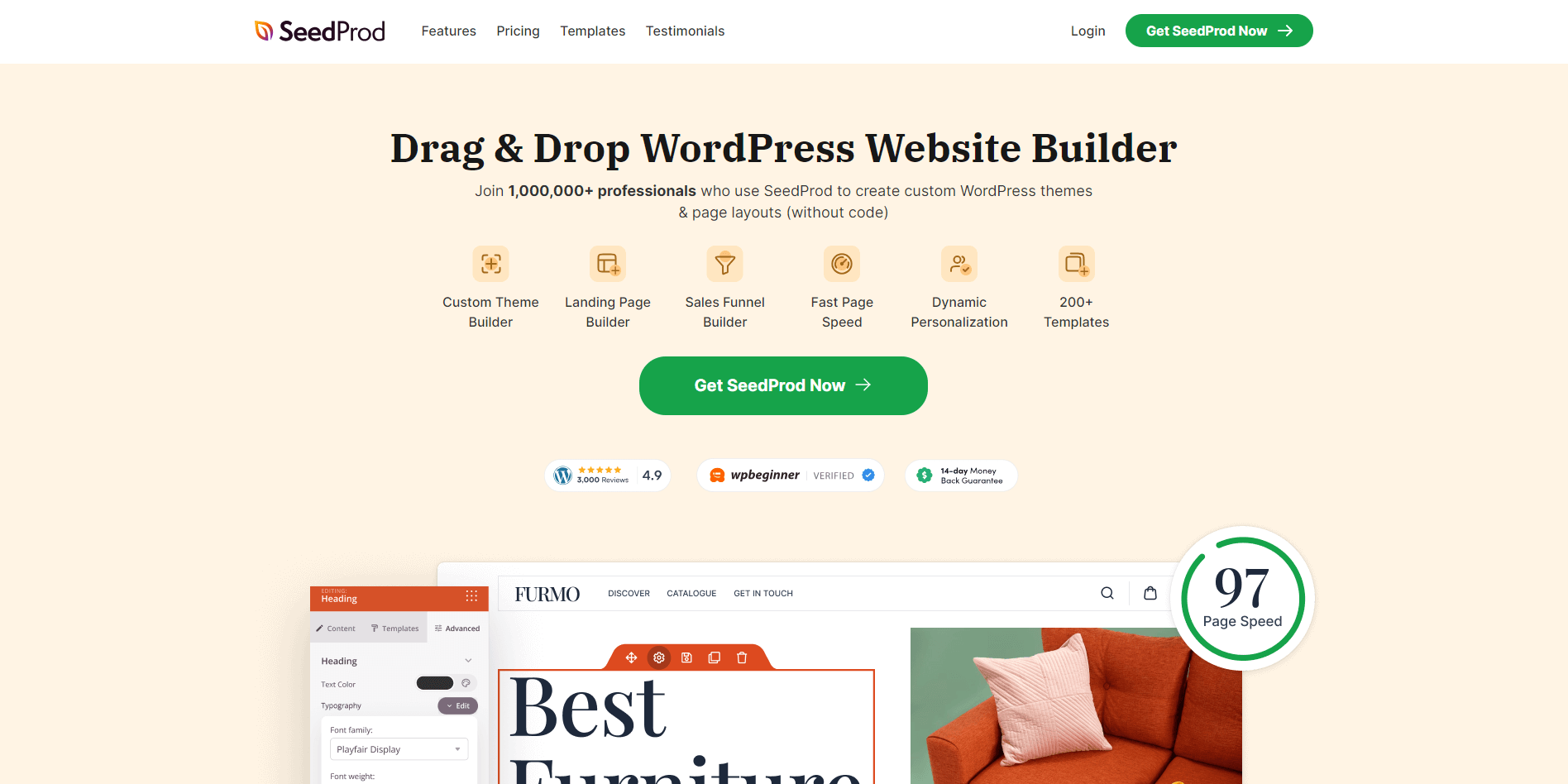
SeedProd is a WordPress website and landing page builder aimed at people who want custom themes and layouts without writing code. With over 1 million users, it’s known for a simple drag-and-drop interface and support for full-site editing, including headers, footers, and WooCommerce pages.
About SeedProd
- Founding year: 2009
- Founding team: John Turner
- Employee size: 201-500 employees
What Users Say about SeedProd
- G2: 4.5 out of 5 (5 reviews)
“I love how user-friendly the User Interface is. With its drag-and-drop features, anyone can master it’s use” – Priscilla A
Features of SeedProd
90+ Pro Blocks
A wide range of static and dynamic content blocks makes it easy to bring design ideas to life.
No-Code Theme Builder
Build custom WordPress themes, including headers, footers, pages, and posts, without touching code.
Email Marketing Integration
Integrates with services like MailChimp, ActiveCampaign, and ConvertKit to help you collect emails and grow your audience.
Variety of Landing Page Templates
Templates cover sales pages, opt-ins, coming-soon pages, and more, with new additions regularly.
Responsive Design
Pages render well on any device, keeping the user experience consistent.
SEO-Friendly
Fast-loading pages and adjustable header tags support better search visibility.
ReCaptcha Integration
Built-in ReCaptcha protects landing pages from spam and bots.
Pros
- User-friendly interface for easy navigation.
- No coding required for website and landing page creation.
- Integrates seamlessly with major email marketing platforms.
- Wide range of customizable templates.
- Responsive design ensures mobile compatibility.
- SEO-friendly features for better online visibility.
Cons
- May have limitations for advanced customizations.
- Some features carry a learning curve.
Pricing
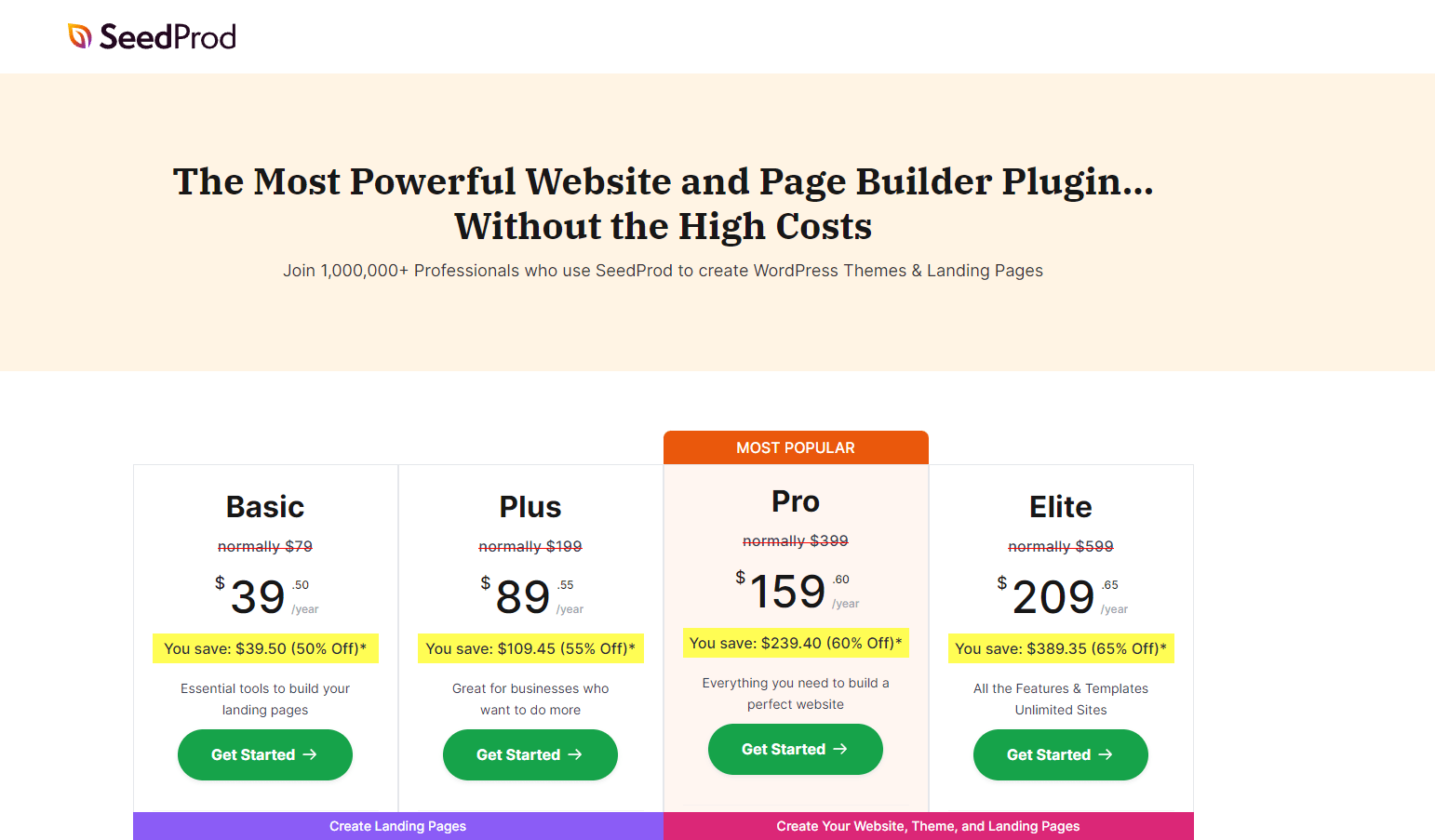
The “Basic” plan starts at $39.50/year for single-site use. “Plus” runs $89.55/year for up to 3 sites. “Pro” is $159.60/year for up to 5 sites, and “Elite” is $209.65/year with unlimited sites. Each tier adds more templates, integrations, and priority support. Prices are introductory and subject to change on renewal.
Our Review of Seedprod
SeedProd’s drag-and-drop builder and range of templates simplify website creation across skill levels. The interface encourages fast, professional design work, making it a solid choice for anyone building custom WordPress sites quickly.
8. CallPage
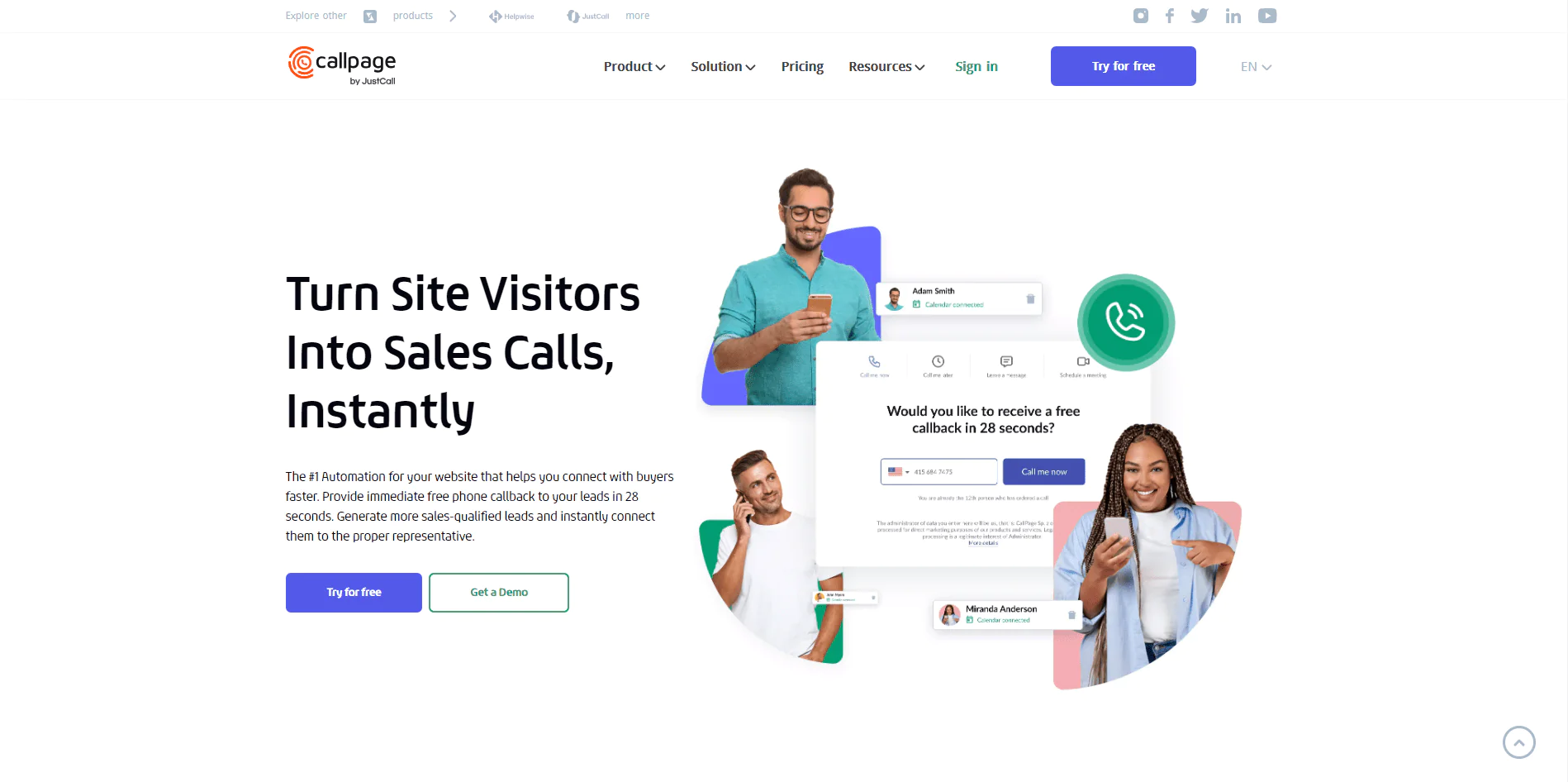
CallPage turns website traffic into sales calls through an automated callback widget that aims to connect visitors to a sales rep within seconds, capturing interest at its peak rather than losing it to a contact form.
About Callpage
- Founding year: 2015
- Founding team: Ross Knap, Andrey Tkachiv, and Sergey Butko
- Employee size: 23 employees
What Users Say about Callpage
- Capterra: 4.5 out of 5 (42 reviews)
“Very good & helpful support team on the phone & chat. Good reports from the panel ROI” – Kate S
Features of CallPage
Automated Callbacks
A callback widget lets visitors request a call from a sales rep almost instantly.
Instant Call Distribution
Calls route to available reps automatically, cutting response time.
Conversion-Focused Pop-Ups
Customizable pop-ups encourage visitors to connect, boosting lead capture and conversion.
Phone Recording and Reporting
All collected leads and calls come with automatic recording and reporting.
Automated Meeting Scheduler
Automated distribution and customizable booking forms integrate with your calendar.
Integration with Favorite Tools
CallPage connects with over 4,000 tools via Zapier for smoother data transfer and collaboration.
Lead Capture for Sales Teams
Built to support sales teams directly, with automated lead scoring and distribution.
Pros
- Significantly increases lead generation.
- Reduces response time to connect with customers.
- Improves website conversion rates.
- Detailed call recording and reporting.
- Streamlines meeting scheduling and lead distribution.
- Integrates with a wide range of tools.
Cons
- Requires initial setup and familiarization.
- Effectiveness depends on existing website traffic.
Pricing
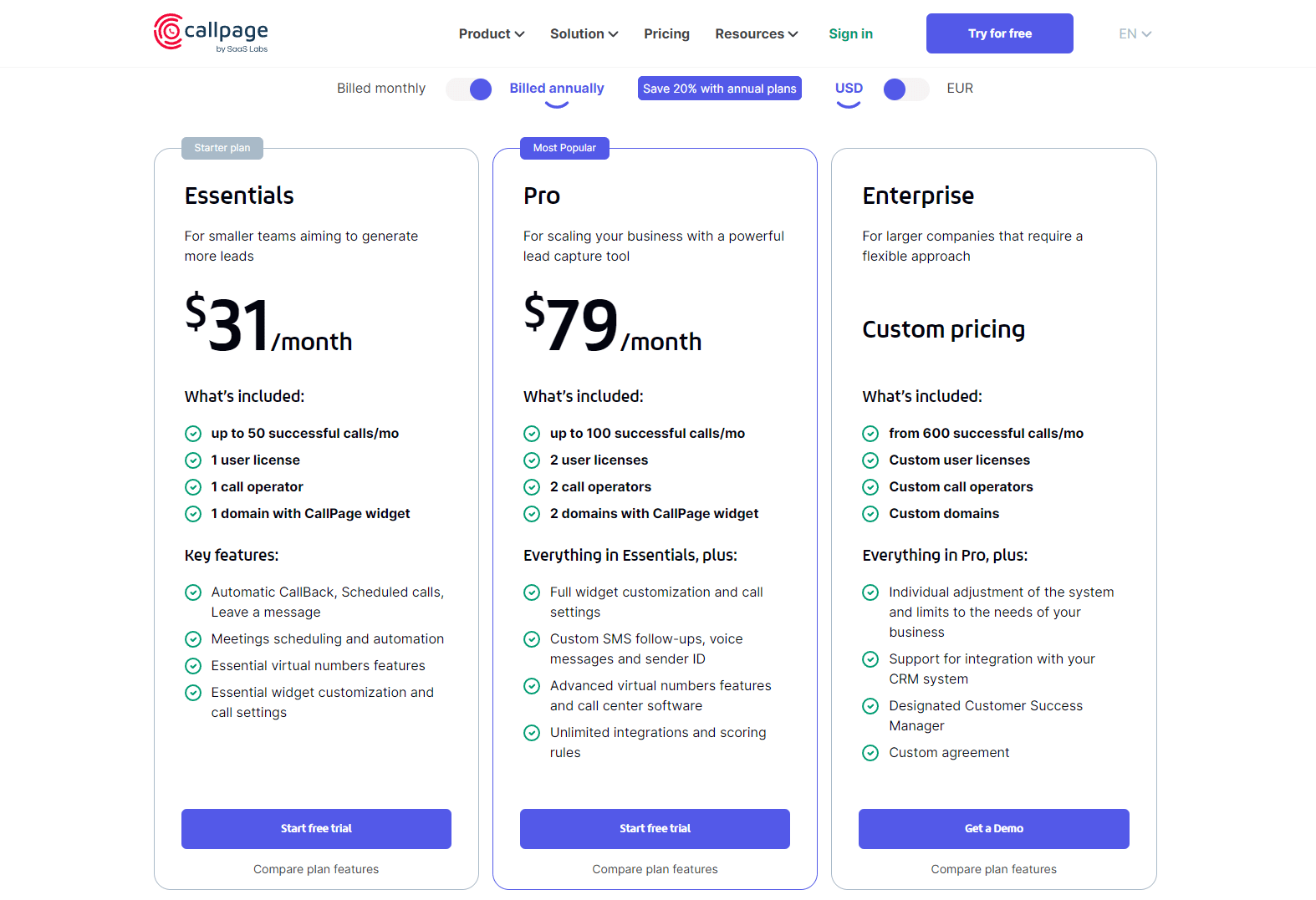
The “Starter” plan is $31/month for up to 50 successful calls and one user license. “Pro” is $79/month for up to 100 successful calls and two licenses. “Enterprise” is custom-priced for larger teams. All plans include a 14-day free trial, with annual billing discounts available.
Our Review of Callpage
CallPage’s automated callback and instant call distribution features effectively convert website traffic into sales calls, and the platform stays approachable enough for most sales teams to adopt quickly.
9. Adobe Experience Cloud
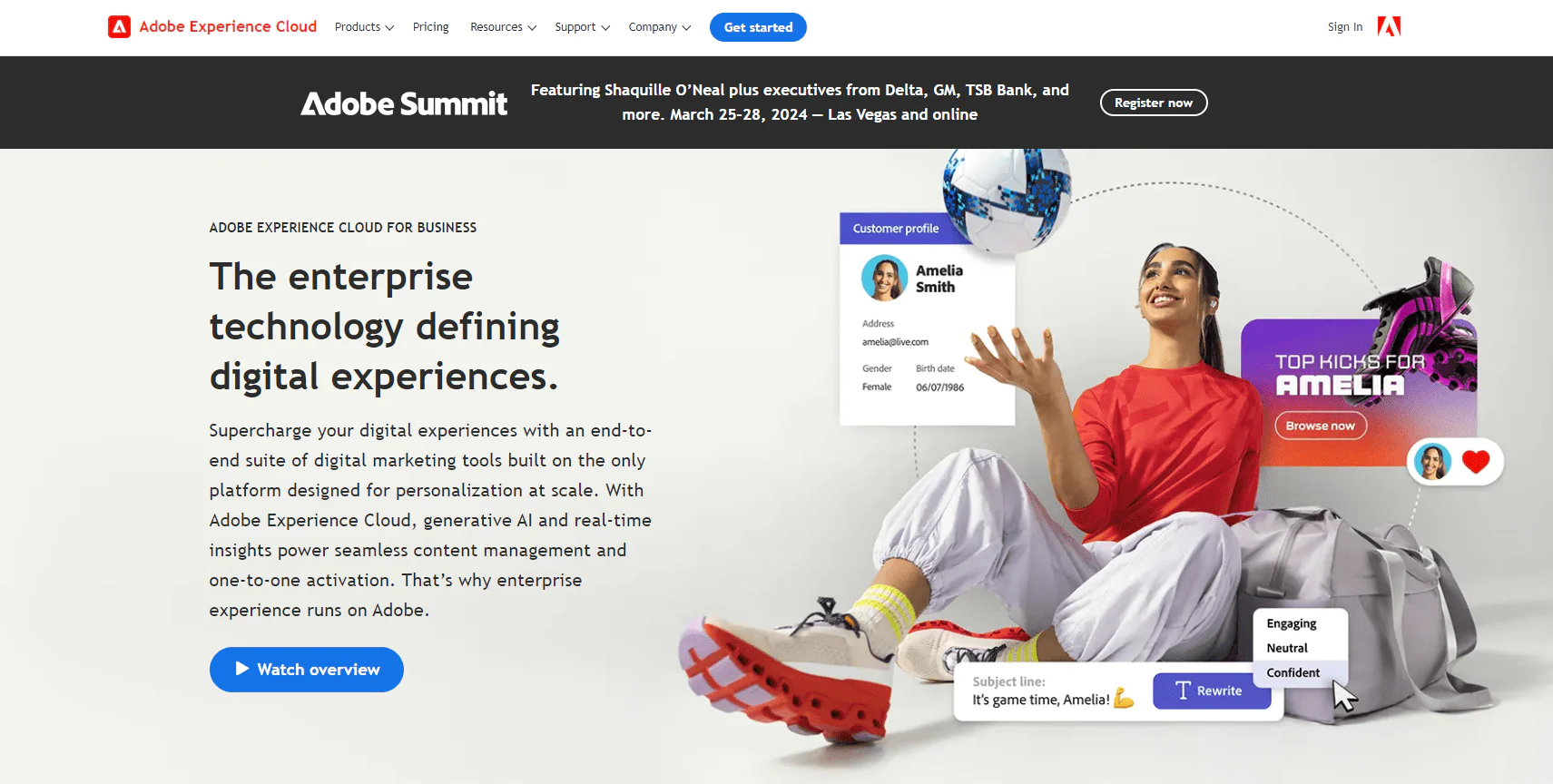
Adobe Experience Cloud is a broad suite of digital marketing tools spanning marketing, analytics, advertising, and commerce, powered by AI and built for personalizing customer experiences at scale with a unified customer journey view.
About Adobe Experience Cloud
- Founding year: 1982
- Founding team: John Warnock and Charles Geschke
- Employee size: 26,000 employees
What Users Say about Adobe Experience Cloud
- G2: 4.1 out of 5 (5,152 reviews)
“Its highly customizable features, secured coding architecture, and the ability to support scaling of the online store operations” – Ryan Patrick V.
- Capterra: 4.4 out of 5 (13 reviews)
“My experience with this end-to-end solution has proven to be a powerful tool that helped us drive companies’ digital strategies” – Isaac A
Features of Adobe Experience Cloud
Adobe Sensei GenAI
Generative AI lets marketers use natural language prompts to create and modify assets and personalize copy across workflows.
Content Management
A robust CMS handles building, authoring, publishing, and loading pages quickly across every customer touchpoint.
Customer Data Platform (CDP)
The CDP unifies online and offline data in real time into actionable customer profiles, with AI/ML-powered workflows and a governance framework.
B2B and B2C Marketing Automation
Marketo Engage handles B2B account-based campaigns and lead management; Journey Optimizer handles B2C omnichannel campaigns and personalized offers.
AI-Driven Analytics
Adobe Analytics and Customer Journey Analytics pull insight from digital touchpoints to explain customer behavior.
Digital Commerce with Adobe Commerce
A flexible commerce platform manages multiple storefronts, brands, and business models from one interface.
Workflow Management with Adobe Workfront
Workfront automates project workflows to speed up campaign launches and project completion.
Pros
- Integrates multiple marketing tools in one platform.
- Real-time data analysis and customer insights.
- Strong content management and personalization.
- Supports both B2B and B2C marketing strategies.
- AI-driven analytics for informed decision-making.
- Efficient digital commerce management.
Cons
- Complexity can overwhelm new users.
- Higher cost compared to some other platforms.
Pricing
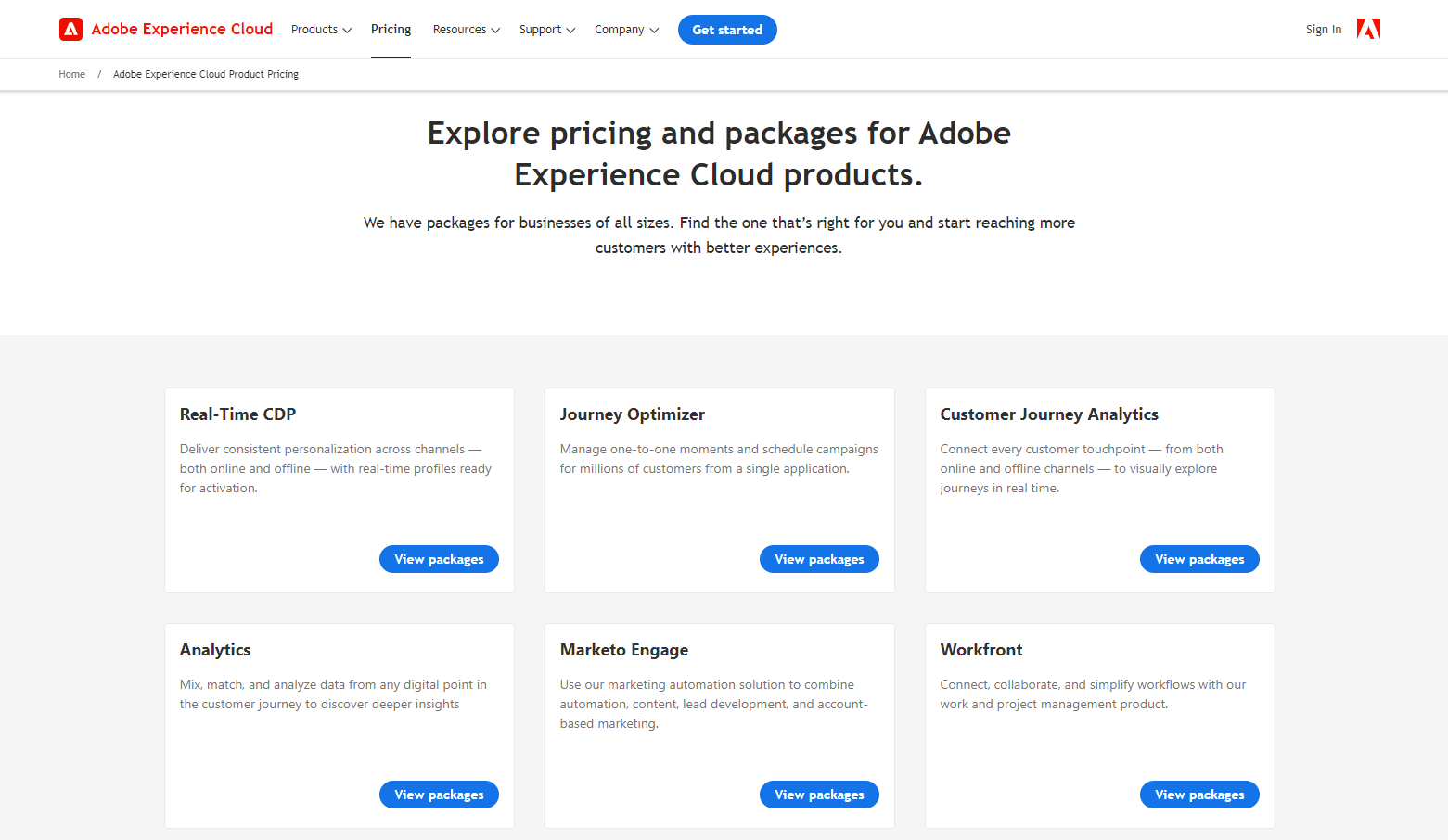
Pricing spans separate products: CDP, Journey Optimizer, Customer Journey Analytics, Adobe Analytics, Marketo Engage, Workfront, Adobe Commerce, Experience Manager Sites and Assets, Campaign, Target, Learning Manager, and Experience Manager Forms.
Each has its own packages, so pricing depends on which combination of products your business needs.
Our Review of Adobe Experience Cloud
Adobe Experience Cloud is a robust marketing suite for personalized customer experiences at scale. The interface is feature-rich enough to handle diverse marketing demands, making it a strong pick for businesses needing a comprehensive marketing stack rather than a point solution.
10. HubSpot
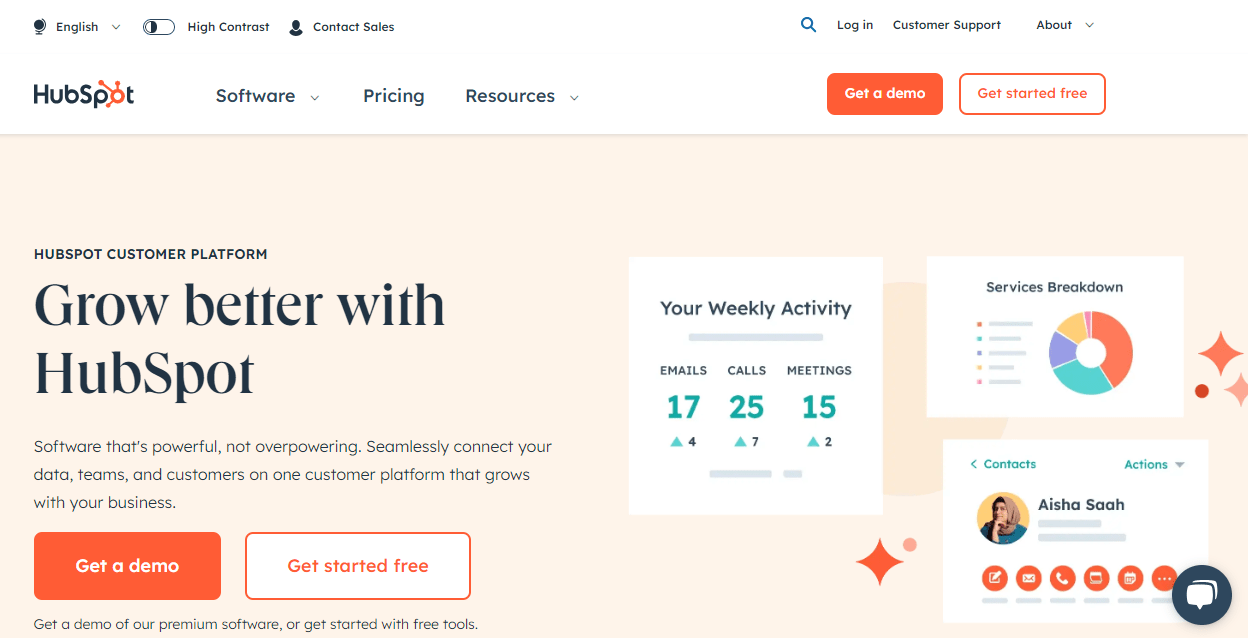
HubSpot is a full customer platform combining marketing, sales, content management, and customer service software, designed to connect data, teams, and customers in one place to support growth.
About HubSpot
- Founding year: 2006
- Founding team: Brian Halligan
- Employee size: 3750 employees
What Users Say about HubSpot
- G2: 4.4 out of 5 (10,952 reviews)
“The most helpful feature of the Hubspot Marketing Hub is that all of the activities that you conduct as a business… is all tracked” – Lester K
- Capterra: 4.5 out of 5 (3,965 reviews)
“HubSpot is great at tracking relationships at the individual level.” – Drew W
Features of HubSpot
Marketing Automation (Marketing Hub)
Tools for lead generation, automation, and analytics simplify campaign management and lead nurturing.
Advanced CRM (Sales Hub)
A full CRM with meeting scheduling and quote management improves sales team efficiency and pipeline management.
Customer Service Tools (Service Hub)
Ticketing, customer feedback, and a knowledge base support better customer service.
Content Management System (CMS Hub)
A drag-and-drop editor, SEO recommendations, and customizable themes balance marketer flexibility with developer control.
Operations Software (Operations Hub)
Data sync, programmable automation, and data quality tools keep teams and data aligned.
B2B Commerce Software (Commerce Hub)
Subscriptions, invoices, and payment links streamline the opportunity-to-revenue process for B2B commerce.
HubSpot AI
AI tools for task automation and insight generation are woven across the platform.
Pros
- Comprehensive suite for marketing, sales, and service.
- User-friendly interface for easy navigation.
- Efficient lead generation and marketing automation.
- Advanced CRM for strong sales management.
- Flexible content management system.
- Wide range of tools and services in one place.
Cons
- Can be expensive for small businesses.
- Some features carry a learning curve.
Pricing
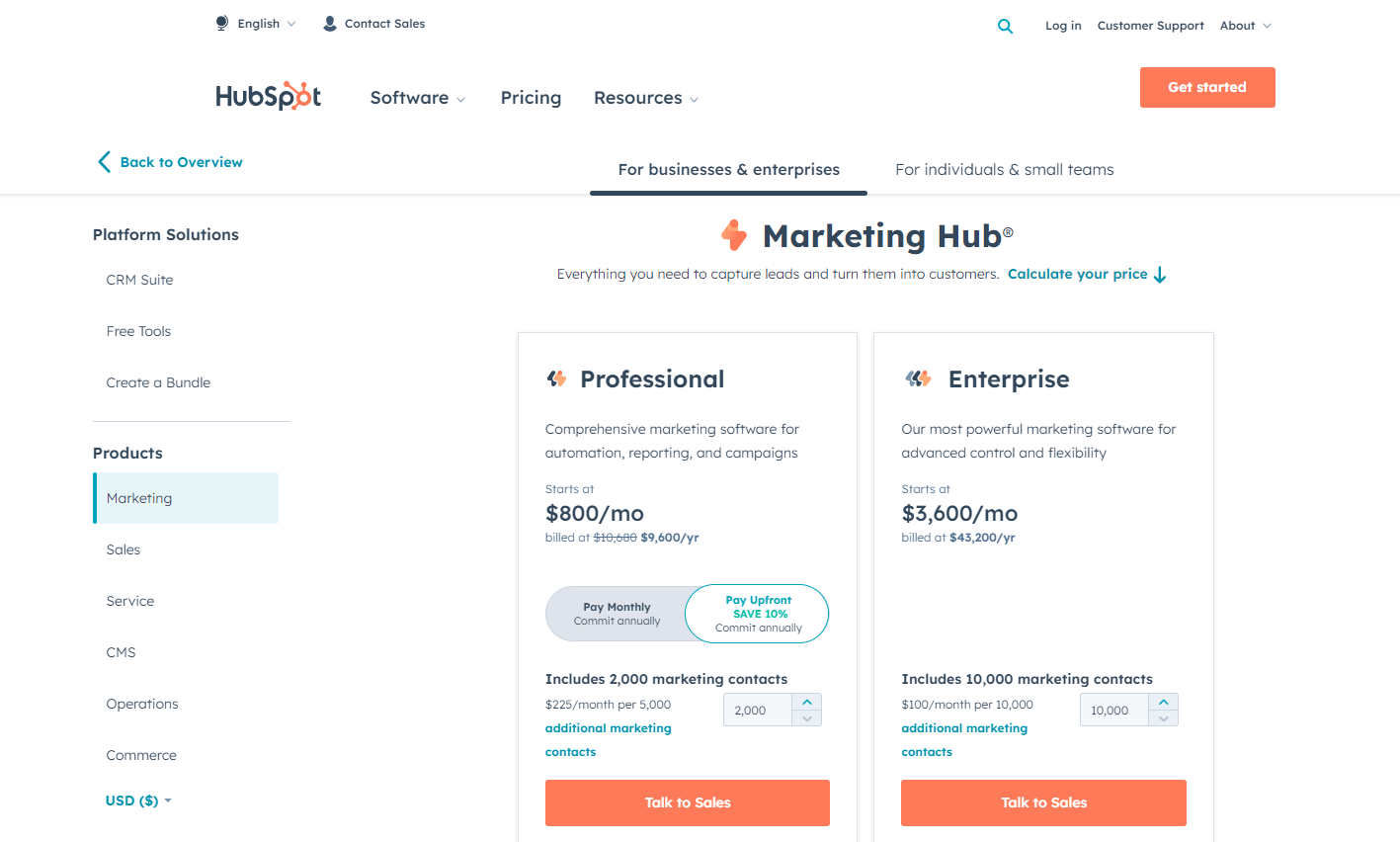
Marketing Hub’s “Starter” plan begins at $20/month for basic needs. “Professional” starts at $800/month ($9,600 billed annually, a 10% savings), including 2,000 marketing contacts with additional contacts at $225/month per 5,000. “Enterprise” runs $3,600/month. The Professional tier also carries a one-time $3,000 onboarding fee.
Our Review of Hubspot
HubSpot is a versatile CRM platform that integrates marketing, sales, and service tools cleanly. The interface fits businesses of nearly any size and simplifies customer relationship management, making it a strong option for companies focused on growth and unified customer data.
11. Drift
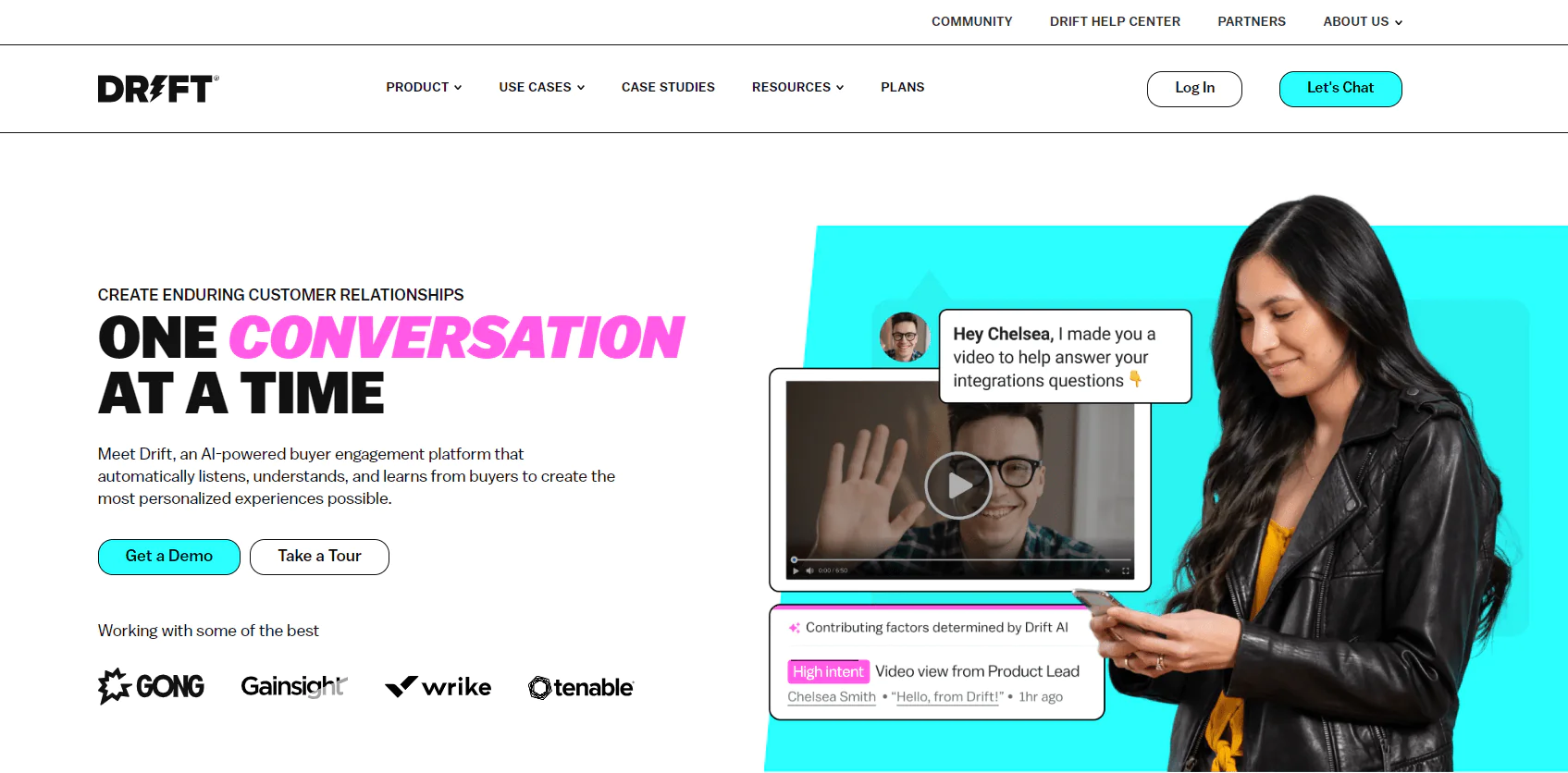
Drift is an AI-powered buyer engagement platform that personalizes customer interactions across chat, email, and video, aiming to identify website visitor intent and guide them through the sales funnel with real-time, human-like conversation.
About Drift
- Founding year: 2015
- Founding team: Scott Ernst
- Employee size: 251 employees
The platform is generally aimed at improving lead qualification, engagement, and overall sales efficiency for teams focused on digital presence.
What Users Say about Drift
- G2: 4.4 out of 5 (1,061 reviews)
“It allows me to see who is active and where they are at. Prospecting has been great while using this product” – Dalton L
- Capterra: 4.5 out of 5 (192 reviews)
“I really like that is it easy to navigate.” – Jessica W
Features of Drift
AI-Powered Chatbots
Chatbots offer round-the-clock engagement, mimicking real conversation to connect with visitors instantly.
Intelligent Audience Targeting
Advanced analytics identify visitor behavior for tailored experiences, increasing engagement with relevant content.
Conversational Landing Pages
Interactive landing pages make the site experience more dynamic and encourage active participation.
Drift Engage
Visitor behavior triggers custom playbooks aimed at boosting conversion rates.
Bionic Chatbots
Advanced bots craft personalized playbooks and adapt responses to visitor queries.
Pros
- Expands sales rep efficiency.
- Increases conversion rates from conversations to qualified leads.
- Boosts overall sales win rate.
- Expands annual recurring revenue in targeted accounts.
- Improves alignment between sales and marketing teams.
Cons
- May require a learning curve for optimal use.
- Effectiveness depends heavily on digital traffic.
Pricing
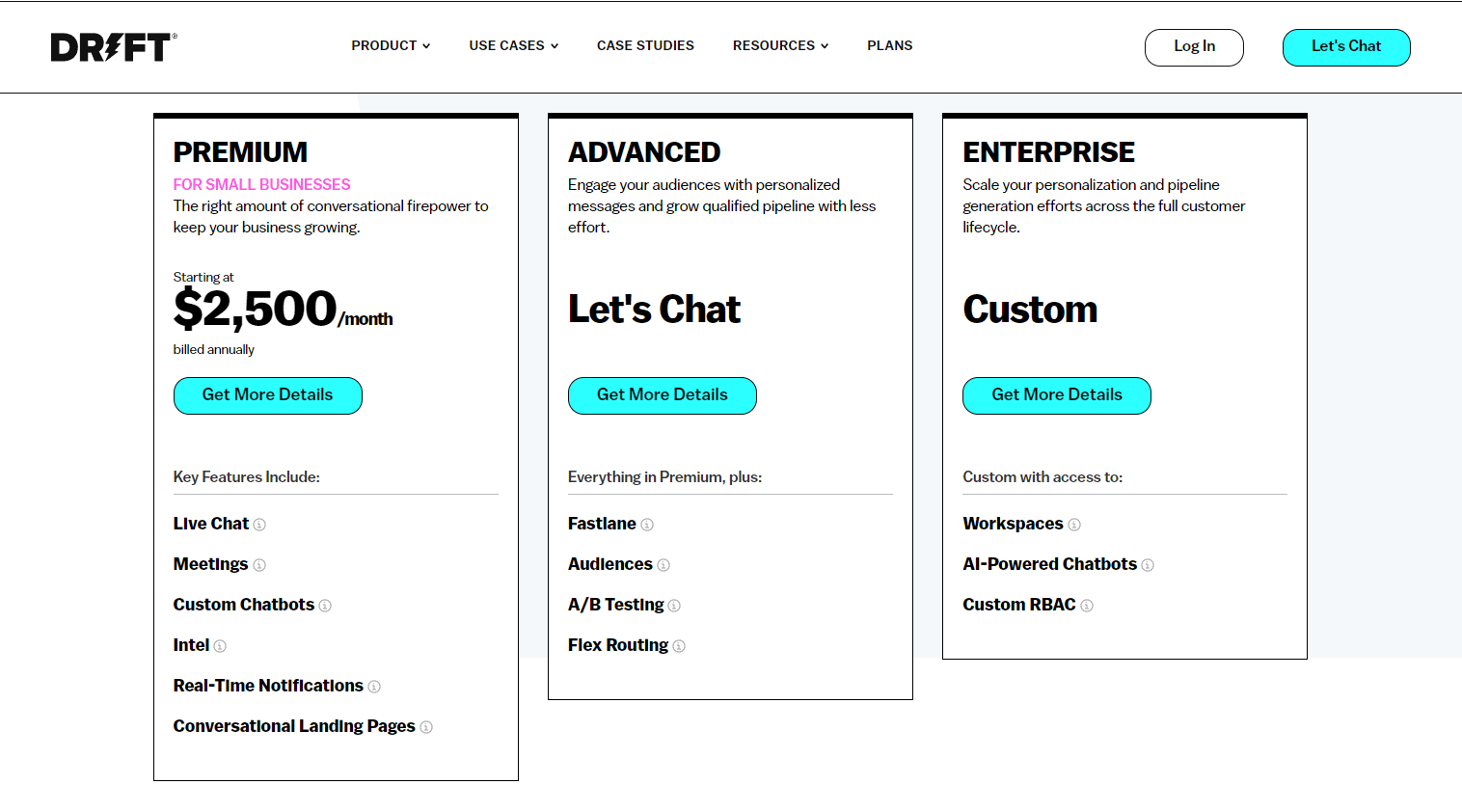
Drift Engage focuses on scoring visitor intent and delivering relevant chatbot experiences. “Pro Seat” gives sales, marketing, and service teams full platform access, while “Lite Seat” offers a more focused sales experience including Meeting Bookings, Drift Video, and Email Notifications.
Our Review of Drift
Drift’s chatbots and real-time interactions create genuinely personalized customer experiences. The modern, intuitive design supports effective engagement strategies, making Drift a solid recommendation for businesses aiming to improve how they interact with website visitors.
12. Lusha
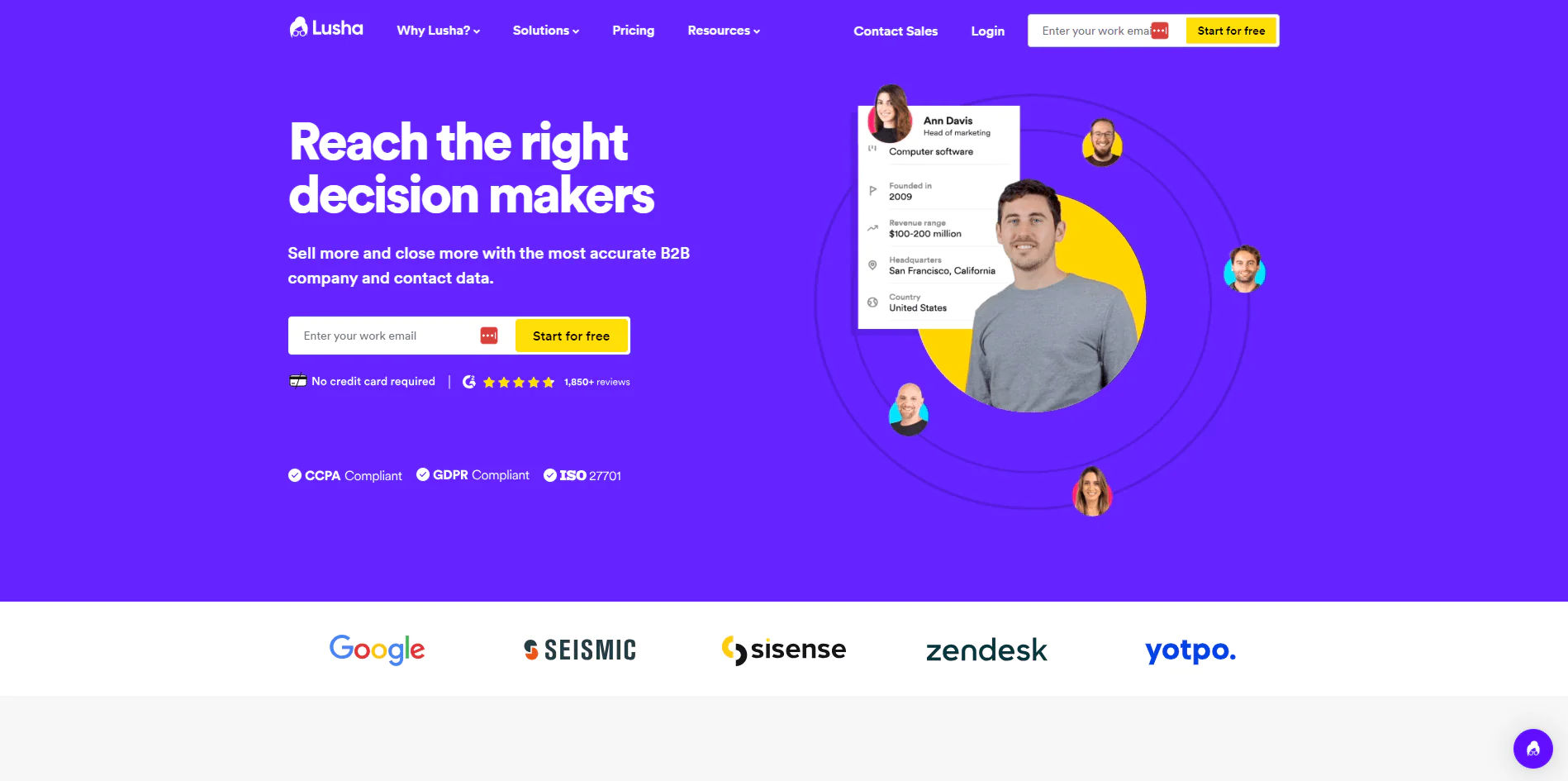
Lusha is a B2B data platform focused on accurate company and contact data for reaching decision-makers, known for a user-friendly experience and strong ROI for prospecting-focused teams.
About Lusha
- Founding Team: Assaf Eisenstein and Yoni Tserruya
- Founding Year: 2016
- Company Size: 201-500 employees
What Users Say about Lusha
- Capterra: 4.1 out of 5 (359 reviews)
“The thing which I personally like to use about lusha is it’s very easy to use, it almost a wide range of data which you customize according to your need… you can get the right contact details of the people you want to connect.” – Roselin B
Features of Lusha
The Platform
Lusha’s prospecting hub gives access to a wide range of data points, including contact details and company information.
Prospecting Tools
Tools built around identifying and connecting with potential leads, helping you find, engage, and track contacts.
Lusha API
API access lets you build Lusha’s data services into existing CRM and sales workflows.
Buyer Intelligence
Insight into buyer behavior, preferences, and needs supports more effective targeting.
Data Enrichment
Enrichment improves the quality and completeness of existing customer records.
Integration Capabilities
Robust integration with popular CRM software keeps data flowing into your existing tech stack.
Lusha Extension
A browser extension gives quick access to Lusha’s data directly from the browser.
Pros
- High data accuracy for reliable prospecting.
- User-friendly interface for ease of use.
- Effective at reaching decision-makers.
- Increases ROI on sales and marketing efforts.
- Expands lead generation and meeting scheduling.
- Offers valuable buyer insights and data enrichment.
Cons
- May require integration work with existing systems.
- Data availability can vary by region or industry.
Pricing
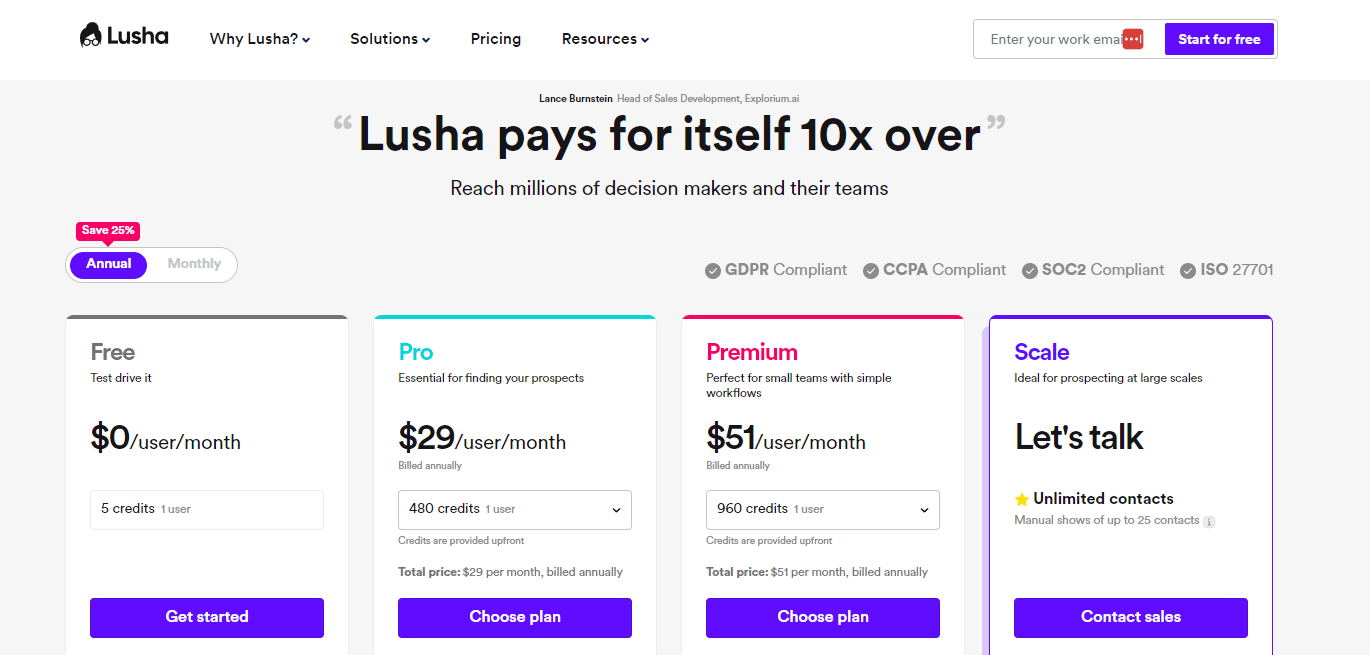
Lusha offers several packages scaled to different business sizes, from small startups to large enterprises, with pricing tied to data volume and feature range.
Our Review of Lusha
Lusha is an efficient way to access B2B contact data, with a strong focus on accuracy and seamless CRM integration. Its simplicity makes it a good fit for sales professionals who want reliable lead connections without added complexity.
13. Salesforce
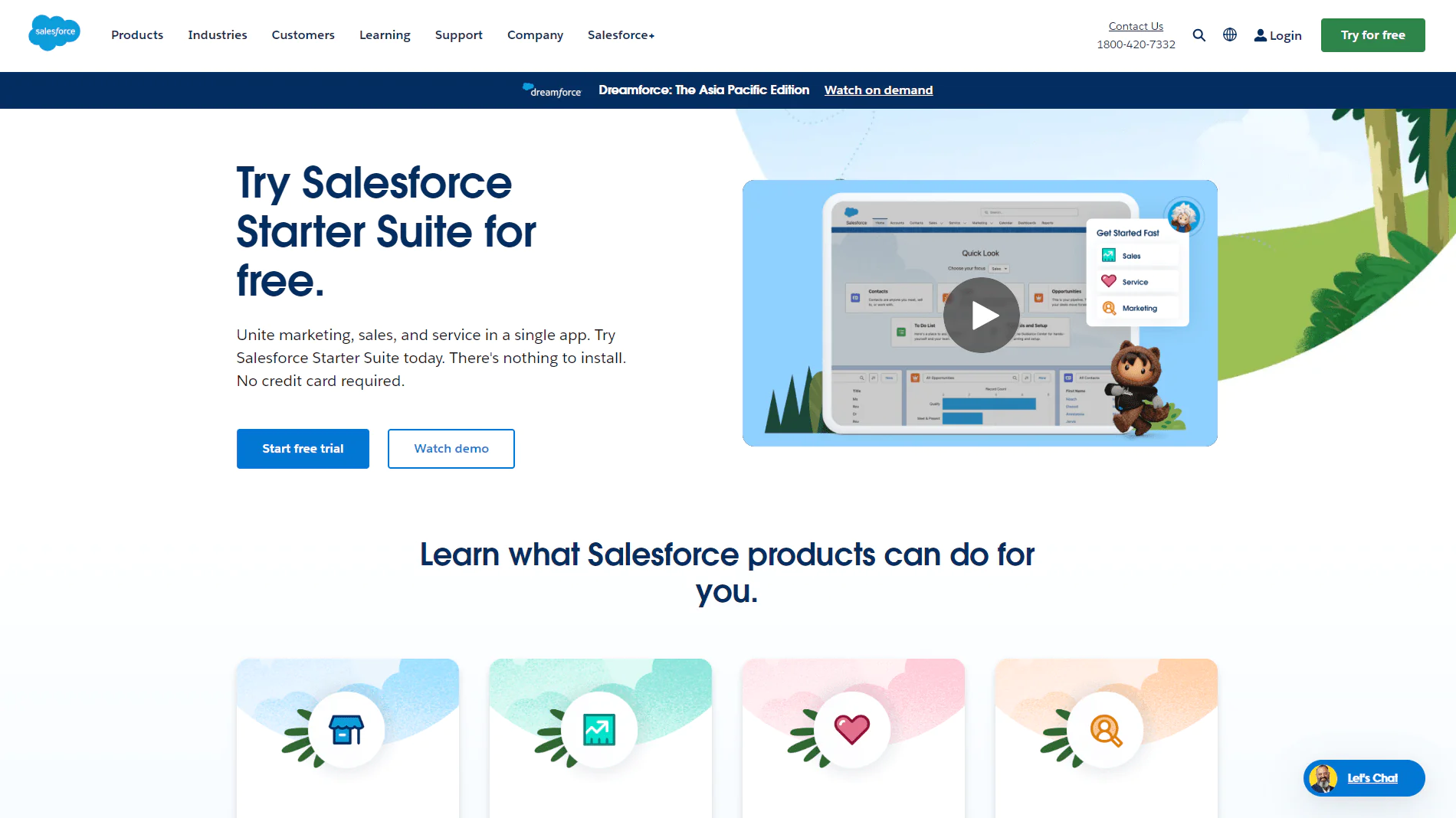
Salesforce is a widely used CRM platform that unites marketing, sales, commerce, service, and IT teams, built around integrating data and AI to improve customer interactions and drive sales. It’s used by companies ranging from small businesses to large enterprises.
About Salesforce
- Founding Team: Marc Benioff
- Founding Year: 1999
- Company Size: 1300 employees
What Users Say about Salesforce
- G2: 4.5 out of 5 (1,781 reviews)
“Salesforce has helped us clean up our reporting, reduced our paperwork and the number of apps that we have to use” – Tony G
- Capterra: 4.4 out of 5 (300 reviews)
“very good functionalities – central location for all the sales and account management activities” – Umang R
Features of Salesforce
Unified Customer Data
Data from various touchpoints integrates into one platform, giving a holistic customer view across sales, marketing, and service.
AI-Driven Insights with Einstein
Predictive analytics and machine learning help identify sales opportunities and automate routine tasks.
Customizable CRM Solutions
High customization lets Salesforce fit different processes and workflows, from small businesses to large corporations.
Seamless Integration Capabilities
Wide third-party and internal system integration keeps your tech stack cohesive.
Security and Compliance
Robust security includes user authentication, data encryption, and compliance with standards like GDPR.
Mobile Accessibility
Salesforce Mobile gives full CRM capabilities from any device.
Pros
- Enhances customer relationship management efficiency.
- Offers a unified view of customer interactions.
- Facilitates data-driven decision-making.
- High scalability and customization.
- Robust data security and compliance.
- Extensive integration with other tools.
Cons
- Can be complex for beginners to navigate.
- May involve significant investment for full functionality.
Pricing
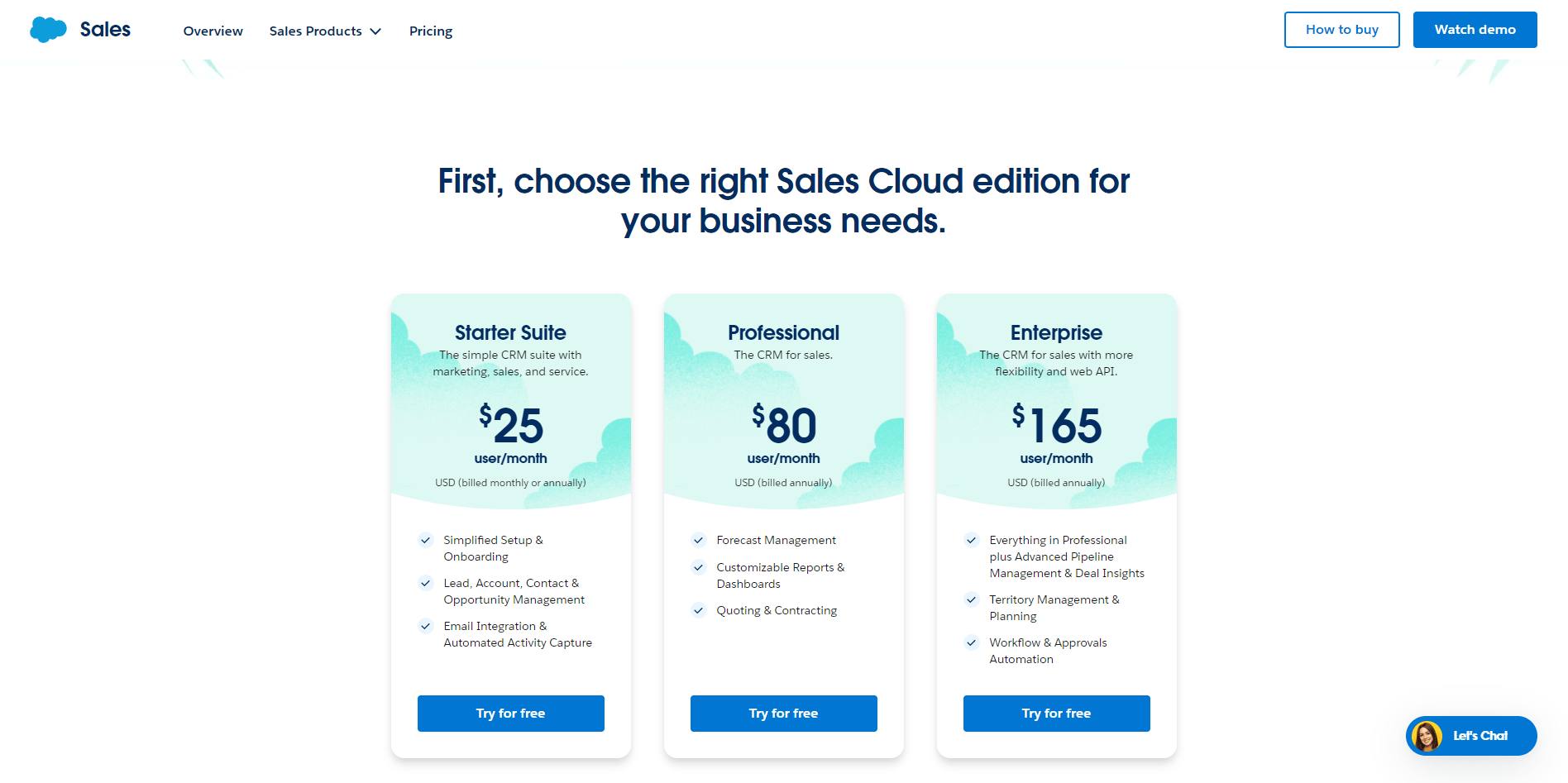
The Essentials plan starts at $25 per user per month for small sales teams. Professional runs $75 per user per month for a fuller sales solution. Enterprise and Unlimited plans are available with pricing provided on request.
Our Review of Salesforce
Salesforce remains a dominant force in CRM, offering a wide array of marketing, sales, and service tools in one unified platform. The interface is professional and covers a broad spectrum of business needs, making it a strong pick for businesses wanting an integrated approach to customer relationship management.
14. LeadIQ
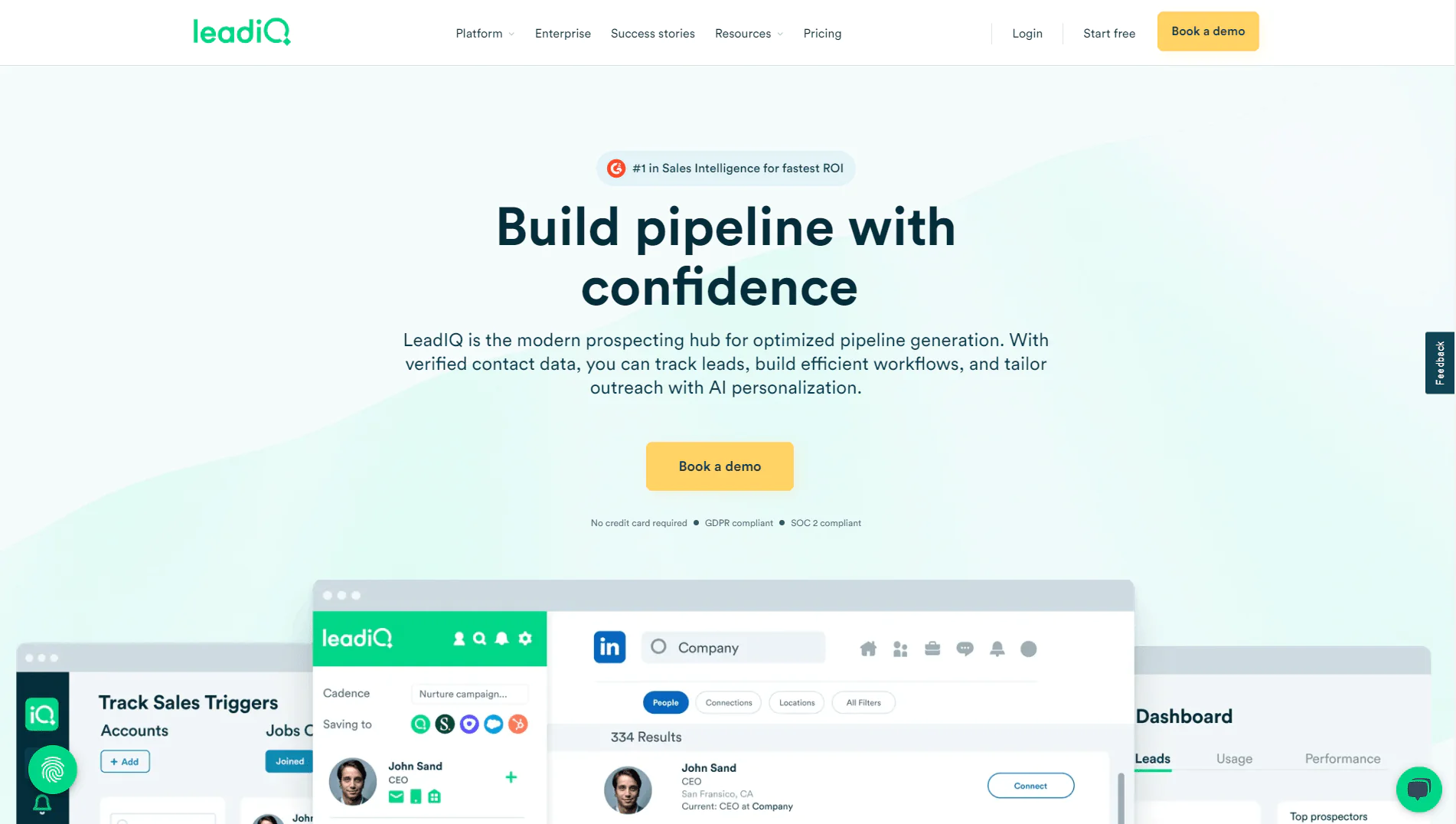
LeadIQ is a B2B prospecting platform focused on speeding up sales intelligence work: finding accurate contact data, tracking sales triggers, enriching CRM data, and generating personalized emails with AI.
About LeadIQ
- Founding Year: 2015
- Founding Team: Mei Siauw
- Company Size: 150 employees
What Users Say About LeadIQ
- G2: 4.2 out of 5 (727 reviews)
“It’s super easy to use and pairs with LinkedIn, which makes finding contact information a breeze.” – Brenda T
- Capterra: 4.4 out of 5 (24 reviews)
“Overall, LeadIQ is a solid tool for the money, but probably best used in conjunction w/ other contact retrieval offerings” – Sean D
Features of LeadIQ
Accurate B2B Contact Data
Millions of verified profiles, emails, and mobile numbers get validated in real time.
One-Click Workflow for Prospecting
Capture and sync contact data to CRM and sales tools in one click.
Sales Trigger Tracking
Track key accounts and contacts for timely outreach based on relevant signals.
AI-Powered Personalized Messaging
Scribe, LeadIQ’s AI tool, generates personalized messages for any prospect in seconds.
CRM Data Enrichment
Enrichment keeps sales teams working from current, comprehensive prospect information.
Strong Integrations
Integrates with Salesforce, HubSpot, Salesloft, Gong, and Outreach.
Data Acquisition
On-demand data acquisition and ICP enhancements keep data relevant and current.
Pros
- Reported to increase pipeline generation.
- Saves sales teams significant prospecting time weekly.
- High match rate for email accuracy.
- Streamlines prospecting with one-click workflows.
- Integrates with major CRM and sales platforms.
- AI-powered tool for personalized messaging.
Cons
- May require an initial learning curve for new users.
- Depends on external data sources for accuracy.
Pricing
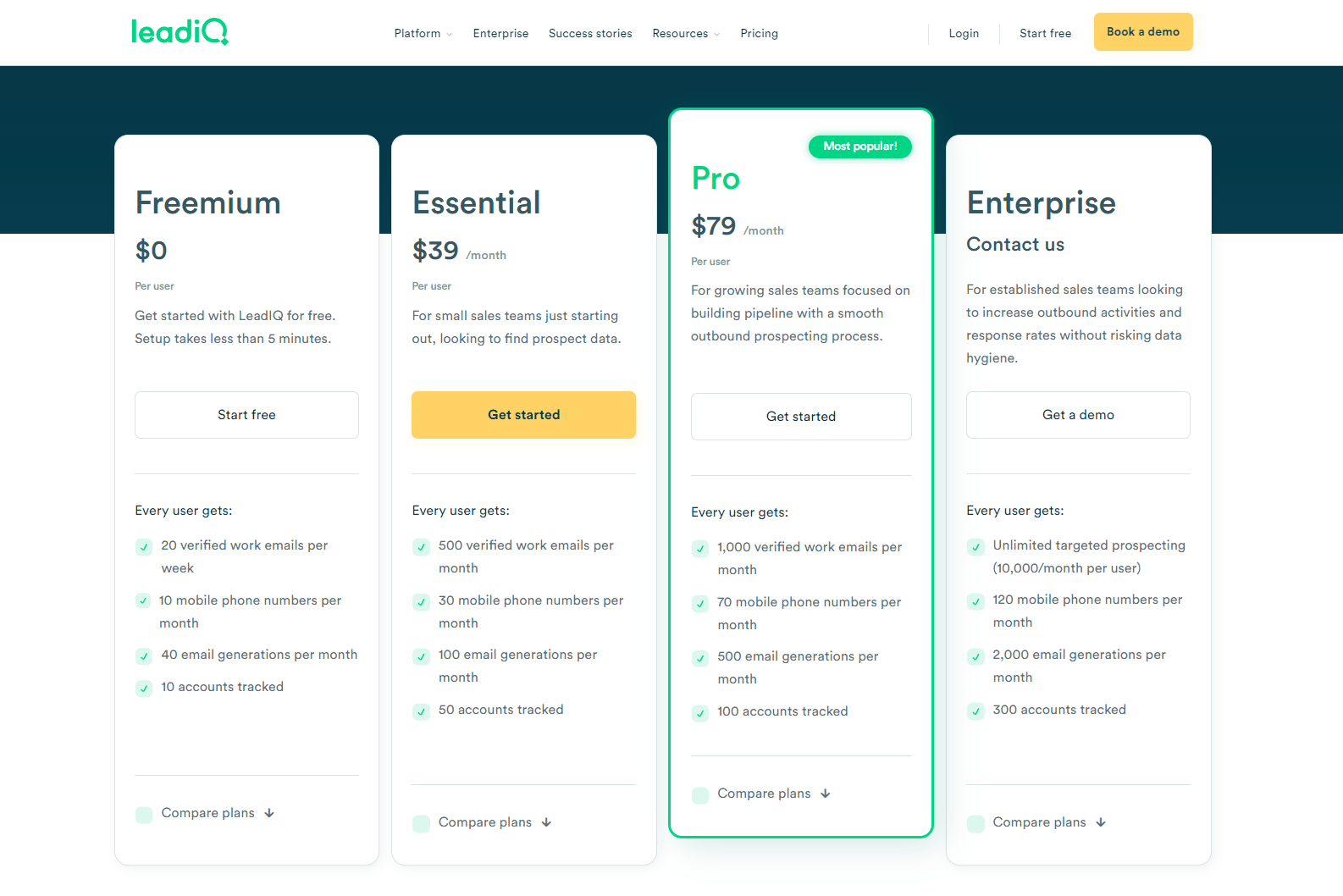
The Freemium plan is free, with 20 verified work emails per week and 10 mobile phone numbers per month. Essential runs $39/month per user for 500 verified emails and 30 mobile numbers monthly. Pro runs $79/month per user for 1,000 verified emails and 70 mobile numbers monthly. Enterprise offers unlimited targeted prospecting and advanced features.
Our Review of LeadIQ
LeadIQ combines verified contact data with AI personalization tools in a user-friendly package built for sales teams. It’s a solid choice for prospecting efficiency, blending accurate data with tools that streamline outreach.
15. Lead411
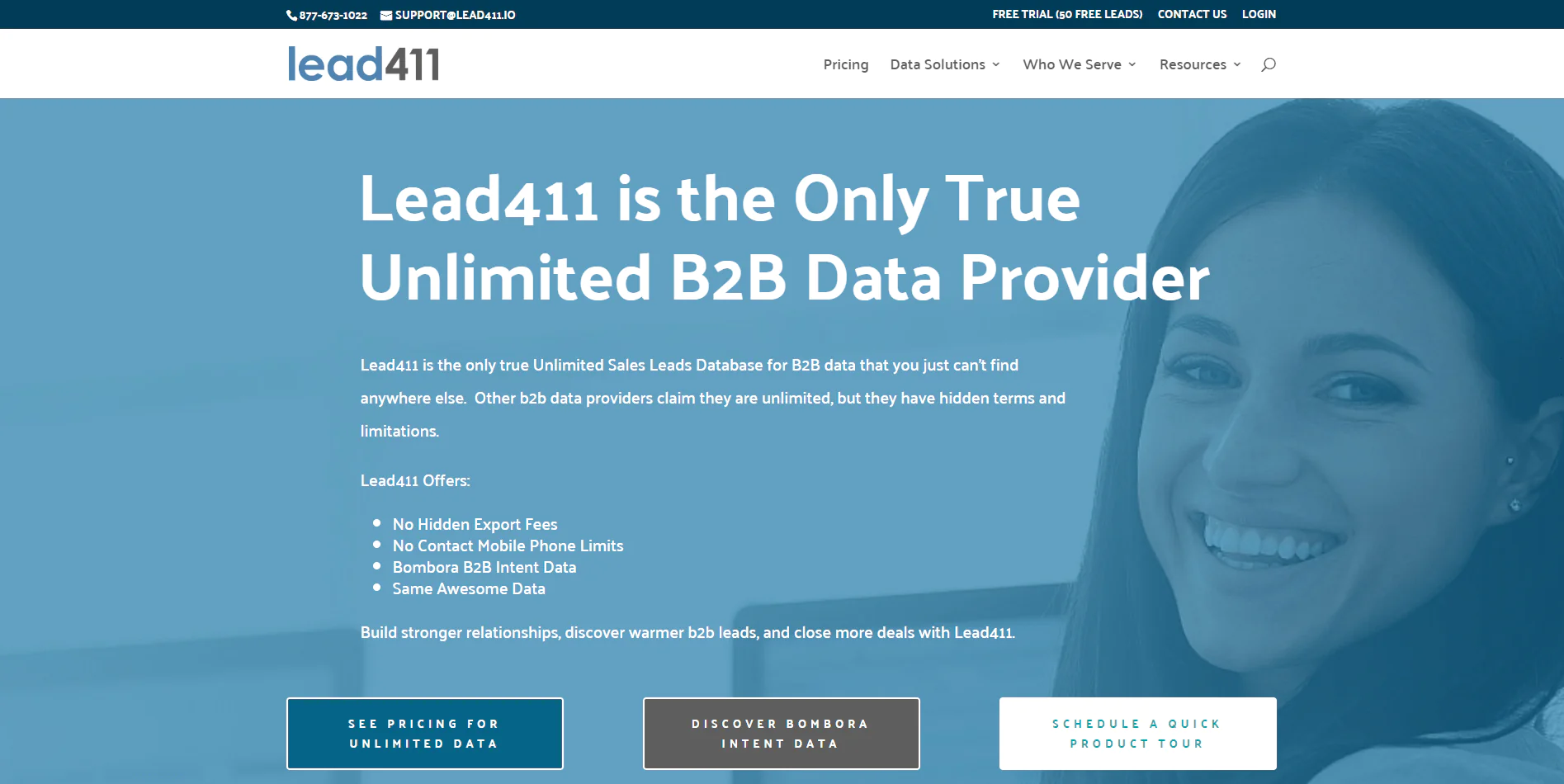
Lead411 markets itself as a truly unlimited sales leads database with no hidden fees or download limits, aimed at businesses that want unrestricted access to B2B data for building relationships and finding warmer leads.
About Lead411
- Founding Year: 2001
- Founding Team: Tom Blue
- Company Size: 11-50 employees
What Users Say about Lead411
- G2: 4.5 out of 5 (423 reviews)
“They cater to your company’s needs. I like the fact that they offer upfront contacts to allow you to test their platform” – Simon M
- Capterra: 4.6 out of 5 (60 reviews)
“Overall It’s a decent product, I couldn’t justify keeping it due to the cost comparison to a competitor.” – Ed O
Features of Lead411
Unlimited Data Access
No restrictions on the volume of data you can access or use, beneficial for businesses needing large-scale data.
No Hidden Export Fees
Transparent pricing means exporting data doesn’t incur surprise costs.
No Mobile Phone Limits
Unrestricted mobile phone number access supports direct marketing and sales efforts.
No Download Limits
Download unlimited data for analysis, marketing, or sales strategy work.
High-Quality Data
Unlimited access doesn’t come at the cost of data quality, according to the company.
Bombora Intent Data Integration
Bombora intent data adds insight into prospect interests and intentions.
Pros
- Truly unlimited access to B2B data.
- No hidden fees for data export.
- Unlimited mobile phone number access.
- Allows unlimited data downloads.
- Maintains high data quality.
- Integrates Bombora intent data for enhanced targeting.
Cons
- May require integration with existing systems.
- Data volume can feel overwhelming for small teams.
Pricing
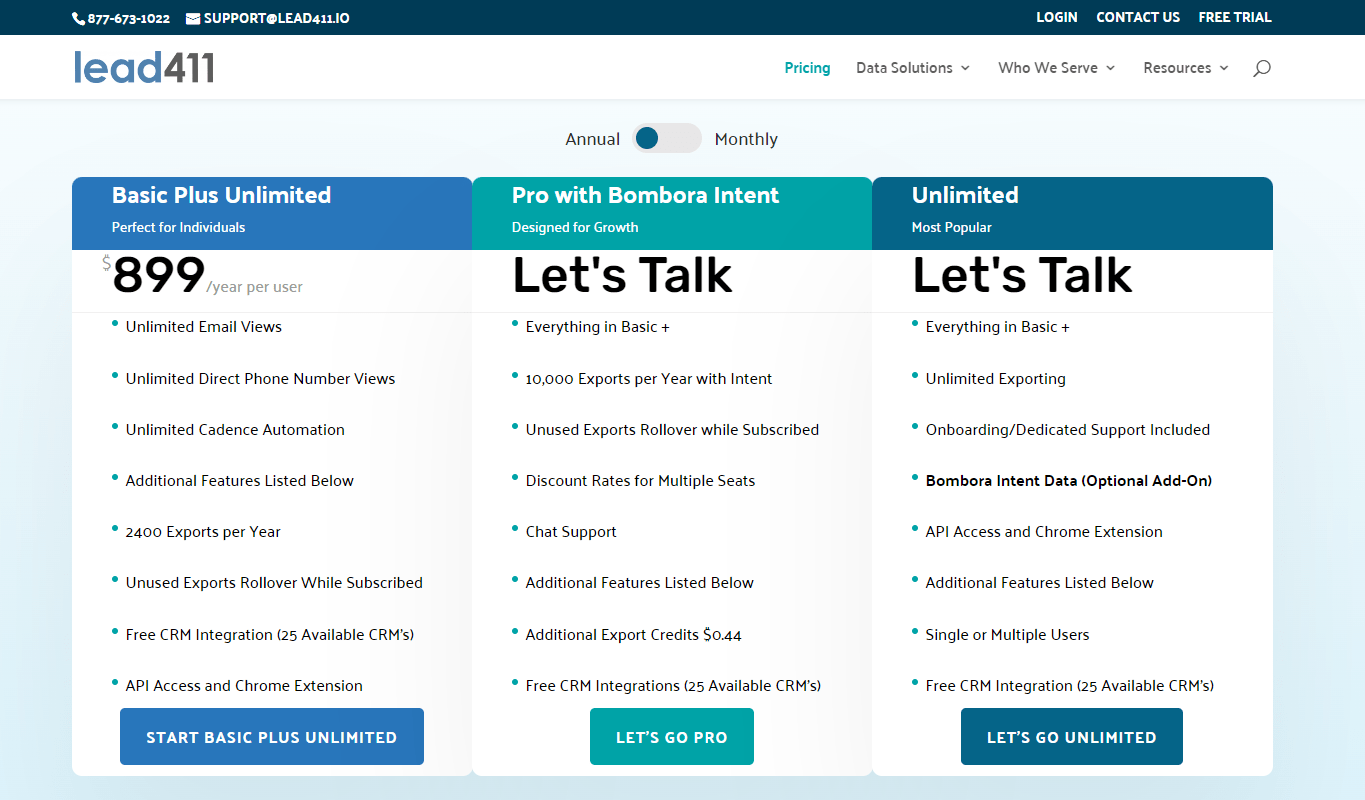
Lead411 offers plans across various sizes, goals, and budgets, including custom options for sales lead databases or one-off lists. Bombora pricing is included with the Pro subscription.
Our Review of Lead411
Lead411’s transparent approach, free from hidden fees and download limits, makes it a reliable source for unlimited B2B sales leads, and a good fit for businesses that specifically need volume without restriction.
16. Apollo.io
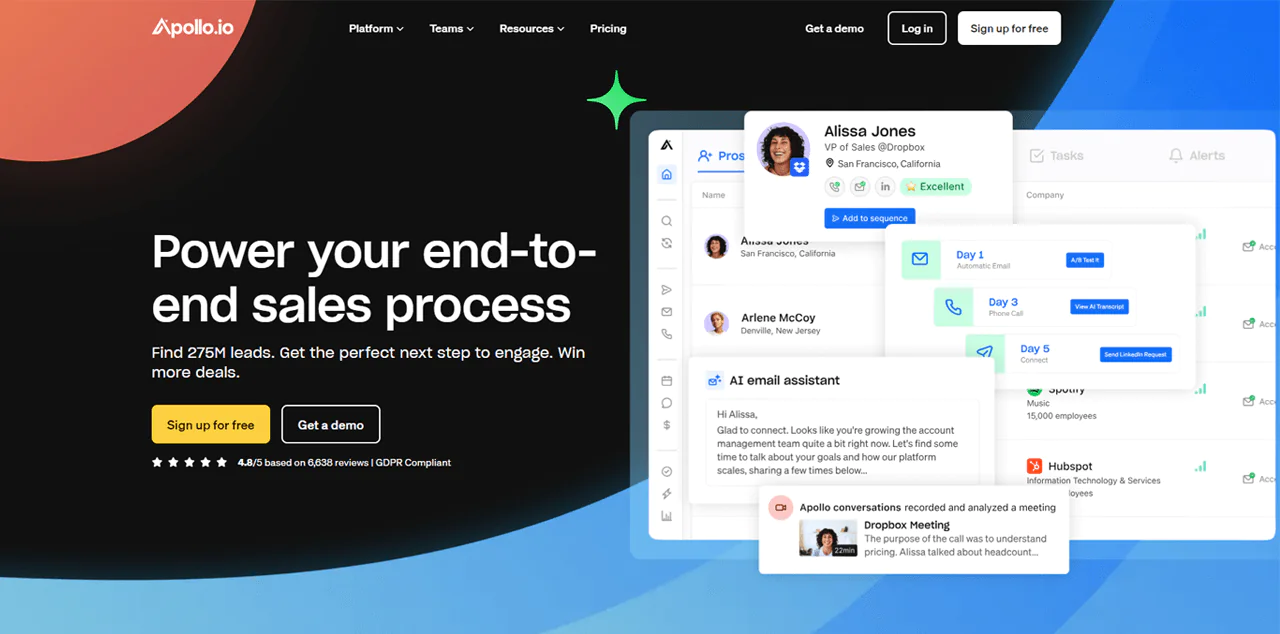
Apollo.io is an affordable pick with a large contact and company database, popular among sales and marketing professionals for combining prospecting with AI lead scoring and an easy Chrome extension.
It lets you manage emails, calls, and LinkedIn messages through sales AI, and integrates with major CRM systems along with solid progress-tracking tools.
Read More: People Finder Platforms
About Apollo.io
- Founding year: 2015
- Founding team: Tim Zheng
- Company Size: 501 to 1001 employees
Features of Apollo.io
LinkedIn and Gmail Browser Extension
A browser add-on improves the experience directly on LinkedIn and Gmail.
User-Friendly Search Capabilities
Over 65 search filters make it easier to find the right contacts and businesses.
Job Change Alerts
Alerts on recent job changes open the door to timely outreach.
Active Buyer Insights
Details on potential customers actively searching for products or services.
Automated Communication Tools
Automated communication steps simplify sales conversations, including simple calling options.
Sales Management and Analysis: Apollo.io streamlines sales task handling and provides data to refine sales strategies.
Pros of Using Apollo.io
- Various sales processes for smoother engagement.
- Useful data for refining business strategies.
- Detailed search options for proper lead identification.
- AI-backed support for crafting effective emails.
- Eases management of different sales-related tasks.
Cons of Using Apollo.io
- The depth of features might be overwhelming for some users.
Pricing
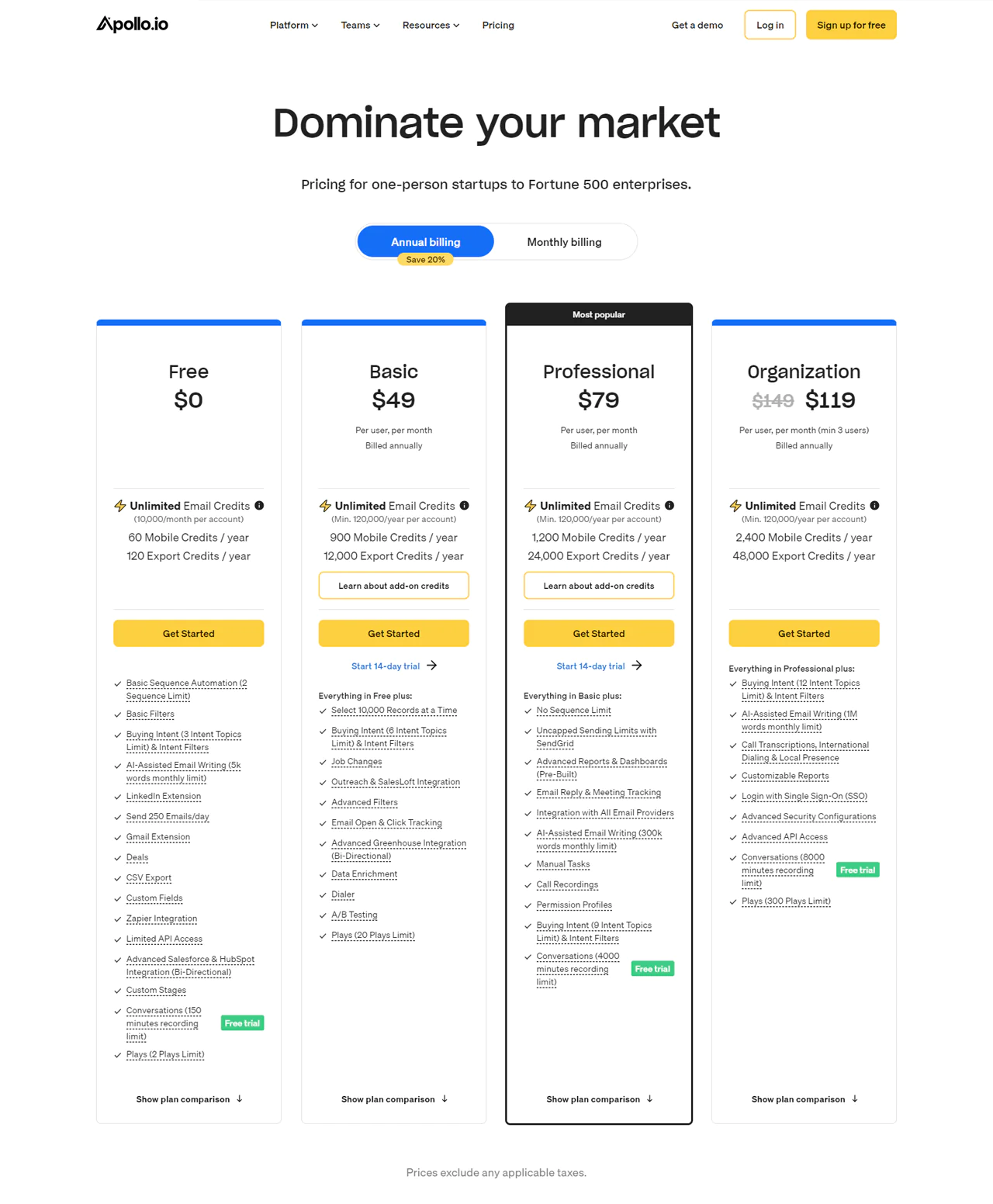
Apollo.io has different pricing plans for different users. The Free plan suits individuals or small startups, with unlimited email credits and basic features at no cost.
Basic runs $49/month with access to up to 10,000 records and expanded buying-intent tools. Professional runs $79/month with unlimited sequences and AI assistance for emails. Organization starts at $99/month with full features like call transcription and advanced API access.
What Users Say About Apollo.io
- G2: 4.8 · 6,638 reviews
“Apollo has great data quality, a full feature set, every integration you may need, the ability to perform execution within the platform” – Danny M.
- Capterra: 4.8 · 6,638 reviews
“Apollo beats out any other SEP by housing the data and extracting it from LinkedIn, allowing my team to enroll contacts in sequences much more efficiently.” – Haylee T.
Our Review of Apollo.io
Apollo.io’s large contact and company database makes it a strong pick for finding and connecting with leads. Its AI lead scoring and Chrome extension add real convenience on top of the raw data.
The platform handles the full sales cycle well, from prospecting to analytics, and works especially well for sales teams focused on volume outreach and closing more deals.
Should You Buy Leads?
Whether buying leads makes sense depends on where your business stands right now. A few considerations:
Consider Buying Leads to Save Time
If you’d rather not spend time building lead lists from scratch, buying them frees you up to focus on other parts of the business. Organic lead generation takes real time and effort.
Outsourcing Lead Generation Can Be More Beneficial
If your team is already stretched thin, outsourcing lead generation can free up capacity for higher-value work and improve overall efficiency.
Tackles Challenges Like Empty Sales Pipelines
Buying leads can quickly add names to an empty pipeline, but a purchased contact is not necessarily interested or ready to buy. Results depend on lead fit, data quality, and follow-up.
Supports Rapid Expansion and Launching New Products
Building leads from scratch takes time you may not have when launching new products or expanding quickly. Purchased leads help close that gap, since old leads often aren’t a good fit for new offerings anyway.
When Should You Buy Leads?
Timing matters as much as the decision itself. Here’s when buying leads tends to pay off:
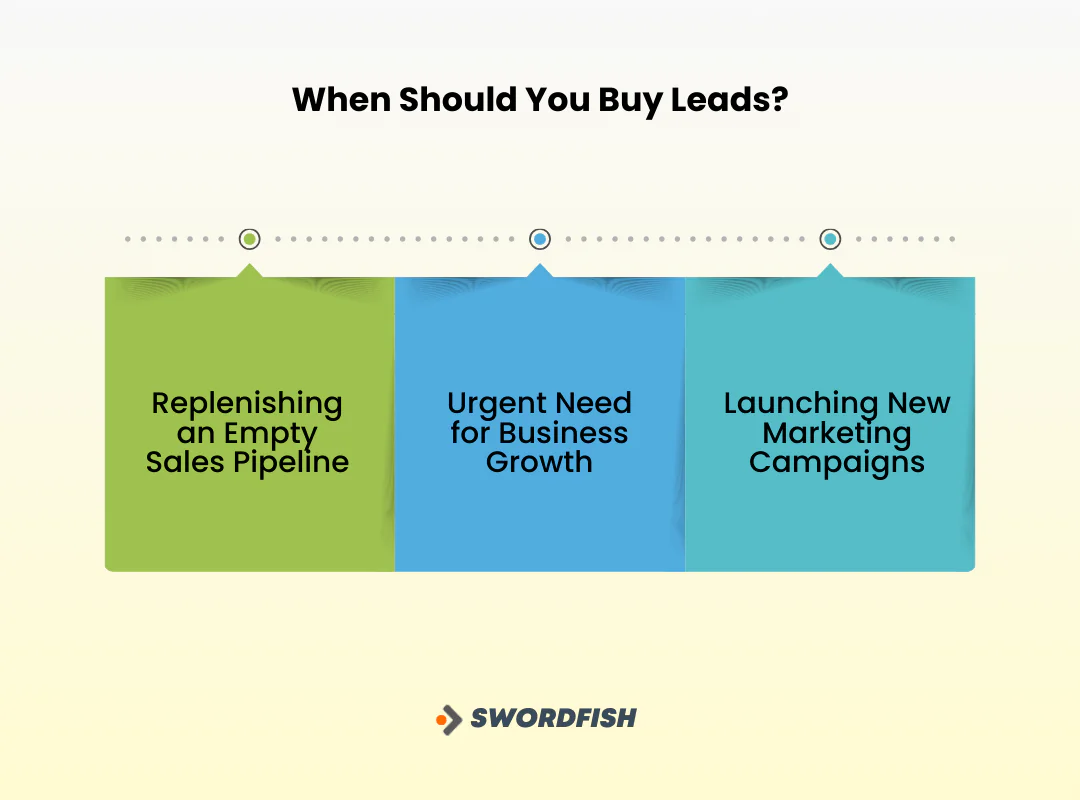
Replenishing an Empty Sales Pipeline
A dry pipeline is like a stalled production line. Buying leads restores the flow of potential customers so your sales team has something to work.
Urgent Need for Business Growth
Small businesses in particular often need to grow quickly without the budget for extensive marketing campaigns. Purchased leads offer a faster, more cost-effective path to a workable pipeline.
Launching New Marketing Campaigns
For a new product or market segment, leads filtered for the campaign may help you reach a relevant audience sooner. Compare their source, freshness, and fit with your target market before relying on them.
What Type of Leads Should You Buy?
Matching lead type to your business model matters more than volume. Here’s a breakdown:
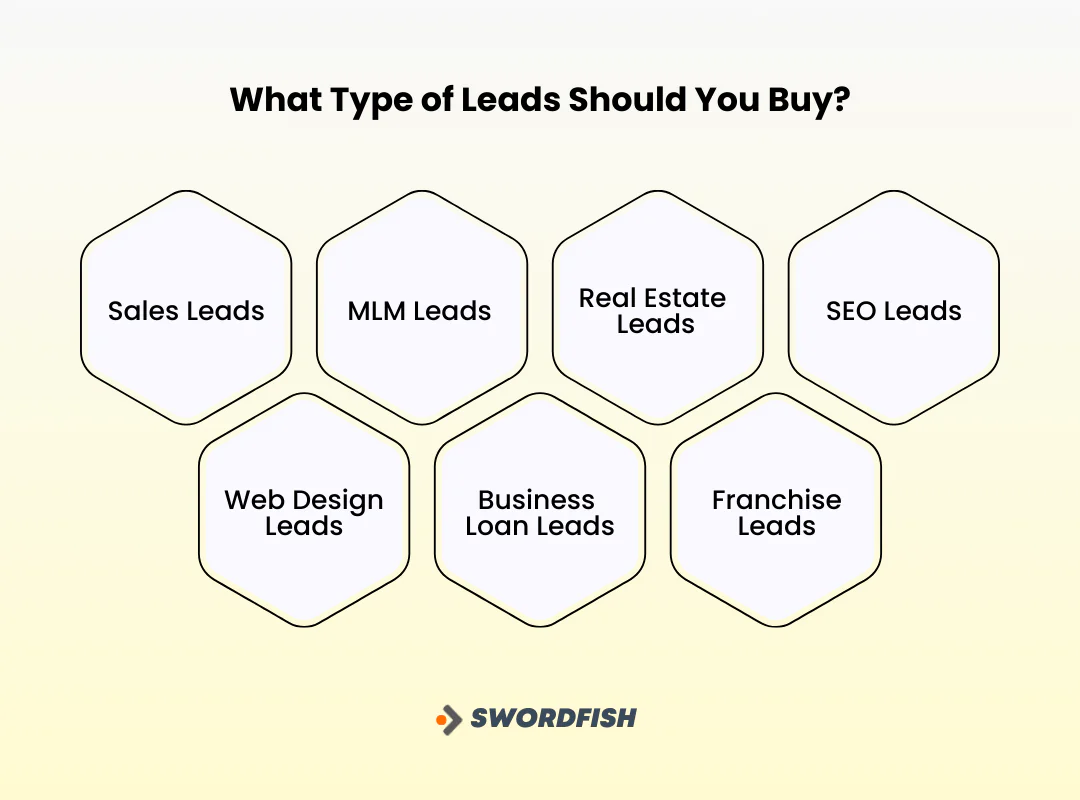
Sales Leads
Best for direct-selling businesses, sales leads are filtered on firmographic details like industry, company size, and revenue, aligning closely with what you’re actually selling.
MLM Leads
Multi-level marketing depends on constantly reaching new, diverse customer groups. MLM leads are built for that model, providing contacts likely to be receptive to it.
Real Estate Leads
In a competitive housing market, a database of active buyers and sellers matters. Real estate leads give realtors targeted information about people actively looking to transact, which speeds up closing.
SEO Leads
SEO agencies face heavy competition for clients. SEO leads connect agencies with businesses already looking for SEO help, skipping the early stages of client acquisition.
Web Design Leads
Web design agencies work project to project and need a steady flow of new clients. Web design leads keep that pipeline of project opportunities flowing.
Business Loan Leads
Lenders need an efficient way to identify potential borrowers. Business loan leads streamline the loan origination process and improve lending odds.
Franchise Leads
Franchisors and brokers need the right franchisees, not just any interested party. Franchise leads offer a targeted way to identify better-fit partners and improve expansion success rates.
Key Advantages of Buying Leads
A few concrete benefits worth weighing:
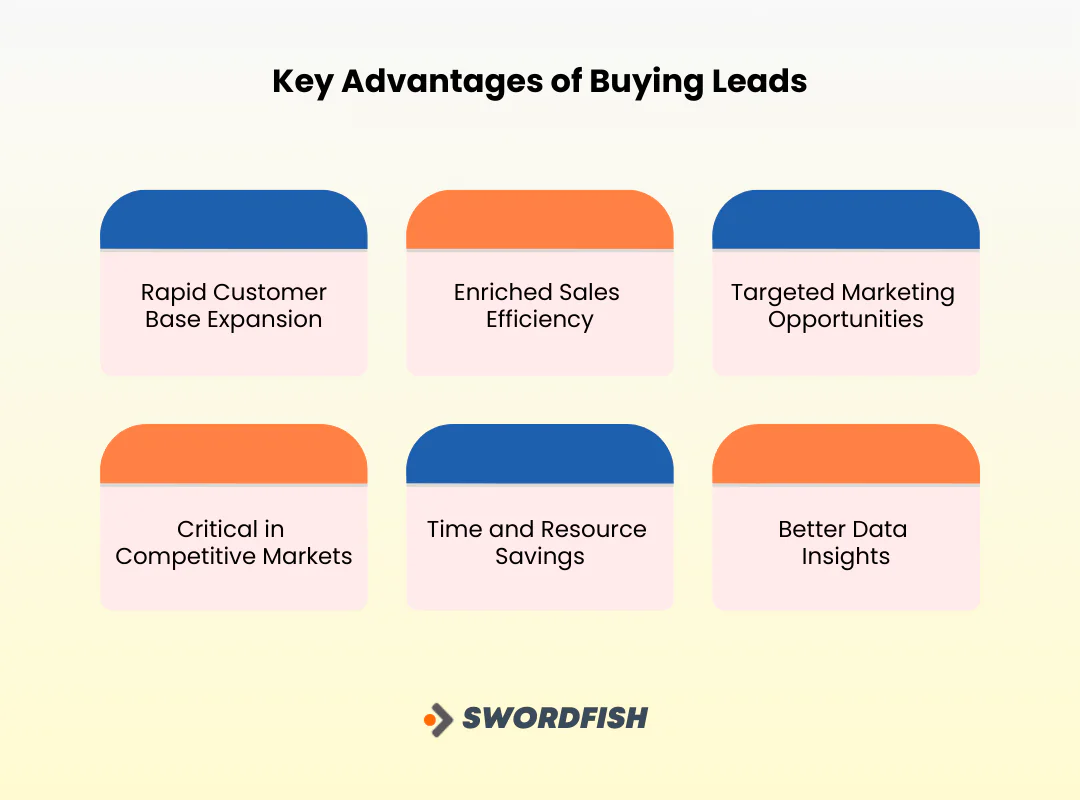
Rapid Customer Base Expansion
Buying leads skips the slower path of organic lead generation, giving immediate access to a pool of potential customers.
Enriched Sales Efficiency
Purchased leads may give sales teams contact details to follow up on, but they are not necessarily pre-qualified or interested. Confirm what qualification means before buying.
Targeted Marketing Opportunities
Lead filters can help focus outreach on a defined audience. They do not guarantee that recipients are interested or that a campaign will produce a positive return.
Critical in Competitive Markets
In markets where organic lead generation is slow and labor-intensive, purchased leads offer a real edge in securing potential clients faster.
Time and Resource Savings
Time saved from skipping organic lead generation can be redirected toward product development or customer service, improving overall business performance.
Better Data Insights
Purchased leads often come with useful data that helps refine marketing strategy and product offerings, which can improve customer satisfaction over time.
How to Choose the Best Website to Buy Leads
A few criteria worth checking before you commit budget to any provider:
Reputation and Reviews
Review customer feedback, but treat ratings as one input rather than proof of data quality or provider reliability. Check review dates and whether the feedback relates to the product and use case you are considering.
Lead Quality
Check whether the leads match your target audience, when and how the data was collected, and how often it is updated. Ask what verification or replacement options are available.
Lead Seller’s Credibility
Check for testimonials and case studies. Verify whether the seller is transparent about how they source data, and whether they mention compliance with data protection laws.
Customization Options
Look for filtering by industry, geography, and demographic details. Customization makes sure the leads you get actually match your business.
Compliance and Privacy
Check which privacy and marketing rules apply to your location, the people you contact, and your outreach method. Ask the provider how it sources data and documents consent or other applicable legal grounds; buying a list does not by itself ensure compliant outreach.
Pricing and Value
Compare pricing across providers for the best value, and watch for hidden fees. The cheapest option isn’t always the best in terms of lead quality.
Customer Support
Good support matters for technical issues, billing questions, and help with lead selection. Prompt, helpful service is a sign of a well-run provider.
Final Verdict
Before buying leads, assess data freshness, audience fit, sourcing, permitted use, and available verification or replacement terms. Lead quality can affect campaign results, but no provider can guarantee sales.
Investing in high-quality leads isn’t about quantity, it’s about connecting with the right prospects. A reliable source sets the foundation for meaningful business relationships and real growth.
Swordfish is one option covered here. The article describes it as combining a large contact database with real-time verification; compare those claims, current pricing, coverage, and terms with other providers before choosing.
That combination makes it easier to connect effectively with prospective clients.
So, what are you waiting for?
FAQS
Are purchased leads effective for all types of businesses?
Purchased leads can work well across various business types, especially in competitive markets. Effectiveness depends on lead quality, fit with your target audience, and your sales team’s ability to convert leads.
Is it legal to buy leads?
Yes, buying leads is legal as long as the lead generation methods comply with relevant laws like GDPR and the CAN-SPAM Act. Confirm your provider follows legal standards in data collection and respects privacy and consent rules.
Can I customize the leads I purchase?
Many providers offer customization by demographics, industry, geography, and consumer behavior, which helps ensure the leads you get are more likely to convert and fit your business needs.
Will buying leads guarantee a sale?
No. Buying leads gives you a list of potential customers to contact, but turning them into buyers still depends on your product, your approach, and how well you connect with them.

