


 View Products


Key takeaways
- Choose a lead-generation tool based on your goals, budget, existing systems, and preferred outreach channels.
- Contact-data platforms help find or enrich prospect records; email tools focus on discovery and verification; engagement platforms add outreach workflows.
- ZoomInfo and Apollo.io offer broad sales-data and engagement capabilities, while Hunter.io is focused on professional email discovery and verification.
- Dealfront is positioned for European B2B data needs, and LinkedIn Sales Navigator supports prospecting within LinkedIn’s network.
- Wisepops focuses on website pop-ups and on-site engagement rather than contact-list prospecting.
- Treat listed prices, plan limits, ratings, and product features as details to verify with each vendor before purchasing.
Last updated: September 3, 2026

Finding the right lead generation tools is harder than it should be, especially if you’re a marketer or startup owner trying to grow without a huge budget or a steep learning curve. Every vendor claims accurate data and effortless automation, but the reality varies a lot once you’re actually working a list of contacts.
This guide compares ten tools on ease of use, cost, and lead quality. For teams in specialized fields like healthcare, reaching the right provider or decision-maker directly—rather than a generic front-desk line—can be important for outreach.
Below is a practical rundown of what each tool does well, where it falls short, and how to think about picking one for your team.
Quick List of Lead Generation Tools B2B
Here’s a quick rundown of the tools covered in this guide, in plain terms.
- Swordfish AI: Best for uncovering hard-to-find contact details with real-time validation.
- ZoomInfo: Best for comprehensive B2B data across industries for targeted outreach.
- Hunter.io: Best for finding and verifying professional email addresses quickly.
- AeroLeads: Best for automating prospecting with a vast database of emails and phone numbers.
- Dealfront: Best for European market entry with GDPR-compliant sales intelligence.
- Clearbit: Best for enriching marketing campaigns with detailed B2B data insights.
- FindThatLead: Best for scaling B2B outreach with personalized email marketing campaigns.
- LinkedIn Sales Navigator: Best for utilizing LinkedIn’s network for precise sales targeting.
- Wisepops: Best for engaging website visitors with personalized pop-ups and notifications.
- Apollo.io: Best for end-to-end sales process management with a focus on engagement and intelligence.
What is a Lead Generation Tool?
A lead generation tool helps you identify and collect information on potential customers interested in your products or services, automating a lot of the manual legwork that used to eat up a rep’s day.
These platforms are essential for businesses that want to streamline how they attract, assess, and convert prospects into sales opportunities.
Yet the Hubspot Marketing Trends Report shows that more than half of marketers around the world say their biggest problem is getting leads and traffic. That’s a telling signal about how competitive this space has become.
Most tools in this category bundle a few core functions: landing page builders, email automation, and lead scoring based on how likely a contact is to convert.
Things to Consider for Selecting Lead Generation Tools
Choosing lead generation software well means thinking past the feature list and into how the tool actually fits your team’s day-to-day work.
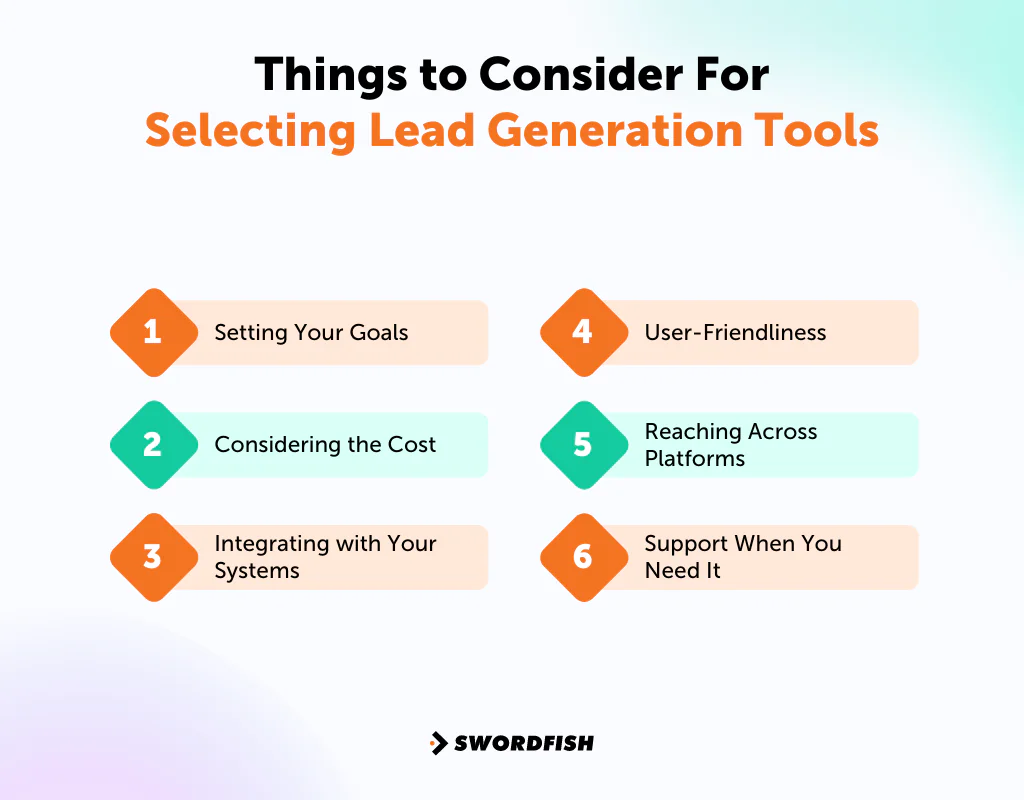
Setting Your Goals
Start by being specific about what you want lead generation to accomplish. Growing your customer base, increasing sales, or building brand visibility all call for different tool combinations, so clarity here keeps your investment focused instead of scattered.
Considering the Cost
Budget matters, but so does return. For example, if a $200 tool brings in 100 leads valued at $6.50 each, that represents $650 in gross lead value before accounting for other costs. Use your own conversion rates and lead values to assess whether the investment makes sense.
Integrating with Your Systems
Pick tools that connect cleanly with what you already use, like your CRM or marketing platform. A tool that doesn’t sync well just becomes another manual task instead of a time-saver.
User-Friendliness
You should be able to get value from a tool quickly without overhauling your whole workflow. Some platforms take longer to learn, and that tradeoff can be worth it if the tool becomes central to how your team operates.
Reaching Across Platforms
Lead capture shouldn’t stop at your website. Look for tools that also pull leads from social media and email, since prospects show up in different places depending on the channel and your industry.
Support When You Need It
Good documentation, responsive customer service, and onboarding help matter more than they get credit for. When something breaks mid-campaign, quick support keeps your pipeline moving.
Top Lead Generation Tools List: A Comparison Chart
Here’s a side-by-side view of the key features across each tool, to make comparison easier before you dig into the details.
Tools | Database Size | Integration Capabilities | Chrome Extension | Diverse Channels for Lead Generation |
 | 3.5 billion data profiles | Salesloft, Salesforce, LOXO, Outreach, Zapier, Lever, etc. | LinkedIn, Twitter, Facebook Profiles, Facebook Groups, etc. | Email, Phone, and Social Media |
 | 321 million professional contacts at 104 million companies | Salesforce, Zoho, HubSpot, Microsoft Dynamics 365, etc. | Email, Phone, and Social Media | |
 | 107 million professional email addresses | Salesforce, Pipedrive, Copper, HubSpot, etc. | Look for email addresses on the pages you are currently viewing. | |
 | 120 million personal emails and 20 million phone numbers | Hubspot, SalesForce, Pipedrive, FreshSales, Zoho, MailChimp, etc. | LinkedIn Profile or company website. | Email, Phone |
 | In Europe, over 30 million companies and 83 million contacts. USA & Rest of the World, over 36 million companies and over 145 million contacts | Salesforce, HubSpot, Pipedrive, Slack, Zapier, etc. | Company websites, LinkedIn and LinkedIn company profiles, Xing profiles, and Xing company profiles. | Email, Social Media |
 | 50 million company records, and 389 million contact records | Salesforce, HubSpot, Drift, Facebook, Chili Piper, etc. | LinkedIn and Sales Navigator | Email, Social Media |
 | 200 million professional profiles | Pipedrive, Zoho, Zapier, etc. | LinkedIn and Crunchbase | Email, Social Media Platforms |
 | LinkedIn Database | Demandbase, Gong, HubSpot, Groove, Outreach, etc. | Social Media (LinkedIn) | |
 | Over 166 million popups displayed every month across 193 countries | HubSpot, Shopify, Salesforce, Joomla, etc. | Not available | Website Popups, Notifications |
 | Over 275 million contacts with rich buyer data | LinkedIn, Zapier, Salesloft, Outlook, Outreach, etc. | Email, Phone, and Social Media |
10 Best Lead Generation Tools For B2B Marketing
This guide compares ten tools across cost, ease of use, and lead-generation features. Each automates part of the process, though they differ in scope and depth.
1. Swordfish AI
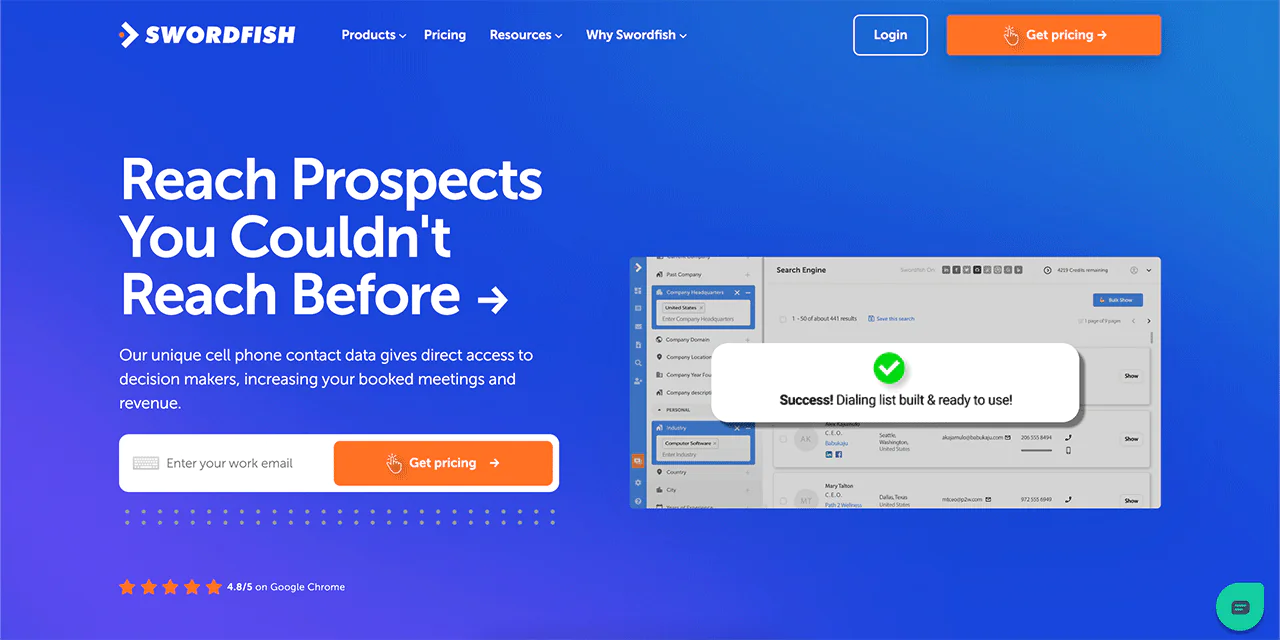
Swordfish AI is built around one core problem: getting you accurate contact information, including cell phone numbers, for the people you actually need to reach. That distinction matters in fields like healthcare recruiting and sales, where a general business email often goes unanswered but a direct number gets a response.
The platform verifies contact data in real time and aims to connect you directly with decision-makers rather than general inboxes.
Swordfish AI focuses on providing direct contact details for sales and recruitment teams. The article does not provide comparative performance data on bounce rates or meeting speed, so results may vary by list and outreach process.
About Swordfish AI
- Founding year: 2015
- Founding team: Ben Argeband
- Company Size: 11 to 50 employees
What Sets Swordfish Apart?
Swordfish stands out with its cell phone number and verification system, which is particularly useful for cold calling. It draws from a database of billions of data profiles, giving you a large pool to search against.
Swordfish AI also offers professional business emails alongside its phone matching technology, which Sales Development Representatives (SDRs) use to improve connect rates.
This combination of phone and email accuracy is what keeps it a go-to option for teams that need to reach real people, not just inboxes that never get opened.
Features of Swordfish AI
Swordfish AI’s feature set is built around finding and verifying contact information quickly. Here’s what’s included:
-
Prospector
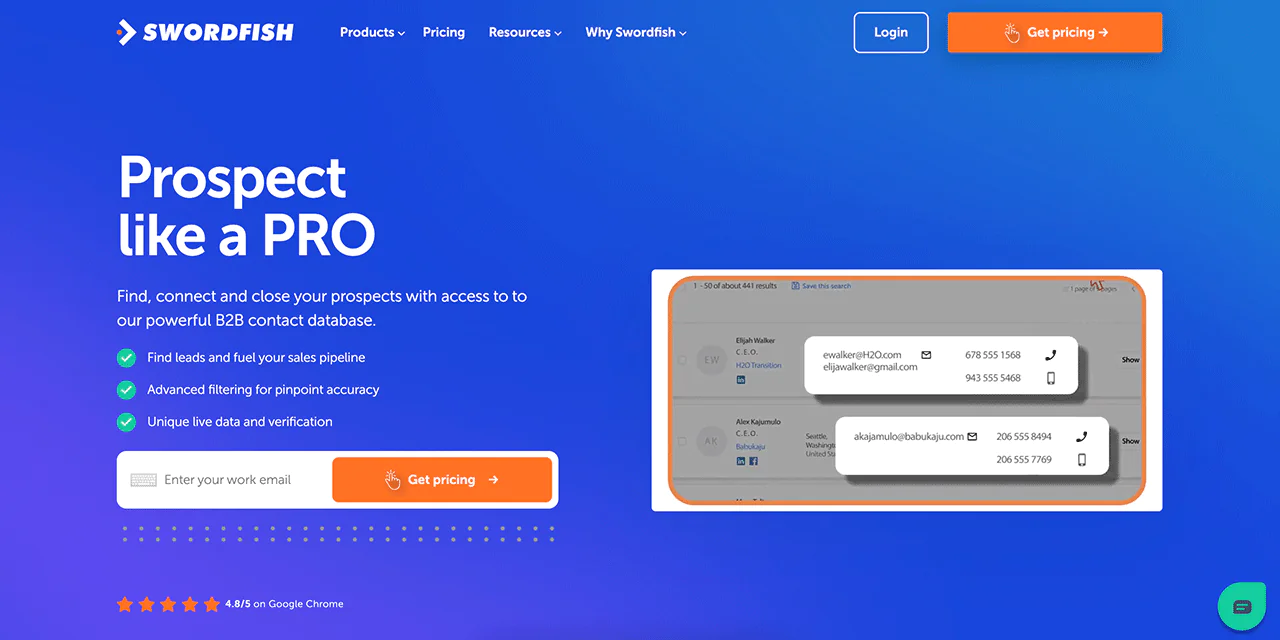
This powerful tool helps you build targeted call and email lists quickly, filtering out irrelevant data so what’s left actually fits your sales goals.
-
Chrome Extension
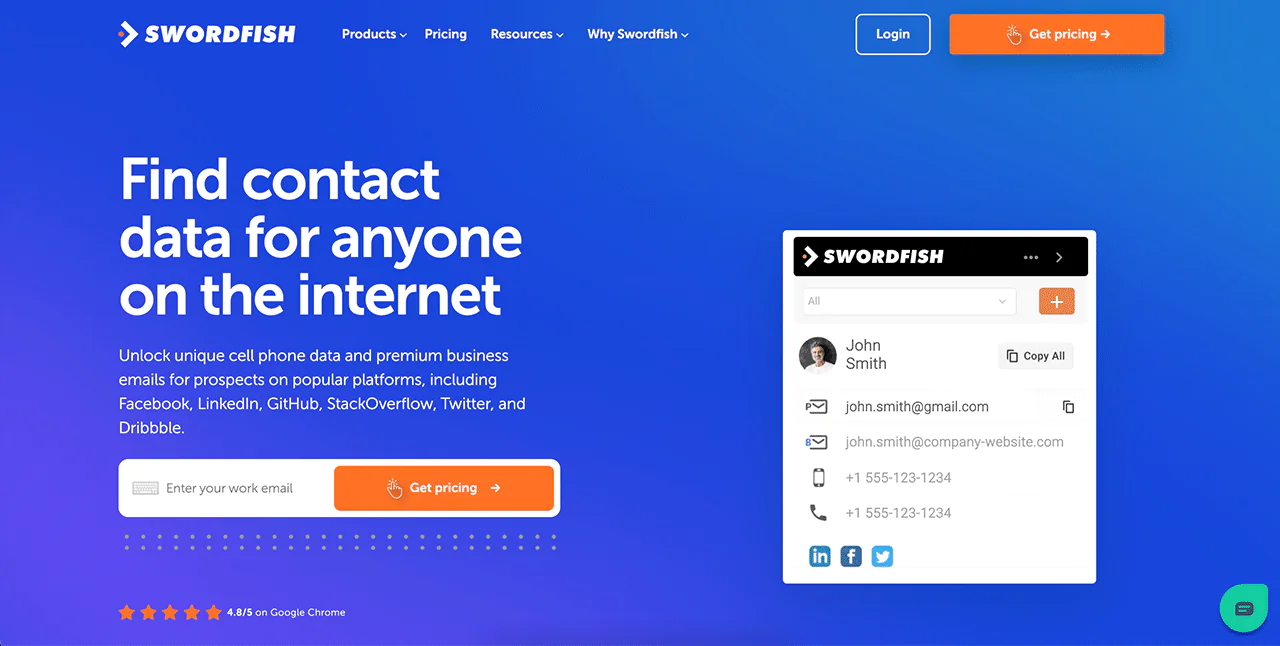
You can find anyone’s contact details online with this extension, which works across platforms like Twitter, LinkedIn, and Facebook to surface verified contact information in a few clicks.
-
Reverse Search
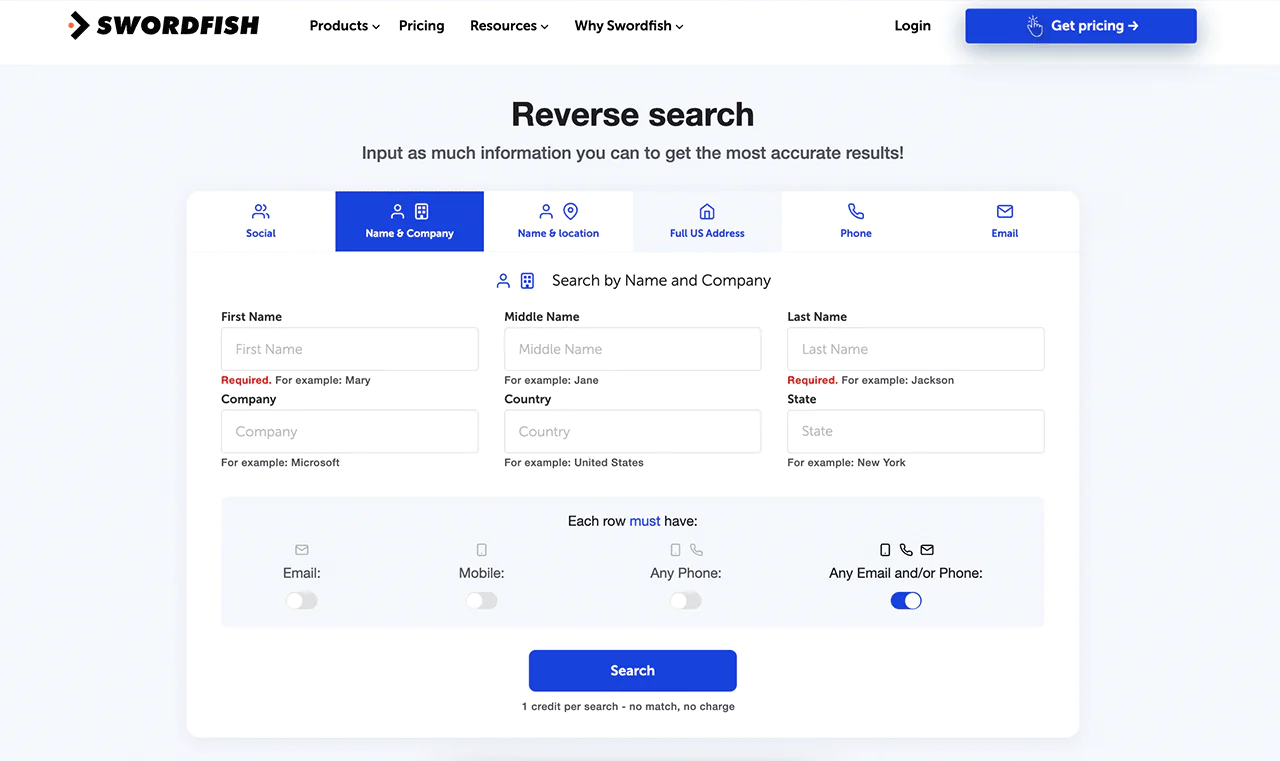
When you have partial information but need more, Reverse Search fills in the gaps. Enter a name or email, and it works backward to find what’s missing.
-
File Upload
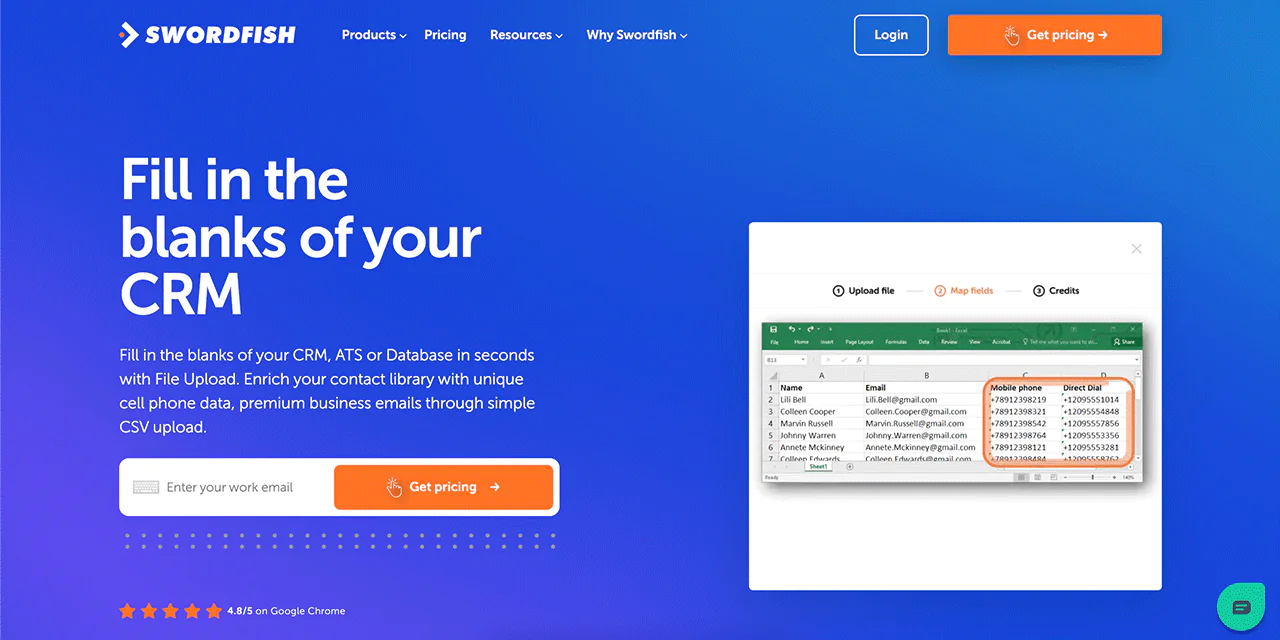
Have a contact list with missing details? Upload it as a CSV file and Swordfish fills in phone numbers and emails, keeping your database complete and current.
-
Bombora Intent Data
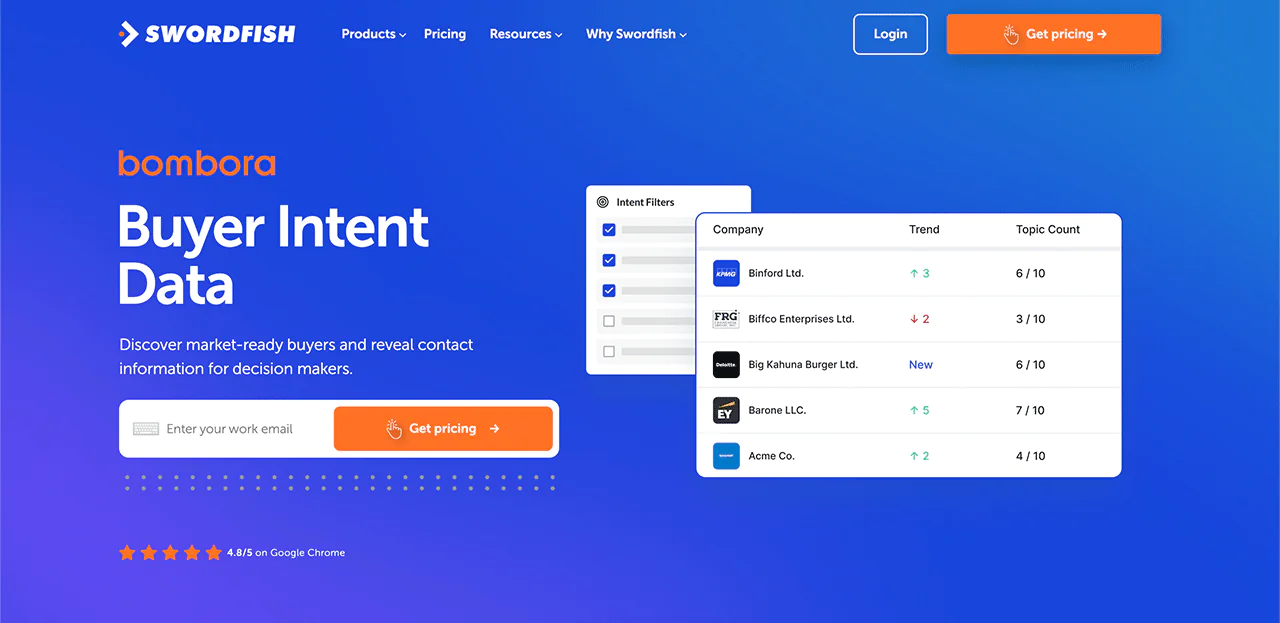
With intent data from Bombora, you can spot companies already showing interest in what you sell, making outreach more targeted and better timed.
-
API Integration
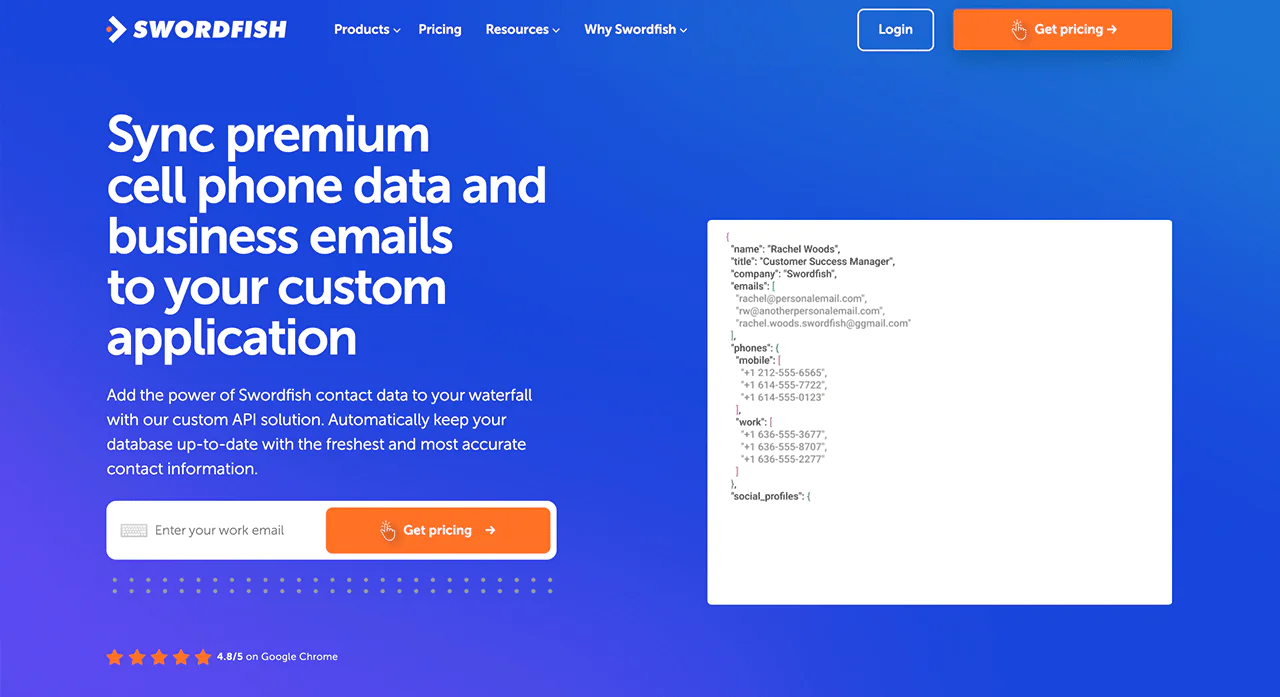
For teams that want to build Swordfish’s data directly into their own systems, API integration makes that straightforward, especially useful for businesses scaling up operations that rely on consistent data.
Best Use Cases of Swordfish AI
Swordfish AI serves a range of purposes across industries, including healthcare outreach where direct-line access matters:
- Lead Generation: Find contact details for potential leads quickly, making the process more efficient for sales teams.
- Recruitment: Helps recruiters get in touch with potential candidates faster by providing their contact information.
- Marketing: Allows marketers to easily find and connect with key people like influencers and decision-makers to boost their marketing efforts.
- Sales: Enables salespeople to contact important decision-makers directly, skipping over any intermediaries.
- Collaboration: Makes it easier for teams to work together by sharing contact details of potential clients and industry experts.
- Communication: Improves how you reach out to others by providing accurate contact information, which is useful for various communication strategies.
- Customer Research: Helps businesses understand their target market better by offering insights through contact data.
Pros of Using Swordfish AI
- Makes finding contacts quicker and boosts work output.
- Improves how quickly and effectively you can generate leads.
- Speeds up contacting people with reliable information.
- Gives you an advantage by providing rare contact details.
- Makes it easier to update your contact management system.
- Gives you easy-to-use tools that help in many ways.
Cons of Using Swordfish AI
- Setting it up takes around 1-2 mins max.
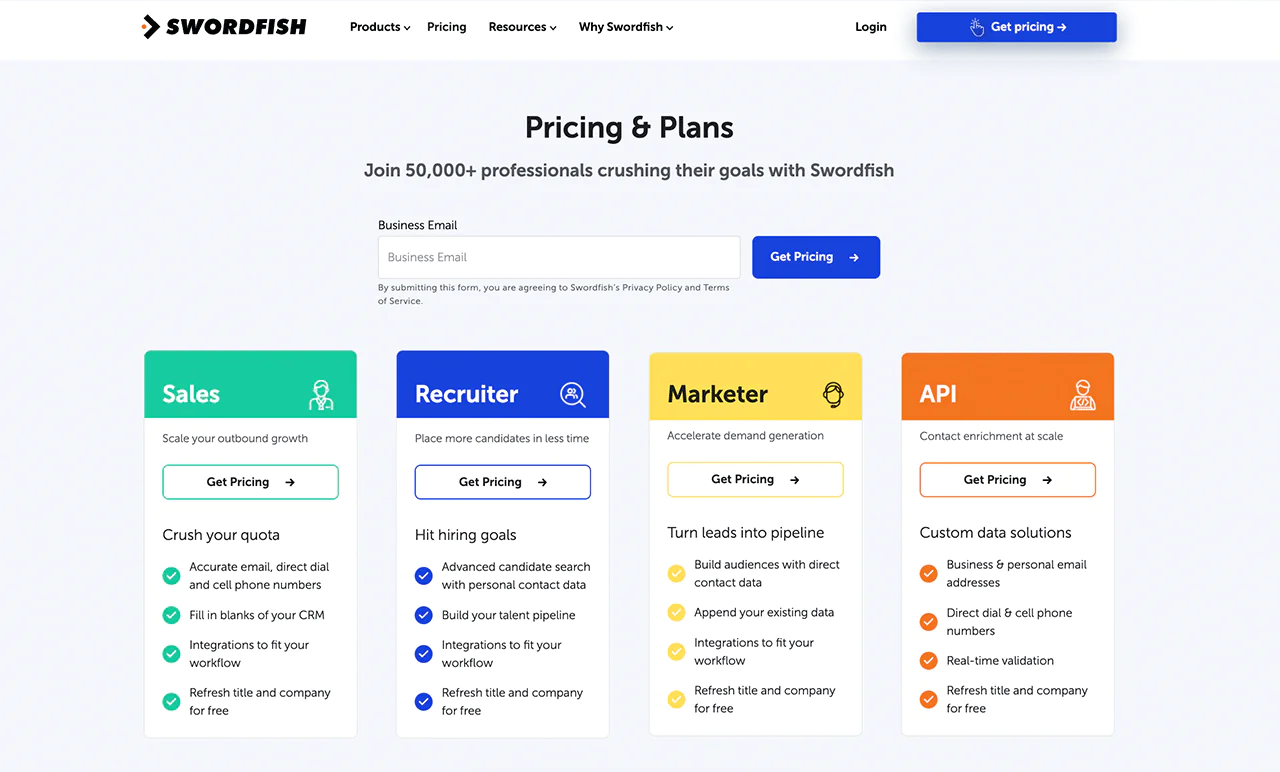
Pricing
Swordfish AI provides customized pricing for different use cases, including sales, recruitment, marketing, and API access. You’ll want to pick the package that fits your specific goal, whether that’s more outbound volume, faster hiring, or broader market coverage.
A free trial is available, and each plan includes verified email addresses, direct phone lines, and mobile numbers, with updates on job changes and company details included.
Reach out directly for pricing tailored to your company’s needs.
What Users Say About Swordfish AI
- G2: 4.5 out of 5 (84 reviews)
“Swordfish is easy to use and is efficient. The information is accurate and proves to find it when other sites can’t. I looked forward to using it when finding contact information, and it makes it stress-free.” – Verified User in Staffing and Recruiting
- Gartner: 4 out of 5 (48 reviews)
“Our principal use cases are locating contact details and Swordfish was the best we’ve found since JigSaw was available and far less expensive than other platforms.”
 Try Swordfish Ai
2. ZoomInfo
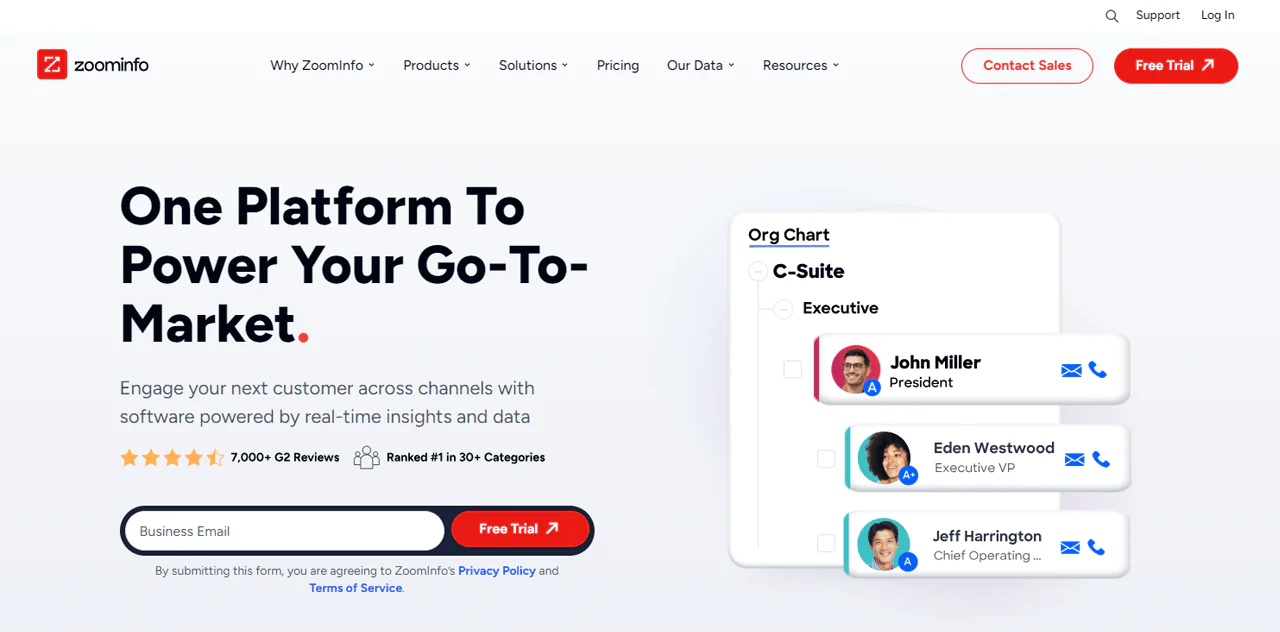
If you need broad, ready-to-use B2B insights, ZoomInfo is one of the largest players in the space. It draws from a massive collection process, covering hundreds of millions of professional and company profiles.
You’ll find web activity, news, and technographic data, helping you spot buyers who are actively in-market. ZoomInfo also applies AI and machine learning to keep its data accurate over time.
Its global reach extends well beyond North America, giving it a broader footprint than more narrowly focused tools like AeroLeads, and making it a solid tool for finding contact information at scale.
For companies expanding into new markets, ZoomInfo offers a comprehensive toolkit to support that growth.
About ZoomInfo
- Founding year: 2007
- Founding team: Henry Schuck
- Company Size: 1,001 to 5,000 employees
Features of ZoomInfo
ZoomInfo is packed with features aimed at sales, marketing, and recruitment teams. Here’s what it offers:
- Wide-Ranging B2B Database: ZoomInfo’s core is its large database with 321 million professional contacts at 104 million companies. You can find a wealth of information, including contact details, to uncover potential leads and opportunities that fit your needs.
- Precise Search Filters: With ZoomInfo, you can use detailed filters to pinpoint leads. Whether you’re looking by industry, company size, location, or job role, these filters help you find the exact prospects you’re after.
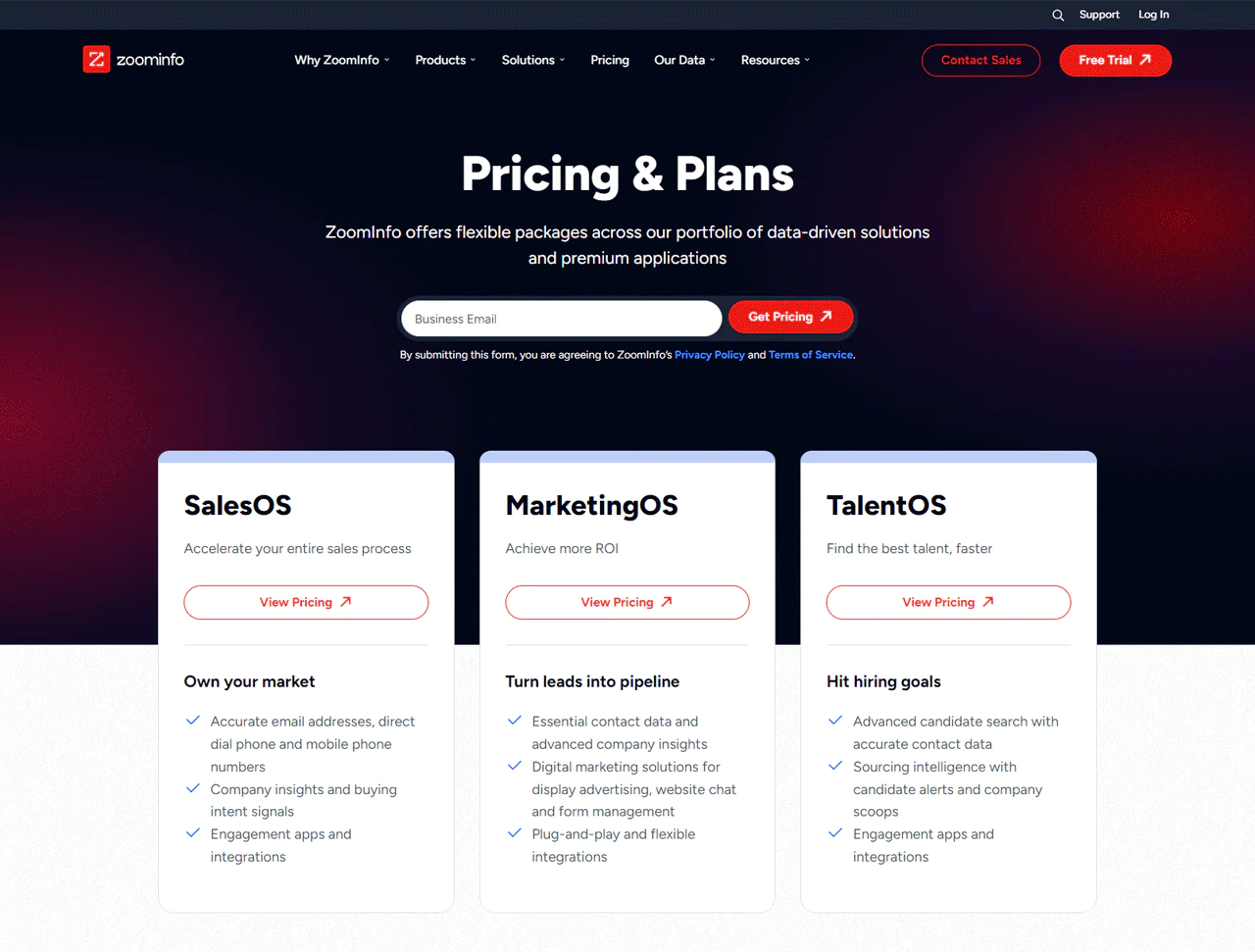
- SalesOS for Streamlined Sales: This tool gives your sales team everything they need to prioritize leads, engage effectively, and keep track of progress. It’s all about finding and focusing on the most likely to convert leads, making your sales process smoother.
- MarketingOS for Campaign Success: Designed for marketers, it helps you plan and run campaigns, target the right audience, and analyze results. It’s designed to help you create campaigns that hit the mark.
- OperationsOS for Data Management: This tool is all about keeping your sales and marketing data clean, organized, and ready to use. It automates workflows, ensuring your teams have the actionable data they need when needed.
- TalentOS for Recruitment: If you’re looking to hire, TalentOS uses ZoomInfo’s vast database to help you find and reach out to the perfect candidates for your open roles.
- Buyer Intent Signals: ZoomInfo looks at online customer behavior to show you which companies are currently looking into products or services like yours. This lets you focus your efforts on leads ready to hear from you.
- Technographic Data: Knowing what technology your potential leads use can be a game-changer for personalized outreach. ZoomInfo gives you insights into a company’s tech stack, helping you tailor your pitch.
- Easy Integration: ZoomInfo plays well with many CRM and marketing automation platforms, making it easy to integrate and streamline your existing workflows.
- Committed to Data Privacy: With a strong stance on data privacy, including GDPR and CCPA compliance, ZoomInfo ensures your data is managed responsibly.
Pros
- Guarantees precise information through instant verification.
- Improved search options increase precision in finding leads.
- Smoothly works with well-known CRM systems.
- Automates the removal and correction of duplicate data.
- Regularly refreshes lead information to keep it current.
Cons
- Learning to use its sophisticated functions takes dedication.
Pricing
ZoomInfo tailors pricing to individual needs, so you’ll need to contact sales for an exact quote. Our research found three general tiers.
The Professional plan covers basic B2B details around $8,000 a year. The Advanced plan adds more detailed insights for roughly $12,000 annually. For comprehensive analysis, the Elite plan runs around $40,000 a year.
Actual pricing depends on your specific requirements, so treat these as ballpark figures rather than fixed rates.
What Users Say About ZoomInfo?
- G2: 4.4 out of 5 (7,898 reviews)
- Capterra: 4.1 out of 5 (280)
“What do you like best about ZoomInfo?
“Zoominfo has a reliable database which is accurate most of the time.
The interface is user friendly and doesn’t require much training. Love the “suggest company update” option, one can easily provide the correct information if it is not in the tool and the team really does consider that. Integration with outreach is amazing.
It is easy to implement, with just a single click and your contacts are in the outreach. I use the tool most of the time, it really helps in identifying the right persona in the organization.”
What do you dislike about ZoomInfo?
Tool is awesome but there is a scope of improvement. Even though they have a vast majority of organisational data, there are certain challenges with some geolocations, mostly developing markets. The data is not updated. If they are able to fix it, it will be really helpful for most of the companies out there.” – Ahtisham A.
Our Review of ZoomInfo
ZoomInfo is a solid asset for businesses looking to scale lead generation and sales efforts, especially thanks to its advanced search filters and CRM integrations.
The tradeoff is setup time. Mastering its extensive feature set takes real effort, and that learning curve can be a lot for smaller teams or tighter budgets.
Overall, ZoomInfo is one of the more capable business lead generators available, provided your team has the bandwidth to learn it.
Note: Take a look at ZoomInfo alternatives for a chance at better prospecting.
3. Hunter.io
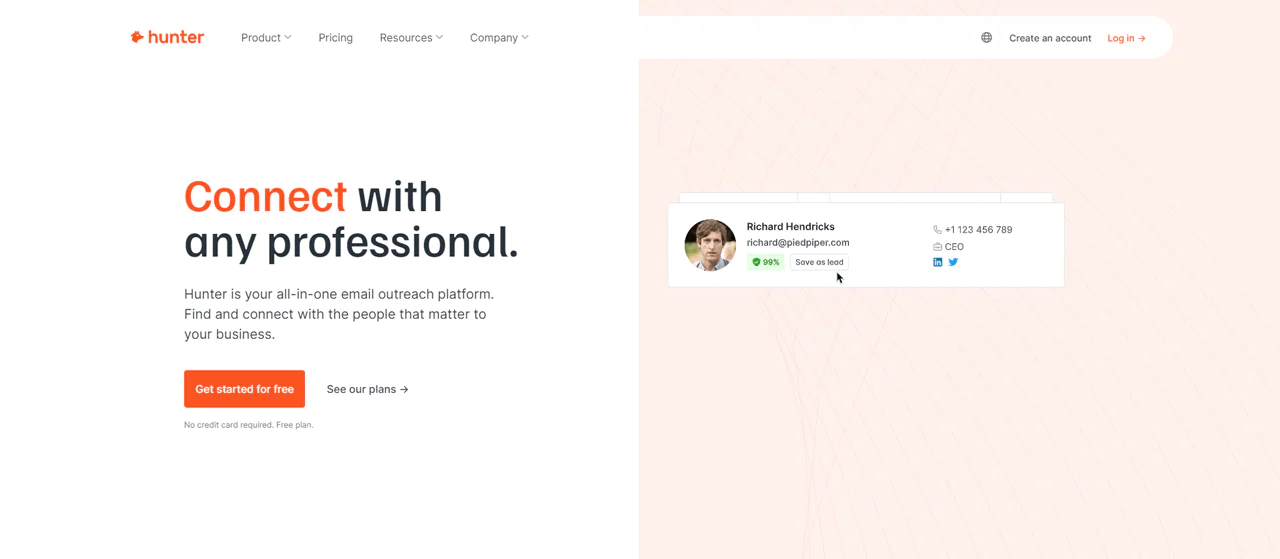
Hunter.io is built specifically for finding and verifying professional email addresses. It scans millions of websites daily to keep its database of public business contacts current.
Hunter.io emphasizes compliance and offers Email Finder and Email Verifier tools that are intended to help reduce bounced messages. Using the tools does not by itself ensure that an outreach campaign complies with applicable data-protection or marketing rules.
Where ZoomInfo covers a much wider range of B2B data and insight, Hunter.io stays narrowly focused on email discovery and verification. That focus makes it a strong pick if email is your primary outreach channel.
If connecting with business professionals through email is your main goal, Hunter.io is worth a close look.
About Hunter.io
- Founding year: 2015
- Founding team: Antoine Finkelstein and François Grante
- Company Size: 11 to 50 employees
Features of Hunter.io
Hunter.io simplifies finding, checking, and managing email campaigns. Here’s what it includes:
- Domain Search: When you enter a company’s domain into Hunter.io, it shows you a list of emails tied to that domain, complete with how confident Hunter.io is about each email and where it found them.
- Chrome Extension: With the Hunter.io extension for Chrome, you can spot and check email addresses without stopping your web search. It’s great for quickly collecting emails when you’re looking into companies or doing online research.
- Email Finder: Hunter.io uses different pieces of information, like common email patterns and addresses found online, to guess the most likely email address of the person you want to contact.
- Email Verifier: Hunter.io checks emails in real-time to confirm they’re valid and can receive messages. This helps lower the chance of emails not being delivered and makes your email campaigns more effective.
- Campaigns: It helps you craft, schedule, and send out personalized emails, keep track of replies, and see who opens and clicks on your emails.
- Bulk Tasks: If you have a list of emails you need to find or check, Hunter.io lets you upload the list and does the work for you in one go.
- API: The API lets you add Hunter.io’s email finding and verifying functions straight into your apps. It means you can create custom solutions and automate your work, making things run smoother and more efficiently.
- TechLookup: TechLookup lets you see the tools and technologies websites are built with, whether it’s for selling online or hosting. It’s great for tech research, seeing what your competitors use, or just exploring the tech behind websites.
Pros
- Find professional email addresses fast.
- Keeps data current by scanning millions of websites.
- Follows data protection laws closely.
- Clear about how it finds and checks emails.
- Fits smoothly into your current business processes.
- Offers a no-cost option to begin.
Cons
- Depends on what information is publicly available.
Pricing
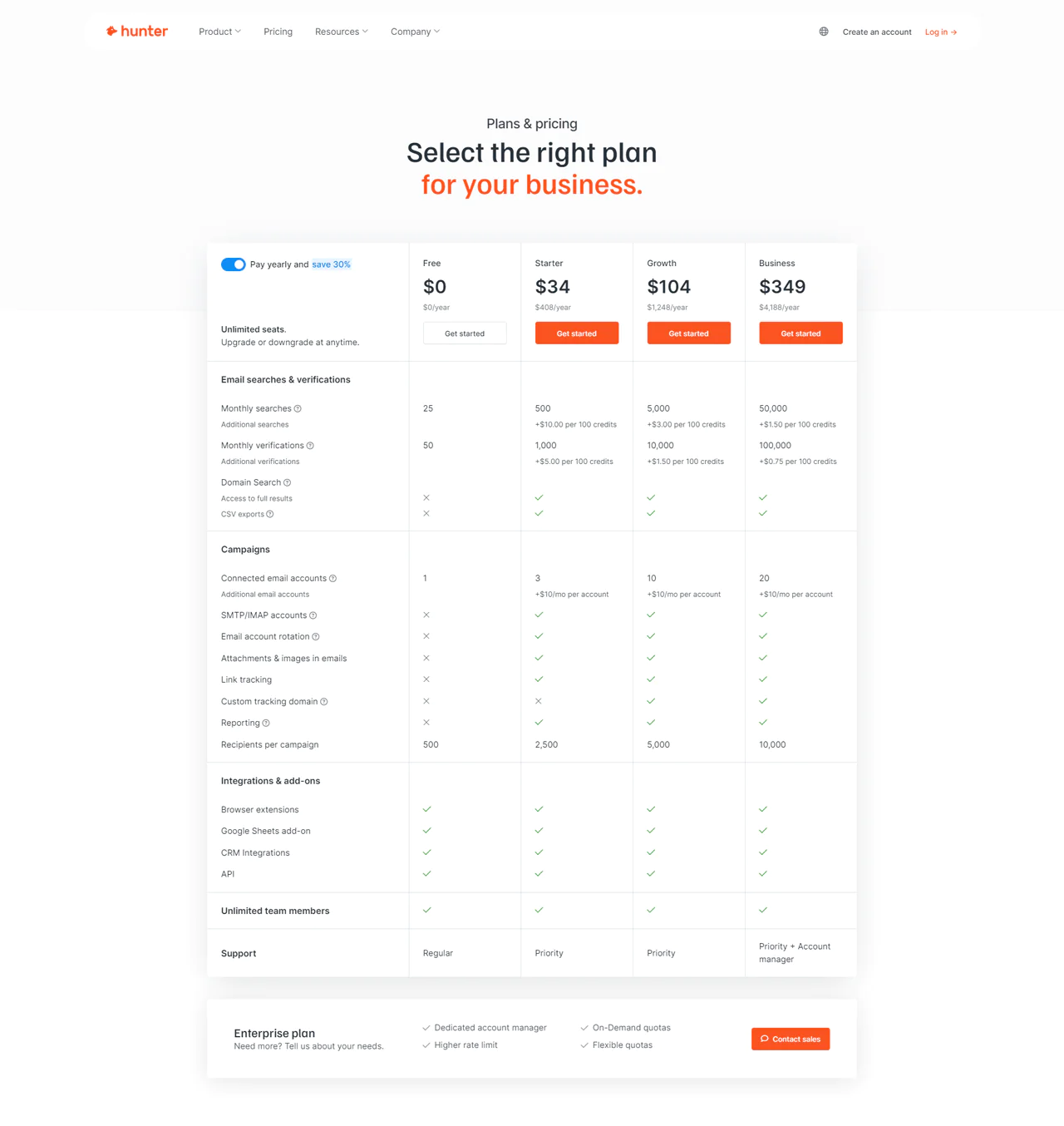
Hunter.io’s pricing scales with your outreach needs. The Free plan covers the basics at no cost.
As you expand outreach, the Starter plan at $49 a month unlocks core search and verification tools. The Growth plan at $149 a month adds more capacity as your needs grow.
For the widest reach and full feature access, the Business plan runs $499 a month. Plans are flexible, so you can upgrade, downgrade, or cancel as your needs shift.
What Users Say About Hunter.io?
- G2: 5 out of 5 (526 reviews)
- Capterra: 4 out of 5 (610 reviews)
“What do you like best about Hunter.io?
How quick it is to find email addresses for corporate decision makers. I love the click to copy feature for email addresses. Implementation is easy – just signup and go. I haven’t used their customer support yet because didn’t need to!
As someone in Sales / BD, I use it often, ranging from multiple times a day to multiple times a week.”
What do you dislike about Hunter.io?
not much here really, I am a fan 🙂 They interface is easy and doesn’t require a steep learning curve” – Madhu C.
Our Review of Hunter.io
Hunter.io focuses on email discovery and verification using publicly available web data. Its approach may suit teams seeking a tool focused on email outreach, but users should verify records and assess their own privacy obligations.
The tradeoff is that anyone keeping a low profile online will be harder to find, since the tool depends on publicly available information. Pricing on the higher plans can also stretch a small business’s budget.
Even so, Hunter.io’s transparent approach to data collection makes it a reliable option for email-focused outreach.
4. AeroLeads
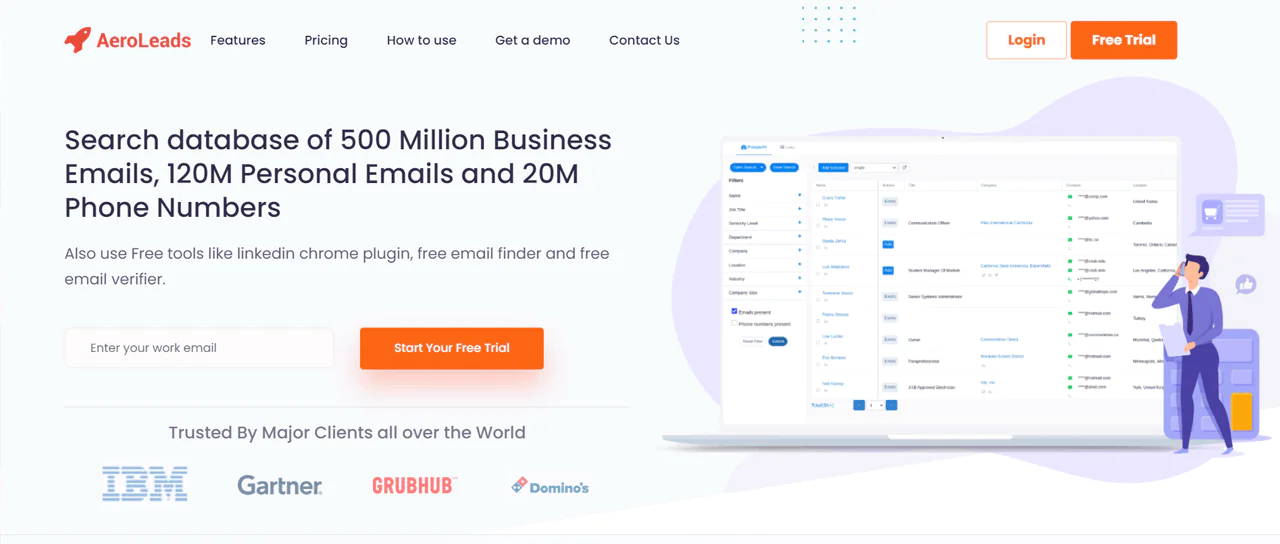
AeroLeads is built for quickly finding sales leads and contact details. It searches a large pool of data, including hundreds of millions of business and personal emails plus millions of phone numbers.
It verifies emails as it finds them, so you’re working with current information rather than stale records. The Chrome extension and CRM integrations make the path from finding to contacting leads fairly direct.
Compared to Hunter.io, which focuses on scanning websites for professional emails, AeroLeads gives you a more direct route to actionable leads, complete with more built-in lead management tools for teams that want a fuller toolkit.
About AeroLeads
- Founding year: 2014
- Founding team: Pushkar Gaikwad
- Company Size: 11 to 50 employees
Features of AeroLeads
AeroLeads combines lead-finding and campaign management tools. Here’s the breakdown:
- Bulk Email Verifier: AeroLeads lets you check the validity of multiple email addresses at once. Simply upload your list, and the tool will identify which emails are good to go.
- Campaign Management: This feature helps you set up and run your email campaigns smoothly. It allows you to schedule when emails go out, keep track of who opens and clicks on your emails, and manage your contact list effectively.
- LinkedIn Email Finder: AeroLeads can find email addresses linked to LinkedIn profiles. It’s great for professionals who want to reach out to others in their field or industry for networking or business opportunities.
- File Uploads: You have the option to upload files straight to AeroLeads. It helps import data from different sources, helping you keep all your lead and contact information in one place.
- Upload LinkedIn Profiles: This feature makes it easy to collect contact information from LinkedIn. By uploading profiles, you can quickly gather emails and other details to expand your list of potential contacts.
- Chrome Extension: AeroLeads’ Chrome extension makes finding and adding new leads to your account easier. It’s especially useful when you’re browsing the web or using social media sites like LinkedIn.
Pros
- Makes finding leads faster and more efficient.
- Checks data quality in real-time for trustworthy information.
- Integrates with many CRM systems for better workflow.
- The Chrome extension simplifies collecting data online.
- Allows for specific searches with adjustable filters.
- Provides both a software option and a service for versatility in lead finding.
Cons
- Processing searches in large numbers might take a while.
Pricing
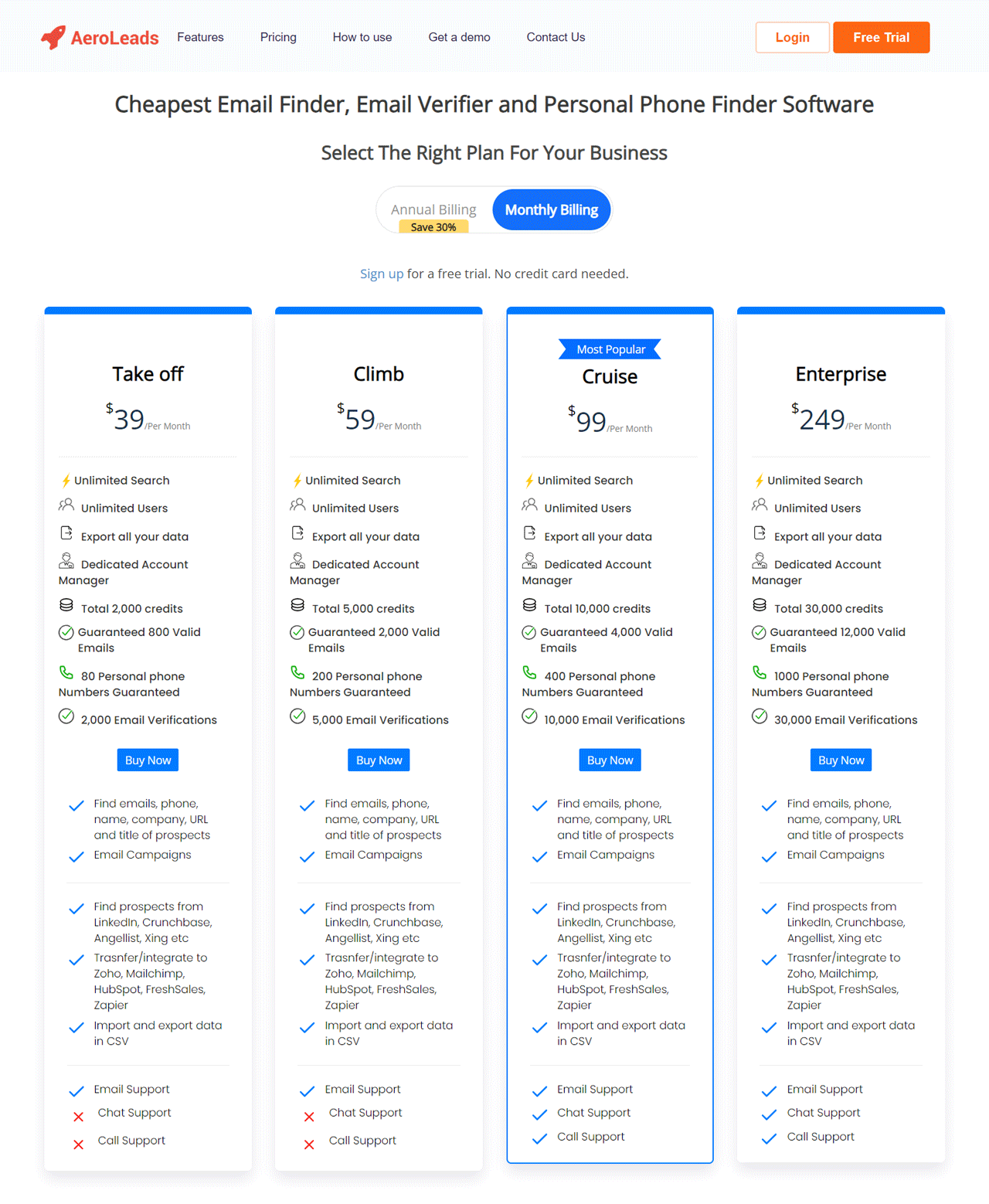
AeroLeads offers four plans designed for different team sizes.
The Take Off plan at $39 a month suits solo users, with unlimited searches and 24,000 credits. The Climb plan at $59 a month bumps that to 60,000 credits for growing teams.
Larger teams can consider the Cruise plan at $99 a month for 120,000 credits, while the Enterprise plan at $249 a month offers 240,000 credits for bigger organizations.
What Users Say About AeroLeads?
-
- G2: 4 out of 5 (61 reviews)
- Capterra: 4.6 out of 5 (38 reviews)
“What do you like best about AeroLeads?
Their free plan offers valuable tools at low cost. The ability to acquire additional credits while on the free plan is great and overall low effort. For someone to gain value using this tool they should be a very consistent LinkedIn user as well.”
What do you dislike about AeroLeads?
The platform’s UI appears somewhat dated and would be benefited by an upgrade to something like a material design theme.” – Tom P.
Our Review of AeroLeads
AeroLeads holds up well as a lead generation tool, particularly for how quickly it finds and verifies contacts. Real-time data checks keep search time down, and CRM syncing plus the Chrome extension add real workflow efficiency.
The tradeoff shows up around bulk tasks, which can slow down, and the sheer number of features may overwhelm new users at first. Still, it offers solid functionality that fits well into existing sales and marketing workflows.
Note: Alternatives to AeroLeads could open new doors for you if you are looking for more.
5. Dealfront
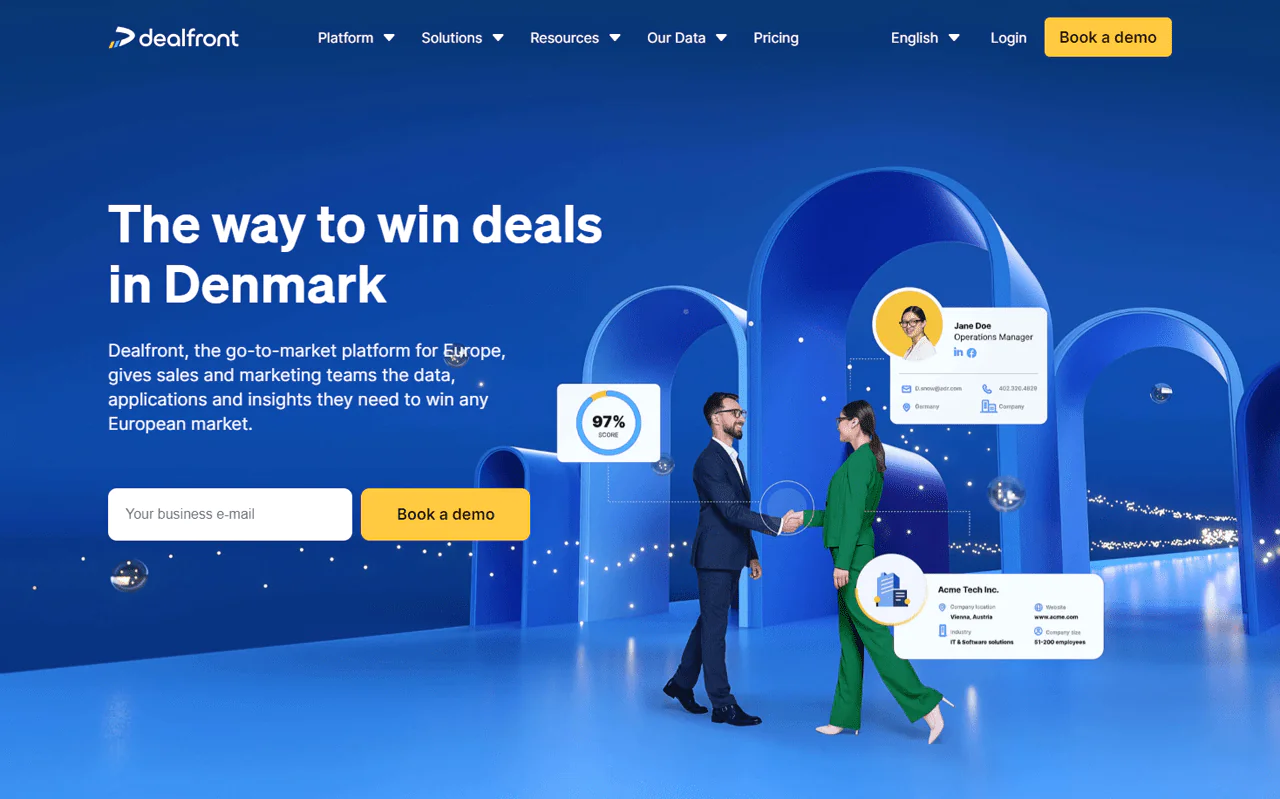
Dealfront is a strong option for businesses that need compliant, high-quality B2B data along with the tools to act on it. It’s designed to help teams identify leads and close deals more efficiently.
It provides access to compliant B2B data, making it easier to find and connect with decision-makers who are ready to engage. You can identify key contacts, pull their information, and streamline your team’s process.
Compared to FindThatLead, Dealfront focuses on European market data, including trigger events and buying signals, with a strong compliance angle. FindThatLead leans more toward global email discovery and outreach.
If your business is primarily targeting the European market, Dealfront is likely your better fit.
About Dealfront
- Founding year: 2023
- Founding team: Echobot and Leadfeeder
- Company Size: Over 330 employees
Features of Dealfront
Dealfront focuses on detailed data insights for sales and marketing teams:
- Understanding Buyer Interest: Dealfront figures out who’s likely to buy soon by watching how they interact with online content. It looks for signs of interest in your products, helping you know when to make your sales pitch.
- Choosing the Right Companies: You can make lists of companies that are a perfect fit for what you’re selling. Dealfront helps you sort and pick the best potential customers based on specific details, so you can focus your efforts where they count the most.
- Works with Your CRM: Dealfront fits right into your existing CRM system, making sure all your customer info is current and easy to get to. It makes managing sales smoother by keeping everything you need to know about your contacts in one spot.
- Keeping Data Clean: Dealfront keeps your CRM data accurate and complete. It regularly updates contact details, getting rid of old data and adding new, relevant information.
- Direct Advertising to Companies: Use IP-based ads to get your brand in front of specific businesses. This method helps increase awareness among companies that are likely to be interested in what you offer, speeding up your sales process.
- Easy Lead Capture with a Browser Extension: With Dealfront’s browser add-on, you can easily grab leads from the internet and add them to your Dealfront account. It includes grabbing info from LinkedIn and other websites, making the lead collection a breeze.
Pros
- Smoothly works with CRM for better contact handling.
- Uses advanced AI to ensure data is accurate and useful.
- Covers a wide range of detailed business information in Europe.
- Makes it easier to discover and connect with new leads.
- Delivers useful information for more effective marketing.
Cons
- Focuses mainly on Europe, not as much elsewhere.
Pricing
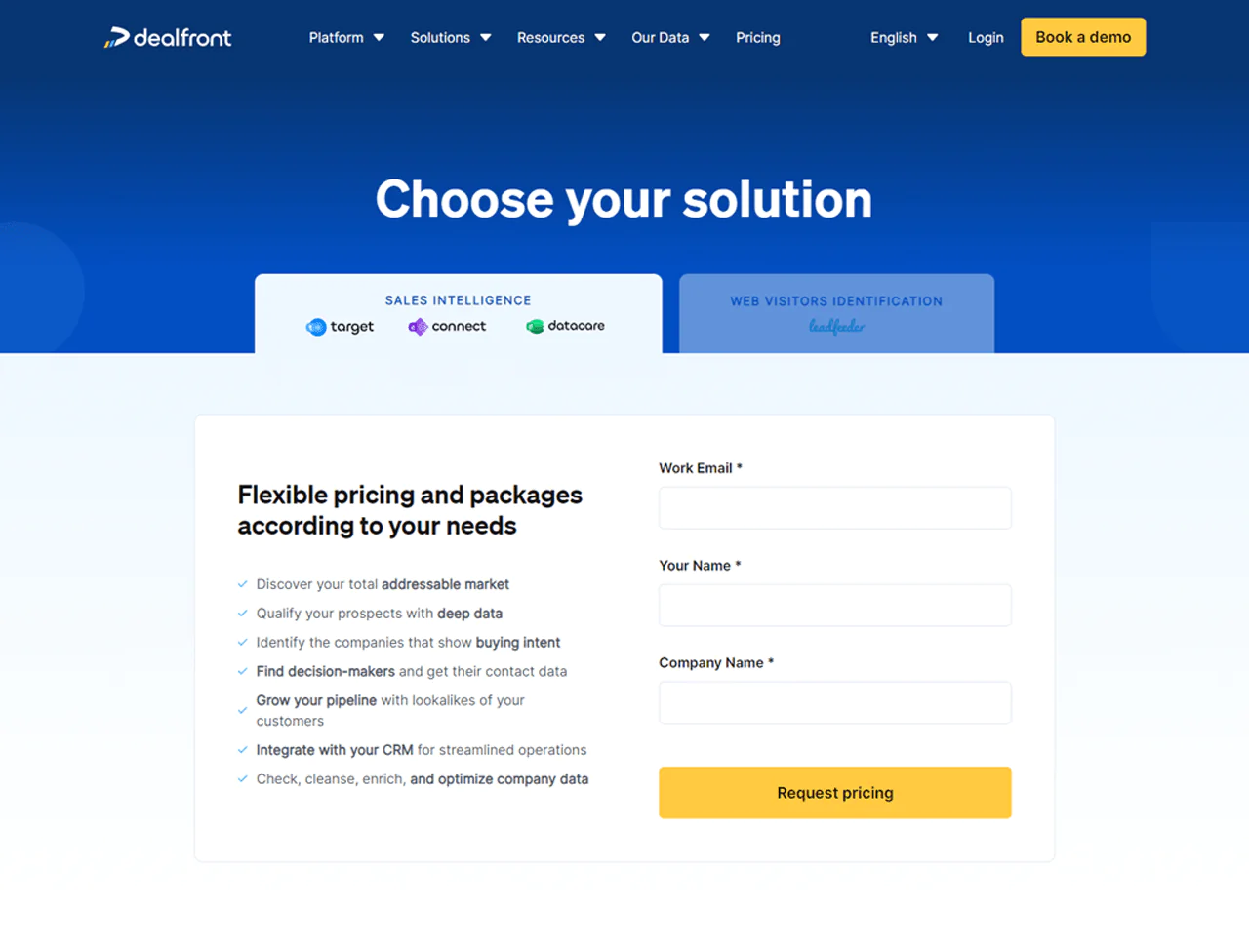
Dealfront offers a forever-free plan tracking up to 100 companies visiting your site monthly, a good fit for solo founders or small startups.
Premium plans start at $139 a month (billed yearly) with no limits on users or data storage, aimed at growing businesses.
Cost scales with how many companies you identify, so you can expand outreach without worrying about hitting a hard cap.
What Users Say About Dealfront?
- G2: 4.3 out of 5 (773 reviews)
- Capterra: 4.3 out of 5 (129 reviews)
“What do you like best about Dealfront?
“I really like how they do their subscriptions. It feels like a great value, especially for the support. When we implemented Dealfront (Leadfeeder at the time), they were very helpful in getting our sales team taught how to use this. They also shared great content with us that explained how to reach out to customers using the data we were able to gather.
What do you dislike about Dealfront?
There’s not much downside. I haven’t used much of the Target Basics yet, so I can’t really speak to that.” – Verified User in Business Supplies and Equipment
Our Review of Dealfront
Dealfront is presented as a lead-generation tool for teams working with B2B data in Europe. Its European focus may be useful for finding and researching decision-makers in that market.
The article highlights CRM integration and prospect insights as features intended to support sales planning.
The main limitation is its European focus, which may not suit companies with global ambitions, and the volume of data can overwhelm newer users. Still, it’s a dependable asset for sharpening sales tactics in its target market.
6. Clearbit
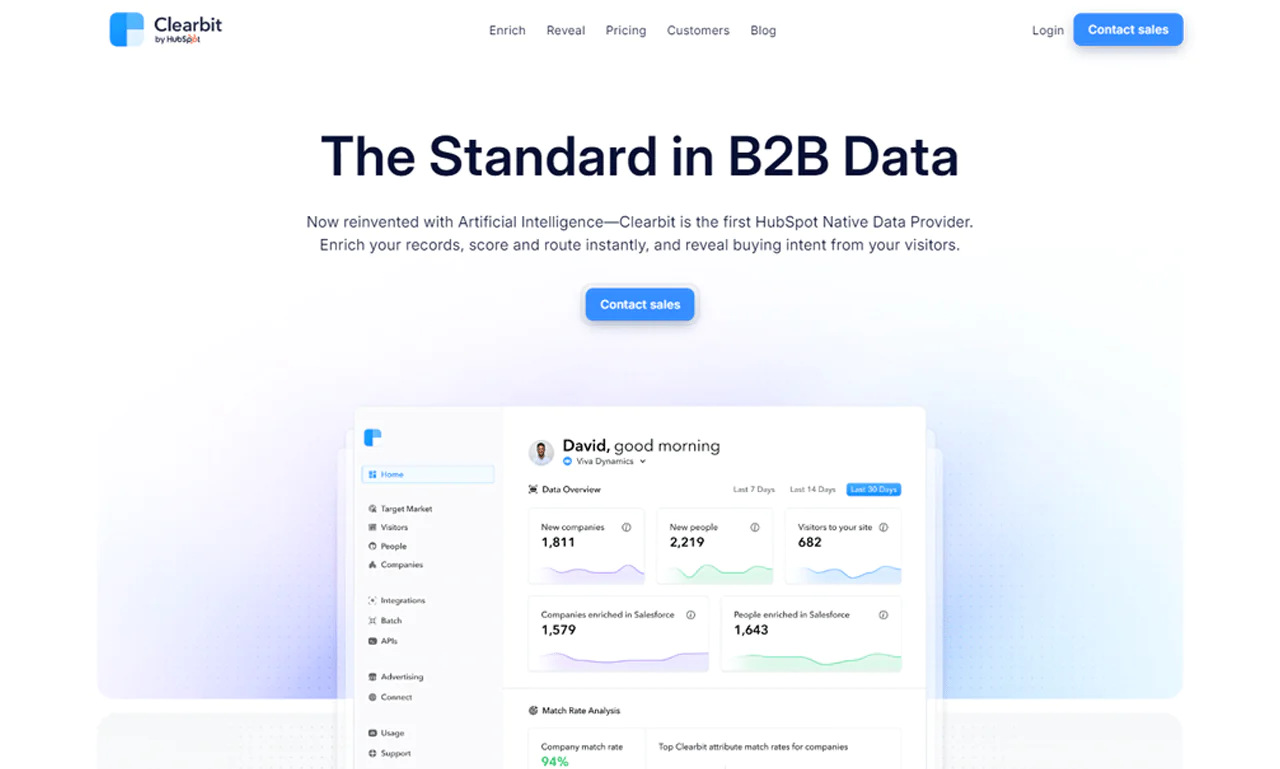
Clearbit applies AI to B2B data in a way that’s become a standard reference point in the space. As HubSpot’s first Native Data Provider, it plays a notable role in how companies handle B2B marketing data.
The tool combines company, contact, and IP data to enrich records, prioritize leads, and flag likely buyers based on website activity.
Compared to AeroLeads, Clearbit leans harder into AI-driven, real-time lead management and enrichment with industry-specific insight, while AeroLeads sticks closer to a broad email database. Clearbit’s IP intelligence adds a layer of buying-signal depth that AeroLeads doesn’t offer.
That makes Clearbit a strong option for businesses that want a robust data foundation behind their marketing and sales work.
About Clearbit
- Founding year: 2015
- Founding team: Alex MacCaw, Amit Vasudev, Andrew O’Neal, Harlow Ward, Matt Sornson, and Rob Holland.
- Company Size: 51 to 200 employees
Features of Clearbit
Clearbit’s two main tools, Enrich and Reveal, cover different sides of B2B marketing.
Enrich
Enrich focuses on making every contact record as useful as possible.
- Real-Time Data Enrichment: As soon as leads, contacts, and accounts enter your system, Clearbit updates their details in real-time. It ensures your interactions are always based on the latest information.
- Comprehensive B2B Attributes: Clearbit pulls together over 100 B2B data points from 250+ sources, offering insights into company size, industry, technology, and more. This depth of information helps you know your prospects better.
- Automated Data Refreshing: Clearbit keeps your database current by automatically updating records when changes occur. It guarantees that your team always works with the most recent data.
- Seamless Integration: Clearbit easily connects with your current tools, thanks to its APIs and webhooks, removing the need for manual data entry and making your processes more efficient.
- Lead Scoring and Routing: With the rich data from Clearbit, you can more accurately score leads and direct them to the appropriate team, ensuring time is spent on the most promising prospects.
- Rich Customer Segmentation: With detailed information from Clearbit, you can segment your customers more precisely, allowing for targeted marketing campaigns that better address their specific needs.
Reveal
Reveal identifies anonymous businesses visiting your site as potential leads.
- Website Visitor Identification: Reveal shows you which companies are on your site and their interests. This helps you understand what attracts businesses to your offering.
- Actionable Insights: Clearbit analyzes visitor interactions to give you insights into which efforts are working. You discover which campaigns attract the right traffic and which content draws in your target market.
- Instant Sales Alerts and Workflows: When potential customers visit your site, Clearbit alerts your sales team right away and starts relevant marketing workflows, helping you engage visitors effectively.
- Targeted Account-Based Experiences: You can customize your website for the most valuable visitors by tailoring content and offers to their interests, creating a more compelling online experience.
Pros
- Increases sales through current customer data.
- Reduces effort in lead search and qualification.
- Provides comprehensive global company information.
- Ensures data is private and accurate.
- Makes turning leads into customers faster and easier.
Cons
- Starting and learning to use it can be tricky.
Pricing
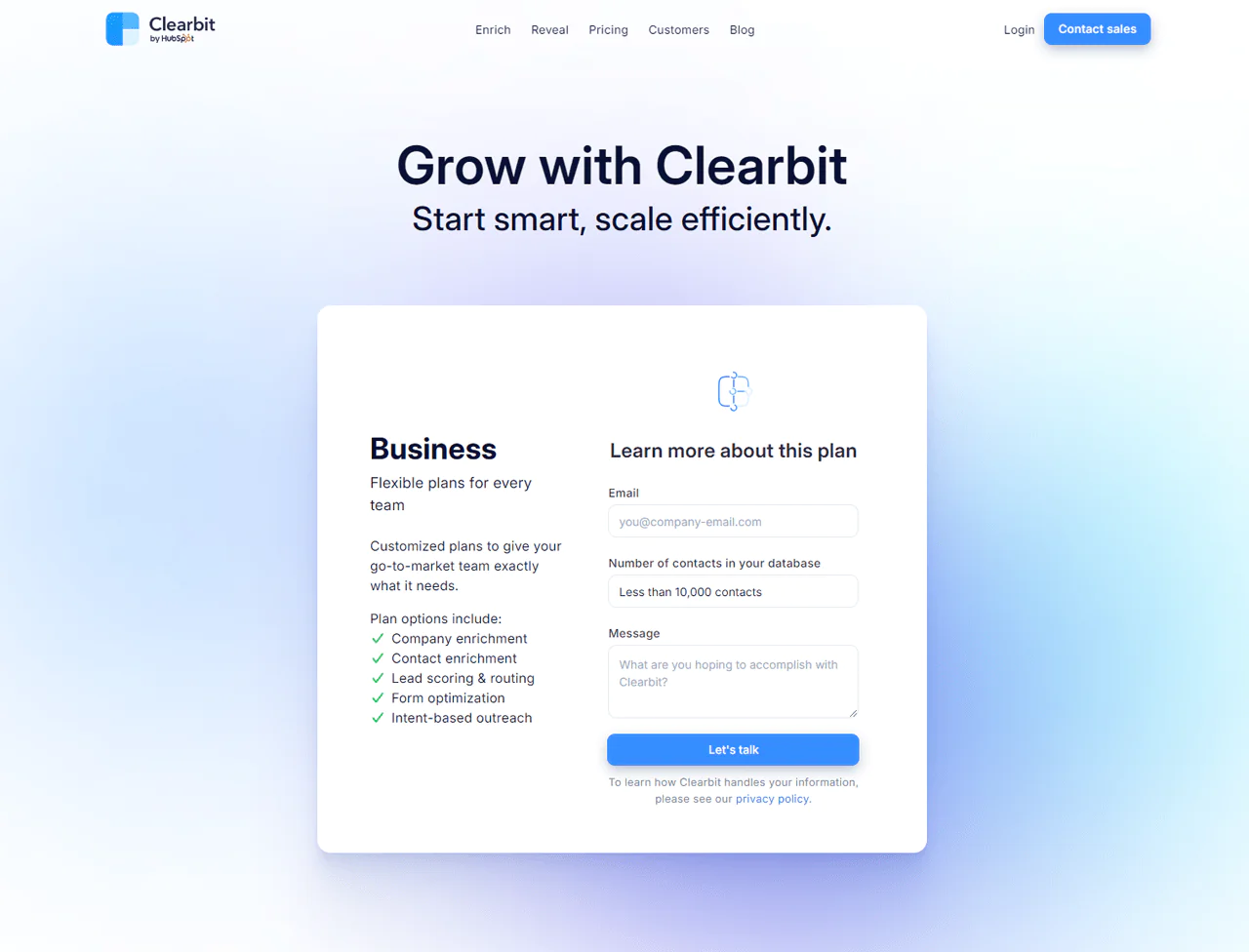
Clearbit doesn’t publish full pricing, but plans have started around $99 per month for 275 API requests, with billing applied per request.
Historical plans have ranged from $99 to $999 monthly depending on scope. Contact Clearbit’s sales team directly for a current, customized quote.
What Users Say About Clearbit?
- G2: 5 out of 5 (617 reviews)
- Capterra: 4 out of 5 (33 reviews)
“What do you like best about Clearbit?
“Clearbit Real-Time Form Enrichment, Account Level Visits, Real-time Slack Notification. The tool has a good integration ecosystem, so it can be helpful for organizations looking to grow their integrated marketing tech.
What do you dislike about Clearbit?
Platform enablement and user adotpion needs to be imporved. The Enrichment fails 3/10 times at the Enterprise Level and 6/10 times at the SMB level for Data Enrichment.” – Sidharth I.
Our Review of Clearbit
Clearbit is a genuinely useful tool for sharpening B2B marketing and sales, giving businesses detailed information as leads, contacts, and accounts update in real time.
Learning to use its detailed data effectively can be a hurdle for some teams, and pricing can run steep for smaller companies with tighter budgets.
Even so, Clearbit provides valuable insight and simplifies lead generation for businesses focused on informed growth.
Note: To explore further, Clearbit alternatives present more advanced opportunities.
7. FindThatLead
For businesses focused on lead generation tools for small businesses, FindThatLead is a solid choice, built around simple, direct features for finding and contacting potential customers.
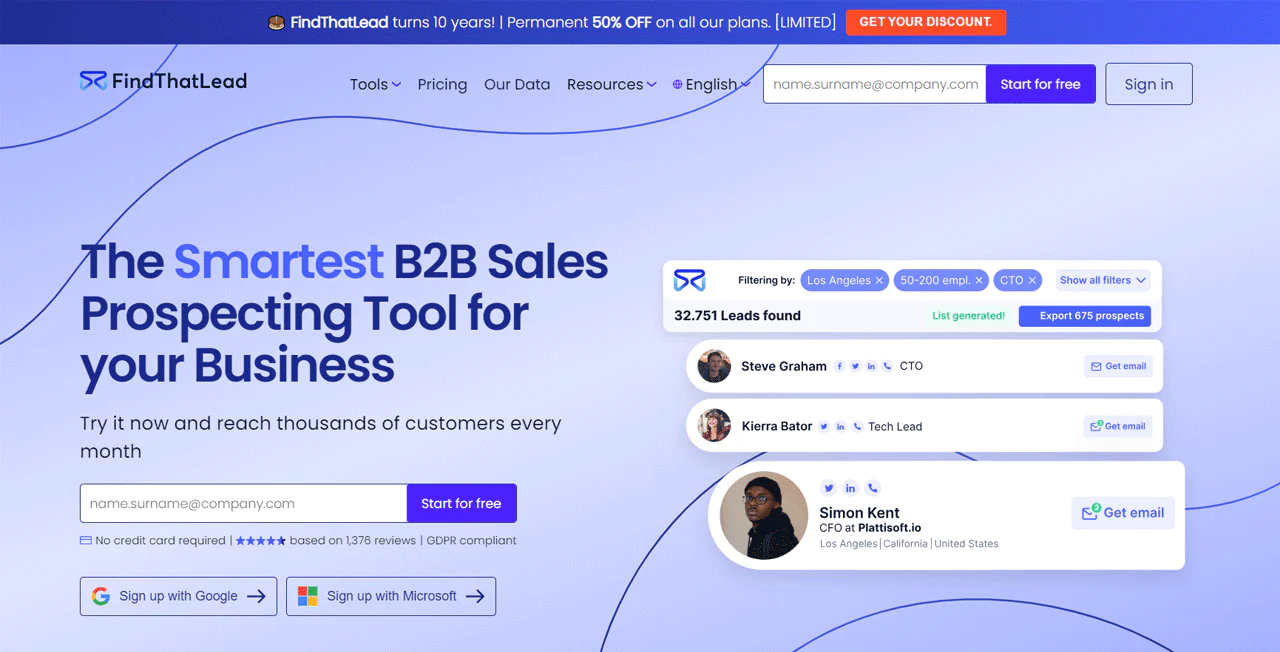
Specify who you want to reach by job, industry, or location, and FindThatLead builds a custom list of email addresses. Its Chrome extension also pulls emails from websites and LinkedIn to expand your lead pool.
Compared to Clearbit, FindThatLead is more directly aimed at generating leads through email search and outreach tools, useful for targeted campaigns. Clearbit instead offers a broader B2B data set, including AI-driven sales opportunity identification.
About FndThatLead
- Founding year: 2014
- Founding team: Gerard Compte and Cristian Vitales
- Company Size: 11 to 50 employees
Features of FndThatLead
FindThatLead’s toolkit covers lead discovery and email outreach:
- Chrome Extension for Email Extraction: It allows you to easily grab emails from sites like LinkedIn and Crunchbase with a click. This extension makes any webpage a source for potential leads.
- Lead Search Tool: You can look up email addresses using a name, company, or domain. This tool quickly sifts through a large database to find the contact info you need.
- Email Sender for Drip Campaigns: FindThatLead can set up and send custom email sequences with ease. This feature takes care of the follow-up emails for you, helping you keep in touch with leads over time.
- Prospector Tool: This tool finds top-quality leads fast with this tool’s advanced filters. It generates up-to-date emails in real time, giving you the latest information.
- Local Business Finder: It allows you to connect with local businesses by entering your desired location and industry. You’ll get a list of businesses, complete with emails and phone numbers.
- Social Search Tool: Pull email addresses from social media profiles by just entering their URL. Whether it’s LinkedIn or Instagram, you get the email linked to the profile.
- Lead Manager: FindThatLead keeps your leads organized with this built-in CRM feature. It works together with FindThatLead’s other tools, streamlining how you manage and work with your leads.
Pros
- Quickly collects and checks email lists.
- Automates lead generation, saving valuable time.
- Improves the success of email marketing campaigns.
- Offers a large collection of confirmed emails.
- Helps customize messages directly to potential clients.
Cons
- Costs may increase with heavy use.
Pricing
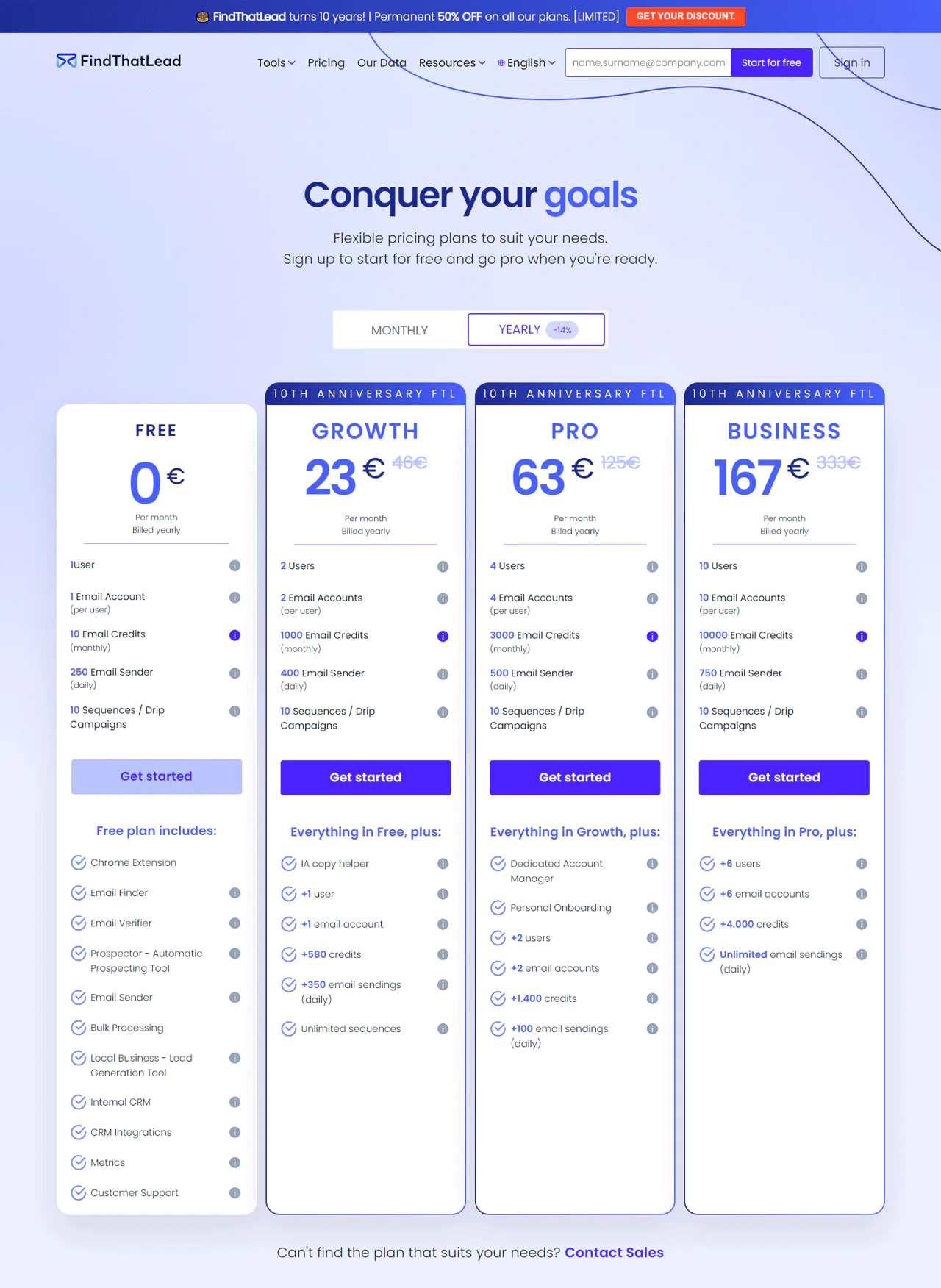
FindThatLead has offered a lasting discount off its plans in recognition of its founding milestone, so it’s worth checking current promotions directly.
A free plan gives individual users 10 email credits monthly. The Growth plan runs about €23 a month (billed annually) for 1,000 credits, while the Pro plan at roughly €63 a month covers 3,000 credits for bigger teams.
For larger outreach goals, the Business plan at around €167 a month offers 10,000 credits.
What Users Say About FindThatLead?
- G2: 4 out of 5 (85 reviews)
- Capterra: 4.2 out of 5 (74 reviews)
“What do you like best about FindThatLead?
FindThatLead is one of the best, easy to use and very convenient email finder and prospecting tool. You can just install the chrome extension, and register, it’s free then go to any website and click the extension. That’s it.
What do you dislike about FindThatLead?
I think like any other prospecting tools, it’s the accuracy and sometimes it doesn’t show any email address. There’s no perfect prospecting tools so, it’s okay. Nothing to complain about. it’s free.” – Mark C.
Our Review of FndThatLead
FindThatLead simplifies B2B sales prospecting well, generating and checking lead data quickly. Specifying prospects by industry, job role, or location makes it easy to pinpoint the right contacts, and the Chrome extension adds a fast way to gather leads from websites and social media.
The drawback is that automated data creation and verification can miss details that only manual checking would catch, occasionally leading to errors. Results will also vary depending on how niche your target industry is.
8. LinkedIn Sales Navigator
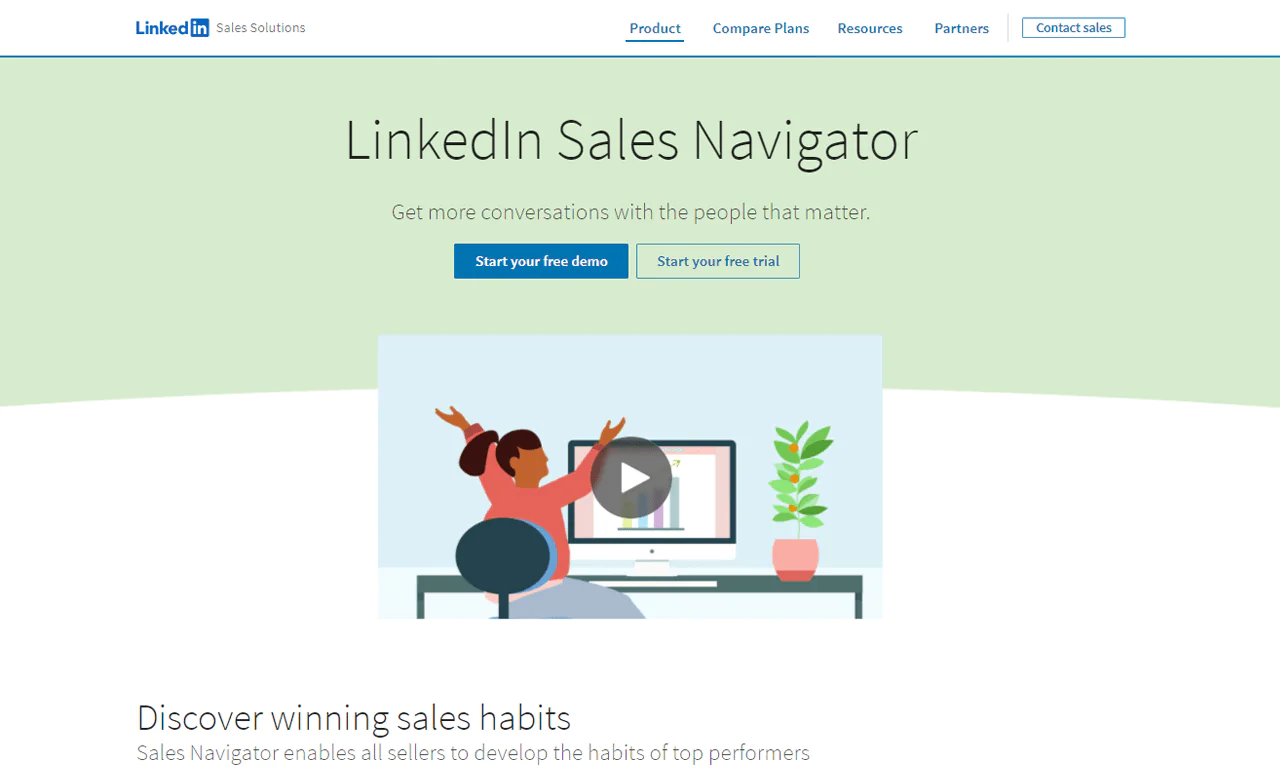
LinkedIn Sales Navigator gives you special access to LinkedIn’s network, making it easier to find and connect with potential customers directly through the platform.
It’s a strong fit for sales teams thanks to advanced search options, lead suggestions, and company insight, all pulling from LinkedIn’s own database for focused targeting.
Compared to Hunter.io, LinkedIn Sales Navigator excels at network-level insight and tailored lead suggestions, while Hunter.io is faster for finding and confirming professional emails for direct outreach.
That makes it a strong choice for sales teams working relationship-driven deals, and one of the more established lead generation tools for B2B overall.
About LinkedIn Sales Navigator
- Founding Year: 2014
- Founding Team: LinkedIn
Features of LinkedIn Sales Navigator
Here’s a concise overview of what it offers sales professionals:
- Advanced Search Filters: Use LinkedIn’s detailed search to quickly find the exact leads and accounts you need. You can search by job titles, company size, or even the technology they use, making it easier to find the right contacts.
- Real-Time Sales Updates: You can get updates about your leads instantly. Whether they change jobs, their company makes an announcement, or they share something new, you’ll know right away.
- InMail Messaging: It sends messages directly to potential leads, even if you’re not connected. This lets you reach out personally to people who are usually hard to contact.
- Lead and Account Recommendations: LinkedIn suggests new leads and accounts for you based on what you’ve looked for before and how you’ve interacted with profiles. It keeps your pipeline full of fresh prospects.
- Integration with CRM: You can connect Sales Navigator with your CRM to keep track of all your sales activities and lead interactions in one place. This makes sure you and your team always have the latest information.
- Sales Insights: This gives you valuable information about your leads and accounts, like company growth and new hires. It helps you tailor your approach to exactly what your prospects need, making your messages more effective.
Pros
- Improves how you find leads with detailed search options.
- Keeps you informed about what your leads are doing now.
- Gives tips to help you reach out in a more personal way.
- Connects you with a large number of professionals.
Cons
- New users might find it hard to learn at first.
Pricing
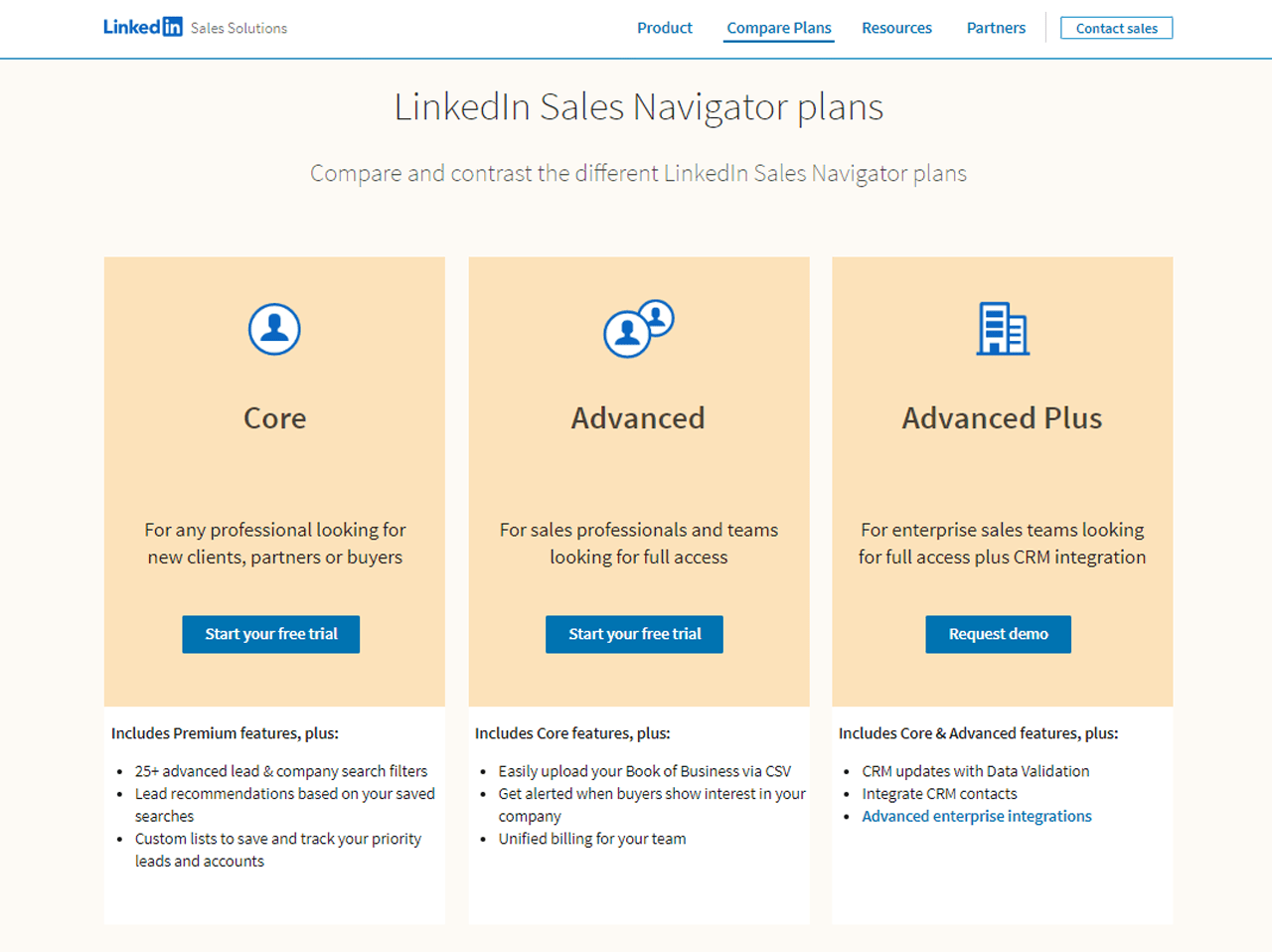
LinkedIn doesn’t publish full pricing on its site, but our research found three tiers: Core at $99 per month for individuals, Advanced at $149 per month for advanced users, and Advanced Plus at $1,600 per month for comprehensive needs.
Paying annually generally brings a discount, so it’s worth confirming current terms directly with LinkedIn.
What Users Say About LinkedIn Sales Navigator?
- G2: 5 out of 5 (1,831 reviews)
- Capterra: 4 out of 5 (136 reviews)
“What do you like best about LinkedIn Sales Navigator?
Sales Navigator is the most essential tool for anyone working in sales in “the modern day”. No other tool allows you to view and prospect as well as Sales Navigator does, especially with such ease. The implementation is super easy and myself and my colleagues use it every single day without fail. With countless amounts of features its an absolute must have within your fleet of tools. –
What do you dislike about LinkedIn Sales Navigator?
There isn’t a huge amount about Sales Nav I dislike. I use the tool more than anything else and I have never really found an issue with it. What’s not broken, don’t fix!” – Joshua H.
Our Review of LinkedIn Sales Navigator
LinkedIn Sales Navigator earns its reputation for making sales efforts more efficient, particularly through detailed search options and real-time updates that keep prospecting sharp.
Smooth CRM integration adds to its appeal for sales reps, though pricing may be steep for smaller companies and the interface takes some getting used to.
Even with those tradeoffs, it’s a genuinely useful asset for businesses looking to sharpen their sales approach.
9. Wisepops
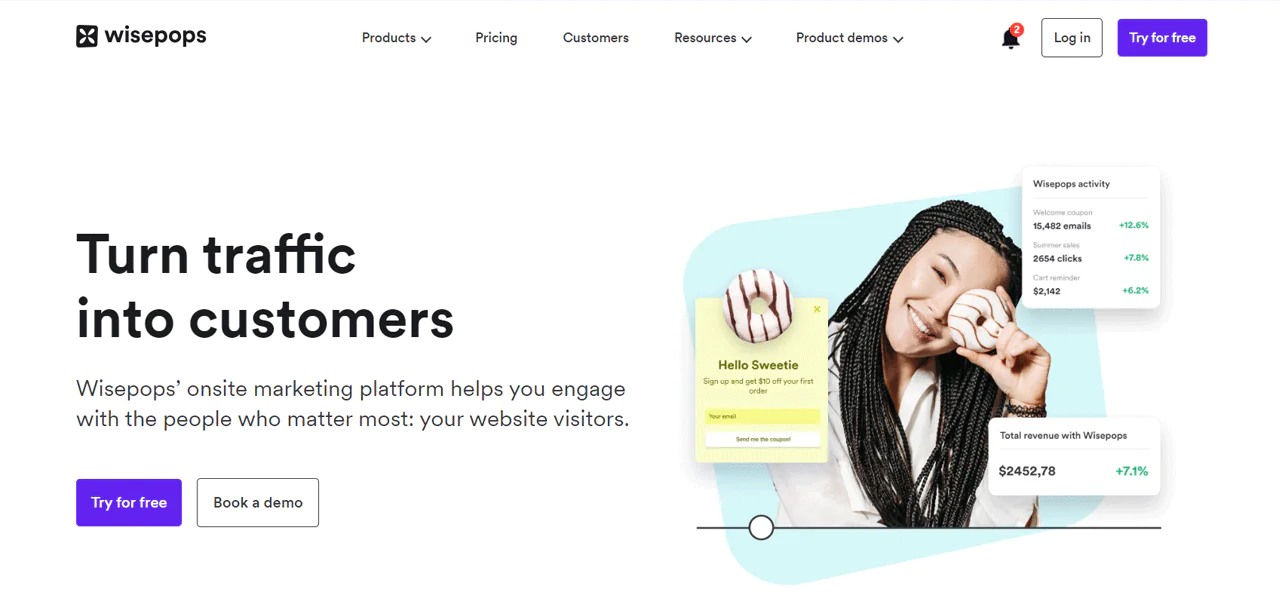
Wisepops focuses on turning website visitors into customers through custom pop-ups and alerts designed to grab attention without being disruptive.
Its design tools make it easy to build pop-ups, bars, and other on-site elements that match your branding and marketing goals, with strong targeting so the right message reaches the right visitor at the right moment.
Compared to LinkedIn Sales Navigator, Wisepops is stronger for on-site engagement through pop-ups, while LinkedIn Sales Navigator relies on network insights to precisely target B2B prospects off-site.
About Wisepops
- Founding year: 2010
- Founding team: Ben
- Company Size: 1 to 10 employees
Features of Wisepops
Wisepops brings a set of tools to make your website more engaging and better at capturing qualified leads:
- Custom Popups and Bars: With Wisepops, you can easily create popups and bars that look great and fit perfectly with your website’s style. You can use these to get more email subscribers or highlight special deals, making your website more interactive.
- Target Right Visitors: Wisepops lets you show your messages to the right people at the right time. If someone has been browsing for a while or is on a specific page, you can catch their attention with perfectly timed messages.
- Friendly Notifications: It uses a subtle way to grab your visitors’ attention without annoying them. A small red badge signals something new, inviting them to explore without interrupting their browsing.
- Guide Your Visitors: You can create a series of steps with Wisepops to welcome visitors, ask for their feedback, or show them special offers. It turns a simple visit into a journey that encourages them to stay.
- Easy to Use Builder: You don’t need to be a tech whiz to use Wisepops. Its drag-and-drop landing page builder makes it super easy for anyone to create eye-catching pop-ups that get people to take action.
- Works Well With Others: Wisepops plays nice with the tools you already use, like Shopify, Klaviyo, and Google Analytics. It means you can easily connect it to your existing setup, making your marketing efforts more cohesive.
- Keep Track and Improve: It allows you to see how your popups are doing with Wisepops’ analytics. You can check out real-time data, try different versions with A/B testing, and tweak your approach based on your learning.
Pros
- Increases email signups with targeted popups.
- Enhances user engagement through personalized messages.
- Offers smooth integration with marketing tools.
- Easy to create and deploy custom popups.
- Improves conversion rates with behavior-based targeting.
Cons
- May be costly for small businesses.
Pricing
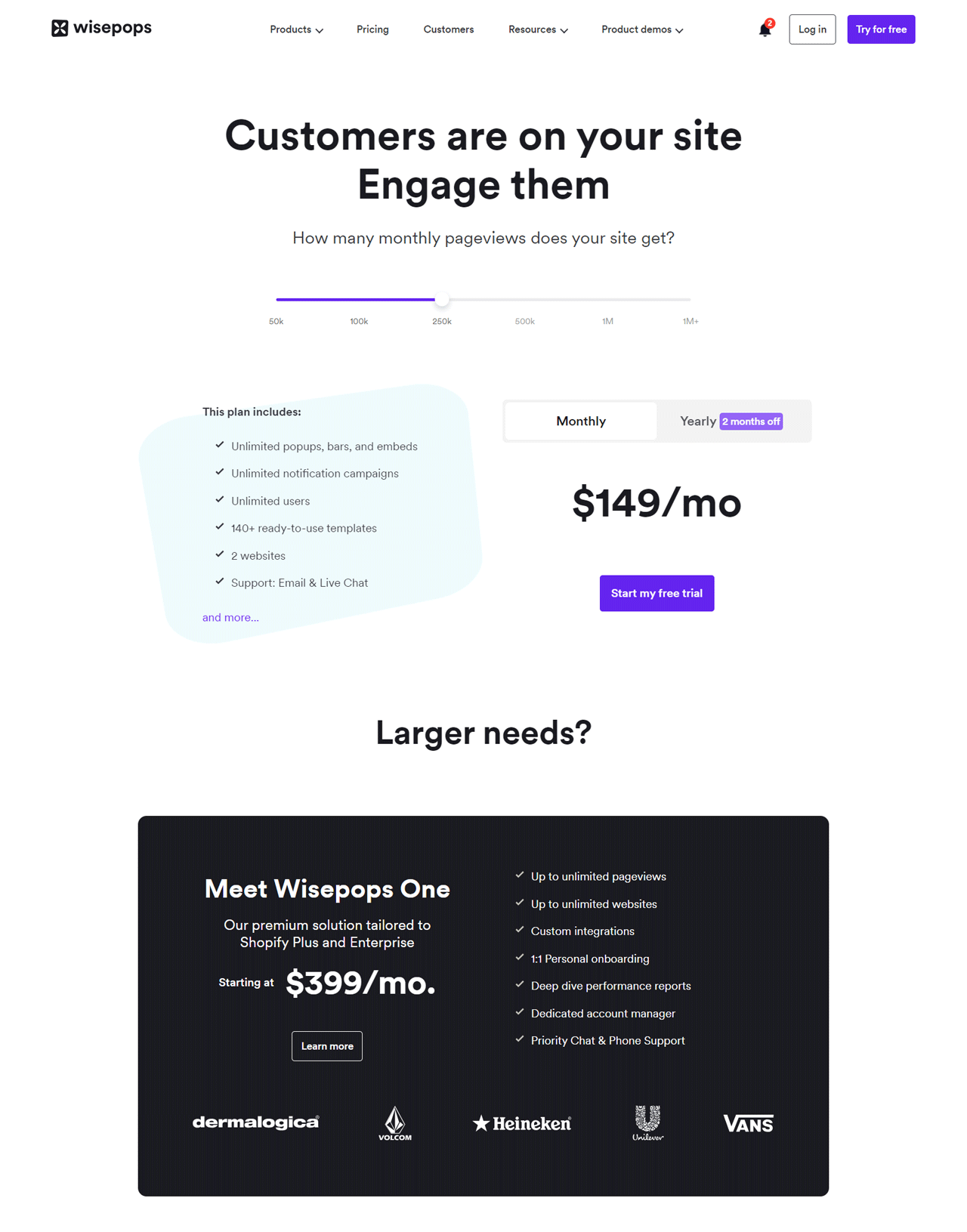
Wisepops starts at $49 monthly for 50K pageviews, with unlimited popups across 2 websites, a solid entry point for beginners.
Expanded plans include $199 monthly for 5 websites, and a top-tier $399 monthly plan designed for Shopify Plus and Enterprise users. Custom plans are available directly through Wisepops for teams needing more.
What Users Say About Wisepops?
- G2: 3.8 out of 5 (10 reviews)
- Capterra: 4.9 out of 5 (78 reviews)
“What do you like best about Wisepops?
Pop ups are easy to build and deploy. We have been using them to direct online visitors to sales and promotion pages. So far we’ve had a decent amount of success in getting folks to opt in and purchase our products using the service.
What do you dislike about Wisepops?
We have had some issues/inconsistencies in WisePops working for some users. Not sure what the cause of the issues are. One example is three customers (all using Chrome OS) seemed to have issues viewing the pop ups. But I couldn’t re-create the issue using Chrome OS on my end. Just odd – and certainly not a deal breaker.” – Verified User in Retail
Our Review of Wisepops
Wisepops is effective at boosting website engagement and conversions, with a user-friendly design that makes building personalized popups straightforward.
The drag-and-drop functionality and integrations with email and CRM platforms simplify lead management considerably. Pricing may be steep for smaller companies, and customization, while extensive, may not satisfy everyone chasing a truly unique design.
Even with those caveats, Wisepops offers real value for businesses focused on improving their online presence and conversion rates.
10. Apollo.io
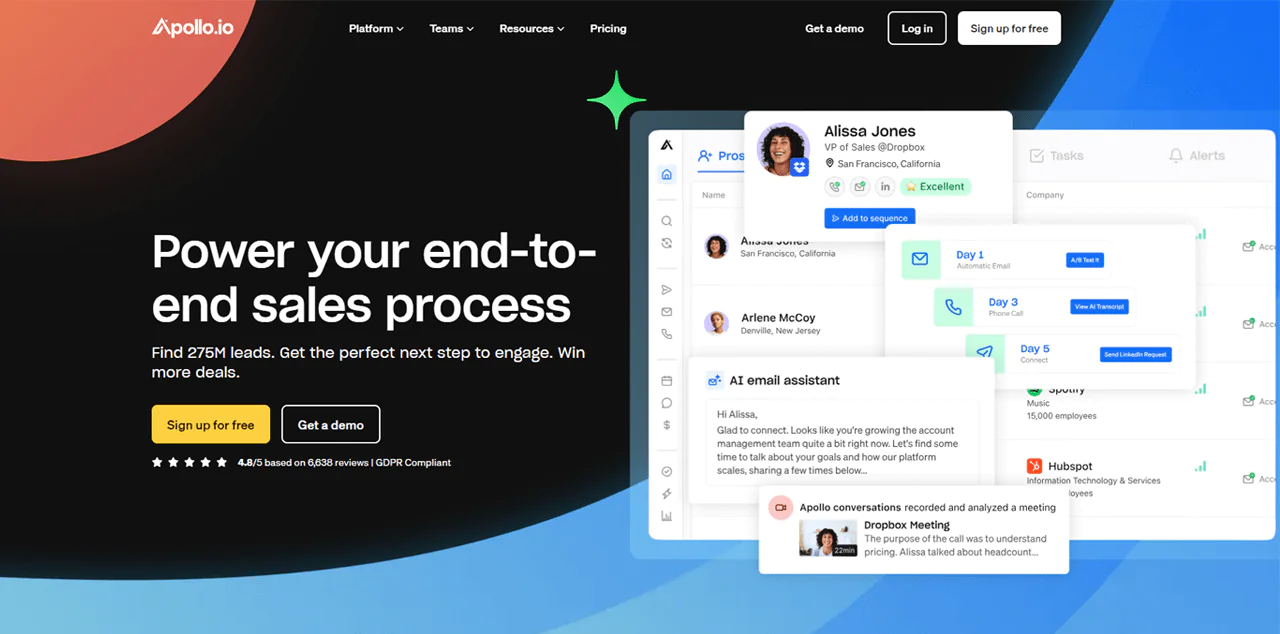
Apollo.io combines a large contact database with built-in engagement tools, covering millions of contacts across tens of millions of companies. That scale makes it a solid resource for sales teams looking to find, connect with, and win over new customers.
It smooths the sales journey with tools for identifying leads, contacting them via email and social media, and refining sales tactics, while syncing with CRM systems to keep data fresh.
Compared to Dealfront, Apollo.io offers more contacts and companies overall for lead generation and engagement, while Dealfront gives deeper, compliance-focused insight into the European market specifically.
About Apollo.io
- Founding year: 2015
- Founding team: Tim Zheng
- Company Size: 501 to 1001 employees
Features of Apollo.io
Apollo.io covers most of the sales process end to end:
- Enrich: This feature keeps your CRM data up to date automatically. With Apollo.io, you don’t have to manually update your CRM, saving you time for more important tasks.
- Prospect: Apollo.io gives you access to over 275 million contacts, letting you filter through them with over 65 attributes. This way, you can easily find high-quality leads that match what you’re looking for.
- Engage: This tool automates your outreach by letting you set up personalized sequences for emails, calls, and LinkedIn messages. It keeps you in touch with prospects without the manual hassle.
- Close: Apollo.io helps you close deals more efficiently by providing tools for analyzing conversations and managing deals. It gives you insights into what’s working in your sales talks and helps you manage your deals better.
- Living Data Network: You get access to a huge, always-updated database. This ensures you always have the latest information for your sales and marketing efforts.
- Sales Intelligence: This feature offers detailed insights into your prospects, like their buying intent. It helps you customize your approach based on their specific needs and interests.
- Chrome Extension: Apollo.io’s Chrome Extension integrates with your daily tools like LinkedIn, Gmail, and your CRM. This makes it easier to access information and perform tasks without switching apps.
- Meetings: Booking meetings with prospects is made easy with this feature. It automates scheduling, including lead qualification and routing, and syncs directly with your calendar to cut down on the usual scheduling back and forth.
Pros
- Significantly cuts down on the time needed for finding leads.
- Saves money by merging several functions into a single platform.
- Increases the success of email and phone campaigns.
- Improves the chances of making sales with focused lead lists.
- Makes managing customer data and integrating with CRM systems easier.
- Provides useful data and insights to make better decisions.
Cons
- The more advanced options can be quite expensive.
Pricing
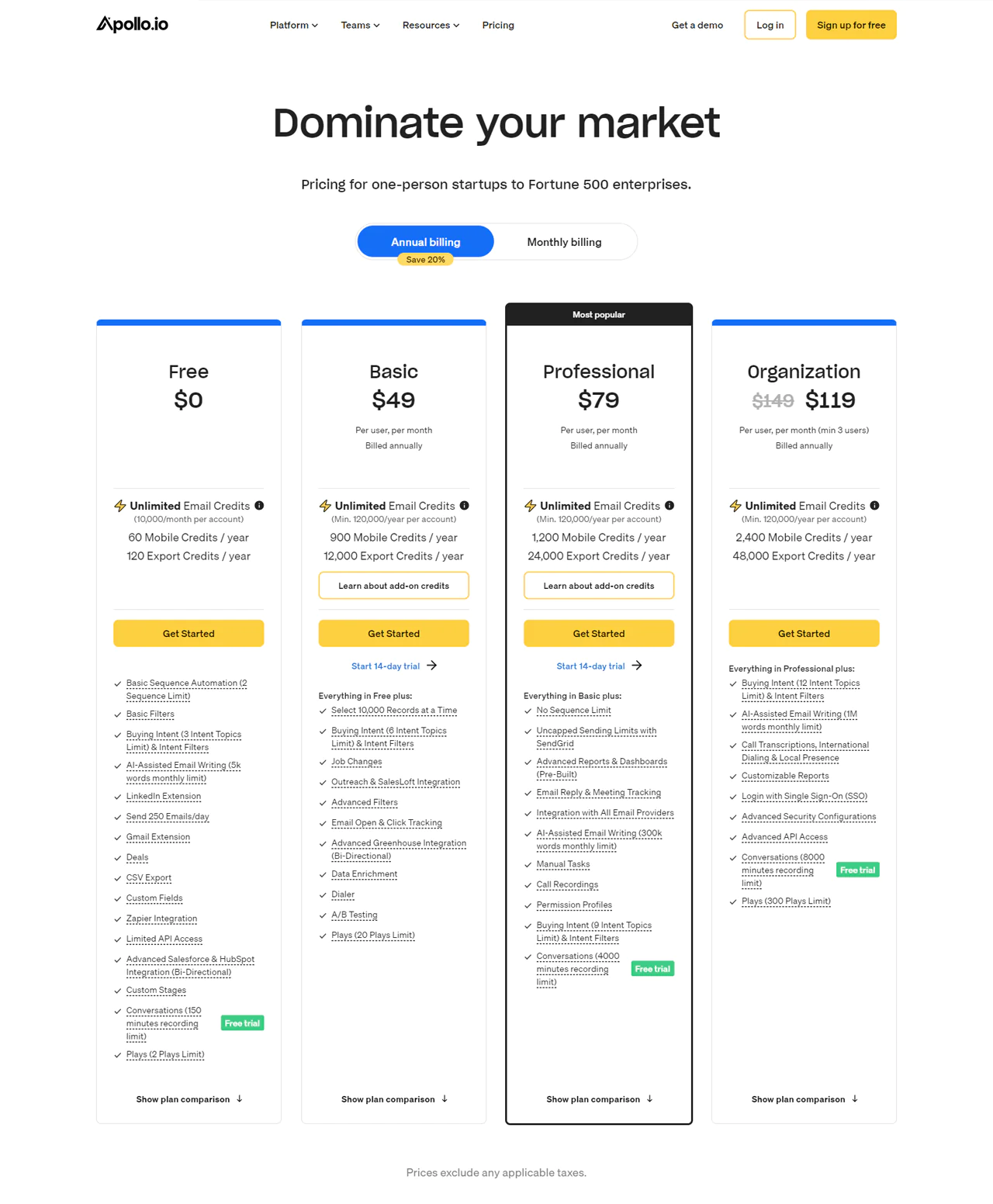
Apollo.io offers a free tier with unlimited email credits and essential tools. The Basic plan runs $59 per user per month (billed annually) and adds email tracking and job-change alerts.
The Professional plan at $99 removes limits on email sequences and improves reporting, a good fit for growing businesses. The Organization plan at $119 per user, with a minimum of five users billed annually, adds AI email support and improved security for larger teams.
Each plan is scoped so you’re only paying for the features your team actually uses.
What Users Say About Apollo.io?
- G2: 5 out of 5 (6,639 reviews)
- Capterra: 4 out of 5 (338 reviews)
“What do you like best about Apollo.io?
The expansion is highly useful and inventive in every way. Apollo has been a part of my marketing and research profession from the start. I have acquired exceptional comprehension regarding the potential of any industry. As a marketing expert, I’ve dealt with a number of lead generating problems. Apollo has greatly simplified my work, saving me the trouble of conducting extensive research on websites in order to find a single, straightforward lead. There is exceptional customer support and they are really cooperative. It eases my breathing and is seamlessly connected with all the websites. It goes without saying that I use it as my go-to extension on a regular basis. –
What do you dislike about Apollo.io?
I’m in awe of most things about Apollo, but I would really like to earn more recognition. I do not mean to suggest that the UI is not pleasant; rather, I am saying that it could be made a bit more user-friendly.”
Our Review of Apollo.io
Apollo.io stands out for how much it packs into one platform: a rich database plus built-in engagement tools that improve productivity meaningfully once set up.
The learning curve can be steep for newcomers, and pricing may stretch smaller companies. Even so, it’s a comprehensive option that supports nearly every stage of the sales process.
Note: For those interested, Apollo.io alternatives offer more promising options.
Types of Lead Generation Tools
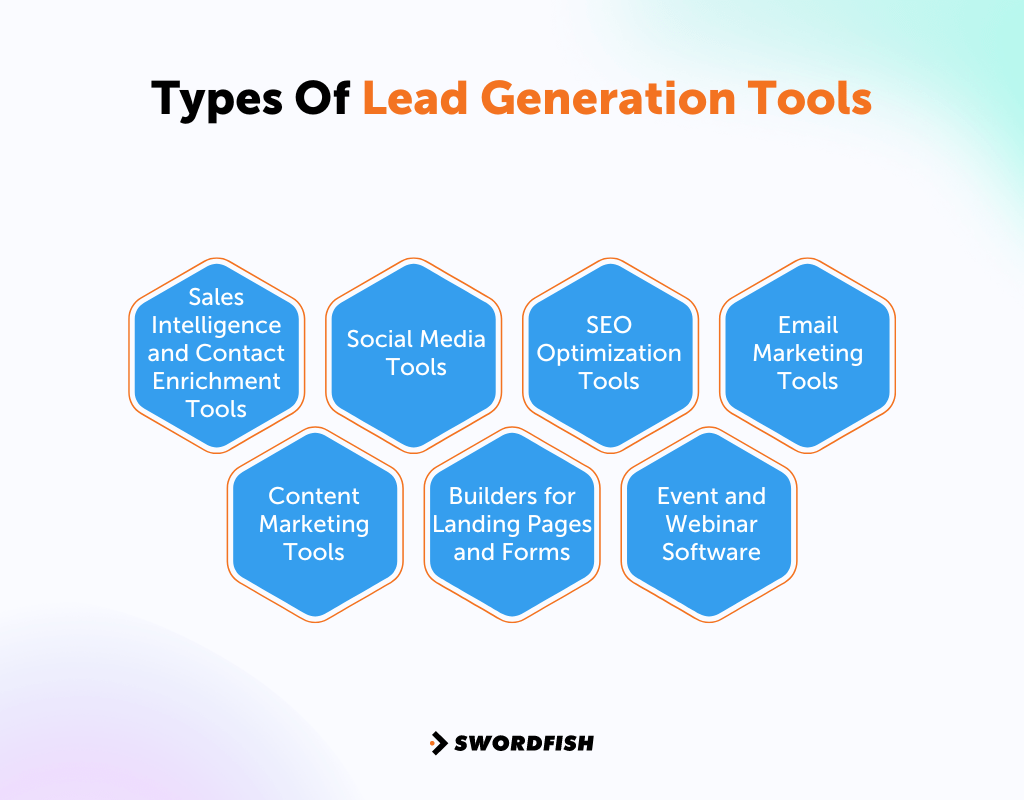
Most businesses end up combining a few different categories of tools to widen their reach and build meaningful connections with prospects.
Here are the main categories worth knowing:
- Sales Intelligence and Contact Enrichment Tools: These tools provide detailed information about potential leads, including contact information and business details.
- Social Media Tools: They help businesses to discover and engage with potential customers on social networks such as LinkedIn, Twitter, and Facebook.
- SEO Optimization Tools: With these tools, you can improve your site’s search engine ranking and attract more customers.
- Email Marketing Tools: Businesses use these to craft and send customized emails to potential leads, tracking how recipients interact with the content.
- Content Marketing Tools: Employed to produce and disseminate engaging content like articles, e-books, and webinars, these tools help attract leads by offering valuable information.
- Builders for Landing Pages and Forms: These applications help in creating tailored landing pages and forms that collect data from visitors, converting them into leads.
- Event and Webinar Software: This category includes tools that facilitate the hosting of webinars and events, attracting potential customers, and providing opportunities for lead generation.
Conclusion
Choosing the right B2B lead generation tools comes down to matching a platform’s strengths to your actual workflow. Across the ten tools here, the common threads are setting clear objectives, sticking to a realistic budget, and making sure whatever you pick works with your existing systems rather than against them.
The tools in this guide serve different needs, from contact discovery to on-site lead capture and sales engagement. Swordfish AI focuses on contact data and verification; teams should compare its current features, pricing, and suitability with their requirements, particularly for specialized outreach such as healthcare.
Try Swordfish AI if you want to get more leads without wading through complicated setup.
FAQs
How hard is lead generation?
A survey among B2B marketing leaders in the U.S. found that 35% struggle because potential buyers don’t see the value in what they’re selling. Another 33% have a hard time reaching specific groups of people.
What does the lead generation process look like?
It’s the path potential customers follow from first hearing about your company to finally buying something. Marketing and sales teams work together to guide potential customers through this journey, encouraging them to make a purchase.
Why do some lead generation efforts fail?
Often, it’s because the campaigns target the wrong people. If you don’t correctly identify who your customers are and what they want, your efforts won’t succeed.

