


 View Products


Key takeaways
- A lead generation database can help teams find and organize prospect contact details for sales or recruiting outreach.
- Choose a database based on data coverage, verification practices, pricing, integrations, and fit with your workflow.
- Tools in this comparison vary: some emphasize direct-dial numbers, while others focus on email finding, intent data, LinkedIn prospecting, or sales automation.
- Check how each provider defines and measures its accuracy claims before relying on them.
- Review current pricing and plan limits with providers before purchasing.
Last updated: September 3, 2026
Building a lead pipeline by hand can be slow and expensive. Sales and recruiting teams may spend time chasing stale phone numbers, bounced emails, and contact lists that do not fit their industry.
That has pushed many companies to rethink where their leads come from. A dedicated lead generation database can reduce research time, but its usefulness depends on how well it matches your team’s workflow — whether that involves cold calling, email outreach, recruiting, or a mix of the three.
Below, we compare ten lead generation databases, outline what each one does best, and explain how to choose one for your workflow.
Quick List of 10 Lead Generation Database Companies
Here’s a fast overview of ten companies worth comparing before you commit to a contract —
- Swordfish AI: Best for accessing unique cell phone numbers and real-time verification.
- SalesIntel: Best for those seeking high-quality, verified B2B contacts in the USA.
- Lusha: Best for easy access to premium B2B contacts and company data.
- UpLead: Best for real-time verified B2B databases with built-in email verification.
- Lead411: Best for unlimited B2B sales leads database strengthened by intent data.
- Cognism: Best for premium sales intelligence with global compliance.
- LinkedIn Sales Navigator: Best for using LinkedIn’s vast network for sales prospecting.
- VoilaNorbert: Best for finding and verifying email addresses with high accuracy.
- Snov.io: Best for a comprehensive suite for sales automation and CRM integration.
- LeadIQ: Best for modern prospecting with AI personalization and efficient workflow integration.
Top 10 B2B Leads Database: A Comparison Chart
Choosing the right B2B leads database matters for improving your corporate marketing strategies. Here’s a side-by-side look at the ten databases covered in this guide.
Tools | Database Size | Pricing | Integration |
 | Over 3.5 billion profiles, cell phone data | Custom | Salesloft, Salesforce, LOXO, Outreach, Zapier, Lever, etc. |
 | 7.2 million contacts worldwide | Individual: $69 monthly (100 credits) Teams: $199 monthly (500 credits) Unlimited Everything (Custom) | Salesloft, Outreach, HubSpot, Zoho, LiveRamp, etc. |
 | 50 million enterprise business profiles and 44 million SMB business profiles | Free plan: 5 credits. Pro plan: $39 monthly (40 credits). Premium Plan: $69 monthly (80 credits). Scale Plan: Customized. | Salesforce, HubSpot, Zoho, Bullhorn, Pipedrive, etc. |
 | Over 155 million B2B contacts with email addresses | Free Trial: 5 credits Essentials: $99 monthly (170 credits) Plus: $199 monthly (400 credits) Professional:(Custom) | Outreach, Zapier, Salesforce, ZOHO, Copper, etc. |
 | 50 million B2B email addresses | Free 7-day: 50 exports. Basic Plus Unlimited: $99 monthly (No Commitment) Enterprise Limited package (Custom) | High, unlimited B2B email addresses |
 | 400 million B2B profiles | Custom | HubSpot, Salesforce, Copper, Pipedrive, etc. |
 | LinkedIn's vast network | Subscription-based | Demandbase, Gong, HubSpot, Groove, Outreach, etc. |
 | Doesn’t mention | Free: 50 leads Valet: $49 monthly (1,000 leads) Butler: $99 monthly (5,000 leads) Advisor: $249 monthly (15,000 leads) Counselor: $499 monthly (50,000 leads) | Zapier, Pipedrive, Salesforce, Mailshake, HubSpot, etc. |
 | Over 550 million prospects and 75 million companies | Trial: 50 credits Starter: $39 monthly (1,000 credits) Pro 5K: $99 monthly (5,000 credits) Managed Service: $3,999 monthly (Custom lead gen & outreach campaign) | Pipedrive, HubSpot, Calendly, Gmail, Salesforce, Zapier, etc. |
 | 600 millions of verified contacts | Free: Weekly 20 verified work emails Essential: $45 monthly (Monthly 500 verified work emails) Pro: $89 monthly (Monthly 1,000 verified work emails) Enterprise: Customized (Annual) | HubSpot, Gong, Salesforce, Salesloft, Outreach, etc. |
Top 10 B2B Leads Database to Find Qualified Prospects
We picked these ten databases based on data accuracy, verified user reviews, how well they integrate with existing sales stacks, and what makes each one distinct. Below, we go deeper on each one — strengths, tradeoffs, and where it fits.
1. Swordfish AI
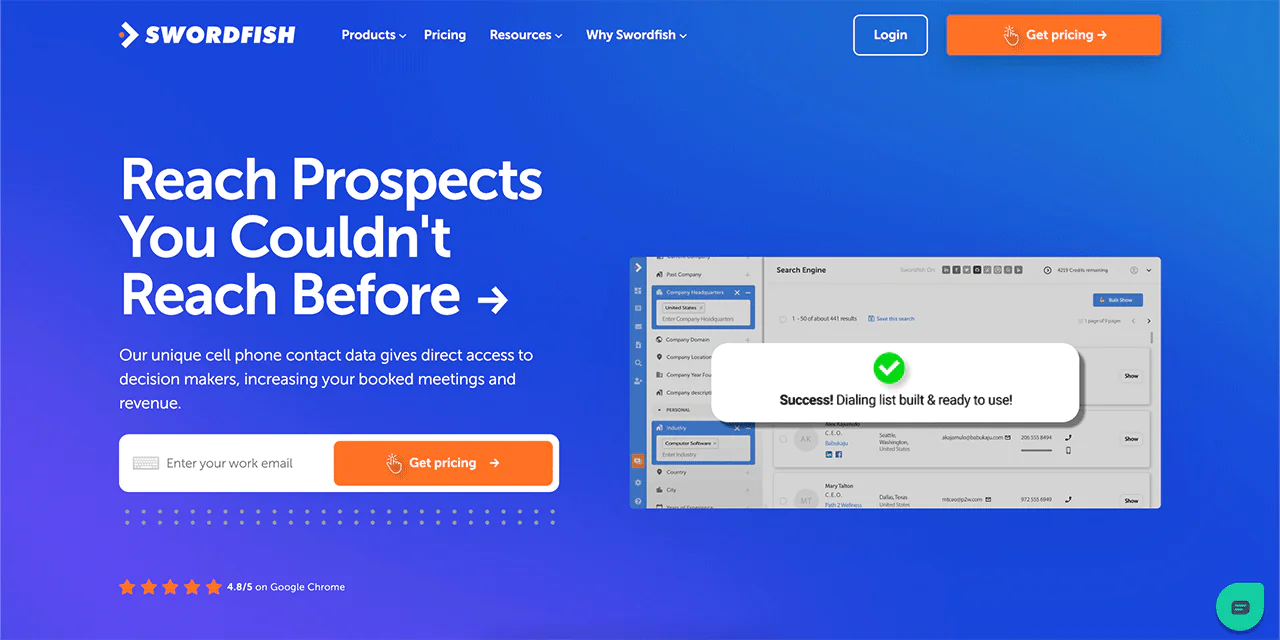
Swordfish AI is built for sales and recruiting teams that need direct-dial mobile numbers, not just office switchboards. It draws on more than 200 cell phone data partners to surface contact details that many general-purpose B2B databases simply don’t carry.
That network is what lets Swordfish AI reach decision-makers directly instead of routing through a gatekeeper or a shared company line.
The platform validates data in real time using carrier-level checks, so a returned number reflects current line status rather than a cached record from months ago.
In practice, that means fewer wasted dials and less time spent chasing disconnected numbers.
About Swordfish AI
- Founding year: 2015
- Founding team: Ben Argeband
- Company Size: 11 to 50 employees
What Sets Swordfish AI Apart?
Swordfish gives direct access to unique cell phone numbers along with its own accuracy-checking system, which is why it’s become a go-to resource for cold calling specifically.
The database itself covers more than 3.5 billion profiles, and it also includes pro and premium business emails that aren’t widely available elsewhere, giving sales development reps another channel when a phone number isn’t enough.
Swordfish reports 82% first-try accuracy on cell numbers and roughly 95% accuracy across all profiles, figures the company has stated consistently across its own materials and third-party reviews. It’s used by tens of thousands of sales and recruiting professionals.
Features of Swordfish AI
Here’s how each core feature supports day-to-day prospecting —
-
Chrome Extension
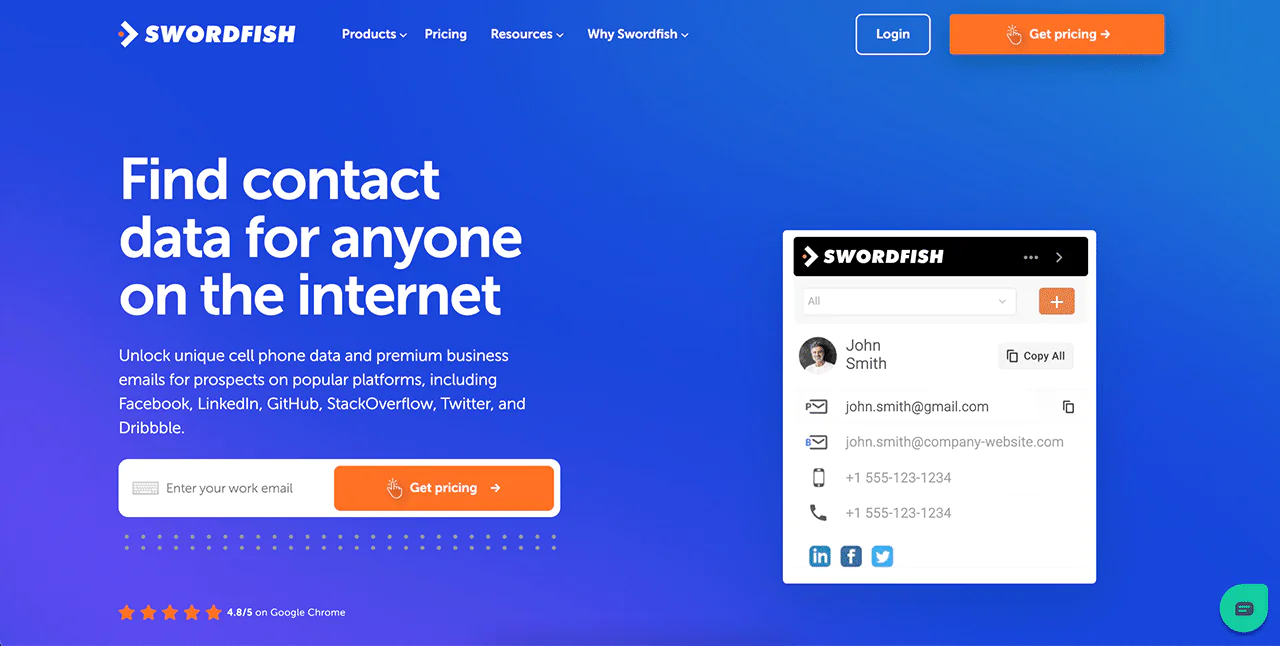
The Chrome Extension pulls contact info directly from sites like LinkedIn, Twitter, and Facebook while you browse, so you don’t have to switch tools mid-search.
-
Reverse Search
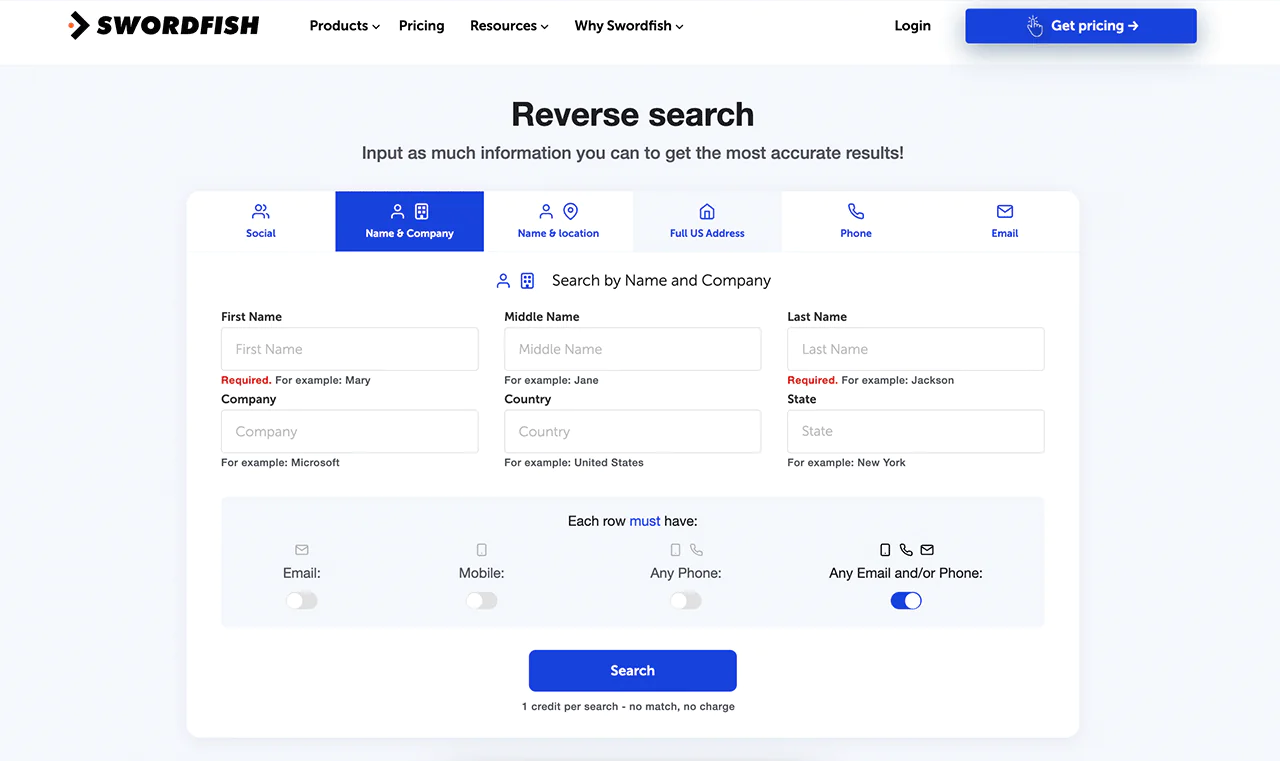
If you already have a partial contact record, Reverse Search fills in the rest, turning fragments of information into a complete profile.
-
Prospector
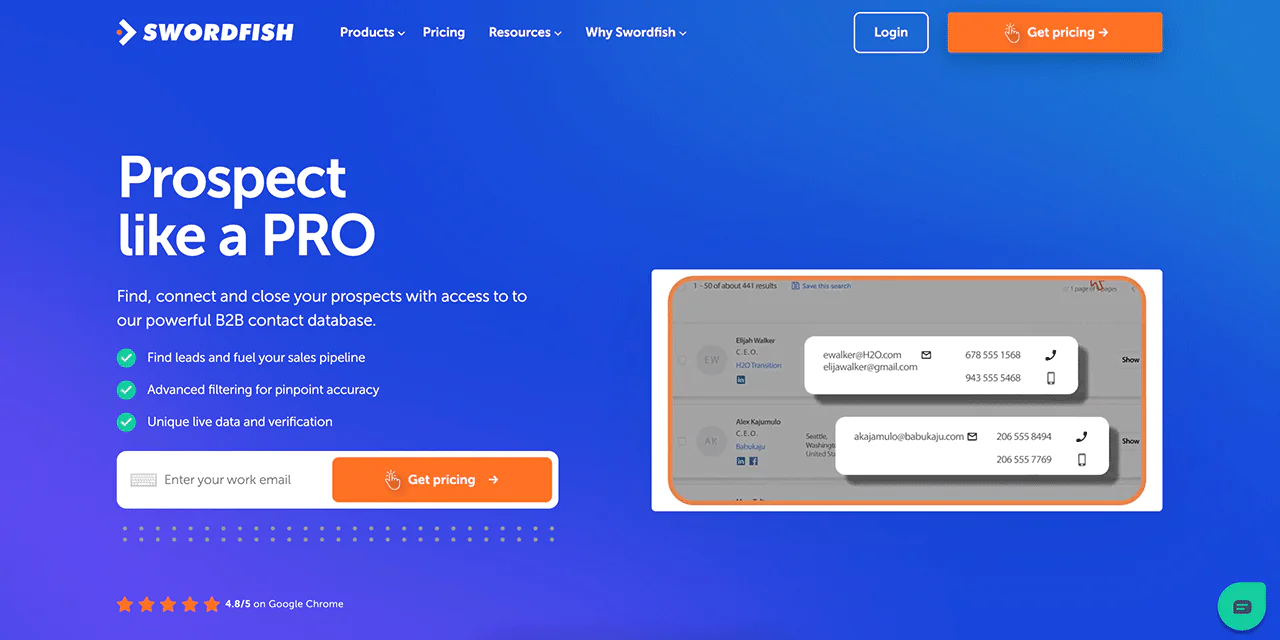
The Prospector tool builds lead lists from scratch using filters like title, location, and industry, so you’re targeting people you haven’t found yet rather than just enriching existing contacts.
-
Bombora Intent
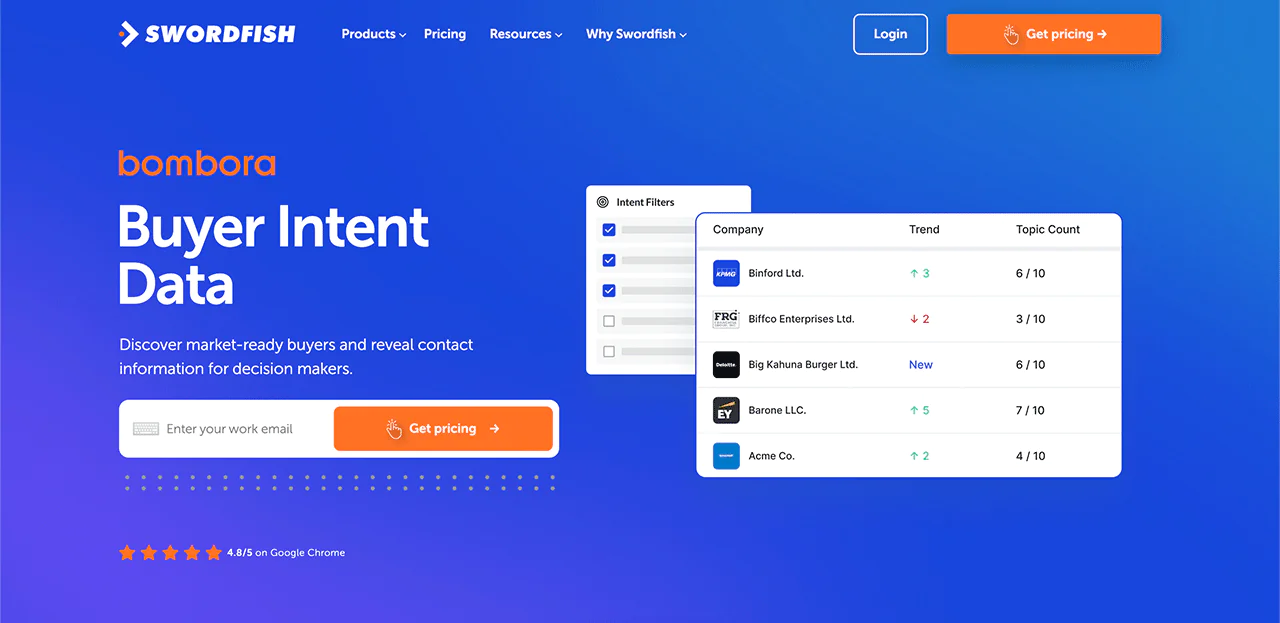
The Bombora Intent data integration layers buying-signal data on top of contact records, helping you time outreach to companies that are actively researching solutions like yours.
-
API Integration
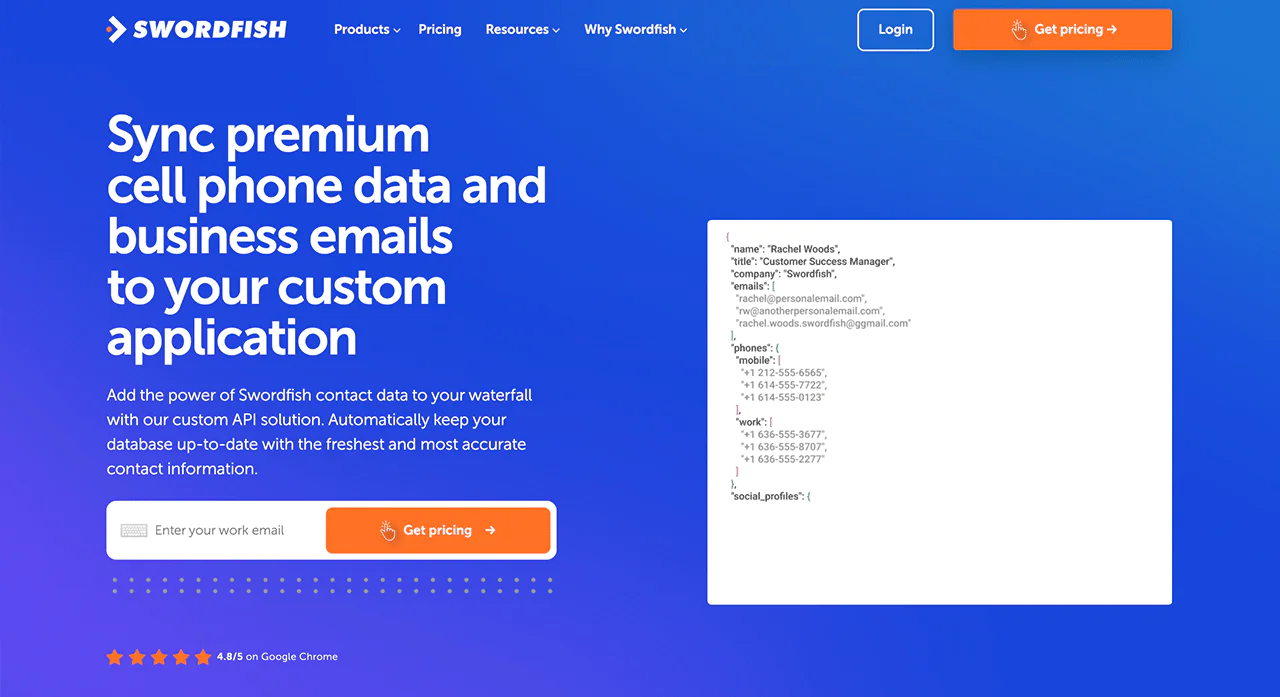
If you want to connect Swordfish’s data directly to your own systems, the API handles that without manual exports.
-
File Upload
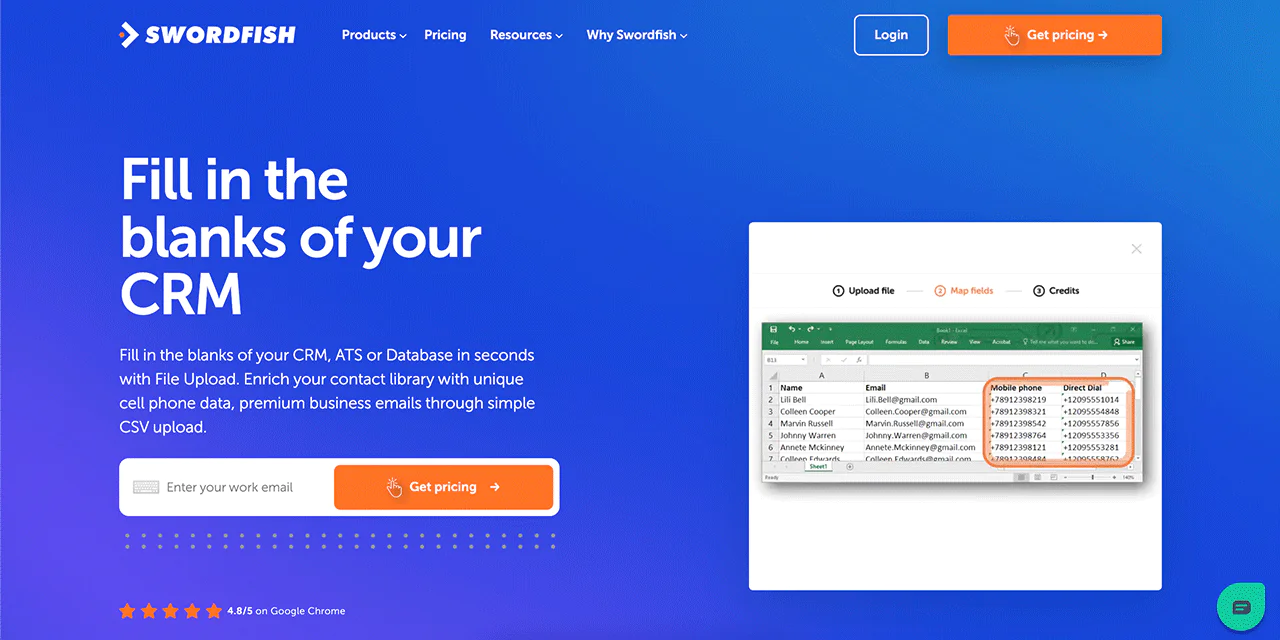
With File Upload, you upload an existing contact list and Swordfish fills in the missing phone numbers and emails, which is a fast way to refresh a stale CRM.
Best Use Cases of Swordfish AI
- Finding Leads: Build out prospect lists with contact details attached, rather than names alone.
- Hiring: Get direct contact info for candidates so recruiters can reach out without relying on InMail credits.
- Improving Sales: Skip gatekeepers and reach decision-makers directly, which shortens the sales cycle.
- Running Marketing Campaigns: Target campaigns with verified contact data instead of guessing at deliverability.
- Reaching Out to Customers: Keep existing customer records current so renewal and service outreach actually lands.
- Updating Your CRM: Refresh outdated records in bulk instead of manually researching each contact.
- Working Together: Give sales, recruiting, and marketing teams a shared, accurate contact base.
Pros of Using Swordfish AI
- Fast and accurate lead contact information discovery.
- Speeds up reaching out to key decision-makers.
- Keeps CRM filled with the latest contact info.
- Makes finding potential candidates quicker for recruiters.
- Targets the right audience for marketing campaigns.
- Helps teams work together by sharing accurate data.
Cons of Using Swordfish AI
- Setup takes 1 to 2 minutes max.
Pricing
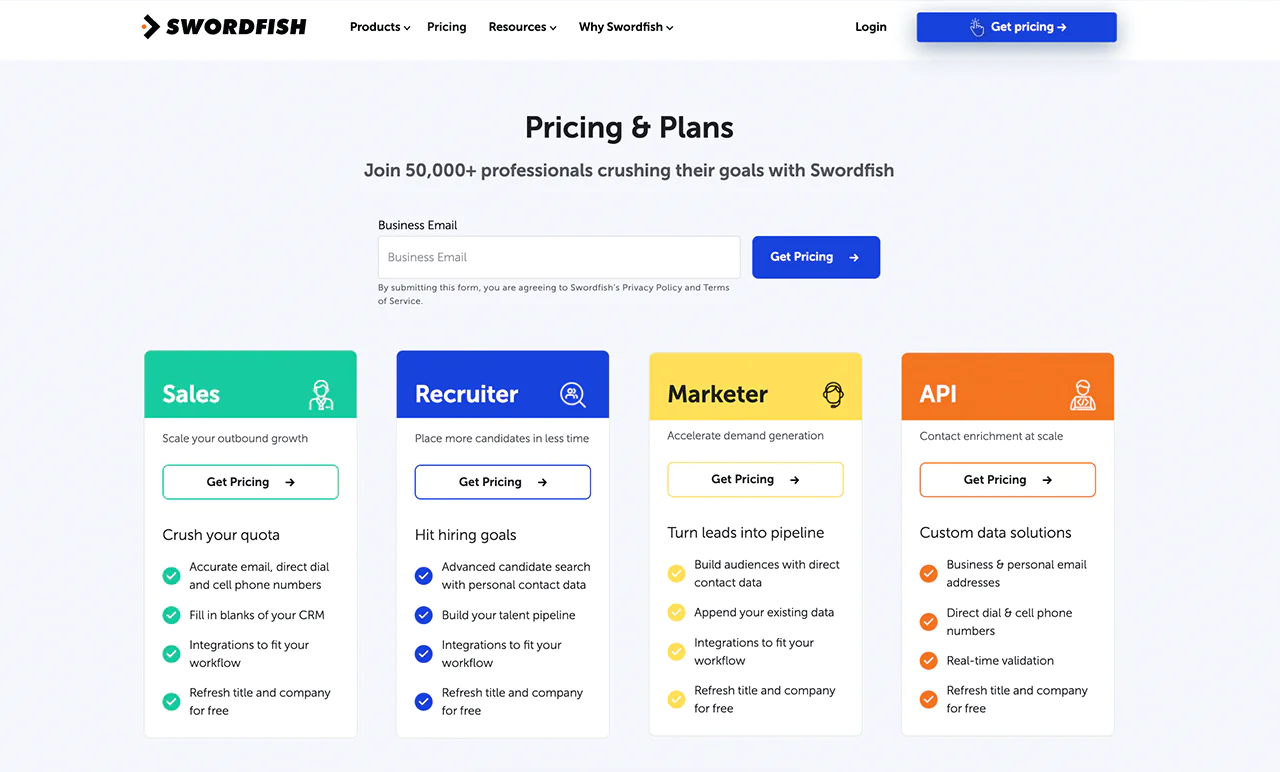
Swordfish AI offers customized pricing across sales, recruitment, marketing, and API use cases. Each plan includes access to emails, direct phone numbers, and mobile contacts, along with updates on job positions and company details. Reach out directly for a quote that matches your volume and use case.
 Try Swordfish Ai
2. SalesIntel
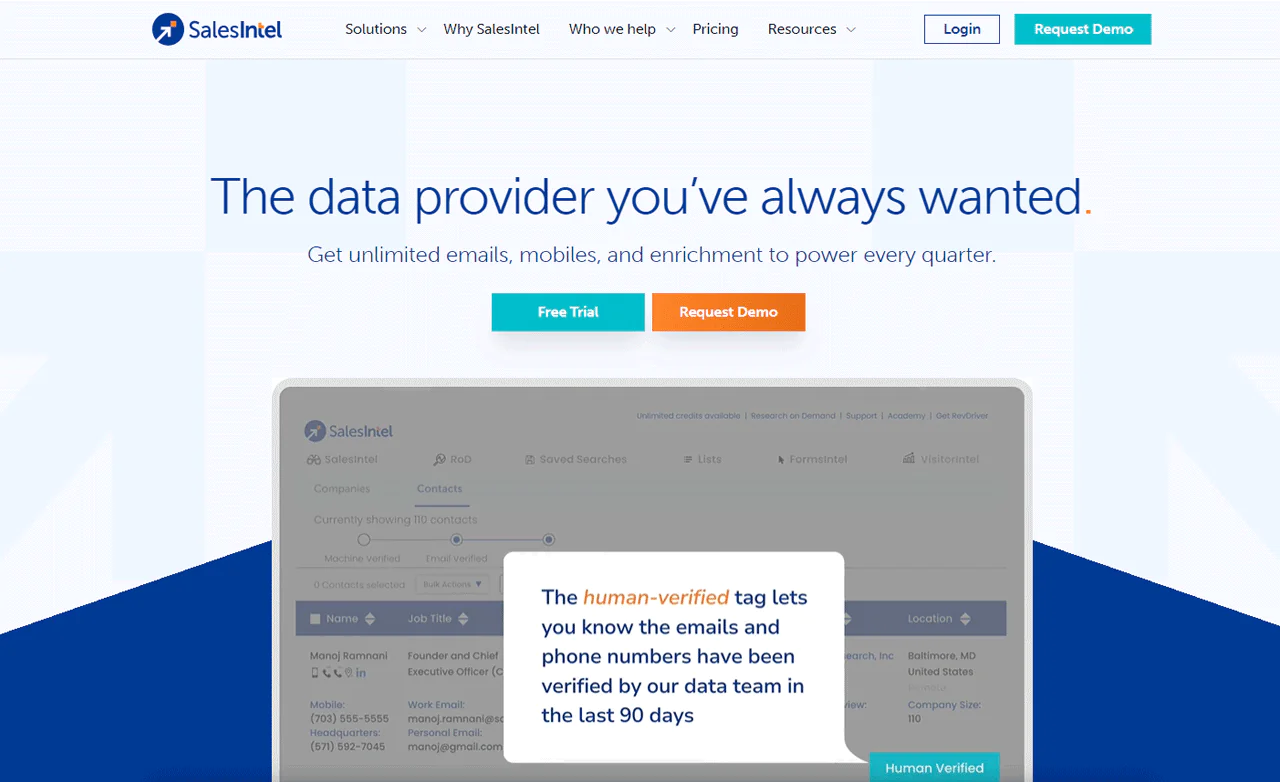
SalesIntel is a solid pick for teams that prioritize human-verified B2B data. The company re-verifies its records manually every 90 days rather than relying only on automated matching.
Plans include unlimited access to email addresses, phone numbers, and mobile contacts, which removes the credit-anxiety that comes with per-lookup pricing models.
SalesIntel also integrates with major CRMs and leans on account-based targeting to keep sales and marketing aligned. If a contact is missing, its research-on-demand service will track it down and verify it.
The interface is straightforward, which matters if your team doesn’t want a long onboarding curve.
Against ZoomInfo, SalesIntel’s edge is its human-verified data, which suits targeted, high-precision outreach. ZoomInfo counters with broader market intelligence and a bigger database built for large-scale prospecting.
About
- Founding year: 2018
- Founding team: Manoj Ramnani
- Company Size: 11 to 50 employees
Features of Salesintel
- Human-Verified Data: Real people check SalesIntel’s records every 90 days, cutting down on outreach to dead or wrong contacts.
- Research-on-Demand: If a contact or company isn’t in the database, SalesIntel’s team will research it for you rather than leaving a gap in your pipeline.
- Technographic Data: Shows what tech stack a prospect is already running, useful for positioning your product against or alongside it.
- Firmographic Data: Company-level detail on industry, revenue, and size that helps you prioritize outreach.
- Intent Data: Flags companies actively searching for solutions like yours, so you can focus on the leads most likely to convert.
- Data Enrichment: Automatic updates keep contact and company records current without manual upkeep.
- CRM Integrations: Connects with Salesloft, Outreach, HubSpot, Zoho, LiveRamp, and others, so enriched data flows straight into your existing sales leads database.
- Chrome Extension: The RevDriver extension surfaces contact info directly on LinkedIn and company sites, which makes LinkedIn lead generation faster.
Pros
- Increases chances of reaching key decision-makers.
- Reduces time spent on finding and qualifying leads.
- Quickly finds missing details for contacts.
- Helps sales and marketing teams work better together.
- Makes reaching out to customers more effective with reliable data.
- Simplifies how you handle and use data.
Cons
- Limited information on businesses outside the U.S.
Pricing
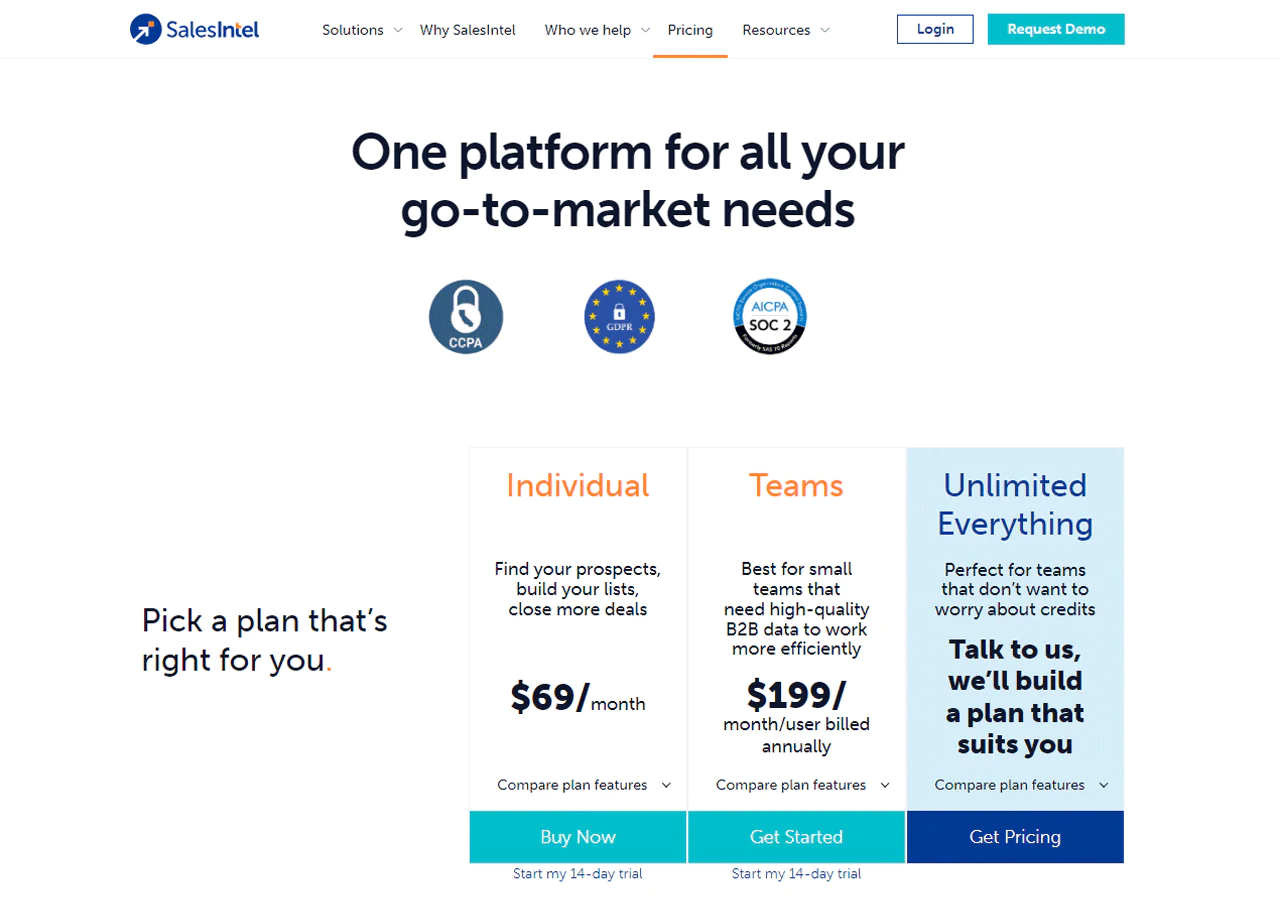
Solo users can start with the Individual plan at $69 per month for 100 monthly credits.
Small teams can get verified B2B data for $199 per user per month, billed annually — a reasonable option if reliable, low-maintenance data matters more than flexibility.
If credit management isn’t your thing, SalesIntel will build a custom plan around your usage instead.
What Users Say About Salesintel?
- G2: 4.3 out of 5 (315 reviews)
- Capterra: 4.3 out of 5 (28 reviews)
“What do you like best about Salesintel?
SalesIntel is very easy to use and their team is always there quickly when we need something. I like the “export to SF” feature, their customer intent feature and their new VisitorIntel feature that let’s me know what potential customers are viewing our website. I use SalesIntel everyday and have found it very easy to use and very easy to integrate/connect to our SF.
What do you dislike about Salesintel?
I would like it to add contact info from LinkedIn that I have requested that they verify. As of now, I have to dig through the update emails they send me, then look for the person on LinkedIn again a few days later and then have SalesDriver put the info into Salesforce. I have found linkedin verifications in my email that I forgot to go back to and then re-enter into SF.” – Verified User in Information Technology and Services
Our Review of SalesIntel
SalesIntel’s human-verified data is its strongest asset — it means the contact details you pull are current and less likely to bounce than a purely automated match.
The on-demand research service is a genuinely useful backstop when a record is missing, and it’s included rather than billed separately.
The main limitation is geographic: its focus on U.S.-based data makes it a weaker fit for teams selling internationally.
Overall, it’s a strong choice if your target market is domestic and data reliability matters more than sheer database size.
3. Lusha
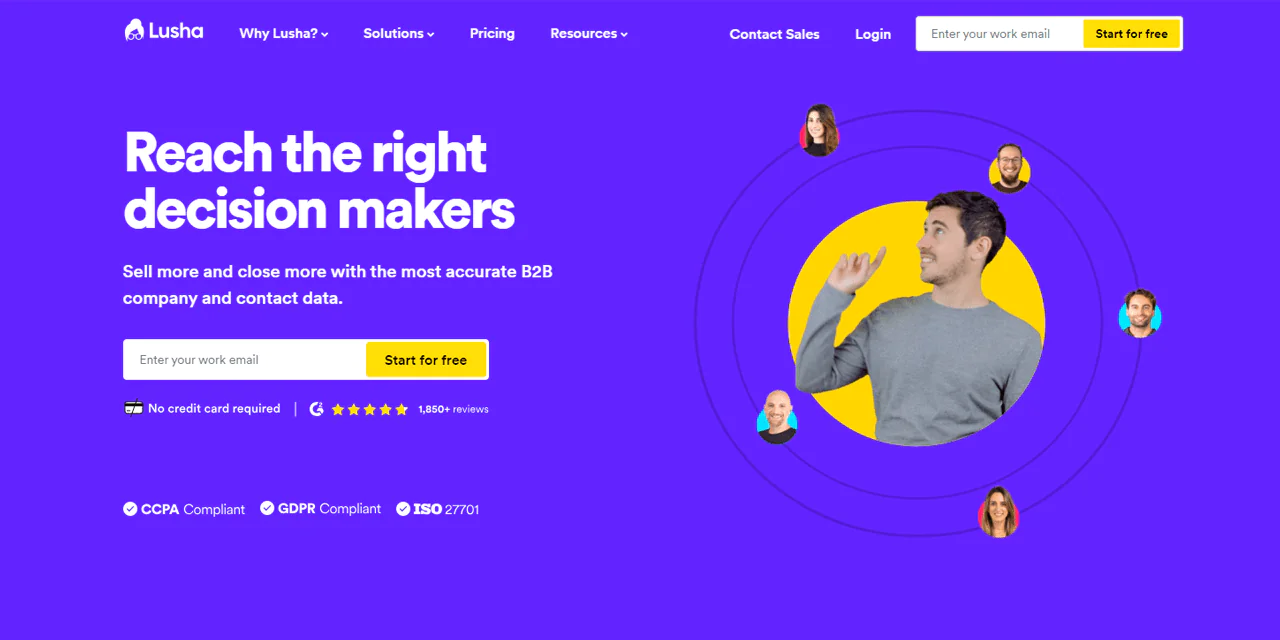
Lusha is built for teams that want precise, verified contact and company data without a steep learning curve. Real-time updates and a fairly detailed sales leads platform make it easier to reach decision-makers directly.
Its database combines AI matching with crowdsourced verification, which is part of why its contact records tend to hold up over time.
Against Apollo.io, Lusha trades database size for precision. Apollo.io has a larger database and a wider toolset, but if reaching a specific decision-maker is the priority, Lusha’s accuracy may matter more than Apollo’s scale.
About Lusha
- Founding year: 2016
- Founding team: Assaf Eisenstein, Yoni Tserruya
- Company Size: 340 employees
Features of Lusha
- Reliable Data Checks: A seven-step verification process filters out inaccurate contacts before they reach you.
- Quick Setup: Teams can be up and running in minutes without a formal onboarding process.
- Top-Notch Privacy: Lusha complies with major data protection laws and was among the first in its category to meet ISO-27701 standards.
- Find Contacts and Companies: Pull up to 1,000 contacts or companies per search, filtered to the accounts that matter.
- Organized Contact Lists: Turn searches into clean lists you can use directly from the dashboard or export to CRM or CSV.
- Easy CRM Integration: Add new prospects to your CRM with one click.
- Insightful Analytics: Track credit usage and team activity so you can allocate resources more wisely.
Pros
- Ensures successful outreach with precise B2B contact details.
- Easily integrates with CRM systems for a quick start.
- Meets strict data protection standards for user confidence.
- Helps quickly identify and reach key business contacts.
- Makes building targeted marketing lists straightforward.
- Provides clear insights into how effectively credits are used by the team.
Cons
- Only focused on U.S. data.
Pricing
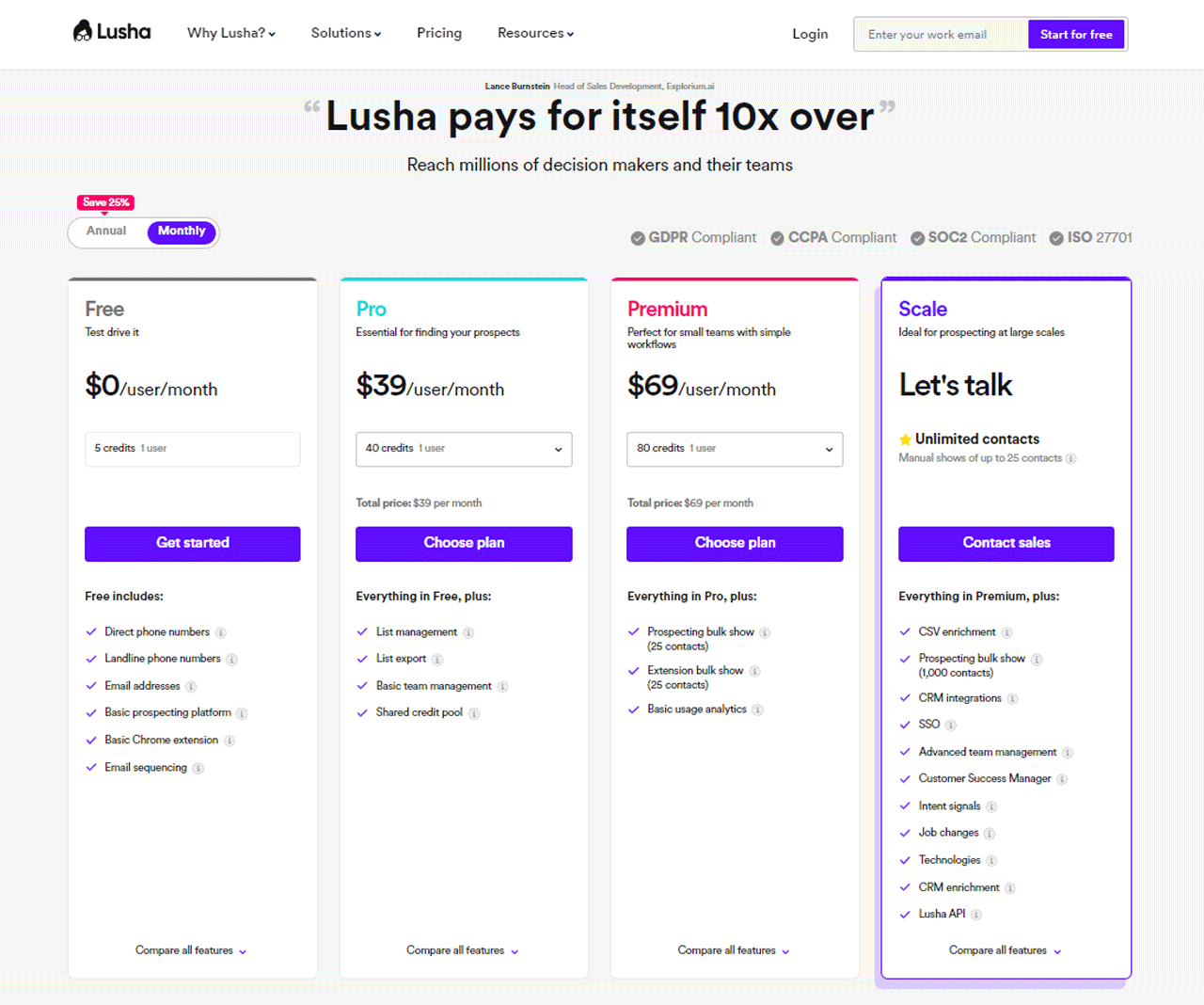
One credit unlocks a full email or mobile phone record. The Free plan includes 5 credits to start.
The Pro plan offers 40 credits for $39 monthly, and Premium doubles that to 80 credits for $69 monthly. Larger teams can get a custom Scale plan.
Sign-up just requires a business email address.
What Users Say About Lusha?
- G2: 5 out of 5 (1,427 reviews)
- Capterra: 4 out of 5 (359 reviews)
“What do you like best about Lusha?
Using Lusha for a while now, started as a trial account user and later upgraded to paid user. Using it to source contact details for prospecting and also identifying firms based on filters
What do you dislike about Lusha?
Similar to ZoomInfo Sales, the appearance is simple but not attractive. My experience is both are useful as few contact details not found in one source can be found in another and vice versa. – Vallapil R.
Our Review of Lusha
Lusha delivers on data accuracy and keeps a tight grip on privacy compliance, which builds confidence in the records you’re working with. CRM integration is smooth, which helps keep sales and marketing aligned.
The credit-based pricing can get expensive for high-volume use, especially for smaller teams, and the U.S.-centric data limits its usefulness for global expansion.
Still, for teams focused on the U.S. market, it’s a solid outreach accuracy tool.
Note: Check out other Lusha alternatives for a wider range of lead generation possibilities.
4. UpLead
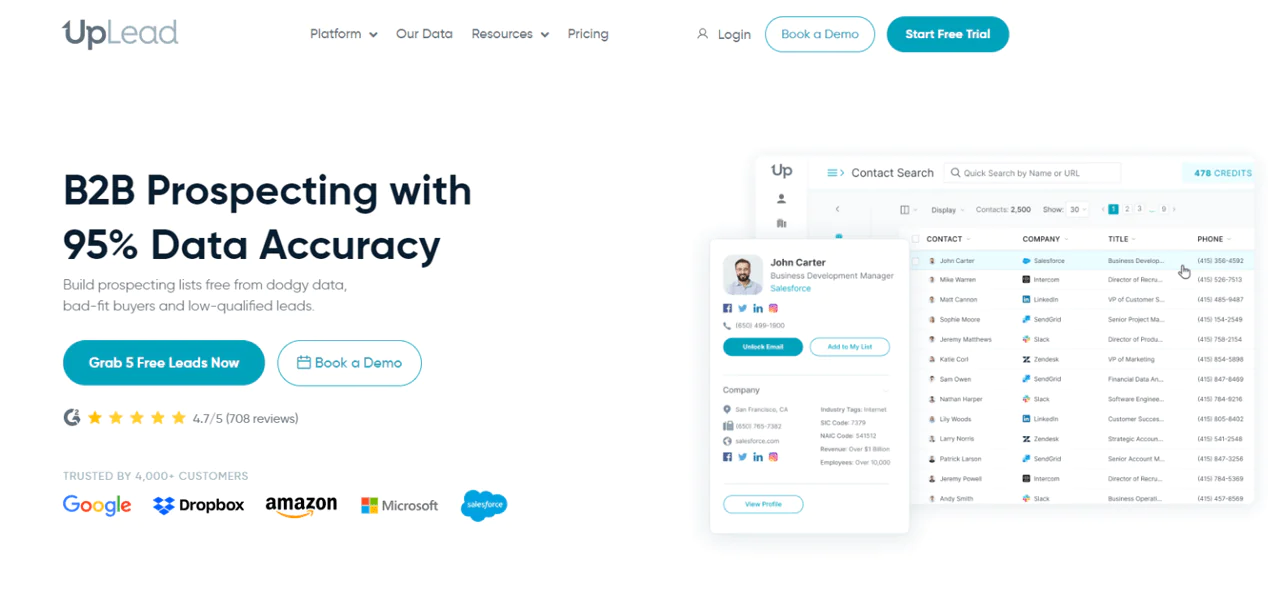
UpLead is aimed at teams that put data accuracy first, claiming more than 95% of its contact data is confirmed correct. A strong verification process backs that claim up.
The platform layers in intent data and direct-dial numbers, which helps narrow outreach to decision-makers who are actually in-market.
Compared to Lusha, UpLead leans harder into verification: its instant email verification and ongoing data enhancement give it an edge for teams that can’t afford bounce-heavy campaigns.
That makes UpLead a strong option for reps who need dependable leads more than they need a massive database.
About UpLead
- Founding year: 2017
- Founding team: Will Cannon
- Company Size: 51 to 200 employees
Features of UpLead
- Prospector Tool: Access more than 155 million contacts with a 95% accuracy claim, using over 50 filters to narrow your search.
- Chrome Extension: Capture emails and phone numbers directly while browsing a website or LinkedIn profile.
- Data Enhancement: Add over 50 data points to existing contact and company records, including social profiles.
- Email Verifier: Checks email validity in real time before you send, cutting bounce rates.
- Data API: Automatically enriches your own applications with updated contact and company info.
- Intent Data: Flags leads actively researching solutions like yours.
- Technographics: Filter companies by the technology they already use.
- Email Finder: Enter a name and company, and UpLead verifies the email on the spot — you only pay if it’s valid.
Pros
- Check emails instantly to confirm you’re contacting the right people.
- Offers a wide-reaching and detailed B2B leads database for global access.
- Provides detailed search options to help you find exactly who you’re looking for.
- Uses intent data to quickly find prospects who are ready to make a purchase.
- Gives refunds for any data that doesn’t meet standards.
Cons
- Some of the best features might be expensive.
Pricing
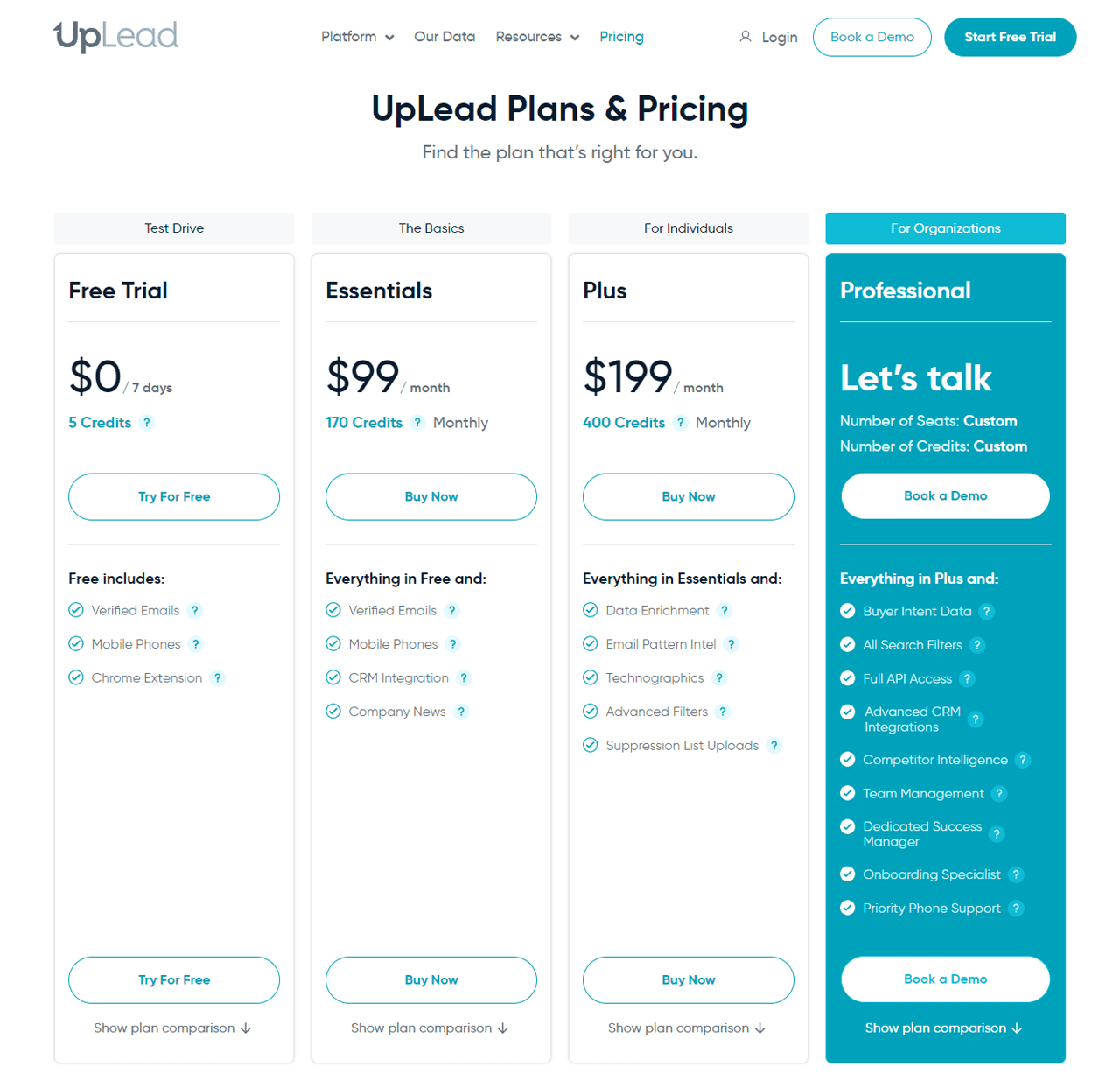
A free trial lets you test the platform before committing. The Essentials plan runs $99 for 170 monthly credits, suited to individuals.
The Plus plan offers 400 credits for $199 monthly. Larger teams can get custom credit packages under the Professional plan.
What Users Say About UpLead?
- 2: 4.7 out of 5 (708 reviews)
- Capterra: 4.7 out of 5 (74 reviews)
“What do you like best about UpLead?
We are a small company, and UpLead is a perfect fit. I can easily pull up a list of potential clients and either prospect directly from UpLead and import qualified candidates as I find them or build a list I can download later. Managing your credits is easy, so you stay within your budget.
What do you dislike about UpLead?
I have nothing negative to say about the product other than that I wish I had more features. More business intelligence would be helpful, and I’ll pay for that module as soon as we grow a little. The product is priced right for us right now.” – Eric S.
Our Review of UpLead
UpLead’s biggest strength is accuracy — its claimed 95%+ data accuracy holds up well against search filters that let you target contacts precisely.
Premium features can get pricey for small teams, and the sheer number of filters and data points may feel like a lot for a new user to absorb.
Even so, its focus on verified, database-free lead generation makes it a solid choice for teams refining their sales process.
Note: Expand your lead generation options with these UpLead alternative methods.
5. Lead411
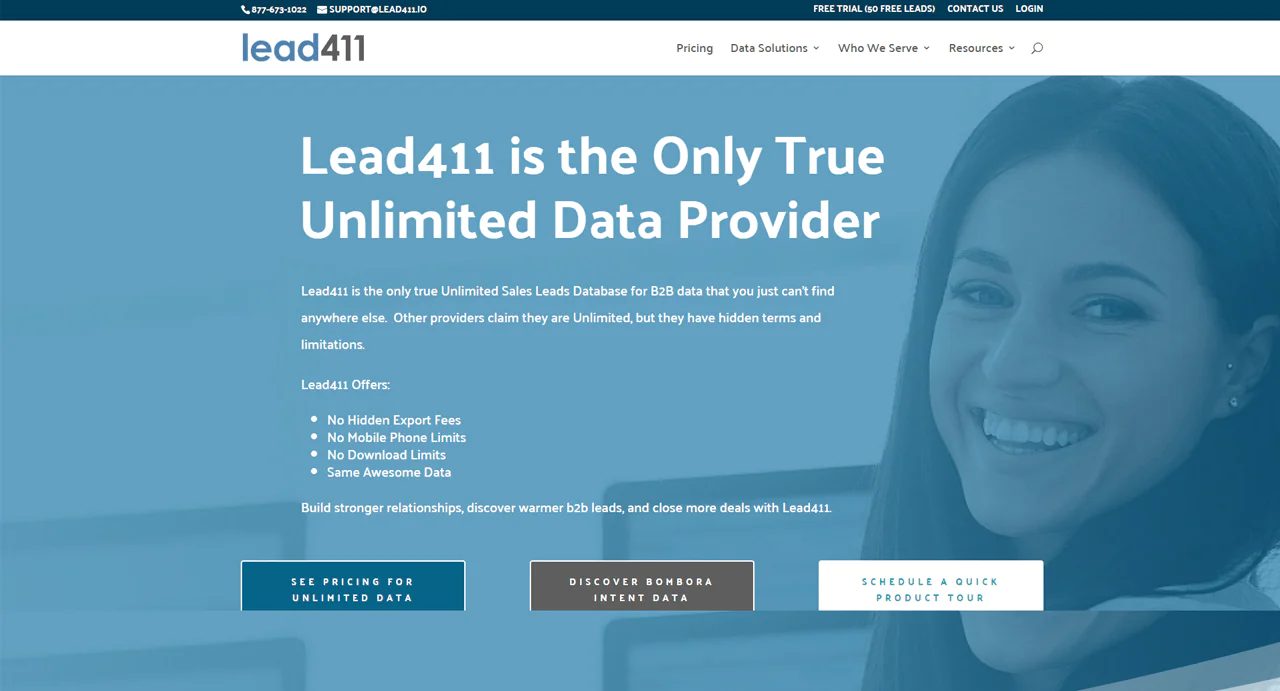
Lead411 differentiates itself with unlimited sales databases and no hidden costs, plus full access to direct contacts and intent data baked into the plan.
It’s particularly useful for filling out a CRM with accurate data and understanding what buyers are actively looking for.
Against SalesIntel, Lead411’s advantage is its Bombora intent data integration, which surfaces a wide range of buying signals so you can prioritize leads who are already showing interest — a real edge for planning timely B2B sales strategies.
About Lead411
- Founding year: 2011
- Founding team: Tom Blue
- Company Size: 11 to 50 employees
Features of Lead411
- Advanced Search: Sift through a large lead generation database using specific filters to find contacts that actually fit your business.
- Bombora Intent Data: Highlights companies currently interested in services like yours, so timing your outreach becomes easier.
- Chrome Extension: Grab B2B contact info while browsing LinkedIn or company sites, without switching tools.
- Contact Enrichment: Keeps CRM records updated and complete automatically.
- Re-verification Data: Records are re-checked every 90 days, so you’re not wasting time on dead contacts.
- Sales Engagement – Reach: Run email, phone, and SMS campaigns directly from Lead411, keeping outreach organized in one place.
Pros
- Searches specifically find the customers you need quickly.
- Shows who are likely to buy your services.
- Makes gathering leads easy while browsing.
- Keeps your CRM filled with up-to-date contact info.
- Data checks every 90 days ensure information stays fresh.
- Allows you to reach out to leads through email, phone, or SMS.
Cons
- Expensive plans may not suit small business finances.
Pricing
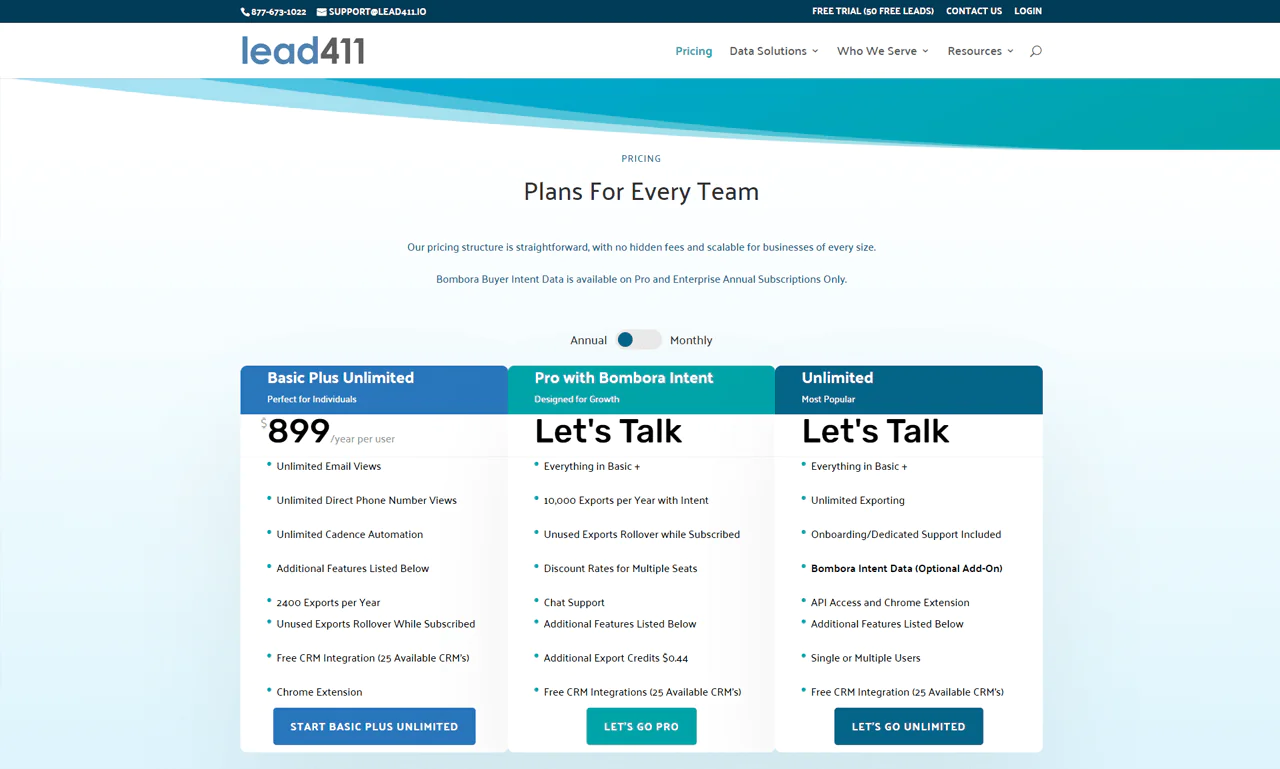
A 7-day free trial includes 50 exports at $0.50 each once it ends.
Solo users can consider the Basic Plus Unlimited plan at $99 monthly, which includes 200 exports with rollover for unused ones.
Larger teams can look at the Enterprise Limited package, which offers custom solutions, added support, and seat-based discounts.
What Users Say About Lead411?
- G2: 4.5 out of 5 (424 reviews)
- Capterra: 4.6 out of 5 ( 60 reviews)
“What do you like best about Lead411?
I really like the tool cz the information about every lead is correct and when its about sales and business development, in getting more and more B2B data to help you gain your company ROI, Leads411 is the best.
What do you dislike about Lead411?
Technical complexity to use the tool. Or there has to be a video to navigate the new user to this tool.” – Nausheen K.
Our Review of Lead411
Lead411 stands out for detailed B2B data enriched with intent signals — the Bombora integration and strong search tools make it useful for sharpening a sales approach.
New users may find the volume of information and options a bit much at first, and advanced-feature pricing can be steep for smaller companies.
Even so, it’s an effective tool for teams that want intent data baked into their prospecting.
6. Cognism
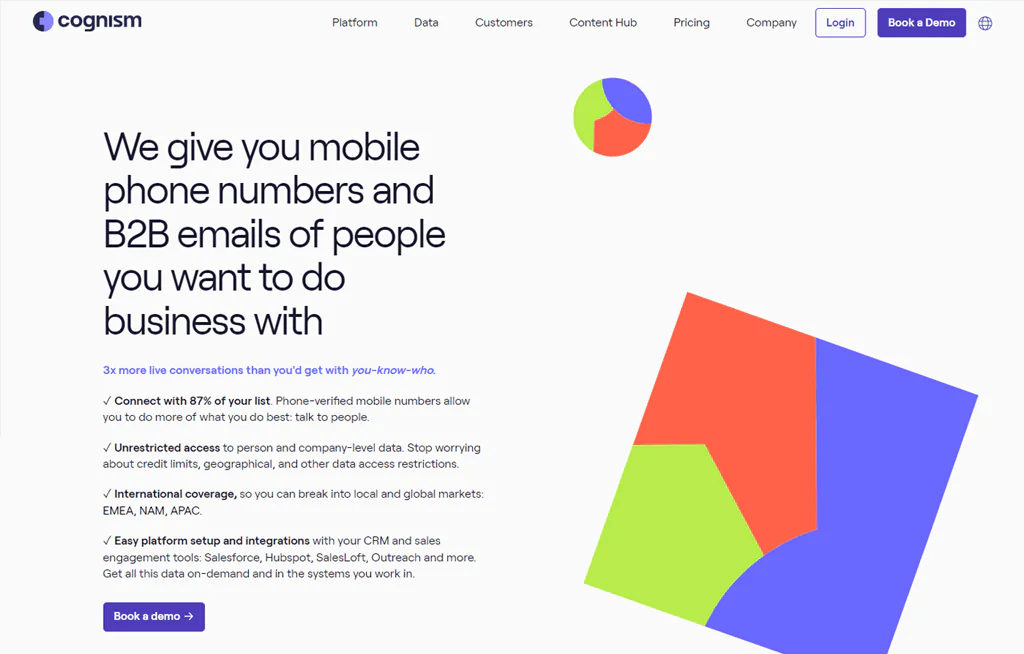
Cognism targets B2B companies looking to scale sales intelligence globally, with a database built around accuracy, compliance, and international reach — it’s used by over 1,800 companies.
It focuses on connecting reps with key decision-makers and sharpening sales approaches so outreach lands with people who are actually reachable and interested.
Against SalesIntel, Cognism’s edge is phone-verified numbers, giving teams more immediate confidence in the accuracy of contact data.
For companies expanding into new markets, that combination of data quality and legal compliance is a genuine differentiator.
About Cognism
- Founding year: 2015
- Founding team: James Isilay and Stjepan Buljat
- Company Size: Over 530 Employees
Features of Cognism
- Global B2B Database: 400 million B2B profiles spanning Europe, North America, and Asia-Pacific, with checked phone numbers and emails.
- Sales Intelligence: Analyzes company size, tech use, and buying signals to flag the right time to reach out.
- Data Enrichment: The Enhance feature updates stale information and fills in gaps automatically.
- Chrome Extension: Gives quick access to email addresses and phone numbers while browsing LinkedIn, and works with your existing CRM.
- Intent Data: A Bombora partnership surfaces businesses actively searching for what you offer.
Pros
- Expands your ability to connect with clients globally.
- Increases your chances of reaching key decision-makers.
- Keeps you in line with global data protection regulations.
- Makes integrating with your current CRM system easy.
- Helps you quickly find prospects who are looking to buy.
- Makes finding and qualifying leads more straightforward.
Cons
- Requires some time to get used to all its features.
Pricing
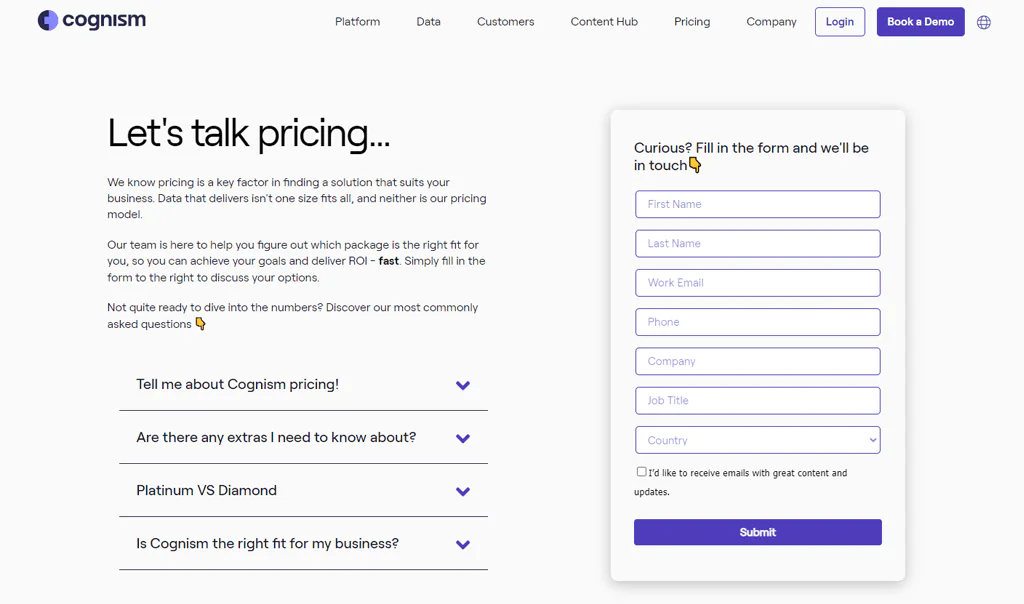
Cognism doesn’t post package names or prices publicly, but generally the Platinum Plan runs $15,000 plus $1,500 per user for access to 25 million contacts.
The Diamond Data Plan, at $25,000, adds advanced sorting and up to 50 million contacts. Both include full access to Cognism’s app, Chrome Extension, and integrations.
Intent data and custom research are available as paid add-ons.
What Users Say About Cognism?
- G2: 4.6 out of 5 (564 reviews)
- Capterra: 4.6 out of 5 (67 reviews)
“What do you like best about Cognism?
I Love how the tool can capture customer Intent and Helps retenstion of the customer by focused Marketing & Sale campaigns. It plugs in directly to our CRM and the integration was so soomth & Flawless. The data quality is too good and it reduces a lot of manual efforts like dowloading the data from CRM. The contacts that the Cognism has is trust worthy and we are able to flawlessly navigate on day to day basis.
What do you dislike about Cognism?
The Intent data can be much more accurate and there are few minor issues on the email campaigns. Other than that this is the best tool available in the market.” – vignesh .
Our Review of Cognism
Cognism’s global database stands out both for accuracy and for staying within legal compliance boundaries across markets.
It’s particularly good at connecting companies to actual decision-makers, which speeds up sales cycles.
The tradeoffs are cost, which may be steep for smaller companies, and a learning curve around the full feature set.
For companies expanding internationally, though, Cognism’s compliance-first approach offers real value.
7. LinkedIn Sales Navigator
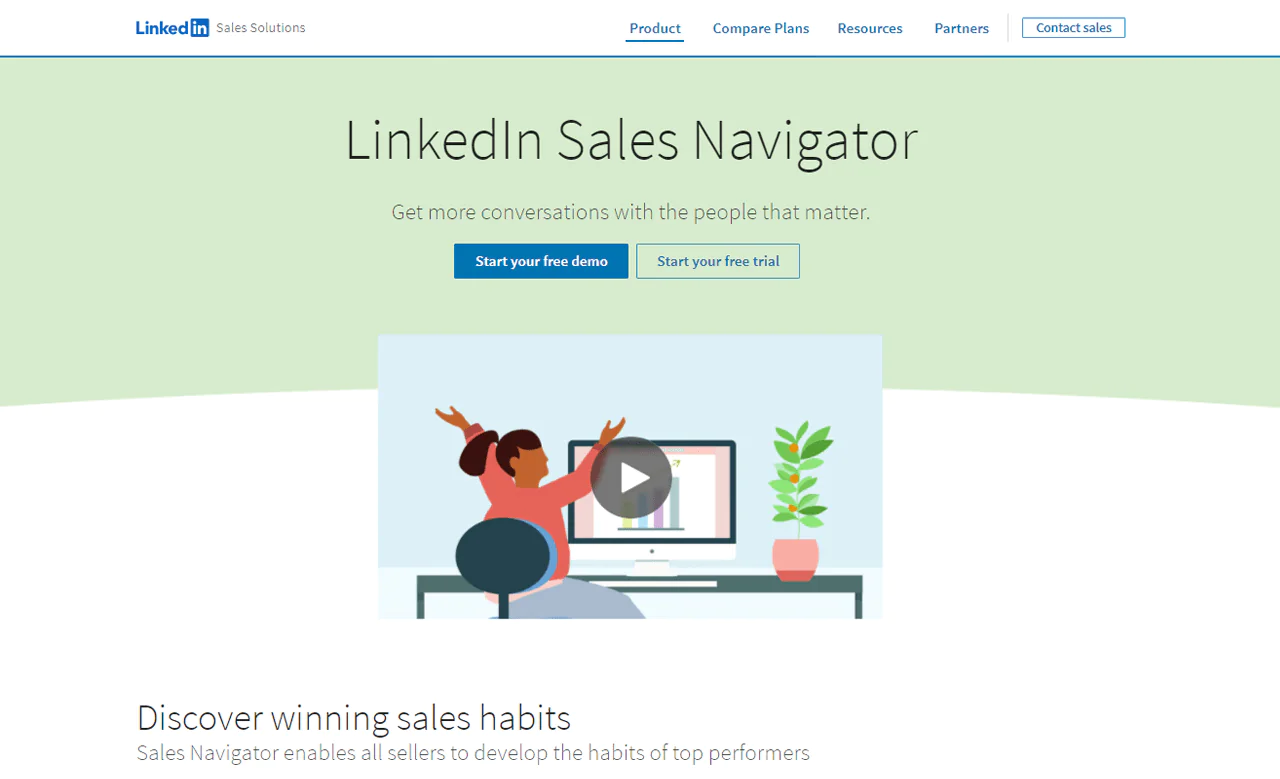
LinkedIn Sales Navigator is built around finding and connecting with the right people using LinkedIn’s own network rather than an external database.
It lets you flag key accounts, get warm introductions through mutual connections, and track changes like job moves. Hiring trends and team-size data help you start conversations with useful context already in hand.
Compared to Lusha, Sales Navigator doesn’t offer the same cohesive sales intelligence experience — but for teams already living on LinkedIn, that may not matter.
Its AI-powered account insights are especially useful for building data-driven strategies rooted in LinkedIn’s professional network.
About LinkedIn Sales Navigator
- Founding Year: 2014
- Founding Team: LinkedIn
Features of LinkedIn Sales Navigator
- Choosing Key Accounts: Highlights accounts with the most promise so you spend time where it counts.
- Easier Connections: Surfaces mutual contacts for warmer introductions.
- Stay Informed: Alerts you to job changes in your network, keeping outreach timely.
- Find the Right Leads: More than 14 advanced filters help pinpoint the right opportunities.
- Gain Insights: Shares growth trends and new hires at target companies.
- Work Smoothly with Your CRM: Updates your CRM with fresh Sales Navigator data and activity.
- Identify Interested Buyers: Flags accounts showing buying-intent signals based on online activity.
Pros
- Helps you focus on accounts with the greatest potential.
- Makes connecting with leads easier through known contacts.
- Keeps you updated on important changes with decision-makers.
- Allows you to find exactly who you’re looking for with advanced search options.
- Gives you valuable information about companies’ growth and new hires.
Cons
- Might be too costly for solo users or small teams.
Pricing
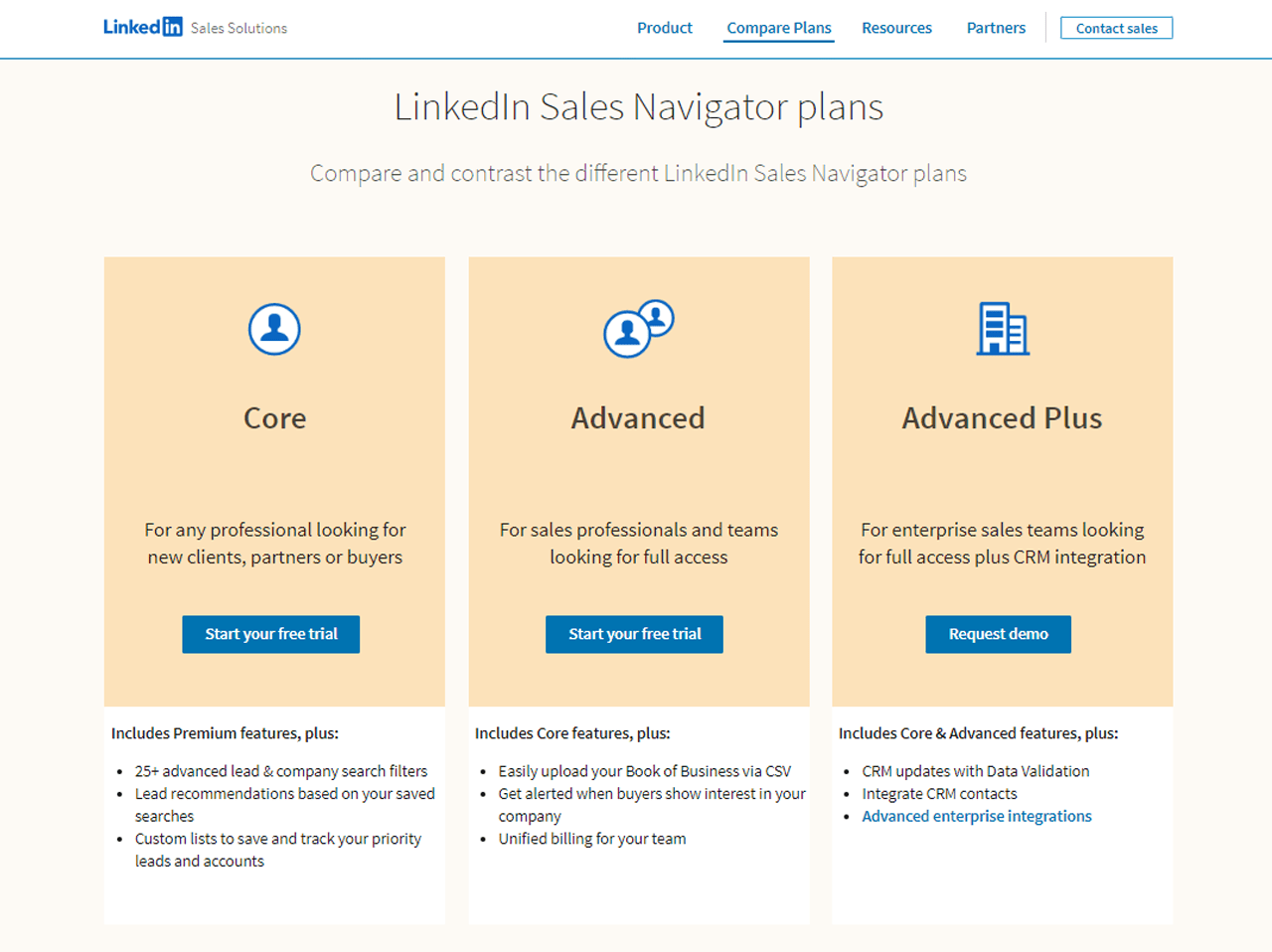
LinkedIn offers three Sales Navigator tiers: Core at $99 monthly, Advanced at $149 monthly, and Advanced Plus at $1,600 monthly for enterprise needs.
Paying annually cuts the cost by roughly 25%.
What Users Say About LinkedIn Sales Navigator?
- G2: 5 out of 5 (1,831 reviews)
- Capterra: 4 out of 5 (136 reviews)
“What do you like best about LinkedIn Sales Navigator?
One thing I like about sales nav is that it makes searching for leads easier since it is connected to LinkedIn. Its diversity in search results makes it easy to get customized prospects based on their job title, company, and location. It makes it even easier to gather all the required information about the people I need to approach. It’s a built-in message system that helps me reach out directly to my prospects making it even much better.
What do you dislike about LinkedIn Sales Navigator?
The only issue with Sales Nav is that if my company is not paying me for it, it’s very costly. After getting a premium, you can’t get one again based on a referral.” – Haris R.
Our Review of LinkedIn Sales Navigator
Sales Navigator earns its place by focusing attention on the most promising leads, easing introductions, and surfacing timely updates on prospects.
Its tie to LinkedIn’s network gives it a depth of insight that generic databases can’t match.
Cost is the main drawback for smaller teams, and the feature set takes some time to master.
Even so, it remains a strong tool for teams that already prospect heavily through LinkedIn.
8. VoilaNorbert
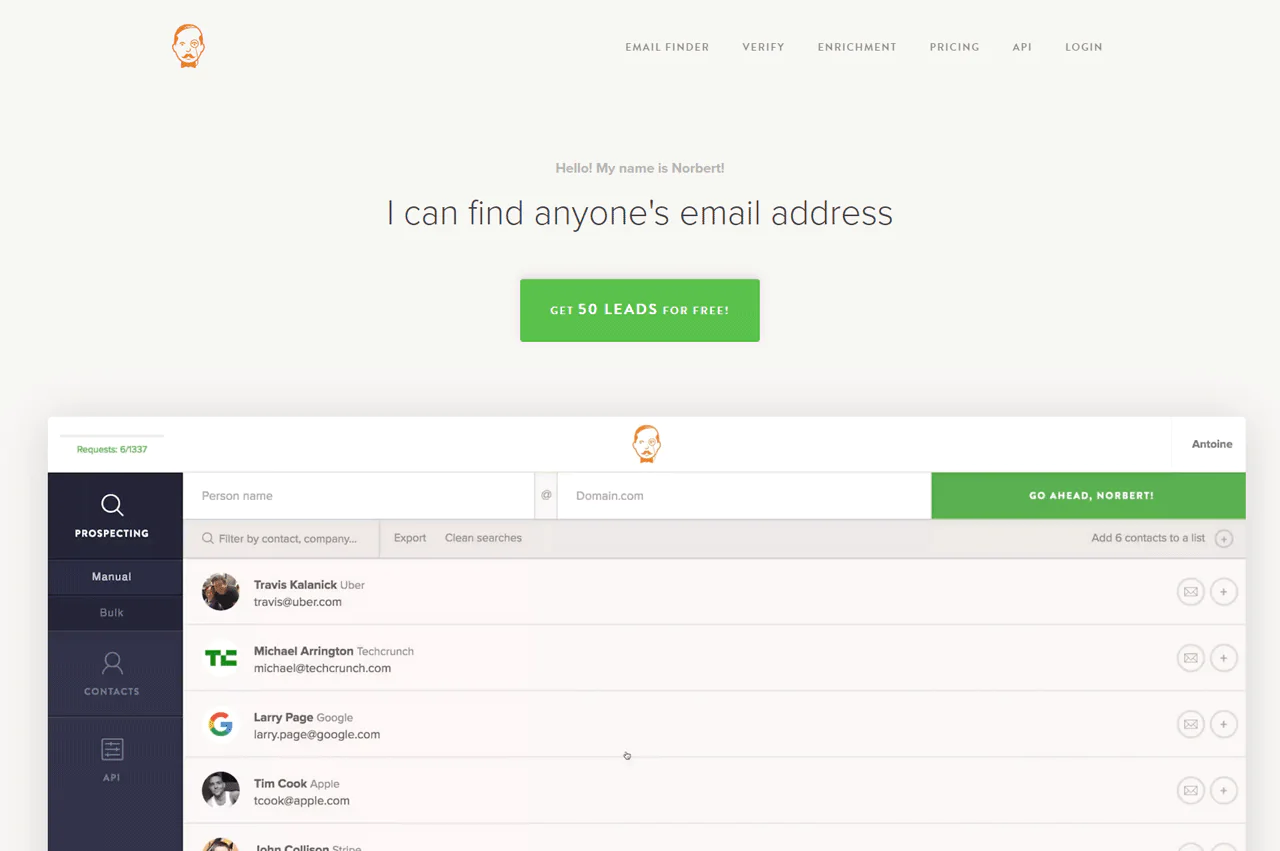
VoilaNorbert is built around one job: finding email addresses quickly and accurately. It’s a fit for sales, business development, recruiting, PR, and content marketing professionals who need a direct route to email-based lead generation.
The company claims up to 98% deliverability accuracy, which matters for keeping your sender reputation intact while filling a sales pipeline.
Against AeroLeads for email lookup, VoilaNorbert wins on usability and accuracy, while AeroLeads offers a larger database. VoilaNorbert’s real-time verification generally means better deliverability.
For efficient, reliable email discovery specifically, VoilaNorbert is the stronger pick.
About VoilaNorbert
- Founding year: 2014
- Founding team: Sujan Patel and Robert Senoff
- Company Size: 2 to 10 employees
Features of VoilaNorbert
- Email Verification: Checks whether an email is valid before you send, keeping bounce rates down.
- Email Finder: Finds someone’s email using just their name and employer.
- API Access: Automates email finding and verification inside your own systems.
- Data Enrichment: Adds job title, employer, location, and social profiles to contact records.
- Integrations: Works with Salesforce, Pipedrive, HubSpot, and other tools already in your stack.
Pros
- Finds email addresses fast for generating leads.
- Lowers the chance of emails not being delivered by checking addresses.
- Works well with popular CRM and marketing tools.
- Provides extra information about contacts for better understanding.
- Easy to use, making email search and verification straightforward.
Cons
- The price may increase with heavy or large-scale use.
Pricing
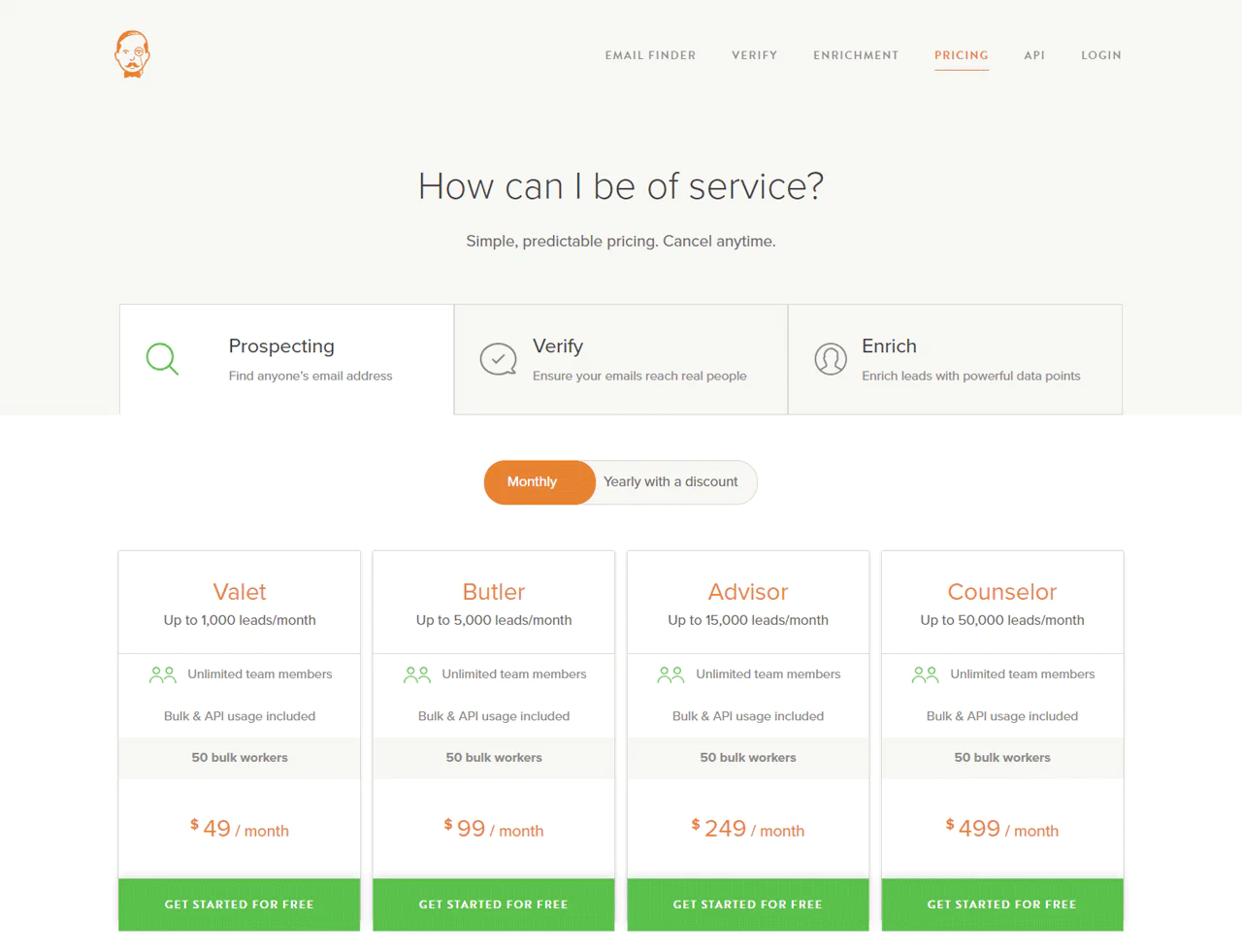
The Valet package starts at $49 monthly for up to 1,000 leads, a fit for small teams.
The Butler package offers 5,000 leads at $99 monthly, and the Counselor package supports up to 50,000 leads at $499 monthly for larger teams.
What Users Say About VoilaNorbert?
- G2: 4.6 out of 5 (46 reviews)
- Capterra: 4.3 out of 5 (14 reviews)
“What do you like best about VoilaNorbert?
Norbert pulls from a few different data sources like LinkedIn, which helps find accurate contact details.
What do you dislike about VoilaNorbert?
No software is going to be able to find contacts with 100% accuracy, so I understand, but sometimes it takes some manual research when nothing comes up.” – Ryan B.
Our Review of VoilaNorbert
VoilaNorbert’s strength is speed and simplicity — enter a name and domain, and it returns a verified email quickly.
Pricing can stretch a small team’s budget at higher volumes, and the tool is narrowly focused on email rather than broader contact enrichment.
If email is your primary channel, though, it’s a dependable, no-frills option.
9. Snov.io
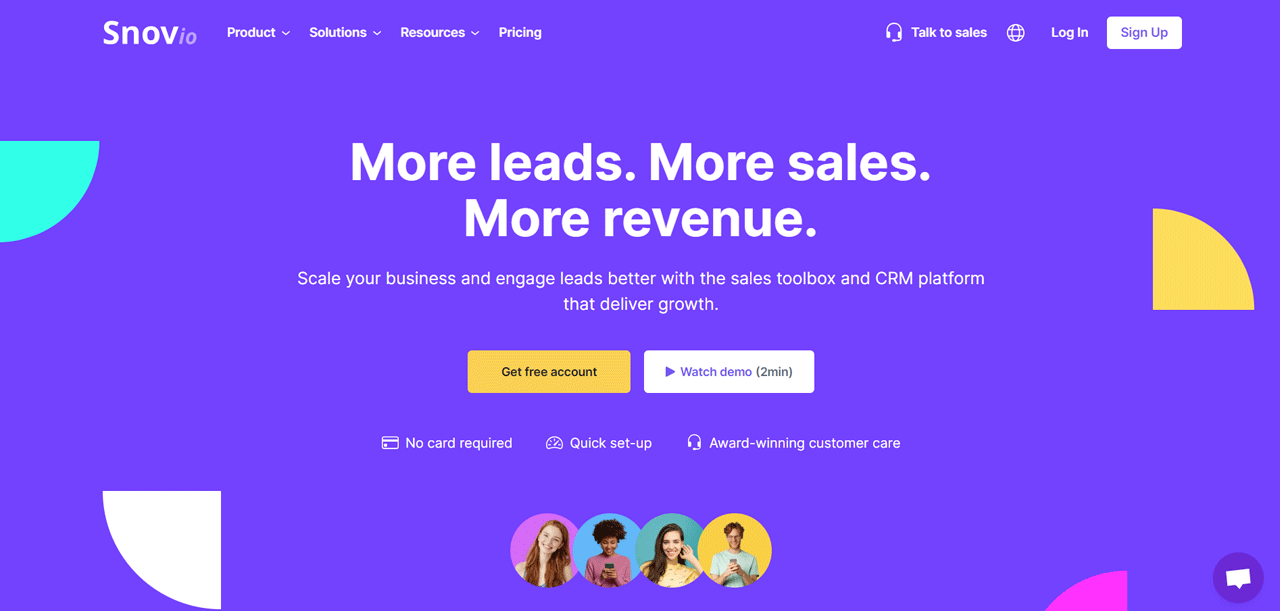
Snov.io covers the full sales funnel rather than a single task, bundling an Email Finder, Drip Campaigns, Email Verifier, and a Sales CRM into one platform.
The goal is fewer bounces, better email delivery, and smoother sales activity from first contact through close.
Compared to Hunter.io on email verification specifically, Snov.io brings more to the table overall — a full suite covering CRM and outreach, not just finding and verifying emails.
That makes it a fit for teams that want to nurture leads through to close inside one tool rather than stitching several together.
About Snov.io
- Founding year: 2014
- Founding team: Sujan Patel and Robert Senoff
- Company Size: 2 to 10 employees
Features of Snov.io
- Lead Generation Tools: Collect leads from websites, social media, and professional networks.
- Email Finder: Search for email addresses tied to a specific domain or person.
- Email Verifier: Verifies emails in bulk, reducing bounce risk.
- Email Drip Campaigns: Automates outreach sequences over time without manual follow-up.
- Email Warm-Up: Simulates regular sending activity to build sender reputation and avoid spam folders.
- Sales CRM: Tracks leads, deals, and communications in one place.
- Browser Extension: Saves leads directly while browsing the web or LinkedIn.
- Email Tracker: Integrates with Gmail to show when emails are opened and links clicked.
Pros
- Simplifies the search for leads across different sites.
- Reduces email bounce rates by ensuring their validity.
- Automates email sending, saving valuable time.
- Enhances email deliverability with a unique warming-up feature.
- Streamlines sales activities with an integrated CRM system.
Cons
- It takes time to learn how to use all the available tools.
Pricing
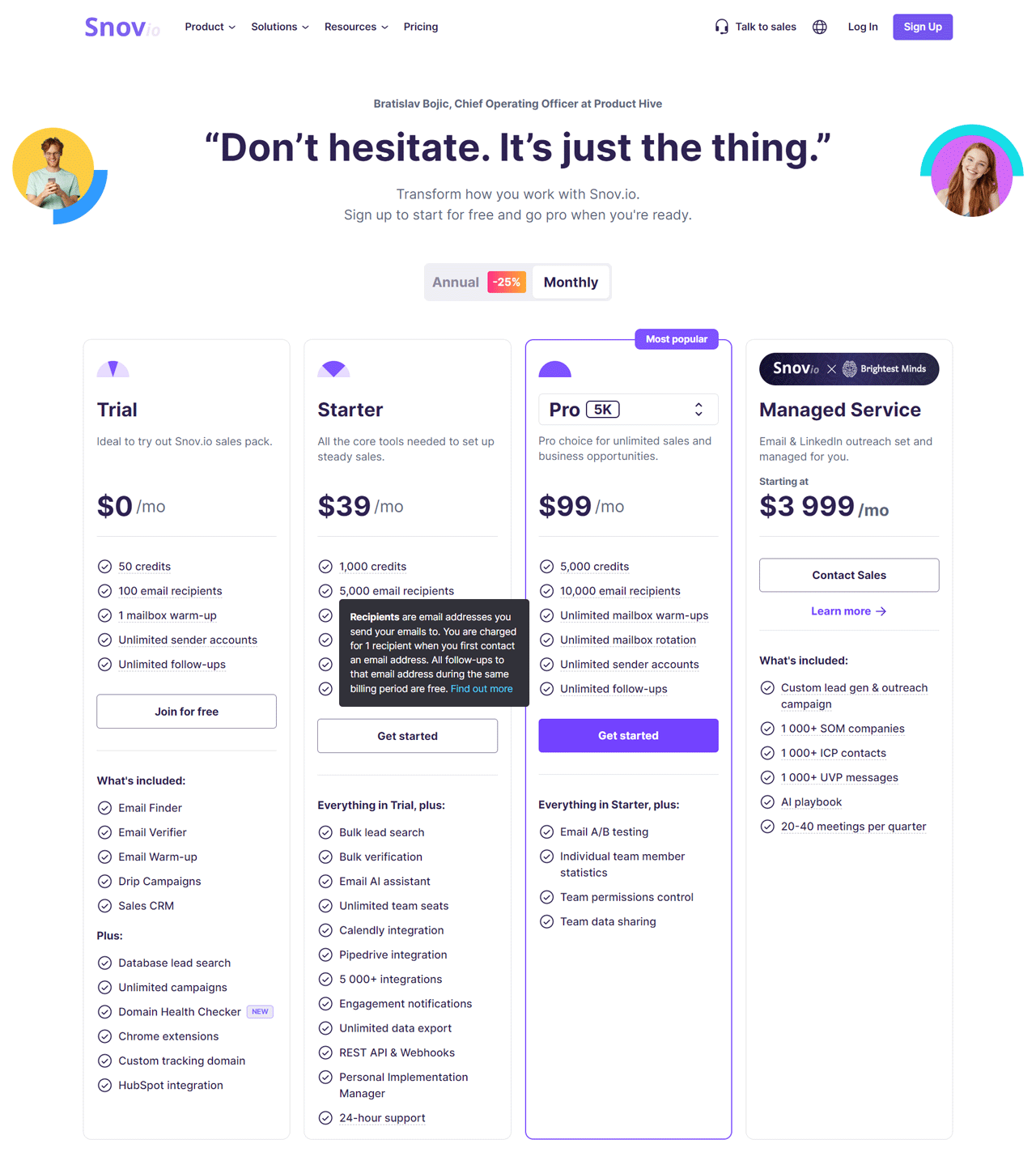
A free Trial includes 50 credits and 100 email sends. The Starter plan runs $39 monthly for 1,000 credits, suited to small teams.
The Pro plan is $99 monthly for 5,000 credits and advanced options. A Managed Service starting at $3,999 monthly covers full-service lead generation and outreach support.
What Users Say About Snov.io?
- G2: 4.5 out of 5 (353 reviews)
- Capterra: 4.6 out of 5 (207 reviews)
“What do you like best about Snov.io?
Snov.io is the ultimate solution for anyone who wants to engage in cold outreach for their business and save time and money on hiring a marketing company. Everything is intuitive, the service does it all by itself. You just need to focus on your goals and promoting your company.
What do you dislike about Snov.io?
It is likely the ability to automatically divide large audience lists among different email addresses. Currently, we have to manually divide the audience into small lists and launch each campaign separately.” – Sergei S.
Our Review of Snov.io
The combination of Email Finder and Verifier meaningfully cuts down on bounces, and the Drip Campaigns feature makes outreach feel more personalized without extra manual work.
The tradeoff is a real learning curve for newcomers given how many features are packed in, and pricing may be a stretch for very small teams.
Overall, it’s a capable option for teams that want lead gen and CRM in one subscription.
10. LeadIQ
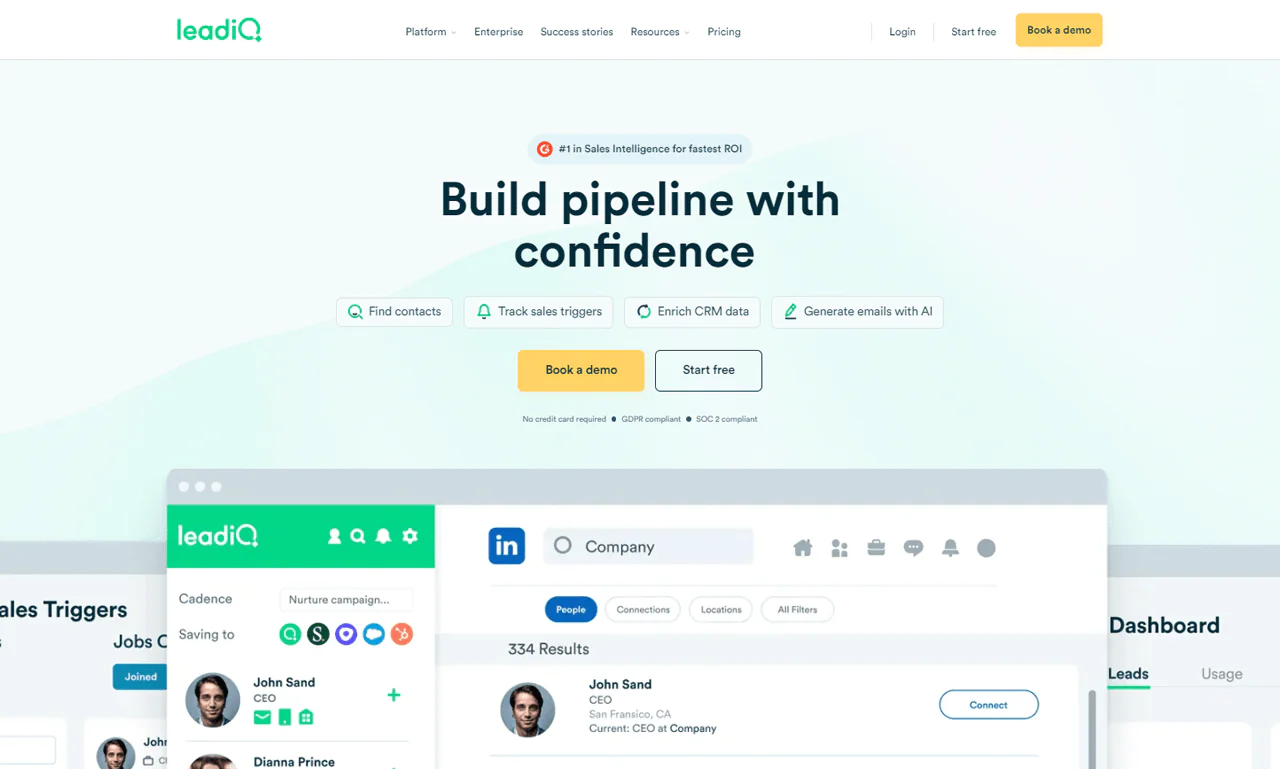
LeadIQ is designed to make B2B sales prospecting fit directly into your existing workflow, finding and checking contact accuracy without disrupting how your team already sells.
It tracks buying signals and helps tailor first outreach so cold emails are more likely to get noticed, backed by a database aimed at giving you reliable contact details for the right people.
Compared with Lead411, LeadIQ stands out for real-time verification and CRM integration, easing the handoff between identifying a lead and actually reaching out.
About LeadIQ
- Founding year: 2015
- Founding team: Mei Siauw
- Company Size: 51 to 200 employees
Features of LeadIQ
- Identify Prospect Data: Grabs accurate emails and phone numbers, integrating with LinkedIn Sales Navigator and other platforms.
- Track Sales Triggers: Flags job moves and promotions at target companies as they happen.
- Scribe Generative AI for Sales: Drafts personalized outreach emails automatically, based on what prospects care about.
- Contact Tracking: Alerts you when a contact switches jobs and updates Salesforce accordingly.
- Enrich Salesforce Data: Fills in detailed company information on Salesforce records automatically.
- Chrome Extension: Finds and saves contact info directly from the browser.
- Enterprise Solutions: Custom services with access to a large database of verified contacts matched to your ideal customer profile.
Pros
- Quickly gather top-notch contact details for lead generation.
- Instant updates on job changes help you stay flexible in your sales approach.
- AI helps create emails that get more replies.
- Easily reconnect with contacts who’ve moved to new companies.
- Keep your CRM accurate and up-to-date automatically.
- The easy-to-use browser extension makes your work smoother.
Cons
- Getting started and fully using all features can take some time.
Pricing
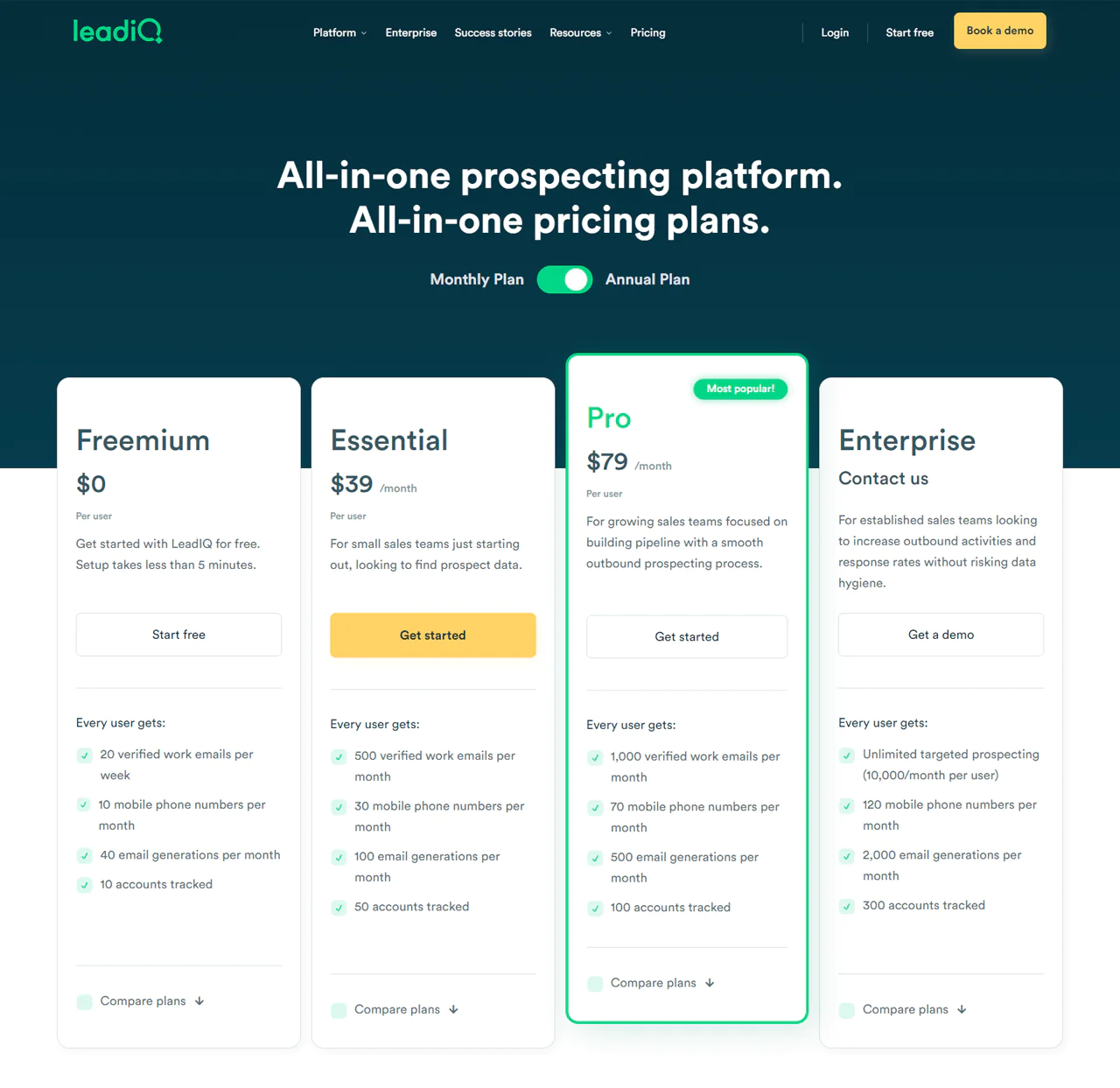
A Freemium package includes 20 verified emails weekly at no cost. The Essential plan runs $45 monthly for 500 verified emails.
The Pro plan is $89 monthly for 1,000 emails, and larger teams can arrange custom Enterprise pricing.
What Users Say About LeadIQ?
- G2: 5 out of 5 (734 reviews)
- Capterra: 4 out of 5 (24 reviews)
“What do you like best about LeadIQ?
Ease of use and integration, optimized flow, addons, and extension available for the majority of CRMs and Soft on the market. Robust and quick UI and fast processing of capturing information. Good support and fast reaction from CSM team.
What do you dislike about LeadIQ?
Sometimes you have to reload the extension for it to update in the middle of the capture process, but this is minor.” – Andrew P.
Our Review of LeadIQ
LeadIQ’s biggest strength is fit — it slots into existing sales routines without forcing a workflow change, which makes finding and checking contact details noticeably simpler.
Its message personalization and buying-signal detection help reps reach the right people at the right moment.
The range of options can feel like a lot for new users, and cost is worth weighing carefully for smaller teams before adopting it.
How to Choose a B2B Lead Generation Database
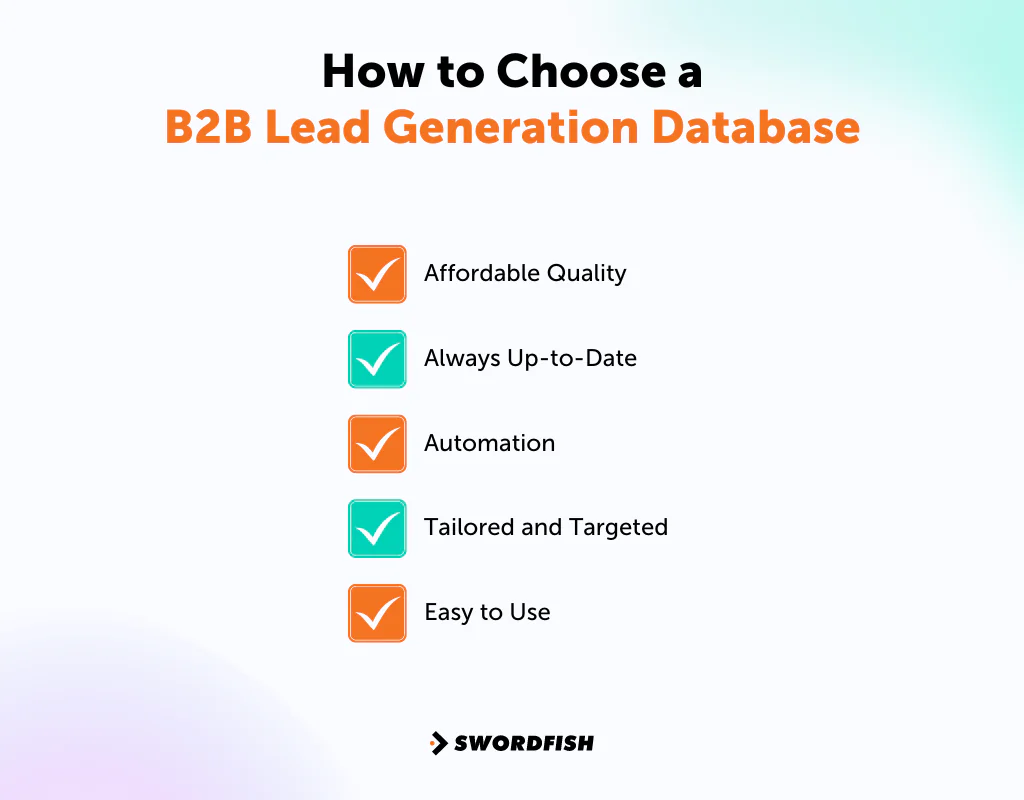
Picking the right database comes down to a handful of practical factors: cost, productivity gains, lead quality, and fit with your existing workflow. Here’s how to weigh them.
Affordable Quality
Look for a database that doesn’t force a tradeoff between cost and lead quality. The goal is a strong return on what you spend, not just the lowest sticker price.
Always Up-to-Date
Contact information changes constantly — people switch jobs, numbers get reassigned, emails go stale. A database that verifies records regularly matters more than one that was accurate at launch and hasn’t been checked since.
Automation
Look for tools that automate the repetitive parts of prospecting and follow-up. That frees your team to spend time on conversations instead of research.
Tailored and Targeted
Make sure the database actually fits your industry. Generic contact lists rarely convert as well as ones built with your specific buyer or candidate profile in mind — this matters even more in regulated fields like healthcare, where a database also needs to support compliant outreach.
Easy to Use
Pick a tool that integrates with systems your team already uses. A database that’s hard to learn or awkward to plug into your CRM will get underused no matter how good the data is.
What is the Primary Purpose of Lead Generation Data?
The main goal of lead generation data is to collect potential customers’ contact details to start conversations and eventually turn them into buyers. This crucial step helps in pinpointing those who might be interested in your products or services.
Lead generation is about guiding interested people toward your company, building a pool of prospects that can be nurtured into customers over time. A landing page — a page designed to collect contact information in exchange for something of value, like a free ebook — is one common entry point into that process.
Careful nurturing is what turns those early leads into actual sales.
How a Lead Generation Database Improves Your Lead Generation Strategy
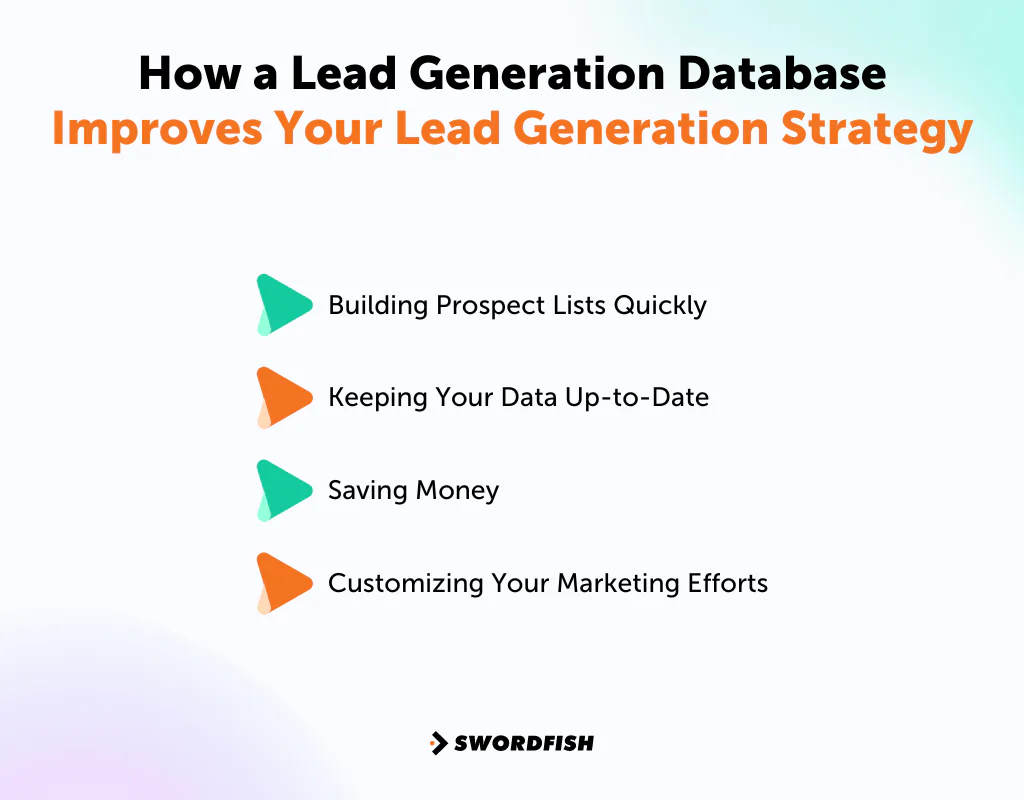
A good lead generation database changes the economics of prospecting. Here’s how:
Building Prospect Lists Quickly
Instead of manually researching contact details one by one, a database lets you assemble prospect lists quickly, so more of your time goes toward strategy rather than lookup.
Keeping Your Data Up-to-Date
Real-time validation keeps the contact information you’re working from current, which makes outreach that references timely offers or events more likely to land and get a response.
Saving Money
A lead generation database is generally more cost-efficient than large advertising campaigns, freeing up budget for the parts of your strategy most likely to convert.
Customizing Your Marketing Efforts
Segmenting leads by interest or behavior lets you write messages that actually speak to each group, which tends to make email marketing campaigns noticeably more effective than a one-size-fits-all blast.
Conclusion
Picking the right contact database provider can make lead generation dramatically less painful, and it’s worth weighing cost, data accuracy, and how easily a tool fits your team’s existing workflow before committing.
We’ve covered ten B2B lead generation database companies here, along with pricing, accuracy claims, and where each one tends to fit best.
If direct-dial mobile numbers and personal emails matter most to your outreach, Swordfish AI is worth a closer look.
FAQs
What is a lead generation database?
A lead generation database ranges from a basic list of potential customers to advanced software designed to help you find the best prospects easily.
What are business databases in the context of lead generation?
In lead generation, business databases help you discover potential leads by providing their business and contact details, preparing them for your sales process.
Where do lead generation companies get their data?
Lead generation companies gather data from multiple sources, using AI and sales teams to organize and ensure the data matches what their clients need. They focus on delivering contacts that are relevant to the buyer’s interests.

