


 View Products


Key takeaways
- Start with the company’s leadership page or LinkedIn to confirm the CEO’s identity and look for publicly listed contact details.
- If you use an email lookup tool or database, check how its results are verified and confirm an address before relying on it.
- An educated email-format guess can be wrong; avoid sending important messages to an unverified address.
- A company’s general contact address or main phone line can be a route to ask about the appropriate way to reach its executive office.
- Keep outreach concise, specific, respectful, and relevant, and limit follow-ups.
Last updated: September 3, 2026

You have a proposal, a partnership idea, or a question that really needs a decision-maker’s attention — not a generic inbox. The problem is that CEO email addresses are rarely published, especially at larger organizations, so tracking one down takes more than a quick guess.
The short answer: you can look for a CEO’s email through LinkedIn, email lookup tools, company websites, social media, targeted Google searches, or direct outreach to the company. A data platform such as Swordfish AI is another option. No method is guaranteed, so consider checking more than one source and verifying an address before sending an important message.
Below we walk through each method in detail, including where it tends to fall short, so you can pick the right approach for your situation instead of burning time on the wrong one.
How Do I Find the CEOs Email?
There are a lot of tips floating around online for this. We’ve kept only the ones that hold up in practice, and we’ve noted where each one tends to break down.
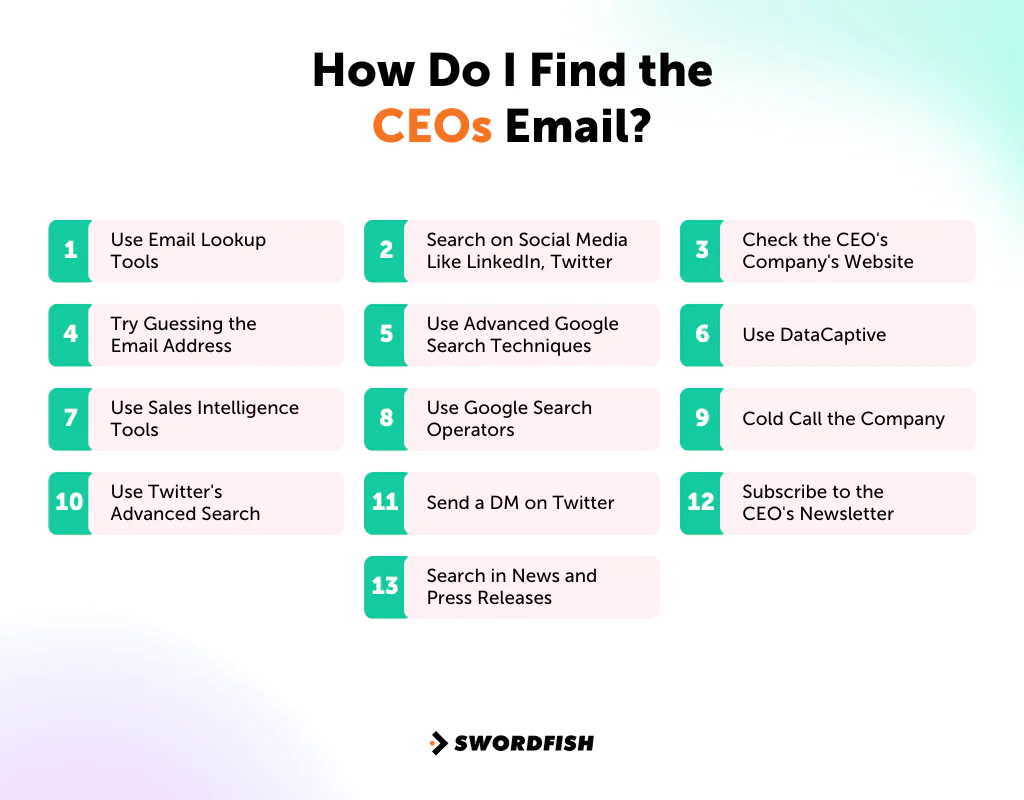
1. Use Email Lookup Tools
Email lookup tools are a common starting point for anyone trying to reach a business contact without a warm introduction. Platforms like Hunter.io and Voila Norbert let you enter a company’s domain and return likely email addresses tied to that domain, including patterns that may match the CEO.
These email finder tools can be fast, but accuracy varies by company size and how much public data exists about that domain. Larger, more established companies tend to return better matches than small or newer firms.
2. Search on Social Media
Social platforms, especially LinkedIn, can help you identify a CEO and may offer a way to contact them directly.
Search LinkedIn
LinkedIn is useful not just for finding CEOs but other senior leaders, including CFOs. The email won’t always be visible, but the profile itself often gives you enough to work with.
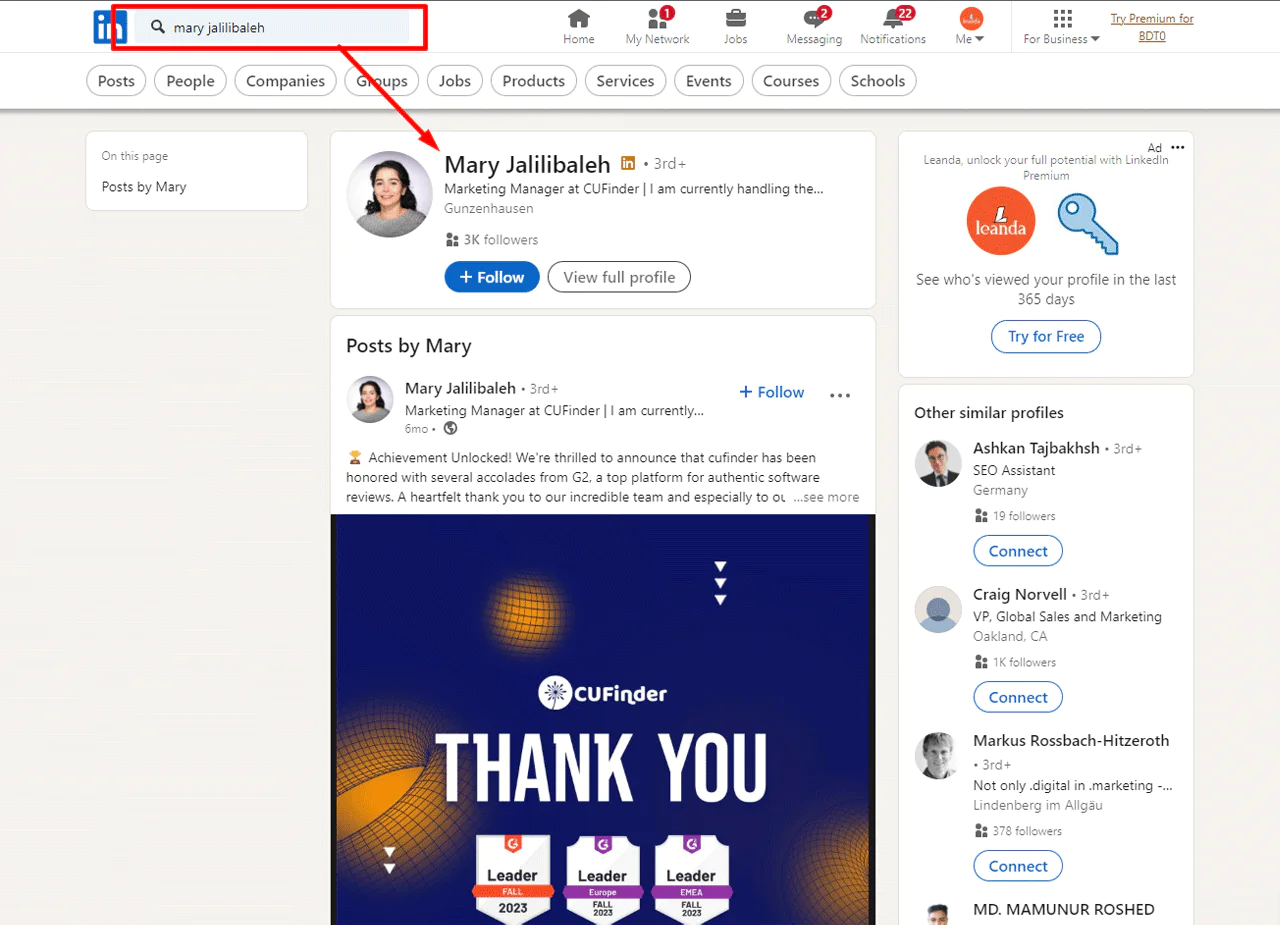
1. Start with the Search Bar
If you already know the CEO’s name, search it directly to land on their profile.
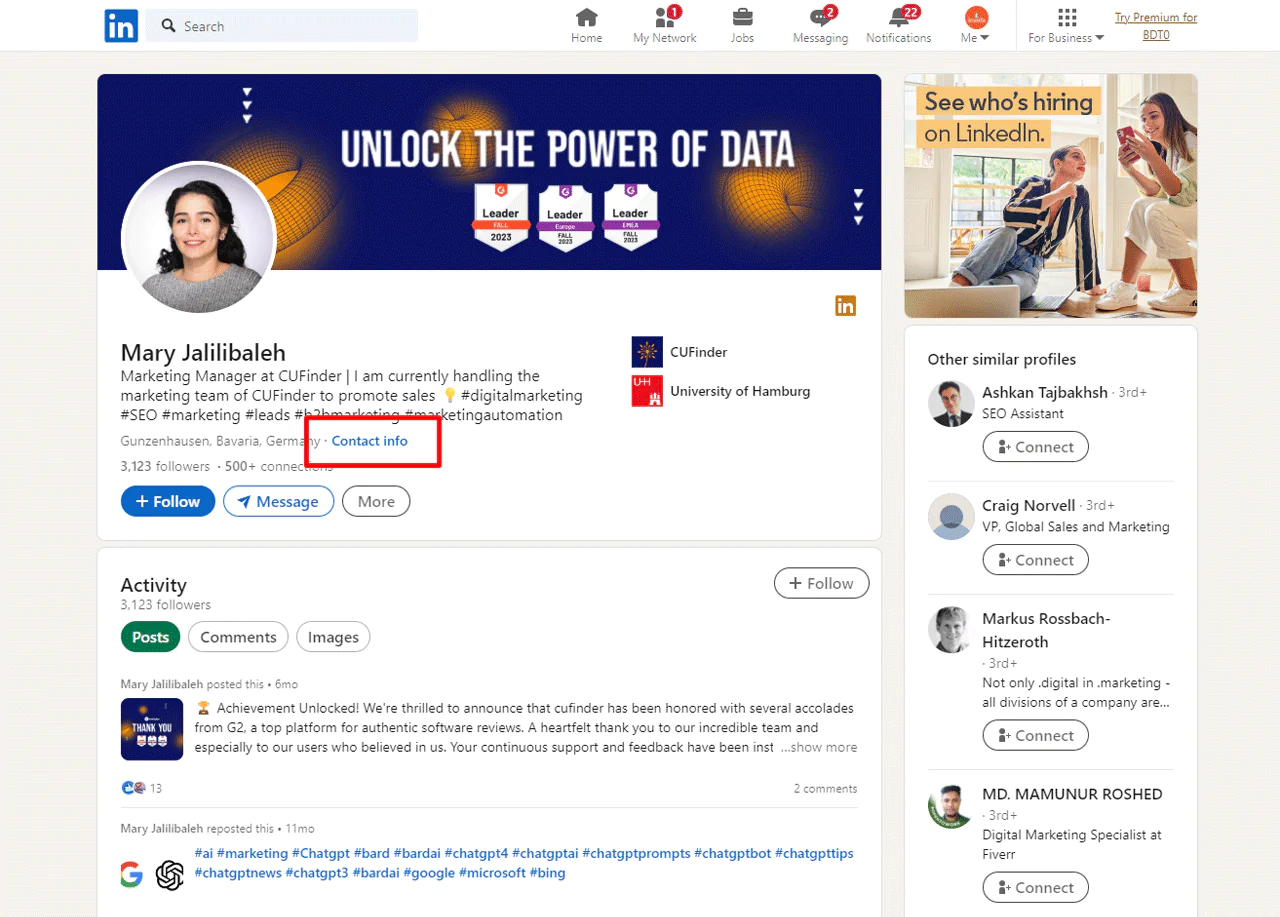
From there, check the ‘Contact Info’ section. Some executives list a public email address here, though most don’t.
2. Look at the Company Profile
If you know the company but not the specific person, the company’s LinkedIn page can point you to the right leadership profile.
3. Engage Directly
Sending a direct message or asking a mutual connection for an introduction is slower but often more effective than a cold email, since it comes with built-in context.
4. Explore LinkedIn Sales Navigator
When the free search doesn’t turn up what you need, Sales Navigator’s filtering and outreach features go further, though it’s a paid add-on.
5. Use Swordfish AI
When an executive keeps their contact details private, a browser extension built for this kind of lookup can save considerable time.
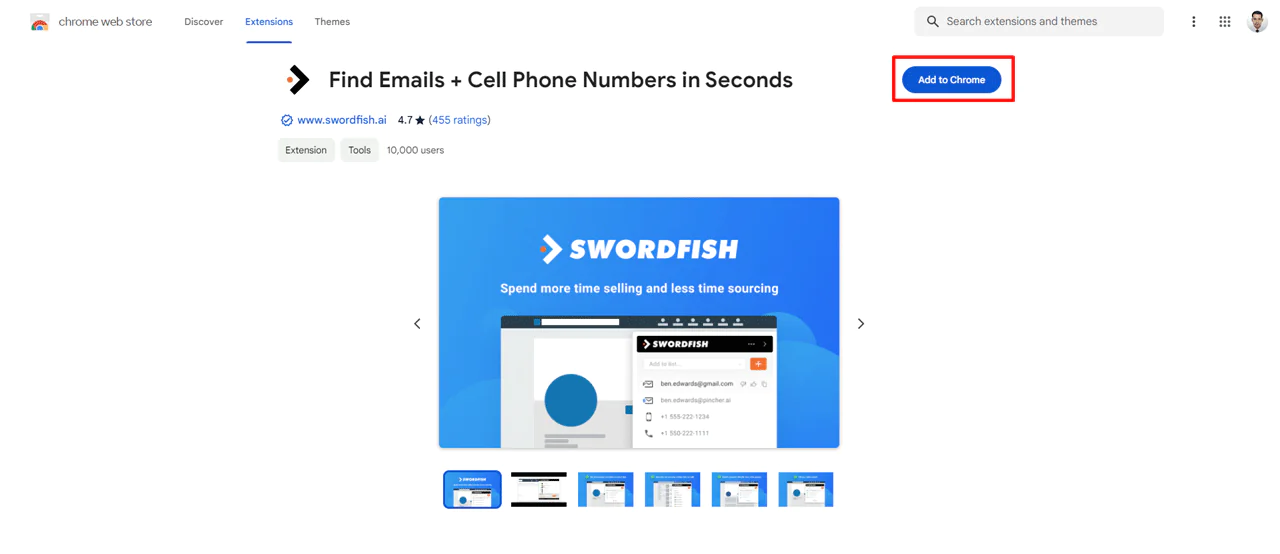
It integrates with LinkedIn to help you find email addresses and push them straight into your CRM or contact list.
Use Twitter
Twitter (now X) can surface a CEO’s email when they’re active on the platform, since many business leaders link their profile to their company site.
Once on their profile, you can ask directly for contact information. Keep your own profile professional and your message short and specific.
This won’t always work, but it costs nothing to try.
If a direct ask feels too forward, or the feed is too crowded to get noticed, try the platform’s advanced search instead.
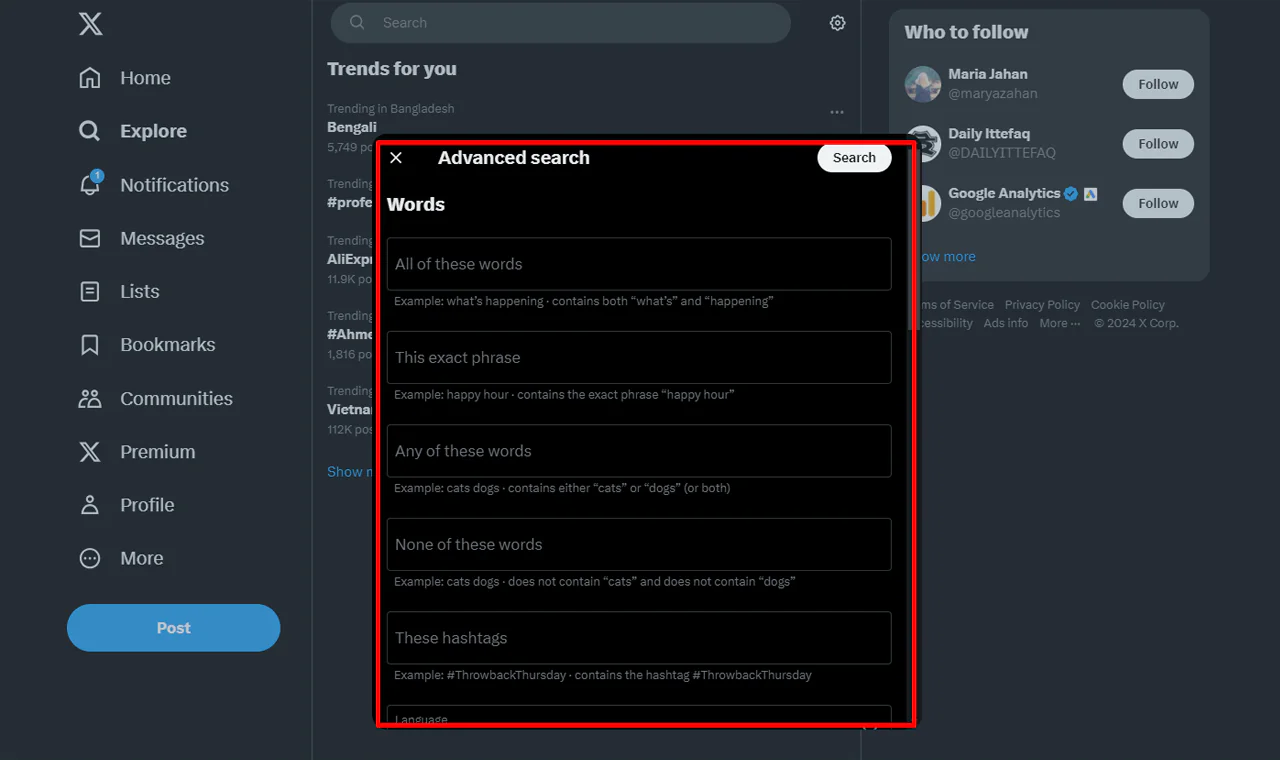
Enter the CEO’s handle and search for tweets containing “at” and “dot,” the way people sometimes obscure an email address in a public post. It only works if the CEO has shared their email publicly at some point, so treat it as a long shot rather than a reliable method.
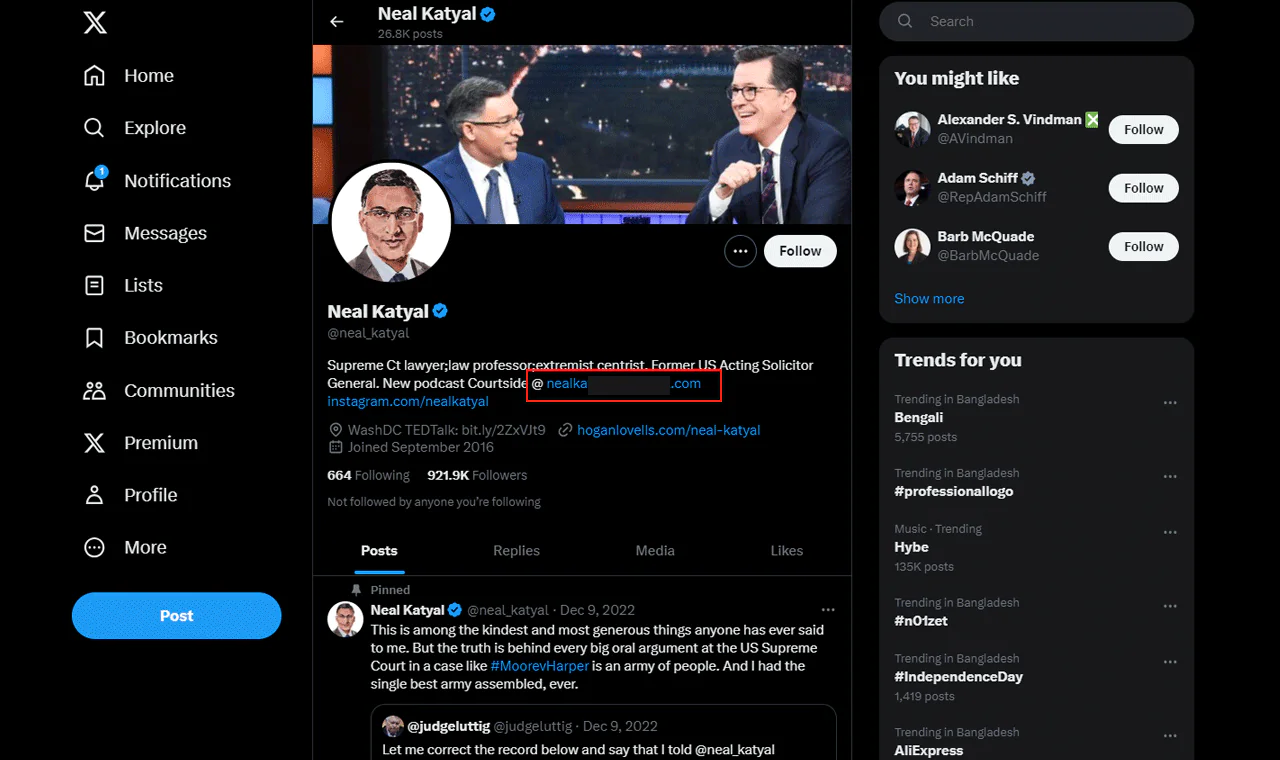
Used this way, Twitter becomes a supplementary tool for CEO email lookup rather than a primary one.
3. Check the CEO’s Company Website
When building a list of C-level executive contacts, the company’s own website is worth checking first. The ‘Contact Us’ or ‘About Us’ pages often list a general company email address rather than a personal one.
That generic address won’t reach the CEO directly, but it’s a legitimate starting point, and some companies do publish a leadership page with individual executive emails.
4. Make an Educated Guess
Some companies use consistent email formats across their staff, which can make an educated guess possible—but the pattern should be verified before you rely on it.
A common pattern looks like firstname.lastname@company.com. Once you know the CEO’s full name and the company’s domain, you can construct a reasonable guess and verify it before sending anything important, since an unverified guess risks bouncing or landing in the wrong inbox.
5. Use Advanced Google Search Techniques
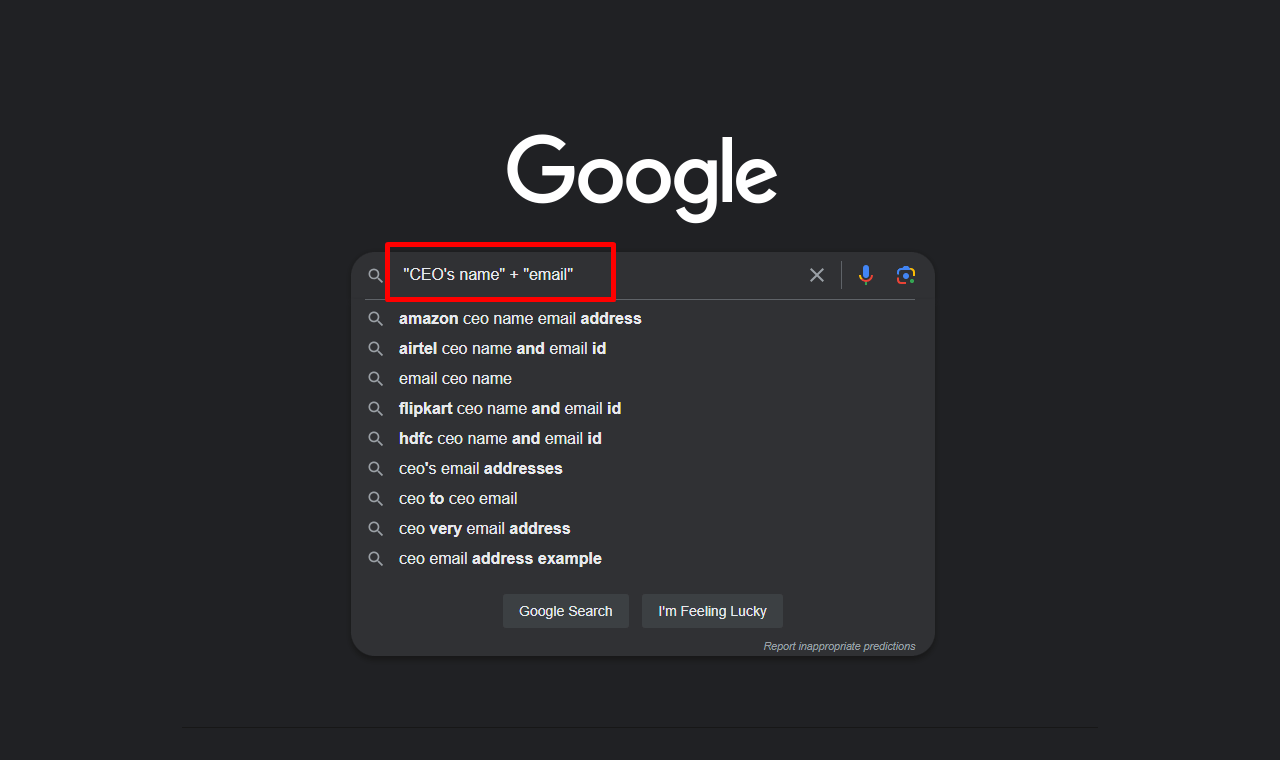
Search operators can narrow a broad query down to something usable. Typing “find CEO email address” or pairing the CEO’s name with “email” in quotes often surfaces relevant pages that a plain search would bury.
6. Use DataCaptive

DataCaptive is a B2B contact data provider. If you’re trying to find a CEO’s email, it’s one of several platforms built specifically for this kind of lookup.
DataCaptive describes its offering as verified business contact data, including executive-level emails. As with any provider, check what verification means and confirm a sample of results before relying on a list.
As with any third-party contact database, it’s worth spot-checking a sample of results before relying on the full list, since data accuracy varies by source and how recently records were updated.
7. Use Sales Intelligence Tools
ZoomInfo and Adapt are examples of sales intelligence tools. Depending on their products and plans, these platforms may provide company and contact information that can help inform outreach.
Contact databases can provide information for researching professional contacts, but coverage and accuracy vary. Check relevant records before using them for outreach.
With sales intelligence tools, the goal shifts from cold outreach volume to fewer, better-informed conversations.
8. Google the CEO’s Name
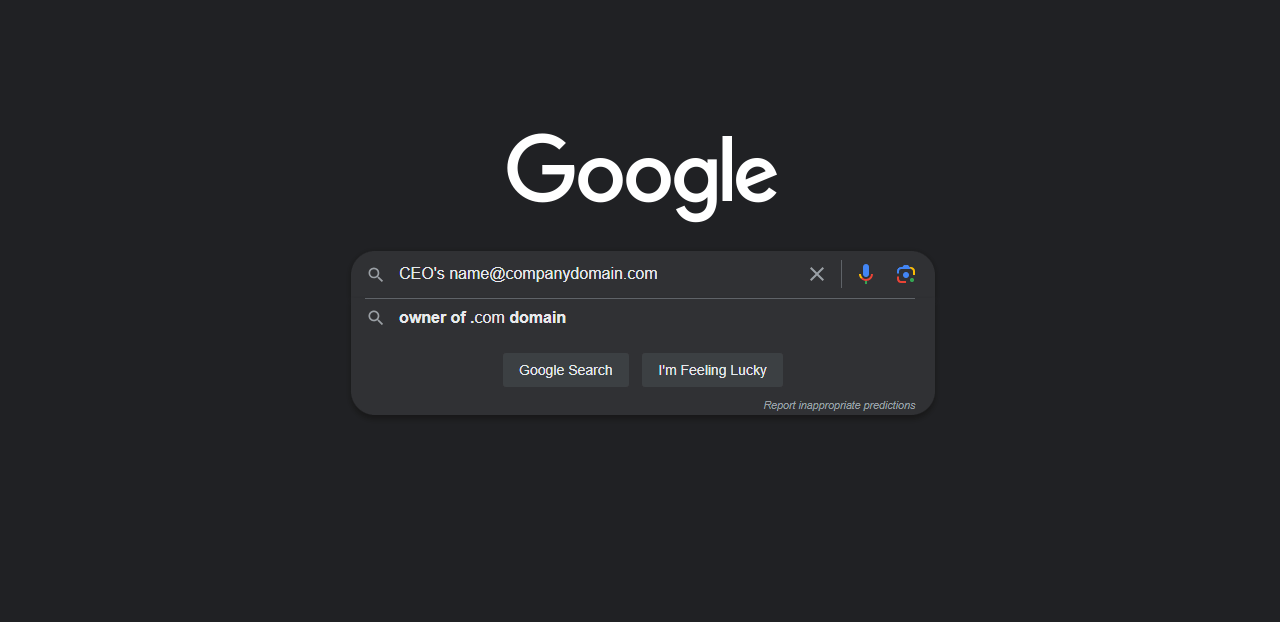
A plain Google search of a CEO’s name won’t get you far on its own, but combined with search operators it becomes a much sharper tool.
Pairing the CEO’s name with “@companydomain.com” in quotes can filter out irrelevant results and surface pages where that address has actually appeared.
Mastering a handful of Google search operators pays off well beyond this one use case, and it costs nothing to learn.
9. Cold Call the Company
Cold calling predates all of this and still works in plenty of cases. Calling the main line and stating your purpose clearly sometimes gets you routed to the executive office directly.
Even when it doesn’t, the person on the phone may give you an email address or point you to someone else who can help. Staying polite and persistent matters more than sounding urgent.
10. Use Twitter’s Advanced Search
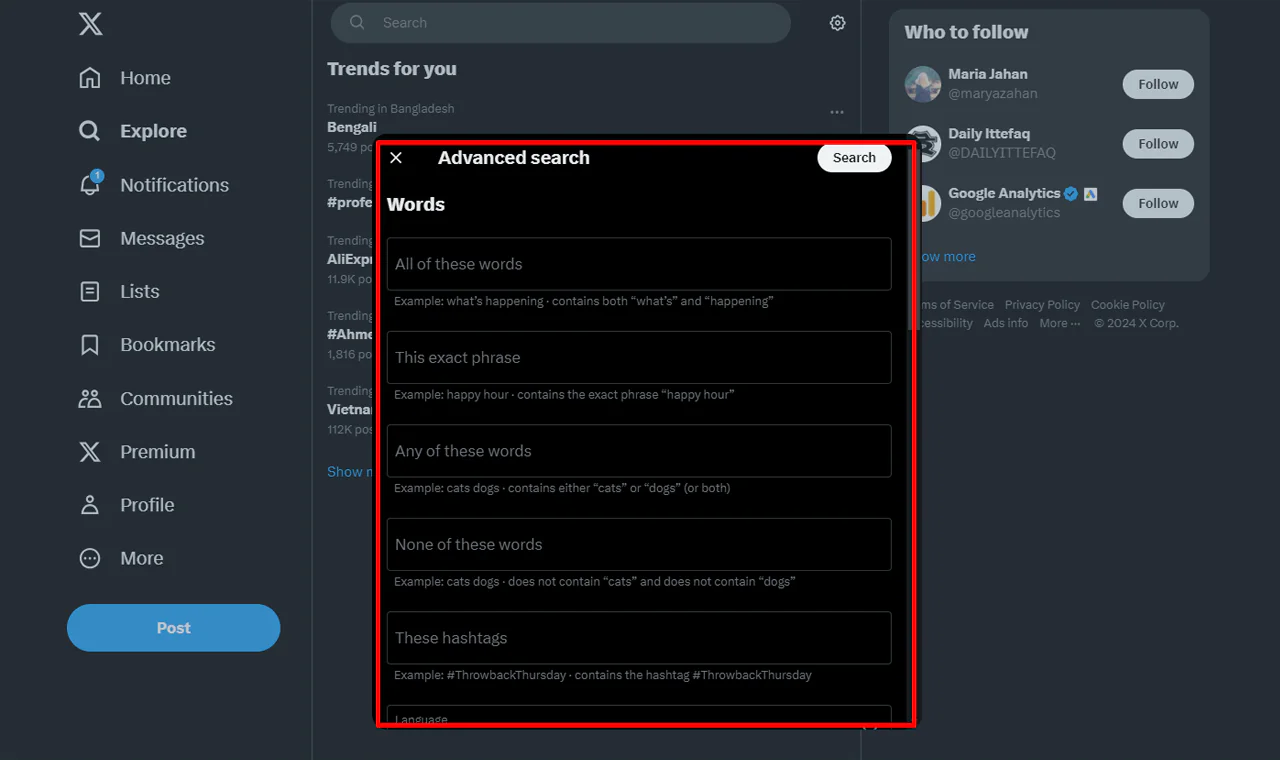
Twitter‘s advanced search filters let you dig past a CEO’s most recent posts to find older tweets where they may have shared contact details.
Searching a CEO’s name alongside terms like “contact” or “email” occasionally turns up something useful, though results are inconsistent.
11. Send a DM on Twitter
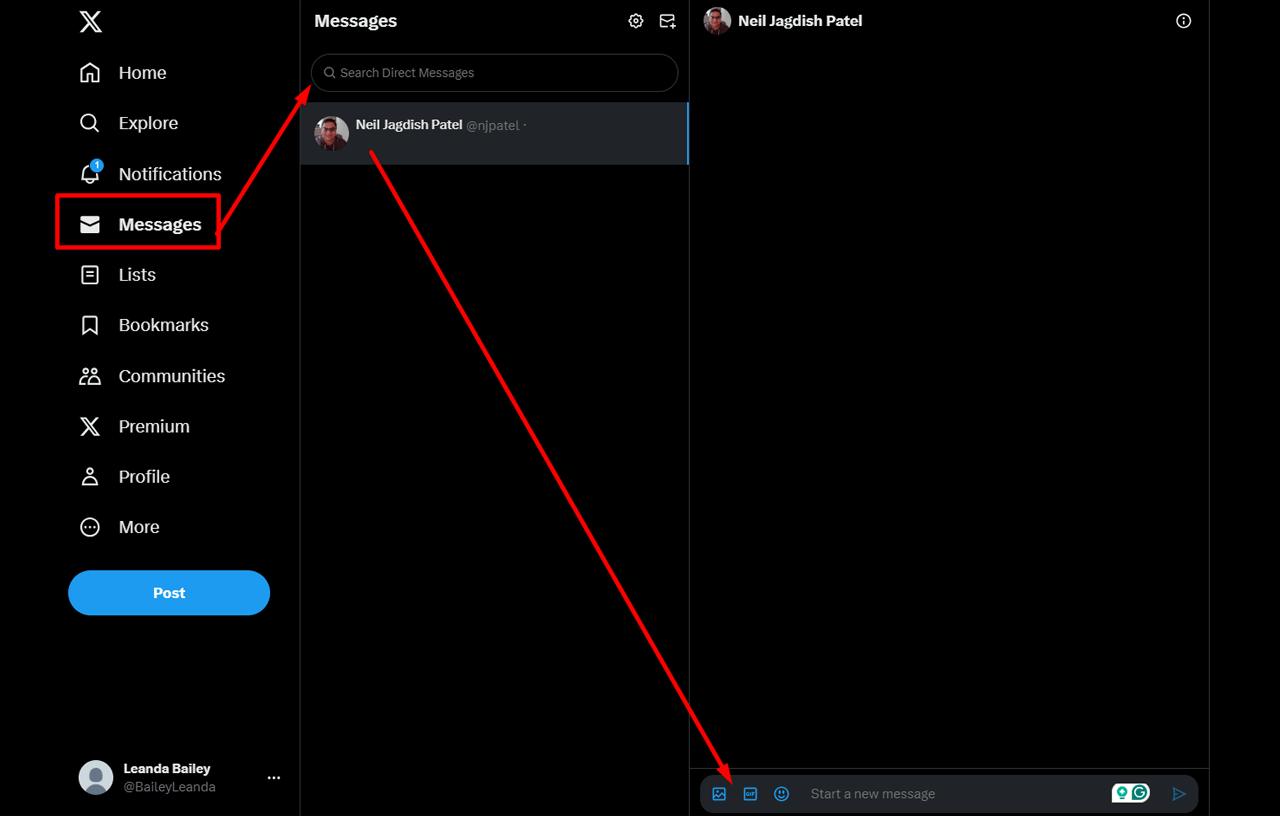
A direct message is a more personal option, but it only works if you’ve done a bit of homework first.
- Ensure you’ve done your homework.
- Familiarize yourself with the CEO’s recent tweets and engagements.
- Be concise, respectful, and clear about your intentions when crafting your message.
A message that references something specific about the CEO’s recent activity is more tailored than a generic pitch, though it does not guarantee a reply.
12. Subscribe to the CEO’s Newsletter
Some CEOs write personal newsletters or blogs sharing their thinking on the business and industry. Subscribing is a low-effort way to stay on their radar.
Newsletters sometimes come from a personal sending address rather than a marketing platform, which occasionally opens a direct line of communication that a cold email wouldn’t.
13. Search in News and Press Releases
CEOs are frequently the public face of their companies, which makes news coverage and press releases a useful research source, even when they don’t hand you an email address directly.
Interviews often reveal recent decisions, priorities, or upcoming plans that can inform how you frame your outreach.
Press releases tend to be more formal but often include direct quotes from the CEO, giving you a sense of their tone and current focus before you write to them.
How Do I Find Out Who the CEO Is?
Before you can find a CEO’s email, you sometimes need to confirm who actually holds the role. Here’s a straightforward approach.
- Explore the Company’s Website: Many companies list their leadership team under “About Us,” “Leadership,” or “Our Team.”
- LinkedIn as Your First Stop: Searching the company name on LinkedIn often surfaces the CEO’s profile near the top of results.
- Google Is Your Friend: A simple search can pull up news coverage, press releases, and other mentions confirming the current CEO.
- Look into Business Databases: Financial and business data platforms such as FactSet and Bloomberg maintain detailed company and executive profiles.
- Look at Investor Relations: For publicly traded companies, the investor relations section of the website typically names current executive leadership.
- Direct Contact: If other methods stall, a call to customer service or HR can often confirm who currently holds the CEO title.
How Do You Send an Email to the CEO of a Company?
Getting the address is only half the job. What you send matters just as much, if not more, for actually getting a response.
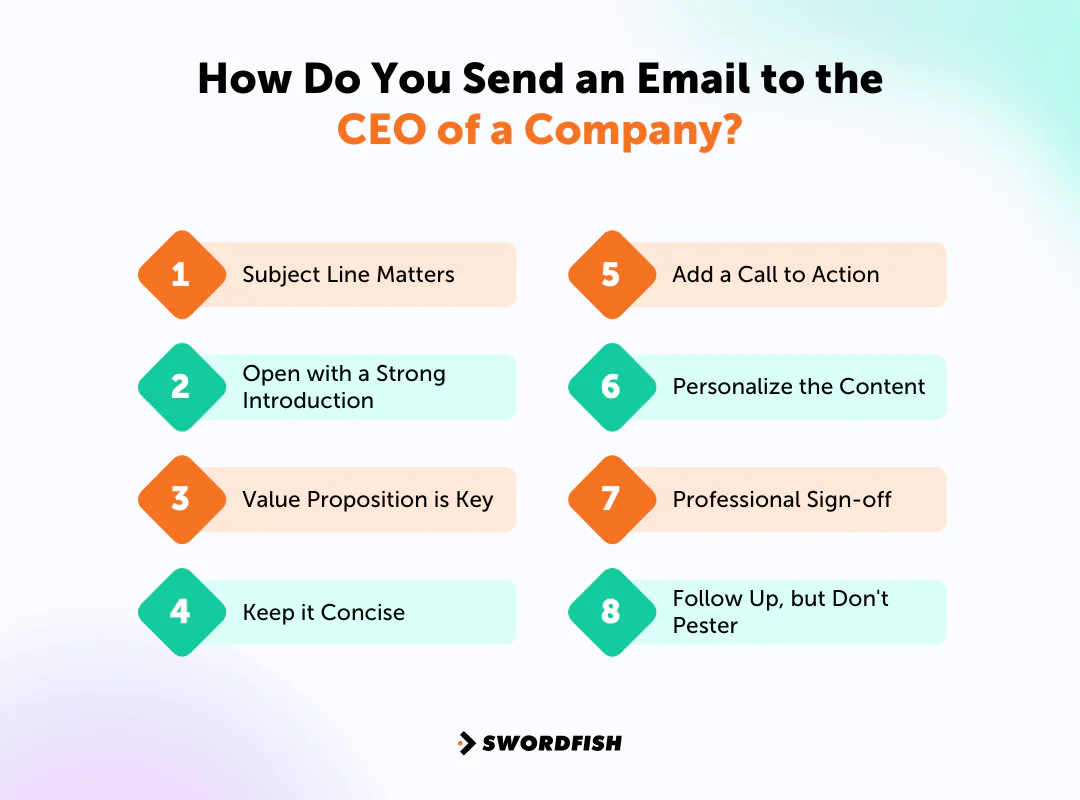
Subject Line Matters
Your subject line decides whether the email gets opened at all. A good sales email subject line can be the difference between an open and an instant delete.
Skip generic phrases like “Opportunity Inside.” Instead, look for creative ways to reach prospects that reference something specific about the CEO’s company or recent activity. Personalization starts here, not in the body.
Open with a Strong Introduction
State your purpose clearly and early. If you have a mutual connection or a shared reference point, mention it right away, since it gives the CEO a reason to keep reading.
Shared interests or experiences can help too. CEOs read email the same way anyone else does — they’re more responsive to something that feels relevant to them specifically.
Value Proposition is Key
Once the introduction is out of the way, get to the point. Focus on the benefit, not a list of features.
What problem does the CEO’s company have that you can help solve? Naming a likely challenge and connecting it to your solution makes the email far more compelling than a generic pitch.
Keep it Concise
CEOs have limited time and full inboxes. Say what you need to say in a few tight paragraphs.
Every sentence should earn its place. Cut jargon and anything that doesn’t move the message forward.
Add a Call to Action
Tell the CEO exactly what you’re asking for, whether it’s a reply, a short call, or a look at an attached proposal.
A clear, specific ask makes it easier for the recipient to understand what you want, but it cannot guarantee a response.
Personalize the Content
A little research goes a long way. Look into the CEO’s background, recent company announcements, or public statements before you write.
Referencing something specific shows you did your homework rather than sending the same message to a hundred other executives.
Professional Sign-off
Close professionally and thank them for their time. Include your contact information so replying or calling you back is straightforward. Attach supporting materials only when they are relevant and expected.
Follow Up, but Don’t Pester
If you don’t hear back, you might send a polite follow-up after an appropriate interval, taking the context and any stated preferences into account.
Keep follow-ups limited and respectful. Repeated messages can feel pressuring, so stop if the recipient declines or asks not to be contacted.
End Note
Finding a CEO’s email usually comes down to combining a few of these methods rather than relying on just one. LinkedIn, targeted search operators, company websites, and direct outreach each solve a different part of the problem.
Try the methods that fit your situation, starting with LinkedIn or a company’s leadership page before moving to guesswork or cold outreach.
A contact data platform such as Swordfish AI may help with lookups, particularly when researching multiple contacts. Verify any address before relying on it; data quality can vary.
Note for Publisher: Please add a CTA button – Try Swordfish Ai
Frequently Asked Questions
Is it legal to search for a CEO’s email address?
Searching for a CEO’s email is legal, but how you use it afterward matters. In many jurisdictions, unsolicited commercial email is subject to anti-spam regulations, so use any address you find responsibly, have a legitimate reason for reaching out, and avoid mass unsolicited messaging.
What are some common methods to find a CEO’s email?
A few approaches tend to work best:
- Company Website: Corporate sites sometimes list contact details for key personnel.
- Professional Networks: LinkedIn may not show an email directly but can offer connections or context that get you closer.
- Email Lookup Services: Tools like Hunter.io can suggest likely email formats used by a given company.
Is it ethical to reach out to a CEO directly without prior contact?
It largely depends on intent. A relevant, well-researched proposal is generally seen as acceptable outreach, while irrelevant or spammy messages are not.
Do CEOs even read and reply to emails?
Yes, many CEOs do read and occasionally reply to emails from people they don’t know, particularly when the message is relevant and concise. That said, most send far fewer emails than they receive, since managing inbox volume is part of running a busy schedule.

