


 View Products


Key takeaways
- These providers offer contact-data and prospecting tools; they may not all sell static mailing lists or provide permission to market to the contacts.
- Compare providers based on data sourcing, verification, filtering, integrations, and the terms governing data use.
- Verify current pricing and plan details directly with each provider, since prices and packages can change.
- A provider’s compliance claims do not establish that your specific campaign is lawful; check the rules that apply to your organization, recipients, and use of the data.
- Outdated or unsuitable contacts can create deliverability and sender-reputation risks. Check how data is sourced, refreshed, and verified.
Last updated: September 3, 2026
If your outreach keeps missing the right people, the problem is often the list, not the message. That’s why so many sales and marketing teams start asking where to buy email lists instead of building one from scratch.
You can buy email lists from Swordfish AI to broaden your market, accelerate sales, and target ideal customers, while still evaluating features and confirming legal compliance. Other established sources include ZoomInfo and UpLead, each with different strengths and integrations for email marketing.
Below, we cover what to check before you buy, where to find dependable sources for mailing lists, and the red flags that signal a list is not worth the money.
Quick List of Top Places to Buy Email Lists for Marketing
Here’s a fast overview of where these providers tend to fit best before we go deeper.
- Swordfish AI: Best for direct access to decision-makers’ cell phone numbers, which speeds up outreach.
- ZoomInfo: Best for detailed company insights across a very large B2B database, useful for targeted marketing.
- UpLead: Best for high-quality leads with technographic data, useful for tech-focused campaigns.
- Cognism: Best for sales triggers and global B2B data coverage.
- Kaspr.io: Best for fast LinkedIn data extraction and contact capture.
- Lead411: Best for intent data paired with unlimited B2B sales leads.
- Hunter.io: Best for finding and verifying professional email addresses quickly.
- Lusha: Best for efficient B2B interactions and fast contact lookups.
- Apollo.io: Best for an end-to-end sales engagement and intelligence platform.
- Skrapp.io: Best for bulk email finding directly from LinkedIn.
Best Places for Buying Email Lists: A Comparison Chart
Here’s a quick side-by-side look at how these platforms differ.
Tool Name | Database Size & Coverage | Email Verification | CRM Integration | Chrome Extension |
 | 3.5 billion data profiles | Available | Salesloft, Salesforce, LOXO, Outreach, Zapier, Lever etc. | Facebook, Twitter, LinkedIn, GitHub, StackOverflow, etc. |
 | 260 million professional profiles | Available | Salesforce, Zoho, HubSpot, Microsoft Dynamics 365, etc. | Only LinkedIn |
 | Over 155 million B2B contacts with email addresses | Available | Outreach, Zapier, Salesforce, ZOHO, Copper, etc. | Only LinkedIn profiles |
 | 400 million profiles | Available | HubSpot, Salesforce, Copper, Pipedrive, etc. | Only LinkedIn or LinkedIn Sales Navigator |
 | Over 500 million phone numbers and email addresses | Available | HubSpot, Lemlist, Salseforce, Pipedrive, Zapier, etc. | LinkedIn, Recruiter Lite, and Sales Nav |
 | 50 million B2B email addresses | Available | Salesforce, HubSpot, Copper, Zoho, Capsule, Pipedrive, etc. | Only Linkedin |
 | 107 million professional email addresses | Available | Salesforce, Pipedrive, Copper, HubSpot, etc. | LinkedIn and Twitter profile |
 | 50 million enterprise business profiles | Available | Salesforce, HubSpot, Zoho, Bullhorn, Pipedrive, etc. | LinkedIn, Sales Navigator, Salesforce, and Recruiter. |
 | Over 275 million contacts with rich buyer data | Available | LinkedIn, Zapier, Salesloft, Outlook, Outreach, etc. | LinkedIn, Gmail, and major company sites |
 | Over 20 million companies | Available | HubSpot, Salesforce, Zoho, Pipedrive, Outreach, etc. | Only Linkedin |
Top 10 Best Places to Buy Email List for Verified B2B Contacts
Below is a closer look at each provider, including what makes it stand out, where it falls short, and what it costs.
1. Swordfish AI
Swordfish AI is built around exclusive access to business emails and cell phone numbers, which makes it a practical starting point if you’re trying to boost outreach ROI rather than just pad a list with generic addresses.
Swordfish AI works with multiple data sources to keep contact information current, so sales and marketing teams can reach decision-makers without cycling through outdated numbers first.
The platform is built around direct access rather than routing you through intermediaries, which keeps the outreach process more efficient.
If you’re looking to enrich a pipeline of leads rather than just buy a static list, Swordfish AI is worth evaluating first.
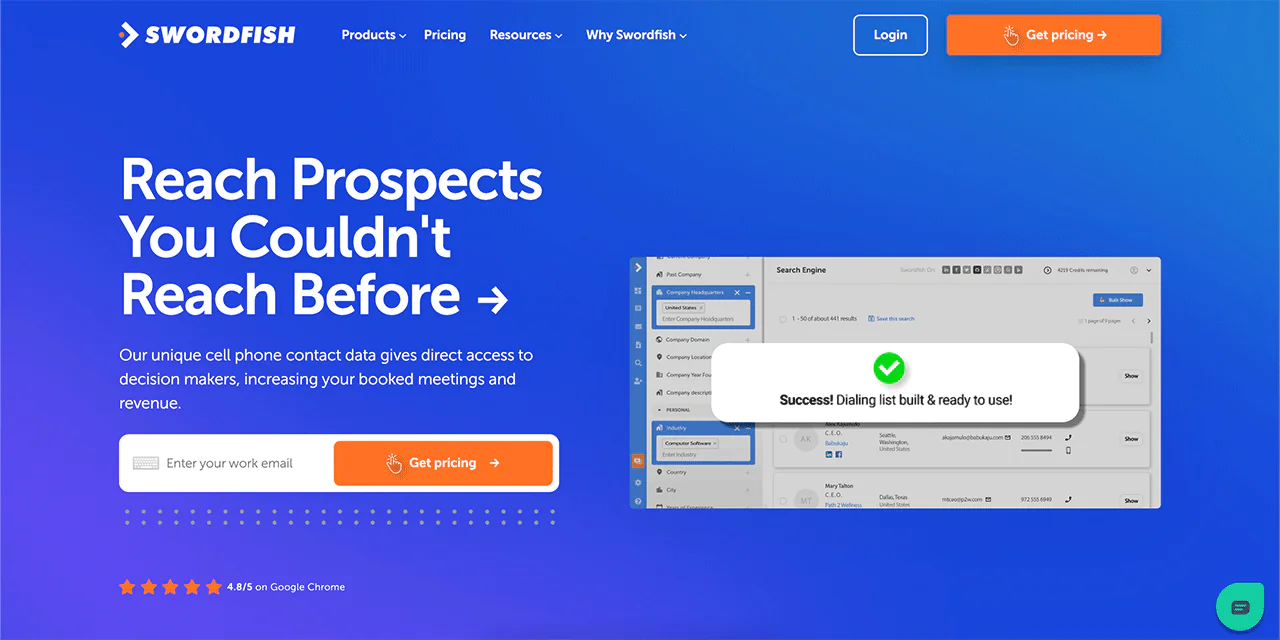
About Swordfish AI
- Founding year: 2015
- Founding team: Ben Argeband
- Company size: 11 to 50 employees
What Sets Swordfish Apart?
For cold calling specifically, Swordfish AI’s biggest advantage is its cell phone number database, verified through its own matching system rather than relying solely on public records.
With billions of profiles available, plus professional and premium business email coverage, the platform gives SDRs a wider net to work from than many general-purpose contact tools.
The combination of phone-matching algorithms and continuously refreshed data is what differentiates Swordfish AI from providers built mainly around email lookups.
Features of Swordfish AI
Here’s what each core feature actually does for your workflow —
-
Chrome Extension
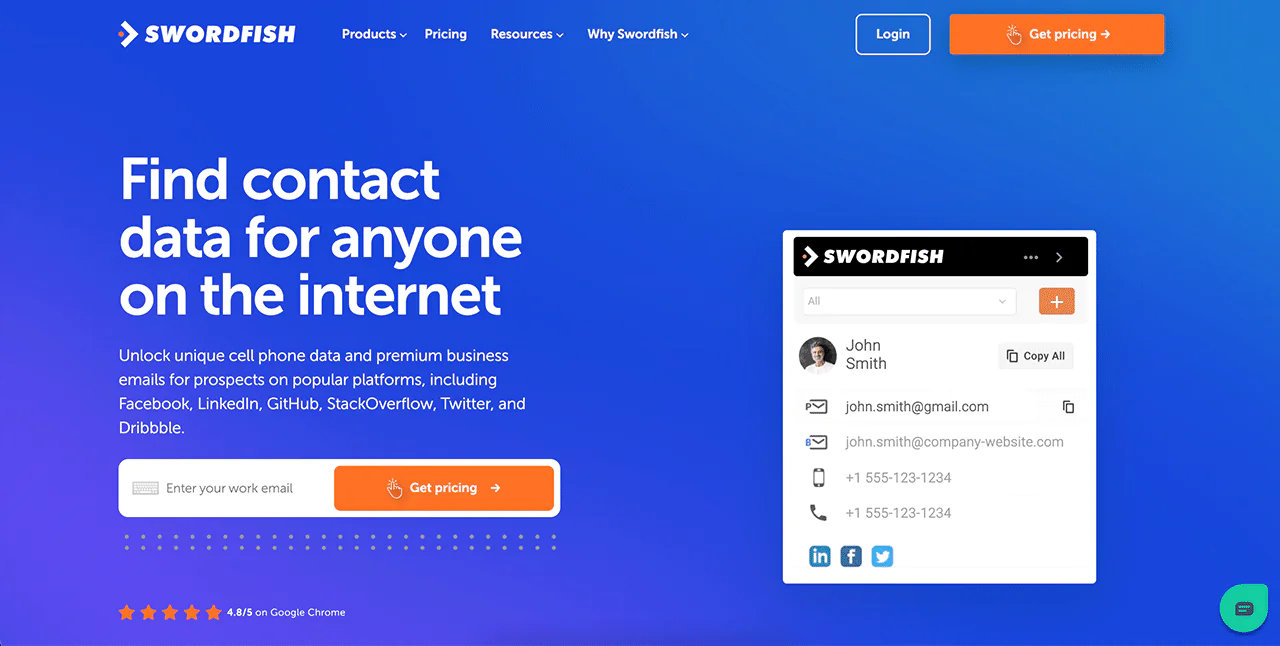
Use Swordfish AI’s Chrome extension to pull contact details while browsing sites like LinkedIn, Twitter, and Facebook, so you don’t need to leave your workflow to verify a lead.
-
Prospector
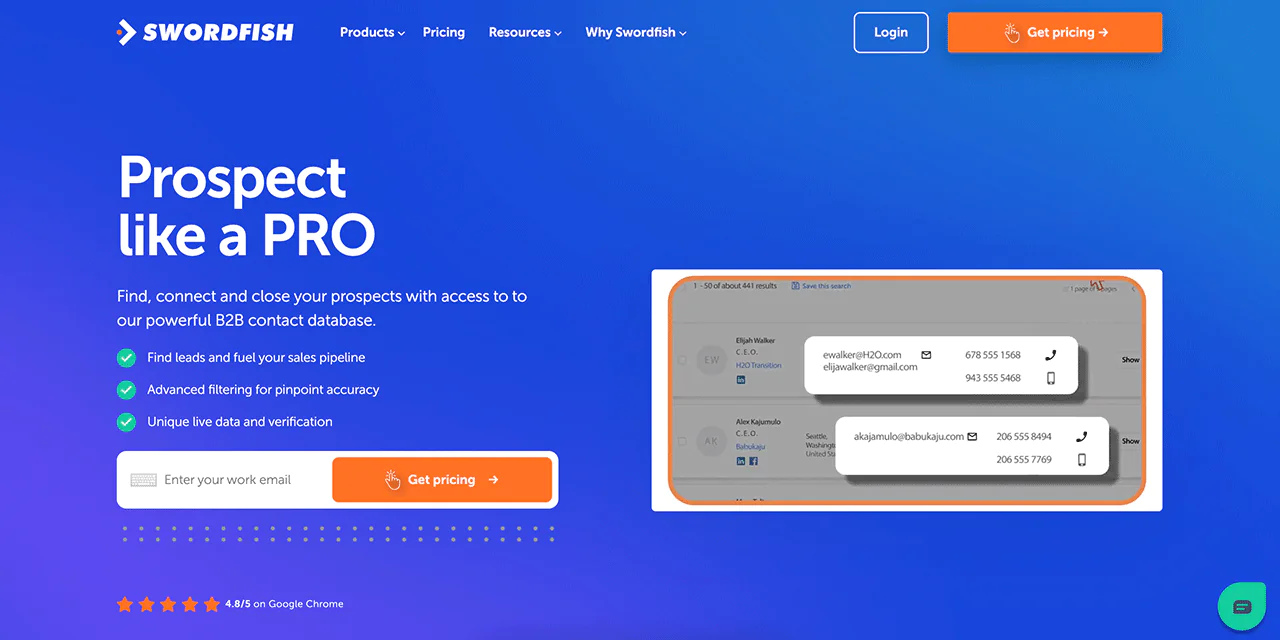
Prospector lets you generate lists of emails and phone numbers filtered to your criteria, keeping your outreach focused on contacts that actually match your ideal customer profile.
-
Reverse Search
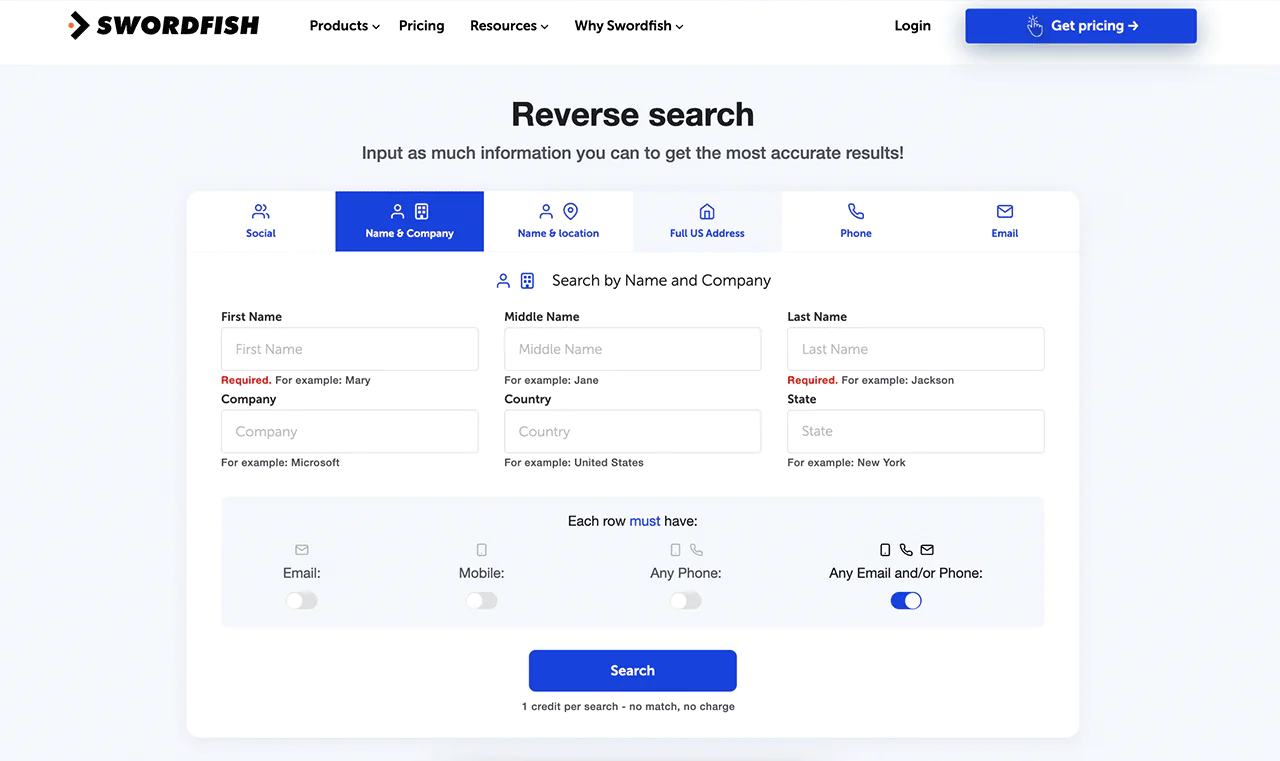
If you have partial contact details, Reverse Search fills in the rest, whether you’re starting from an email, phone number, or social profile.
-
File Upload
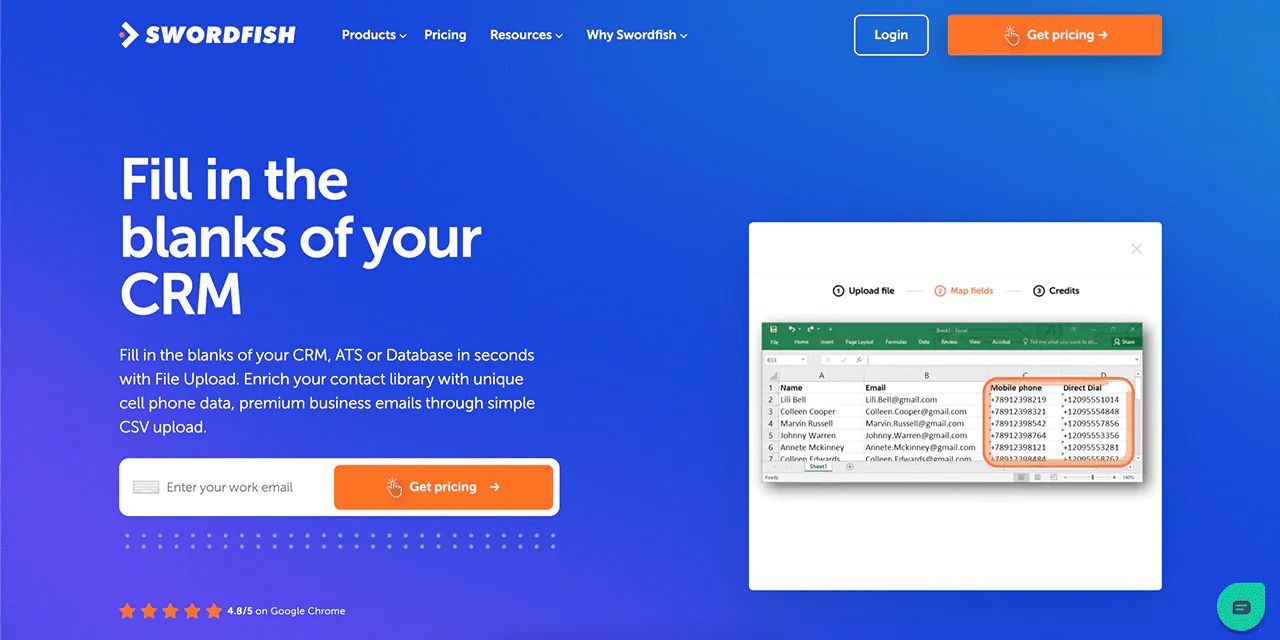
This feature updates your CRM automatically. Swordfish AI fills in missing emails and phone numbers in your database once you upload a CSV file.
-
API Integration
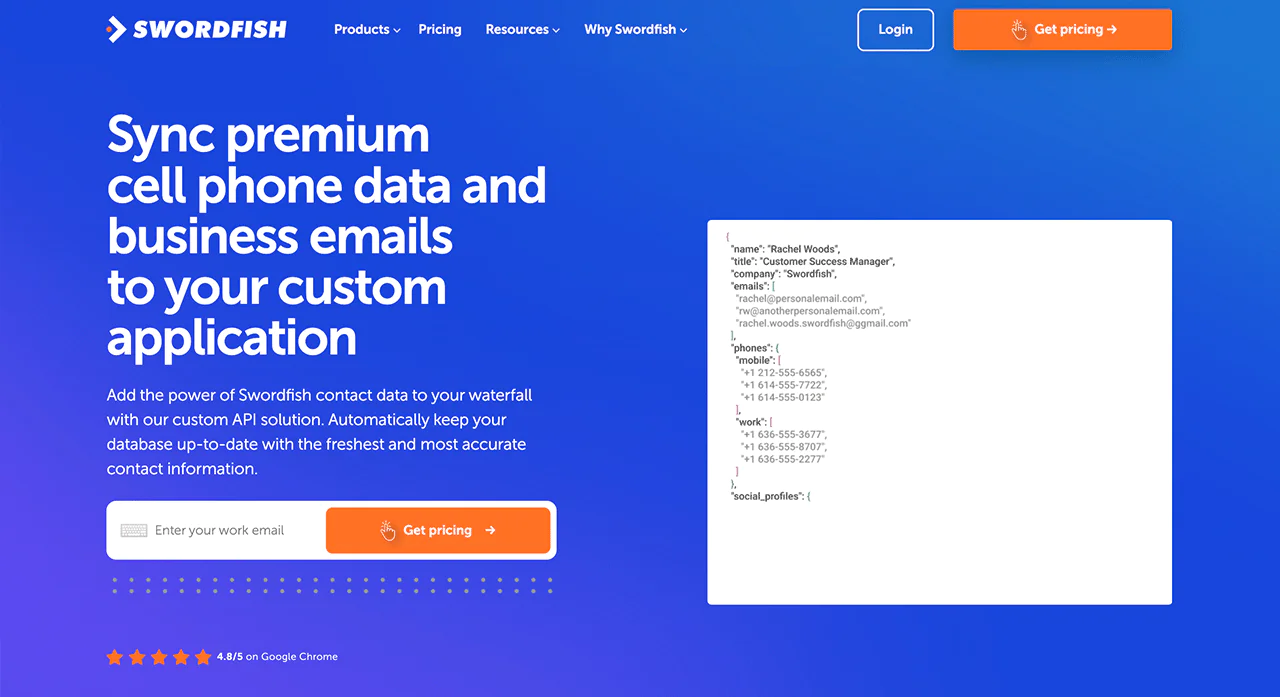
If you want to build Swordfish AI’s data directly into your own software, the API integration handles that, enriching your applications with contact data without manual lookups.
-
Bombora Intent Data
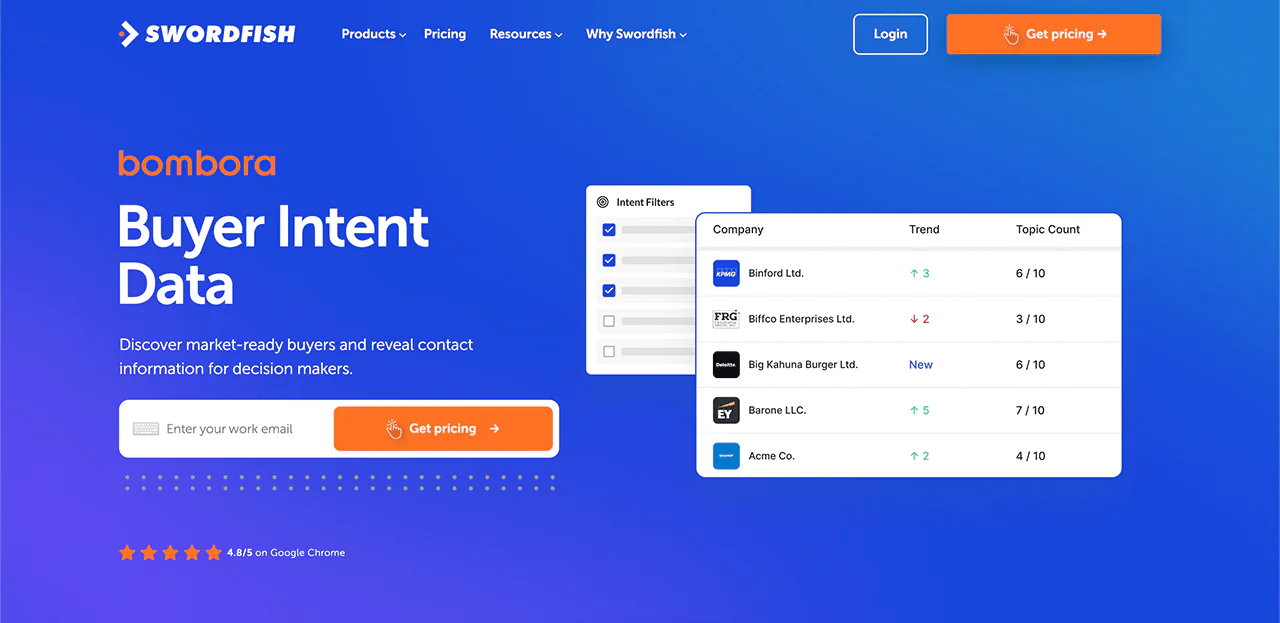
This Intent Data feature flags which businesses are actively researching solutions like yours, so you can prioritize accounts that are closer to a decision.
Best Use Cases of Swordfish AI
Swordfish AI applies to more than one department. Here’s where it tends to add the most value —
- Sales Outreach: Get the contact details you need for leads, making calling and emailing more efficient.
- Recruitment: Find candidates faster with a wide range of contact information.
- Marketing Campaigns: Tailor messages using specific contact details to boost engagement.
- Customer Research: Learn more about current or prospective customers.
- Networking: Connect quickly with key people in your industry.
- Data Enrichment: Keep contact lists current so messages reach the right audience.
- Lead Generation: Draw from a large pool of phone numbers and email addresses to expand your pipeline.
- Business Development: Reach potential partners and clients to support expansion.
Pros of Using Swordfish AI
- Validates phone lines in real time for accuracy.
- Delivers more accurate cell phone matches.
- Grants faster contact with key decision-makers.
- Cuts down the time needed to find candidates and clients.
- Can improve meeting and sales conversion rates.
- Integrates with common sales and recruiting platforms.
Cons of Using Swordfish AI
- Pricing is quote-based rather than published upfront.
Pricing
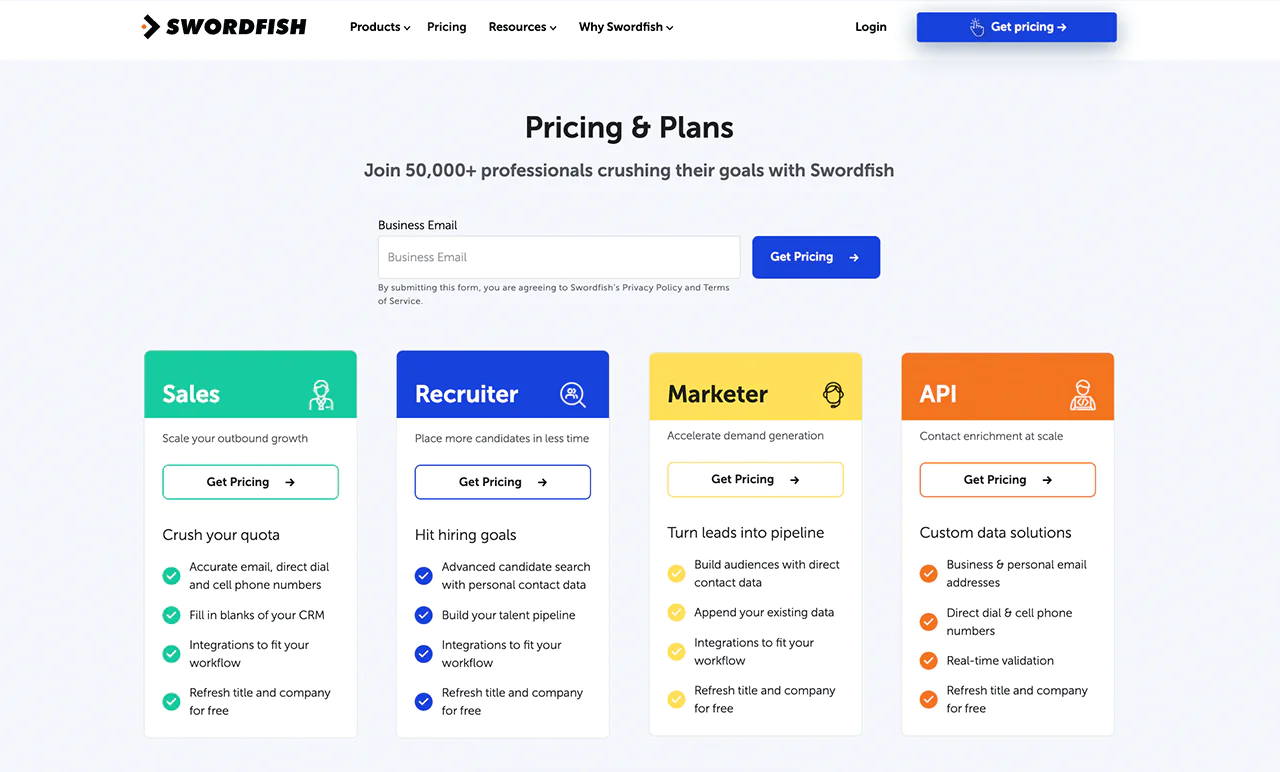
Swordfish AI offers pricing tailored to sales, recruitment, marketing, or API access needs. Rates aren’t published outright, but a quote is easy to request based on your use case.
Each plan is scoped around a specific goal, whether that’s finding more candidates, improving email marketing, or accessing raw contact data through the API.
 Try Swordfish Ai
2. ZoomInfo
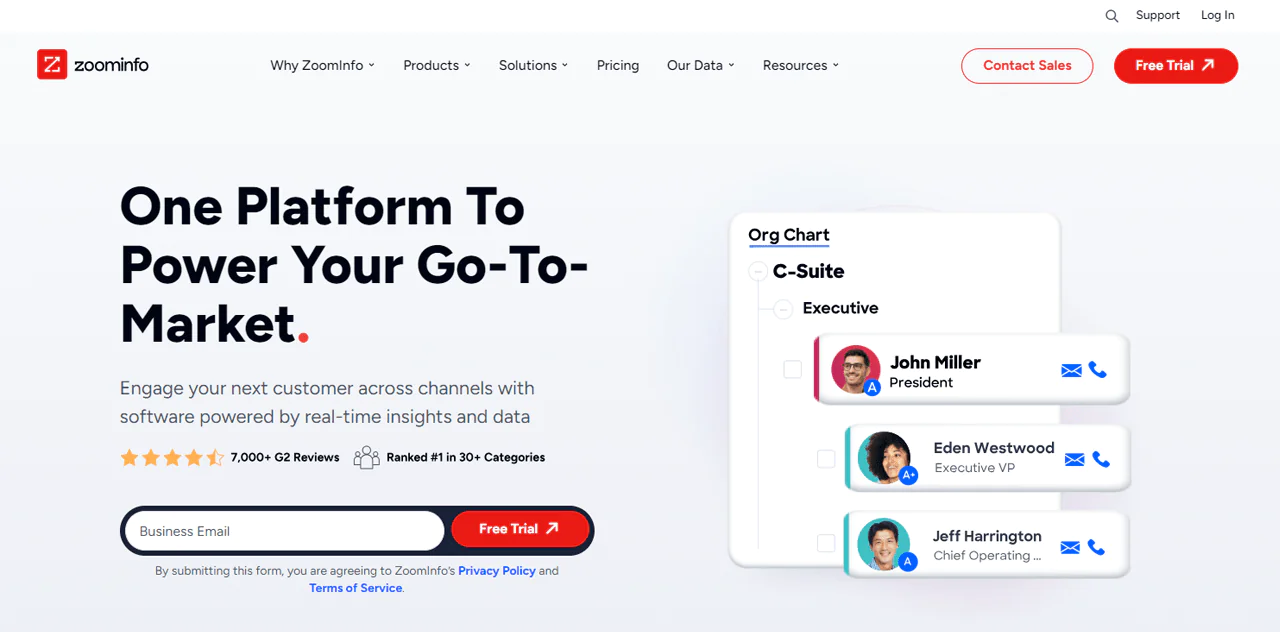
ZoomInfo remains one of the most recognizable names in B2B data, built around a large professional and company database and paired with buyer-intent signals meant to flag when a company might be ready to engage.
It combines its data infrastructure with AI-driven matching to turn raw records into usable insights for marketing and sales teams, and its scale gives it broad reach across industries and regions.
ZoomInfo’s data depth is genuinely useful for improving sales and B2B marketing strategies, but it’s worth going in with realistic expectations about cost.
About ZoomInfo
- Founding year: 2007
- Founding team: Henry Schuck
- Company size: 1,000 to 5,000 employees
Features of ZoomInfo
ZoomInfo’s toolset is aimed at making sales, marketing, and hiring more effective —
- Wide-Ranging B2B Database: Access to detailed company and professional data across a large number of businesses.
- Automated Sales Tools: Automation for organizing leads, routing them to the right rep, and managing pipeline stages.
- Signals for Buyer Intent: Flags when a company shows signs of being ready to buy so teams can focus on warmer leads.
- Data Enrichment: Keeps customer records updated and complete.
- Powerful Search Tools: Filter by industry, company size, or location to narrow your search.
- Insights into the Market: Keeps you current on market trends, news, and competitor activity.
- Easy Integration: Works with many CRM, marketing, and sales tools to automate workflows.
Pros
- Improves sales efficiency with detailed prospect lists.
- Makes marketing more precise with accurate contact information.
- Supports deep market research with detailed company data.
- Can shorten sales cycles by highlighting interested buyers.
- Offers wide global data coverage.
- Simplifies data handling without requiring coding skills.
Cons
- Cost can be a significant barrier for small companies or new businesses.
Pricing
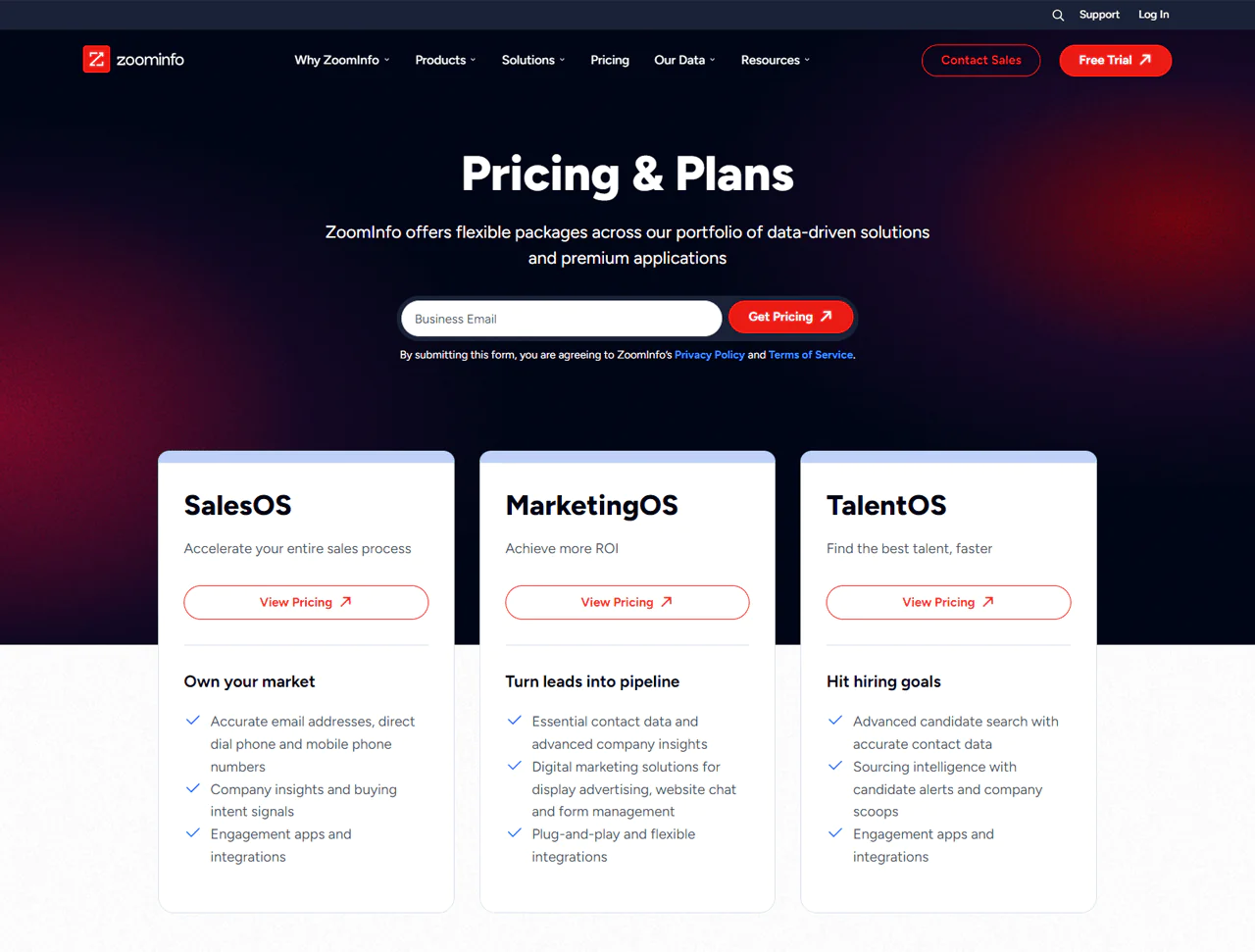
ZoomInfo does not publish fixed pricing, and every plan is quoted individually by its sales team. Recent third-party pricing research indicates the entry-level Professional plan starts at roughly $14,995 per year, with the Advanced plan around $24,995 and the Elite plan at $40,000 or more once add-ons and extra seats are included. These figures shift based on seat count, credit volume, and negotiated terms, so treat any number as a starting point rather than a fixed rate.
What Users Say About ZoomInfo?
- G2: 4.4 out of 5 (7,898 reviews)
- Capterra: 4.1 out of 5 (280)
“What do you like best about ZoomInfo SalesOS?
We lean heavily on account based marketing and this tool allows us to effectively identify the correct people in an organization. We have several different lines of business that benefit from our products. We have to have insights into our addressable market and the ZoomInfo team is always there to help us build lists based on our requirement.
What do you dislike about ZoomInfo SalesOS?
I’m not of fan of having to purchase different packages for Europe and Asia. A hierarchy chart of an organization would be helpful was an area that was lacking but has been resolved with the new product release. The merger has really completed the solution.”
– Todd Q.
Our Review of ZoomInfo
ZoomInfo’s database depth and lead-finding tools make it a strong option for companies trying to improve sales and marketing precision. It’s particularly good at surfacing detailed contact info alongside buying-interest signals, which can cut down the effort needed to find the right targets.
The tradeoffs are the unclear, negotiation-heavy pricing and a setup process that can feel heavy for smaller teams. For businesses with the budget and volume to justify it, ZoomInfo is still a capable tool for reaching customers.
Note: Take a look at the ZoomInfo alternatives if you want a better choice than ZoomInfo.
3. UpLead
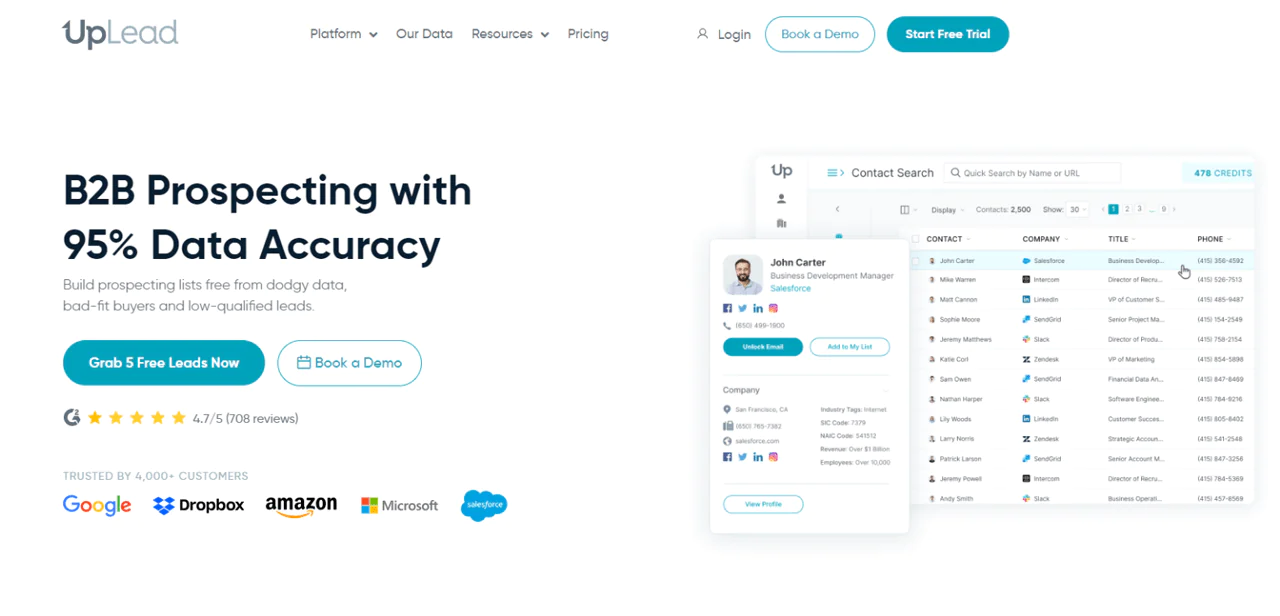
UpLead centers its pitch on data accuracy, promising a 95% accuracy rate on the contacts it delivers. That’s a meaningful claim in this space, since inaccurate leads waste both time and sender reputation.
The platform lets you build prospect lists without wading through outdated or mismatched leads, so sales teams get contacts that are actually relevant to their targeting criteria.
UpLead’s data collection process includes real-time email verification, which helps confirm accuracy before you invest time reaching out.
About UpLead
- Founding year: 2017
- Founding team: Will Cannon
- Company size: 51 to 200 employees
Features of UpLead
- Prospector Tool: Search through a large contact database with a 95% data accuracy guarantee and more than 50 search filters.
- Data Enhancement: Appends more than 50 data points to existing contact and company records.
- Chrome Extension: Find sales information for prospects and companies directly from a website or LinkedIn profile.
- Data API: Enrich company and contact information directly within your own applications.
- Email Verifier: Verifies email addresses in real time to reduce bounce rates.
- Technographics: Tracks thousands of technologies so you can filter companies by their tech stack.
- Email Finder: Locates email addresses for key decision-makers with real-time verification.
- Intent Data: Identifies prospects actively researching solutions like yours.
Pros
- Speeds up finding and checking potential customer details.
- Lowers the chance of emails missing their target.
- Makes prospecting easier with a straightforward platform.
- Gives access to contacts across various industries.
- Updates information in real time.
Cons
- May be expensive for smaller companies or new businesses.
Pricing
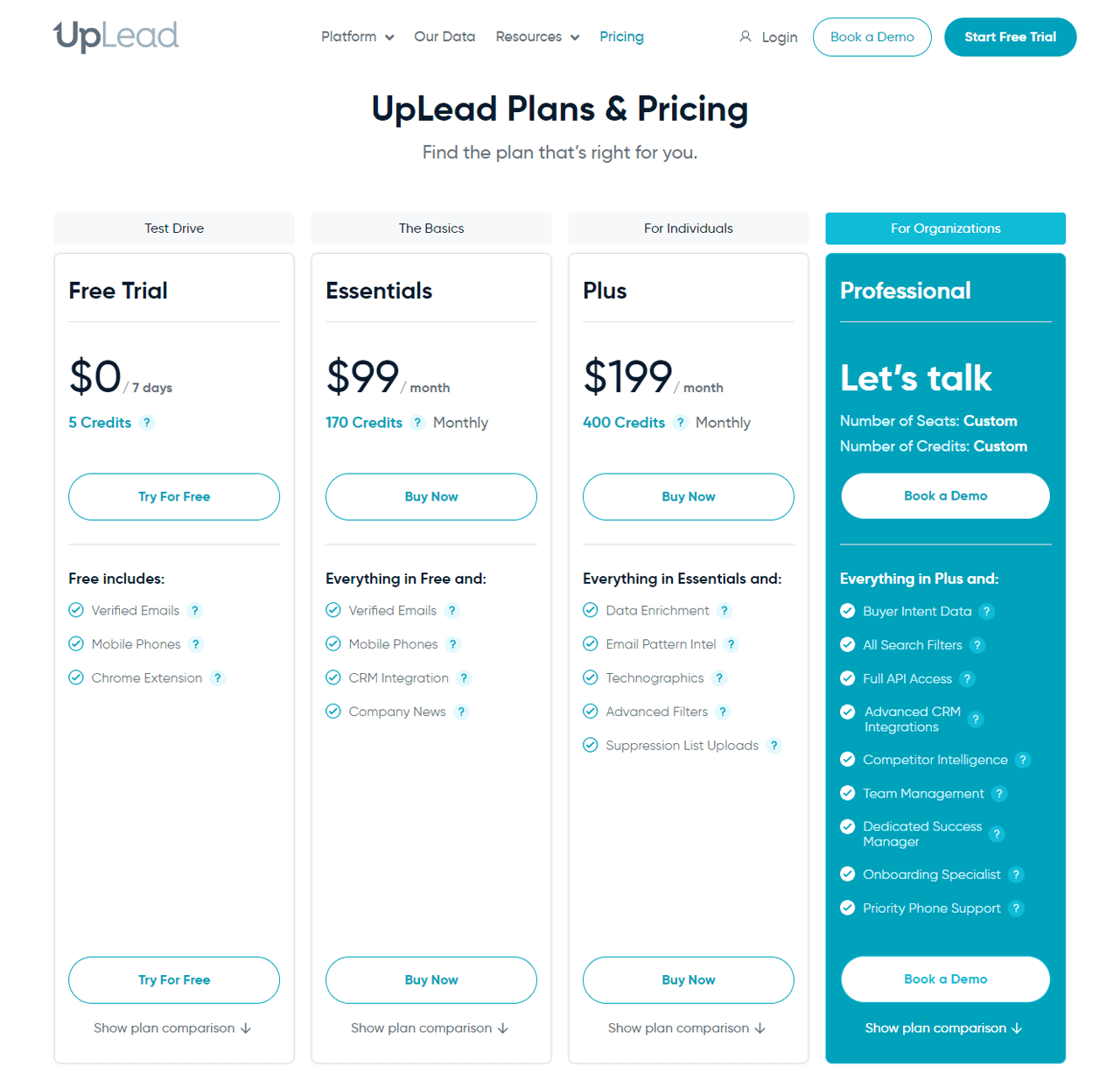
UpLead offers plans for solo users and larger teams alike. A free trial with 5 credits lets you test the platform before committing to the Essentials plan at $99 for 170 credits, or the Plus plan at $199 for 400 credits per month. Teams needing more volume can move to the Professional plan, which offers custom credit options.
The UpLead plans improve your CRM with verified data, enrich your contacts, and provide insight into buyer intent and competitor intelligence.
What Users Say About UpLead?
- G2: 4.7 out of 5 (708 reviews)
- Capterra: 4.7 out of 5 (74 reviews)
“What do you like best about UpLead?
I like the amount of information first at the moment of filtering, It gave you a lot of options so you could play with it in order to get the most effective result. Then I will say in the point when it gave you the data of prospects I found easy to use when I just wanted to download an specific amount of leads according to for example the amount of Revenue I’m looking for.” – Moises R.
What do you dislike about UpLead?
From my experience, 95% of the data is correct, but like with any other software, it can’t keep up with a sudden firing or resignation, but it is usually updated no later than two days! Not a big issue and no other issues with the software” – Jim F.
Our Review of UpLead
UpLead’s 95% accuracy claim, backed by real-time email verification, makes it a solid choice for finding B2B contacts without a lot of wasted outreach on bad data. That verification step cuts down on time lost chasing non-responsive contacts.
The downsides are cost, which can be steep for smaller companies, and the usual concern with any aggregated database: freshness varies depending on the source. Detailed search filters still make it easier to fine-tune targeting.
Note: Browse through some UpLead alternatives to find more possibilities.
4. Cognism
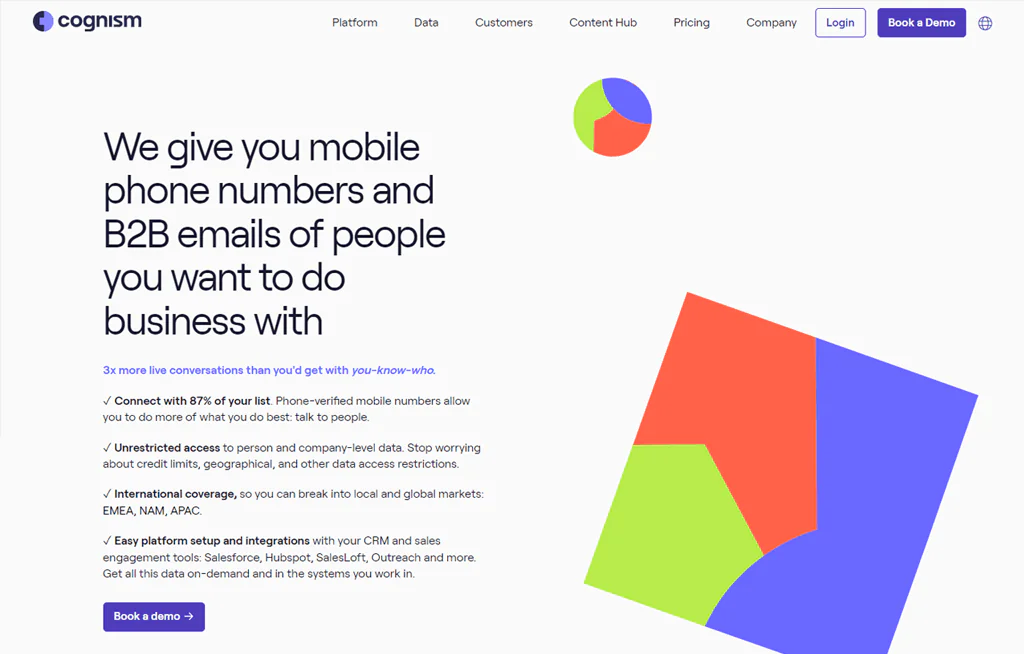
Cognism has built its reputation around data quality and compliance, serving a large base of customers worldwide and positioning itself as a way to reach decision-makers without running into privacy law issues.
The platform includes tools for targeting and outreach along with a data system designed for accuracy, helping refresh existing databases and surface new leads.
Phone-verified contacts, GDPR compliance, and a sizable mobile database are the features that tend to matter most for sales teams evaluating Cognism.
About Cognism
- Founding year: 2015
- Founding team: James Isilay and Stjepan Buljat
- Company size: Over 530 employees
Features of Cognism
- Prospector Tool: Build lists of accounts and leads matching your ideal customer profile, with verified phone numbers included.
- Data Enhancement: Updates outdated or incomplete records to keep contact data accurate and compliant.
- Chrome Extension: Connect with prospects while browsing company websites, LinkedIn, or your CRM.
- Buyer Intent Data: A partnership with Bombora surfaces accounts showing signs of being ready to buy.
- Smooth Integration: Connects with HubSpot, Salesforce, Copper, Pipedrive, and others, reducing manual data entry.
Pros
- Faster lead response times.
- Direct access to decision-makers via mobile numbers.
- Advanced targeting through intent data.
- Real-time data updates.
- Strong compliance with global privacy laws.
- Multi-channel outreach capabilities.
Cons
- Initial setup can involve a learning curve.
Pricing
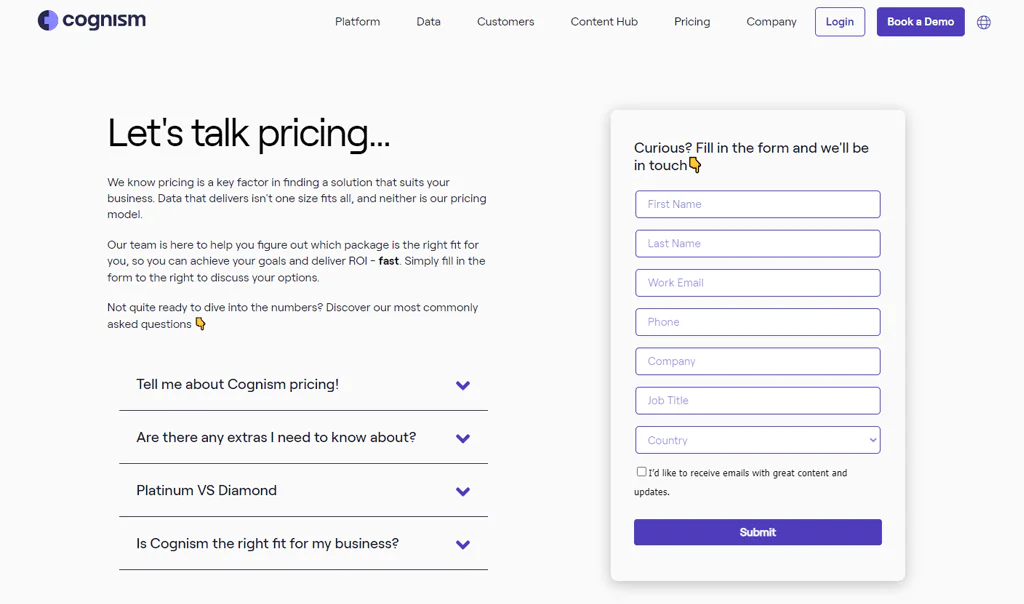
Cognism tailors pricing to your business needs rather than publishing set packages. Based on our research, a Platinum Plan around $15,000 plus $1,500 per user offers access to roughly 25 million contacts, while a Diamond Data Plan aimed at larger teams adds sorting features and access to around 50 million contacts for roughly $25,000.
Both tiers typically include the app, Chrome Extension, and integrations, with add-ons like intent data and personalized research available for an additional fee. Given how quickly enterprise data pricing shifts, it’s worth confirming current numbers directly with Cognism.
What Users Say About Cognism?
- G2: 4.6 out of 5 (564 reviews)
- Capterra: 4.6 out of 5 (67 reviews)
“What do you like best about Cognism?
The ease-of-use of the platform is definitely a huge plus – searching, filtering and refining to give us quality data is fantastic and saving us a lot of time and effort. We’re also finding unexpected uses away from the obvious list creation and industry specific contact data, in that we’re able to identify new details in businesses where our only previous contacts have moved on.
It’s saved us a huge amount of back and forth and wasted conversations. The Salesforce integration is also good, but we’re only just getting started with that.” – Steve K.
What do you dislike about Cognism?
“Some of the data I have used has been outdated, however, the friendly customer support are always open to feedback.” – Ania J.
Our Review of Cognism
Cognism is a strong sales intelligence tool, particularly for its combination of up-to-date B2B data and buyer-intent insights, which helps teams talk to the right people at the right time rather than casting a wide net.
The volume of data can feel like a lot for smaller teams unfamiliar with advanced filtering tools, and pricing is likely out of reach for startups working with tight budgets.
5. Kaspr
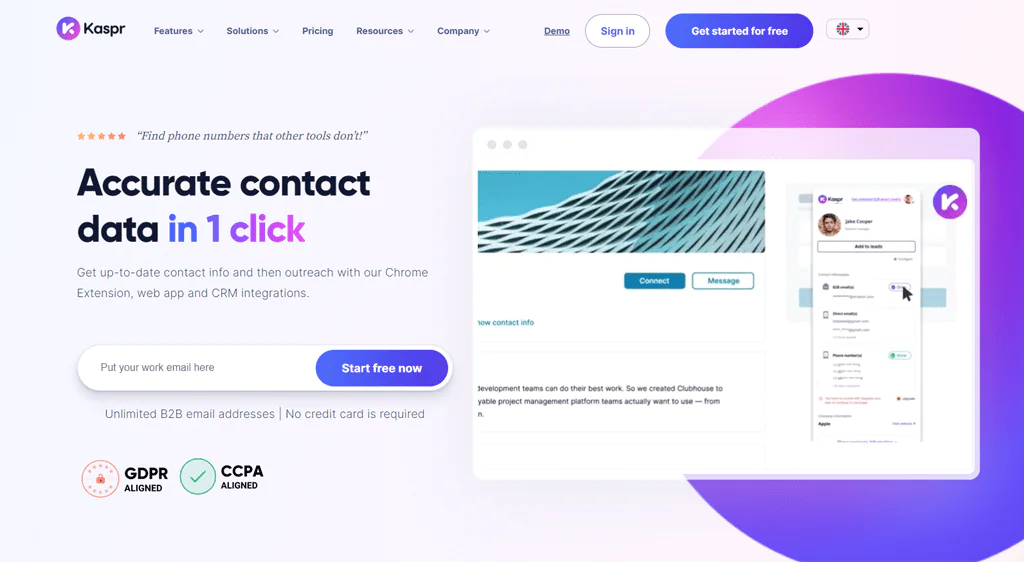
Kaspr focuses on pulling contact info directly from LinkedIn through a Chrome extension and web app, which makes it approachable for anyone who prospects primarily through that platform.
It’s used by a large number of companies and checks its data against multiple sources in real time to keep accuracy up. It’s a good fit for salespeople, founders, and recruiters who want leads without a steep learning curve, though you’ll burn through credits quickly and need to purchase more once you run out.
About Kaspr
- Founding year: 2018
- Founding team: Allan Benguigui and Omar Ghorbel
- Company size: Over 35 employees
Features of Kaspr
- LinkedIn Chrome Extension: Grab emails and phone numbers straight from LinkedIn with one click.
- Web App for Lead Management: Keep leads organized and automate outreach in one place.
- Bulk Data Extraction: Pull contact info for many prospects at once.
- Automated LinkedIn Outreach: Send connection requests and messages automatically.
- Integration with Sales Tools: Fits into workflows with Salesforce, HubSpot, and Pipedrive.
- API for Data Enrichment: Fills in missing details for LinkedIn profiles.
Pros
- Efficient access to B2B contacts.
- Reduces hours spent on lead generation weekly.
- Integrates smoothly with LinkedIn.
- Data verified through multiple sources.
- Supports global outreach.
Cons
- You’ll need to upgrade your plan for more data.
Pricing
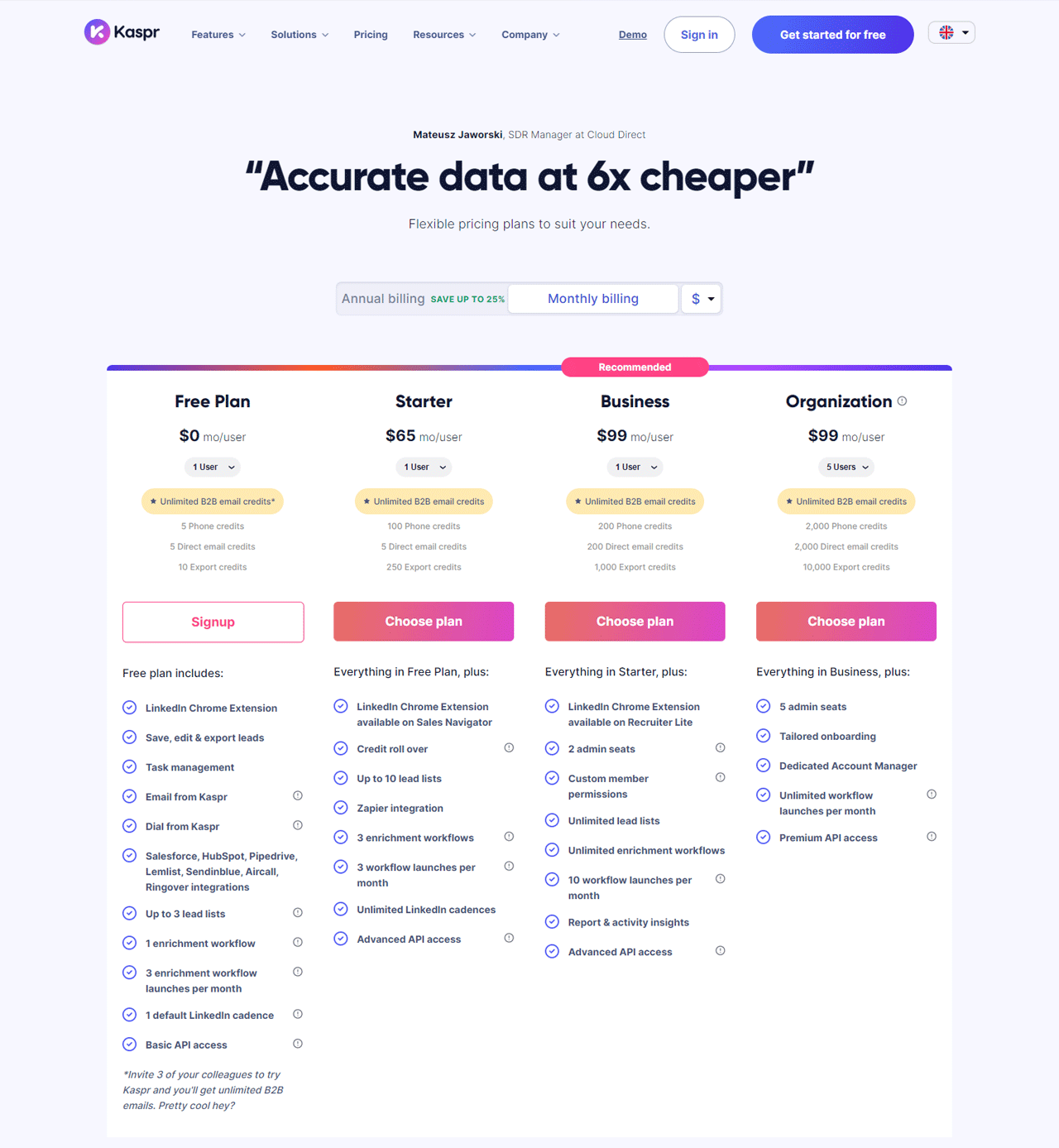
Kaspr starts with a free plan for solo users needing basic contacts. A Starter Plan at $65 a month suits small teams needing more outreach tools, while a Business Plan at $99 a month offers wider access. An Organization Plan, also around $99 a month, is aimed at larger companies needing custom onboarding and dedicated support.
What Users Say About Kaspr?
- G2: 4.4 out of 5 (623 reviews)
“What do you like best about Kaspr?
Kaspr is an outstanding B2B contact provider. Their services are top-notch, providing accurate and reliable contact information for businesses. The website is user-friendly, making it easy to navigate and find the contacts you need. With Kaspr, connecting with potential business partners has never been easier. Highly recommended!” – Romy K.
What do you dislike about Kaspr?
In using Kaspr, I’ve encountered some limitations, particularly in retrieving data for smaller companies and recent job changes, where it often falls short. Additionally, LinkedIn flagged my activities as suspicious after activating the Kaspr plugin, raising concerns about its compatibility with LinkedIn’s policies and the potential impact on my account. These aspects have somewhat hindered my overall experience with the tool.” – Daria R.
Our Review of Kaspr
Kaspr’s biggest strength is speed: the Chrome extension and web app make it easy to grab contact data without breaking your prospecting flow, which saves teams real time.
Some users find the dashboard cluttered and onboarding slower than expected, but for straightforward LinkedIn-based lead generation, it remains a useful tool.
6. Lead411
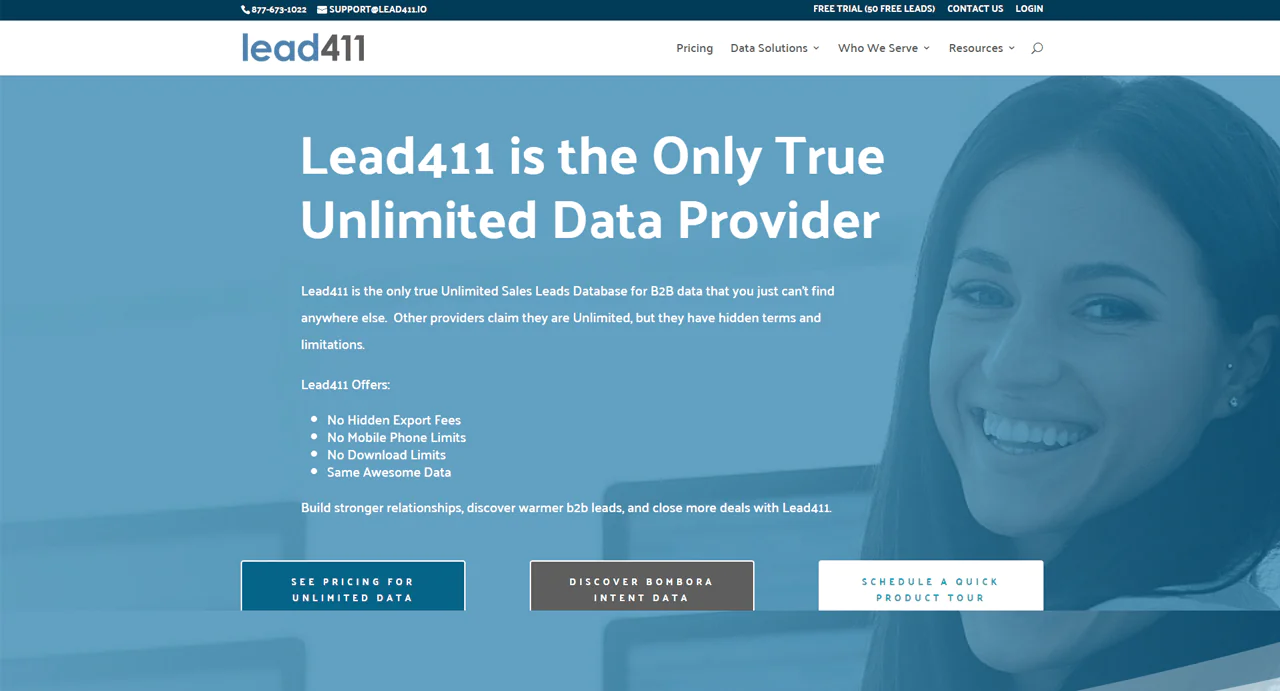
Lead411 differentiates itself with unlimited access to sales leads, without the download caps or hidden fees some competitors apply, which appeals to teams running high-volume outreach.
Verified email lists and direct dial numbers help improve deliverability, and integration with Bombora’s B2B Intent Data sharpens the focus of campaigns further.
The combination of unlimited access and no hidden fees makes it a reasonable option for companies trying to scale outreach without watching a credit counter.
About Lead411
- Founding year: 2011
- Founding team: Tom Blue
- Company size: 11 to 50 employees
Features of Lead411
- Lead Prospecting: Access data on customer interests, company growth, and other signals to spot fitting leads.
- Contact Enrichment: Keeps CRM records current with accurate contact details.
- Bombora Intent Data: Identify companies searching for solutions like yours.
- Chrome Extension: Access LinkedIn profiles and B2B contact info while browsing.
- Sales Engagement – Reach: Organize and run email, phone, and SMS campaigns from one place.
Pros
- Makes finding leads faster and easier.
- Detailed data helps focus on the right people.
- Reliable contact details support smoother selling.
- Increases the chance emails reach their target.
- Cuts down time spent finding good leads.
Cons
- Over-reliance on the tool might skip personal lead discovery.
Pricing
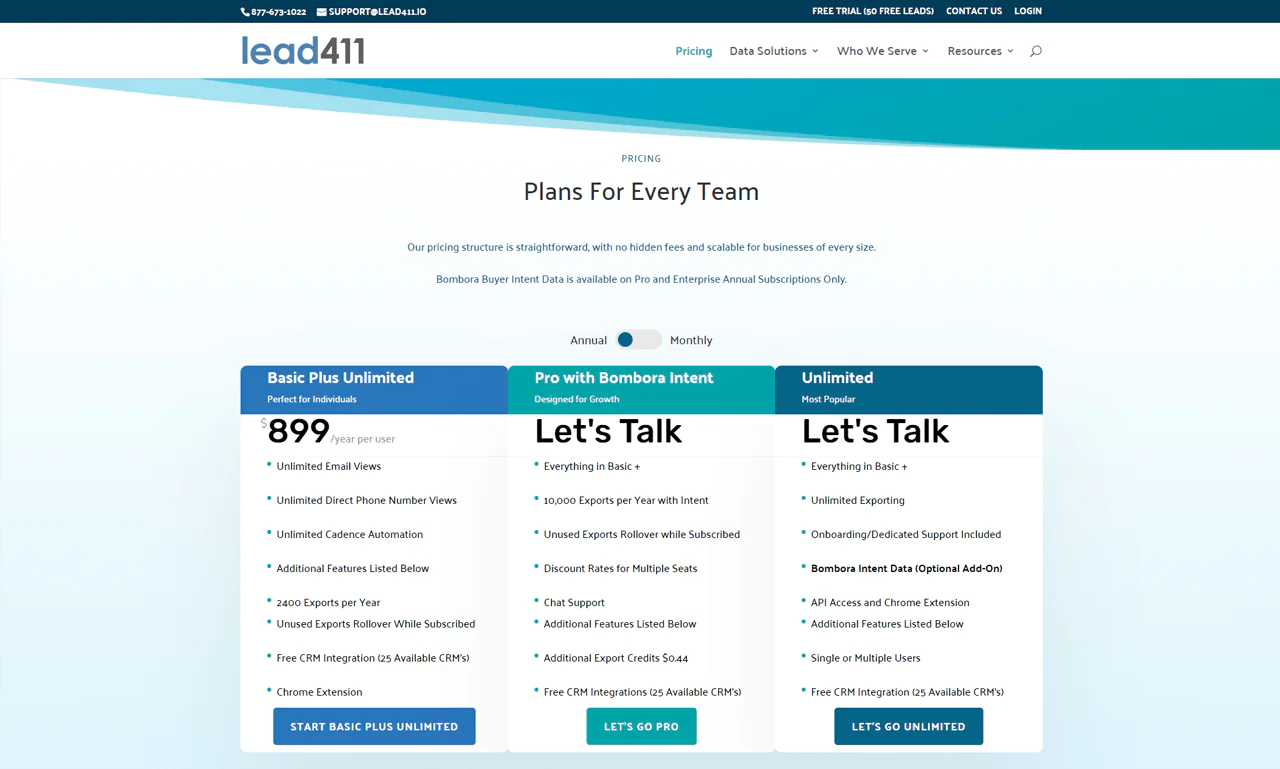
A 7-day free trial includes 50 exports at $0.50 each afterward. Solo users can opt for the Basic Plus Unlimited plan at $99 a month, which includes unlimited access and 200 exports monthly that carry over if unused. Teams needing more flexibility can choose the Enterprise Limited package, which includes enhanced support and multi-seat discounts.
What Users Say About Lead411?
- G2: 4.5 out of 5 (424 reviews)
- Capterra: 4.6 out of 5 (60 reviews)
“What do you like best about Lead411?
Customer Support, Quality Data, Pricing, No Annual Contract.
I have fully test driven every major lead provider that specailizes in intent data with a head to head comparrison. Leads 411 won.
Email open rates of 55% and a click rates of around 10%. Also, a high percentage of the leads included phone numbers that actually connected to those we were targeting. None of the competitors got that close and they required an anual contract.
Save yourself the time and start with them now – we started seeing positive results almost instantly.” – Verified User in Marketing and Advertising
What do you dislike about Lead411?
If there were ONE complaint…the inability to search by physical street address would be it. It would be very helpful to me as I’m often tasked with prospecting in specific buildings. There are work-arounds, but adding the function to be able to plug in a specific street address would make this already awesome platform other-worldly awesome.” – Michael M.
Our Review of Lead411
Lead411’s database and lead generation tools are genuinely useful, offering detailed contacts and company insights for more targeted outreach. Real-time data supports more personalized communication, though sorting through the volume of data to find relevant leads can take effort, and cost may be a barrier for smaller companies.
7. Hunter.io
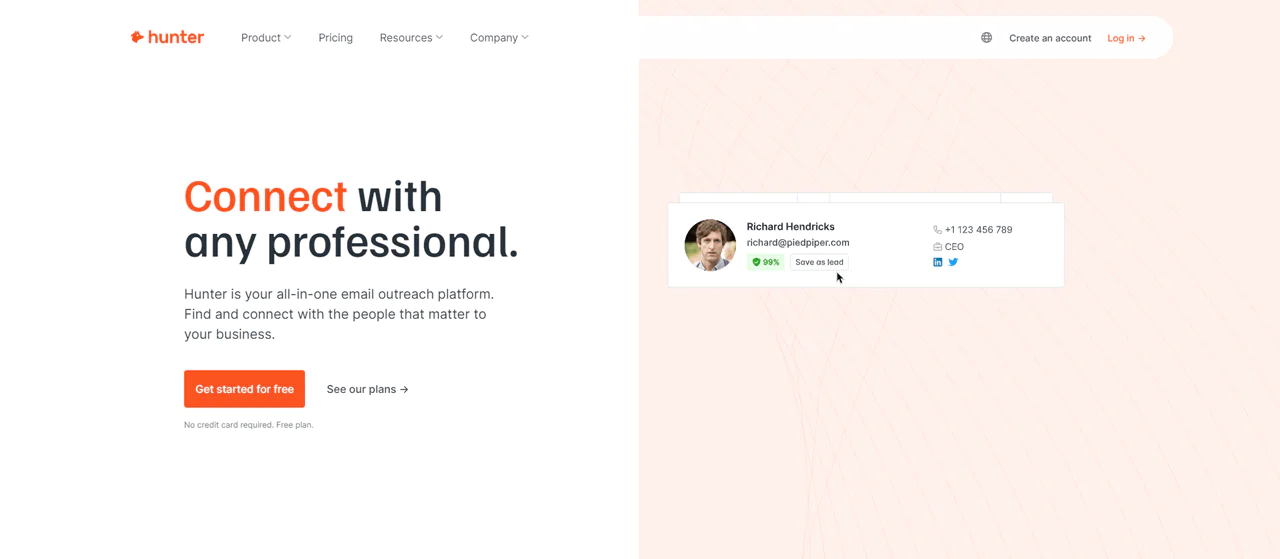
Hunter.io is built around one core job: finding and confirming professional email addresses quickly. It crawls a large number of websites daily to keep its contact database current.
That makes it useful for reaching decision-makers at almost any company, and the platform is generally reliable thanks to its verification checks. It’s easy to use and structured around data protection compliance, though you’ll still need to write tailored messages to make cold email actually work.
About Hunter.io
- Founding year: 2015
- Founding team: Antoine Finkelstein and François Grante
- Company size: 11 to 50 employees
Features of Hunter.io
Hunter.io equips you with tools to find and check professional email addresses, making it a solid marketing tool —
- Domain Search: Quickly locate email addresses linked to a specific domain, useful for buying an email list by industry.
- Email Finder: Find someone’s email by entering their name and company domain, handy for building a large, focused list.
- Email Verifier: Confirms emails are valid before you send, protecting deliverability and sender reputation.
- Bulk Tasks: Find or verify large batches of emails at once, useful for broad campaigns.
- Campaigns: Send personalized email campaigns directly, with scheduling and response tracking.
- API: Automate email finding and verification within your own systems.
- Chrome Extension: See email addresses and where they were found while browsing.
- TechLookup: Identify leads by the technologies they use.
Pros
- Quickly locates professional and personal email addresses.
- Highly accurate at confirming email details.
- Keeps contact info current for better outreach.
- Makes compliance with data protection laws easier for cold email.
- Integrates smoothly with well-known tools.
- Uses clear, openly sourced data.
Cons
- Relies on publicly available data, which might miss some contacts.
Pricing
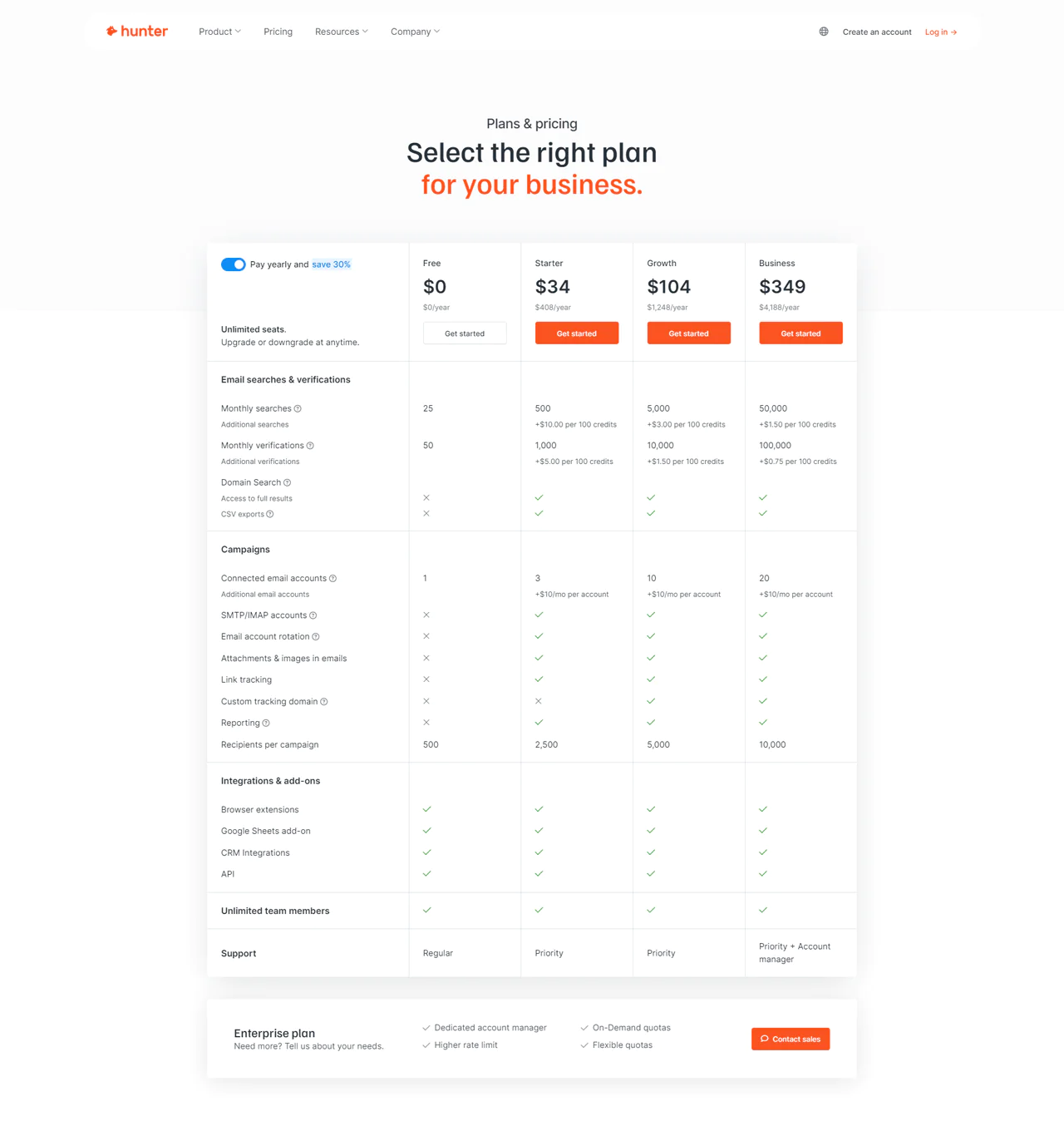
Hunter.io has a Free plan for basic needs, a Starter plan at $49 per month for essential searches and verifications, a Growth plan at $149 per month for expanded capabilities, and a Business plan at $499 per month for larger-scale outreach. Plans can be upgraded, downgraded, or canceled as needs change.
What Users Say About Hunter.io?
- G2: 5 out of 5 (526 reviews)
- Capterra: 4 out of 5 (608 reviews)
“What do you like best about Hunter.io?
Great Product for the Price. Great Customer Service, difficult to beat. When I needed to contact them, they responded quickly and went above and beyond with their support. I’ve been a Recruiting Consultant for years and have trained lots of Recruiters. This is a tool that I always recommend!!” – Scott S.
What do you dislike about Hunter.io?
Some emails are not found for those who work for a certain company. This may be a software related drawback or the people do not have an email at all.” – Levon G.
Our Review of Hunter.io
Hunter.io’s Domain Search, Email Finder, and Email Verifier make it easy for businesses to improve outreach without a steep learning curve. The tradeoff is that pricing can climb quickly for smaller businesses, and since it relies on publicly available information, some contacts without a public footprint will be missed. Even so, easy workflow integration and a clean interface make it a solid pick overall.
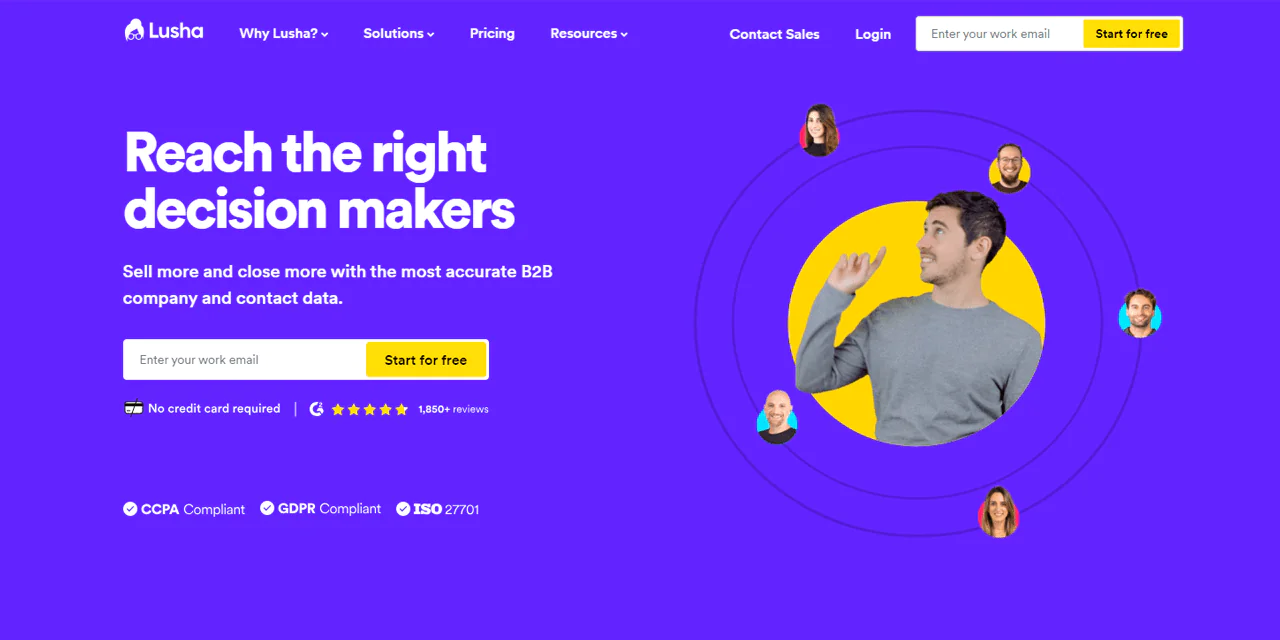
8. Lusha
Lusha offers a straightforward path to buying B2B contact data, with an emphasis on keeping records current and matched to your target customer profile.
It layers in intent data and behavioral insights to personalize cold outreach, which helps simplify the pipeline, surface key contacts faster, and enrich CRM records.
The combination of data precision and compliance focus is what makes Lusha a reasonable option if you want to expand outreach with some confidence in the data quality.
About Lusha
- Founding year: 2016
- Founding team: Assaf Eisenstein, Yoni Tserruya
- Company size: 340 employees
Features of Lusha
- Warm Outbound Intent Data: Find companies looking for what you offer and reach key decision-makers.
- Lusha API: Automatically updates your business database with fresh contact and company info.
- CRM Data Enrichment: Keeps prospect and customer details current for better lead management.
- Lusha Engage: Send personalized emails at scale, with tracking built in.
- B2B Prospecting Tool: Filter by industry, company size, or tech stack to pinpoint fitting companies.
- Lusha Extension: See contact and company information while researching, without stopping to switch tools.
Pros
- Connects easily with CRM tools.
- Consistently updated information.
- Better message customization through behavioral insights.
- Quickly finds new potential customers.
- In-depth business information improves marketing.
- Less time spent verifying contact details.
Cons
- May be too expensive for small companies or new businesses.
Pricing
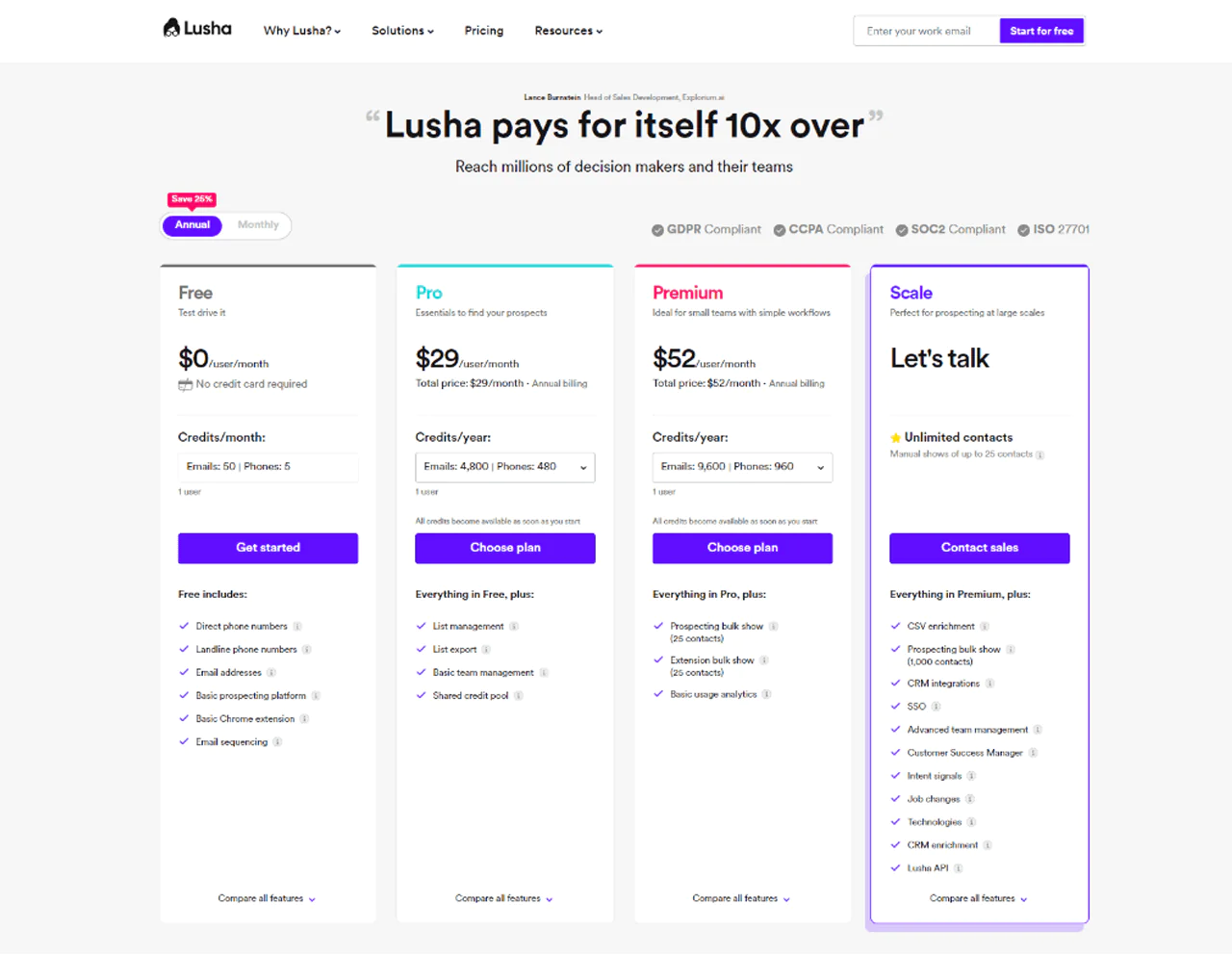
Lusha uses a credit system where one credit reveals a contact’s full email or phone information. The Free version offers 5 credits. The Pro plan at $39 per month provides 40 credits, and the Premium plan offers 80 credits for $69 per month. A Scale plan is available for larger needs. Signing up only requires a business email.
What Users Say About Lusha?
- G2: 5 out of 5 (1,427 reviews)
- Capterra: 4 out of 5 (359 reviews)
“What do you like best about Lusha?
Lusha is pretty handy for getting accurate contact information. Its ability to provide updated and reliable contact details for individuals and businesses can be really helpful when you’re trying to connect or reach out to someone. Plus, it’s user-friendly and can save a lot of time that might otherwise be spent hunting down contact info online.” – Lifin X.
What do you dislike about Lusha?
I’ve found that many of the contacts are retired or at different companies, otherwise very accurate.” – Olivia C.
Our Review of Lusha
Lusha’s B2B database offers direct, up-to-date access to essential contact information, and it integrates smoothly with CRM systems for efficient lead management. Cost may be a hurdle for smaller businesses, and reliance on public data can limit reach in certain niches, but overall it’s a solid tool for B2B outreach.
Note: Look into different options if you’re seeking alternatives to Lusha.
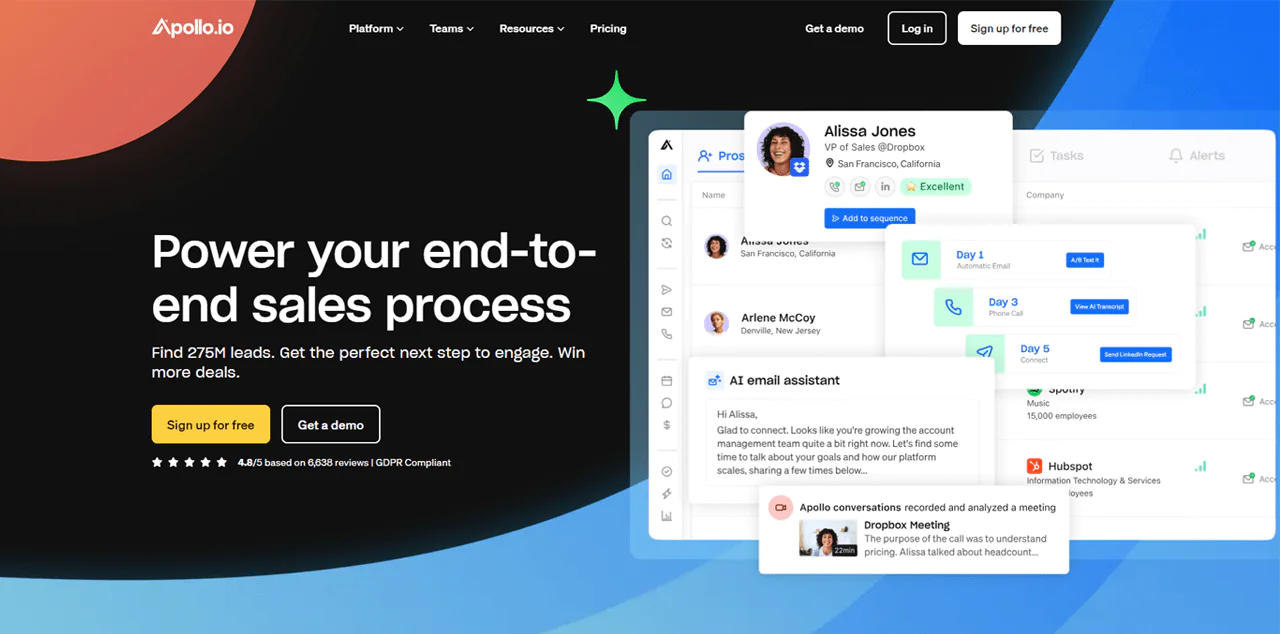
9. Apollo.io
Apollo.io positions itself as an all-in-one sales platform, covering everything from prospecting to closing, with access to a large database of contacts and companies.
The platform’s strength is its AI-driven prospecting and sales engagement tools, backed by data intended to stay current and compliant with GDPR standards.
Extensive filtering, automatic CRM updates, and scaled outbound campaigns let you target leads precisely, which is why Apollo.io is a common choice for teams trying to consolidate their sales stack.
About Apollo.io
- Founding year: 2015
- Founding team: Tim Zheng
- Company size: 501 to 1,001 employees
Features of Apollo.io
- Data Enrichment: Keeps your CRM updated using its database.
- Prospecting: Access a large contact base with more than 65 filters to refine your search.
- Sales Engagement: Email, calls, and LinkedIn outreach tools, powered by AI, for personalized campaigns.
- Deal Closure: Analyzes sales conversations and meetings to surface insights that speed closures.
- Living Data Network: A wide network of contributors keeps the database expanding and updated.
- Sales Intelligence: Buyer data and intent signals within the prospecting tool.
- Chrome Extension: Access the platform directly from your browser.
- Meetings: Automates scheduling to shorten sales cycles.
Pros
- Connects you with a large pool of potential customers.
- Makes it faster to find and talk to leads.
- Automatically updates customer details.
- Simplifies outreach and communication with buyers.
- Helps focus effort on the most promising leads.
- Improves overall sales approach.
Cons
- The complete feature set can get expensive.
Pricing
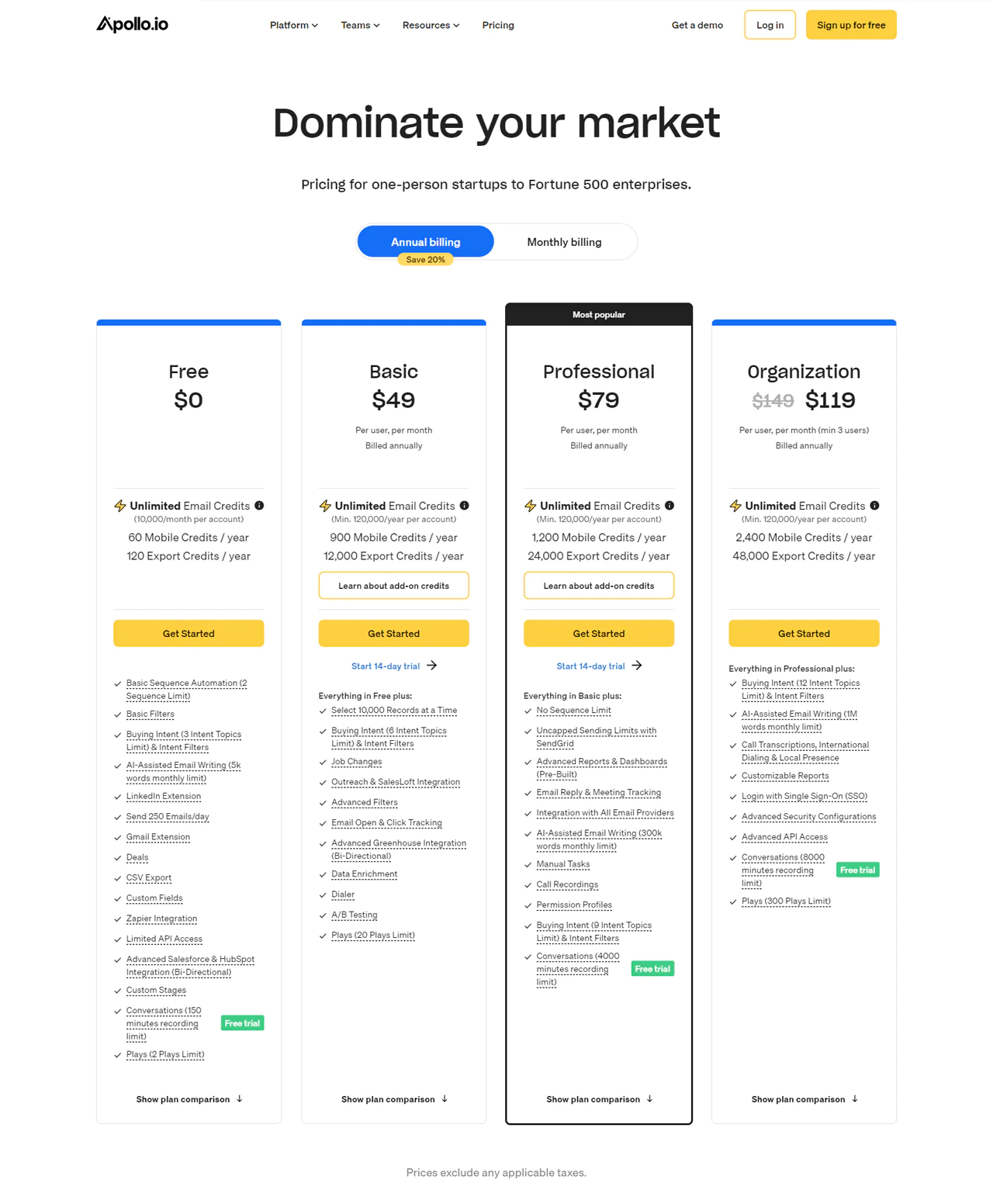
You can begin at no cost, with unlimited email credits and essential tools. The Basic plan runs $59 per user per month (billed annually) and adds email tracking and job-change notifications. The Professional plan at $99 removes restrictions on email sequences and improves reporting. For larger teams, the Organization plan costs $119 with a five-user minimum, billed annually, and includes AI-powered email assistance and enhanced security.
What Users Say About Apollo.io?
- G2: 5 out of 5 (6,639 reviews)
- Capterra: 4 out of 5 (338 reviews)
“What do you like best about Apollo.io?
Since the inception of my marketing and research career, I have relied on Apollo as an invaluable extension that significantly enhances various aspects of my professional activities. From gaining remarkable insights into business prospects across domains to simplifying lead generation, Apollo has proven to be a reliable companion.
The extension’s seamless integration with diverse websites eliminates the need for in-depth manual digging, providing a streamlined experience. The exemplary customer support further contributes to a positive user experience. In essence, Apollo has become my go-to extension, offering efficiency, reliability, and frequent usability in my daily tasks.” – Raunak S.
What do you dislike about Apollo.io?
Using the extension in your browser is pretty easy to get lead data in a one by one basis but exporting lists can be a tricky and takes while to master” – Verified Reviewer
Our Review of Apollo.io
Apollo.io’s use of AI for finding and managing potential customers, combined with respect for data privacy standards, makes it an appealing all-in-one option. Detailed buyer information paired with AI-driven lead scoring makes targeting more effective.
Downsides include cost for smaller companies and a heavy reliance on AI that may not suit every sales approach, especially teams that prefer a more manual, relationship-driven process.
Note: There are other Apollo.io alternatives you might want to check out.
10. Skrapp.io
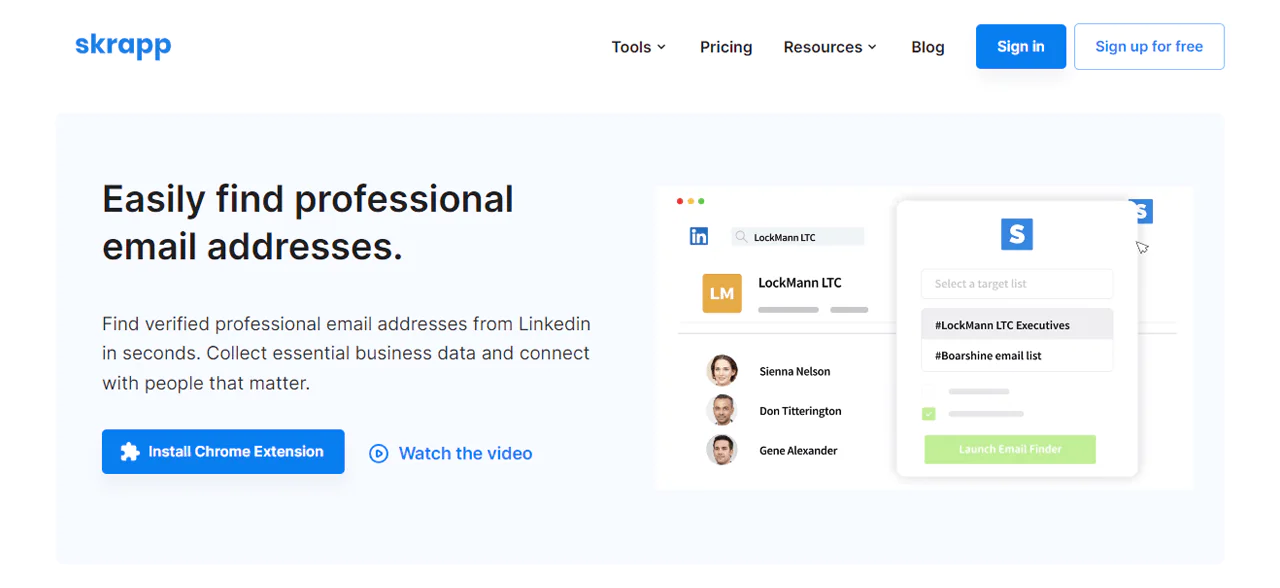
Skrapp.io is built for teams that want accurate email lists pulled directly from LinkedIn, making it a practical resource for B2B sales and marketing prospecting.
It retrieves verified emails quickly, improving the odds of reaching relevant business contacts, and the interface stays simple while still collecting precise details like company names and email addresses.
Its affordability and straightforward value proposition, better lead generation with quality email data, make it a reasonable pick if you’re trying to purchase email lists on a budget.
About Skrapp.io
- Founding year: 2016
- Founding team: Othmane Ghazi
- Company size: 1 to 10 employees
Features of Skrapp.io
- Email Finder: Locate professional email addresses by entering a name and company or website.
- LinkedIn Integration: Grab email addresses directly from LinkedIn profiles and searches.
- Chrome Extension: Captures email addresses from LinkedIn and company websites as you browse.
- Company Search: Search for employees and their email addresses at a specific company.
- Bulk Finder: Upload CSV or XLSX lists to find email addresses in bulk.
- Email Verifier: This verifier tool checks the validity of email addresses to improve campaign success rates.
- People Search: Search a database of companies and professionals, refined by industry or company size.
Pros
- Increases lead generation efficiency significantly.
- Saves time in prospecting and outreach.
- Improves email marketing campaign accuracy.
- Simplifies the sales funnel with verified contacts.
- Reduces costs compared to traditional prospecting.
- User-friendly platform.
Cons
- Limited features in the free version restrict utility.
Pricing
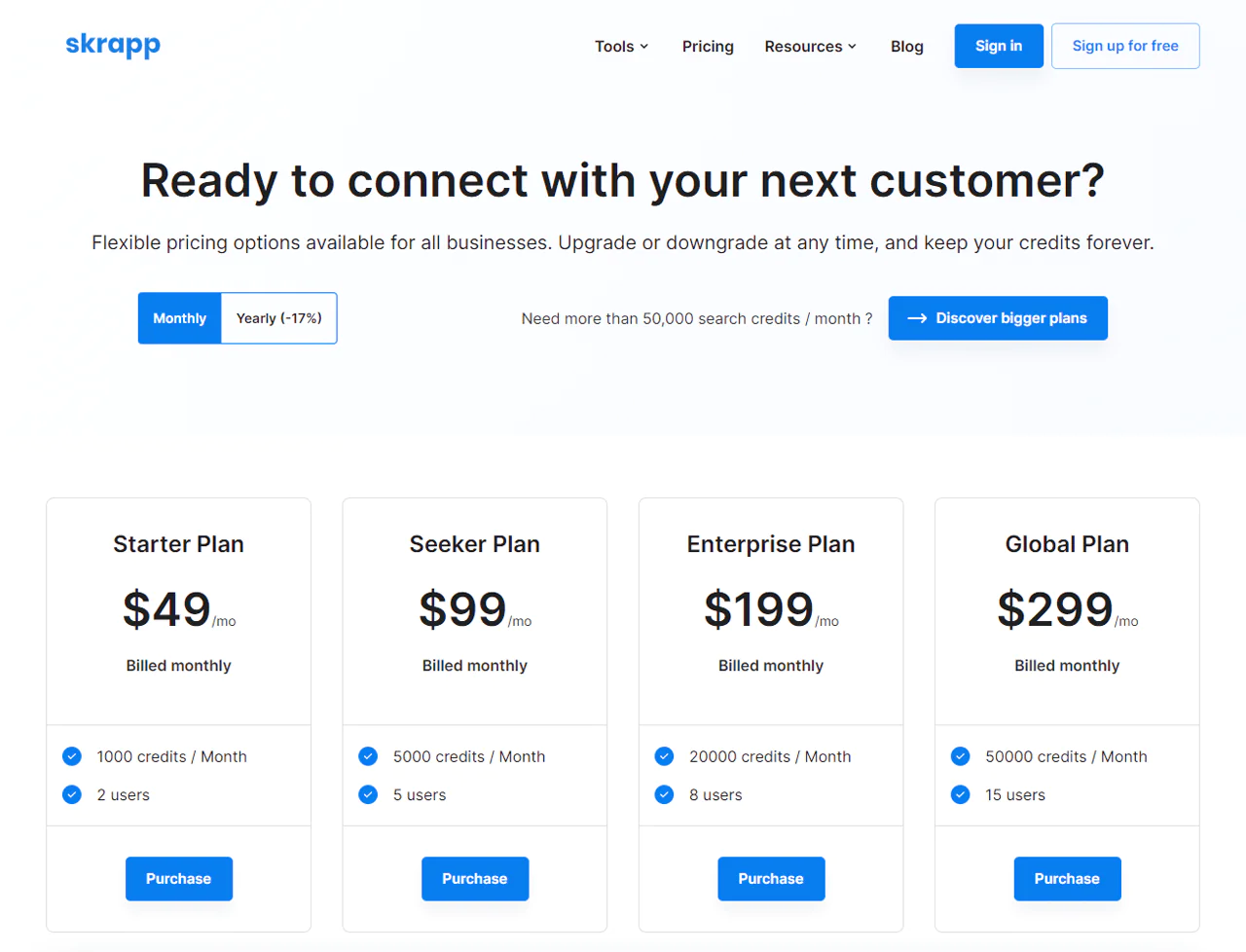
The free plan includes 100 email searches and 200 verifications monthly, ideal for solo users. The Starter plan at $49 a month raises this to 1,000 searches and 2,000 verifications. The Seeker plan at $99 a month offers 5,000 searches and 10,000 verifications. The Enterprise plan at $199 a month provides 20,000 searches and 40,000 verifications, and the Global plan at $299 a month supports 50,000 searches and 100,000 verifications.
What Users Say About Skrapp.io?
- G2: 3.9 out of 5 (99 reviews)
- Capterra: 4.6 out of 5 (55 reviews)
“What do you like best about Skrapp.io?
Skrapp.io is praised for its user-friendly design, efficiency in locating email addresses, and ability to save time and effort in lead generation. This is especially useful when looking for email addresses and phone numbers, which can be expensive to obtain.” – Aeriel Nicole T.
What do you dislike about Skrapp.io?
The only thing i dislike about the software is that it can only be used to search for contacts on LinkedIn.” – Oladipo A.
Our Review of Skrapp.io
Skrapp.io is a useful tool for pulling leads from LinkedIn, especially for teams focused on B2B sales and marketing on a budget. Fast retrieval of verified email lists speeds up lead generation, and pricing fits a range of budgets.
On the downside, larger companies may see delays finding contacts, and there’s some risk of outdated or incorrect addresses. Affordability and responsive customer support still make it a compelling option.
Why Should You Buy Verified Email Lists?
Purchasing verified email lists can meaningfully change how your outreach and growth efforts perform. Here’s why —
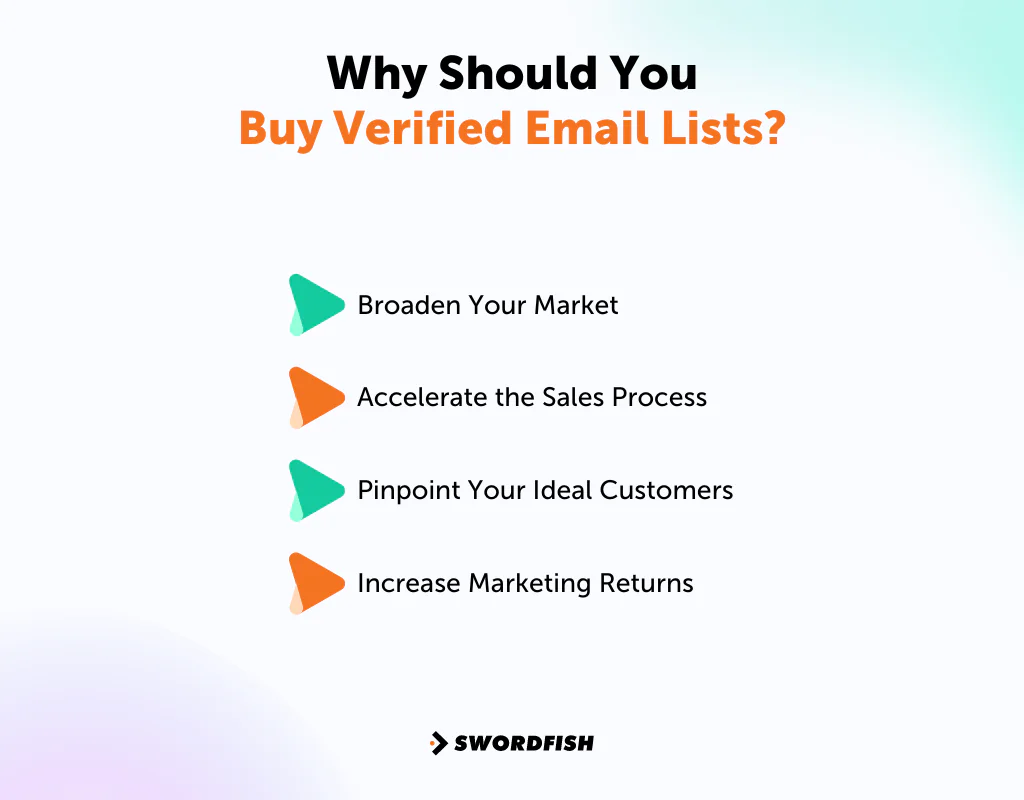
Broaden Your Market
If your business is thriving in the USA and considering entry into the UK market, verified international email lists can connect you directly with potential customers there, opening up new growth opportunities.
Accelerate the Sales Process
Sending cold emails to relevant contacts may make outreach more focused, but it does not guarantee higher open rates or a shorter sales cycle. Tailored messages and appropriate follow-up still matter.
Pinpoint Your Ideal Customers
Filtering email lists by factors like industry or company size lets you focus on prospects that match your business goals. Many providers offer lists targeting specific roles, such as CFOs or CEOs, so your messages reach the right decision-makers.
Increase Marketing Returns
Investing in a targeted, high-quality email list can meaningfully improve your marketing ROI, with email marketing potentially up to 4400% in returns under strong conditions. Content that resonates with your audience is what drives engagement and conversions from there.
How to Choose the Best Website to Buy Email List
Choosing the right provider is central to how well your campaigns perform. Here’s a practical checklist to guide the decision.
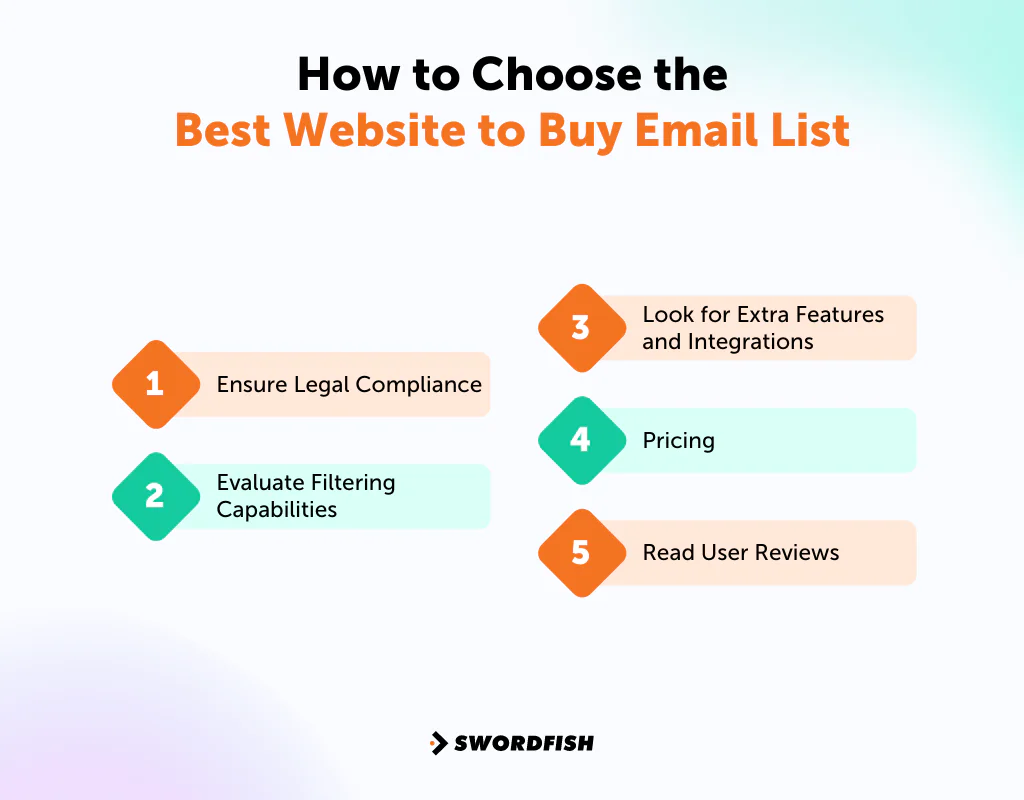
Ensure Legal Compliance
Check the laws that apply to your organization, the recipients, and the intended use of the data. A provider’s claims about GDPR compliance or security standards do not, by themselves, establish that a particular list or campaign is lawful.
Evaluate Filtering Capabilities
Check what filtering options a provider offers. Strong filters let you narrow down to the specific businesses and decision-makers you’re trying to reach. Filtering by location and industry helps ensure the contacts you end up with are actually relevant to your campaign.
Look for Extra Features and Integrations
A list alone rarely wins in a competitive market. Look for providers offering intent data, sales triggers, and tools that integrate with your CRM and email verification systems. These extras help turn leads into sales more efficiently.
Pricing
Cost matters, but price alone does not establish data quality. Ask how the provider sources, updates, and verifies its data, and review its reputation before committing. Compare subscription terms with any one-time data options.
Read User Reviews
Feedback from other users matters. Check sites like G2, Capterra, or Trustpilot to gauge trustworthiness. A mix of positive and negative reviews tends to give a more realistic picture of what to expect than a perfect score would.
Top 5 Red Flags in Buying Email Lists
When shopping for an email list, quality and legality both matter. Watch for these warning signs that a provider isn’t reputable.
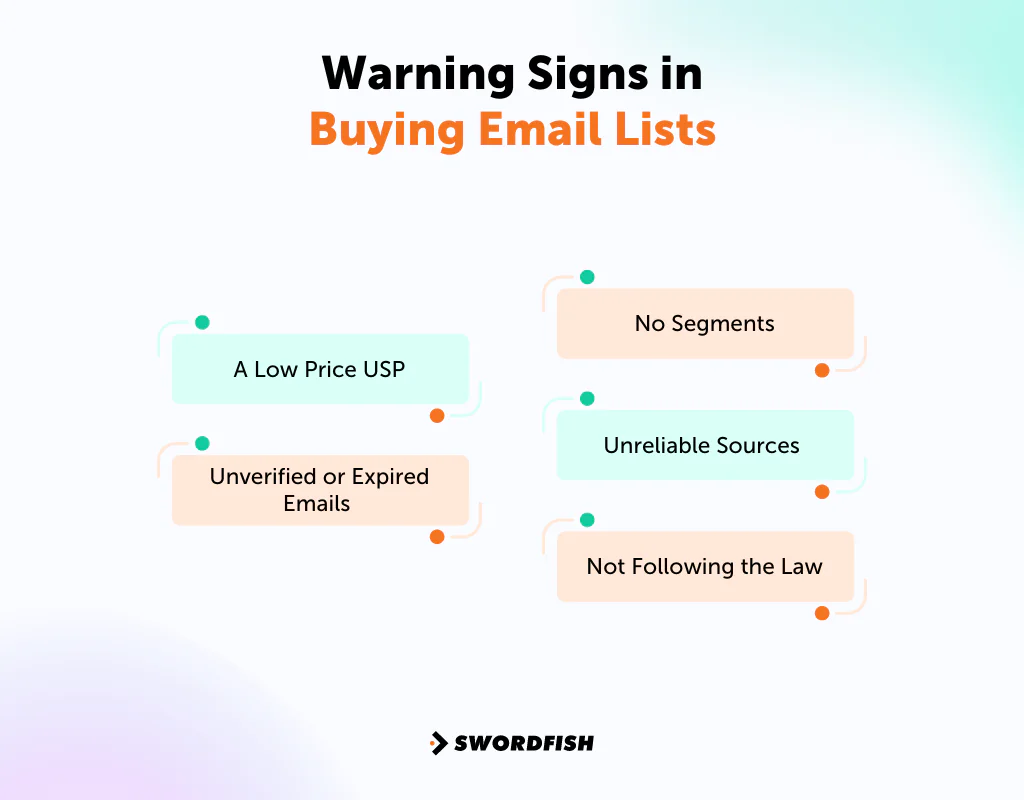
A Low Price USP
Treat rock-bottom prices or urgent limited-time discounts as reasons to look more closely, not proof of poor data quality. Ask about the data’s source, age, verification process, and permitted uses before buying.
Unverified or Expired Emails
Lists with outdated or unverified emails can hurt your deliverability rates and damage your sender reputation. Confirm the provider regularly updates and verifies its email addresses.
No Segments
A lack of segmentation options is a red flag. Without the ability to filter by specific criteria, you’re left with a broad, untargeted list that won’t resonate with your audience and will likely produce weak engagement.
Unreliable Sources
Be wary of lists from untrusted or unknown sources. You may not be able to confirm whether the addresses are valid, how the data was collected, or whether its use is permitted for your campaign.
Not Following the Law
The legal aspect matters: requirements for using contact data vary by jurisdiction and by how you obtained and use it. Buying a list does not automatically make subsequent marketing lawful. Check applicable anti-spam and privacy rules, including CAN-SPAM in the US and GDPR where it applies, and confirm what obligations apply to your campaign.
Conclusion
A provider with useful search tools and integrations may support more focused outreach, but buying a list does not guarantee better campaign results.
Before committing, check the applicable legal requirements, review each platform’s capabilities and terms, and look at user feedback. Verify how the provider sources and updates its data, and consider the risks that outdated or unsuitable contacts can pose to deliverability and reputation.
Exploring these options, especially Swordfish AI for its email verification and large contact database, can strengthen your marketing strategy going forward.
FAQs
What are email lists?
Email lists are collections of email addresses gathered through lead generation methods, often paired with the owner’s name and other details useful for email marketing.
Is buying email lists worth it?
Purchasing email lists can be worthwhile if you choose a trusted provider that supplies accurate email addresses.
Is it legal to buy an email list?
Buying email lists is not illegal. The legality concerns how you use the emails afterward. You must, for instance, give recipients an option to unsubscribe from your messages.
Can I buy an email list by industry or by zip code?
Yes, you can filter email lists by specific criteria such as industry or zip code, allowing you to target leads in particular locations.
Is it expensive to buy an email list?
A quality email list can be cost-effective and produce returns faster than building an opt-in list from scratch. While you can build email lists for free, buying a curated list often saves time and effort, making it a worthwhile investment.

