


 View Products


Key takeaways
- Email lookup tools may search for information associated with an address, while email verification tools assess whether an address appears valid or deliverable; these are different tasks.
- Results depend on each tool’s data sources and may be incomplete, outdated, or incorrectly matched, so a lookup is not proof of identity.
- The article compares 15 tools, but free access varies: some offer limited free plans or trials, while many features require a paid plan.
- Choose a tool based on your use case, such as finding an address, verifying a list, enriching contact records, or locating business contacts.
- A larger database or a verification result does not guarantee accurate information, successful delivery, or protection from scams.
Last updated: September 3, 2026

If you have an email address and need to check whether it may be valid or learn more about its possible owner, an email lookup tool can help. Depending on the tool and its data sources, results may include a name, employer, or other associated information; a lookup result is not proof of identity.
The trouble is picking one. There are dozens of email finders and verifiers on the market, and they don’t all do the same job.
The short answer: compare a handful of tools on accuracy, pricing, and the specific feature you need (finding, verifying, or enriching), read recent user reviews, and run a small test search before committing to a paid plan.
Below we compare 15 well-known email lookup tools, including options with free tiers or trials. We cover what each is designed to do, where it may fall short, and the listed pricing once you need more than the free access allows.
Quick List of Free Email Lookup Tools
Here’s a quick list of the best reverse email lookup tools:
- Swordfish: Best for doing deep internet searches with its Reverse Search feature in a single click.
- Hunter: Best for verifying bulk emails and ensuring accuracy for effective outreach.
- Voila Norbert: Best for its secure and precise email verification process.
- AeroLeads: Best for LinkedIn integration, enhancing business networking and communication.
- Rocketreach: Best for its extensive reach in finding professional contacts across various industries.
- Anymail Finder: Best in tracking down hard-to-find emails, perfect for challenging search tasks.
- FindEmails: Best affordable and straightforward solution for email discovery and verification.
- FindThatLead: Best for improving sales prospecting, lead generation, and outreach activities.
- Datanyze: Best for its technology tracking capabilities, providing valuable market data.
- Lusha: Best for its CRM integration, making it great for finding B2B contacts.
- Clearbit: Best for real-time data enrichment, delivering detailed B2B insights for strategic outreach.
- Snov.io: Best for both email discovery and verification, ideal for marketing and recruitment.
- Email Hippo: Best for email verification accuracy, essential for maintaining clean email lists.
- BeenVerified: Best for complete background reports from email addresses, useful for security checks.
- TruthFinder: Best for conducting thorough background checks based on email information, suitable for personal investigations.
What is Email Lookup?
Email lookup, sometimes called reverse email lookup, uses an email address to search for information associated with it. Depending on the tool and its source data, results may include a possible owner’s name or other identifying details; they should not be treated as confirmation of someone’s identity.
Many tools also surface linked social profiles, employer information, and work history where that data is publicly available.
This kind of lookup matters most to businesses, marketers, and individuals who need to verify a contact or fill gaps in an existing list.
Comparison Table of the Best Free Email Lookup Tools
Here’s how these 15 tools stack up against each other:
Email Lookup Tools | Database Size and Focus | Bulk or Real-time Verification | Accuracy |
 | 3.5 billion profiles, focuses on deep internet searches and AI-driven insights. | Bulk & real-time verification with AI-driven insights for lead generation. | High (95%+), real-time & batch |
 | Over 100 million email addresses, excels in domain-specific searches. | Offers both bulk and real-time verification, ensuring email deliverability. | High, frequent updates, proprietary tech |
 | 1.45 billion verified emails, secure and precise email verification process | Bulk email finding with credits for verification | 98% deliverability, 8-step process |
 | 750+ million prospects, 500 Million Business Emails, along with 120M Personal Emails | High-volume lead generation with delayed verification. | High, LinkedIn integration |
 | 450 million professionals, wide industry reach. | Streamlined search & verification for targeted outreach | High, update frequency unspecified |
 | Verification focused, tracks down hard-to-find emails, database size not specified. | Real-time email verification within your Gmail workflow. | High verification accuracy, updates to database frequency not specified. |
 | Affordable solution for email discovery, database size not specified. | Bulk email finding with on-demand verification options | Affordable & accurate, update details unspecified |
 | Improves sales prospecting with a specific focus on lead generation, with 200 million professional profiles | Credit-based verification alongside bulk lead generation | 90%+, credit-controlled |
 | Technology tracking capabilities, 'living database' with over 275 million contacts. | Real-time data enrichment for verified leads | High, frequent updates |
 | CRM integration focused, 50 million enterprise business profiles | Bulk contact search with a focus on real-time verification | CRM updates ensure accuracy |
 | Real-time data enrichment, detailed B2B insights, 50 million company records | Real-time insights, on-demand | Constant updates, B2B focus |
 | 550M prospects, marketing & recruitment | Bulk with real-time credits | Regular updates, real-time accuracy |
 | Email verification accuracy focused, database size not specified. | Simple & free real-time email verification. | 98% accuracy, 99.99% uptime |
 | Complete background reports, uses billions of public records. | Detailed checks, limited real-time | Regular updates from public records, comprehensive reports |
 | Conducts thorough background checks, 350 million total records | In-depth public record searches with delayed verification | Detailed accuracy, update frequency varies by record source |
Top 15 Best Free Email Lookup Tools to Get Total Background Info
Whether you’re verifying email authenticity or enriching contact data, the right tool changes how much manual work you do afterward. Here’s a closer look at 15 options worth testing.
1. Swordfish AI
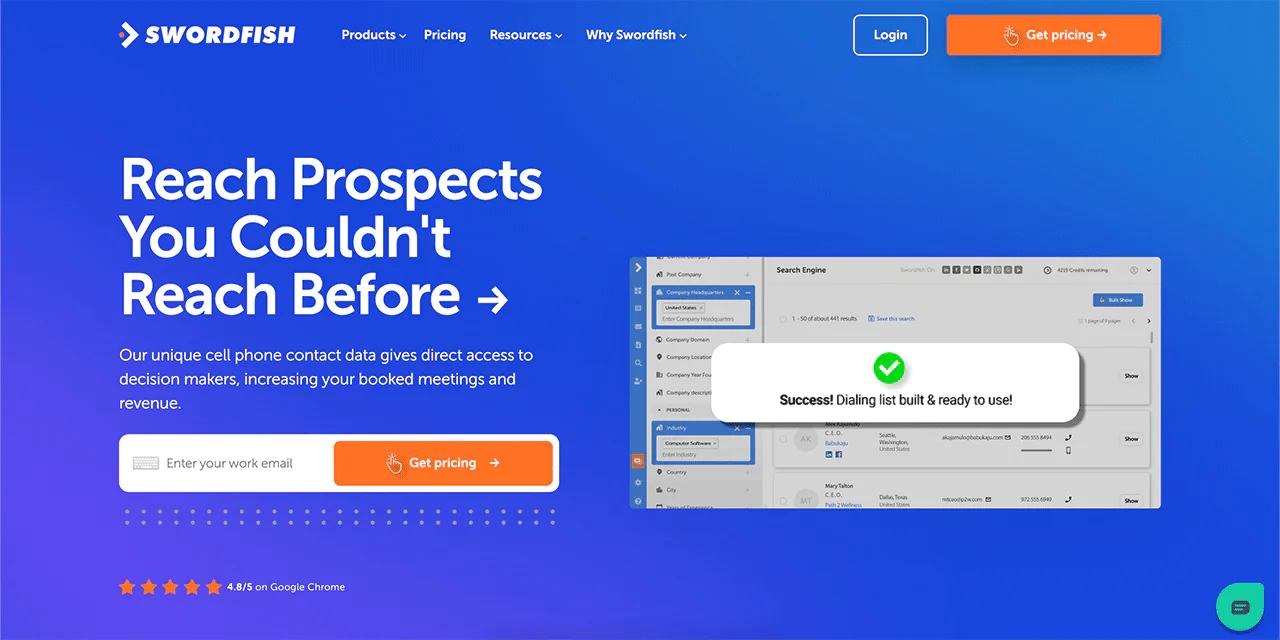
Swordfish AI is built for recruiters, lead-gen teams, and sales reps who need to look up email addresses and phone numbers together, not as separate steps. It integrates with platforms like Salesforce and Zapier so enriched contact data flows directly into existing workflows.
Its real-time validation of phone numbers and emails is one of its more useful features for keeping lists current. The database spans over 3.5 billion profiles, giving you a fairly wide net for contact data.
Swordfish tends to work best for large-scale recruitment and targeted sales outreach, since it’s built around finding candidates and decision-makers at scale rather than one-off lookups. CRM integration keeps contact management simple once you’ve found what you need.
The interface is straightforward, and the size of the underlying dataset is what sets it apart from smaller, narrower email finders.
About Swordfish
- Founding Team: Ben Argeband
- Founding Year: 2015
- Company Size: 11 to 50 employees
What Sets Swordfish Apart?
Swordfish’s approach to gathering contact information centers on its cell phone verification system, which makes it a solid fit for cold-calling campaigns specifically.
That verification layer checks that phone numbers are current and reachable, which improves the odds of a successful outreach attempt rather than a dead-end dial.
The database itself, at over 3.5 billion profiles, is large enough that most searches return something usable, though as with any contact database, coverage varies by industry and region.
For teams focused on expanding lead generation and outreach, Swordfish is a reasonable option to test against whatever you’re currently using.
Key Features of Swordfish AI
Here’s what the platform includes:
Chrome Extension
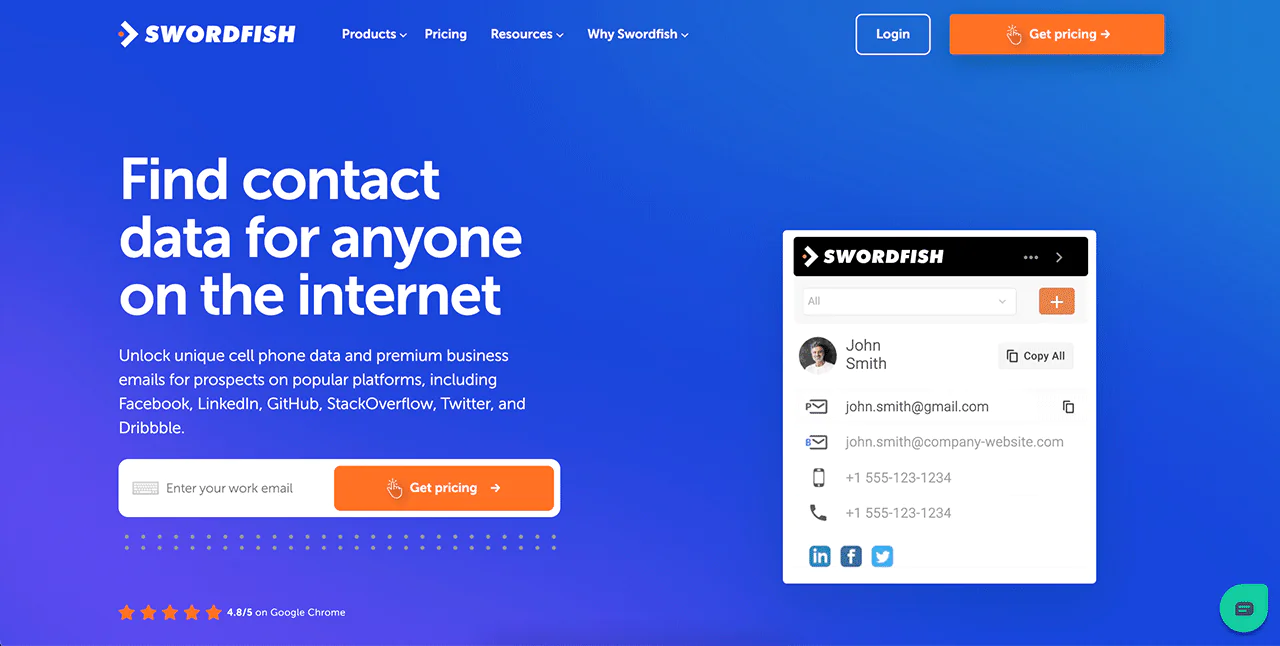
The Chrome Extension pulls contact information for people you’re viewing online, including verified data sourced from LinkedIn, Twitter, and other platforms, directly into your browser.
Prospector Tool
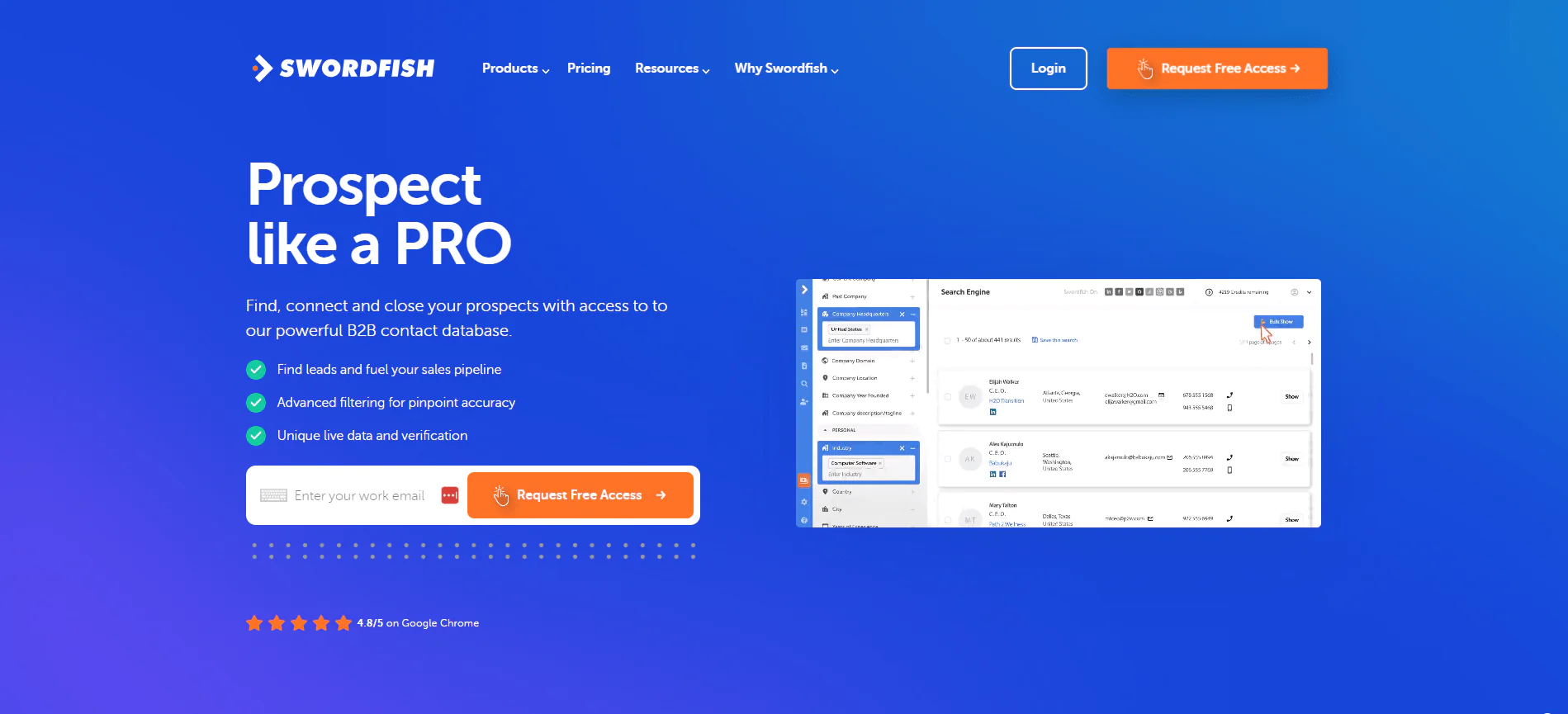
This feature builds targeted dialing and email lists in seconds using filters and suppression rules, which helps keep lead generation efficient rather than manual.
File Upload for CRM
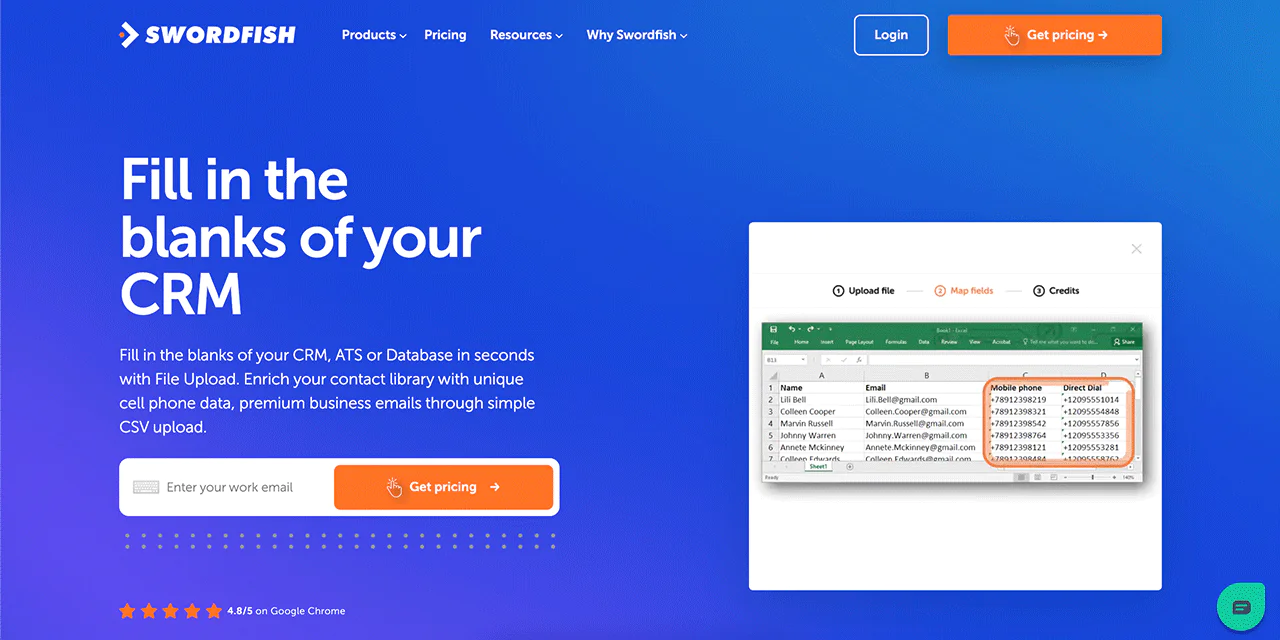
You can upload a CSV file to fill in missing cell phone numbers and emails in your CRM contact database, which saves a lot of manual lookup work.
Reverse Search Capability
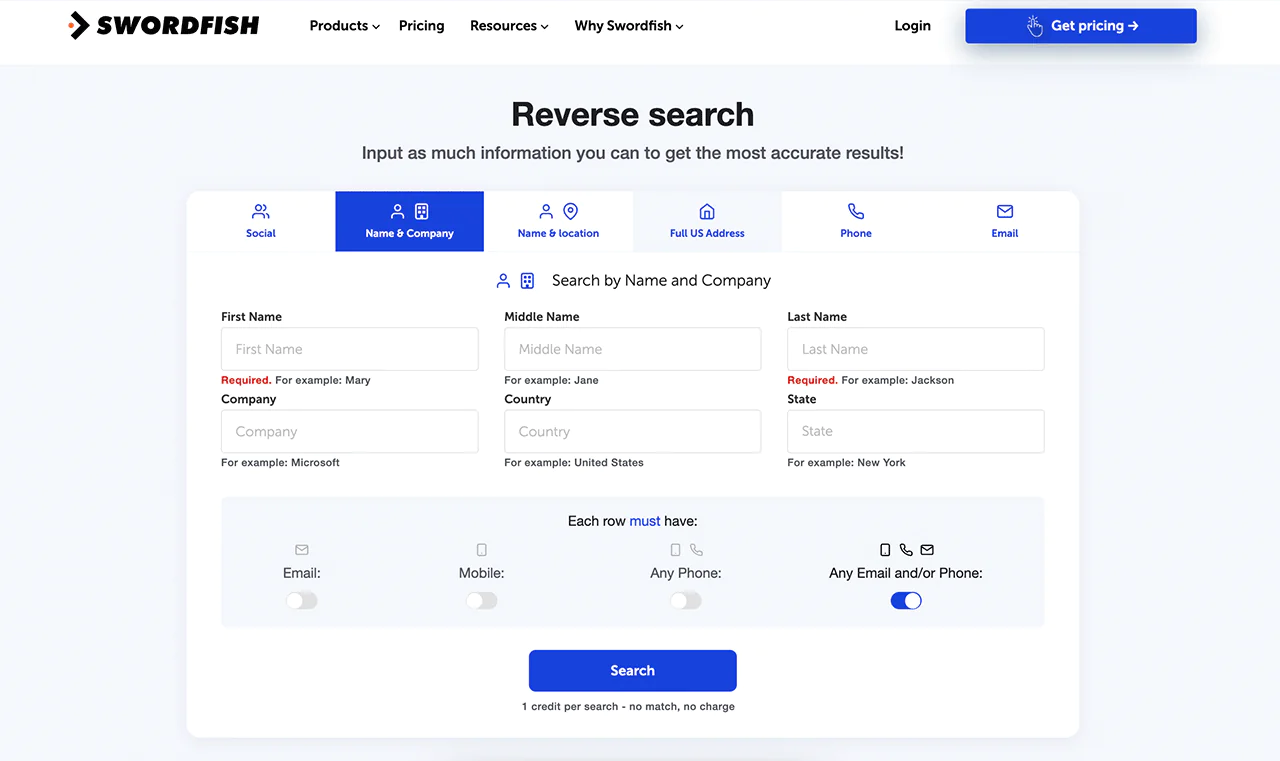
You can use available information such as a name, company, email, phone, or social profile to pull additional details, which makes Swordfish useful for filling in gaps rather than starting from scratch.
API Integration
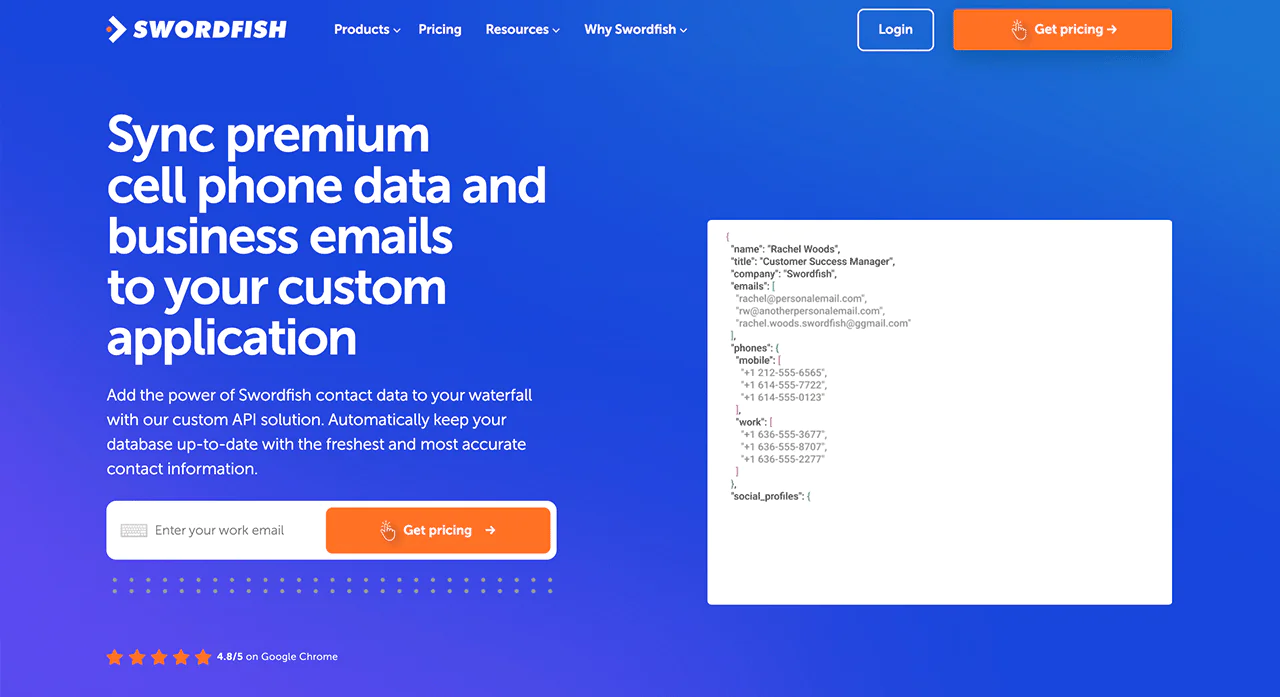
Swordfish AI’s API integration lets you pull Swordfish data into your own applications at scale, which matters if you’re building contact enrichment into a larger product.
Bombora® Intent Data
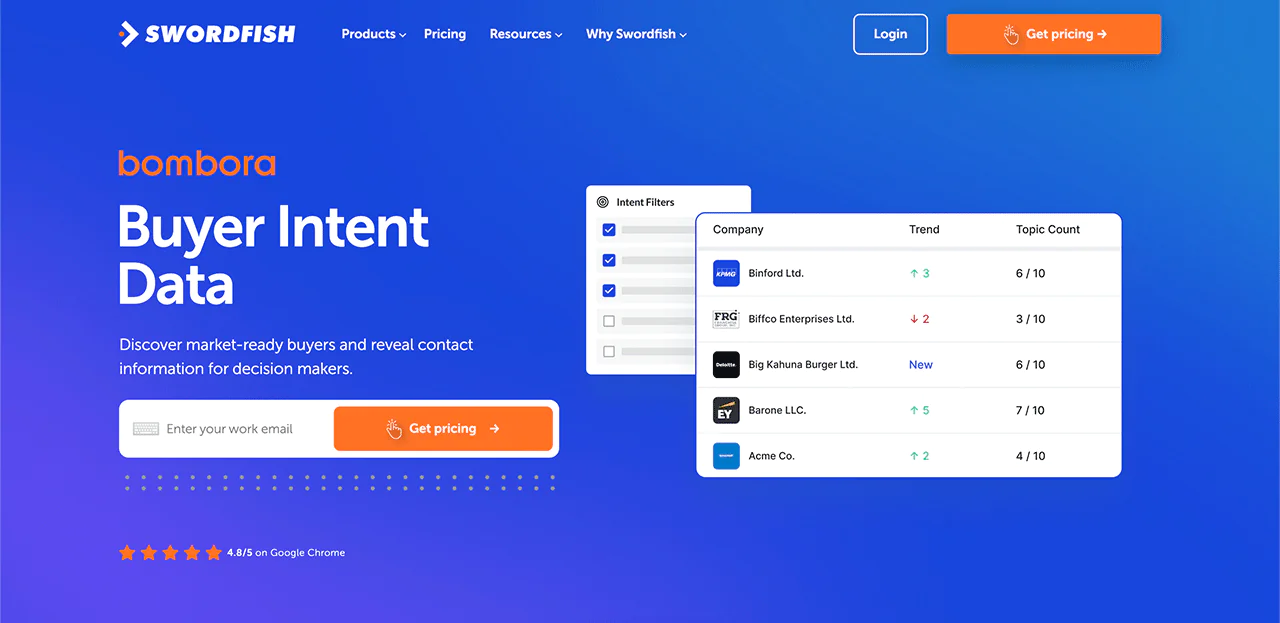
This feature surfaces insights into businesses that are actively in a buying cycle, using buyer intent data from Bombora, which helps prioritize outreach toward accounts already showing interest.
Best Use Cases of Swordfish AI
Some of the more common uses for the platform:
- Recruitment Efficiency: Swordfish AI is effective for recruiters seeking accurate contact information for candidates, since it speeds up sourcing and improves outreach quality.
- Sales Enrichment: Sales teams aiming to reach decision-makers directly often rely on Swordfish AI’s contact data to increase the odds of booked meetings.
- Data Enrichment for CRM: Businesses can use Swordfish AI to fill in missing contact details in their CRM, keeping records current and complete.
- Research and Investigation: Legal, fraud investigation, and research professionals can use Swordfish AI to gather contact details needed for their analysis.
- Lead Generation: Swordfish AI’s Prospector tool builds targeted email lists quickly, which is useful for building outreach campaigns from scratch.
Pros
- Direct access to decision-makers can increase meeting bookings.
- Strong accuracy and match rates in cell phone number retrieval.
- Offers more cell phone numbers than some leading providers.
- Real-time line connectivity validation adds reliability.
- Bulk lead generation tools help streamline the sales pipeline.
Cons:
- The vendor’s own accuracy claim sits around 95%, so occasional outdated records or bad numbers still turn up.
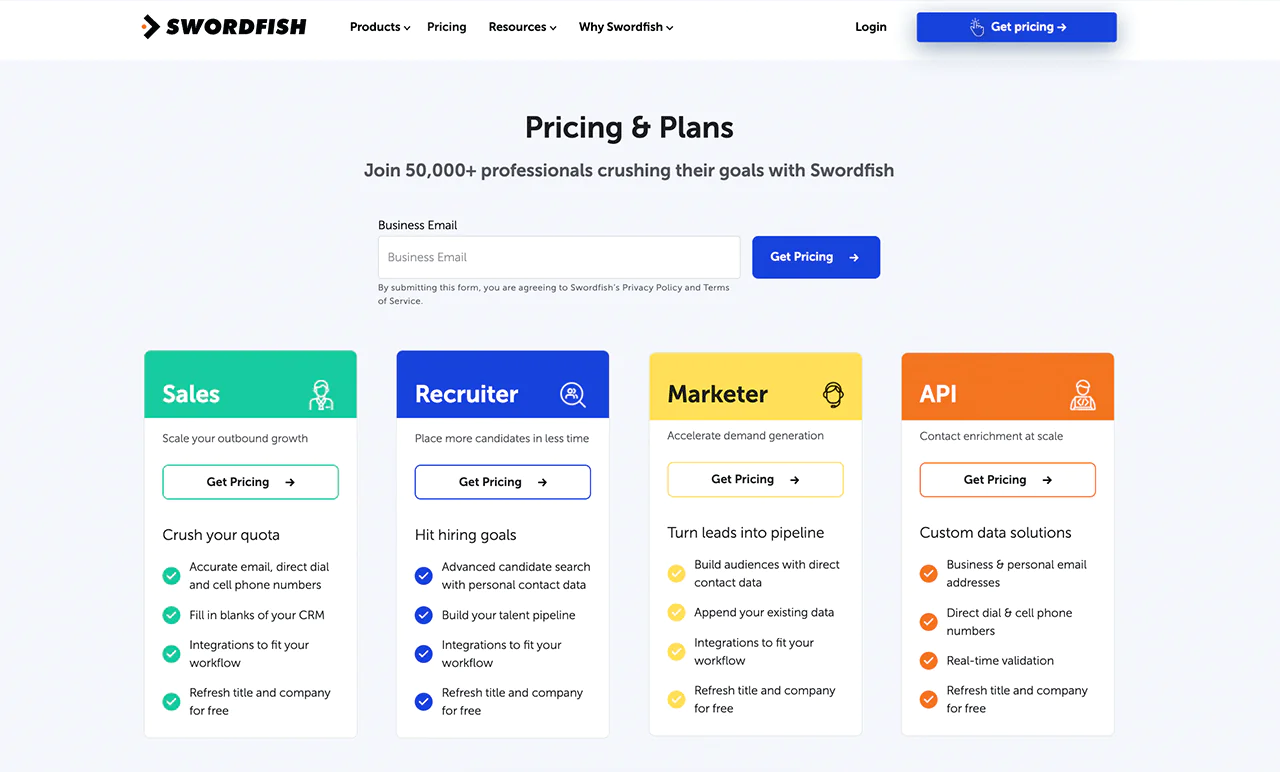
Pricing
Swordfish AI lists a range of pricing tiers on its pricing page, built for different volumes of use.
What Users Say About Swordfish
- G2: 4.5 out of 5 (84 reviews)
“Ease of use. Keeping track of my credits and linking the Chrome Extension and Bulk Enrich Files have reduced my work by 95%.”- Andrea W
- Capterra: 4.6 out of 5 (12 reviews)
“It’s been awesome. I shy away from sharing it for fear my competitors will find and use it too.”- Christopher L
 Try Swordfish Ai
2. Hunter
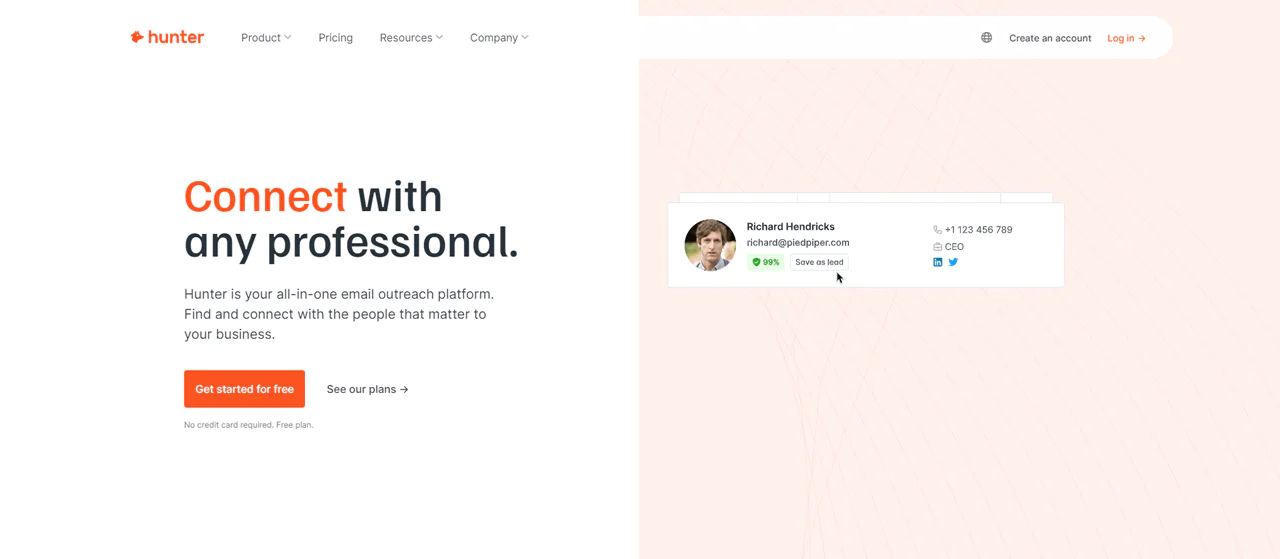
Hunter is a go-to option for anyone needing to find email addresses for free or confirm who’s behind an existing address.
It’s particularly useful when you’re trying to find every email tied to a specific company domain. The interface stays out of your way, which keeps the search process quick.
Hunter’s built-in system for managing and sharing email lists is handy for teams, since it keeps contacts organized without extra spreadsheets.
Whether you’re running a marketing campaign or gathering leads, this can save real time.
Hunter also shows where each email address came from, so you can judge the reliability of a result rather than taking it on faith.
That transparency adds a bit of confidence to outreach that would otherwise be a guess.
About Hunter.io
- Founding Team: François Grante
- Founding Year: 2015
- Company Size: 25 employees
Features of Hunter
Hunter’s core features:
Email Finder
Finds email addresses tied to a domain, useful for connecting with professionals and businesses. Results come with verification for accuracy.
Domain Search
Lists email addresses associated with a specific domain, helpful for scoping out contacts at a target company or industry.
Email Verification
Checks deliverability by testing email format, domain information, and server response, reducing bounce rates.
Chrome Extension
Finds and verifies email addresses directly from websites without leaving your browser tab.
Bulk Tasks
Runs searches and verification in bulk, which matters for large campaigns.
Pros
- Finds email addresses quickly and accurately.
- Verification process is reliable, reducing bounce rates.
- The Chrome extension improves day-to-day usability.
- Bulk search and verification save time on large campaigns.
- Known for an intuitive, easy-to-navigate interface.
Cons
- No dedicated tool for researching social media accounts.
Pricing
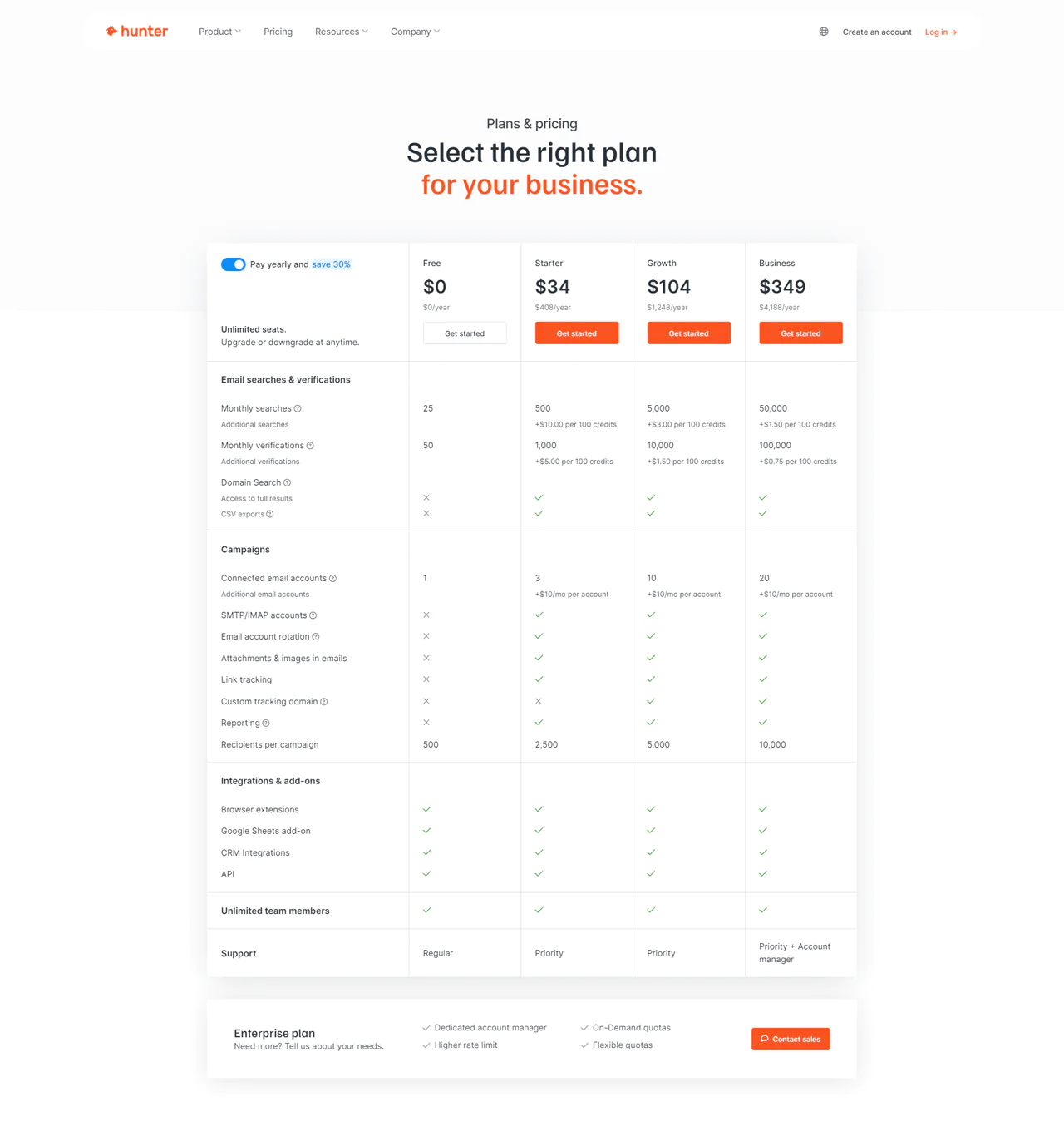
Hunter.io starts with a Free plan for basic searching and verification.
The Starter plan runs $34/month, aimed at growing businesses needing more searches and features for individual users.
The Growth plan at $104/month adds more searches and capabilities for larger outreach.
The Business plan at $349/month is the most complete tier, built for enterprise-scale search and management needs.
What Users Say About Hunter.io
- G2: 5 out of 5 (526 reviews)
“This is the easiest tool for finding reliable email addresses…Even with a free account you can save leads!”- Dave M
- Capterra: 4 out of 5 (609 reviews)
“The tool has some good features but also has some not-so-good features.”- Darko M
Our Review of Hunter.io
Hunter is strong at locating and verifying professional email addresses, and its Domain Search and Email Finder are notably accurate.
The interface is easy to work with, and CRM integration is a real productivity boost.
Its narrow focus on email data, though, means it’s not a fit if you need broader contact info like phone numbers.
Overall, Hunter.io is dependable for professionals who need targeted email outreach and not much else.
Read More About: Find the Right Spokeo Pricing Plan
3. Voila Norbert
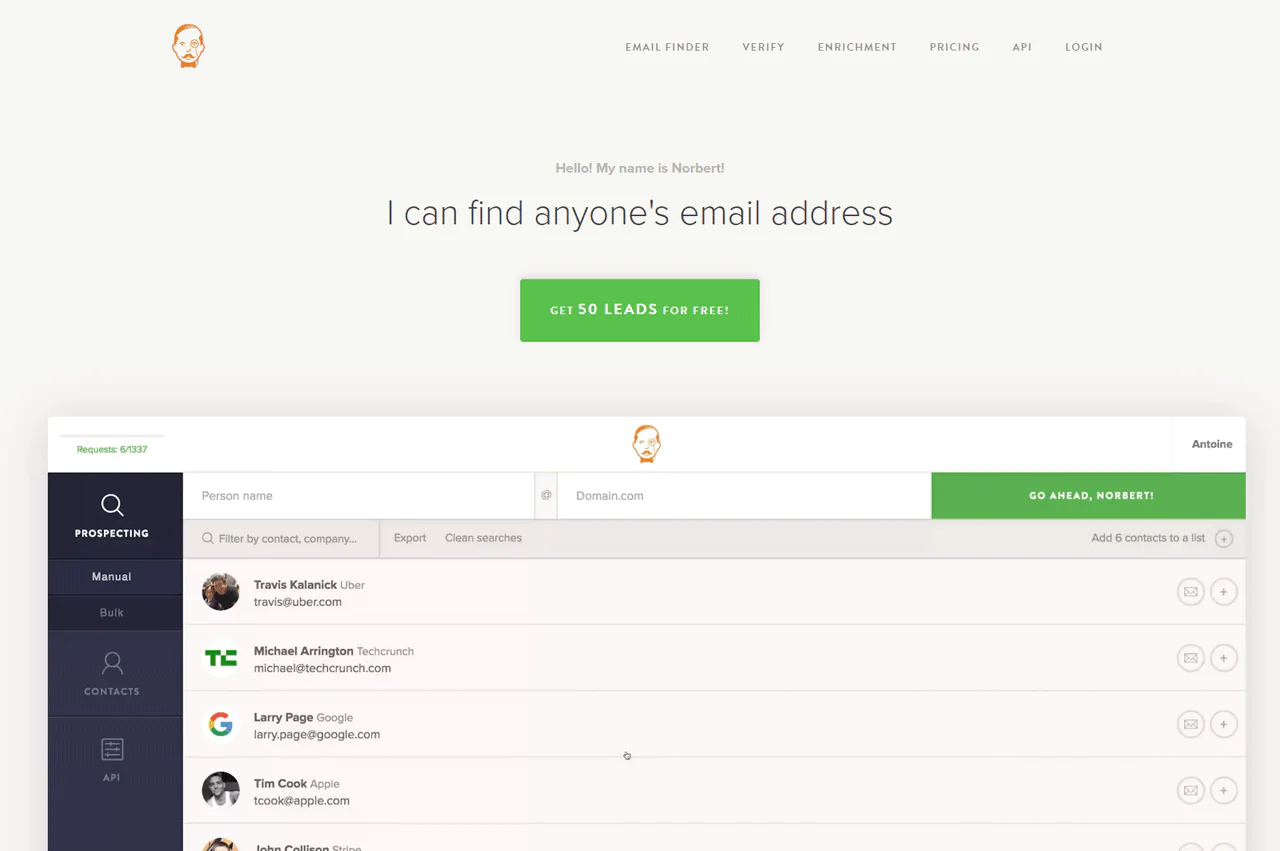
Voila Norbert finds email addresses by taking a name and a domain and searching through millions of records for a match.
It works well for professionals connecting within their industry, marketers reaching potential clients, and anyone else finding email addresses for outreach.
The interface is simple, and accuracy tends to hold up well across searches.
About Voila Norbert
- Founding Team: Antoine Minoux and Cyril Nicodeme
- Founding Year: 2014
- Company Size: 10 employees
Voila Norbert Features
Its core features:
Email Search
Finds anyone’s email address from a name and company domain, useful for professionals and marketers alike.
Email Verification
Confirms accuracy and deliverability before you send, which keeps your list clean.
Enrichment
Adds job titles, company details, and social profiles to existing contacts.
API Access
Lets you build email search and verification into your own workflows.
List Cleaning
Removes invalid, inactive, or risky addresses to improve overall list health.
Pros
- Generally accurate at finding email addresses.
- High deliverability on verified emails.
- Adds useful context about contacts.
- Flexible integration with other systems.
- Improves list health and campaign performance.
Cons
- Doesn’t explain why a search failed.
- No guarantee on coverage of public and private databases.
Pricing
The Free Trial allows 25 searches per month.
The Valet plan is $49/month for 1,000 searches, suited to teams with moderate needs.
The Butler plan runs $99/month for 5,000 searches, and the Advisor plan is $249/month for 15,000 searches.
The Counselor plan, at $499/month, covers 50,000 searches for high-volume users.
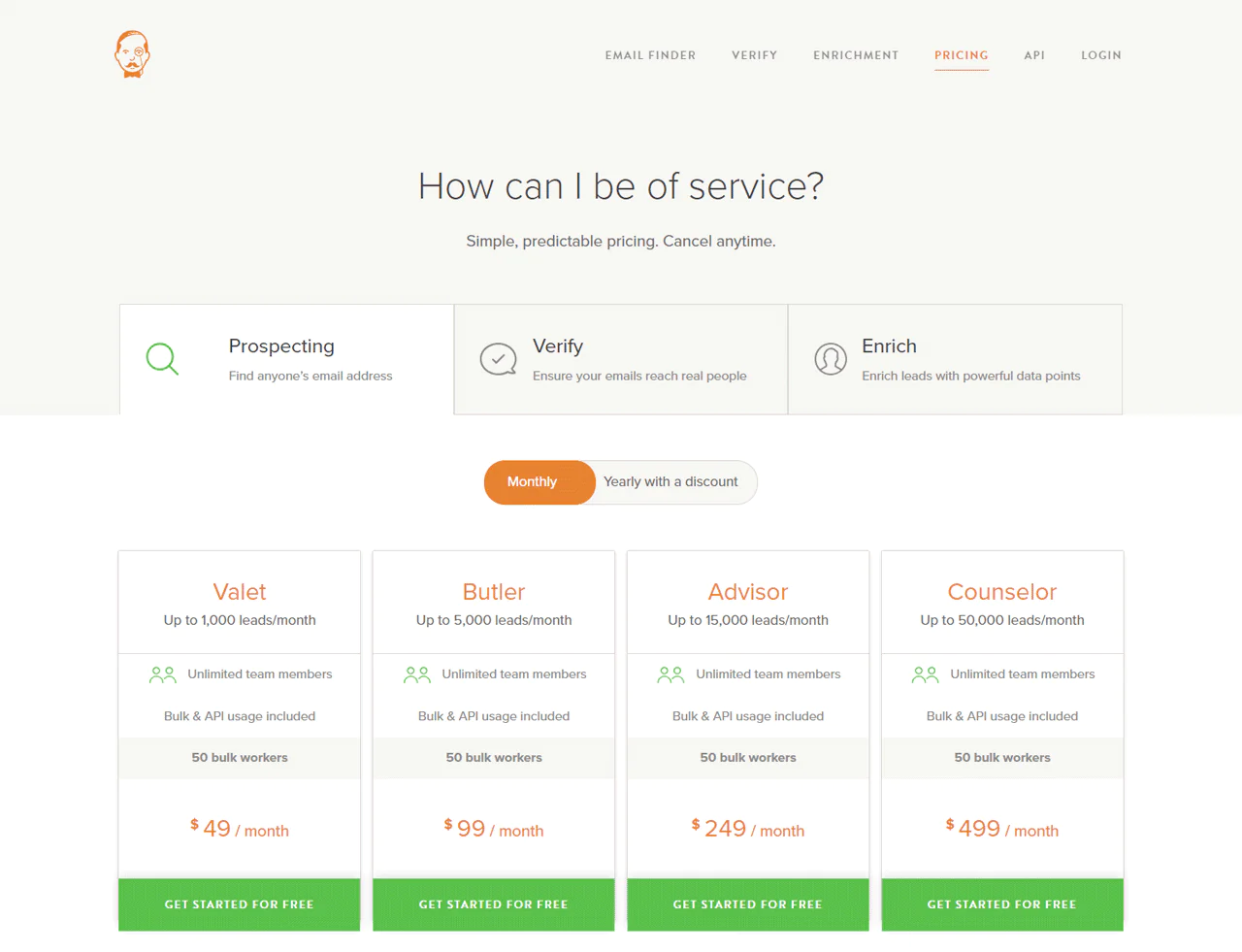
The “Verify” plan offers pay-as-you-go verification at $0.003 per email up to 500k, then $0.001 per email above that, with a $2 minimum charge.
This lets you verify a list without committing to a monthly subscription.
What Users Say about Voila Norbert
- G2: 5 out of 5 (46 reviews)
“The User Interface is very fresh, simple navigation on the right pane and the results will be on the center part.”- Adrian A
- Capterra: 4.3 out of 5 (14 reviews)
“I like the fact that it allows one to find the target audience email when it comes to B2B prospecting”- Angelo F
Our Review of Voila Norbert
Voila Norbert is reliably accurate at finding and verifying email addresses, and the interface keeps the process simple.
Its enrichment layer, adding extra contact details, is a genuine value-add rather than filler.
Its narrow focus on email means it won’t satisfy users who need broader contact profiles, but for email-first outreach it’s a solid pick, especially for marketers.
4. AeroLeads
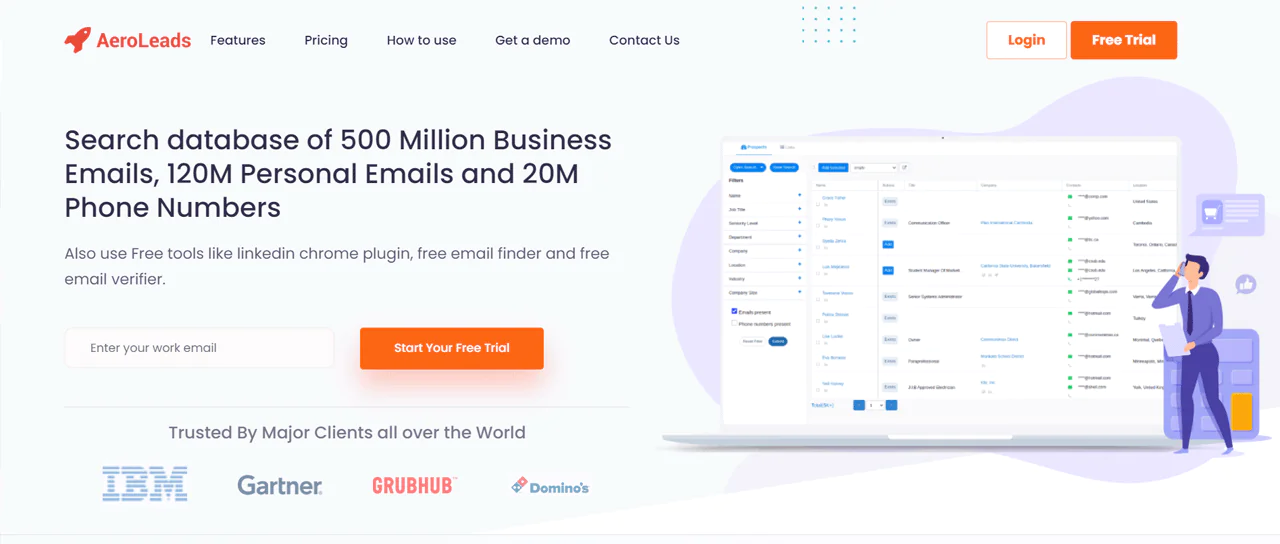
AeroLeads specializes in finding phone numbers and email addresses for businesses and professionals, letting you search and collect emails just by entering names and company information.
It’s a common pick for sales professionals building contact lists for outreach campaigns.
AeroLeads integrates with popular CRM platforms, so the data you collect moves easily into your existing sales process. The interface is direct, without much clutter.
Note: Explore Aeroleads Competitors and Alternatives.
About AeroLeads
- Founding Team: Pushkar Gaikwad
- Founding Year: 2015
- Company Size: 10-58 employees
Features of AeroLeads
Its main features:
Prospect Generation
Finds relevant prospects, including emails, phone numbers, and social profiles, for lead generation and sales strategy.
Chrome Extension
Pulls prospect details directly from LinkedIn and other websites.
Data Export
Exports collected data to Salesforce, Zoho, or a CSV file for easy integration with existing processes.
Bulk Search
Finds multiple prospects at once, useful for large-scale campaigns.
Integration with Multiple Platforms
Works with various CRM and marketing tools, widening its applicability.
Pros
- Useful for extracting leads from LinkedIn.
- Simplifies managing lead data.
- Straightforward and accessible to use.
- Efficient for large-scale lead generation.
- Compatible with various CRM and marketing platforms.
Cons
- Charges credits even for incorrect or non-existent contact information.
- Built primarily around Google search engines.
Pricing
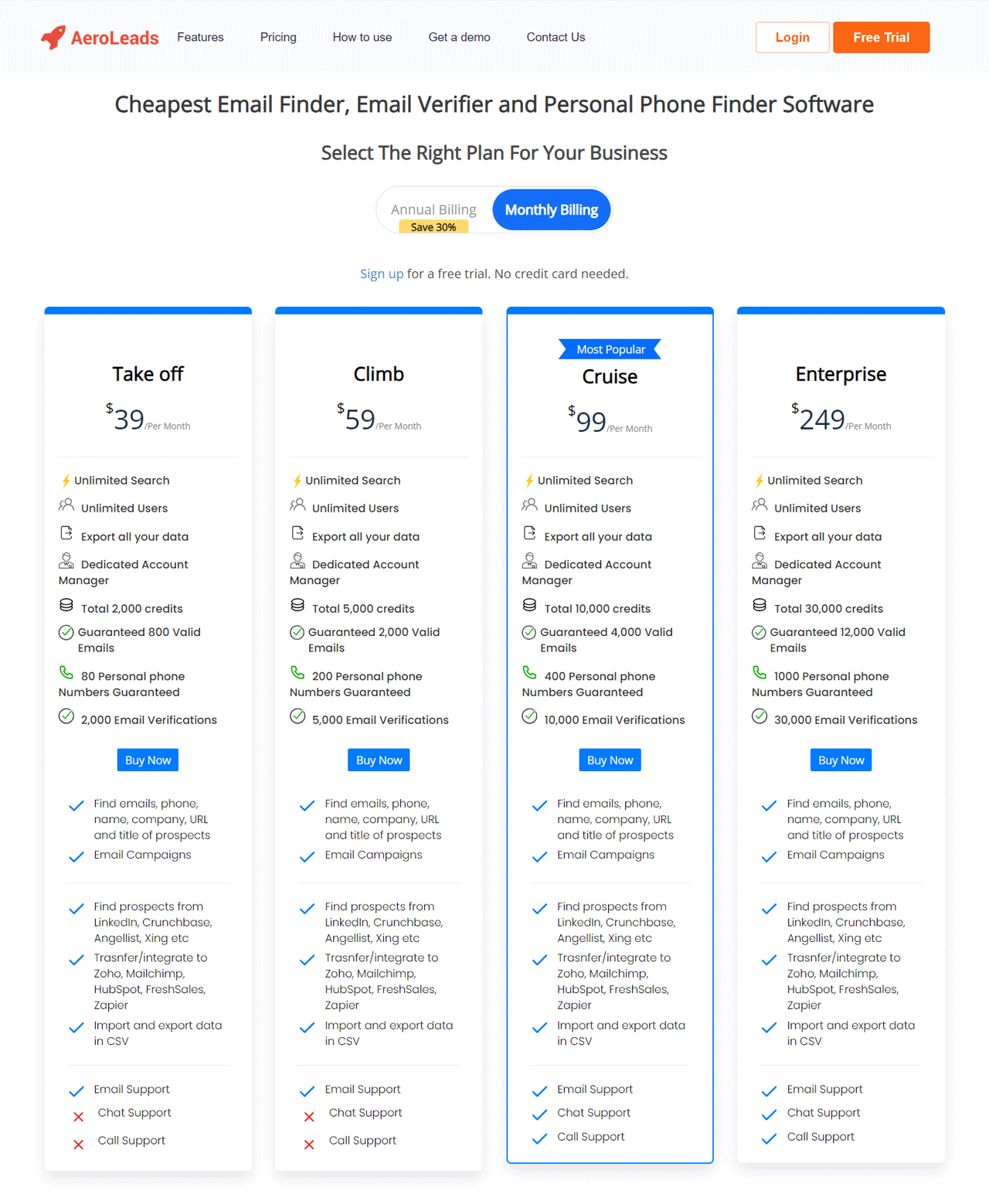
AeroLeads offers a range of plans for various needs.
The Free Trial provides 25 searches per month.
The Take Off Plan at $19/month covers basic lead generation for startups on a budget.
The Climb Plan at $49/month suits businesses with more extensive needs, and the Cruise Plan at $79/month adds more advanced tools.
Custom plans starting at $199 are available for larger enterprises.
What Users Say About AeroLeads
- G2: 4 out of 5 (61 reviews)
“All in all, Aeroleads has helped me close good deals and I think it’s a must-have tool in every seller’s pocket.”- Kabilan
- Capterra: 4.8 out of 5 (38 reviews)
“Easy to use. The simplicity made it easy for me to organize my leads’ contact information.”- Priya S
Our Review of Aeroleads
AeroLeads is strong at prospecting, especially for pulling data from LinkedIn, and its CRM integrations make lead management smoother.
The Chrome extension for direct data extraction is a genuine time-saver.
Its heavy reliance on web and LinkedIn data limits its scope somewhat, but for building volume in a lead pipeline, it holds up well.
5. Rocketreach
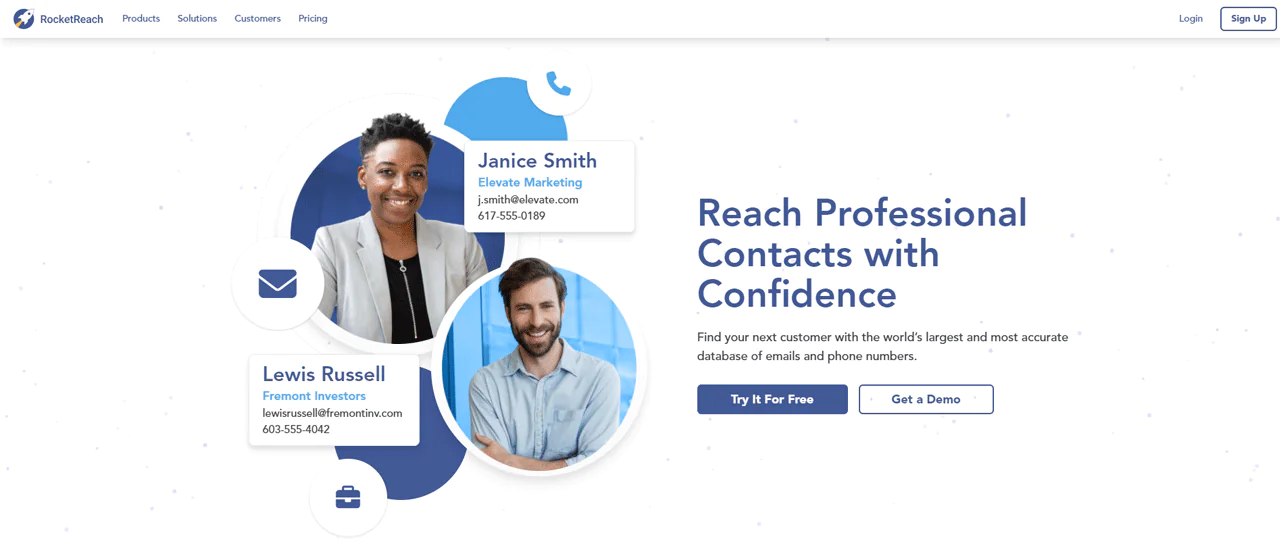
RocketReach finds email, phone, and social media links for more than 450 million professionals worldwide, with a search that just needs a name and company.
It’s a common pick for sales, marketing, recruitment, or networking outreach, backed by a large database and solid accuracy.
CRM integration and a clean interface round it out.
Note: Have a look at some other alternatives for Rocketreach.
About Rocketreach
- Founding Team: Amit and Andrew
- Founding Year: 2016
- Company Size: 130 employees
Rocketreach Features
Its core features:
Exceptional Data Quality
Global phone and email coverage with a high deliverability rate.
Automated Prospect Lists
Customizable lists that auto-update based on location, title, industry, and more.
Intent Data
Surfaces buyers actively exploring solutions in your space, focusing effort on interested parties.
AI-powered Recommendations
Suggests new contacts you might not have considered.
Smooth Integrations
Connects with Salesforce, HubSpot, and other CRM or marketing automation platforms.
Pros
- Large database widens the search for diverse professional contacts.
- Reliable info tends to raise outreach success rates.
- Automated lists and AI recommendations save time.
- Works with major CRM and marketing platforms.
- Simplifies finding and managing contacts.
Cons
- Higher-tier plans get pricey for small businesses or individuals.
Pricing
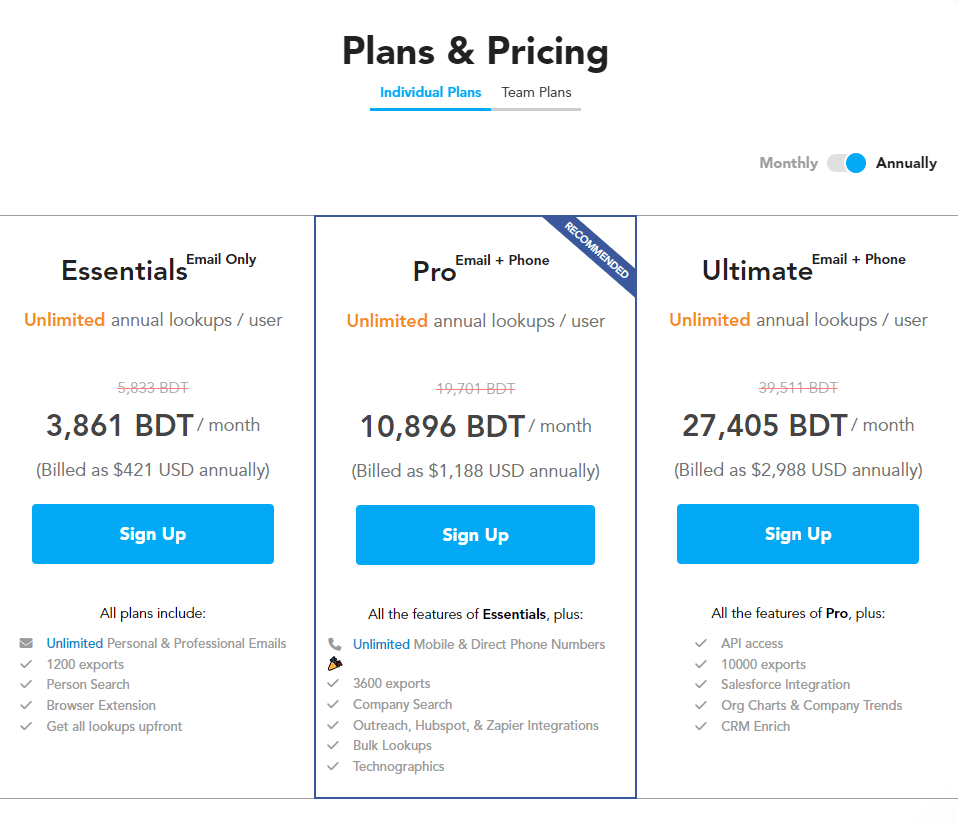
RocketReach offers pricing plans for individuals and teams.
The Essentials plan, $39/month billed annually, covers unlimited email lookups and 1200 exports.
The Pro plan, $99/month billed annually, adds phone numbers, more exports, and integration features.
The Ultimate plan, $249/month billed annually, adds API and CRM integration for teams needing the most current data.
What Users Say About Rocketreach
- G2: 4.5 out of 5 (648 reviews)
“It offers methods of direct outreach that LinkedIn Recruiter could only dream of, and it’s a perfect complement to that platform.”- Darek L
- Capterra: 4.2 out of 5 (126 reviews)
“Overall, this software is absolutely worth the money in order to get into the inbox of the exact person I need.”- Whitney L
Our Review Rocketreach
RocketReach gives access to a wide range of professional contacts, and its database of over 450 million professionals provides accurate details for outreach across email, phone, and social.
The interface and CRM integration make the discovery process efficient.
Its focus on professional contacts specifically may not suit outreach needs outside a B2B context.
Read More About: Best Alternatives to ContactOut
6. Anymail Finder
Anymail Finder claims a 97% accuracy rate on email searches, which puts it among the more reliable tools in this space.
Input a name and domain, and it returns a verified email for the prospect.
It also supports searching by job title, evaluates email quality, and validates directly against mail servers.
An extensive API and the ability to search across billions of websites round out its capability.
About AnyMail Finder
- Founding Team: Joe d’Elia and Pardeep Kullar
- Founding Year: 2015
- Company Size: 2-10 employees
Anymail Finder Features
Its core features:
Email Verification
Verifies emails in real time, checking existence without sending an actual message, which supports high deliverability.
Bulk Search
Upload names and domains to find multiple email addresses at once.
Pattern Matching
Predicts emails from common corporate formats when direct verification isn’t possible.
API Integration
Lets you build email-finding into your own applications.
Pay-As-You-Go Pricing
Charges only for use, rather than a flat subscription, which suits variable volume needs.
Pros
- You’re only charged for verified addresses.
- Supports email header analysis.
- Bulk domain searches for up-to-date results.
- Provides an API for extended functionality.
Cons
- Occasionally produces ambiguous results.
- Limited to specific search parameters.
Pricing
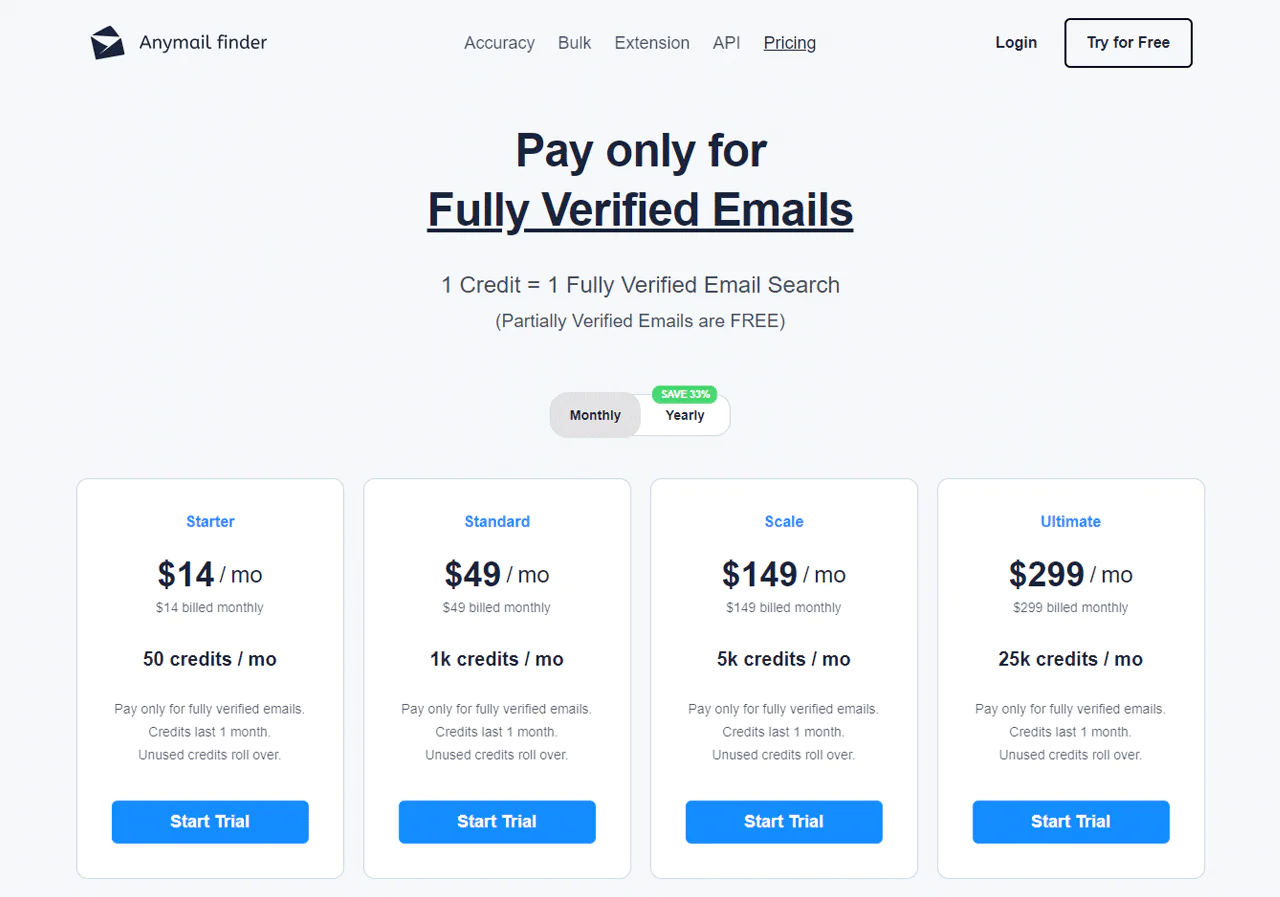
You pay only for fully verified emails; 1 credit equals 1 fully verified search, and partially verified emails are free.
The service guarantees 97%+ delivery, and unused credits roll over with an active subscription.
A 7-day free trial, easy cancellation, and annual savings options are included, with plans scaled from individual to business use.
What Users Say About Anymail Finder
- G2: 3.5 out of 5 (5 reviews)
“I like that it’s very easy to use. It gives me access to emails I can’t find anywhere else”- Kelly C
- Capterra: 4.4 out of 5 (24 reviews)
“It’s really easy to use. And it helps validate email addresses quickly when it works.”- Caroline V
Our Review Anymail Finder
Anymail Finder is proficient at real-time verification, and its bulk search saves time on large campaigns.
Pattern matching helps when direct verification isn’t possible, though it can occasionally trade accuracy for coverage.
Overall it’s a practical choice for keeping email lists clean, with pay-as-you-go pricing that fits variable usage well.
7. FindEmails
FindEmails.com helps sales, marketing, and recruiting professionals find and verify email addresses, with a claimed 98% accuracy rate.
You can search by company and role or look up a specific person’s contact details directly.
Its mail server tests check deliverability to protect your sender score, and there’s an option to buy targeted lead lists from its Marketplace, or verify your own list in bulk or via API.
The Chrome Extension lets you source, find, and verify emails directly from your browser.
About FindEmails
- Founding Team: Ryan Buckley
- Founding Year: 2011
- Company Size: 1
FindEmails Features
Its core features:
Email Finder
Finds anyone’s email from their name and domain, useful for connecting with professionals and decision-makers quickly.
Email Verification
Reduces bounce rates by confirming validity before you send.
B2B Database Access
Gives access to a large B2B database for finding business contacts.
Chrome Extension
Lets you look up email addresses directly from LinkedIn profiles or websites.
Bulk Tasks
Processes large lists of names and domains for finding and verification at once.
Pros
- Efficient at finding and verifying email addresses.
- Cost-effective, especially for small businesses.
- Allows purchasing lists from other users, expanding reach.
Cons
- Fewer advanced features compared to competitors.
Pricing
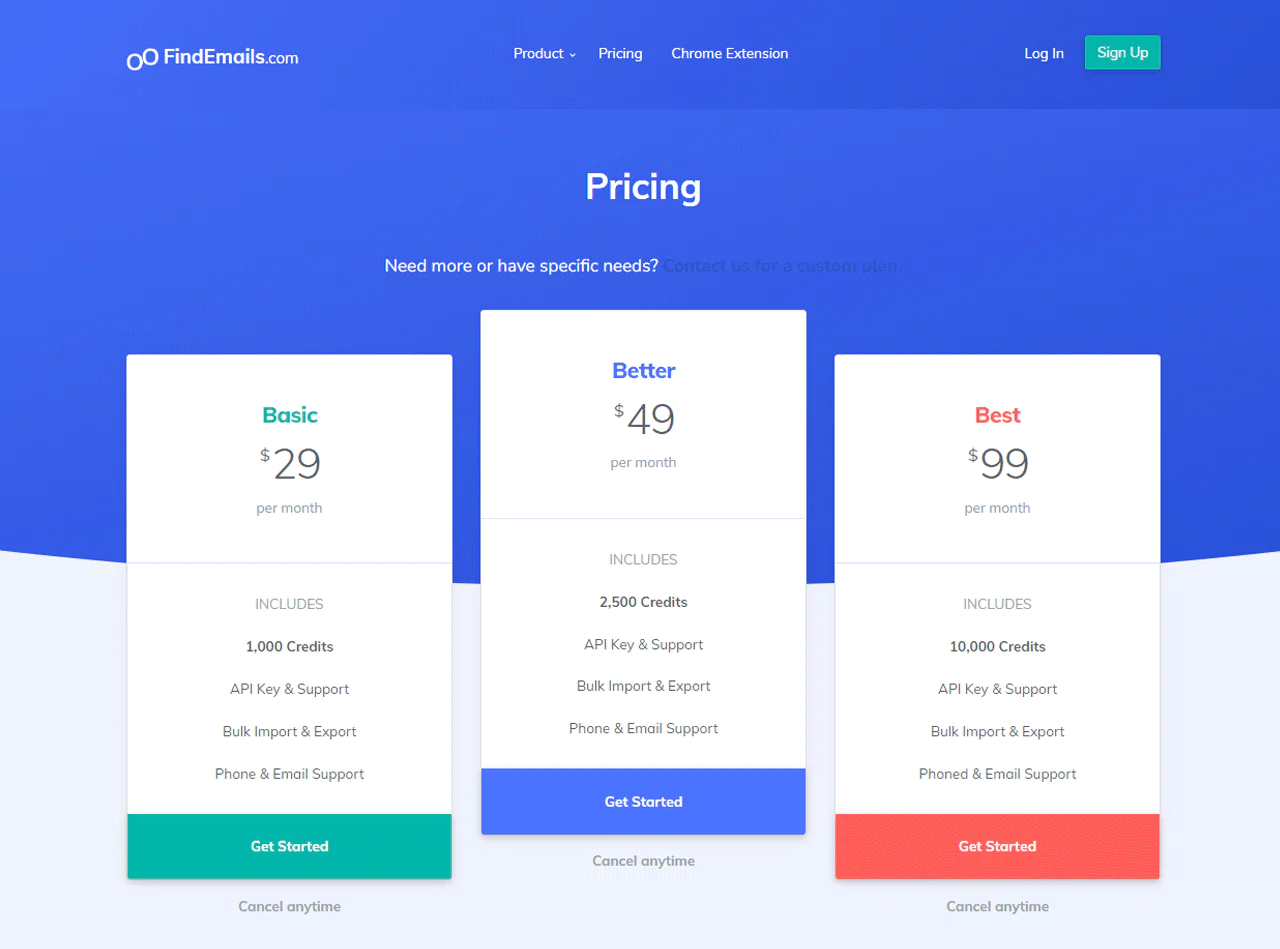
FindEmails offers three plans. The “Basic” plan is $29/month for 1,000 credits with API support and bulk import/export.
The “Better” plan is $49/month for 2,500 credits with similar features.
The “Best” plan, at $99/month, includes 10,000 credits, suited to businesses with heavier needs.
What Users Say About FindEmails
- G2: 3.5 out of 5 (11 reviews)
“My favorite thing about this is the amount of time it saves me…I don’t have to guess or do the research myself.”- Mark B
- Capterra: 5 out of 5 (1 review)
“The ease of use and effectiveness but the free version ended too quickly before it started charging.”- Jennifer R
Our Review FindEmails
FindEmails is quick at finding addresses, and its verification reliably cuts down bounce rates.
The B2B database access is useful, and the Chrome extension adds convenience, though the tool’s narrow email focus won’t cover broader contact needs.
For businesses running bulk email outreach, it’s a time-efficient, straightforward option.
8. FindThatLead
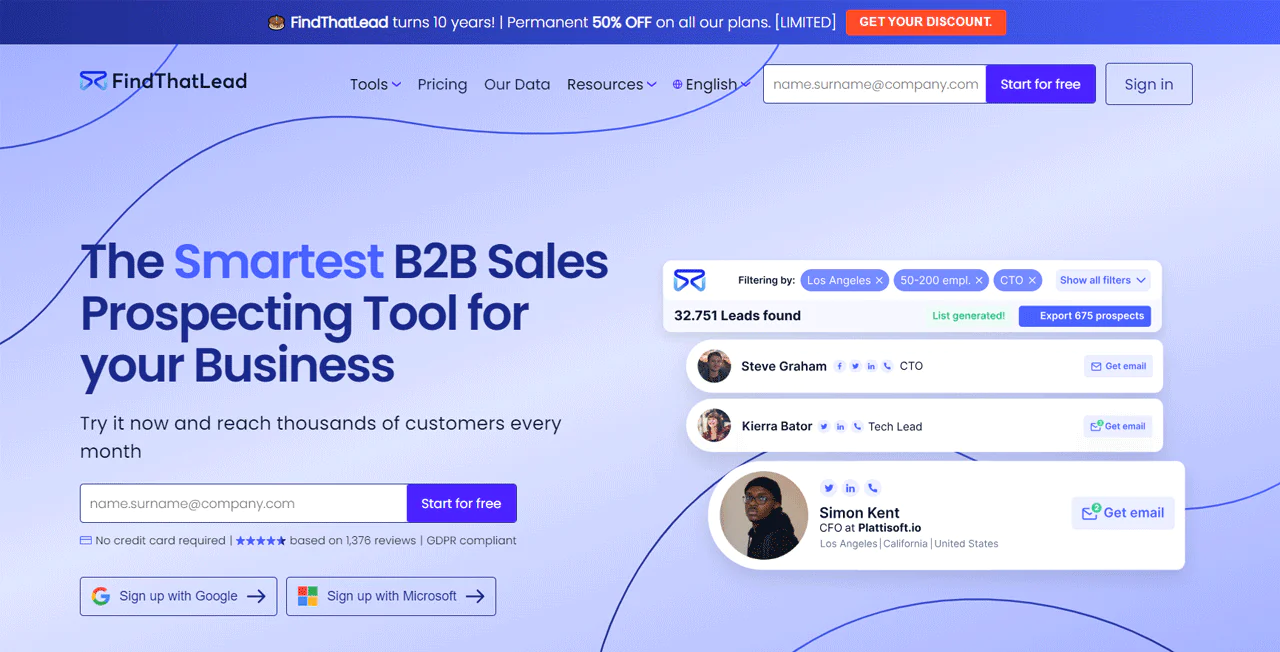
FindThatLead is a B2B sales prospecting tool built to speed up the lead generation process.
Enter a prospect’s name, company, or domain, and it returns an email address quickly.
It’s aimed at sales teams, B2B companies, recruiters, and growth hackers connecting with decision-makers and potential clients.
Beyond finding emails, it verifies them for deliverability, and adds extras like personalized cold emails, automated follow-ups, and autopilot lead generation on the Enterprise Plan.
Together these make it a fairly complete lead generation package.
About FindThatLead
- Founding Team: Cristian Vitales
- Founding Year: 2014
- Company Size: 41-60 employees
Features of FindThatLead
Its core features:
Prospector Tool
Finds targeted leads by industry, location, company size, and more.
Email Verification
Confirms accuracy to keep deliverability high.
Segmentation Tools
Categorizes and manages leads for more targeted marketing.
Chrome Extension
Finds emails directly from LinkedIn, Twitter, and other websites.
Campaign Feature
Creates and manages email campaigns within the platform itself.
Pros
- Accurate prospect finding.
- Team account option for collaborative work.
- Automates email marketing campaigns.
Cons
- Pricing can run high for startups.
Pricing
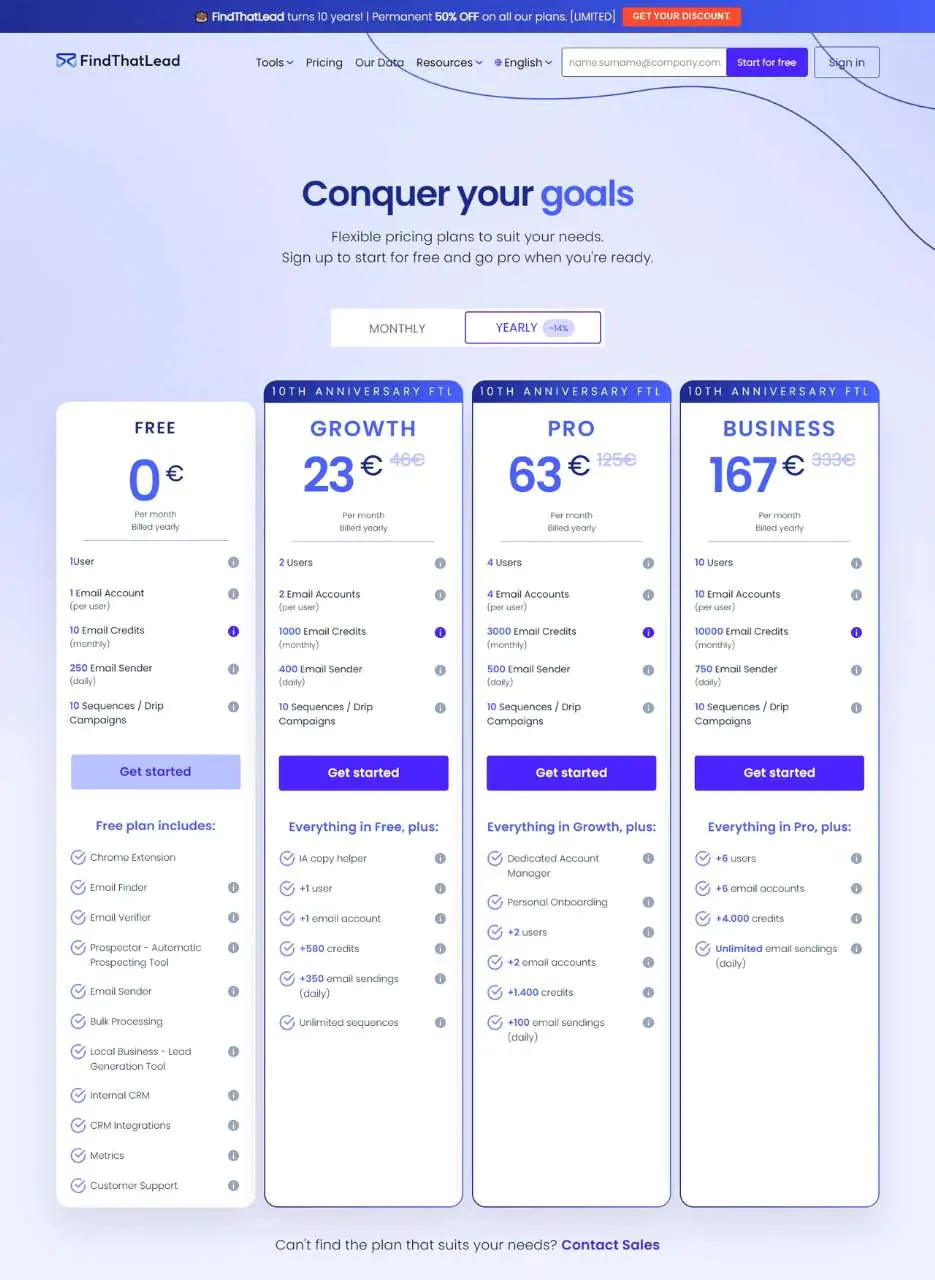
FindThatLead has four pricing tiers.
The Free Trial offers 10 searches per day for exploring the platform.
The Growth Plan, $41, provides 1,000 emails for moderate outreach needs.
The Pro Plan, $125, provides 3,000 correct emails for more extensive campaigns.
The Business Plan, $333, offers 10,000 monthly emails for larger-scale operations.
What Users Say About FindThatLead
- G2: 4 out of 5 (84 reviews)
“Providing an all-in-one lead generation kit and accurate real-time generated data.” Manuel J
- Capterra: 4.2 out of 5 (74 reviews)
“Compared to other software, Findthatlead operates at a notably faster pace.”- Charles Y
Our Review FindThatLead
FindThatLead is effective for generating targeted leads, and its segmentation tools help manage them efficiently once found.
The Chrome extension for direct social discovery stands out, though its email-centric focus won’t meet every contact information need.
The integrated campaign feature makes it a fairly complete tool for lead nurturing and conversion.
9. Datanyze
Datanyze is a browser plugin that highlights a person’s name on the internet and suggests potential email addresses.
As a Chrome extension, it’s designed to help sales professionals with outreach, letting you look up potential emails and export contacts quickly.
When you’re evaluating lead management tools, Datanyze is worth testing, but there are other strong alternatives worth comparing too.
About Datanyze
- Founding Team: Ben Sardella, Ilya Semin
- Founding Year: 2015
- Company Size: 18 employees
Features of Datanyze
Its core features:
Technology Tracking
Monitors technology stacks used by companies, useful for identifying leads based on their tech usage.
Market Intelligence
Offers market data to help understand industry trends and company behaviors.
Lead Generation
Provides prospecting and segmentation tools based on technology usage and other criteria.
Integration with CRM
Transfers lead data smoothly into CRM platforms.
Alerts and Notifications
Notifies you of changes in technology adoption or abandonment by target companies.
Pros
- Enables targeted marketing through technology usage tracking.
- Market intelligence data adds industry context.
- Efficient lead-generation tools.
- CRM integration simplifies lead data management.
- Alerts keep users updated on target account changes.
Cons
- Pricing runs high for some businesses.
Pricing
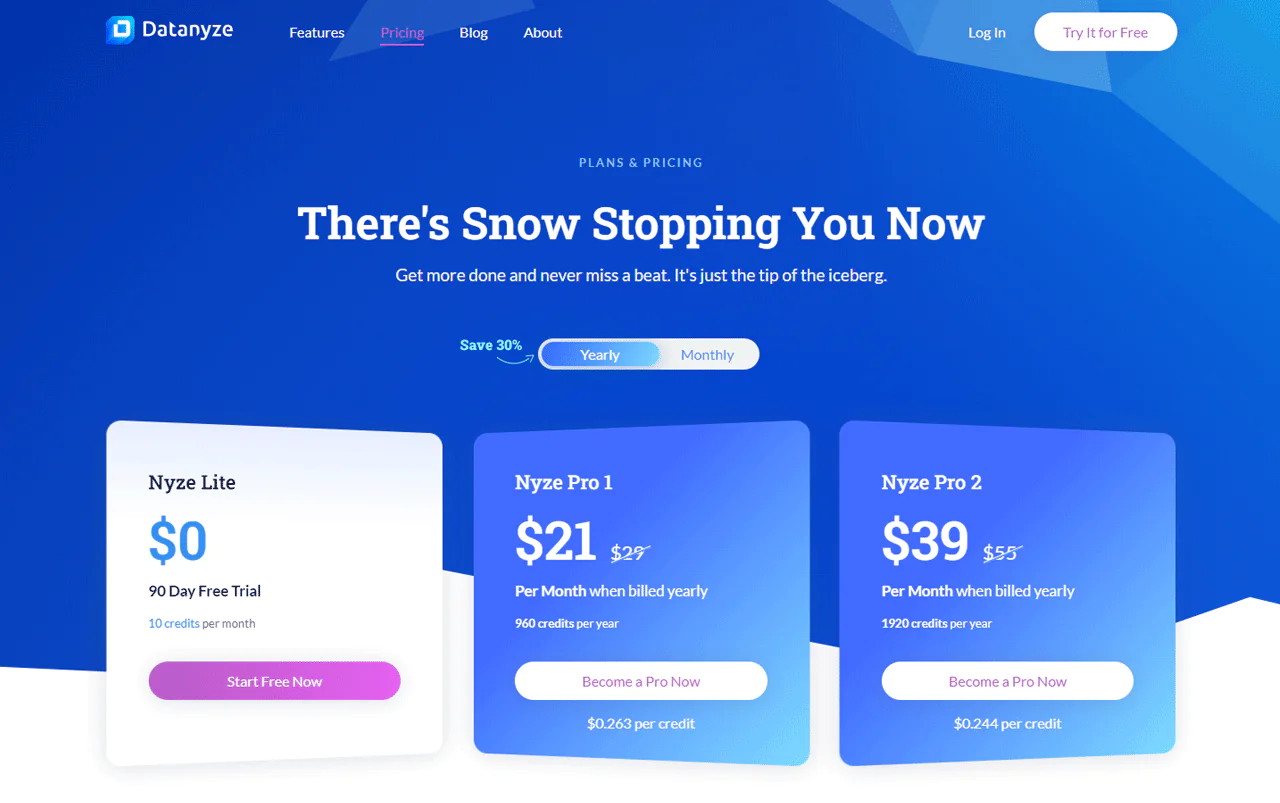
Nyze Lite offers a 90-day free trial with 10 credits per month.
Nyze Pro 1, $29/month, provides 80 credits monthly for moderate usage.
Nyze Pro 2, $55/month, provides 160 credits monthly for heavier use.
Discounted annual plans are also available: Pro 1 annual runs $21/month for 960 credits per year, and Pro 2 annual runs $39/month for 1920 credits per year.
What Users Say About Datanyze
- G2: 4 out of 5 (443 reviews)
“It’s a chrome extension that works well with linkedin to extract the B2B database like contacts and emails.”- Aswani K
- Capterra: 3.9 out of 5 (50 reviews)
“Gives you key insights into the other technologies companies are running behind the scenes.”- Zachary D
Our Review of Datanyze
Datanyze’s strength is tracking company technology usage, which gives you a different kind of lead insight than a plain email finder.
Market intelligence data helps with understanding industry trends, and CRM integration keeps the transfer of lead data efficient.
Its focus on technology tracking limits its use for non-tech-centric businesses, but for that specific use case it delivers.
10. Lusha
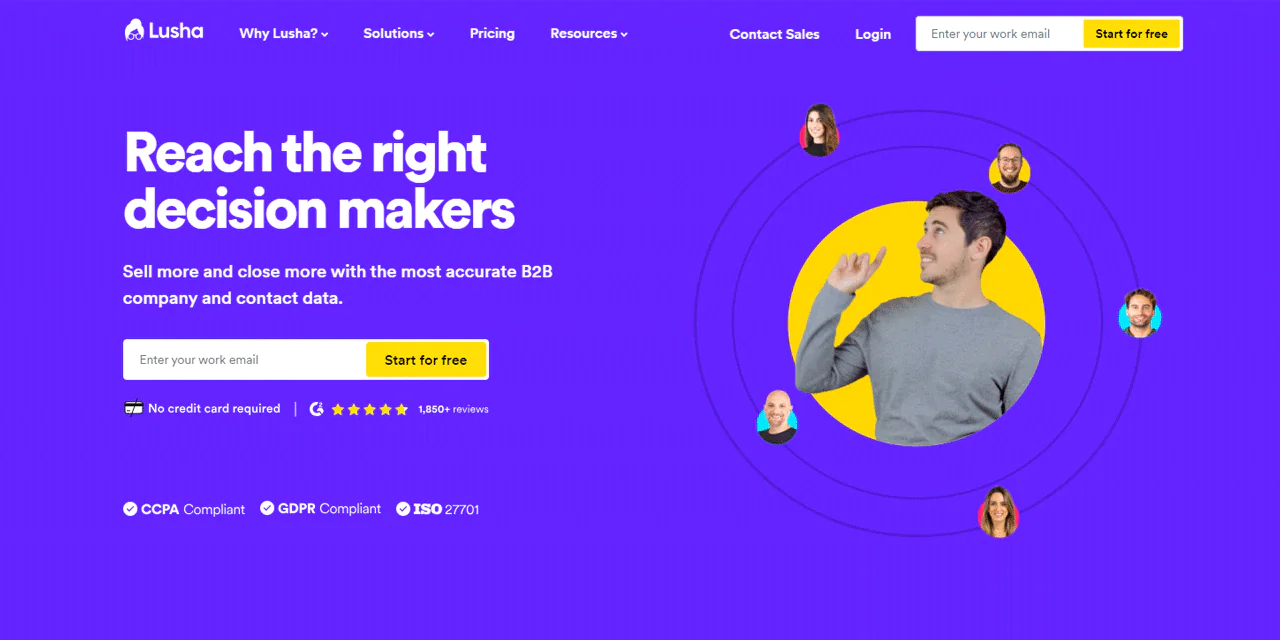
Lusha locates both personal and business email addresses, bridging companies and potential customers.
Its database is large, and integrations with LinkedIn and Salesforce make it popular with professionals who work from those platforms daily.
The tool scans profile pages automatically and extracts relevant contact details.
About Lusha
- Founding Team: Assaf Eisenstein and Yoni Tserruya
- Founding Year: 2016
- Company Size: 201-500 employees
Features of Lusha
Its core features:
Contact Discovery
Finds phone numbers and email addresses for direct outreach and networking.
B2B Database
Provides access to a rich B2B database for sales and marketing.
Chrome Extension
Pulls contact information directly from LinkedIn profiles.
CRM Integration
Keeps sales lead data flowing smoothly into CRM platforms.
Accuracy and Compliance
Focuses on accurate data while complying with privacy laws.
Pros:
- Efficient at finding accurate contact details.
- Offers extensive B2B contact data.
- Enhances lead generation on LinkedIn.
- Effective CRM integration.
- Emphasizes ethical standards in data usage.
Cons:
- Limited CRM import details for some users.
Pricing
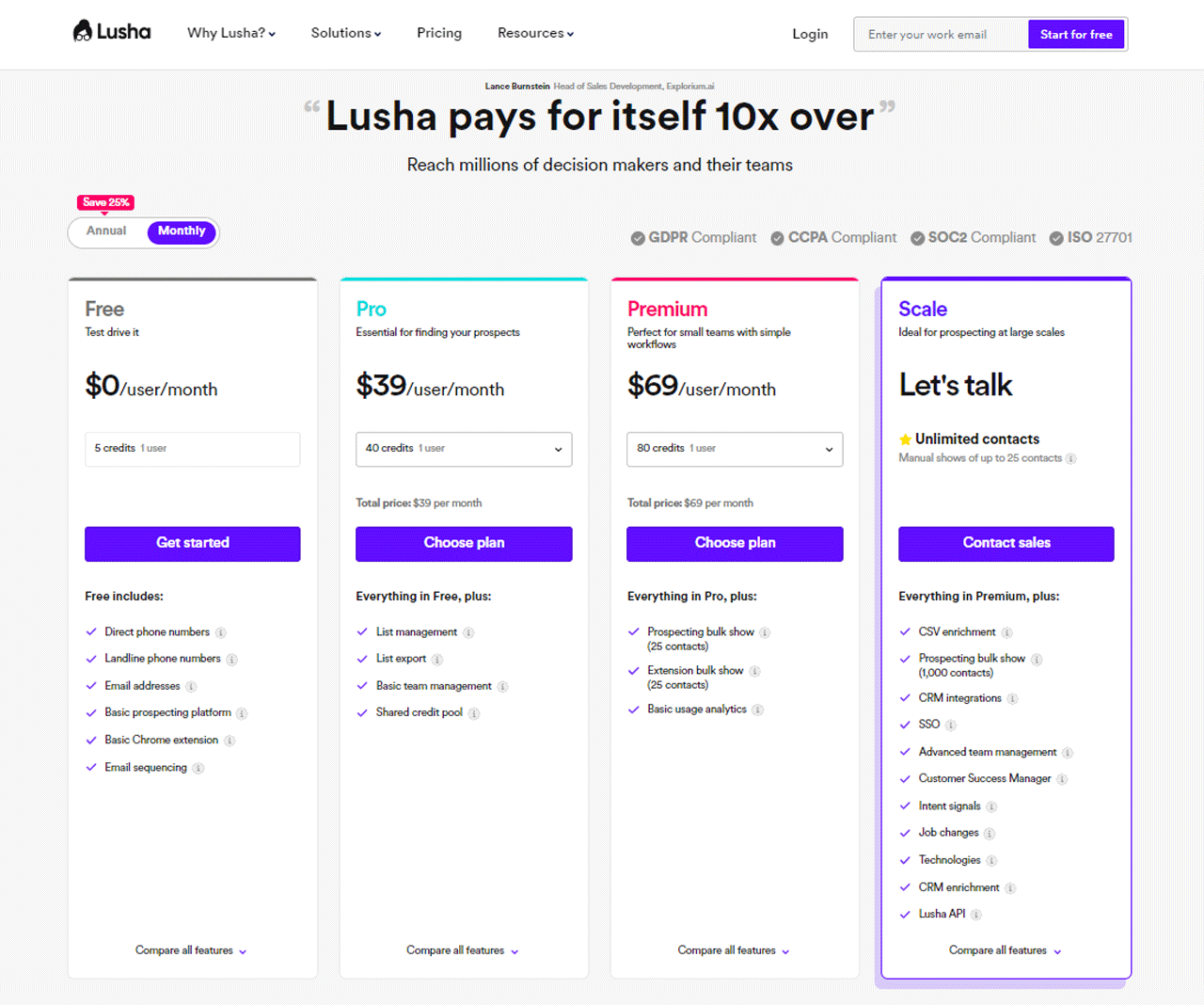
The “Starter” plan is free, offering 5 credits per month to try the software.
The “Professional” plan is $29/month per user for 480 annual credits.
The “Premium” plan is $51/month per user, for 2-5 users, with 960 annual credits.
The “Enterprise” plan is custom-built with around 1000 contacts per user.
What Users Say About Lusha
- G2: 4.5 out of 5 (1445 reviews)
“It is a very easy tool to use and the fact that is always there in the browser…I use it every day.”- Oriana V
- Capterra: 4.1 out of 5 (359 reviews)
“It was a bit of getting used to in the beginning.”- Sil G
Our Review of Lusha
Lusha is effective at obtaining accurate contact details, particularly for B2B interactions, and its database is a solid resource for sales and marketing teams.
Its LinkedIn integration streamlines acquiring contacts for lead generation.
Some users flag data privacy concerns given how the information is collected, though Lusha emphasizes compliance with privacy law, and its CRM integrations remain a strong point.
Read More: Seamless AI pricing & Packages.
11. Clearbit
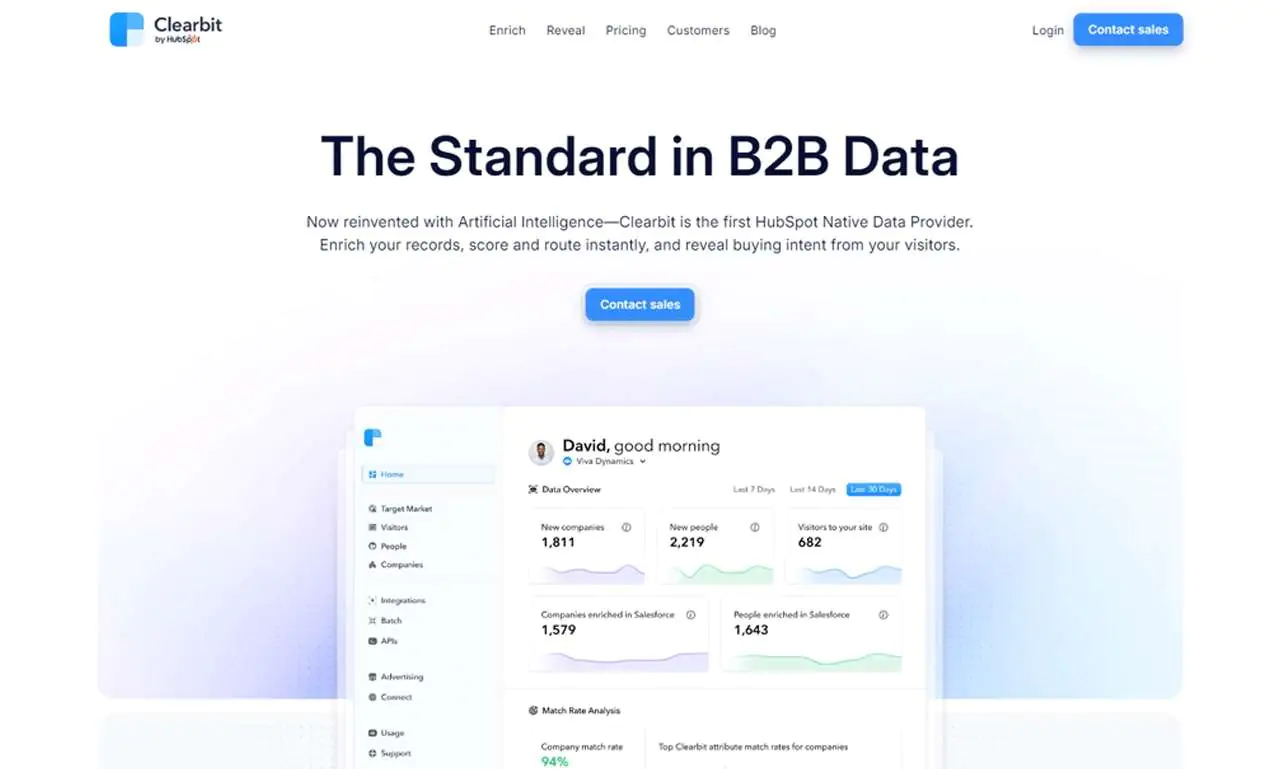
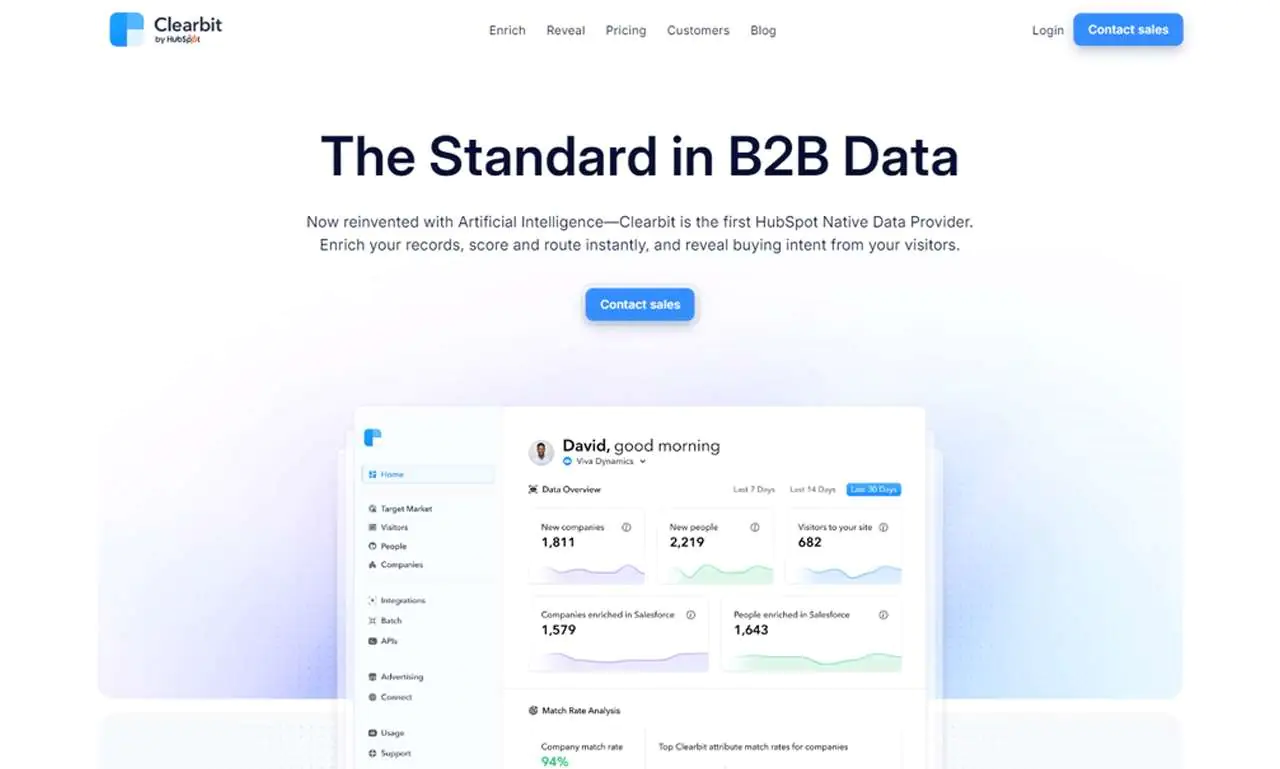
Clearbit is a B2B data platform, now built with AI, and known as an early HubSpot Native Data Provider. It enriches records, scores and routes leads instantly, and surfaces buying intent from website visitors.
It combines public data, proprietary data, and large language models to turn unstructured information into standardized datasets.
That structure supports clean, reliable data for B2B go-to-market teams. Global coverage and strong accuracy make it a foundational tool for scoring and routing leads in real time and spotting high-fit accounts.
Its form-shortening feature also improves conversion rates by enriching data from just an email address.
About Clearbit
- Founding Team: Alex MacCaw, Amit Vasudev, Andrew O’Neal, Harlow Ward, Matt Sornson, and Rob Holland
- Founding Year: 2015
- Company Size: 116 employees
Features of Clearbit
Its core features:
Real-Time Data Enrichment
Updates contact and company information instantly, key for accurate targeting.
Lead Scoring
Scores leads based on enriched data, helping teams prioritize.
Integration with Marketing Platforms
Integrates with popular marketing platforms for more effective campaigns.
API Access
Lets businesses build Clearbit’s enrichment into their own applications.
Comprehensive B2B Insights
Provides company size, industry, and other data for market analysis.
Pros
- Real-time data enrichment keeps contact information current.
- Lead scoring helps prioritize and target leads.
- Wide marketing tool integration expands campaign effectiveness.
- Customizable API adapts to different business needs.
- Complete business insights support strategic planning.
Cons
- No guaranteed data accuracy, so discrepancies can occur.
Pricing
Clearbit’s plans are built for businesses of different sizes, with customized options matching data enrichment, lead scoring, and other needs.
Cost depends on data volume and specific features required, so it’s best to contact Clearbit directly for a quote.
What Users Say About Clearbit
- G2: 4.5 out of 5 (618 reviews)
“Clearbit makes it easy to enrich the leads and contacts in our database that are missing data.”- Ryan S
- Capterra: 4.5 out of 5 (33 reviews)
“Relatively easy to set up, and a good support team was available to provide guidance.”- Evan L
Our Review Clearbit
Clearbit excels at real-time data enrichment, keeping contact and company information current, and its lead scoring helps prioritize outreach effectively.
Wide integration with marketing tools boosts campaign effectiveness, though the depth of its features may require some technical comfort to use fully.
Its customizable API and business insights make it a strong fit for teams doing deeper market analysis.
12. Snov.io
Snov.io is a CRM and sales automation platform built for B2B companies, sales development reps, and sales teams, with tools that support lead engagement across the funnel.
It provides email lookup, verification, and personalized outreach; give it a name or domain and it returns an email address.
Its integrations and interface make it a versatile choice for businesses scaling sales efficiency.
About Snov.io
- Founding Team: Oleksii Kratko
- Founding Year: 2017
- Company Size: 51-200 employees
Features of Snov.io
Its core features:
Email Finder
Finds and collects pre-verified leads matched to your ideal customer profile, with bulk search options for scale.
Drip Campaigns
Enables personalized outreach and automated follow-ups triggered by recipient behavior, with unlimited follow-ups and sender accounts.
Email Verifier
A claimed 98% accuracy Email Verifier reduces bounce rates through a 7-tier verification process, including gray-listing bypass and an API.
Email Warm-up
Improves deliverability using an AI conversation generator and template-specific warm-up strategies to build sender reputation.
Sales CRM
Streamlines sales workflows with Google Calendar sync, multiple pipelines, and deal loss analytics.
Pros
- Full suite of sales tools covering various parts of the sales process.
- High accuracy in email verification and lead generation.
- Easy integration with other platforms.
- Advanced features like AI-driven warm-up and behavior-triggered drip campaigns.
- Solid CRM functionality that streamlines sales workflows.
Cons
- Can feel complicated for beginners given the range of features.
Pricing
Snov.io offers a variety of pricing plans, distinguishing itself from competitors in the market.
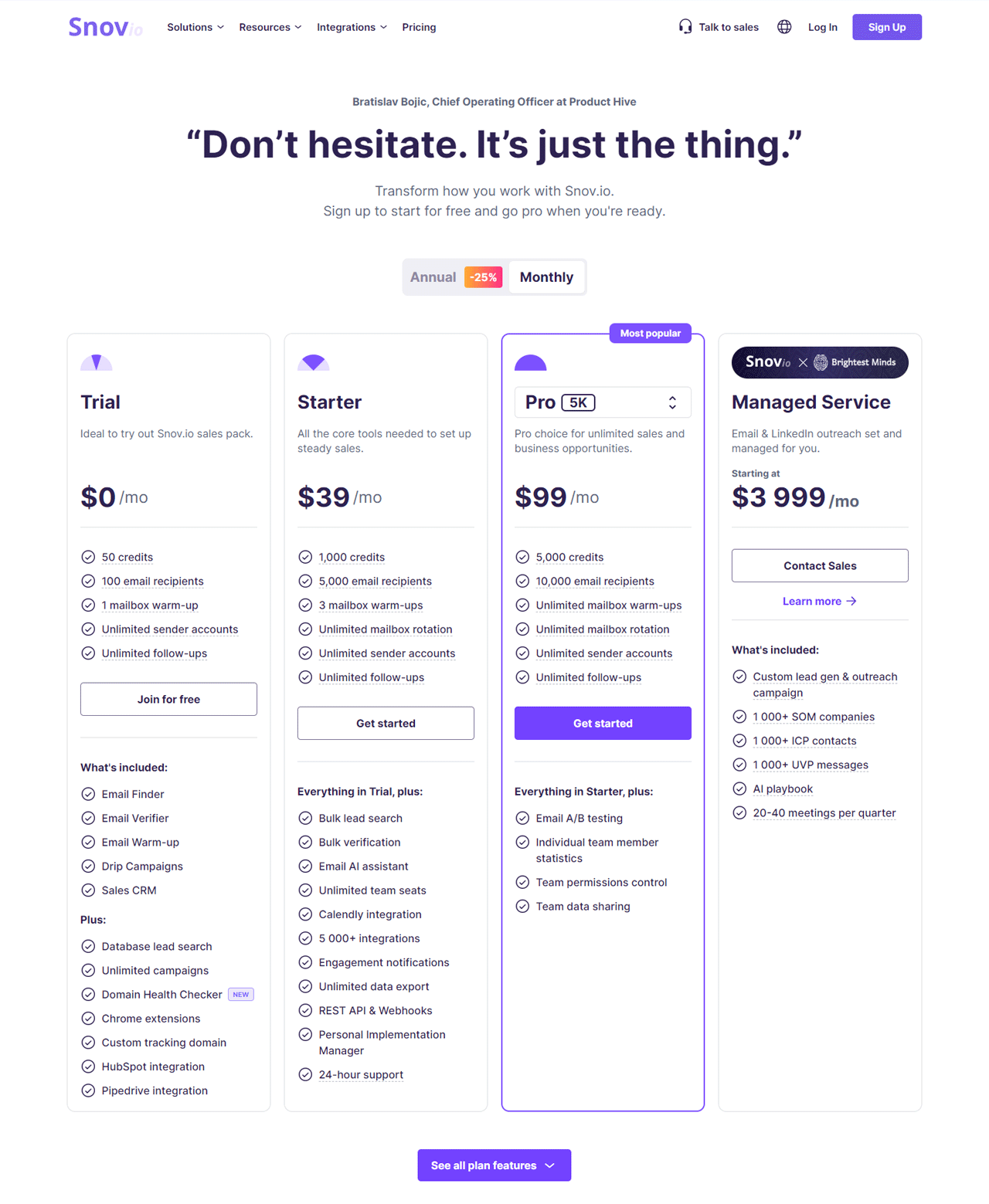
The Trial plan is free, including 50 credits and 100 email recipients.
The Starter plan, $30/month, provides 1,000 credits for steady sales activity.
The Pro plan, $75/month with 5,000 credits, suits unlimited sales activity.
A Managed Service starting at $3,999/month offers custom lead gen and outreach campaigns for larger, managed efforts.
What Users Say About Snov.io
- G2: 4.5 out of 5 (345 reviews)
“Snovio helped me a lot with email extraction from Linked Helper.”- Oleksii H
- Capterra: 4.6 out of 5 (307 reviews)
“Snov is a tool with limited functionality…if you are looking for a multichannel marketing tool then better options are available.”- Arika N
Our Review of Snov.io
Snov.io’s email discovery and verification hold up well, and its interface keeps outreach manageable.
CRM integration helps with email management, though the platform’s email-first focus won’t cover every broader contact need.
Its AI-driven warm-up and behavior-triggered drip campaigns are worth trying if email campaign performance is your main concern.
13. Email Hippo
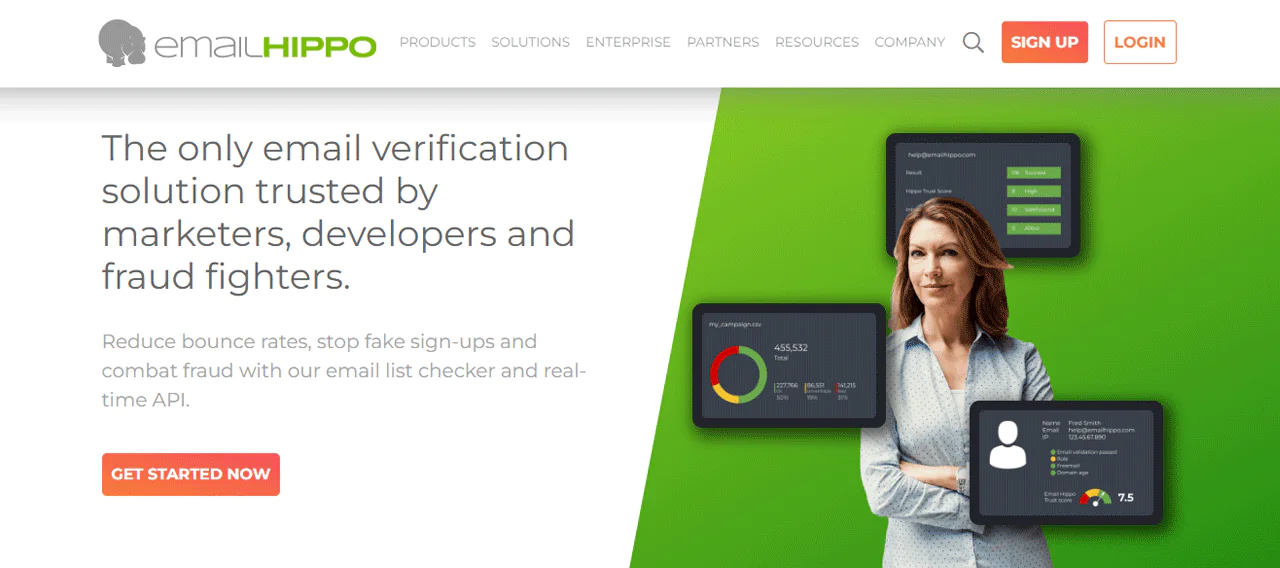
Email Hippo focuses on email verification, offering tools to reduce bounce rates, prevent fake sign-ups, and combat fraud. It has operated since 2009 in this space, providing list lookup and real-time API services.
Recognized with a Queen’s Award for Enterprise, Email Hippo emphasizes accuracy and security, serving marketers, developers, and fraud teams.
If verification accuracy is the priority over discovery features, this is worth a look.
About Email Hippo
- Founding Team: Rowland O’Connor
- Founding Year: 2015
- Company Size: 2-10 employees
Features of Email Hippo
Its core features:
CORE – List Verification
Quick, self-serve checking of email lists to identify valid and invalid addresses.
MORE – API Verification
Real-time API validation checking 74 data points per email.
ASSESS – Fraud Risk Detection
Detects fraud risk using email address intelligence, automating protective actions at first contact.
ISO 27001 Certification
Positioned as the first email verification provider with this certification, reflecting a strong data protection stance.
High Accuracy and Uptime
Claims 98% accuracy in verification with 99.99% uptime.
Pros
- High accuracy in email verification.
- Strong fraud detection capabilities.
- User-friendly interface accessible to various skill levels.
- Customizable solutions for both batch file and real-time API needs.
Cons
- More focused on verification than other aspects of email management.
Pricing
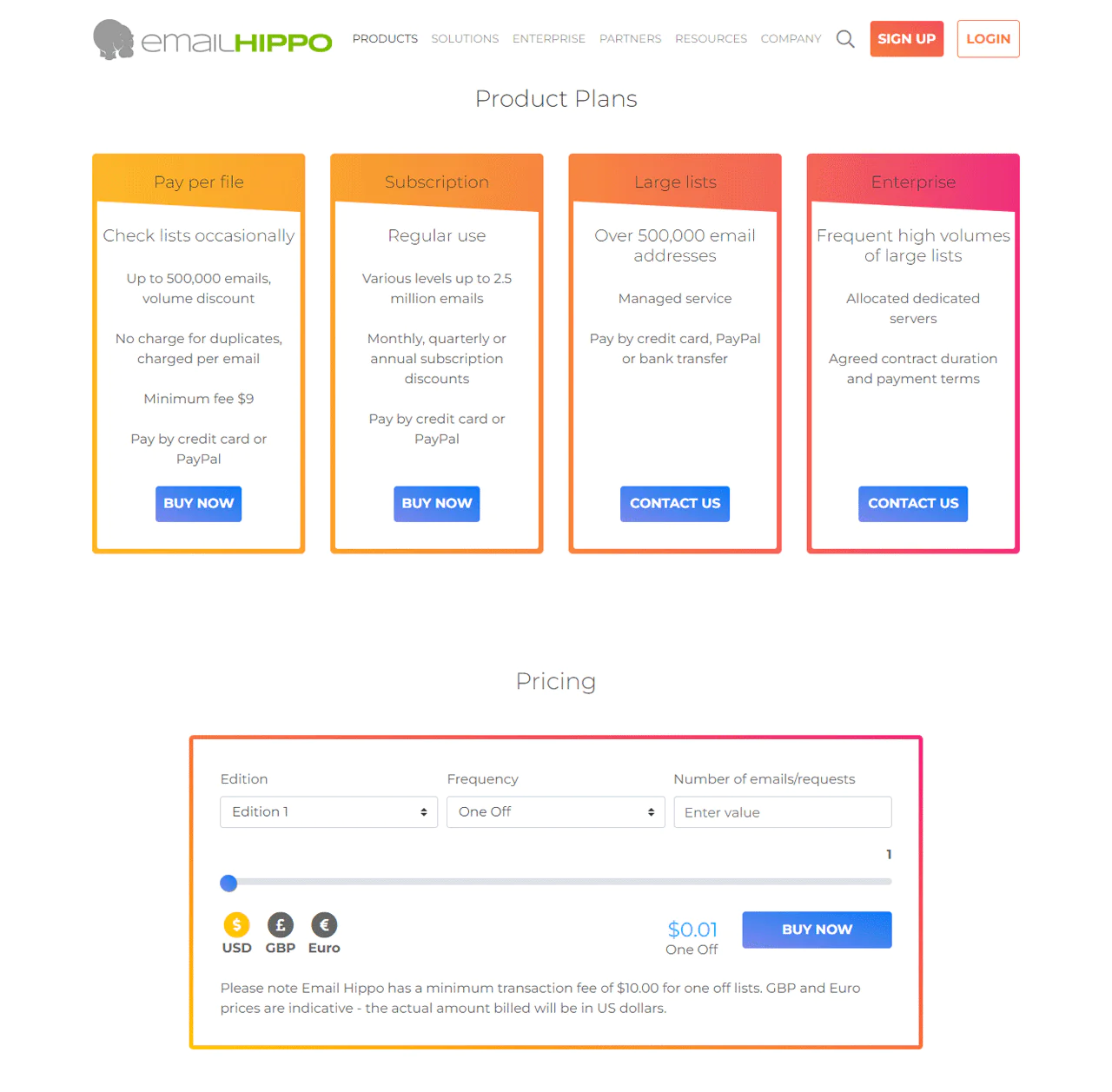
Email Hippo offers Edition 1 and Edition 2, both verifying up to 25 million emails per month at $9.88/month.
The difference is speed versus features: Edition 1 for speed, Edition 2 for the fuller feature set.
What Users Say About Email Hippo
- G2: 4 out of 5 (6 reviews)
“It gives each email a score depending on certain parameters, it is quite useful when we did an integration with our CRM.”- Roman P
- Capterra: 4.6 out of 5 (13 reviews)
“Flexibility and the ease of use this software has.”- Leandro
Our Review Email Hippo
Email Hippo is proficient at accurate verification and plays a key role in maintaining healthy email lists.
Its focus on reducing bounce rates and fraud stands out, and the ISO 27001 certification signals a real commitment to data security.
Since it specializes narrowly in verification, it won’t cover other aspects of email management, but for that specific job it’s dependable.
14. BeenVerified
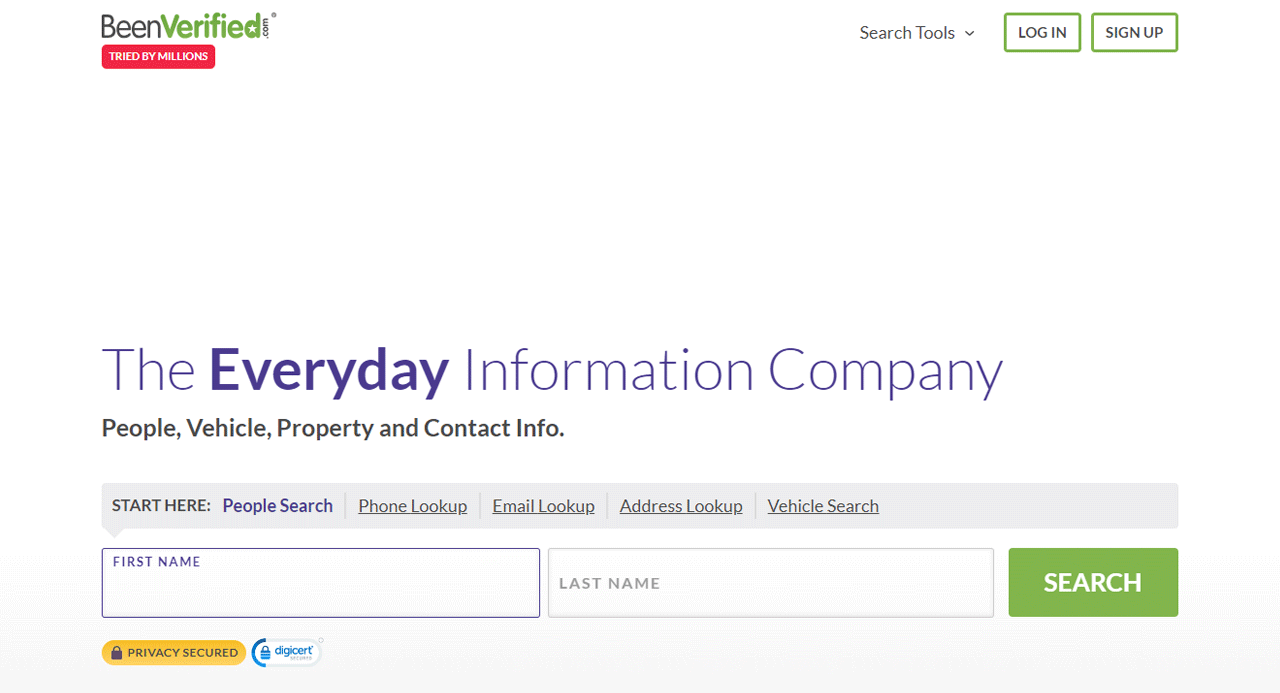
BeenVerified offers a range of search tools including people search, reverse phone, and email lookup, with access to billions of records.
It’s built more as a general public records resource than a narrow email finder, useful for reconnecting with people as much as verifying them.
Its email lookup feature returns an address within a short search window.
It’s positioned for improving customer data, self-monitoring, and general due diligence, with a stated commitment to privacy.
About BeenVerified
- Founding Team: Josh Levy and Ross Cohen
- Founding Year: 2007
- Company Size: 52 employees
Features of BeenVerified
Its core features:
People Search
Accesses public records to find and contact old friends, family, and classmates.
Reverse Phone Lookup
Identifies unknown callers with names, locations, spam scores, and helpful comments.
Email Lookup
Offers insight into someone’s likely personal and professional emails.
Criminal & Court Records
Accesses arrest, criminal, traffic, and bankruptcy records for informed decisions.
Vehicle Records
Searches by VIN or license plate for accident, salvage, value, spec, and recall data.
Pros
- Wide range of search tools beyond email lookup.
- Large database of records.
- User-friendly interface.
- Stated commitment to privacy and data security.
- Useful for both personal and professional verification.
Cons
- More depth than needed if you just want a simple email lookup.
Pricing
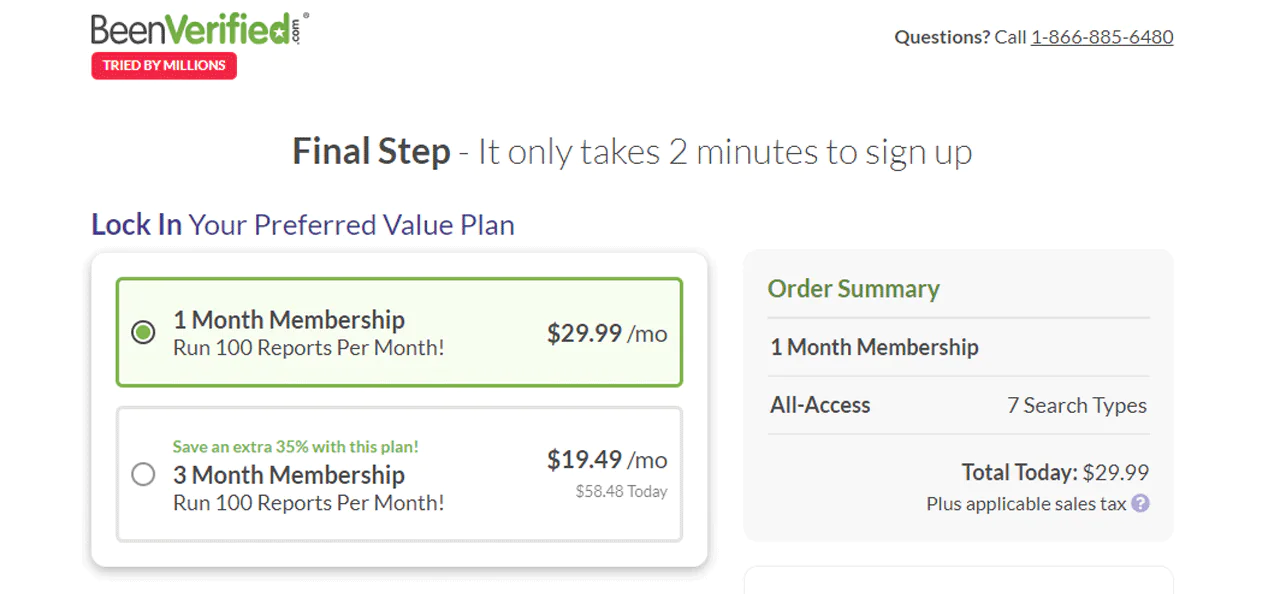
Every plan includes the same features. A 1-month membership runs $29.99, and a 3-month membership runs $19.49 per month.
If you’re not sure how long you’ll need it, start with the 1-month option; the longer plan is better for sustained use.
What Users Say About BeenVerified
- Capterra: 4.1 out of 5 (30 reviews)
“Having these reviews in our webstore and for products as well increased our ranking and conversion rates.”- Bob M
Our Review BeenVerified
BeenVerified takes a broad approach to public records search, covering contact details, criminal records, and property records in one place.
The interface is easy to work through, though the depth of information can feel like overkill for a simple lookup.
For anyone needing a wider background check alongside contact info, it’s a useful tool.
15. TruthFinder
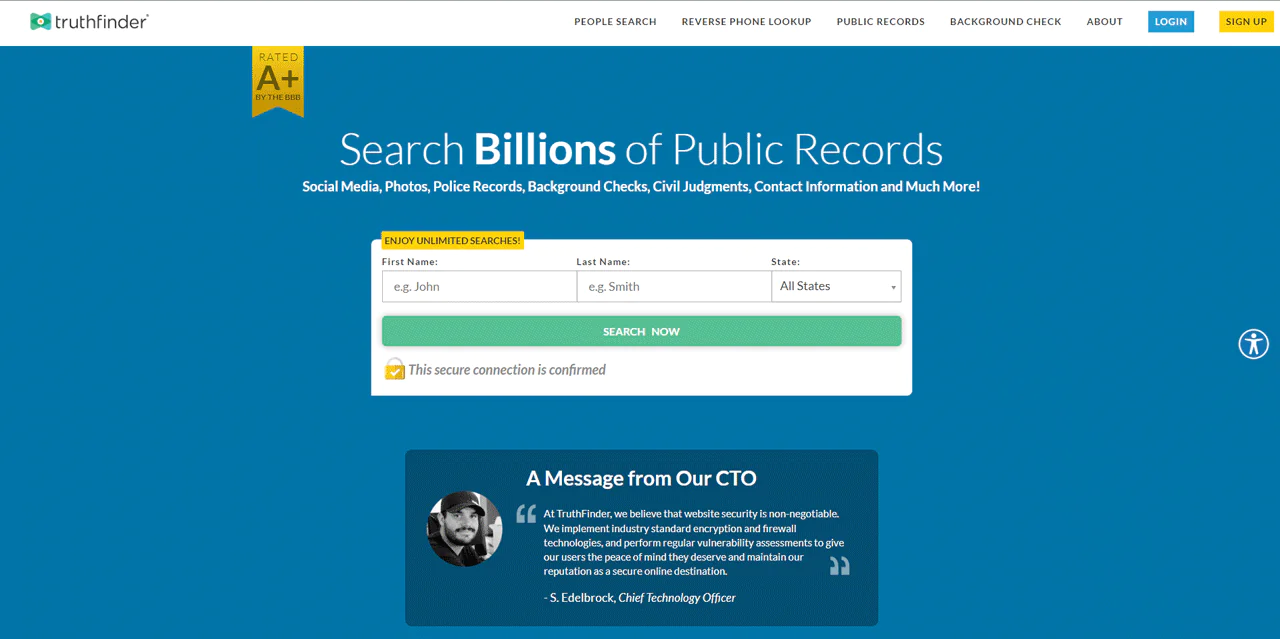
TruthFinder offers people search, reverse phone lookup, and address lookup, with access to public records, social media profiles, and contact information.
It emphasizes security and privacy, and is well known for surfacing detailed information about individuals.
It’s a useful tool for learning about people in your life or reconnecting with lost contacts.
About TruthFinder
- Founding Team: Kris Kibak and Joey Rocco
- Founding Year: 2015
- Company Size: 2-10 employees
Features of TruthFinder
Its core features:
People Search
Accesses public records for contact information, social profiles, and personal history.
Reverse Phone Lookup
Identifies unknown callers with names, locations, and potential spam scores.
Address Lookup
Offers property records, owner information, and historical data.
Criminal & Court Records
Provides arrest, criminal, and traffic violation records for informed decisions.
Background Check
Compiles public records into a report covering personal details and employment history.
Pros
- Deep, varied data covering criminal and social media records.
- User-friendly interface for quick access.
- Extensive public records access.
- Strong stated focus on data security.
- Versatile for personal and professional background checks.
Cons
- Not suitable for employment, tenant screening, or other purposes requiring FCRA compliance.
Pricing
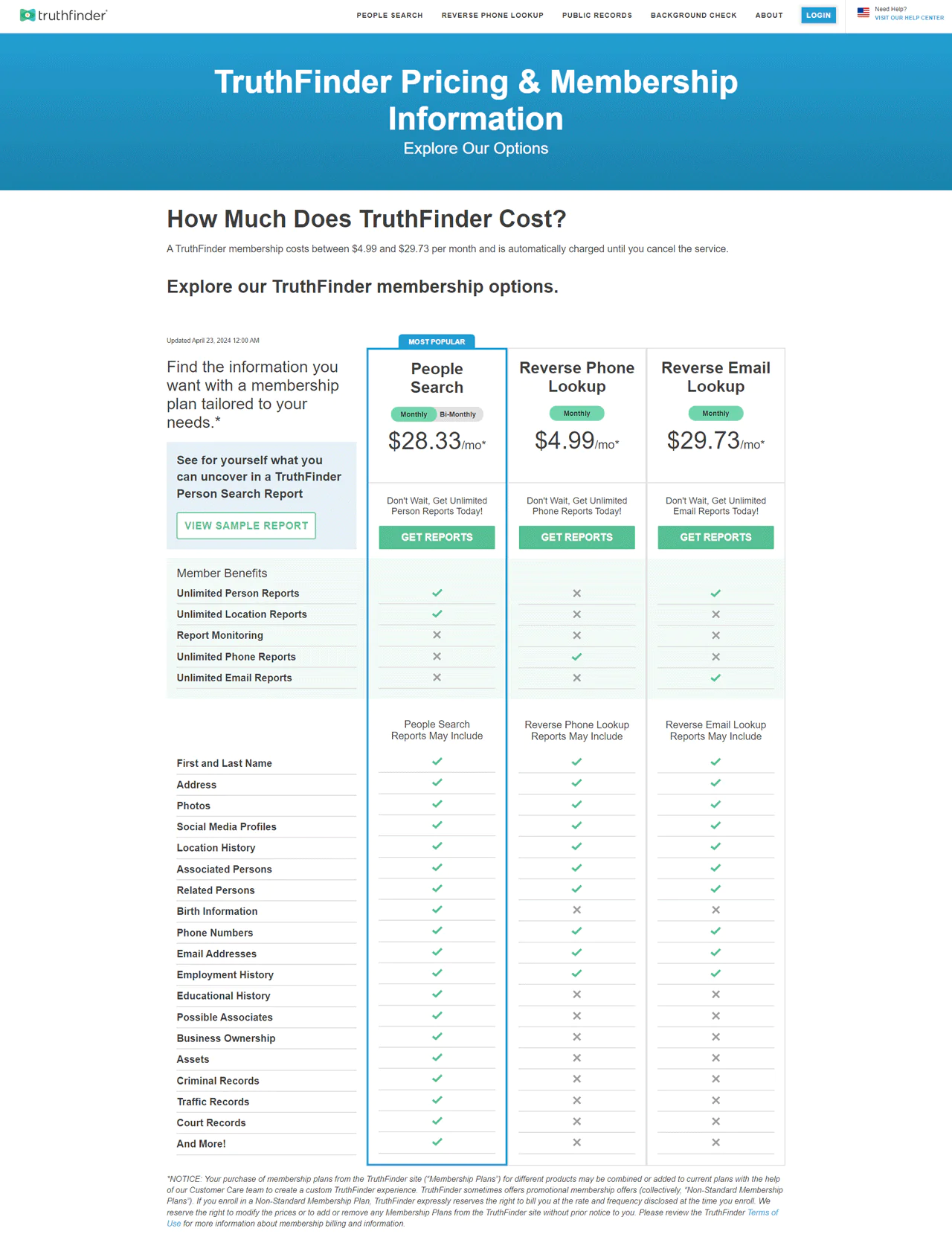
TruthFinder memberships range from $4.99 to $29.73 per month depending on the plan.
The People Search plan runs $28.05/month for comprehensive personal reports.
For phone number lookups specifically, the Reverse Phone Lookup plan is $4.99/month.
The Reverse Email Lookup plan, $29.73/month, suits users needing detailed email reports.
Add-ons include PDF/Report Monitoring at $3.99/month and Dark Web Monitoring at $2.99/month for surveillance of personal information exposure.
What Users Say About TruthFinder
- Trustpilot: 3.5 out of 5 (1263 reviews)
“I took out a free membership to look for a long lost friend, and OMG, this thing is incredibly powerful.”- Sab
Our Review TruthFinder
TruthFinder is effective for detailed background checks, pulling in social media profiles and contact information from public records.
Its focus on security and privacy is a plus, though information may not always be perfectly current, so cross-checking matters.
For anyone needing in-depth information about a person rather than a quick email confirmation, TruthFinder is a reasonable choice.
Why is Email Lookup Important?
Email lookup can provide context about an unfamiliar address, but it cannot by itself confirm that a sender is legitimate or protect against fraud and phishing. A few reasons people use it:
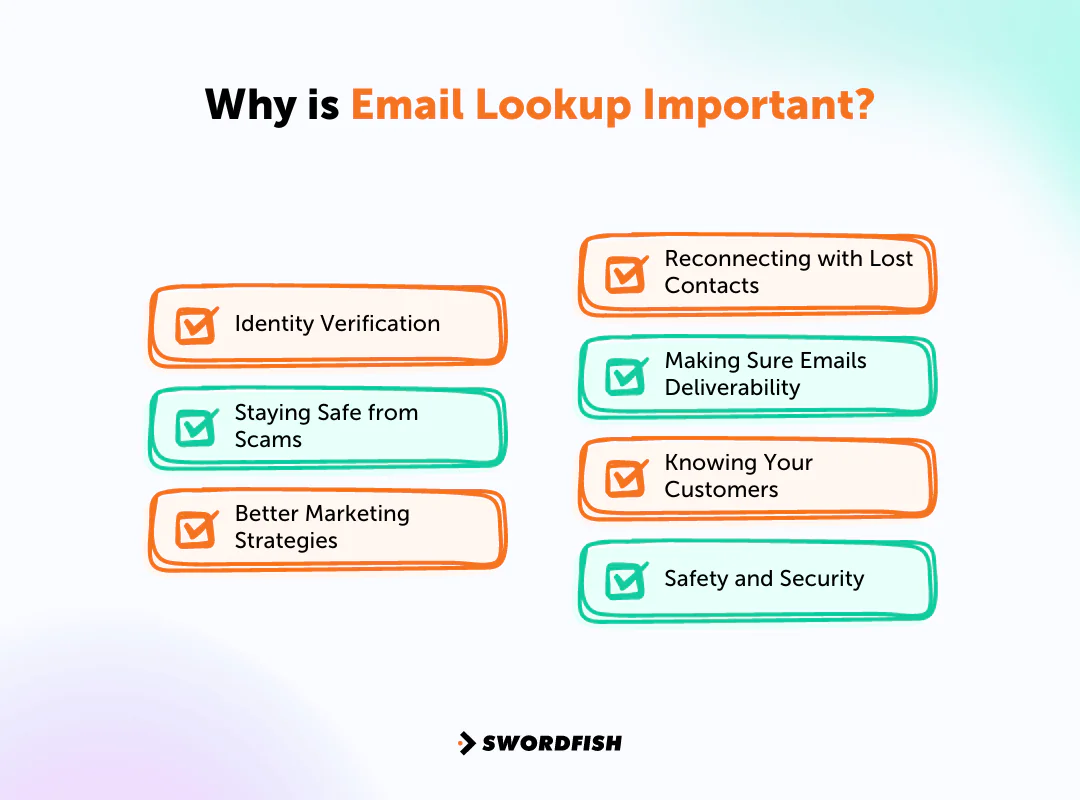
Identity Verification
A lookup may surface information associated with an unfamiliar sender, but it cannot reliably confirm that the person using the address is who they claim to be.
It’s especially useful when an unfamiliar sender lands in your inbox, helping you avoid misunderstandings or worse.
Staying Safe from Scams
Lookalike addresses can be used in scams. A lookup may provide additional context, but it cannot determine on its own whether a message or sender is safe.
Better Marketing Strategies
For businesses, understanding your audience matters. Email lookup adds context about subscribers that supports more targeted, effective campaigns.
Reconnecting with Lost Contacts
If an old email address is all you have left of a contact, lookup tools can help bridge the gap using additional details or linked social profiles.
Making Sure Emails Deliverability
Verifying addresses before a campaign can help identify invalid or risky addresses and reduce bounces, but verification does not guarantee delivery or protect sender reputation on its own.
Knowing Your Customers
Understanding your customers better shapes product decisions, customer service, and marketing. Email lookup adds that missing context to existing records.
Safety and Security
Assessing sender legitimacy through lookup tools helps prevent unwanted contact and reduces exposure to scams.
How to Look Up An Email Address for Free
Looking up an email address for free is useful for networking, job hunting, or general outreach. Here’s a quick rundown of approaches:
- Use Search Engines: Search a person’s name with terms like “email” or “contact,” or guess based on the company’s known email format. Quick, and often surprisingly effective.
- Social Media: Check LinkedIn, Twitter, or Facebook bios, where contact info sometimes appears directly.
- Company Websites: Staff directories and contact pages on official company sites are a reliable source for verified professional emails.
- Free Email Lookup Tools: Enter a name and/or domain into an online tool and let it search for a match, which is usually faster than manual digging.
- Check Public Records: Some public records include contact information depending on the country, though reliability varies.
- Alumni Directories: University alumni directories often list emails for graduates.
- Browser Extensions: Some extensions surface email addresses tied to visited websites; stick to reputable ones for data safety.
- Networking Sites: Building a direct connection on LinkedIn can lead to a more natural way of getting someone’s contact details.
- Online Forums and Articles: People sometimes post contact info in forums, articles, or author bios, so it’s worth checking those too.
- WHOIS Lookup: For personal websites, a WHOIS lookup can reveal the registered email unless privacy protection is enabled.
How to Choose the Best Free Email Lookup Tool
Choosing the right free email lookup tool comes down to a handful of practical factors. Here’s what to weigh:
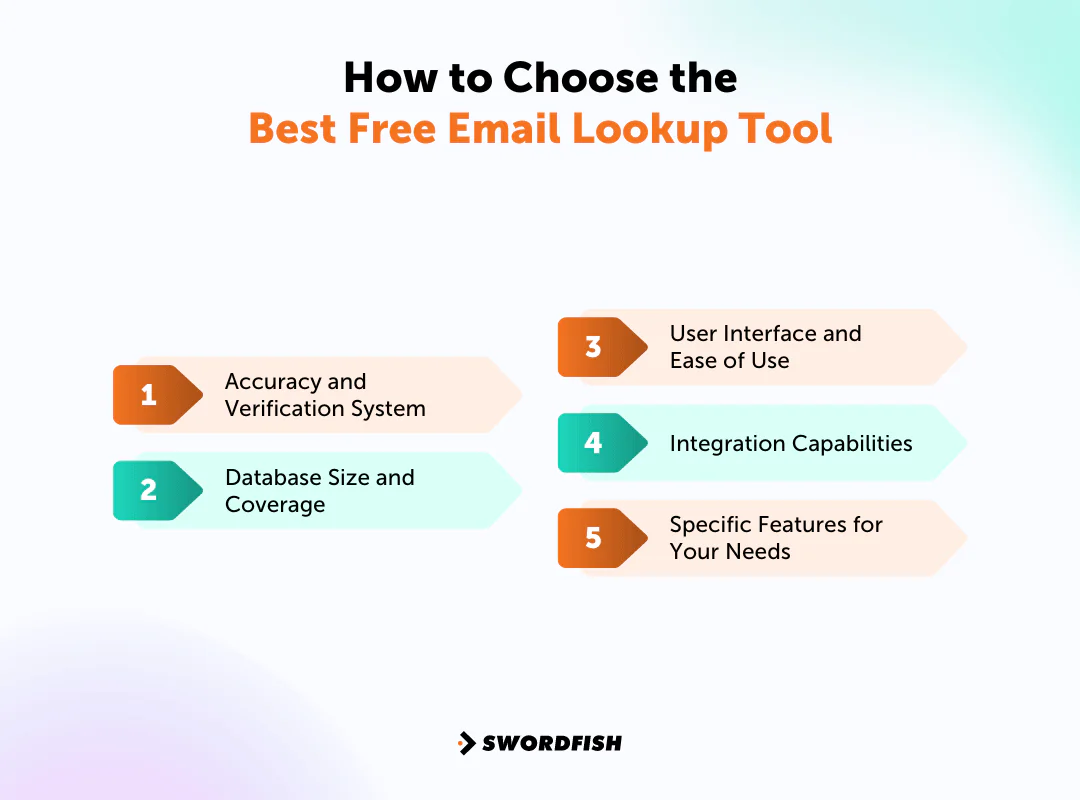
Accuracy and Verification System
Choose a tool with a verification process that fits your needs. Verification can help identify addresses that may be invalid or risky, but it cannot guarantee deliverability.
Database Size and Coverage
Database size is one factor to compare, but a larger database does not by itself guarantee that a tool will find a particular address or return accurate, current information.
User Interface and Ease of Use
Look for something intuitive, even for a first-time user. A clean interface saves real time across repeated searches.
Integration Capabilities
Check how well the tool connects to your CRM or existing systems. Good integration keeps discovered contacts usable rather than stuck in a separate tool.
Specific Features for Your Needs
Match features to your actual use case. If cold calling matters, a tool that also surfaces direct phone numbers, like Swordfish, adds more value than an email-only finder.
Match your choice to the specific demands of your outreach or lead generation strategy rather than picking the most popular option by default.
The Bottom Line
The right contact information can support outreach, but lookup results vary in accuracy and currency. Compare tools based on the task you need—finding an address, checking an address, or enriching a contact record.
Whether you’re a marketer, recruiter, or reconnecting with old contacts, an email lookup tool is a practical resource. Ease of use and data depth are what separate the useful ones from the rest.
Among the options here, Swordfish stands out for its database size and real-time validation. With this many tools available, testing a couple against your specific workflow is worth the time before committing to a paid plan.
Good luck picking the platform that fits your outreach strategy best.
FAQs
Can I use email lookup services for bulk searches?
Some free tools offer limited bulk search, but paid tiers usually give you far more capacity for larger lists.
Is the information retrieved from email lookup always up-to-date?
It depends on how often the tool refreshes its database. Cross-checking critical information across multiple sources is a good habit regardless of which tool you use.
Are there any legal concerns when using email lookup services?
Using these services for personal, non-invasive purposes is generally fine. Using the information for spam, malicious activity, or in ways that violate privacy regulations can create legal exposure.
What are the important features of Email Finder Tools?
Look for bulk search, domain search, and verification checks. These help locate email addresses based on names or domains while keeping accuracy in check.
Why use email lookup tools?
They’re essential for marketing, sales, and recruitment professionals who need to find contacts quickly without manual guesswork, improving overall outreach efficiency.
What are the best email finder softwares?
Among the options covered here, Swordfish AI stands out for combining email and phone data with a straightforward interface, making it a solid choice for professionals needing reliable outreach data.
How can I look up an email address for free?
Hunter’s free tier allows a limited number of searches per month. LinkedIn is another option, where you can connect directly with professionals who may share their contact information.
About the Author
Ben Argeband is the Founder and CEO of Swordfish.ai and Heartbeat.ai. With deep expertise in data and SaaS, he has built two successful platforms trusted by over 50,000 sales and recruitment professionals. Ben’s mission is to help teams find direct contact information for hard-to-reach professionals and decision-makers, providing the shortest route to their next win. Connect with Ben on LinkedIn.
Check Our Latest Blogs
- Similar Platforms as ZoomInfo
- Linkedin Sales Navigator Plans
- Similar Platforms as RocketReach
- Similar Platforms as Intelius
- Best Websites to Find Phone Numbers
- Best Contact Finding Tools
- B2B Prospecting Tools
- Similar Platforms as Spokeo
- Similar Platforms as Pipl
- Similar Platforms as Clearbit
- Similar Platforms as Datanyze
- DiscoverOrg Plans

