


 View Products


Key takeaways
- A B2B contact database organizes company and professional information to help teams identify and reach relevant contacts.
- Compare providers on data accuracy and freshness, coverage, search filters, integrations, compliance practices, and pricing.
- LinkedIn Sales Navigator focuses on prospecting and relationship-building within LinkedIn; the article presents ZoomInfo as an option for broader company insights.
- The article describes Swordfish AI as focused on direct contact details, Lusha on contact discovery, and RocketReach on global contact searches.
- Provider coverage, features, and prices can change, so confirm current details directly with each vendor.
- Check for bounced emails, disconnected numbers, missing details, and outdated roles as signs that contact records may need refreshing.
Last updated: September 3, 2026
Chasing leads that go nowhere gets old fast. So does working from a contact list full of disconnected numbers and bounced emails. If you need to reach real decision-makers instead of gatekeepers and voicemail boxes, the quality of your B2B contact database matters more than almost anything else in your outreach stack.
The market for these tools is crowded, so we compared the five providers sales, recruiting, and marketing teams reach for most often, based on database size, data sources, verification methods, browser tooling, and pricing transparency.
Below, you’ll also find a practical rundown on building and maintaining a database, spotting when your current one is falling behind, and choosing a provider that fits your workflow.
What is a B2B Contact Database?
A B2B contact database is a structured list of companies and the people who work at them. It typically includes company names, industries, headcount, location, and contact details such as direct phone numbers and email addresses.
Many providers layer on additional context, like firmographic background, technology stack, funding events, or buying-intent signals.
The purpose is straightforward: help revenue teams find and reach the people who actually make purchasing decisions, rather than guessing or working through a generic company switchboard.
Quick List of Top 5 B2B Contact Databases
Here’s the shortlist:
- Swordfish AI: Best for deep contact dives across social networks with high accuracy.
- LinkedIn Sales Navigator: Best for using LinkedIn’s network for targeted sales prospecting.
- ZoomInfo: Best for complete B2B data and detailed company insights for outreach.
- Lusha: Best for quick, reliable contact information directly from your browser.
- RocketReach: Best for finding email and phone numbers across industries globally.
Comparison Table of the 5 B2B Contact Databases
Here’s a side-by-side look at how these five tools stack up:
Tools | Database | Key Features | Integration | Ideal for |
 | 3.5 billion data profiles | AI-driven insights, Chrome Extension | Zapier, Crelate, Pipedrive, Salesloft, LOXO, HubSpot, etc | B2B lead generation |
 | 550M+ companies and 130M job titles | Advanced search, InMail | ZOHO, HubSpot, Salesforce, Agile CRM, etc | Social selling and networking |
 | Over 500 million professionals | B2B data, Advanced search, Webhooks | HubSpot, Salesforce, LeadIQ, Cognism, etc | Access to company data |
 | 100M+ Profiles | Direct contact information, Chrome extension | Pipedrive, HubSpot, Salesforce, etc | Direct contact info |
 | 450M+ Profiles | Email & phone lookup, Bulk search, API | Zapier, Salesloft, Salesforce, Outreach, etc | Complete contact data |
Best 5 B2B Contact Databases to Improve the Sales
We evaluated each provider on database size, data sourcing and verification, browser extension availability, and the tradeoffs users report in practice.
1. Swordfish AI
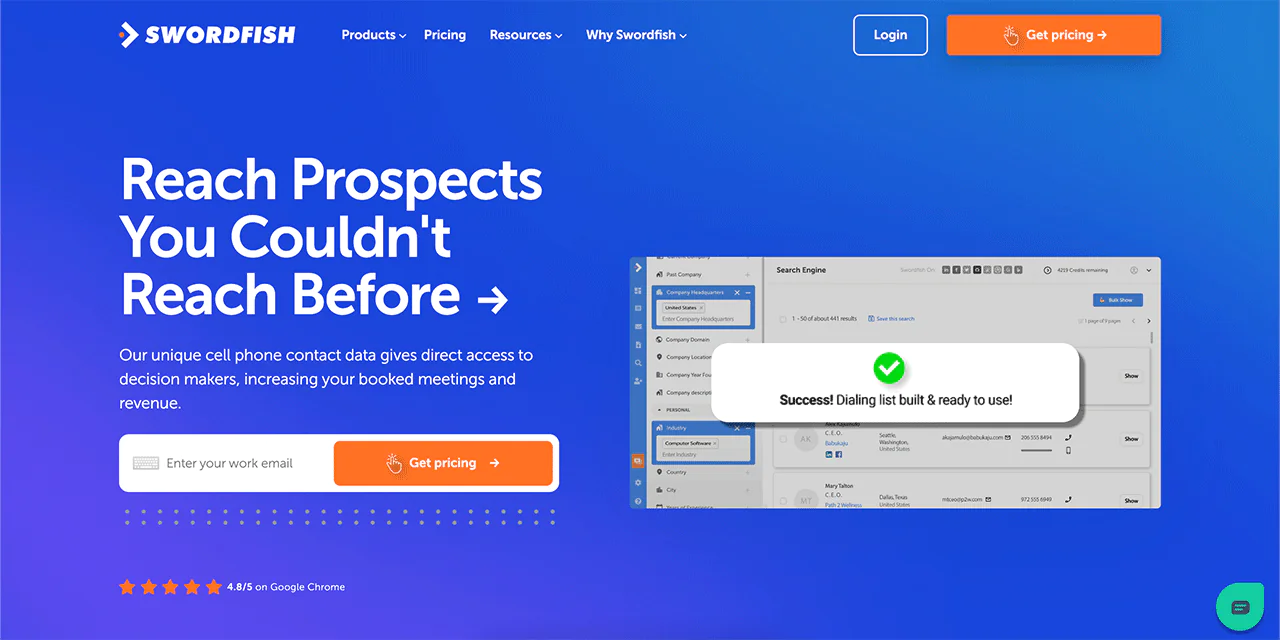
Swordfish AI is built for sales and recruitment professionals who need direct access to decision-makers, including cell phone numbers and personal or business emails.
Its database spans roughly 3.5 billion contact profiles, and the platform is known for surfacing more verified cell phone numbers than most competitors in this space.
Rather than pulling from one static source, Swordfish cross-checks numbers against multiple data partners in real time, which is what drives its phone connectivity verification. The Chrome Extension pulls this data directly from LinkedIn, Twitter, Facebook, and other platforms as you browse.
The platform also supports bulk lead generation, filling missing CRM fields, and reverse searching. For teams whose main bottleneck is reaching people by phone rather than email, this combination tends to move meeting-booking numbers in a meaningful way.
About Swordfish AI
- Founding year: 2015
- Founding team: Ben Argeband
- No. of users: 50,000+
What Sets Swordfish AI Apart?
What sets Swordfish AI apart is access to a database of over 3.5 billion verified individual data profiles, including exclusive cell phone data that enables direct outreach to prospects and customers.
Its cell phone verification system checks line connectivity before you dial, which cuts down on wasted calls to disconnected numbers.
Swordfish AI may suit teams whose outreach depends more on reaching people by phone than on email alone.
Key Features of Swordfish AI
Features worth knowing about:
-
Chrome Extension
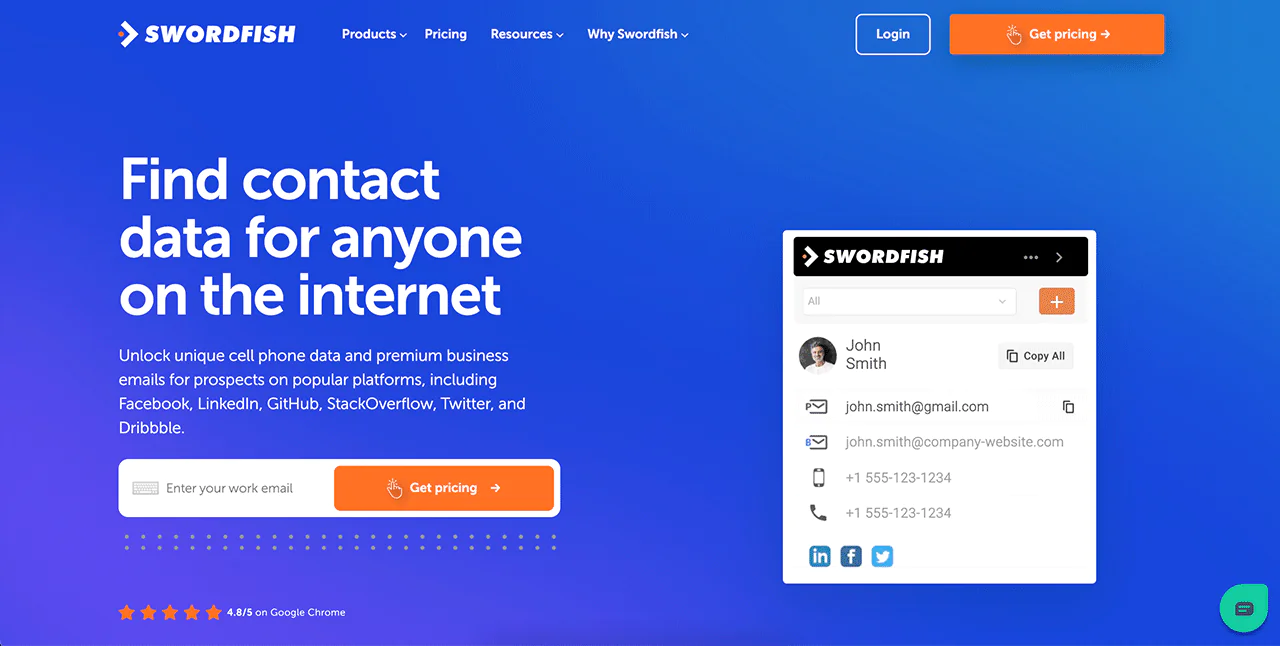
Swordfish AI’s Chrome Extension surfaces contact information directly in your browser as you view LinkedIn, Twitter, Facebook, and other profiles, without switching tabs.
-
Prospector
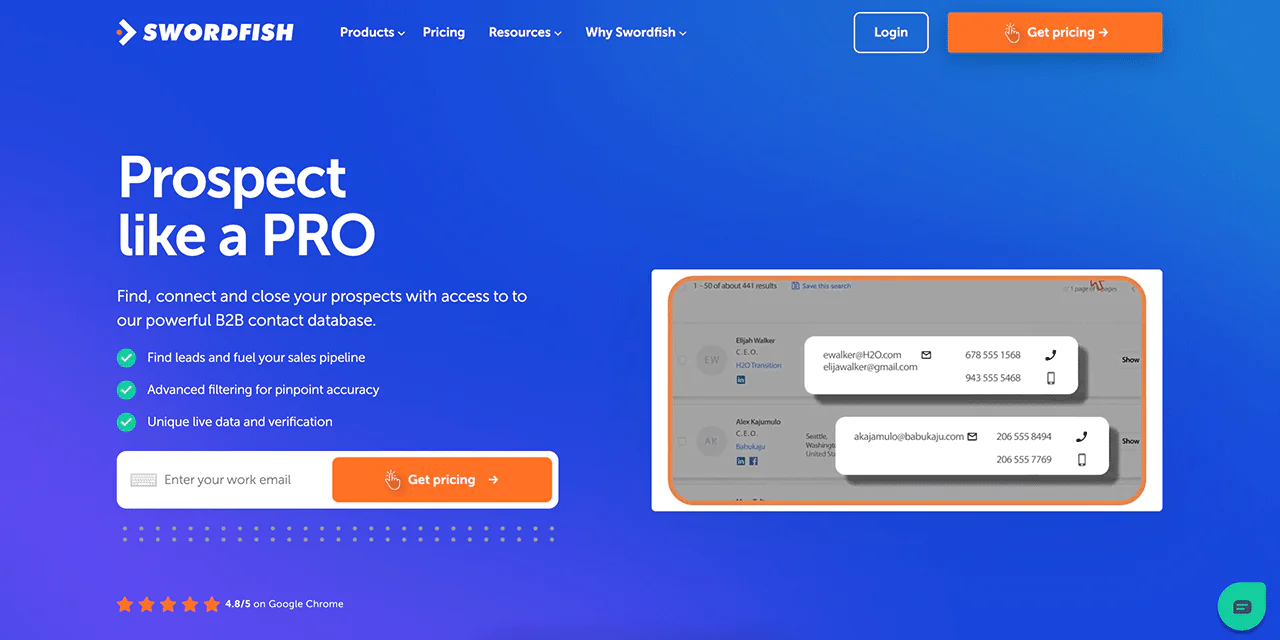
Prospector lets you build dialing and email lists at scale using filters for title, company size, location, and industry — useful when you need a fresh list rather than enriching one contact at a time.
-
File Upload
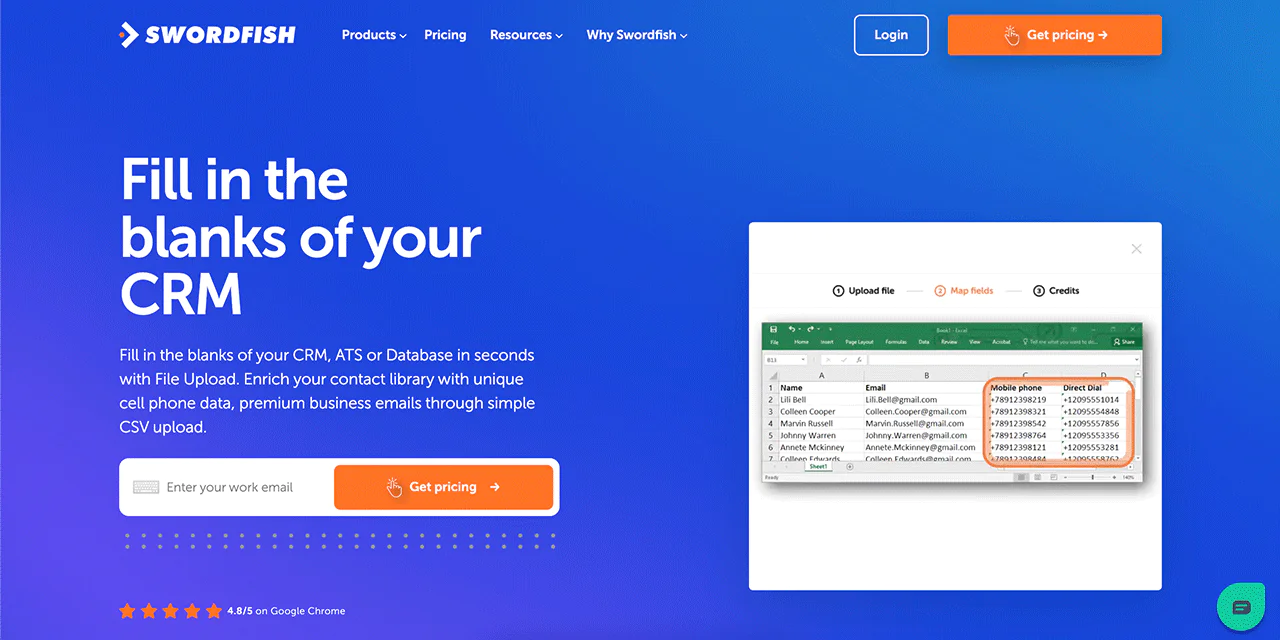
You can upload a CSV file to Swordfish, and it will fill in missing cell phone numbers and emails, which is a fast way to close gaps in an existing CRM export.
-
Reverse Search
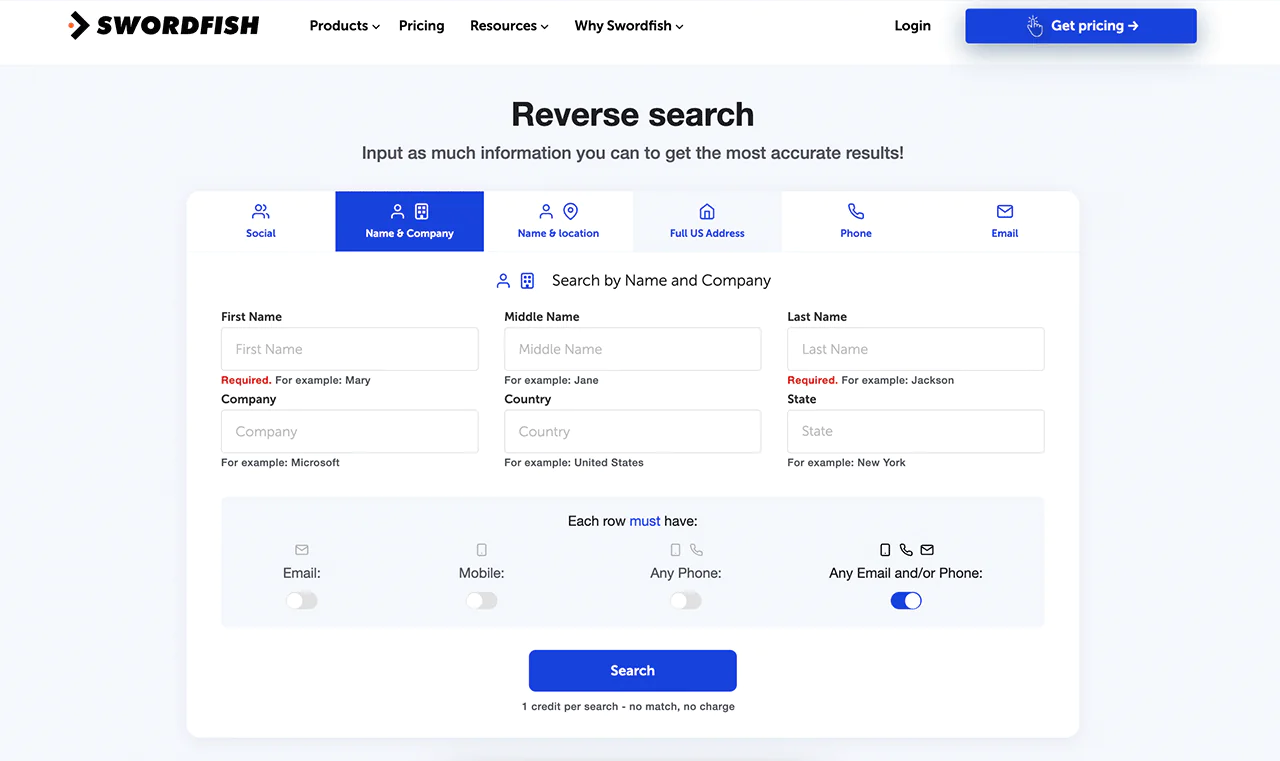
With Reverse Search, you can input a name, company, email, phone number, or social profile to resolve a full identity — handy when you only have a fragment of information on a contact.
-
API Integration
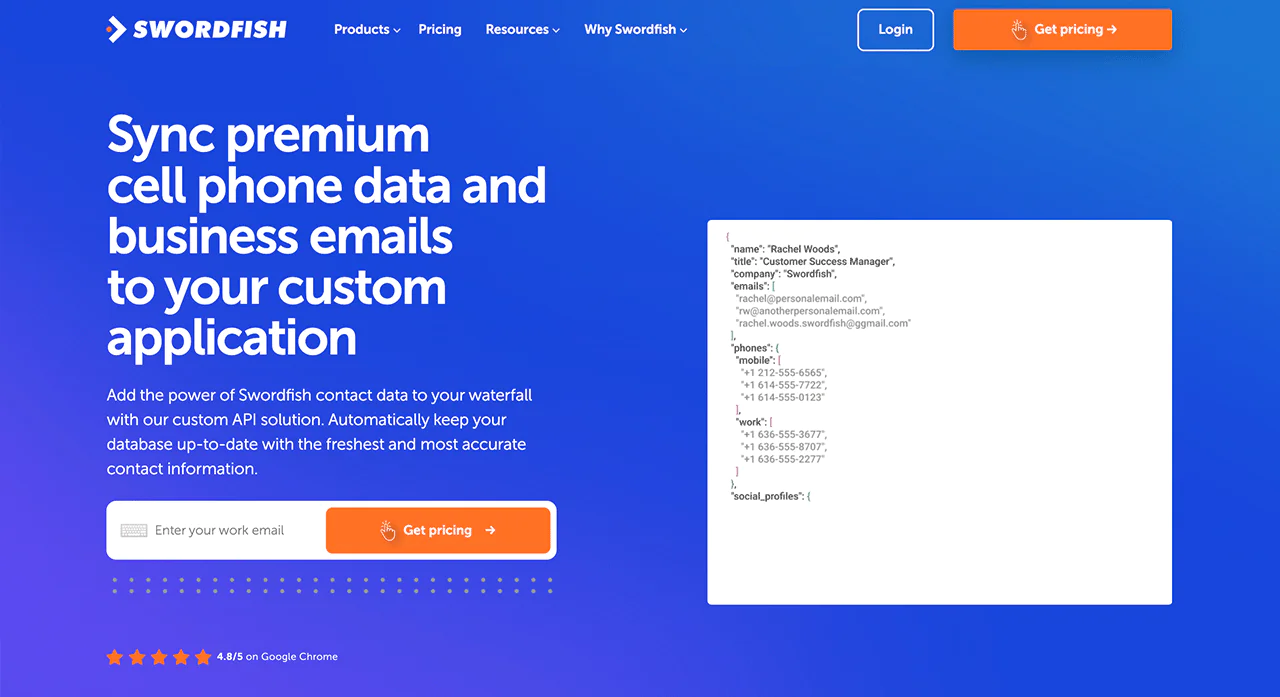
Swordfish’s API integration lets you pull contact data directly into your own applications at scale, which matters if you’re building enrichment into an internal tool rather than working from the dashboard.
-
Bombora Intent Data
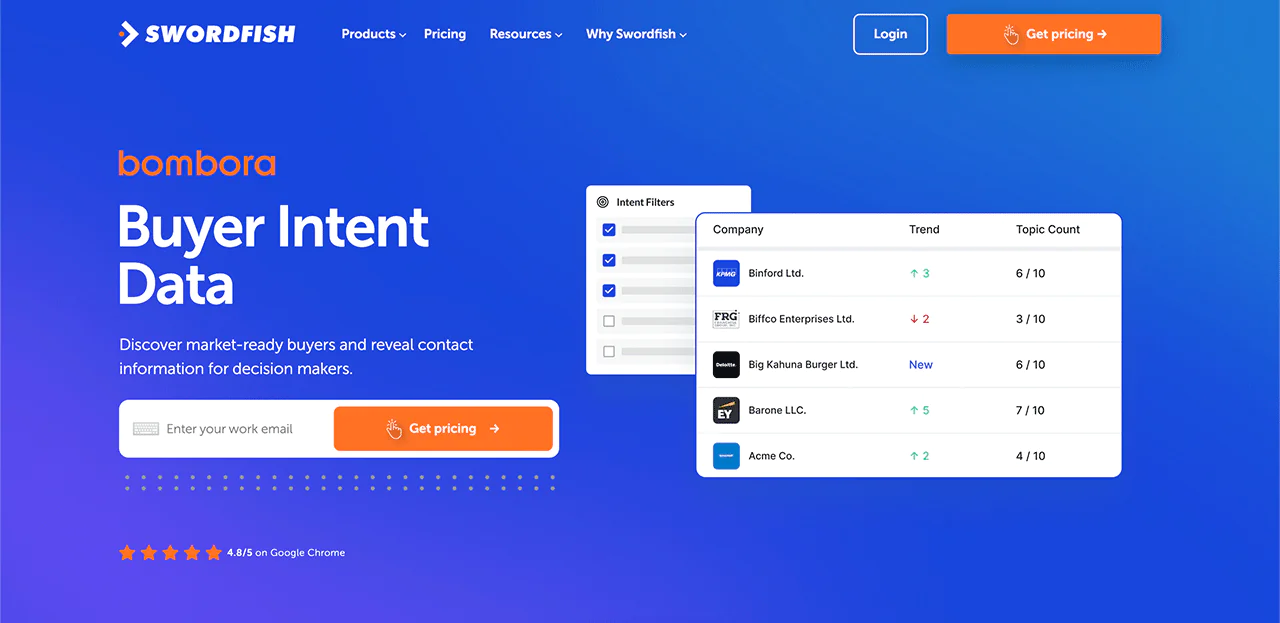
Swordfish AI’s Bombora feature flags companies actively researching your category, so you can prioritize the accounts most likely to be in-market right now.
Pros
- Directly connect with decision-makers, which tends to improve meeting-booking rates.
- Verified data reduces time wasted chasing dead numbers.
- CRM enrichment happens automatically rather than through manual lookups.
- Phone verification saves time before you ever pick up the dialer.
- The browser extension makes finding contacts while researching prospects fast.
Cons
- Pricing is quote-based rather than published upfront.
What Users Say About Swordfish AI
- G2: 4.5 out of 5 (84 reviews)
“After testing numerous competitors to locate valid phone numbers, we’ve found Swordfish to be the most accurate of them all.”- Don A
- Capterra: 4.6 out of 5 (12 reviews)
“We like that it is easy to use and implement for all of our recruiters. Good leads fast.”- Rebecca M
Pricing
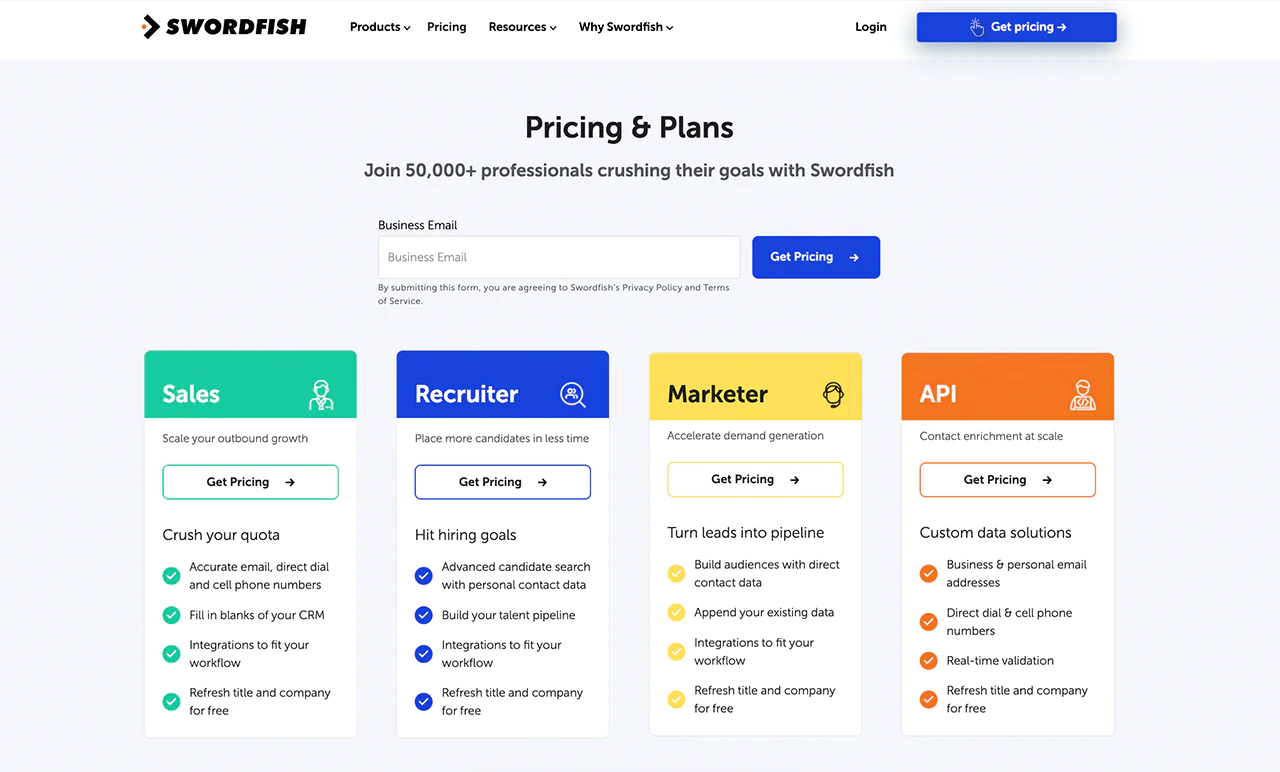
Swordfish AI offers a free trial alongside flexible paid plans built around different use cases: sales outreach, faster candidate sourcing for recruiters, demand generation for marketers, and an API option for teams building custom data solutions.
Each plan is structured around specific workflows, like closing CRM data gaps or refreshing outdated job titles. For current details on free trials, visit the Swordfish pricing page, since plans and terms can change.
 Try Swordfish Ai
2. LinkedIn Sales Navigator
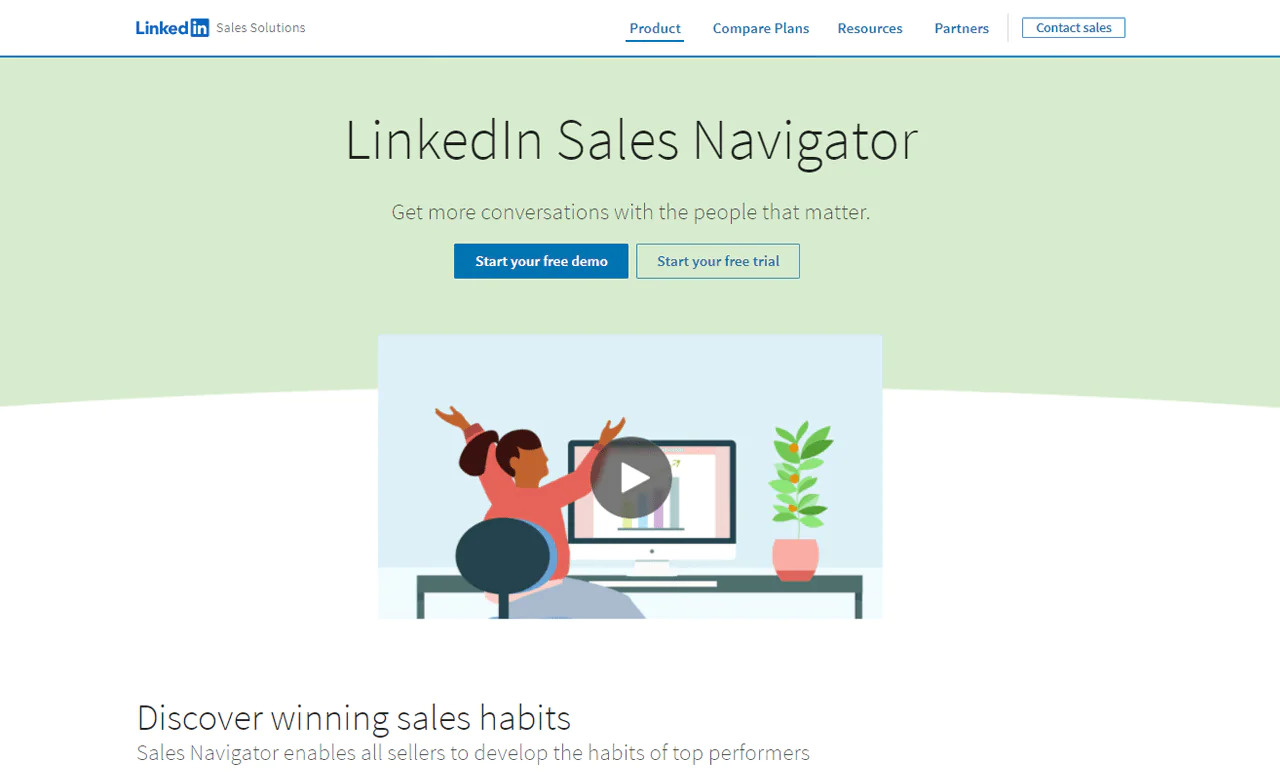
If your priority is finding the right prospects and building relationships through a shared network, LinkedIn Sales Navigator is worth a look. It lets you prioritize accounts by mutual connections, use warm introductions, and get alerted to key signals like job changes.
The tool integrates with CRM systems to keep records current and draws on a network covering 550M+ companies. It also lets sales professionals track their history of interactions with each prospect.
Its strength is using LinkedIn’s own network for B2B prospecting and relationship-building, which makes it a natural fit for teams whose outreach leans on social selling rather than cold calling.
ZoomInfo is positioned here as the stronger option for broad company data and insights at scale.
LinkedIn Sales Navigator is better suited to personalized, relationship-driven outreach using LinkedIn connections and activity signals.
About LinkedIn Sales Navigator
- Founding year: 2002
- Founding team: Reid Hoffman
- Employee Size: 10,001+ employee
Features of LinkedIn Sales Navigator
Key features include:
- Lead Recommendations: Personalized suggestions based on your preferences and past interactions help surface new prospects.
- Advanced Lead and Company Search: Search filters built on LinkedIn’s network help you target leads and companies with precision.
- Sales Insights: Company news, industry trends, and prospect activity feed into how you time and shape outreach.
- Integration with CRM: Syncs with CRM systems so you’re not manually copying data between platforms.
- InMail Messages: Message prospects directly, even those outside your existing network.
Pros
- Surfaces new leads matched to your sales criteria.
- Lets you message prospects outside your network.
- Provides context for more personalized outreach.
- Keeps sales data aligned with CRM platforms.
- Draws on the largest professional network available for prospecting.
Cons
- Effectiveness depends heavily on how active prospects are on LinkedIn.
Pricing
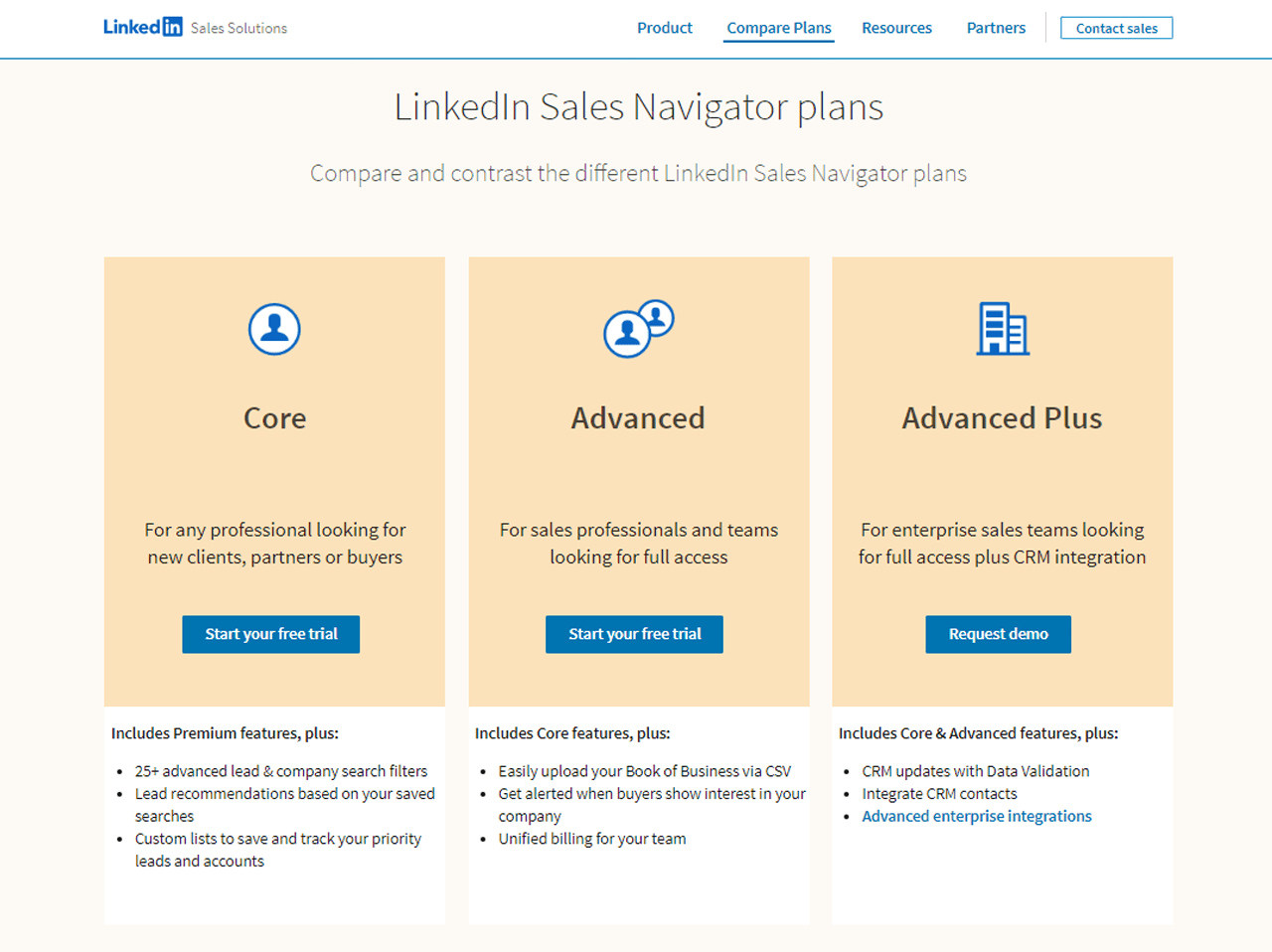
LinkedIn doesn’t publish exact Sales Navigator pricing on its page. User-reported figures cited here list Core at $99/month, Advanced at $149/month, and Advanced Plus at around $1,600/month; check LinkedIn for current pricing.
The article reports that annual billing may reduce the cost by roughly 25%; confirm the current discount and terms with LinkedIn.
Core suits individuals starting out with professional networking and basic search and connect tools. Advanced adds more prospecting tools for teams looking to scale outreach.
Advanced Plus, the most comprehensive tier, targets larger sales organizations that need extensive networking and deal-management capability.
Each tier is aimed at a different scale of need, so it’s worth matching the plan to your actual prospecting volume rather than defaulting to the top tier.
Note: If you want to know more about LinkedIn Sales Navigator pricing, read more here.
What Users Say About LinkedIn Sales Navigator
- G2: 4.5 out of 5 (1835 reviews)
- Capterra: 4.6 out of 5 (136 reviews)
“What do you like best about LinkedIn Sales Navigator?
I like that it uses a permission-based marketing approach. Cold emailing is a very tricky thing, and really can have a negative impact with reputation and most importantly it can go against GDPR or similar wars.
With Inmail the receiver has the choice to accept or not. Spamming is avoided as there is no methods that will allow you to do it.
If you buy the enterprise version the company owns the data, this is very important.
It really can yield great results if you use in the correct manner and it’s very complimentary to ABM also.
What do you dislike about LinkedIn Sales Navigator?
I suppose sometimes it can be too restrictive for doing anything in bulk, but I guess that is a big part of its value proposition.”- Maricka B
Our Review of LinkedIn Sales Navigator
LinkedIn Sales Navigator is strong for finding and connecting with new people, since it draws directly on LinkedIn’s network to surface exactly who you need to reach.
It also offers useful context on companies and individuals, making outreach feel less cold. Its CRM syncing and job-change alerts add real value for sales teams working accounts over time.
Because it’s tied to LinkedIn’s own ecosystem, it’s not a full replacement for a standalone contact database, but it’s genuinely strong at helping you understand and prioritize your sales targets.
Note: You can look at LinkedIn Sales Navigator Alternatives if you want to weigh more choices.
3. ZoomInfo
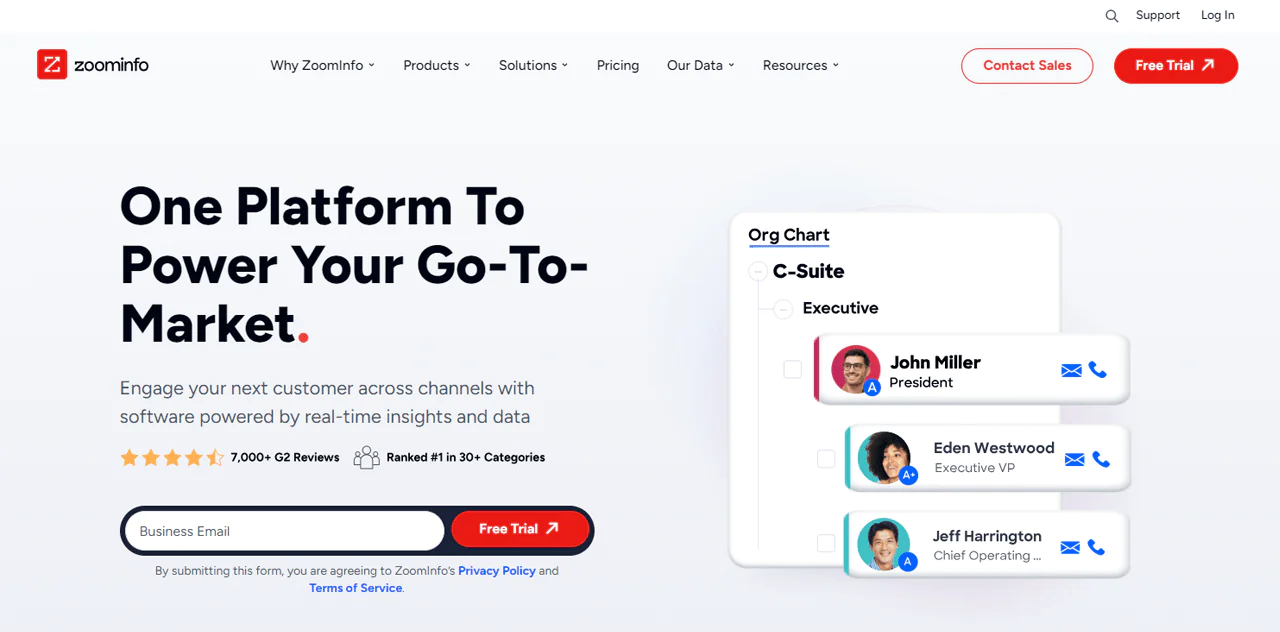
The article describes ZoomInfo as a large directory covering roughly 260 million professionals, with email addresses, phone numbers, and job titles associated with profiles. Confirm the current database coverage with the provider.
That makes it useful for businesses selling to other businesses: you can search by industry, identify decision-makers, and reach them directly.
It’s built to make sales and marketing outreach more precise, streamlining the process of connecting with the right people quickly.
Compared with Lusha, ZoomInfo is presented as offering a broader view of company structure and key personnel alongside contact data.
About ZoomInfo
- Founding year: 2007
- Founding team: Henry Schuck
- Employee size: 1,001-5,000 employees
Key Features
ZoomInfo’s core features:
- Contact Information: Up-to-date email addresses and phone numbers for decision-makers across companies, so you can reach the people who matter without guesswork.
- Company Insights: Detailed data on company size, industry, and revenue to help you qualify potential clients faster.
- Search Filters: Narrow searches by location, company size, or job title to build tighter target lists.
- Sales Triggers: Alerts on expansions, funding rounds, or leadership changes help you time outreach.
- Integration Capabilities: Connects with CRM systems so new contacts and interaction history stay current automatically.
Pros
- Regular updates help keep data relevant for marketing and sales.
- Advanced filters support efficient prospecting and ideal-customer targeting.
- AI-powered tools automate parts of prospecting.
- Integrates with popular CRM and marketing platforms.
Cons
- New users can find the breadth of features overwhelming at first.
Pricing
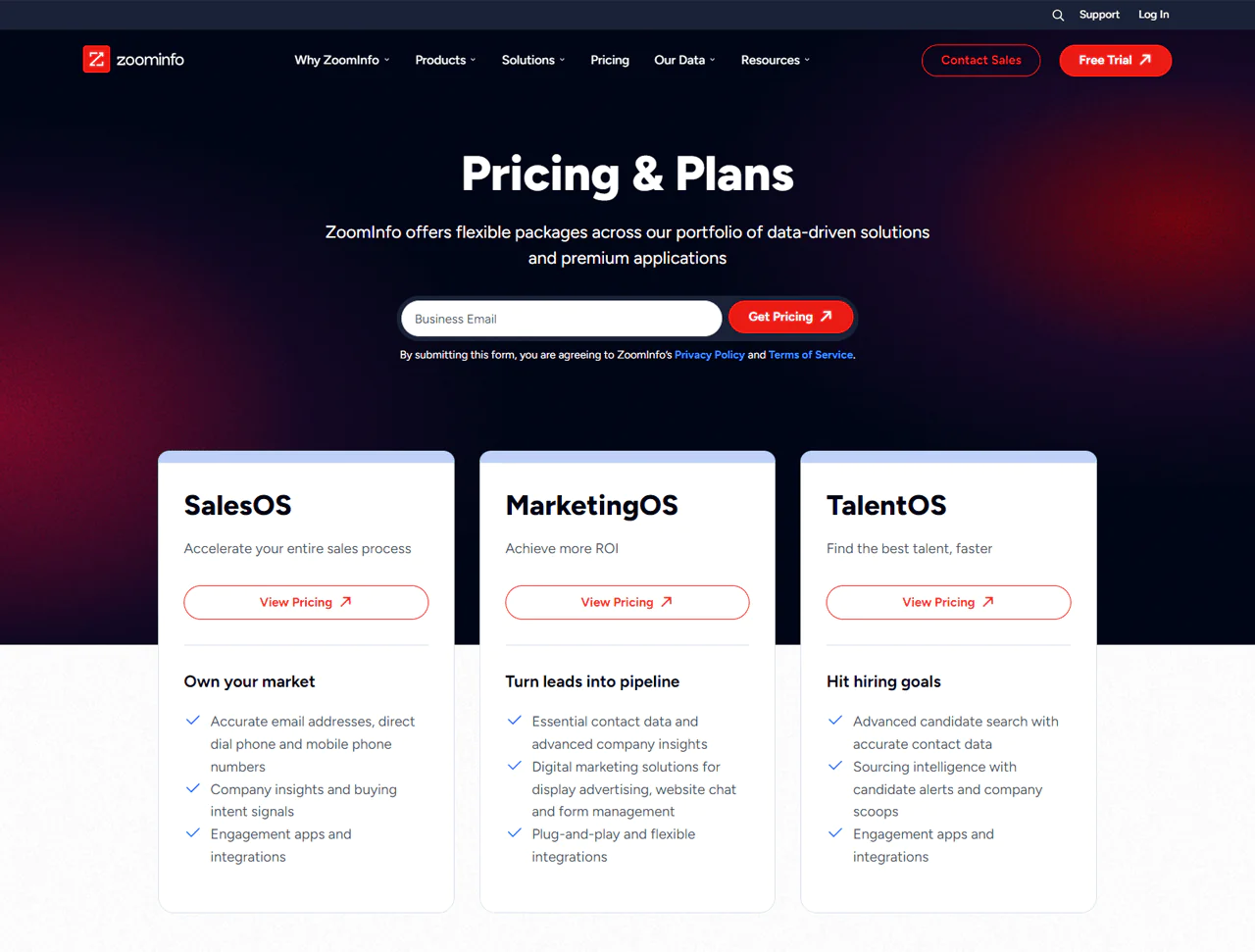
ZoomInfo’s pricing tiers are shaped around sales, marketing, and recruitment use cases through its SalesOS, MarketingOS, and TalentOS products.
Exact cost depends on features, seat count, and data volume. ZoomInfo does not publish full pricing, so the figures below should be treated as reported estimates and checked with the provider.
There’s a free basic plan allowing up to 10 contacts per month with limited functionality.
For more complete needs, ZoomInfo offers several paid tiers:
- The Pro+ Plan runs around $8,000 per year.
- The Advanced Plan, with 1,000 monthly credits per user, runs around $12,000 per year.
- The Elite Plan, the top tier, runs around $40,000 annually with full feature access and extensive data availability.
What Users Say About ZoomInfo
- G2: 5 out of 5 (7878 reviews)
- Capterra: 4.1 out 5 (279 reviews)
“What do you like best about ZoomInfo?
Access to a site’s employee list and the relevant phone #s saves a remarkable amount of time. When you have a specific person you can ask for, it’s easier to get through the gatekeeper.
What do you dislike about ZoomInfo?
While few and far between, there are times when the contacts have not been updated and someone listed may no longer be at the company. This is a small thing though because even if someone is no longer at the organization, it’s a good starting point”- Garret P
Our Review of ZoomInfo
ZoomInfo may suit teams looking for B2B contact details, company structure information, and buying signals to inform sales and marketing planning.
The article says ZoomInfo emphasizes privacy and data handling in relation to regulations such as GDPR and CCPA. Verify the provider’s current practices and your own compliance obligations.
Because it focuses heavily on B2B data, it may not suit every use case, but the depth of company and contact information it provides is a genuine strength.
It’s a solid choice for organizations that want to sharpen outreach and research at scale.
Note: You can check out ZoomInfo Alternatives if you’re looking for one.
4. Lusha
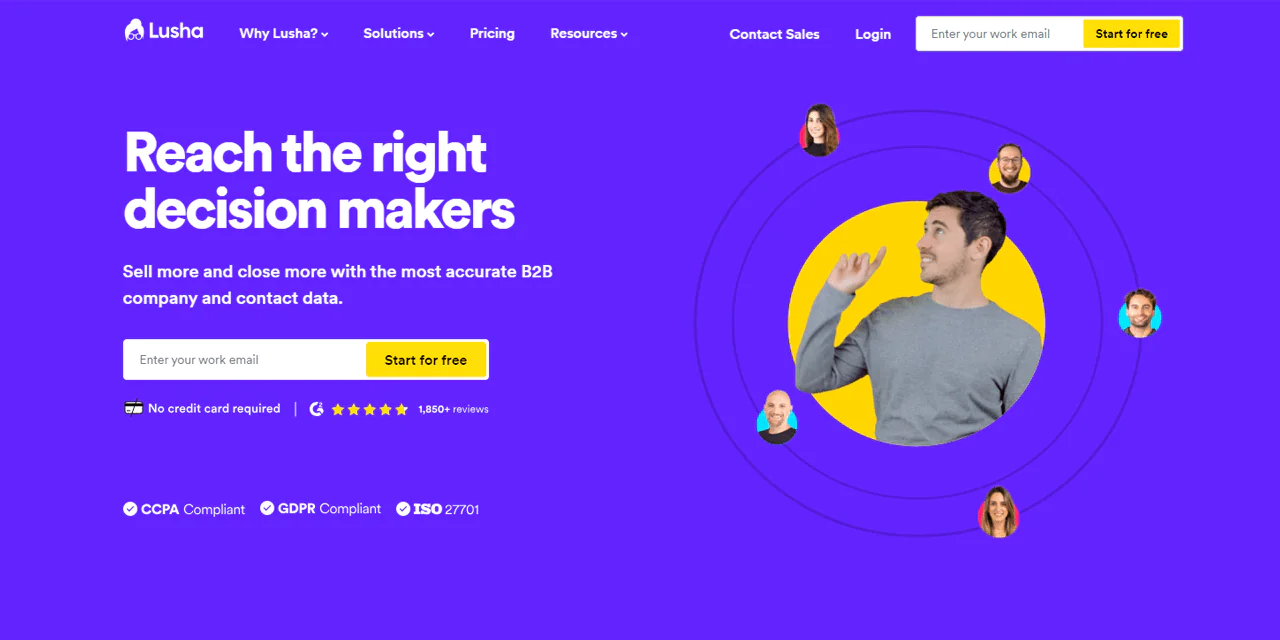
The article describes Lusha as a B2B sales intelligence platform covering 100M+ profiles with contact and company data. Check with the provider for current coverage and data availability.
The platform is described as having a user-friendly interface, with prospecting, buyer intelligence, and data enrichment features.
Lusha’s combination of actionable insights and reliable data makes it a practical option if you’re trying to expand prospecting activities and improve sales outcomes.
Compared with LinkedIn Sales Navigator, which is stronger for networking and lead discovery inside LinkedIn, Lusha is faster for getting accurate, direct contact details — and its Chrome Extension can still pull leads from LinkedIn when needed.
Its ease of use is a genuine advantage for teams trying to book more meetings without a steep learning curve.
About Lusha
- Founding Team: Assaf Eisenstein and Yoni Tserruya
- Founding Year: 2016
- Company Size: 201-500 employees
Features of Lusha
Lusha’s key features:
- Contact Discovery: Fast access to b2b phone numbers and email addresses, useful for both recruitment and sales outreach.
- Browser Extension: Captures contact information directly from LinkedIn and other sites as you browse.
- B2B Focus: Built specifically for finding business professional contact information to support lead generation and prospecting.
- Compliance and Privacy: Designed to support compliance with data protection regulations.
- Simple Interface: Easy to navigate even without advanced technical skills.
Pros
- Works well for both recruitment and sales use cases.
- Can improve ROI on sales prospecting efforts.
- Browser extension makes data capture fast.
- Puts real emphasis on data protection and privacy.
- Simplifies the process of finding business contacts.
Cons
- Pricing can feel high for single users with limited needs.
Pricing
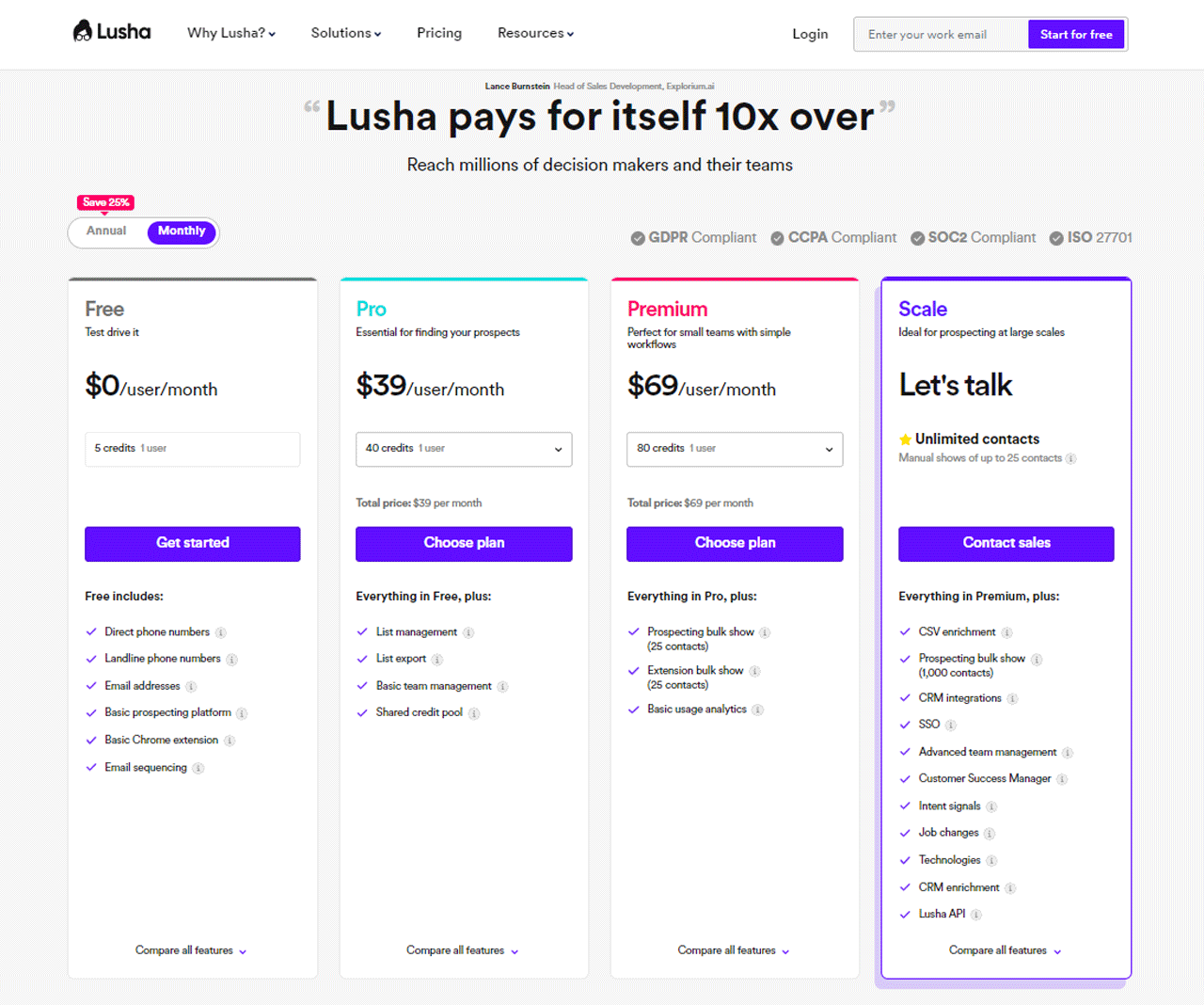
The article lists Lusha’s Starter plan as free, with 5 credits per month. Check Lusha’s current plan details before signing up.
The article lists Lusha’s Professional plan at $39 per month per user with 480 annual credits. Confirm current pricing and credit terms with Lusha.
The article lists Lusha’s Premium plan at $69 per month per user, for teams of 2–5 users, with 960 annual credits. It describes Enterprise as custom-priced, with roughly 1,000 contacts per user. Confirm current plan details with Lusha.
These tiers give small teams, larger enterprises, and individual users different credit allowances and features depending on scale.
What Users Say About Lusha
- G2: 4.5 out of 5 (1445 reviews)
- Capterra: 4.1 out of 5 (359 reviews)
“What do you like about Lusha?
It’s a very easy tool to use and the fact that is always there in the browser (with the extension installed) you can just click and use it to your liking. It is very convenient and quick. Most of the phone numbers are correct and the emails are. The implementation and integration of it is very easy and quick. I use it every day.
What do you dislike about Lusha?
Sometimes it hasn’t got emails for everyone but you can see other colleagues’ and guess with it. – Now it has a feature to guess and I think it is great and helpful.”- Oriana V
Our Review of Lusha
Lusha is a solid pick for getting accurate business contacts and company information quickly. It’s genuinely user-friendly, which makes finding leads and reaching out much easier day to day.
It also integrates with other tools, so you can act on new contacts quickly. While it’s mostly focused on contact details rather than deep company research, its ability to speed up sales tasks stands out.
Overall, Lusha is a practical choice for sales teams that want more leads with less friction in the process.
Note: If you think Lusha doesn’t cut it, look for Lusha Alternatives for better options.
5. RocketReach
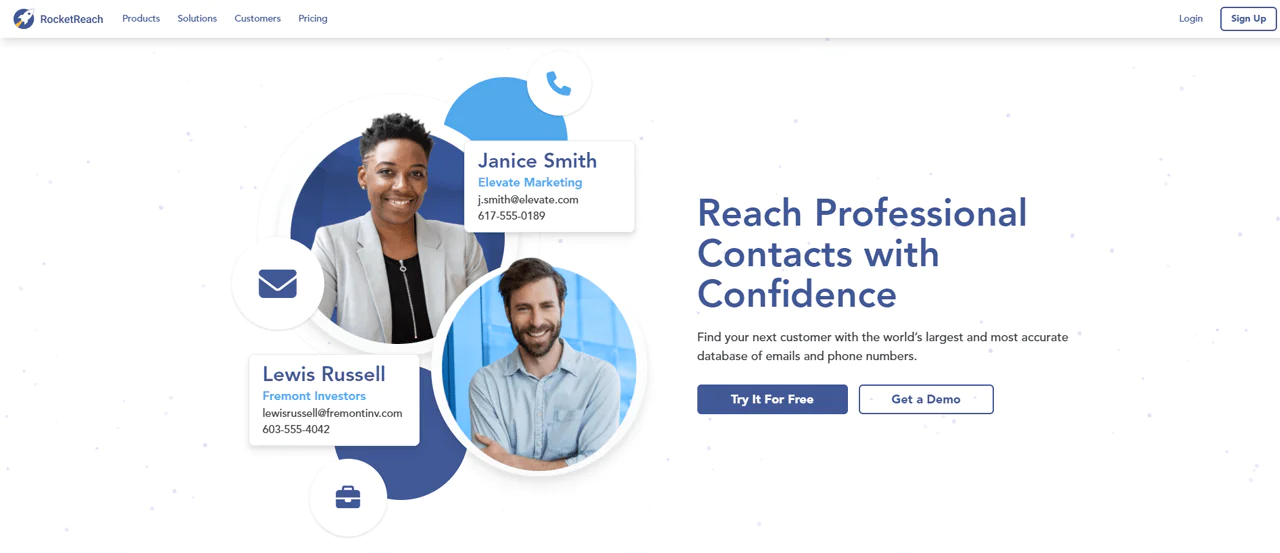
The article reports that RocketReach offers access to roughly 450M profiles, including email, phone, and social media links. Confirm current coverage and available data with the provider.
RocketReach is described as offering automated prospect lists, global coverage, AI-powered recommendations, and CRM and marketing platform integrations. Check which features are included in the plan you are considering.
It’s used widely across sales and recruiting teams as a go-to option for B2B contact discovery and management.
Compared with ZoomInfo, which is stronger for complete business profiles and market research, RocketReach stands out for its email and direct contact-finding capability, offering broader reach for individual outreach and recruitment work.
About Rocketreach
- Founding Team: Amit and Andrew
- Founding Year: 2016
- Company Size: 100 – 150 employees
Features of RocketReach
Key features:
- Automated Prospect Lists: Build lists that update automatically based on criteria like job title or company.
- Intent Data: Surface people already showing interest in what you’re selling.
- AI-powered Recommendations: Get contact suggestions modeled on your past successful outreach.
- API: Pull RocketReach data directly into your own apps or systems.
- Browser Extension: Find contact information directly from websites or social media without switching tools.
Pros
- High email deliverability rates support effective outreach.
- Automated list updates save manual work.
- AI recommendations help surface prospects you might miss.
- Provides email, phone, and social links for well-rounded outreach.
- Integrates with major CRM and marketing platforms.
Cons
- Heavy reliance on automated data can occasionally introduce inaccuracies.
Pricing
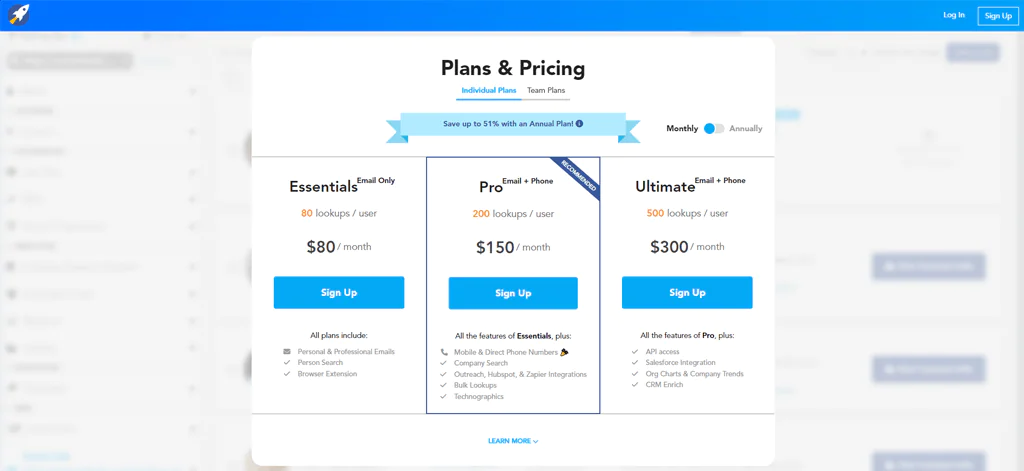
RocketReach offers a few pricing tiers.
The article lists RocketReach’s Essentials plan at $39 a month, billed yearly, with unlimited email searches and 1,200 exports. Verify current pricing and plan limits with RocketReach.
The article lists RocketReach’s Pro plan at $99 a month, billed yearly, with phone numbers, more exports, and app integrations. Verify current pricing and plan limits with RocketReach.
The article lists RocketReach’s Ultimate plan at $249 a month, billed yearly, with full data access, API, and CRM connections. Verify current pricing and included features with RocketReach.
What Users Say About RocketReach
- G2: 4.5 out of 5 (648 reviews)
- Capterra: 4.2 out of 5 (126 reviews)
“What do you like about Rocketreach?
I used to think that I couldn’t effectively recruit without LinkedIn Recruiter. That is until I came across Rocketreach. It has methods of direct outreach that LinkedIn Recruiter could only dream of, and it’s a perfect complement to that platform.”-
What do you dislike about Rokcetreach?
There’s nothing I dislike about Rocketreach except that sometimes the available phone numbers are out of service, but that’s ordinarily not the case“- Darek L
Our Review of RocketReach
RocketReach stands out for its large database and reasonably accurate search for professional contacts globally.
Linking it with LinkedIn and running bulk searches makes finding new contacts and generating leads more efficient.
The API also allows integration into your own systems in a way that fits your existing workflow. On the downside, pricing and the learning curve for new users are worth factoring in.
Overall, RocketReach is a solid option for anyone looking to grow their network and reach the right people in their field.
Note: Find more amazing options by looking into Rocketreach Alternatives.
Importance of B2B Contact Database
A B2B contact database supports revenue teams in several concrete ways:
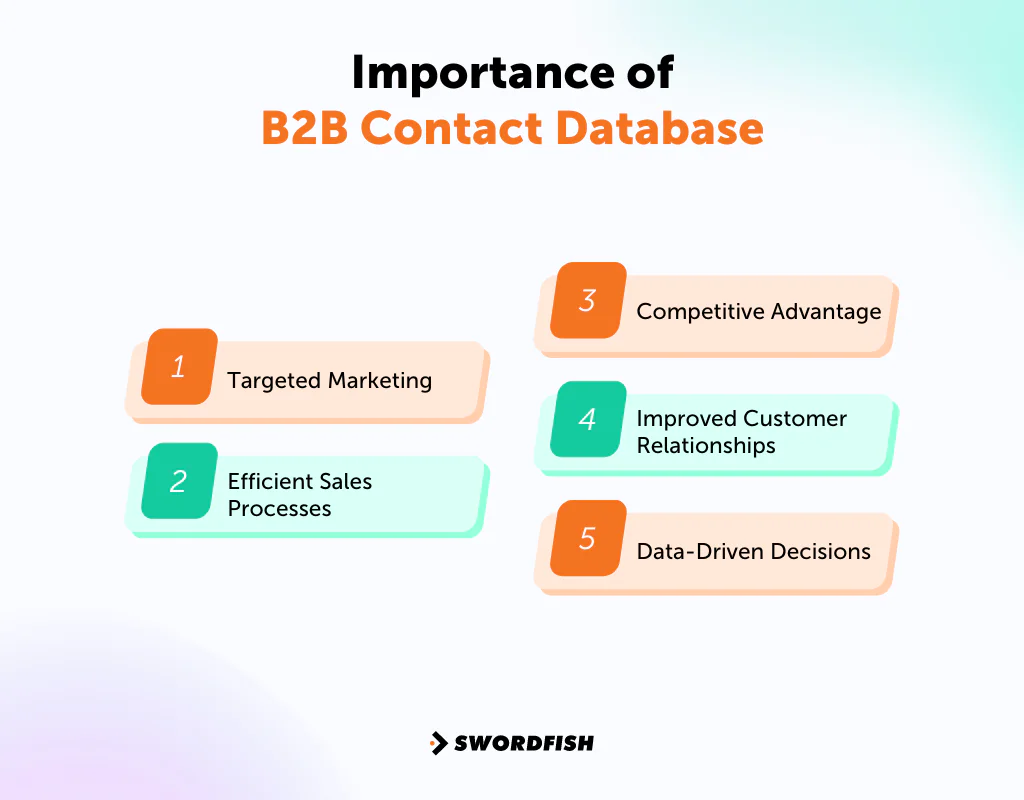
Targeted Marketing
With access to decision-makers, you can craft messages that speak directly to the people who matter, cutting through noise instead of adding to it.
Efficient Sales Processes
A comprehensive contact list turns lead-hunting into a straightforward process. Your sales team can focus on building relationships and closing deals rather than searching for who to call, which keeps morale and output higher.
Competitive Advantage
Reaching a promising lead before your competitors do can be the difference between closing a deal and missing it entirely. Speed matters, and a strong database gives you that edge.
Improved Customer Relationships
Understanding your prospects and clients in more detail enables more relevant conversations and tailored solutions, which builds the kind of loyalty that goes beyond a single transaction.
Data-Driven Decisions
A well-maintained database reveals patterns in customer behavior and emerging market trends, giving you a clearer basis for where to invest your time and budget.
How to Get More B2B Contact Data
A few practical ways to expand your database:
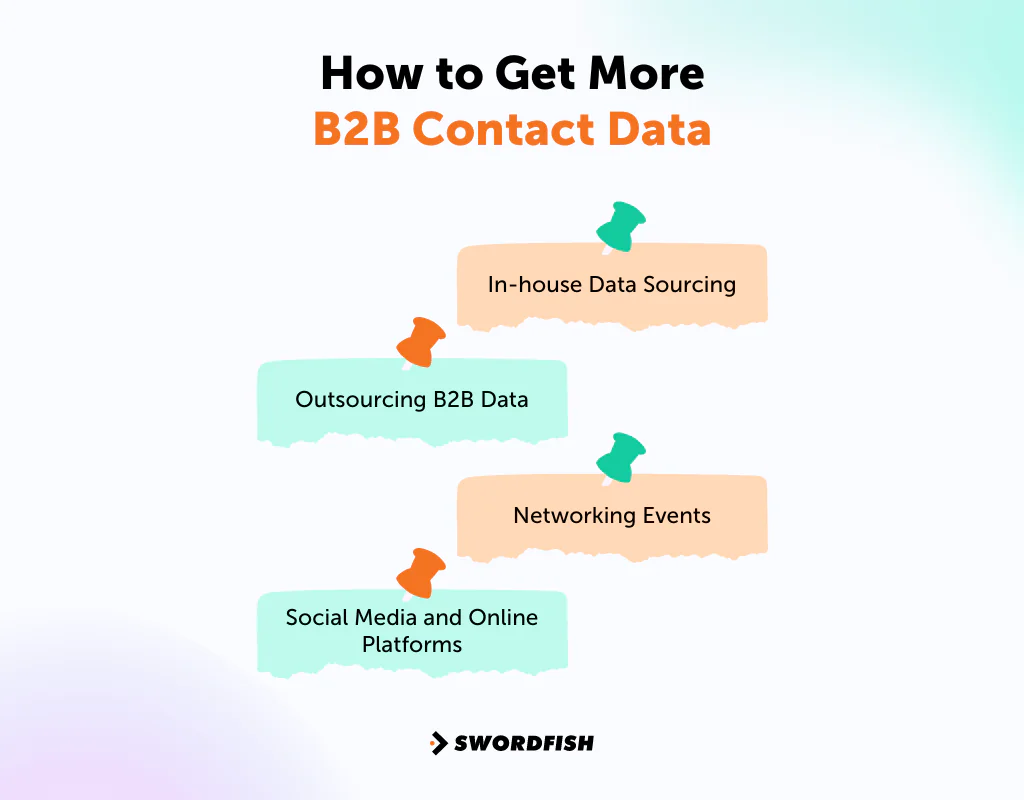
- In-house Data Sourcing: Have your own team collect data using low-cost tools. This saves money but takes time and requires people who know how to vet what they find.
- Outsourcing B2B Data: Work with vendors who specialize in data collection. It costs more upfront but usually yields cleaner data with less internal effort.
- Networking Events: In-person events remain a direct way to collect contacts by talking to people and exchanging information on the spot.
- Social Media and Online Platforms: Sites like LinkedIn offer a low-cost way to research companies and individuals and identify potential clients or partners.
How to Tell If Your Database is Out of Date
For a contact database, signs that records may be out of date include bounced emails, disconnected phone numbers, and changed job titles.
Inability to Perform Real-Time Analytics
Repeated email bounces or calls to disconnected numbers can indicate that contact details need to be checked and refreshed.
Inefficient or Limited Scaling
If many records are missing key fields such as job titles, company names, or contact details, the database may need enrichment.
Lack of Deployment Flexibility
When contacts have changed roles or companies, review those records before using them for outreach.
Struggling with Current Data Volume
A database that is difficult to update or connect to your CRM can make it harder to keep contact records current.
High Maintenance Costs
If maintaining or refreshing records takes more effort than the value the data provides, reassess your data sources and workflow.
Regularly check record accuracy and freshness, and compare the time and cost of maintaining the data with the value it delivers.
How to Choose the Best B2B Contact Database
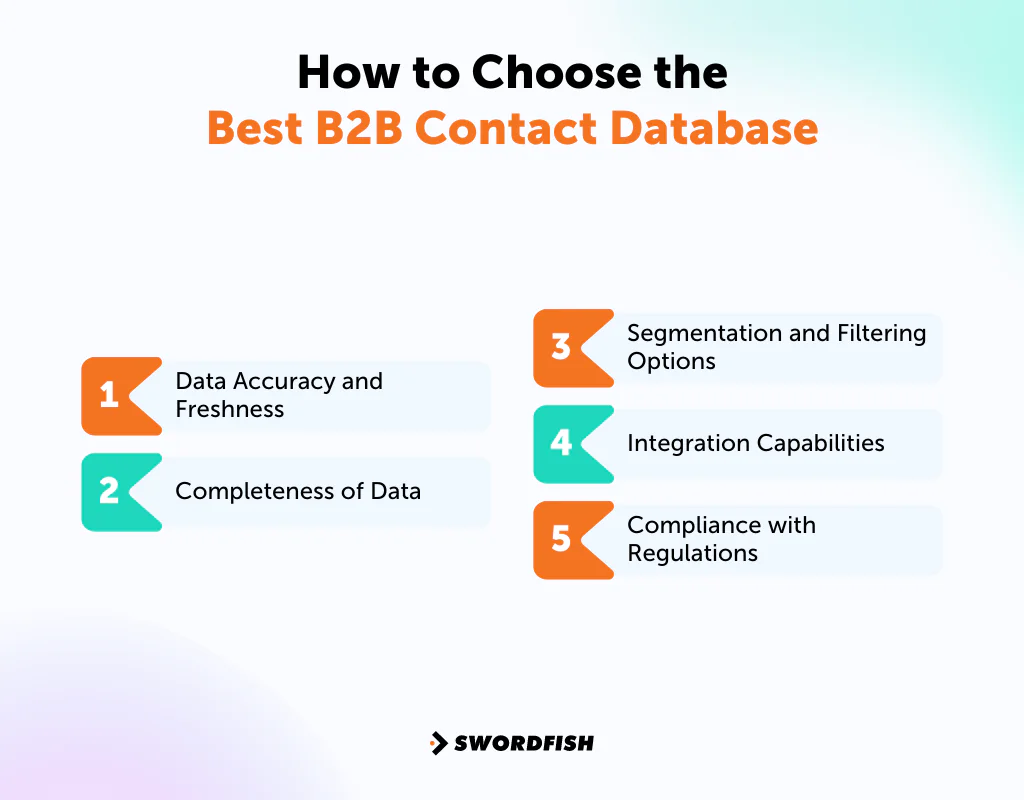
Choosing the right B2B contact database directly affects your ability to reach the right prospects and generate real leads. Consider these factors:
Data Accuracy and Freshness
Make sure the provider verifies and updates contact information regularly. Outdated records lead to wasted effort and missed opportunities.
Completeness of Data
Look for detailed profiles that include job titles, industries, and company sizes, since more complete data supports sharper targeting.
Segmentation and Filtering Options
The ability to filter by industry, company size, or location makes it far easier to tailor outreach to the most relevant prospects.
Integration Capabilities
Check whether the database connects cleanly with your CRM and marketing automation tools, so you’re not manually transferring data between systems.
Compliance with Regulations
Ask providers how they collect, update, and handle data under regulations such as GDPR and CCPA. Check their current policies and assess your own compliance obligations; a provider’s practices do not by themselves establish that your outreach is compliant.
What is the Best B2B Contact Database?
There is no single best option for every team. The right choice depends on your workflow and whether you prioritize direct contact details, LinkedIn relationship-building, or broader company insights.
The article positions Swordfish AI as an option for teams prioritizing direct phone numbers and email addresses. Assess its data accuracy and coverage against your team’s needs.
LinkedIn Sales Navigator may fit teams focused on relationship-building through LinkedIn. ZoomInfo may fit teams seeking broader company insights for research and segmentation.
Compare providers based on your workflow, data needs, accuracy requirements, integrations, and current pricing rather than relying on a single overall ranking.
Conclusion
B2B contact databases help companies find and reach potential customers and partners.
Teams can build a database in-house or use an outside provider. Either way, maintaining accurate, relevant records supports sales and marketing work.
Choose a provider based on your main need: list-building and direct contact details, relationship-building through LinkedIn, or quick contact lookup.
A well-maintained B2B contact database can support prospecting and customer outreach.
FAQs
How often should a B2B contact database be updated?
Aim for at least every six months, checking and correcting email addresses, phone numbers, and job titles that have changed.
What makes a good B2B contact database?
Accuracy, freshness, and depth. It should include details like industry, company size, and decision-maker information relevant to your targeting.
How can I use a B2B contact database for marketing?
Use it to send personalized emails, make sales calls, and target ads on social media, matching your messaging to each contact’s role and interests.
How much does B2B data cost?
Costs vary widely by quality, volume, and provider — from a few hundred to several thousand dollars annually. Some vendors use subscription models, others charge per record or offer custom pricing.
What’s the best way to build a B2B contact database?
Building a B2B contact database is easy with Swordfish Chrome Extension. Install it, browse LinkedIn or other supported sites, and use Swordfish to find direct contact details. It’s a fast way to gather accurate phone numbers and emails.
How do you use the B2B contact database?
Search for specific company types or job roles, then use that information to email, call, or connect on social media — a direct route to the people who might need your product or service.
Related Post
- Auto Repair Leads: Where and How Can You Get Them?
- Golf Courses Email List: Maximize Sales in the Golfing Industry
- Realtor Email Lists: Connect, Communicate, and Convert with Experts
- Jewelry Stores Email List: Connect with Top Jewelry Retailers Today!
- Hospital CEOs Email List: Connect with Top Hospital Leaders Today!
- Automobile Industry Email List to Reach Parts and Dealership Owners
- Find Email From Twitter
- Find Email From Instagram
- Email Finder Free

