View Products


By Data Quality & Compliance Desk, Swordfish.ai • Last updated Jan 2026
Who this is for
- SDR and sales ops buying contact data and trying to avoid the predictable second purchase when the first tool misses the channel that actually books meetings.
- Recruiting teams that are tired of sequences that look busy and produce silence.
- RevOps owners cleaning up duplicates, overwrites, and attribution fights after enrichment hits the CRM.
- Procurement that needs a defensible rationale beyond feature lists.
Quick Verdict
- Core Answer
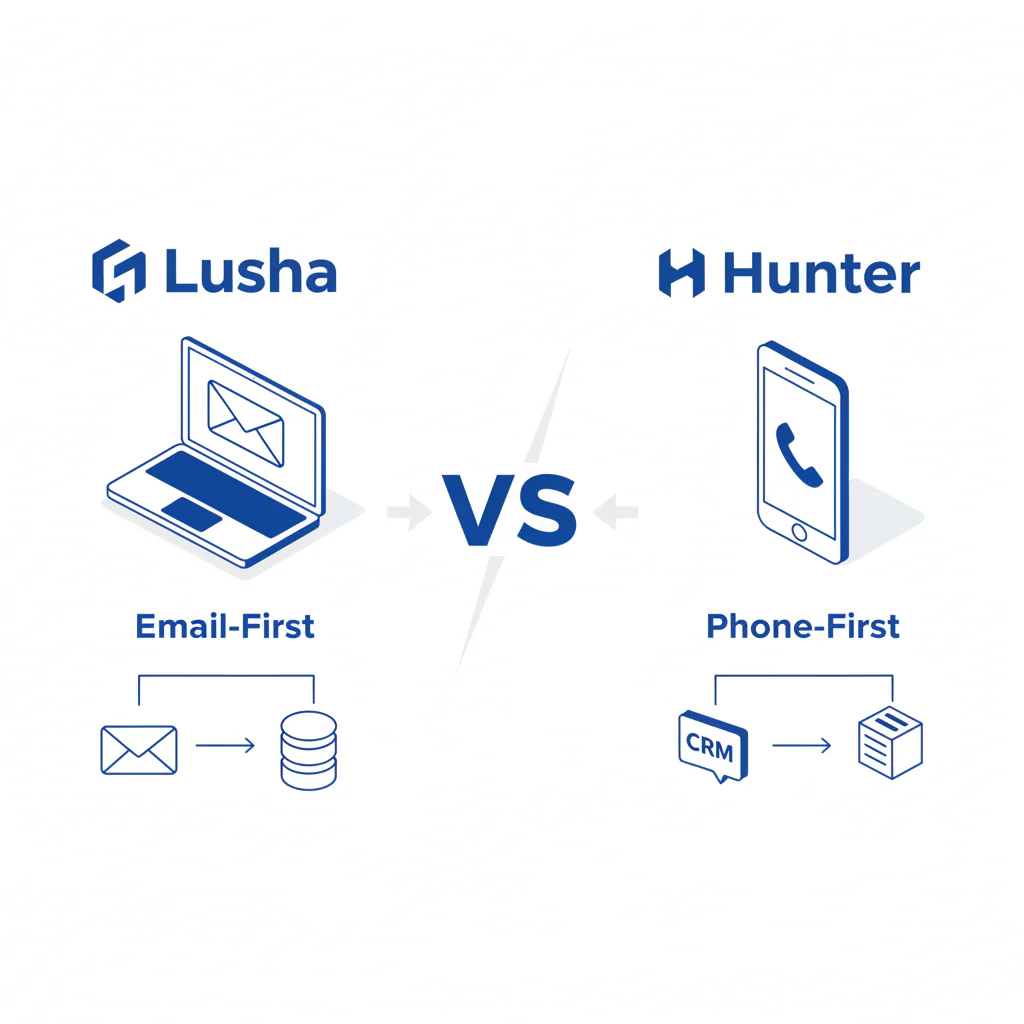
- In Lusha vs Hunter, choose Hunter for an email-first motion where verification and deliverability hygiene matter; choose Lusha for a phone-first motion where direct dials are part of the definition of “usable contact.”
- Key Insight
- The expensive mistake is buying for one channel and operationally needing the other, then paying twice and stitching workflows together.
- Ideal User
- Teams that run a channel-first process and judge tools by outcomes on the first-touch channel, not by how many records a vendor can display.
Best-for summary: Hunter fits email-first verification-led workflows. Lusha fits phone-first reachability-led workflows.
- Typical SDR outbound: start email-first, then add phone reachability where sequences stall.
- Typical recruiting sourcing: start phone-first when response speed matters, then use email to cover gaps.
Channel-first framework (email vs phone)
This page uses the channel-first framework: decide whether your first touch is email or phone, then buy the tool that reduces failure on that channel. “email vs phone” is not a preference question; it changes your cost structure in rep time, list churn, and integration work.
- Email-first workflow: find an address, verify it, send, and protect domain reputation. Failure shows up as bounces and suppressed deliverability that force list rebuilds.
- Phone-first workflow: prioritize the most reachable number and call. Failure shows up as numbers that exist but do not connect, which inflates dials without increasing conversations.
- Multi-channel outreach: email for coverage, phone for conversion. Failure shows up as tool sprawl: exports, re-imports, duplicates, and field conflicts.
If you cannot state your first-touch channel, pull your recent outreach activity and identify what actually created first responses. This is where deliverability owners, SDR managers, and RevOps usually disagree, so force the data into the same room.
For the failure modes that make enrichment look good in a demo and bad in production, use data quality as the acceptance gate.
What Swordfish does differently
- Ranked mobile numbers / prioritized dials: Swordfish surfaces prioritized dialing paths so phone-first teams start with the most reachable option instead of burning cycles across low-yield numbers.
- True unlimited / fair use: Swordfish is positioned around fair-use access patterns so you can run enrichment as a process without rationing that leaves stale records in production.
For direct comparisons that keep the same channel-first lens, use Swordfish vs Lusha and Swordfish vs Hunter.
Checklist: Feature Gap Table
| Buying requirement | Common failure when channel-first is ignored | Hidden cost that shows up later |
|---|---|---|
| Email deliverability control (verification discipline) | “Found” is treated as “safe to send” without verification hygiene | List churn, reputation risk, and a second workflow to clean/verify before sending |
| Phone reachability (direct dials that connect) | “Number present” is treated as “callable” without reachability evidence | Inflated dials, low connect blocks, and rep time spent on non-productive calling |
| Multi-channel enrichment | Email-first + phone-first tools are stitched via exports | Ops labor, duplicates, field overwrites, and disputes about which source is correct |
| CRM integrity | Enrichment overwrites known-good fields or creates duplicate contacts/leads | Broken routing, unreliable reporting, and cleanup projects that never make the roadmap |
Decision Tree: Weighted Checklist
This checklist uses qualitative weighting based on standard failure points in contact data procurement. No point values are assigned because those are often invented. Treat “High” items as non-negotiable acceptance criteria in your trial.
- High impact: Does the tool match your first-touch channel (email-first vs phone-first) without requiring a second vendor to cover obvious gaps?
- High impact: Can you measure outcomes in your workflow (bounces for email, connect/disposition for phone) without building reconciliation plumbing?
- High impact: Does enrichment create duplicates or overwrite known-good fields, and can you control field-level write rules?
- Medium impact: Does the product fit your operating model (browser extension vs bulk enrichment vs API), or will you pay in manual steps and inconsistent usage?
- Medium impact: Can RevOps support it without becoming a full-time human middleware layer?
- Low impact: UI polish. If this is the deciding factor, you are optimizing for the wrong failure mode.
Sign-off rule: RevOps and the channel owner (deliverability owner for email-first, SDR/recruiting lead for phone-first) should both sign off before procurement proceeds.
Troubleshooting Table: Conditional Decision Tree
Stop Condition: If the trial requires manual cleanup to look good, assume production will be worse.
- If your motion is email-first and bounce problems persist after you apply verification hygiene in your own send, stop and fix deliverability controls before adding more finders.
- If your motion is phone-first and call dispositions show low reachability even when numbers are present, stop and prioritize verified mobiles and prioritized dials.
- If you need multi-channel outreach and the only workable process is export/import cycles, stop and quantify ops labor, duplicates, and overwrites before you scale seats.
- If compliance review fails (unclear lawful basis, no opt-out handling process, weak audit trail expectations), stop and resolve compliance before volume.
How to test with your own list (5-8 steps)
- Declare your first-touch channel and what evidence will count: lower bounces after verification for email-first, or higher reachability from call dispositions for phone-first.
- Build a blinded sample from real prospects and keep a snapshot of the pre-enrichment record state.
- Run enrichment separately in each tool with identical inputs and no manual edits.
- Email-first test: verify enriched emails, run a controlled send, and review bounces by source before widening the campaign.
- Phone-first test: run a fixed calling block, log dispositions, and review which source produces reachable conversations instead of “numbers that exist.”
- Audit CRM hygiene by checking duplicates, overwritten fields, and whether routing breaks when new data arrives.
- Price the integration tax by counting manual steps (exports, imports, field mapping fixes) and naming the owner who will do them.
- Keep an evidence pack for procurement: bounce logs or call disposition exports plus a before/after snapshot of enriched records showing any overwrites or duplicates. Store it with the procurement ticket so it survives staff turnover.
Evidence and trust notes
- Disclosure: Swordfish.ai publishes comparisons and also offers a competing product. Treat every statement here as a claim that must survive your list test.
- Freshness: Last updated Jan 2026.
- Competitor/source discipline: This page does not claim competitor accuracy rates, database sizes, or plan pricing because those are frequently unverified or change without notice.
- Terminology note: “Verification” can mean different checks (syntax, domain, mailbox signals). Use your own send outcomes as the arbiter.
- External compliance references: CAN-SPAM guidance from the U.S. Federal Trade Commission; GDPR overview from the European Commission; regulatory context from the European Data Protection Board.
FAQs
Is Hunter better than Lusha?
Hunter is a better fit when your motion is email-first and you need verification discipline to protect deliverability. Lusha is a better fit when your motion is phone-first and you need direct dials that support calling outcomes.
Which is better for email?
If email is your first-touch channel, choose the tool that supports verification and list hygiene, then validate it with your own send results. The deciding evidence is whether messages land and produce replies without creating deliverability issues.
Which has phone numbers?
Lusha is commonly chosen when phone numbers are part of the requirement. Treat “phone present” as unproven until your call dispositions show reachability.
How do I do multi-channel outreach?
Start channel-first, then fill gaps. If email-first leaves you without reachable phones, add phone enrichment. If phone-first leaves you without safe-to-send emails, add verification and hygiene. Measure whether the second channel reduces wasted touches.
What’s best for recruiting?
Recruiting often becomes phone-first when inbox response falls and time-to-screen matters. If your process is email-heavy, verification and list hygiene carry more operational weight; if your process is call-heavy, reachable mobiles and prioritized dials carry more operational weight.
Compliance note
Honor opt-out and applicable consent rules.
Next steps (timeline)
- Today: Write down your first-touch channel and the one outcome metric you will accept as proof.
- This week: Run the list test and document duplicates/overwrites as defects, not edge cases.
- After the trial: Choose the smallest viable stack that matches your channel-first workflow and reduces integration work.
About the Author
Ben Argeband is the Founder and CEO of Swordfish.ai and Heartbeat.ai. With deep expertise in data and SaaS, he has built two successful platforms trusted by over 50,000 sales and recruitment professionals. Ben’s mission is to help teams find direct contact information for hard-to-reach professionals and decision-makers, providing the shortest route to their next win. Connect with Ben on LinkedIn.