View Products


Byline: Internal Audit Desk, Swordfish.ai. Last updated: Jan 2026.
Who this is for
- LinkedIn-heavy teams with a defined workflow who need contact enrichment without creating CRM cleanup work.
- Ops and procurement buyers who want measurable outcomes (connect rate, bounce rate, rework time) instead of vendor promises.
- Managers who keep finding duplicates, overwritten fields, and “contacts” that don’t reach when it matters.
Quick Verdict
- Core Answer
- If your workflow is profile-by-profile, Lusha usually matches the capture motion better. If your workflow is list building and segmentation, ContactOut usually matches the database motion better. Decide using your channel KPI: connect rate for calling and bounce rate for email.
- Key Insight
- The common failure is buying the wrong model (capture vs database), then paying the hidden costs: low adoption, messy integrations, and data decay that forces constant re-enrichment.
- Difference (one line)
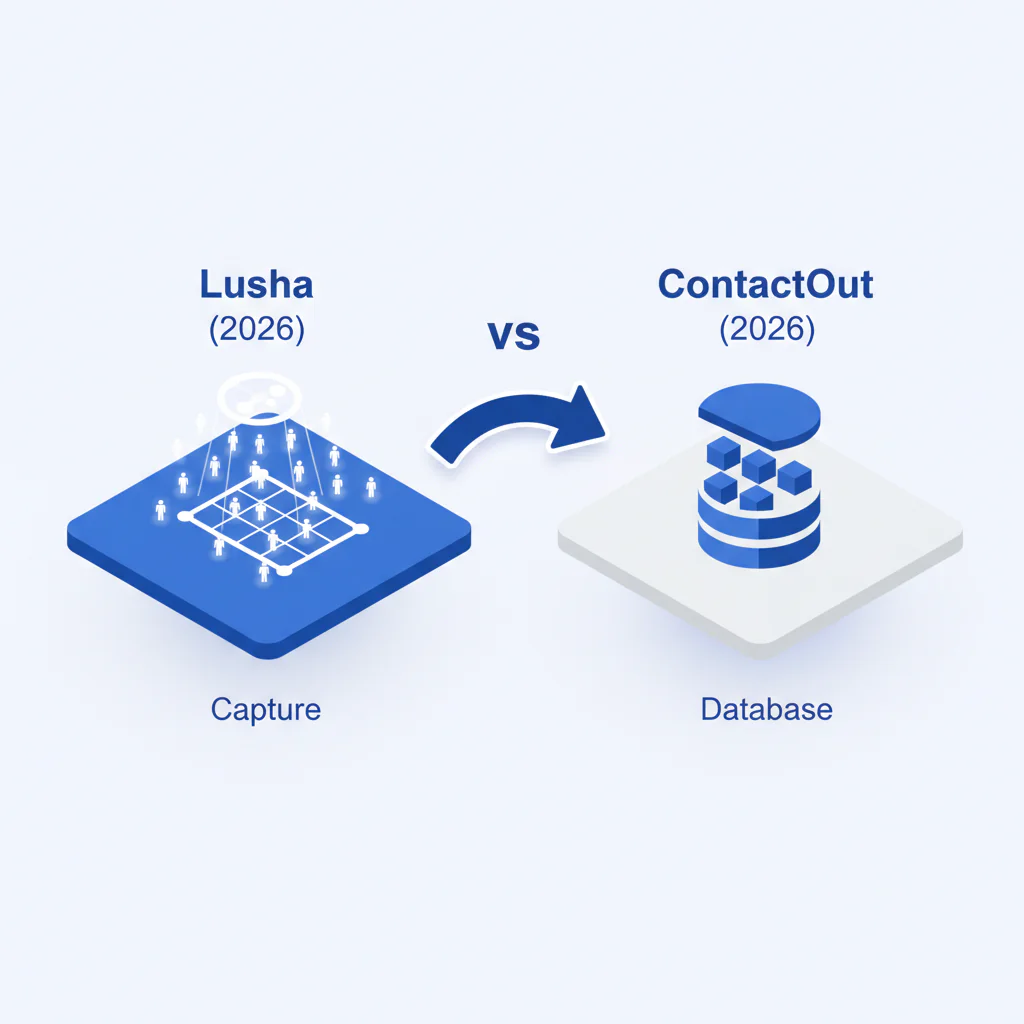
- Lusha is generally used for capture inside a LinkedIn workflow; ContactOut is generally used for database-style discovery and list building.
- Ideal User
- Lusha tends to fit teams optimizing speed per profile inside a LinkedIn workflow. ContactOut tends to fit teams optimizing list scale and repeatable segmentation.
Capture tools help you work faster on specific profiles; databases help you scale lists. Choose based on workflow and reachability KPIs.
Capture vs database: what you are actually buying
This decision is capture vs database. The contract is the easy part; the hard part is what happens after the tool touches your workflow and your CRM.
Workflow here means the steps, handoffs, and systems touched from research to enrichment to outreach to record updates. If the model doesn’t match the workflow, reps create shadow spreadsheets, ops plays dedupe referee, and your CRM stops being a system of record.
Capture is built for the moment you already have a person in view and need contact data with minimal friction. Database is built for discovering many people via filters, then exporting or syncing.
- Capture-first workflow pattern: identify person → enrich → outreach → log in CRM.
- Database-first workflow pattern: define segment → build list → enrich → sync/export → outreach.
What typically breaks (and where the money goes)
- Data decay: “Good enough” data becomes wrong quietly, then shows up as bouncebacks, dead numbers, and wasted sequences.
- Integration headaches: field mapping, overwrite rules, and dedupe ownership are where implementations fail. If nobody owns it, your CRM becomes a landfill.
- Field ownership fights: Sales wants speed, ops wants hygiene, and the tool will happily write wherever you let it. If you do not define ownership, you will debug overwrites in production.
- Credit leakage without prices: if “found” is credited the same as “usable,” your team pays in rework time even if the invoice looks fine.
Use contact data quality to set acceptance criteria before you run trials.
Checklist: Feature Gap Table
| Audit item (hidden cost) | What to verify in Lusha vs ContactOut |
|---|---|
| Workflow fit (capture vs database) | Can reps complete lookup-to-CRM inside the real workflow, or does it require exports, manual formatting, or extra tools they will skip? |
| Export vs capture friction | How many steps are needed to go from “I found the person” to “the record is in the right system with the right fields,” and who performs those steps (rep vs ops)? |
| Reachability for calling | Does the tool support dialing outcomes (prioritization and clean phone fields), or does it add “numbers” that inflate activity while reducing conversations? |
| Reachability for email | Do you observe a bounce-rate change on your own list, or are you trusting generic “accuracy” claims? |
| Overwrite controls and field mapping | Can you prevent overwriting curated fields and control where enrichment writes, or will ops spend time fixing unintended updates? |
| Duplicate creation | Does the sync/export path create duplicates that break routing, sequencing, and reporting? |
| Verification timing | Is validation close to time-of-use, or are you enriching today with data that decayed before your campaign launches? |
Decision Tree: Weighted Checklist
This weighting is based on standard failure points in contact enrichment programs: workflow mismatch, reachability variance, CRM contamination, and data decay. No made-up scoring.
- Higher weight: Workflow match (capture vs database) — If your team sources profile-by-profile, the tool must reduce steps per record. If your team builds lists, the tool must make segmentation and export/sync repeatable.
- Higher weight: Outcome KPI — Pick one KPI per channel: connect rate for calling, bounce rate for email. If the KPI does not move, the tool is not paying rent.
- Higher weight: CRM hygiene (duplicates/overwrites) — A tool that “works” but contaminates the CRM increases downstream costs in sequences, routing, reporting, and future enrichment.
- Medium weight: Integration ownership — Decide who owns field mapping and dedupe rules, and document it. If ownership is unclear, implementation becomes a recurring incident.
- Medium weight: Rework time — Track how often reps re-lookup the same person and how often ops cleans records. Rework is the hidden line item most buyers ignore.
Troubleshooting Table: Conditional Decision Tree
- If your workflow starts from named targets and reps work profile-by-profile, then favor capture-first. Stop Condition: the tool adds enough friction that reps skip it, causing shadow workflows and missing CRM updates.
- If your workflow starts from segments and you need list scale, then favor database-first. Stop Condition: you cannot reproduce the same segment twice or exports/syncs create duplicates that ops must clean.
- If calling is a primary channel, then require phone field hygiene and dialing support. Stop Condition: the tool increases dials without increasing conversations, which is how teams burn weeks on activity with no pipeline.
- If Sales and Ops cannot agree on field ownership and overwrite rules, then pause rollout. Stop Condition: you are arguing about who owns the “right” phone field after the tool has already overwritten it.
- If legal/compliance review is required, then review intended use, retention, and opt-out handling before rollout. Stop Condition: the approved use case cannot match the operational workflow without major process changes.
Pricing model audit questions (to prevent surprise spend)
- What counts as a successful retrieval: record found, or contact method usable in outreach?
- How do disputes/refunds work when contact data fails at time-of-use, and how much admin time does that process create?
- Who owns dedupe logic: the vendor sync, your CRM rules, or your ops team?
- Can you restrict write-back so enrichment does not overwrite curated fields?
Ask for the credit definition and dispute policy in the order form, not a help doc.
What Swordfish does differently
- Ranked mobile numbers / prioritized dials: Verify that the output supports dialing efficiency by prioritizing the most reachable phone option, so reps spend fewer attempts per conversation.
- True unlimited / fair use: Verify whether usage limits force lookup rationing. Rationing produces blind spots, which become sequence waste and rework later.
If you need a broader shortlist across the category, use best contact data providers.
How to test with your own list (5–8 steps)
- Export a recent sample from your CRM that reflects your actual workflow and ICP. Avoid curated lists.
- Split into two cohorts: call-first and email-first.
- Define field ownership and overwrite rules before testing so you can see whether the tool respects them.
- Run Lusha and ContactOut on the same list with the same field mappings and the same export/sync path.
- Track side effects: duplicates created, overwrites applied, and any manual cleanup required.
- For five business days, track connect rate for the call-first cohort and bounce rate for the email-first cohort.
- Track rework time: rep re-lookups and ops cleanup hours.
- Choose the tool that reduces total cost per conversation, not the tool that returns the most rows.
Evidence and trust notes
Disclosure: This page is published by Swordfish.ai; treat it as vendor-authored analysis and validate the conclusions with your own list test.
- Framework used: capture vs database, evaluated through workflow fit, integration side effects, and reachability outcomes.
- Freshness: Last updated Jan 2026.
- Variance explainer: results vary by region, industry, role seniority, and refresh timing. Any evaluation that ignores variance is not procurement-grade.
- Method preference: same list, same timeframe, measured outcomes (connect rate, bounce rate, duplicates, overwrites, rework time).
For baseline compliance references, use the GDPR.eu overview and the California AG CCPA guidance.
FAQs
Is ContactOut better than Lusha?
“Better” depends on whether your workflow is capture vs database. If you need list scale and repeatable segmentation, database motion tends to fit better. If you work profile-by-profile inside a LinkedIn workflow, capture motion tends to fit better. Use your own list test and judge by reachability and rework.
What is a capture tool?
A capture tool is built to retrieve contact data while you view a specific person, minimizing steps in the workflow. It trades list-scale discovery for speed per record.
Which is better for LinkedIn?
If your LinkedIn workflow is profile-by-profile, capture-first usually reduces time per record. If LinkedIn is just a starting point and you still need segmented lists, database-first usually reduces list-building time.
Which is better for calling?
Calling performance depends on phone field hygiene and whether the output supports dialing efficiency. If the tool increases activity without increasing conversations, it is adding cost.
How do I decide?
Run both tools on the same CRM export with the same field mappings, then measure connect rate, bounce rate, duplicates, overwrites, and rework time for one work week. Buy what reduces total cost per conversation.
Next steps (timeline)
- Today: Write down your workflow as capture vs database, and pick the KPI you will enforce.
- This week: Run the test plan and log duplicates, overwrites, and rework time alongside reachability outcomes.
- After results: Roll out only if your KPI improves without increasing CRM cleanup incidents.
Primary action: Install the Extension.
Secondary action: Download the Capture vs Database Guide.
About the Author
Ben Argeband is the Founder and CEO of Swordfish.ai and Heartbeat.ai. With deep expertise in data and SaaS, he has built two successful platforms trusted by over 50,000 sales and recruitment professionals. Ben’s mission is to help teams find direct contact information for hard-to-reach professionals and decision-makers, providing the shortest route to their next win. Connect with Ben on LinkedIn.