


 View Products


Key takeaways
- ZoomInfo is a sales intelligence platform that provides searchable company and contact information.
- The article describes a process of collecting data, analyzing and organizing it, reviewing it for quality, and making it available through the platform and integrations.
- Teams can use the platform for prospecting, lead generation, outreach, and account research.
- ZoomInfo pricing is quote-based, and third-party estimates should be confirmed with the company before budgeting.
- The article identifies cost, data accuracy, and integration effort as considerations when evaluating ZoomInfo.
- Swordfish AI and AeroLeads are presented as alternatives with different features and pricing approaches.
Last updated: September 3, 2026
ZoomInfo is one of the most widely used sales intelligence platforms on the market, and for good reason: it gives sales and marketing teams a large, searchable database of company and contact information to work from. That said, understanding what it actually does behind the scenes helps you decide whether it fits your budget and your workflow.
So, how does ZoomInfo work? ZoomInfo collects and analyzes vast amounts of data from various sources, including public records, business websites, and user contributions. This process ensures users have access to up-to-date and accurate business contact information.
Despite its strengths, some users find ZoomInfo expensive and complicated, particularly for smaller businesses.
That’s where alternatives come in. We’ll walk through how ZoomInfo works step by step, what it costs, where it falls short, and why Swordfish AI is worth a look if you want similar capabilities without some of ZoomInfo’s drawbacks.
What is ZoomInfo?
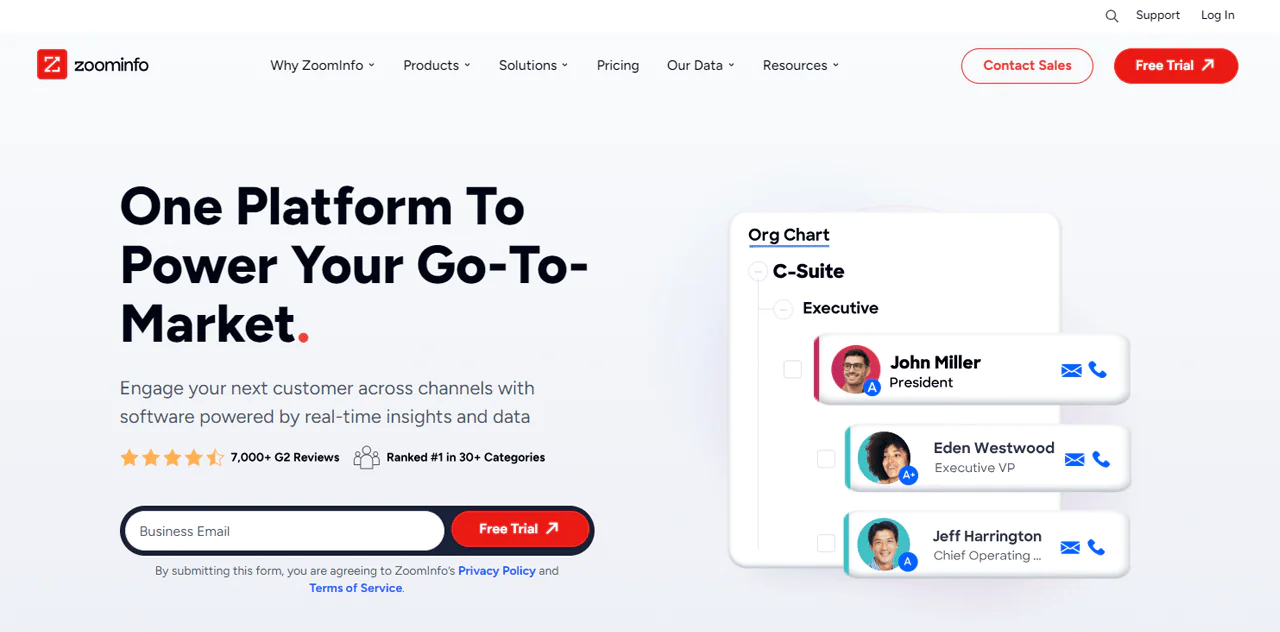
ZoomInfo is a comprehensive sales intelligence and marketing automation platform designed to transform sales and marketing strategies. It provides in-depth business information, empowering sales representatives and marketing teams to improve their outreach and engagement efforts effectively.
ZoomInfo Technologies Inc. was founded in 2007 by Henry Schuck to help professionals and businesses grow. After DiscoverOrg acquired ZoomInfo in 2019, the combined company kept the ZoomInfo name and continued building out buyer intent data, contact information, and company profiles.
So, what does ZoomInfo do now? It simplifies the search for potential customers by providing an extensive database of contacts filled with email addresses and deeper firmographic insights.
Using data collection techniques that include web scraping and machine learning, ZoomInfo aims to keep its data current. It’s built to help you target potential customers, organize lead generation, and refine marketing strategy.
ZoomInfo’s core value proposition centers on improved lead quality, faster sales cycles, and the ability to make data-driven decisions rather than guessing at who to contact.
How Does ZoomInfo Work: Step-by-Step Guide
ZoomInfo works by collecting company and contact data, organizing and analyzing it, then making it available through its platform and integrations. The steps below summarize the process described in this article.
Step 1
The process begins with collecting company and contact information, such as office locations, technology use, job titles, email addresses, and phone numbers. The article describes ZoomInfo as drawing on both public and private sources.
Step 2
The article says ZoomInfo can enrich its database through connections with email services and integrations with users’ CRM and marketing tools, including data from email signatures.
Step 3
The platform then uses machine-learning algorithms to analyze, organize, and prioritize collected data.
The article also describes a team of data experts supporting this process by checking data, looking for anomalies, and helping improve data collection.
Step 4
According to this description, the team helps review data quality and address gaps that automated processes may miss.
Step 5
Customers can access the resulting information on the ZoomInfo platform or, where supported, integrate it with CRM, sales, and marketing tools.
Technology Behind ZoomInfo’s Data Collection and Analysis
Before you dig into what ZoomInfo is used for, it helps to understand the technology behind it, which is part of why it’s considered one of the best contact finding tools available for businesses today.
Here’s a closer look at the process ZoomInfo uses to gather and analyze data.
Data Collection Methods
ZoomInfo collects data through various means, ensuring a broad and accurate database. It aggregates information from public domains, social media platforms, and proprietary sources. This extensive collection process involves the following:
- Public and Proprietary Sources: ZoomInfo scans millions of web pages, including news sites, corporate websites, and public records, to compile data on companies and individuals.
- Email Signatures and CRM Integrations: ZoomInfo captures detailed contact information by integrating with email systems and CRM platforms, enriching its database with email signatures and other valuable data points.
Analyzing Data with Machine Learning
Once data is collected, ZoomInfo employs machine learning (ML) algorithms to analyze and organize the information. This involves:
- Scoring and Ranking: ML algorithms evaluate the relevance and accuracy of data, scoring and ranking it to ensure users receive deeper insights.
- Continuous Learning: ZoomInfo’s AI and ML technologies are in a constant state of learning, adapting to new data and improving over time for more precise results.
Ensuring Data Accuracy
A dedicated team of research analysts and data scientists works alongside the technology to verify data accuracy.
- Identify Anomalies: The team looks for inconsistencies in the data of high-value prospects, applying manual checks where necessary.
- Close Intelligence Gaps: By identifying patterns and automating data collection where possible, the team works to keep the database comprehensive and current.
Integration and Accessibility
Finally, ZoomInfo makes this data accessible to customers through:
- Direct Platform Access: You can access insights directly on the ZoomInfo platform, using its search and filter capabilities to find specific information.
- CRM and Marketing Automation Integration: Data and insights can be integrated into CRM systems or sales and marketing automation tools, which supports go-to-market strategy and pipeline growth.
How to Use ZoomInfo for Sales and Marketing Success
Here’s how teams typically put ZoomInfo to work in day-to-day sales and marketing operations.
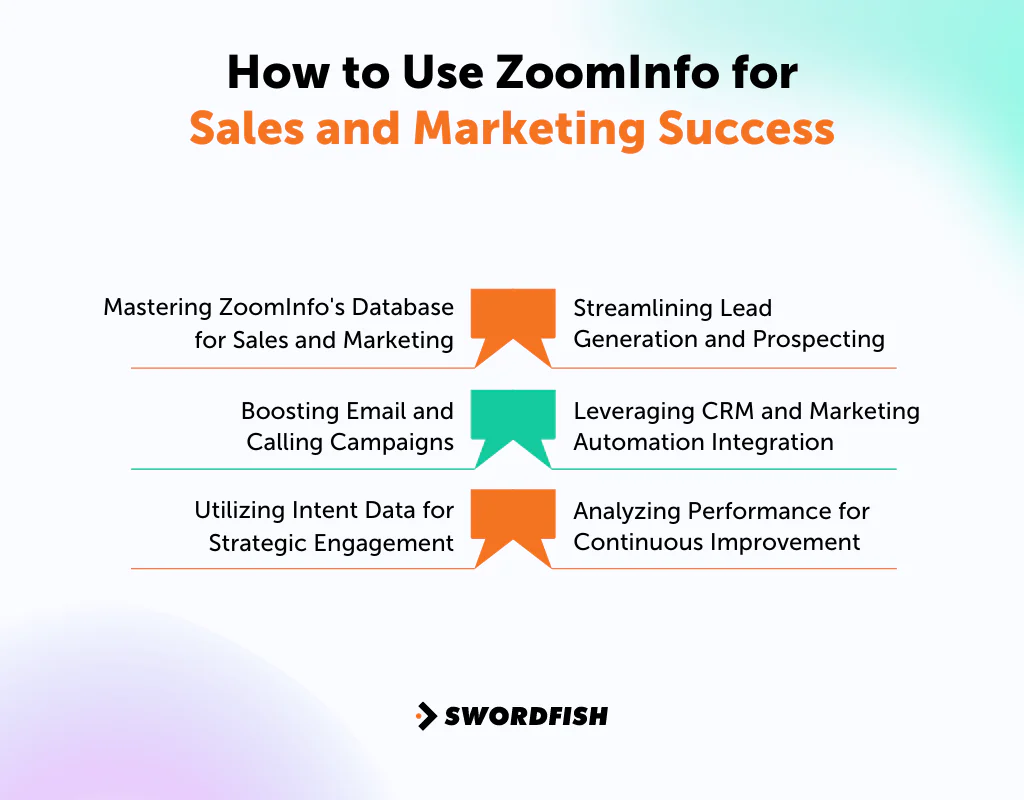
Mastering ZoomInfo’s Database for Sales and Marketing
Dig into ZoomInfo’s extensive database to find business leads and insights into customer behavior. For sales, this means pinpointing potential clients who match your ideal customer profile.
For marketing, it’s about understanding your target market well enough to craft compelling messages. This foundational knowledge sets the stage for personalized outreach that supports profitable growth.
Streamlining Lead Generation and Prospecting
ZoomInfo’s platform is built for generating leads at scale. Sales professionals can filter prospects to focus outreach on the most viable leads.
Marketing teams can use the same data-driven insights to build targeted campaigns that speak directly to the needs and interests of promising leads. This targeted approach keeps effort focused and more likely to produce results.
Boosting Email and Calling Campaigns
Access to direct contact information through ZoomInfo helps sales teams make meaningful connections via cold emails or calls.
For marketers, this data supports segmented email campaigns that resonate with different audience segments. Personalization backed by accurate data tends to improve engagement and conversion rates.
Leveraging CRM and Marketing Automation Integration
Integrating ZoomInfo with your CRM and marketing tools creates a smoother flow of data across sales and marketing.
This lets sales follow up on leads more efficiently and gives marketers a way to automate personalized campaign triggers based on real-time insights.
Utilizing Intent Data for Strategic Engagement
Intent signals from ZoomInfo can meaningfully change how sales and marketing prioritize outreach. Sales teams can identify and prioritize leads showing active interest in related products or services, making outreach more timely and relevant.
Marketers can similarly customize content and campaigns around a target audience’s specific interests and pain points, which increases the odds of engagement.
Analyzing Performance for Continuous Improvement
ZoomInfo’s analytics and reporting tools offer insight into the effectiveness of sales and marketing efforts.
Sales reps can refine pitch and follow-up tactics based on what’s actually working, while marketers can adjust campaigns for better performance. That loop of testing and adjusting matters in a competitive market.
ZoomInfo’s Pricing and Subscription Plans
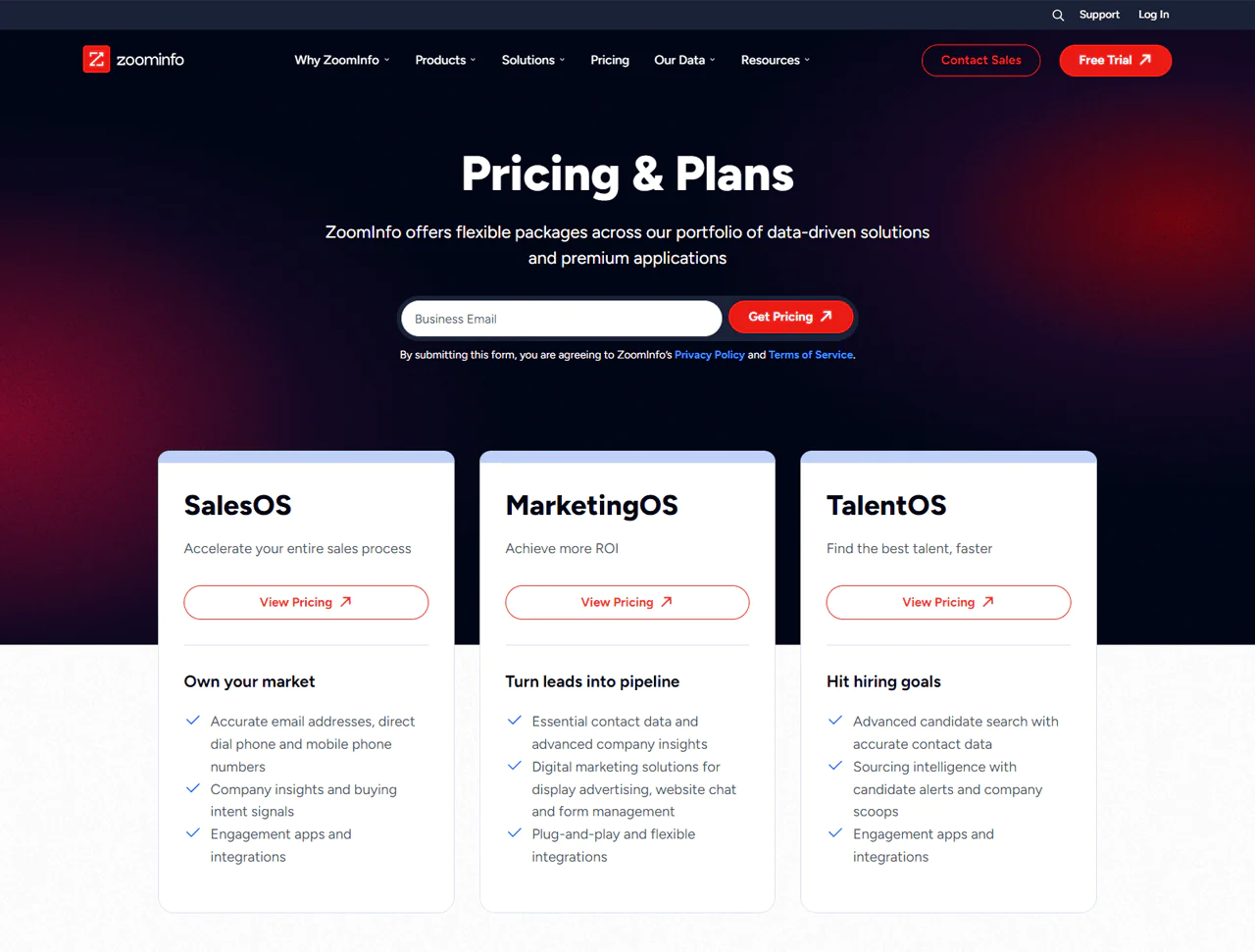
ZoomInfo customizes pricing based on the features you select, the number of users, and the extent of data access required, and it doesn’t publish rates on its website.
The platform is organized into different product lines, including SalesOS for sales-related contacts and insights, MarketingOS for digital marketing support, and TalentOS (now often referred to as ZoomInfo Talent) for candidate sourcing and tracking.
Third-party estimates cited for ZoomInfo SalesOS describe three tiers: Professional at roughly $14,995–$15,000 per year, Advanced at approximately $24,995–$30,000 per year, and Elite at around $39,995–$40,000 per year. These are estimates, not published rates; actual costs may vary with seats, credits, add-ons, and contract terms. Confirm current pricing and inclusions directly with ZoomInfo.
What Users Say About ZoomInfo?
- G2: 4.4/5 (6,891 reviews)
“We lean heavily on account-based marketing and this tool allows us to effectively identify the correct people in an organization. We have several different lines of business that benefit from our products. We have to have insights into our addressable market and the ZoomInfo team is always there to help us build lists based on our requirement” – Todd O.
- Capterra: 4.1/5 (279 reviews)
“What is not a pro of this tool! it has everything!! I’m able to find all my contacts for a business and everything I need to know about them. Helping my closing right when talking to new clients.” – Max S
What are the Limitations of ZoomInfo?
Although ZoomInfo has advanced technology, buying signals, firmographic data, and filters, it’s not without its drawbacks. Here are some limitations that might affect how you use it for sales and marketing.
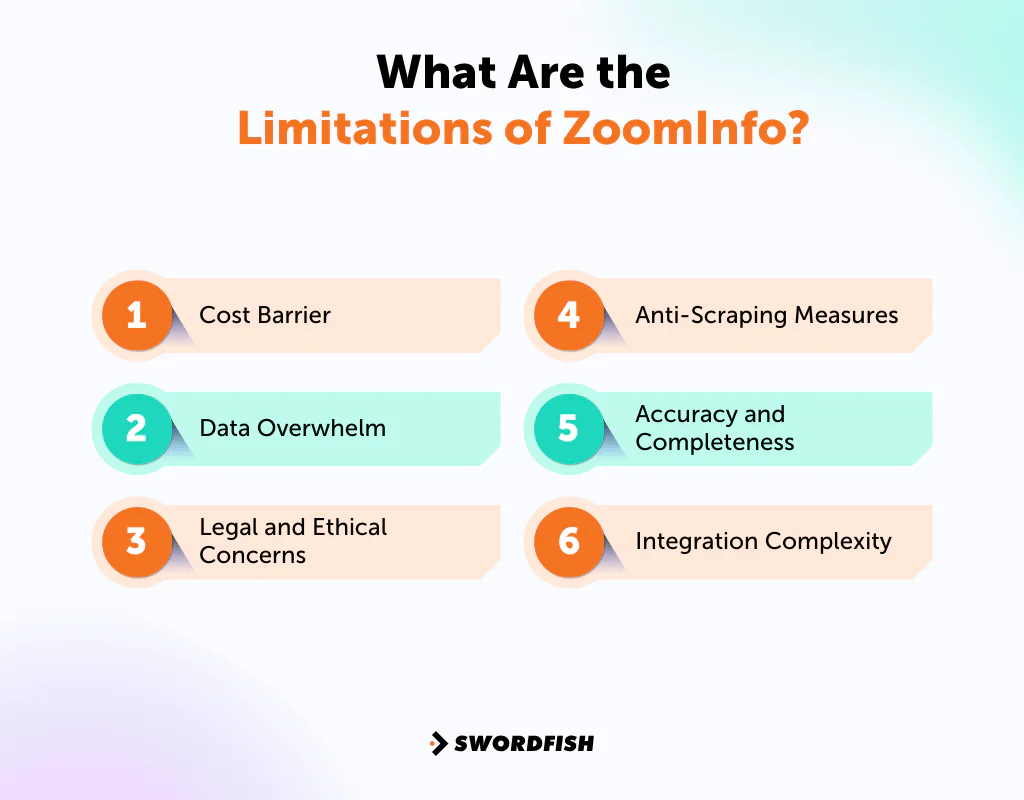
- Cost Barrier: ZoomInfo’s pricing can be steep, especially for small businesses or startups. The upfront annual commitment can be hard to justify without a clear, measurable return.
- Data Overwhelm: With millions of contacts and companies, including mobile phone and direct phone data, finding the right records without getting overwhelmed can take real time and filtering effort.
- Legal and Ethical Concerns: Using data without consent can raise ethical questions. Scraping ZoomInfo data also violates its terms of service and carries legal risk.
- Anti-Scraping Measures: ZoomInfo employs anti-scraping technologies, which means unauthorized scraping tools generally won’t work against its platform.
- Accuracy and Completeness: While ZoomInfo strives for accuracy, no database is perfect. You’ll still encounter outdated or incomplete records that can affect decision-making.
- Integration Complexity: Integrating ZoomInfo with existing CRM or marketing tools can require technical know-how, which adds setup time.
Best Alternatives of ZoomInfo
After comparing features across some of the best ZoomInfo alternatives, a few stand out if you’re looking for a different fit or running into friction with ZoomInfo.
1. Swordfish AI
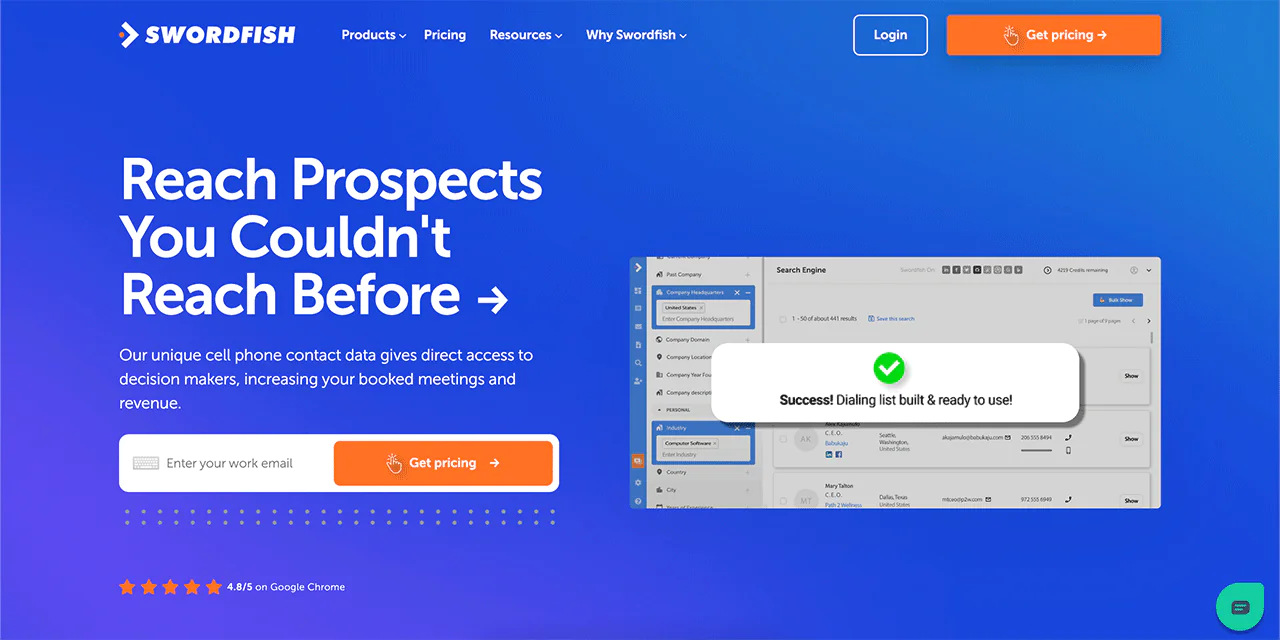
Swordfish AI is built around direct contact data, particularly mobile phone numbers and business emails, which sets it apart from ZoomInfo’s broader firmographic focus.
Swordfish AI draws on a large data pool and works with data partners to help keep contact records accurate. For sales and recruitment professionals who need to reach decision-makers directly, that focus on verified mobile and email data can matter more than breadth of company-level data.
By emphasizing direct, verified contact details, Swordfish AI aims to help you avoid wasted outreach and close deals more efficiently.
Features of Swordfish AI
Swordfish AI includes several features designed to streamline B2B prospecting. Here are the core tools that differentiate it from platforms like ZoomInfo:
-
File Upload
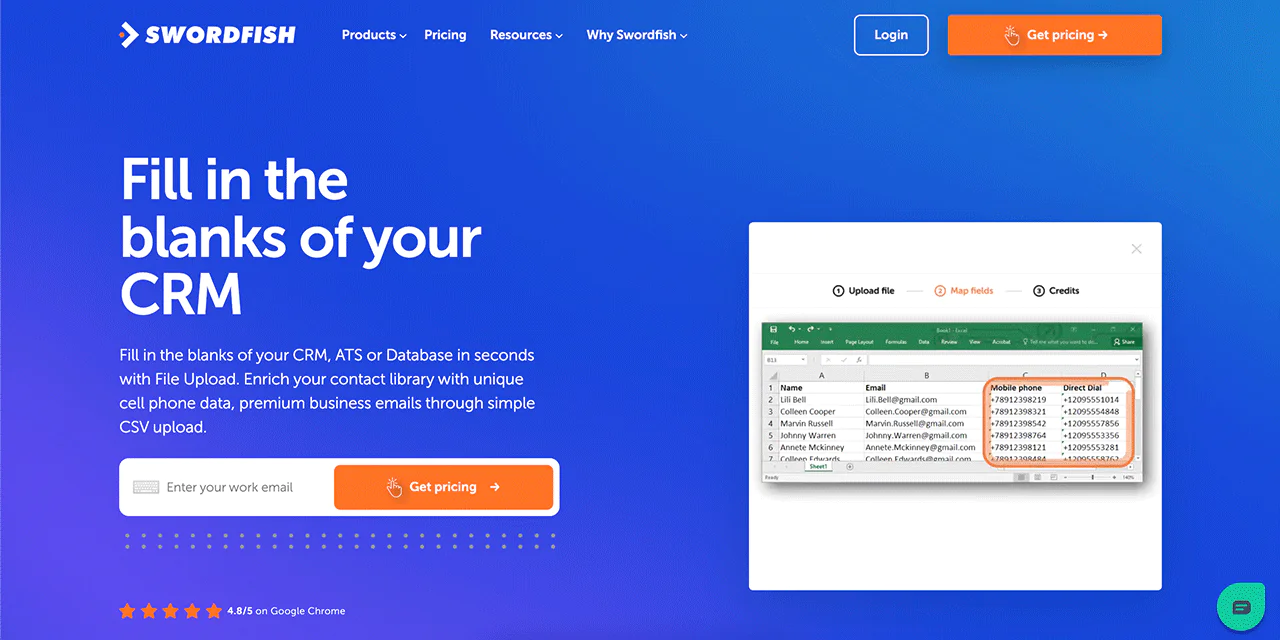
File Upload lets you enrich your contact database by uploading a CSV file to quickly obtain missing contact details like phone numbers and emails. It’s a straightforward way to update and expand CRM data.
-
Bombora Intent
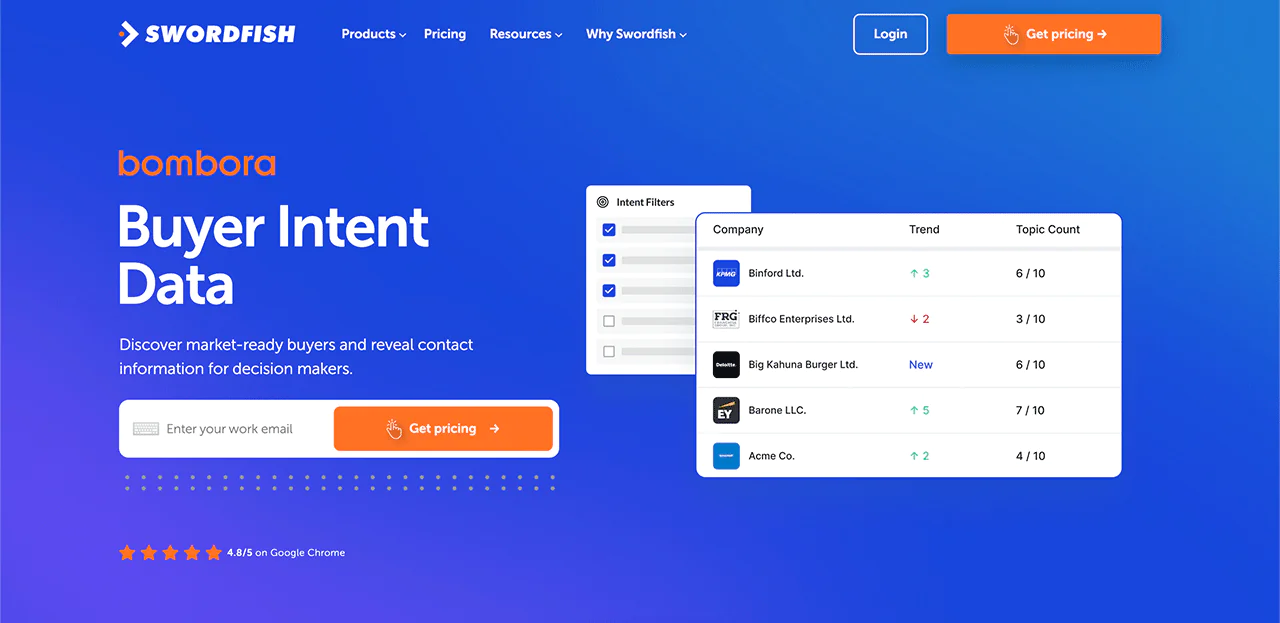
Knowing which companies are actively researching solutions like yours can be a real edge. Swordfish AI uses Bombora Intent data to identify these companies, helping you prioritize outreach toward higher-intent leads.
-
Chrome Extension
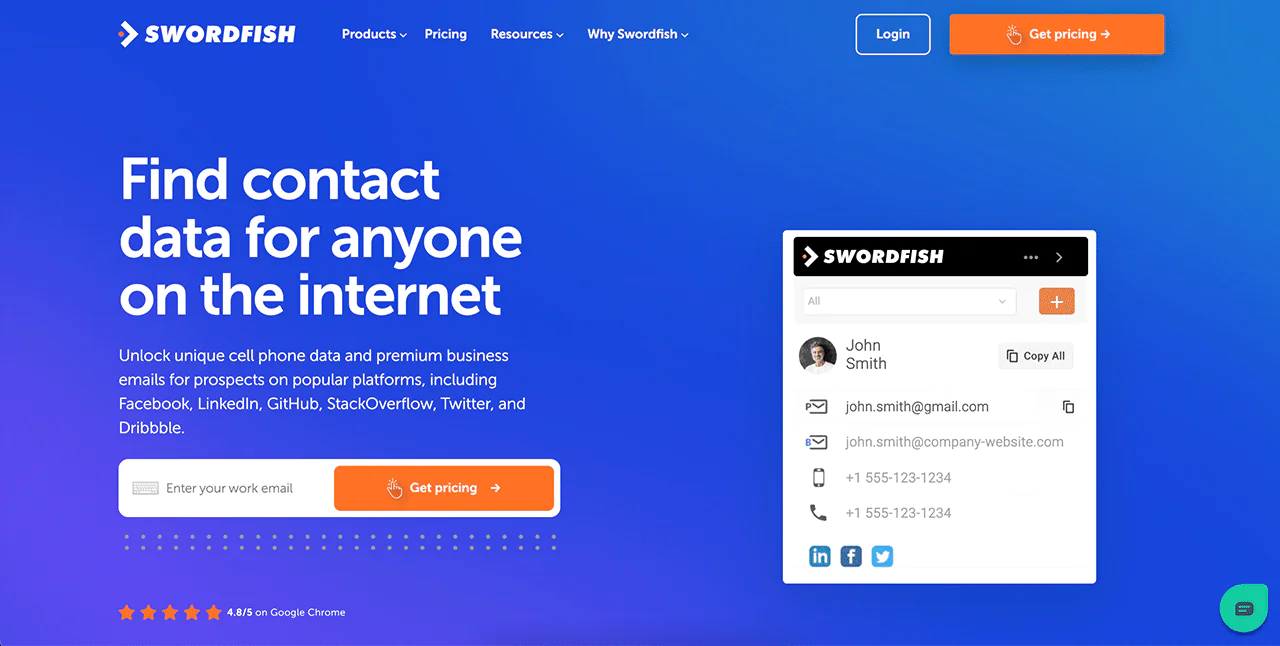
Swordfish AI’s Chrome Extension supports real-time data retrieval while browsing LinkedIn, Facebook, or other supported platforms, offering a more streamlined workflow than ZoomInfo’s more segmented approach.
-
Prospector
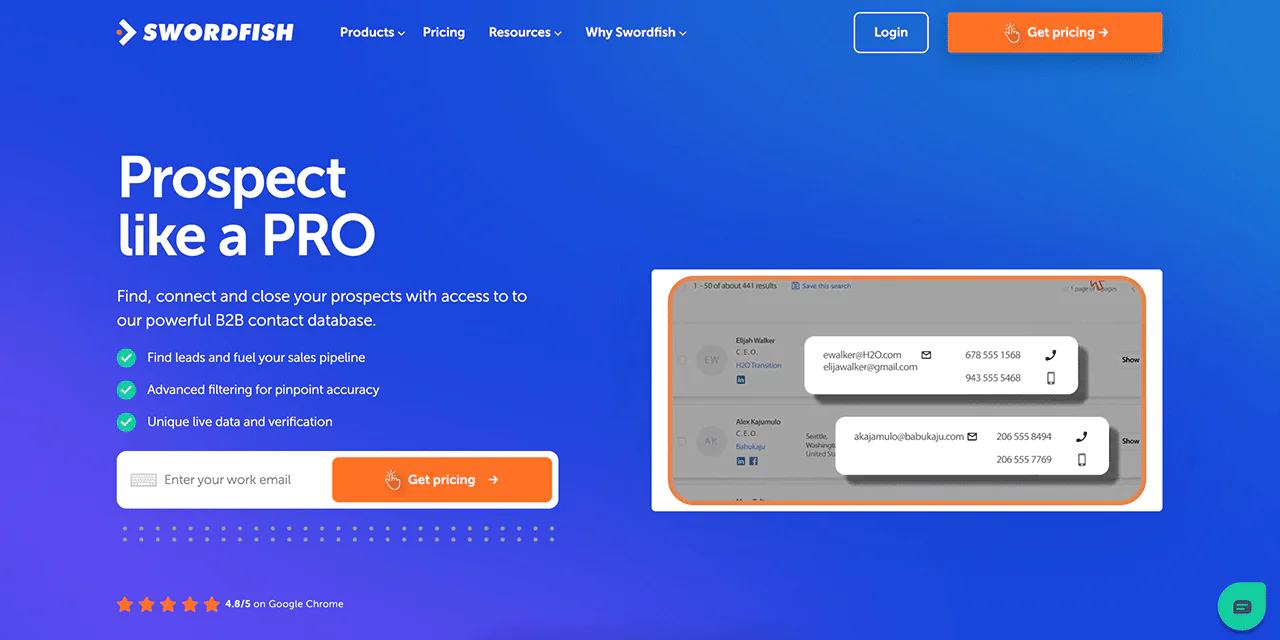
The Prospector tool is built for generating targeted lead lists. You can filter prospects by various criteria to keep leads relevant to your pipeline.
-
Reverse Search
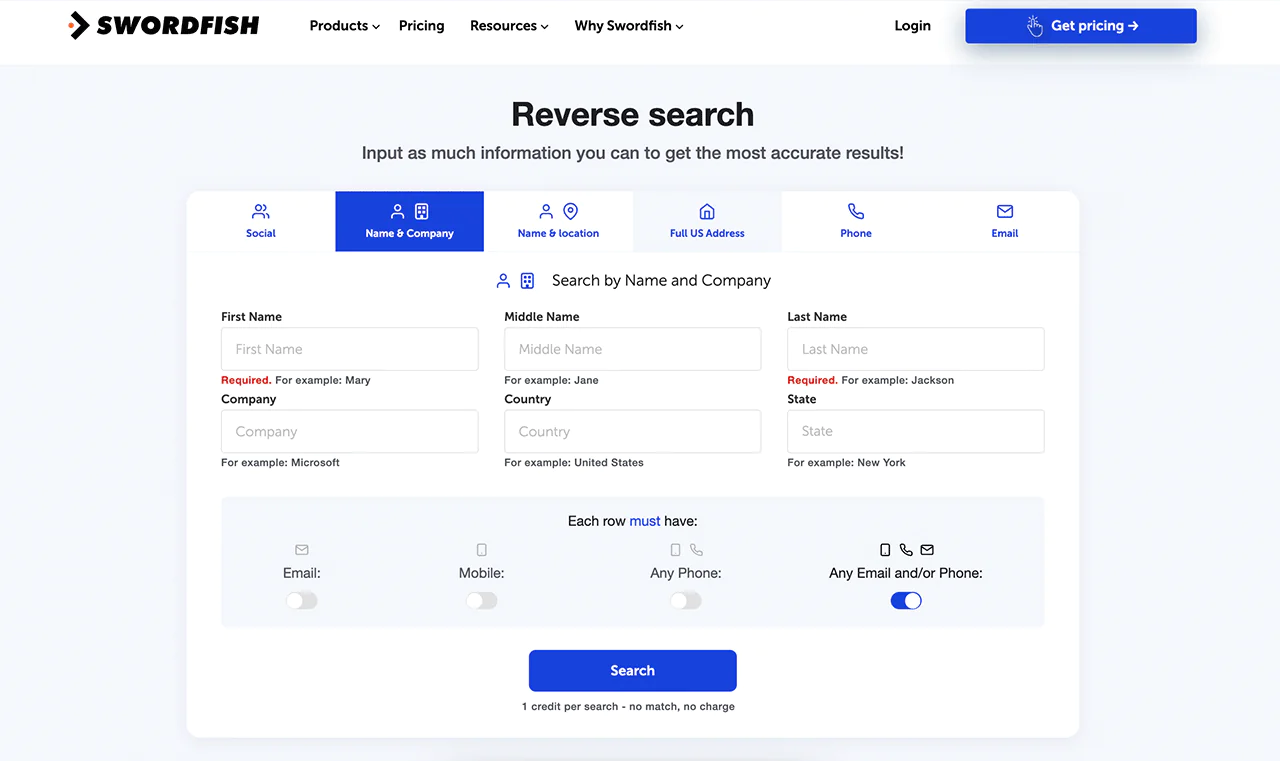
With Reverse Search, Swordfish AI lets you find contact information from minimal starting points, whether you have a name, company, or phone number, offering more flexibility than ZoomInfo’s standard search flow.
-
API Integration
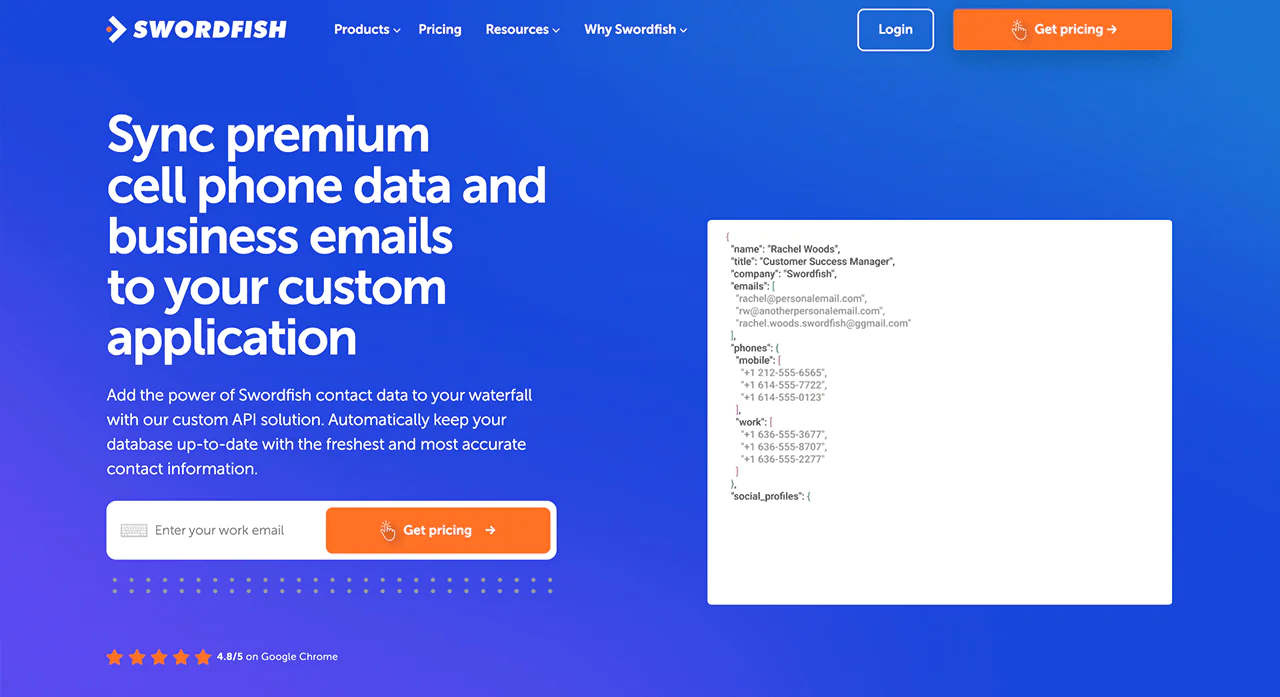
Swordfish AI’s API integration gives you a way to plug its contact database into your existing systems or apps, so you can build custom workflows and access data programmatically.
Comparison Table of ZoomInfo vs Swordfish AI
Here’s a side-by-side look at how Swordfish AI and ZoomInfo compare, including the Swordfish AI Chrome Extension.
|
Feature |
Swordfish AI | ZoomInfo |
| Database | Large contact database with a focus on exclusive cell phone data |
Over 135 million phone numbers, 260 million profiles |
|
Chrome Extension |
Direct access to cell numbers and business emails across platforms like LinkedIn, Facebook, Twitter, etc | Contact info access with less focus on cell numbers |
| Lead Generation | Advanced filters for precise lead targeting |
Wide database with advanced search for leads |
|
Integration |
Seamless API integration with Zapier, Crelate, Salesforce, Salesloft, HubSpot, Pipedrive, etc. | Offers various integrations with Pipedrive, HubSpot, Salesforce, Marketo, ZOHO, Salesloft, etc. |
| Target Audience | Designed for sales and recruitment with direct contact search |
Broad B2B contact access, including emails and numbers |
|
API |
Offers scalable API integration | Provides API access, less detail on scalability |
| Pricing | Quote based pricing |
Quote based pricing |
Pricing
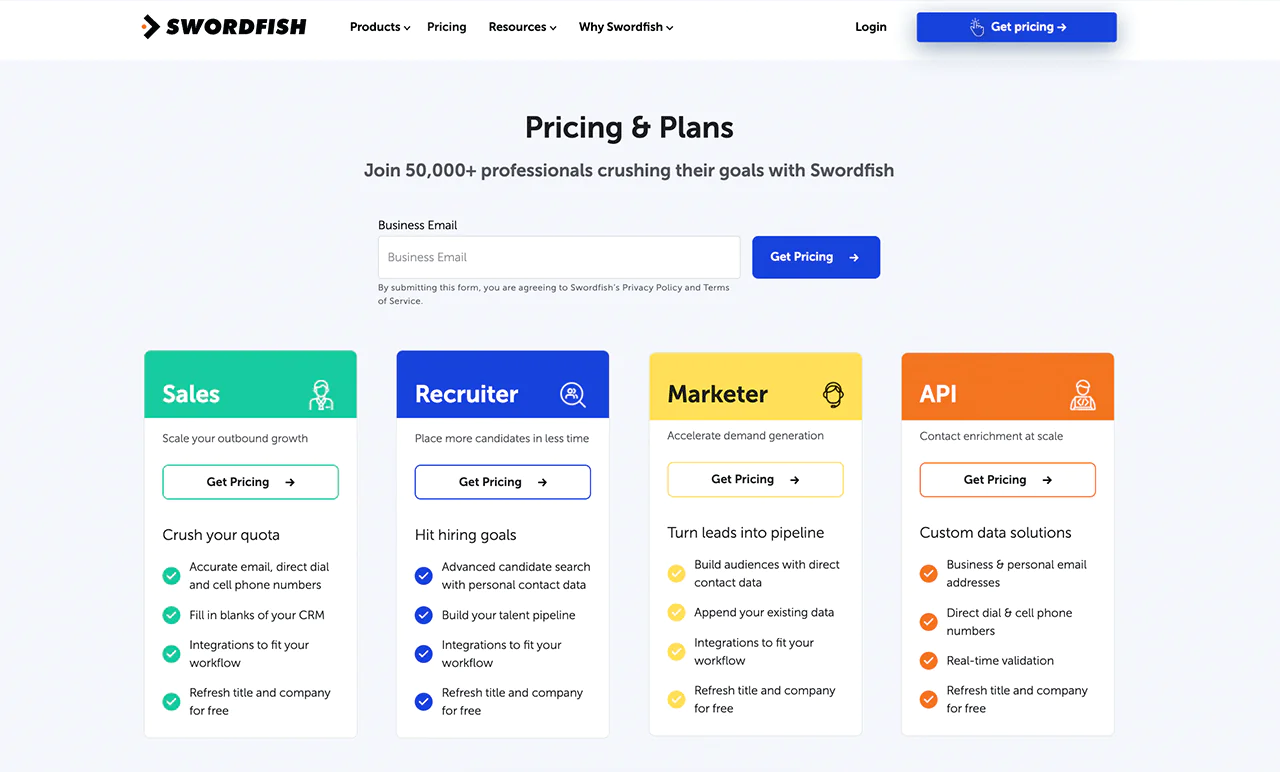
Swordfish AI offers multiple pricing plans built around sales, recruitment, marketing, and API use cases.
Whether you’re scaling outbound, streamlining recruitment activity, or need dedicated data services, there’s typically a package that fits.
Each Swordfish AI subscription is built around email contacts along with direct and mobile numbers, with ongoing updates to job roles and company data.
To find the right plan for your business, reach out for detailed pricing.
 Try Swordfish Ai
2. AeroLeads
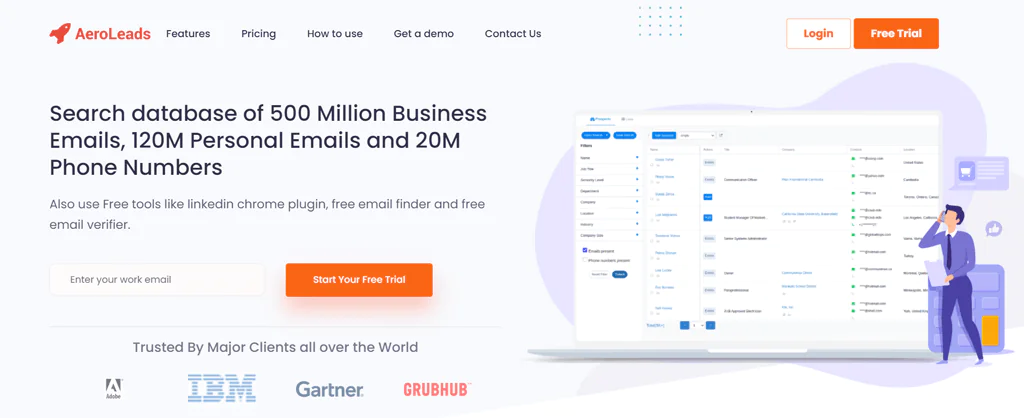
AeroLeads is a solid option for companies looking for something cheaper than ZoomInfo. It offers four transparent pricing plans, while ZoomInfo pricing is quote-based.
That transparency makes it easier to pick a tier that fits your budget and needs upfront.
You can upload your own data to search for emails, and it works with the CRM tools you likely already use. AeroLeads also checks emails in real time, so you’re working with current information.
Combined with a relatively simple setup, AeroLeads is a reasonable way to get business contact data without the higher cost or more complex onboarding that comes with ZoomInfo.
Comparison Table of ZoomInfo vs AeroLeads
AeroLeads and ZoomInfo offer different approaches to lead generation. Here’s how they compare:
|
Feature |
AeroLeads | ZoomInfo |
| Database | Access to 750 million prospects |
Access to over 135 million verified phone numbers, and 260 million professional profiles |
|
Chrome Extension |
Available for LinkedIn email finding and more | Yes, but specific details on functionalities not provided |
| Lead Generation | Tools for email finding, verification, and campaigns |
Extensive suite for lead generation with advanced search, intent data, etc. |
|
Pricing |
Take off costs $39 monthly |
Quote based pricing |
|
Climb costing $59 monthly |
||
|
Cruise costs $99 monthly |
||
|
Enterprise costing $249 monthly |
||
|
Target Audience |
Businesses, online marketers, sales teams, recruiters |
Sales, marketing, and talent acquisition teams |
Pricing
AeroLeads offers four subscription tiers. The Take Off package, priced at $39 a month, works for individuals or small startups just starting outreach.
The Climb package, at $59 a month, fits small to medium-sized teams looking to grow their lead-finding efforts. The Cruise package, at $99 a month, suits businesses that want broader outreach capabilities without an enterprise-grade solution.
The Enterprise package, at $249 a month, offers the fullest feature set and support for larger organizations with heavier lead generation and verification needs.
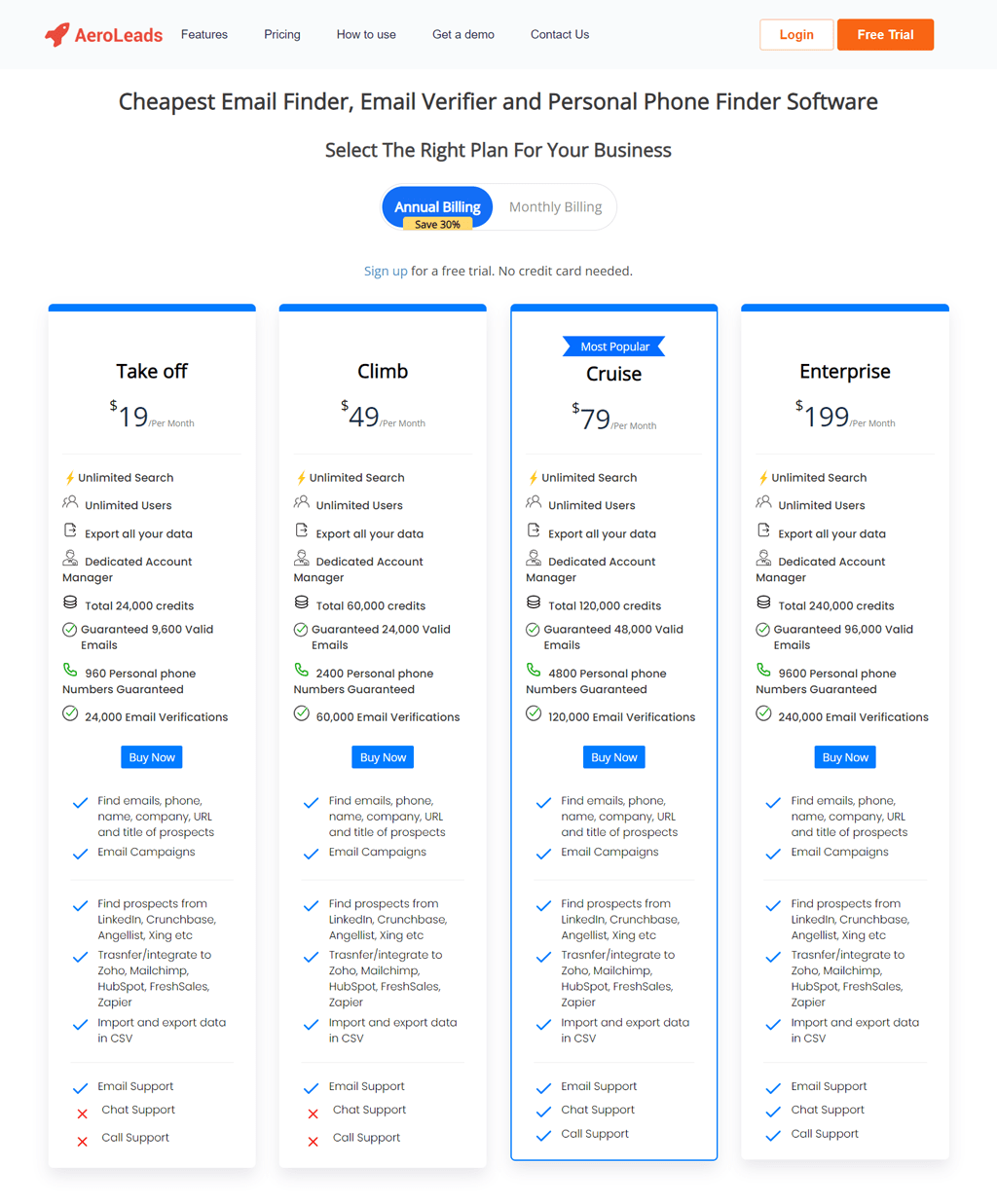
Note: If you’re already using AeroLeads and looking for a better fit, check out how an AeroLeads alternative might work into your lead generation toolkit.
Conclusion
In short, ZoomInfo is described as collecting and analyzing business and contact data from sources such as public records, company websites, and user contributions, then making that information available for prospecting and sales or marketing workflows.
Getting real value out of a tool like ZoomInfo comes down to a few practical habits: managing budget carefully, verifying data accuracy before you act on it, keeping integrations clean, and sharing what you learn across the team.
It’s also worth weighing the alternatives covered here. Swordfish AI, for one, offers a different set of strengths that might match what you actually need better than ZoomInfo does.
FAQs
How to use ZoomInfo for prospecting?
To use ZoomInfo for prospecting, search for businesses or professionals that match your target criteria, such as industry, company size, or job title. ZoomInfo will provide a list of potential leads, including contact details and company information.
How did ZoomInfo get my information?
ZoomInfo gathers information from a variety of public sources, including company websites, news articles, and public records. It may also obtain data from contributions made by its community of users. The combination of these sources allows ZoomInfo to compile detailed profiles of businesses and professionals.
Why did I get an email from ZoomInfo?
You might have received an email from ZoomInfo for a few reasons. It could be because your information is part of their database and they’re reaching out to verify its accuracy or informing you about how your data is being used.
Alternatively, someone might have used ZoomInfo to find your contact information for business prospecting purposes.
How does ZoomInfo find details about businesses and professionals?
ZoomInfo uses a mix of public information, contributions from users, and machine learning to collect data. It looks at websites, news articles, and other online sources to gather information about businesses and professionals. This process helps ZoomInfo keep its database rich and up-to-date.
Is ZoomInfo’s data reliable?
ZoomInfo strives to ensure the reliability, accuracy, and completeness of its data through continuous updates and verification processes. However, like any database that relies on a wide range of sources, there might be occasional inaccuracies.
It’s always a good idea to use ZoomInfo’s data as a starting point and confirm important details directly when possible.

