


 View Products


Key takeaways
- Swordfish is presented as a contact-data tool with an emphasis on cell phone numbers and data enrichment.
- RocketReach is positioned for broader professional outreach, while SignalHire is described as more recruitment-focused.
- Tomba focuses on finding and verifying professional email addresses.
- Wiza is designed around LinkedIn-based contact extraction and prospecting.
- BrightMove is an applicant tracking system, making it a different type of alternative from contact-finding tools.
- Compare integrations, pricing terms, and data quality against your workflow before choosing.
Last updated: September 3, 2026

SignalHire has built a name for itself as a browser-extension contact finder aimed at recruiters and sales teams. It pulls verified emails and phone numbers directly from LinkedIn, GitHub, and other profile pages, and its database has grown well past the 400 million mark it once advertised, now marketed at over 850 million profiles.
The tool has real strengths: a fast one-click extension, decent accuracy for US and EU contacts, and a built-in email sequencing feature. But no single-source database covers everyone equally well, and SignalHire’s own structure means that when its index doesn’t have a record, there’s no fallback source to check. That’s one reason recruiters and sales teams often keep a second or third tool on hand.
This guide compares five SignalHire alternatives: Swordfish for contact-data lookup, RocketReach for broader professional search, Tomba for email finding and verification, Wiza for LinkedIn-based prospecting, and BrightMove for applicant tracking. Compare them against your workflow, required features, and budget.
Quick List of 5 Alternatives to SignalHire
Get a brief idea about all the alternatives that we’ll discuss below —
- Swordfish: Best for complete contact information retrieval across multiple platforms.
- RocketReach: Best for accessing direct dials and email addresses with LinkedIn integration.
- Tomba: Best for finding and verifying professional email addresses.
- Wiza: Best for converting LinkedIn Sales Navigator searches into verified email lists.
- BrightMove: Best for businesses seeking an ATS with features like power search, sourcing candidates, and email integration.
Reasons to Consider an Alternative to SignalHire
A few practical reasons come up again and again when teams start comparing tools —
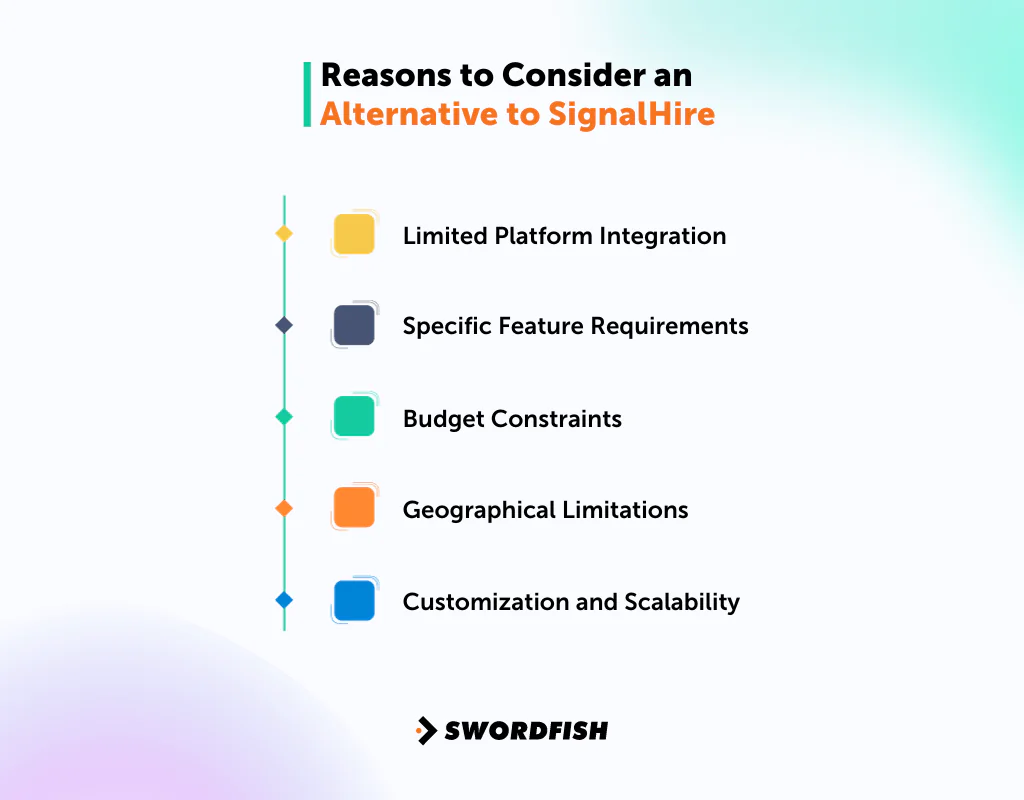
Limited Platform Integration
Despite SignalHire’s integrations, businesses may need a tool that connects more directly with the specific CRMs, ATS platforms, or outreach tools they already run day to day.
Specific Feature Requirements
Every business has unique needs. Some teams need SMS messaging, power search, or real-time email verification that SignalHire either lacks or handles differently than they’d like.
Budget Constraints
Cost is always a consideration. Some alternatives to SignalHire might offer competitive pricing or more flexible payment structures that suit budget-sensitive teams better.
Geographical Limitations
SignalHire’s accuracy tends to be strongest for US and European contacts and drops off in other regions. If your prospecting leans heavily toward other geographies, a tool with stronger coverage there may serve you better.
Customization and Scalability
As businesses grow, their requirements evolve. An alternative might offer better customization options and scalability to match a growing team’s changing needs.
Top 5 SignalHire Competitors: Comparison Chart
The table below gives a quick side-by-side comparison of the five alternatives covered in this guide.
|
Feature/Tool |
Swordfish | RocketReach | Tomba | Wiza |
BrightMove |
|
Platform Availability |
Web, Chrome Extension | Web, API | Web, Chrome Extension | Web, Chrome Extension |
Web |
|
Unique Selling Point |
Access to 3.5 billion personal and work profiles | Access to 700 million professionals | Email finder with LinkedIn integration | LinkedIn email finder and scraper | ATS for RPO, PEO, Staffing, HR |
| Integration | LinkedIn, GitHub, Twitter, Facebook | LinkedIn, Crunchbase, AngelList | LinkedIn, Hubspot, Salesforce, Outreach, Salesloft | Exchange (for email and calendaring) | |
| Ease of Use | Intuitive interface | User-friendly dashboard | Simple navigation | Real-time data extraction |
Configurable homepage dashboard |
| Special Features | Phone numbers and social media links | Finds emails, social media, phone numbers | Validates emails in real-time | Real-time email verification |
PowerSearch, SMS Messaging, Social Network Integration |
Top 5 SignalHire Alternatives for Your Project Management Needs
Here’s a closer look at each option, including where it fits and where it doesn’t.
1. Swordfish AI
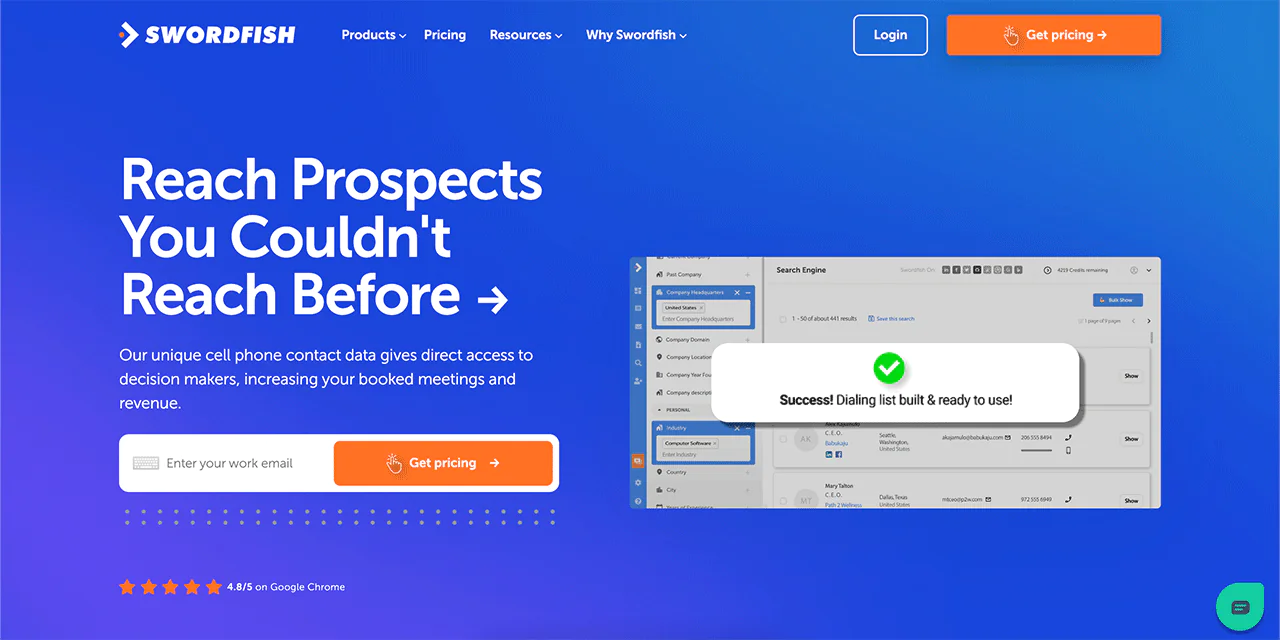
Swordfish focuses on delivering accurate, verified contact information, including cell phone numbers, for sales and recruitment teams that need to reach decision-makers directly.
The platform draws contact data from sources including Twitter and LinkedIn and uses validation checks intended to help teams assess phone numbers and emails. For teams focused on calling, its emphasis on phone-number verification is a key point to evaluate.
Swordfish also emphasizes partnerships with data providers and validation checks aimed at improving accuracy across its results.
About Swordfish
- Founding year: 2015
- Founding team: Ben Argeband
- No. of users: 50,000
Customer Ratings
- G2: 4.5 · 84 reviews
- Capterra: 4.6 · 12 reviews
What Sets Swordfish Apart?
A few things stand out when comparing Swordfish to other contact-finding tools —
- Cell Phone Focus: Swordfish has built its database around cell phone numbers specifically, which matters for teams doing outbound calling rather than email-only outreach.
- Proprietary Verification: An in-house verification system checks that numbers are active, which helps cut down on wasted dials.
- Large Database: Swordfish reports access to over 3.5 billion data profiles, giving reps and recruiters a wide pool to search.
- Established User Base: Swordfish is used by sales and recruitment professionals who rely on it for day-to-day prospecting.
- Beyond Contact Lookup: The platform also supports bulk prospecting and CRM data enrichment, not just single-record lookups.
Key Features of Swordfish
- Multi-Platform Availability: Swordfish is accessible through the website, mobile app, and various operating systems, so the tool fits into different team setups.
- Chrome Integration: The Chrome extension pulls data directly from platforms like LinkedIn and Facebook, cutting steps out of the sourcing process.
- Data Intelligence Tools: Beyond raw contact data, Swordfish organizes information into a form that supports decision-making rather than just a list of numbers.
- Lead Management: Swordfish includes lead tracking from first contact through conversion, along with analytical tools to gauge how well outreach campaigns are performing.
- B2B Integrations: Business-to-business integrations help automate parts of the outreach workflow that would otherwise require manual work.
- User-Friendly UX: The interface is built to be approachable, so new users can get productive without a long ramp-up period.
 Try Swordfish Ai
Best Use Cases of Swordfish
Swordfish tends to fit best in a few specific scenarios —
- Data Enrichment: If you have names but are missing emails or phone numbers, Swordfish can fill in the gaps by checking against its database.
- Lead Distribution: Larger teams handling big prospect lists can route leads automatically to the right rep or team instead of sorting manually.
- Sales and Marketing Analysis: Teams can review campaign results to see what’s converting and track individual rep performance.
- B2B Outreach: Businesses connecting with other businesses can use Swordfish’s tools to reduce the manual work involved in prospecting.
- Real-Time Data Extraction: The Chrome extension pulls data while you’re browsing a site like LinkedIn, so information stays current.
Why Should You Choose Swordfish over SignalHire?
Swordfish and SignalHire both aim to help businesses connect with potential clients or candidates, but they approach the problem differently.
Swordfish searches across platforms and public web sources, with an emphasis on contact details and cell phone data. The article says Swordfish AI offers a free trial; check its current terms before signing up.
SignalHire, by contrast, is built more heavily around talent sourcing and recruitment workflows, pulling from social media, public networks, and job boards, which makes it a common choice for HR teams.
You can read more about SignalHire, but the table below breaks down the practical differences between the two platforms.
|
Feature/Aspect |
Swordfish | SignalHire |
|
Platform Availability |
Available on website, app, and various OS | Browser extension plus ATS-style features for medium to large organizations |
|
Data Profiles |
Access to over 3.5 billion data profiles |
Database marketed at over 850 million profiles |
|
Integration |
Seamless Chrome integration to extract data across platforms like LinkedIn, Facebook, and more |
Browser extension works on LinkedIn, GitHub, Facebook, X, and Meetup |
|
Verification System |
Proprietary cell phone verification system ensuring authenticity |
Real-time contact verification from its single proprietary index |
|
User Experience |
Prioritizes intuitive and easy navigation |
Built for recruiters, sales reps, and marketers prospecting profile by profile |
|
Security & Compliance |
Compatible with GDPR and CCPA regulations |
Not explicitly detailed on public materials |
|
Data Enrichment |
Ability to add missing emails and phone numbers in bulk |
Primarily focused on candidate sourcing and tracking |
|
Real-time Data Extraction |
Uses machine learning algorithms with premium data vendors for real-time data extraction |
Single-source proprietary index without a fallback data source |
| Network Partners | Connects with 200x network partners for accurate and updated contact information |
Relies on its own single database rather than multiple network partners |
Pros of Using Swordfish
- Access to over 3.5 billion data profiles.
- A proprietary cell phone verification system ensures data authenticity.
- Seamless Chrome integration for data extraction across multiple platforms.
- Compatible with GDPR and CCPA regulations, supporting data security.
- Ability to add missing emails and phone numbers in bulk.
- Connects with 200x network partners for accurate contact information.
Cons of Using Swordfish
- Might be over-specialized for teams seeking a broader ATS solution.
- Pricing might be on the higher side for small businesses or individual users.
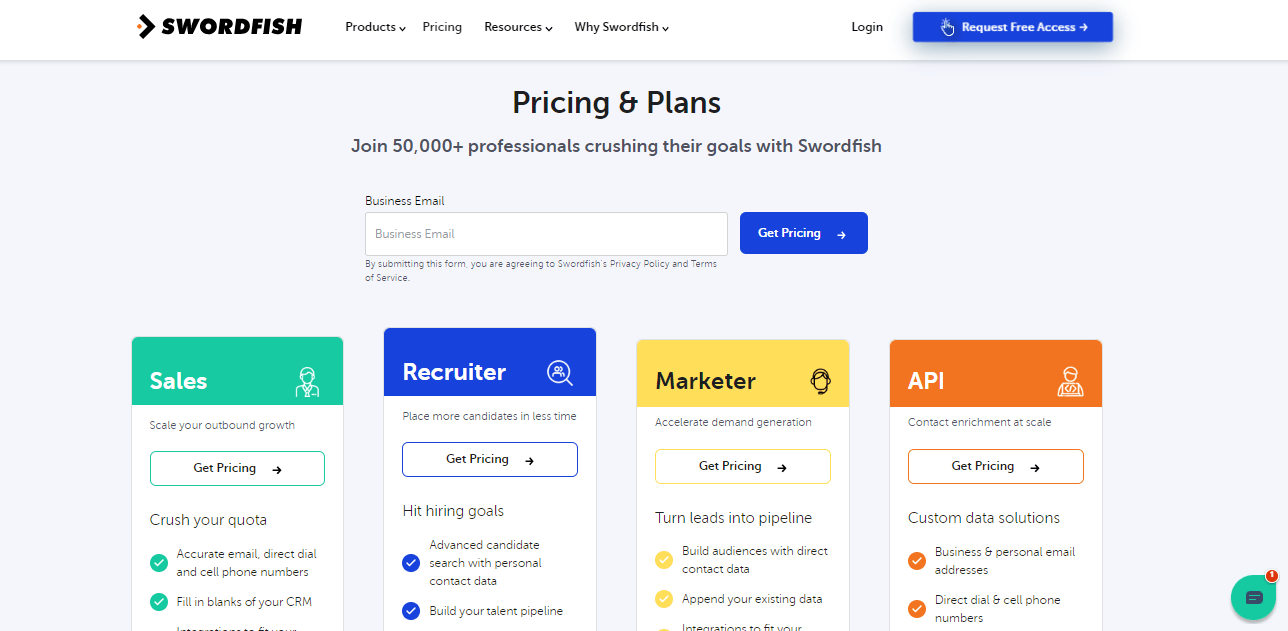
Pricing
2. RocketReach
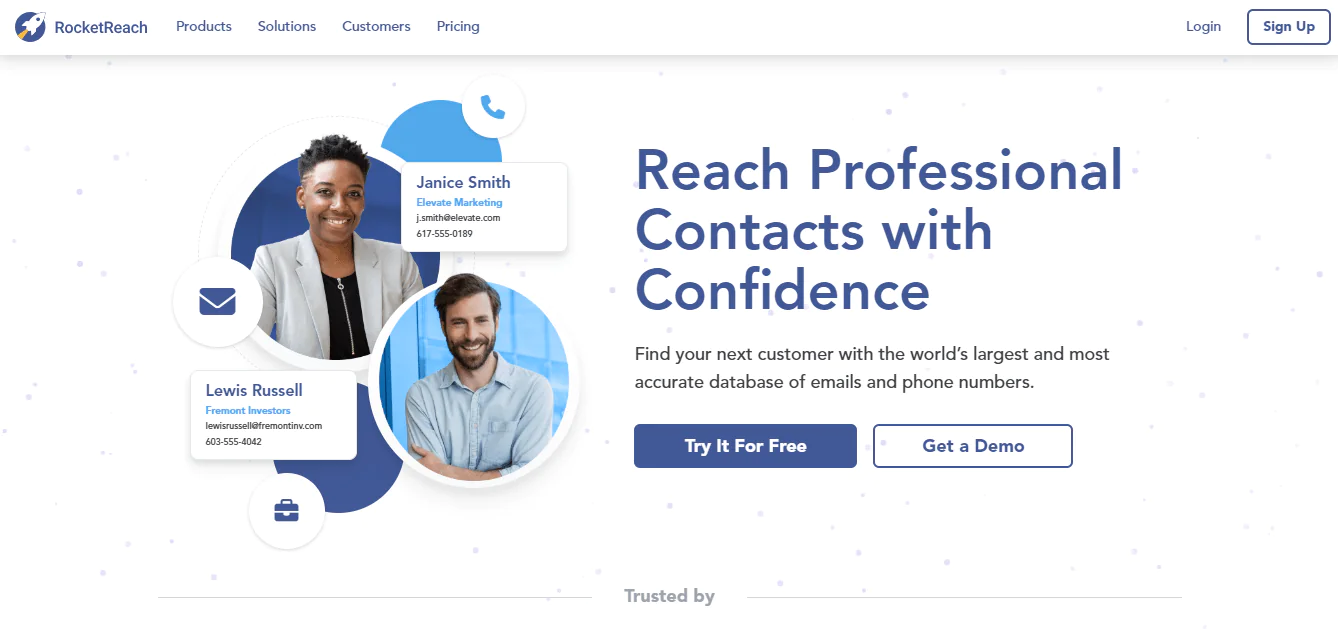
RocketReach is a widely used tool for finding and connecting with professionals across industries.
RocketReach maintains data on tens of millions of companies and hundreds of millions of profiles, and counts a large number of businesses, including major enterprise brands, among its users.
The platform offers a range of tools, including a Chrome Extension, Email Compose, Bulk Uploads, API, and integrations with Salesforce and Zapier, which helps it fit into different sales and recruiting workflows.
RocketReach emphasizes a data-driven, solution-oriented approach to product development, prioritizing practical usability alongside data quality.
About RocketReach
- Founding year: 2015
- Founding team: Amit Shanbhag
Features of RocketReach
- Multi-Platform Access: Available on web browsers, ensuring easy access.
- Extensive Integrations: Seamlessly integrates with tools like LinkedIn for enhanced functionality.
- User-Friendly Interface: Simplified design ensures a smooth user experience.
- Advanced Search Capabilities: Enables precise search using multiple filters.
- Reliable Data: Offers verified contact details, increasing outreach success rate.
- Bulk Lookup: Allows you to find multiple contacts at once, saving time.
- API Access: Provides developers with tools to integrate RocketReach into their systems.
Pros and Cons of Using RocketReach
Pros
- Efficient and accurate email lookup.
- Seamless integration with popular platforms.
- User-friendly interface enhances the user experience.
- Reliable data with regular updates.
- Extensive database covering multiple industries.
- Offers a Chrome extension for easy access.
Cons
- Some searches might consume more credits.
- Premium features can be pricey for small businesses.
Pricing
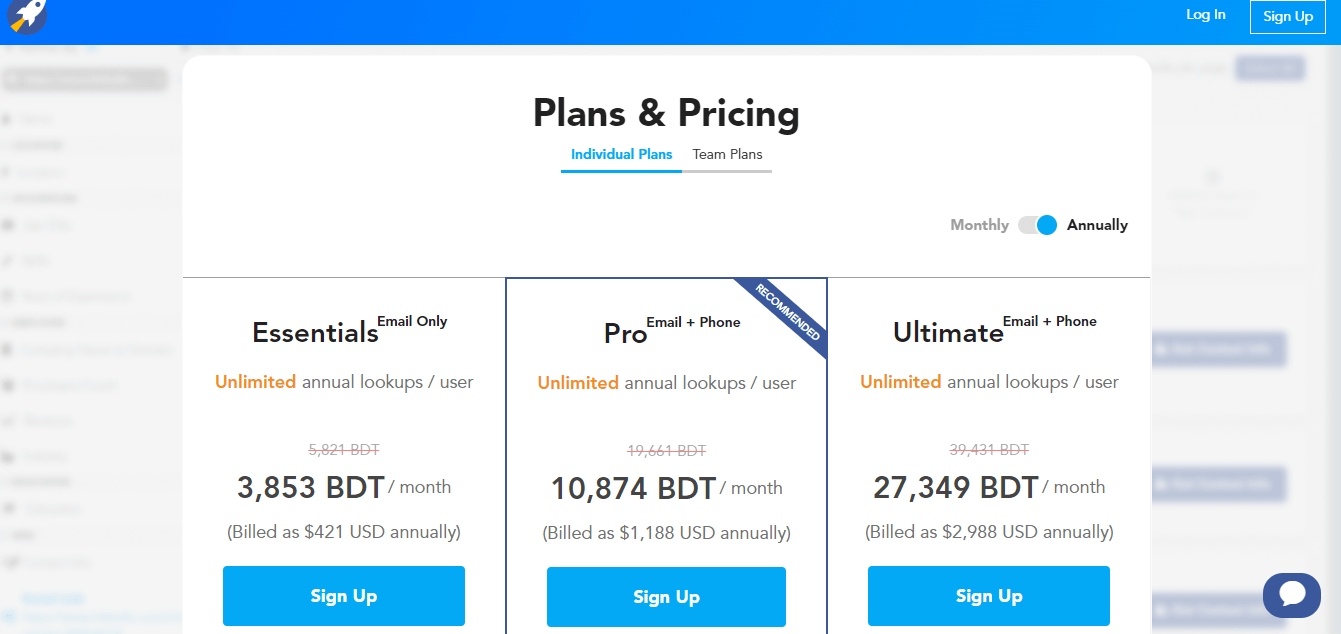
Customer Ratings
- G2: 4.5 · 636 reviews
- Capterra: 4.2 · 126 reviews
- Trustpilot: 4.4 · 204 reviews
Is RocketReach Better than SignalHire?
SignalHire is primarily aimed at hiring, with tools that support recruitment workflows and a candidate database.
RocketReach is broader in scope. It’s not just for hiring; it’s for anyone who needs to find and reach out to professionals, whether for sales, marketing, or networking.
SignalHire may suit teams focused mainly on hiring, while RocketReach may be worth considering for broader professional outreach, including sales, marketing, or networking. The better fit depends on your main use case.
Our Review of RocketReach
RocketReach’s intuitive design makes it approachable even for first-time users, and its data accuracy tends to hold up well across searches.
Pricing can be a concern for smaller teams, but the value it delivers for businesses that network regularly is generally worth the cost.
It’s a solid pick for anyone looking to expand professional connections efficiently. If you want, you can explore other alternatives to rocketreach also.
3. Tomba
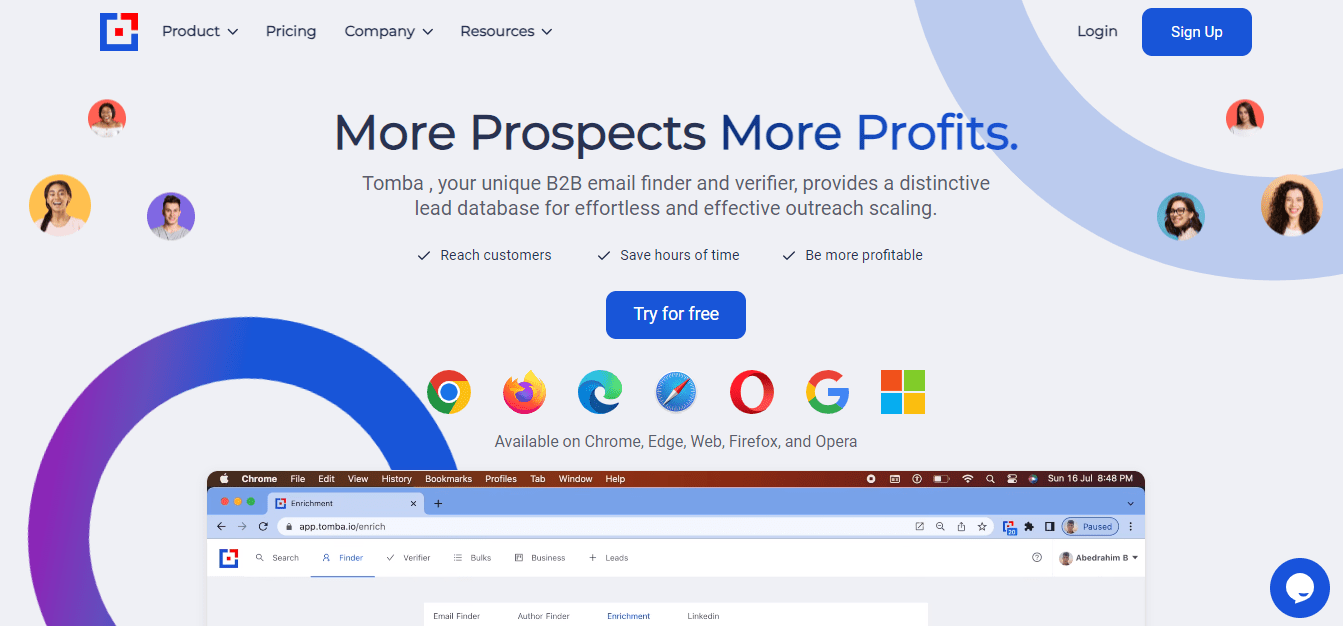
Tomba, launched in 2021, focuses on helping professionals find and verify email addresses, bridging the gap between businesses and potential leads whether they’re startups or established companies.
The team behind Tomba regularly updates the tool to keep pace with the competitive email-finding market, aiming to make lead generation more efficient.
At its core, Tomba is built around delivering reliable email-finding results rather than broader ATS or CRM functionality.
It’s worth pairing this with other techniques on how to find someone’s email address.
About Tomba
- Founding year: 2021
- Founding team: Mohamed Ben Rebia, Abedrahim Ben Rebia
Features of Tomba
- Multi-Platform Availability: Accessible via website and Chrome extension.
- Email Verification: Ensures the authenticity of the found email addresses.
- Bulk Search: Allows you to find multiple emails at once, enhancing efficiency.
- Integration Capabilities: Seamlessly integrates with platforms like LinkedIn.
- User Experience: Offers a simple and intuitive interface for ease of use.
- API Access: Provides API for developers to integrate Tomba’s functionality into other applications.
Pros and Cons of Using Tomba
Pros
- Accurate and reliable email finding.
- Quick verification of email authenticity.
- Seamless integration with platforms like LinkedIn.
- User-friendly interface ensures easy navigation.
- Efficient bulk search capability.
- API access for enhanced functionality.
Cons
- Might not always find personal email addresses.
- Limited free searches available.
Pricing
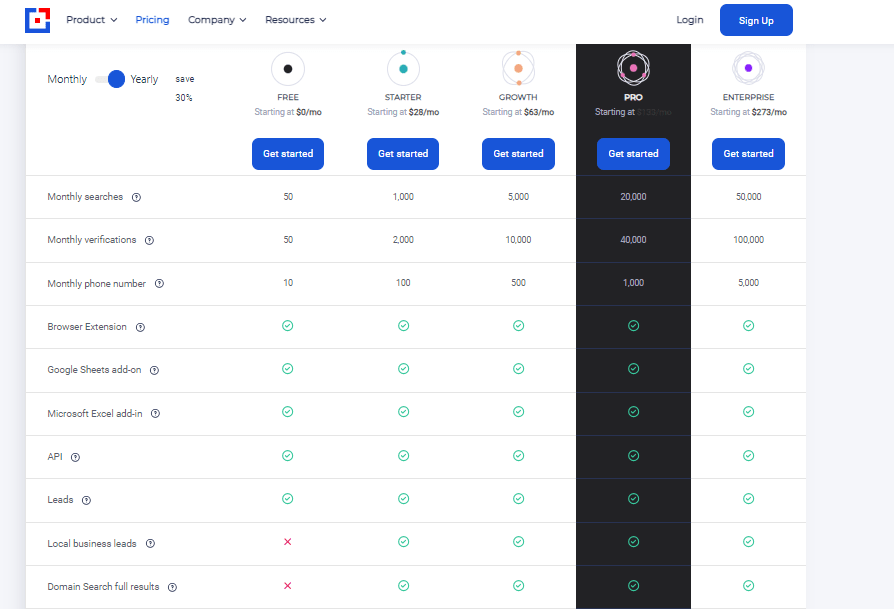
Customer Ratings
- G2: 4.7 · 21 reviews
- Capterra: 4.7 · 19 reviews
- Trustpilot: 4.3 · 14 reviews
Is Tomba Better than SignalHire?
Tomba focuses on finding and verifying email addresses, while SignalHire is positioned more broadly around candidate sourcing and recruitment workflows.
For teams whose main need is professional email finding and verification, Tomba is the more focused option described here.
Its integration with LinkedIn adds to its usefulness as a targeted SignalHire alternative for email finding.
Our Review of Tomba
Tomba does a solid job finding and verifying professional email addresses, and its interface is straightforward enough for new users to pick up quickly.
Integration with LinkedIn works smoothly, which speeds up the overall process.
Free search limits are a real constraint, but the core experience holds up well for sales, marketing, or recruitment use.
4. Wiza
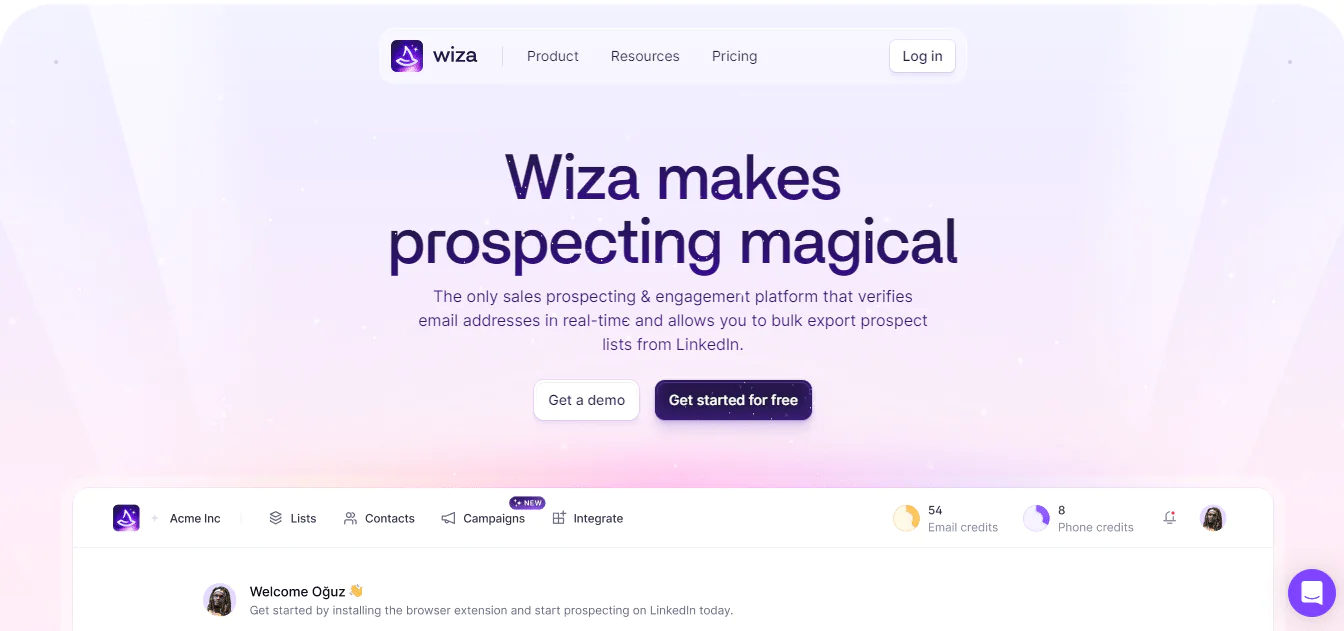
Wiza focuses on LinkedIn-based prospecting, helping users find contact emails and phone numbers associated with LinkedIn profiles.
The platform integrates with LinkedIn via a Chrome extension, allowing for fast, targeted data extraction rather than broad database searches.
Wiza emphasizes accuracy and speed, and extends beyond basic email finding with features like scraping large batches of LinkedIn profiles, verifying email deliverability, and enriching LinkedIn leads with additional data points.
About Wiza
- Founding year: 2019
- Founding team: Wiza Hidayat
Features of Wiza
- LinkedIn Integration: Directly extract contacts from LinkedIn.
- Email Verification: Ensures the authenticity of the extracted emails.
- Seamless Outreach: Streamlines the process of reaching out to potential leads.
- Platform Availability: Available as a web-based platform.
- User Experience: Offers an intuitive and user-friendly interface.
- Integrations: Easily integrates with other platforms for enhanced functionality.
Pros and Cons of Using Wiza:
Pros
- Efficient extraction of LinkedIn contacts.
- Provides verified email addresses.
- Enhances lead generation efforts.
- Simplifies the outreach process.
- Offers a user-friendly interface.
- Supports easy integration with other tools.
Cons
- Pricing can be a concern for some users.
- Limited to LinkedIn for contact extraction.
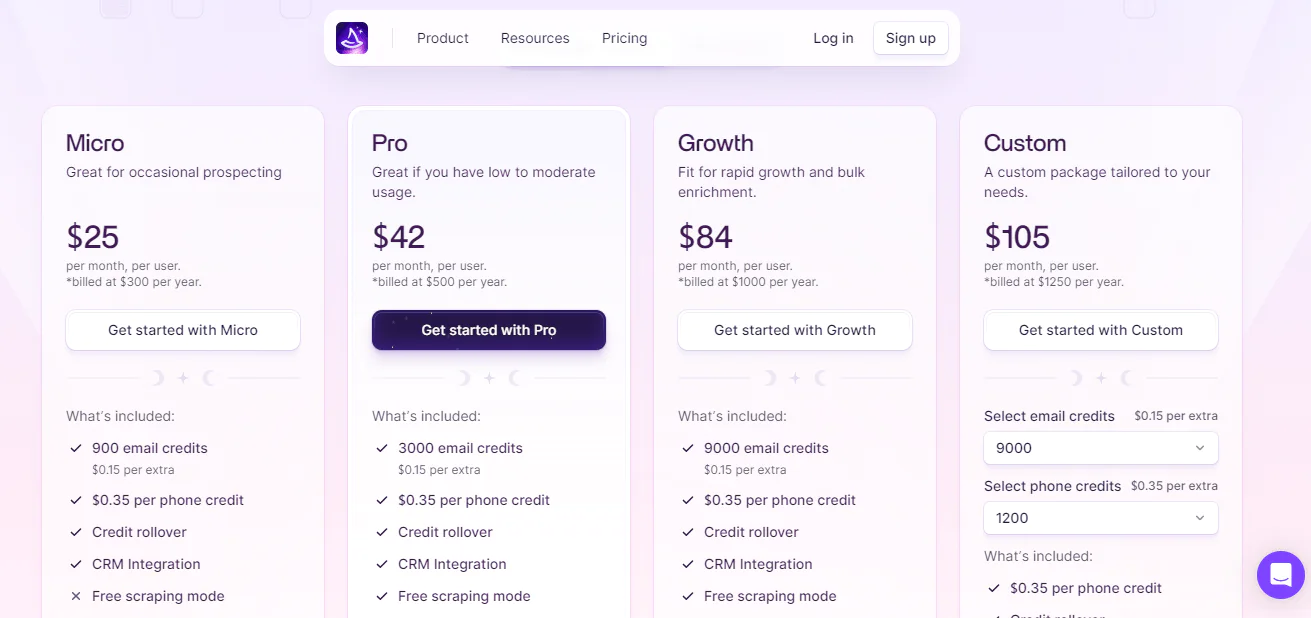
Pricing
Customer Ratings
- G2: 4.4 · 53 reviews
- Capterra: 4.5 · 19 reviews
Is Wiza Better than SignalHire?
Wiza focuses on finding email addresses from LinkedIn profiles and supports LinkedIn Sales Navigator workflows, according to the article.
SignalHire brings a much larger general database, making it a stronger option for broad talent acquisition.
Where Wiza stands out is its email verification feature, which helps keep outreach reliable.
For businesses focused on B2B outreach through LinkedIn, Wiza’s specialized lead-generation workflow may be a better fit than SignalHire’s broader approach.
Our Review of Wiza
Wiza’s simplicity is its main strength: it extracts and verifies LinkedIn emails quickly, without a steep learning curve.
The interface is straightforward, and email verification can help teams check addresses before launching campaigns.
It’s a solid choice for anyone leaning heavily on LinkedIn for outreach.
5. BrightMove
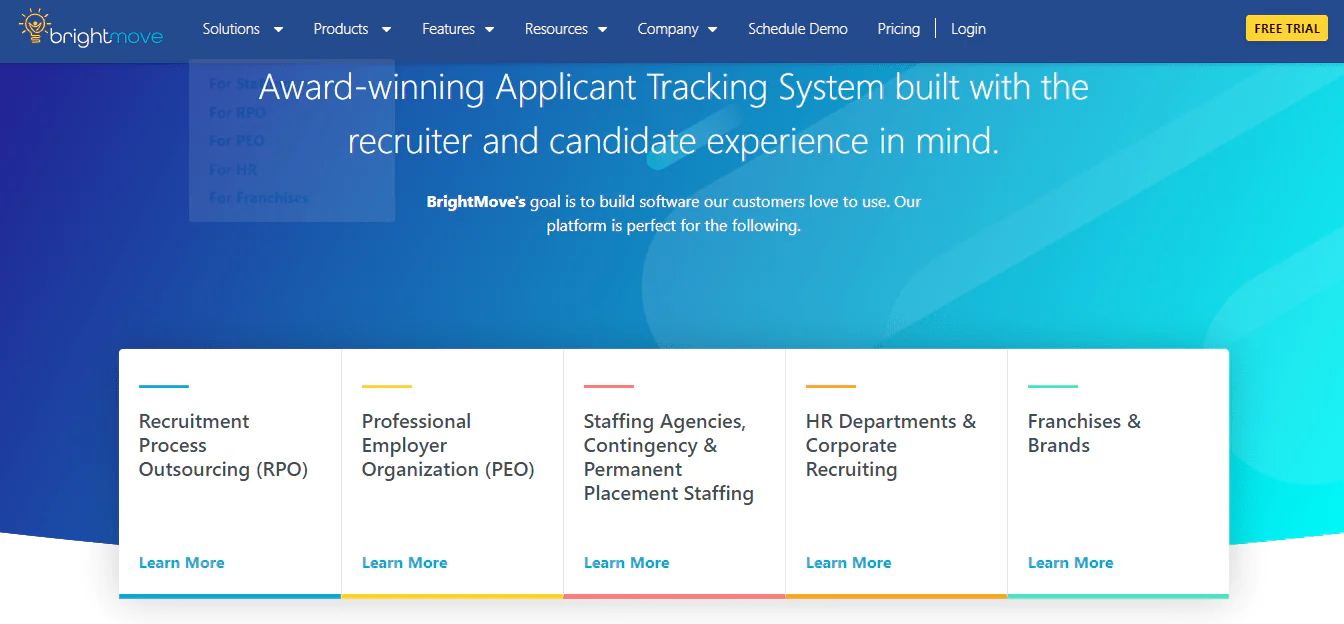
BrightMove is a comprehensive applicant tracking system (ATS) designed to streamline recruitment processes. Its cloud-based platform serves staffing agencies, PEOs, and HR departments that need structured candidate management.
BrightMove combines an interface with recruitment features intended to support candidate management, hiring-team collaboration, and the hiring process.
About BrightMove
- Founding year: 2005
- Founding team: David T. Webb
Features of BrightMove
- Cloud-Based Platform: Accessible from anywhere, ensuring flexibility in recruitment processes.
- Advanced Candidate Management: Efficiently track and manage potential hires throughout the hiring journey.
- Intuitive User Interface: Designed for ease of use, reducing the learning curve for new users.
- Job Posting: Easily post job openings to multiple job boards with a single click.
- Collaborative Hiring: Enhances teamwork among hiring members, ensuring a unified approach.
- Integration Capabilities: Seamlessly integrates with various tools and platforms for a holistic recruitment approach.
- Robust Reporting: Offers insightful reports to make data-driven decisions.
Pros and Cons of Using BrightMove
Pros
- Smooth recruitment processes with efficient candidate management.
- Cloud-based platforms ensure accessibility from anywhere.
- Intuitive user interface reduces the learning curve.
- Seamless integrations with various platforms enhance functionality.
- Advanced reporting tools for insightful decision-making.
- Collaborative hiring features promote teamwork.
Cons
- Some features might require a learning curve for complete utilization.
- Pricing might be on the higher side for smaller organizations.
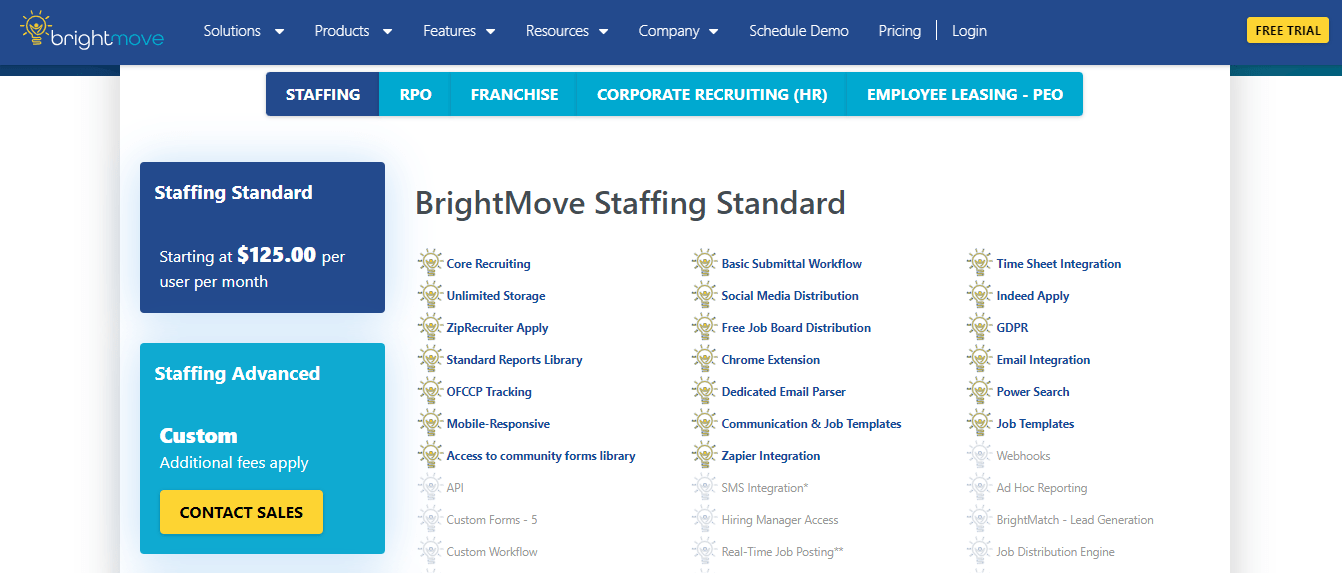
Pricing
Customer Ratings
- G2: 3.6 · 13 reviews
- Capterra: 4.3 · 274 reviews
Is BrightMove Better than SignalHire?
BrightMove is a full applicant tracking system (ATS) with a cloud-based platform and structured hiring workflows, while SignalHire is presented primarily as a sourcing and contact-lookup tool.
SignalHire focuses on candidate sourcing and contact lookups. BrightMove may suit organizations that need a broader hiring system rather than a sourcing add-on.
The right pick ultimately depends on whether you need a sourcing tool or a full applicant tracking system.
Our Review of BrightMove
BrightMove is a capable ATS built with the user in mind. Its cloud-based structure adds flexibility, and the interface is generally easy to navigate.
Features like job posting and collaborative hiring make it a well-rounded tool for recruitment teams.
Pricing isn’t fully transparent up front, which can be a hurdle during evaluation, but the overall feature set makes it worth a look for teams optimizing their hiring process.
How to Choose the Best SignalHire Alternative for Your Business
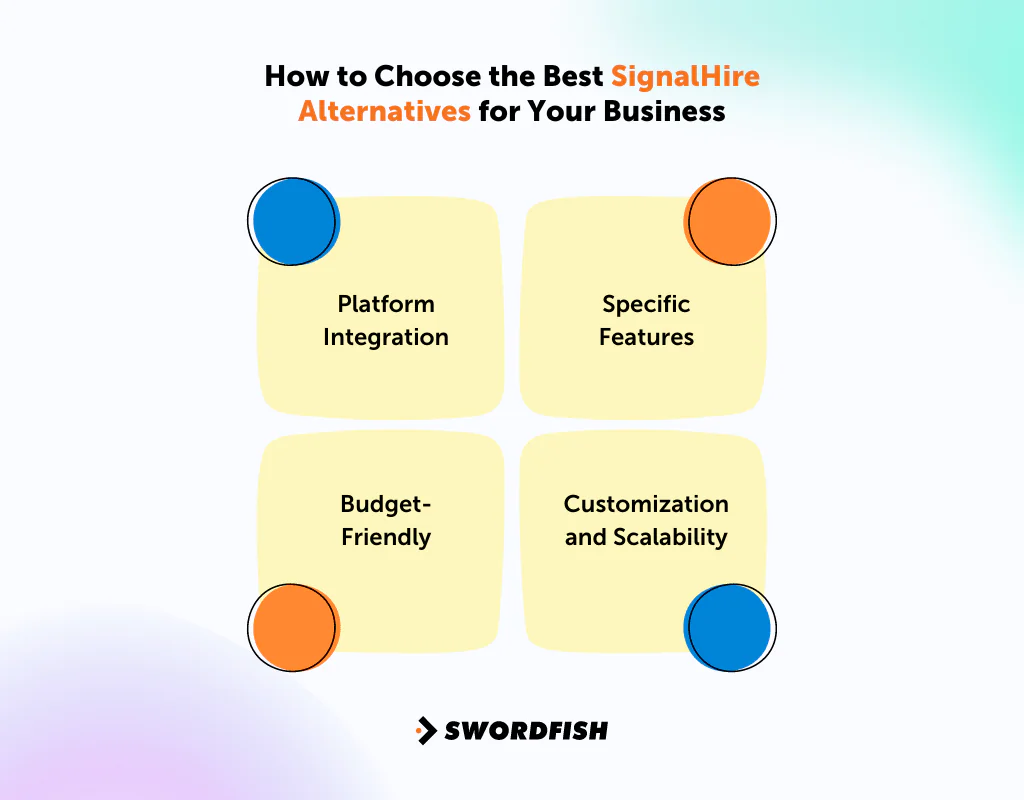
A few practical checks make the decision easier —
Platform Integration
Check that any alternative integrates cleanly with the CRM, ATS, or outreach tools your team already uses. Integration gaps tend to cause more friction than missing features.
Specific Features
Every business has unique needs. If SignalHire is missing a specific feature you rely on, look for alternatives that cover that gap directly rather than settling for a close match.
Budget-Friendly
Cost is always a factor. Compare per-credit pricing, seat limits, and contract terms across alternatives, not just the headline price.
Customization and Scalability
As your business grows, your tools should adapt with it. Favor alternatives that offer both customization options and room to scale as your prospecting volume increases.
Conclusion
The best SignalHire alternative depends on whether your priority is contact-data lookup, email finding, LinkedIn prospecting, or a full applicant tracking system.
The five alternatives serve different needs: Swordfish emphasizes contact and cell phone data, RocketReach offers broader professional search, Tomba focuses on email finding and verification, Wiza centers on LinkedIn prospecting, and BrightMove is an ATS.
Compare each platform’s stated features, integrations, pricing terms, and fit with your actual workflow before choosing. Coverage and results can vary, so test the data against your own requirements where possible.
Choose the tool that fits your workflow and lets your team evaluate the quality and consistency of its results.
Frequently Asked Questions
What is SignalHire?
SignalHire is a browser-based contact finder and recruiting platform that gathers data from public sources to surface real-time contact information and candidate insights.
How does SignalHire compare to its alternatives?
While SignalHire offers strong features for talent acquisition, alternatives like Swordfish, RocketReach, and Wiza bring different functionalities, integrations, and database coverage tailored to different business needs.
Are there free alternatives to SignalHire?
Yes, several tools offer free tiers or trial credits, but their features and database coverage vary quite a bit. It’s worth testing each tool’s actual output before committing.
How reliable are the contact details provided by SignalHire alternatives?
Reliability varies by platform. Many alternatives, like Wiza and RocketReach, include email verification features specifically to improve accuracy before you send an outreach campaign.
Can I integrate SignalHire alternatives with other platforms?
Yes, many alternatives offer integrations with popular CRM systems, applicant tracking systems, and other tools to streamline recruitment and outreach.
What are the pricing options for SignalHire?
SignalHire offers a platform for talent acquisition and recruitment professionals built around real-time candidate sourcing, contact information retrieval, and recruitment analytics.
Understanding the cost tied to a platform like this matters when planning a recruitment budget. SignalHire’s pricing structure includes multiple subscription tiers designed to scale from small startups to larger enterprises, with plans generally priced per credit rather than a single flat rate.

