


 View Products


Key takeaways
- Choose an ATS for hiring workflow, reporting, integrations, and compliance—not as a standalone fix for candidate reachability.
- Separate ATS selection from sourcing and contact-data decisions so each tool addresses the right bottleneck.
- Compare stage controls, scorecards, scheduling, reporting, integrations, and compliance features against your team’s requirements.
- Use diagnostic measures such as stage aging, time from screen to scheduled interview, and outreach outcomes to locate delays.
- Set clear policies for consent, opt-outs, contact frequency, and data retention before using phone outreach or re-engaging past candidates.
Last updated: September 3, 2026
- Core concept
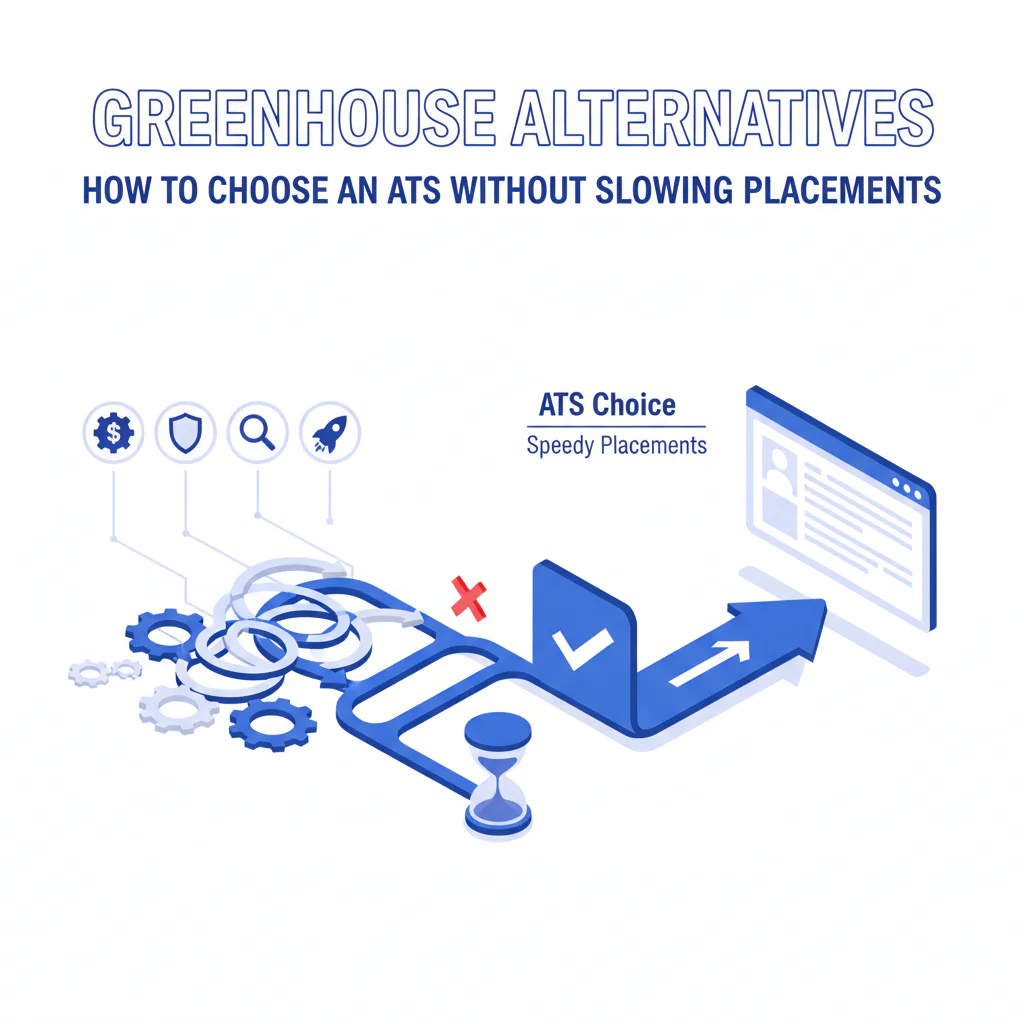
- Greenhouse alternatives are other applicant tracking systems (ATS). Choose an ATS for pipeline control, reporting, integrations, and compliance, then separately solve sourcing and contact data so outreach and scheduling move faster.
- Key takeaway
- If your outreach can’t reliably reach candidates, an ATS change won’t fix response rates; treat ATS selection as separate from sourcing and contact data so you can improve reply rate and time-to-first-conversation in parallel.
- Ideal candidate profile
- Recruiting leaders and recruiting ops teams evaluating Greenhouse alternatives who want the right ATS workflow plus better reachability for passive candidates, silver medalists, hard-to-reach roles, and agency recruiting coordination.
By Ben Argeband, Founder & CEO of Swordfish.AI
Greenhouse alternatives are other applicant tracking systems (ATS). Choose an ATS to manage workflow, reporting, integrations, and compliance; address candidate discovery and contact reachability separately with sourcing and contact data tools. This helps teams reduce delays between a candidate being qualified and getting scheduled without expecting an ATS change alone to improve outreach response.
Before switching ATS, identify the bottleneck: pipeline control and reporting are ATS problems, while outreach response may be a sourcing, messaging, channel, or contact-data problem. These require different tools. In healthcare recruiting, structured scorecards and stakeholder sign-off from clinical leaders can also slow decisions, sometimes more than outreach does.
Who this is for
- Teams evaluating Greenhouse alternatives because scheduling, feedback, or approvals are slowing offers.
- Recruiters working hard-to-reach roles where email-only outreach underperforms.
- Teams re-engaging silver medalists and needing consistent notes, tasks, and opt-out handling.
- Organizations coordinating agency recruiting and needing duplicate control and ownership rules.
What recruiters are trying to accomplish
- Placement speed: reduce time-to-first-conversation and time-to-interview by removing workflow friction.
- Candidate experience: reduce waiting time by tightening scheduling and feedback loops.
- Compliance: keep an auditable process with retention, access controls, and consistent disposition reasons.
Here’s the framework I use early in any evaluation: ATS vs sourcing vs data. An applicant tracking system runs the hiring pipeline and reporting. Sourcing tools help you find profiles. Contact data tools help you actually reach people. Mixing up these three decisions is how teams end up buying the wrong product for the bottleneck they actually have.
Greenhouse alternatives: what to compare (and why it affects speed)
ATS alternatives generally fall into three categories: workflow-first systems for stage control and governance, SMB-friendly systems for simpler setup and scheduling, and ATS-plus-CRM platforms for nurture and re-engagement. Compare each category against your actual bottleneck, and check what capabilities or process overhead come with the trade-off.
- Workflow-first ATS: best when your bottleneck is stage control, approvals, scorecards, and reporting. Outcome: fewer stalled candidates and cleaner audit trails.
- SMB-friendly ATS: best when you need fast setup and simple scheduling. Outcome: quicker time-to-value, but confirm reporting depth before scaling.
- ATS + CRM-leaning platforms: best when you need nurture and re-engagement for silver medalists. Outcome: better reactivation, but confirm the ATS side still enforces scorecards and permissions.
1) Workflow fit (pipeline design and governance)
Compare how each ATS handles stage design, scorecards, interview kits, and permissions. If hiring managers can skip steps or feedback is optional, decisions may take longer and downstream reporting may be weaker.
2) Scheduling and candidate communications
Scheduling speed can affect placement speed. Compare calendar automation, interviewer coordination, and candidate messaging templates. If scheduling still requires manual back-and-forth, candidates wait and some may drop out.
3) Reporting that answers operational questions
Check whether the ATS reports stage aging, conversion rates, and where candidates stall. These measures help identify bottlenecks to address.
4) Integrations and data flow
Confirm that the ATS integrates with your HRIS, assessment tools, and background-check providers. Gaps can create manual re-entry work, which may slow placements and introduce data errors.
5) Compliance controls
Confirm retention policies, role-based access, audit logs, and how opt-outs are stored and enforced. These controls are particularly important when supporting agency recruiting, operating across regions, or handling credentialing and licensure data common in healthcare hiring.
Checklist: Diagnostic Table
| Symptom | Likely root cause | What to check (fast) | Fix tied to business outcome |
|---|---|---|---|
| Low reply rate from passive candidates | Contact data is stale or wrong | Sample 25 prospects; verify how many emails bounce and how many numbers are disconnected | Add a reachability layer with verified contact data to reduce wasted touches and shorten time-to-first-conversation |
| High “seen/no response” on LinkedIn | Channel saturation; message lacks specificity | Compare response by channel (InMail vs email vs phone) for the same role | Use a multi-channel sequence so you’re not dependent on one inbox, improving speed on hard-to-reach roles |
| Recruiters spend hours searching for contact details | No standardized sourcing + data workflow | Time a recruiter from profile to first outreach across 10 prospects | Reduce time-per-prospect so recruiters run more qualified conversations per week |
| Strong candidates drop after the first call | Slow scheduling and unclear next steps | Median time from screen to interview scheduled | Improve scheduling and next-step clarity to reduce drop-off and protect candidate experience |
| Silver medalists don’t convert when re-contacted | Re-engagement is inconsistent; notes aren’t actionable | Audit 20 past finalists: do you have reason codes, comp notes, and re-contact dates? | Use structured disposition reasons and re-engagement tasks to fill faster with warm talent |
| Hiring managers say “too many unqualified” | Intake is weak; scorecards aren’t enforced | Check whether every req has a scorecard and knockout criteria | Better intake reduces rework and speeds decisions |
| Agency recruiting submissions create duplicates | Duplicate detection and ownership rules are unclear | Test duplicate merge rules and agency submission workflow | Cleaner ownership reduces disputes and prevents candidate spam |
| Compliance concerns around outreach | No policy for consent, retention, and do-not-contact | Confirm where opt-outs are stored and enforced | Clear policy reduces risk while keeping outreach consistent |
Ethical use of phone numbers
Phone outreach may shorten time-to-first-conversation, but it requires controls for consent, opt-outs, and contact frequency. The goal is to reach candidates appropriately, not to increase volume for its own sake.
- Consent and expectations: follow your internal policy and local requirements for outreach and recordkeeping.
- Opt-out enforcement: store opt-outs in a place recruiters and agency recruiting partners can’t miss.
- Frequency limits: cap attempts per channel per week to avoid candidate fatigue.
- Transparency: identify yourself and the role, and provide a clear opt-out in text outreach.
- Data minimization: store only what you need in the ATS/CRM and follow retention rules.
Sourcing workflow
This workflow keeps the ATS decision clean while still improving outreach outcomes. It’s the operational version of ATS vs sourcing vs data.
- Select the ATS for workflow and compliance: stages, scorecards, scheduling, approvals, reporting, and permissions.
- Use sourcing tools for discovery: build targeted lists for hard-to-reach roles and priority pipelines.
- Add contact data tools for reachability: verified emails and phone numbers so recruiters spend time on conversations, not searching.
- Run a consistent sequence: email + LinkedIn + phone where appropriate, with stop rules and opt-out handling.
- Log outcomes back into the ATS: touches, outcomes, and disposition reasons so reporting stays accurate.
Decision Tree: Weighted Checklist
Decision heuristic: score each ATS alternative using weights based on the failure points that most commonly slow placements: workflow friction, reporting gaps, integration overhead, and compliance risk. Use a 1–5 score per line item, then multiply by the weight.
| Category | Weight | What “good” looks like | Why it affects speed / experience / compliance |
|---|---|---|---|
| Pipeline workflow & scorecards | High | Flexible stages, enforced scorecards, clear ownership, easy approvals | Reduces rework and decision latency; improves auditability |
| Scheduling & candidate communications | High | Fast scheduling, templates, consistent candidate updates | Reduces drop-off and protects candidate experience |
| Reporting & funnel visibility | High | Stage conversion, aging, source quality, SLA tracking | Lets you remove bottlenecks that extend time-to-fill |
| Integrations (HRIS, assessments, background) | High | Stable integrations, clean APIs, minimal manual work | Prevents operational drag and data inconsistency |
| Compliance controls & audit trail | High | Retention, access controls, logging, consent/opt-out handling | Reduces risk while keeping process consistent |
| Recruiter usability | Medium | Fast navigation, bulk actions, low click count | Improves throughput per recruiter |
| Hiring manager experience | Medium | Simple feedback capture, clear next steps, reminders | Speeds feedback loops and reduces candidate waiting time |
| Implementation effort | Medium | Reasonable configuration, migration support, training | Shortens time-to-value and reduces change fatigue |
| Total cost of ownership | Medium | Transparent pricing, predictable add-ons | Prevents budget surprises that stall rollout |
| Extensibility for recruiting CRM / talent pools | Low | Basic nurture, tagging, and re-engagement workflows | Helps with silver medalists, but shouldn’t outweigh core ATS workflow |
Outreach templates
These templates aim to reduce back-and-forth and support a clear candidate experience. Use them with accurate contact data and a clear intake process, and adapt them to your organization’s outreach policies.
Troubleshooting Table: Outreach Templates
Template 1: Passive candidate (email)
Subject: Quick question about your [specialty] work
Hi [First Name] — I’m hiring for a [Role Title] on [Team] at [Company]. I’m reaching out because your experience with [specific signal] matches what we need.
Are you open to a 10–15 minute call this week? If not, is there someone you’d recommend who’s strong in [skill]?
If you prefer, reply with “not interested” and I won’t follow up again.
— [Your Name]
Template 2: Hard-to-reach role (text message)
Hi [First Name] — this is [Your Name] with [Company]. I’m hiring a [Role Title]. Your background in [signal] stood out. Are you open to a quick call today or tomorrow? Reply STOP to opt out.
Template 3: Silver medalist re-engagement (email)
Subject: Reconnecting about [Role/Team] at [Company]
Hi [First Name] — we spoke previously about [prior role]. We have a new opening on [Team] that addresses the main gap from last time: [one sentence: comp/level/scope/location].
Would you be open to a short call to see if timing is better? If not, reply “no” and I’ll close the loop.
— [Your Name]
Template 4: Agency recruiting coordination (email to agency recruiter)
Subject: Submission rules + interview plan for [Req Name]
Hi [Agency Partner Name] — to avoid duplicates and protect candidate experience, please follow these rules for [Req Name]:
- Submit only after confirming interest and compensation range alignment.
- Include: resume, LinkedIn, location, work authorization, notice period, and two availability windows.
- Do not contact candidates already in process; I’ll confirm ownership within [X] business hours.
Our interview plan is: [stages]. If you send 3 candidates who meet the must-haves, we’ll commit to feedback within [SLA].
— [Your Name]
Evidence and trust notes
An ATS shapes workflow, reporting, and compliance; it does not, by itself, improve candidate reachability. Keep ATS selection separate from sourcing and contact-data decisions, then connect them through a consistent workflow and accurate logging in the ATS.
Outreach rules vary by jurisdiction and company policy, including for candidates with clinical licenses or employer non-solicitation terms. Align consent, opt-out, and retention practices with internal guidance and applicable requirements so recruiters can work consistently while reducing compliance gaps.
For broader context on the recruiting tech stack, see top 10 best recruiting software and recruiting contact data.
FAQs
What is an ATS, and what should it do well?
An applicant tracking system manages the hiring pipeline: stages, scorecards, interview feedback, approvals, offers, and reporting. It should reduce process friction, support compliance needs, and keep candidate communication consistent.
Are Greenhouse alternatives the same as recruiting CRM tools?
No. A recruiting CRM is typically used for nurturing talent pools and outbound sequences. An ATS is the system of record for applicants and hiring workflow. Use the ATS vs sourcing vs data framework to avoid buying a CRM when your bottleneck is actually pipeline control.
Will switching ATS improve response rates from passive candidates?
Not by itself. Response rates are driven by targeting, message quality, channel mix, and reachability. An ATS change can improve speed after a candidate engages, but it won’t fix missing or inaccurate contact data.
How do we reduce time-to-fill for hard-to-reach roles?
Use an ATS that removes scheduling and feedback delays, then run a consistent sourcing workflow with verified contact data so recruiters can reach qualified prospects quickly and log outcomes back into the ATS.
How should we handle silver medalists in a compliant way?
Use job-related disposition reasons, set re-contact tasks, and honor opt-outs. Store only necessary data and follow your retention policy.
Are greenhouse alternatives the same as recruiting CRM tools?
No. A recruiting CRM is typically used for nurturing talent pools and outbound sequences. An ATS is the system of record for applicants and hiring workflow. Use the ATS vs sourcing vs data framework to avoid buying a CRM when your bottleneck is pipeline control.
Next steps
Week 1 (requirements): Document your bottlenecks (scheduling delays, feedback latency, duplicate handling, agency recruiting rules). Define non-negotiables for workflow, reporting, integrations, and compliance.
Week 2 (shortlist + demos): Demo 3–5 ATS alternatives using the same script: create a req, move a candidate through stages, schedule interviews, capture scorecards, and generate funnel reporting.
Week 3 (pilot): Pilot on 1–2 roles. Track time-to-schedule and stage aging. Validate that recruiters can log outreach outcomes without extra clicks.
Week 4 (migration plan + rollout): Map data fields, confirm historical candidate handling, and test integrations end-to-end. Confirm reporting continuity by aligning stage definitions, source tracking, and historical funnel reporting before full rollout. Train recruiters and hiring managers on scorecards, ownership rules, and feedback SLAs.
About the Author
Ben Argeband is the Founder and CEO of Swordfish.ai and Heartbeat.ai. With deep expertise in data and SaaS, he has built two successful platforms trusted by over 50,000 sales and recruitment professionals. Ben’s mission is to help teams find direct contact information for hard-to-reach professionals and decision-makers, providing the shortest route to their next win. Connect with Ben on LinkedIn.

