


 View Products


Key takeaways
- LinkedIn lead generation combines audience targeting, useful content, and relevant outreach.
- A clearly defined ideal customer profile helps teams focus LinkedIn searches and campaigns.
- Account-based marketing can align sales and marketing around a defined set of target accounts.
- Test content, timing, and ad approaches with campaign data instead of treating suggested tactics as universal rules.
- Review current platform features and compliance requirements before using audience lists, tracking tags, or contact data.
Last updated: September 3, 2026
LinkedIn differs from many social platforms because it centers on professional identity. That makes it a natural place for B2B teams to find and engage potential buyers.
In fact, 93% of B2B marketers prefer LinkedIn for generating high-quality leads, outperforming other major social networks. For healthcare organizations selling into hospitals, group practices, or telehealth networks, LinkedIn is often where the actual decision-makers spend their working hours.
A strong LinkedIn presence isn’t a nice-to-have anymore; it’s part of the standard playbook for any B2B growth plan. Below, we break down why LinkedIn works for lead generation and walk through 15 concrete strategies you can put to use.
What is Lead Generation?
Lead generation is the process of identifying and engaging potential clients for your business’s offerings. It includes various forms such as ‘Contact Us’, demo request forms, and those used for accessing gated content.
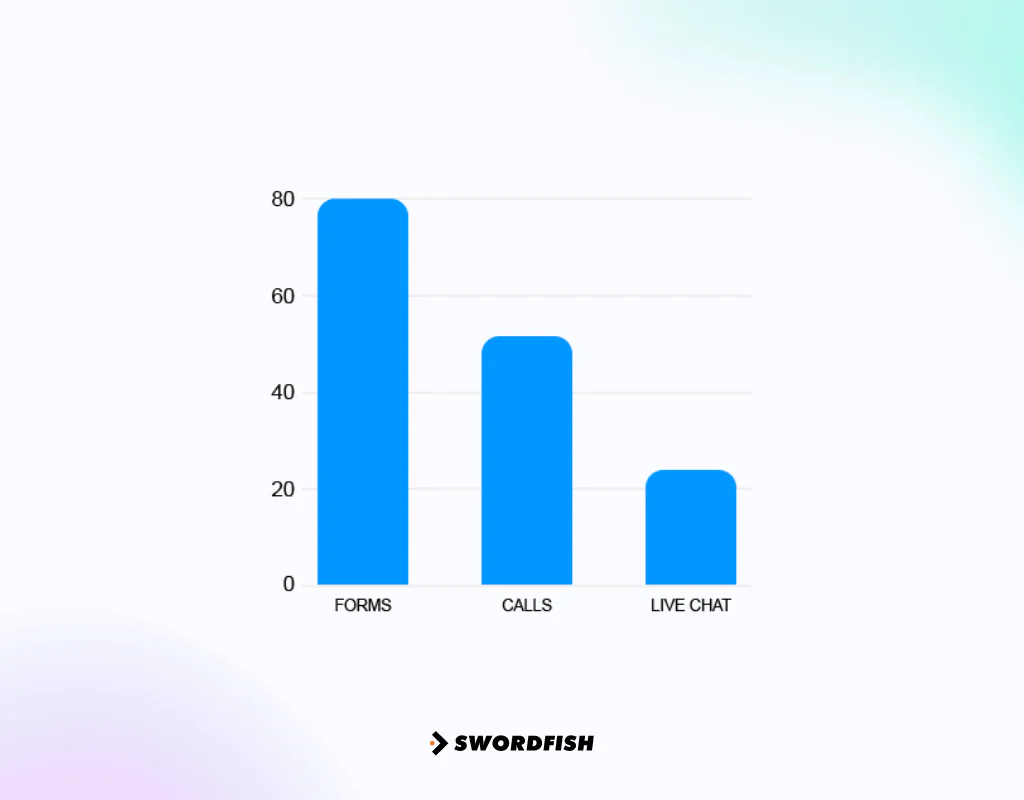
The goal is straightforward: turn interested prospects into paying customers. Done well, it drives both sales pipeline and long-term market visibility.
Lead generation matters most where the sales cycle is long and the price tag is high, which describes most B2B software and services. Visitors rarely buy on a first visit, so capturing contact details lets you nurture them with relevant content until they’re ready to talk to sales.
Once a lead shows real intent, a sales rep can step in directly. That said, this isn’t only a B2B tactic — ecommerce brands and service businesses rely on the same fundamentals.
Why Use LinkedIn for Lead Generation?
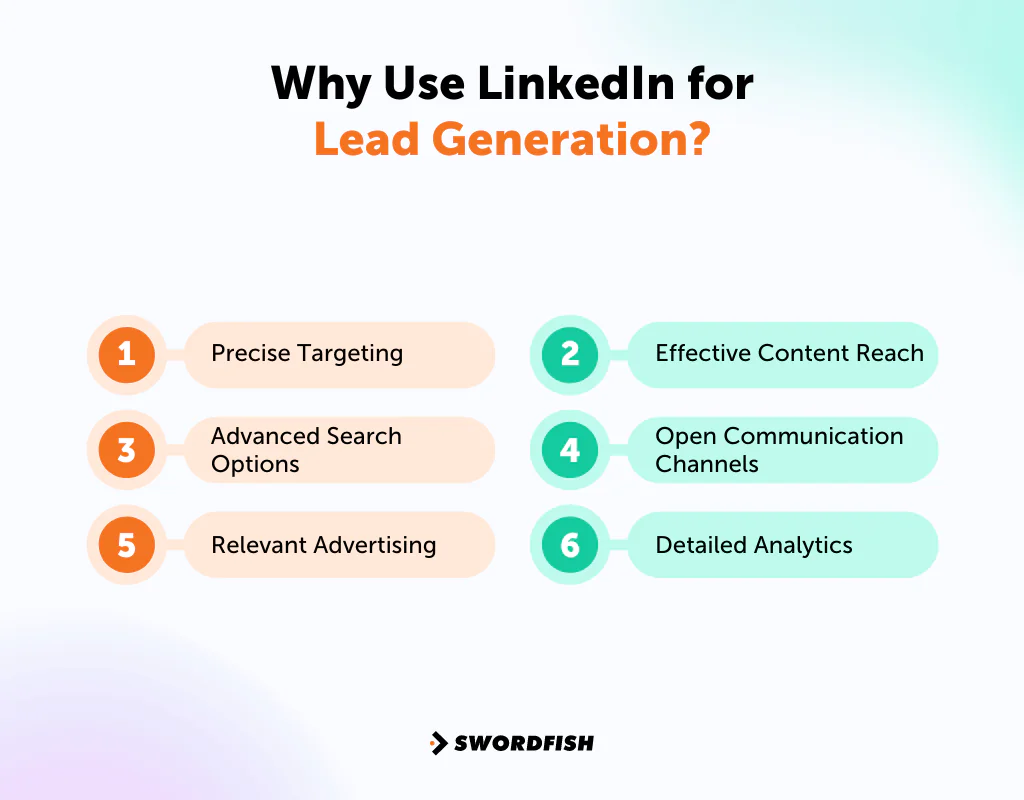
LinkedIn stands out as a B2B lead source for a few clear reasons:
- Access to Professional Data
- Business-Focused Environment
- Engaging News Feed
LinkedIn can support B2B lead generation through professional targeting, business-focused content, and advertising and messaging tools. The specific options available depend on the LinkedIn product and campaign setup.
1. Precise Targeting
LinkedIn’s targeting and search options can help you narrow an audience by professional attributes such as company, job title, interests, function, and past employer. Available filters vary by tool and account.
For example, you could look for people who previously worked at Expedia, were at Airbnb before that, and studied at the University of Washington. That level of layered filtering is hard to replicate elsewhere.
2. Advanced Search Options
LinkedIn Sales Navigator, built for sales teams, pushes those filters further. You can isolate remote workers, or founders currently raising funding. It also surfaces suggested leads based on your criteria and syncs with CRM systems so you can track conversations as they progress.
Before committing, it’s worth reviewing the LinkedIn Sales Navigator pricing plans to find the tier that fits your team’s budget and usage.
3. Relevant Advertising
Where you advertise matters as much as how much you spend. Lower-cost ad inventory on other platforms may bring in leads who are less likely to buy, so compare channels by lead quality and conversion outcomes—not cost alone.
LinkedIn is different. According to the Digital Trust report by Business Insider, LinkedIn’s Campaign Manager scores well on ad relevance, meaning people are more likely to engage with ads instead of scrolling past them.
4. Effective Content Reach
Publishing on LinkedIn has real upside: it’s a practical way to meet potential partners, reach prospective clients, and build relationships with peers in your industry. Users on the platform actively look for content that’s timely and useful.
A personalized content approach — posts that speak to a specific audience’s problems — tends to earn more visibility than generic promotional posts.
5. Open Communication Channels
Not connected to a prospect yet? That’s not a dead end on LinkedIn. InMail lets you message people outside your network. Data shows that InMail gets a response rate roughly three times higher than standard email.
Timing may affect response rates, but the best send time can vary by audience. Test different weekday time slots and compare results.
6. Detailed Analytics
Sales Navigator and Premium Business offer tools and signals that may help teams understand lead activity and prioritize outreach. Features and data availability can vary by product.
Used consistently, those tools can help teams organize prospecting and identify opportunities to streamline outreach.
Note: Have a look at Linkedin for sales prospecting.
The Advantages of Using LinkedIn Lead Generation
Here’s what you actually gain by building a LinkedIn-first B2B lead strategy.
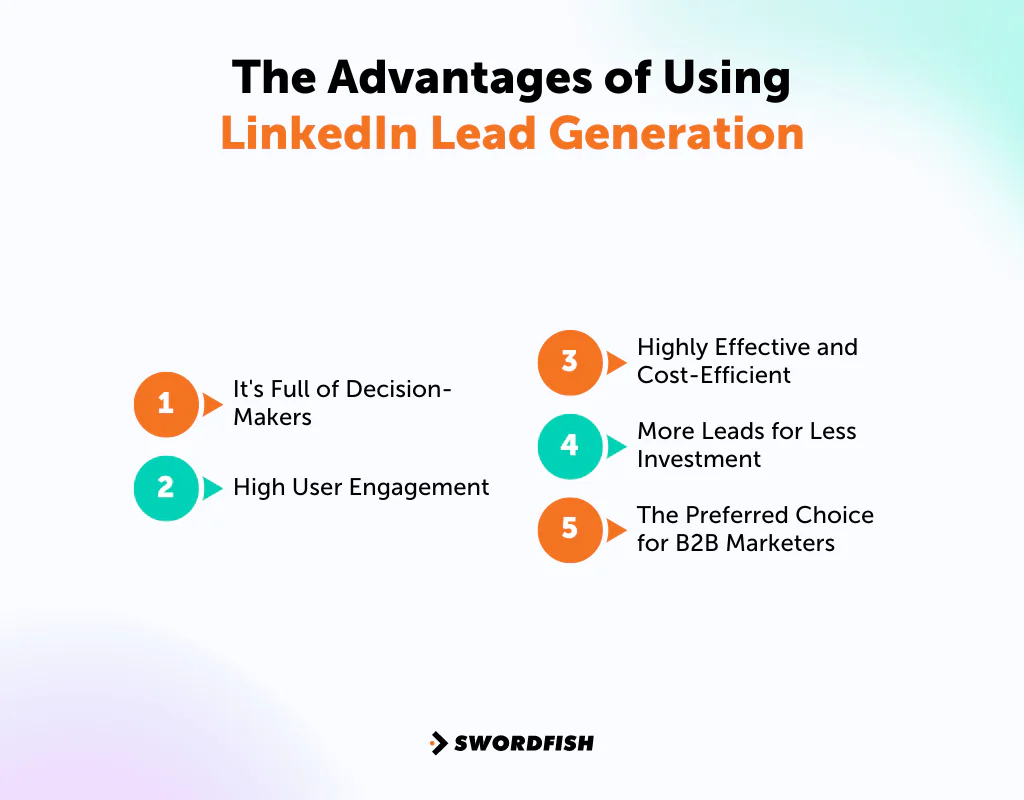
It’s Full of Decision-Makers
A meaningful share of LinkedIn’s user base, over 20%, have the authority to make purchasing decisions for their companies, including tens of millions of senior-level influencers and decision-makers.
LinkedIn’s presence among Fortune 500 companies can make it a useful place to look for potential buyers, though your target audience’s activity will depend on the industry and roles you want to reach.
High User Engagement
LinkedIn has a large user base and ongoing activity, creating opportunities to reach prospects more than once. Check current platform figures before using audience statistics in planning.
Highly Effective and Cost-Efficient
LinkedIn can be an important source of B2B social leads, but results depend on the audience, campaign, and measurement method. Review current research and your own campaign data before estimating its contribution.
Simplus, a Salesforce partner, credits 70% of their online form submissions to LinkedIn. NetBrain Technologies Inc. increased its click-through rate and saw its sales team accept 94% of leads sourced from the platform.
More Leads for Less Investment
You can start generating leads on LinkedIn without spending anything, and even paid campaigns often outperform equivalent spend on search or other social networks. HubSpot found that LinkedIn Sponsored Content produced twice as many conversions as Google Ads, even with a higher cost per click.
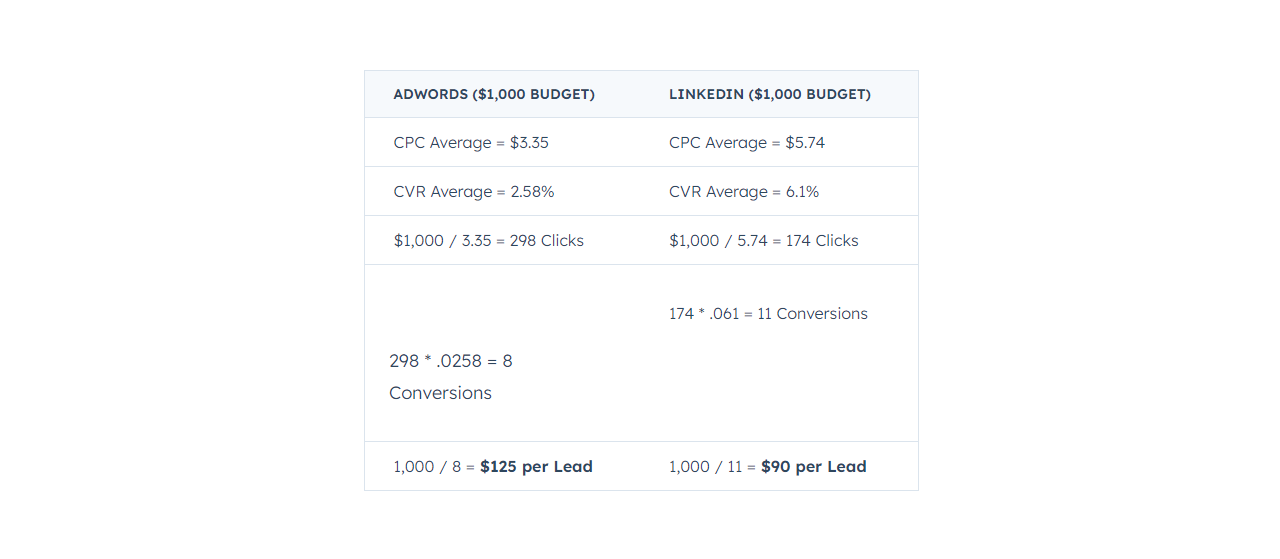
For illustration, the cited comparison estimates that a $1,000 LinkedIn budget could generate about 11 conversions at roughly $90 each, versus about 8 conversions at $125 each on Google Ads. Treat these figures as historical estimates, not a forecast for your campaign.
That gap is worth remembering when you’re deciding where to put a limited ad budget.
The Preferred Choice for B2B Marketers
LinkedIn says that 94% of B2B marketers share content on its platform. Either nearly every B2B marketer is wasting effort, or they’ve found something that works.
Given that most of your competitors are likely already active there, sitting out isn’t really a neutral choice.
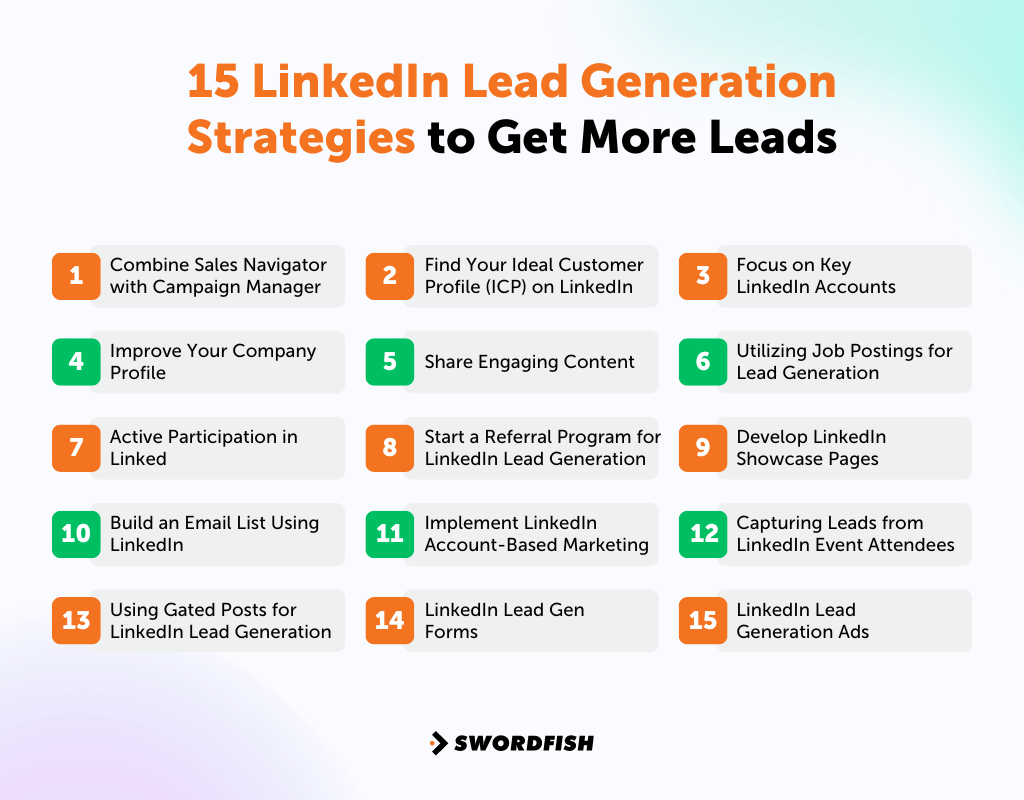
15 LinkedIn Lead Generation Strategies to Get More Leads
Here are 15 practical tactics for turning LinkedIn activity into qualified leads.
1. Combine Sales Navigator with Campaign Manager
Use Sales Navigator to build lists of accounts your sales team has identified as a good fit. This can support account-based marketing, where campaigns are tailored to a defined set of target accounts.
Where available, connecting Sales Navigator and Campaign Manager can help align ad targeting with the accounts sales is prioritizing.
2. Find Your Ideal Customer Profile (ICP) on LinkedIn
Getting real value from LinkedIn’s search filters starts with a clear ICP and buyer persona. If you’ve documented these already, the details in them are directly actionable inside LinkedIn’s search tools.
Set the filters in LinkedIn Premium or Sales Navigator to match those documents, then save the search URL so you can reuse it.
A search built around a clearly defined ICP gives your team a more consistent starting point than one based on vague assumptions.
3. Focus on Key LinkedIn Accounts
There are two main approaches here —
-
Upload a Contact List
For example, identify high-value accounts and, where available, upload their details as a Matched Audience for a campaign. Check LinkedIn’s current campaign options before relying on audience expansion features.
-
Retarget Website Visitors
The LinkedIn Insight Tag can help you build an audience of website visitors, such as people who read your blog, for relevant retargeting campaigns. Check LinkedIn’s current setup and consent requirements before using it.
4. Improve Your Company Profile
A visitor forms an impression fast. A clear headline, a strong cover image, and a bio that tells your company’s actual story go a long way. Testimonials and performance numbers add credibility.
A well-built profile keeps visitors from bouncing immediately, which gives you more chances to convert interest into a connection.
5. Share Engaging Content
Content that genuinely helps your audience can earn more engagement than posts focused only on promotion. An educational-first mix, such as the suggested 80/20 split, is a starting point to test—not a universal rule.
Test whether hashtags help your posts reach the right audience, and rotate who shares content: founders, team members, clients, and relevant industry voices. Consider including —
- Company blogs
- Event news
- Webinars
- Press releases
- Product updates
- Infographics
- Customer feedback
- Opinions on recent trends
These same principles apply whether you’re managing your own content calendar or working with an agency on white-label LinkedIn lead generation.
6. Utilizing Job Postings for Lead Generation
A new job posting can signal internal change. Possible signals include new funding, operational challenges, or a team departure.
- received new funding
- are experiencing issues
- someone is leaving the team
Each of these can point to a buying window. Search open roles, log the companies in a spreadsheet, identify the relevant decision-maker, and reach out directly.
For example, a firm that places sales specialists might search ‘Sales Manager’ openings on LinkedIn, then apply filters to narrow the results toward its ICP.
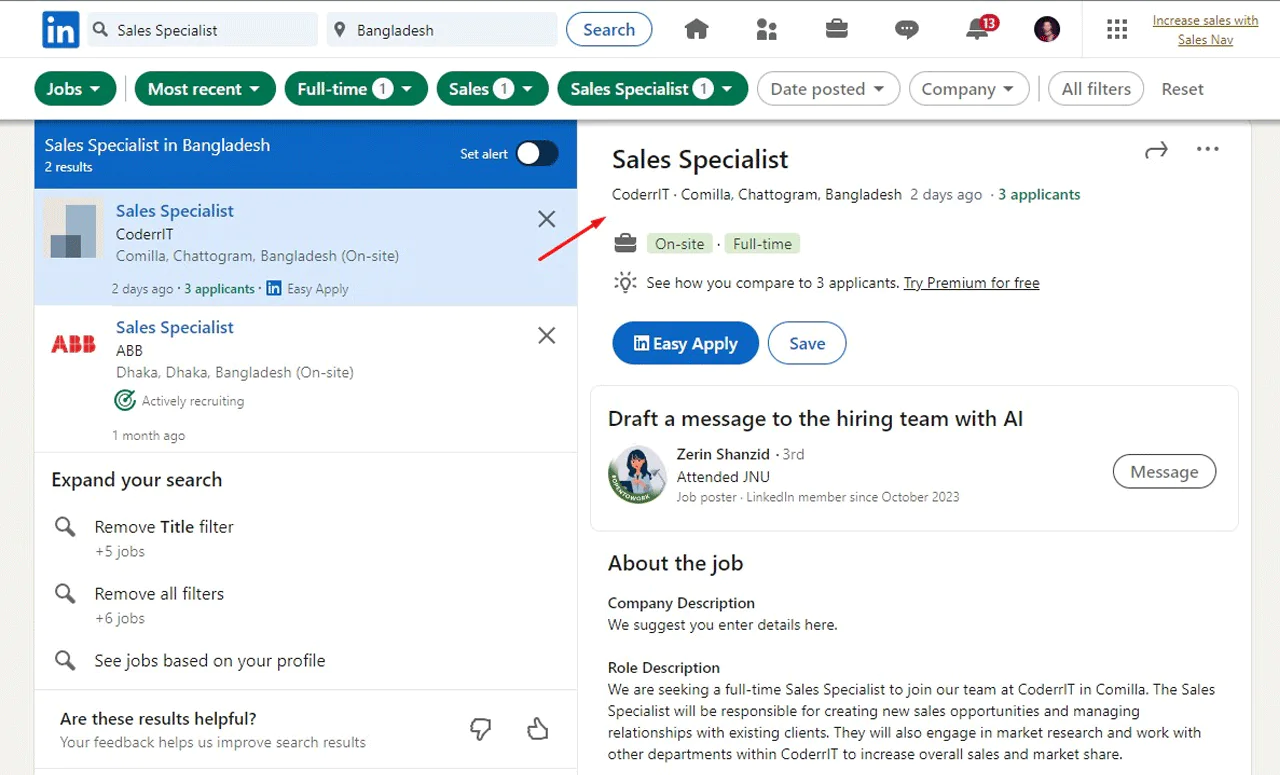
Once you’ve found a company, check its page for the right decision-maker and add them to a personalization spreadsheet. That extra step keeps outreach specific instead of generic.
7. Active Participation in Linked
Joining or starting LinkedIn groups can be another route to B2B leads. Smaller, moderated communities may offer more focused discussions than large, loosely run ones. Check LinkedIn’s current messaging limits before planning outreach to group members.
Use that access to join discussions, answer questions, and share resources rather than pitch immediately.
If you start your own group, put thought into the name and profile, and share content members can’t get elsewhere. Over time, active members often help recruit new ones and can turn into customers themselves.
8. Start a Referral Program for LinkedIn Lead Generation
LinkedIn’s networking strength doubles as a referral engine. Encourage existing customers to introduce you to relevant contacts.
One possible structure is to offer a discount when a customer refers a qualified lead who attends a demo, with the incentive adjusted for volume. Set clear eligibility terms and check applicable rules before launching a referral program.
9. Develop LinkedIn Showcase Pages
LinkedIn Showcase Pages work well for spotlighting a specific product line, service, or event to a narrower audience than your main company page. Think of them as sub-pages built around one audience’s interests.
This makes segmenting B2B leads far easier.
A useful tip: Size and characterize each target segment before building a showcase page around it, similar to what Golden Phase did.
Note: Have a look at cold messaging on LinkedIn.
10. Build an Email List Using LinkedIn
Offering something valuable in exchange for contact details is a proven way to grow an email list from LinkedIn traffic — an eBook, checklist, whitepaper, case study, roadmap presentation, quiz, or survey all work. Reviewing LinkedIn outreach message examples can help you see what effective outreach copy actually looks like.
11. Implement LinkedIn Account-Based Marketing
Account-based marketing on LinkedIn aligns sales and marketing more tightly than a typical inbound funnel, which matters if sales has been complaining about lead quality.
It flips the usual funnel, putting sales-defined targets in front of marketing tactics rather than the reverse.
Here’s how it works —
- Marketing and Sales jointly identify key accounts they aim to secure.
- Both teams coordinate their efforts to secure meetings with these accounts.
- Sales teams meet only with leads that are already qualified.
12. Capturing Leads from LinkedIn Event Attendees
LinkedIn events reveal a lot about what prospects care about. Here’s how to make use of that:
- Search for events your ideal audience is likely to attend.
- Select an event and click ‘Attend’ to register interest.
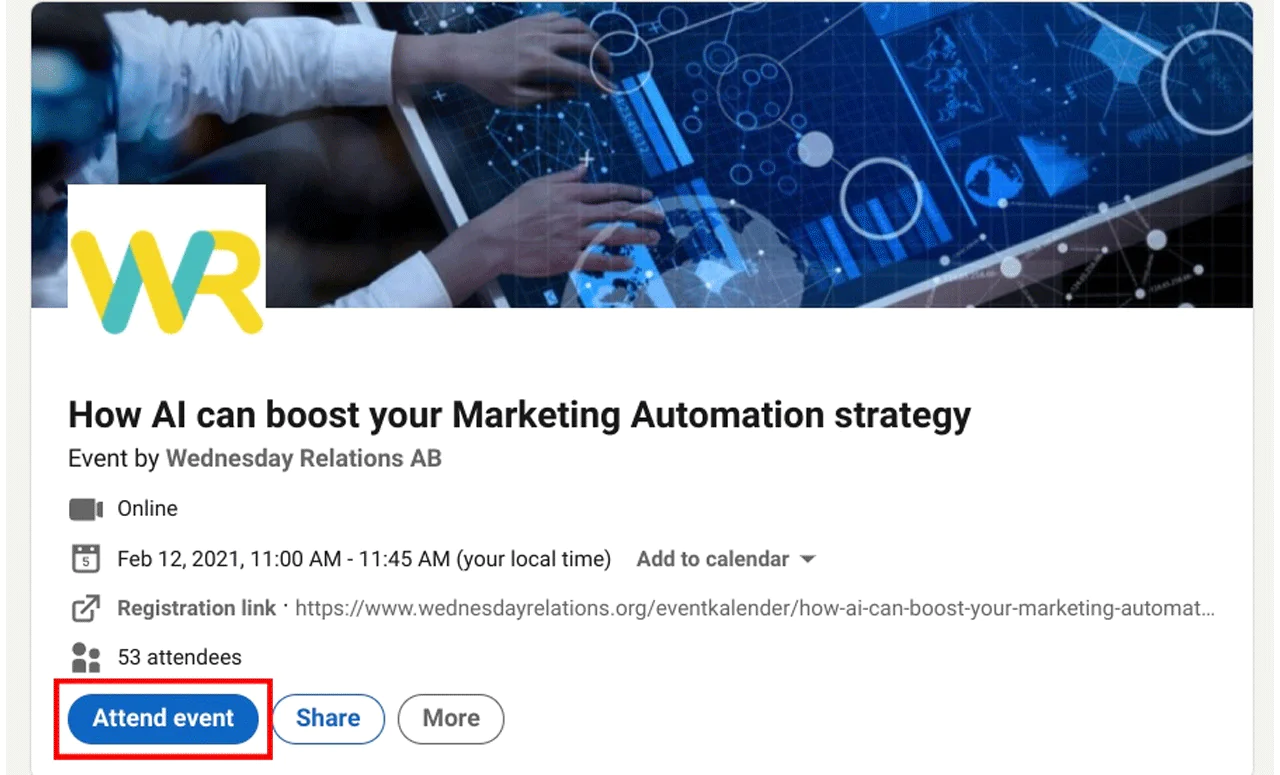
- Then access the attendee list via the ‘Attendees’ button.
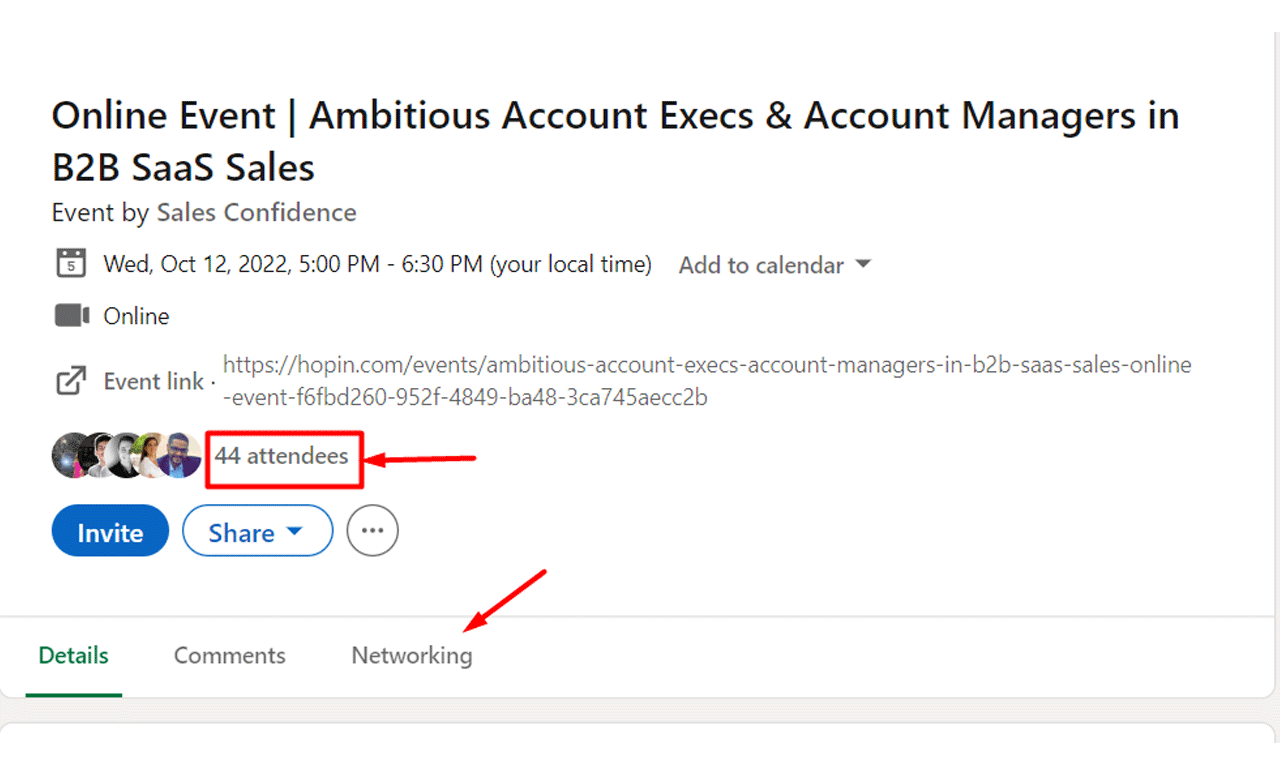
During the event itself, pay attention to the questions and comments from attendees. Those details are useful raw material for your follow-up outreach.
13. Using Gated Posts for LinkedIn Lead Generation
Gated content posts trade valuable information for contact details — usually through a form submission or a clear call to action. It’s a standard B2B tactic for a reason.
Sales reps can share gated content with their own networks too. The key is stating the benefit clearly in the post, then pointing readers to a landing page form, or inviting comments. This does two things:
- It increases engagement, which boosts the visibility of your post on LinkedIn (more engagement means more people see your post).
- It gives you a legitimate reason to reach out to interested leads directly or through a lead generation tool.
A post promoting a resource like this one works the same way: it draws in people already interested enough to engage, setting up a natural social-selling conversation.
Whether you use materials from your marketing team or create your own, gated content that shows real results tends to convert best.
14. LinkedIn Lead Gen Forms
Similar to gated content on a website, LinkedIn Lead Gen Forms let leads access content by filling out a form — except LinkedIn hosts the form itself.
When someone clicks the call to action, LinkedIn can prefill some form fields with profile details, which may reduce friction. You can export submitted leads to an automation tool or pass them to sales, subject to your setup and consent practices.
These ads run on a cost-per-lead basis, so budget carefully. Average cost per lead on LinkedIn has historically run around $75, though this varies by industry and targeting.
Not every lead gen ad needs a native form — a single image or video linking to an external landing page works too.
15. LinkedIn Lead Generation Ads
LinkedIn ads carry a reputation for being complex and pricier than other platforms, which puts some marketers off. That reputation is a bit overstated.
Yes, costs run higher, but the targeting precision and lead quality often justify it once you factor in the full sales cycle.
LinkedIn Lead Generation: What to Do and What to Avoid
LinkedIn’s scale makes it a genuine opportunity, but only with consistent effort. Here’s a quick reference.
What to Do —
- Keep your profile up-to-date.
- Maintain a professional profile.
- Highlight key information in your summary.
- Inject some personality into your profile.
- Actively search for potential leads on LinkedIn.
- Reach out to prospects through LinkedIn.
- Explore your competitors’ networks for insights.
- Personalize your connection requests and messages.
- Share content that is valuable to your audience.
- Initiate conversations.
- Utilize social scheduling tools to maintain a consistent presence.
- Engage with posts from influencers and your audience.
- Respond promptly to trending topics with relevant posts.
What to Avoid —
- Neglect your profile; keep it current.
- Post unprofessional content or share inappropriate opinions.
- Leave gaps in your work history without explanation.
- Create a dull profile; professional doesn’t mean boring.
- Focus solely on promotion; your content should provide value.
- Add connections indiscriminately; personal touch matters.
- Immediately try to sell to new connections.
- Be confrontational or aggressive in your interactions.
- Share outdated or irrelevant content.
How Swordfish AI Can Help in LinkedIn Lead Generation?
Swordfish AI is a contact extraction platform built to help you turn LinkedIn profiles into usable contact records. It helps organizations find personal and business contact information, including emails and phone numbers, for potential clients.
Swordfish AI says it searches social profiles, particularly LinkedIn, to surface contact details. Its descriptions of verification processes and database coverage are product claims; evaluate them against your team’s needs.
Swordfish AI describes a phone-number verification layer intended to help filter out stale or inaccurate numbers. For sensitive contact data, including healthcare provider information, verify data quality and applicable compliance requirements before outreach.
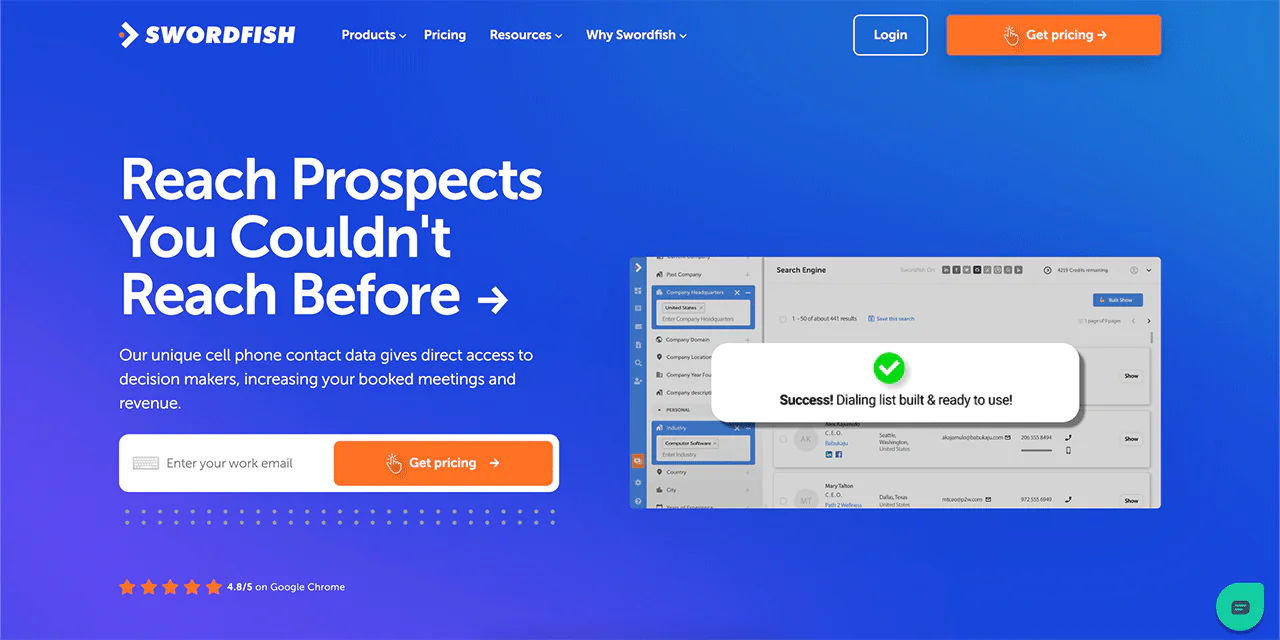
Features of Swordfish AI
A few features are especially useful for LinkedIn-driven lead generation:
Real-Time Data Extraction
Swordfish AI describes its searches across social profiles, including LinkedIn, as a way to find contact information for potential leads. Confirm the product’s current capabilities and data sources before relying on it.
Chrome Integration
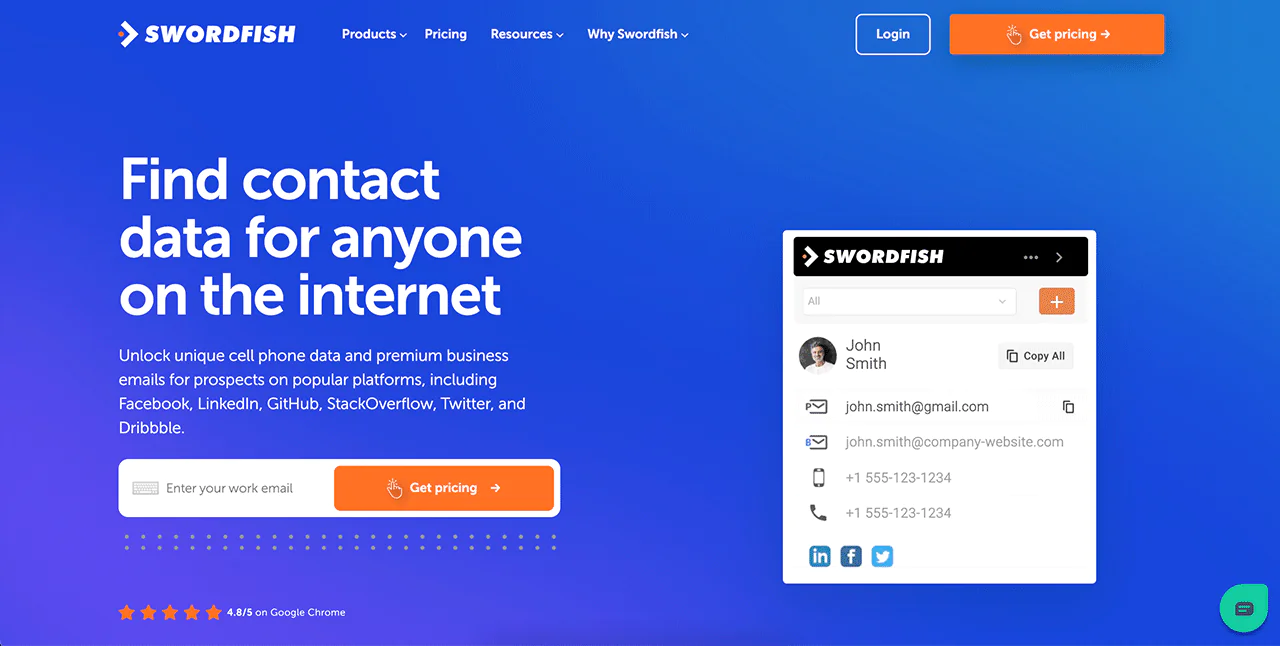
The Chrome extension lets you pull contact information directly from LinkedIn and other social platforms without leaving the page you’re on.
Bulk Contact Information Addition
The Prospector tool lets you add missing emails and phone numbers to a list of prospects in bulk, which saves considerable manual lookup time.
Machine Learning for Data Verification
Swordfish AI says machine-learning models cross-check gathered data. Treat this as a product claim and assess accuracy using your own validation process.
Compliance with Data Protection Regulations
Swordfish AI positions its platform to align with major data protection frameworks such as GDPR and CCPA — worth confirming against your own compliance requirements before deployment, especially in regulated sectors like healthcare.
 Try Swordfish Ai
Conclusion
LinkedIn lead generation combines audience targeting, useful content, and outreach tools to help teams reach potential buyers. The right mix depends on your audience and goals.
The strategies above can work together: a clear profile supports useful content, which can inform ad targeting and sales follow-up. Treat LinkedIn lead generation as an ongoing process, and measure results rather than assuming any one tactic will improve the pipeline.
For teams ready to turn LinkedIn connections into verified contact records, Swordfish AI is built to close that last gap between finding a prospect and actually reaching them.
Frequently Asked Questions
1. What’s the most effective LinkedIn ad format for lead generation?
Single Image ads tend to perform well because they blend naturally into the newsfeed, and pairing them with a Lead Gen form often lifts results further. Promoting gated content on your own site is another reliable option.
2. How do you know if your LinkedIn lead generation is working?
LinkedIn’s built-in analytics track engagement and conversions on your content and ads. A/B testing different messaging and targeting combinations helps you refine the approach over time.
3. Is it worth getting a LinkedIn premium for lead generation?
LinkedIn Premium can meaningfully increase profile visibility. For sales professionals in particular, that added visibility often translates into more credibility and more inbound interest.

