


 View Products


Key takeaways
- Email warm-up generally involves increasing sending volume gradually from a new or inactive account while monitoring delivery results.
- Manual warm-up offers more direct control but requires ongoing attention; automated tools can reduce scheduling work but still need oversight.
- Compare warm-up tools by supported email providers, account limits, monitoring features, integrations, support, and current pricing.
- A warm-up tool cannot guarantee inbox placement, prevent spam filtering, or replace good sending practices.
- A domain’s history, sending volume, email type, and provider guidance all matter when deciding whether to use a warm-up process.
Last updated: September 3, 2026

If you have ever wondered why some email marketers consistently land in the inbox while others fight low open rates, the answer usually has less to do with subject lines and more to do with sender reputation. A big part of building that reputation is email warm-up: sending a small, steady volume of email from a new domain or IP address and increasing it gradually so mailbox providers learn to trust you.
This matters for any outbound-heavy team, including sales and recruiting groups that rely on healthcare provider contact data, where sending patterns from a fresh domain can otherwise trigger spam filters before a single message is read. Below, we walk through five widely used warm-up tools, how they compare, and how to decide which one actually fits your sending volume and budget.
Quick List of Email Warm Up Tool
- Warmbox.ai: Best for personalized warm-up strategies and engagement monitoring, ensuring a gradual increase in email volume.
- Mailwarm: Best for systematic email account warm-up, offering simulations, detailed analytics, and optimized parameters.
- Sender: Best for user-friendly warm-up, featuring a straightforward interface, customizable plans, and real-time insights.
- Warmup Inbox: Best for safeguarding sender reputation through gradual IP warm-up, tracking, and comprehensive reporting.
- Lemwarm: Best suited for deliverability optimization with its industry-specific warm-up strategies and continuous deliverability monitoring.
Comparison Table of Top Email Warm Up Tools
Here’s a quick side-by-side look at what each tool offers before we go deeper into each one.
|
Feature |
Warmbox.ai | Mailwarm | Sender | Warmup Inbox |
Lemwarm |
|
Personalized Strategies |
Yes | No | No | No |
Yes |
|
Simulated User Behavior |
No | Yes | No | Yes |
Yes |
|
User-Friendly Interface |
Yes | Yes | Yes | Yes |
Yes |
|
Customizable Plans |
Yes | Yes | Yes | Yes |
Yes |
|
Real-time Insights |
Yes | Yes | Yes | Yes |
Yes |
|
IP Warm-up |
Yes | Yes | Yes | Yes |
Yes |
|
Email Tracking |
Yes | Yes | Yes | Yes |
Yes |
|
Comprehensive Reporting |
Yes | Yes | Yes | Yes |
Yes |
5 Best Email Warm Up Tools for Improved Deliverability
Email warm-up tools automate a gradual sending schedule for a new domain or IP address. Warm-up may support reputation-building, but it cannot guarantee inbox placement.
Here’s a closer look at five tools, including their features, pricing, and where each one tends to fall short.
1. Warmbox.ai
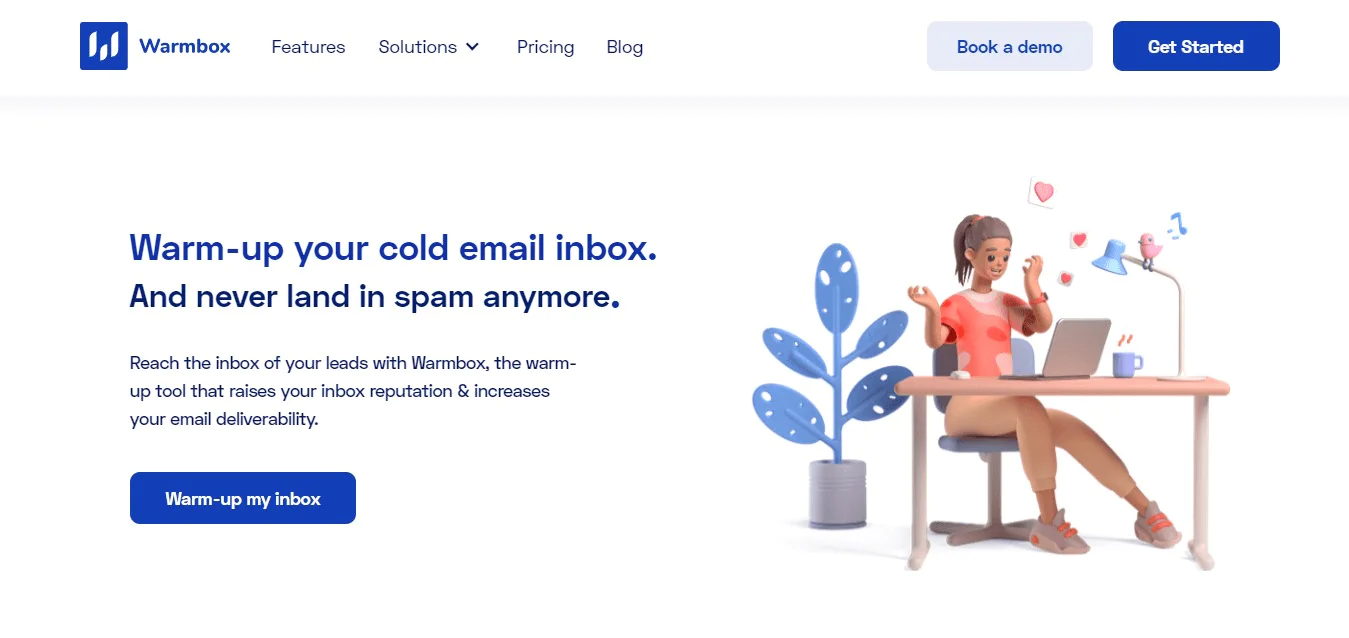
Warmbox.ai is built specifically around automating email warm-up and engagement rather than trying to be a full marketing suite. It doesn’t try to compete with tools like Mailchimp on breadth of features, but it’s focused on one job: getting new sending accounts into inboxes.
The interface is straightforward, which helps if you’re setting up your first warm-up campaign without a lot of technical background. It schedules and sends warm-up emails on an intelligent cadence and gives you insight into how the campaign is performing so you can adjust as needed.
Features of Warmbox.ai
- Email Warm-up: Specializes in gradually increasing email sending volumes to improve deliverability and avoid spam filters, ensuring your emails reach the intended recipients’ inboxes.
- Intelligent Scheduling: Optimizes the timing of email sends based on recipient behavior, enhancing the chances of higher engagement.
- Performance Insights: Offers analytics and reporting features to track the effectiveness of warm-up campaigns, allowing users to make data-driven decisions for better results.
- User-Friendly Interface: Provides a simple and intuitive interface for easy campaign setup and management, catering to users of varying technical expertise.
Pricing
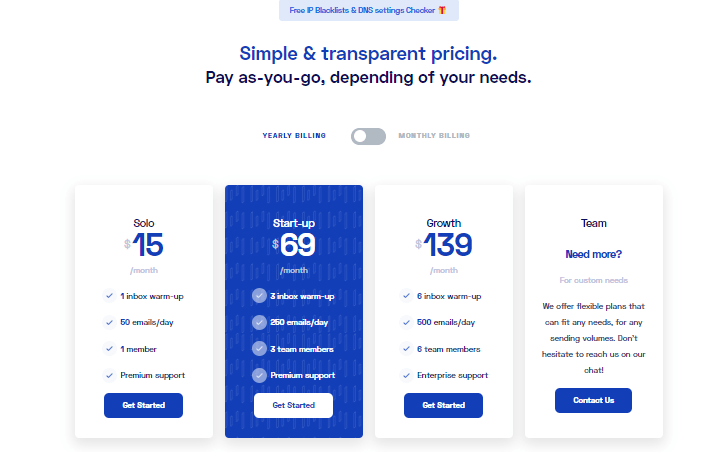
Warmbox.ai has offered four tiered plans historically, starting with a Solo plan for a single inbox and a limited daily send volume, scaling up through Startup and Growth tiers that add more inboxes, higher daily volume, and support for additional team members. Pricing and plan details change over time, so confirm current rates directly on Warmbox’s site before budgeting.
Pros
- Email warmup using machine learning algorithms
- Blacklist monitoring to avoid sending emails to flagged domains
- Real-time email deliverability monitoring
- Customizable warmup plans based on specific needs
- Track email performance and warmup progress with detailed reporting
Cons
- Limited theming and inbox options on the free plan.
- Limited Email Service Provider (ESP) Coverage
Our Take on Warmbox
Warmbox’s strength is simplicity: it automates warm-up and mimics realistic sending patterns without requiring much setup. The tradeoff is that customization is limited compared to some competitors, so weigh that against your budget and how much control you want over the warm-up schedule itself.
2. Mailwarm
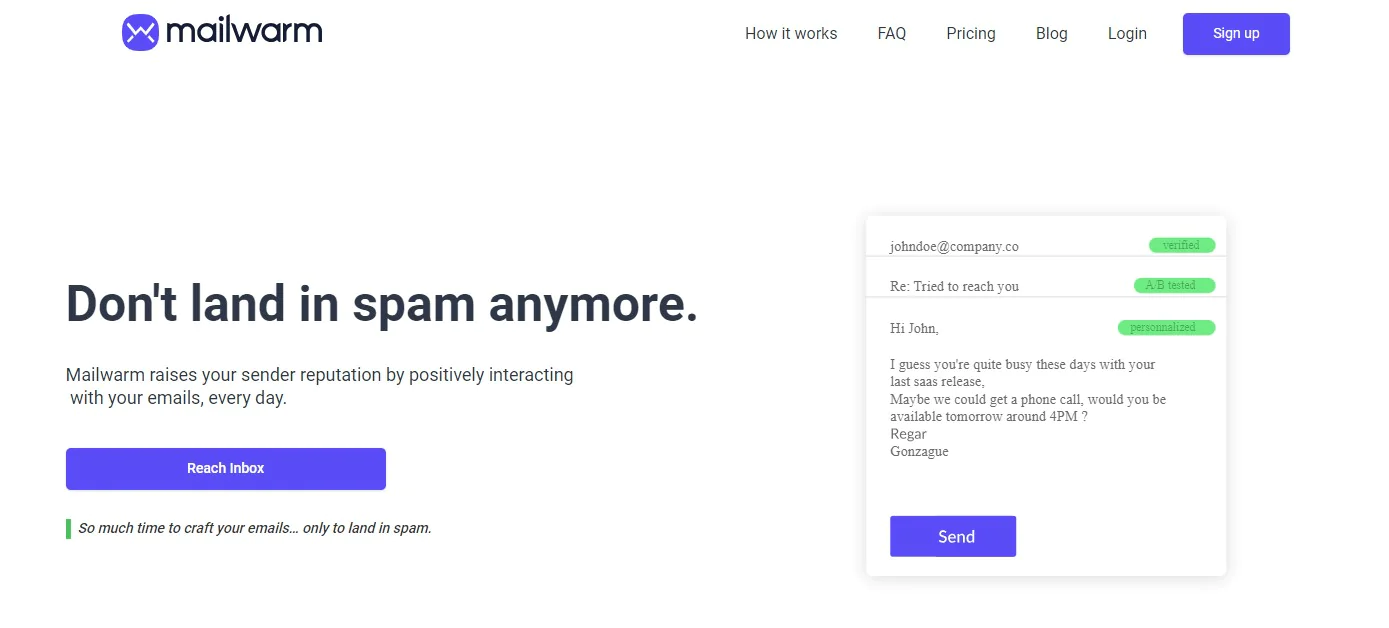
Mailwarm is narrowly focused on warm-up rather than broader email marketing. That focus shows in the depth of its scheduling and monitoring features, even though it won’t replace a full ESP.
It simulates realistic sending behavior and gives you a dashboard to track how your reputation is trending, which is useful if you’re warming up several accounts at once ahead of a larger outreach push.
Key Features of Mailwarm:
- Email Campaign Optimization: Focuses on refining and enhancing your email campaigns for maximum impact.
- Specialized Warm-up Services: Excels in gradually increasing email sending volumes, boosting deliverability rates, and securing inbox placement.
- Tailored Strategies: Provides personalized warm-up plans, adapting to your unique sending patterns and campaign goals for optimal effectiveness.
- Real-time Progress Tracking: Offers real-time monitoring, allowing you to track the progress of your warm-up strategies and make necessary adjustments on the fly.
- User-Friendly Interface: Features an interface that is easy to use, making it simple for users of any technical skill level to effectively manage their warm-up campaigns.
Pricing
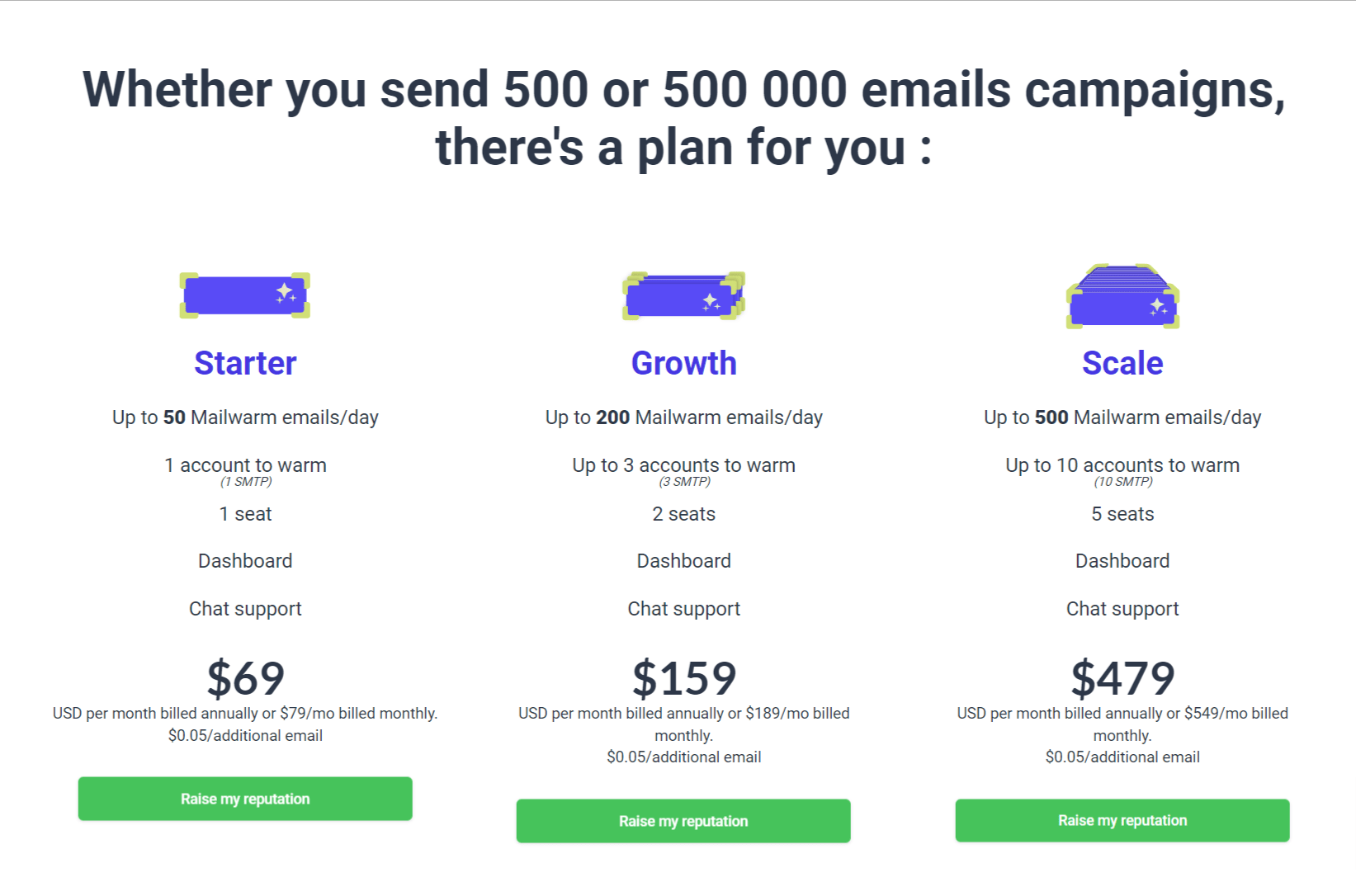
Mailwarm has historically offered tiered Starter, Growth, and Scale plans priced by daily send volume and number of accounts warmed, with per-email overage charges beyond plan limits. Confirm current pricing on Mailwarm’s site since rates and tiers can shift.
Pros
- Improves email sending scores and domain reputation.
- User-friendly interface for easy navigation.
- Responsive customer support.
- Innovative solution for warming up new email addresses.
- Comprehensive monitoring features for campaign success.
Cons
- Low-quality automated response messages.
- Limited features compared to alternatives at the same price.
Our Take on Mailwarm
Mailwarm does the core job of improving deliverability well and is a reasonable pick if you want something simple and effective without a lot of extra features. It’s not the tool to reach for if you need deep customization or broad ESP compatibility.
3. Sender
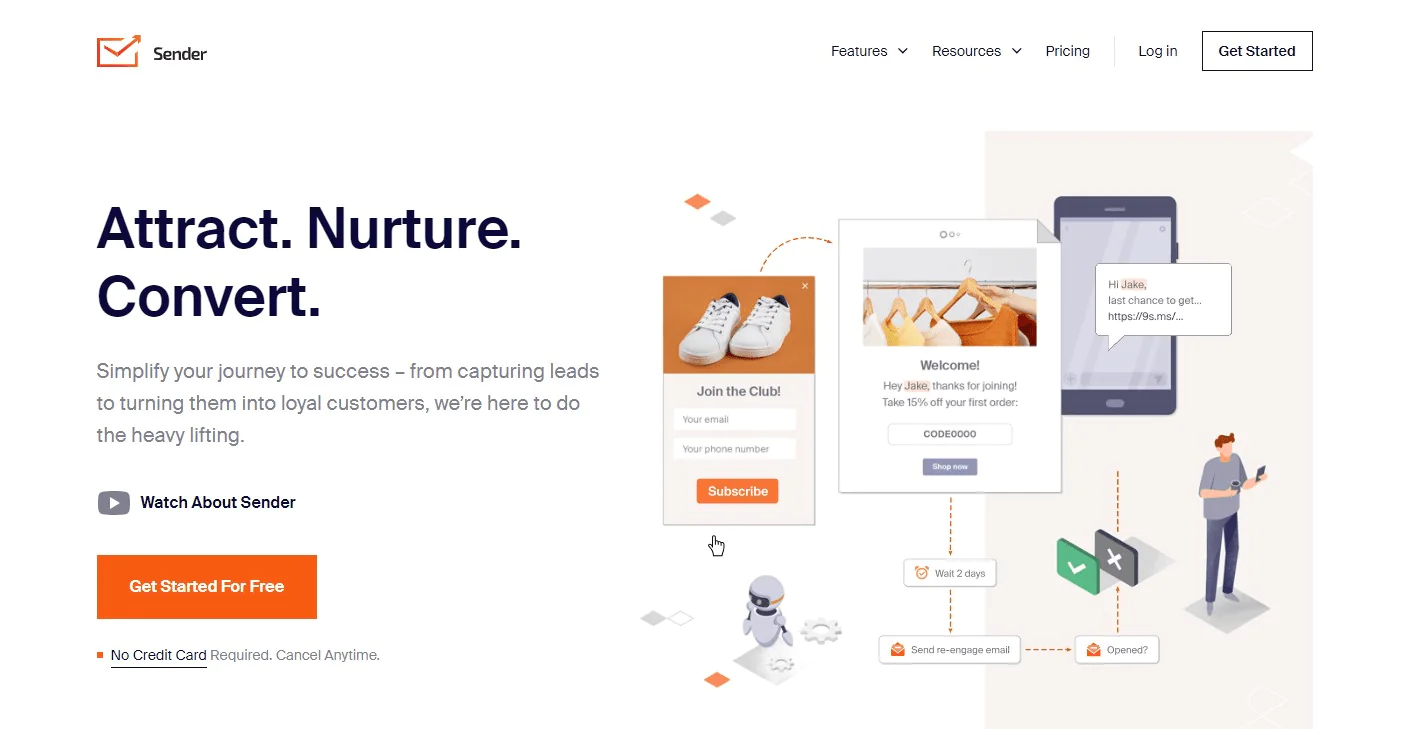
Sender is built for small to medium-sized businesses that want straightforward email marketing tools without the complexity of larger platforms. Warm-up functionality sits alongside campaign creation, list management, and analytics rather than standing alone.
The analytics dashboard gives visibility into performance and engagement, which helps when you’re trying to figure out whether your warm-up schedule is actually translating into better open rates once you start real campaigns.
Key Features of Sender:
- User-Friendly Interface: The platform prides itself on an interface that is not only intuitive but also user-friendly, ensuring a seamless experience for users with varying levels of technical expertise.
- Email Campaign Creation: Sender offers powerful tools for creating visually attractive and content-rich email campaigns, essential for engaging audiences and prompting desired actions.
- List Management: Efficient list management features empower users to organize and maintain their email lists effectively, facilitating targeted and personalized campaigns.
- A/B Testing: Test different warm-up strategies to see what works best for your email list. Look for tools that offer A/B testing features to optimize your sending schedule and content.
- Multiple Account Management: If you manage multiple email accounts, choose a tool that allows you to warm them up simultaneously and track their performance individually.
Pricing
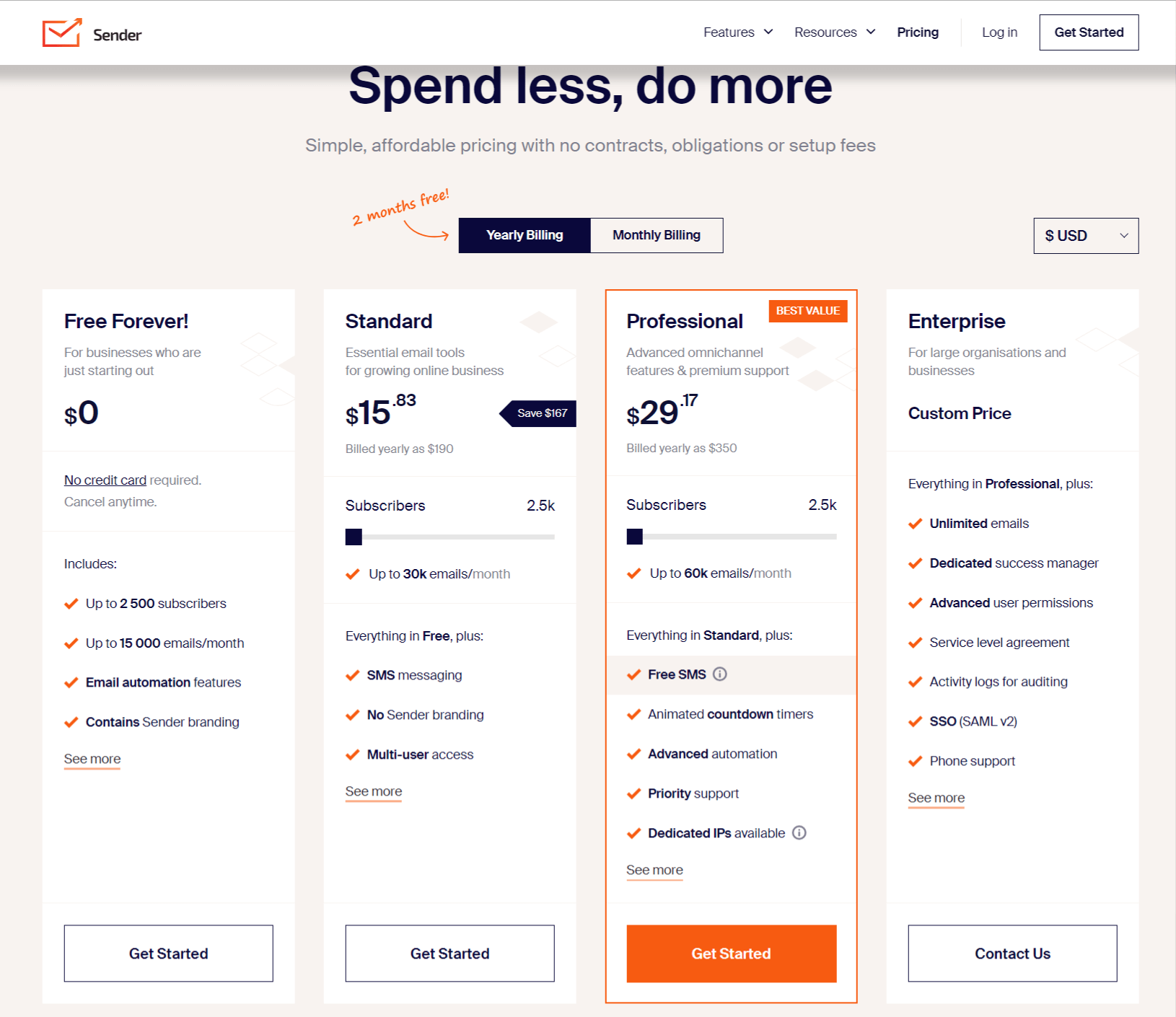
Sender has typically offered a free tier for smaller subscriber lists and low monthly send volume, with paid Standard and Professional tiers unlocking SMS, white-labeling, and advanced automation. As with any SaaS product, verify current pricing directly with Sender before committing.
Pros
- Generous free plan with 2500 subscribers.
- User-friendly panel with simple and easy-to-use features.
- Excellent and inexpensive, especially for non-profits.
- Fantastic for e-commerce clients, integrated into routine offerings.
Cons
- Some difficulties in navigating the platform and instances of accidental deletion of lists.
- Lack of an image library for storing frequently used images.
Our Take on Sender
Sender works well for teams that want an all-in-one platform where warm-up is one feature among many, rather than the main event. If you need deep, dedicated warm-up controls, a specialist tool may serve you better.
4. Warmup Inbox
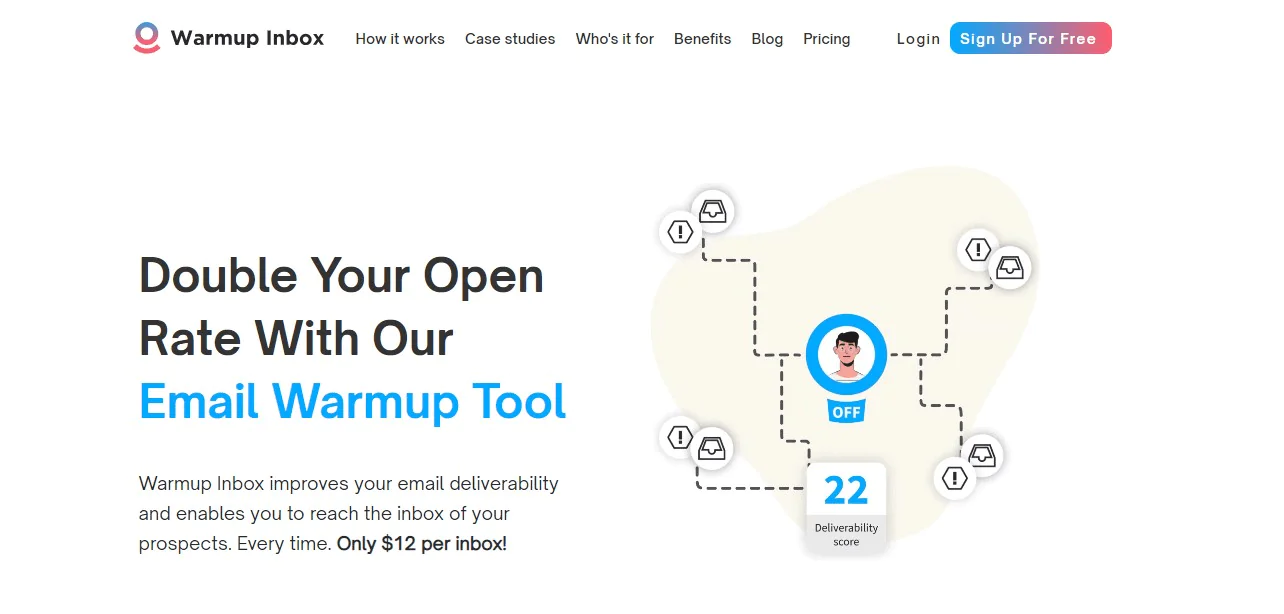
Warmup Inbox is described as using a network of users to interact with warm-up emails, including opening, replying, and marking messages as important, while gradually increasing activity. Verify how the service works and whether its methods comply with your email provider’s policies before using it.
It personalizes messages with recipient details to make the warm-up traffic look more like genuine correspondence, and it tracks delivery in real time so you can catch problems before they affect a live campaign.
Key Features of Warmup Inbox
- Gradual Email Sending Schedule: Implements a gradual email sending schedule, steadily increasing the volume of emails over time to reduce the risk of being marked as spam and to enhance overall deliverability.
- Real-Time Email Delivery Tracker: This enables you to monitor delivery rates as they happen, identify any issues, and make necessary adjustments promptly.
- Comprehensive Sender Reputation Report: Offers a detailed sender reputation report, providing essential insights into your domain’s reputation and highlighting areas where improvements can be made.
- Advanced Reporting and Analytics: Warmup Inbox provides detailed reports and analytics that track the progress of your warmup campaigns. You can see key metrics like open rates, click-through rates, delivery rates, and bounce rates.
Pricing
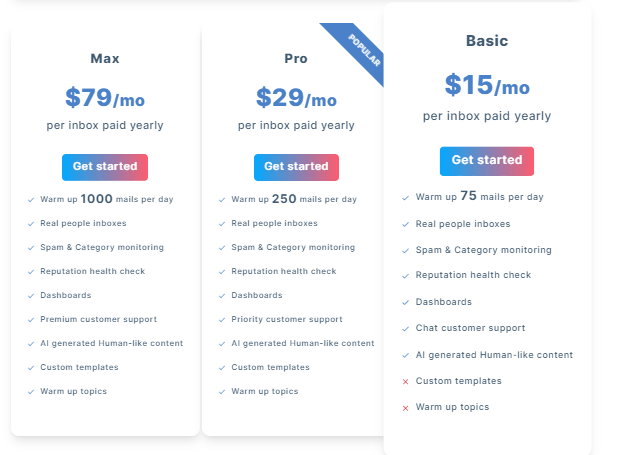
Warmup Inbox has offered Basic, Pro, and Max tiers historically, scaling daily warm-up volume and support level with price. Confirm exact rates directly with the provider, since plan structures and pricing shift over time.
Pros
- Offers a valuable free trial and straightforward setup process.
- Quick issue resolution with competent and friendly live chat support.
- Improvements in sending domains prevent spam emails from landing.
- Simple UI/UX and clear improvement day by day.
Cons
- Lacks advanced features like AI content, prompting users to suggest enhancing email content.
- Emails still landing in spam and unexpected pricing changes and subscription plan requirements.
Our Take on Warmup Inbox
Warmup Inbox’s hands-off, realistic engagement simulation makes it a solid choice for anyone who wants to set warm-up on autopilot. If you need broader platform compatibility beyond Gmail, or want more manual control, Mailwarm or Sender are worth comparing.
5. Lemwarm
Lemwarm, built by Lempire, focuses on protecting sender reputation by gradually increasing sent volume and continuously monitoring deliverability scores so issues surface before they hurt a live campaign.
It’s aimed at businesses and individuals running structured outreach, with customizable schedules and detailed analytics on opens and replies to help fine-tune both timing and content.
Key Features of Lemwarm
- Email Warm-Up: Enhances the sender’s reputation by gradually increasing the volume of sent emails, simulating natural email activity. This method effectively warms up new email accounts, reducing the risk of being marked as spam.
- Deliverability Monitoring: Actively monitors the health of your email account, providing real-time alerts for any deliverability issues. This feature helps in maintaining consistent email performance and avoiding blacklists.
- Customizable Schedules: Allows users to set specific schedules for sending warm-up emails, offering flexibility to match various types of email campaigns. Tailoring the schedule helps align with the user’s actual email sending patterns.
- Interactive Dashboard: Offers an easy-to-navigate dashboard to track the warm-up progress and email statistics. Users can view detailed reports and adjust strategies based on the dashboard insights.
- Spam Test Integration: Tests emails against popular spam filters to ensure they land in the inbox, not the spam folder. This feature is crucial for validating email content and structure for optimal deliverability.
- Detailed Analytics: Provides comprehensive analytics on email interactions, like open and reply rates. These insights are vital for tweaking email content and timing to maximize engagement and response rates.
Pricing
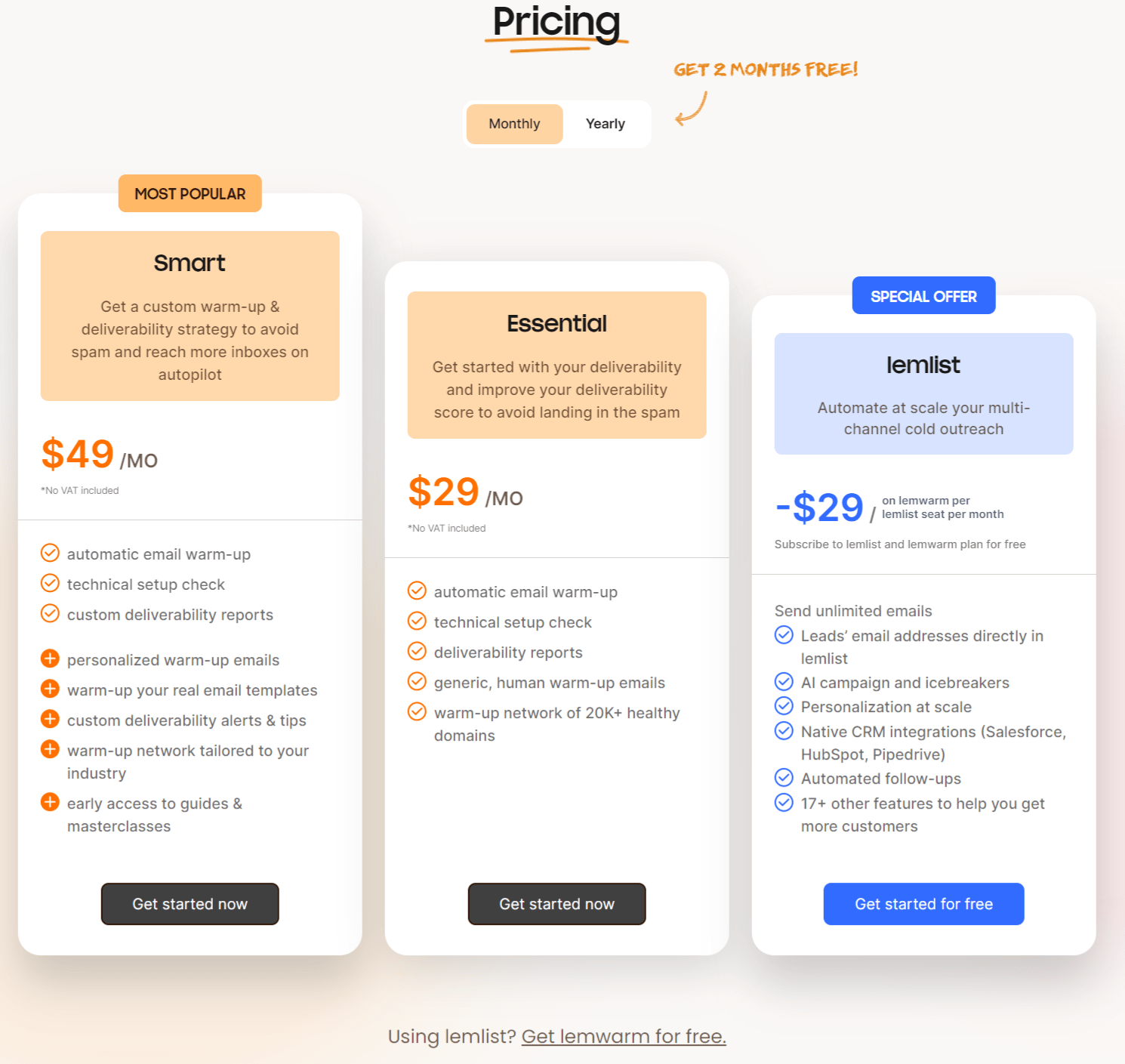
Lemwarm has historically offered an Essential plan for individuals and small teams and a Smart plan for more advanced needs with personalized warm-up emails and custom alerts. Check current pricing directly with Lemwarm before budgeting, as SaaS pricing changes over time.
Pros
- Effectively warms up email accounts for improved inbox placement.
- Delivers detailed email performance analytics.
- Customizable warm-up schedules to match specific needs.
- User-friendly dashboard for easy operation and oversight.
- Assists in reducing emails marked as spam.
Cons
- Users have limited direct control over the specifics of the warm-up process, potentially affecting tailored strategies.
Our Take on Lemwarm
Lemwarm’s approach tailors the warm-up schedule to the sender’s specific pattern rather than applying a single template to everyone, which matters whether you’re targeting a niche vertical or a broad list. It also supports teams that need to manage deliverability collectively across multiple senders, which is useful for outbound teams running coordinated campaigns.
Types Of Warm Up: Manual Vs. Automated Warm Up?
There are two broad approaches to email warm-up: doing it yourself, or letting software handle the pacing for you.
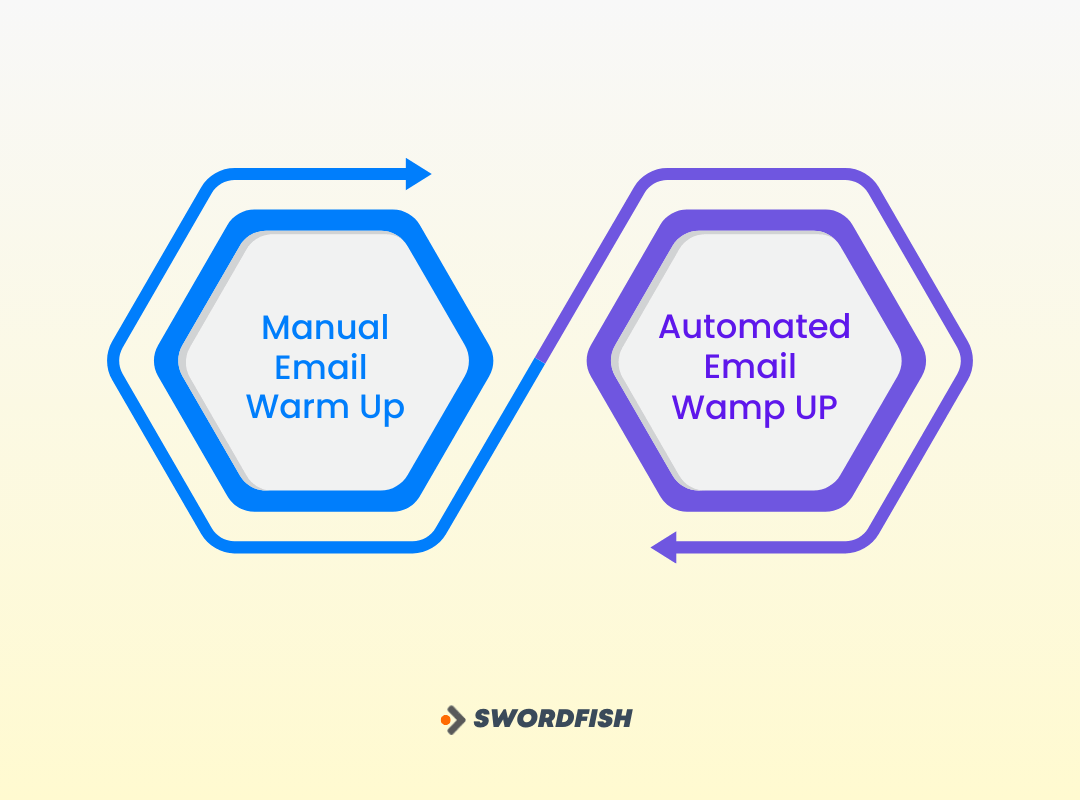
Manual Email Warm-up: Taking the Matter in Your Hands
Manual warm-up means gradually increasing the volume of email you send from a new address, starting small and ramping up over time without automation doing the heavy lifting.
Think of it like introducing yourself to new neighbors: you start with a simple hello and build rapport slowly rather than showing up with a long list of demands on day one.
The same logic applies to email. When you send from a new domain or IP address, you’re effectively a stranger to internet service providers (ISPs), and they need time and evidence before they’ll reliably deliver your messages to inboxes rather than spam folders.
Pros of Manual Warm-up
- Adjust the strategy to specific audience traits.
- Quickly adjust based on real-time metrics.
- Hands-on control over the email warm up process.
Cons of Manual Warm-up
- Demands constant monitoring.
- Impractical for large-scale campaigns.
- Requires a deep understanding of email deliverability.
Automated Email Warm-up: Letting the Software Do Its Thing
Automated warm-up is closer to having a virtual assistant handle the pacing for you. Software gradually increases sending volume on a schedule and generates the opens, replies, and other engagement signals that mailbox providers look for.
Automated warm-up can reduce the manual work of tracking sends, which may be useful when managing multiple accounts. It does not remove the need to monitor deliverability and follow provider policies.
Pros of Automated Warm-up:
- Automated processes save time and effort.
- Follow predefined algorithms consistently.
- Suitable for large-scale email campaigns.
Cons of Automated Warm-up:
- Less adaptable to unique audience characteristics.
- Success relies on the effectiveness of predefined algorithms.
- Less room for quick adjustments based on real-time metrics.
Choosing the Right Approach: It’s All About Fit
The right method depends on your sending volume, available time, and technical comfort level.
If your volume is low and you have time to spare, manual warm-up is a reasonable, no-cost option that keeps you in full control.
For higher volume or a hands-off preference, automated tools generally deliver more consistency and scale better as your outreach grows.
Before increasing volume from a new sending account, check your email provider’s guidance and monitor results. A gradual ramp-up may help, but warm-up is not a guarantee of inbox placement.
Why is Email Warm-Up Important?
A brand-new domain or IP address has little or no sending history. Mailbox providers use multiple signals, including sending patterns and recipient responses, when deciding how to handle messages.
Warm-up generally means beginning with lower sending volumes and increasing gradually while monitoring engagement and delivery results. Those signals can inform reputation assessments, but they do not prove that a sender is legitimate or guarantee inbox placement.
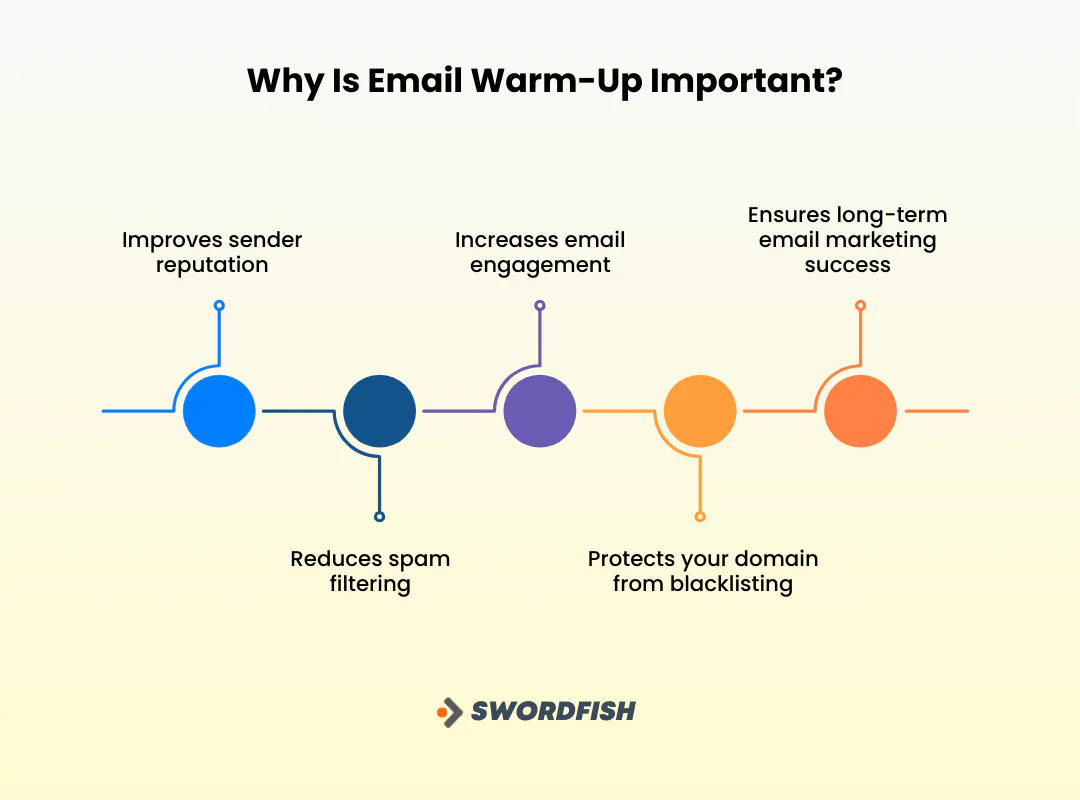
Here are the main reasons this matters for your domain:
1. Improves Sender Reputation
ISPs monitor sending frequency and recipient response to judge whether you’re trustworthy. Ramping volume gradually signals consistency, which builds reputation over time and increases the odds your emails reach the inbox instead of spam.
2. Reduces Spam Filtering
A weak sender reputation makes spam filtering more likely. Warm-up helps maintain a positive reputation, cutting the odds of being flagged and improving overall deliverability.
3. Increases Email Engagement
Inbox placement can make messages more visible to recipients, but warm-up does not guarantee that messages will avoid spam filtering or be opened and read.
4. Protects Your Domain From Blacklisting
Sending practices that look abusive or spammy can get a domain blacklisted, blocking emails outright and setting back an outreach program significantly.
Skipping warm-up before cold emailing to prospects raises that risk considerably. Warm-up demonstrates responsible sending behavior that helps you avoid it.
5. Ensures Long-Term Email Marketing Success
Warm-up isn’t a one-time trick; it’s foundational to sustained email marketing performance.
A solid sender reputation, paired with disciplined sending habits, keeps your messages landing reliably well after the initial ramp-up period ends.
How to Choose The Best Email Warm Up Software
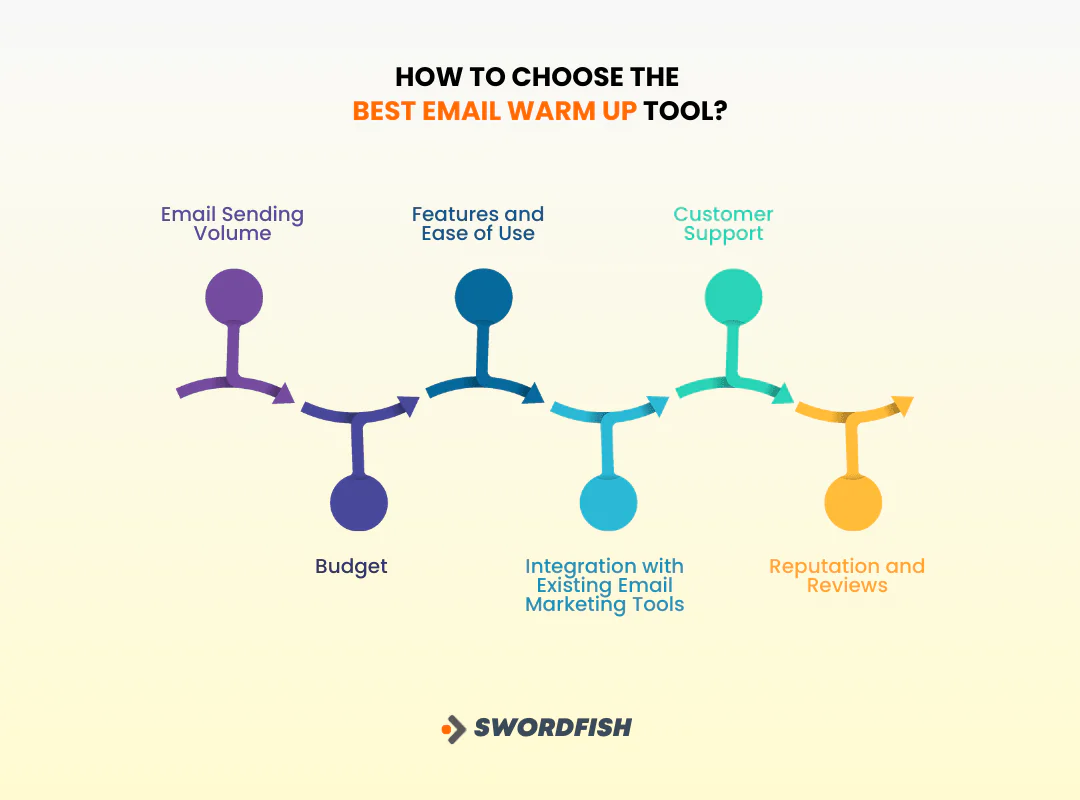
Picking the right tool comes down to matching features and cost to your actual sending needs. Here’s what to weigh.
Email Sending Volume
Start by estimating your daily or monthly send volume. Low volume may be manageable manually; higher volume generally needs an automated tool to keep pace without slipping.
Budget
Warm-up tools range from free to several hundred dollars a month. Weigh the cost against what better deliverability is actually worth to your campaigns.
Features and Ease of Use
Compare what each tool automates, how it validates sends, how it tracks sender reputation, and how it reports results back to you.
Also check the interface itself. It should match your team’s technical comfort level, not just look impressive in a demo.
Integration with Existing Email Marketing Tools
Confirm the warm-up tool integrates with your existing ESP or outreach platform. Good integration avoids manual data entry and keeps your sending data in sync.
Customer Support
Check what support channels are available, live chat, phone, or ticketing, since fast answers matter when a deliverability issue is actively affecting a live campaign.
Reputation and Reviews
Look at independent reviews and general reputation before committing. A track record of reliability across other users is a reasonable proxy for how the tool will perform for you.
Note: Have a look at some other alternatives for Seamless ai.
When Not To Warm-Up Your Email?
Warm-up isn’t always necessary. A few situations where you can reasonably skip it:
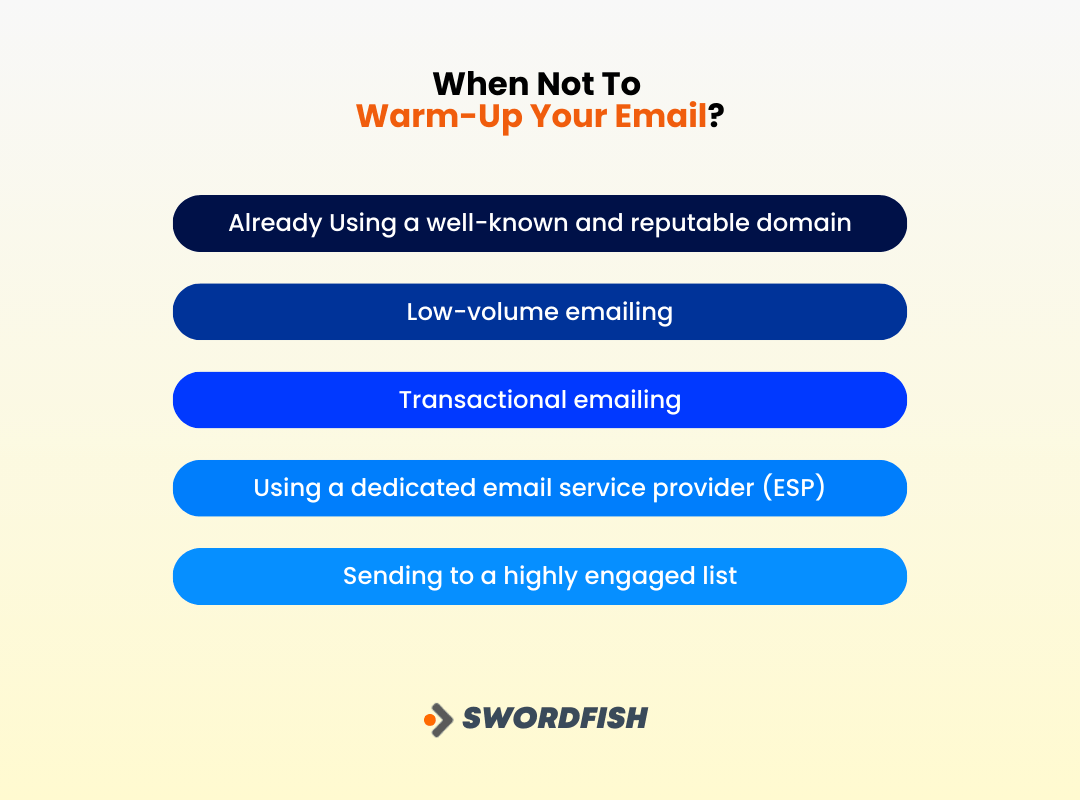
Already Using a well-known and reputable domain
A domain with a positive sending history may not need the same ramp-up as a new domain, but reputation can change. Review recent delivery results and provider guidance before deciding to skip warm-up.
Low-volume emailing
Low-volume sending may reduce the need for a formal warm-up plan, but it does not eliminate spam-filtering risk. Follow provider guidance and monitor delivery.
Transactional emailing
Transactional messages, such as order confirmations and password resets, are distinct from marketing email, but they are not automatically exempt from deliverability considerations. Follow your provider’s requirements and monitor delivery.
Using a dedicated email service provider (ESP)
Some email service providers may offer guidance or features for gradually increasing volume. Check what your provider actually includes before deciding that a separate tool is unnecessary.
Sending to a highly engaged list
A list of subscribers who open regularly generates strong engagement signals on its own, which supports sender reputation without a dedicated warm-up campaign.
End Note
Getting the fundamentals right at the start matters most, especially with a new sending domain or a growing list.
A warm-up tool may help organize a gradual sending schedule, particularly for a new IP address, but it cannot guarantee protection from spam folders or blocklists.
Sender reputation can affect email delivery, but it is only one factor. If deliverability matters to your campaign, use sound sending practices, follow provider guidance, and monitor results; warm-up alone is not a guarantee.
Frequently Asked Questions
What is an email warm up?
Email warm-up is the gradual process of building a positive sender reputation for a new or inactive email account by increasing sending volume over time to establish trust with email service providers.
How to warm up emails?
Start with a small number of emails, then progressively increase volume. Engage your audience, maintain positive sending behavior, and monitor metrics closely. Automated tools handle this process for you, keeping the ramp controlled and consistent.
How long should I warm up my email?
Warm-up duration typically spans two to four weeks, though it varies based on sending volume, audience engagement, and the approach you choose. Track metrics throughout and adjust as needed.
Is there any email warm up tool free?
Some warm-up tools offer free tiers or trials, though comprehensive plans with advanced features typically require a paid subscription. Compare free and paid options against your specific sending volume and budget before deciding.
Read More: Check the cost of Seamless AI.

