


 View Products


Key takeaways
- The right email finder depends on your needs, budget, desired features, and workflow.
- Compare tools on data coverage, verification, bulk search, integrations, and the contact details they provide.
- Vendor accuracy figures are claims to test against your own sample list rather than guarantees.
- Check current pricing and plan limits directly with vendors before choosing a tool.
- Using an email finder does not by itself ensure that your outreach complies with applicable privacy or marketing rules.
Last updated: September 3, 2026
Email volume keeps climbing, and so does the noise around it. Finding a working, current address for a specific person is harder than it looks, especially when people change jobs or companies move domains. Privacy laws such as GDPR also set requirements for collecting and handling contact data.
That’s why the email finder tool you pick matters. A useful tool can help you find and verify an address—or, in some cases, a mobile number—for the right person, while reducing wasted searches or credits. We reviewed 10 established email finder tools to help you compare them side by side.
Below, we break down what each tool does well, where it falls short, what it costs, and how it may fit into a prospecting workflow—including compliance considerations for industries such as healthcare.
Quick List of Email Finder Tools
Here’s our pick of 10 email finder tools worth evaluating —
- Swordfish AI: Best for unparalleled data access, including unique mobile verification, for direct and reliable contact.
- ZoomInfo: Best for offering detailed B2B contact data and insights, crucial for advanced sales intelligence.
- Lusha: Best for straightforward B2B contact access, streamlining the connection process with key business figures.
- RocketReach: Best for its expansive database and multi-platform integration, ideal for extensive professional networking.
- UpLead: Best for delivering high-quality leads through real-time email verification, ensuring contact authenticity.
- Hunter.io: Best for high-accuracy email identification and verification, enhancing outreach with reliable contact data.
- Voila Norbert: Best for pinpointing accurate emails, key to effective lead qualification and engagement strategies.
- Anymail Finder: Best for finding elusive emails via server verification, ensuring high deliverability and accuracy.
- Snov.io: Best for adept email discovery and verification, serving marketing and recruitment with equal proficiency.
- FindThatLead: Best for boosting sales prospecting, lead generation, and outreach with targeted email finding capabilities.
Top Tools for Email Finding: A Comparison Chart
The table below highlights the main differences between these tools at a glance —
Email Finder Tools | Database Size and Focus | Chrome Extension | Reverse Search Capabilities |
 | 3.5B profiles, direct info | Prospecting individually or in bulk from LinkedIn, Facebook, Twitter, etc | Detailed contact info from email or phone |
 | 1.3 billion B2B contacts, company insights | One-click multichannel access | Not featured; focusing more on direct searches |
 | 50 million enterprise profiles | Available with instant company contact revelation | No reverse search. |
 | 700 million profiles, 60 million verified contacts | Quick access across multiple social platforms. | Backtrack from minimal information to full contact details |
 | Over 155 million B2B contacts | Chrome Extension focused on website and LinkedIn contact finding | Reverse phone number lookup |
 | 107 million email addresses, 76 million websites | One-click finder with list building | Yes, in workflow |
 | Extensive, precise emails | Extension includes quick email searches and verifications | Email lookup only |
 | Focused on verified email addresses | LinkedIn based Chrome extension | Reverse search with name, title, domaing |
 | 550M prospects, marketing & recruitment | Email verifier, drip campaigns | Company name only |
 | 200 million professional profiles | Find emails from LinkedIn, Crunchbase | Reverse search with name/location |
Top 10 Email Finder Tools to Enrich Your Lead Collection
We looked at database size, integration options, and real-time verification accuracy across more than 30 email finder tools before narrowing the list to these 10.
The goal was to identify tools that support the broader lead-generation workflow—not just finding an address, but also checking its status and moving contact data into existing systems with fewer manual steps.
Here’s a closer look at each one.
1. Swordfish AI
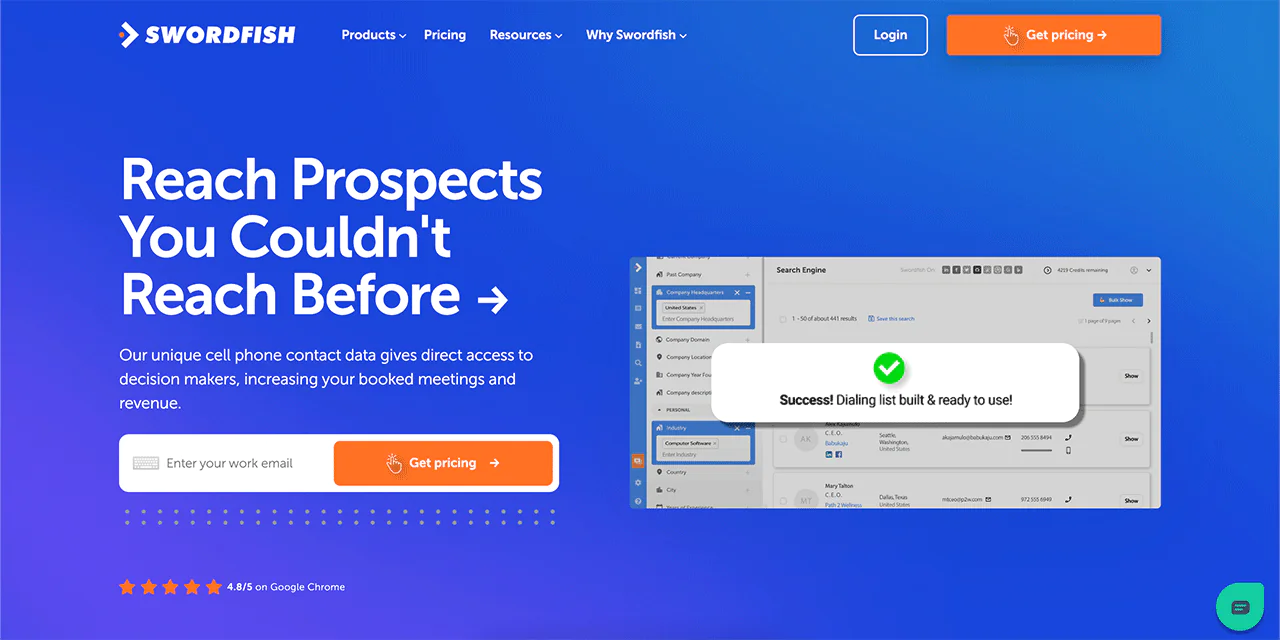
Swordfish AI is built to find professional email addresses and cell phone numbers with a strong emphasis on accuracy. It’s particularly suited to cold email and cold call campaigns where a working direct number or verified inbox makes the difference between a connection and a dead end.
The platform draws on a database of 3.5 billion profiles. Swordfish AI’s marketing materials cite figures of being 33% better than competitors at locating direct cell phone numbers and 45% more accurate overall — claims worth verifying against your own test list before committing to a plan, as with any vendor-reported benchmark.
Swordfish says its real-time verification layer checks whether contact data is current. Its Chrome extension is described as pulling professional information from sites such as LinkedIn, Facebook, and Twitter. Check the vendor’s current platform support and test results for your use case before relying on it.
Swordfish states that it follows GDPR and CCPA guidelines when sourcing and handling data. Treat this as a vendor statement, not a guarantee that your use of the data complies with applicable privacy or marketing requirements.
Features of Swordfish AI
Swordfish AI covers several angles of data intelligence and lead management. Here’s a breakdown:
-
Prospector
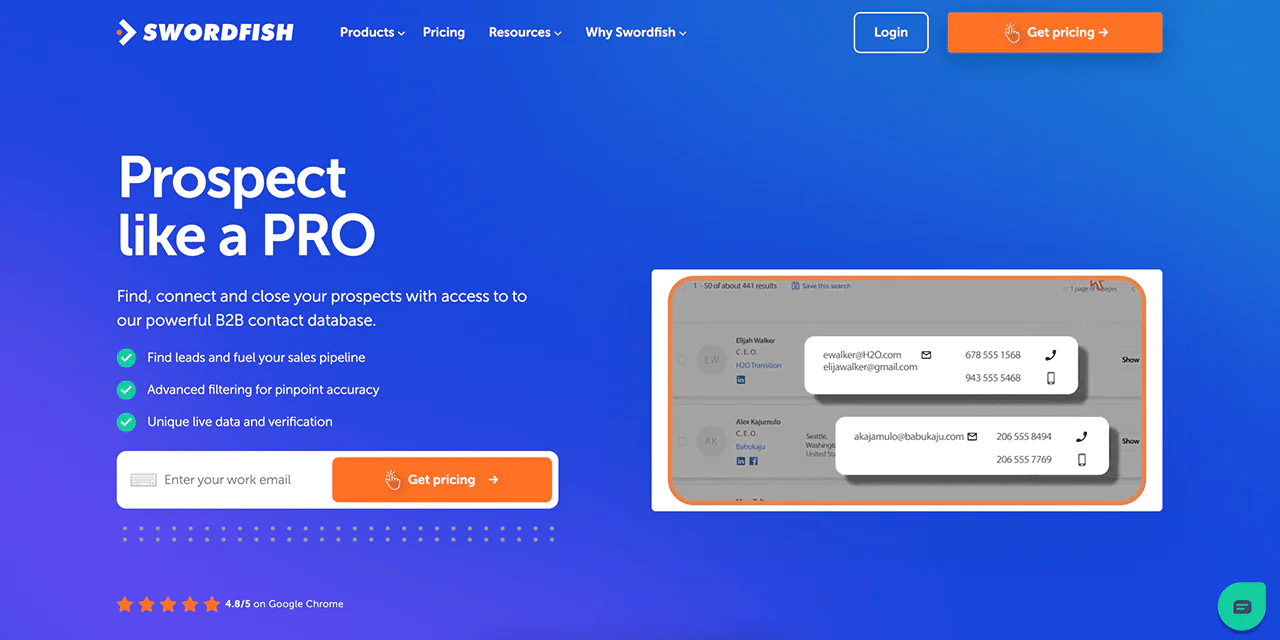
Prospector speeds up lead generation by surfacing potential leads along with email addresses and phone numbers in one pass.
-
File Upload
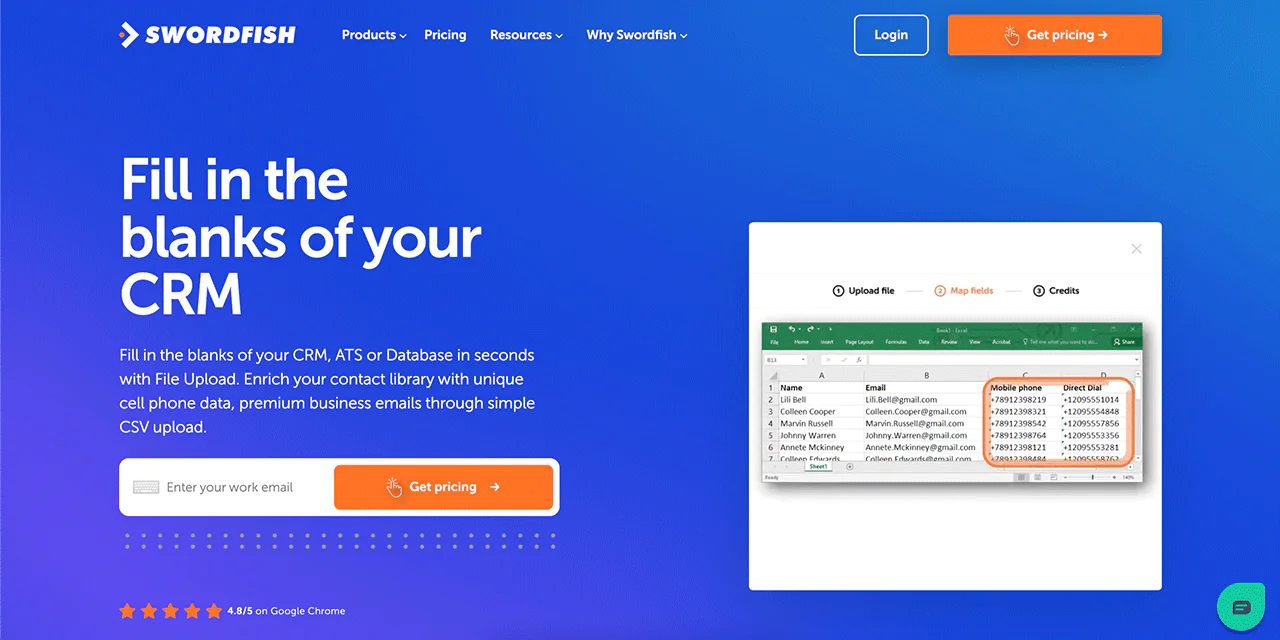
This feature lets you upload files directly into the Swordfish AI system, which makes it easier to enrich large batches of contacts at once instead of running searches one at a time.
-
Reverse Search
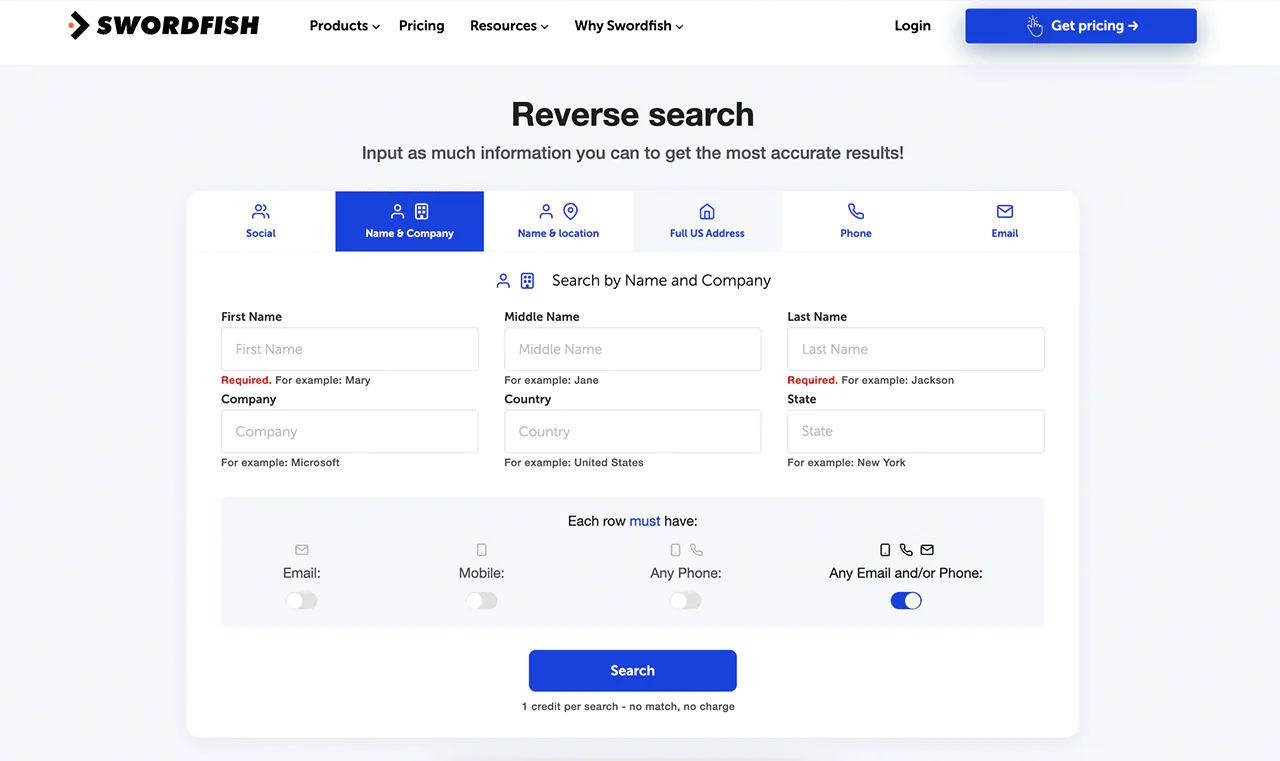
Starting with just a phone number lookup or an email address? Reverse Search works backward from a single identifier to build out a fuller contact profile.
-
API Integration
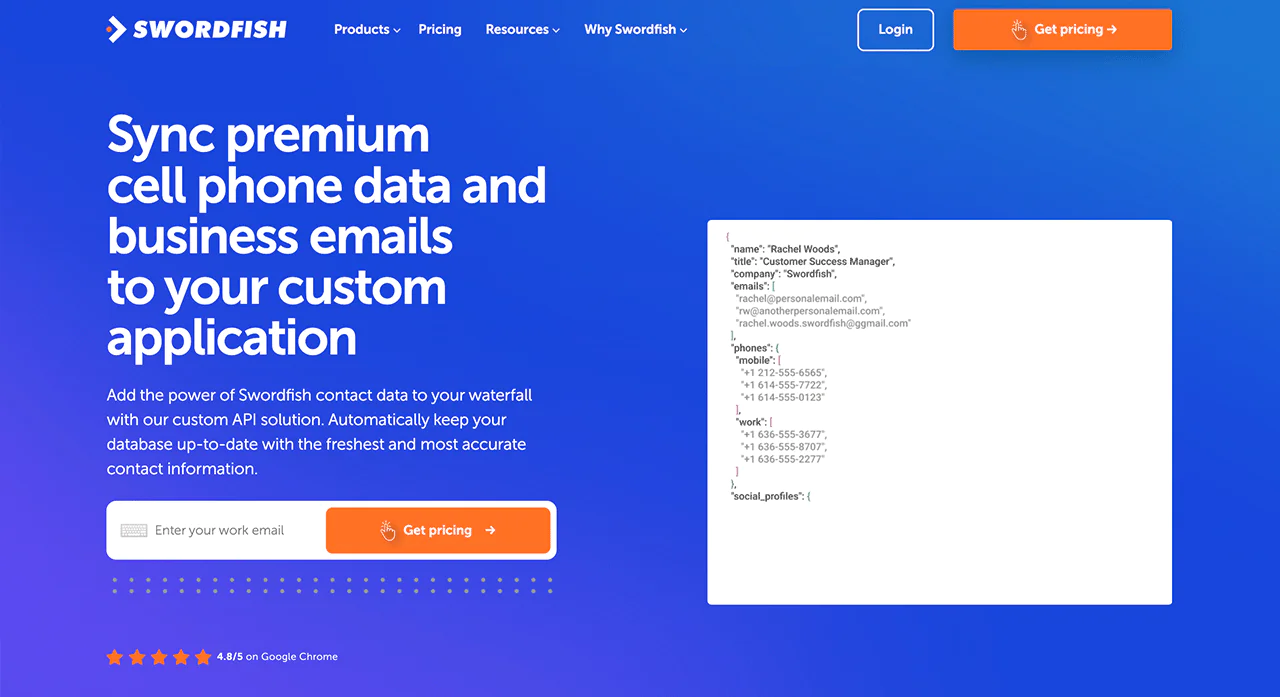
Swordfish AI doesn’t have to work in isolation. Its API connects it to your existing systems, so contact enrichment can happen automatically inside your own workflows.
-
Bombora
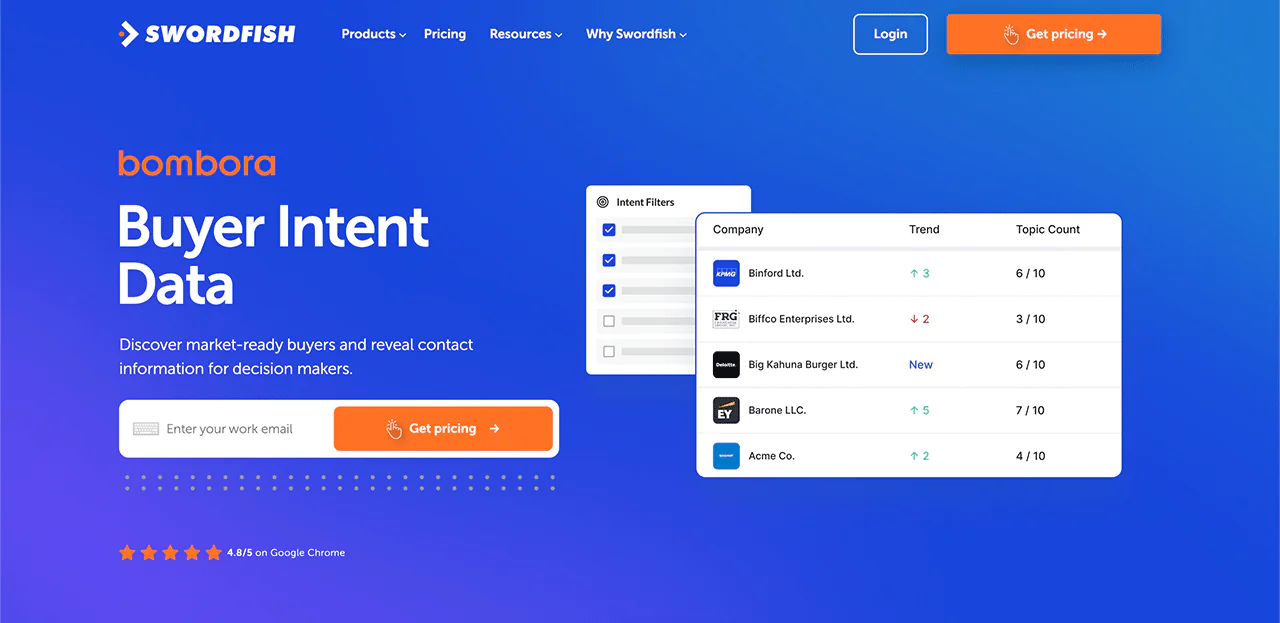
Through its Bombora integration, Swordfish AI layers in buyer intent signals so you can prioritize outreach toward businesses that are actively researching relevant solutions rather than cold prospects.
-
Chrome Extension
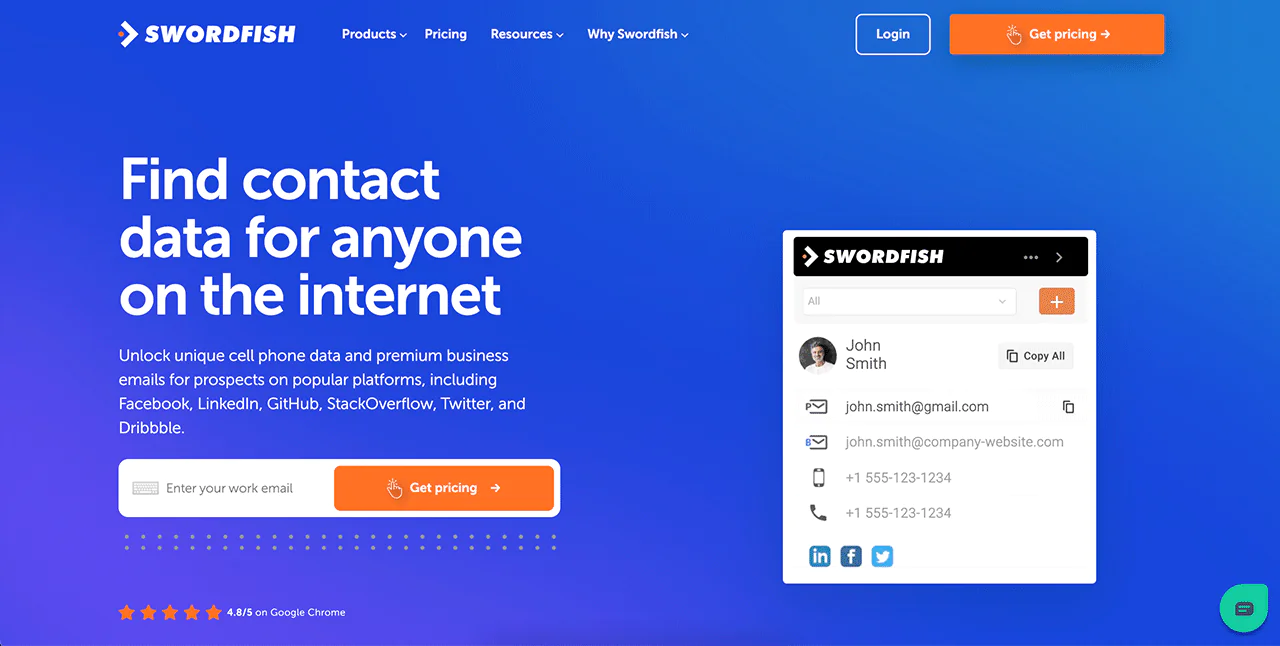
Swordfish AI’s Chrome Extension runs directly on LinkedIn, Twitter, and Facebook, which is handy when you need a contact detail while you’re already looking at a profile.
Best Use Cases of Swordfish AI
A few ways teams put Swordfish AI to work —
- Sales and Marketing Initiatives: Pulling from a detailed B2B email database to sharpen outreach targeting and improve conversion odds.
- Recruiting the Right Talent:
- Locating and reaching qualified candidates faster, which shortens the hiring cycle.
- Expanding Your Professional Network: Connecting with industry peers and potential partners for collaboration.
- Increasing Event Attendance: Finding and inviting the right professionals with personalized outreach.
- Collecting Valuable Feedback: Reaching your audience directly for surveys that inform product and marketing decisions.
- Distributing Your Content Effectively: Building a subscriber list for newsletters and offers that actually reach inboxes.
- Communicating in Times of Need: Getting urgent messages to the right people quickly, using accurate address data.
- Direct Connections for Sales Teams: Reaching decision-makers directly instead of getting stuck with gatekeepers.
- Improving Sales Prospecting: Focusing sales effort on identified, qualified potential clients.
Pros of Using Swordfish AI
- High-quality business email addresses to improve outreach efforts.
- User-friendly platform simplifies navigation and usage.
- Directly connects you with essential contacts, avoiding bridges
- Complies with privacy laws for ethical data use.
- Up-to-date, accurate contact data from live partners.
Cons of Using Swordfish AI
- Only quote-based pricing is available.
Swordfish AI Pricing
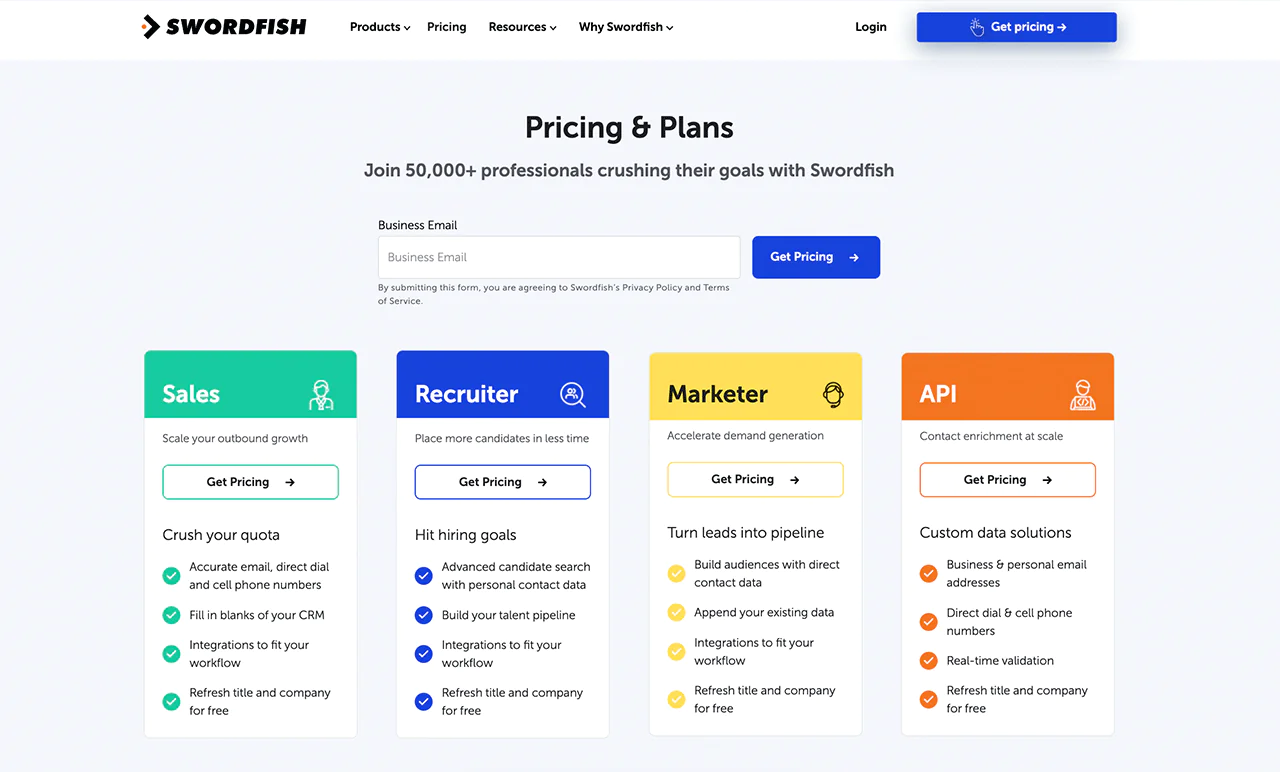
Swordfish AI has different pricing plans depending on what you’re trying to accomplish.
Sales teams get a plan built around verified contacts for faster outreach. Recruiters get a plan focused on direct access to candidates.
Marketers get a plan aimed at accurate audience targeting, and teams that need to build contact enrichment into their own tools can use the API plan.
Because pricing is quote-based, you’ll need to contact Swordfish directly to get specific numbers for your use case.
 Try Swordfish Ai
What Users Say About Swordfish AI
- G2: 4.5 out of 5 (84 reviews)
“I evaluated and used another search engine company for the critical human data I needed for my current projects. SWORDFISH was so easy that I used up my trial credits on the first day because it gave me so much information, and I immediately signed up for the Professional Credits program, which is 400 credits per month.”
– Andrea W.
- Capterra: 4.6 out of 5 (12 reviews)
“The Best Lead Tracking App on the Market. So far, so good, hopefully we see justice served on hatred today. I was able to source and detect three criminals in corporates” – Chris S.
2. ZoomInfo
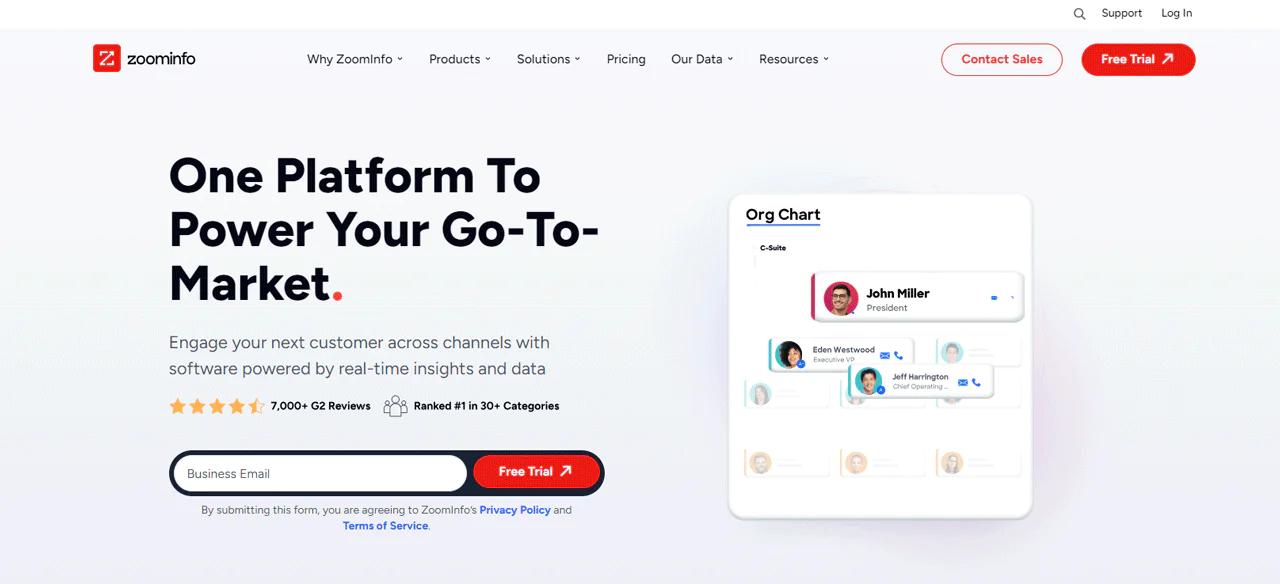
ZoomInfo is built around a large contact and company database, with verified emails aimed at keeping deliverability high for direct outreach.
Compared with Lusha, ZoomInfo generally offers a deeper database with more verified emails for direct outreach, while Lusha leans toward user-friendliness and affordability for smaller teams.
Detailed company profiles make it straightforward to identify the right contact inside an organization, and ZoomInfo layers on buyer intent data, lead routing, and enrichment for teams that need more than a name and email address.
Profile-change alerts help keep a contact list from going stale between searches.
Across sales, marketing, and recruiting use cases, ZoomInfo’s emphasis on verification is what separates it from lighter-weight email finder tools.
About ZoomInfo
- Founding year: 2007
- Founding team: Henry Schuck
- Company Size: 1001-5000 employees
Features of ZoomInfo
ZoomInfo can help you with the following —
- Buyer Intent Tracking: Surfaces prospects early in their buying journey, useful for targeting companies showing interest in similar products or services.
- Website Visitor Tracking: Identifies website visitors who are already familiar with your brand.
- Conversation Intelligence with Chorus: Analyzes calls and emails to surface trends and customer needs.
- Email and Phone Automation: Automated workflows for emails and calls speed up outreach at scale.
- Software Integrations: Connects with tools like Slack and Salesforce for a smoother workflow.
Pros of Using ZoomInfo
- Large database with detailed company and personnel insights.
- Advanced filters for pinpoint email targeting.
- Frequently updated database for the latest contacts.
- Works well with many CRM and marketing tools.
- Strong analytics for smart and informed strategies.
Cons of Using ZoomInfo
- High cost may be prohibitive for small businesses/startups.
- Some data inaccuracies could affect email targeting accuracy.
ZoomInfo Pricing
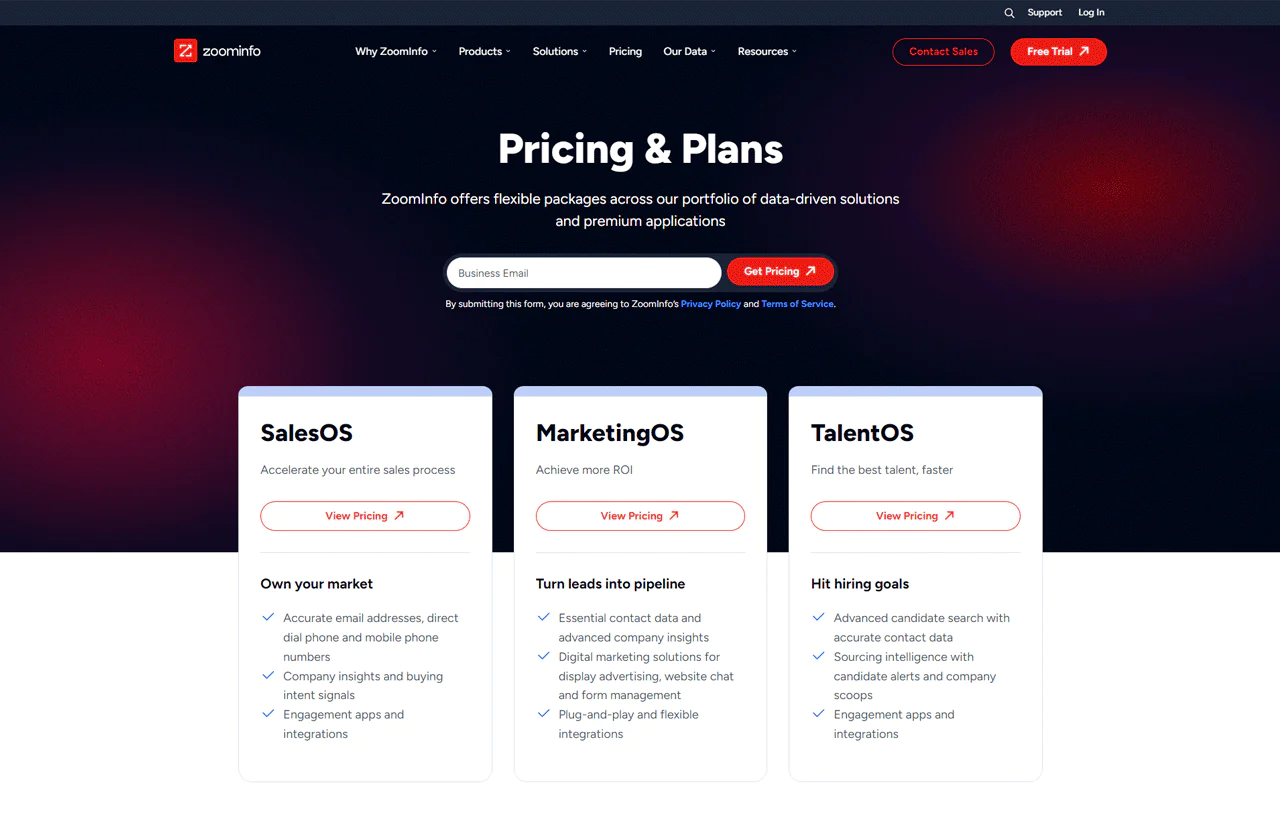
Pricing depends on which tools, data access level, and number of licenses you need, with both free and paid tiers available.
- SalesOS: For sales teams wanting detailed contact data and buyer insights.
- MarketingOS: Supports digital marketing with targeted data.
- TalentOS: Helps in finding and managing talent.
ZoomInfo doesn’t publish detailed pricing, but based on what’s publicly known, plans have historically ranged roughly as follows:
- Free Tier: Limited to 10 contact searches per month with basic features.
- Pro+ Plan: Around $8,000 annually, offering advanced search options and more contact data access.
- Advanced Plan: Around $12,000 a year, with roughly 1,000 credits monthly for broader data use.
- Elite Plan: Around $40,000 annually, including premium features and advanced tools.
 Note: Check out more details on ZoomInfo pricing if you’re looking for more.
What Users Say About ZoomInfo
- G2: 4.4 · 6,891 reviews
- Capterra: 4.1 · 279 reviews
What do you like best about ZoomInfo?
We lean heavily on account based marketing and this tool allows us to effectively identify the correct people in an organization. We have several different lines of business that benefit from our products. We have to have insights into our addressable market and the ZoomInfo team is always there to help us build lists based on our requirements.
What do you dislike about ZoomInfo?
I’m not a fan of having to purchase different packages for Europe and Asia. A hierarchy chart of an organization would be helpful was an area that was lacking but has been resolved with the new product release. The merger has really completed the solution. – Todd O.
Our Review of ZoomInfo
ZoomInfo is strong on depth of contact and market data. Users generally praise the size of its database and its usefulness for targeted outreach, along with solid CRM integrations.
The tradeoffs are a learning curve for new users and premium pricing that can be a barrier for smaller teams. A few reviewers also flag occasional data inaccuracies worth factoring into your evaluation.
ZoomInfo’s strengths in data comprehensiveness and functionality make it a useful tool, but the cost and onboarding curve are real considerations.
Note: If you’re already using ZoomInfo but looking for a better choice, check out ZoomInfo alternatives.
3. Lusha
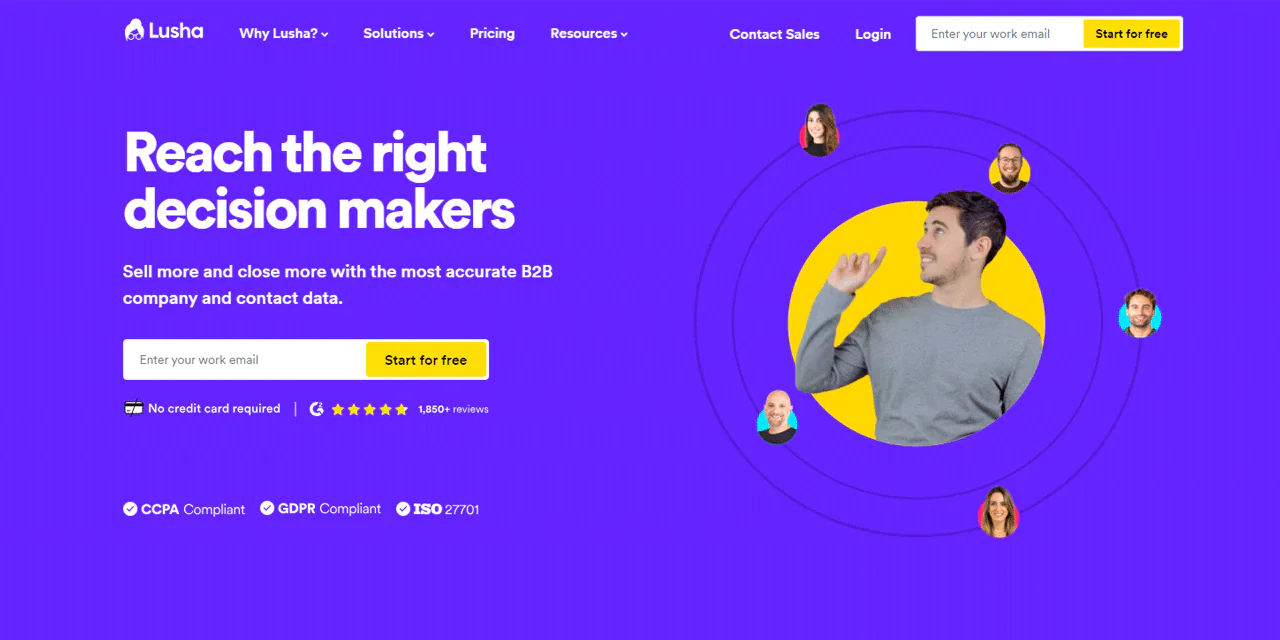
Lusha has grown into a common choice for sales, marketing, and recruiting teams, with features like buying-intent signals to flag sales-ready companies and job-change alerts to track prospects as their careers move.
Lusha surfaces verified email addresses and phone numbers, and beyond straightforward lead generation, it’s built to help connect users directly with potential customers.
Its ease of use and integration with LinkedIn make it a solid pick for free email search and email tracking.
Compared to RocketReach, Lusha leans toward ease of use and affordability for smaller teams. ZoomInfo, in contrast, offers a deeper database with verified emails for direct outreach, which shows in how well it identifies key contacts within organizations.
About Lusha
- Founding year: 2016
- Founding team: Assaf Eisenstein and Yoni Tserruya
- Company Size: 201-500 employees
Features of Lusha
Lusha’s features are built around finding accurate, verified email addresses and direct contact details —
- Intent Detection: Flags a company’s likelihood to purchase based on behavioral signals, useful for pinpointing prospects showing buying intent.
- Job Change Alerts: Keeps you informed about prospects’ job changes, opening new opportunities for engagement.
- Technology Filter: Lets you target companies based on their technology stack for more focused prospecting.
- Salesforce Data Enrichment: Enriches CRM records with accurate contact and company data.
- Prospecting Platform: Helps build comprehensive prospect lists efficiently.
- LinkedIn Extension: Pulls contact and company information directly from LinkedIn profiles.
Pros of Using Lusha
- Lusha provides exact email addresses, improving the accuracy of outreach efforts.
- Ensures access to verified and trustworthy email data for reliable communication.
- Its straightforward interface allows for easy email search and collection.
- Indispensable for sales and marketing teams focused on effective email lead generation.
Cons of Using Lusha
- The range of information available might differ across sectors
Pricing
Lusha offers several tiers depending on how much contact data you need.
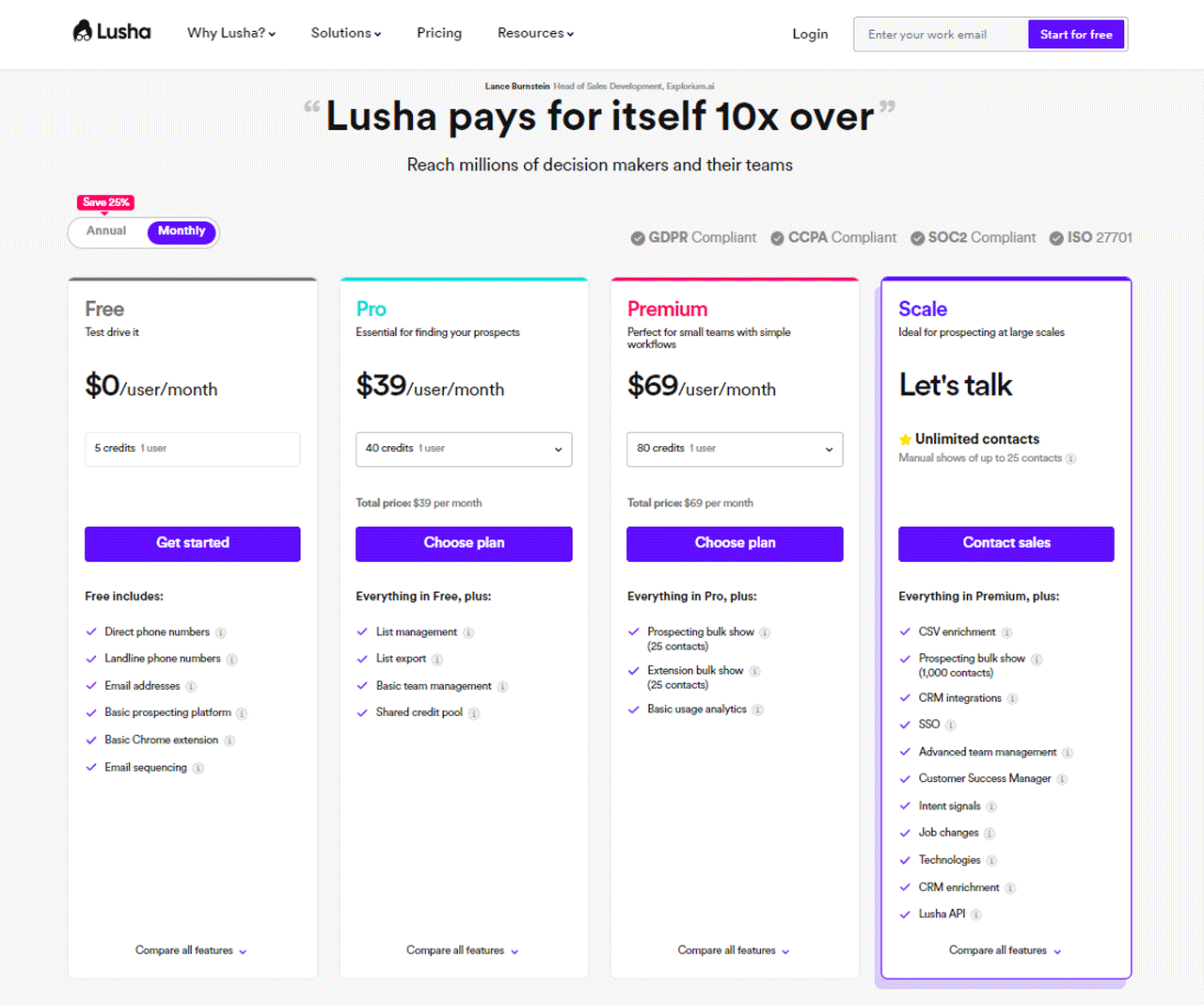
The Free plan provides 5 credits each month, a reasonable way to sample what Lusha offers before committing to a paid tier.
The Pro plan, priced at $36 per user per month, grants 40 credits monthly for individuals or small teams needing more frequent access.
The Premium plan offers 80 credits at $51 per user per month, aimed at teams with heavier contact-data needs.
Custom requirements can be handled through Lusha’s direct sales contact.
 Note: For additional information on Lusha pricing, feel free to check out more details.
What Users Say About Lusha
- G2 4.3 · 1,391 reviews
- Capterra: 4.0 · 354 Reviews
What do you like best about Lusha?
The thing which I personally like to use about lusha is it’s very easy to use, it almost a wide range of data which you customize according to your need with the help of their filter features, you can get the right contact details of the people you want to connect. Overall a very good tool for lead generation.
What do you dislike about Lusha?
I like everything about this. The only thing is it doesn’t allow you access to certain contacts and if you are using their free version then the cerdits are only 5 for a mont- Roselin B.
Our Review of Lusha
Lusha’s Trust-Filters are what stand out to users, since each piece of data is meant to be verified against multiple sources before being surfaced.
Its email finding is solid, backed by a data verification process that reduces the guesswork of manual research.
The platform’s ease of use is a genuine advantage, with fast onboarding that gets teams up and running with minimal training.
Lusha also emphasizes privacy compliance, citing GDPR and CCPA alignment.
Note: Diversify your options with these alternatives to Lusha.
4. RocketReach
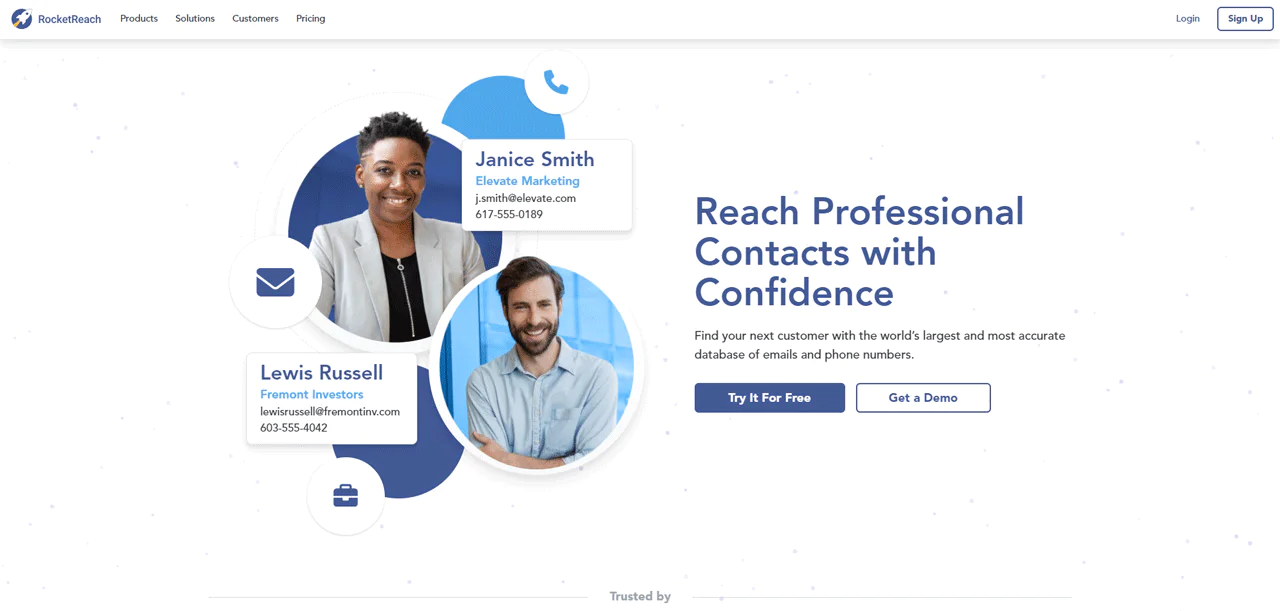
RocketReach is built for lead generation and email finding across sales, marketing, and recruiting use cases, aiming to simplify how you locate accurate contact information.
Its email lookup lets you search by name and company for quick results. Combined with API access and data export, it works across sales, marketing, recruitment, and networking use cases.
Compared with UpLead, RocketReach tends to have a larger database, which favors reach, while UpLead leans more heavily into data accuracy features like verification and technographic details for in-depth research.
About RocketReach
- Founding year: 2015
- Founding team: Amit Shanbhag and Andrew Tso
- Company Size: 100-150 employees
Features of RocketReach
Some of what RocketReach can do for you —
- Advanced Search: Search across a large pool of people and companies using detailed criteria to find the right contacts.
- Browser Extension: Enables prospecting on social media sites and discovering company connections from any website.
- Bulk Lookups: Download thousands of prospects that meet specific criteria at once, useful for large-scale outreach.
- CRM Integrations: Integrates with CRM systems for seamless data management.
- API Access: Offers API access for custom application integration.
- Data Export: Exports data as CSV files for easy incorporation into other workflows.
Pros of RocketReach:
- Enhances lead generation with advanced lead intelligence tools.
- Includes Lead Builder and Browser Extension to streamline searches.
- Allows simultaneous multiple searches, optimizing time management.
- Offers various pricing options to suit diverse budgetary requirements.
Cons of RocketReach:
- Integrating with social media platforms can be a lengthy process.
- Lead analysis and effectiveness of social media integration need enhancement.
Pricing
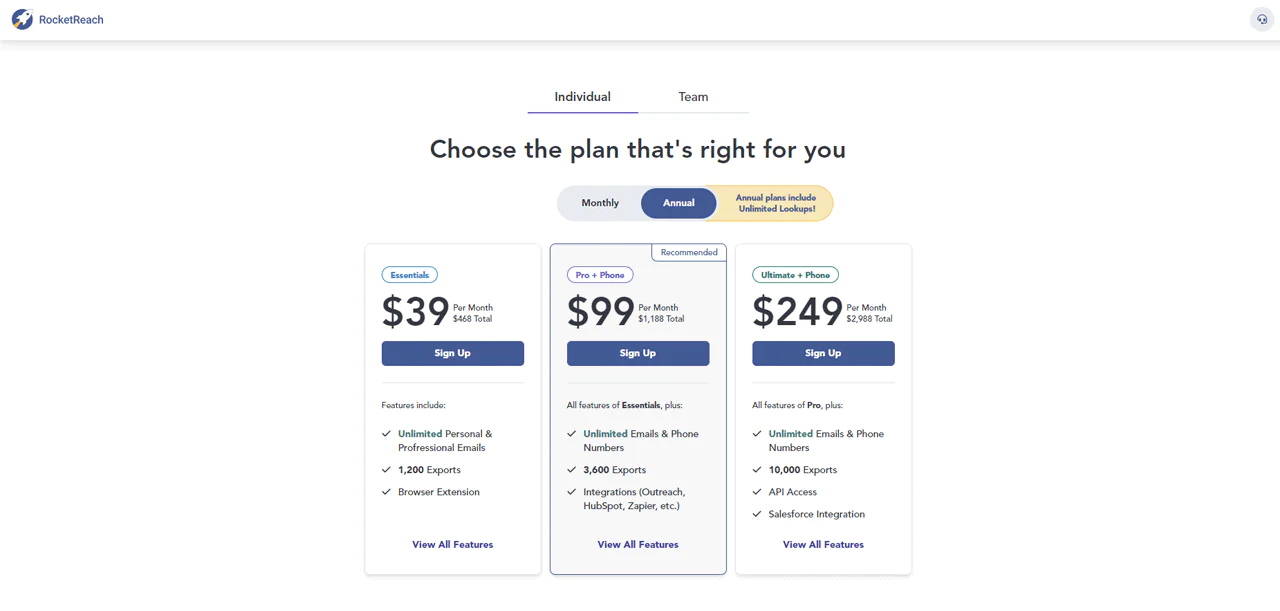
The \”Essentials\” package runs $39 monthly (billed yearly), with unlimited searches and 1200 data exports.
The \”Pro\” package, at $99 monthly (annual billing), adds unlimited phone number access and 3600 data exports.
The \”Ultimate\” package, at $249 monthly (billed annually), includes API access, 10000 data exports, Salesforce integration, Organization Charts, and Company Trends.
 Note: For further clarity on Rocketreach pricing, be sure to investigate more details.
What Users Say About RocketReach
- G2: 4.5 out of 5 (636 reviews)
- Capterra: 4.2 out of 5 (126 reviews)
“What do you like best about RocketReach?
RR allowed me to download a full month of leads – in advance. I had used up the number of leads that my subscription allowed. However, the search was yielding lead after lead and I didn’t have to stop. That’s a total win-win.”
What do you dislike about RocketReach?
The left side panel is a real PITA. When setting up the search or adjusting the search terms, that side panel pops out because the curser would get close and activate it. And when that side panel appears, it blocks the search entry fields.” – Ryan K.
Our Review of RocketReach
RocketReach’s large database and generally accurate contact details make it a solid pick for reaching the right people. The Chrome extension and advanced search options are useful additions.
Larger searches can occasionally lag, though it’s rarely a dealbreaker.
Overall, RocketReach’s ability to surface reliable email addresses makes it a dependable option for expanding a contact list.
Note: If you don’t like what Rocketreach offers, check out more RocketReach alternatives
5. UpLead
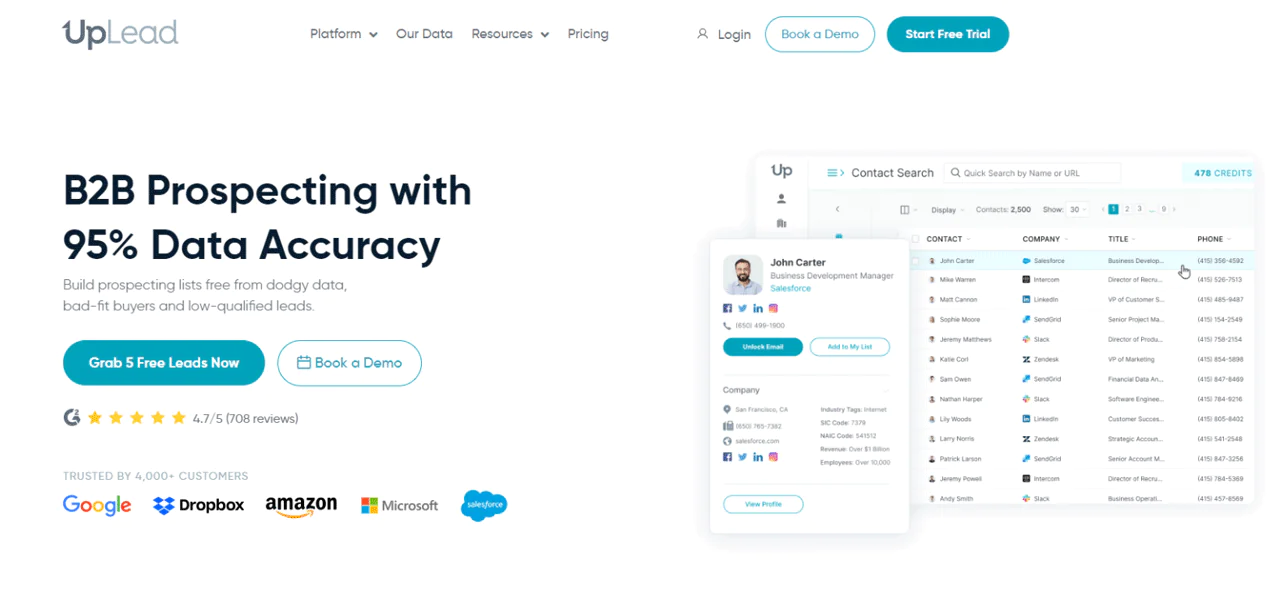
UpLead is a cloud-based system built around lead creation and management, covering various parts of digital marketing and sales.
Live chat, email, and phone-based lead acquisition are all built in, along with a CRM tool for tracking sales progress. Its email-finding feature is a core piece of the platform.
Compared with ZoomInfo, UpLead tends to lead on data quality, with features like email verification and technographic details showing a company’s technology usage.
ZoomInfo, though, tends to win on data quantity and features aimed at larger teams.
About UpLead
- Founding year: 2017
- Founding team: Will Cannon
- Company Size: 51 to 200 employees
Features of UpLead
Features that support UpLead’s email-finding and lead-generation capabilities —
- Autoresponder System: Automates email notifications and communications with subscribers.
- Drag and Drop Automation Tool: Simplifies campaign creation with emails, links, images, and text.
- Customizable Marketing Templates: Templates for email, chat, webinar, and social media campaigns.
- Dynamic Filters and Advanced Segmentation: Builds custom lead lists in seconds.
- Built-in Traffic System and Search Engine: Supports setup of online stores and digital marketing campaigns.
- Lead Capture and Marketing Automation: Attracts prospects through email, social media, and ads, with automation for effective follow-through.
Pros of Using UpLead
- High level of data precision, boosting the effectiveness of email campaigns.
- Utilizes sophisticated filtering options to effortlessly identify the perfect leads.
- Features immediate email validation, reducing bounce rates and enhancing email reach.
- Easy connections with CRM and marketing tools for lead handling and automation processes.
- Provides an ample free trial period, allowing users to explore its capabilities.
Cons of Using UpLead
- Coverage may be sparse in highly specialized sectors or for smaller market segments.
Pricing
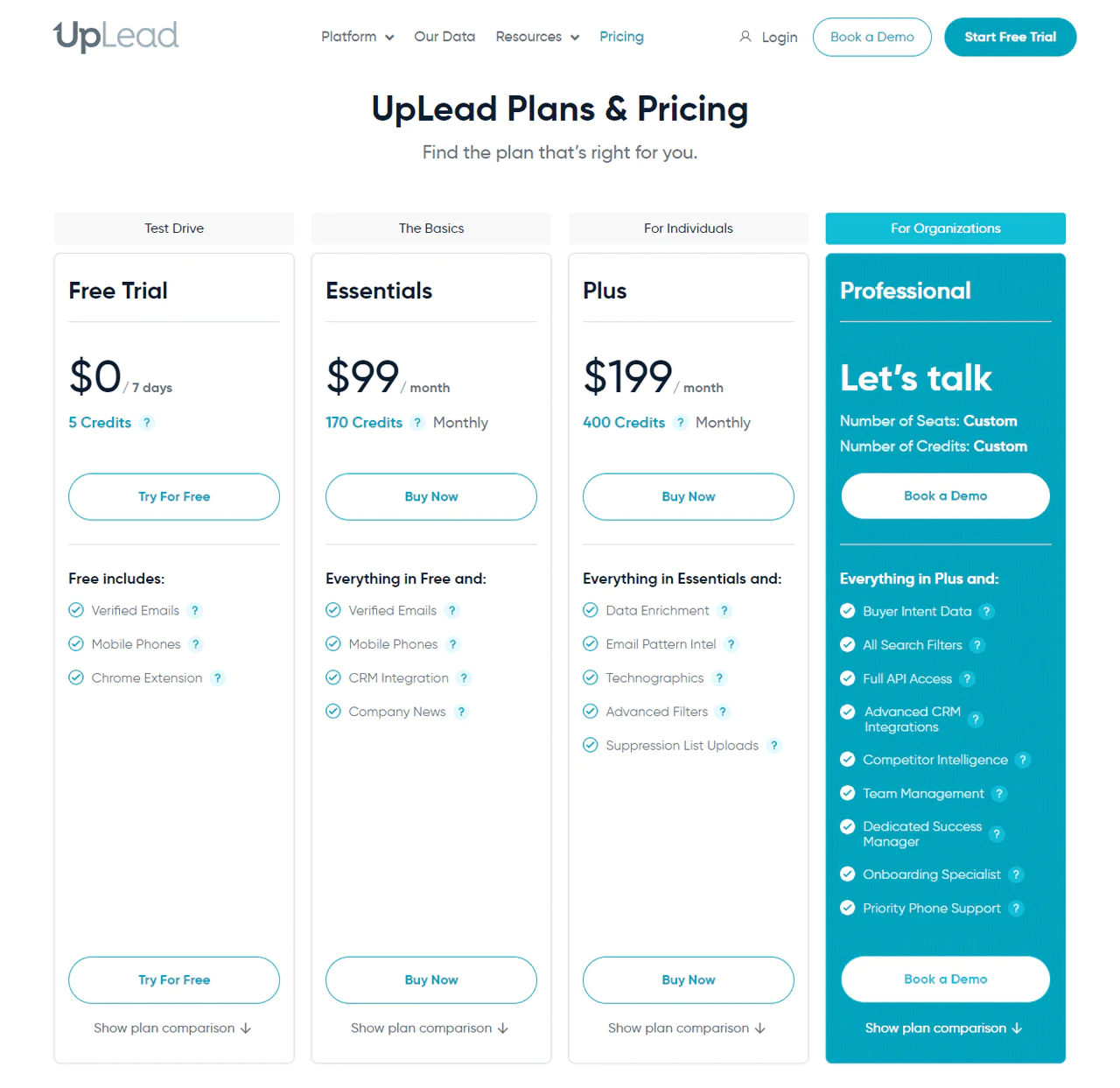
UpLead’s Free Trial lets you download or export a contact’s email and mobile number. The Essentials plan, priced at $99, includes verified emails, CRM integration, and direct mobile dials.
The Plus package runs $199 and adds technographic data, data enrichment, and more sophisticated filtering. The Professional plan offers custom credits, API access, buyer intent data, and improved CRM integration.
 Note: For a detailed breakdown of UpLead’s pricing, get more additional information.
What Users Say About UpLead?
- G2: 4.7 · 734 reviews
- Capterra: 4.6 · 75 reviews
What do you like best about UpLead?
In comparison to the much pricier Zoominfo which I used for a few years, the layout and workflow of their website is much better and the quality of their data along with a guarantee really sets them ahead of any other contact data service. We also had incredible support from multiple team members that continually show a concern for our success
What do you dislike about UpLead?
They don’t offer contacts based on our competition, but that is minor. Would like a direct interface to Teamleader Focus.- Shaun M.
Our Review of UpLead
UpLead’s data precision, paired with real-time verification, cuts down significantly on dead-end contacts.
Its standout claim is a 95% accuracy rate on email finding, backed by a guarantee — worth confirming against your own results before relying on it heavily.
UpLead’s no-match-no-charge policy on valid emails reinforces its value proposition. Its ability to find company email addresses from a URL, plus flagging of accept-all and catch-all addresses, adds to its efficiency.
Its bulk email lookup feature, retrieving thousands of emails with dozens of attributes in seconds, is genuinely useful for larger campaigns.
Note: If you wish to look for other options, read more on UpLead alternatives.
6. Hunter.io
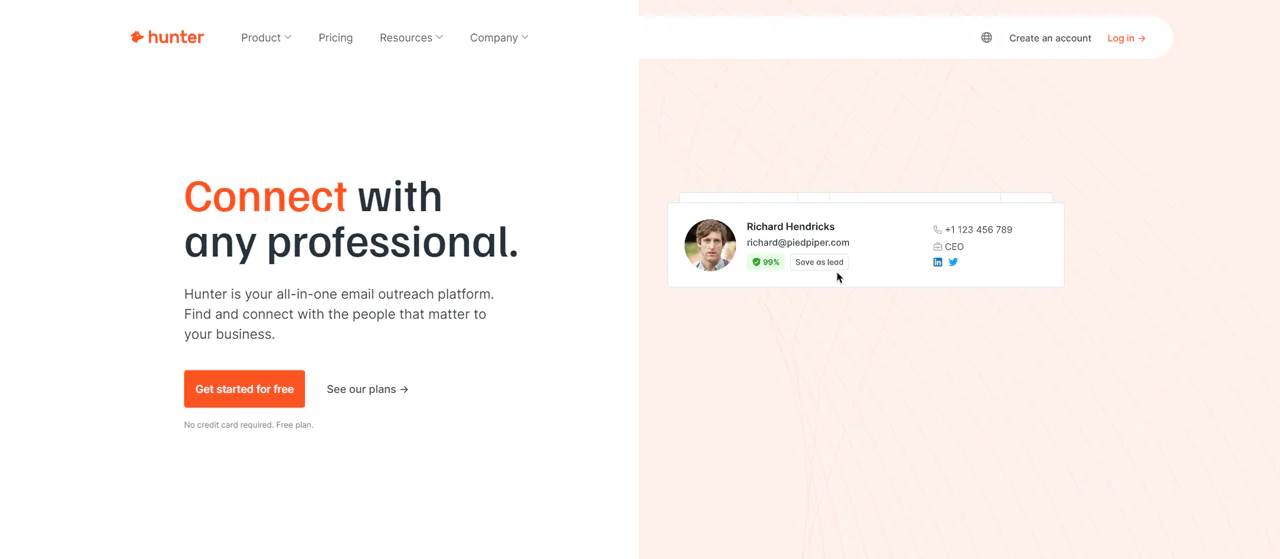
Hunter.io is useful for businesses and individuals working on link building and cold outreach. Its interface makes discovering and verifying email addresses straightforward.
Domain search and email finder features give quick access to addresses tied to a specific domain or individual, and bulk tasks handle large contact lists efficiently.
Compared with Anymail Finder, Hunter.io tends to be stronger on interface and integration ease, while Anymail Finder leans more into detailed verification processes.
About Hunter.io
- Founding year: 2015
- Founding team: Antoine Finkelstein and François Grante
- Company Size: 11 to 50 employees
Features of Hunter.io
What Hunter.io offers —
- Domain Search: Input a website and get a list of email addresses tied to that domain.
- Email Finder: Locates specific addresses when you already have a name and company website, handy for post-networking follow-up or complementing manual research on LinkedIn.
- Bulk Tasks: Mass checks, searches, and verifications for large contact lists.
- Email Verifier: Validates that email addresses are active and can receive mail.
- Leads Management: A simplified CRM-style layer for organizing email contacts.
Pros of Using Hunter.io
- Efficiently locates email addresses with notable precision.
- Effectively minimizes bounce rates through email validation.
- Provides comprehensive sourcing for every email address discovered.
- Facilitates the execution of tailored cold email campaigns on a large scale.
- Seamlessly connects with CRM systems and email platforms.
Cons of Using Hunter.io
- Limits the quantity of contacts retrievable in a single search.
Hunter.io Pricing
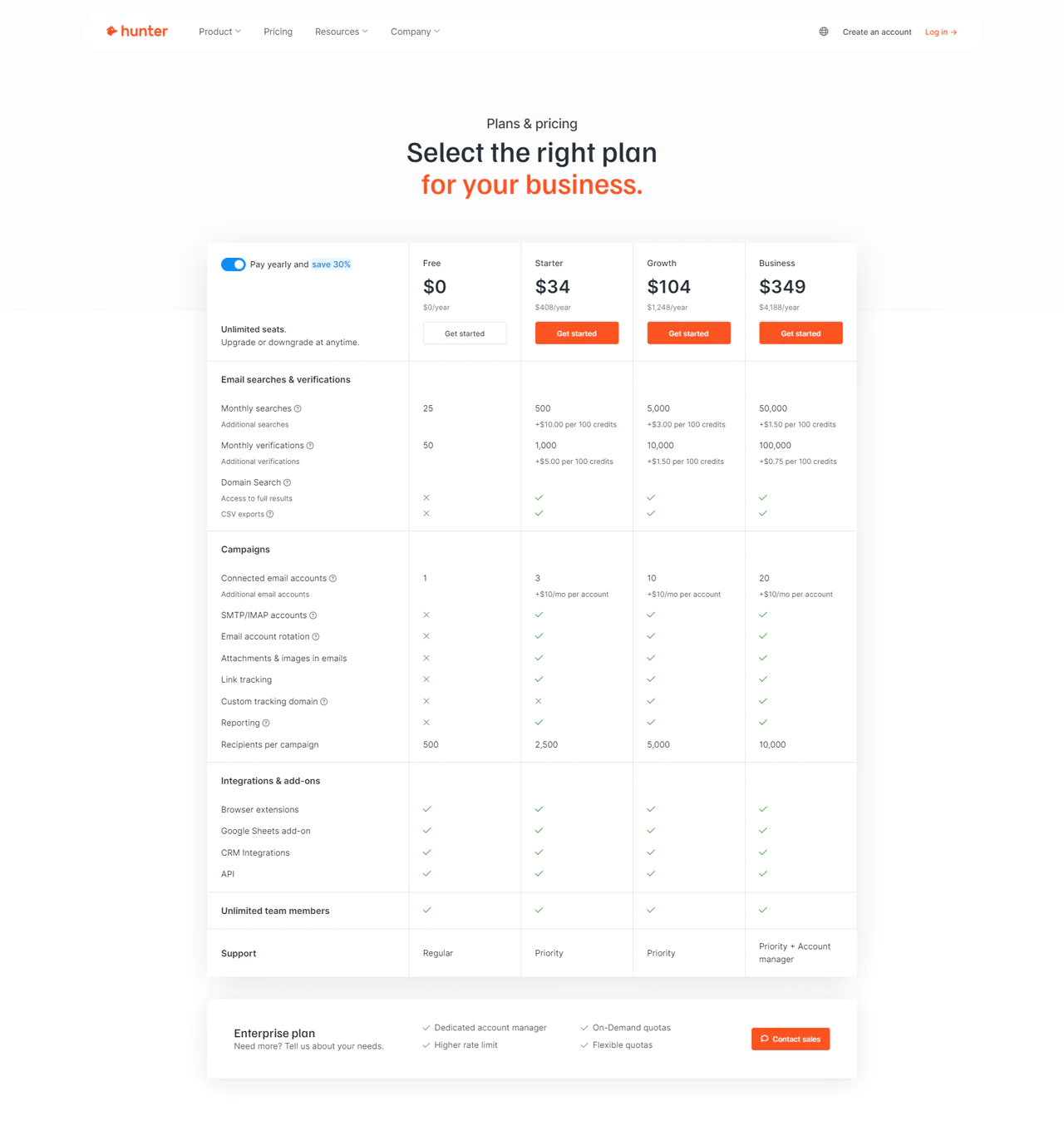
The Free plan covers essential tools at no cost.
The Starter plan at $49 a month adds advanced features for growing businesses.
The Growth plan, priced at $149 a month, is aimed at established businesses looking to broaden outreach and verification.
The Business plan at $499 a month is built for larger enterprises needing the most search and verification capacity.
 Note: For a deeper dive into Hunter’s pricing, ensure you look up extra details.
What Users Say About Hunter.io
- G2: 5 out of 5 (526 reviews)
- Capterra: 4 out of 5 (610 reviews)
“What do you like best about Hunter?
I work with Hunter daily as part of the marketing process for one of my clients. This tool helps me find corporate emails that I use to send marketing campaigns to prospect clients.
What do you dislike about Hunter?
There is nothing that I dislike about this tool. I have used both the free and paid versions and have always obtained good results. It is a simple looking, user friendly interface.”- Maria Montserrat B.
Our Review of Hunter.io
Hunter.io is genuinely good at spotting and confirming work-related email addresses. Domain Search and Email Finder simplify the process of reaching key business figures.
It’s a solid tool for widening your contact reach, though it leans on public internet data, which can leave gaps in more niche sectors.
The price for unlocking its full toolset may stretch the budget for smaller teams.
Note: Find out more info on Hunter.io alternatives as email finder tools
7. Voila Norbert
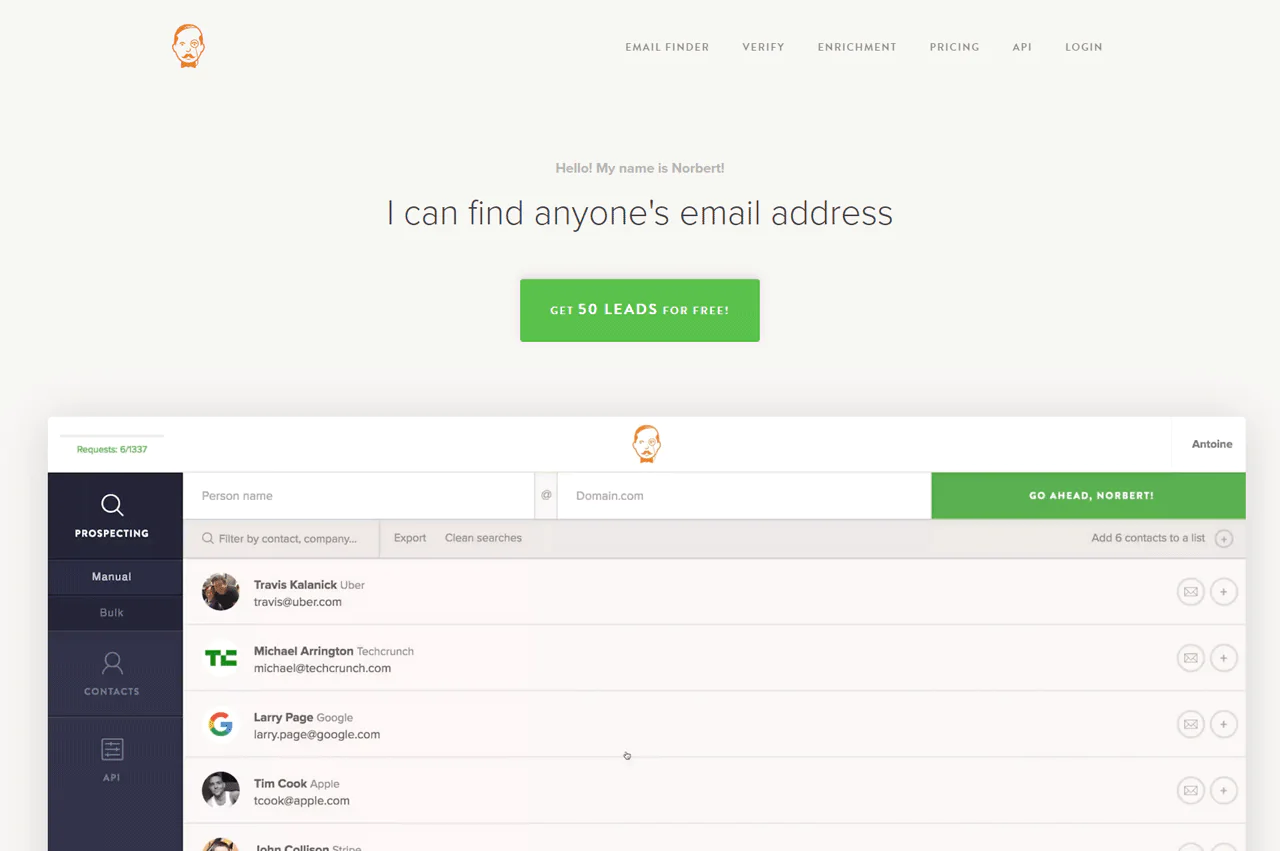
Voila Norbert is built to simplify finding and verifying email addresses.
It handles corporate email discovery and verification of existing addresses at the same time, and its list cleaning and contact enrichment features stand out alongside a straightforward interface.
Compared with FindThatLead, Voila Norbert leans toward email finding and verification accuracy (up to 98% deliverability, per the vendor).
FindThatLead offers broader lead-generation features including prospecting tools, verification, and campaign management.
About Voila Norbert
- Founding year: 2014
- Founding team: Sujan Patel, Robert Senoff
- Company Size: 2-10 employees
Features of Voila Norbert
Voila Norbert adds features to improve email detection and lead generation –
- Email Verification: Reduces bounce risk and improves communication reliability.
- Bulk Search via CSV: Upload and process large volumes of contact data at once.
- API Search: Integrates automated searches into your own workflow.
- Integration with CRM Tools: Works with Salesforce and HubSpot for better contact management.
- Real-time Results: Immediate feedback keeps email lists current.
Pros of Using Voila Norber
- Swiftly locates precise email addresses, reducing time and effort.
- Helps email marketing efforts with authenticated contacts.
- Simplifies the lead generation strategy for sales and marketing teams.
- The Chrome extension provides easy access to email searches anywhere.
- Simple integration with other platforms enhances operational efficiency.
- The API feature supports bespoke integration with company systems.
Cons of Using Voila Norbert
- The cost may be prohibitive for smaller businesses or solo practitioners.
- Offers limited features outside of email discovery and verification.
Pricing
Voila Norbert offers a free start option for testing the service.
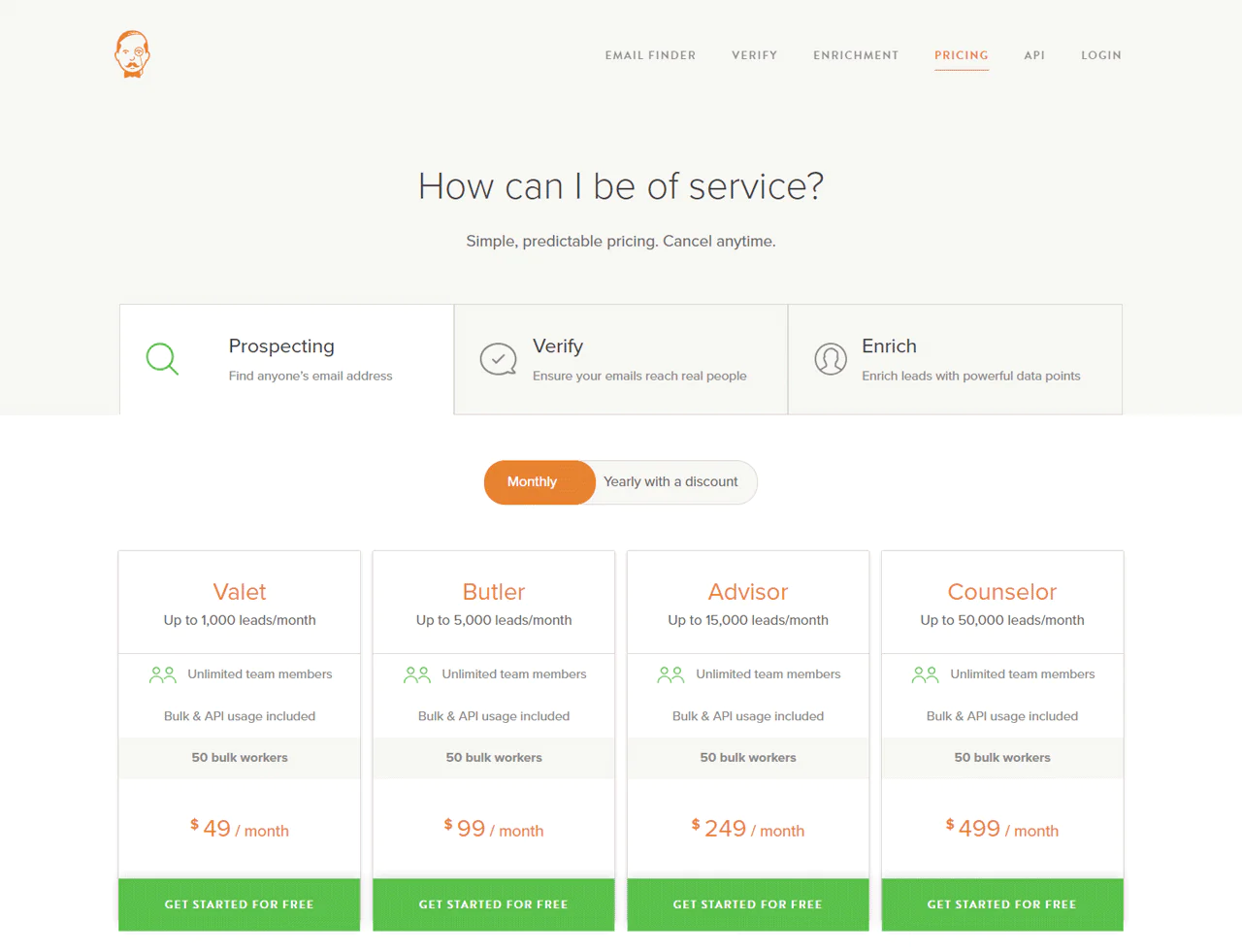
The ‘Valet’ plan at $49 per month covers up to 1,000 leads, suited to small teams or individual projects.
The ‘Counselor’ plan at $499 per month supports up to 50,000 leads, geared toward larger operations.
 Note: Don’t forget to check out more insights for a complete overview of Voila Norbert pricing.
What Users Say About Voila Norbert
- G2 : 4.6 · 46 reviews
- Capterra: 4.4 · 15 reviews
What do you like best about VoilaNorbert?
The User Interface is very fresh, simple navigation on the right pane and the results will be on the center part. Bulk upload is very easy since you will choose the respective drop down that corresponds to the parameter.
What do you dislike about VoilaNorbert?
What I dislike about the product is that it costs credits on the blank email results for the bulk upload, the credits should be only deducted on those contacts with email results – Adrian A.
Our Review of Voila Norbert
Its data enrichment for better conversion, bulk actions, native integrations, and API for scaling operations all stand out.
A free-lead offer is a reasonable starting point for new users, though its feature set beyond email verification and enrichment is fairly narrow compared to broader sales platforms.
Users report a high success rate finding accurate B2B contacts, with the vendor citing up to 98% deliverability.
Note: If you find the platform lacking, there are Voila Norbert alternatives available to explore.
8. AnyMail Finder
Anymail Finder is built around finding and verifying email addresses in real time, with accuracy as its main selling point.
A pay-per-verified-email model, plus the option to see results before paying, makes it a low-risk option to test.
Compared with Snov.io, AnyMail Finder is generally more efficient for email verification specifically, while Snov.io leans more into sales automation with features like email drip campaigns.

About AnyMail Finder
- Founding year: 2015
- Founding team: Joe d’Elia, Pardeep Kullar
- Company Size: 2-10 employees
Features of Anymail Finder
Anymail Finder can be used to —
- Email Verification Tools: API verification, bulk verification, catch-all server detection, domain validation, and single email verification.
- Chrome Extension: Build targeted email lists directly from your browser.
- Bulk Email Search: Upload a list of names and domains in a .csv file to find matching email addresses at once.
- Real-Time Email Scraping: Scrapes the web in real time to keep results current.
- Integration with Email Tools: Exports results into various follow-up tools.
Pros of Anymail Finder
- Offers high accuracy in verifying email addresses.
- User-friendly interface simplifies the email finding process.
- Reduces bounce rates effectively with verified emails.
- Provides a cost-effective solution for email verification needs.
- Supports bulk email search and verification efficiently.
Cons of Anymail Finder
- Limited database may not cover all industries comprehensively.
- Customer support response times can be slow.
Pricing
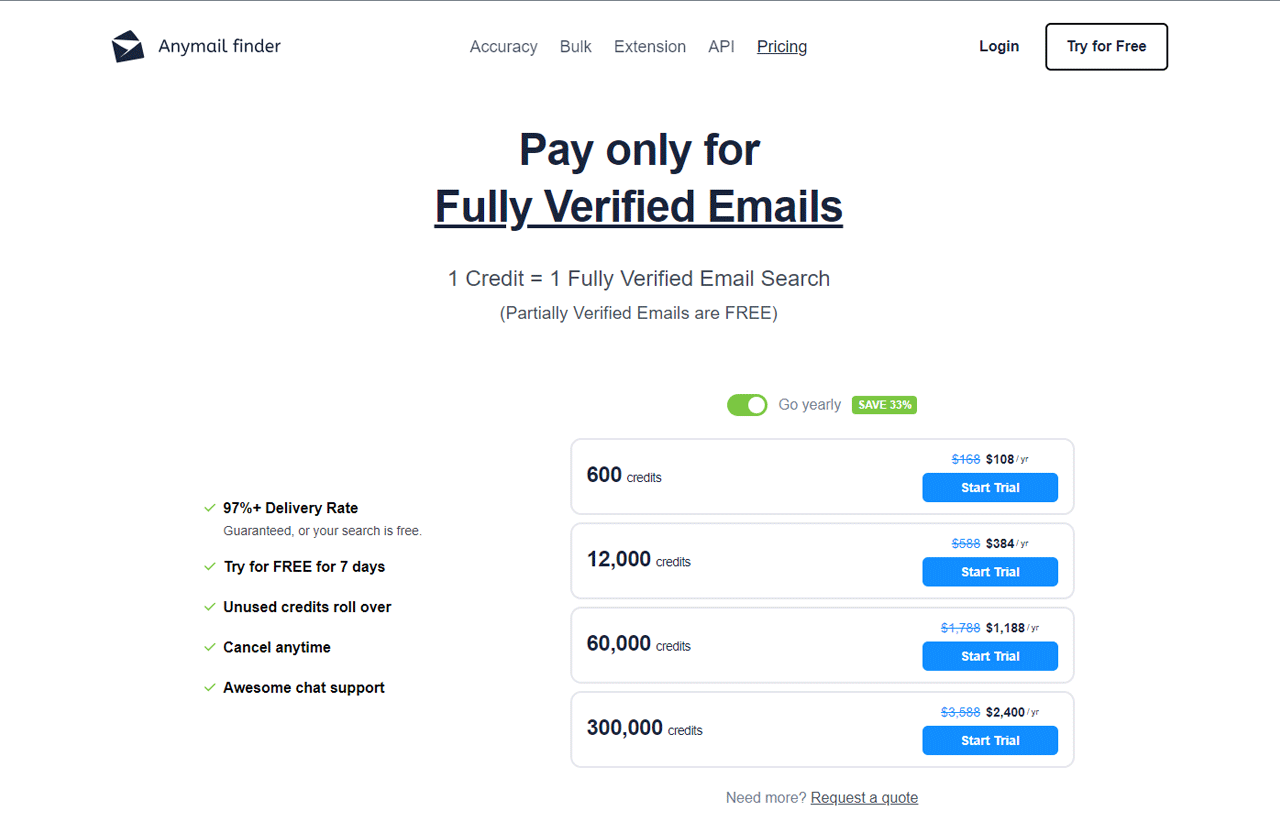
The basic plan runs $14 per month for 50 fully verified emails, suited to small-scale or individual projects.
A $49-per-month plan bumps that to 1,000 verified emails, a fit for small to medium-sized businesses.
A $99-per-month plan covers 5,000 verified emails, aimed at businesses expanding their reach.
Larger operations can move up to $149 per month for 10,000 emails or $299 per month for 30,000 fully verified emails.
 Note: For a deeper dive into AnyMail Finder pricing, ensure you look up extra details.
What Users Say About AnyMail Finder
- G2: 4.4 (24 reviews)
- Capterra: 3.4 (5 reviews)
What do you like best about Anymailfinder.com?
I like that it’s very easy to use. It gives me access to emails I can’t find anywhere else.
What do you dislike about Anymailfinder.com?
The design could be improved as far as visual. – Kelly C.
Our Review of AnyMail Finder
Anymail Finder is easy to use, with a straightforward interface. The pay-per-verified-email model means you only pay for what you get, though some users report unused credits expiring, which can be frustrating.
Accuracy is a point of debate — some users find most of the emails they search for, while others report lower success rates.
Customer service seems to be a genuine strength, with several reviewers praising responsiveness.
Note: If you are looking for alternatives to AnyMail Finder, explore more information.
9. Snov.io
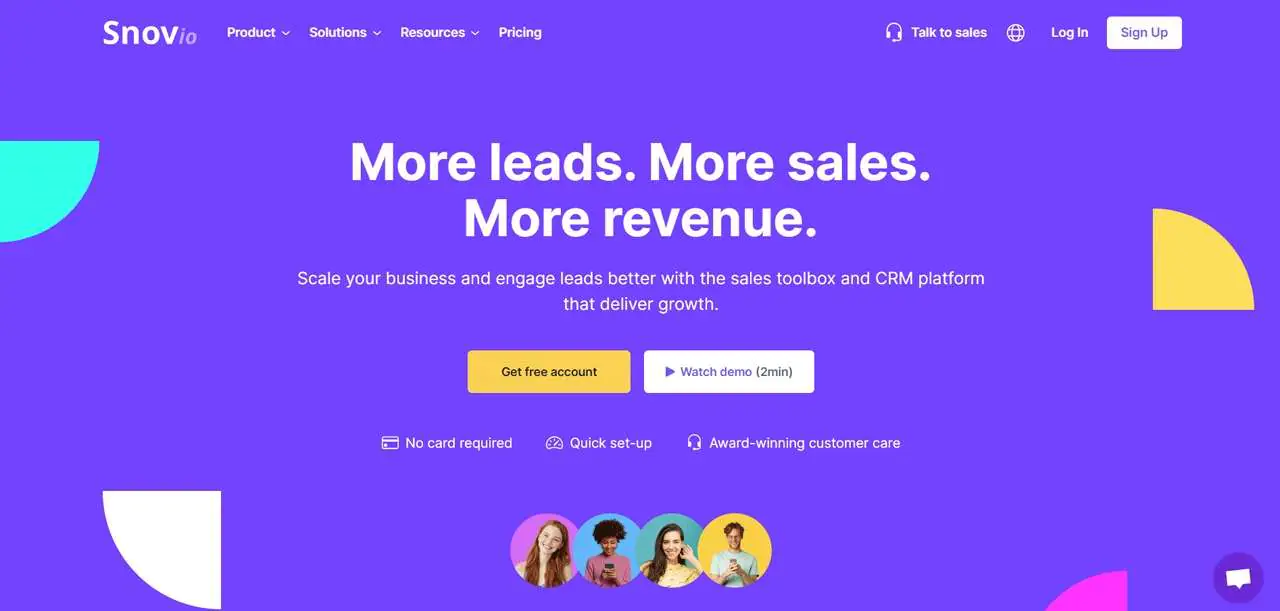
Snov.io is a CRM and sales automation platform aimed at B2B companies and sales development teams, with tools that support lead engagement across the sales process.
Its core is email lookup, verification, and personalized outreach — plug in a name or domain and it returns matching addresses.
Compared with RocketReach, Snov.io leans on a large database for email discovery, bulk search, and verification the vendor cites at 98% accuracy, though its search filters are more limited than RocketReach’s.
About Snov.io
- Founding Team: Oleksii Kratko
- Founding Year: 2017
- Company Size: 51-200 employees
Features of Snov.io
These are the features of Snov.io:
- Email Finder: Discovers and gathers leads matching your target profile through various search methods, including bulk options.
- Drip Campaigns: Personalizes outreach and automates follow-ups using behavior-based triggers and multiple sender accounts.
- Email Verifier: A 7-tier verification process, gray-listing bypass, and API support to keep lists clean.
- Email Warm-up: AI-driven conversation starters and warm-up strategies to improve sender reputation and inbox placement.
Pros
- Offers a comprehensive set of tools for all sales-related activities.
- Ensures high precision in verifying emails and generating leads.
- Features an intuitive interface that integrates smoothly with other systems.
- Includes cutting-edge options such as AI-powered email warm-up and drip campaigns triggered by user actions.
- Provides CRM capabilities that enhance the efficiency of sales team operations.
Cons
- The wide array of features can be overwhelming for new users.
Pricing
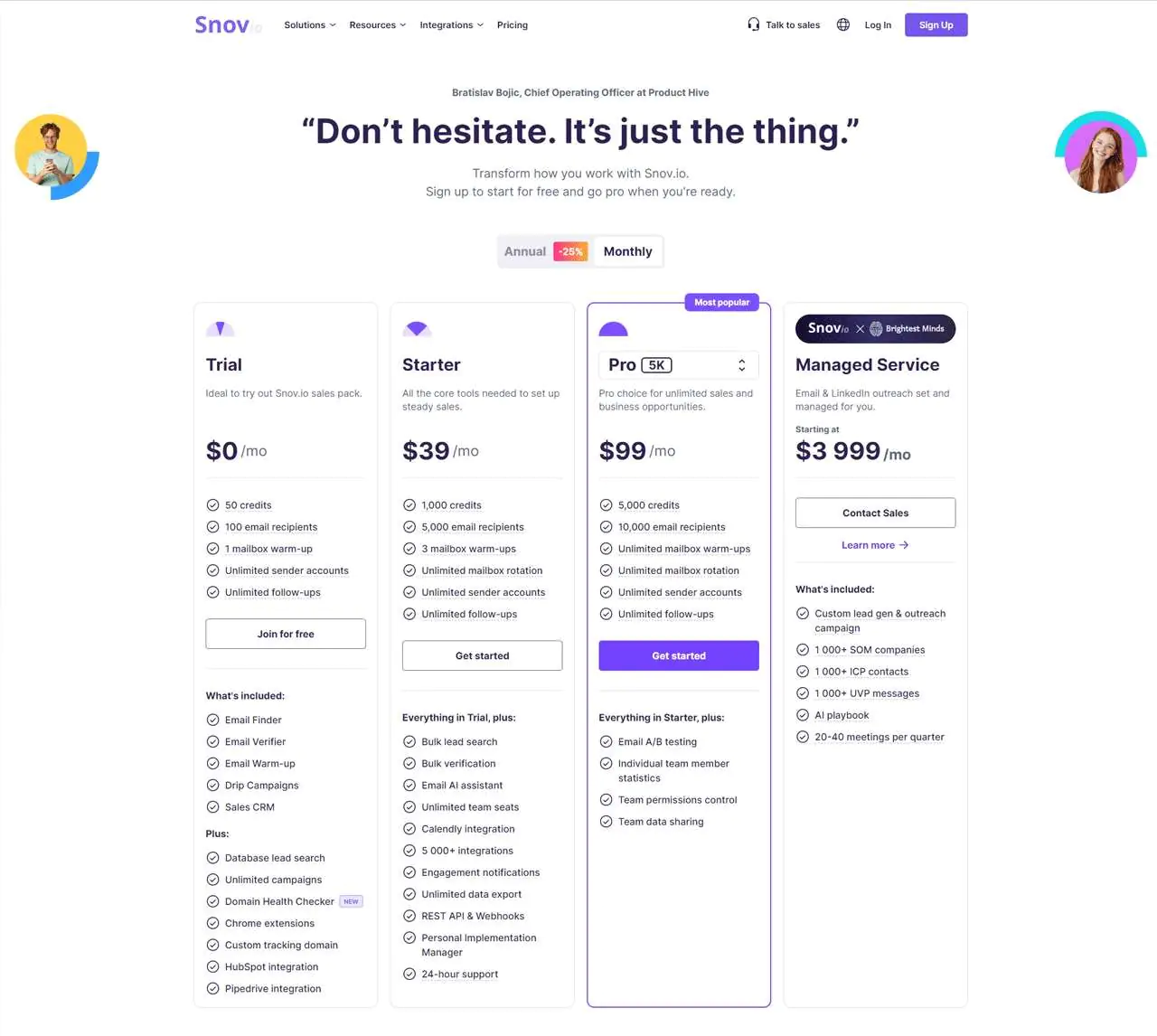
The free Trial plan includes 50 monthly credits and 100 email recipients, a way to test Snov.io before paying.
The Starter plan at $30/month offers 1,000 credits, geared toward small teams or individual sales professionals.
The Pro plan at $75/month provides 5,000 credits for higher-volume outreach.
The Managed Service plan starts at $3,999/month for large-scale lead generation and outreach.
 Note: To get the full picture of Snov.io pricing, you can get additional information.
What Users Say About Snov.io
- G2: 4.5 out of 5 (345 reviews)
- Capterra: 4.6 out of 5 (307 reviews)
“What do you like best about Snovio?
Snovio helped me a lot with email extraction from Linked Helper. I also used the warming-up feature for my new email boxes prior to starting the campaigns. The availability of templates (a lot of them divided by categories) makes creating a campaign much easier.
What do you dislike about Snovio?
I didn’t use a CRM integration but only because our CRM is not set up yet. But this feature will come in handy pretty soon.”- Oleksii H
Our Review of Snov.io
Its CRM integration is a useful feature that keeps email management centralized, though for teams needing broader contact data beyond email, it can feel narrow.
Discovery and verification hold up well, and the interface keeps outreach manageable.
Overall, Snov.io is a practical tool for marketers and recruiters, with features like AI-driven email warm-ups and behavior-triggered drip campaigns that support campaign performance.
Note: If you’re already using Snov.io but looking for a better choice, check out Snov.io alternatives.
10. FindThatLead
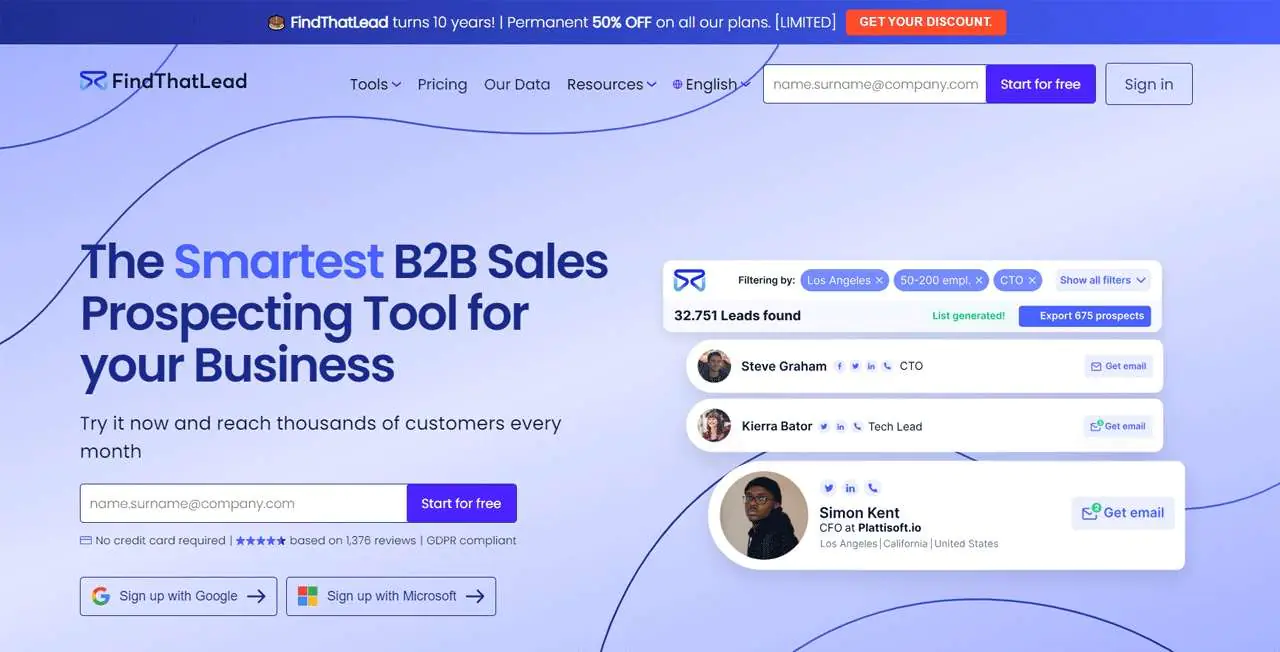
FindThatLead is built for sales teams needing to find and verify email addresses quickly, using just a name, company, or domain.
Its verification feature helps cut down email bounces, and built-in personalized email sending and follow-up automation add to the lead-generation workflow.
Compared with Snov.io, FindThatLead is generally easier for automating cold emails, while Snov.io offers deeper CRM integration and features like email warm-up and AI suggestions.
About FindThatLead
- Founding Team: Cristian Vitales
- Founding Year: 2014
- Company Size: 41-60 employees
Features of FindThatLead
Its main features:
- Prospector Tool: Filters leads by industry, location, and company size for more targeted generation.
- Email Verification: Checks address validity to raise the success rate of your outreach.
- Segmentation Tools: Organizes leads into categories to sharpen campaign focus.
- Chrome Extension: Collects lead email addresses directly from LinkedIn and Twitter.
- Campaign Feature: Manages email campaigns within FindThatLead for nurturing and converting leads.
Pros
- Designed for ease of use, making it accessible for users of all skill levels.
- Offers access to a wide database, providing a broad range of potential leads and contacts.
- Includes a variety of customizable email templates, facilitating personalized outreach
- Provides real-time analytics and reporting features, giving insights into campaign performance and lead engagement.
Cons
- The pricing can be relatively high for startups.
Pricing
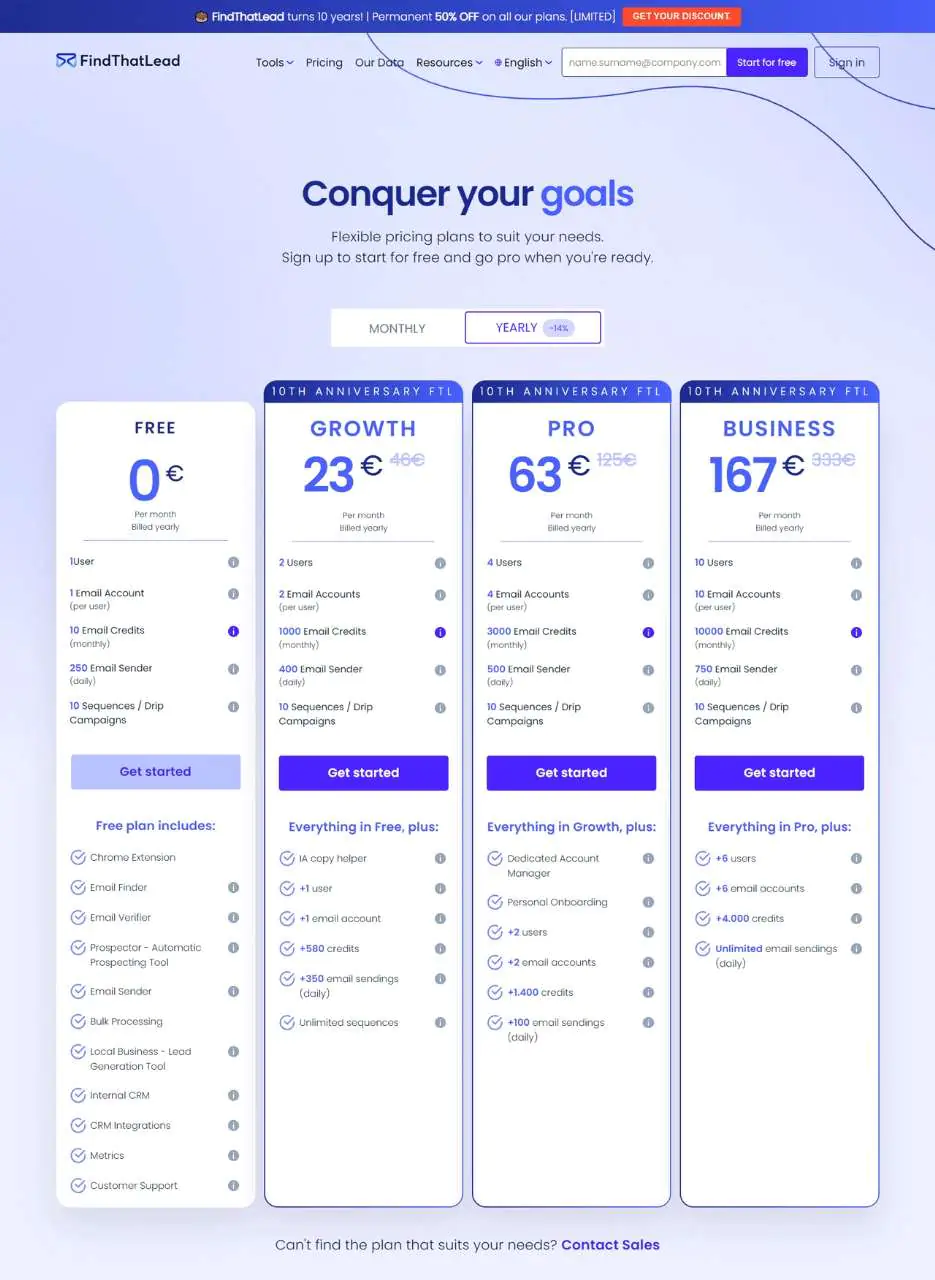
The Free Trial offers 10 searches per day at no cost, good for individual users.
The Growth Plan at $41 fits professionals needing a moderate volume of searches.
The Pro Plan at $125 covers more intensive search needs.
The Business Plan at $333 is built for large enterprises with the heaviest email-finding demands.
What Users Say About FindThatLead
- G2: 4 out of 5 (84 reviews)
- Capterra: 4.2 out of 5 (74 reviews)
What do you like best about FindThatLead?
The ease that it takes in minimizing time to look for clients is a great help. I’ve been using Findthatlead for over 3 years and haven’t looked at other types of software in finding emails. So if you’re looking for a substitute for hunter.io this would be great.
What do you dislike about FindThatLead?
It may take a little to find the industry you may need for the emails you’re looking for but it’s much faster than doing it the traditional route. – John C.
Our Review FindThatLead
FindThatLead does a good job zeroing in on the right leads, and its segmentation tools make sorting and managing leads easier.
The Chrome extension is genuinely useful for quick email finds directly from social media.
It’s mostly focused on email, so it won’t cover every contact-info need, but built-in email campaigns add real value on top of the core search.
It’s a solid choice for anyone looking to nurture leads and streamline conversion inside one platform.
The Advantages of Using Email Finder Tools
Email finder tools can help locate contact addresses for marketing and outreach. Their usefulness depends on the quality and freshness of the data, as well as how the addresses are used.
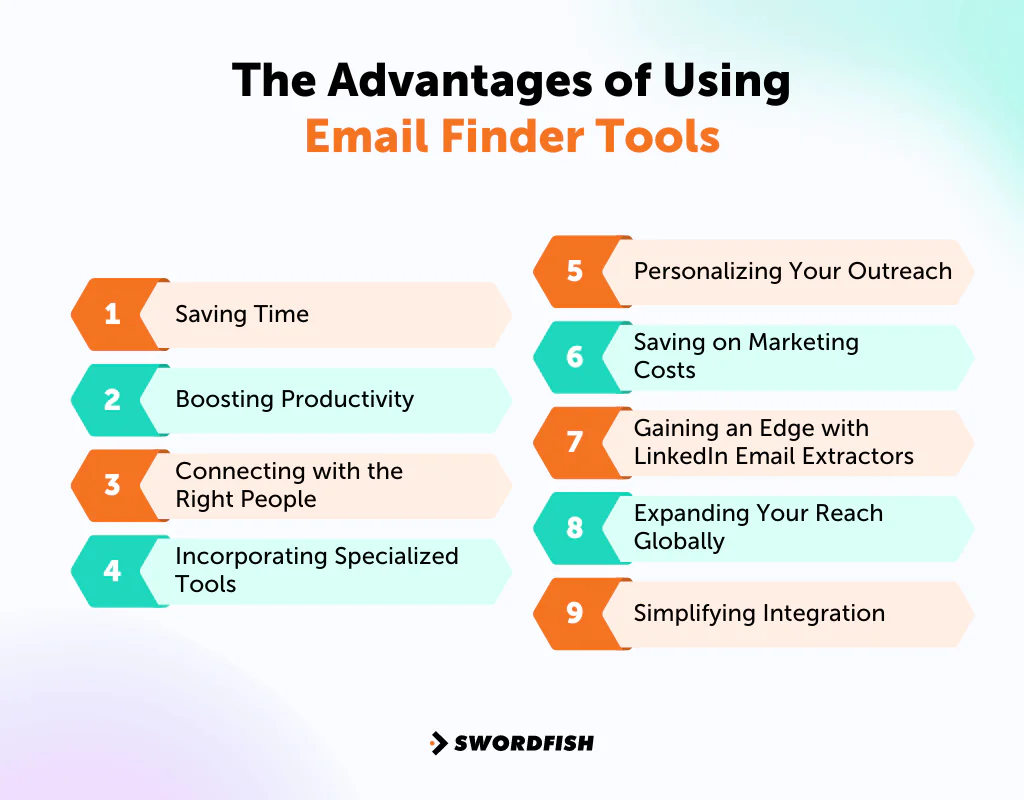
Here’s what these tools bring to the table.
Saving Time
Manually searching for email addresses, guessing at combinations, or hitting dead ends can take time. An email finder may speed up the search, but verify results before using them.
Boosting Productivity
Time saved on manual searches can leave more room for writing better outreach, refining strategy, or engaging prospects. Verification may help reduce bounces, but it does not guarantee deliverability.
Connecting with the Right People
Reaching the right individual, at the right time, matters more than volume.
Email remains one of the most effective outreach channels for marketers, which is why getting an accurate address fast still pays off. A good email finder gets you talking to the right people sooner.
Accurate addresses also let you pitch products or services with more precision, since you’re not wasting outreach on outdated contacts.
Incorporating Specialized Tools
For platform-specific searches, Instagram email finder tools and similar specialized tools can extract addresses from particular platforms, making niche searches more efficient.
Personalizing Your Outreach
Consumers increasingly expect more personalized engagement from the brands they interact with. A capable email finder does more than locate an address — it often surfaces related public profile information too.
That context helps you write emails that actually speak to the recipient instead of generic outreach.
Saving on Marketing Costs
Buying static contact lists or manually collecting addresses gets expensive fast. The top email finder tools, including bulk email finder tools, are typically a cheaper way to reach the same leads and prospects.
Gaining an Edge with LinkedIn Email Extractors
LinkedIn-focused email finder tools may help users look up contact details while researching profiles. Check each tool’s data sources, accuracy, and applicable platform rules before using it.
Expanding Your Reach Globally
Email finder tools remove geographic limits, letting you connect with people and businesses anywhere. Whether you’re a local business going global or a freelancer courting international clients, this opens real options.
Email also tends to outperform social platforms as a conversion channel, which is one reason it remains a core outreach method even as new channels emerge.
Simplifying Integration
Most email finder tools, including free email finder tools, connect easily with popular email marketing, CRM, and sales automation platforms like HubSpot, Salesforce, or Mailchimp.
That integration saves time and keeps outreach centralized instead of scattered across tools.
Things to Consider Before Investing in Email Finder Tools
When you’re shopping for an email finder tool, a few factors are worth weighing carefully before you commit —
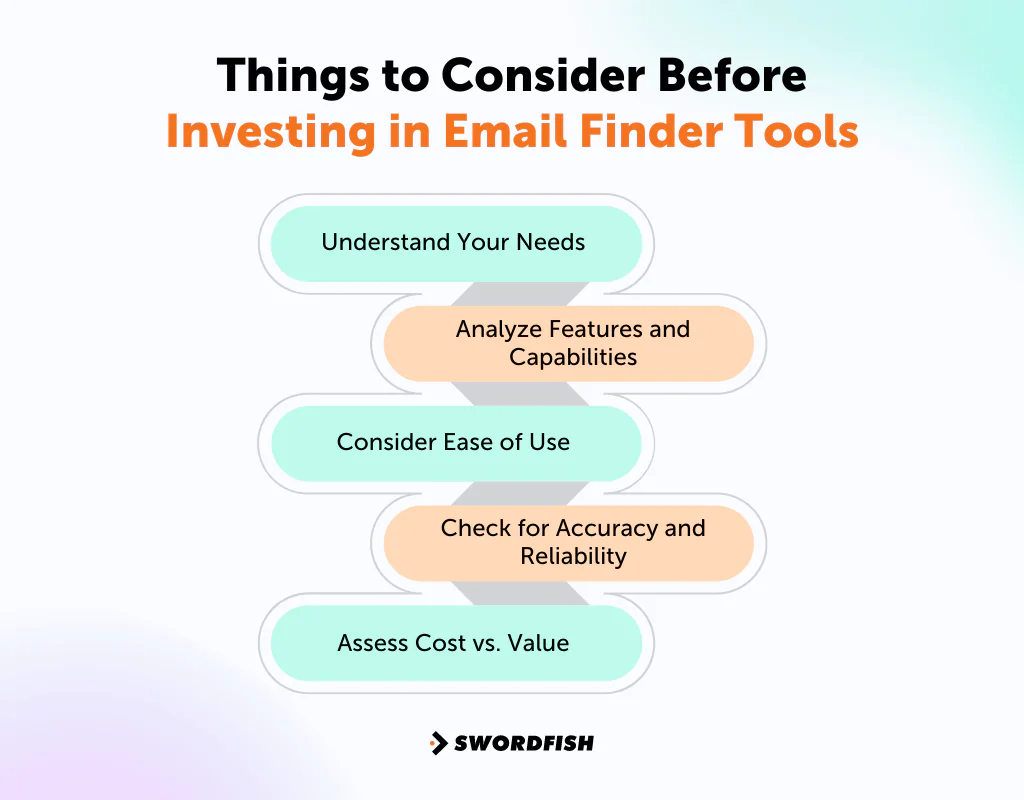
Understand Your Needs
Start by identifying what you need. Basic search may be enough, or you may need bulk lookups, support for platforms such as LinkedIn or Facebook, or mobile-number searches alongside email. Knowing your requirements narrows the options.
Analyze Features and Capabilities
Check whether a tool’s feature set matches your workflow — LinkedIn or Facebook integration, CRM compatibility, and the range of enrichment data it provides beyond a bare email address.
Consider Ease of Use
A straightforward interface saves onboarding time and reduces the learning curve, which matters if multiple team members will use the tool daily.
Check for Accuracy and Reliability
Accuracy varies significantly between vendors. Look for tools with a track record of current, correct addresses, and test a few options against your own list or read independent user reviews rather than relying solely on vendor-stated accuracy claims.
Assess Cost vs. Value
Weigh cost against what you actually get. Free email finder tools might cover basic needs, while a paid service often makes sense once volume or accuracy requirements grow.
Additional Considerations for Regulated Industries
If you’re sourcing contact data for healthcare providers or other regulated professionals, check the rules that apply to your organization, audience, and outreach. Ask vendors how they source and handle data and whether they support screening against do-not-contact lists. A vendor’s privacy claims do not, on their own, establish that your use of the data is compliant.
What is the Best Email Finder Tool?
Swordfish AI is our top pick for improving contact lists, largely because of its ability to surface accurate cell phone numbers and direct email addresses from a database of over 3.5 billion profiles.
Real-time verification and the Chrome extension make it easy to gather information from platforms like LinkedIn and Facebook without leaving the page you’re on.
If you’re comfortable paying more for similar capabilities, ZoomInfo and Lusha are both solid alternatives.
ZoomInfo is known for detailed B2B contact data and advanced sales intelligence, while Lusha offers simpler, more direct access to B2B contact information — both worth considering for expanding outreach.
Still, Swordfish AI stands out for its blend of data access, ease of use, and real-time connectivity checks.
Conclusion
Email finder tools do more than hand you a contact list. Used well, they save time, sharpen your outreach, and let you personalize communication instead of guessing.
The right choice depends on your specific needs and what you’re willing to pay for accuracy and verification.
If accuracy, efficiency, and privacy compliance matter most to you, Swordfish AI is worth evaluating closely.
Its large profile database, cell phone number finding capability, and stated commitment to data protection regulations make it a strong fit for outreach at scale.
Frequently Asked Questions
What is an Email Finder tool?
An email finder tool is a software or online service that helps you locate email addresses associated with individuals or companies based on search criteria such as name, company name, or domain name.
How can I use an Email Finder tool to find email addresses?
Most email finder tools allow you to input search parameters like name and company or LinkedIn profile to find emails of specific individuals or professionals associated with a company.
Can Email Finder tools help with bulk email searches?
Yes, some email finder tools support bulk email searches, allowing you to upload a list of names and companies to find emails in bulk for your email outreach efforts.
What is the best Email Finder tool for professional use?
The best email finder tool for professional use may vary based on your specific needs. But tools like Swordfish AI offer accurate and verified email addresses along with features like reverse search and free email verifier is often preferred.
Is it legal to use email finder tools for marketing purposes?
Yes, it’s legal to use email finder tools for marketing purposes, but it’s important to comply with email marketing laws and regulations such as GDPR, CAN-SPAM Act, or other local legislation. Always ensure you have consent to contact the individuals and use the data responsibly.
Sources retained from the original article: Statista research; Litmus report; Litmus report; McKinsey analysis.

