


 View Products


Key takeaways
- The 10 providers compared include contact-data and sales intelligence tools as well as services with email campaign features.
- Swordfish AI is presented as a contact-data and enrichment tool for sales and recruiting outreach.
- Hunter.io focuses on finding and verifying professional email addresses, while Snov.io also offers campaign automation features.
- The article compares providers on factors such as verification, segmentation, integrations, and data depth.
- Published prices, plan limits, review counts, and feature availability can change, so confirm current details with each provider.
- Having contact details does not, by itself, mean you have permission to send marketing emails.
Last updated: September 3, 2026

Email can provide a direct way to reach an audience you have permission to contact, without relying on social media algorithms or feeds. But control of a mailing list also comes with responsibility for managing consent, unsubscribes, and data appropriately.
Choosing a provider starts with distinguishing email marketing platforms from contact-data services. Marketing platforms help manage and message opted-in subscribers; many tools compared here focus on finding or enriching B2B contacts for sales outreach. A contact-data service does not, by itself, establish permission to send marketing emails.
We compared 10 email marketing and contact-data services for different business needs, including B2B outreach, recruiting, and broader marketing campaigns. The providers vary in their focus, so the best fit depends on whether you need subscriber campaign management, contact discovery and verification, or both.
Quick List of Top Email List Providers
- Swordfish AI: Best for unparalleled accuracy in direct contact data across industries.
- Cognism: Best for comprehensive sales insights and global B2B data coverage.
- ZoomInfo: Best for extensive email databases with detailed insights for strategic outreach.
- Apollo.io: Best for integrated sales intelligence and engagement across email platforms.
- Kaspr: Best for LinkedIn integration and real-time contact retrieval for networking.
- Lusha: Best for an easy-to-use interface with precise contact and company information.
- UpLead: Best for high-quality leads with data enrichment and verification tools.
- Lead411: Best for actionable sales triggers and accurate B2B contact data.
- Hunter.io: Best for tracking and verifying professional email addresses quickly and efficiently.
- Snov.io: Best for finding and verifying emails with CRM integration for marketers.
Top Email List Providers for Marketing Campaign: Comparison Chart
Here’s a table comparing the core features of these providers side by side:
Email List Provider | Database Size | Real-Time Verification | Identifying Target Audience |
 | 3.5 billion data profiles | Real-time line connectivity validation | Advanced filters to target prospects |
 | 400 million B2B profiles | Phone-verified mobile numbers | Firmographic and technographic filters |
 | 321 million professional contacts | Real-time data verification | Technographics, firmographics |
 | 275+ million professional contacts | Email verification and enrichment | Detailed search filters |
 | Not specified | Email verification | LinkedIn data insights |
 | 50 million enterprise & 44 million SMB profiles | Data enrichment | Personalized prospecting lists |
 | Over 155 million B2B contacts | Real-time email verification | Over 50 search filters |
 | Not specified | Real-time email verification | Advanced search and targeting |
 | Over 100 million email addresses | Real-time email verification | Domain search and email finder |
 | Over 240 million verified emails | Real-time email verification | Detailed search filters |
Top 10 Email List Companies for Improving Your Email Marketing Strategy
We narrowed the field to 10 of the best B2C and B2B email list companies from more than 40 providers we evaluated. Our criteria included email and phone verification accuracy, audience segmentation, integration options, and overall data depth.
Here’s a closer look at each one and what it’s actually good for.
1. Swordfish AI
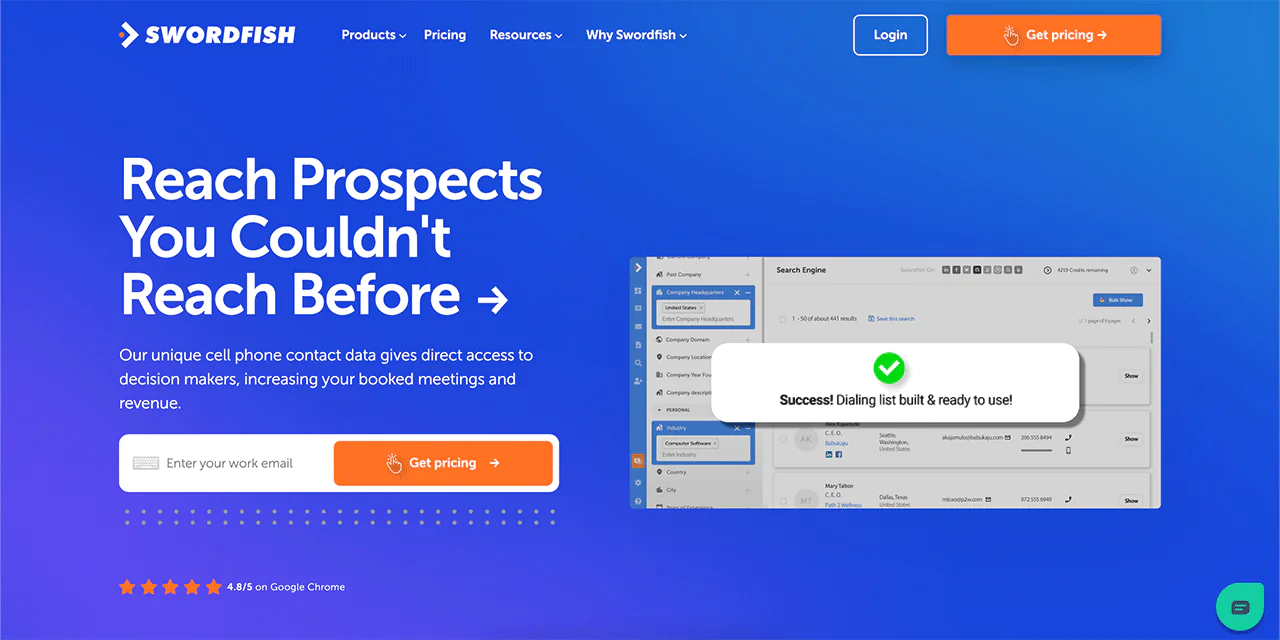
Swordfish AI is built for finding direct contact data, including cell phone numbers and emails, and it’s used by tens of thousands of sales and recruitment professionals for personalized outreach.
Its cell phone number matching and accuracy rates are a differentiator, giving users more confidence that the contact details they pull are current and reachable.
With a database spanning billions of profiles, Swordfish AI makes finding contacts straightforward. A Chrome extension pulls data directly from LinkedIn, Facebook, and other sites, which speeds up prospecting without switching tabs constantly.
Built for large-scale lead generation, Swordfish AI can also fill in missing fields in your existing databases or CRM, which matters a lot if your contact records have gone stale.
About Swordfish AI
- Founding Team: Ben Argeband
- Founding Year: 2015
- Company Size: 11 to 50 employees
What Sets Swordfish AI Apart?
Swordfish AI stands out from other email marketing tools because it’s built around the specific challenges of cold calling and direct outreach rather than campaign management alone.
A proprietary cell phone verification system gives users unique cell phone numbers and works to confirm their accuracy, which is especially valuable for teams building out cold calling strategies.
Access to billions of data profiles gives users a wide reach across industries and audience types.
Together, these pieces make Swordfish AI a strong option for businesses trying to improve outreach beyond generic list-building.
Features of Swordfish AI
Here’s a breakdown of the tools that make up the platform.
-
Chrome Extension
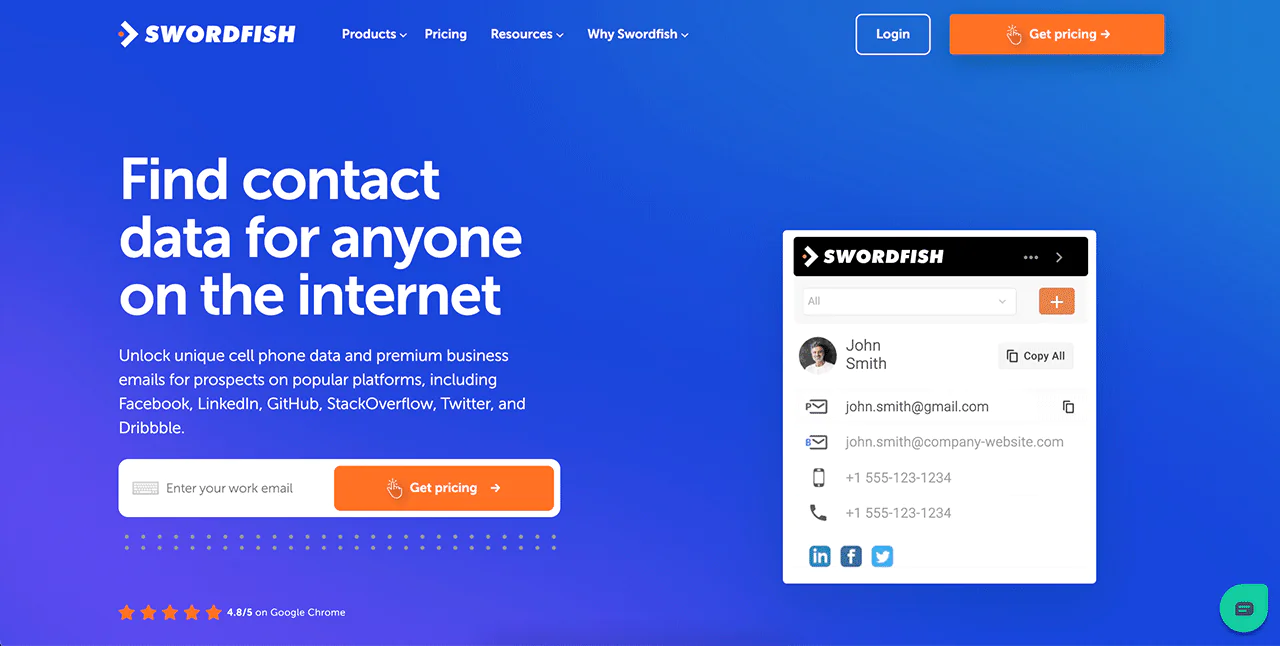
Swordfish’s Chrome Extension lets you find and verify contact details across platforms like LinkedIn, Twitter, and Facebook without leaving the page you’re on.
-
Prospector
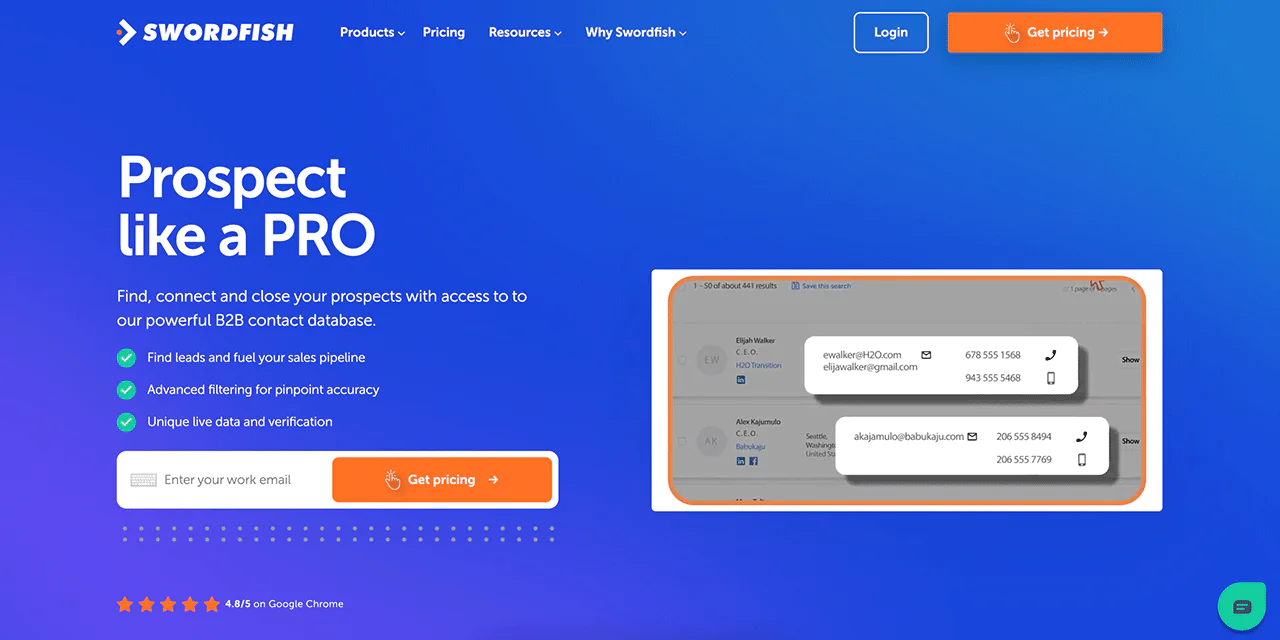
The Prospector tool helps sales teams build targeted call and email lists quickly with filtering options, which is useful for constructing sales pipelines and identifying decision-makers.
File Upload
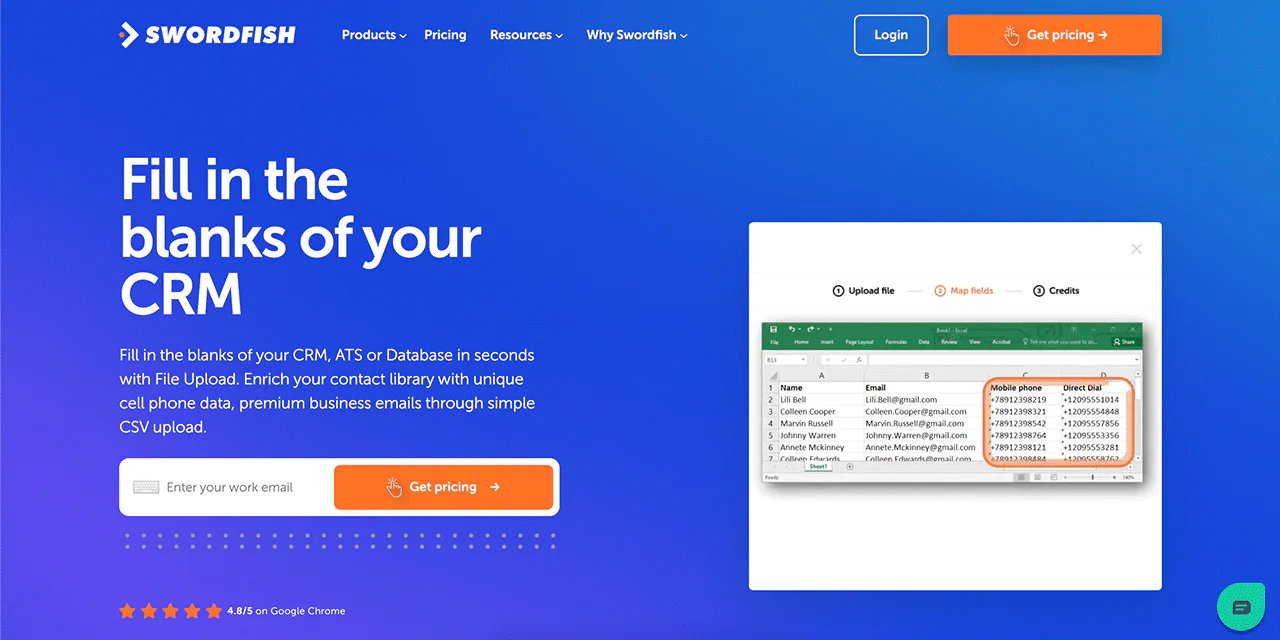
The File Upload feature lets you upload a CSV and fill in missing mobile numbers and email addresses, which is a fast way to enrich an existing contact database.
Reverse Search
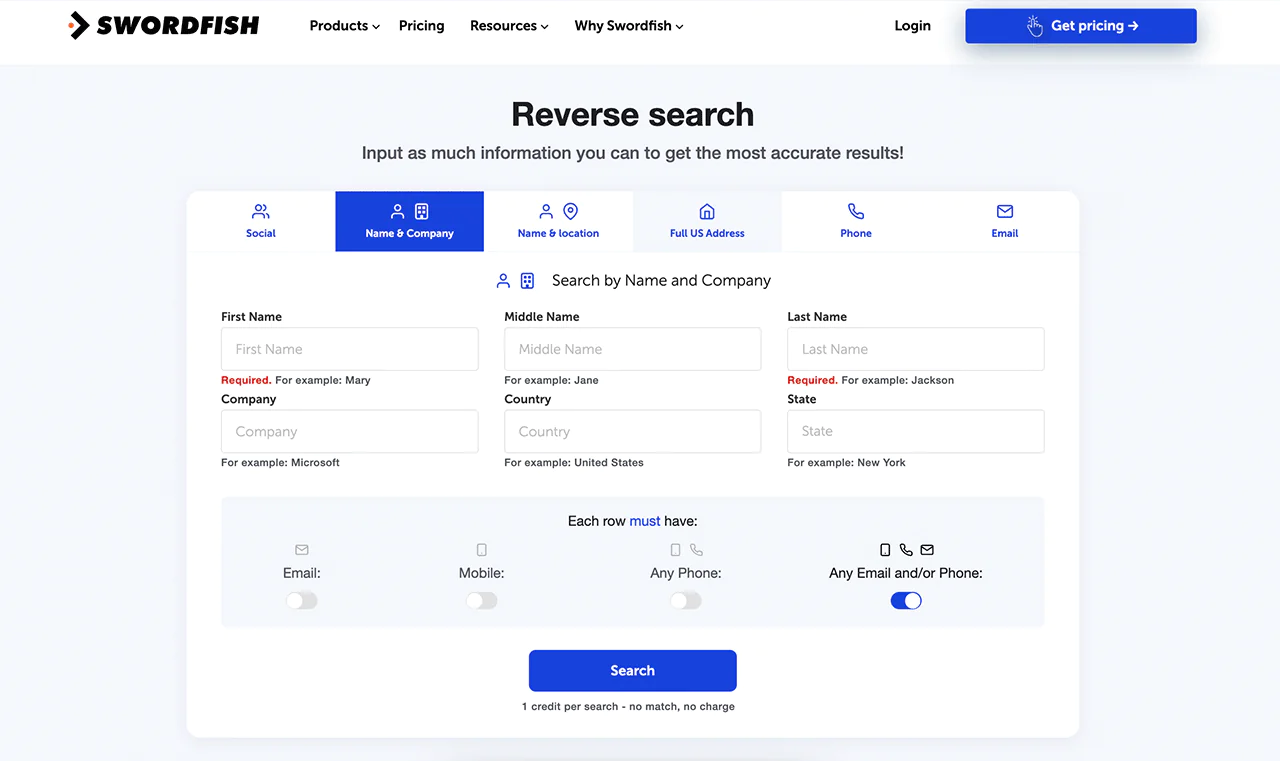
Reverse Search lets you find more information based on what you already know, whether that’s a name, company, email, or a phone number lookup. It’s built to pinpoint the exact individual you’re looking for.
API Integration
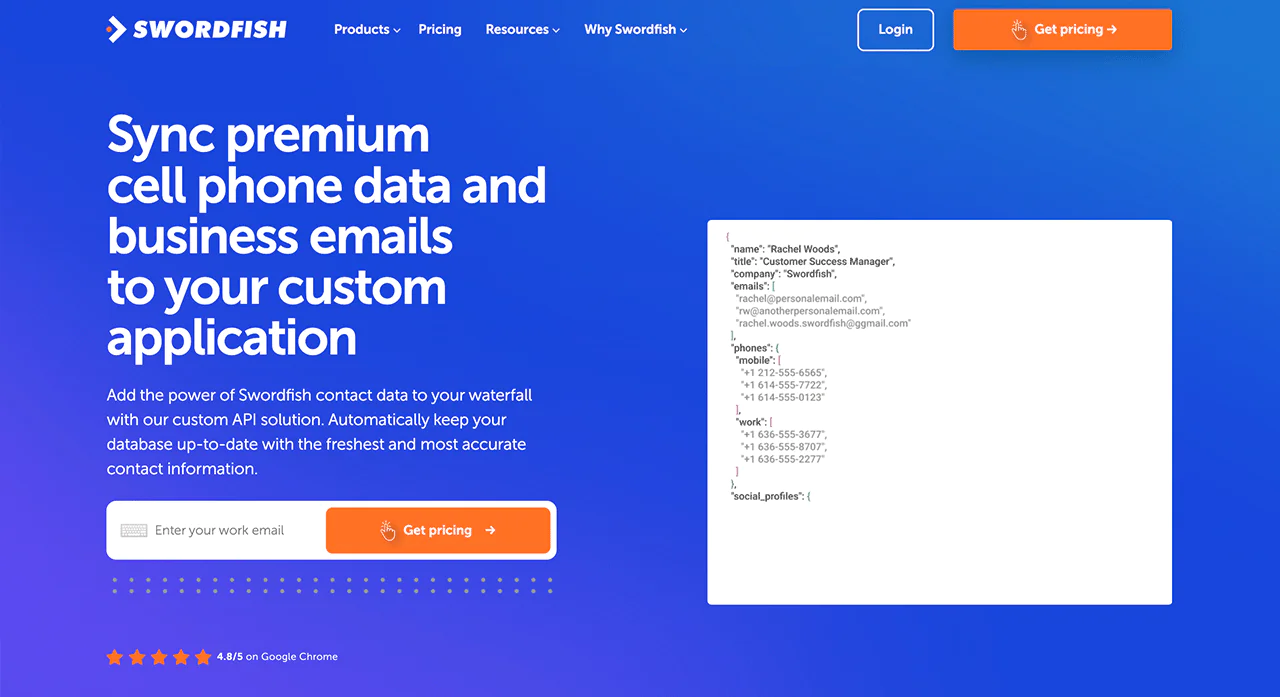
The API Integration keeps custom applications synced with current contact information, which matters for maintaining the effectiveness of ongoing sales and marketing efforts.
Bombora Intent Data
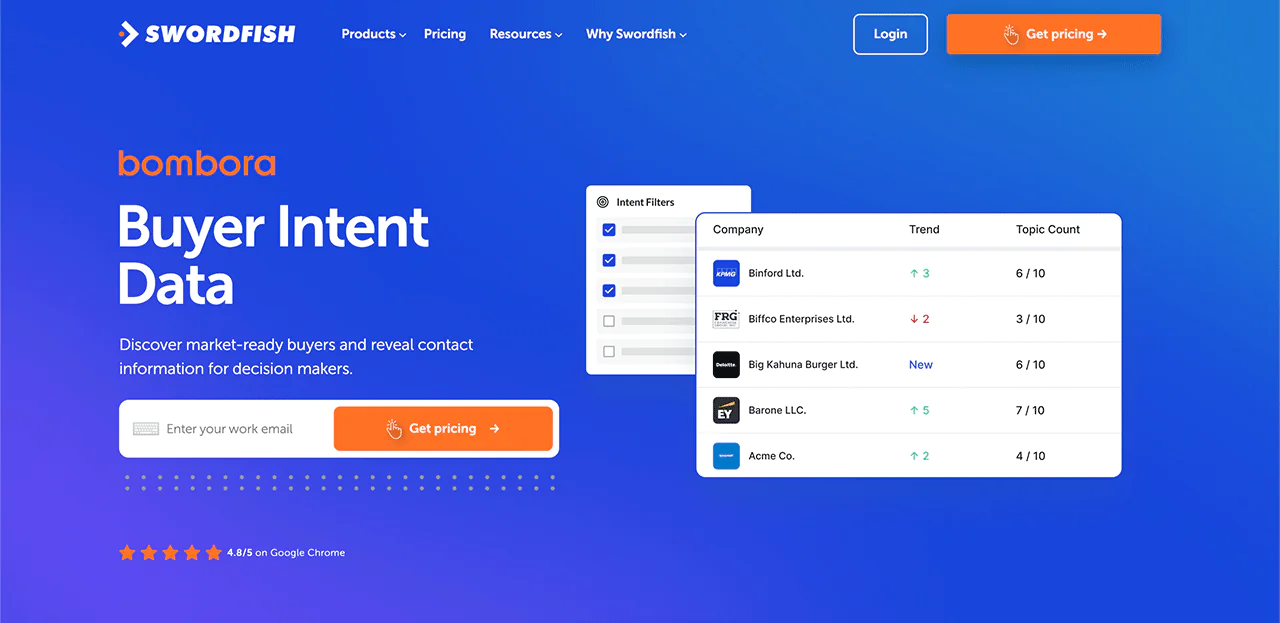
Integration with Bombora gives access to buyer intent data, helping you identify accounts that are actively researching solutions like yours.
Email Verifier
The Email Verifier checks the reliability of email addresses from twitter or elsewhere in real time, which helps reduce bounce rates before you send.
Best Use Cases of Swordfish AI
Swordfish AI shows up in a handful of recurring workflows for businesses and professionals building or refreshing their email lists:
- Sales and Marketing Outreach: It provides email addresses that are verified, which helps campaigns land and increases the odds of a response.
- Recruitment and Talent Acquisition: Recruiters can tap into the database to reach candidates, including those not actively job-hunting.
- Networking and Relationship Building: It can connect you with industry peers, mentors, or potential partners.
- Event Promotion and Attendance Boost: Organizers can identify and reach professionals interested in an event, sending personalized invitations to boost turnout.
- Market Research and Customer Feedback: It helps compile lists for surveys and reviews, speeding up research work.
- Personalized Content Distribution: Building a reliable subscriber list means newsletters and offers reach people who are actually interested.
Pros of Using Swordfish AI
- High accuracy in data collection enhances the quality of outreach.
- Real-time email verification reduces bounce rates, improving campaign effectiveness.
- Seamless integration with CRM and email marketing tools boosts workflow efficiency.
- Up-to-date contact lists ensure timely and relevant communication.
- Strict GDPR compliance secures your marketing efforts legally.
Cons of Using Swordfish AI
- Pricing is customized to your goals rather than published upfront.
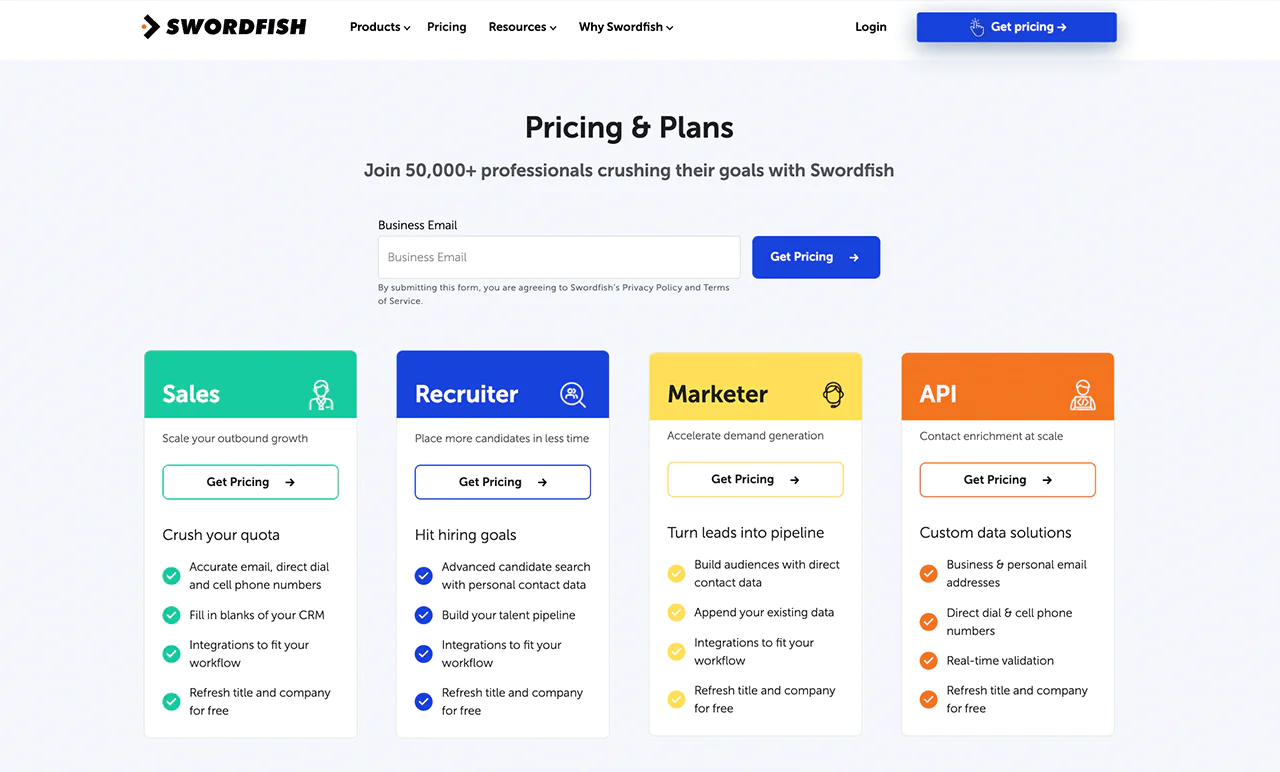
Swordfish AI Pricing
Swordfish AI has different pricing plans for sales and marketing, recruitment, and system integration use cases.
Sales teams get email and phone details to help find leads and close deals faster. Marketers can target the right people, and recruiters can quickly find and reach candidates.
Swordfish AI also integrates into existing systems so contact info stays current across a business, which helps every team connect with people more reliably.
What Users Say About Swordfish
- G2: 4.5/5 (84 reviews)
“Swordfish has been extremely helpful in our candidate outreach efforts. We were frustrated by not having direct contact information for people on LinkedIn/Indeed/Github/etc. Swordfish has been a welcome outreach channel for our team.
We are able to reach people we were not able to do before. Having direct email/phone has been extremely beneficial. We no longer have to rely on a “black hole” InMail (or similar)…we now often times also have the ability to email, call, and text.” – Noel W.
- Capterra: 4.6/5 (12 reviews)
“Swordfish lets me connect with the right candidates for the best jobs. They spider for ways to connect, be it social media or online, and it works. The contact info is validated and accurate, and candidates are amazed when connected. I’ve hired a few through its success.” – Sarah H.
 Try Swordfish Ai
2. Cognism
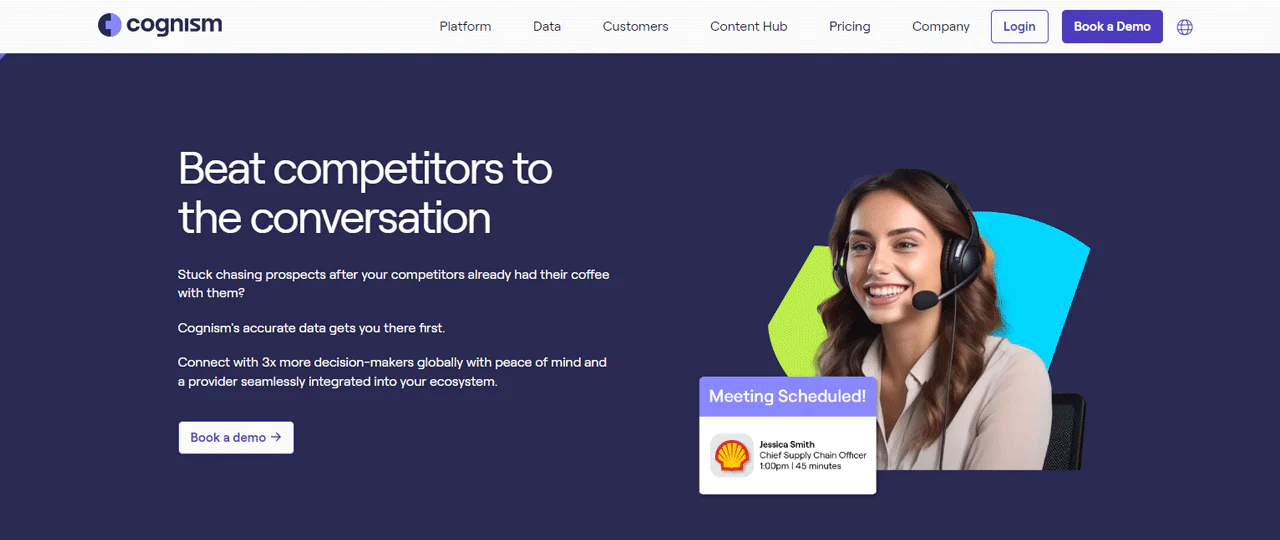
Cognism is a well-known B2B sales intelligence platform used by a large global client base. Its core strength is verified email lists built for GDPR and CCPA compliance, which matters if your outreach touches European or California contacts.
Its database covers hundreds of millions of business profiles, and phone-verified emails and mobile numbers improve the odds of actually reaching key prospects.
Cognism integrates with CRM and sales systems, and its security posture includes ISO 27001 and ISO 27701 certifications along with SOC2 Type II audits.
Compared with ZoomInfo, ZoomInfo generally wins on database size and analytics depth. Cognism’s edge is compliance tooling and global data coverage, which makes it a stronger fit for international outreach.
About Cognism
- Founding year: 2015
- Founding team: James Isilay and Stjepan Buljat
- Company Size: 501-1,000 employees
Features of Cognism
Here are the features of Cognism:
- Prospector: Creates targeted account and lead lists enriched with situational and contact data.
- Enrich: Automatically updates B2B data to keep records fresh and accurate.
- Chrome Extension: Provides access to business emails and mobile numbers from a GDPR-compliant database covering EMEA, APAC, and the US.
- Intent Data: Identifies accounts actively searching for products or services, enabling prioritized outreach.
- Smooth Integration with Platforms: Integrates with Salesforce, Hubspot, SalesLoft, and Outreach.
Pros of Using Cognism
- Offers phone-verified B2B emails and mobile numbers.
- Enhances sales team effectiveness and prospect engagement.
- Seamlessly integrates with major CRM and sales platforms.
- Provides comprehensive international coverage.
- Ensures high data quality and compliance standards.
Cons of Using Cognism
- Occasionally outdated contact information due to infrequent updates to data sets.
Cognism Pricing
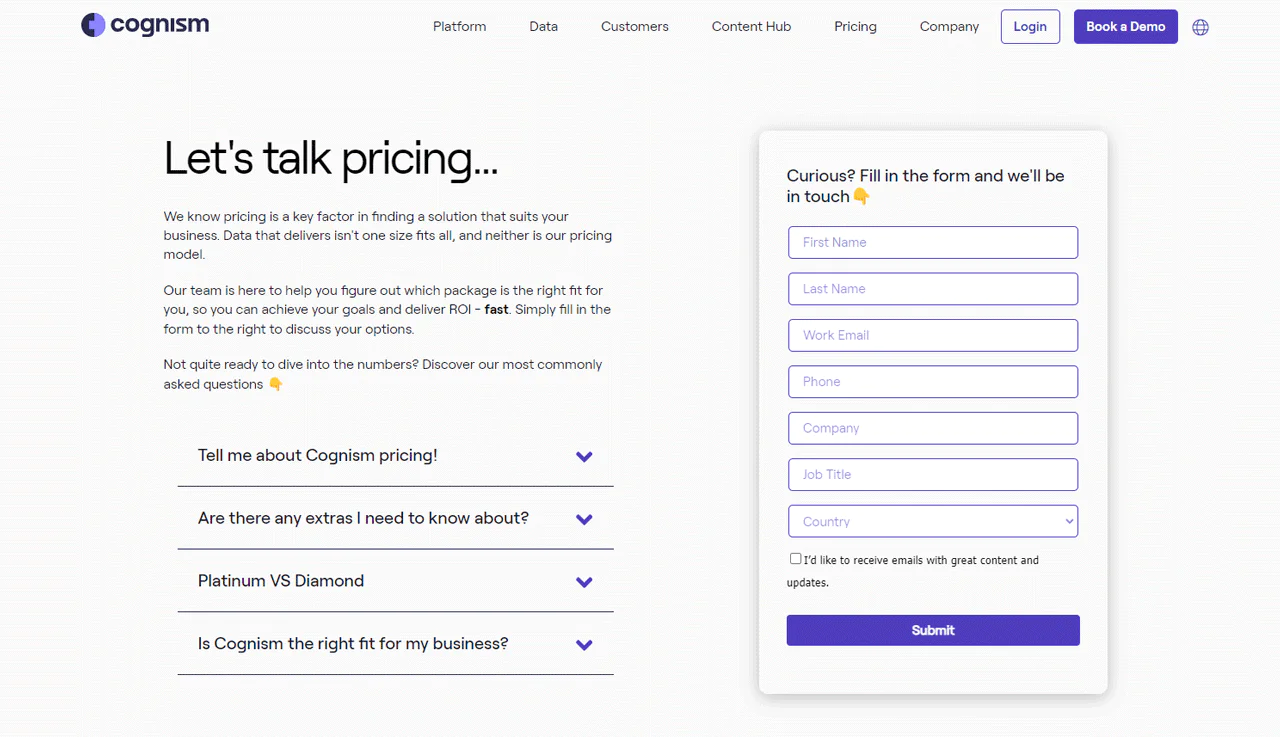
Cognism doesn’t publish pricing on its site, and it still doesn’t as of this writing. Discussion threads on Reddit offer some ballpark figures. Some users comparing sales intelligence platforms mentioned that Cognism could be around $15,000 annually.
Another Redditor mentioned a year-long deal for 10 users quoted at roughly Cognism quoted about €20,000, which included unlimited exports rather than the credit caps some competitors use.
Treat these as directional; actual quotes vary by package, region, and negotiated terms, so confirm current pricing directly with Cognism before budgeting.
What Users Say About Cognism
- G2: 4.6/5 (582 reviews)
- Capterra: 4.6/5 (81 reviews)
“What do you like best about Cognism?
The best about this tool is that 70-80% of the time the data is accurate and with the extension it’s super easy to use it. In fact, I’m using it every day. The company I work with had this implemented in our CRM system and as far as I know, it was super simple. It has all the features you need, almost like other CRM tools that give you the ease of prospecting. And if we need help they are quick to respond as well. It integrates to all our tools, just a click of a button.
What do you dislike about Cognism?
The only downside of Cognism is the pricing which is currently a little higher than what we would consider the best value for the money.“– Ferenc L.
Our Review of Cognism
Cognism stands out for compliant, up-to-date data, which is a real advantage if your outreach spans multiple regulatory environments.
Its core value is in delivering quality contacts and useful insight that can genuinely strengthen a marketing program.
That said, integration can require more setup than expected, and some teams find connecting it to existing systems slower than anticipated.
3. ZoomInfo
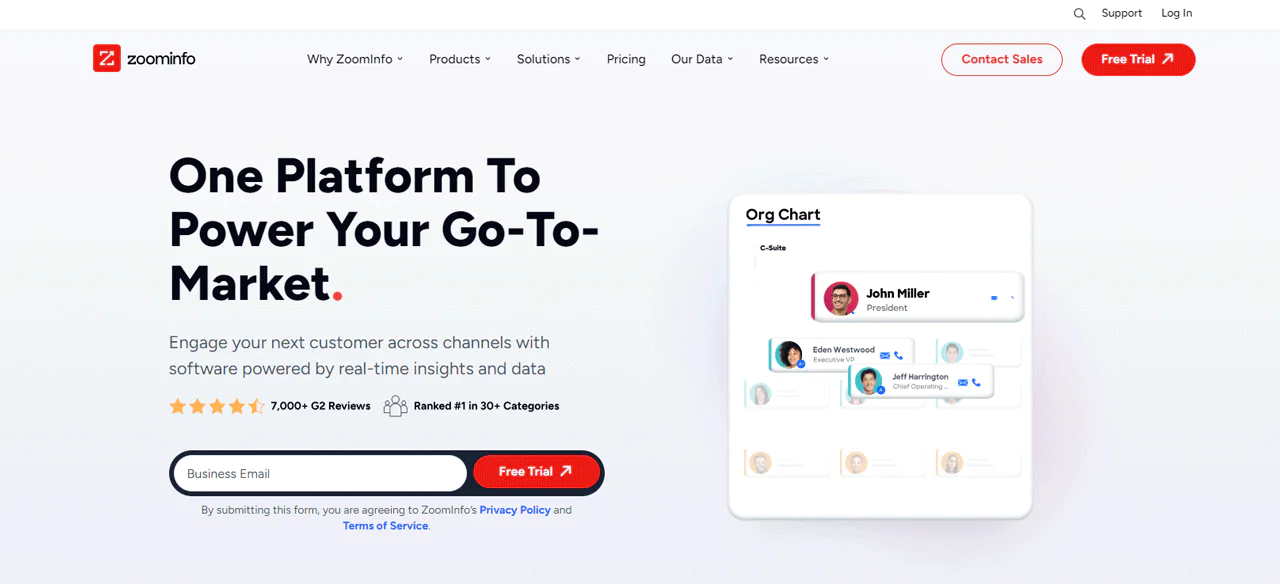
ZoomInfo is a widely used sales and marketing intelligence platform with a large, detailed database that automates prospecting. It builds high-quality B2B email lists while maintaining GDPR and CCPA compliance.
Its contact data, including email addresses, direct dials, and intent signals, helps streamline lead qualification.
Data accuracy is one of ZoomInfo’s selling points, which supports better campaign planning and segmentation.
Compared with Lusha, both platforms are strong at delivering contact information. ZoomInfo has a larger database with deeper analytics, while Lusha is favored for its simplicity and accuracy on direct contact info, suiting more focused outreach.
About ZoomInfo
- Founding year: 2007
- Founding team: Henry Schuck
- Company Size: 1001-5000 employees
Features of ZoomInfo
Here are the features of ZoomInfo:
- Comprehensive B2B Contacts Database: Provides extensive contact information for network expansion.
- Advanced Tools for Sales Prospecting and Intelligence: Enables precise targeting and engagement.
- Lead Prioritization and Scoring: Helps businesses focus on the most valuable prospects.
- CRM and Marketing Automation Integration: Integrates with various CRM and marketing automation tools.
- Real-Time Alerts for Business Insights: Offers alerts on business developments for timely decisions.
Pros of Using ZoomInfo
- Seamless integration with CRM and marketing automation systems.
- Enhances targeted marketing and prospect segmentation.
- Prioritizes data accuracy for reliable campaign planning.
- Supports sophisticated segmentation and outreach strategies.
Cons of Using ZoomInfo
- Geolocation challenges in developing markets with outdated data issues.
ZoomInfo Pricing
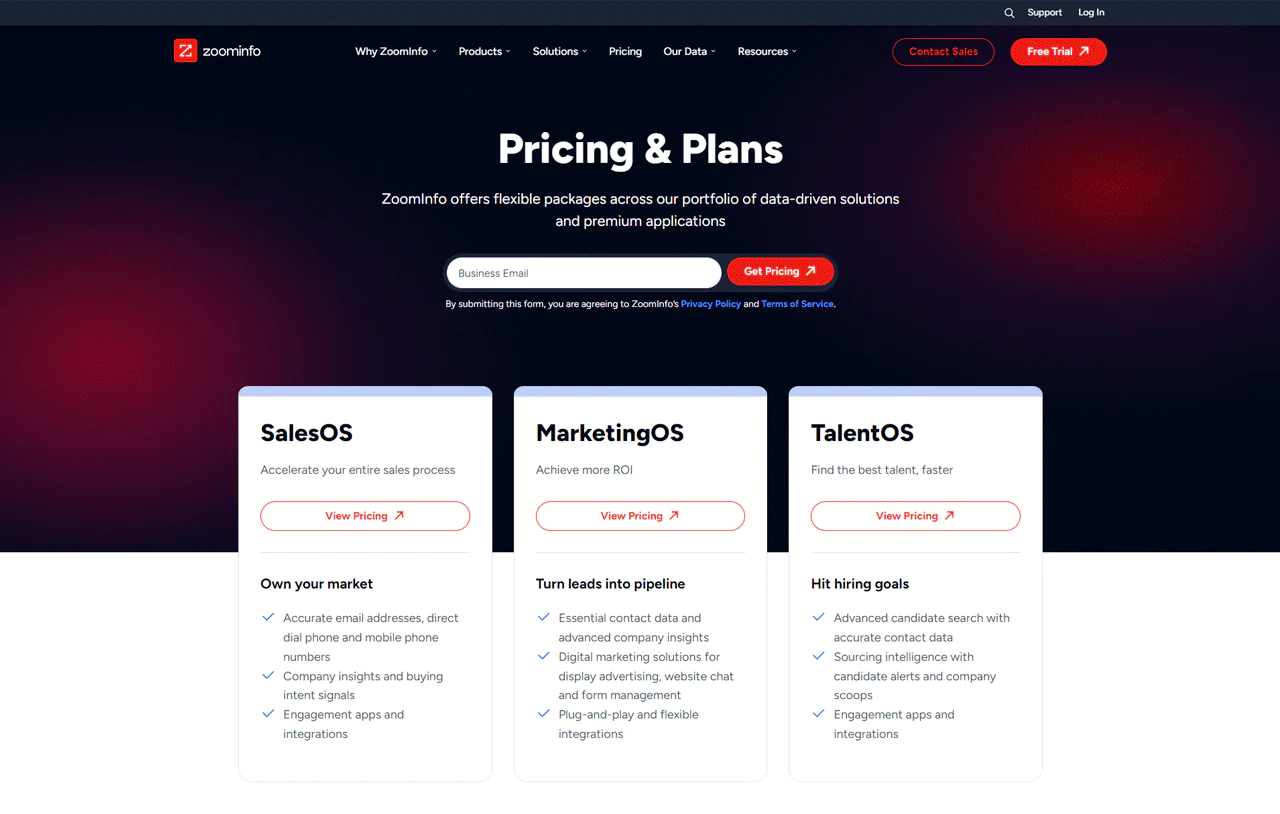
ZoomInfo still doesn’t publish pricing publicly, and the company’s own FAQ has pushed back on the idea that plans start at a fixed number. Still, multiple third-party breakdowns and Reddit discussions consistently point to at $15,000 per year as a realistic floor for a small multi-seat plan.
Unlike vendors that offer single-user, self-serve pricing, ZoomInfo is built around team and enterprise contracts.
This suggests ZoomInfo is generally a better fit for established companies that need deep B2B data at scale rather than solo operators or early-stage startups. Confirm current numbers directly with ZoomInfo, since quotes vary by region and package.
What Users Say About ZoomInfo
- G2: 4.4/5 (7,901 reviews)
- Capterra: 4.1/5 (280 reviews)
“What do you like best about ZoomInfo SalesOS?
Zoominfo has a reliable database which is accurate most of the time.
The interface is user friendly and doesn’t require much training. Love the “suggest company update” option, one can easily provide the correct information if it is not in the tool and the team really does consider that. Integration with outreach is amazing. It is easy to implement, with just a single click and your contacts are in the outreach. I use the tool most of the time, it really helps in identifying the right persona in the organisation.
What do you dislike about ZoomInfo SalesOS?
Tool is awesome but there is a scope of improvement.
Even though they have a vast majority of organisational data, there are certain challenges with some geolocations, mostly developing markets. The data is not updated. If they are able to fix it, it will be really helpful for most of the companies out there.“– Ahtisham A.
Our Review of ZoomInfo
ZoomInfo remains a strong option for accessing detailed, accurate B2B data. Its integration capabilities with CRM and marketing systems make it easy to enrich contact lists with useful context.
The tradeoff is volume: the sheer amount of information available can lead to information overload, making it harder to filter quickly to what matters.
4. Apollo.io
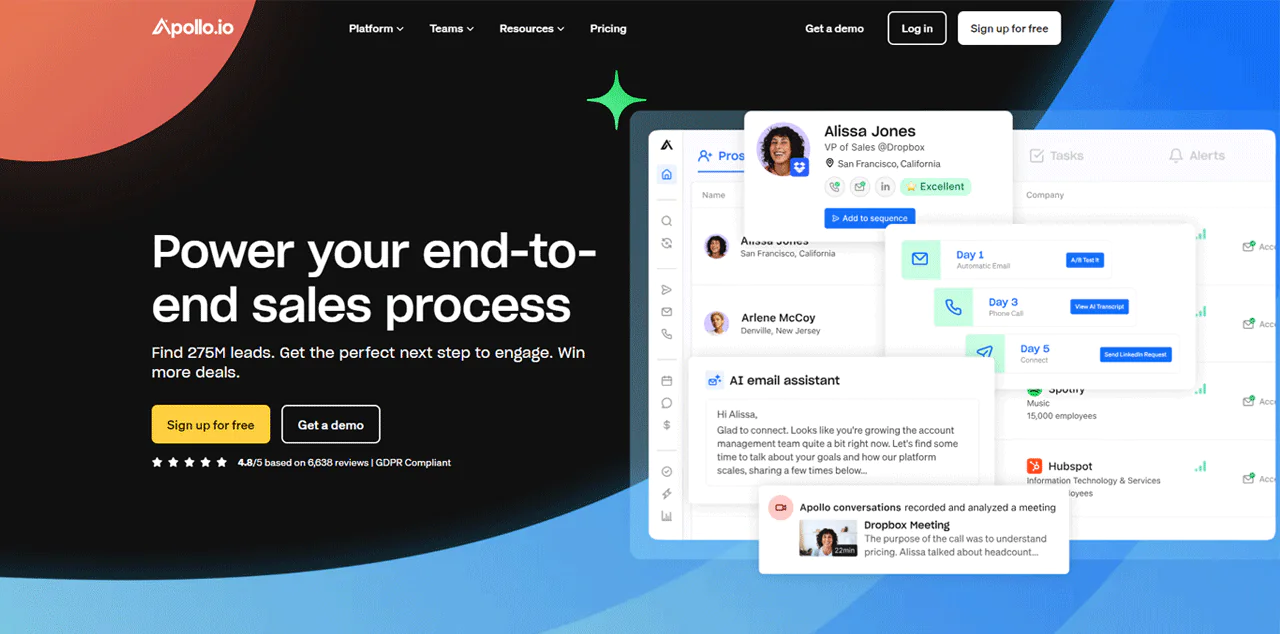
Apollo.io is a good fit for buying industry-specific lists and engaging directly with potential clients. It’s user-friendly and gives quick access to tailored B2B contact lists.
With a database of hundreds of millions of contacts across tens of millions of companies, advanced filters, and real-time email verification, Apollo.io helps target prospects effectively.
It simplifies finding and buying customized contact lists, which makes starting business conversations easier.
Set against ZoomInfo, Apollo.io stands out for its all-in-one platform and cost-effectiveness, transparent published pricing being one advantage. ZoomInfo is generally preferred for its larger contact database and deeper analytics for extensive market research.
About Apollo.io
- Founding year: 2015
- Founding team: Tim Zheng
- Company Size: 201-500 employees
Features of Apollo.io
Here are the features of Apollo.io:
- Dynamic Lead Database and Sales Tools: A large contact database supporting broad lead discovery.
- Enhanced Buyer Data for Intelligent Sales: Access to buyer data enhances sales intelligence for more effective engagement.
- Tools for Direct Sales Engagement: Supports email, call, and LinkedIn engagement strategies.
- Deal Closure Support with Conversation Intelligence: Tools focused on converting conversations into deals.
- CRM Integration and Continuous Data Enrichment: Keeps CRM data relevant and actionable.
Pros of Using Apollo.io
- Up-to-date lead database with verified emails and phone numbers.
- AI-powered lead scoring prioritizes high-value prospects.
- Seamless integration with CRM and sales platforms.
- Comprehensive sales tools from prospecting to deal closing.
- Chrome extension enhances productivity and accessibility.
Cons of Using Apollo.io
- Block accounts for creating too many under one IP address.
Apollo.io Pricing
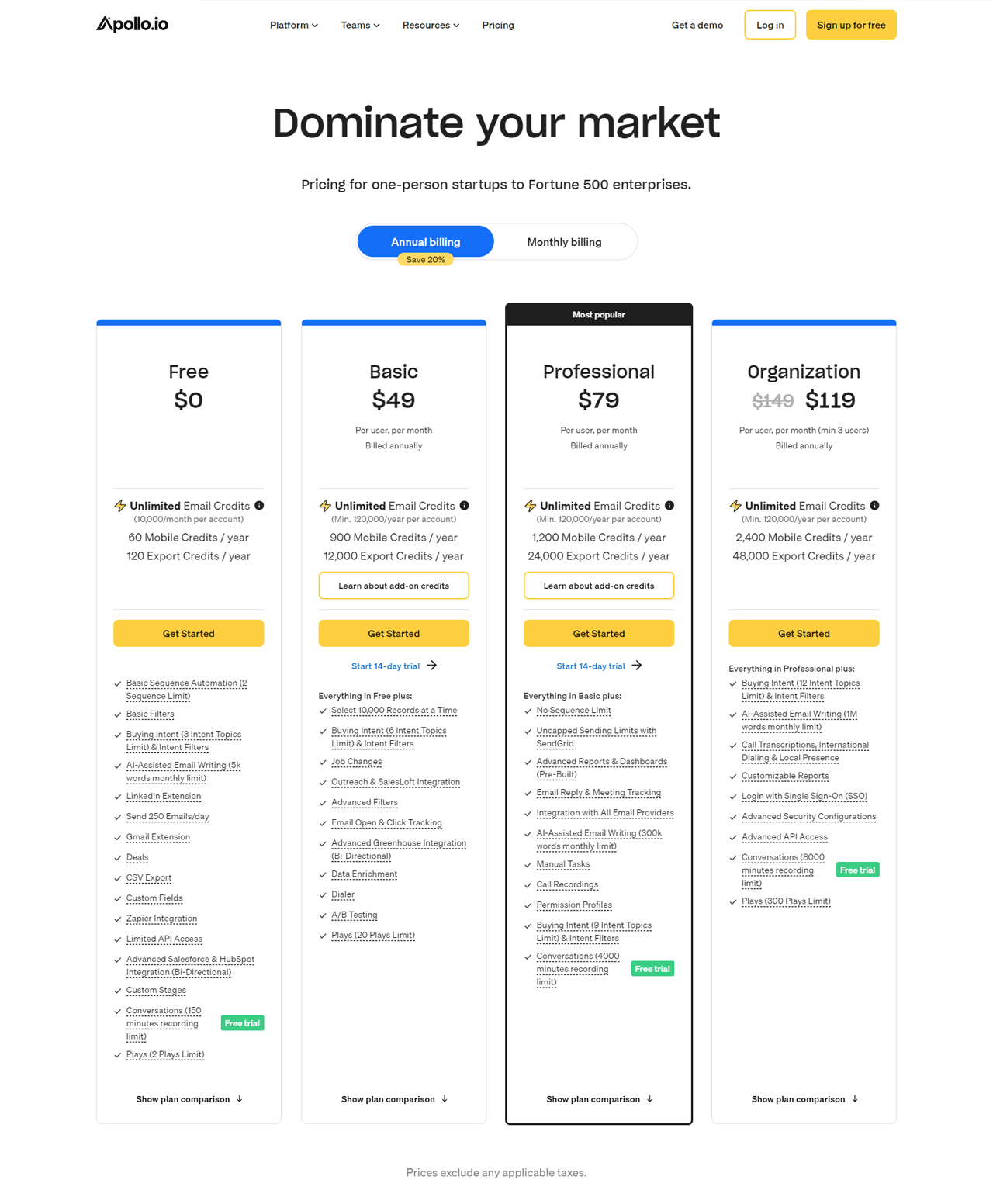
Apollo.io publishes its pricing, starting with a free plan that includes a limited annual credit allowance for individuals and small teams testing the platform.
Paid tiers are billed annually and scale up from a Basic plan around $49 per user per month, to a Professional plan around $79 per user per month with more credits and dialer features, up to an Organization plan around $119 per user per month for larger teams needing the most credits and functionality.
Because Apollo has adjusted its tiers and credit system over time, confirm current numbers on Apollo’s own pricing page before budgeting.
What Users Say About Apollo.io?
- G2: 4.8/5 (6,752 reviews)
- Capterra: 4.6/5 (337 reviews)
“What do you like best about Apollo.io?
The sequence feature in Apollo helps me take follow-ups from all the prospects I have in my pipeline, without missing any dates during the week. Apart from that the email generation for contacts is also beneficial. I use Apollo daily and would recommend it to anyone who is majorly responsible for cold calls and lead generation.
What do you dislike about Apollo.io?
The only feature I dislike is that if there are 10 employees in a company and have 10 different accounts, sometimes Apollo puts a block on the accounts under the violation of too many accounts created under the same IP address. I feel this concern should be addressed and given a thought to.“– Amy C.
Our Review of Apollo.io
Apollo.io’s database and AI-driven features make finding and engaging with a large volume of contacts fairly painless, simplifying the sales process end to end.
AI lead scoring and integrations across platforms, including the Chrome extension, add real efficiency.
Initial setup, particularly connecting data and other tools, can take longer than expected for teams wanting to move fast.
Even so, keeping a CRM stocked with fresh, accurate data is where Apollo.io earns its keep.
5. Kaspr
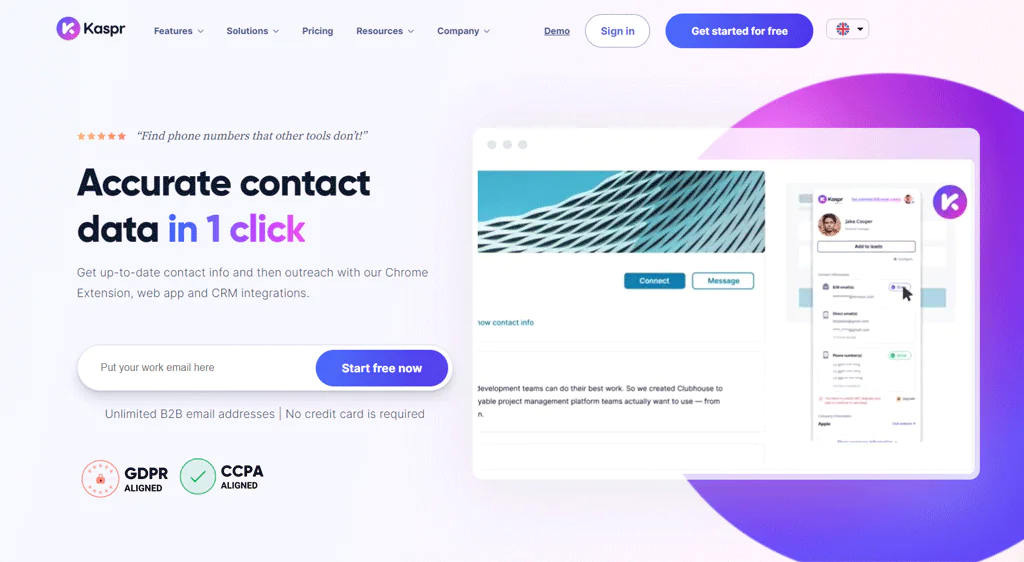
Kaspr is built for quick, effective B2B contact data access. Its LinkedIn Chrome Extension and web app tap into a large pool of emails and phone numbers.
It’s easy to start using without complicated setup, and even the free version offers unlimited B2B email addresses across all plans.
Against Apollo.io, Kaspr focuses more on pulling direct contact details from social media for lead generation, while Apollo.io offers a fuller platform with email sequences, call scripts, and CRM integration.
About Kaspr
- Founding year: 2018
- Founding team: Allan Benguigui
- Company Size: 11-50 employees
Features of Kaspr
Here are the features of Kaspr:
- Instant Retrieval of Updated Contact Details: Offers up-to-date phone numbers and emails via Chrome Extension, web app, and CRM integrations.
- Extensive Database with Intuitive Interface: An easy-to-use interface with minimal training required.
- Comprehensive Time-Saving Suite: Lead management, automated outreach, and data integration.
- Reliable and Verified Contact Information: Real-time data verification across 150 providers.
- Unlimited Access to B2B Email Addresses: Included in all subscription plans, including free.
Pros of Using Kaspr
- User-friendly LinkedIn Chrome Extension and web app.
- Saves over 5 hours per week on lead management.
- Data verified in real-time against 150 providers.
- Offers unlimited B2B email addresses in all plans.
- Transparent, straightforward pricing, including a free version
Cons of Using Kaspr
- Limited phone credits in the free version.
Kaspr Pricing
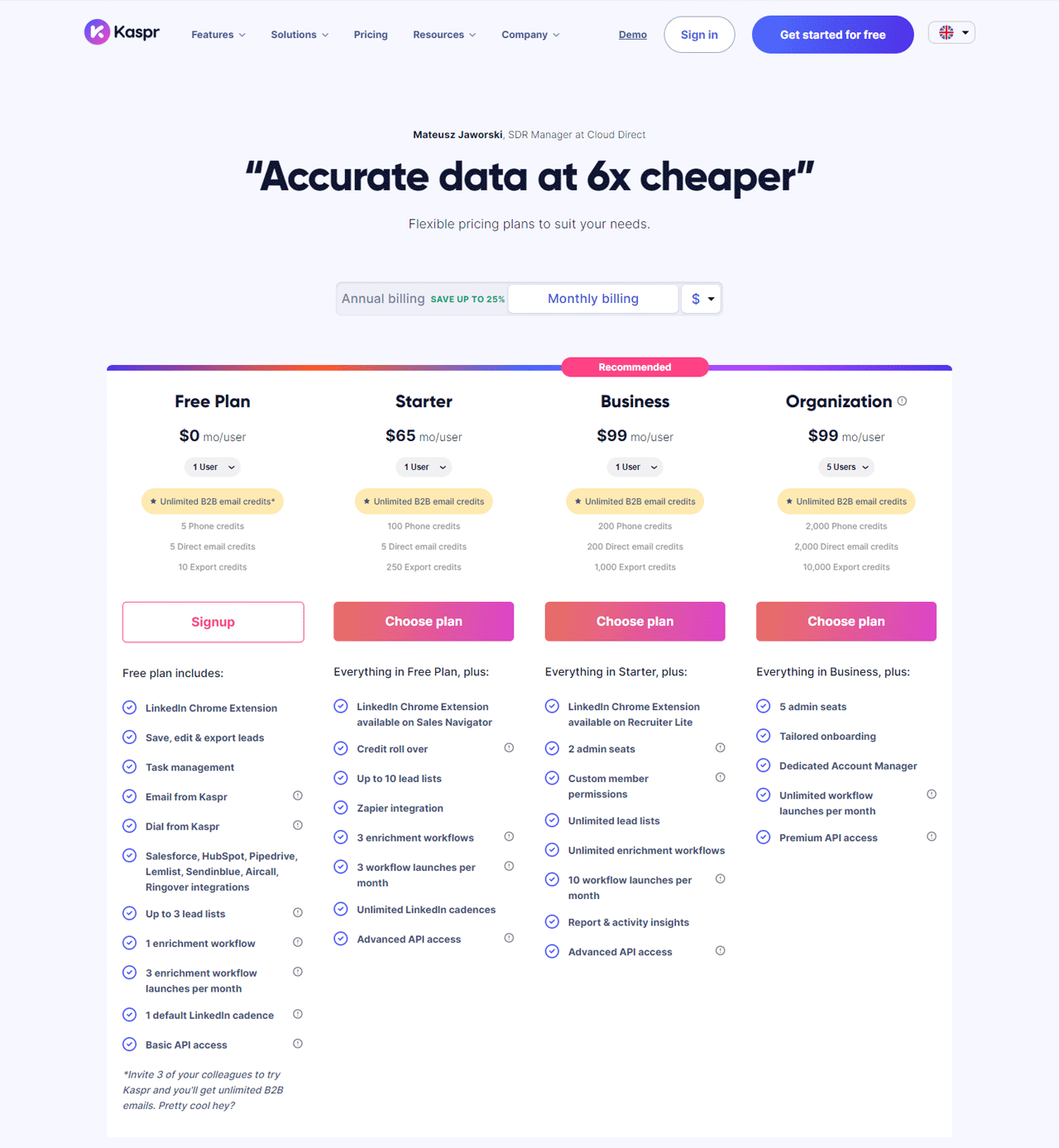
Kaspr offers a Free plan for new users to test the tool at no cost.
For solo users or small teams, a Starter plan around $49 a month includes a set allotment of phone and email credits.
Larger teams can move to Business or Organization tiers, priced roughly $79 to $99 a month, with significantly higher credit allowances for calls, emails, and exports. As always, verify current tiers directly with Kaspr before committing.
What Users Say About Kaspr?
- G2: 4.4/5 (628 reviews)
- Capterra: 4.6/5 (4,619 reviews)
“What do you like best about Kaspr?
I appreciate Kaspr for its user-friendly experience, especially its seamless integration with LinkedIn which simplifies accessing and utilizing data. This convenience, combined with the efficiency of the tool, enhances my workflow. I also find the accuracy and comprehensiveness of the data provided by Kaspr to be quite reliable. While I understand that no tool is perfect, in my experience, Kaspr consistently delivers precise and detailed information, which is crucial for my professional needs.
What do you dislike about Kaspr?
In using Kaspr, I’ve encountered some limitations, particularly in retrieving data for smaller companies and recent job changes, where it often falls short. Additionally, LinkedIn flagged my activities as suspicious after activating the Kaspr plugin, raising concerns about its compatibility with LinkedIn’s policies and the potential impact on my account. These aspects have somewhat hindered my overall experience with the tool.“– Daria R.
Our Review of Kaspr
Kaspr’s straightforward approach to B2B contact data, combined with the LinkedIn Chrome Extension, makes it quick to find phone numbers and email addresses without much setup.
It fits directly into a lead-management workflow and saves time on outreach prep.
Accuracy can vary, though, and the free version’s limits may not satisfy more extensive research needs.
6. Lusha
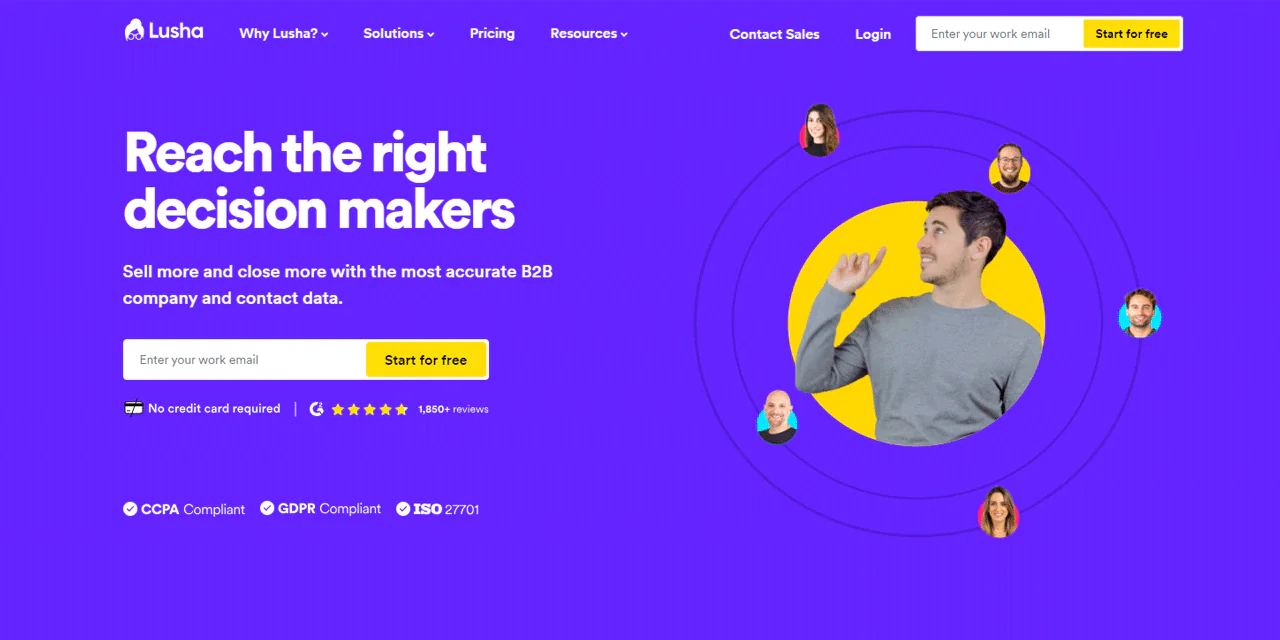
Lusha is a sales intelligence tool built around access to a large database of B2B contacts, with real-time enrichment through CRM integrations like Salesforce.
Known for a simple interface and API compatibility, Lusha offers quality data including personal profiles, aiming to connect users with important leads efficiently.
Against Cognism, Lusha leads on speed, pulling contact details directly from social media and websites for fast lead generation, while Cognism offers a broader set of data-driven sales and marketing tools, including compliance features.
About Lusha
- Founding year: 2016
- Founding team: Assaf Eisenstein and Yoni Tserruya
- Company Size: 340
Features of Lusha
Here are the features of Lusha:
- Precision in B2B Data: Ensures sales teams connect with key decision-makers efficiently.
- All-In-One Sales Intelligence Solution: Prospecting, buyer insights, data enhancement, and integrations.
- Browser-Based Data Access with Lusha Extension: Access data and functionality directly through a browser.
- Enhanced Prospecting and Data Enrichment: Advanced prospecting tools and enrichment services.
- Seamless System Integration: Integration with platforms like Salesforce.
Pros of Using Lusha
- High-quality B2B contact data across platforms.
- User-friendly interface enhances productivity.
- Direct access to decision-makers speeds up sales cycles.
- Comprehensive sales intelligence tool for enriched prospecting.
- Free version available for initial testing and comparison.
Cons of Using Lusha
- Limited free version features may hamper extensive testing.
Lusha Pricing
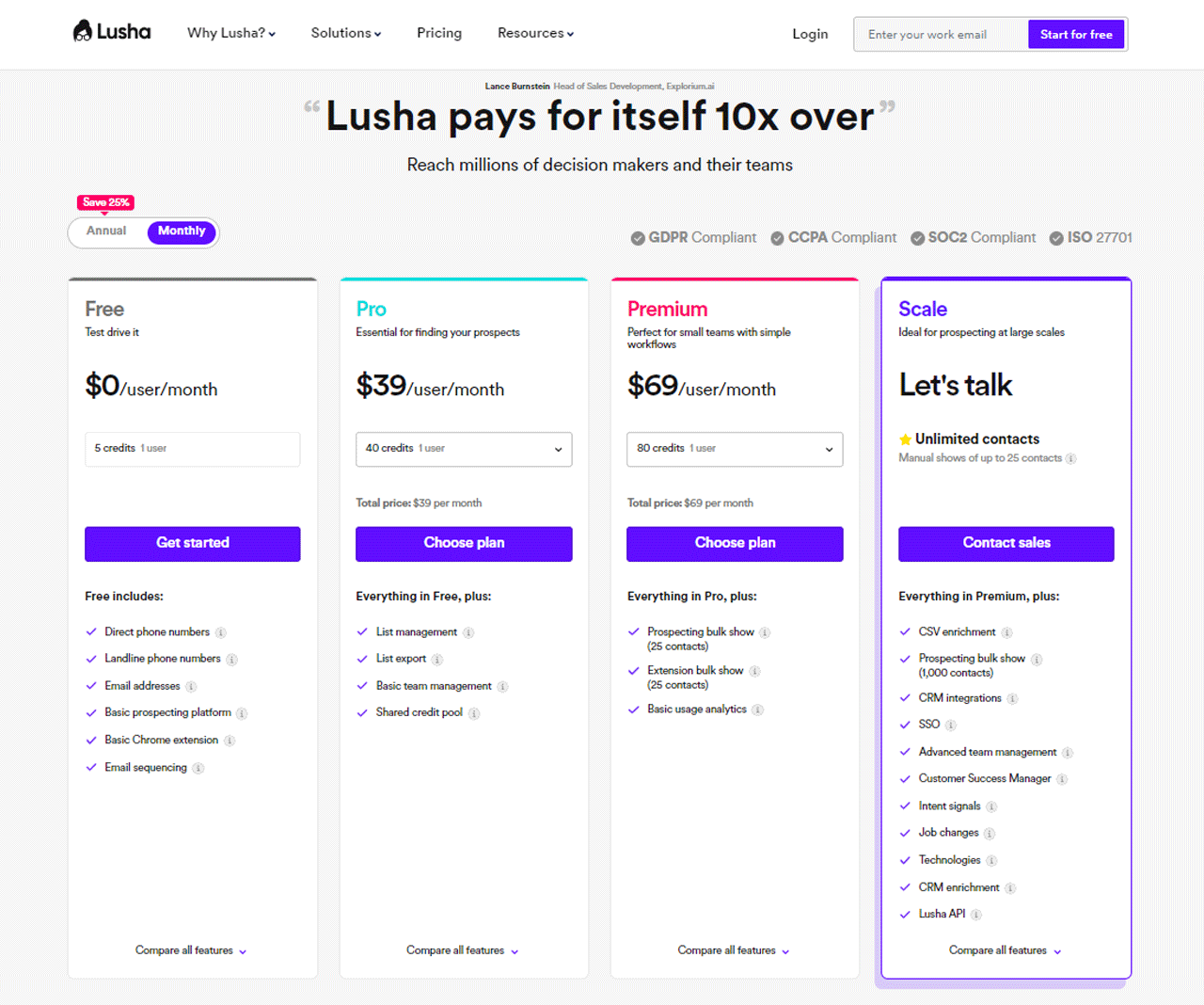
Lusha offers a Free plan with a small monthly credit allowance per user, aimed at individuals or small startups with limited prospecting needs.
A Pro plan around $29 per user per month suits SMBs with regular but moderate demand, while a Premium plan around $52 per user per month offers a larger credit pool for steadier lead flow.
A Scale plan is available for larger prospecting needs, priced through direct consultation. Lusha bills annually on its paid plans, so confirm the current terms before signing.
What Users Say About Lusha?
- G2: 4.5/5 (1,446 reviews)
- Capterra: 4.1/5 (359 reviews)
“What do you like best about Lusha?
It is a very easy tool to use and the fact that is always there in the browser (with the extension installed) you can just click and use it to your liking. It is very convenient and quick. Most of the phone numbers are correct and the emais. The implementation and integration of it is very easy and quick. I use it every day.
I have heard that the customer service/ support is great and always happy to help.
What do you dislike about Lusha?
Sometimes it hasnt got emails for everyone but you can see other collegues’ and guess with it. – Now it has a feature to guess and I think it is great and helpfull.“– Oriana V.
Our Review of Lusha
Lusha is efficient at delivering solid B2B contact information right where you need it. Its straightforward design and reliable data make prospecting tasks smoother and connections easier.
Cost can be a hurdle for smaller companies or solo operators, and reliance on social media and website data may not cover every industry equally.
Even with those caveats, Lusha’s role in sharpening sales tactics and boosting outreach productivity makes it a solid pick for many teams.
7. UpLead
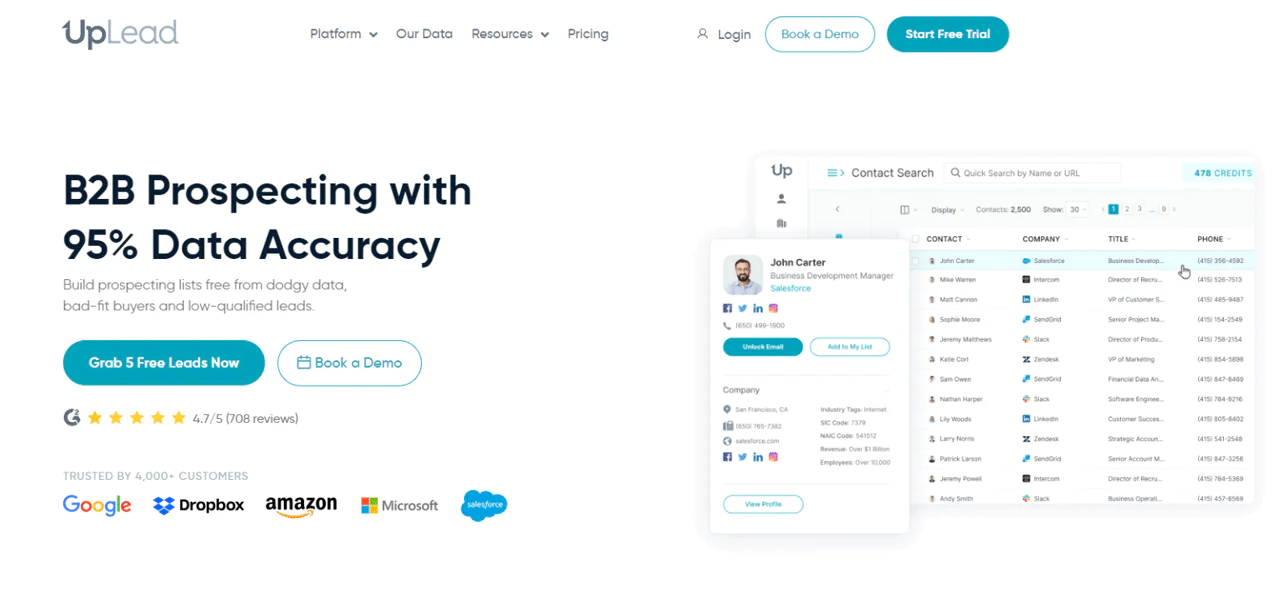
UpLead is a strong pick for dependable business email list services. Its verified B2B database is built around a high accuracy standard for contact data.
It pairs data access with built-in email verification, keeping contact quality high.
The platform is easy to use and integrates smoothly with sales and marketing systems, which appeals to growth-focused teams.
Against Lead411, UpLead excels at user-friendly lead generation for businesses wanting quick, effective contacts, while Lead411 leans into detailed data provision for teams doing extensive market research.
About UpLead
- Founding year: 2017
- Founding team: Will Cannon
- Company Size: 51-200 employees
Features of UpLead
Here are the features of UpLead:
- Commitment to Data Accuracy: A strong focus on a clean database with fewer inaccuracies and unqualified leads.
- Extensive Lead Discovery and Advanced Filtering: A large database with dozens of search filters for precise targeting.
- Guaranteed Lead Quality with Real-Time Email Verification: Decreases bounce rates and improves outreach success.
- Insightful Intent Data and Direct Communication Channels: Identifies prospects actively searching for solutions.
- Diverse Sales Enhancement Tools: Real-time lead finding, bulk lookup, data enrichment, and Chrome Extension.
Pros of Using UpLead
- Real-time email verification ensures reliable contact information.
- Extensive database with access to millions of B2B contacts.
- User-friendly interface simplifies prospecting and integration.
- Offers free trial to test service without initial investment.
- Built-in search filters tailor lead searches to specific needs.
Cons of Using UpLead
- Lacks the ability to extract emails and phone numbers directly from websites.
UpLead Pricing
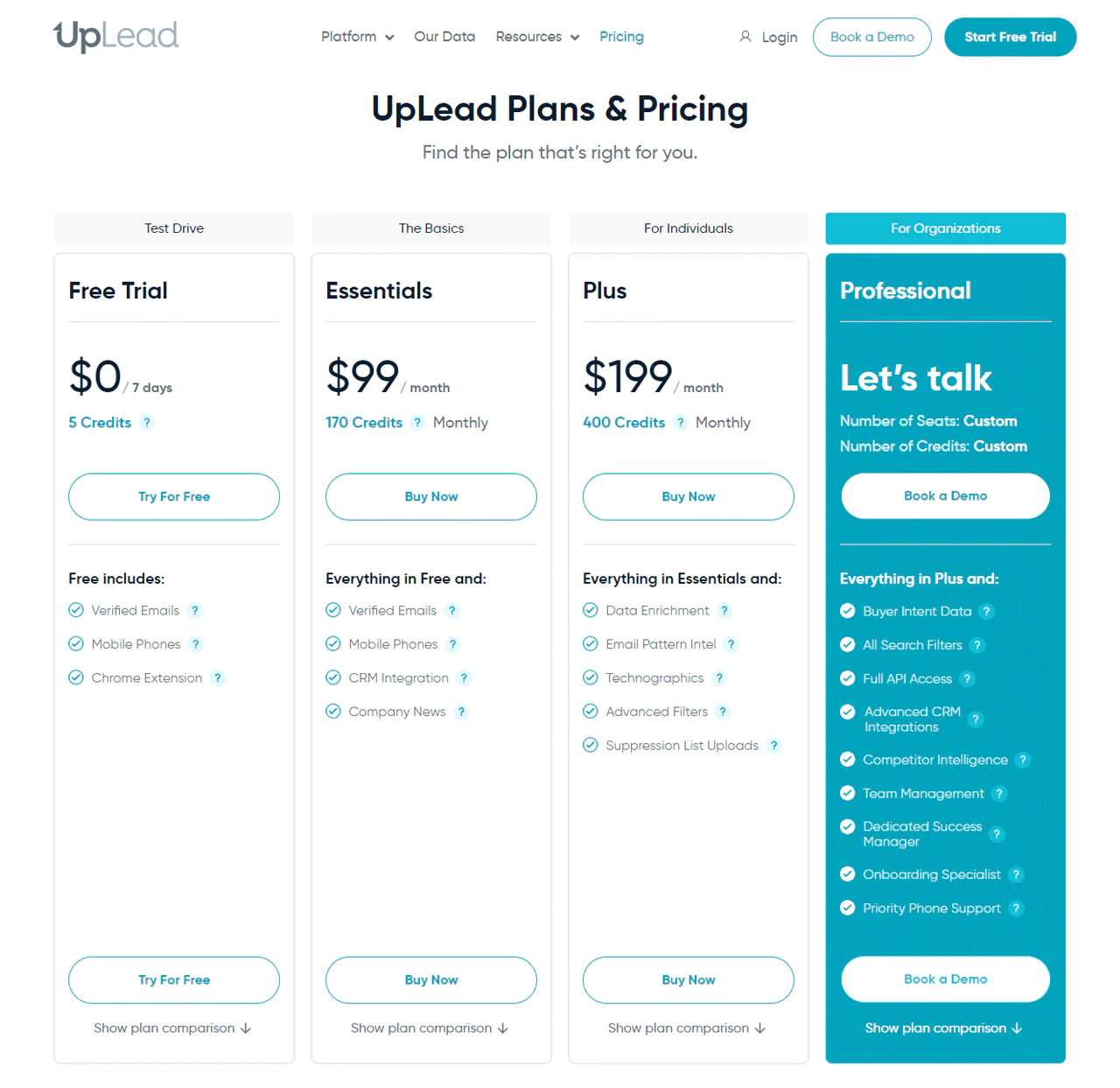
UpLead offers tiered plans, with an Essentials plan around $99 per month for smaller teams, a Plus plan around $199 per month with more credits for larger needs, and a custom Professional plan for large organizations that need buyer intent data and API access.
Confirm exact credit allotments and pricing on UpLead’s site, since these details shift periodically.
What Users Say About UpLead
- G2: 4.7/5 (708 reviews)
- Capterra: 4.7/5 (74 reviews)
“What do you like best about UpLead?
I like the amount of information first at the moment of filtering, It gave you a lot of options so you could play with it in order to get the most effective result. Then I will say in the point when it gave you the data of prospects I found easy to use when I just wanted to download an specific amount of leads according to for example the amount of Revenue I’m looking for.
What do you dislike about UpLead?
I believe that it will be a plus if UpLead could get emails and phone from websites.“– Moises R.
Our Review of UpLead
UpLead’s strong B2B database and high accuracy rate make lead generation noticeably smoother, backed by real-time email verification and an interface that integrates easily with existing systems.
Depth of data in niche markets could be better, and pricing may feel steep for smaller businesses or startups.
8. Lead411
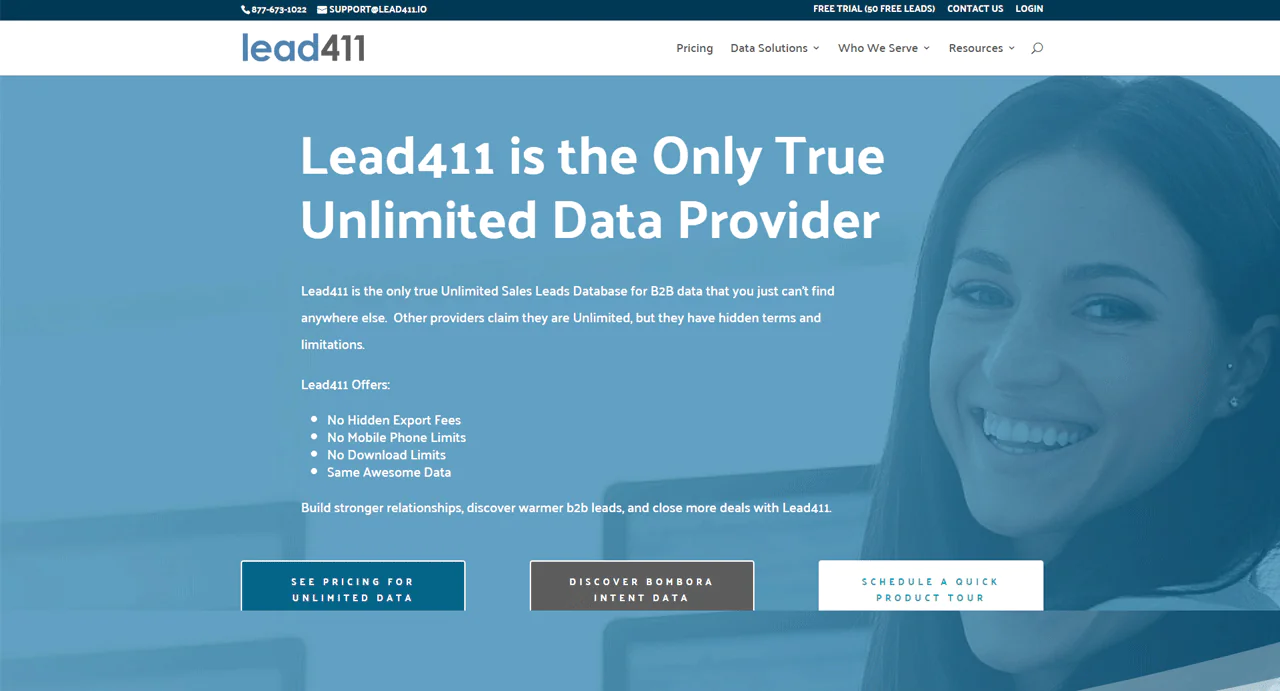
Lead411 positions itself as a premier B2B data platform with a large global contact and company database.
It stands out for growth and buyer intent data, along with sales triggers like funding announcements and recent hires, which sharpen prospect targeting.
Lead411 uses a multi-step verification process combining automated checks, AI, and human review, with no surprise export fees or hard caps.
Against Lusha, Lead411 specializes in rich data insight and precise, current contact information, while Lusha emphasizes ease of access and direct platform integration for efficient prospecting.
About Lead411
- Founding year: 2015
- Founding team: Tim Zheng
- Company Size: 201-500 employees
Features of Lead411
Here are the features of Lead411:
- Unlimited B2B Sales Leads Database: Full access to a large B2B database without extra download restrictions.
- No Hidden Export Fees: Transparent, predictable pricing with no surprise export costs.
- No Contact Mobile Phone Limits: Unrestricted access to mobile phone numbers.
- Bombora B2B Intent Data: Integration provides intent data for understanding prospect interest.
- High Deliverability: A high average deliverability rate for optimized, verified emails, aimed at maximizing campaign performance.
Pros of Using Lead411
- Unlimited access to B2B sales leads.
- No hidden fees for data exports.
- Offers accurate B2B intent data.
- Verified email addresses enhance deliverability.
- Direct-dial mobile numbers are available.
Cons of Using Lead411
- Inaccurate lead categorization and mismatch with specified sections and filters.
Lead411 Pricing
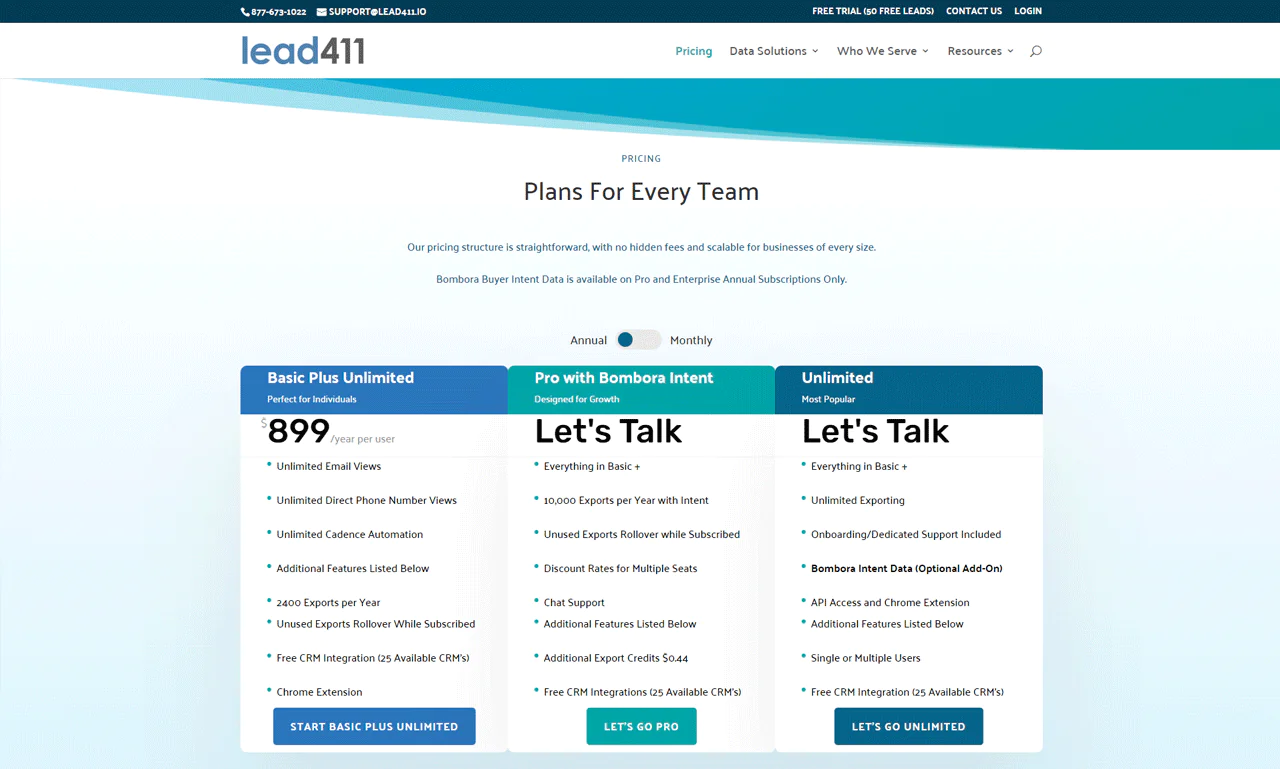
Lead411 offers a free 7-day trial with a set number of connection credits, plus a small per-connection cost after that. The trial includes verified emails, direct phone numbers, and the Chrome extension.
For more ongoing use, the Basic Plus Unlimited plan runs around $99 per user monthly, offering unlimited email and phone access, monthly exports with rollover, and cadence automation.
Larger teams needing a custom setup can look at the Enterprise Limited plan, priced through direct sales discussion, which adds more exports and CRM integration.
What Users Say About Lead411
- G2: 4.5/5 (425 reviews)
- Capterra: 4.7/5 (60 reviews)
“What do you like best about Lead411?
I liked how many filters there are, especially with the recent update. It is very easy to use and learn, and the customer support is incredible, especially because of Ryan! He answered all of my questions quickly and never hesitated to help.
What do you dislike about Lead411?
I wish they had a website section in the results of the leads instead of having to hover over the company or lead name, though I heard that it could be considered for a future update. Also, not all of the leads belong in certain sections and filters (for example: finding photography services under the IT Services filter), but I am seeing less of those with the recent update.“– Aneta O.
Our Review of Lead411
Lead411 is a solid tool for businesses building out B2B lead generation. Unlimited access to sales leads and intent data directly helps with forging connections and spotting promising leads.
Bulk email addresses and direct-dial phone numbers simplify outreach.
The volume and detail of data can occasionally be more than needed, leading to more time analyzing than reaching out.
9. Hunter.io
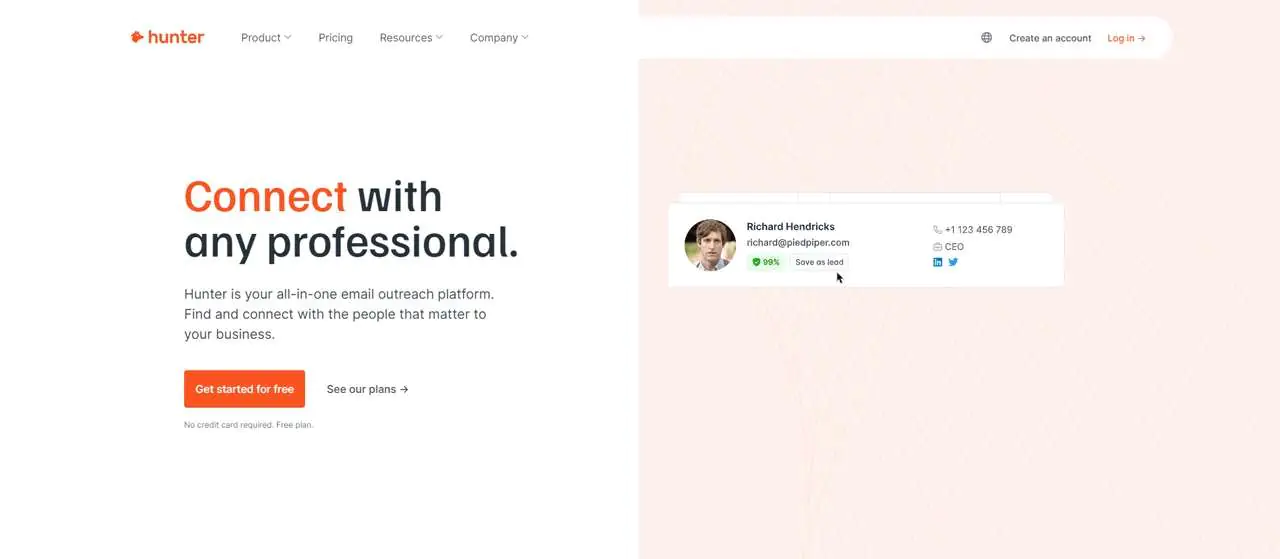
Hunter.io is built for targeted email lists and verification, with filters like domain and job title for relevance.
Bulk email verification improves deliverability, helping emails actually reach recipients.
It focuses on publicly available emails, integrating with CRMs for efficient workflows.
Against Apollo.io, Hunter.io specializes narrowly in email discovery and verification, while Apollo.io covers broader lead generation and sales engagement.
About Hunter.io
- Founding year: 2015
- Founding team: Antoine Finkelstein and François Grante
- Company Size: 25—45
Features of Hunter.io
Here are the features of Hunter.io:
- Finding Email Address: Access verified email addresses by entering a person’s name.
- Domain Search: Retrieve contact details for key individuals within a company using just the company name or website.
- Verifying Email: Verifies email address validity to help emails reach their intended recipients.
- Manage Email Campaigns: Schedule follow-up emails and monitor campaign performance.
- Integrations and API: Integrates with Google Sheets and various CRMs.
Pros of Using Hunter.io
- Quickly finds professional email addresses.
- Verifies emails to reduce bounce rates.
- Enhances email campaigns with high deliverability.
- Integrates easily with popular tools and CRMs.
- User-friendly interface simplifies operations.
Cons of Using Hunter.io
- Limited functionality with the free plan.
Hunter.io Pricing
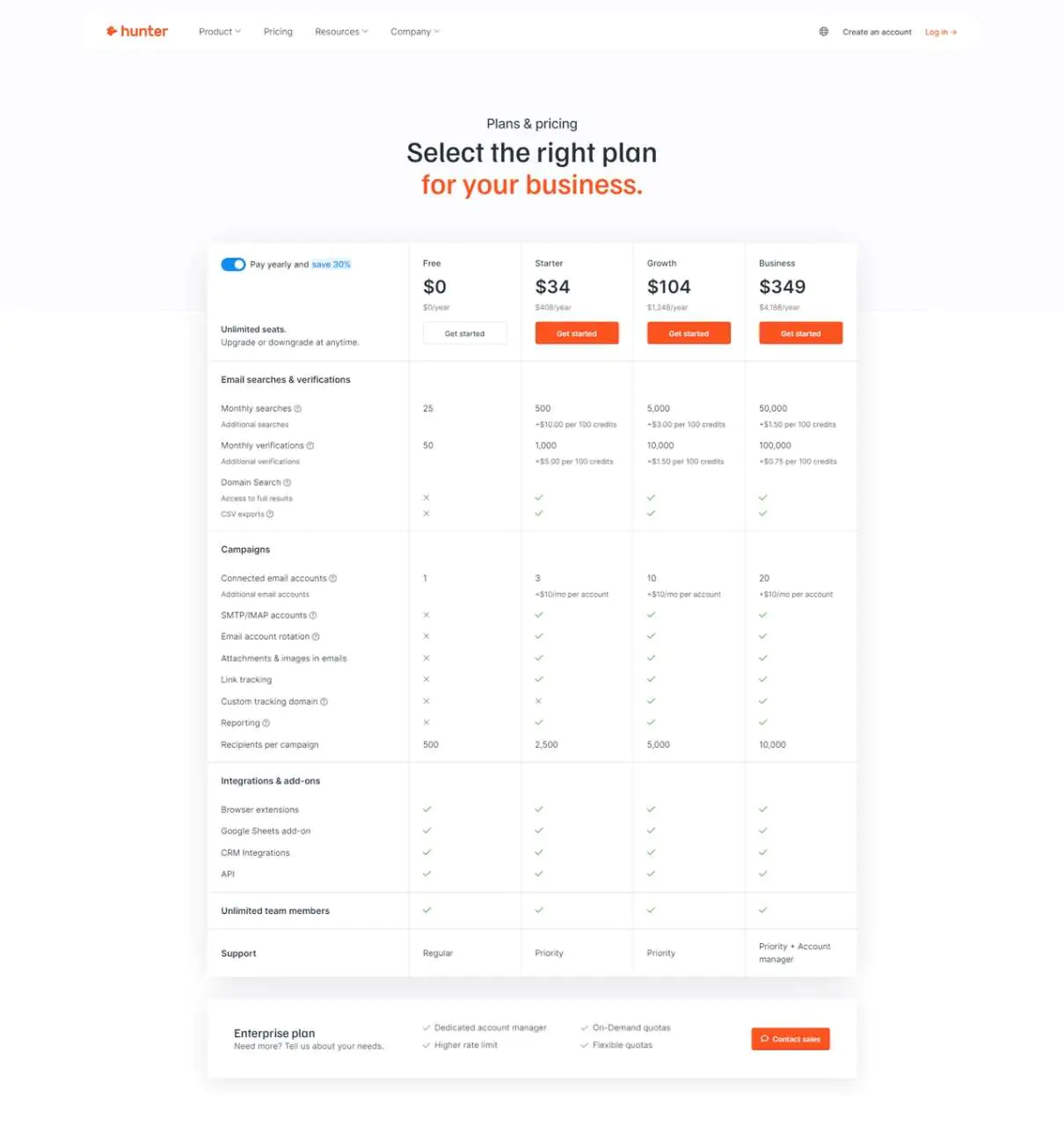
Hunter.io’s Free Plan suits occasional users with a modest number of monthly searches and verifications.
A Starter Plan around $34 a month suits small businesses, a Growth Plan around $104 a month scales up search and verification volume, and a Business Plan around $349 a month serves heavy users or larger businesses needing significant capacity.
What Users Say About Hunter.io
- G2: G2: 4.4/5 (529 reviews)
- Capterra: 4.6/5 (610 reviews)
“What do you like best about Hunter?
The best thing about Hunter is that it is a complete solution for finding professional email addresses online. The most useful thing is its domain search feature that automatically extracts all the associated professional email addresses in no time. Other than this, it also has a feature to search by name of the professional and the associated company and even displays the validity score in percentage.
What do you dislike about Hunter?
The major downside I realized while using Hunter is that this tool does not have feature to directly extract email addresses from individual social media linkes/handles such as LinkedIn, Twitter, etc.“– Bikash P.
Our Review of Hunter.io
Hunter.io’s ability to find and verify email addresses quickly streamlines outreach and makes connecting with key contacts easier.
The Domain Search and Email Finder features in particular save time by surfacing accurate contact information fast.
Heavy reliance on any single tool, Hunter.io included, can limit a team’s willingness to explore other outreach strategies, so it’s worth pairing with complementary approaches.
10. Snov.io
Snov.io is built for businesses looking to strengthen email marketing through automation and lead engagement.
It includes a database for email discovery, drip campaigns for personalized outreach, and an email verification system to keep lists accurate.
Snov.io pairs a straightforward setup with responsive customer service and has built a large customer base across sales and revenue teams.
Against Hunter.io, Snov.io offers a broader suite of CRM and cold outreach tools, while Hunter.io specializes more narrowly in email verification and search.
About Snov.io
- Founding year: 2015
- Founding team: Brandon Bornancin
- Company Size: 200-500 employees
Features of Snov.io
Here are the features of Snov.io:
- Email Finder: Discover and gather pre-verified leads through a comprehensive database.
- Drip Campaigns: Personalized email outreach with automated follow-ups based on recipient behavior.
- Email Verifier: A detailed multi-tier verification process to improve inbox placement.
- Email Warm-up: AI-driven conversation generation and warm-up strategies for different templates.
- Sales CRM: A CRM solution with Google Calendar integration.
Pros of Using Snov.io
- Extensive databases enhance lead discovery.
- Personalized email campaigns improve engagement.
- High email verification accuracy reduces bounce rates.
- Quick setup gets campaigns running faster.
- Integrations streamline workflow across platforms.
Cons of Using Snov.io
- Limited CRM functionalities compared to specialized platforms.
Snov.io Pricing
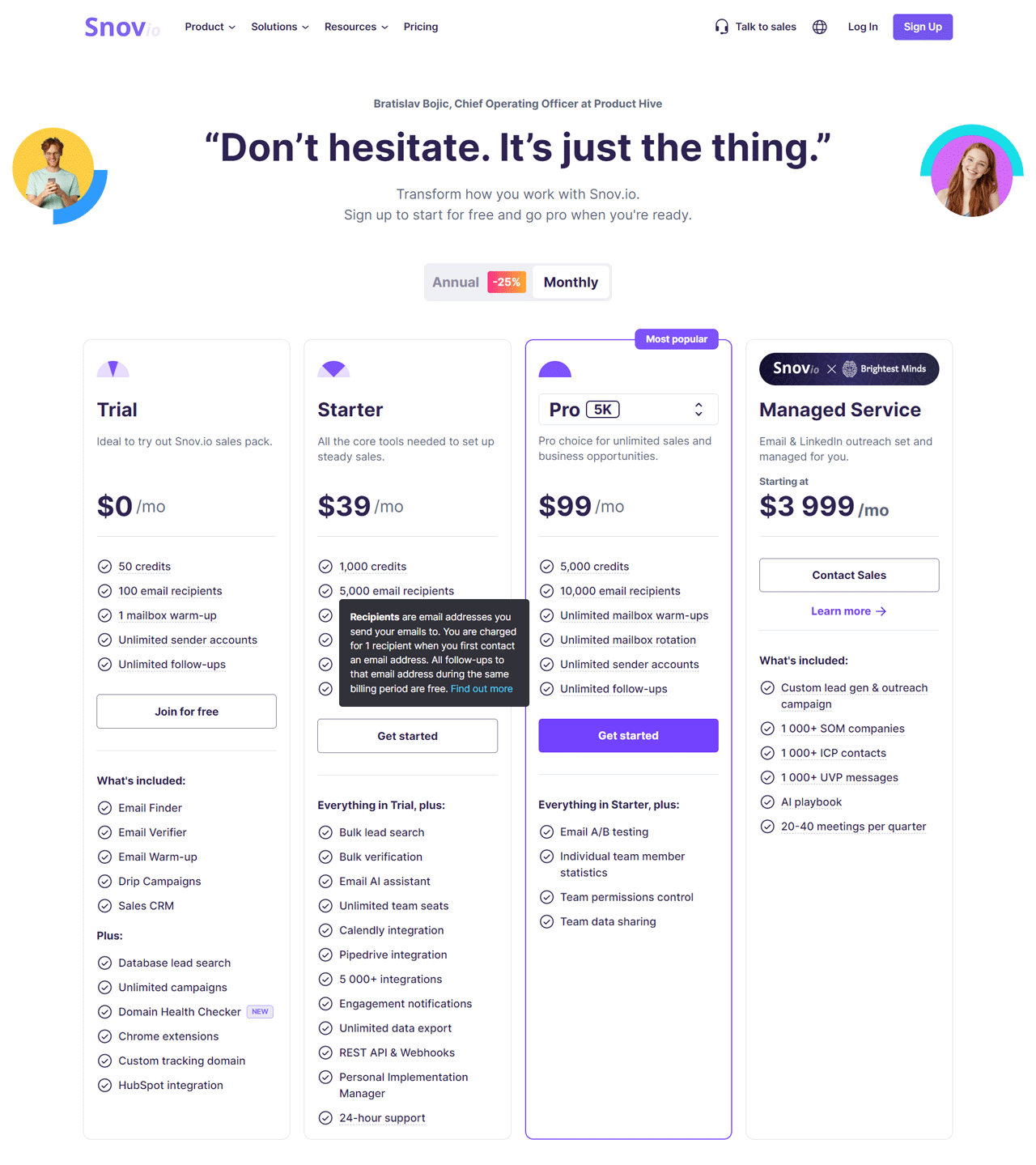
Snov.io starts with a free Trial plan that includes a modest credit allotment, limited email recipients, mailbox warm-up, and unlimited follow-ups, a reasonable starting point for testing the platform.
A Starter plan around $30 a month raises the credit and recipient limits, while a Pro plan around $75 a month scales further for larger campaigns.
A Managed Service tier, priced at a higher monthly rate, includes custom campaigns and access to a curated set of target companies and contacts for teams wanting a hands-off approach.
What Users Say About Snov.io
- G2: 4.6/5 (360 reviews)
- Capterra: 4.6/5 (207 reviews)
“What do you like best about Snov.io?
Snovio proves invaluable for swift messaging, especially when communicating across diverse regions from Europe to the US A crucial aspect for me is the flexibility of the message-sending schedule, tailored to my needs.
This service empowers users to craft unique email signatures, elevating brand credibility. Noteworthy features include:
– Archive for past mailings,
– Email variation capabilities,
– Customizable templates for significant time savings.
The standout feature, however, is efficient and responsive technical support—a super bonus ensuring even urgent email campaigns stay on track without delays. Thanks to Snovio, seamless communication is not just a goal but a reality!”
What do you dislike about Snov.io?
Just a small issue when you accidentally stopped your company you cannot restart it.“– Roman P.
Our Review of Snov.io
Snov.io is one of the more approachable B2B email list providers for teams building outreach strategy, largely thanks to its email marketing automation tools.
Its strongest feature is quickly identifying verified emails and setting up custom campaigns.
The analytics, while useful, could go deeper, which may limit teams wanting granular performance insight.
What’s the Importance of an Email List Provider?
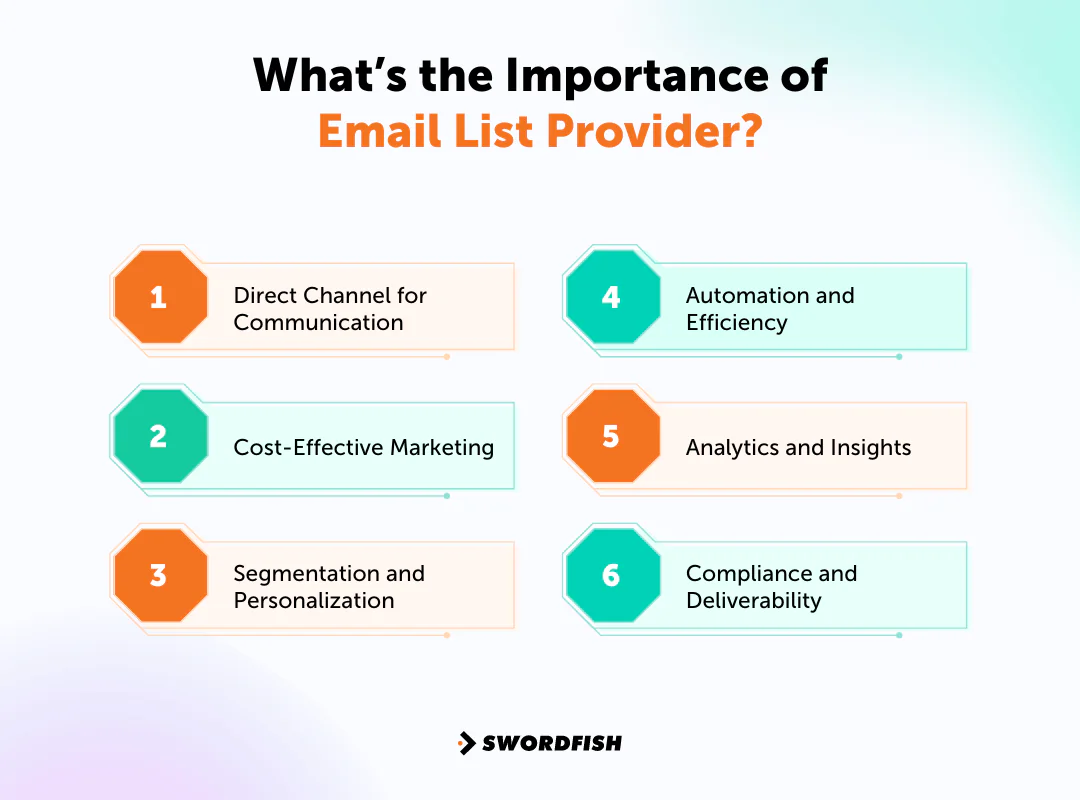
A reliable email list provider matters more than most marketing teams give it credit for. Here’s why it belongs at the center of your outreach strategy:
Direct Channel for Communication
Email delivers messages straight to inboxes, avoiding the unpredictability of social media algorithms. That directness makes room for tailored interactions and stronger customer relationships.
Cost-Effective Marketing
Email marketing is known for strong ROI relative to spend, letting businesses of any size reach large audiences without a heavy advertising budget.
Segmentation and Personalization
Segmentation tools let you customize messaging by demographics or behavior, producing more relevant emails that drive engagement and conversions.
Automation and Efficiency
Automation handles routine tasks, from welcome sequences to occasion-based messages, saving time while keeping communication timely and relevant.
Analytics and Insights
Detailed analytics on opens, clicks, and engagement give you the data needed to refine campaigns over time.
Compliance and Deliverability
Reputable providers help you stay compliant with rules like GDPR and CAN-SPAM while working to keep emails out of spam folders and in the inbox.
Things to Consider Before Investing in an Email List Provider
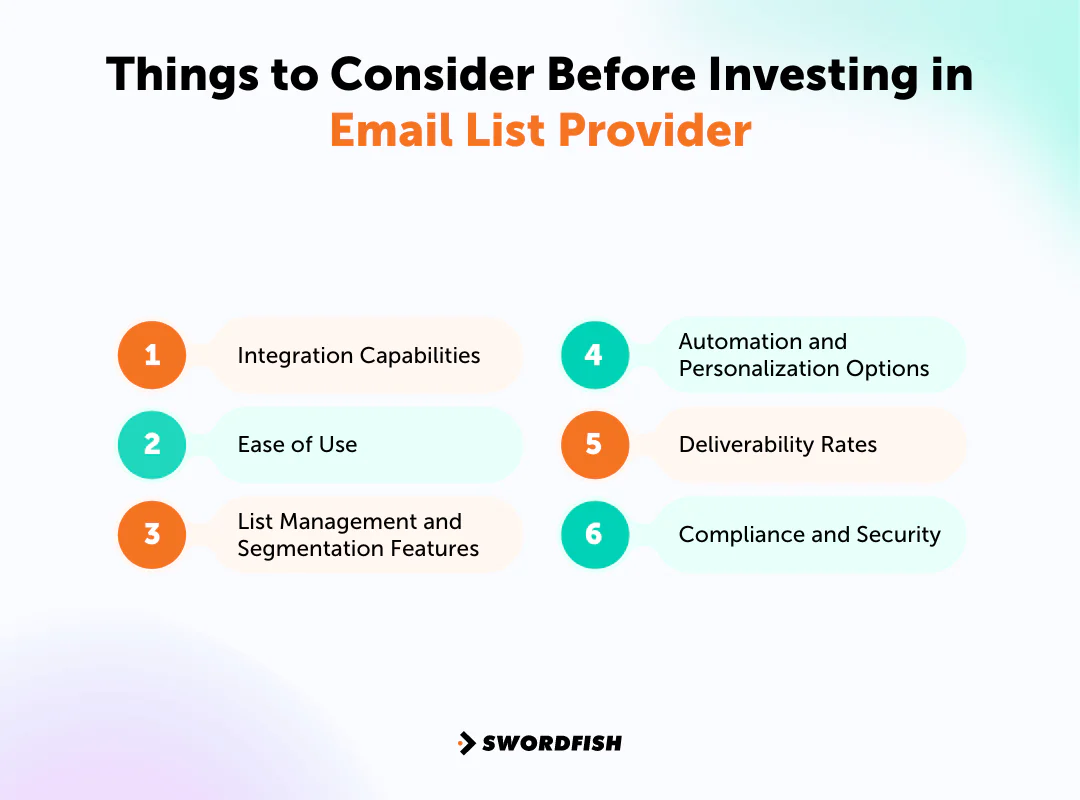
Before choosing a provider, weigh these factors carefully:
Integration Capabilities
Check whether the provider works with tools you already use, like your CRM, e-commerce platform, or analytics stack. Smooth integration makes customer data more useful across the board.
Ease of Use
Since your team will use the platform often, a clear interface and easy navigation matter. Strong support reduces ramp-up time and keeps the team productive.
List Management and Segmentation Features
Effective list management and segmentation let you send more relevant content to specific groups, which drives better engagement and conversions. Look for detailed segmentation based on behavior, demographics, and purchase history.
Automation and Personalization Options
Automation saves time by running campaigns on triggers, and personalization helps your messages resonate. Make sure these features are flexible enough for how you actually work.
Deliverability Rates
A provider’s ability to land in inboxes rather than spam folders is critical. Research their track record and methods for avoiding spam filters.
Compliance and Security
Compliance with email marketing laws like GDPR and CAN-SPAM, along with solid data security practices, is non-negotiable. Your provider should help manage consent and unsubscribes while protecting your lists and customer information.
For organizations working with sensitive contact categories, including healthcare-related outreach, it’s worth confirming how a provider sources and refreshes its data, and whether its compliance posture fits your specific regulatory obligations before you commit to a plan.
What is the Best Email List Provider?
Swordfish AI stands out as a strong choice for improving email marketing efforts, for a few clear reasons.
Its precision and database depth make it a reliable option for marketers who need accurate contact data. A user-friendly interface and solid support system make it manageable even for teams new to this kind of tool.
Cognism and Kaspr are also worth exploring. Cognism brings a broad feature set for sales and marketing, including market trend insight beyond raw email lists. Kaspr is praised for how easily it plugs into LinkedIn workflows.
Each provider brings its own strengths, but not all of them match Swordfish AI’s combination of direct contact data access and accuracy.
Conclusion
After weighing the pros and cons of these providers, one thing is clear: picking the right one is central to effective email marketing. A good provider improves deliverability, engagement, and overall campaign performance.
Among the options covered here, Swordfish AI stands out among B2C and B2B email list companies for its interface, feature set, and support quality.
For teams looking to build and manage an effective email list without unnecessary friction, it’s a solid starting point.
Frequently Asked Question
Does the size of the provider’s email list matter?
Size can indicate reach, but quality and relevance matter far more for targeted, effective campaigns.
How important is deliverability in choosing an email list provider?
Deliverability is crucial. It determines whether your emails reach inboxes instead of spam folders, directly affecting campaign results.
Can I export my email list if I decide to switch providers?
Most providers allow exports, but confirm their data portability policies before committing to any plan.
RELATED POST
Frequently asked questions
What is the difference between an email marketing platform and a contact-data provider?
An email marketing platform helps manage and send campaigns to subscribers. A contact-data provider helps find, verify, or enrich contact records, often for B2B outreach.
Which factors should I compare when choosing an email list provider?
Compare the provider’s purpose, data quality and verification, segmentation and list-management features, integrations, deliverability support, compliance practices, and pricing.
Does a verified email address mean I can send marketing messages to it?
No. Verification checks an address; it does not establish consent or otherwise determine whether a particular message is lawful. Confirm the requirements that apply to your outreach.
Should I confirm a provider’s pricing before choosing it?
Yes. The article notes that pricing and plan details can change, and some providers use custom quotes. Check current terms directly with the provider.

