


 View Products


Key takeaways
- B2B lead generation tools can help teams find prospects, verify contact details, enrich records, and manage outreach.
- The tools covered include Swordfish AI, Apollo.io, UpLead, RocketReach, Snov.io, Skrapp.io, Hunter.io, LinkedIn Sales Navigator, Lusha, and Seamless.AI.
- Compare tools based on data coverage and reliability, features, pricing, and fit with your CRM and sales workflow.
- Manual strategies in the guide include cold calling, personalized email, social outreach, SEO, events, referrals, and search marketing.
- A focused prospect list and relevant outreach can help teams prioritize leads that fit their ideal customer profile.
Last updated: September 3, 2026
Generating quality B2B sales leads starts with finding relevant prospects and filtering out stale or incomplete contact data. Subscription costs and the challenge of connecting new software to your existing stack can also make it harder for sales teams to move beyond prospecting.
This guide covers B2B lead generation tools for finding and engaging prospects, including platforms with lead recommendations, intent data, and sales insights. It also outlines manual and lower-cost strategies for teams that would rather not add another subscription.
A practical approach is to combine tools with manual strategies, then assess which methods produce qualified opportunities for your team.
Quick List of B2B Lead Generation Tools
Here’s a fast rundown of the tools covered in this guide and what each one is best suited for:
- Swordfish AI: Best for accessing exclusive cell phone data and high-accuracy contact details.
- Apollo.io: Best for combining lead generation, sales engagement, and data enrichment in one platform.
- UpLead: Best for ensuring data accuracy with real-time email verification and comprehensive prospecting tools.
- RocketReach: Best for broad scalability with a large global B2B leads database of contacts.
- Snov.io: Best for automated email outreach and real-time lead generation via domain searches.
- Skrapp.io: Best for extracting email addresses directly from LinkedIn and company websites.
- Hunter.io: Best for finding and verifying professional email addresses quickly and efficiently.
- LinkedIn Sales Navigator: Best for using LinkedIn’s vast network to find and engage leads.
- Lusha: Best for quick access to high-quality B2B leads with minimal setup.
- Seamless.AI: Best for using AI to auto-generate verified leads with real-time data updates.
B2B Sales Lead Generation Tools: Comparison Chart
To choose a B2B lead generation tool, compare database coverage, contact data reliability, available browser extensions, and compatibility with your CRM. The chart below summarizes these factors side by side.
Tools Name | Database Scope | Chrome Extension | Integration Capabilities |
 | Access to 3.5 billion profiles | LinkedIn, Twitter, Facebook Profiles, Facebook, etc. | Salesloft, Salesforce, LOXO, Outreach, Zapier, Lever, etc. |
 | Over 275 million contacts | LinkedIn, Zapier, Salesloft, Outlook, Outreach, etc. | |
 | Over 155 million B2B contacts | Only LinkedIn profiles | Outreach, Zapier, Salesforce, ZOHO, Copper, etc. |
 | Over 450 million professionals | LinkedIn and company pages | Salesforce, Outreach, HubSpot, and Salesloft |
 | over 550 million prospects | LinkedIn, X, Yelp, Google, and company websites | Pipedrive, HubSpot, Calendly, Gmail, Salesforce, Zapier, etc. |
 | Over 20 million companies | HubSpot, Salesforce, Zoho, Pipedrive, Outreach, etc. | |
 | 107 million professional | Check your current pages for email addresses. | Salesforce, Pipedrive, Copper, HubSpot, etc. |
 | Over 950 million contacts | Not available | Demandbase, Gong, HubSpot, Groove, Outreach, etc. |
 | 50 million enterprise business profiles | LinkedIn, Sales Navigator, Salesforce, and Recruiter. | Salesforce, HubSpot, Zoho, Bullhorn, Pipedrive, etc. |
 | 1.9 billion contact | Salesloft, Salesforce, HubSpot, Outreach, Pipedrive, Insightly, etc. |
Best 10 Lead Generation B2B Companies to Maximize Sales Growth
The profiles below describe each platform’s stated strengths, contact data, integrations, and notable features.
Use the list below to compare the tools and find a potential fit for your outreach needs.
1. Swordfish AI
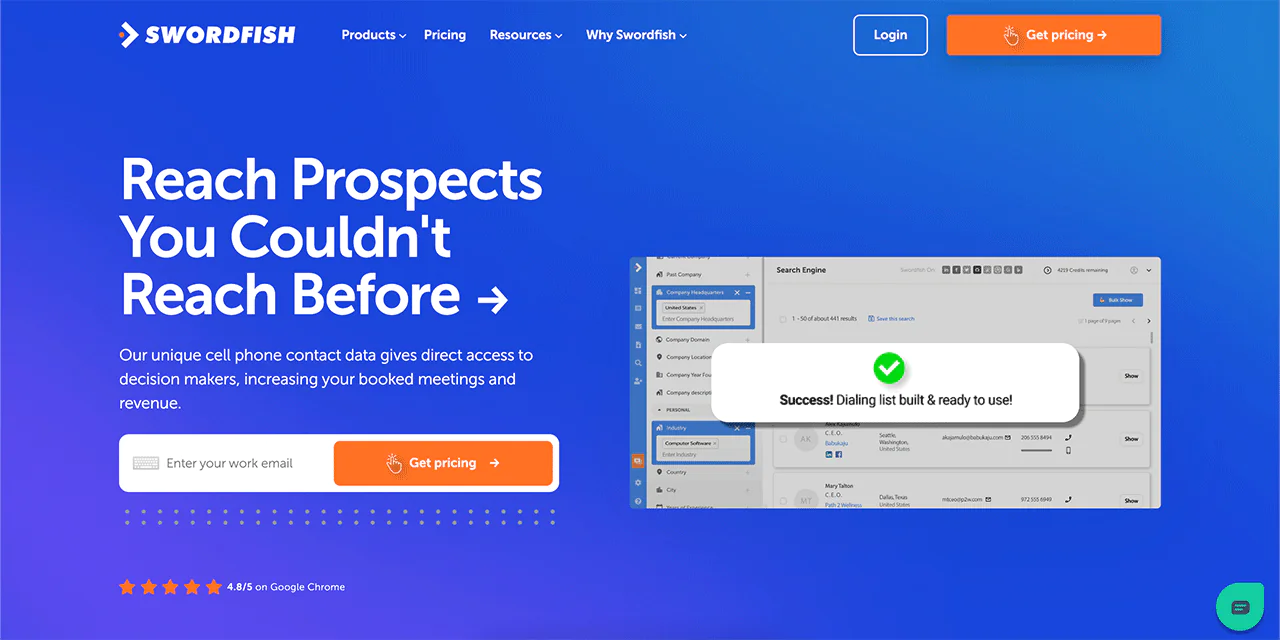
Swordfish AI is built to generate B2B sales leads with accurate contact details, including cell phone numbers and email addresses, for sales and recruitment teams.
If you’re in real estate, you can pull direct contact data for property owners to enrich MLS or county records. The platform’s exclusive cell phone data and real-time validation mean the numbers you get back are more likely to be current and reachable, which saves you the trial-and-error of dialing dead numbers.
Swordfish AI also integrates with common CRMs and other platforms, which keeps your workflow from breaking every time you add a new contact source. One of its more practical advantages is direct access to decision-makers, letting you skip past gatekeepers and reach the person who can actually say yes.
About Swordfish AI
- Founding year: 2015
- Founding team: Ben Argeband
- No. of users: 50,000
What Sets Swordfish AI Apart?
Swordfish’s cell phone verification system and unique phone number matching make cold calling noticeably more efficient than working off a stale spreadsheet.
You also get access to over 3.5 billion data profiles and pro and premium business emails that aren’t widely available elsewhere, which helps sales development teams work from a fuller picture of each prospect.
The cell phone matching algorithms are a core part of the pitch: Swordfish reports 82% accuracy on the first dial and 95% overall accuracy on each profile.
More than 50,000 professionals currently use the platform, which is one reason it’s become a go-to for teams that depend on reaching people by phone rather than just email.
Key Features of Swordfish AI
Here’s how each core feature supports B2B sales lead generation:
Prospect Search
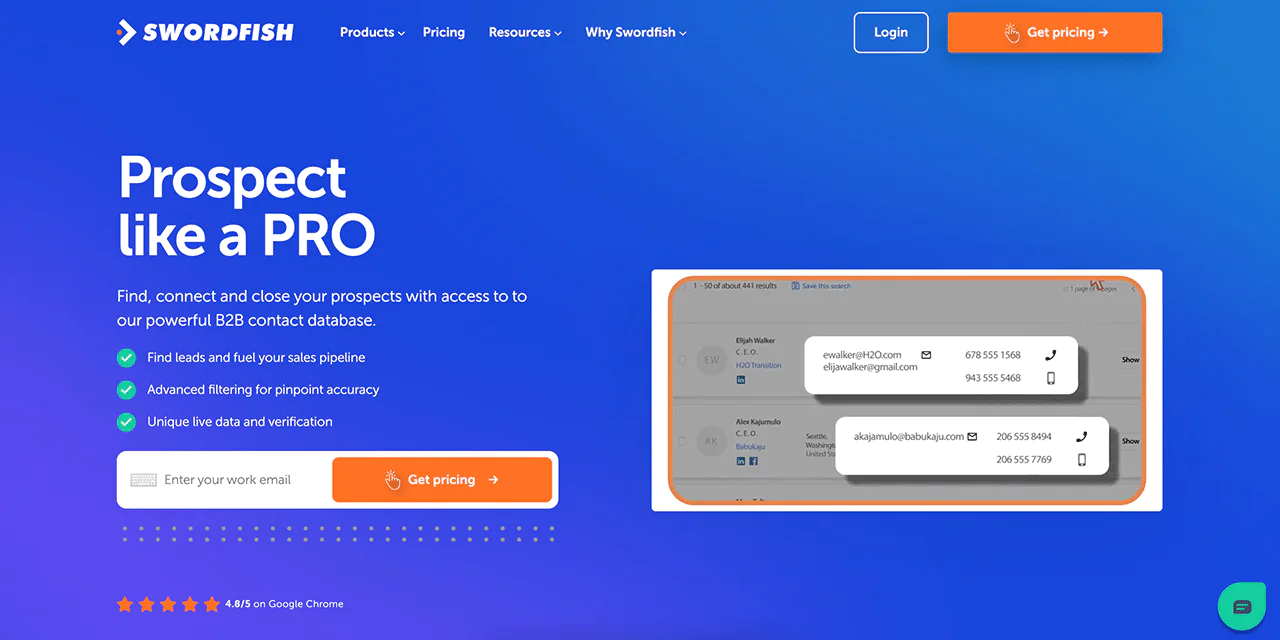
Prospect Search lets you build and refine targeted dialing and email lists. Advanced filters and suppression logic help keep lists precise instead of bloated with dead-end contacts.
Chrome Extension
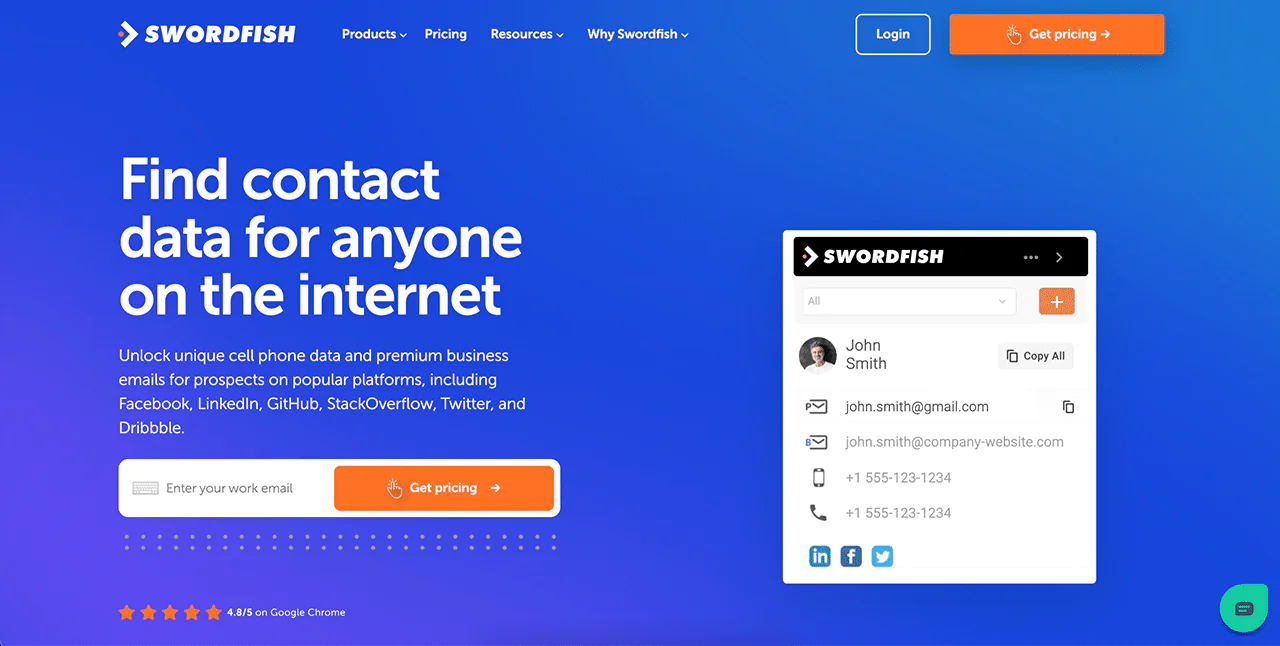
The Swordfish Chrome Extension pulls contact information directly from web pages, including LinkedIn, Twitter, and Facebook, so you don’t have to leave the tab you’re already working in.
File Upload
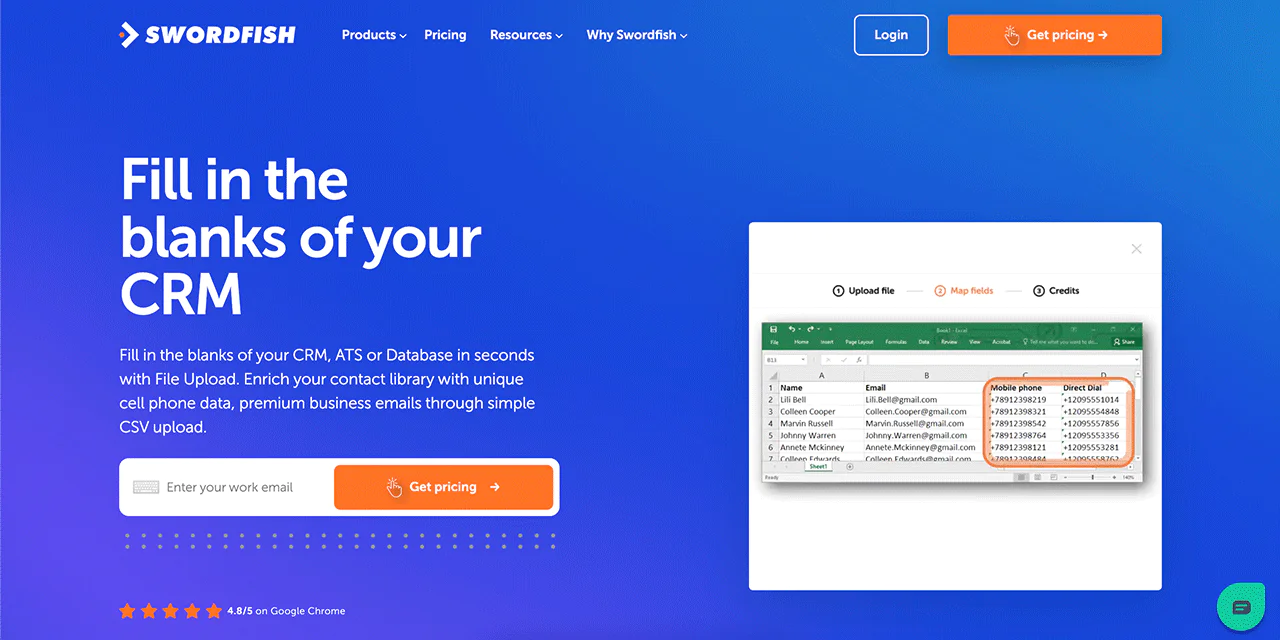
The File Upload feature fills in missing contact details, like cell numbers and emails, through a simple CSV upload, keeping your CRM current without manual lookups.
Bombora Intent Data
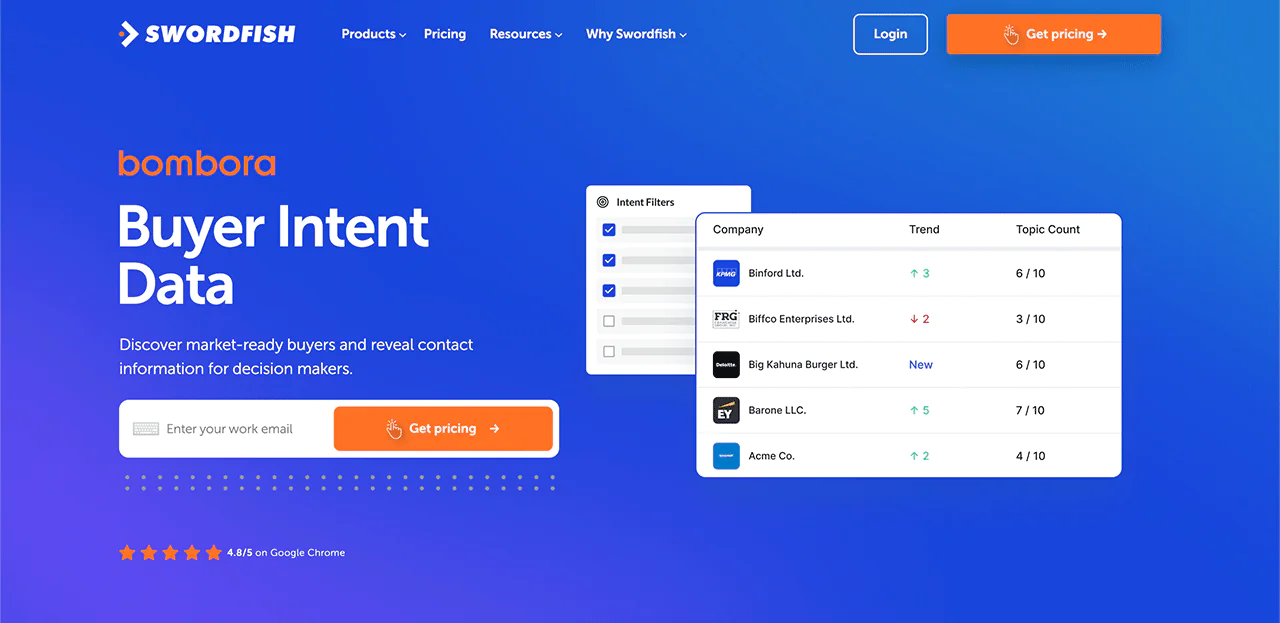
Swordfish AI uses Bombora’s intent data to surface companies actively researching solutions like yours, so marketing and sales can prioritize outreach toward buyers who are already in-market.
Reverse Lookup
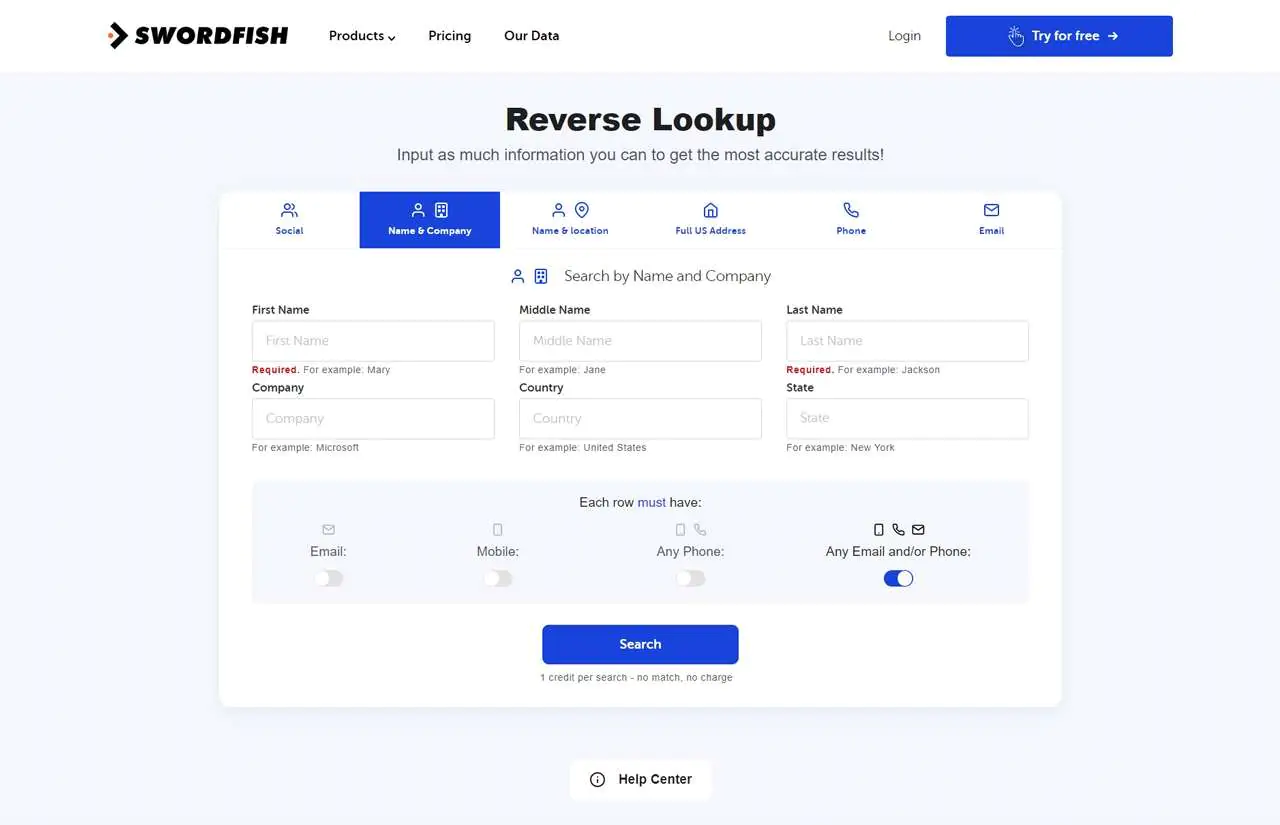
Reverse Lookup builds out a full contact profile from minimal starting data, such as a name and company or just an email, which is useful when you’re working from an incomplete lead list.
API Integration
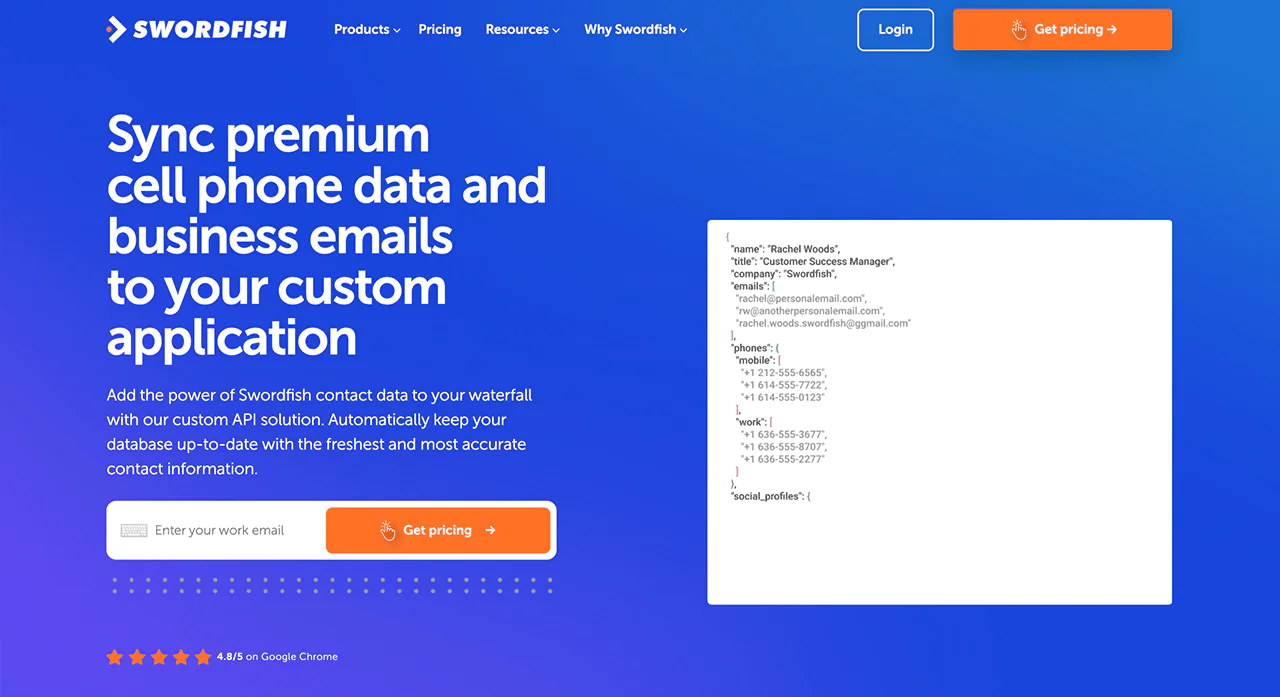
Using Swordfish’s API, you can enrich and update contact databases automatically, keeping records fresh without manual re-entry each time a campaign launches.
Refresh Title-Data
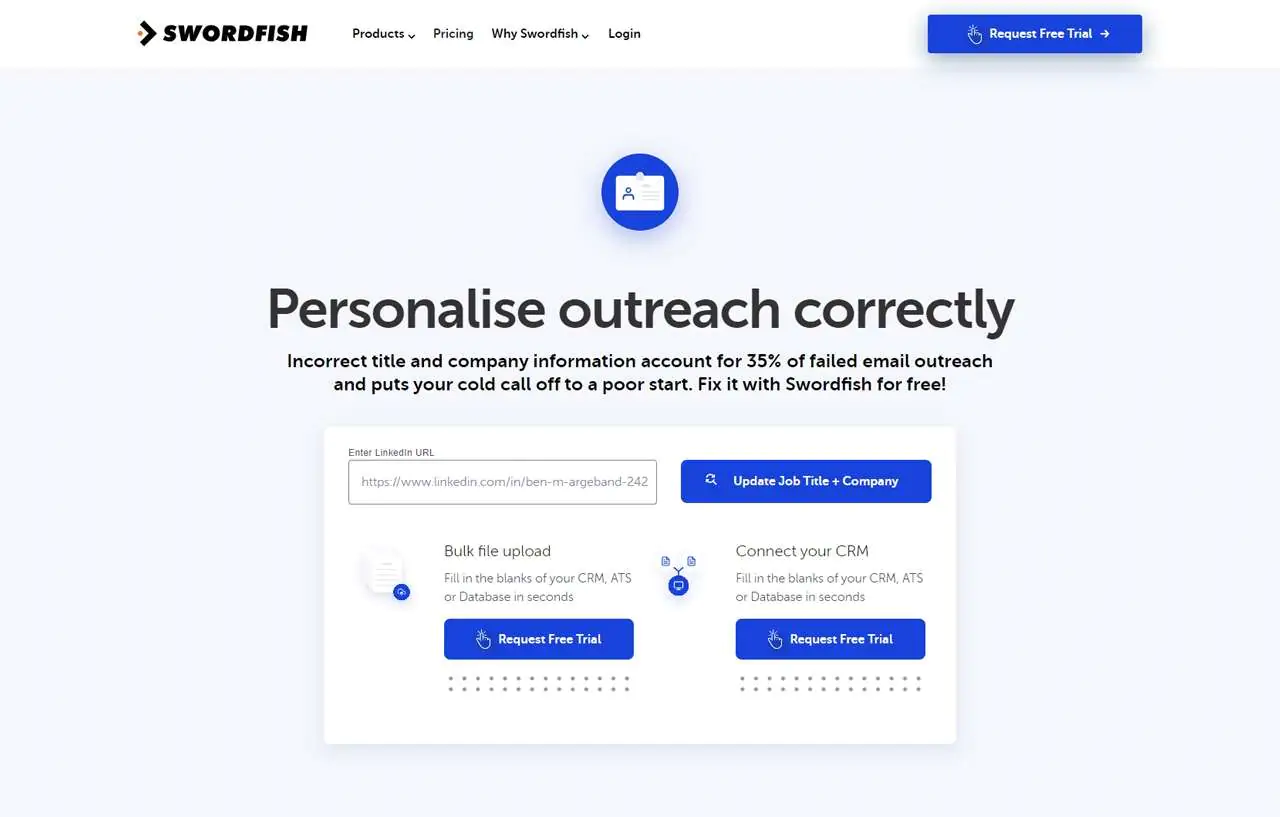
This feature keeps job titles and company info up-to-date in your CRM, so outreach lands on the right person with the right title instead of someone who changed roles months ago.
Email Verifier
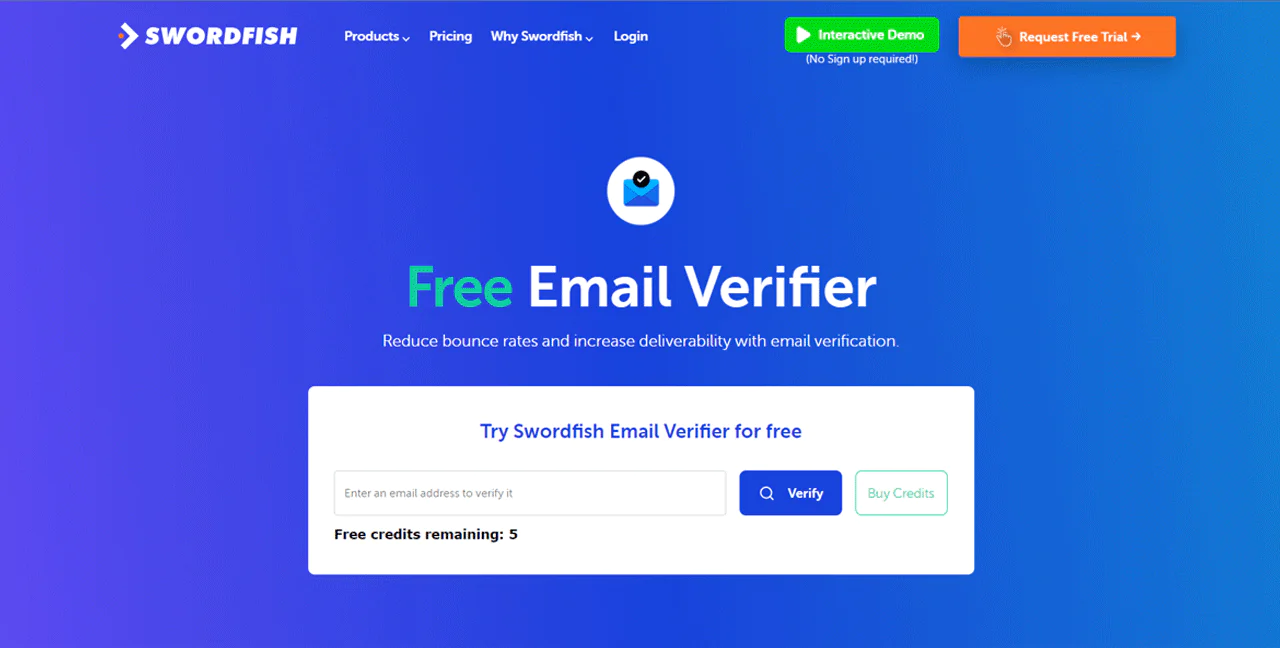
The Email Verifier validates addresses in real time, which cuts bounce rates and keeps your sending reputation intact.
Best Use Cases of Swordfish
- Recruitment: Recruiters get instant access to candidate contact information, which speeds up first outreach.
- Sales Outreach: Sales teams can build sharper pitches around verified phone numbers and emails.
- Marketing Campaigns: B2B marketers can clean and verify email lists to improve deliverability.
- Networking: Professionals can find and reach potential partners or peers more directly.
- Research: Researchers can gather accurate contact information at scale for surveys and studies.
- Customer Data Management: Syncing with CRM systems keeps customer profiles current.
Pros
- Get cell phone info from big social networks.
- Sharpen sales lists accurately with Prospector.
- Makes handling data easy with quick CSV uploads.
- Find leads who are actively looking for your services.
- Provides detailed contact profiles with minimal input
- Smooth CRM link keeps data up-to-date.
Cons
- Need to expand data into Europe
Pricing
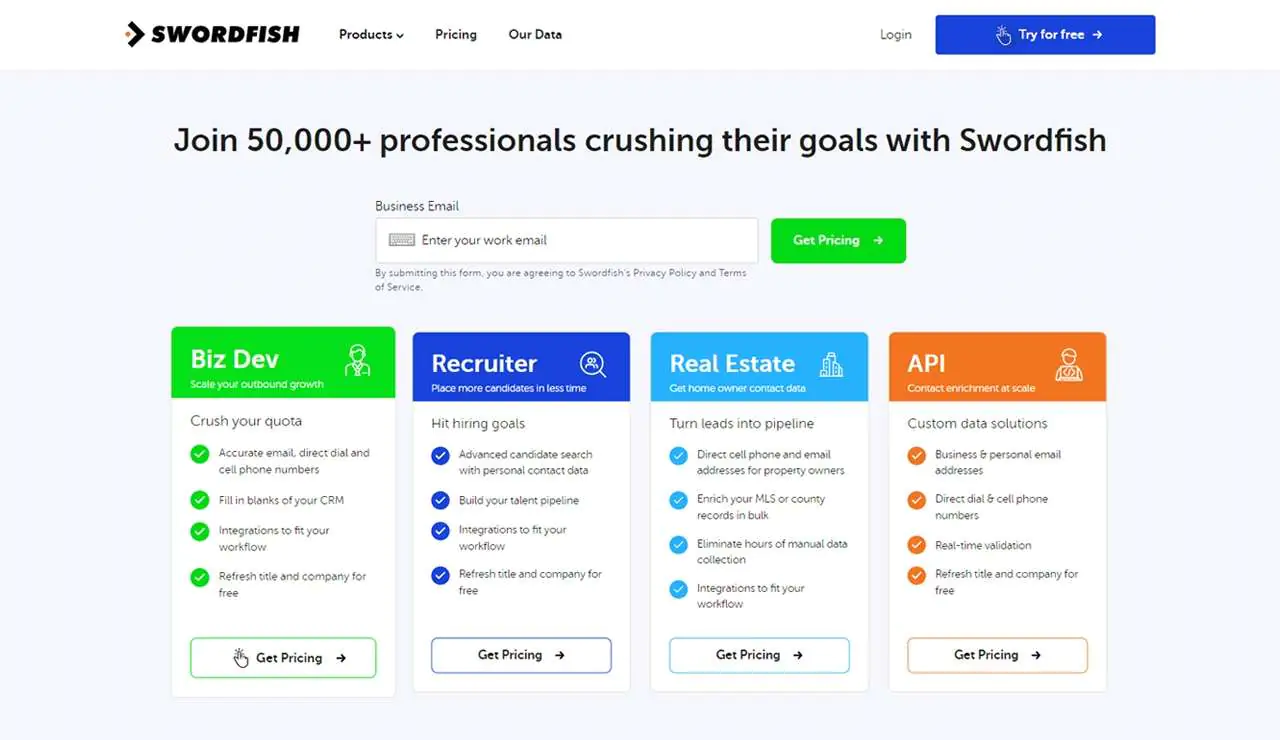
Swordfish AI’s plans are built around specific use cases, whether you’re in biz dev, recruitment, real estate, or need direct API access. Every package includes accurate email, direct dial, and cell phone data.
Plans integrate with your CRM and include free title and company refreshes, so the data doesn’t go stale between updates. Options range from entry-level to advanced, depending on whether you’re building talent pipelines, hitting hiring targets, or enriching MLS records.
Pricing on any lead data platform tends to shift over time, so it’s worth confirming current rates directly before budgeting.
 Try Swordfish Ai
What Users Say About Swordfish
- G2: 4.5 out of 5 (85 reviews)
“Very accurate contact information
Very easy user interface
Easy to get hold of customer service” – Bila C.
- Product Hunt: 3.8 out of 5 (18 reviews)
“Great product especially when it comes to finding cell phone numbers” – Alan
2. Apollo.io
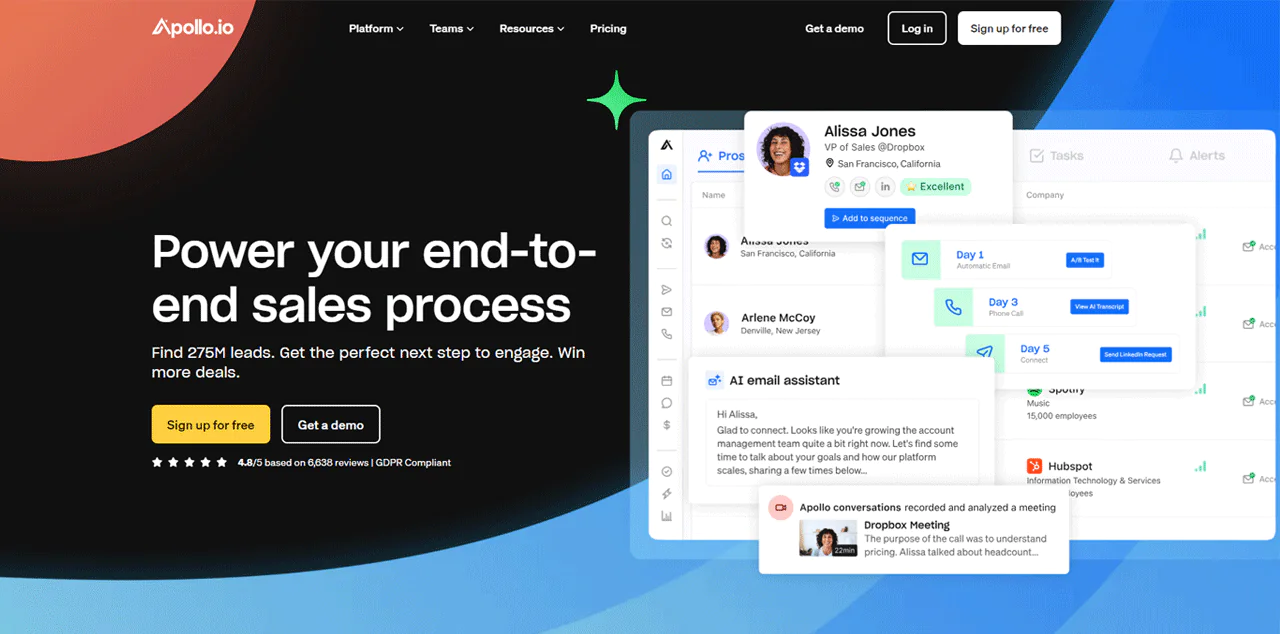
Apollo.io combines lead generation, sales engagement, and data enrichment in one platform, which appeals to teams that don’t want to stitch together three separate tools.
It covers most of the sales cycle from prospecting to close, with automated sequences and CRM integrations that let you track performance and tailor outreach without much manual setup.
Against LinkedIn Sales Navigator, Apollo.io’s advantage is managing data and engagement in one system, which suits teams that want fewer moving parts.
LinkedIn Sales Navigator, on the other hand, leans on network reach and relationship signals. The better fit depends on whether you value consolidated tooling or deep network access more.
About Apollo.io
- Founding year: 2015
- Founding team: Tim Zheng
- Company Size: 501 to 1001 employees
Key Features of Apollo.io
- Enrich & Cleanse: Keeps your CRM populated with fresh, accurate data and cuts down manual database upkeep.
- Conversation Intelligence: Surfaces actionable insight from sales calls to help refine pitches.
- Deal Management: Tracks deals so you can spot which prospects are likely to convert and adjust follow-up accordingly.
- Contact & Account Search: A strong filtered search for finding the right leads and companies.
- Prospecting & Sales Intelligence: Detailed prospect searches aligned to your ideal customer profile, including buyers actively looking for solutions like yours.
- Sales Engagement: Combines email, calls, and social integrations into one outreach workflow.
- Chrome Extension: Pulls lead information directly from LinkedIn and other pages while you browse.
- Meeting Scheduler: Automates booking to cut down the back-and-forth of setting meetings.
- Email Analytics: Shows how email campaigns are performing so you can optimize messaging in real time.
Pros
- Reduces time spent on manual data entry.
- Improves strategy with actionable sales call insights.
- Increases deal closure rate with effective management tools.
- Enhances precision in targeting ideal customers.
- Boosts efficiency in multi-channel communication.
- Saves administrative time with automated scheduling.
Cons
- Sometimes there are glitches in the system.
Pricing
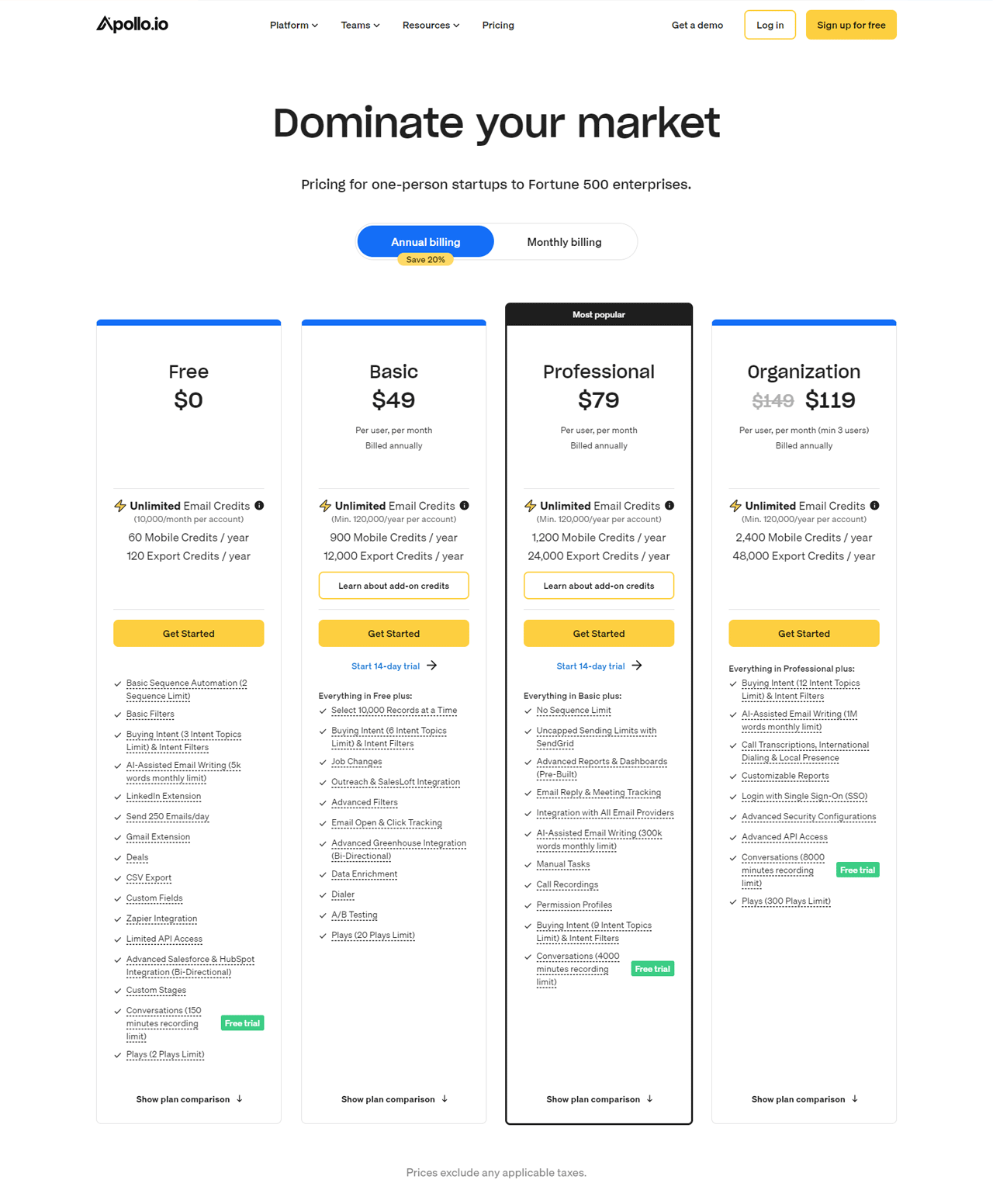
Apollo.io offers a variety of pricing options across a Free plan and several paid tiers, generally structured with a credit-based system for data access. The Basic plan is aimed at small teams needing advanced search filters and API access, the Professional tier adds unlimited sequences and detailed reporting for established sales teams, and the top-level Organization plan is built for larger teams that need the highest email and call credit limits.
Apollo has continued to adjust its credit system and add-on structure over time, so it’s worth checking the current plan details and credit allowances before committing, since the effective cost per seat can vary based on usage.
What Users Say About Apollo.io
- G2: 5 out of 5 (6,872 reviews)
- Capterra: 4 out of 5 (338 reviews)
“What do you like best about Apollo.io?
Apollo.io stands out for its extensive database, robust search capabilities, seamless integration with CRMs, insightful email tracking, and a user-friendly interface.
What do you dislike about Apollo.io?
While Apollo.io offers a robust suite of features, some users note a learning curve for advanced functionalities.” – Daisy V.
Our Review of Apollo.io
Apollo.io’s database and search tools make it easy to zero in on the right prospects quickly, and automated sequences paired with real-time analytics save meaningful time on outreach. The tradeoff is a learning curve on advanced features, and the credit-based pricing can get expensive for smaller teams if usage isn’t monitored closely.
Even with those caveats, it remains a solid piece of the sales stack for teams willing to put in the setup time.
3. UpLead
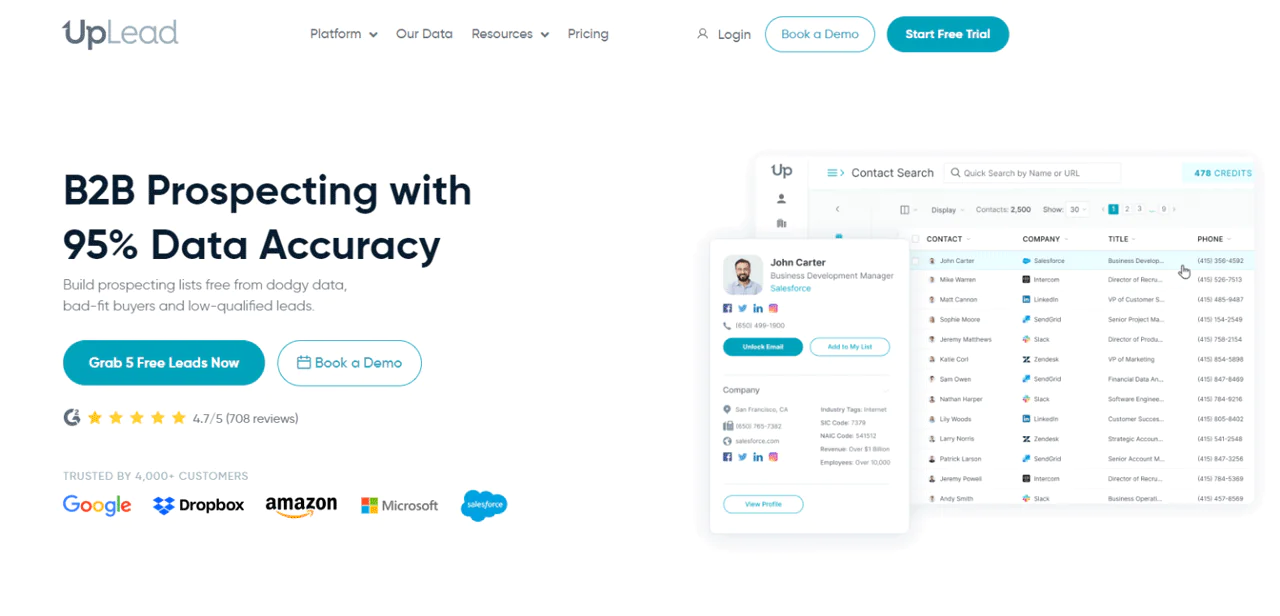
UpLead was built to solve a specific, persistent problem in B2B sales: outdated contact data. It’s grown from that core focus into a full prospecting platform.
It verifies emails in real time and offers thorough B2B prospecting tools, using machine learning and layered data checks to keep information current.
Detailed search filters and regularly refreshed data make it easier to generate qualified leads without wading through outdated records.
Against Skrapp.io, UpLead’s edge is its claimed 95% data accuracy, which matters if your team depends heavily on current information. Skrapp.io is faster for pulling emails, particularly from LinkedIn, which makes it a better fit for lighter email marketing needs, while UpLead suits broader prospecting work.
About UpLead
- Founding year: 2017
- Founding team: Will Cannon
- Company Size: 51 to 200 employees
Features of UpLead
UpLead supports B2B sales strategies with a set of tools built around data accuracy:
- Prospector: Access to over 155 million contacts worldwide with high-precision filters.
- Data Enhancement: Enriches existing lists by appending over 50 data points.
- Technologies: Targets companies by the tech stack they already use.
- Data API: Real-time data enrichment built directly into your applications.
- Chrome Extension: Instant access to lead and company data while browsing.
- Email Verifier: Reduces bounce rates by confirming contact accuracy.
- Intent Data: Prioritizes prospects actively seeking solutions like yours.
- Email Finder: Verified email addresses for key decision-makers.
Pros
- Saves time with accurate and updated contact information.
- Improves productivity through smooth CRM integration.
- Keeps your data fresh with free title and company updates.
- Helps you find precise leads quickly and efficiently.
- Enriches email marketing with verified contact details.
Cons
- Database isn’t as comprehensive as others
Pricing
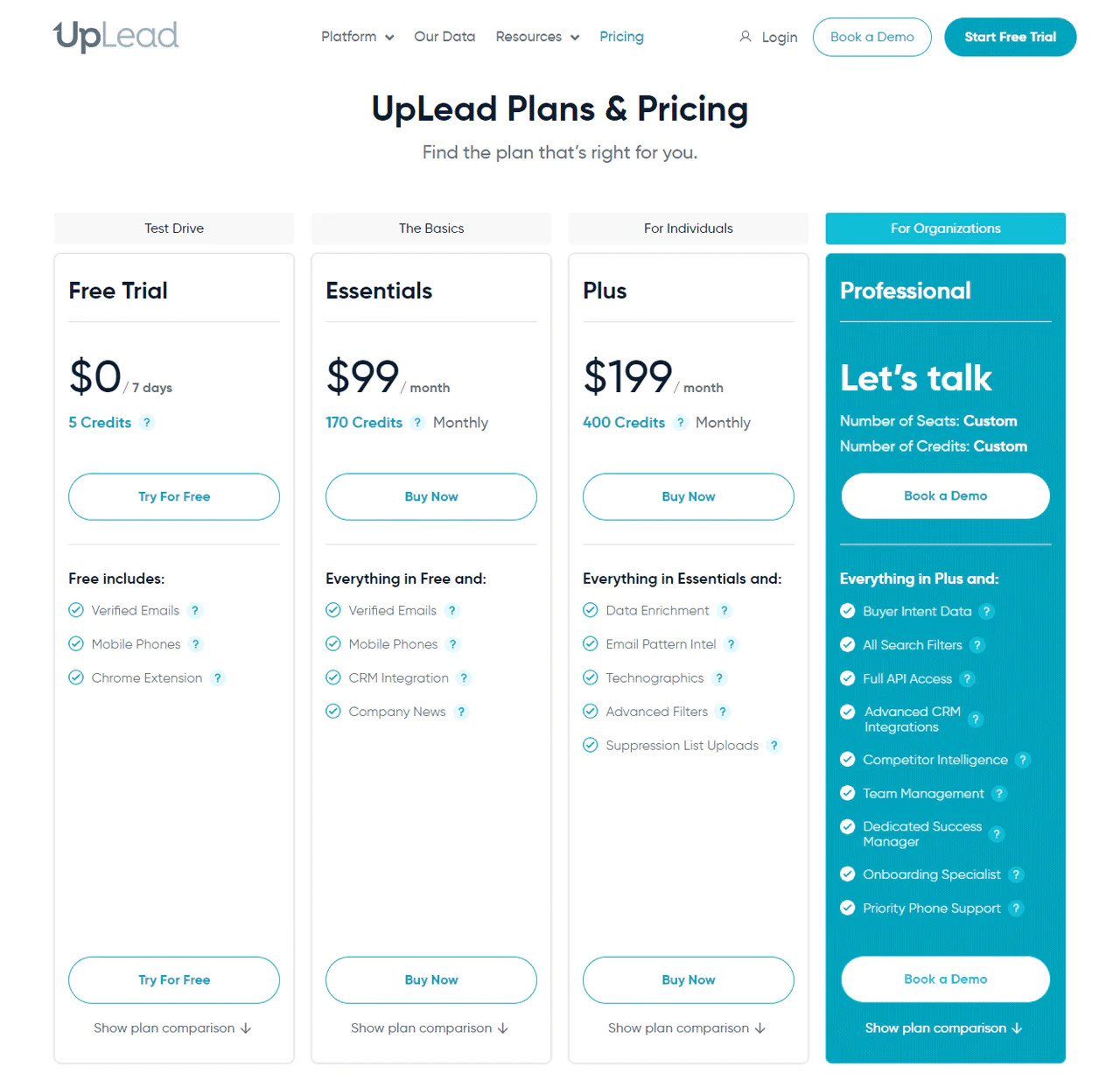
UpLead offers a free trial period with a small credit allowance to test verified emails, mobile numbers, and Chrome extension access. Paid tiers scale up from smaller monthly credit allotments with CRM integration for growing teams, to larger allotments with data enrichment and advanced filters for individual power users, up to a custom enterprise tier with full API access and dedicated support.
As with most contact data providers, confirm exact credit counts and pricing directly with UpLead, since plans and limits are updated periodically.
What Users Say About UpLead
- G2: 4.7 out of 5 (748 reviews)
- Capterra: 4.7 out of 5 (75 reviews)
“What do you like best about UpLead?
I am totally new to UpLead, and have found it super easy to navigate for new leads. Their team is super responsive for assistance.
What do you dislike about UpLead?
I had the monthly service for over a year…and I didn’t use it.” – CHET D.
Our Review of UpLead
UpLead’s real-time email verification and broad contact access make it well suited to sales teams that prioritize accuracy over volume. The interface can feel like a lot for newcomers, and the price point may be steep for smaller teams, but it delivers on the accuracy promise.
Note: If you are already impressed, read our UpLead review.
4. RocketReach
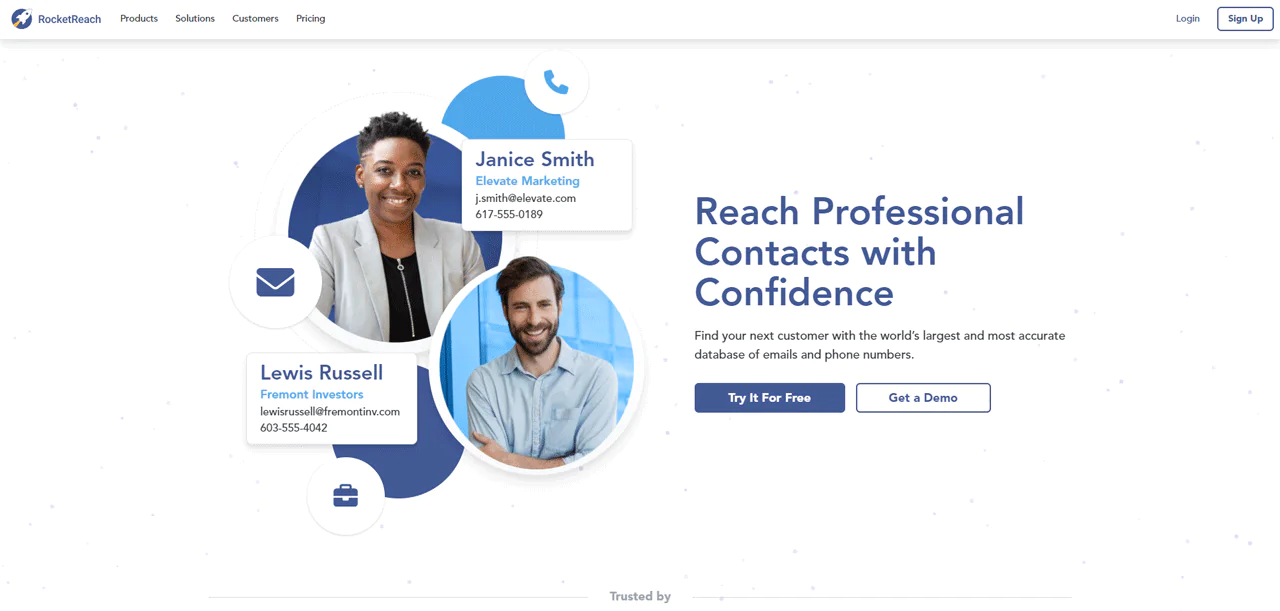
RocketReach’s database of over 450 million contact details makes it a strong option for professionals who need to build networks quickly.
It gives you direct access to email addresses, phone numbers, and social links for millions of professionals, backed by advanced search, AI-powered recommendations, and automated list building.
Compared with Snov.io, RocketReach has broader integration options and a larger database, giving it an edge in scale and reach. Snov.io counters with stronger email sequence customization and CRM integrations, so RocketReach tends to suit teams that prioritize contact volume over sequencing depth.
About RocketReach
- Founding year: 2015
- Founding team: Andrew Tso
- Company Size: 100 to 150 employees
Key Features of RocketReach
- B2B Intent Data: Tracks behaviors like website visits to flag the best moments to approach a prospect.
- Advanced Search: Filters prospects by industry, revenue, and job title for targeted outreach.
- AI-Powered Recommendations: Suggests similar contacts you might otherwise miss.
- Data Quality: Continuous updates and verification keep contact data reliable.
- Extensions: The Chrome Extension pulls contact and company info directly from LinkedIn and company pages.
- Create Lead Lists: Builds large prospect lists quickly from the database.
- Integrations: Connects with Salesforce, HubSpot, and other CRM systems.
- API: Provides access to over 4.5 billion records and 100+ B2B data points.
Pros
- Expands global networking opportunities.
- Improves engagement with accurate contact information.
- Finds potential leads that you may have missed.
- Simplifies data management across platforms.
- Provides immediate access to contact details online.
Cons
- It takes excessively long to load the page
Pricing
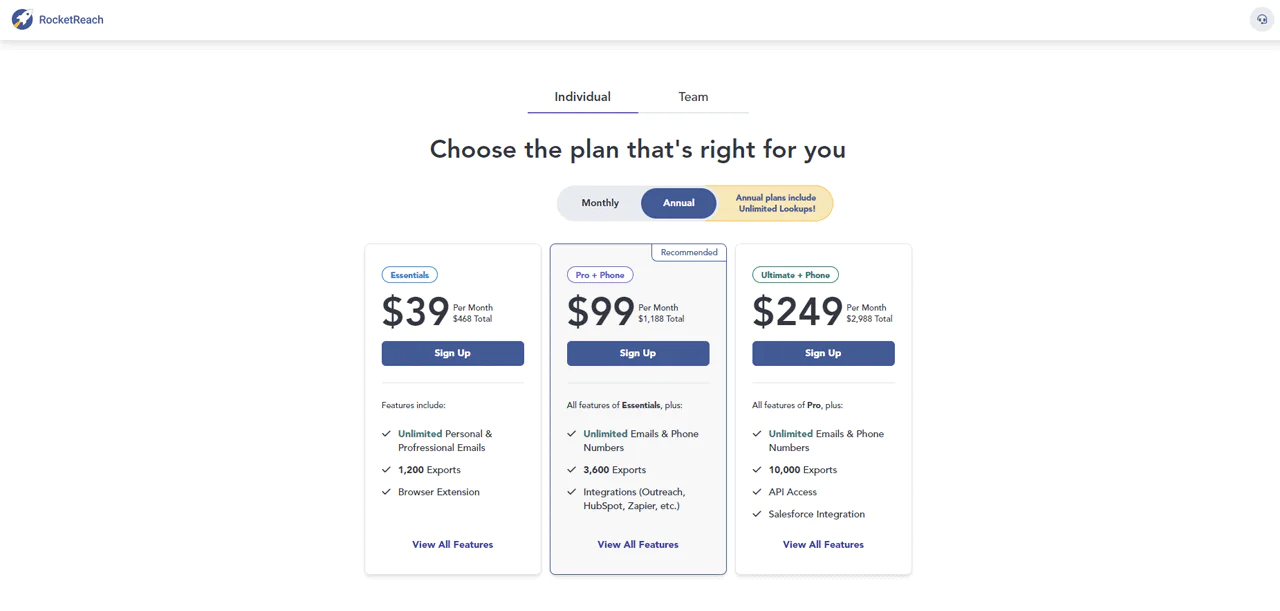
RocketReach structures its plans around lookup volume and contact type. The entry-level tier focuses on unlimited email lookups for individuals or small teams, a mid-tier adds unlimited mobile and direct-dial numbers with better integrations for larger outreach efforts, and the top tier targets enterprises needing full API access, org charts, and CRM capabilities.
Given how often data vendors adjust pricing, confirm current rates on RocketReach’s site before budgeting.
What Users Say About RocketReach?
- G2: 4.5 out of 5 (703 reviews)
- Capterra: 4.2 out of 5 (129 reviews)
“What do you like best about RocketReach?
The bottom line for my work is that Rocketreach is indispensable. I literally use it everyday to find emails of people that I want to outreach to about collaboration.
What do you dislike about RocketReach?
Actually there isn’t anything that I don’t like about RocketReach.” – HeathCliff R.
Our Review of RocketReach
RocketReach’s database size and search functions make it easy to connect with relevant contacts quickly, and CRM integration keeps workflows smooth. The advanced features can get pricey for smaller companies, and the sheer number of options can overwhelm new users, but it’s a solid pick once you’re past the learning curve.
5. Snov.io
Snov.io is a sales automation platform built around finding, verifying, and reaching leads through domain searches and automated outreach.
Its all-in-one email finder, verifier, and outreach system spots valuable leads via domain search and returns verified email addresses for better deliverability.
Against Apollo.io, Snov.io leans on real-time verification for cleaner, more accurate leads, while Apollo.io counters with a larger living database. Snov.io’s targeted filters and validation precision make it a strong pick for teams that prioritize list cleanliness over sheer size.
About Snov.io
- Founding year: 2014
- Founding team: Sujan Patel and Robert Senoff
- Company Size: 2 to 10 employees
Key Features of Snov.io
- Email Warm-up: Automates realistic sending patterns to improve deliverability.
- Email Finder: Pulls email addresses associated with a given domain.
- Email Drip Campaigns: Automates personalized sequences that move prospects through the B2B sales funnel.
- Sales CRM: Tracks interactions and follow-ups so nothing slips through.
- Email Verifier: Checks list accuracy to reduce bounce rates.
- Extension: Captures leads in real time from LinkedIn and other pages.
- Email Deliverability Test: Flags setup issues before you hit the spam folder.
- Email Tracker: Tracks opens and clicks to guide follow-up timing.
Pros
- Cuts down the time you spend entering lead data by hand.
- Tracks when emails are opened and clicked in real time.
- Lets you engage leads on multiple channels from a single platform.
- Allows endless follow-up emails in drip campaigns.
- Gives useful insights with detailed email analytics.
- Speeds up cleaning up your email list for an effective campaign.
Cons
- Need some customization flexibility while exporting data
Pricing
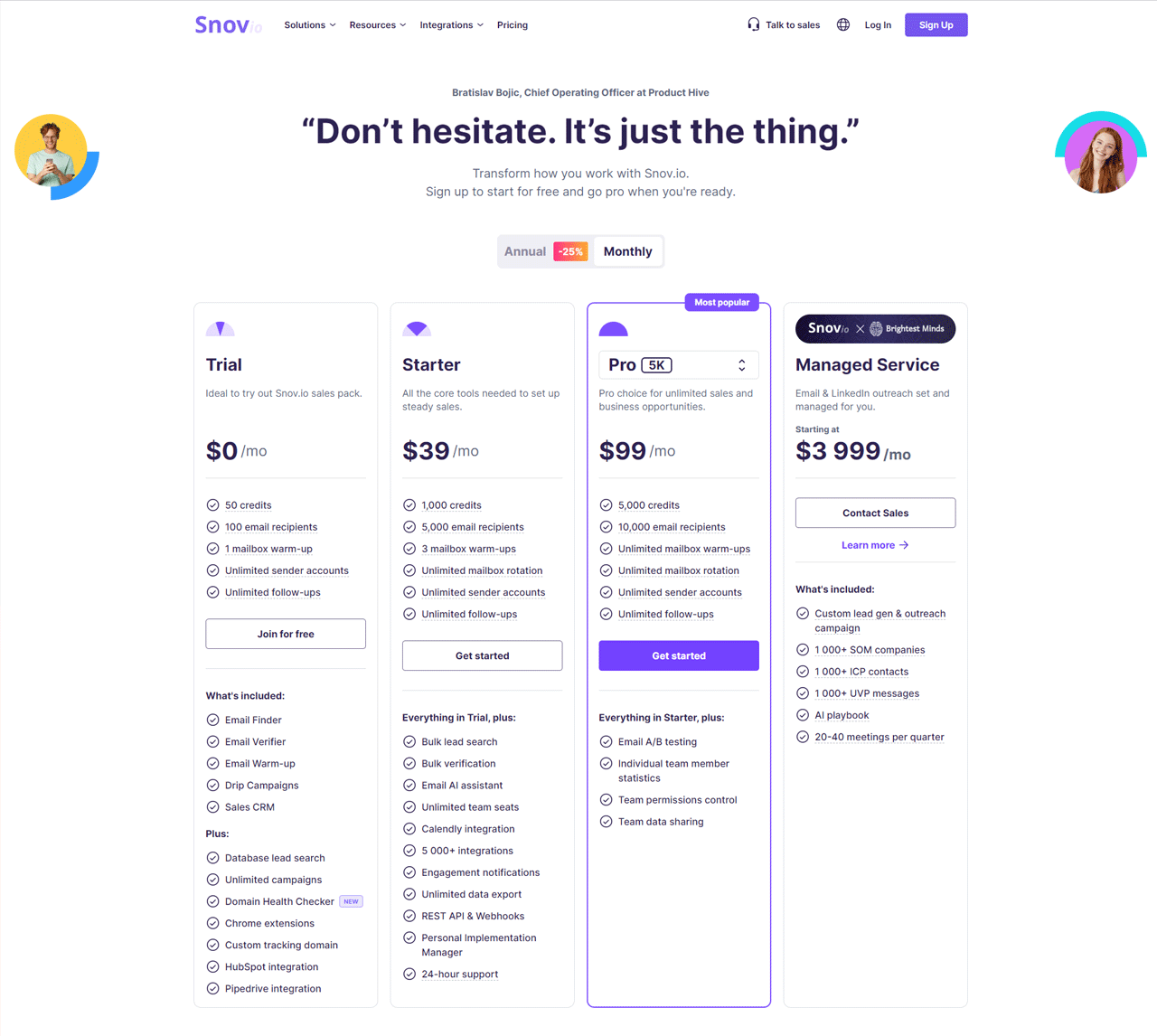
Snov.io offers a no-cost trial tier with a limited credit and recipient allowance, then scales through a starter tier for small teams, a growth tier with A/B testing and team data sharing, and a fully managed service for businesses that want custom lead generation and outreach handled for them.
Confirm current credit counts and monthly pricing directly with Snov.io, since these details shift periodically.
What Users Say About Snov.io?
- G2: 4.5 out of 5 (387 reviews)
- Capterra: 4.6 out of 5 (208 reviews)
“What do you like best about Snovio?
I like the simple and at the same time effective tool for lead generation. Easy interface, many instructions for use, friendly and prompt communication from tech. support and team.
What do you dislike about Snovio?
I can’t say anything bad. Everything is perfect!” – Максим .
Our Review of Snov.io
Snov.io’s Email Finder and Drip Campaigns work well together for spotting and nurturing leads without a lot of manual effort, and the pinpoint accuracy holds up over time. Beginners may find the feature set a bit much at first, and cost can matter for smaller firms, but overall it’s a solid toolkit for outreach-focused teams.
6. Skrapp.io
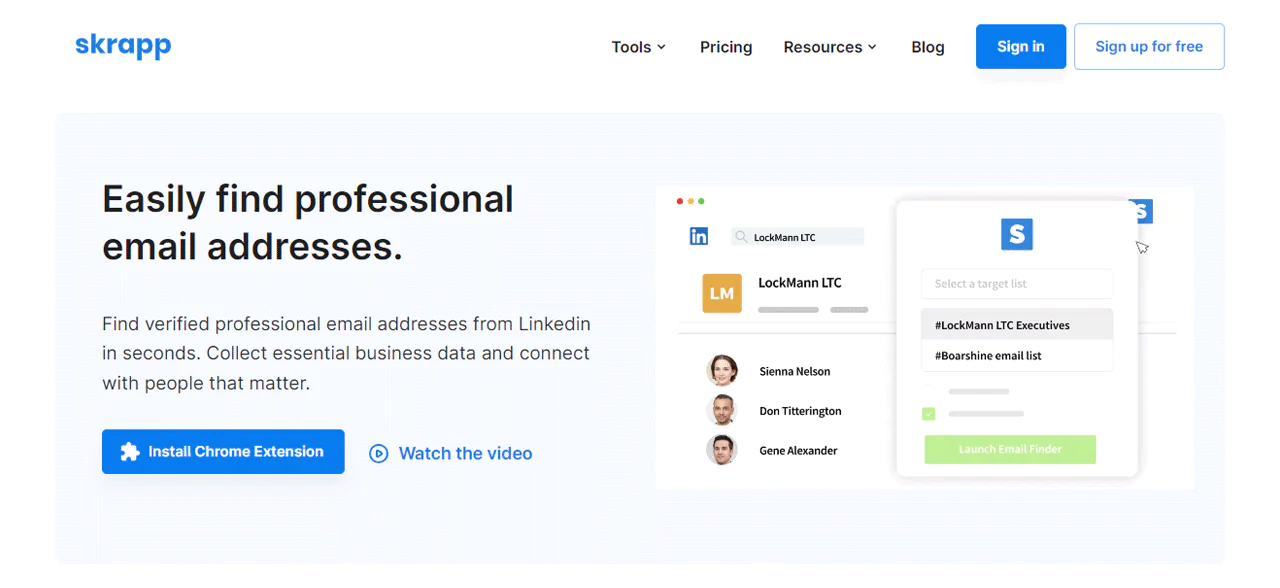
If LinkedIn is central to how you prospect, Skrapp.io is worth a look. It pulls email addresses from LinkedIn profiles and company websites, aimed at marketers and recruiters who need a straightforward way to automate that step.
Using your LinkedIn account and its own algorithms, it extracts relevant contact information, saving time compared to manual lookups while keeping data accuracy reasonably high.
Against Lusha, Skrapp.io works best when LinkedIn is your primary prospecting channel. Lusha offers a wider range of contact detail sources, which matters more if you need diversified data beyond LinkedIn.
About Skrapp.io
- Founding year: 2016
- Founding team: Othmane Ghazi
- Company Size: 1 to 10 employees
Features of Skrapp.io
- Email Finder: Finds email addresses by name and company automatically.
- API: Integrates Skrapp.io’s capabilities directly into your apps or CRM.
- Email Verification: Checks address validity before you send.
- LinkedIn Email Finder: Extracts emails directly from LinkedIn profiles.
- Bulk Finder: Processes large name-and-company lists at once.
- Chrome Extension: Extracts emails as you browse LinkedIn or company sites.
Pros
- Improves lead quality with advanced filtering options.
- Offers efficient email campaign management.
- Reduces operational costs by automating data entry.
- Provides detailed analytics to measure campaign success.
- Improves user productivity with a user-friendly interface.
- Supports compliance with data protection regulations.
Cons
- Getting the right leads takes some manual effort
Pricing
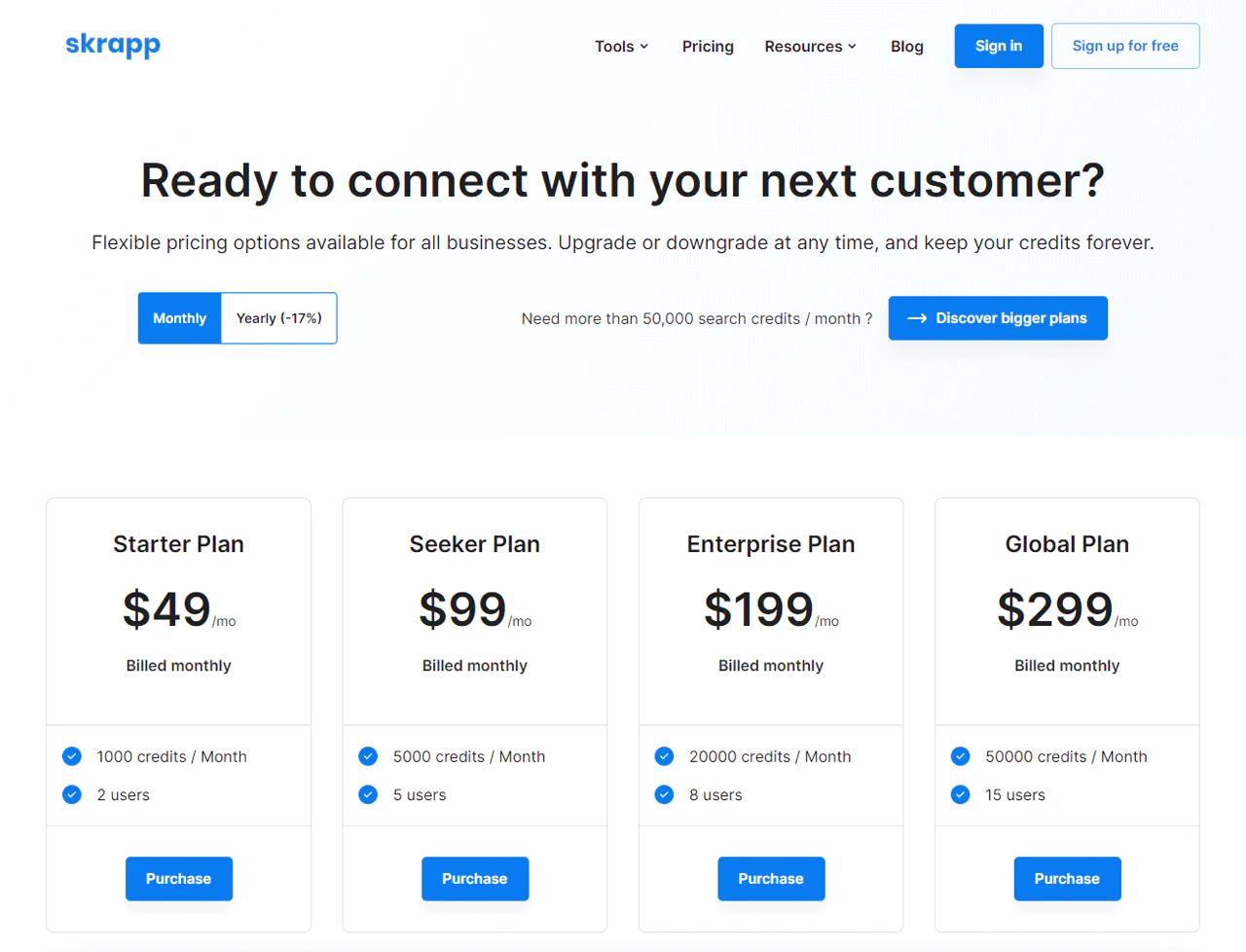
Skrapp.io runs a free tier with a modest monthly search allowance, then scales through a starter tier for small teams, a mid-tier for expanding businesses with database search access, and a top-tier plan built for large organizations that need high-volume searches.
As with other tools here, confirm exact credit counts and current pricing before committing.
What Users Say About Skrapp.io
- G2: 3.9 out of 5 (101 reviews)
- Capterra: 4.6 out of 5 (56 reviews)
“What do you like best about Skrapp.io?
Skrapp.io is an outstanding tool for finding emails. You just need to provide the lead name and the company information and it finds the emails.
What do you dislike about Skrapp.io?
As of now I don’t have anything to dislike about Skrapp.io.” – Nayanjyoti G.
Our Review of Skrapp.io
Skrapp.io works well for pulling email addresses tied to LinkedIn and building targeted contact lists quickly. Its LinkedIn focus is also its main limitation: if you need broader data sources, it may fall short, and free-tier limits can be restrictive for smaller businesses.
7. Hunter.io
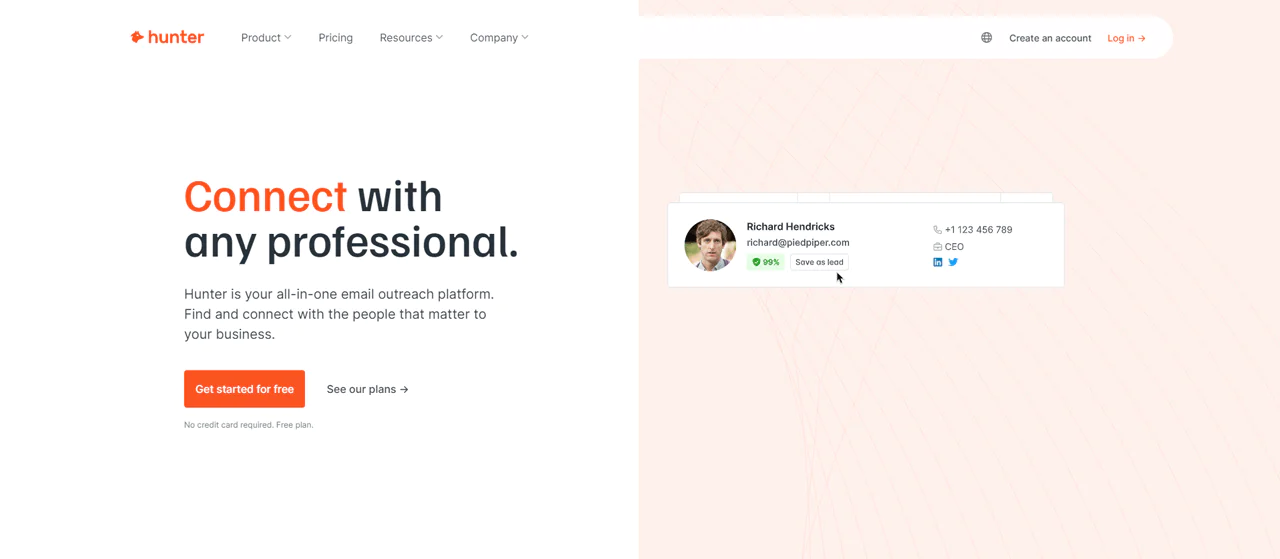
Hunter.io is built around finding and verifying email addresses efficiently, alongside domain search and cold email tools for connecting with professionals directly.
It searches public data with its own algorithms to pull and verify addresses, which keeps the information you get reasonably current.
Compared with UpLead, Hunter.io stands out for strong verification paired with easy-to-use campaign tools, while UpLead leans harder into data accuracy as its core differentiator. Hunter.io’s all-in-one approach to finding and managing email communication gives it a slight edge for teams that want fewer tools in their stack.
About Hunter.io
- Founding year: 2015
- Founding team: Antoine Finkelstein and François Grante
- Company Size: 11 to 50 employees
Key Features of Hunter.io
- B2B Database (Hunter Discover): Market segmentation tools to surface qualified companies quickly.
- Domain Search: Pulls emails tied to a domain with confidence scores attached.
- Email Finder: Uses names and domains to locate professional email addresses.
- Email Verifier: Checks address format and server response to protect sender reputation.
- Intent Data (Signals): Flags prospects based on funding rounds, hiring surges, and similar readiness signals.
- Cold Email Software: Builds, personalizes, and manages campaigns at scale.
- API: Programmatic access to finding and verification for tech-savvy teams.
- Chrome Extension: Finds and verifies addresses as you browse.
Pros
- Quickly identifies qualified company leads.
- Efficiently finds email contacts from company domains.
- Provides reliable email addresses quickly.
- Minimizes email bounce rates effectively.
- Targets prospects at the right engagement time.
- Automates management of large-scale email campaigns.
Cons
- Per day, there is a limit on usage.
Pricing
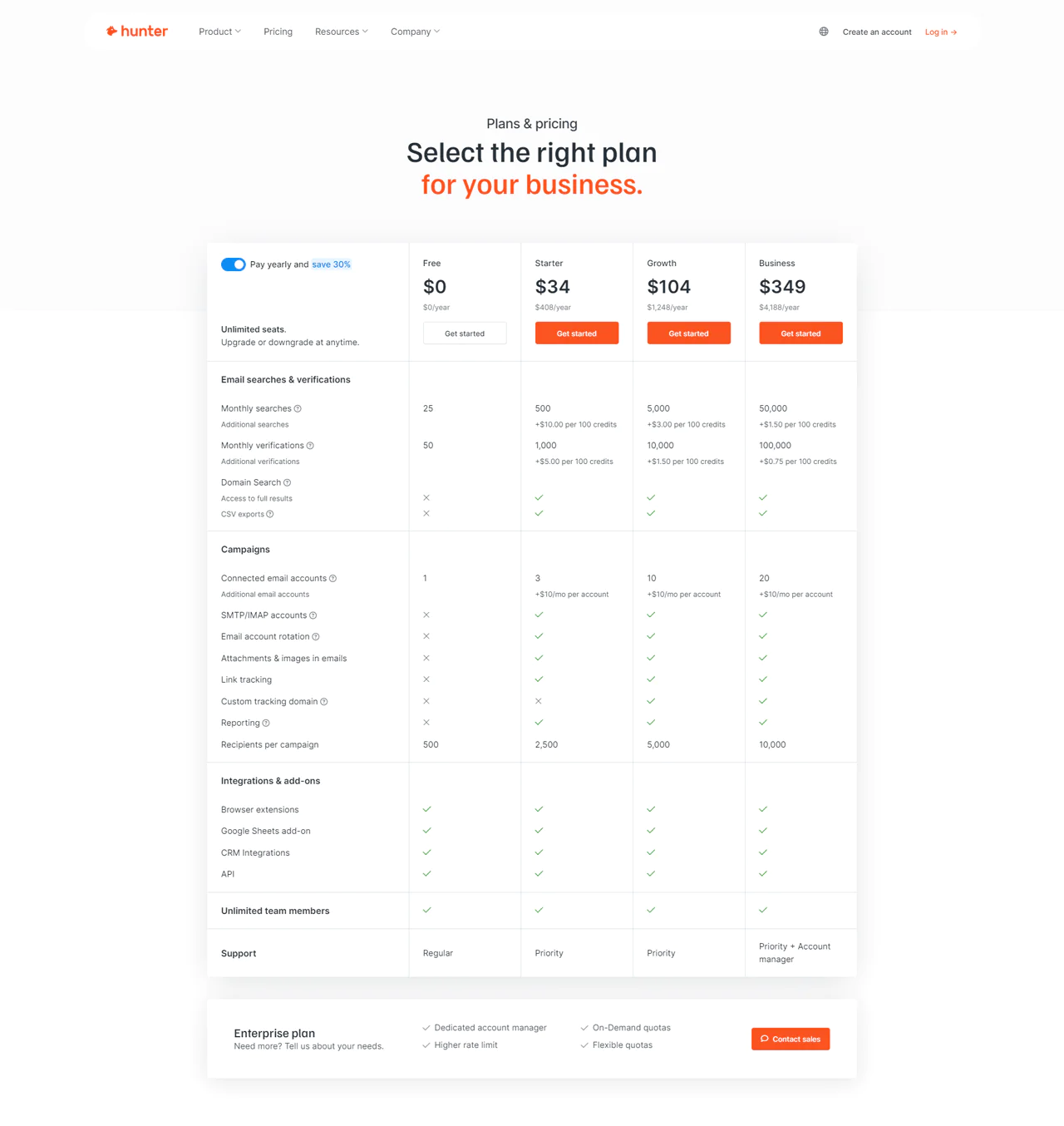
Hunter.io lists pricing options that scale from a limited free tier through a starter plan for moderate use, a growth plan adding link tracking and custom domains, up to a business plan with account rotation and priority support for high-volume needs. Extra searches or verifications can typically be added for a fee on any tier.
Because Hunter.io periodically adjusts limits and rates, verify current numbers before comparing plans.
What Users Say About Hunter.io
- G2: 5 out of 5 (540 reviews)
- Capterra: 4 out of 5 (614 reviews)
“What do you like best about Hunter?
I love that not only can i verify an email address, I can bulk verify them. This is helpful for my outbound outreach.
What do you dislike about Hunter?
One UI issue that really bugs me is when I bulk verify emails, I can’t see which ones are valid or invalid at a glance.” – Tina B.
Our Review of Hunter.io
Domain Search and Email Finder do most of the heavy lifting for prospecting efficiency, and the Email Verifier protects deliverability well. The learning curve is real for newcomers, and the most useful features sit behind premium plans, but it earns its place in a sales stack.
8. LinkedIn Sales Navigator
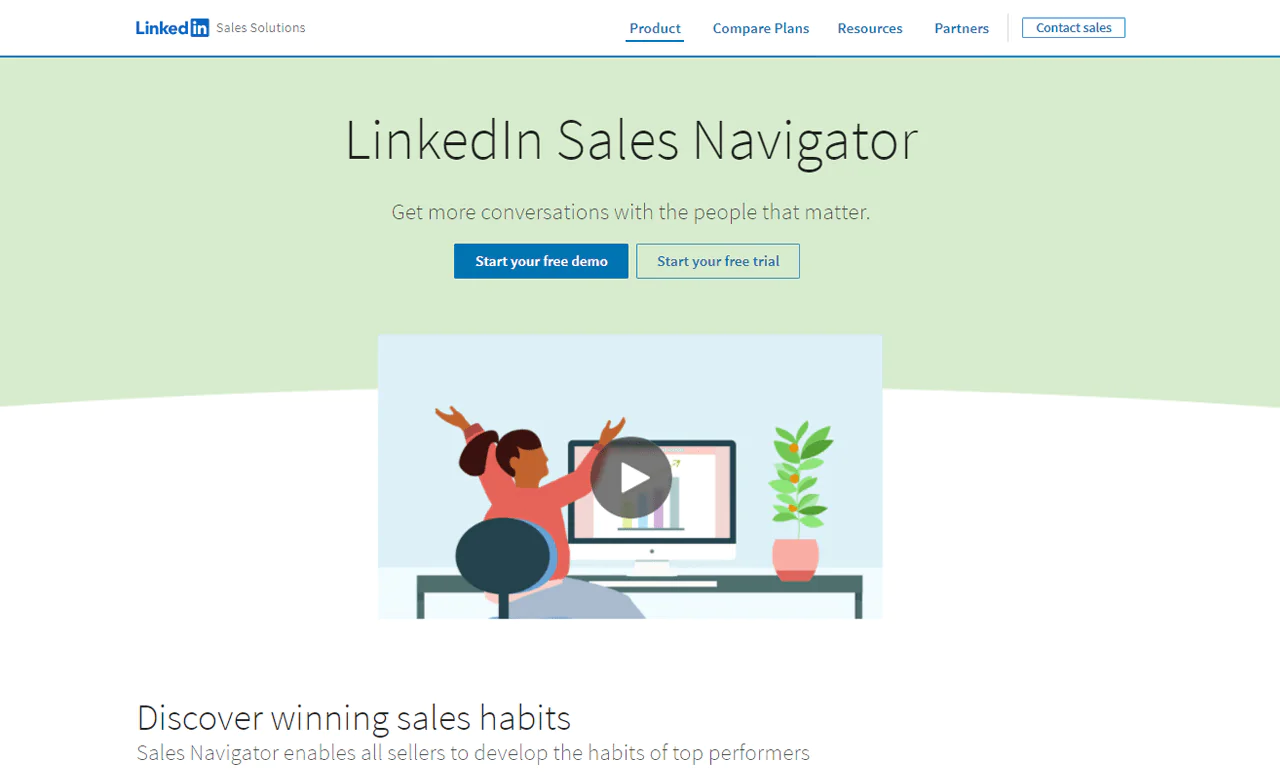
LinkedIn Sales Navigator helps you find, understand, and engage B2B sales leads through LinkedIn’s network, which is useful if relationship-building is central to your sales motion.
Advanced search tools, personalized lead recommendations, and insights not visible on standard LinkedIn help you craft outreach based on actual company and individual context.
Against Hunter.io, Sales Navigator ties closely to your LinkedIn activity and connections, while Hunter.io focuses on direct email outreach backed by verification across multiple platforms. The right choice depends on whether platform-specific insight or verified multi-source email data matters more to your process.
About LinkedIn Sales Navigator
- Founding year: 2014
- Founding team: LinkedIn
Features of LinkedIn Sales Navigator
- Advanced Lead and Company Search: Highly specific filters to focus on the most promising prospects.
- Lead Recommendations: Automatic suggestions based on your sales preferences and activity.
- InMail Messages: Message any LinkedIn user directly, not just connections.
- Integration with CRM: Syncs lead data and interactions automatically.
- Custom Lists: Organizes leads and accounts into manageable, targeted groups.
- Sales Insights: Shows company growth and hiring trends to inform your pitch.
- Real-Time Sales Updates: Alerts on job changes and company news for timely outreach.
- Alerts on Lead and Company Changes: Notifications for management changes or company expansions.
Pros
- Improves sales strategies with in-depth insights on performance.
- Custom alerts keep you updated on lead activities.
- Tracks how prospects interact and engage with content.
- Enables informed decisions with comprehensive analytics.
- Ensures efficient prospecting while away from the desk.
Cons
- There is a monthly limit on direct messages
Pricing
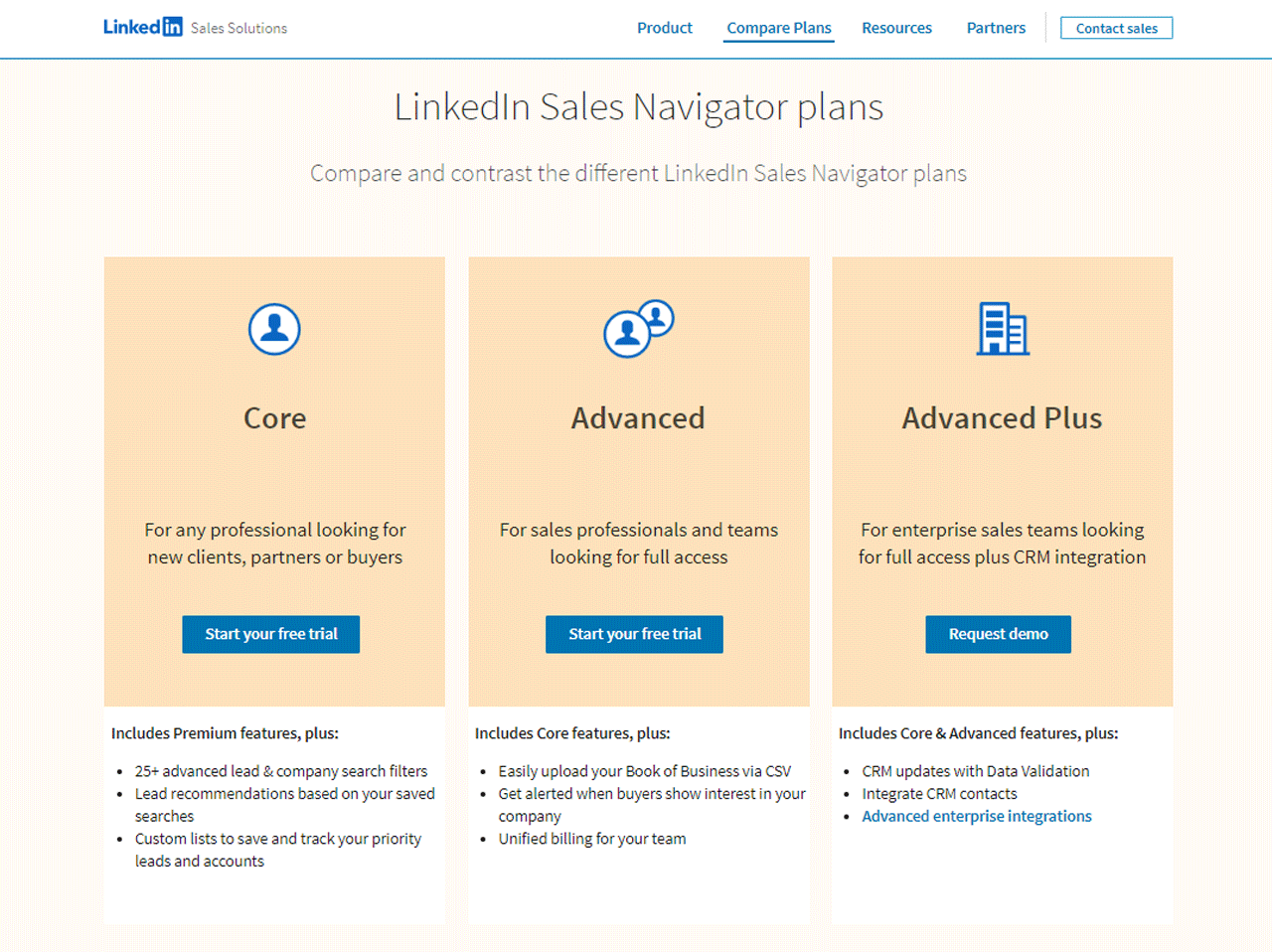
LinkedIn’s Sales Navigator pricing spans a free trial for individual sales professionals, a Core plan for small teams starting out with LinkedIn networking, an Advanced plan for teams needing more comprehensive tools, and an Advanced Plus plan aimed at large enterprises needing the full professional networking suite.
LinkedIn periodically revises this pricing, so confirm current rates on LinkedIn’s site before planning a budget around it.
What Users Say About LinkedIn Sales Navigator
- G2: 5 out of 5 (1,869 reviews)
- Capterra: 4 out of 5 (143 reviews)
“What do you like best about LinkedIn Sales Navigator?
You can also search by name and see how long they have been in the company and their most recent contact information. Very reliable and easy to use.
What do you dislike about LinkedIn Sales Navigator?
Inmail messages, I believe it’s still better to call or email the customer or client directly.” – Dorica P.
Our Review of LinkedIn Sales Navigator
The advanced search and lead recommendation tools support genuinely personalized outreach, and CRM syncing removes a lot of manual data entry. It’s a heavier lift to master and can be pricey for small businesses, which makes it a better fit for larger teams doing deliberate account-based outreach.
9. Lusha
Lusha was designed to give sales teams fast, dependable contact information, and it has grown from that starting point into a broader prospecting platform.
Real-time data verification and extensive contact records, including direct phone numbers and emails, make it a solid fit for fast-moving sales environments, especially paired with major CRM integrations.
Against Seamless.AI, Lusha tends to edge ahead on data accuracy and ease of use for teams that need to start fast. Seamless.AI counters with stronger automated data integration and broader API capabilities. Lusha’s focus on compliance and simplicity suits teams that want a straightforward, low-friction tool.
About Lusha
- Founding year: 2016
- Founding team: Assaf Eisenstein, Yoni Tserruya
- Company Size: 340 employees
Features of Lusha
- Data Attributes: Filters by revenue, headcount, and technology to pinpoint your ideal customer profile.
- Warm Outbound Intent Data: Flags accounts actively seeking your solutions.
- Lusha API: Integrates enriched contact and company data into your systems.
- CRM Data Enrichment: Keeps your CRM current, supporting the B2B sales funnel.
- Lusha Engage: Schedules email sequences for peak engagement times.
- B2B Prospecting Tool: Organizes lead data for a solid sales pipeline.
- Lusha Extension: Browser access to Lusha’s data while browsing profiles or company sites.
Pros
- Enables precise targeting through detailed company filters.
- Improves sales efficiency by identifying prospects actively seeking solutions.
- Increases response rates through strategically timed emails.
- Improves CRM accuracy with automated data updates.
- Accelerates lead generation with fast access to organized data.
- Offers real-time data retrieval from web profiles.
Cons
- Not suitable for complex sales processes or management.
Pricing
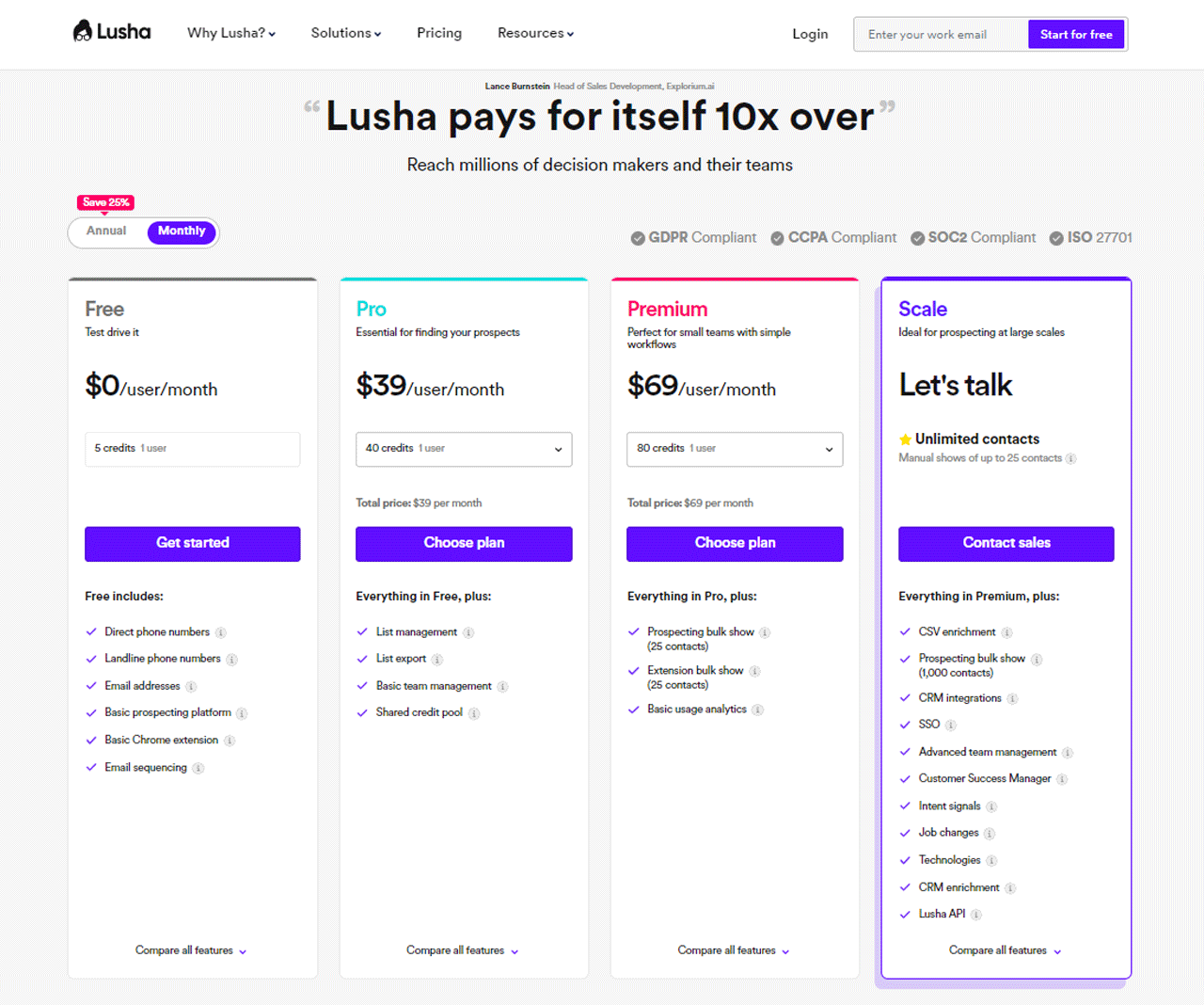
Lusha’s pricing options run from a free plan with a small monthly email and phone credit allowance, up through a Pro tier for individual professionals, a Premium tier adding bulk prospecting and analytics for small teams, and a Scale tier with custom CRM integrations for larger operations.
Check Lusha’s site directly for current credit counts and rates, since these details are subject to change.
What Users Say About Lusha
- G2: 5 out of 5 (1,458 reviews)
- Capterra: 4 out of 5 (360 reviews)
“What do you like best about Lusha?
Lusha is a great tool for prospecting. Very easy to use.
What do you dislike about Lusha?
There are lots of bounce emails, so I think that’s the problem with accuracy, but it’s understandable; nothing is perfect.” – Mark C.
Our Review of Lusha
The data attributes and warm outbound intent data help target active buyers effectively, and the API and CRM enrichment features streamline sales processes well. Initial setup can be somewhat involved, and occasional GDPR-related concerns from prospects come up, but overall it’s a reliable addition to a sales toolkit.
10. Seamless.AI
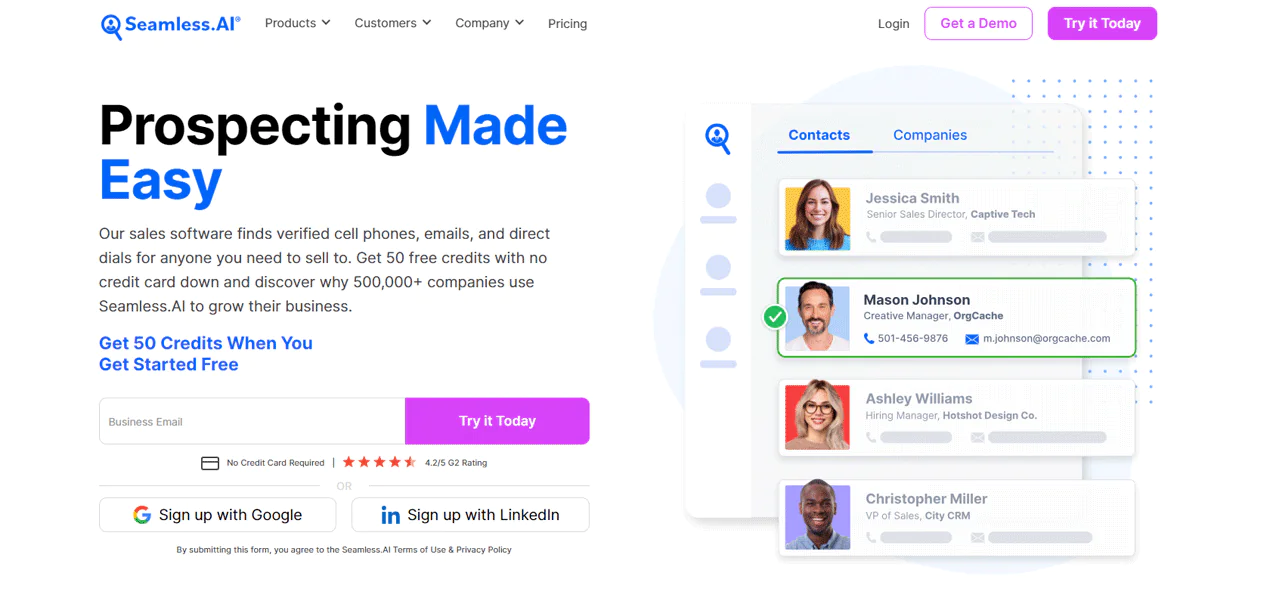
Seamless.AI uses AI to auto-generate and verify sales leads, returning direct phone numbers and email addresses to speed up prospecting.
Real-time data verification and AI-powered lead suggestions help build a sales pipeline faster, saving time on both finding and managing contacts.
Against RocketReach, Seamless.AI’s real-time updates and AI-driven insights give it an edge in generating actionable leads, while RocketReach counters with broader global data coverage. Which one wins out depends on whether freshness or raw reach matters more to your team.
About Seamless.AI
- Founding year: 2014
- Founding team: Brandon Bornancin
- Company Size: 500 employees
Features of Seamless.AI
- Pitch Intelligence: Personalized insight per contact and account for sharper messaging.
- Autopilot: Uses AI to build extensive contact lists with minimal manual effort.
- Buyer Intent Data: Prioritizes buyers most likely to purchase based on intent signals.
- Integrations: Connects with Salesforce, HubSpot, and other CRM and automation tools.
- Job Changes: Tracks role changes to help reconnect with contacts in new buying positions.
- Data Enrichment: Keeps your B2B contact database accurate and current.
- Writer: Uses AI to draft sales and marketing content quickly.
Pros
- Reduces time spent on manual data entry.
- Increases accuracy of lead targeting.
- Speeds up the sales cycle significantly.
- Maintains up-to-date contact information.
- Provides efficient relationship management.
- Automates and simplifies content creation.
Cons
- Doesn’t integrate well with email marketing platforms like Reply.io
Pricing
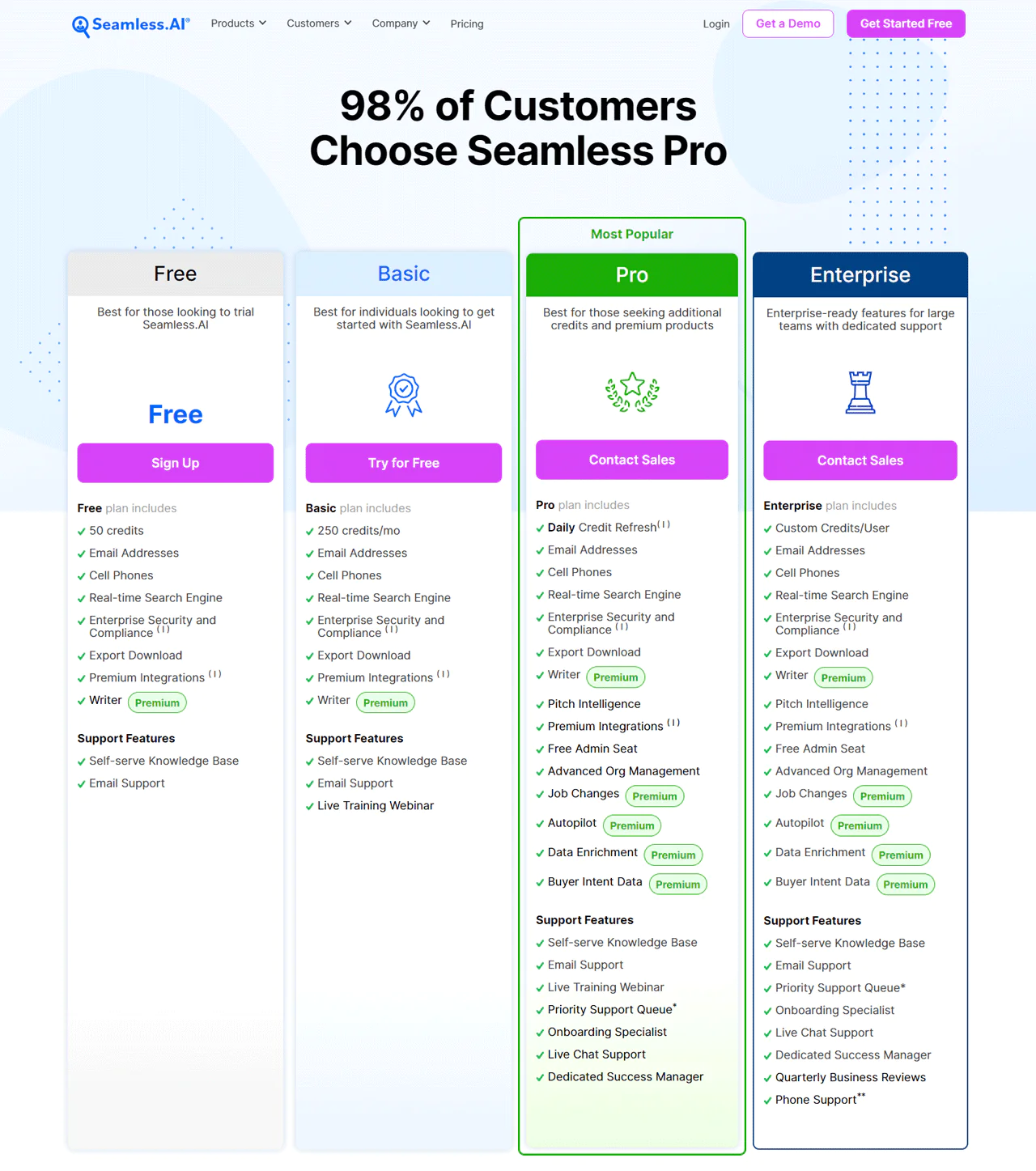
Seamless.AI offers a variety of pricing options, including a free tier to try the platform and a Basic plan aimed at individuals or small teams without access to advanced management tools. A Pro plan supports higher daily search volumes with live chat support for growing teams, and an Enterprise plan adds deeper customization and Salesforce or HubSpot integration for larger organizations.
Verify current rates directly, since Seamless.AI, like most vendors in this space, updates pricing periodically.
What Users Say About Seamless.AI
- G2: 5 out of 5 (1,634 reviews)
- Capterra: 4 out of 5 (148 reviews)
“What do you like best about Seamless.AI?
You are able to scrape almost every social for people that fit the description of your business or Orgs audience.
What do you dislike about Seamless.AI?
Pricing is a little expensive, but not compared to out right buying data.” – Aaron D.
Our Review of Seamless.AI
Real-time data verification and AI-driven prospecting tools make it easier to reach decision-makers directly, which helps shorten the sales cycle. The number of options and the learning curve can be daunting for new users, but the tools pay off once you’ve mastered them.
What is a B2B Sales Lead?
A B2B sales lead is a business that’s shown interest in your product or service and could become a customer. Getting these leads usually involves sales and marketing efforts targeted at businesses, not individual consumers.
Specifically, a B2B sales lead comes from interactions suggesting a business could benefit from what you offer. Turning that initial interest into a working relationship takes targeted strategies that speak to the lead’s actual business needs and goals, not a generic pitch.
What Does An Ideal Sales Leads Database Look Like?
A good sales leads database supports prospecting by keeping contact information organized and current. When evaluating one, look for the following:
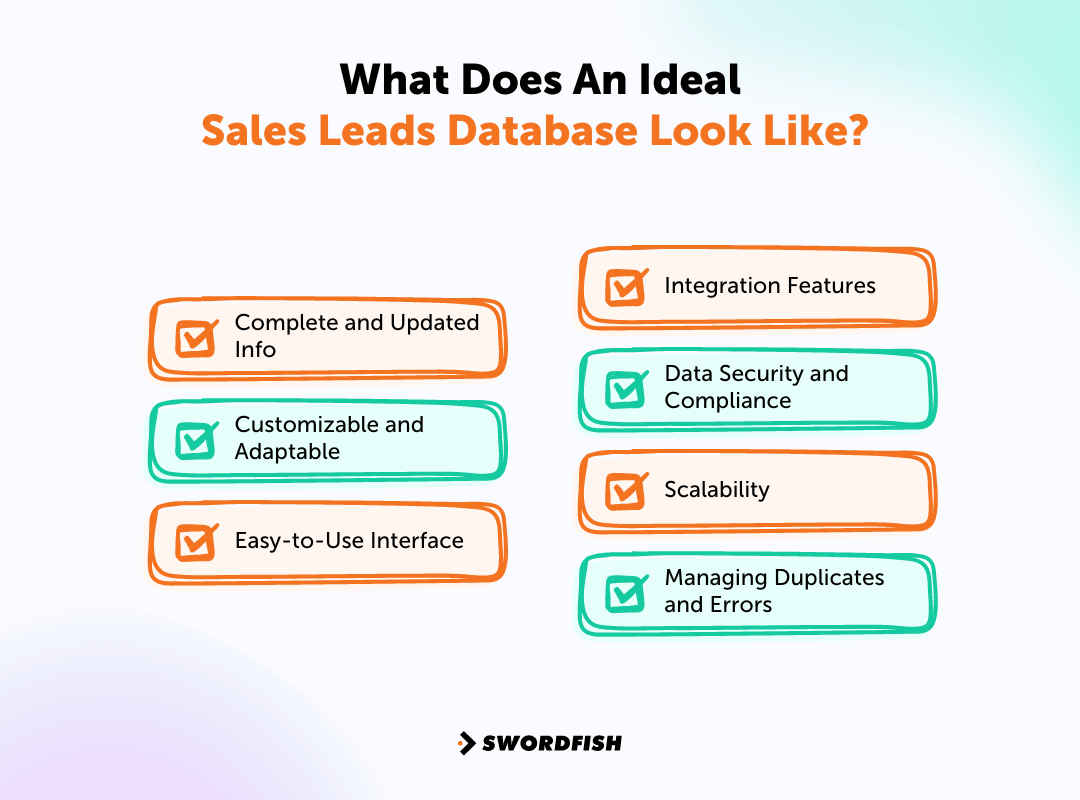
Complete and Updated Info
A good sales database rests on complete, accurate, current information: contact details, demographic data, and behavioral insights. Regular updates keep that information relevant so sales teams can act on it quickly.
Customizable and Adaptable
The best databases let you add custom fields, tags, and filters to match how your business actually segments and targets leads, rather than forcing a rigid structure onto your workflow.
Easy-to-Use Interface
An intuitive interface shortens the learning curve and lets your team manage lead information without heavy training, which translates directly into faster prospecting.
Integration Features
Smooth integration with CRM systems, email marketing automation software, and other platforms simplifies the sales process and keeps marketing and sales aligned.
Data Security and Compliance
Data security and regulatory compliance, including GDPR, aren’t optional. Across 12 countries, 47% of adults have ended their ties with businesses over data privacy concerns, which makes a secure, compliant database a business necessity, not just an IT checkbox.
Scalability
As a business grows, so does its data volume and complexity. A database needs to scale with that growth without slowing down or breaking under increased load.
Managing Duplicates and Errors
Keeping data accurate means actively managing duplicates and errors. A recent white paper found that duplicate data is a problem for 92% of organizations, so a database with built-in deduplication mechanisms saves your sales team from wasted effort on redundant or inaccurate contacts.
Why is It important to Generate High-Quality B2B Sales Leads?
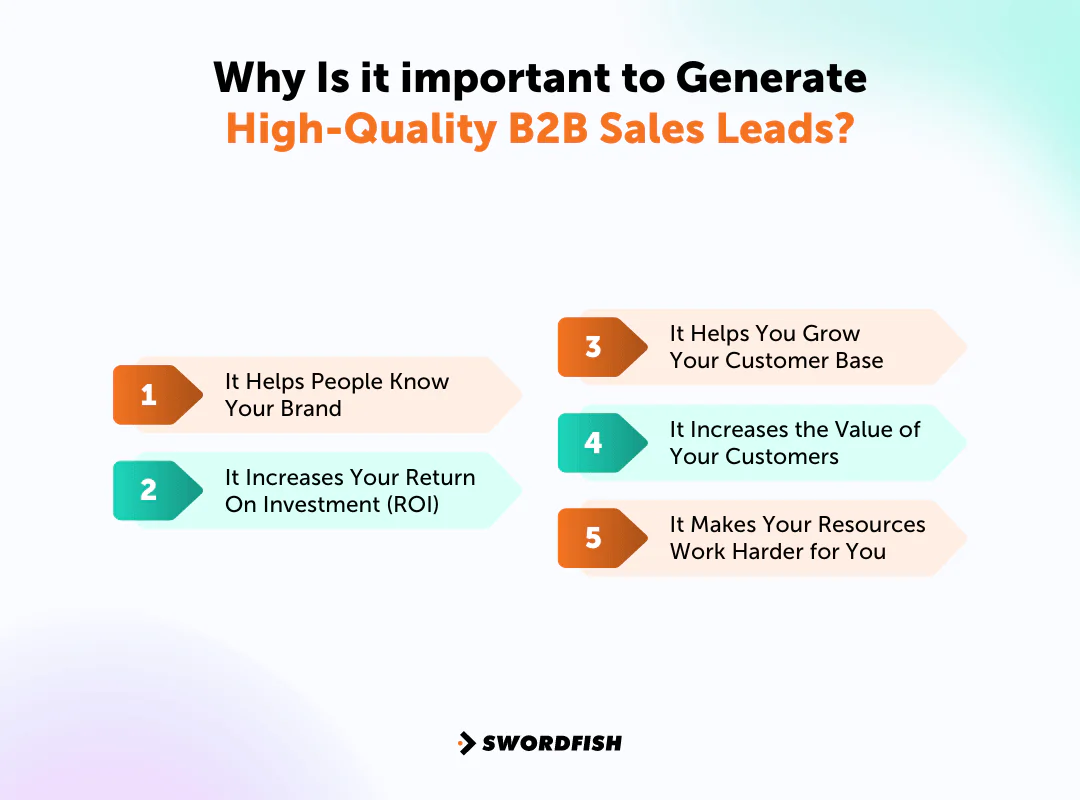
B2B lead generation can help replace customers lost over time and support business growth. Rather than focusing on quantity alone, prioritize leads that:
- Your Ideal Customer Profile (ICP)
- Are ready to buy
- Have a good chance of converting
These leads have usually already shown interest in what you offer, which simplifies your enterprise sales process and day-to-day operations. There are several other benefits worth noting too.
It Helps People Know Your Brand
Lead generation puts your brand in front of the right people, builds trust, and strengthens loyalty over time, which helps you hold ground in a competitive market.
It Increases Your Return On Investment (ROI)
High-quality leads convert into customers who spend more and require less ongoing maintenance. That lowers conversion costs and increases customer lifetime value, translating into steadier revenue.
It Helps You Grow Your Customer Base
Focusing on leads who already understand your product and are genuinely interested makes lead generation more efficient, and automated tools can help you scale those efforts as you grow.
It Increases the Value of Your Customers
High-quality leads tend to become customers who stick around, come back for more, and upgrade over time. Prioritizing quality now builds a steadier revenue stream later.
It Makes Your Resources Work Harder for You
High-quality leads let you use limited resources more efficiently. According to Vorsight’s Steve Richard, only 3% of your market is in the buying phase at any given moment, 56% aren’t ready yet, and 40% are just about to start buying.
Focusing on leads more likely to convert means you’re not wasting effort on prospects going nowhere, which lets you put marketing and sales resources where they’ll actually pay off.
Best Way to Get B2B Leads Other than Using Lead Generation Tool
These ten tactics can help marketing and sales teams generate B2B leads without necessarily buying new software. Results vary by business, so adapt them to your situation.
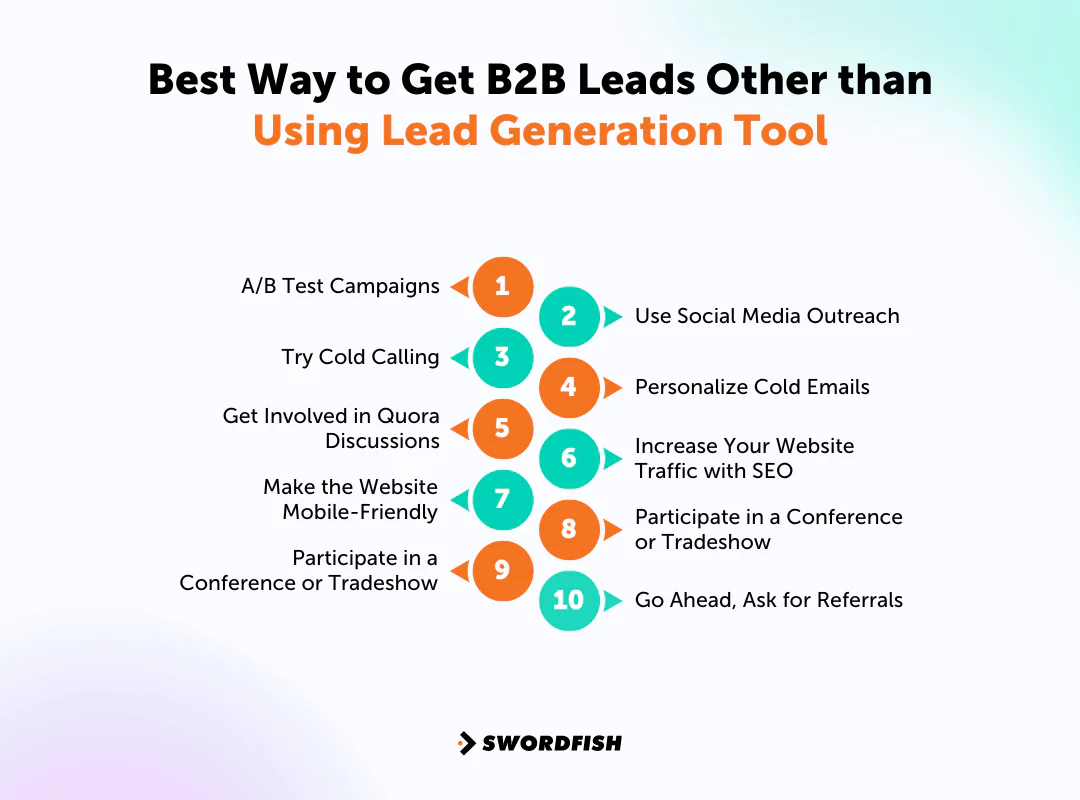
A/B Test Campaigns
A/B testing lets you compare two versions of a landing page to see which drives more engagement, then apply what you learn. It works just as well for email marketing.
Elements worth testing include:
- The subject line
- The email’s length and content
- Format
- When it’s sent
- Even who it’s sent from
Testing systematically shows you which approach actually moves the needle for your B2B sales leads, rather than guessing.
Use Social Media Outreach
Facebook, Instagram, LinkedIn, and Twitter all work as channels for getting prospects to read content, register for events, or start sales conversations.
Consistent outreach on social media works best when it’s built on relationships, not just promotion. Engaging with others in your field and sharing useful content builds an audience that’s more receptive when you eventually make an ask.
Picking the right platform matters. Consider:
- Where your target audience spends most of their time
- Which platform can best show off your products or services
For companies chasing the best B2B sales leads, LinkedIn is usually the strongest fit given its professional focus, but visually driven businesses might find more traction on Instagram or Pinterest.
Try Cold Calling
Cold calling remains a direct way to reach prospects who don’t know your business yet, letting you talk through what you offer and how it solves their specific problem. Here’s how to run it well.
Make a Call List
Build a list of prospects who genuinely fit your Ideal Customer Profile (ICP) before you start dialing. This avoids wasting time on contacts unlikely to need what you sell.
Use LinkedIn
LinkedIn can surface useful context about a prospect’s business and current challenges, which helps you make the call feel less like an interruption and more like a relevant conversation.
Create a Pitch That Shows Value
Your pitch needs to speak to common challenges in the prospect’s industry as much as it highlights what you offer. If writing one from scratch feels daunting, start from the best cold calling scripts and adapt from there.
Keep it focused on what the listener stands to gain.
Ask Questions
A consultative approach, asking thoughtful questions instead of pushing a pitch, surfaces more about the prospect’s actual problems and lets you adjust your approach mid-call.
Prepare for Objections
Expect pushback like lack of interest or satisfaction with a current provider, and have respectful responses ready that keep the conversation moving instead of ending it.
Follow Up Regularly
Persistence matters regardless of the initial response. Each follow-up is another chance to build the relationship, and consistency keeps your business top of mind.
Personalize Cold Emails
A simple three-step rule makes cold emails more effective:
- Reach out to people who genuinely fit your Ideal Customer Profile (ICP).
- Keep your subject line and email body short and engaging.
- Customize the content for each recipient.
For real customization:
- Use their name and mention their company
- Highlight recent business accomplishments to show genuine interest
- Add personalized elements like images, GIFs, or videos to stand out
Research from SalesLoft has found that email personalization could potentially increase your response rates by 112%, which makes the extra effort worth it for most teams.
Get Involved in Quora Discussions
Quora doesn’t allow direct marketing, but it’s still a solid place to:
- Connect with your target audience.
- To learn more about people.
- Do some market research.
- Increase your brand’s exposure.
Genuine participation in discussions, offering real insight rather than a sales pitch, informs and educates users about what you offer without getting you flagged or removed.
Increase Your Website Traffic with SEO
SEO remains one of the most durable ways to drive traffic. Focus on keywords that actually describe what you offer, and prioritize creating strong content over trying to game shifting algorithms.
Quality content earns backlinks naturally, which supports rankings over time. Tools worth having in your kit for keyword and technical SEO work include:
- Serpstat
- Screaming Frog
- Hit Tail
- Ahrefs
- SEO book
- Google Search Console
- Google Analytics
- Moz
- Scrape Box
Make the Website Mobile-Friendly
In 2023, 58.67% of the world’s internet traffic came from mobile devices.
Mobile-friendly sites reach more visitors and tend to rank better in search, which drives more organic traffic over time at no extra cost. Mobile optimization also makes sure lead magnets and forms actually work correctly on the devices most people are using.
Participate in a Conference or Tradeshow
Hosting a conference or tradeshow, budget permitting, puts you in direct contact with potential customers and industry peers. If hosting isn’t in the budget, regularly attending relevant events works too. Keep these in mind when you go:
- Don’t just stick to your booth at these events.
- Be active – walk around, start conversations, and network.
- Keep your business cards, with all your contact info, ready to hand out for easy future communication.
- Get the contact details of potential leads; don’t wait for them to contact you.
- Quick follow-up after the event is crucial. Attendees meet a lot of people, so reaching out soon keeps your business top of mind and increases your odds of converting the lead.
Go Ahead, Ask for Referrals
Strong client relationships lead to more B2B sales qualified leads, especially through referrals. A 2021 global study on trust in advertising by Nielsen found that 88% of consumers trust recommendations from people they know.
Referred customers tend to stick around longer and bring more value over time. Yet only 11 percent of salespeople actually ask for referrals, leaving a fairly reliable source of leads mostly untapped.
If your product consistently delivers, don’t be shy about asking satisfied customers to share their experience. Be direct but friendly, and give them what they need to refer you effectively.
Try Search Marketing
Search engine marketing (SEM) increases visibility on search results pages through paid advertising, distinct from the organic work of SEO. A basic approach looks like this:
- Keyword Research: Find the terms your target audience actually searches for.
- Account Structure: Group keywords into clear categories to improve ad relevance and click-through rates.
- Ad Auction: Bid on specific keywords, paying per click.
- Winning Bids: A successful bid places your ad prominently, in front of potential business leads.
Done well, this brings targeted traffic to your site and strengthens your overall lead generation effort.
Final Words
Choosing a B2B sales lead generation tool depends on your budget, data reliability needs, and existing systems. A good fit should support your sales process and make the contact data useful to your team.
The tools in this guide range from email-finding services to platforms with CRM integrations. The right choice depends on which part of your current lead generation process needs the most support.
Swordfish AI stands out for direct contact data, including cell phone information, which helps you reach decision-makers without getting stuck behind gatekeepers.
FAQs
Why is it essential for organizations to have an updated sales leads database?
An up-to-date database lets sales teams focus on promising prospects, boost sales opportunities, and work more efficiently instead of chasing stale contacts.
What are the stages of B2B sales lead?
The stages are lead nurturing, lead qualification, and closed deal. These make up the sales pipeline, starting after initial interest is captured through lead generation via email, events, or content.
How many leads should you generate per month?
Aim for a lead volume that matches your team size. For small businesses with up to 20 employees, a reasonable starting target is at least 100 leads a month.

