


 View Products


Key takeaways
- Choose a business email search method based on your budget, timeline, and the number of contacts you need.
- Manual research through company websites, search engines, and social profiles can be useful for occasional searches.
- Email lookup tools can speed up searches, while networking and referrals can help establish a connection first.
- Treat guessed addresses as unconfirmed and verify addresses before sending.
- Keep contact lists current, honor unsubscribe requests, and check the privacy rules that apply to your outreach.
Last updated: September 3, 2026
TL;DR:
Finding a business email address usually comes down to picking the right method for the situation. This guide walks through 10 practical ways to find accurate business email addresses, from free manual digging to purpose-built lookup tools. If you need speed and accuracy, dedicated email finder tools such as Swordfish AI (70% success rate with 3.5 billion records), Hunter.io, or GetProspect will get you verified results in seconds. For teams working with healthcare providers specifically, verification matters even more, since clinical staff change roles and organizations frequently.
Finding someone on a social platform is often easier than getting a response. LinkedIn messages compete with other messages, while an Instagram DM may not suit a business request. A business email address gives you another way to contact the right person at the right company.
Email is still the most reliable channel for professional outreach. It’s direct, it’s personal, and it converts. Research shows that 86% of B2B buyers say email prospecting delivers strong ROI. The real challenge isn’t whether email works, it’s finding the right addresses in the first place.
This guide covers 10 reliable methods to find business email addresses, ranging from free manual techniques to tools built for scale.
Why Finding Business Email Addresses Matters for Your Success?
Before getting into the methods, it helps to understand why accurate business email addresses are worth the effort.
Direct Access to Decision-Makers
Business email addresses give you a direct line to the people who matter most. Unlike social platforms, where messages get filtered or buried, professional email addresses reach the intended recipient. Sales teams that use targeted email outreach typically see better lead quality than cold calling alone produces.
Building Authentic Business Relationships
A personalized email can feel more relevant than a generic contact-form message. It lets you explain why you’re reaching out and gives the recipient a chance to reply on their own schedule.
Scaling Your Outreach Efficiently
Manual networking only scales so far. Finding email addresses at scale lets you keep outreach personal while reaching far more contacts than one-to-one networking allows.
Competitive Advantage in Your Market
Accurate business contact data can support recruiting, sales, and partnership efforts. It may also help teams reach a relevant contact instead of relying only on a generic contact form.
How to Find a Business Email Address?
The right way to find a business email address depends on your budget, timeline, and how many contacts you need. Manual research can work for a small number of contacts, lookup tools can speed up searches, and networking can help build a relationship before you reach out.
Manual Search Techniques
Manual searches are free but take more time; they may also surface addresses that automated tools miss.
Check Company Websites: Visit the Contact Us, About Us, or Team pages. Many companies list email addresses openly. Also check blog posts, press releases, and downloadable PDFs.
Use Google Search: Type these commands into Google:
- site:company.com email
- site:company.com “@company.com”
- “John Smith” “@company.com”
These help find emails hidden in company websites and documents.
Search Social Media: Check Twitter bios, Facebook business pages, and Instagram business accounts. Many include contact emails in their profiles or About sections.
Guess the Email Pattern: Most companies use formats like firstname@company.com or firstname.lastname@company.com. If you know one person’s email, you can often guess others. Always verify before sending.
Using Email Lookup Tools
Email lookup tools can make searching more consistent and save time, especially when you need to find and verify many addresses.
Email Finder Tools: Swordfish AI, Hunter.io, and GetProspect maintain large databases. Enter a name and company, and get a verified email back in seconds. Most offer Chrome extensions for quick lookups while browsing.
Search Databases: Tools like Apollo and ZoomInfo let you filter by job title, location, or industry, which is useful for building lists of multiple contacts at once.
Verify Emails: Use tools like ZeroBounce or Swordfish AI’s built-in verifier to confirm an address is valid before you send. This protects your sender reputation.
Bulk Upload: Upload a spreadsheet with names and companies, and tools like GetProspect and Snov.io will fill in missing emails automatically.
Networking and Referrals
Networking can help you build a connection before asking for someone’s contact information.
- Connect on LinkedIn: Send a connection request first. Once connected, their contact info may show an email, and they’re more likely to respond to a follow-up.
- Ask Mutual Contacts: If you share a connection, ask for an introduction. Warm referrals get far better response rates than cold emails.
- Join Professional Groups: Industry associations often keep member directories with email addresses. Check if your target belongs to any trade groups.
- Meet at Events: Conferences and webinars often provide attendee lists, and following up after meeting someone in person tends to work well.
- Call the Company: Simply phone and ask for the right person or department. Receptionists will often share direct contact info for legitimate business requests.
10 Proven Methods to Find Business Email Address
Here’s a closer look at specific tools and techniques, starting with the more powerful solutions and working through options suited to different needs and budgets.
1. Use Swordfish AI for Maximum Accuracy
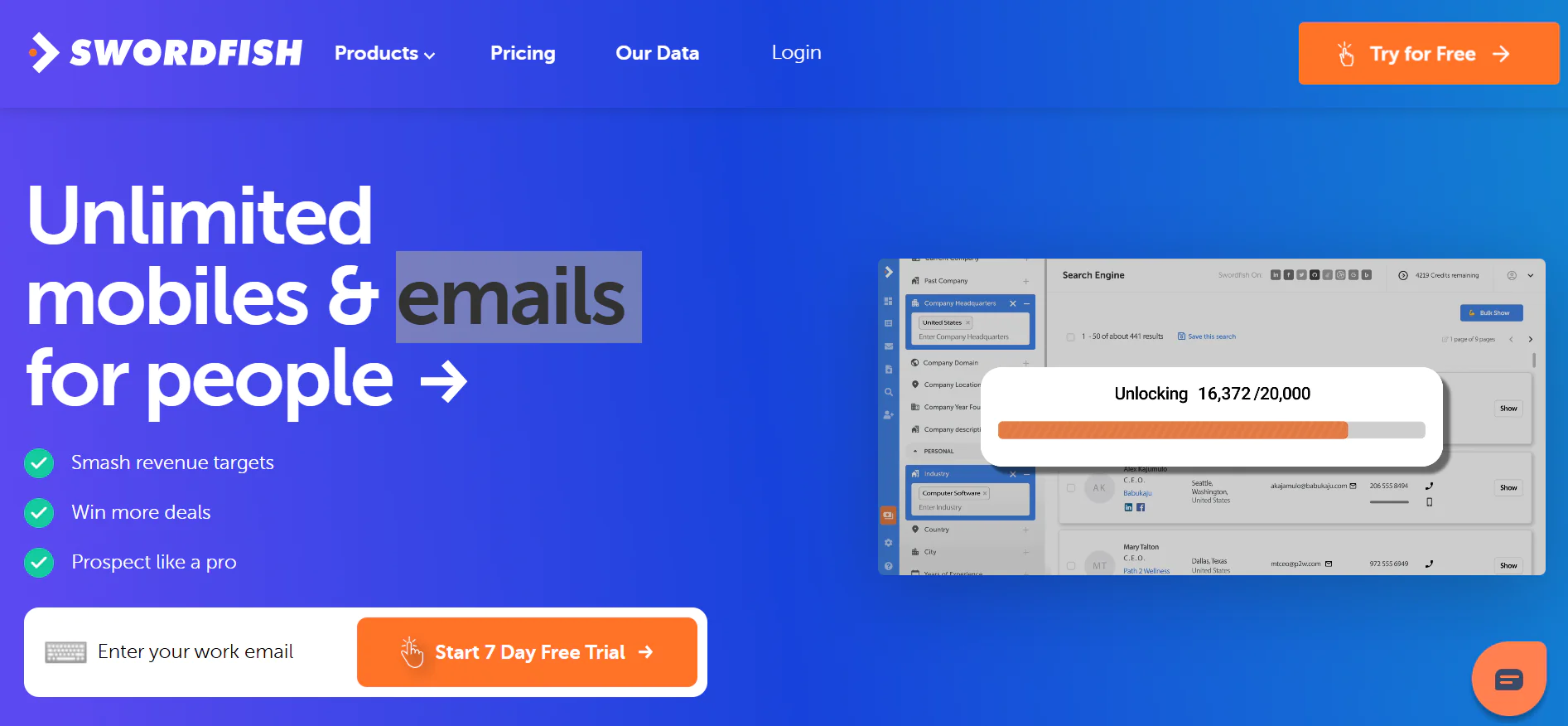
Swordfish AI is one option for finding business email addresses. The article states that it has access to 3.5 billion records and a 70% success rate; check the provider’s current documentation for how these figures are defined.
How Swordfish AI Works:
The platform combines its database search with real-time verification. Enter a name and company, and Swordfish AI searches its records while checking deliverability at the same time. That means you’re not just getting an address, you’re getting one that’s been checked.
Key Features:
- Real-time email validation to prevent bounces
- Cell phone numbers and direct dials included
- Chrome Extension for instant lookup on LinkedIn
- Integration with 200+ data partners for comprehensive coverage
- GDPR and CCPA compliant operations
Practical Use Case:
Recruiters using Swordfish AI report finding more qualified candidates compared to traditional methods, and sales teams often book more meetings when accurate cell phone numbers complement their email outreach. For teams sourcing healthcare provider contacts specifically, having a verified direct number alongside an email address matters, since generic front-desk lines rarely reach the clinician you’re trying to contact.
Pricing: Free trial with 10 credits available. Unlimited Solo plan at $99/month provides unlimited emails and phone numbers for individual users.
2. Leverage Hunter.io’s Extensive Database
Hunter.io has built trust with millions of professionals by delivering business email addresses backed by a transparent verification process.
Why Hunter.io Stands Out:
The platform searches its records and checks deliverability. It also shows where an address appears online, which can provide context for assessing whether it may still be current.
Core Capabilities:
- Domain-wide email searches reveal entire company email lists
- Pattern detection identifies likely email formats
- Confidence scores indicate verification certainty
- Chrome Extension enables instant lookups while browsing
- API access for automated workflows
Best For: Marketing teams running large-scale lead generation and sales reps who need verified contact information quickly.
Pricing: Free plan includes 50 monthly searches. Paid plans start at $34/month with 24,000 annual credits.
3. Try GetProspect for Bulk Email Discovery
GetProspect is built for finding business email addresses at scale, with a database of over 200 million contacts.
Notable Features:
- 95% data accuracy guarantee
- 17+ search filters (job title, location, industry, technologies)
- LinkedIn integration for seamless prospecting
- Bulk email discovery saves hours on large campaigns
- Real-time verification ensures deliverability
Pricing: Free plan offers 50 valid emails monthly. Paid plans start at $49/month with 1,000 valid emails.
4. Search Company Websites and Contact Pages
Sometimes the simplest approach works best. Company websites often list business email addresses right on their contact pages.
Strategic Searching:
Don’t stop at the obvious “Contact Us” page. Check these sections too:
- About Us pages often list leadership team contacts
- Team or Staff directories provide department-specific emails
- Press or Media pages feature PR contact information
- Support sections include customer service emails
- Footer links sometimes contain general inquiries addresses
Pro Tip: Larger companies tend to hide behind contact forms, but smaller organizations often display direct email addresses. The “Team” page is especially useful for B2B outreach since it tends to include role-specific contacts, which matters when you’re trying to reach a specific department or practice manager rather than a generic inbox.
5. Mine LinkedIn for Business Contact Information
LinkedIn is the largest professional database around, which makes it a solid resource for finding business email addresses.
Effective LinkedIn Strategies:
Start by finding your target’s profile. Their “Contact Info” section may show an email directly. Even if it doesn’t, the profile still offers useful intelligence:
- Current company and job title
- Employment history reveals email pattern consistency
- Shared connections enable warm introductions
- Activity and posts suggest best engagement timing
Using LinkedIn Sales Navigator:
For serious prospecting, Sales Navigator offers advanced filters to find decision-makers by role, company size, or industry. It won’t hand you an email directly, but it helps you build a precise target list that you can then enrich with an email finder tool.
Combining Tools: Pair LinkedIn research with Swordfish AI’s Chrome Extension for instant email discovery while viewing profiles.
Also Read: LinkedIn Lead Generation: Essential Strategies for B2B Growth
6. Employ Google’s Advanced Search Operators
Google’s search engine becomes a genuinely useful tool for finding business email addresses once you know the right commands.
Powerful Search Operators:
- site:company.com email
- site:company.com “contact” OR “email”
- site:company.com “@company.com”
- “John Smith” “email” company.com
- “John Smith” “@company.com”
Why This Works:
These operators force Google to search within specific domains or for specific patterns, surfacing email addresses that appear in:
- Employee directories
- Press releases
- Blog author bios
- Newsletter archives
- PDF documents
- Cached pages
Time Investment: Manual Google searches take longer than dedicated tools but cost nothing, and they occasionally turn up emails that databases miss entirely.
7. Leverage Email Verification and Finder Tools
Several platforms focus specifically on finding and verifying business email addresses.
Top Tools to Consider:
- Voila Norbert: Reports a 98% accuracy rate with simple name plus domain searches. The confidence scoring helps you decide who’s worth following up with first.
- Snov.io: Offers 50 free monthly credits and pre-verified addresses, claiming 98% accuracy with a low bounce rate on valid emails.
- Prospeo: Provides 75 free monthly credits with a reported 98% accuracy rate on domain searches, and tends to surface more emails per company than some competitors.
Selection Criteria:
Choose based on your specific needs:
- Volume requirements (occasional vs. daily use)
- Budget constraints
- Feature priorities (verification, bulk search, API access)
- Industry focus (some tools work better in specific sectors)
8. Check Social Media Platforms
Beyond LinkedIn, other social platforms can help you find business email addresses, particularly for smaller companies and independent practices.
Platform-Specific Strategies:
Twitter/X: Search for the person’s handle and check their bio. Many professionals list contact info there. Use Twitter’s advanced search to find tweets containing “@company.com” patterns. Read our 12 free & paid ways on how to find someone’s email on twitter for more information.
Facebook Business Pages: The “About” section often lists contact details, including email addresses for inquiries. Read our tried and tested method on finding email on facebook for more information.
Instagram: Business accounts display contact buttons that may reveal email addresses. Check the bio section as well.
Company Pages: Most businesses keep branding consistent across platforms, which makes it easier to confirm authenticity and find the right contact method.
9. Use Email Pattern Recognition
Knowing common email formats helps you make an educated guess about a business email address.
Common Email Patterns:
- firstname@company.com
- firstname.lastname@company.com
- firstnamelastname@company.com
- f.lastname@company.com
- flastname@company.com
How to Apply This Method:
Once you’ve confirmed a company’s email pattern from any known address, you can extrapolate addresses for other employees. If john.smith@company.com is confirmed, sarah.johnson@company.com likely follows the same format.
Critical Step: Always verify guessed emails before sending. Tools like Hunter.io’s Email Verifier or Swordfish AI’s real-time validation prevent damaging your sender reputation with bounced emails.
10. Try Direct Phone Contact
When digital methods fall short, picking up the phone remains surprisingly effective, especially for practices or clinics with a small front-office staff.
Phone-Based Strategy:
Call the company’s main number and briefly explain why you need to reach a specific person or department. Ask whether they can provide the appropriate business email address; the company may instead direct you to a general inbox or contact form.
What to Say:
“Hello, I’m trying to reach someone in your [department name] regarding [legitimate reason]. Could you provide me with the best email address to use?”
Best Results: This works particularly well for smaller to mid-sized organizations with accessible front-desk staff. Larger organizations may route you to a general inquiry inbox, but department-specific addresses are often still available if you ask.
Best Practices for Using Business Email Addresses
Finding business email addresses is only half the job. What you do with them determines your actual results.
Always Verify Email Addresses
Email verification can help identify invalid addresses before you send and reduce the chance of bounces. Verification results are not a guarantee of delivery, so follow current deliverability guidance and monitor your own bounce rates.
Personalize Your Outreach
Make outreach relevant by referring to something specific about the recipient’s role, organization, or recent activity. Avoid assuming that personalization will guarantee a response.
Respect Privacy and Compliance
Make sure your email discovery and outreach comply with relevant regulations:
- GDPR: If targeting EU residents, obtain proper consent
- CAN-SPAM: Include clear opt-out mechanisms
- CCPA: Honor privacy requests from California residents
Ethical Considerations: Use email addresses for legitimate business purposes only. Spam damages your reputation and can violate the law, and in healthcare outreach specifically, it can also raise compliance concerns depending on what information is included in the message.
Maintain Clean Email Lists
Keep your contact list current: remove bounced addresses, honor unsubscribe requests, and review inactive contacts regularly. A clean list can help support deliverability and engagement.
Track and Optimize Performance
Monitor these key metrics:
- Open rates (industry average: 15-25%)
- Click-through rates
- Response rates
- Bounce rates (keep below 2%)
- Conversion rates
Use this data to refine targeting, messaging, and timing over time.
Common Challenges When Finding Business Email Addresses
Knowing the likely obstacles ahead of time makes it easier to plan around them.
Email Addresses Behind Privacy Protections
Many professionals don’t publicly list business email addresses to avoid spam. Solution: lean on company domain searches and pattern recognition, then verify before sending.
Outdated Contact Information
Job changes and reorganizations can make contact details outdated, including in healthcare, where clinicians may move between practices and health systems. Use verification tools where appropriate and refresh lists regularly.
Generic Email Addresses
info@company.com and hello@company.com rarely reach a decision-maker. Solution: prioritize finding personal email addresses through name-based searches using tools like Swordfish AI or Hunter.io.
False Positives from Verification Tools
Even a “97% verified” address can still be wrong. Solution: use more than one verification method, and start with small test batches before scaling a campaign.
Compliance Complexity
Privacy requirements can vary by location and use case. Review the rules that apply to your outreach and seek legal guidance when needed; using an email finder that describes itself as compliant does not by itself ensure compliance.
Choosing the Right Method to Find Business Email Addresses
Choose a method based on how often you need addresses, your budget, the number of contacts, and whether you need features such as verification, bulk search, or API access.
- For Occasional Needs: Manual methods like Google searches and company website research cost nothing but require more time.
- For Regular Prospecting: Invest in a tool like Swordfish AI, Hunter.io, or GetProspect. The time saved and accuracy gained usually justify the monthly cost.
- For Large-Scale Operations: Choose platforms offering bulk searches, API access, and CRM integrations. Swordfish AI’s unlimited plans and Snov.io’s enterprise features support high-volume needs.
- For Budget-Conscious Teams: Start with free tiers from multiple tools. GetProspect offers 50 free emails monthly, Hunter.io provides 50 searches, and Prospeo gives 75 credits, combining these extends your free resource pool.
Take Action: Start Finding Business Email Addresses Today
Finding accurate business email addresses changes how effective your outreach can be. Whether you’re building a sales pipeline, recruiting top talent, or setting up partnerships, having the right contact information makes the difference.
Start with these immediate steps:
- Try Swordfish AI’s free trial to see how AI-driven email discovery with real-time verification works in practice
- Combine free tools like Hunter.io, GetProspect, and Prospeo to maximize your monthly search capacity
- Test manual methods like Google operators and website research for occasional needs
- Verify all emails before sending to protect your sender reputation
- Track your results to identify which methods work best for your specific use case
Stop wasting time on guesswork and dead ends. Try Swordfish AI’s email finder to access verified business email addresses, cell phone numbers, and direct contact information instantly.
Frequently Asked Questions
Is it legal to find business email addresses?
Finding publicly available business email addresses is legal when used for legitimate purposes. You still need to comply with privacy regulations like GDPR and CAN-SPAM, including providing opt-out options and honoring unsubscribe requests.
How accurate are email finder tools?
Accuracy varies by provider. Tools like Swordfish AI (70% success rate), Hunter.io, and GetProspect (95% accuracy) deliver reliable results, but you should still verify before sending to maintain deliverability.
Can I find business email addresses for free?
Yes, several free methods exist:
- Manual Google searches
- Company website research
- LinkedIn research
- Free tiers from tools like Hunter.io (50 searches), GetProspect (50 emails), and Prospeo (75 credits)
What’s the difference between personal and business email addresses?
Business email addresses use company domains (john@company.com) while personal emails use public providers (john@gmail.com). B2B tools like Swordfish AI focus on business emails, filtering out personal addresses for professional outreach.
How do I verify a business email address?
Use verification tools that run SMTP checks, domain validation, and syntax verification. Swordfish AI includes real-time verification, while dedicated verifiers like ZeroBounce and NeverBounce specialize in bulk validation.
What’s the best tool to find business email addresses in bulk?
For bulk discovery, Swordfish AI’s unlimited plans, Snov.io’s domain search (up to 20,000 domains), and GetProspect’s bulk features stand out. Choose based on your volume needs and budget.
How often should I update my email lists?
Refresh email lists quarterly at minimum. Remove bounced addresses right away, and re-verify your full database every 3-6 months to keep deliverability and accuracy high.

