


 View Products


Key takeaways
- Anymail Finder is presented as a focused tool for finding and verifying email addresses.
- Email verification can help reduce bounces, but it does not guarantee inbox delivery.
- Teams that also need phone numbers, broader contact data, CRM integrations, or campaign tools may want to compare alternatives.
- The article positions Swordfish AI around phone-number data, ZoomInfo around broader business data and analytics, and ContactOut around professional contact discovery.
- Compare current feature availability, verification methods, pricing, and billing terms before choosing a tool.
Last updated: September 3, 2026
Anymail Finder is focused on finding and verifying email addresses before outreach. Its verification checks whether an address appears deliverable, which can help reduce bounces, but verification cannot guarantee that an email will reach an inbox. For teams that primarily need email addresses, that focused approach may be appealing.
Email addresses are only one part of a prospecting workflow, and even verified addresses can become outdated as people change jobs or domains. If your team relies only on email, you may also want contact data for other channels, such as phone.
Below, we look at where Anymail Finder falls short and walk through ten Anymail Finder alternatives worth evaluating, so you can decide what actually fits how your team prospects and verifies contacts.
Quick List of 10 Alternatives to Anymail Finder
Check out these alternatives to Anymail Finder –
- Swordfish AI: Best for direct access to decision-makers via cell phone data.
- ZoomInfo: Best for in-depth B2B insights and extensive market intelligence.
- ContactOut: Best for triple-verified email accuracy and GDPR compliance.
- Hunter.io: Best for domain-based email discovery and verification.
- Lusha: Best for straightforward B2B contact and company information retrieval.
- Snov.io: Best for comprehensive sales automation and CRM integration.
- RocketReach: Best for finding email, phone, and social media links for professionals.
- AeroLeads: Best for finding emails and phone numbers with Chrome extension.
- FindThatLead: Best for generating customized B2B email lists quickly.
- GetProspect: Best for accurate B2B contact database and LinkedIn integration.
Reasons to Consider an Alternative to Anymail Finder
No single tool covers every use case. Depending on how your team prospects, you may need broader data coverage, phone verification, or built-in outreach features that Anymail Finder doesn’t offer. Here are the main gaps worth weighing before you commit to one platform.
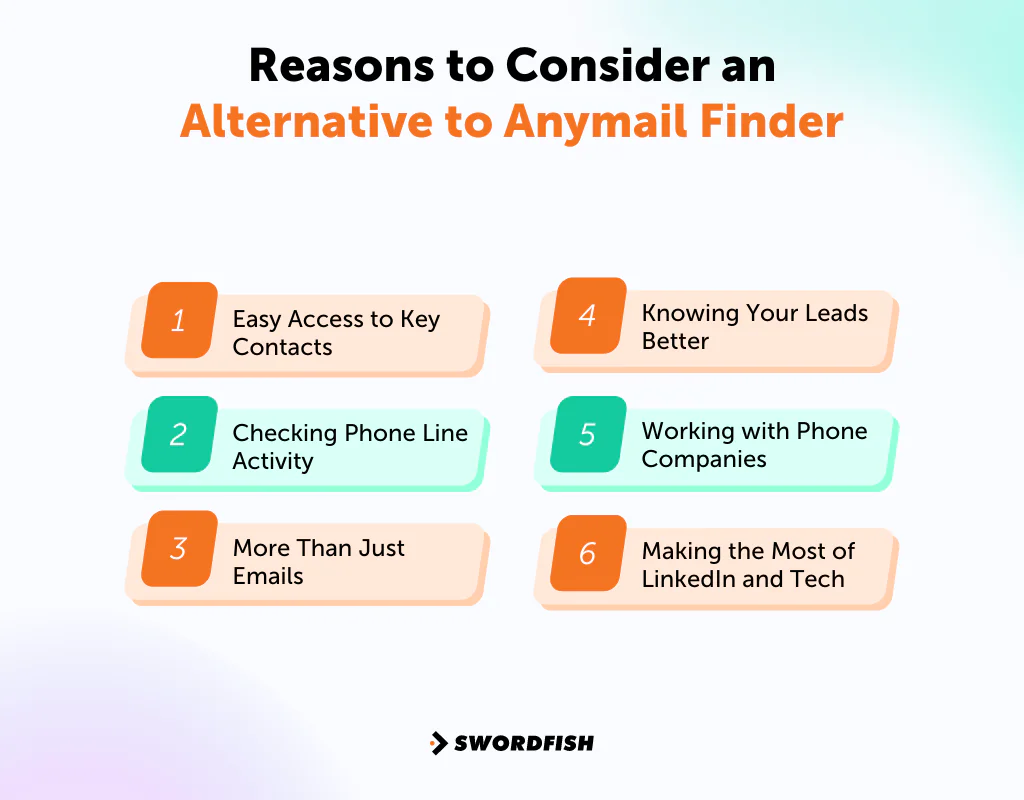
Easy Access to Key Contacts
Anymail Finder focuses on finding email addresses from details such as a person’s name or company. If your outreach also relies on phone calls, you may need a separate tool that provides phone numbers.
Checking Phone Line Activity
While Anymail Finder verifies email deliverability, it lacks the capability to check if phone lines are active. Ensuring phone numbers are currently in use can significantly improve the reliability of your contact list.
More Than Just Emails
Anymail Finder excels in locating and verifying email addresses, crucial for initiating contact with leads. It may be possible to gain a more extensive grasp of potential leads by going beyond email to include more contact information, such as cell phone numbers.
Knowing Your Leads Better
Anymail Finder is great for getting emails right, which is key for reaching out to new leads. But if it could also tell you more about these leads, like their job function or where to find them on social media, your messages could be far more specific to the person you’re contacting.
Getting to know a lead better before the first message turns a cold email into a real conversation.
Working with Phone Companies
The article does not identify direct partnerships between Anymail Finder and phone companies for validating cell phone data. If phone-number accuracy is important to your workflow, check how each alternative sources and validates its numbers.
Making the Most of LinkedIn and Tech
Anymail Finder’s LinkedIn tool is mainly built for pulling out emails. A tool that also supports LinkedIn networking or surfaces phone numbers turns that same profile into a stronger lead source.
Anymail Finder also lets you add email search into your own apps through its API, but teams that want more control over how they build and manage lead lists may want a platform with deeper customization built in.
Top 10 Anymail Finder Competitors: Comparison Chart
In this table, we present a quick comparison of our 10 Anymail Finder alternatives.
Alternatives | Database Size | Contact Data Accuracy | Lead Generation & Prospecting |
 | 3.5 billion data profiles | High accuracy for cell phone numbers | Direct access to decision makers |
 | Over 135 million verified phone numbers | Extensive B2B data with high accuracy | Automated prospect lists, Intent Data |
 | 100 million direct dials, 150 million personal emails, and 200 million work emails | Triple-verified emails | Finds prospects not on LinkedIn |
 | 107 million professional email addresses | Domain search to find email addresses | Email finder by name or domain |
 | 50 million enterprise business profiles | Direct phone numbers and email data | B2B contact and company data |
 | Over 550 million prospects and 75 million companies | Email Finder and Verifier | Drip Campaigns, Email Finder |
 | Over 450 million professionals | Global email and phone coverage | AI-powered Recommendations |
 | 500 million business emails, and 120 million personal emails | Finds emails and phone numbers | Chrome Extension for lead capture |
 | 200 million professional profiles | Generates tailored B2B email lists | Cold email sender, Chrome Extension |
 | 230 million business emails, and 130 million mobile phone numbers | 95% data accuracy guarantee | B2B database search with filters |
Top 10 Anymail Finder Alternatives for Getting Genuine Emails
Marketers, recruiters, and sales professionals will benefit from these tools to improve their email outreach strategies. Let’s look at each one in detail.
1. Swordfish AI
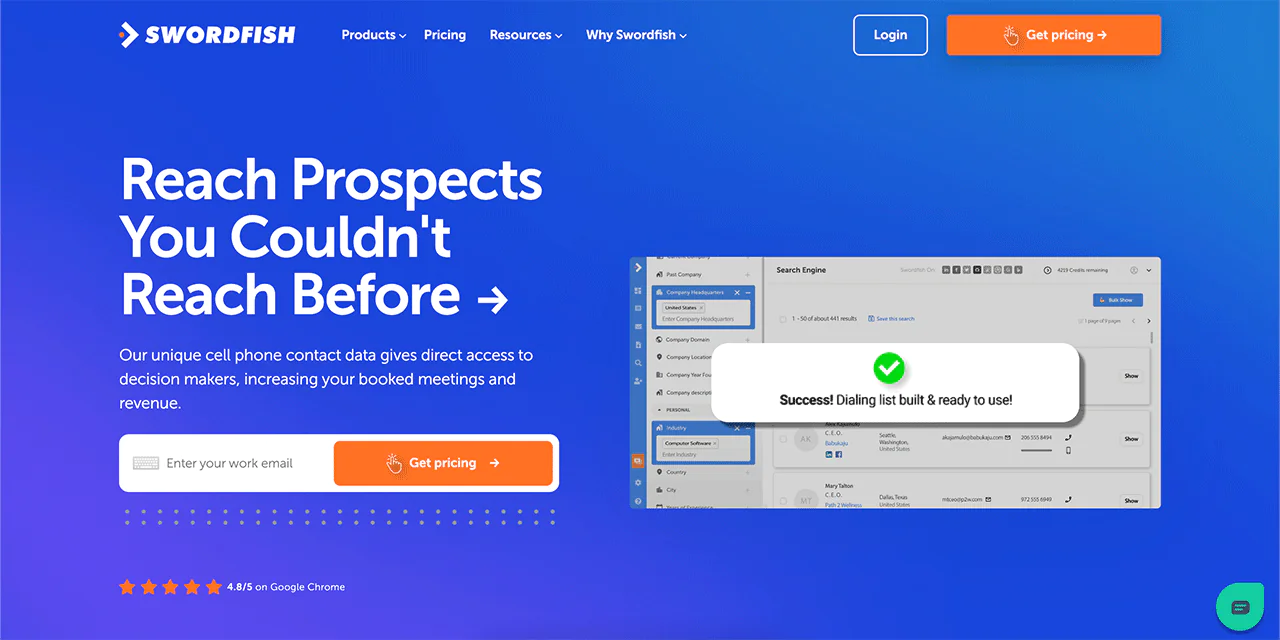
Swordfish AI is built for teams that need to reach decision-makers directly, and it offers something Anymail Finder doesn’t: cell phone numbers alongside verified emails. It pulls together lead discovery, contact enrichment, and verification into one workflow.
Swordfish AI works with established data providers to keep contact records current, which is part of why it’s counted among the best contact finding tools.
Where it differentiates from tools like Anymail Finder is in matching technology for cell phone numbers and business email validation, which helps outreach teams set up more conversations instead of chasing dead contacts.
For teams prospecting healthcare professionals, a mobile number alongside a business email may provide another way to reach clinicians and administrators. Whether that is useful depends on the contact data available and the team’s outreach process.
About Swordfish AI
- Founding year: 2015
- Founding team: Ben Argeband
- Company Size: 11 to 50 employees
What Sets Swordfish AI Apart?
Swordfish AI is built for cold calling, offering access to cell phone numbers alongside a system for checking those numbers before you dial. That direct line to decision-makers is a gap in what Anymail Finder covers.
With access to more than 3.5 billion profiles, Swordfish AI gives sales development representatives (SDRs) a wide base of contact information to work from, and its cell phone matching technology is meant to keep that accuracy high as people change roles.
Unlike Anymail Finder, Swordfish AI also surfaces professional and premium business emails, which adds another layer to outreach beyond a single verified address.
Key Features of Swordfish AI
Swordfish AI stands out with its set of features that make finding and verifying contact info easy for you. Here’s a closer look at what makes each feature valuable —
-
Chrome Extension
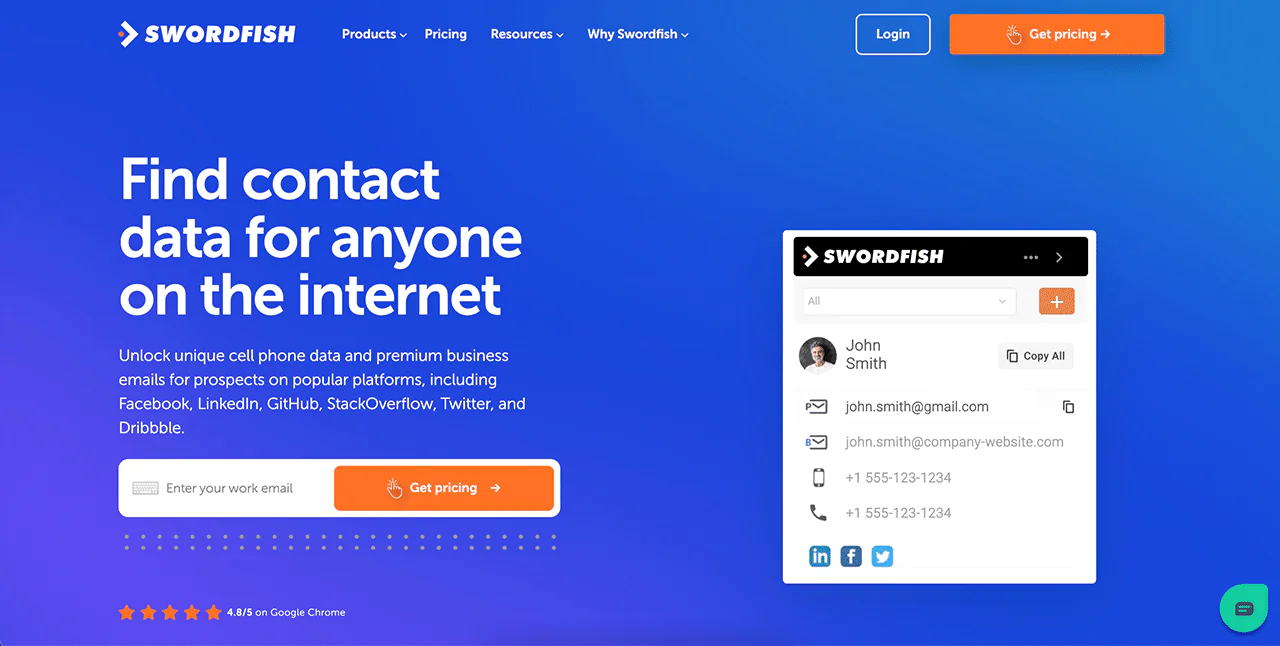
With this Chrome extension, you can instantly find contact details while browsing social media sites like LinkedIn, Twitter, and Facebook. It gives you a quick way to grab phone numbers and emails with just one click, making lead collection straightforward.
-
Prospector
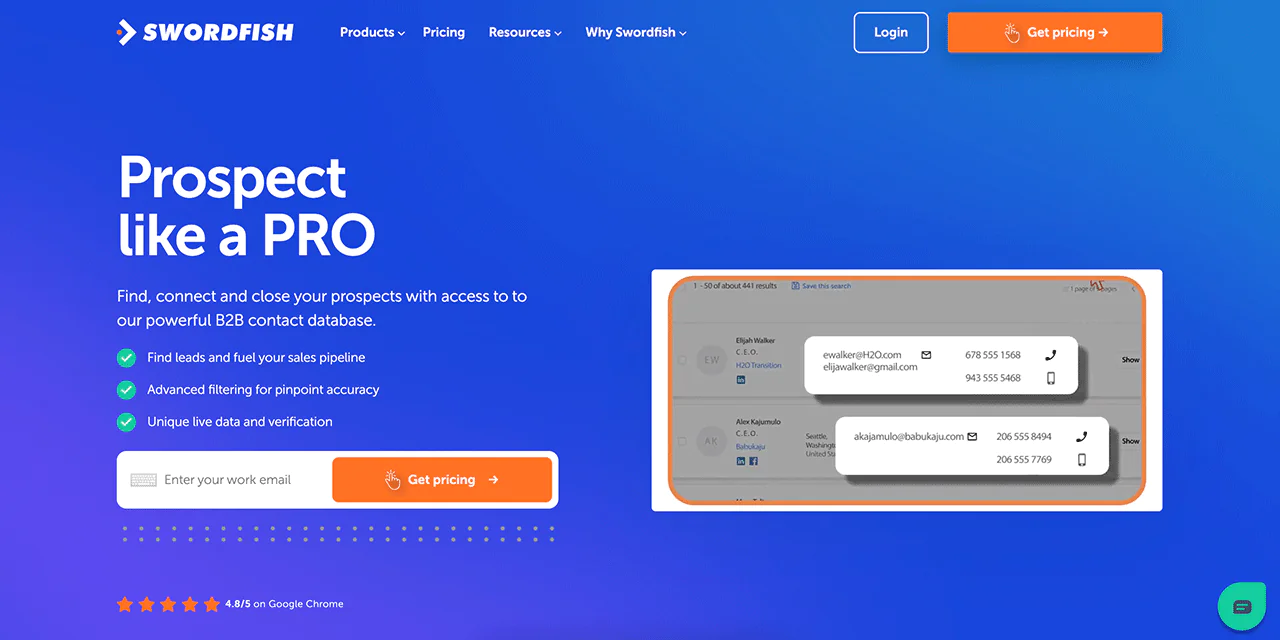
If you’re in sales and need to put together a list of targeted contacts, the Prospector tool is for you. It lets you create lists for calling or emailing in no time, using filters to make sure you’re targeting the right people.
-
Reverse Search
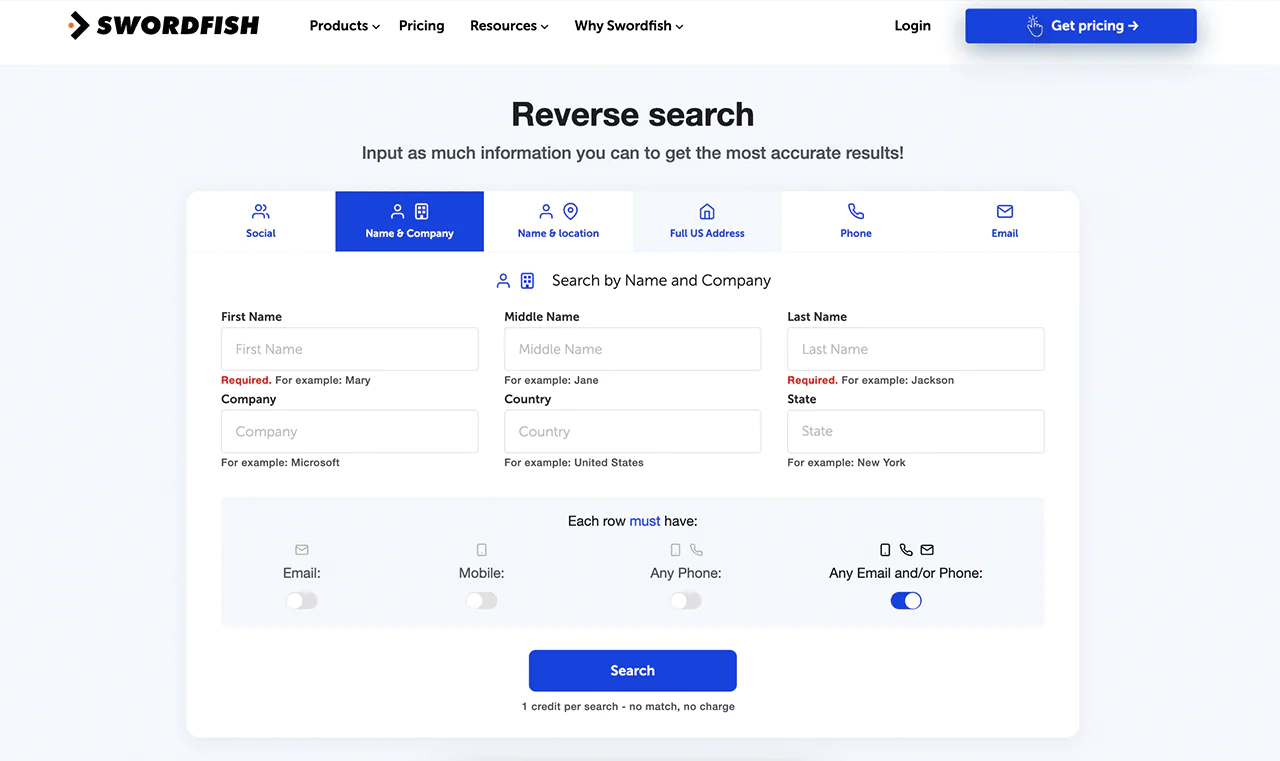
Got some contact info but need more? Reverse Search helps you fill in the gaps. Just enter any info you have, like a name or email, and it finds the rest for you.
-
File Upload
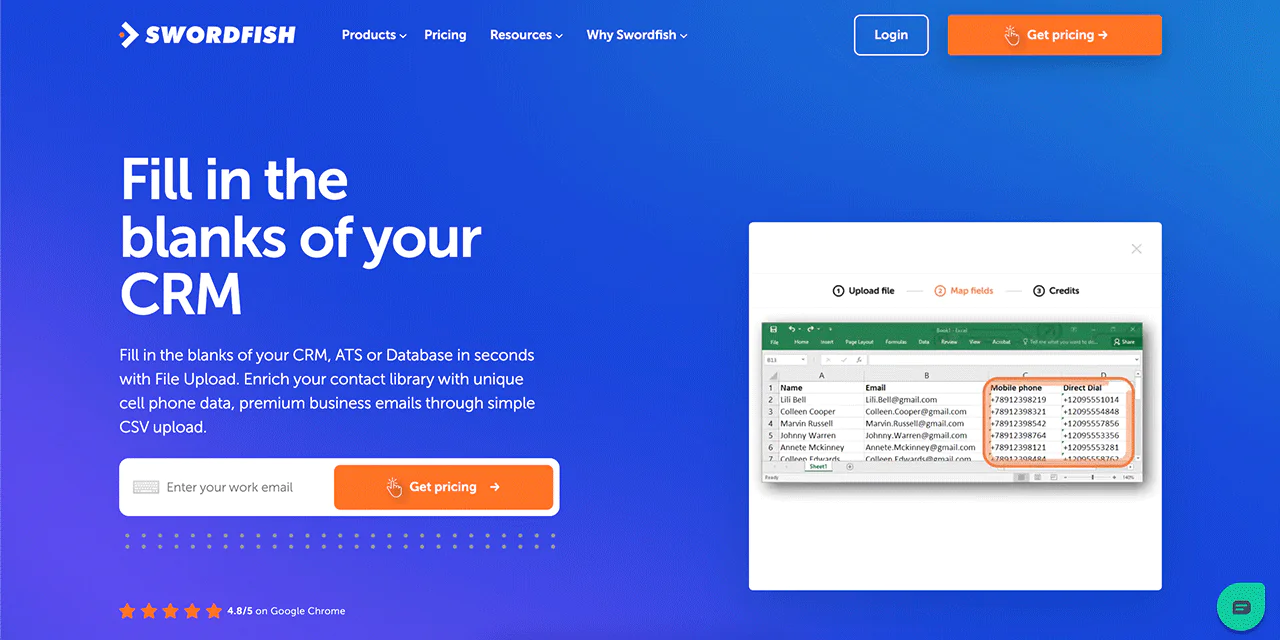
Keep your CRM up to date the easy way. Upload a file, and Swordfish AI will add any missing phone numbers or emails for you, saving you time and effort.
-
API Integration
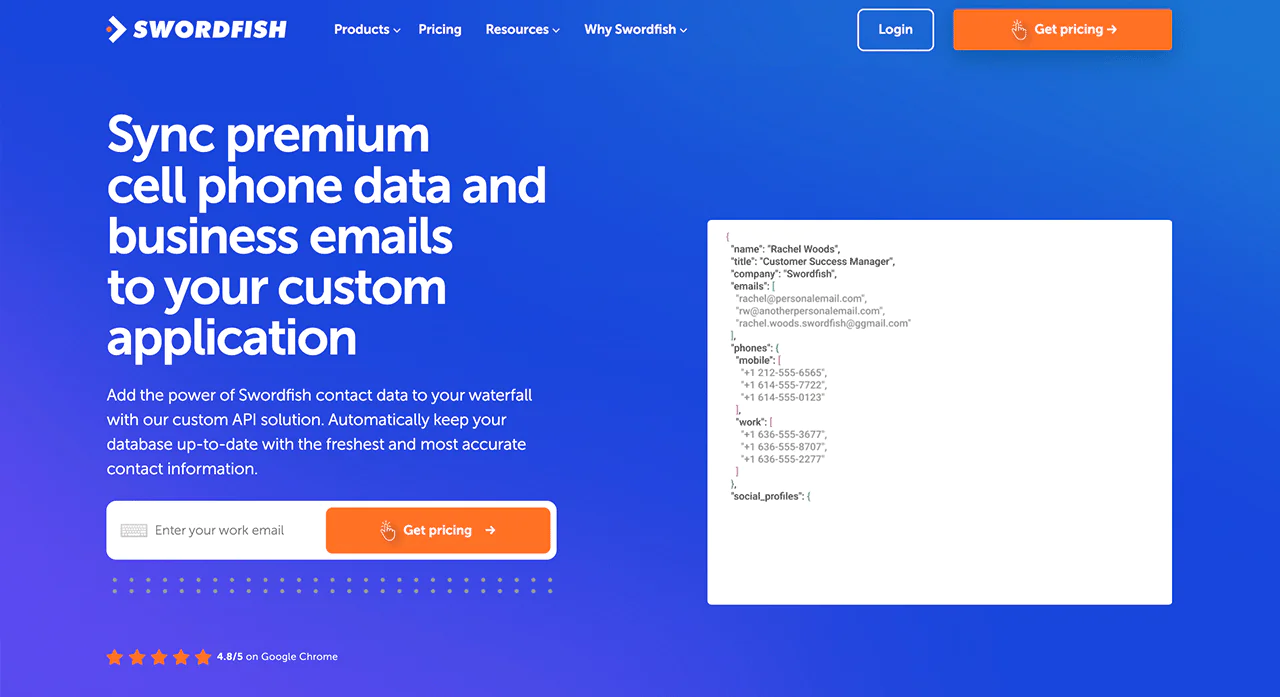
For those who want to blend Swordfish AI’s features into their own apps, the API integration makes it seamless. It automates the process of fetching and updating contact data right within your software.
-
Bombora Intent Data
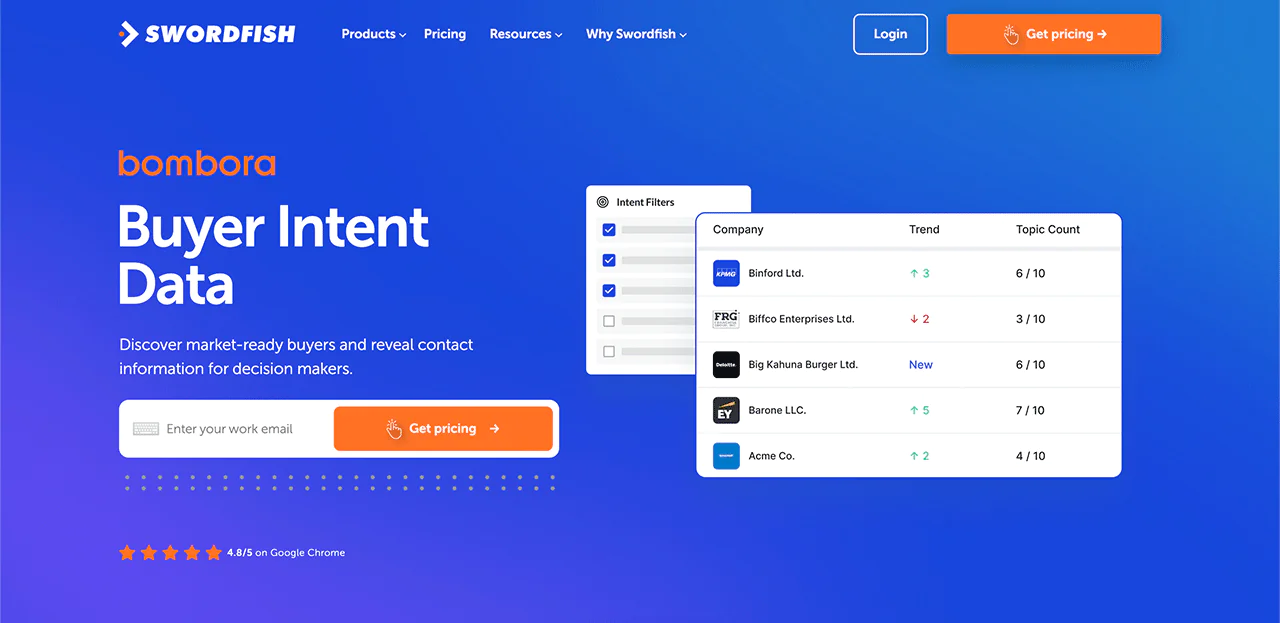 This feature is useful for targeting leads. It uses intent data to show you which businesses are currently looking for what you offer, helping you focus your efforts on the most promising prospects.
Best Use Cases of Swordfish AI
Here are some of the most major applications of Swordfish AI that different professionals can consider.
- Improved Sales Prospecting: Swordfish AI aids sales teams by providing precise contact details, helping them effectively reach potential leads.
- Data Enrichment for Businesses: Fill in the gaps in your databases with Swordfish AI, ensuring your contact information is complete and current.
- Streamlined Recruitment: HR professionals can use Swordfish AI to quickly find and contact potential candidates, simplifying the hiring process.
- Team Collaboration on Contact Lists: Share and collaborate on contact lists with your team, ensuring unified outreach efforts.
- Better Communication Strategies: With accurate contact information, businesses can enhance their communication strategies, reaching the right people effectively.
Pros of Using Swordfish AI
- Quickly add many emails and phone numbers.
- Provides up-to-date and correct contact details instantly.
- Performs in-depth searches on several social media sites.
- Offers a large collection of contact information.
- Makes gathering data from different sources easy.
- Keeps data safe and follows legal rules.
Cons Using Swordfish AI
- Quotation-based pricing might not suit the starter.
Pricing
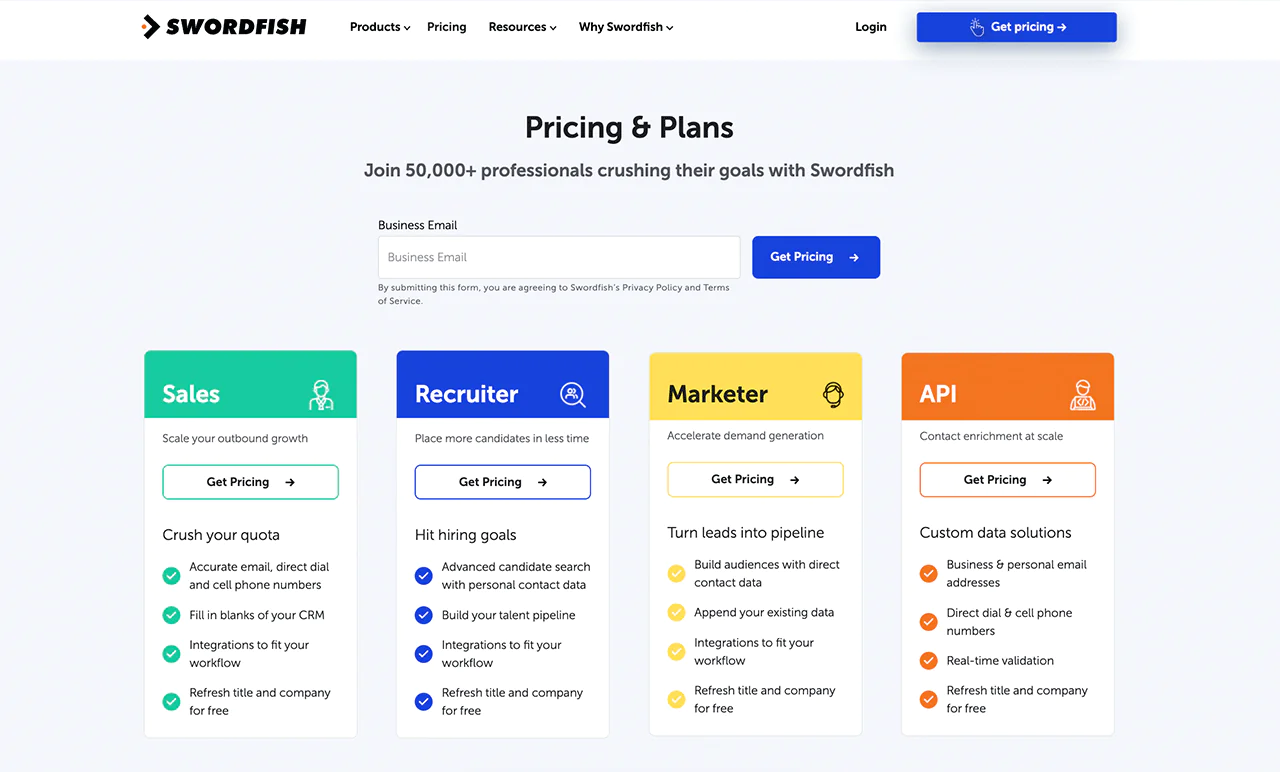
Swordfish AI offers customized pricing options for different needs, including sales, recruitment, marketing, and API integration. You can choose a plan based on your goals, whether you want to boost sales, simplify hiring, enhance marketing campaigns, or access data.
Your plan includes verified email addresses, direct and mobile phone numbers, as well as updates on job positions and company news. For pricing that aligns with your business requirements, simply request the details.
 Try Swordfish Ai
What Users Say About Swordfish AI
- G2: 4.5 out of 5 (84 reviews)
“The tool almost always is able to find a personal email address or personal phone number and many times both. The cell phone number accuracy is better than any other tool I have used.” – Verified User in Staffing and Recruiting
- Capterra: 4.6 out of 5 (12 reviews)
“Swordfish lets me connect with the right candidates for the best jobs. They spider for ways to connect, be it social media or online, and it works. The contact info is validated and accurate, and candidates are amazed when connected. I’ve hired a few through its success.” – Sarah H.
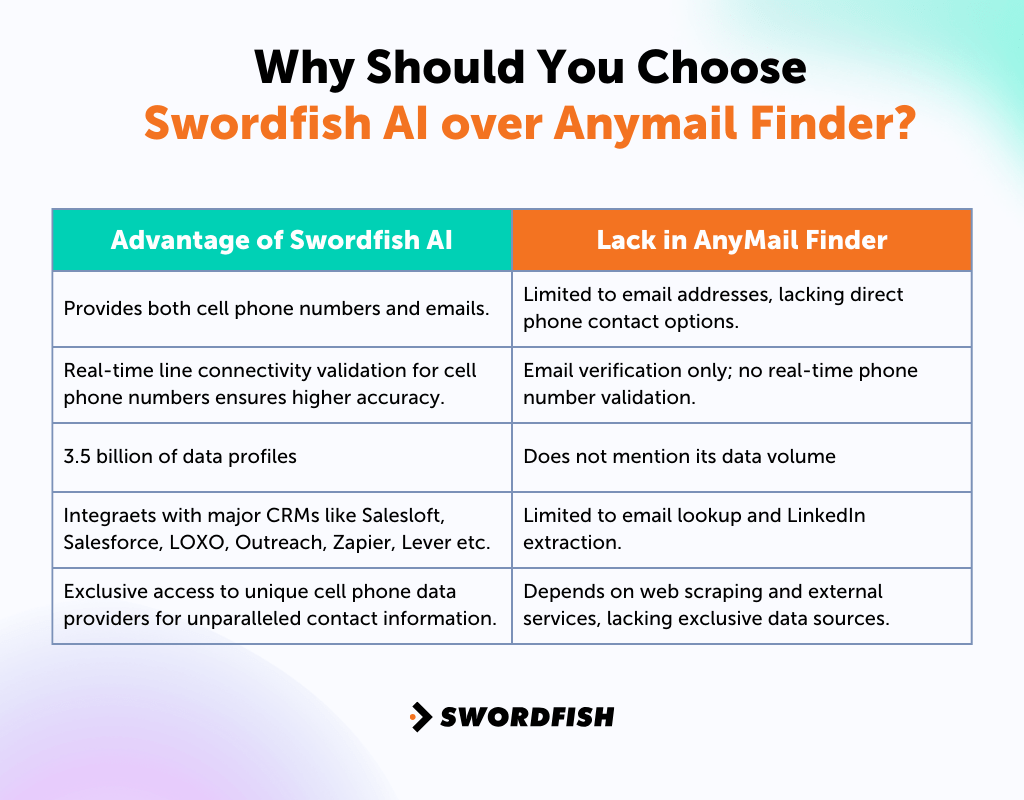
Why Should You Choose Swordfish AI over Anymail Finder?
Swordfish AI may suit teams that need contact information beyond email, including phone numbers. Compare its data coverage, verification features, and pricing with Anymail Finder to see which better fits your workflow.
2. ZoomInfo
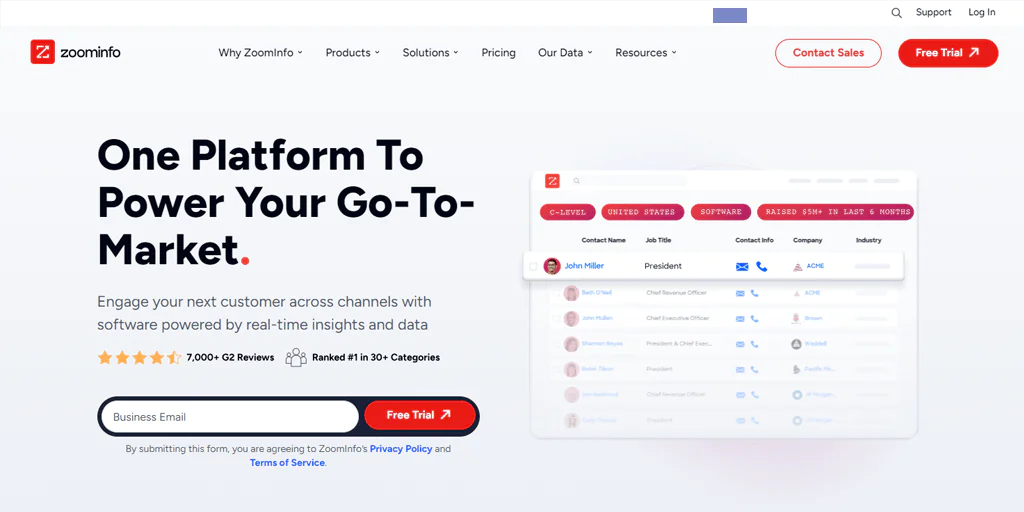
ZoomInfo is worth a look if you’re frequently running into outdated contacts in Anymail Finder. It pulls in a large volume of data daily to keep its records current, with a database built specifically around business-to-business detail.
By collecting data from a variety of sources, it offers insight into companies and their technology stack, which sales and marketing teams can use to prioritize accounts and speed up their pipeline.
A strong grasp of the market and the ability to scale outreach are ZoomInfo’s main advantages over a narrower, email-only tool.
About ZoomInfo
- Founding year: 2007
- Founding team: Henry Schuck.
- Company Size: 3,941 employees
Features of ZoomInfo
Here are some features of ZoomInfo that can help you in lead generation.
- Advanced Search Filters: The platform offers sophisticated search filters, allowing businesses to target high-quality leads precisely. You can find professionals based on job titles, company sizes, industries, and locations.
- AI-Powered Prospecting Tools: ZoomInfo’s AI-driven tools automate prospecting and data enrichment. These tools enhance the accuracy of databases and ensure marketing and sales efforts are directed at the right audience.
- Real-Time Alerts: The platform provides real-time alerts on news and events related to target accounts. This feature enables businesses to stay informed about significant developments, allowing them to adapt their strategies effectively.
- Email Intelligence with InboxAI: InboxAI is an email intelligence tool within ZoomInfo that helps analyze email engagement metrics. It aids in identifying areas for improvement in email campaigns.
- Web Analytics with WebSights: WebSights is a web analytics tool that provides insights into website visitors. It includes demographic information and company size, helping businesses understand and cater to their target audience better.
Note: Read more here most popular Exactbuyer alternatives.
Pros of Using ZoomInfo
- Extensive database with over 150 million contacts.
- Regular updates ensure accurate, current information.
- Advanced search filters for targeted lead generation.
- AI-powered tools for automated prospecting.
- Real-time alerts for account-related news and events.
- Seamless integration with CRM and marketing platforms.
Cons of Using ZoomInfo
- Customer support response can be slow.
- Setup requires time and credit allocation for features.
Pricing
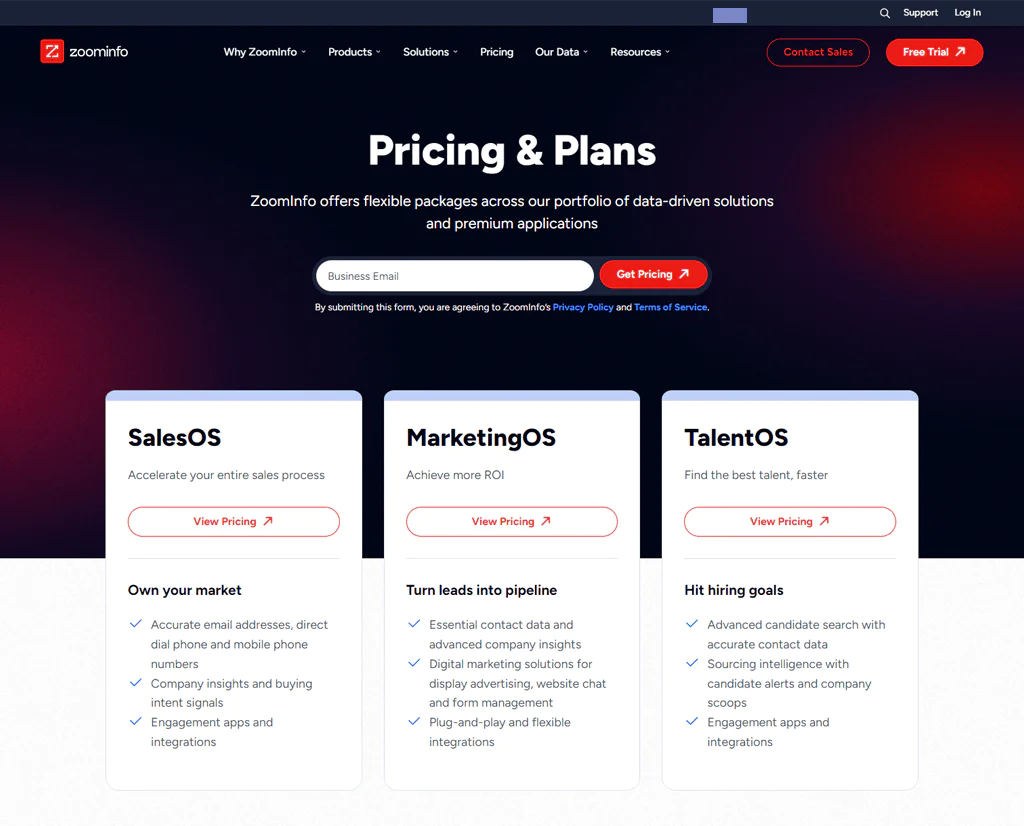
You can get a zoominfo quote upon request.
What Users Say About ZoomInfo
- G2: 4.4 out of 5 (6,891 reviews)
“We were looking for updated phone numbers and perhaps some emails. What we’ve gotten are multiple phone numbers and emails as well as social media contact information. The most amazing part is we don’t get charged if the information that we want the most isn’t available.” – Verified User in Religious Institutions
- Capterra: 4.2 out of 5 (273 reviews)
“Swordfish lets me connect with the right candidates for the best jobs. They spider for ways to connect, be it social media or online, and it works. The contact info is validated and accurate, and candidates are amazed when connected. I’ve hired a few through its success.” – Sarah H.
Is ZoomInfo Better than Anymail Finder?
ZoomInfo is the better option for businesses looking for detailed market insights and a wide range of sales tools. It does more than just find contacts; it provides insight into companies’ intentions, technology use, and engagement tracking in real time, which makes it useful for teams building out SDR lead generation strategies.
Anymail Finder, by contrast, fits teams that need verified email addresses quickly and without extra overhead — especially startups or small businesses running lean, email-focused campaigns.
Our Review of ZoomInfo
ZoomInfo is a solid source for detailed business information and contacts, with a wide-ranging database of phone numbers, job titles, and emails that makes it easy for sales professionals to connect with prospects.
Its advanced search options and CRM integration help teams move from finding prospects to closing deals more efficiently. On the downside, the platform can take time to learn, and custom pricing may be tough for smaller companies to plan around.
3. ContactOut
ContactOut is a strong pick for teams that need broader data access than Anymail Finder provides. It maintains a large database of professional contacts, including email addresses and phone numbers, searchable across more than 300 million professionals.
Its data enrichment feature and Chrome extension add convenience, and ContactOut runs a three-step verification process while staying aligned with GDPR and CCPA requirements.

About ContactOut
- Founding year: 2015
- Founding team: Rob Liu
- Company Size: 51 to 200 employees
Features of ContactOut
ContactOut provides a range of effective tools to help users easily find and connect with professionals. Here are the main features simplified —
- Efficient Search Tool: The platform’s search feature makes it easy to quickly find potential contacts. You can filter your search by job title, company, or industry to find exactly who you need.
- Automated Email Campaigns: ContactOut lets you set up email campaigns that automatically send personalized messages. It also tracks the performance of these campaigns, helping you make them even better.
- Chrome Extension for Easy Data Extraction: The Chrome extension makes it simple to gather contact information from LinkedIn and other websites, saving you time in your prospecting efforts.
- Data Enrichment for Better Outreach: Improve your contact lists with up-to-date information on your leads, including their verified emails and phone number lookup, to make your outreach more effective.
- API for Easy Integration: The API feature integrates ContactOut’s data with your existing tools and workflows, making it easier to use the information effectively.
Pros of Using Anymail Finder
- Efficient LinkedIn integration for email discovery.
- Access to both personal and professional email addresses.
- User-friendly interface enhances workflow.
- Versatile for various outreach strategies.
- Reliable accuracy in email findings.
- Quick and efficient email discovery process.
Cons of Using Anymail Finder
- Dependency on LinkedIn for optimal results.
Pricing
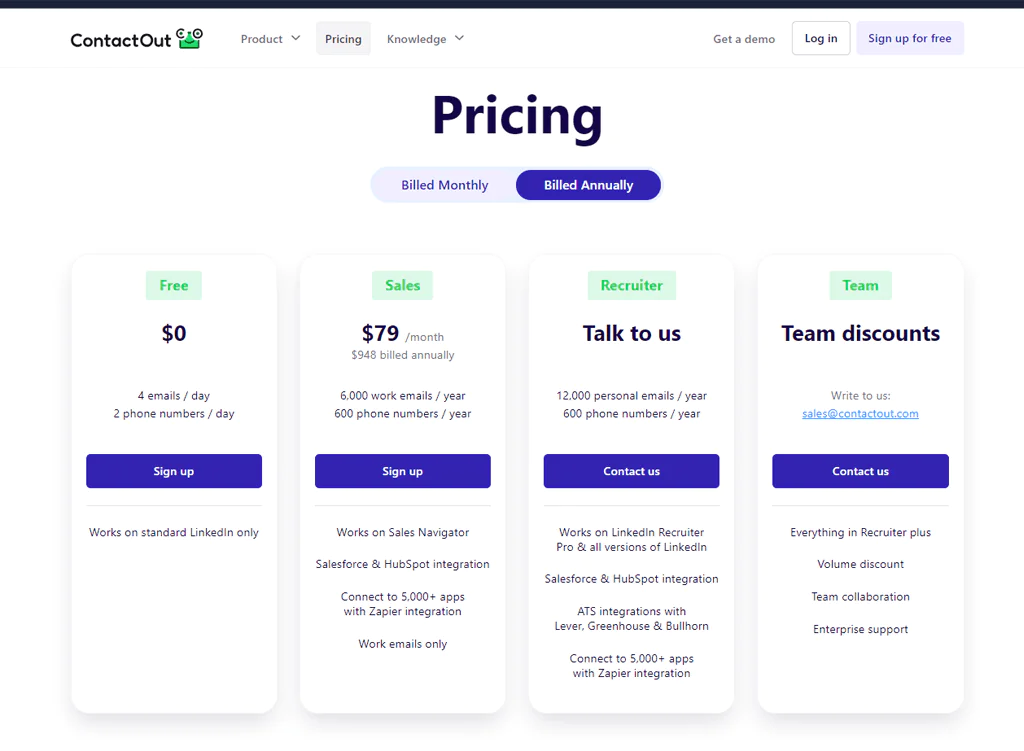
They provide 4 emails and 2 phone numbers daily with their Free plan. For more extensive searches, opt for the Sales plan at $99 monthly, which includes additional email addresses and phone numbers.
Customized services are available under the Recruiter plan, for which details are provided upon inquiry. Additionally, they offer discounts for teams and enterprise support for larger groups.
What Users Say About ContactOut?
- G2: 4.6 out of 5 (97 Reviews)
“The extension, when added to browsers like Chrome or Brave, does not lag and is quick at the worst possible internet speed. Contactout usually has the contacts when other softwares don’t have the data. It’s practically a lifesaver” – Sana K.
- Capterra: 4.4 out of 5 (10 Reviews)
“It works! Most leads can be enriched using the tool, specially for emails. The new interface also makes it much more pleasant to use – and makes me feel like its a more \”professional\” tool” – Verified Reviewer
Is ContactOut Better than Anymail Finder?
If you need a huge database and powerful search features, ContactOut beats Anymail Finder. Access to over 300 million professional profiles makes it easy to find both emails and phone numbers, which is useful for recruiting or sales work that needs wide industry coverage.
Anymail Finder is the better fit when email accuracy and cost control matter more than database size. If those are your main concerns, it’s likely the better choice over ContactOut.
Our Review of ContactOut
ContactOut’s access to a database of more than 300 million professionals stands out, along with detailed contact info spanning emails, phone numbers, and LinkedIn profiles.
The advanced search filters make it easy to zero in on the right contacts, and its adherence to GDPR and CCPA builds confidence in how the data is sourced. For recruitment or sales teams looking for a solid outreach boost, ContactOut is a reasonable option.
Note: Read more here most popular People Data Labs alternatives.
4. Hunter.io
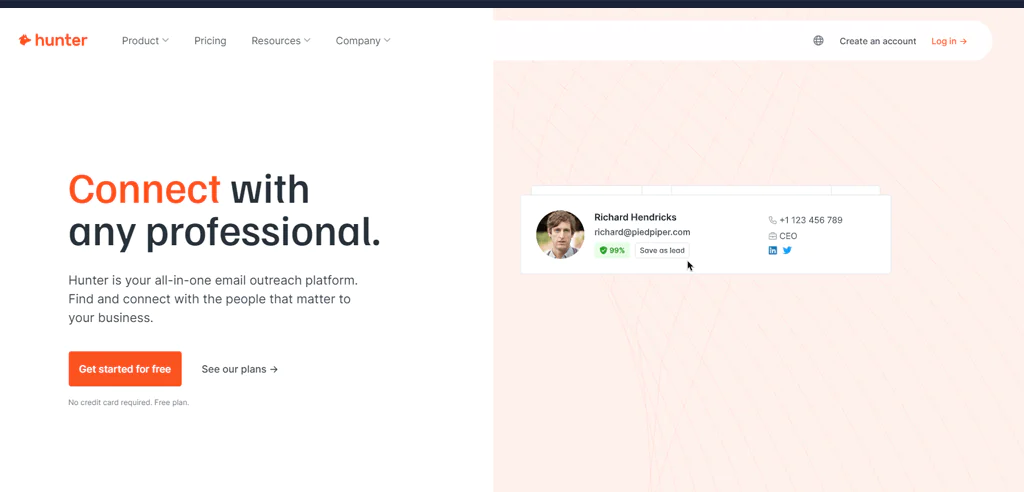
Hunter.io is a well-known solution for finding and verifying professional email addresses. It combines proprietary technology with AI to find, verify, and enrich contact details, and its Domain Search, Email Finder, and Email Verifier features are the core of the product.
Users generally credit the platform with quickly surfacing decision-makers’ contact details with solid accuracy, and its interface and integrations with popular email platforms make it accessible to a wide range of users.
About Hunter.io
- Founding year: 2015
- Founding team: François Grante and Antoine Finkelstein
- Company Size: 1 to 10 employees
Features of Hunter.io
- Domain Search: Quickly find the right contact from a company name or website. This feature simplifies identifying key individuals within an organization, making it easier to target your outreach efforts.
- Email Finder: Type in a name and get a verified email address. Hunter.io’s high match rate ensures you get the most accurate and relevant email addresses for your lists.
- Email Verifier: Avoid email bounces and protect your sender’s reputation. This tool checks the validity of email addresses.
- Campaigns: Send personalized emails at scale. Hunter.io allows you to compose, schedule, and track the performance of your email campaigns.
- Integration: Hunter.io seamlessly integrates with your existing tools, including CRMs and Google Sheets, allowing for efficient workflow management.
- Browser Extension: Find email addresses directly from your browser. The Hunter.io browser extension works with Chrome, Firefox, and Edge.
- API Access: For advanced users, Hunter.io offers API access, allowing you to integrate its capabilities into your own applications or systems for more customized use.
Pros of Using Hunter.io
- User-friendly interface simplifies email finding.
- Chrome extension enhances efficiency and convenience.
- Free basic plan suitable for occasional users.
- Highly accurate email verification tool.
- Extensive database for email searches.
- Effective for medium to large company outreach.
Cons of Using Hunter.io
- Lacks social media search capabilities.
Pricing
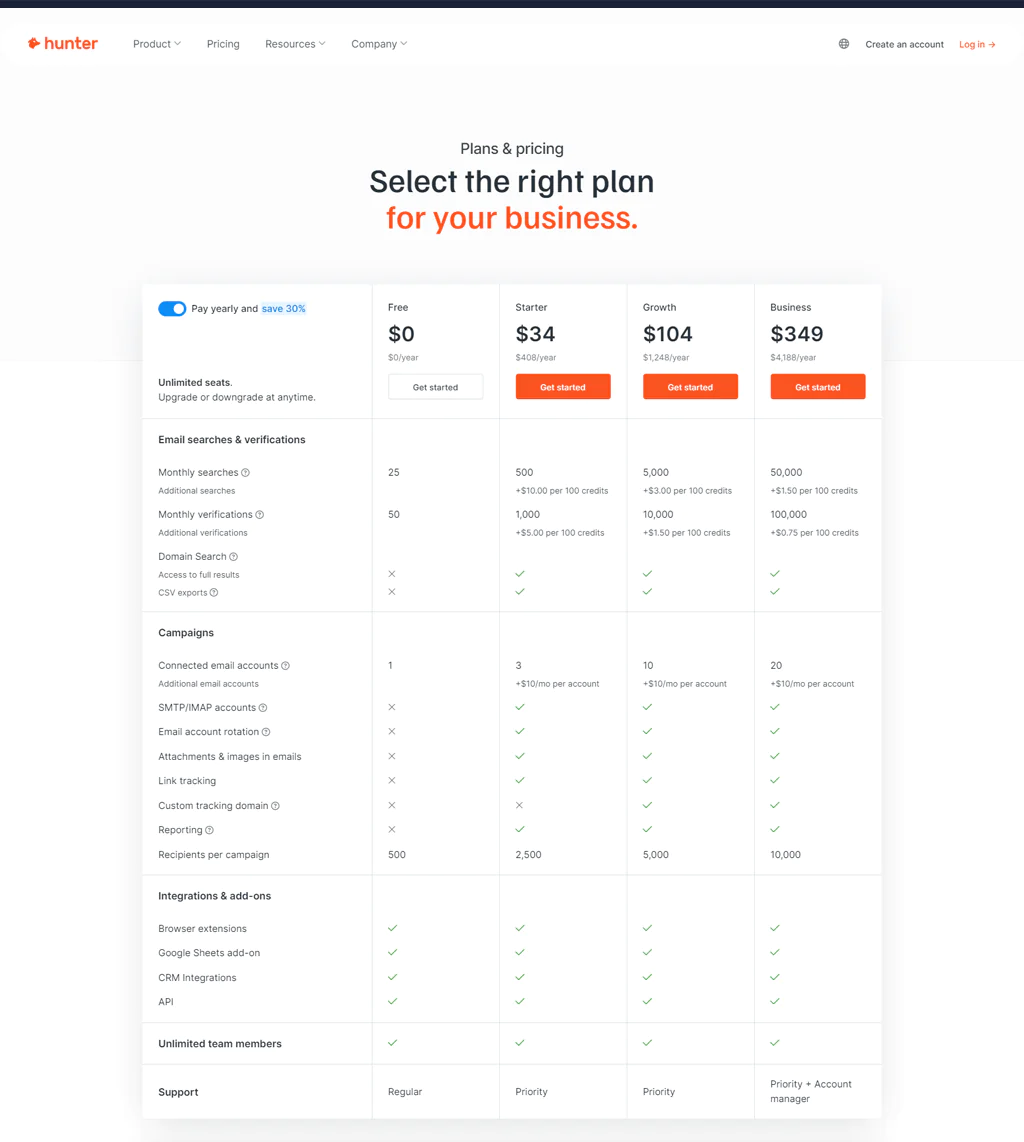
Hunter.io presents various pricing options designed to meet diverse needs. If you’re just exploring, the Free plan at $0 is perfect. For those at the beginning of their journey or small teams, the Starter plan at $49 a month is ideal.
Businesses looking to expand can opt for the Growth plan at $149 a month, while large operations will benefit from the Business plan at $499 a month. Each option is crafted to match your unique needs, helping you maximize your email outreach effectively and straightforwardly.
What Users Say About Hunter.io?
- G2: 4.4 out of 5 (509 Reviews)
“Hunter provides a straightforward and user-friendly experience. The platform’s minimalist design and intuitive interface make it easy for users, regardless of their technical proficiency, to use the tool. The ability to verify email addresses directly within the platform enhances the workflow efficiency, saving time and resources by ensuring the accuracy of contact information before outreach begins.” – Brant P.
- Capterra: 4.6 out of 5 (593 Reviews)
“I have used Hunter as a secondary tool for prospecting for the past 5 years, I’m loyal and I’m ROI positive so it’s a no brainer to continue using the software.” – Shawn S.
Is Hunter.io Better than Anymail Finder?
Hunter.io suits teams focused on email outreach and campaign management. Its Email Finder, Email Verifier, and Campaigns tools work together, along with solid integration options, to support broader email marketing strategies.
Anymail Finder may be a better fit for teams that want a focused way to find and verify email addresses without additional campaign tools. If your priority is email discovery and verification, compare its features and pricing with Hunter.io before choosing.
Our Review of Hunter.io
Hunter.io stands out for professionals streamlining email outreach. Its Email Finder and Verifier tools cut prospecting time and reduce bounce rates, and the Campaigns feature adds personalization and scheduling for cold email sequences.
Its integration capabilities round things out, giving it a solid place among tools built around efficient email outreach.
5. Lusha
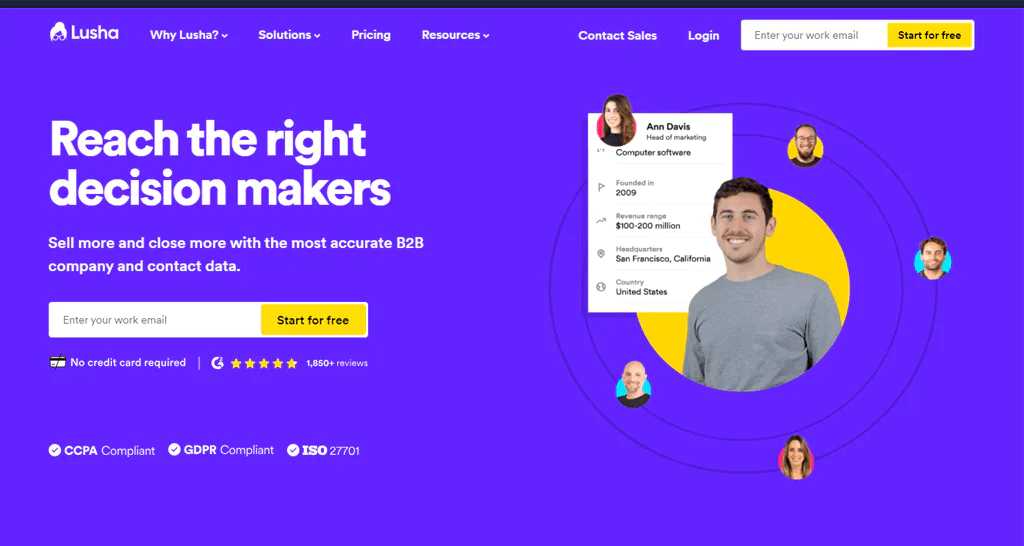
Lusha is worth considering if you need more advanced data than Anymail Finder provides. It offers verified information on contacts and companies for sales, marketing, and recruitment teams, going beyond simple email lookup with a sales intelligence platform, a browser extension for LinkedIn contact details, and prospecting features.
Lusha focuses on data accuracy, follows GDPR and CCPA requirements, and integrates with CRM systems, which helps teams target the right customers with reliable, compliant data.
About Lusha
- Founding year: 2016
- Founding team: Assaf Eisenstein, Yoni Tserruya
- Company Size: 313 employees
Features of Lusha
Lusha distinguishes itself in the competitive B2B data market with features that simplify finding and connecting with potential clients. Here’s how Lusha proves to be an essential tool for professionals —
- Sales Intelligence Platform: This platform boosts your outreach efforts by providing crucial data and insights, making it easier to find and engage your ideal customers.
- Warm Outbound Intent Data: Lusha identifies businesses currently looking for the solutions you offer, enabling you to make contact at just the right time.
- Comprehensive Data Attributes: You’ll receive in-depth information about contacts and companies, such as job titles, phone numbers, and the technologies they use, to help you target your outreach.
- Lusha Extension: This handy browser add-on gives you immediate access to detailed contact and company info on LinkedIn, Salesforce, or any company’s website.
- CRM Integration: Lusha smoothly integrates with your CRM to automatically update and expand your lead database according to your ideal customer profile.
- Privacy and Compliance: Lusha takes privacy seriously, ensuring data security and privacy by adhering to GDPR and CCPA regulations.
Pros of Using Lusha
- Direct access to decision-makers.
- Effortless integration with LinkedIn for effective lead generation.
- Delivers reliable B2B contact details.
- Simple and intuitive interface for easy use.
- Compatible with well-known CRMs to manage leads smoothly.
- Includes helpful learning materials such as blogs and support services.
Cons of Using Lusha
- Only a few free credits are available each month.
Pricing
Lusha offers a range of pricing plans, making it a flexible choice compared to Anymail Finder.
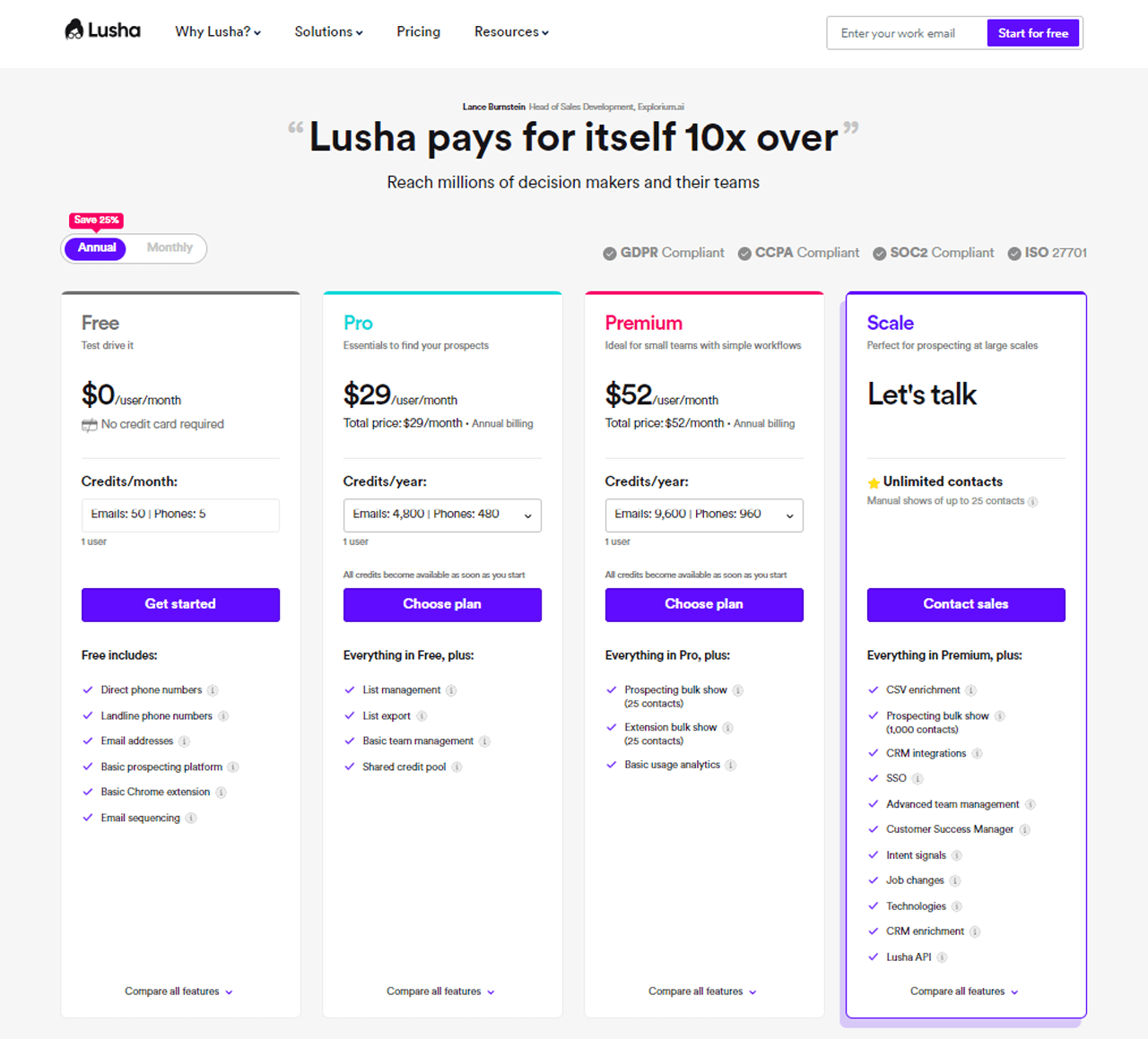
You can start with Lusha’s Complimentary package, which hands you 5 credits at no cost, perfect for beginners. If your needs grow, upgrade to the Advanced package for $39 a month, granting you 40 credits.
Seeking the complete experience? The Elite package, at $69 a month, provides 80 credits. And if you’re looking for something tailored, Lusha’s team is ready to help. Ideal for all levels, from new users to experts.
Signing up is straightforward—simply use your business email.
What Users Say About Lusha?
- G2: 4.3 out of 5 (1,392 reviews)
“It is a very easy tool to use and the fact that is always there in the browser (with the extension installed) you can just click and use it to your liking. It is very convenient and quick. Most of the phone numbers are correct and the emais. The implementation and integration of it is very easy and quick. I use it every day. I have heard that the customer service/ support is great and always happy to help.” – Oriana V.
- Capterra: 4 out of 5 (354 reviews)
“Lusha is a straight forward solution that offers value for money. Compared to expensive competitors it does a fairly good job. Some of the data could be better however it is grate product for speeding up the time taken to find information and generate leads.” – Ben B.
Is Lusha Better than Anymail Finder?
Lusha suits companies looking for an all-encompassing B2B data platform. Its intelligence tools and CRM integration go well beyond verified contact details, which makes it a strong fit for sales and marketing teams working on pipeline growth.
Anymail Finder may suit teams that prioritize email verification and email-based campaigns. Compare its pricing and billing terms with Lusha’s if affordability is a key consideration.
Our Review of Lusha
Lusha delivers solid, exclusive data for business-to-business dealings, giving easy access to business contacts and leads across social media, the web, and sales platforms like Salesforce.
Users often find it simpler to navigate than competing tools, and its data accuracy plus integration options make it more than a basic contact finder — it functions as a fuller sales intelligence service.
6. Snov.io
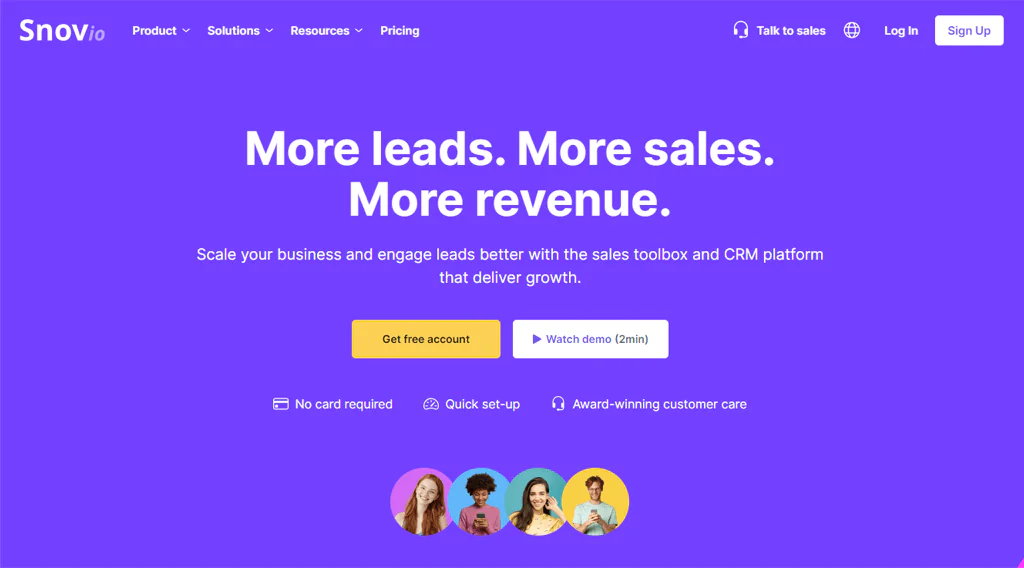
For companies looking for more than what Anymail Finder offers, especially in full sales engagement tools, Snov.io stands out as a strong choice. It’s a complete suite built for B2B businesses, sales development reps, and sales teams, not just an email finder.
Snov.io combines Email Finder, Drip Campaigns, Email Verifier, Email Warm-up, and a Sales CRM into one platform, making it easy to find verified leads, automate personalized emails, and keep your list clean for better delivery.
You don’t need a credit card to start, and setup is quick, which makes it a low-friction way to consolidate lead engagement and sales tooling.
About Snov.io
- Founding year: 2017
- Founding team: Oleksii Kratko
- Company Size: 52 employees
Features Snov.io
Snov.io provides a range of tools aimed at improving the sales process and engaging leads for B2B companies and their sales teams. Below are the main features —
- Email Finder: You can easily search and gather leads that match your ideal customer profile from a large database with various search options.
- Drip Campaigns: It allows to set up automated, personalized email sequences that respond to recipient actions, providing endless follow-ups.
- Email Verifier: Snov.io keeps your email list clean with a thorough 7-step verification process, reducing bounce backs by 98%.
- Email Warm-up: It improves the chances of your emails reaching the inbox by using AI to generate conversations and warm-up emails customized to specific templates.
- Sales CRM: This helps your sales team work more efficiently with a CRM that integrates with Google Calendar, provides multiple sales pipelines, and analyzes deal loss.
- Email Finder Extensions: You can quickly find potential leads using browser extensions that work with LinkedIn, allowing you to add leads directly to your campaigns.
- Email Tracker: It monitors how recipients interact with your emails in real-time, helping you to tweak your approach and get better results.
Pros of Using Snov.io
- Improves interaction with potential customers and speeds up selling activities.
- Brings together a wide range of sales tools on a single platform.
- Easy and fast to start using without needing a credit card.
- Known for excellent customer service that has won awards.
- Available in five different languages, making it easier for international use.
Cons of Using Snov.io
- Platform costs can increase as your business grows.
Pricing
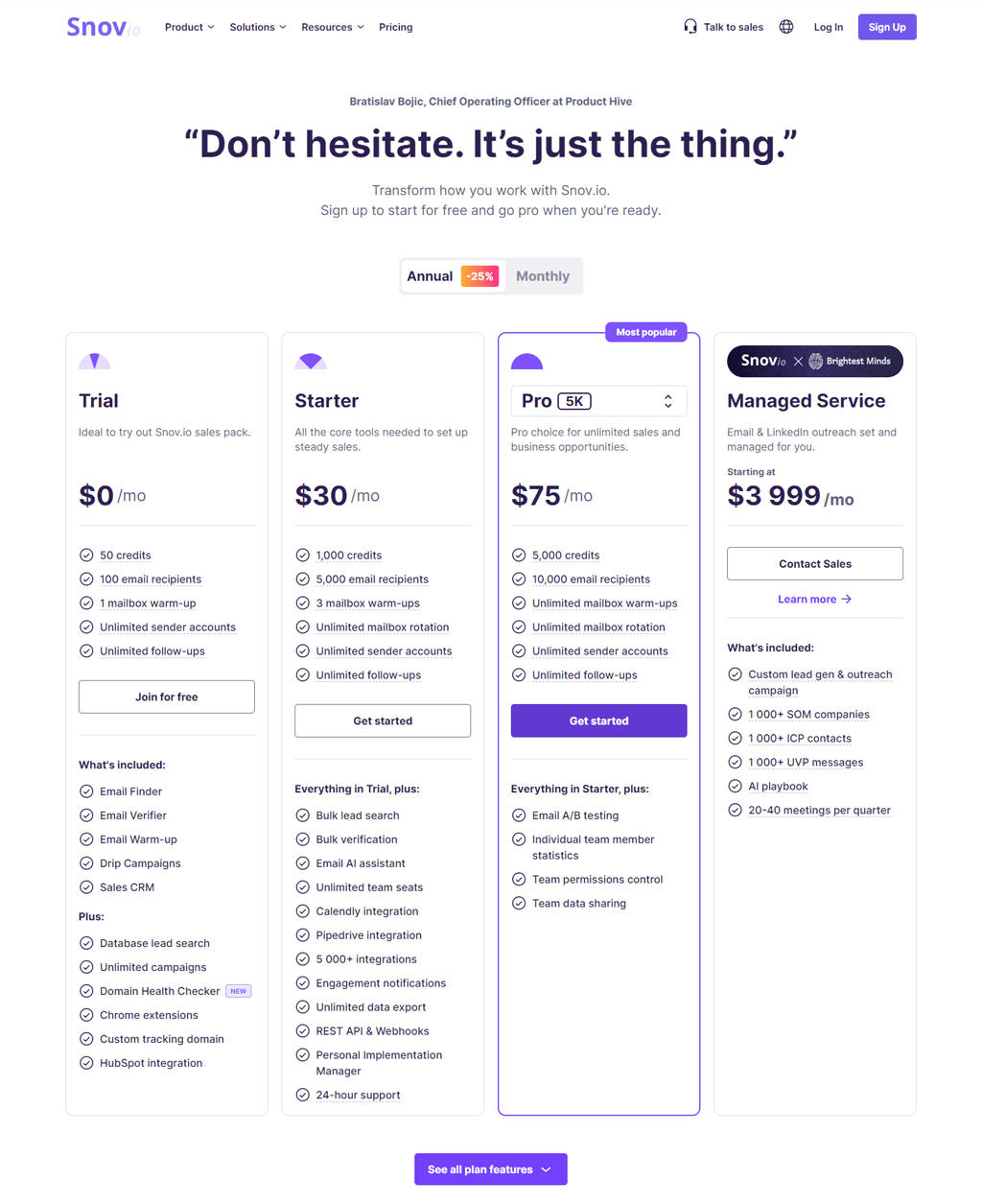
Snov.io offers flexible pricing plans to fit your sales and marketing needs. Snov.io welcomes you with a free Trial package, offering 50 credits and 100 email recipients to get a taste of its capabilities.
For those ready to step up, the Starter package at $30 per month provides 1,000 credits and 5,000 email recipients, ideal for setting up steady sales. The Pro package, most popular at $75 monthly, offers 5,000 credits and 10,000 email recipients, perfect for unlimited sales.
For bespoke services, the Managed Service starts at $3,999 monthly, handling all your email and LinkedIn outreach. Each package is designed to match your journey, from exploring Snov.io to scaling your sales efforts.
What Users Say About Snov.io?
- G2: 4.5 out of 5 (348 reviews)
“Snovio helped me a lot with email extraction from Linked Helper. I also used the warming-up feature for my new email boxes prior to starting the campaigns. The availability of templates (a lot of them divided by categories) makes creating a campaign much easier. Customer support is also very friendly and reacts very fast.” – Oleksii H.
- Capterra: 4.6 out of 5 (207 reviews)
“The platform is amazing and I never have a experience with another tool that do what Snov.io do. I’m old on marketing and always we use social media, leads inbound, with so many contents to convert him and with snov.io is different. We able to collect leads in anywhere, anyplace and any website to our business.Its amazing.” – Jeff C.
Is Snov.io Better than Anymail Finder?
Snov.io is the better choice for businesses that need more than just email finding. Its combination of email finding, drip campaigns, verification, warming, and CRM tooling supports full lead engagement rather than just list-building.
Anymail Finder still wins for teams that just want quick, efficient email verification without extra sales tooling. If a clean list of verified emails is all you need, it’s the more focused choice.
Our Review of Snov.io
Snov.io is a flexible tool for automating and speeding up sales, designed especially for B2B businesses, sales development reps, and sales teams.
Its features span email finding, drip campaign management, verification, and CRM, and the no-credit-card setup makes it easy to test. Strong customer support rounds out a platform built for managing leads at scale.
7. RocketReach
RocketReach is a good option for teams that need detailed contact information worldwide, including both phone numbers and email addresses. Its AI technology also suggests contacts you might not have considered and helps keep prospect lists current.
It integrates with CRM and marketing tools like Salesforce and HubSpot, which makes it easier to slot into an existing workflow rather than working around a standalone tool.

About RocketReach
- Founding year: 2015
- Founding team: Amit Shanbhag and Andrew Tso
- Company Size: 51 to 200 employee
Features of RocketReach
RocketReach offers a range of features to improve how you find and connect with potential contacts. Here’s a quick look at what it offers
- Smart Recommendations: The AI system helps you find new contacts who fit your search needs, broadening your network.
- Up-to-date Lists: Its automatically refreshed lists of contacts and companies make targeting easier, based on criteria like location and industry.
- Buyer Interest Insights: This helps to learn which potential customers are looking for your solutions, giving you an advantage.
- Easy CRM Connections: RocketReach Works smoothly with CRM and marketing tools like Salesforce and HubSpot, making your work more efficient.
- Broad API Access: It uses over 4.5 billion records to improve your apps or data, with fast and comprehensive access.
- Handy Browser Extension: This can quickly find contact and company information without leaving your web browser, saving you time.
Pros of Using RocketReach
- Helps you find contacts quickly using AI suggestions.
- Makes managing your contact lists easier with automatic updates.
- Lets you reach a lot of data with its powerful API.
- Helps you stay ahead by showing you who’s looking for what you offer.
- Easily works with popular CRM systems.
Cons Using RocketReach
- Might be too expensive for smaller companies.
Pricing
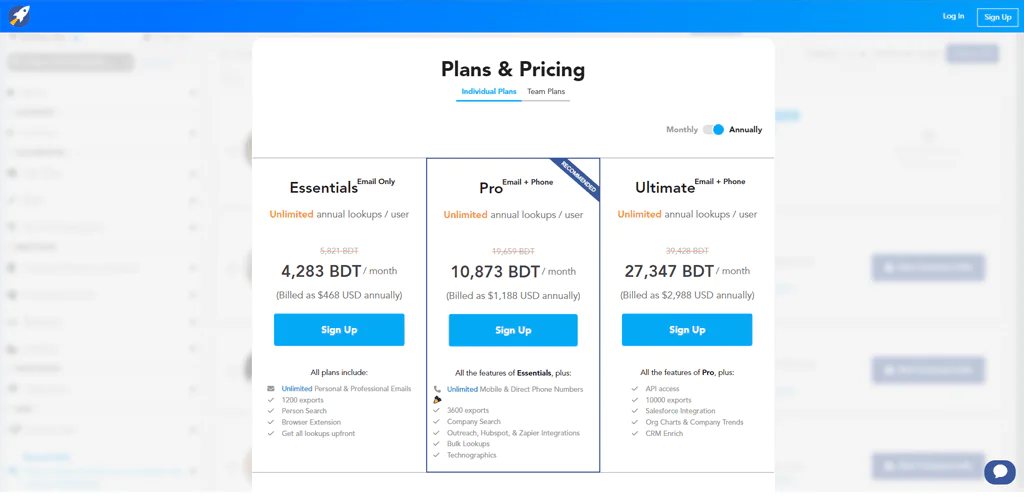
RocketReach has designed three packages to match your specific requirements. Starting with the Essentials package, it’s priced at $80 a month and offers unlimited searches for emails and allows you 80 lookups, making it a great choice for individuals.
The Pro package steps it up to $150 a month, bringing in both email and phone lookups, increasing your lookups to 200 and adding useful integrations. It’s perfect for those who need a bit more from their searches.
Lastly, the Ultimate package, at $300 monthly, gives you everything in the Pro plan plus the ability to access their API and 500 lookups. It’s aimed at businesses that require the most detailed data and integration with their CRM systems.
What Users Say About RocketReach?
- G2: 4.5 out of 5 (636 reviews)
“I am working as an export sales, data is very important thing for my job, I tried a lot of other sites and services to get data, but never had any website or service like Rocketreach, honestly I got a lot of benefit from this website…also its integration with linkedin is awesome, final thing to talk about is customer service which is very quick to respond” – Musab H.
- Capterra: 4.2 out of 5 (126 reviews)
“I use RocketReach to get contact information in order to reach out to candidates I want to recruit. It’s an easy Chrome add-in, and very easy to use.” – Emerson Howell N.
Is RocketReach Better than Anymail Finder?
RocketReach fits companies looking to reach a wide audience globally, with a large contact base and AI-driven suggestions that make it easy to expand a prospect list. Its CRM and marketing tool compatibility helps it slot into existing workflows.
Anymail Finder remains a strong pick for smaller businesses focused on making every email count without a large budget, thanks to its verified-only billing model and straightforward interface built around building targeted email lists.
Our Review of RocketReach
RocketReach’s network of professionals worldwide, paired with its accuracy-focused verification process, makes it a dependable option for teams looking to expand their contacts.
AI-driven suggestions and automatic list updates make finding and connecting with new leads easier, and integration with well-known CRM and marketing tools plus a browser extension round out the package for companies of all sizes.
8. AeroLeads
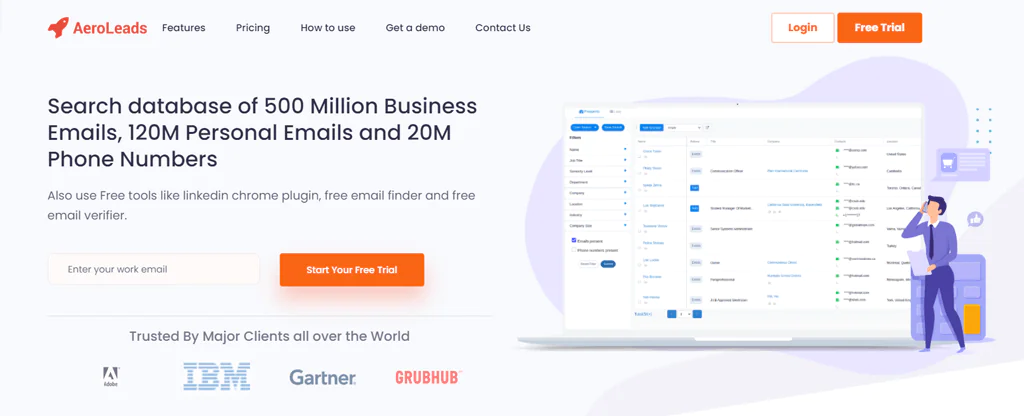
AeroLeads offers a broad range of features for those looking for detailed email and contact information, going beyond what Anymail Finder provides. With access to a large base of prospects, including business and personal emails and phone numbers, AeroLeads aims to keep contact details current.
Its Chrome extension makes finding and confirming emails easier, and it integrates with popular CRM systems while including a bulk email verifier and an email campaign tool.
The real-time email checking feature is particularly useful for keeping accuracy high and reducing the chance of working from outdated information, and AeroLeads’ varied pricing options make it workable for both small and large businesses.
About AeroLeads
- Founding year: 2014
- Founding team: Pushkar Gaikwad
- Company Size: 11 to 50 employees
Features of AeroLeads
AeroLeads comes packed with features that make it easy for businesses to find and confirm email contacts quickly —
- Wide Database: You can look through a large base of profiles for business emails and phone numbers, helping you find more potential leads.
- Instant Email Check: The system checks emails as you find them, so you’re less likely to run into old or wrong information.
- Easy-to-Use Chrome Extension: With our Chrome extension, you can automate the search for and verification of emails without leaving your web browser.
- Works Well with CRMs: AeroLeads fits smoothly into many popular CRM systems, making managing and moving your data easy.
- Check Many Emails at Once: You can check a large number of email addresses at the same time, which can make your email marketing more effective.
- Manage Email Campaigns Easily: AeroLeads offers tools to help you set up and manage your email campaigns right from your Gmail, including scheduling emails and planning follow-ups.
Pros of Using AeroLeads
- Contacts are checked and updated immediately.
- Easily works with well-known CRM systems.
- A browser add-on makes finding leads easier.
- Quickly checks many emails at once.
- Support is available 24/7 for any issues.
Cons of Using AeroLeads
- The price might be too high for small businesses or startups.
Pricing
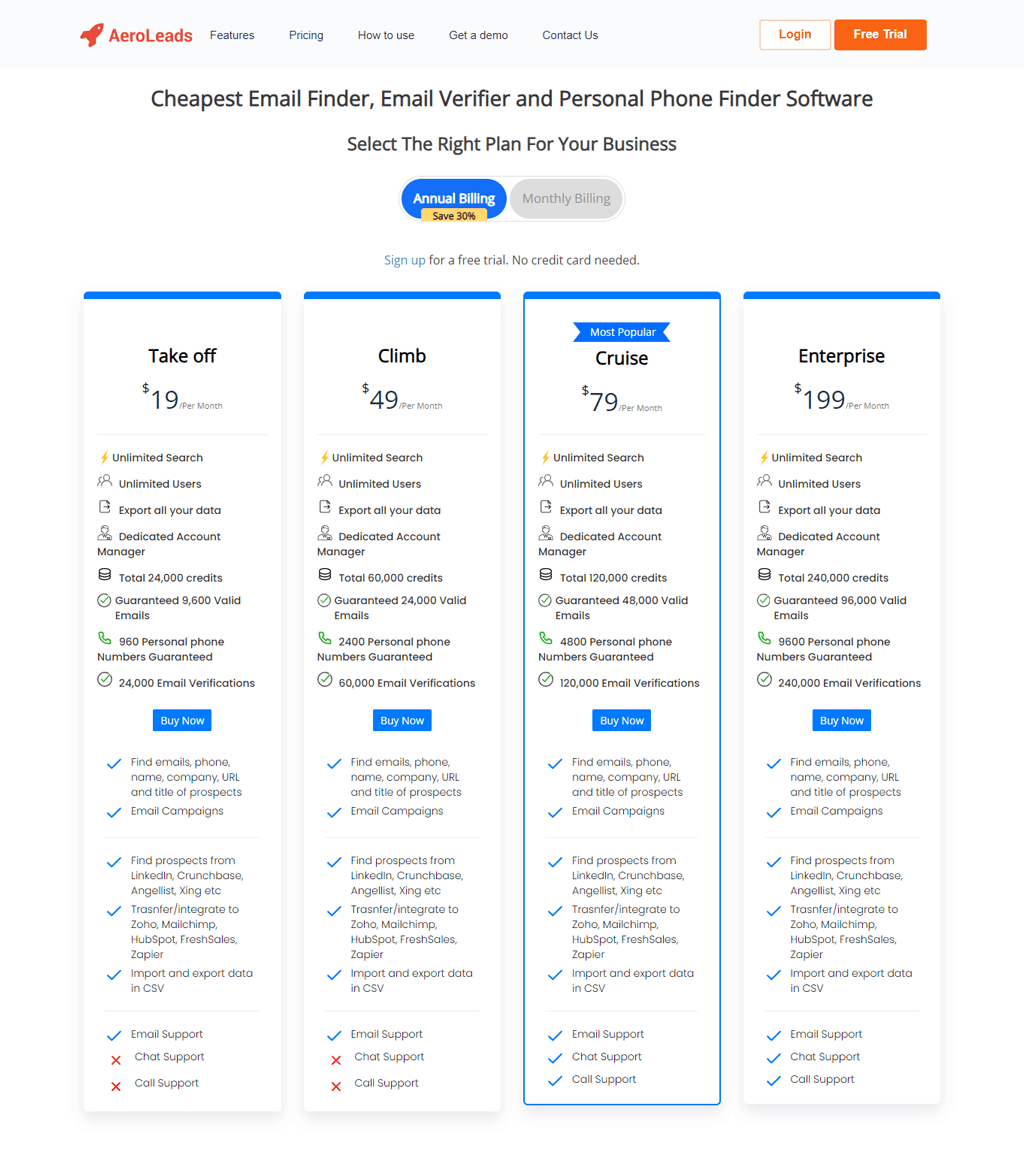
AeroLeads offers a variety of pricing plans tailored to fit your business needs. Whether you’re a small startup or a large enterprise, you can choose a plan that suits you best. AeroLeads offers four easy-to-understand plans.
Begin with the Take off plan for $39 a month, which includes unlimited searches and 24,000 credits, making it great for solo users. The Climb plan costs $59 a month and increases your credits to 60,000, perfect for expanding teams.
For more established groups, the Cruise option at $99 a month gives you 120,000 credits. Lastly, the Enterprise plan at $249 a month provides a hefty 240,000 credits, aimed at large organizations.
What Users Say About AeroLeads?
- G2: 4 out of 5 (61 reviews)
“Perfect for B2B and lead generation businesses. Data is accurate and one can nurture and score leads easily. good to use tool and easy to use.There are lots of benefits that we have got and have achieved our targets regularly. I would recommend this to all.” – Abhik D.
- Capterra: 4.6 out of 5 (38 reviews)
“Aeroleads was a welcome surprise, because in times of miraculous solutions, sniffers, xploits and other \”free\” ways to damage and even steal personal and corporate data with dubious intentions, AL was honest in its proposal and delivery even what it promises. So far so good” – Paulo S.
Is AeroLeads Better than Anymail Finder?
AeroLeads is the stronger choice for teams that need a vast database along with instant email checks, since it validates emails on the spot and helps companies scale lead generation and email marketing with reasonably current data.
If precision in email verification and a simple lookup process are what you’re after, Anymail Finder remains the go-to option, offering emails that have been verified by the server for reliable, targeted outreach. If you’re exploring options beyond Anymail Finder, our AeroLeads Alternatives guide can help you discover alternative tools and find the perfect fit for your outreach requirements.
Our Review of AeroLeads
AeroLeads works as a practical tool for companies looking to improve lead generation and email marketing, with access to a large database that includes business and personal emails along with phone numbers.
Real-time email validation and a Chrome extension with CRM integration make it easier to gather and check contact details, which is useful for sales teams, digital marketers, and recruiters trying to make outreach more efficient.
9. FindThatLead
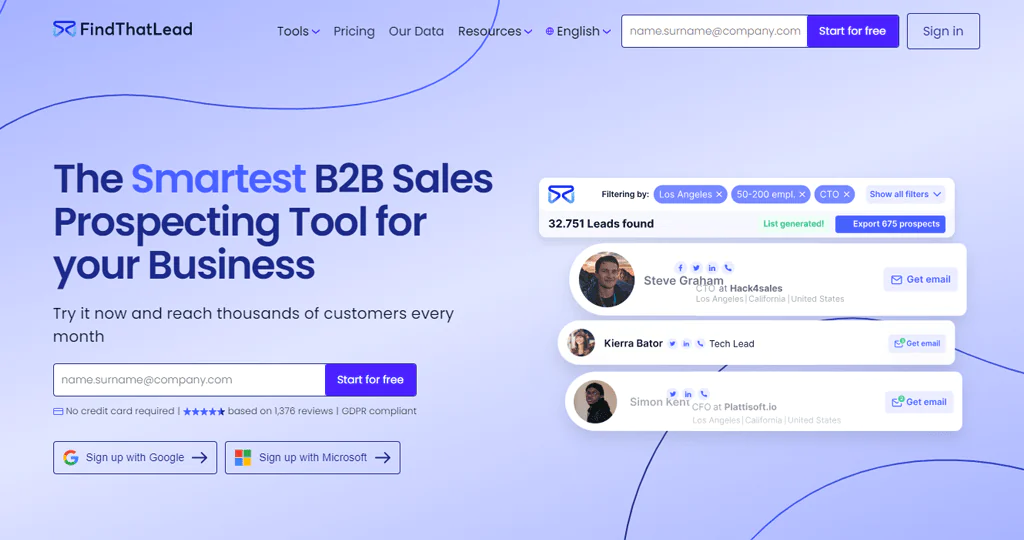
FindThatLead offers a wider range of features than Anymail Finder, especially for real-time data gathering and broader lead generation. Users input details such as industry, role, location, or specific keywords to get a customized list of email addresses, which can be further refined with detailed filters.
Its Chrome extension and social media search make it easier to find email addresses directly from websites, and it includes tools for sending and managing cold emails.
About FindThatLead
- Founding year: 2014
- Founding team: Gerard Compte and Cristian Vitales
- Company Size: 11 to 50 employees
Features of FindThatLead
With FindThatLead, B2B businesses can generate leads and manage emails more efficiently. Below are the main functionalities it offers —
- Lead Search: This feature allows you to pinpoint potential leads by specifying details like industry, job role, location, or keywords. It also includes detailed filters for more targeted search results.
- Email Verification: It checks the validity of email addresses using a thorough verification process, ensuring the contact information you gather is accurate.
- Chrome Extension: With this tool, you can capture email addresses directly from websites, LinkedIn, and Crunchbase, making the process of collecting leads more efficient.
- Social Search: This function helps you discover and confirm email addresses from social media profiles, which is especially handy for reaching out on LinkedIn.
- Email Sender: It supports you in designing and executing cold email campaigns, with options for custom drip campaigns to engage potential leads over time.
- Prospector Tool: This tool simplifies lead prospecting by generating up-to-date email addresses in real-time, complete with advanced filtering options to ensure you’re targeting the right audience.
- Manager Tool: Serving as a built-in CRM, this feature assists in organizing, tagging, and categorizing leads to streamline your sales strategies.
Pros of Using FindThatLead
- Makes it easy to locate precise leads using detailed search options.
- Improves outreach efforts through customized cold email campaigns.
- Increases efficiency with a Chrome extension for quick email collection.
- Ensures data protection practices are up to par with GDPR requirements.
- Provides a no-cost option for users to explore its features.
- Keeps lead data fresh and accurate with updates in real-time.
Cons of Using FindThatLead
- Using monthly credits may limit your lead generation.
Pricing
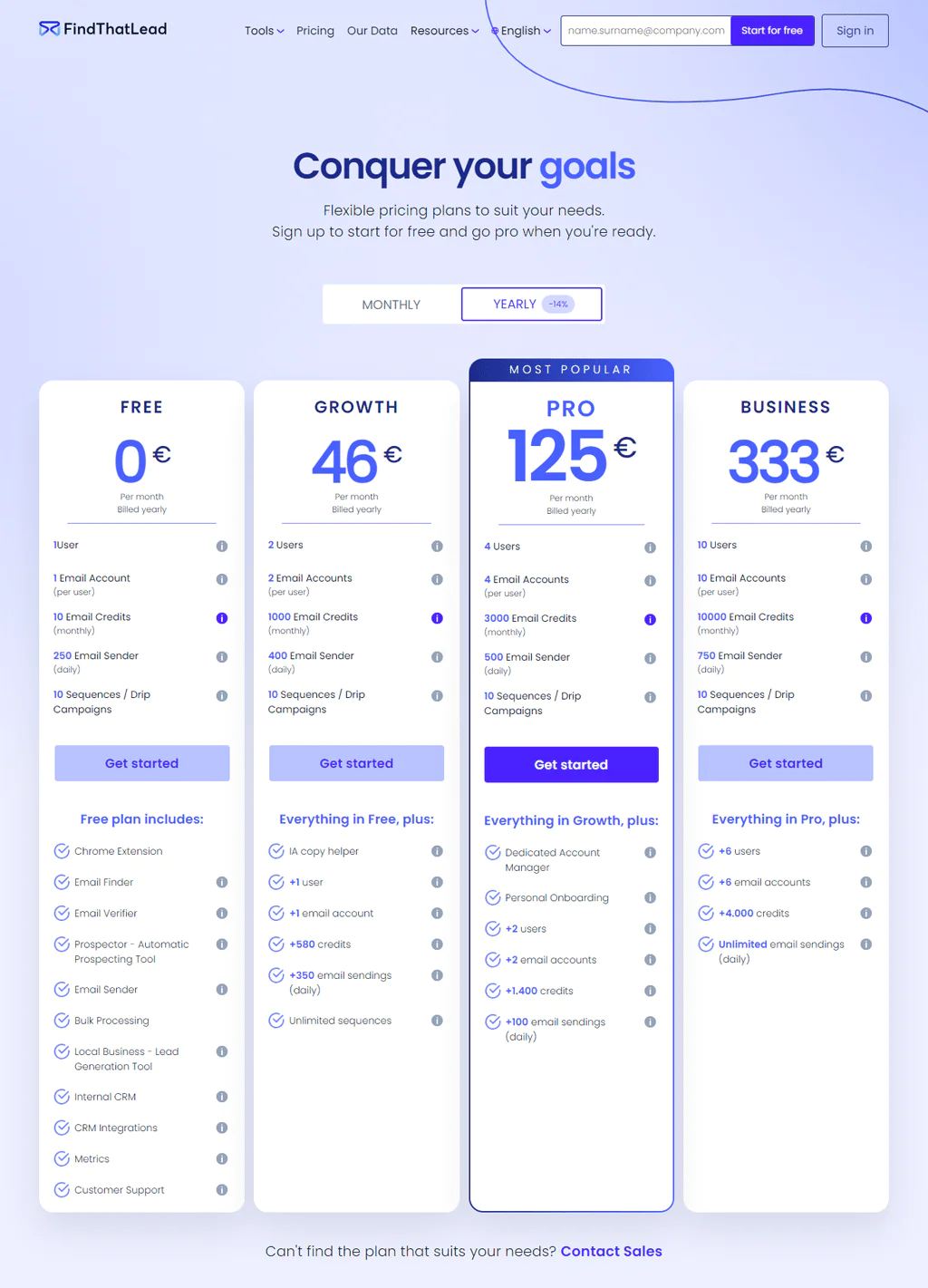
Whether you’re just starting or scaling up, FindThatLead has a plan for you. Its pricing begins with a no-cost Free plan offering 10 email credits each month, perfect for newcomers.
The Growth plan, priced at €46 a month, comes with 1,000 credits and extra tools, making it a good fit for small groups. The Pro plan, at €125 a month, ups the ante with 3,000 credits and includes personalized setup, aimed at advanced users.
For big teams, the Business plan at €333 a month provides a hefty 10,000 credits. Each option is designed to support your lead generation journey, from start-up to scale-up.
What Users Say About FindThatLead?
- G2: 4 out of 5 (84 reviews)
“It works very faster than other softwares. We have to install its extension but it works very fastly on web page also. Its best thing is that we can verify so much bulk emails at a time in its verify option.” – Prasad D.
- Capterra: 4.2 out of 5 (74 reviews)
“A really good tool to identify leads and get their contact info. Anyone who’s looking to get new clients, partners or similar should streamline their work with it.” – Ratko I.
Is FindThatLead Better than Anymail Finder?
FindThatLead is the more complete tool for lead generation and email marketing, with advanced search options, a Chrome extension, and social media search that let you identify, verify, and contact leads more quickly, plus the ability to build custom lists and run targeted cold email campaigns.
Anymail Finder still wins for anyone whose main need is finding and verifying email addresses swiftly and accurately, and its policy of only charging for verified emails keeps it cost-effective for that narrower job.
Our Review of FindThatLead
FindThatLead is a capable tool for B2B lead generation, with detailed search options that help put together accurate, customized email lists.
Its Chrome extension and social media search make gathering emails easier, and GDPR compliance plus a straightforward design make it accessible for companies looking to scale lead generation without a steep learning curve.
10. GetProspect
GetProspect is a strong option for teams seeking advanced data enrichment features beyond what Anymail Finder offers. Based in Ukraine, it focuses on finding emails and building B2B contact lists for sales teams, marketers, and recruiters.
By searching public websites and pulling in information from trusted sources, GetProspect works to keep its database current. Its key offerings include bulk email search, LinkedIn integration, and instant email verification.
GDPR compliance and a focus on data integrity round out its appeal as a lead-generation partner.
About GetProspect
- Founding year: 2016
- Founding team: Dima Shulga
- Company Size: 11 to 50 employees
Features of GetProspect
GetProspect offers a range of tools to make finding leads and sending emails easier. Here’s a quick overview —
- Finding and Checking Emails: This can quickly find and check the accuracy of emails, with a promise of 95% correctness.
- LinkedIn Tool for Finding Emails: It uses a simple tool to get emails from LinkedIn without much work.
- Gathering Lots of Emails at Once & Adding Details: GetProspect collects many emails at once and adds important details like where they’re located, their industry, and their job titles.
- Software for Sending Cold Emails: It uses automated software that helps you send personalized cold emails that are more likely to be opened and read.
- Working with CRMs: Easily move your detailed contact lists into popular customer relationship management systems like HubSpot, Salesforce, and Zoho to keep everything organized.
- Following Privacy Laws: Follow strict privacy laws to protect the information of the people you’re reaching out to.
Pros of Using GetProspect
- Minimizes the chance of emails not being delivered.
- Offers a wide-reaching database with millions of business contacts worldwide.
- Complies with GDPR, ensuring the protection of personal data.
- Offers real-time verification to confirm the validity of contacts.
- Features a user-friendly tool for quickly finding emails on LinkedIn.
Cons of Using GetProspect
- The free version doesn’t offer number search.
Pricing
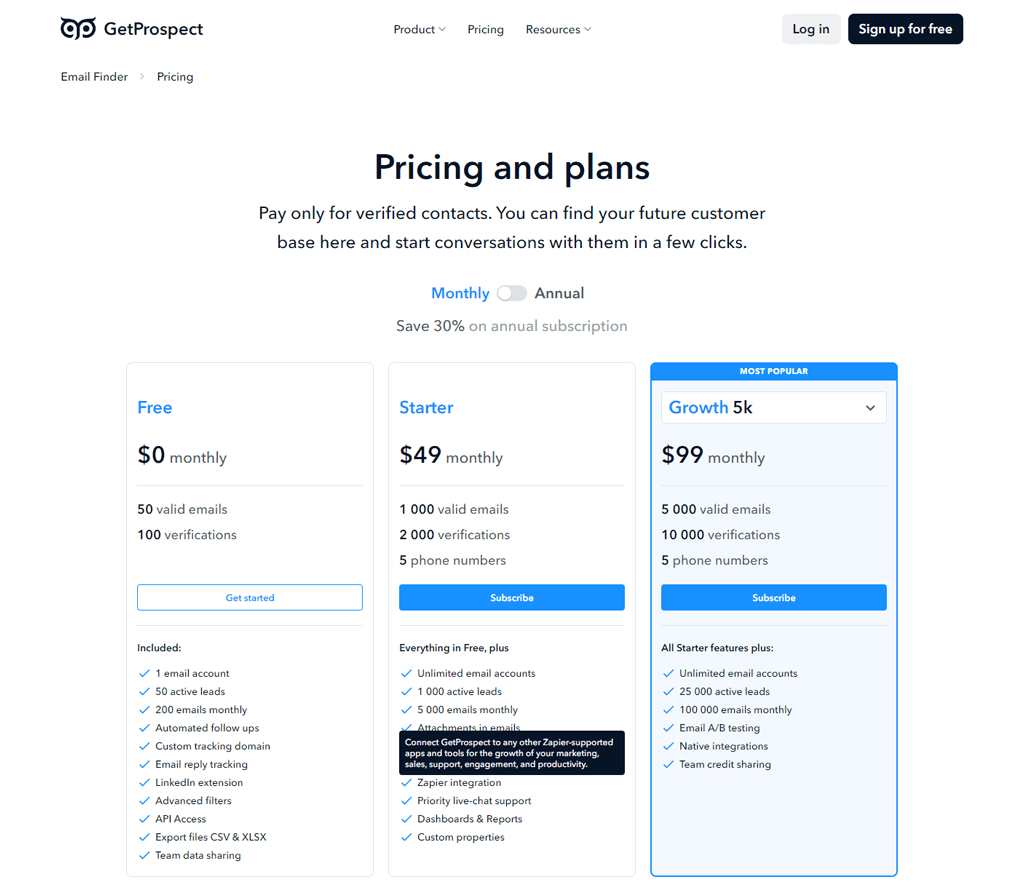
With GetProspect’s pricing, you’ll find options that fit a variety of needs, from starting out to scaling up. It offers a Free plan to get you started with 50 valid emails and 100 verifications monthly at no cost, perfect for trying out the basics.
The Starter plan at $49 monthly boosts this to 1,000 valid emails and 2,000 verifications, ideal for individuals or small teams. For growing businesses, the Growth plan at $99 monthly provides 5,000 valid emails and 10,000 verifications.
From the beginning to scaling up, each plan is designed to fit your lead generation needs.
What Users Say About GetProspect?
- G2: 4 out of 5 (38 reviews)
“I can do a single source or a an open feed on Linkedin on front in – Free as well as in paid platforms. You can build list easily and fast the data accurate and affordable.” – Tammie M.
- Capterra: 4.5 out of 5 (91 reviews)
“I use GP to gather the esential data, including corporate email address from objective prospects. I like they include a complete set of data, including the domain of the prospect, what is not always delivered by some competitors. But what I like most is their support, very agile and effective.” – PABLO R.
Is GetProspect Better than Anymail Finder?
GetProspect fits teams that need a large B2B contact list and LinkedIn-based email finding, with a database covering more than 200 million business contacts and a stated 95% accuracy rate. That makes it appealing for sales, marketing, and recruiting teams that need detailed contact info at volume.
Anymail Finder is a better fit for users who want a simple way to find and verify email addresses, particularly when confirming deliverability matters more than database breadth or LinkedIn depth.
Our Review of GetProspect
GetProspect’s stated 95% data accuracy rate gives users confidence in the contacts they reach out to, and features like pulling emails directly from LinkedIn plus on-the-spot verification make it a solid fit for sales teams, marketers, and recruiters.
A simple interface and a range of search options make finding and confirming potential contacts straightforward.
How to Choose the Best Anymail Finder Alternatives for Your Business
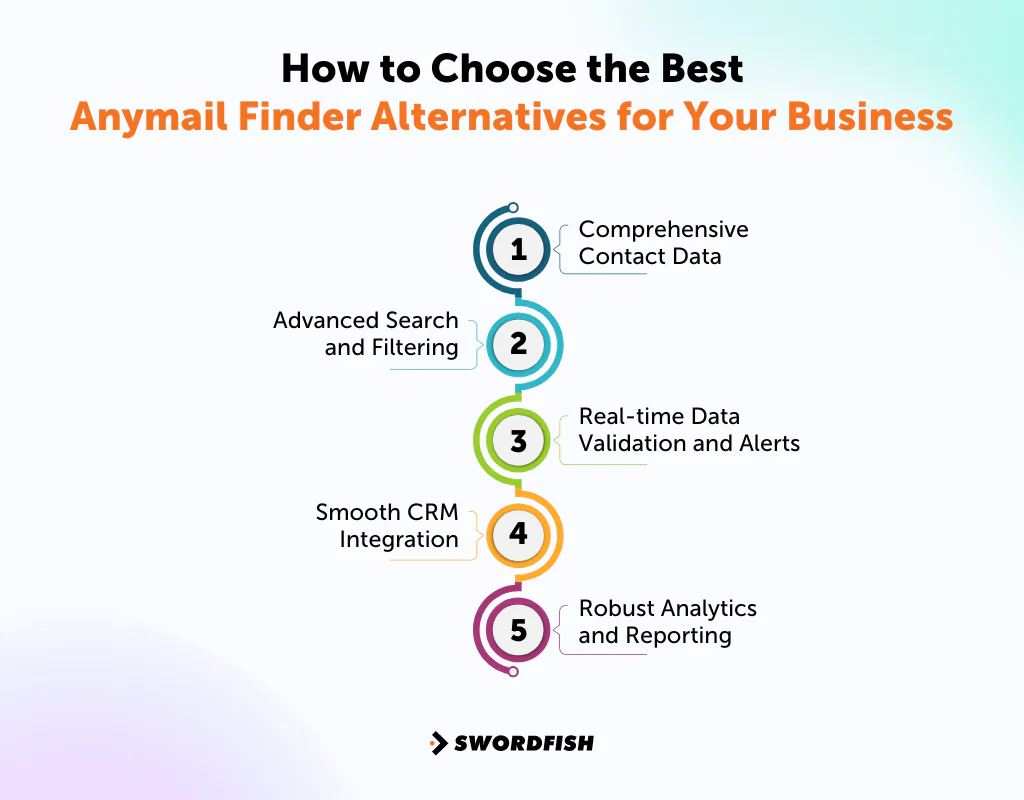
When evaluating Anymail Finder alternatives, look for tools that make outreach and lead generation easier without adding friction. Here are the main features worth weighing, regardless of which specific platform you’re considering.
Comprehensive Contact Data
Choose a tool that gives you access to a large database of contacts, including phone numbers and email addresses. Look for platforms that cover a wide base of professionals and companies and verify their data through more than one step.
A verified phone number gives teams another channel for reaching decision-makers, alongside email. Whether phone outreach performs better than email depends on the audience, message, and outreach process.
Advanced Search and Filtering
Make sure the tool includes sophisticated search filters and AI-driven features for finding and enriching contacts. These tools help you accurately find the right people and companies by filtering through job titles, company size, industry, location, and more, which is vital for finding quality leads.
Real-time Data Validation and Alerts
Seek out tools that validate contact information in real time and send alerts about relevant news and events. These features help you keep your information current and let you tweak your outreach plans based on new information, keeping sales and marketing efforts relevant.
Smooth CRM Integration
Pick a tool that easily works with well-known Customer Relationship Management (CRM) systems. This smooth integration helps you keep your records up to date and makes your sales processes more efficient, cutting down on manual data entry.
Robust Analytics and Reporting
Go for a tool with strong analytics and reporting features. These allow you to see how well your outreach is working, understand your conversion rates, and spot opportunities for improvement, so you can refine your approach with clear evidence instead of guesswork.
So, What’s The Best Anymail Finder Alternative?
Swordfish AI may be a fit for teams seeking cell phone numbers alongside contact verification. Check its current verification process and CRM integrations against your team’s requirements.
ZoomInfo and ContactOut are other alternatives to consider. The article presents ZoomInfo as an option for broader business data and analytics, and ContactOut for finding professional email addresses and phone numbers.
The right choice depends on your team’s priorities, such as contact coverage, verification, outreach features, and budget. Consider Swordfish AI if access to cell phone numbers is a priority.
Conclusion
Each tool in this list has different strengths and trade-offs. Anymail Finder is presented as a focused option for finding and verifying email addresses.
If your team also needs broader contact data, phone numbers, CRM integrations, or campaign tools, compare the alternatives against your budget and workflow.
Consider an alternative if Anymail Finder does not meet your team’s needs. For example, Swordfish AI may be worth evaluating if you need contact data beyond email; compare its features and data coverage with your requirements.
Try Swordfish AI, today!
Frequently Asked Questions
What is Anymail Finder?
Anymail Finder is a web-based tool primarily used for finding and verifying email addresses. With it, businesses and individuals can simplify outreach and marketing by contacting professionals and potential leads reliably.
Are there any cost-effective alternatives to Anymail Finder for small businesses or startups?
Yes, several alternatives offer flexible pricing plans suitable for small businesses or startups. Hunter.io and ContactOut, for example, provide free tiers or trial periods, allowing users to test their services before committing.
Can alternatives to Anymail Finder improve my email marketing campaign effectiveness?
Yes, alternatives like Snov.io, ZoomInfo, Hunter.io, and Lusha can enhance your email marketing campaigns. You can segment and target your audience more effectively using richer datasets, including behavioral and demographic data. Additionally, their advanced search and verification tools ensure higher email deliverability.
Is Anymail a direct competitor to GetProspect?
No, GetProspect and Anymail are not direct competitors. While both offer solutions for lead generation, they may have different features, functionalities, and target audiences. For a comprehensive exploration of GetProspect and other alternatives, check out GetProspect alternatives.
Where can I find more information about UpLead as an alternative to Anymail Finder? You can visit UpLead’s website to learn more about its features, pricing, and how it can serve as a reliable alternative to Anymail Finder. UpLead Alternatives

