


 View Products


Key takeaways
- Clean and deduplicate a CSV before enrichment to reduce duplicate records and conflicting updates.
- Use stable identity keys, such as an email or LinkedIn URL, where available; names and company strings alone may require more manual review.
- Map source columns to the destination CRM fields and define whether enriched values may overwrite existing data.
- Keep the original file, a change-visible enrichment output, and the mapping used so you can review and trace changes.
- Test a small CRM import before running the full batch, and stop if the sample reveals duplicates, unexpected overwrites, or field errors.
Last updated: September 3, 2026
Byline: Ben Argeband, Founder & CEO of Swordfish.AI
Who this is for
This is for Salesforce admins, RevOps teams, and healthcare sales operations staff planning contact enrichment csv workflows with governance-first requirements. If you’re accountable for duplicate rates, routing logic, and audit trails — especially when the records represent physicians, nurse practitioners, or other licensed providers — the cost you’re managing isn’t “enrichment.” It’s rework: bad imports, rep distrust, and cleanup that never makes it into the budget.
Quick verdict
- Core answer
- Contact enrichment CSV workflows succeed when you treat the file as an identity-matching job first (clean identifiers, dedupe contacts, validation), then an enrichment job (field mapping, controlled writes, rollback-ready exports) before CRM import. For provider lists, that identity layer matters more, not less, because a wrong-person match can mean outreach to the wrong clinician entirely.
- Key stat
- Expect variance in match outcomes and throughput based on seat count, API usage patterns, list quality (missing LinkedIn URLs, stale emails), industry, and validation strictness. If a vendor claims one “guaranteed” rate without those inputs, you’re buying a story, not a process.
- Ideal user
- Teams enriching leads in bulk for outbound or migrations who need data hygiene controls and a safe CRM import process — including teams building provider outreach lists that need accurate mobile numbers and emails without contaminating downstream systems.
Decision guide
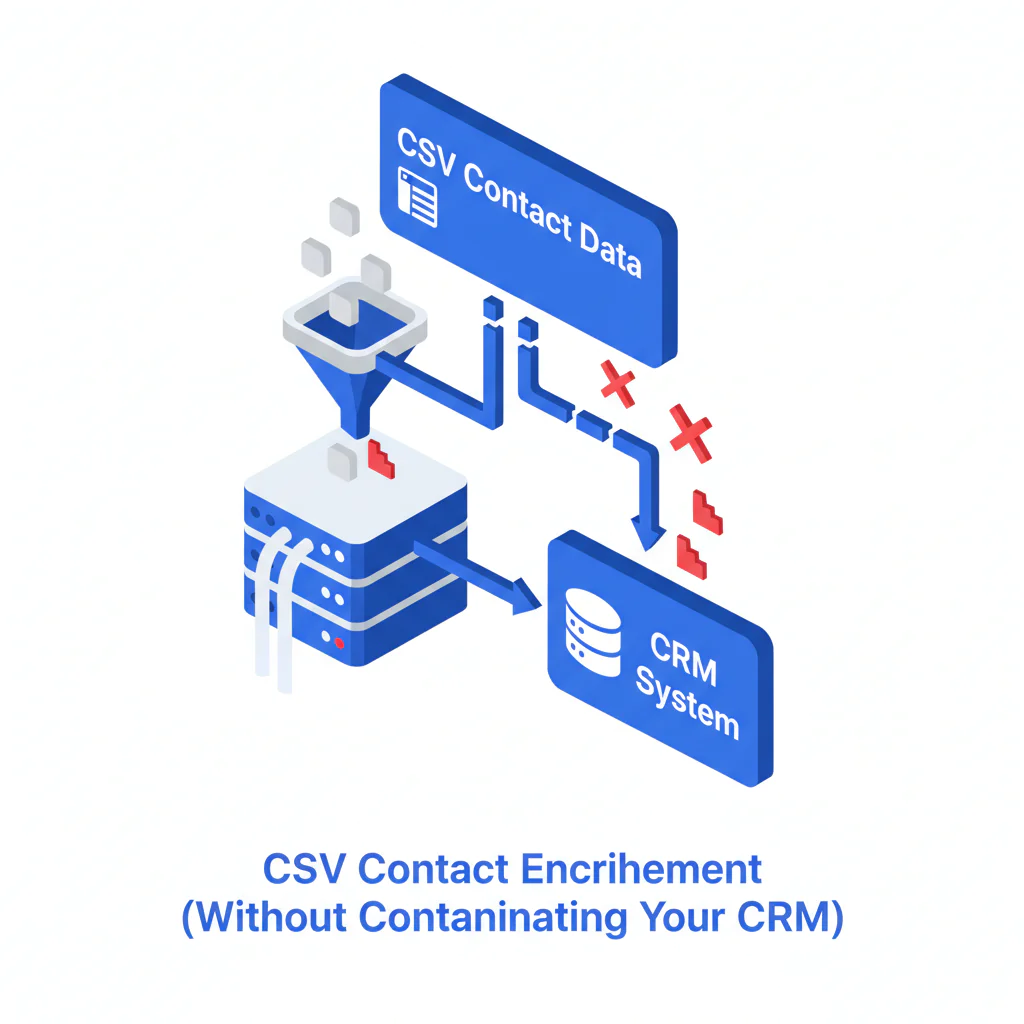
CSV contact enrichment adds missing emails, phone numbers, or titles to a list by matching each row to a person record, then exports fields for CRM import.
The "Dirty CSV" problem is that weak identity columns, inconsistent headers, and duplicates can undermine enrichment before it starts. Cleaning the file first can reduce wrong-person matches and CRM cleanup. For provider data, identity checks are especially important because names can be common and practice affiliations can change.
- Freeze the source file. Save an untouched copy of the CSV you received or exported. If you can’t reproduce inputs, you can’t audit outputs.
- Normalize headers and formats. Standardize column names, trim whitespace, and normalize phone formats and country codes so validation isn’t random.
- Run dedupe before enrichment. Dedupe contacts on email, LinkedIn URL, and normalized phone. Duplicates inflate enrichment volume and create conflicting updates during CRM import.
- Validate identity columns. Decide what counts as a match key (LinkedIn URL, email, stable internal ID, or an NPI number if you’re working with licensed providers). Name + company is not a stable identifier at scale, and it’s even less reliable when a provider holds privileges at multiple facilities.
- Map fields to your destination schema. Do field mapping to CRM properties/fields you actually plan to import. If you enrich into fields you can’t import, you paid for noise.
- Enrich and export with change visibility. Keep “before/after” columns or a delta export so you can review and roll back.
- Sample CRM import first. Import a small batch and check duplicates, picklist/type errors, and overwrite behavior. This is where most teams discover the real cost.
- Run the full CRM import only after the sample passes. If the sample fails, fix the CSV and mapping, then rerun enrichment.
CSV template (minimum viable for enrichment + CRM import)
This template is intentionally simple: a consistent structure makes it easier to review the file and reduce wrong-person outreach.
| Column | Required? | Why it exists (operational outcome) |
|---|---|---|
| linkedin_url | Preferred | Stable identity key; reduces wrong-person matches when names collide. |
| Preferred | Identity key and dedupe key; reduces duplicate creation during CRM import. | |
| first_name | Optional | Useful for QA and CRM completeness; not reliable for matching by itself. |
| last_name | Optional | Useful for QA and CRM completeness; not reliable for matching by itself. |
| company_name | Optional | Helps disambiguate matches; improves routing and territory logic when paired with domain. |
| company_domain | Optional | Improves identity resolution and reduces mismatches caused by inconsistent company naming. |
| crm_contact_id | Optional (recommended for updates) | Prevents accidental inserts when you intended updates; reduces duplicate records. |
| country | Optional | Improves phone normalization and validation; reduces import errors from formatting rules. |
Recommended enriched output columns (so you can audit what changed)
Keep outputs that show how each row was matched and what changed so you can review them before importing.
| Output column | What it tells you | Why it matters |
|---|---|---|
| match_basis | Whether the match was based on LinkedIn URL, email, or another key | Lets you segment QA and explain variance by input completeness. |
| validation_status | Pass/fail against your rules (email format, phone normalization, required fields) | Prevents importing rows that will fail CRM validation or create junk records. |
| enriched_at | When the row was enriched | Supports refresh policies and makes data decay visible. |
| run_id | Identifier for the enrichment run | Gives you traceability when someone asks “where did this value come from?” |
| overwrite_flag | Whether a field was filled vs overwritten | Helps enforce governance and reduces rep distrust after imports. |
What Swordfish does differently
Two common CSV enrichment failure points are identity resolution and write control. They can lead to wrong-person outreach, duplicate records, and uncertainty about which fields were overwritten.
- File Upload supports column mapping: Swordfish File Upload is meant for CSV enrichment when headers aren’t consistent. The operational benefit is fewer manual mapping mistakes that later surface as broken reporting or misrouted leads.
- Prioritized direct dials and mobile numbers: When phone coverage exists, prioritizing direct dials reduces wasted dials and reduces rep time spent cycling through dead numbers — a meaningful factor when the goal is reaching a specific practicing provider rather than a front-desk line.
- Usage terms you should verify up front: Swordfish describes usage as unlimited with fair use. Confirm the fair use terms and expected throughput for your seat count and API usage patterns before you commit, because that’s where “unlimited” usually gets redefined.
Match outcomes and throughput can vary with list quality, industry, validation rules, seat count, and API usage patterns. Track these inputs to make results easier to assess and explain.
Checklist: Feature Gap Table
| What buyers think they’re buying | What usually happens in production | Hidden cost / failure mode | What to require (auditable) |
|---|---|---|---|
| “Bulk contact enrichment” from a CSV | Matching falls back to weak identifiers when LinkedIn URL/email is missing | Wrong-person matches create bad outreach and CRM contamination | Require explicit match keys and an output column that indicates match basis |
| “Automatic field mapping” | Mapping guesses wrong when headers vary across teams | Silent field drift breaks reporting and routing | Require a mapping preview and a saved mapping template; keep a mapping log per run |
| “Unlimited enrichment” | Throughput slows under fair use, rate limits, or queueing | Deadlines slip while you still pay for seats | Require documented fair use terms and expected throughput behavior tied to API usage patterns |
| “CRM-ready output” | Exports don’t match your CRM schema (types, picklists, required fields) | Import errors and partial updates; duplicates created by failed upserts | Require an import template aligned to your CRM import rules and a sample import protocol |
| “High accuracy” | Claims ignore list quality and industry variance | You can’t forecast outcomes; stakeholders argue about blame | Require variance reporting by input completeness and by industry segment |
Decision Tree: Weighted Checklist
This checklist prioritizes common sources of rework: identity ambiguity, duplicate creation, and uncontrolled overwrites. Addressing them early can reduce cleanup later.
- Highest priority (blocking issues)
- Clean identity columns: CSV enrichment succeeds on clean identity columns. Prefer LinkedIn URL and/or email per row. Without stable identifiers, match variance increases and QA becomes manual.
- Dedupe before CRM import: Validate/dedupe before CRM import. Run dedupe contacts on email, LinkedIn URL, and normalized phone to prevent duplicate records and conflicting updates.
- Validation rules exist and are enforced: Define what “valid” means for email format, phone normalization, and required fields. This is baseline data hygiene that prevents import failures.
- Medium priority (prevents silent damage)
- Field mapping is documented: Keep a mapping file: source column → destination field, including formatting rules. This prevents schema drift across teams.
- Write policy is explicit: Decide fill-blanks-only vs overwrite, and protect fields that should never be touched (owner, lifecycle stage, routing fields).
- Change visibility is retained: Export “before/after” or a delta file so you can review and roll back without forensic work.
- Lower priority (improves throughput and adoption)
- Standard CSV template is enforced: Reduces mapping variance and onboarding time for new operators.
- Sampling plan is mandatory: Review a small batch before full import to catch systematic mapping errors early.
Applying this checklist can help reduce duplicate creation and import failures, along with related admin remediation and rep time spent contacting incorrect records. Track these costs to understand their operational impact.
Troubleshooting Table: Conditional Decision Tree
- If your CSV has LinkedIn URLs or verified emails for most rows, then proceed with csv enrichment and keep match-basis outputs for audit review.
- If your CSV is mostly first/last/company, then do contact list cleanup first (normalize company names, add domains, remove obvious duplicates) to reduce wrong-person matches that waste rep time.
- If you’re doing a Salesforce CSV import, then align the enriched output to your import method (insert vs upsert) and duplicate rules to reduce partial inserts that create duplicates.
- If you’re doing a HubSpot CSV import, then confirm property types (text vs enumeration) so enrichment doesn’t produce values HubSpot rejects or stores incorrectly.
- If governance forbids overwriting existing values, then configure fill-blanks-only behavior and import only the delta fields you approve.
- Stop condition: If your sample import creates duplicates, triggers unexpected overwrite behavior, or fails on property types/picklists, stop the full run. Fix dedupe rules and field mapping, rerun enrichment on a corrected CSV, and repeat the sample import.
Limitations and edge cases
- Data decay is the default: Even correct data goes stale. If your plan assumes one enrichment run lasts forever, you’re budgeting for drift. Provider contact and affiliation data tends to change whenever a clinician switches practices or health systems, so refresh cadence matters more here than in generic B2B lists.
- Ambiguous identities: Common names at large companies (or large hospital systems) will produce match variance unless you provide stable identifiers. This is why identity columns matter more than “more fields.”
- CRM import failure modes are predictable:
- Picklist/enumeration mismatch: Enriched values that don’t match allowed options get rejected or coerced, breaking reporting.
- Type/format errors: Phone formats and country codes can fail validation rules, causing partial imports.
- Duplicate rules and upsert keys: If your upsert key isn’t stable, you’ll create new records when you intended updates.
- Overwrites reduce adoption: If enrichment overwrites fields reps trust, they stop trusting the CRM. Protect fields and keep change visibility.
- Integration headaches are usually self-inflicted: If your CRM schema is inconsistent across teams, enrichment will amplify the inconsistency. Standardize fields and ownership before you run volume.
- Compliance context: If your enriched CSV includes any patient-related fields alongside provider contact data, confirm with your compliance team whether HIPAA or other privacy obligations apply to storage and handling before it moves into your CRM.
Evidence and trust notes
- Workflow-agnostic safety: If you can’t verify a native CRM write-back, keep this workflow file-based and treat the enriched CSV as the source of truth until your import rules are proven in a sample run.
- Audit trail: Keep the original CSV, the enriched output, the mapping used, and the run identifier. If you can’t explain what changed, you can’t defend it.
- Variance explainer (what drives outcomes): Match outcomes vary with list quality (presence of LinkedIn URL/email, freshness), industry, and validation strictness. Operational throughput varies with seat count and API usage patterns.
- Where to look when imports fail: Start with your CRM import error logs and duplicate rule reports. If you don’t have those enabled, you’re debugging by vibes.
Related workflows that reduce upstream mess:
- export LinkedIn contacts to CSV
- Salesforce contact enrichment
- HubSpot contact enrichment
- data quality
FAQs
- What’s the minimum I need in a CSV for contact enrichment?
LinkedIn URL and/or email. If you only have names and company strings, expect higher match variance and more manual QA.
- Should I dedupe contacts before or after enrichment?
Before. Dedupe contacts on email, LinkedIn URL, and normalized phone so you don’t pay to enrich duplicates and you don’t import conflicting updates.
- How do I keep CSV enrichment from overwriting good CRM data?
Set a write policy (fill blanks only vs overwrite) and protect fields like owner, lifecycle stage, and routing fields. Keep a delta export so you can review changes before CRM import.
- Why do CSV enrichment results vary between teams using the same tool?
Because inputs and rules differ. List quality, industry, and validation strictness drive match outcomes. Seat count and API usage patterns drive throughput and queueing.
- What’s the most common mistake in a CSV enrichment workflow?
Skipping the sample CRM import. That’s how you discover duplicates and overwrite behavior after the full run, when rollback is expensive.
What’s the minimum I need in a CSV for contact enrichment?
LinkedIn URL and/or email. If you only have names and company strings, expect higher match variance and more manual QA.
Should I dedupe contacts before or after enrichment?
Before. Dedupe contacts on email, LinkedIn URL, and normalized phone so you don’t pay to enrich duplicates and you don’t import conflicting updates.
How do I keep CSV enrichment from overwriting good CRM data?
Set a write policy (fill blanks only vs overwrite) and protect fields like owner, lifecycle stage, and routing fields. Keep a delta export so you can review changes before CRM import.
Why do CSV enrichment results vary between teams using the same tool?
Because inputs and rules differ. List quality, industry, and validation strictness drive match outcomes. Seat count and API usage patterns drive throughput and queueing.
What’s the most common mistake in a CSV enrichment workflow?
Skipping the sample CRM import. That’s how you discover duplicates and overwrite behavior after the full run, when rollback is expensive.
Next steps
- Day 0 (1–2 hours): Define identity columns, validation rules, and write policy. Standardize your CSV template.
- Day 1 (2–4 hours): Run data hygiene: normalize headers, remove junk rows, and dedupe contacts. Freeze the baseline file.
- Day 2 (same day): Run enrichment using File Upload, confirm field mapping, and export enriched results with change visibility.
- Day 3 (1–2 hours): Run a sample CRM import, verify duplicates and protected fields, then proceed with the full CRM import only if the sample passes.
- Ongoing (monthly/quarterly): Refresh high-churn segments to manage data decay and track duplicate rates and import error rates as operational health signals.
About the Author
Ben Argeband is the Founder and CEO of Swordfish.ai and Heartbeat.ai. With deep expertise in data and SaaS, he has built two successful platforms trusted by over 50,000 sales and recruitment professionals. Ben’s mission is to help teams find direct contact information for hard-to-reach professionals and decision-makers, providing the shortest route to their next win. Connect with Ben on LinkedIn.

