


 View Products


Key takeaways
- A Salesforce integration should have a supported, documented writeback path; copy-and-paste alone is a research workflow, not an integration.
- Define field mappings and overwrite rules before writing enriched data to Salesforce.
- Set deduplication policies and match keys before automating record creation or updates.
- Assign ownership for approvals, change tracking, exceptions, and rollback.
- Pilot writeback on a narrow segment and monitor duplicate rate, field conflicts, bounce rate, connect rate, and time-to-route.
Last updated: September 3, 2026
Byline: Ben Argeband, Founder & CEO of Swordfish.AI
Who this is for
This guide is for Salesforce admins and RevOps teams building enrichment workflows while protecting CRM hygiene. If duplicate records have disrupted Salesforce routing in your organization, it focuses on the controls that can help prevent that problem.
Publishing gate: Call this a Salesforce integration only if there’s a real, supported writeback path — a native connector, a supported third-party connector, or documented push/writeback via API. If your actual workflow is copy-and-paste into Salesforce, you’re buying a research tool, not an integration, and you should budget accordingly.
Quick verdict
- Core answer
- A salesforce integration earns its price tag only when it writes enriched contact fields back into Salesforce with disciplined field mapping, dedupe safeguards, and data governance attached. Skip any of those three and you’ll pay for enrichment once, then pay again in cleanup.
- Key stat
- There’s no single ROI number worth quoting here. Outcomes swing on seat count, API usage, list quality, and industry — and on how strictly you enforce overwrite and record-creation rules.
- Ideal user
- RevOps teams that want enrichment automation without trading away CRM hygiene, and that can actually enforce routing rules, dedupe checks, and an audit trail.
What Swordfish does differently
Enrichment programs can create recurring maintenance work when they allow uncontrolled overwrites, create duplicates, or lack an owner for cleanup as data decays. Design around those failure modes before connecting a tool to Salesforce.
Integration readiness framework: fields → dedupe → governance
Work through this sequence before connecting anything to Salesforce: fields → dedupe → governance. It’s also the order you’ll troubleshoot in when something breaks.
- Fields: Decide which Salesforce fields are writable and under what conditions. This is where field mapping stops being configuration and becomes a control.
- Dedupe: Decide how you’ll stop duplicate Leads or Contacts from forming when enrichment surfaces a new email or phone number. Without a dedupe policy, automation just adds entropy to the CRM faster.
- Governance: Decide who approves changes, how they get logged, and how a bad write gets rolled back. That’s data governance as accountability, not paperwork.
What to verify before you call it a Salesforce integration
If your buying criteria require a managed package, confirm that one exists before signing. "Integration" doesn’t automatically mean "supported in production."
- Writeback path: Confirm the supported method for pushing data into Salesforce — native connector, extension push, or API. If it isn’t officially supported, don’t buy it as an integration.
- Objects and direction: Confirm whether you’re writing to Leads, Contacts, or both, and whether updates are fill-blanks-only or allowed to overwrite.
- Auth and permissions: Confirm how authentication works and what permissions are required. Permission gaps are exactly where a clean demo falls apart in production.
- Change traceability: Confirm you can identify what wrote a value and when. Without traceability, governance is just a policy document nobody can enforce.
Operational differences that matter (and where the bill shows up)
Phone coverage focus (verify in your environment): Contact data quality is really judged on whether it returns usable phone numbers, mobile included where available. Fewer wasted dials is the outcome you’re after, but the size of that gain depends heavily on your ICP and list quality.
Usage policy (confirm contract language): “Unlimited” tends to mean “until you actually use it heavily.” Swordfish markets usage as unlimited within fair-use expectations. Whether that translates into predictable throughput depends on whether your expected API volume actually matches what’s allowed.
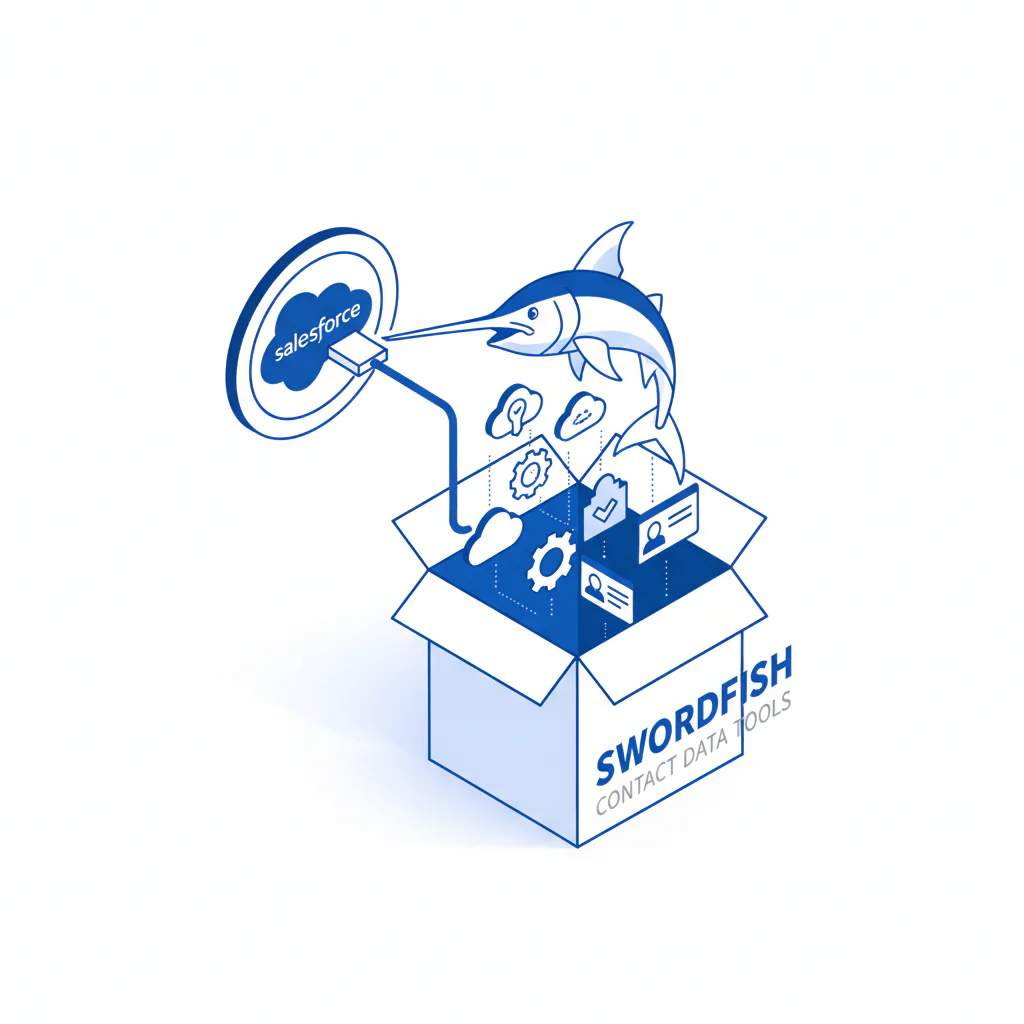
Push into Salesforce via extension workflow (verify in your environment): Teams using the Swordfish extension get a real operational win — pushing contact data into Salesforce without standing up a custom pipeline. That only cuts integration time if your field mapping is defined up front and you’ve restricted which fields are allowed to overwrite existing values.
Start with the extension because that’s where “push into Salesforce” either behaves like a controlled writeback or turns into a manual tax on your team.
Decision guide
Set your writeback rules before enriching records. Otherwise, teams may spend time resolving conflicts over which data is correct while duplicates accumulate.
- Default to fill-blanks: Treat enrichment as additive until you’ve proven it won’t overwrite rep-verified values.
- Keep mapping small: Map only the fields you can actually govern. A mapping you can audit looks like: Phone → Phone, Mobile → MobilePhone, Title → Title, Email → Email.
- Stamp provenance: Many teams add fields like Enrichment_Source__c and Enrichment_Updated_At__c so audits and rollbacks are actually possible later.
- Plan for decay: Set a refresh cadence based on how fast your market turns over. Enrich once and assume it stays accurate, and performance quietly drifts until pipeline starts missing.
Checklist: Feature Gap Table
| Integration requirement (what breaks in real life) | What to verify in a Salesforce integration | Hidden cost if missing | Variance explainer (why your result differs) |
|---|---|---|---|
| Controlled field overwrite | Rules for “only fill blanks” vs “overwrite,” per field | Reps lose trusted data; RevOps spends cycles restoring values | Depends on how often your CRM already has partial data and how strict your overwrite policy is |
| Explicit field mapping | Documented field mapping for Lead vs Contact | Data lands in the wrong object/field; reporting becomes unreliable | Varies by Salesforce schema complexity and custom fields |
| Dedupe safeguards | Pre-write match checks; alignment with your dedupe tooling | Duplicate records inflate activity and break routing | Varies by inbound sources (forms, imports, partners) and match keys used |
| Auditability | Change visibility (what wrote the value, and when) | No root cause when data is wrong; automation gets disabled and never returns | Varies by compliance needs and how many systems write to Salesforce |
| Rate/usage predictability | Clear expectations for API usage and fair use boundaries | Rollout stalls due to throttling; you redesign mid-quarter | Varies by seat count, enrichment volume, and batch vs real-time usage |
Decision Tree: Weighted Checklist
Score readiness before connecting anything to Salesforce. The weighting below reflects common failure points: CRM pollution, duplicate creation, and governance gaps. Adjust the checklist to account for controls your organization already has in place.
- Highest weight: field mapping documented for every target field (Lead/Contact), with overwrite rules defined (fill blanks vs overwrite). Skip this and you create rework and distrust in the data.
- Highest weight: dedupe policy exists — match keys, merge rules, and what happens when enrichment surfaces a new email or phone. Skip this and you pay for enrichment, then pay again to clean up duplicates.
- High weight: data governance owner assigned — who approves schema changes, who can flip writeback on or off, how exceptions get handled. Skip this and automation turns into a political fight.
- Medium weight: Enrichment automation scope is limited — specific segments, objects, and triggers. Skip this and you can’t isolate failures when they happen.
- Medium weight: Measurement plan exists — baseline bounce rate, connect rate, duplicate rate, time-to-route. Skip this and you can’t prove value or catch decay early.
- Lower weight: Rollback plan for reverting bad writes. Skip this and you’ll be too nervous to run automation at any real scale.
Troubleshooting Table: Conditional Decision Tree
- If you can’t write enriched fields into Salesforce with explicit field mapping and overwrite rules, then don’t call it an integration — treat it as a research tool and keep Salesforce writeback manual.
- If you can write back, then start with fill-blanks-only on a small segment to protect CRM hygiene while you learn the failure modes.
- If your Salesforce has no enforced dedupe process (match keys plus merge ownership), then pause automation and put dedupe controls in place first.
- If dedupe controls exist, then enable enrichment automation only after defining exception handling for conflicts between existing and enriched values.
- Stop condition: if duplicate rate or field conflict rate rises above baseline after enabling writeback, stop the workflow, revert the last change set, and tighten overwrite rules before re-enabling.
Limitations and edge cases
Data decay is not optional: Even accurate contact data rots over time. Enrich once and assume it stays correct, and you’ll misdiagnose the eventual performance drift.
Lead vs Contact conversion edge cases: Salesforce’s native tools limit duplicates within a single object type, but cross-object duplicates between Leads and Contacts require separate handling, since conversion often creates overlapping records that native matching rules don’t catch. This is exactly where dedupe policy and conversion rules decide whether enrichment helps or just adds to the cleanup pile.
Permissions and field-level security: Integration failures frequently masquerade as “missing data” when the real cause is permissions. Treat permissions as integration scope, not an afterthought bolted on at the end.
Custom Salesforce schemas: The more custom objects and fields you have, the more likely a “simple integration” turns into a full mapping project. That cost exists regardless of which vendor you pick.
Overwriting rep-verified data: The fastest way to lose a sales team’s trust is overwriting a rep-verified phone or email with an automated value. Default to fill-blanks, then selectively allow overwrites only with governance approval.
Evidence and trust notes
I run Swordfish, so this article may reflect bias. When evaluating this purchase, ask for evidence about the integration mechanics rather than relying on promises about outcomes.
- Integration reality check: Confirm the supported method for pushing data into Salesforce — native connector, extension push, or API — and confirm which objects are supported. If your criteria require a managed package, confirm it exists before treating this as a native integration.
- Sandbox walkthrough requirement: Ask for a sandbox walkthrough showing a Lead update, a Contact update, and a blocked write caused by overwrite rules. If a vendor can’t demonstrate a failure mode, you won’t be able to govern it once it’s live.
- Variance explainer: Costs and outcomes vary by seat count, API usage, list quality, and industry. Governance strictness changes outcomes directly because it controls overwrite behavior and duplicate creation.
Related workflows to compare before you wire anything into Salesforce: Salesforce contact enrichment, CSV contact enrichment, and the contact data API.
FAQs
Is this a native Salesforce integration?
Only describe it as native if Swordfish has a supported, documented native integration path. If the primary workflow is extension-based push into Salesforce, say that plainly so buyers don’t assume a managed package exists.
What’s the main risk with Salesforce data enrichment?
CRM pollution: wrong-field writes, uncontrolled overwrites, and duplicate creation. That’s why field mapping, dedupe, and data governance are the gating items.
How do I prevent duplicates when enriching contacts?
Define match keys (email, domain + name, phone) and decide merge ownership. Then ensure enrichment writeback respects those rules before creating or updating records.
What should I measure to know if enrichment automation is working?
Baseline and track: duplicate rate, bounce rate, connect rate, and time-to-route. Results vary with list quality and how aggressively you overwrite existing fields.
Next steps
Week 0 (1–2 days): Confirm the integration path (native vs extension vs API), define field mapping, and set overwrite rules starting with fill-blanks. Assign an owner who can stop the workflow if needed.
Week 1: Pilot on a narrow segment, enforce dedupe controls, and make sure you can trace changes for governance purposes.
Week 2: Review metrics — duplicates, conflicts, connect rates — against baseline. If conflict or duplicate rates rise, stop and tighten rules before expanding scope.
Week 3+: Expand scope gradually, assign a permanent data governance owner, and set a refresh cadence to manage data decay over time.
About the Author
Ben Argeband is the Founder and CEO of Swordfish.ai and Heartbeat.ai. With deep expertise in data and SaaS, he has built two successful platforms trusted by over 50,000 sales and recruitment professionals. Ben’s mission is to help teams find direct contact information for hard-to-reach professionals and decision-makers, providing the shortest route to their next win. Connect with Ben on LinkedIn.

