View Products


Byline: Head of RevOps, Swordfish.ai
Who this is for
- SDR/BDR teams building lead lists without trashing deliverability.
- RevOps/Sales Ops owners who have to defend sources, suppression, and CRM hygiene.
- Talent teams sourcing candidates where accuracy and respectful outreach matter.
- Regulated industries (finance/healthcare) where internal policy is often stricter than the minimum legal bar.
Quick Answer
- Core Answer
- A chrome email extractor is a Chrome extension that collects email addresses visible on web pages you visit to support lead list building. Use it safely by checking permission and website terms, limiting scope, running email verification, and honoring opt-outs.
- Key Insight
- Extraction should prioritize accuracy + compliance, not volume.
- Best For
- Legitimate business outreach where you can document the source, validate the address, and enforce suppression across channels.
Compliance & Safety
This method is for legitimate business outreach only. Always respect Do Not Call (DNC) registries and opt-out requests.
Respect website terms and applicable laws. Extract only where you have permission or a lawful basis; always include opt-out.
Quick Self Audit
If Legal asked you to justify one random record from yesterday’s list, could you show the source URL, the website terms basis, the verification status, and the opt-out status?
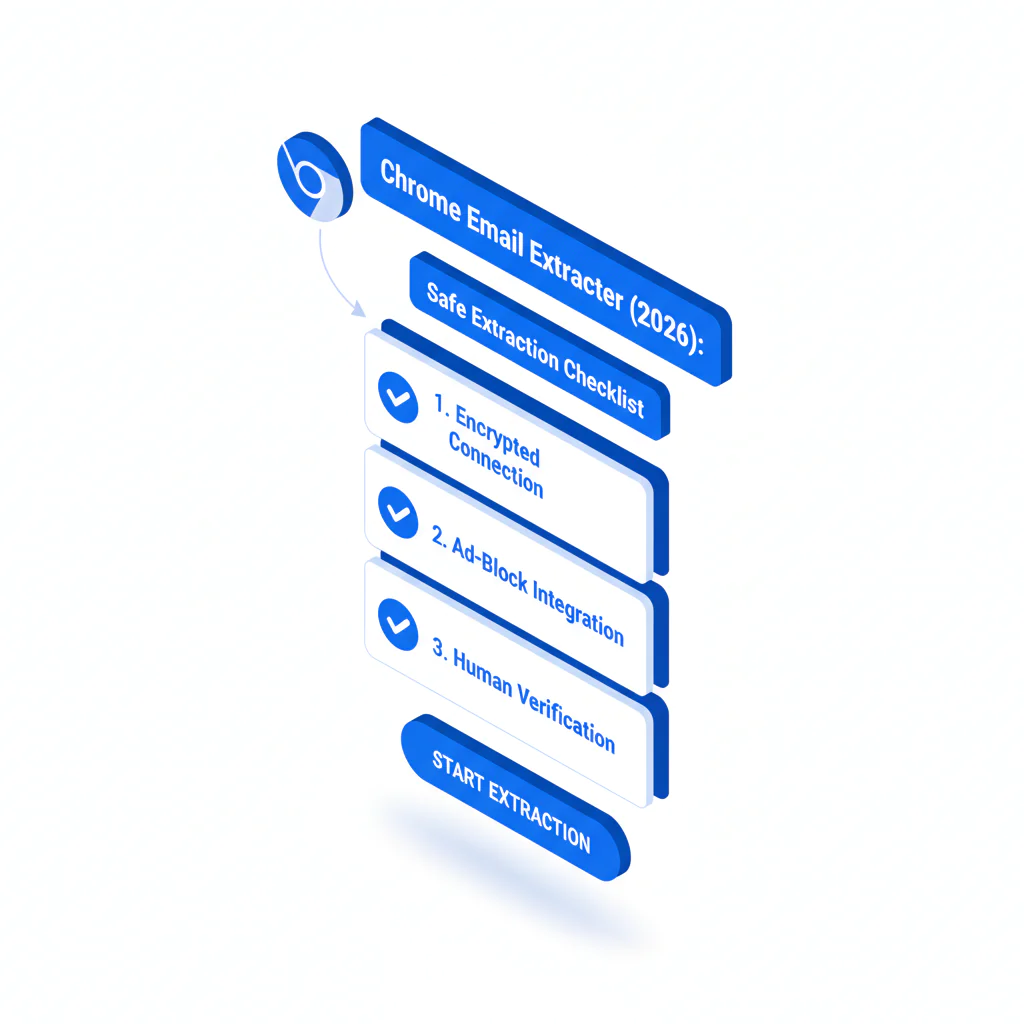
Framework: The Safe Extraction Checklist: permission → scope → verify → use
- Permission: You can explain why you’re allowed to collect and contact.
- Scope: You only collect what you’ll actually use.
- Verify: You run email verification before outreach.
- Use: You send compliant outreach and honor opt-out fast.
Step-by-step method
- Check permission and website terms first. If a site or platform’s terms restrict automated extraction, treat that as a stop sign. This matters in any linkedin extraction workflow because it reduces preventable blocks and escalations.
- Define scope (minimum necessary fields). For most outbound, that’s name, company, role, one deliverable business email, plus source URL and date. Don’t harvest extra fields you can’t justify.
- Extract from pages you can defend. Prefer contact pages, public directories, partner pages, and author bios where the email is explicitly published for business contact.
- Run email verification before any send. Treat verification as signal validation, not a guarantee. Use syntax, domain, and mailbox signals to gate sequencing.
- Attach provenance. Store source URL and date collected so you can debug bounces, complaints, and data drift later.
- Send compliant outreach with opt-out. Operator rule: one sentence why them, one sentence why now, one opt-out line. Then suppress fast when requested.
When extraction is appropriate
- Explicit publication: The email is clearly posted for contact (not inferred).
- Permissioned context: You have a contract, partner agreement, or internal policy that covers collection.
- Your own properties: You’re extracting from your own sites or assets you control.
Three real scenarios (how to apply the checklist)
- Partner directory page: If the directory publishes contacts for partner inquiries, you can extract within scope, log the URL, and verify before outreach. If terms ban automated collection, switch to manual capture or permissioned enrichment.
- Blog author bio: If a business email is published for press or speaking requests, you can extract and verify. If it’s a generic address or role inbox, segment it because routing and replies are less predictable.
- Gated PDF or event attendee list: If access requires login or is governed by event terms, don’t treat it as public. Use only what the terms and your lawful basis allow, or skip.
Browser workflow (minimal and defensible)
- Install a Chrome extension that supports export and provenance fields.
- Set your scope: which pages, which fields, and why.
- Run email extraction only on pages intended for contact.
- Export to CSV with source URL and date.
- Run email verification and tag results (verified, catch-all, unknown).
- Import to CRM with dedupe and a rule that blocks sequences for unverified records. Store Email, Verification Status, Source URL, and Date Collected as first-class fields.
Most teams treat an email finder chrome extension as a capture tool. Treat any email scraping extension as untrusted until it passes your verification and provenance gate, because that is what prevents wasted rep cycles and reduces avoidable complaints.
How to choose a chrome email extractor extension
- Export + provenance: If you can’t export source URL and date, you can’t audit.
- Verification workflow: It must fit your email verification gate before sequencing.
- Scope controls: You should be able to limit extraction to what you’ll use.
- Suppression support: Opt-out must flow into a suppression list, not a manual note.
- Terms guardrails: If your process depends on ignoring website terms, it’s not a process you can defend.
Operator rule: pick auditability and verification integration over volume promises.
When you need contact enrichment and governance built into the workflow, the Swordfish Chrome Extension is designed for contact discovery with verification and auditability in mind.
Compliant scraping means collecting only what you’re permitted to collect, then using it with verification and opt-out controls so outreach stays defensible.
Checklist: Weighted Checklist
Use this to decide whether to extract, enrich, or stop. The weights reflect standard failure points: compliance exposure, deliverability damage, and wasted rep time. Higher weight means higher expected downside if skipped.
- Highest weight (do first):
- Permission + website terms check: If you can’t defend collection, don’t collect.
- Email verification gate: Don’t sequence without verification signals.
- Opt-out suppression: One opt-out should stop future outreach across tools.
- High weight (build this once, then benefit daily):
- Provenance logging: Store source URL + date to make complaints debuggable.
- CRM data-quality rules: Enforce verified flags and block automation when missing.
- Medium weight (reduces noise):
- Scope minimization: Collect only the fields you will actually use.
- Segment role inboxes and catch-all domains: Treat them as higher risk for routing and replies.
Diagnostic: Why this fails
Most failures aren’t the extractor. They come from sloppy inputs and missing gates: ignoring website terms, extracting where publication intent is unclear, skipping verification, or letting unverified records leak into sequences.
- Compliance failure mode: Permission is assumed, not documented.
- Deliverability failure mode: Unverified addresses inflate bounces and complaints.
- Ops failure mode: No provenance means you can’t trace issues back to the source.
Troubleshooting Table: Diagnostic Table
| Symptom | Root Cause | Fix |
|---|---|---|
| High bounce rate after upload | No verification gate; stale or copied emails | Require email verification before sequencing; suppress unknown/catch-all until validated |
| Low reply rate even when emails deliver | Wrong persona; role inboxes; generic message | Tighten ICP; prefer named mailboxes; tie copy to the page context and role |
| Internal compliance escalation | Unclear permission; missing website terms review; no provenance | Implement the Safe Extraction Checklist and store source URL + date on every record |
| Blocked access or CAPTCHAs | Automation patterns look like scraping abuse | Stop automation; reduce volume; move to permissioned sources or enrichment |
| CRM polluted with duplicates | No normalization, dedupe, or required fields | Deduplicate on email + name + domain; require provenance fields; block incomplete records |
How to improve results
Better results come from governance, not more extraction. Focus on verification discipline, defensible sources, and clean downstream handling.
- Enforce data gates. Put verification and provenance rules in the CRM. The build spec is data quality.
- Prefer enrichment when publication is unclear. If the email isn’t explicitly published for contact, scraping patterns increases risk and decreases accuracy. A safer workflow looks like the ultimate contact finder approach: start with an identity you can justify and fill gaps through compliant sources.
- Operationalize compliance. Write down rules, train reps, and audit samples weekly. Use contact data compliance guardrails as the baseline and tighten for regulated teams.
- Keep opt-out centralized. Opt-out can’t live in a rep’s inbox. It needs to flow into suppression lists and sync across tools.
Decision Tree: Conditional Decision Tree
- If the website terms prohibit automated collection, then stop and switch to permissioned collection or enrichment.
- If the email is explicitly published for business contact, then extract within scope, log provenance, and run email verification.
- If you only have a name + company and no published email, then enrich and verify instead of pattern-scraping.
- If verification returns catch-all or unknown, then segment to low-volume testing or suppress until you have stronger signals.
- If the prospect opts out, then suppress across email and calling immediately.
- Stop Condition: If you cannot document permission and a defensible source, do not add the contact to outreach.
Legal and ethical use
Use a chrome email extractor for legitimate business outreach, not for harassment, deception, or bypassing consent and opt-outs.
- Consent and lawful basis: Requirements vary by jurisdiction and context. In the US, rules focus on requirements for commercial email; in the EU, you still need a lawful basis and purpose limitation. In all cases, website terms can create additional restrictions.
- Opt-out: Treat opt-out as a system requirement across email and calling, not a footer line.
- Website terms: Terms can restrict collection even when the data is visible.
- Not for sensitive decisions: Do not use extracted contact data to make decisions about credit, employment eligibility, housing, insurance, or other sensitive determinations.
FAQ
Are email extractor extensions legal?
Sometimes. It depends on the site’s terms, how you collect the data, and how you use it. Assume you need permission or lawful basis, minimal scope, and compliant outreach with opt-out.
Is scraping emails worth it?
Only when emails are clearly published for business contact and you can verify them. If you’re guessing patterns or pulling from pages not intended for publication, you usually trade short-term list volume for deliverability and compliance risk.
How do I verify extracted emails?
Run email verification that checks syntax, domain signals, and mailbox signals, then segment catch-all or unknown results. Don’t sequence unverified addresses, and store the verification outcome on the record.
What is compliant scraping?
Compliant scraping is collecting only what you’re permitted to collect (per website terms and applicable law), limiting scope to business-necessary fields, and using the data with identification and opt-out controls.
Neutral references for policy context:
Evidence and trust notes
- Last updated: Jan 2026
- Written from a RevOps governance perspective: deliverability, compliance, and CRM hygiene.
- Core claim used here: extraction should prioritize accuracy + compliance, not volume.
- Verification is treated as signal validation, not a guarantee of ownership or deliverability.
- Variance drivers: website terms, publication intent, verification rigor, and opt-out handling.
- Trust signals applied: compliance + opt-out, and explicit website terms reminder.
Next steps
- Day 1: Publish your rules using the Safe Extraction Checklist. Start with contact data compliance.
- Day 3: Add CRM gates and dedupe rules so unverified records can’t enter sequences. Use data quality as the build spec.
- Day 7: Standardize your contact discovery workflow. If your team works in Chrome daily, deploy the Swordfish Chrome Extension and align it to the ultimate contact finder process.
About the Author
Ben Argeband is the Founder and CEO of Swordfish.ai and Heartbeat.ai. With deep expertise in data and SaaS, he has built two successful platforms trusted by over 50,000 sales and recruitment professionals. Ben’s mission is to help teams find direct contact information for hard-to-reach professionals and decision-makers, providing the shortest route to their next win. Connect with Ben on LinkedIn.