


 View Products


Key takeaways
- The ZoomInfo Chrome Extension, also known as ReachOut, provides contact lookup from the browser.
- The article describes credit use for profile consumption or export through the platform, extension, or a connected API; confirm current rules and allowances with ZoomInfo.
- The article’s troubleshooting suggestions include checking for updates, re-enabling the extension, and restarting Chrome.
- Swordfish is presented as an alternative for teams looking for contact data through a Chrome extension.
Last updated: September 3, 2026
The ZoomInfo Plugin — officially called the ZoomInfo Chrome Extension, and known to longtime users as ReachOut — is a browser add-on built for sales and marketing teams who need contact details without leaving the page they’re on. It pulls company and contact data straight into your browser while you work.
For healthcare-focused outreach teams, the extension may reduce tab-switching by making contact lookups available while browsing LinkedIn or a hospital system’s staff directory. This article covers the plugin’s features, its credit system, common troubleshooting steps, and how it compares with alternatives.
What is ZoomInfo ReachOut?
ZoomInfo ReachOut is the extension’s original name, and it’s still used informally even though ZoomInfo now markets it as the ZoomInfo Chrome Extension. It gives users quick access to contact information directly from ZoomInfo and LinkedIn profiles. When viewing a profile in Chrome, the ZoomInfo icon activates to show available details such as email, direct dial, and company phone, which can then be revealed for a credit.
Beyond contact lookup, the extension functions as a lightweight enrichment tool. Users can push contacts directly into Salesforce or email details to themselves, and search by company name, contact name, or title without needing an open browser tab. A separate tool, the ZoomInfo Engage extension, handles outbound sequencing and dialing — it’s a distinct product from the core data-lookup extension.
Pricing and Credits of the ZoomInfo Plugin
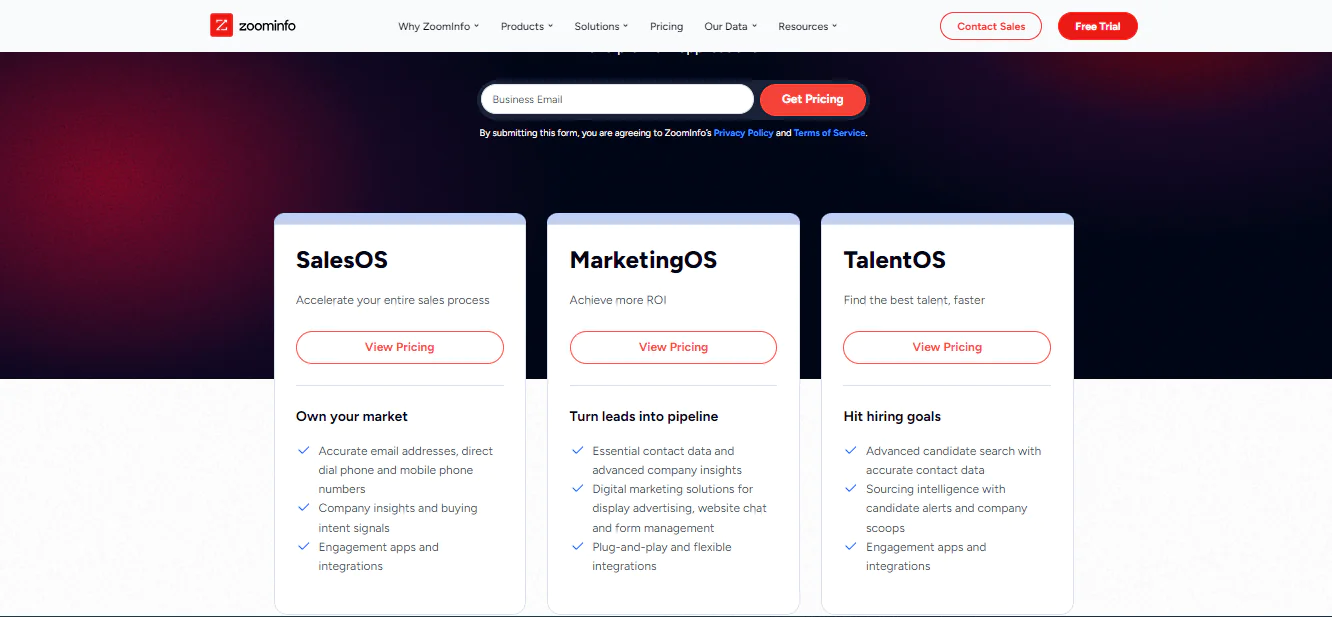
ZoomInfo runs on a credit-based system rather than a flat per-lookup fee, and it’s worth understanding how that works before you commit to a plan.
How Credits Work
ZoomInfo uses a credit-based system rather than a flat per-lookup fee. The credit model described here counts the consumption or export of a professional or company profile, including exports through the ZoomInfo platform, ReachOut, or a connected API, as one credit each. Credit allowances and rules can vary by package, so check current account terms before estimating usage.
Free and Entry-Level Access
The free Lite tier is described as including a small monthly credit allowance for individual testing rather than sustained prospecting. Tier availability and allowances can change, so check ZoomInfo’s current terms.
Paid Plans
ZoomInfo packages its solutions into core tiers that bundle platform access with credits and features, starting with an entry package that includes seats, bulk credits, the ReachOut Chrome extension, and verified phone and email data. Pricing for the entry-level Professional plan runs at approximately $14,995 per year, typically including one to three user licenses and 5,000 annual bulk credits. Higher tiers add more included credits, per-user monthly allotments, and features like intent data, but ZoomInfo does not publish detailed line-item pricing — most buyers still need to go through sales to get a final quote. For more detail, see ZoomInfo pricing.
For healthcare data buyers, repeated lookups across large provider lists can use credits quickly. Estimate expected usage against the plan’s allowance before researching or verifying mobile numbers and emails at scale.
Note: You can read more here about ZoomInfo review.
Troubleshooting ZoomInfo’s Chrome Extension
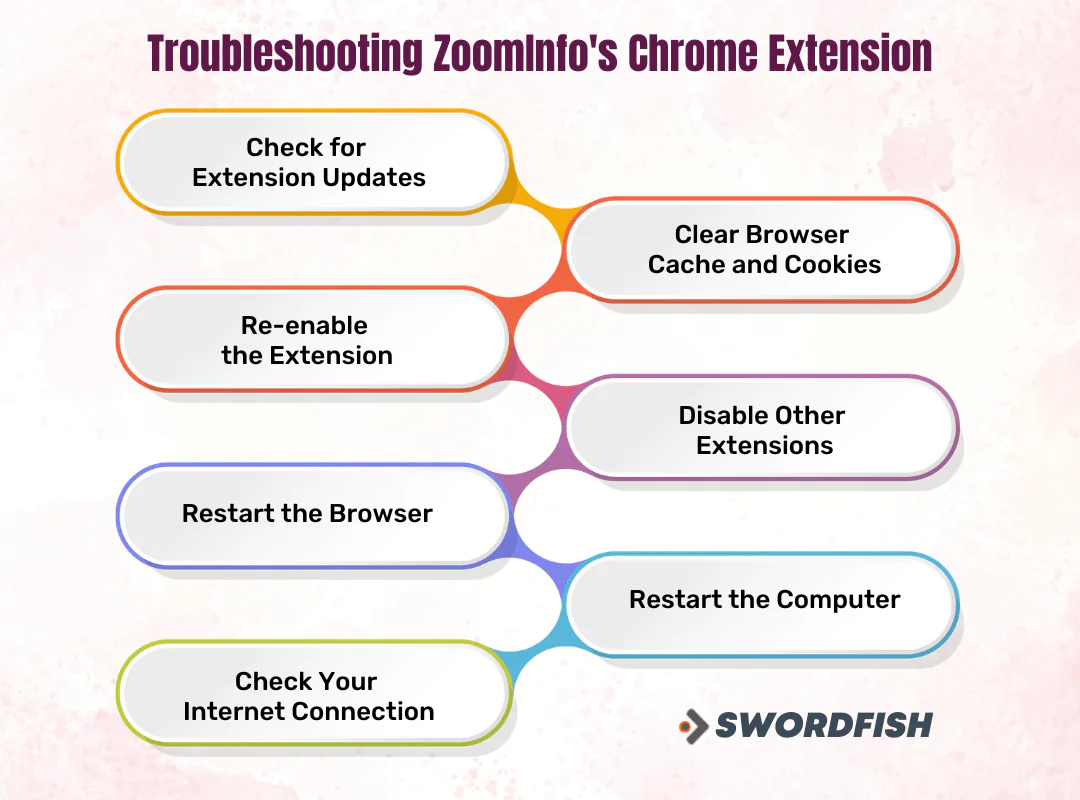
Even reliable extensions run into friction occasionally. If the plugin stops behaving, work through these steps in order before contacting support.
Check for Extension Updates
Developers push updates regularly to fix bugs and improve performance. Visit the Chrome Web Store and confirm you’re running the current version.
Clear Browser Cache and Cookies
Stored data can cause conflicts or slow things down over time. Clearing cache and cookies in your browser settings often resolves minor glitches.
Re-enable the Extension
If the extension is misbehaving, disable it from Chrome’s extensions page, wait a moment, then turn it back on. This may resolve a temporary issue.
Disable Other Extensions
Conflicts between extensions are common. Disable others one at a time to isolate whether something else is interfering.
Restart the Browser
Close Chrome completely and reopen it after making changes, so updates and settings fully take effect.
Restart Your Computer
Some issues tied to system resources clear up with a fresh restart.
Check Your Internet Connection
The extension depends on a stable connection to pull data. Confirm you’re on a reliable network and test your speed if lookups seem slow or incomplete.
If none of this resolves the issue, ZoomInfo’s support team can dig into account-specific problems.
Swordfish Chrome Extension: A Top Alternative to ZoomInfo Plugin
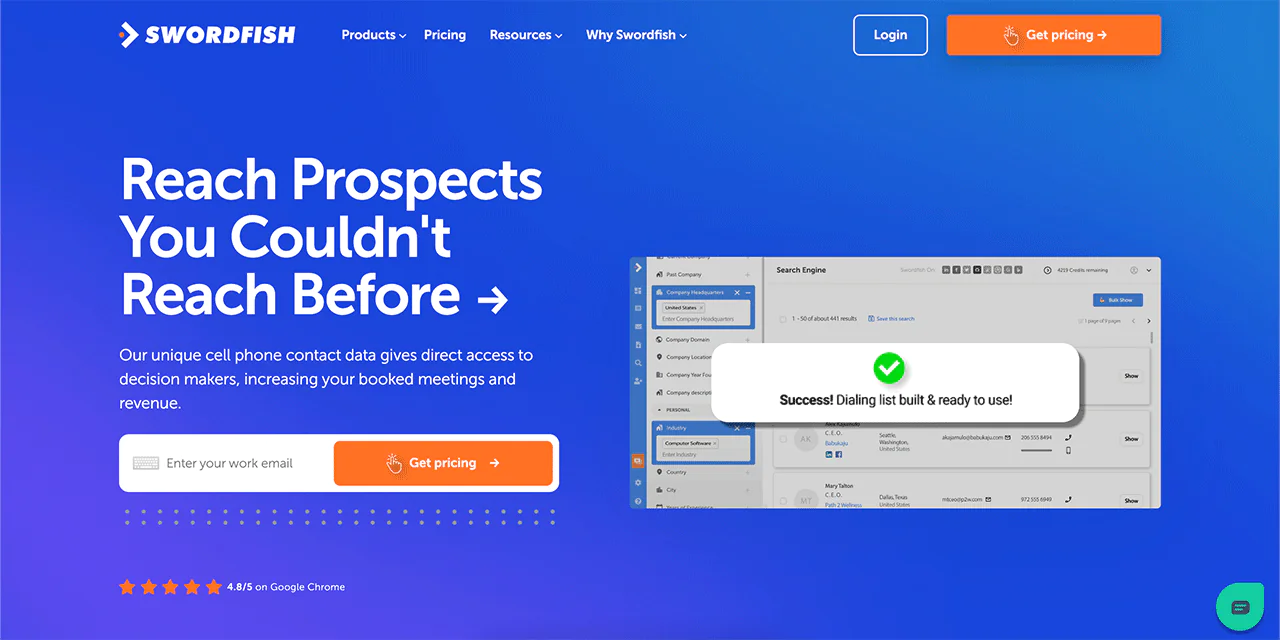
Many teams that have relied on the ZoomInfo Plugin are now looking at the Swordfish Chrome Extension as a practical alternative to ZoomInfo, especially teams working with healthcare provider contact data where mobile numbers and personal emails matter more than generic office lines.
The interface is straightforward, so there’s little learning curve for new users. Swordfish’s database spans email addresses, phone numbers, and social profiles, and as a Chrome extension it integrates directly into your browsing workflow instead of requiring a separate lookup step.
 Try Swordfish Ai
Final Verdict
The ZoomInfo Plugin offers sales and marketing professionals access to contact data while browsing, including LinkedIn and CRM workflows described above. It is tied to ZoomInfo’s broader subscription pricing, and credit-based costs can vary with usage and plan terms.
Whether it’s the right fit depends on your budget and how much of your prospecting happens through LinkedIn versus other channels. Teams focused specifically on healthcare provider contact data may want to weigh it against extensions built around that use case before committing.
Note: You can read more here about ZoomInfo.
FAQS
Is my data secure with the ZoomInfo Plugin?
ZoomInfo applies standard encryption and security protocols to protect user data, consistent with typical enterprise SaaS practices.
How does the ZoomInfo Plugin differ from the ZoomInfo platform?
The full ZoomInfo platform offers a broader suite of business intelligence tools, while the plugin provides quick, on-the-page access to core contact-lookup features for users who need instant data without logging into the main dashboard.
Can I customize the ZoomInfo Plugin settings?
Yes. The extension includes configurable settings so you can adjust how it behaves to fit your workflow.

