


 View Products


- Core concept
- LinkedIn sourcing tools are the mix of LinkedIn search, enrichment, and sequencing/reporting tools used to move from profile discovery to compliant multi-channel outreach.
- Stat
- Track time-to-first-response by channel; teams that add email (and selective calling when appropriate) typically reduce it versus LinkedIn-only outreach.
- Ideal candidate profile
- Sourcers and recruiters building a LinkedIn-to-outreach workflow for passive candidates, silver medalists, and agency recruiting teams hiring for hard-to-reach roles.
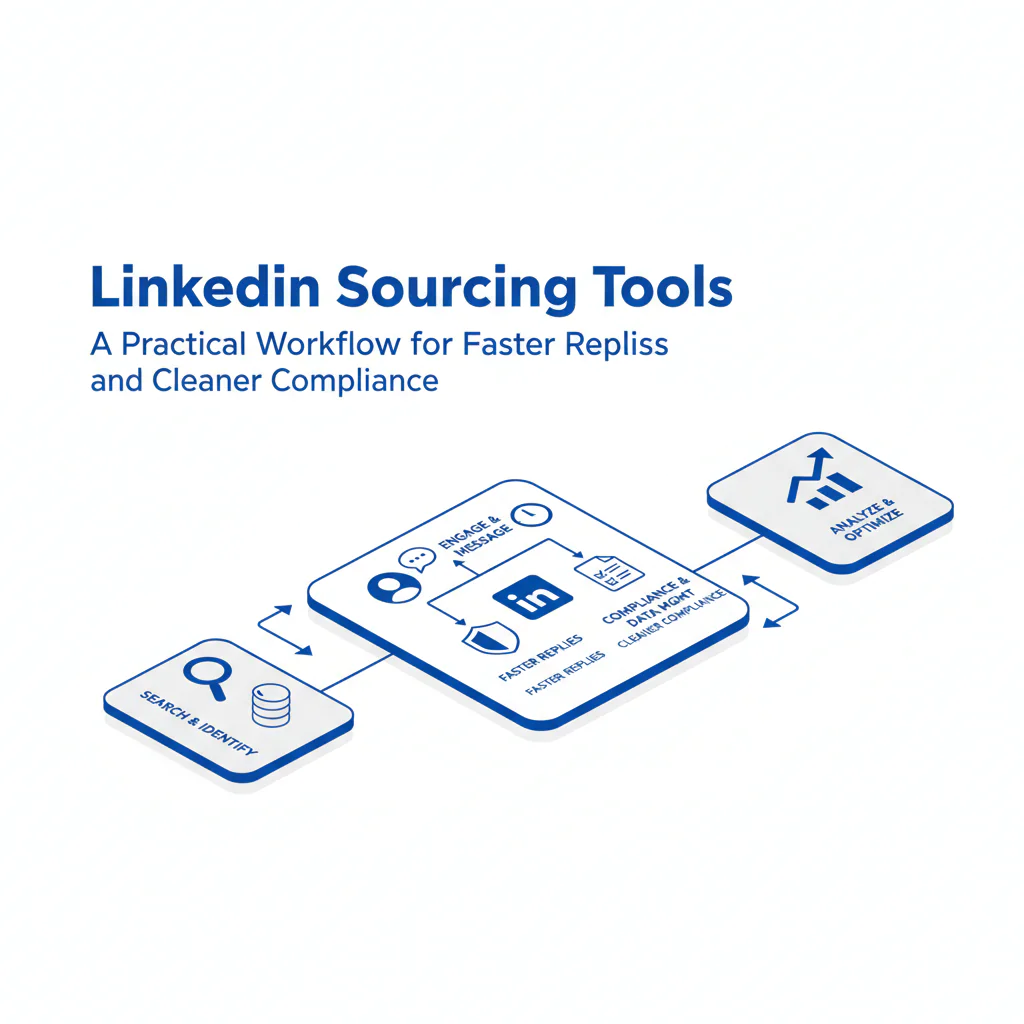
LinkedIn Sourcing Tools: A Practical Workflow for Faster Replies and Cleaner Compliance
By Ben Argeband, Founder & CEO of Swordfish.AI
Most teams don’t struggle to find LinkedIn profiles. They struggle to turn the right profiles into scheduled conversations without duplicate outreach, bounces, or complaints.
This guide is a workflow-first view of LinkedIn sourcing tools: what to use, where each tool fits, and what to measure so placement speed improves without degrading candidate experience.
Who this is for
This is for in-house TA and agency recruiting teams who source on LinkedIn and need a repeatable system to contact passive candidates across channels while keeping outreach controlled and auditable.
It also fits teams re-engaging silver medalists from prior pipelines where speed matters and the message needs to acknowledge prior context.
What recruiters are trying to accomplish
- Placement speed: reduce time-to-first-conversation by reaching candidates on the channel they respond to.
- Candidate experience: fewer duplicate touches, clearer context, and easy opt-out.
- Compliance: minimize collection, document outreach activity, and honor opt-outs across all channels.
- Recruiter productivity: spend time qualifying, not hunting for contact details or rebuilding lists.
LinkedIn sourcing loop (framework)
The linkedin sourcing loop is the operating rhythm that keeps sourcing predictable: define the target, find identities on LinkedIn, enrich only the shortlist you will contact, run a consistent candidate outreach workflow, then measure outcomes and adjust.
Step 1: Intake that prevents rework
Lock target titles (and adjacent titles), must-have constraints (location, clearance, language), and the “why now” for the role. This reduces mis-targeted outreach and improves qualified reply rate.
Step 2: Identity-first sourcing on LinkedIn
Use LinkedIn sourcing to confirm role fit, seniority, and context. Save searches so you can rerun weekly and keep pipeline fresh without rebuilding filters.
Step 3: Segment before you message
- High-intent: recent job changes or prior engagement.
- Passive candidates: stable tenure and no visible job-seeking signals.
- Silver medalists: previously interviewed or reached late-stage; treat as warm re-engagement.
Segmentation improves response rates because the channel mix and message should differ by intent.
Step 4: Enrich only what you will contact this week
Enriching every profile “just in case” increases data risk and creates messy records. Enrich the shortlist you plan to contact, then log the source and date in your system of record.
If you need a LinkedIn companion to complete reachability without leaving the page, the Swordfish Chrome Extension is designed for that enrichment step.
Step 5: Run a two-channel sequence with stop rules
For most roles, start with email plus a LinkedIn message. Add a call only when the role is time-sensitive, the candidate is a strong match, or you’re hiring for hard-to-reach roles. Stop after a defined number of touches and record outcomes.
Log channel, date/time, outcome, and an opt-out flag in your ATS/CRM so candidates don’t get contacted twice by different team members.
Step 6: Close the loop with outcomes
Track reply, positive reply, meeting booked, and qualified pass by segment and channel. This is how you improve recruiter productivity without increasing volume.
At minimum, your reporting should let you filter by role, segment, channel, and outcome, and review time-to-first-response so you can fix bottlenecks without adding more touches.
Best LinkedIn sourcing tools (by job-to-be-done)
This is a category-based “best” list because tool fit depends on your workflow and controls. Evaluate each category by whether it reduces time-to-first-response, prevents duplicate outreach, and keeps an audit trail you can defend.
1) LinkedIn native search + Recruiter (identity-first sourcing)
What it does: Finds the right people with the highest signal on role fit, tenure, and company context.
Business outcome: Better targeting reduces wasted outreach and improves recruiter productivity because fewer messages go to the wrong seniority or function.
What to verify: Your saved searches should produce a stable weekly shortlist; if the shortlist quality swings, your filters are too loose and your qualified reply rate will drop.
2) Contact enrichment (reachability)
What it does: Adds email and phone to a LinkedIn profile so you can run a multi-channel candidate outreach workflow.
Business outcome: Adding email reduces time-to-first-response versus LinkedIn-only outreach because candidates often respond faster in their primary inbox than in LinkedIn message requests.
What to verify: Track bounce rate by source/tool; if bounces rise, you’re spending touches on bad data and slowing time-to-conversation.
3) Sequencing + CRM/ATS sync (consistency)
What it does: Standardizes follow-ups across email and LinkedIn, logs activity, and prevents untracked outreach.
Business outcome: Consistent follow-up increases replies while reducing duplicate touches that lead to opt-outs and complaints.
What to verify: You should be able to answer “how many touches across all channels” for any candidate; if you can’t, candidate experience will degrade as volume increases.
4) List building and export controls (handoff without chaos)
What it does: Moves targeted lists into your system of record with the right fields and permissions.
Business outcome: Clean exports reduce rework and prevent compliance issues caused by uncontrolled spreadsheets.
What to verify: When you export LinkedIn candidates, capture the minimum fields needed to prevent rework: name, LinkedIn URL, target role, segment (passive candidates vs. silver medalists), and outreach status.
Operator note: Store exports in approved systems only and delete them on a schedule aligned to your internal policy to reduce retention risk.
5) Analytics (what to fix first)
What it does: Tracks response rate by role, channel, and message type so you can adjust targeting and outreach.
Business outcome: Channel-level visibility tells you whether the issue is list quality, channel mismatch, or message clarity, which shortens the time to fix performance.
What to verify: If you can’t break results out by segment and channel, you’ll default to “send more,” which increases complaints without improving placement speed.
Ethical use of phone numbers
Phone can reduce cycle time when used selectively. It can also create the fastest complaints when used carelessly.
- Use case fit: Use calls for time-sensitive hiring, hard-to-reach roles, and candidates who have shown prior interest (including silver medalists).
- Restraint: One call attempt is usually enough before switching to email/LinkedIn.
- Transparency: If asked how you got their details, answer directly and professionally.
- Opt-out: If someone asks not to be contacted, record it and stop across all channels.
- Data minimization: Store only what you need to recruit and only as long as you need it.
Laws and internal policies vary by jurisdiction; align your outreach and retention practices to your organization’s guidance and get counsel input when needed.
Sourcing workflow
If you want a simple operating cadence, run the linkedin sourcing loop twice per week per priority role: refresh the search, shortlist, enrich only the contact set, send first touches the same day, then review outcomes 48–72 hours later.
This cadence improves placement speed because it reduces lag between “found” and “contacted,” which is where most pipelines stall.
If you want a broader view of adjacent systems that support this cadence, see recruiter sourcing tools.
Checklist: Diagnostic Table
| Symptom | Likely cause | What to check | Fix that improves a business metric |
|---|---|---|---|
| Low reply rate on LinkedIn messages | Channel mismatch for passive candidates | % of outreach that is LinkedIn-only | Add email as a parallel channel to reduce time-to-first-response |
| High email bounce rate | Stale or low-confidence contact data | Bounce rate by source/tool and by domain | Enrich closer to send time and prioritize higher-confidence data to reduce wasted touches |
| “Who are you / how did you get this?” replies | Message lacks context and transparency | First two sentences of the email/DM | Add role context + why them; reduces negative replies and protects employer brand |
| Strong opens, weak replies | Ask is too big or too vague | CTA format (call length, options, specificity) | Use a 10–15 minute CTA with two time windows; increases meeting conversion |
| Replies say “not interested” quickly | Targeting is off (level, function, location) | Top rejection reasons by segment | Tighten search filters; improves qualified reply rate and recruiter productivity |
| Duplicate outreach complaints | No dedupe across ATS/CRM and sequences | How often candidates appear in multiple lists | Deduplicate before sending; reduces opt-outs and compliance risk |
| Hiring manager says “pipeline is thin” despite activity | Time spent on contact hunting vs. qualification | Time from shortlist to first touch | Reduce steps from profile to outreach; increases conversations per week |
| Agency recruiting team loses candidates to faster competitors | Slow handoff from sourcing to outreach | Lag time between shortlist and first touch | Same-day enrichment and first-touch SLA; improves placement speed |
Decision Tree: Weighted Checklist
Decision Heuristic: Weight what affects speed, candidate experience, and compliance. The weighting logic below follows common failure points in LinkedIn-to-outreach workflows: low reachability, inconsistent follow-up, and weak data controls.
- Reachability & accuracy (highest weight): Does the tool reliably support enrichment so you can contact the right person without repeated attempts? This most directly affects time-to-first-response.
- Workflow fit (high weight): Does it work where recruiters operate (LinkedIn-first) and reduce steps from profile to outreach? Fewer steps improves recruiter productivity.
- Compliance controls (high weight): Can you minimize collection, honor opt-outs, and keep an audit trail of outreach? This reduces risk and prevents brand damage.
- Deduplication & system-of-record sync (medium weight): Can you avoid contacting the same person from multiple lists or sequences? This protects candidate experience.
- Sequencing support (medium weight): Can you run consistent follow-up with stop rules across channels? Consistency improves replies without increasing volume.
- Reporting by channel and segment (medium weight): Can you see replies by passive candidates vs. silver medalists and by role type? Visibility shortens the time to fix performance.
- Security and access controls (baseline requirement): Can you restrict exports and manage permissions? This reduces compliance exposure.
Use it: If a tool is weak on reachability/accuracy or compliance controls, it should not pass evaluation even if it saves clicks.
Outreach templates
Personalize the first sentence with a specific project, scope detail, or constraint from the candidate’s profile so the outreach reads as targeted, not broadcast.
Log touches in your ATS/CRM so candidates don’t get contacted twice by different team members.
Troubleshooting Table: Outreach Templates
Template A: Passive candidate (email)
Subject: Quick question about your work at {{Company}}
Hi {{FirstName}},
I’m reaching out because your background in {{Skill/Domain}} at {{Company}} lines up with a {{RoleTitle}} role I’m hiring for.
Are you open to a 10–15 minute call this week to see if it’s relevant? If not, I can share a 3-bullet summary by email.
If you’d prefer I don’t contact you again, tell me and I’ll update my notes.
— {{YourName}}
Head of Talent Acquisition
Template B: Silver medalist re-engagement (email)
Subject: Reconnecting on {{RoleFamily}} at {{CompanyName}}
Hi {{FirstName}},
We spoke previously about {{PriorRoleOrProcess}}. A new {{RoleTitle}} opening just came up with a tighter scope around {{KeyFocus}}.
If you’re open, I’d like to share what changed and see if the timing is better. Do you have 10–15 minutes on {{Option1}} or {{Option2}}?
If you’re not interested, reply “no” and I’ll close the loop.
— {{YourName}}
Template C: LinkedIn message (short, first touch)
Hi {{FirstName}} — I’m hiring for a {{RoleTitle}} role focused on {{KeyFocus}}. Your work at {{Company}} stood out. Open to a quick 10–15 minute chat this week? If easier, I can send details by email.
Template D: Call + voicemail follow-up (hard-to-reach roles)
Voicemail: Hi {{FirstName}}, this is {{YourName}}. I’m reaching out about a {{RoleTitle}} role aligned with your {{Skill/Domain}} background. I’ll send a short email as well. If you’re open to a quick conversation, you can reach me at {{Number}}. If not, reply to the email and I’ll close it out.
Follow-up email subject: Tried you briefly — {{RoleTitle}} at {{CompanyName}}
Hi {{FirstName}}, I tried you briefly and left a voicemail. Sharing context here so you can decide quickly: {{3-bullet role summary}}. If it’s not a fit, reply “no” and I’ll stop outreach.
Evidence and trust notes
LinkedIn is identity-first: it’s where you confirm role fit, career progression, and context. Contact data completes reachability so you can run a multi-channel workflow and reduce time-to-first-response.
The operational risk is over-collection and uncontrolled exports. This workflow limits enrichment to the contact set you plan to message, uses stop rules, and requires opt-out logging to protect candidate experience.
FAQs
What are LinkedIn sourcing tools?
They’re the tools that support LinkedIn sourcing, enrichment, sequencing, and reporting so recruiters can move from profile discovery to consistent outreach and measurable replies.
Can I export LinkedIn candidates into my ATS?
Yes, but treat exports as controlled data movement. Define who can export, where lists are stored, how long they’re retained, and how you dedupe against existing records to avoid duplicate outreach.
What’s the safest way to add phone to a LinkedIn sourcing workflow?
Use phone selectively for time-sensitive hiring and hard-to-reach roles, keep attempts limited, and honor opt-outs. Log contact attempts so candidates don’t get hit from multiple directions.
How do I improve response rates without increasing outreach volume?
Improve targeting, add email as a second channel, tighten the CTA, and enforce stop rules. Measure qualified reply rate, not just total replies.
Does sourcing automation help?
It helps when it reduces manual steps and enforces consistency. It hurts when it increases duplicate touches or sends generic messaging that triggers negative replies.
Next steps
Week 1 (setup): Define your linkedin sourcing loop, segmentation (passive candidates vs. silver medalists), and stop rules. Confirm where outreach is logged and how opt-outs are recorded.
Week 2 (pilot): Run one role through the workflow end-to-end. Track time-to-first-touch, time-to-first-response, and qualified reply rate by channel.
Week 3 (scale): Expand to additional roles and add dedupe checks between ATS/CRM and sequences. Tighten templates based on objections you see in replies.
Week 4 (optimize): Review bounces, complaints, and segment performance. Adjust enrichment timing, channel mix, and targeting filters to improve placement speed without increasing risk.
About the Author
Ben Argeband is the Founder and CEO of Swordfish.ai and Heartbeat.ai. With deep expertise in data and SaaS, he has built two successful platforms trusted by over 50,000 sales and recruitment professionals. Ben’s mission is to help teams find direct contact information for hard-to-reach professionals and decision-makers, providing the shortest route to their next win. Connect with Ben on LinkedIn.

