


 View Products


- Core concept
- Gem pricing is usually quoted as a combination of subscription (seats), add-ons (modules), and implementation/services. Evaluate these pricing drivers by the outcomes they change: time-to-first-response, screens per 100 prospects, and fewer duplicate touches that hurt candidate experience.
- Key stat
- For most teams, the biggest hidden cost isn’t the subscription line item; it’s recruiter time lost to low reply rates and rework when contact data is missing or outdated.
- Ideal candidate profile
- Recruiting Ops and TA leaders budgeting a full stack for passive candidates, silver medalists, hard-to-reach roles, and agency recruiting workflows.
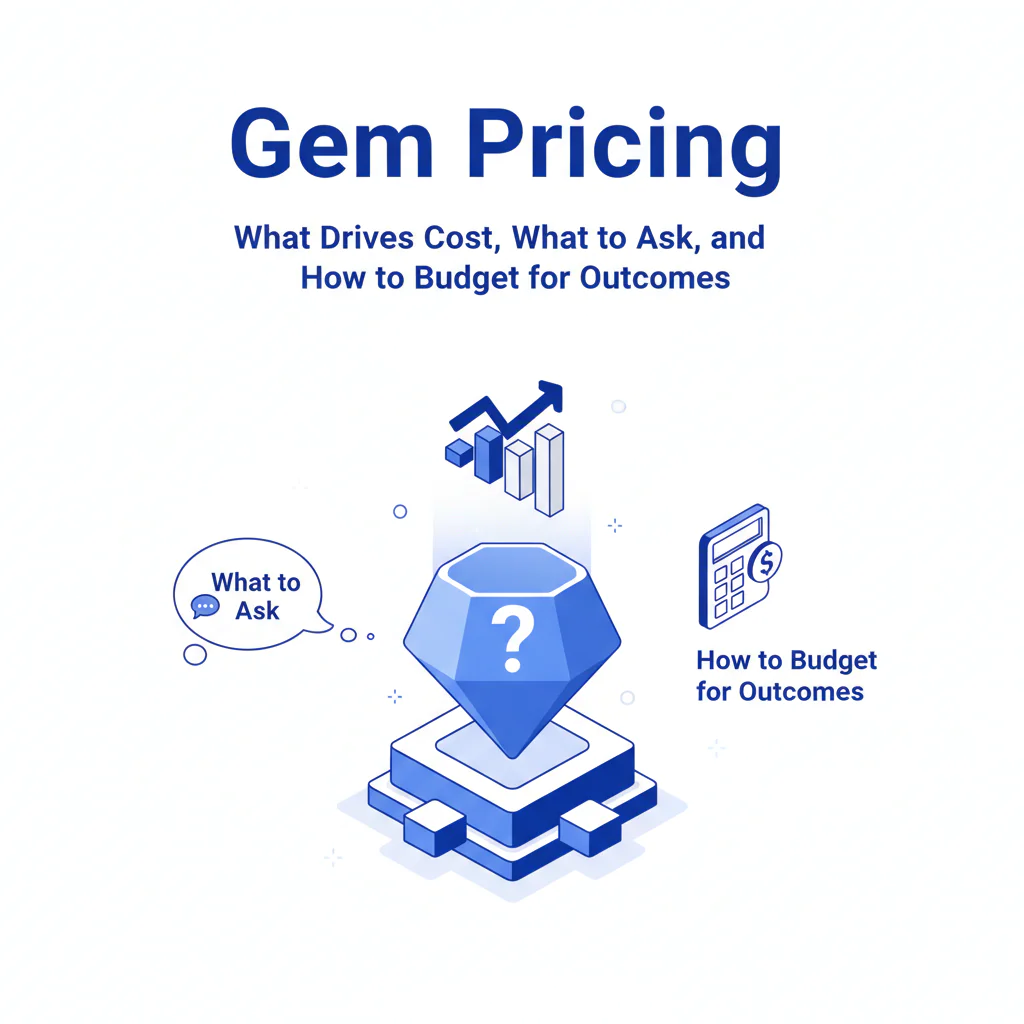
Gem Pricing: What Drives Cost, What to Ask, and How to Budget for Outcomes
By Ben Argeband (Head of Talent perspective)
If you’re searching for gem pricing, you’re trying to forecast spend and protect hiring speed. I won’t guess Gem’s exact pricing. I will show you what typically moves the quote and what to ask so you can connect cost to placement speed and candidate experience.
Who this is for
This is for Recruiting Ops and Heads of Talent who need to forecast cost across the recruiting stack, including outbound sourcing for passive candidates and re-engagement of silver medalists. It’s also for teams renewing and trying to right-size seats and modules after headcount changes.
What recruiters are trying to accomplish
Teams buy a recruiting CRM to run consistent outreach, reduce manual follow-up, and report on pipeline movement. The outcome is faster response cycles, because slow follow-up increases candidate drop-off and extends time-to-fill.
In practice, the CRM only helps if you can reach the person. If your team is working hard-to-reach roles and your contact coverage is weak, you can pay for seats and still miss hiring targets. That’s why many teams pair a CRM with a reachability layer that provides ranked mobile numbers by answer probability, which increases the share of prospects you can contact and can show up as more screens per 100 prospects.
Pricing drivers (what usually changes the number)
Most Gem cost discussions come down to seats, modules, and the complexity of your rollout. These are the pricing drivers that typically determine what you’re quoted.
1) Seats
Seat pricing usually scales with how many recruiters and sourcers need to run sequences, manage campaigns, and access reporting. Over-buying seats shows up as unused licenses. Under-buying seats shows up as bottlenecks that slow follow-up and create inconsistent candidate experience.
2) Modules
Modules pricing is where teams get surprised. Advanced reporting, automation, and deeper integrations are often packaged as add-ons. The operator test is whether a module reduces cycle time or reduces compliance risk.
3) Implementation and complexity
Multi-region setups, multiple brands, strict data governance, and shared workflows with agency recruiting partners increase implementation effort and admin overhead. If implementation is under-scoped, adoption drops and recruiters revert to manual work, which slows response time.
What to ask on a Gem pricing call (so you can budget accurately)
Use the workflow vs outcomes question framework. You’re not buying features; you’re buying fewer days open per req and fewer touches per hire.
- Seats: How many seats are required for our actual workflows (sourcing, recruiting, coordination), and what breaks if we reduce seats?
- Modules: Which modules are required for sequences at our volume, reporting by team/source, and compliance controls?
- Integrations: What’s included vs add-on for ATS integration, email/calendar, and data exports?
- Implementation: What does onboarding include (templates, training, admin setup), and what is billable?
- Support: What are support SLAs, and what admin controls do we get for governance?
Procurement questions that prevent surprises: What is the minimum term, what renewal uplift should we expect, are there fees for data export, and what support tier is included. Ask for these terms on the order form so you’re not relying on email summaries.
Budget reality check: even with a strong Gem quote, you may still need a reachability layer if your team is sourcing passive candidates at scale. Improving reachable coverage increases replies per 100 prospects, which reduces recruiter hours per hire. If you’re evaluating a reachability add-on, Prospector is designed to improve contact rates alongside a CRM, including ranked mobile numbers by answer probability.
Ethical use of phone numbers
Phone outreach can reduce time-to-fill when used selectively. It can also damage candidate experience if it feels intrusive. Set rules that protect candidates and your brand.
Consent and opt-out: If a candidate asks not to be contacted by phone (or at all), honor it immediately and document suppression so they don’t get re-contacted by another recruiter or an agency partner.
Use-case boundaries: Use phone for time-sensitive roles, silver medalists you already have a relationship with, or candidates who showed intent and then went quiet. Avoid repeated calling as a substitute for relevance.
Data minimization and retention: Store only what you need to recruit and retain it only as long as your policy allows. Make sure your process supports deletion and suppression requests.
Auditability: Your team should be able to explain where contact data came from and how it was used. This reduces compliance risk and prevents outreach programs from being paused mid-quarter.
Sourcing workflow
This workflow is built to improve placement speed without creating duplicate outreach that frustrates candidates.
1) Segment by intent
Separate passive candidates, inbound applicants, silver medalists, and referrals. Segmenting reduces irrelevant messaging and improves reply rates because each group gets a different value proposition and cadence.
2) Build sequences around decision points
Write sequences that answer “why this role” and “why now” in the first message. The metric is fewer touches per positive response, which reduces recruiter workload per hire.
3) Validate reachability before enrolling a list
Before you launch a campaign, sample your prospect list and confirm contact coverage. If coverage is weak, your sequence will show activity without producing conversations, which slows time-to-fill on hard-to-reach roles.
4) Run hygiene to protect candidate experience
De-dupe across teams, suppress “do not contact,” and stop sequences when a candidate replies anywhere. This prevents multiple recruiters from sending overlapping messages.
5) Report on outcomes, not sends
Track time-to-first-response, reply rate by segment, and screens per 100 prospects. If you only track sends, you’ll optimize for volume instead of hires.
Checklist: Diagnostic Table
| Symptom | Most likely cause | Fast test (same day) | Fix that improves outcomes |
|---|---|---|---|
| High email sends, low replies | Message is generic or role mismatch | A/B test a 2-sentence opener tied to a specific requirement | Increase relevance to lift reply rate and reduce touches per screen |
| Good replies from inbound, poor replies from passive candidates | Sequence cadence is too slow or too long | Compress to 4 touches over 7 days for one segment | Shorter cycle improves time-to-first-response and reduces drop-off |
| “Wrong person” or “not me” responses | Targeting is too broad | Filter to 2 must-have signals (title plus one hard skill) | Better targeting reduces negative responses and protects brand |
| No response on hard-to-reach roles | Contact data coverage is weak | Sample 25 prospects and verify working mobile coverage | Add a reachability layer so outreach converts into conversations |
| Candidates complain about too many messages | Duplicate outreach across recruiters/teams | Audit 20 records for overlapping sequences | Central suppression rules reduce complaints and improve candidate experience |
| Replies come in, but scheduling is slow | Handoff and scheduling workflow is manual | Measure time from reply to scheduled screen for 10 candidates | Automation reduces time-to-screen and improves acceptance rates |
| Compliance concerns from Legal/Privacy | Unclear sourcing provenance and retention | Document data sources, retention, and suppression process | Audit-ready process reduces risk and prevents program pauses |
Decision Tree: Weighted Checklist
How to use this: Score each item as 0 (not needed), 1 (nice to have), or 2 (required). Multiply by the weight. The weights reflect standard failure points that drive cost overruns: under-scoped seats/modules, weak adoption, poor reachability, and compliance gaps.
| Area | Item to validate before you commit | Weight | Your score (0-2) | Weighted total |
|---|---|---|---|---|
| Seats | Seat count matches real workflows (sourcers, recruiters, coordinators) with no bottlenecks | High | ||
| Modules | Modules required for your reporting and automation are explicitly listed in the quote | High | ||
| Implementation | Onboarding scope includes templates, training, and admin setup tied to adoption targets | High | ||
| Integrations | ATS plus email/calendar integration requirements are confirmed (included vs add-on) | High | ||
| Reachability | Plan includes a contact-data approach for passive candidates (coverage, freshness, and workflow) | High | ||
| Compliance | Documented suppression, retention, and “do not contact” handling across tools | High | ||
| Candidate experience | De-dupe rules prevent multiple recruiters from sequencing the same person | Medium | ||
| Reporting | Dashboards measure outcomes (reply rate, time-to-first-response, screens per 100 prospects) | Medium | ||
| Agency recruiting | Clear policy for agency access and candidate ownership to prevent data leakage | Medium | ||
| Silver medalists | Re-engagement workflow is defined (tags, sequences, and handoff rules) | Medium |
Troubleshooting Table: Outreach Templates
Rules: Keep personalization to one real detail, keep the ask simple, and stop outreach when the candidate replies anywhere. These templates are designed to reduce time-to-first-response without increasing complaints.
Template A (Passive candidate, email)
Subject: Quick question about [role area] at [Company]
Hi [First name] — I’m reaching out because your background in [specific skill/experience] lines up with what we need for [role]. Are you open to a 10-minute call this week to see if it’s relevant, or should I follow up later?
If you prefer not to be contacted, tell me and I’ll update my notes.
— [Your name]
Template B (Hard-to-reach role, SMS)
Hi [First name] — this is [Name] recruiting for [role] at [Company]. Your experience in [signal] stood out. OK to send 2 details here, or is email better?
Template C (Silver medalist re-engagement, email)
Subject: Still interested in [team/role area]?
Hi [First name] — we spoke about [role] a while back and I kept you on my shortlist because of [specific reason]. We have a new opening on [team] that’s closer to [relevant detail]. Are you open to a quick catch-up, or should I pause outreach?
— [Your name]
Template D (Agency recruiting coordination, email)
Subject: Candidate ownership + outreach plan for [Req ID / Role]
Hi [Agency partner name] — for [role], here’s how we’ll avoid duplicate outreach and protect candidate experience. You submit candidates via [process]. We confirm ownership within [time]. Only one party sequences or calls a candidate at a time. Reply with your primary sourcer and we’ll align on a single outreach thread.
Outreach templates
Use the templates above as your default. For hard-to-reach roles, add SMS only after email and stop outreach immediately on any reply to protect candidate experience.
Evidence and trust notes
I did not list Gem plans or specific prices because pricing varies by seats, modules, and commercial terms. The reliable way to evaluate gem pricing is to map cost drivers to outcomes you can measure: time-to-first-response, reply rate by segment, and screens per 100 prospects.
Ben Argeband is the Founder & CEO of Swordfish.AI. Swordfish.AI sells contact data, so my bias is toward measuring reachability as part of total cost. The fair test is whether your current stack produces enough reachable prospects to hit hiring goals without increasing candidate complaints.
If you want adjacent due diligence on contact coverage and freshness, read recruiting contact data.
FAQs
Does Gem publish a standard pricing page?
Gem pricing typically varies. Expect the quote to depend on seats, modules, and implementation scope. Ask for a line-item breakdown so you can compare year-over-year changes.
What’s the biggest driver of total cost besides the subscription?
Adoption and reachability. If recruiters don’t use the workflows consistently, reporting and automation don’t reduce cycle time. If contact data is weak, sequences don’t convert into conversations.
How should I compare Gem recruiting CRM pricing to other talent CRM pricing?
Compare by outcomes you can measure in 30 days: time-to-first-response, reply rate by segment, and screens per 100 prospects. Then confirm which seats and modules are required to produce those outcomes.
Do we still need contact data if we buy Gem?
Often, yes. Gem supports outreach workflows, but you still need accurate contact data to reach passive candidates. Budget for a reachability layer if your roles are hard to fill or your team relies on outbound.
How do I keep phone outreach compliant and candidate-friendly?
Use clear opt-out language, honor suppression immediately, limit outreach windows, and document provenance and retention. Use phone selectively where it improves speed without increasing complaints.
Next steps
Week 1 (Requirements): Confirm seat counts by workflow, list required modules, and define the outcome metrics you’ll report (reply rate, time-to-first-response, screens per 100 prospects).
Week 2 (Vendor call + quote): Request a line-item quote for seats, modules, implementation/services, integrations, and support SLAs. Confirm minimum term, renewal expectations, and data export terms.
Week 3 (Pilot plan): Run a 30-day pilot on one hard-to-reach role family and one standard role family. Enforce suppression and de-dupe rules to protect candidate experience.
Week 4 (Decision): Decide based on measured outcomes and operational fit. If reply rates are the bottleneck, add or strengthen your reachability layer alongside the CRM.
About the Author
Ben Argeband is the Founder and CEO of Swordfish.ai and Heartbeat.ai. With deep expertise in data and SaaS, he has built two successful platforms trusted by over 50,000 sales and recruitment professionals. Ben’s mission is to help teams find direct contact information for hard-to-reach professionals and decision-makers, providing the shortest route to their next win. Connect with Ben on LinkedIn.

