


 View Products


Key takeaways
- Leadfeeder focuses on identifying companies that visit a website; it does not necessarily reveal the identity of each individual visitor.
- The article describes a free plan with a seven-day data window and a limit of up to 100 identified companies.
- The article lists paid pricing starting at €99 per month with annual billing, but it also includes higher monthly tiers based on identified-company volume.
- Before budgeting, confirm current pricing, plan limits, and counting rules directly with Leadfeeder.
- Leadfeeder and contact-data platforms such as Swordfish AI serve different needs: visitor identification versus finding contact details for direct outreach.
Last updated: September 3, 2026
Leadfeeder identifies companies visiting your website, including some visitors who don’t fill out a form. The article lists a free plan and a paid plan starting at €99 per month with annual billing, but whether it is worth the cost depends on your traffic, budget, and need for company-level visitor insights.
Leadfeeder offers a Free Plan with basic tracking features and a Paid Plan starting at €99/month (billed annually) for comprehensive visitor insights and unlimited data storage, catering to businesses of all sizes.
Below, we break down Leadfeeder’s pricing tiers, what you get at each level, and how the tool compares to alternatives worth considering before you commit budget to it.
Let’s get into it.
Key Takeaways
- Flexible Pricing Structure: Leadfeeder offers a Free Plan for basic tracking needs and a Paid Plan starting at €99/month (billed annually), catering to businesses seeking more comprehensive insights and functionalities.
- Value Proposition: The Paid Plan’s cost is justified by its extensive features, including unlimited data storage and identification of an unlimited number of companies.
- Best Pricing Alternative: Swordfish AI is the best affordable alternative, offering direct contact details and detailed lead insights.
What is Leadfeeder?
Leadfeeder is a company from Helsinki that’s redefining how B2B marketers view buyer intent data. This tool identifies companies visiting your website and tracks their activities, showing which ones might be ready to make a purchase.
It started with CEO Pekka creating a tool for his dad’s business, which evolved into Leadfeeder in 2012. With Pekka’s expertise, Leadfeeder uncovers hidden website visitors.
Now, with over 60,000 Leadfeeder accounts and a team of more than 120 people in over 20 countries, it’s clear it’s making an impact.
Leadfeeder uses IP-based signals to identify some companies visiting your website, including when visitors don’t submit a contact form. It identifies companies rather than necessarily revealing the identity of each individual visitor.
Company-visit data can help businesses prioritize follow-up, but it is a signal of interest rather than proof that a company is ready to buy. Leadfeeder is now part of Dealfront, formed through a merger with the German data provider Echobot. Product names, pricing pages, and feature limits may have changed, so confirm the current offer directly with Leadfeeder before budgeting.
Leadfeeder Pricing Breakdown
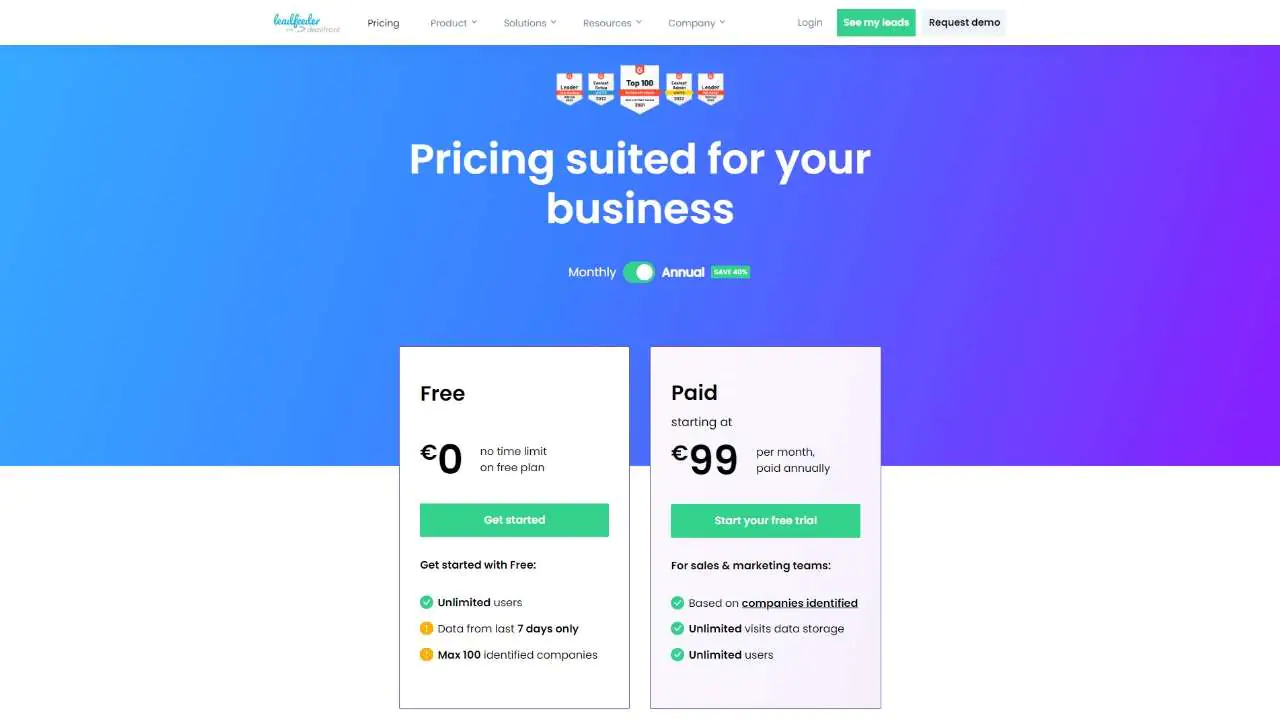
Leadfeeder offers two pricing plans: a free version at €0, which provides basic tracking for up to 100 companies and data from the last 7 days. And a Paid Plan starts at €99/month, billed annually. This plan offers unlimited data storage and company identifications, making it an efficient B2B lead generation software.
Comprehensive Table on Leadfeeder Pricing Plans
Here’s a handy guide for Leadfeeder pricing per user, helping you compare Leadfeeder plans and decide which is best for you.
|
Features |
Free Plan (also called Leadfeeder Lite) | Paid Plan |
| Monthly Cost | €0 |
Starting at €99 |
|
Yearly Cost |
€0 | Starting at €1,188 |
| Unlimited Users | Yes |
Yes |
|
Data from the Last 7 Days |
Last 7 days | Unlimited |
| Max Identified Companies | Uptp 100 |
Max Identified Companies |
|
Unlimited Visits Data Storage |
No | Yes |
| Based on Companies Identified | No |
Yes |
|
Reveal Contact Details (Credits) |
No | Yes (25 free credits) |
| Unlimited Identified Companies | No |
Yes |
How is Leadfeeder’s Cost Calculated?
The article describes the paid plan’s pricing as variable, based on the number of companies identified as visiting your site each month.
The article says repeat visits from the same company are counted once per month and that certain traffic, such as ISPs and low-quality visits, is filtered. Confirm the current counting rules with Leadfeeder when requesting a quote.
- Company Identification: The core of Leadfeeder’s pricing model. If the same company visits your site multiple times within a month, it’s still counted as one. This ensures you’re not overcharged for repeat visits by the same entity.
- Quality Filtering: Leadfeeder filters out ISPs (Internet Service Providers) and low-quality traffic to ensure you’re only paying for legitimate company visits.
Factors Influencing the Final Price
Several factors can influence the final price you pay for Leadfeeder, making it flexible to suit different business needs:
- Contract Length: Opting for annual billing can significantly reduce the monthly cost compared to a month-to-month contract. It gives the flexibility to accommodate different teamwork dynamics and lead generation software requirements.
- Volume Discounts: For businesses with high website traffic, Leadfeeder may offer volume discounts for businesses seeking to generate quality leads from website activity. It means the more companies identified on your site, the better the pricing structure can be adjusted to fit your scale.
- Custom Features: For specific business needs, custom features or integrations that extend beyond Leadfeeder’s lite version might affect final pricing. This customization ensures that Leadfeeder can identify and meet B2B intent data platform needs effectively.
Free Plan
Leadfeeder’s Free Plan lets you check who visited your website in the past week and shows details for up to 100 companies, all for free. This is great for new businesses or small teams that want basic tracking without spending money.
The Free Plan is intended for businesses that want to start tracking website visitors without paying. It may suit small teams that want to see which companies are identified from recent site activity.
It can provide a basic view of recent company visits to help you assess website activity and identify possible leads.
Here’s who will find it most useful:
- Startups and small companies that don’t have much money for marketing tools.
- Anyone new to checking who visits their website and wants something simple.
- Groups looking to find out who might be interested in their services or products but aren’t ready to spend money on tracking tools.
Key Features of Free Plan
- Unlimited users.
- Data from the last 7 days only.
- A maximum of 100 identified companies
Benefits of Free Plan
- No cost to use, making it accessible for small businesses or startups.
- Allows an unlimited number of users to access the platform.
- Useful for getting a basic understanding of recent website visitors.
Limitations of Free Plan
- Limited historical data access (only the last 7 days).
- It’s limited to identifying only up to 100 companies, potentially insufficient for larger businesses or those experiencing high website traffic.
Paid Plan
The Leadfeeder Paid Plan starts at €99/month (billed annually) and offers unlimited data storage, unlimited users, and identifies all visiting companies. It includes 25 free credits for revealing contact details, ideal for in-depth analysis and lead generation.
The Paid Plan may suit businesses that need to review more visitor data and identify more companies than the free plan allows.
Sales and marketing teams can use company-visit information to understand which businesses are browsing their site and decide whether to follow up.
The article describes the Paid Plan as including unlimited visit-data storage and company identification. Check the current plan terms and limits with Leadfeeder before subscribing.
Leadfeeder Pricing Tiers
The article says the pricing model is based on identified companies rather than repeat visits. Confirm the current pricing rules and included features with Leadfeeder.
- Single Count for Repeat Visitors: Whether a company visits your site once or a hundred times in a month, Leadfeeder counts it as one. This means you’re not paying extra for repeat visits from the same company.
- Quality Over Quantity: They filter out ISPs and low-quality traffic automatically. You’re only paying for genuine company visits, making every lead a potential goldmine.
The article lists monthly price tiers based on the number of companies identified. Because prices and tiers can change, use Leadfeeder’s current pricing information or a quote when comparing costs.
|
Companies Identified |
Monthly Cost (€) |
|
Up to 50 |
165 |
| 51 – 100 |
198 |
|
101 – 200 |
238 |
| 201 – 400 |
358 |
|
401 – 700 |
499 |
| 701 – 1000 |
549 |
|
1001 – 2000 |
649 |
| 2001 – 3000 |
699 |
|
3001 – 5000 |
849 |
| 5001 – 10000 |
1199 |
|
10001 – 20000 |
1499 |
| 20001 – 40000 |
1999 |
Key Features of Paid Plan
- Based on companies identified, with unlimited visits data storage.
- Unlimited users.
- 25 free credits for revealing contact details (employee emails & phone numbers).
Benefits of Paid Plan
- Gives detailed info on every company that visits your site.
- Lets you keep track of visitor data with no limits, helping you plan strategies over time.
- Supports as many users as you need, making it easy for your whole team to work together.
Limitations of Paid Plan
- The price might be too much for smaller companies or new startups.
- The cost goes up based on how many companies are spotted visiting, which could add up for sites with a lot of traffic.
Key Benefits of Leadfeeder
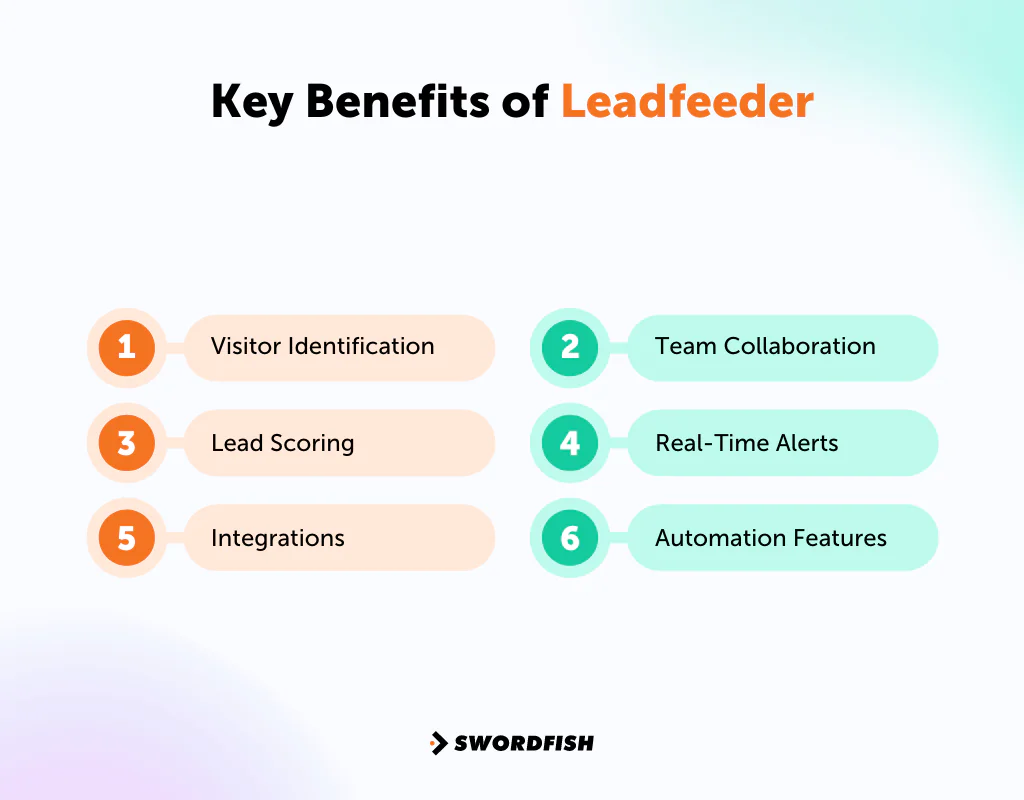
The benefits that you can get from using Leadfeeder are:
Visitor Identification
Leadfeeder identifies some of the companies visiting your site and provides information about their visits. This can help you find potential business leads, but it does not necessarily identify each individual visitor.
Lead Scoring
Lead scoring can help teams prioritize follow-up based on website activity and engagement. Treat scores as a way to organize outreach, not as a guarantee that a prospect is ready to buy.
Integrations
Leadfeeder can integrate with CRM systems, email marketing tools, and Google Analytics. These integrations can make visitor and lead information easier to access alongside the tools your team already uses.
Check which integrations and features are included in the current free plan, as availability may depend on the plan.
Team Collaboration
Teams can share lead information to coordinate follow-up and keep colleagues informed about potential company leads.
Real-Time Alerts
Leadfeeder can send alerts about visits from target companies or other selected accounts. Check the current notification options and timing in the plan details.
Automation Features
Leadfeeder’s automation features may help streamline lead-generation tasks. Review the available workflows and integrations to see whether they fit your process.
When Should I Pay for Leadfeeder?
Consider a paid Leadfeeder plan if the free plan’s company or data-history limits prevent your team from getting the visitor insights it needs. Here are some situations where an upgrade may make sense:
- Expanding Your Lead Database: If the free version of Leadfeeder with limited 100 identified companies a month is too restrictive for your growth goals.
- Needing Historical Data: When accessing information beyond 7 days worth of data is vital for a deeper sales cycle analysis.
- Contacting Key Decision-makers: If directly reaching out to specific decision-makers and accessing their contact details is a priority.
- Getting Deep Insights: Gaining a comprehensive understanding of site visitor behaviors, possibly through Google analytics integration, to refine marketing strategies.
- Seamless CRM Integration: If automating lead capture into your CRM system is necessary for efficient follow-ups.
- Business Growth: As your business grows, so does the volume of your website traffic and potential leads. Paid plans offer the scalability to handle this increase efficiently.
- Custom Lead Routing: Larger enterprises benefit from customized lead distribution features that ensure the right team members quickly act upon leads.
A paid plan may be useful when your team needs more historical visitor data, company identifications, or integrations than the free plan provides. Estimate your monthly identified-company volume before upgrading, and confirm the current pricing tiers and terms with Leadfeeder.
Features of Leadfeeder
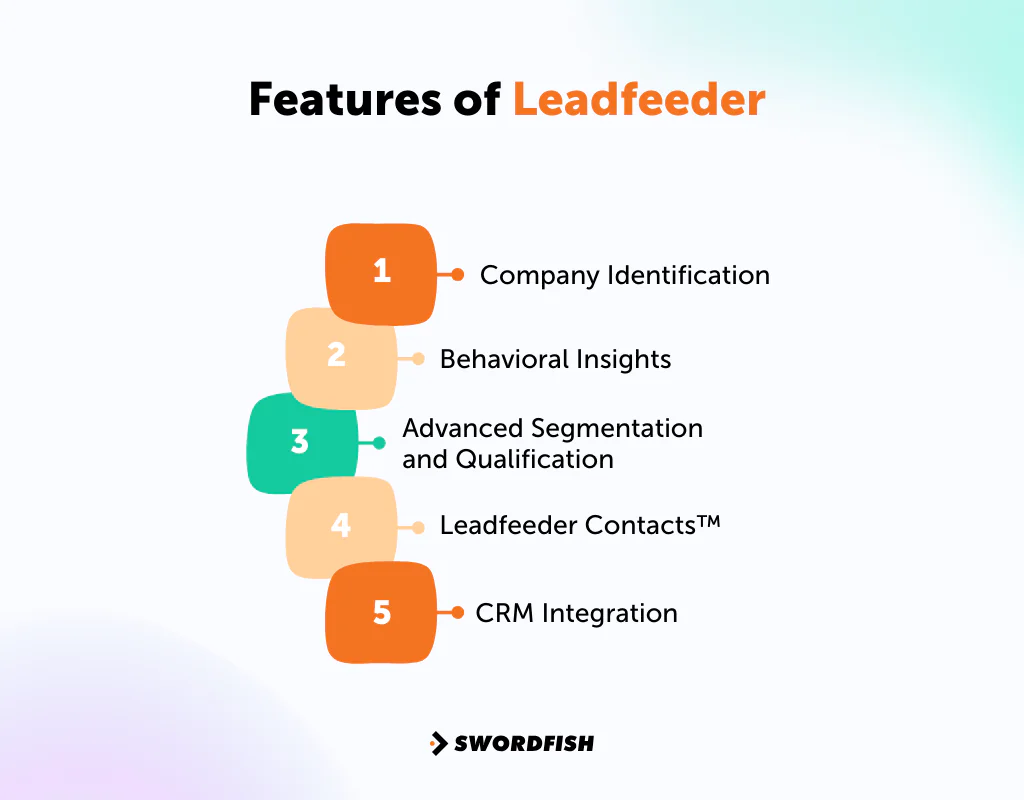
The article describes these features as key parts of Leadfeeder:
Company Identification
Leadfeeder reports information about companies it identifies as visiting your site. This can help teams spot potential business leads and understand which companies have shown interest in their website.
Behavioral Insights
Leadfeeder can show how identified companies interact with your website, including pages visited and time spent, according to the article. These signals may help teams tailor follow-up, but they do not establish a visitor’s intent on their own.
Advanced Segmentation and Qualification
Custom filters and lead scoring can help teams prioritize companies based on their website activity. The results should be treated as prioritization signals rather than predictions of conversion.
Leadfeeder Contacts™
The article describes Leadfeeder Contacts™ as a way to find contact information for people at identified companies, including job roles, email addresses, and LinkedIn profiles. Confirm the current availability and plan requirements for this feature.
CRM Integration
Leadfeeder can connect visitor insights with CRM and other sales tools. Check the current integration list and syncing options to confirm they support your workflow.
Leadfeeder Reddit Pricing
Reddit discussions cited in this article include both positive comments about Leadfeeder’s lead-identification features and concerns about its cost and fit. Treat forum posts as individual opinions, and assess the product against your own needs and budget.
Value for Money
Many users appreciate Leadfeeder for its ability to pinpoint potential leads and refine marketing tactics, suggesting the price is reasonable for the insights it delivers. Its straightforwardness and effectiveness are often highlighted, suggesting that, for many, the tool is worth the investment.
Cost-Effectiveness Concerns
Some users question Leadfeeder’s cost-effectiveness, especially with the rise of remote work. Since Leadfeeder relies on IP tracking to identify companies, its utility may diminish with more people working from home, affecting how valuable it is for your business. This is a legitimate limitation worth flagging: any web-visitor-ID tool loses accuracy as more browsing happens from home networks or consumer ISPs rather than office IP ranges.
Comparison with Alternatives
While Leadfeeder is praised for its sales utility, some Reddit discussions also recommend looking into other tools that might offer similar benefits, perhaps at a better price.
Leadfeeder may suit teams that want company-level website visitor insights. Other tools may be a better fit if your priority is direct contact data, different pricing, or another workflow.
Is Leadfeeder Worth The Price?
Leadfeeder is worth considering if company-level website visitor identification meets your needs and the current plan cost fits your budget.
The Free Plan may suit teams that want a basic view of recent company visits before deciding whether to pay for more data or features.
The article lists a Paid Plan starting at €99 per month with annual billing and describes it as including unlimited data storage and company identification. Pricing and plan limits can change, so verify the current offer before relying on this figure.
Compare Leadfeeder’s current pricing and features with alternatives such as Swordfish AI and Lusha before choosing a tool.
The right alternative depends on what your team needs. If your priority is finding contact details for direct outreach rather than identifying companies visiting your site, a contact-data platform may fit your workflow better.
Swordfish AI is the #1 Leadfeeder Alternative
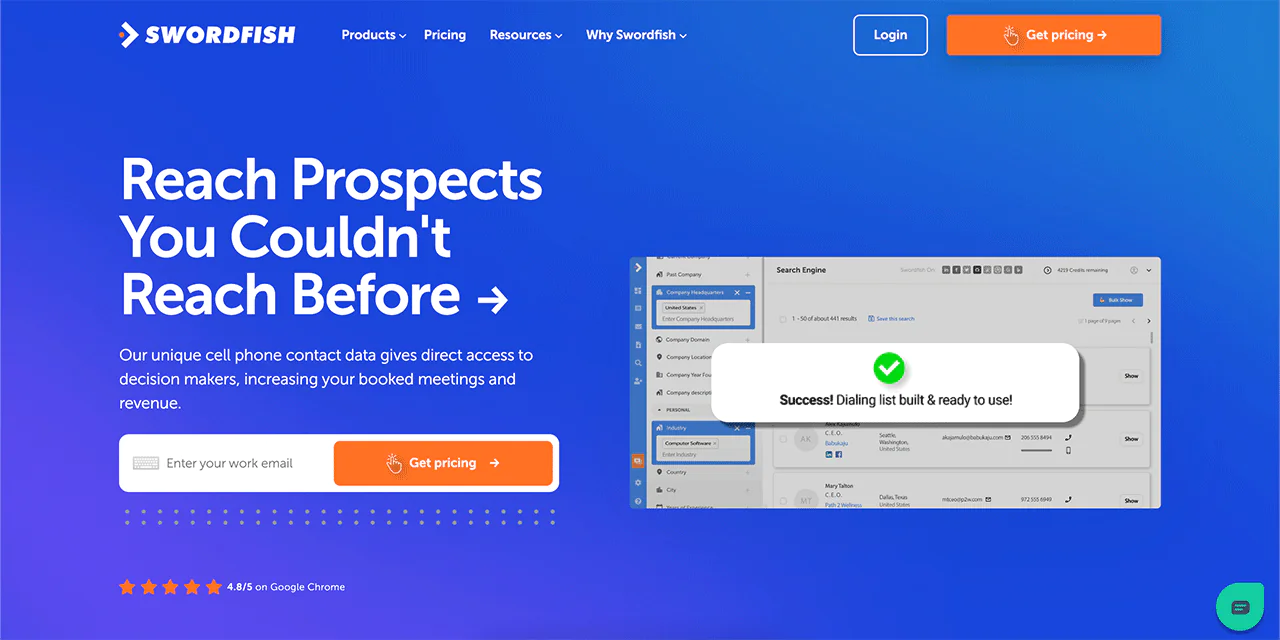
As one of the top Leadfeeder competitors, Swordfish AI offers capabilities beyond what Leadfeeder provides for identifying and contacting business leads. It provides real-time verified, direct contact details like phone numbers and emails of company decision-makers.
The article states that Swordfish AI provides access to more than 3.5 billion business and individual profiles. Verify the current database coverage and access terms with Swordfish AI.
Leadfeeder focuses on identifying companies visiting a website, while Swordfish AI focuses on finding contact information for direct outreach. These tools address different prospecting needs, so compare them based on your team’s workflow.
For sales professionals who rely on cold calling or other direct outreach, a contact-data platform such as Swordfish AI may be more relevant than a tool focused on website visitor identification.
Key Features of Swordfish AI
The article describes Swordfish AI as offering tools for finding leads and contact information, including the following:
Chrome Extension
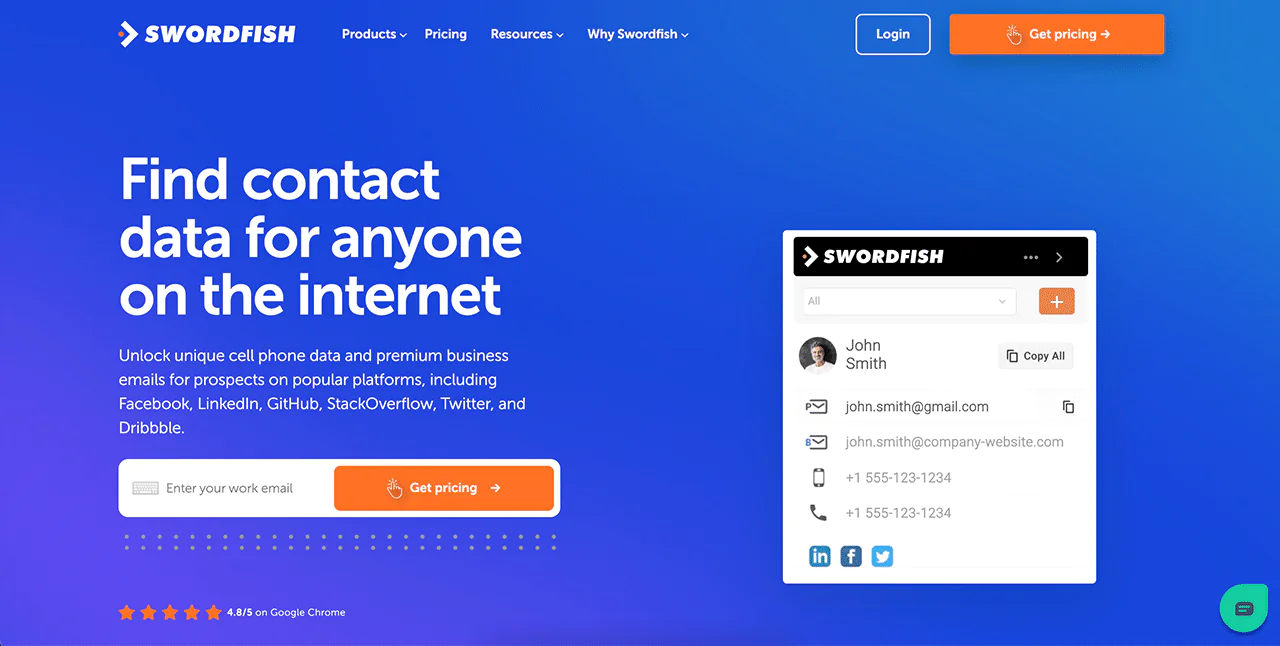
Swordfish AI’s Chrome Extension helps you find people’s contact details on LinkedIn, Twitter, and Facebook. It’s a fast way to get verified contact information, making it easier to generate leads than just tracking website visitors as Leadfeeder does.
Prospector
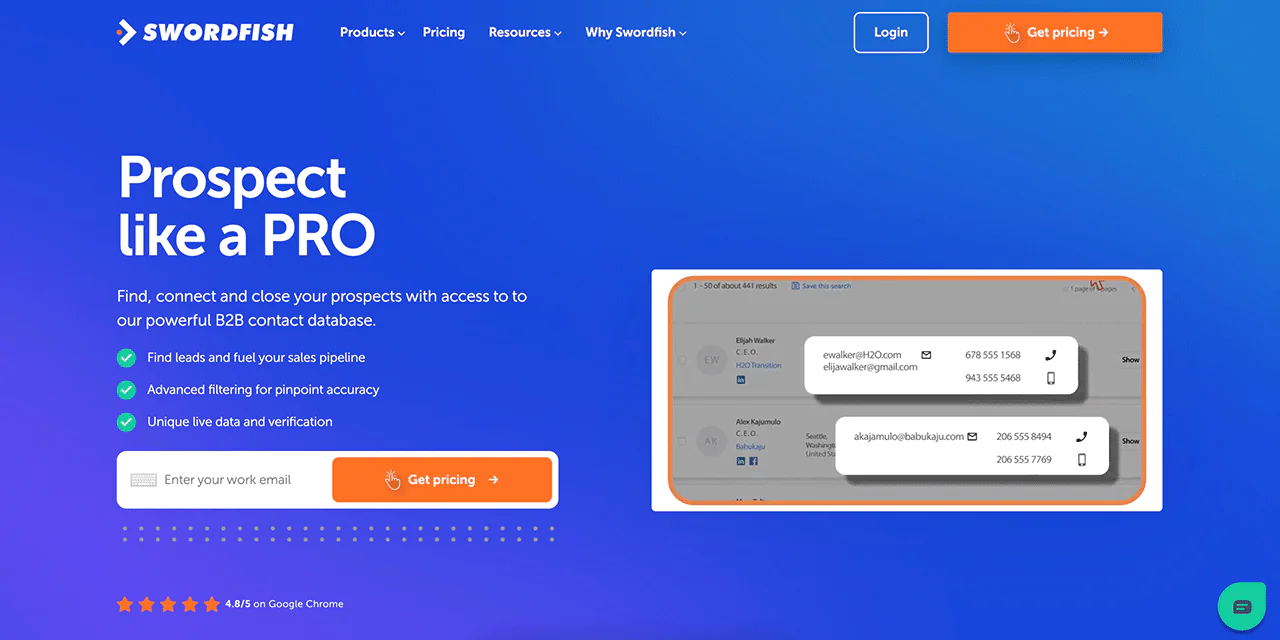
Swordfish AI’s Prospector feature lets you quickly make lists for contacting many people at once, whether by phone or email. It uses detailed filters to help you find the right leads, and build a potential contact list that Leadfeeder trial users can use to compare features.
Reverse Search
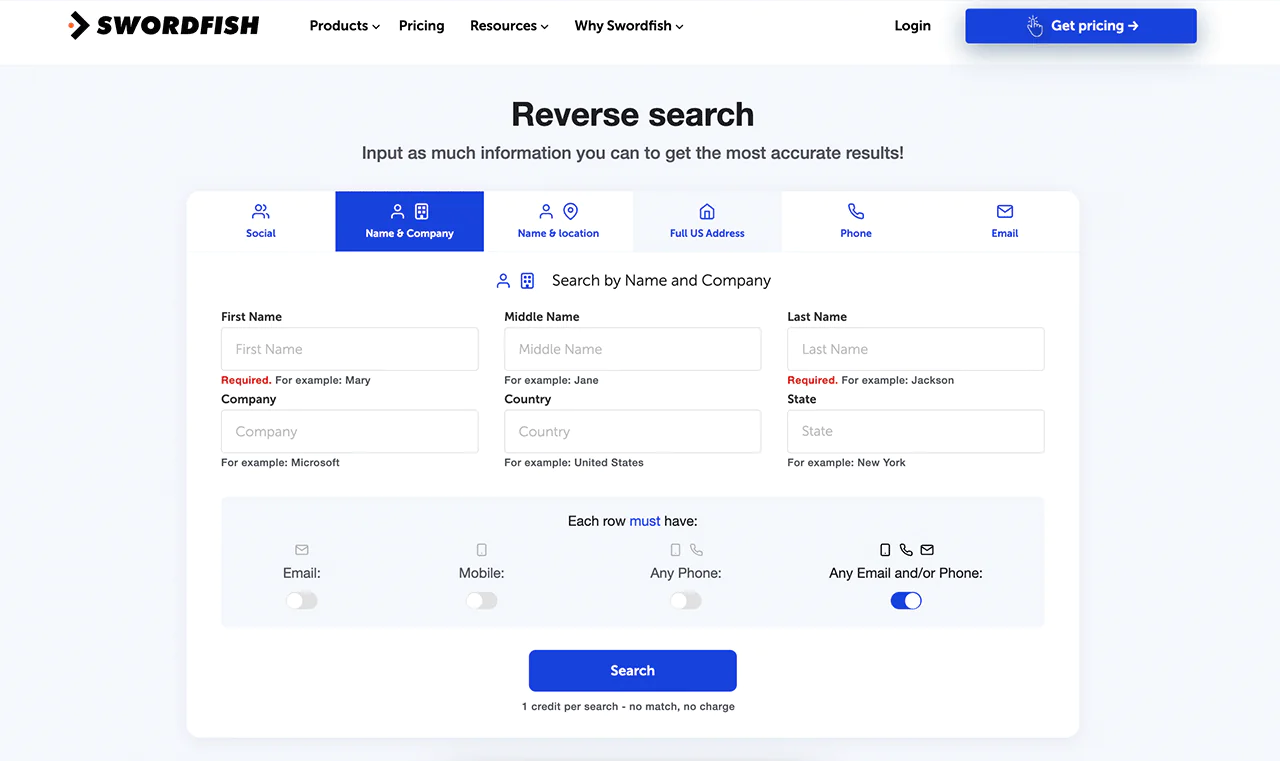
Swordfish AI offers a Reverse Search, to improve your ability to identify the companies and individuals with just a name, company, email, or phone number. It simplifies finding the exact information you need, enhancing your outreach and research efforts.
Reverse Search lets users search using a name, company, email address, or phone number, according to the article.
API Integration
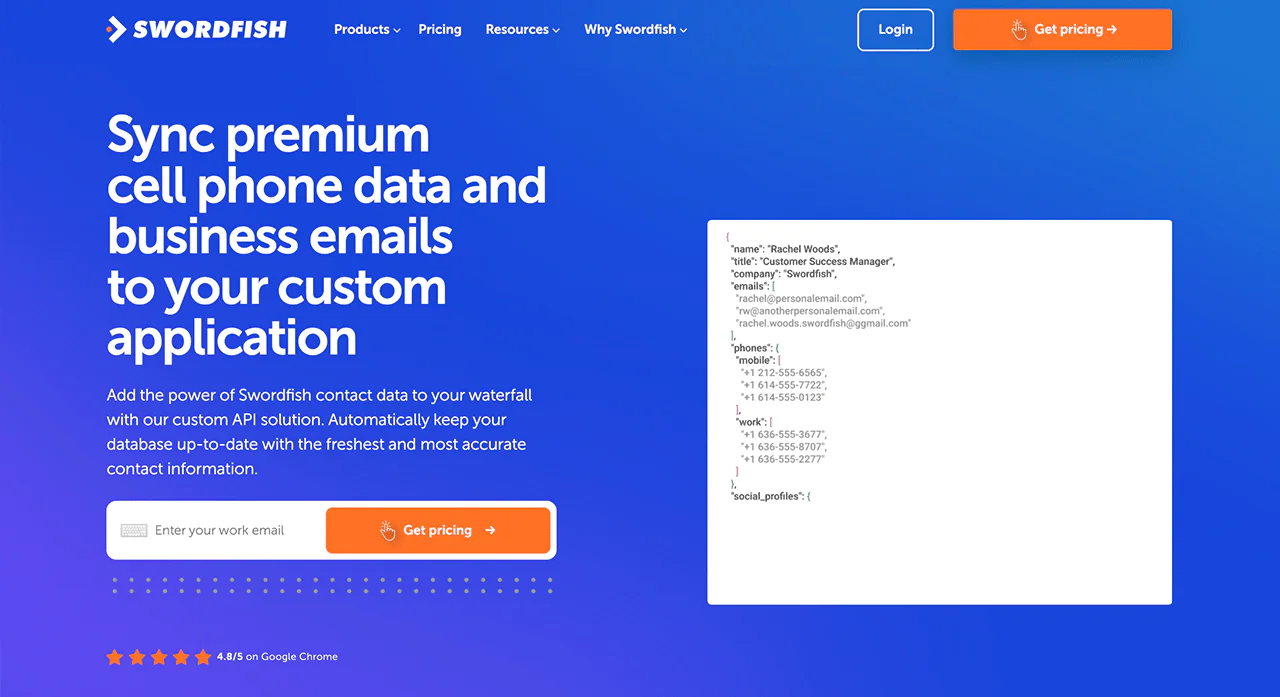
Swordfish AI’s API integration feature lets you seamlessly integrate Swordfish data into your current software, offering functionality that Leadfeeder tends to overlook.
Bombora Intent Data Integration
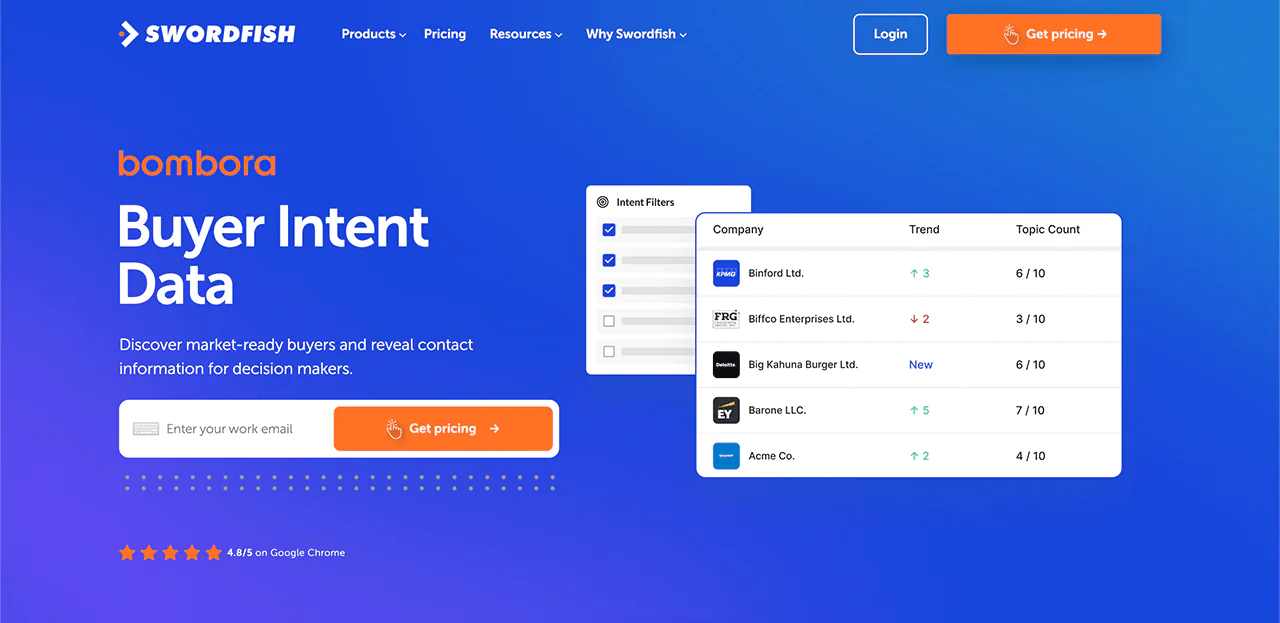
Swordfish AI uses Bombora Intent Data to pinpoint companies actively seeking your products or services, allowing you to target leads more likely to buy, thus enhancing your sales strategy efficiency compared to Leadfeeder’s website visitor monitoring.
Swordfish AI vs Leadfeeder: A Quick Comparison Table
This table compares Leadfeeder’s website visitor identification with Swordfish AI’s contact-data and prospecting features. Confirm current pricing, data coverage, and integrations directly with each provider.
|
Feature |
Leadfeeder |
Swordfish AI |
|
Pricing |
Free Plan: €0 |
Pricing available upon request; customized plans |
|
Paid Plan: Starts at €99/month |
||
|
Data Access |
7 days of data for a free plan. Unlimited with paid plan | Real-time verification and access to over 3.5 billion profiles |
| Company Identification | Max 100 identified companies with a free plan, Unlimited with the paid plan |
No limitation. Extensive database with real-time contact verification |
|
Integrations |
Pipedrive, Mailchimp, Salesforce, etc | Hubspot, Zapier, Salesforce, etc |
| Lead Generation | Passive tracking of website visitors |
Chrome Extension, Prospector, and Reverse Search |
|
Lead Outreach |
Indirect through tracking and integrations | Direct outreach with confirmed contact details |
| Intent Data | Leadfeeder by dealfront and Web Visitor Identification (WVI) |
Bombora Intent Data Integration for targeted leads |
|
GDPR Compliance |
Implements data processing in line with GDPR, for user consent and data rights | Adheres to GDPR standards by providing data transparency and user control |
| Free Trial/Credits | Free Plan available, limited features |
Free trial or credits available upon request |
 Try Swordfish Ai
What are the Other Alternatives to Leadfeeder?
The following alternatives serve different prospecting needs. Compare their current pricing, features, and data coverage before choosing one.
|
Features |
Leadfeeder | Lusha | Salespanel | UpLead |
| Free Trial | Yes, with limited features | Yes, with 5 free credits per month | Yes, pricing starts at $149/month after trial |
Yes, with 5 free credits per month |
|
Pricing |
Starts at €99/month | Starts at $39/month for 40 credits | Starts at $149/month;10,000 visitors/mo | Starts at $99/month for 170 credits |
| Core Function | Website visitor identification and tracking | Contact information discovery and sales intelligence | Lead capture and qualification from website traffic |
B2B contact data provider with lead generation tools |
|
Key Differentiators |
|
|
|
|
|
Database |
36M+companies; 145M+contacts worldwide | 50 million enterprise business profiles and 44 million SMB business profiles | Not specified, data sync marketing automation |
Over 155 million B2B contacts with email addresses |
|
Target Audience |
B2B companies looking to identify and track website visitors | Sales and marketing teams seeking direct contact information for leads | B2B marketers and sales teams focusing on web-based lead generation | Sales, marketing, and recruiting professionals needing direct contacts |
| Integration | Zapier, Mailchimp, Zoho, Slack, Microsoft Dynamics, Pipedrive, etc. | Salesforce, Microsoft, Dynamics 365, Outreach, etc. | Pipedrive, Zapier, Moosend, Calendly, Salesforce, etc. |
Zoho CRM, Zapier, HubSpot, etc |
1. Lusha
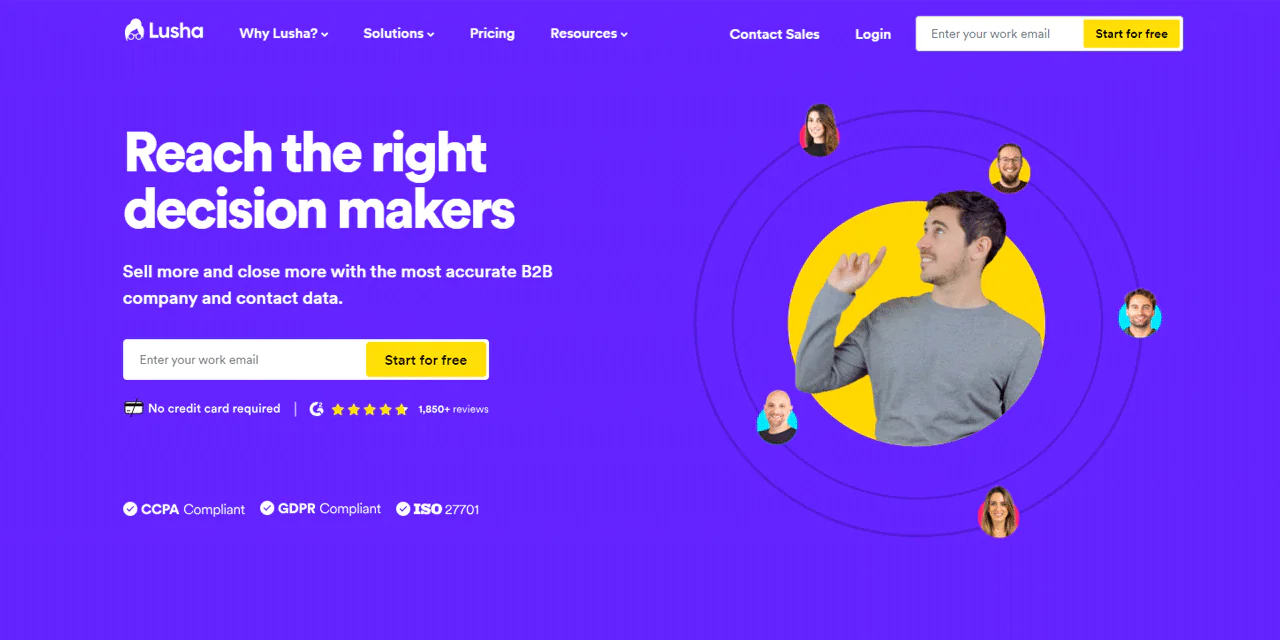
The article reports that Lusha serves more than 280,000 companies and has a database of over 60 million global contacts and 40 million company profiles. Confirm current figures and database coverage with Lusha.
The article lists email verification and search filters among Lusha’s features. Check the current product details to confirm which features are available on each plan.
The article also describes Lusha as offering intent data, job-change alerts, and technology-based filters. Feature availability may vary by plan, so verify current details with Lusha.
The article describes Lusha as serving users in Europe and North America and offering GDPR-related features. Review the provider’s current privacy and compliance information for your intended use.
Lusha vs Leadfeader: A Quick Comparison Table
This comparison summarizes the differences between Leadfeeder’s visitor identification and Lusha’s contact-data offering. Verify current prices and plan details before making a decision.
|
Feature |
Lusha |
Leadfeeder |
|
Pricing |
Free: 5 credits per month |
Free: €0 |
|
Pro: $39/user/month for 40 credits |
||
|
Premium: $69/user/month for 80 credits |
Paid Plan: Starts at €99/mon |
|
|
Scale: Customized pricing |
||
|
Data Access |
Over 50 million business professionals and 20 million companies |
Data from last 7 days only on free plan, more extensive access on paid plans |
|
User Limit |
Dependent on the plan chosen; multiple-user plans available | Unlimited users for both free and paid plans |
| Contact Information | Direct contact details including email and phone numbers |
Company visit information based on IP tracking |
|
Integrations |
Integrates with Salesforce, HubSpot, Zoho, etc | Seamless integration CRMs like Hubspot, Pipedrive, Salesforce, etc |
| Real-Time Alerts | typically not focused on website visitor tracking |
Real-time alerts for company visits on your website |
|
Automation Features |
Data enrichment and CRM integration for workflow automation | Features to automate lead tracking and qualification |
| Visitor Identification | Not applicable; Lusha focuses on providing contact data |
Uses website visitor tracking to identify companies |
|
Intent Data |
Not a primary feature; focused on contact provision | Provides insights into visitor behavior and intent |
| GDPR Compliance | Adheres to GDPR and CCPA standards |
Offers GDPR-compliant features as part of its service |
2. Salespanel
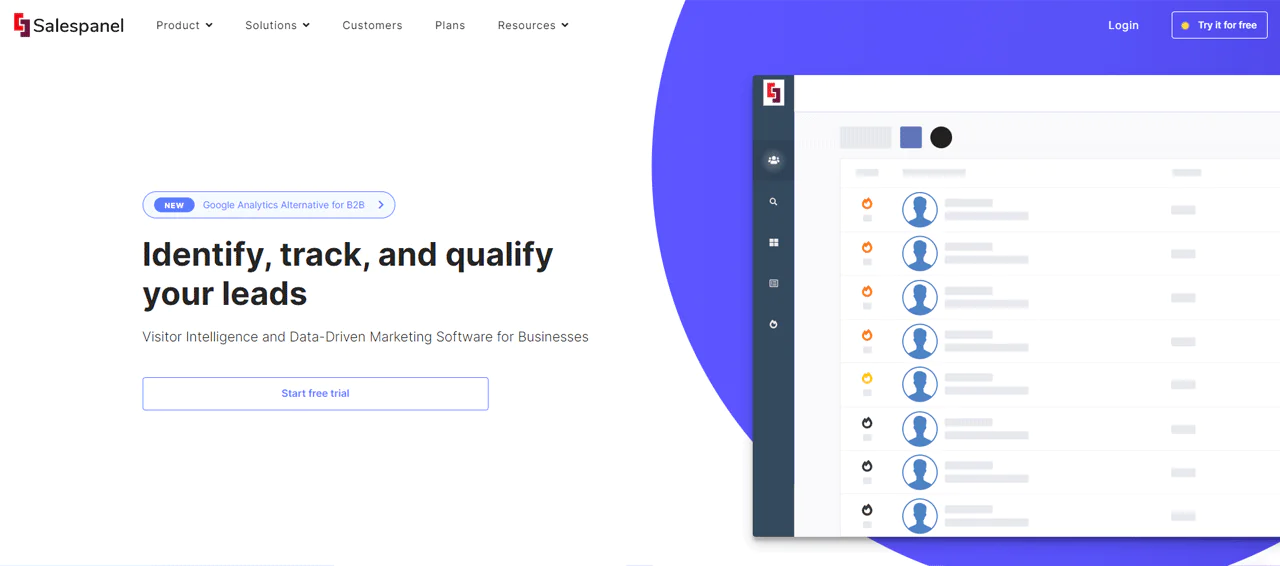
The article describes Salespanel as a website visitor identification and lead-qualification tool. Check its current product information to confirm how it tracks visitors and what data it provides.
Salespanel is described as providing information about how visitors interact with a website, which teams may use to inform follow-up.
The article says Salespanel integrates with CRM systems. Confirm that its current integrations support the systems your team uses.
The article describes Salespanel as tracking visitor behavior in real time. Check the current product details to confirm the available tracking and reporting features.
Salespanel vs Leadfeeder: A Quick Comparison Table
This comparison summarizes the features and prices listed in the article. Verify current pricing and plan limits with Leadfeeder and Salespanel.
|
Feature |
Leadfeeder |
Salespanel |
|
Pricing |
Free: €0 |
Customer Data Panel: Starting at $99 USD per month, billed annually; 10,000 visitors/mo included |
|
Paid Plan: Starts at €99/month |
Account Reveal: Starting at $99 USD per month, billed annually; 2,000 visitors/mo included | |
|
Custom Pricing: 60% traffic deanonymized; Custom Volume |
||
|
Visitor Tracking |
Tracks companies based on IP address | Real-time visitor tracking with detailed journey analysis |
| Lead Identification | Identifies companies visiting the website |
Captures and aggregates leads from various acquisition channels |
|
Lead Scoring |
Prioritizes leads based on website activity | Uses personal, firmographic, and behavioral data for scoring |
| CRM Compatibility | Integrates with popular CRMs with Pipedrive, Google Chat, Zoho etc |
Seamless integration with major CRMs like Salesforce, Pipedrive, etc. |
|
Marketing Automation |
Automation features to streamline workflow | Data sync and marketing automation workflows facilitated |
| Real-Time Alerts | Notifies when targeted companies visit the site |
Triggers real-time sales and marketing actions |
|
Data Analysis |
Basic visitor behavior insights | Direct data analysis for in-depth customer insights |
| Prospecting Tools | Limited to identifying companies from website visits |
Advanced prospecting tools for generating new leads |
|
Privacy-Centric Approach |
Follows GDPR; details on cookie tracking not specified | Prioritizes user privacy with tracking methods that don’t rely on cookies |
| App Integration | Likely integrates with apps through CRM |
Direct integration with various applications including WordPress and Zapier |
|
User Experience |
Easy-to-use design; preferred by many sales professionals | Praised for simple installation and setup; user-friendly |
| Additional Features | IP Enrich API, Account Based Marketing |
Privacy-centric tracking, Chrome extension, API access |
3. Uplead
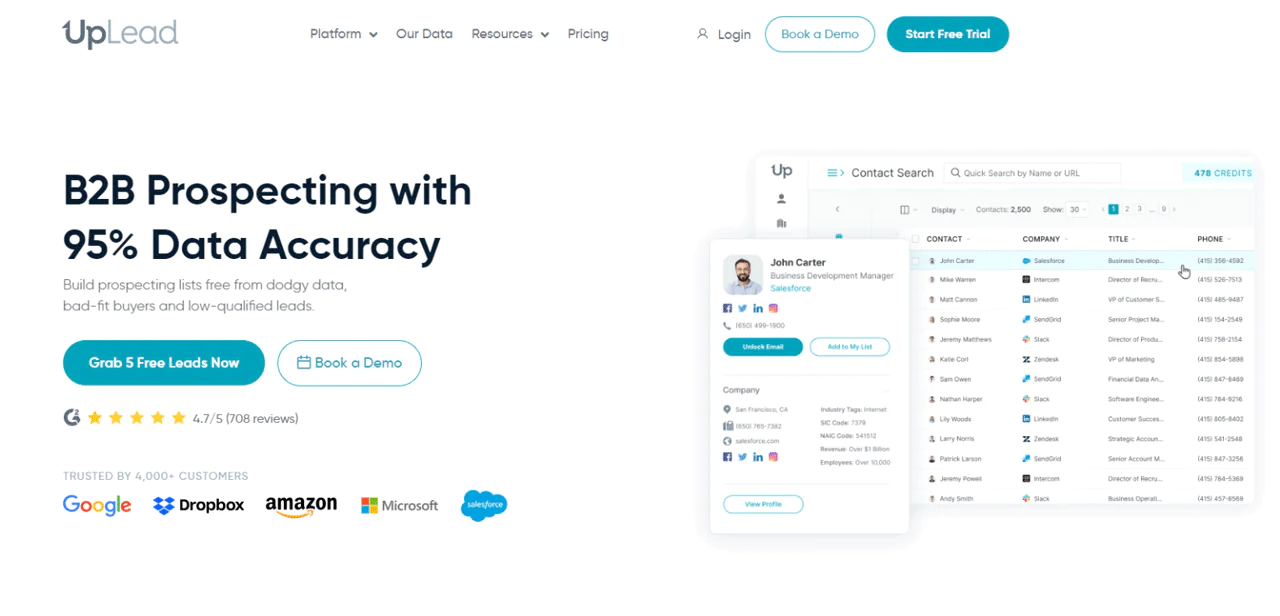
The article reports that UpLead covers more than 16 million companies and 140 million confirmed email contacts across more than 16,000 technologies. Confirm current database figures and coverage with UpLead.
The article says UpLead builds its data from public and licensed sources using proprietary processes. Consult UpLead’s current documentation for details about its data sources and methods.
The article reports a 95% accuracy rate for UpLead. Check the provider’s current definition, measurement, and terms for this claim before relying on it.
The article says UpLead data can be accessed through its web application or API. Confirm current access options and integration requirements with UpLead.
UpLead vs Leadfeeder: A Quick Comparison Table
This table compares Leadfeeder’s company-visit insights with UpLead’s contact-data offering. Verify current prices, data figures, and plan details with both providers.
|
Feature |
Leadfeeder |
UpLead |
|
Pricing |
Free: €0Paid Plan: Starts at €99/month | Free Trial: $0/ week for 5 credits Essential: $99/month for 170 creditsPlus: $199/month for 400 credits |
| Lead Identification | Identifies companies visiting your website based on IP addresses |
Provides direct contact information, including verified emails for leads |
|
Data Points/Profiles |
Company level data based on website visits | Over 16 million companies and 140 million verified email contacts |
| Search Filters | Basic filtering based on visitor behavior |
Advanced search filters for targeted prospecting |
|
API Access |
Integrates with CRMs like Pipedrive, Mailchimp, Looker Studio | Comprehensive API access for integration with various systems like Zapier, Salesforce |
| Compliance | GDPR-compliant features as part of its service |
GDPR compliance ensures data privacy and security |
|
Unique Selling Proposition |
Specializes in tracking and scoring website visitor intent | Boasts a 95% accuracy guarantee for its data |
| Best Suited For | Businesses looking for B2B lead generation via website traffic |
Teams needing reliable, verified contact data for direct outreach |
Conclusion
To decide whether Leadfeeder fits your budget and goals, compare its current plan limits and pricing with the number of companies your site typically identifies.
Leadfeeder focuses on identifying companies that visit your website and can connect visitor information with CRM systems. Because company identification relies in part on IP-based signals, results may vary with visitor network conditions. Consider how well those signals match your audience and traffic.
Swordfish AI is an alternative with a different focus: finding contact information for direct outreach rather than identifying companies visiting your website.
Swordfish AI offers a Chrome extension and contact-data tools for direct outreach. Compare its current pricing, data coverage, and features with Leadfeeder’s website visitor identification before choosing between them.
FAQs
Does Leadfeeder offer a free trial?
Yes, Leadfeeder offers a free trial to new users.
- Trial Duration: The free trial lasts for 14 days.
- Plans That Offer Free Trials: The trial gives you access to the features available in the Premium plan, allowing you to test Leadfeeder’s full capabilities before committing to a subscription.
Is Leadfeeder secure?
Yes, Leadfeeder is secure. They use strong security measures to protect your information and comply with GDPR and other important privacy laws. This means you can trust that both your data and the data you get through Leadfeeder are handled with care and responsibility.
Can Leadfeeder help with B2B lead generation?
Leadfeeder is specifically designed for B2B lead generation. By identifying companies that visit your website and providing valuable insights, Leadfeeder helps you generate quality leads from your website traffic.
How do Leadfeeder pricing plans compare to other similar tools like Albacross?
When you compare Leadfeeder with Albacross or other alternatives, you’ll find that Leadfeeder offers competitive pricing. It focuses on detailed analytics, lead scoring, and seamless integration with CRM systems.
Is Leadfeeder good for small businesses?
Leadfeeder is great for small businesses. It shines in finding and identifying website visitors who haven’t left their contact info, turning them into potential sales leads. This can be a valuable tool for small businesses aiming to expand their reach and find new customers.
Is there a way to downgrade from a paid plan to the free version?
If you wish to downgrade from a paid plan to the free version of Leadfeeder, you can easily make the switch.

