


 View Products


Key takeaways
- Swordfish AI is positioned for teams seeking business emails and mobile numbers that may be harder to find through general-purpose databases.
- ZoomInfo combines a broad B2B database with connected products, but the article describes a steeper price and onboarding curve.
- Lead411 combines B2B contact data with intent signals for teams that want to prioritize prospects showing buying interest.
- Hunter.io focuses on professional email discovery and verification, making it an option for email-led outreach.
- Apollo.io and Snov.io combine prospecting with engagement or sales workflow tools, while ContactOut emphasizes contact discovery beyond LinkedIn.
Last updated: September 1, 2026
Lusha works well for a lot of sales teams, but it isn’t the only option, and it isn’t always the right fit. Some teams run into accuracy gaps, others hit pricing ceilings as they scale, and healthcare organizations in particular often need mobile phone and email data with a stronger compliance trail than a general B2B tool provides.
This guide walks through ten Lusha alternatives worth evaluating, what each one does well, where it falls short, and how to think through the decision for your own team.
Quick List of 10 Alternatives to Lusha
Here’s a quick look at the list before we go deeper into each one —
- Swordfish AI: Best for accessing unique decision-maker contact data with high accuracy.
- ZoomInfo: Best for extensive B2B contact data and company information with extensive integration options.
- Lead411: Best for businesses seeking enriched sales leads with intent data at competitive pricing.
- RocketReach: Best for professionals needing global phone and email coverage with high deliverability.
- Adapt.io: Best for teams looking for a simple yet effective CRM and lead intelligence platform.
- Hunter.io: Best for marketers and recruiters needing reliable email verification and finder tools.
- Apollo.io: Best for sales teams wanting AI-powered lead scoring and robust sales engagement tools.
- Snov.io: Best for those requiring an all-in-one platform for prospecting and email outreach.
- ContactOut: Best for recruiters and sales reps focusing on finding prospects beyond LinkedIn.
- Seamless.AI: Best for direct dials and emails, leveraging AI for efficient B2B sales prospecting.
Reasons to Consider an Alternative to Lusha
A few recurring reasons come up when teams start shopping around —
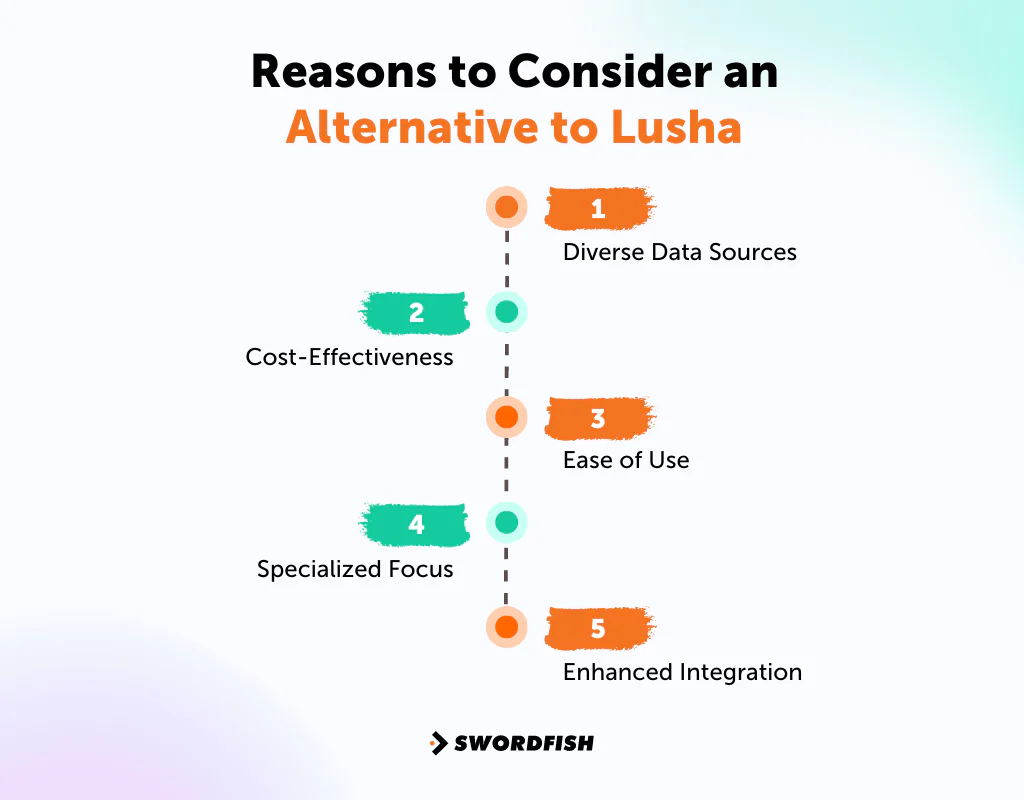
Diverse Data Sources
Lusha alternative sites often pull from a wider range of data sources, which can translate into more complete and more current profiles on the leads you’re actually chasing.
Cost-Effectiveness
Several tools on this list offer comparable or stronger features at a lower price point, which matters once you’re paying for multiple seats or scaling outreach.
Ease of Use
A different platform can mean a shorter learning curve for your team, especially if Lusha’s interface hasn’t clicked for everyone using it.
Specialized Focus
Depending on your needs, a more specialized lead generation website or enrichment tool might fit a particular industry or workflow better than a general-purpose platform.
Enhanced Integration
Some alternatives simply connect more cleanly with the CRM and sales stack you already run, cutting down on manual data entry and workflow friction.
Top 10 Lusha Competitors: Comparison Chart
Here’s a side-by-side comparison of the Lusha alternatives covered in this guide —
Company | Database Size | Integration Capabilities | API Availability |
 | 3.5 billion profiles | LOX, HubSpot, Zapier, Crelate, Pipedrive, etc | Offered for developers |
 | 321 million professional contacts | Marketo, Mixmax, Gong, Salesforce, etc | Comprehensive API suite |
 | 50 million B2B email addresses | HubSpot, Salesforce, Pipedrive, Base, etc | Accessible for custom use |
 | Over 450 million profiles | Salesforce, Hubspot, Outreach, LinkedIn Sales Navigator, etc | Available for integration |
 | Over 200 million contact profiles | Zapier, Pipedrive, Outreach, Copper, etc | Provided for data access |
 | 107 million professional email addresses | Salesforce, Pipedrive, Copper, HubSpot, etc. | API for email finding |
 | Over 275 million contacts | LinkedIn, Zapier, Salesloft, Outlook, Outreach, etc. | Extensive API options |
 | over 550 million prospects | Pipedrive, HubSpot, Calendly, Gmail, Salesforce, Zapier, etc. | Robust API capabilities |
 | 300 million professional profiles | Greenhouse, Lever, Salesforce, HubSpot, Bullhorn, Zapier, etc. | API access available |
 | 1.9 billion contact | Salesloft, Salesforce, Outreach, Insightly, Pipedrive, HubSpot, etc. | Fully featured AP |
Top 10 Lusha Alternatives for Your Next Lead Generation Project
We looked at data source ethics, contact coverage, and pricing for each tool below. Here’s what stood out.
1. Swordfish AI
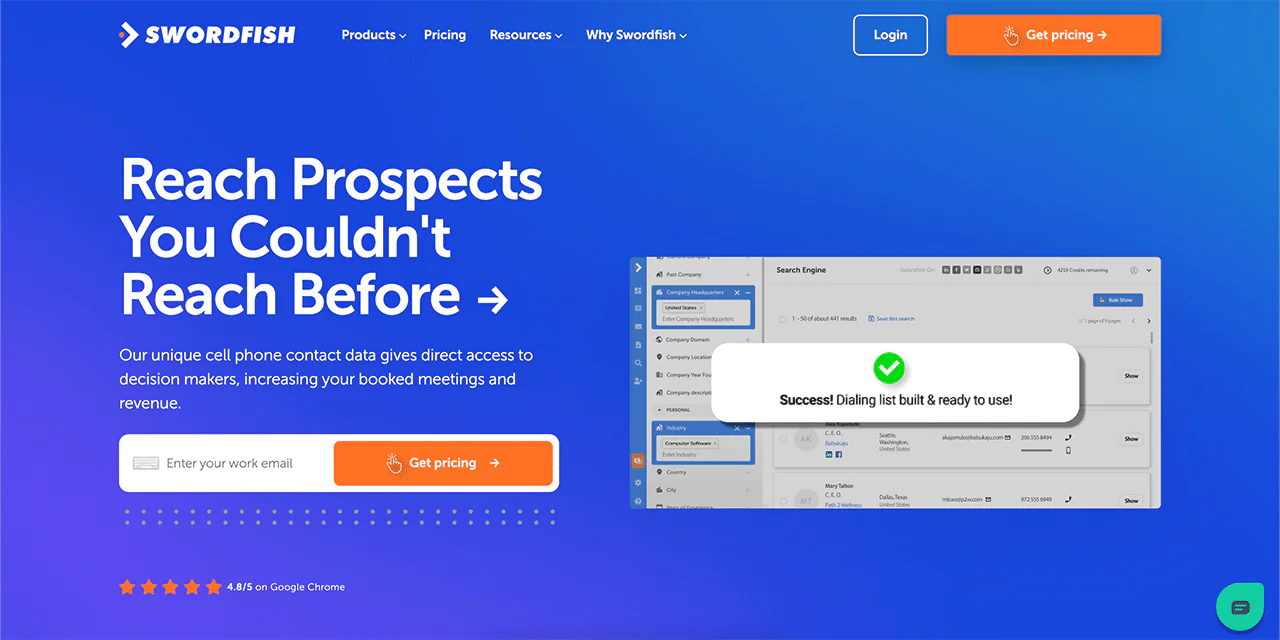
As a contact finding tool, Swordfish AI focuses on deep cell phone insights and verified business email data, which is where it differentiates from Lusha most clearly.
Swordfish AI works with a large pool of data points, including cell phone numbers that are harder to source elsewhere, and verifies information by working directly with carriers rather than relying solely on scraped or self-reported data.
It also applies matching algorithms to cell data and partners with email providers to reduce bounce rates, which matters if outbound email deliverability has been a pain point for your team.
About Swordfish AI
- Founding year: 2015
- Founding team: Ben Argeband
- Company Size: 11 to 50 employees
What Sets Swordfish AI Apart?
Swordfish AI’s cold-calling approach relies on its own system for checking cell phone numbers, drawing from a large network of data providers rather than a single source. That layered verification is meant to improve both contact rates and data accuracy compared to platforms that rely on fewer sources.
The platform is built to give sales teams business emails and mobile numbers that are harder to find through general-purpose databases, backed by direct carrier relationships and a large network of cell phone data providers.
Key features of Swordfish AI
Here’s what stands out functionally —
-
File Upload
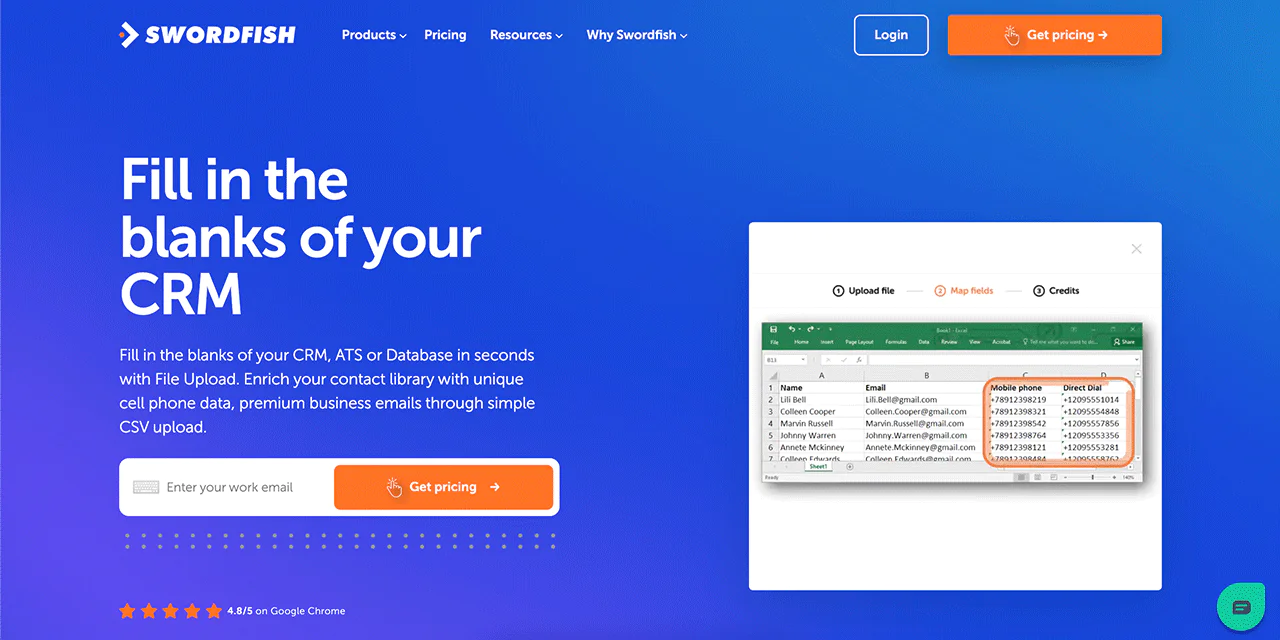
You can upload your contacts via CSV and have Swordfish AI fill in missing emails and phone numbers automatically, which speeds up cleaning up an existing list.
-
API Integration
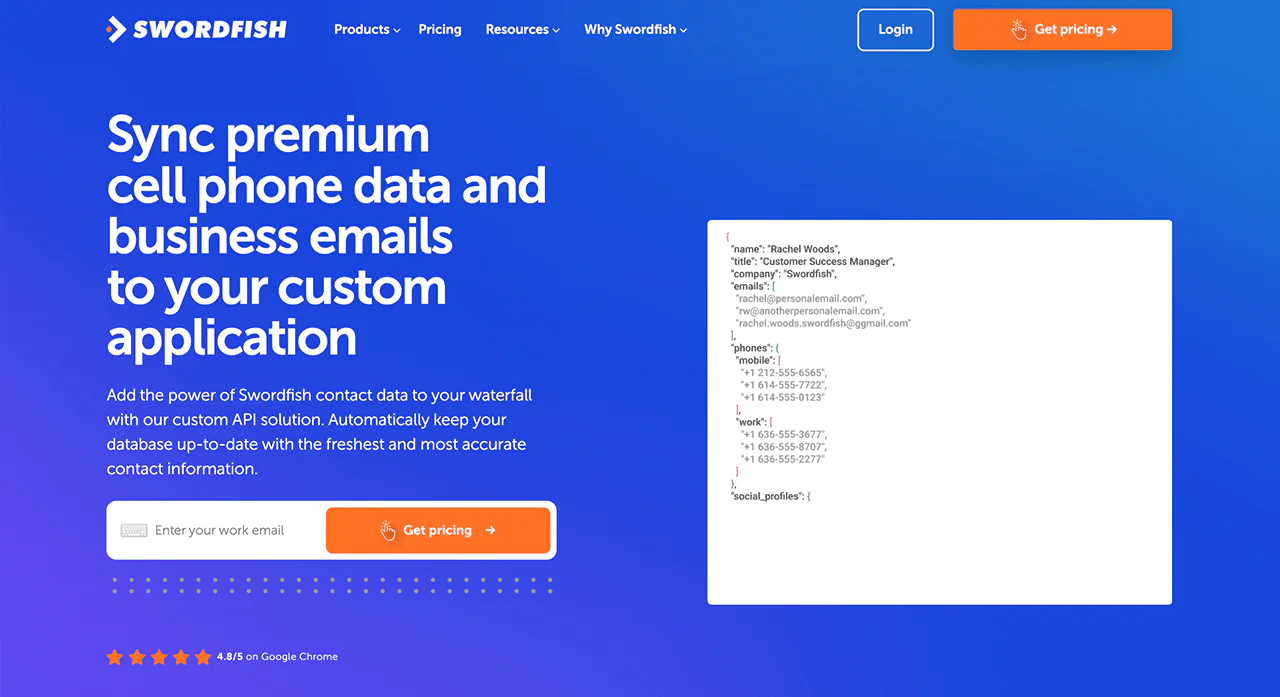
The API lets you pull current contact data directly into your existing systems, which is useful if you’re building custom workflows rather than working purely inside a browser interface.
-
Chrome Extension
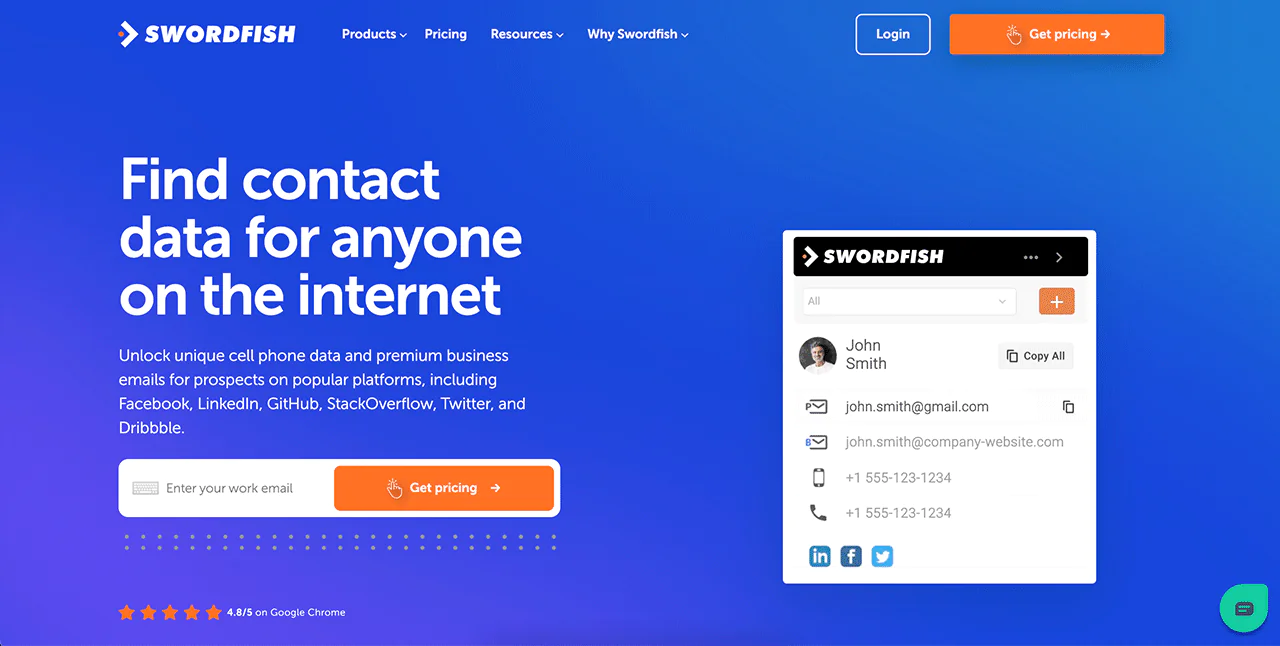
The chrome extension surfaces contact information from LinkedIn, Twitter, and Facebook while you browse, so you’re not constantly switching tabs to look up details.
-
Bombora Intent Data
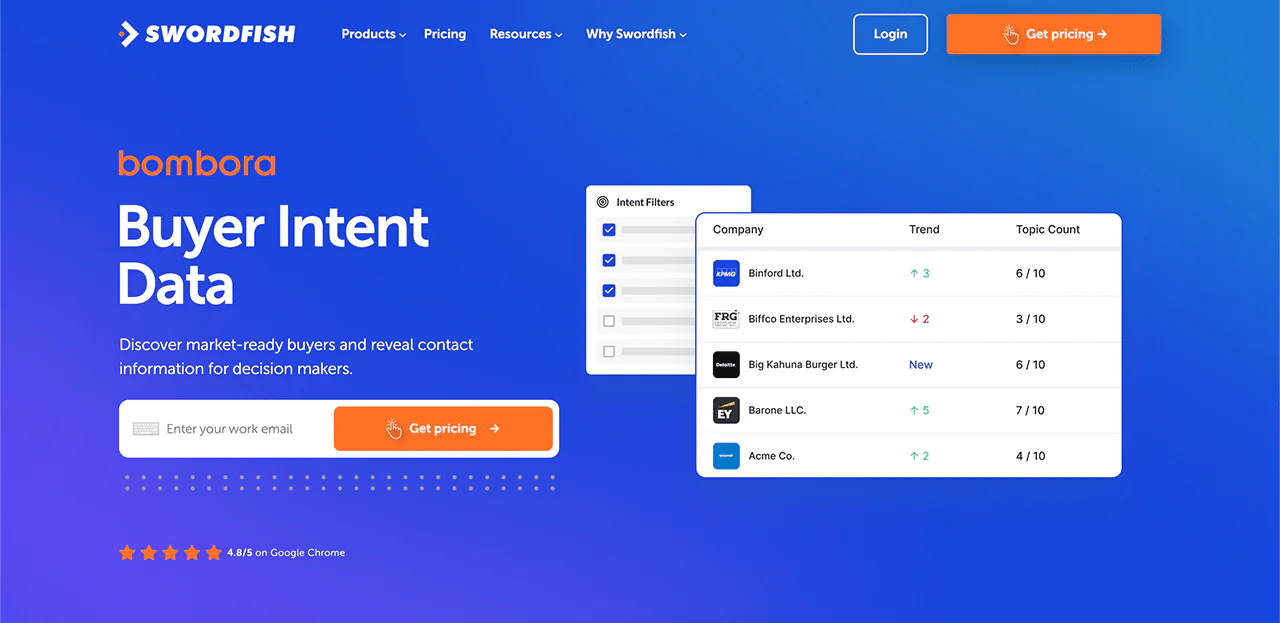
Bombora Intent Data flags businesses actively researching solutions like yours, which helps you prioritize outreach instead of working leads cold.
-
Reverse Search
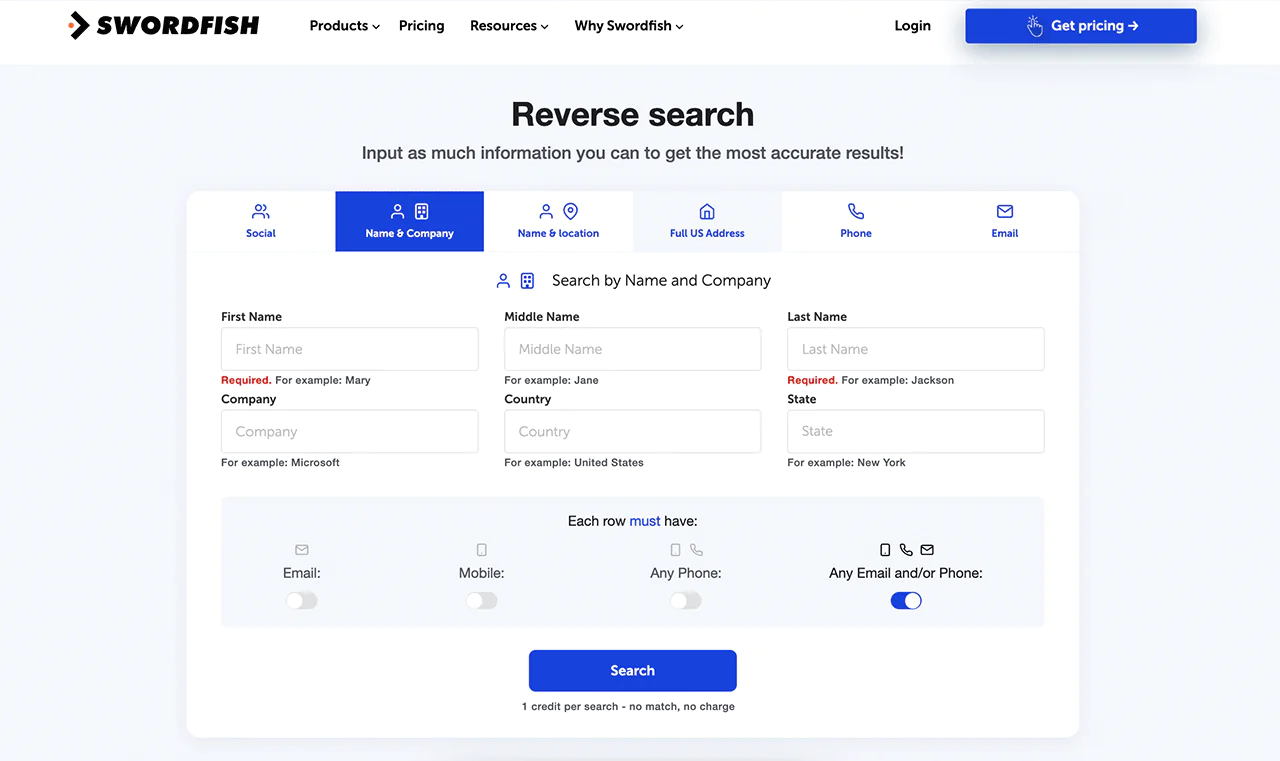
If you’ve only got a partial record, Reverse Search can fill in the rest starting from a name, company, or email address.
-
Prospector
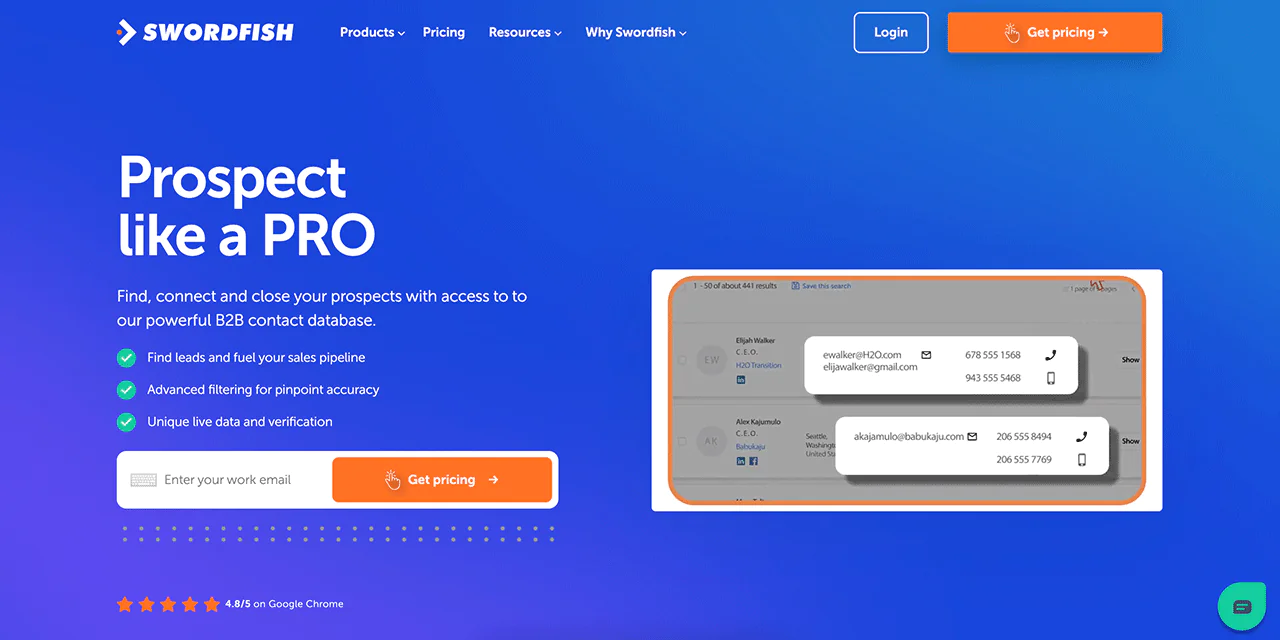
The Prospector tool builds dialing and email lists using detailed filters, so you spend less time sorting through leads that don’t match your target profile.
Best Use Cases of Swordfish AI
Swordfish AI supports a range of roles that depend on direct outreach —
- For Recruiters: Find potential candidates fast by getting their phone numbers and emails directly. This speeds up hiring.
- Sales Teams: Target people who need what you’re selling. Knowing who’s interested can help you close more sales.
- Marketers: Send personalized messages to the right people. Accurate contact info means your message hits the mark.
- Business Developers: Connect with important people in your field to grow your business or start new partnerships.
- Event Planners: Get in touch with speakers, sponsors, and attendees easily to boost your event’s success.
- Journalists and Researchers: Find reliable sources and contacts for your work to add depth and diversity to your stories or studies.
- Customer Service: Quickly contact customers to solve their problems or check in, improving service and satisfaction.
Pros of Using Swordfish AI
- Ensures unmatched data accuracy for cell numbers and emails.
- Significantly reduces email bounce rates with advanced verification.
- Simplifies contact database completion effortlessly.
- Improves software with real-time, precise contact updates.
- Sharpens sales strategy with intent-based prospect identification
Cons of using Swordfish AI
- It may take 1 to 2 minutes to get familiar with the functionalities
What Users Say About Swordfish AI
- G2: 4.5 out of 5 (84 reviews)
“I liked best the Tech Support and ease of use, the reporting functionality is amazing. I recommend this product to anyone looking to connect with their future customers.” Paul S.
- Gartner: 4 out of 5 (48 reviews)
“Swordfish is incredibly quick and easy to set up, but more importantly, it provides quick and mostly accurate contact information, reducing sales cycle times by speeding up time to connect with key prospects. I’ve tried multiple products out there, and at this point Swordfish is my first choice every time.”
Pricing
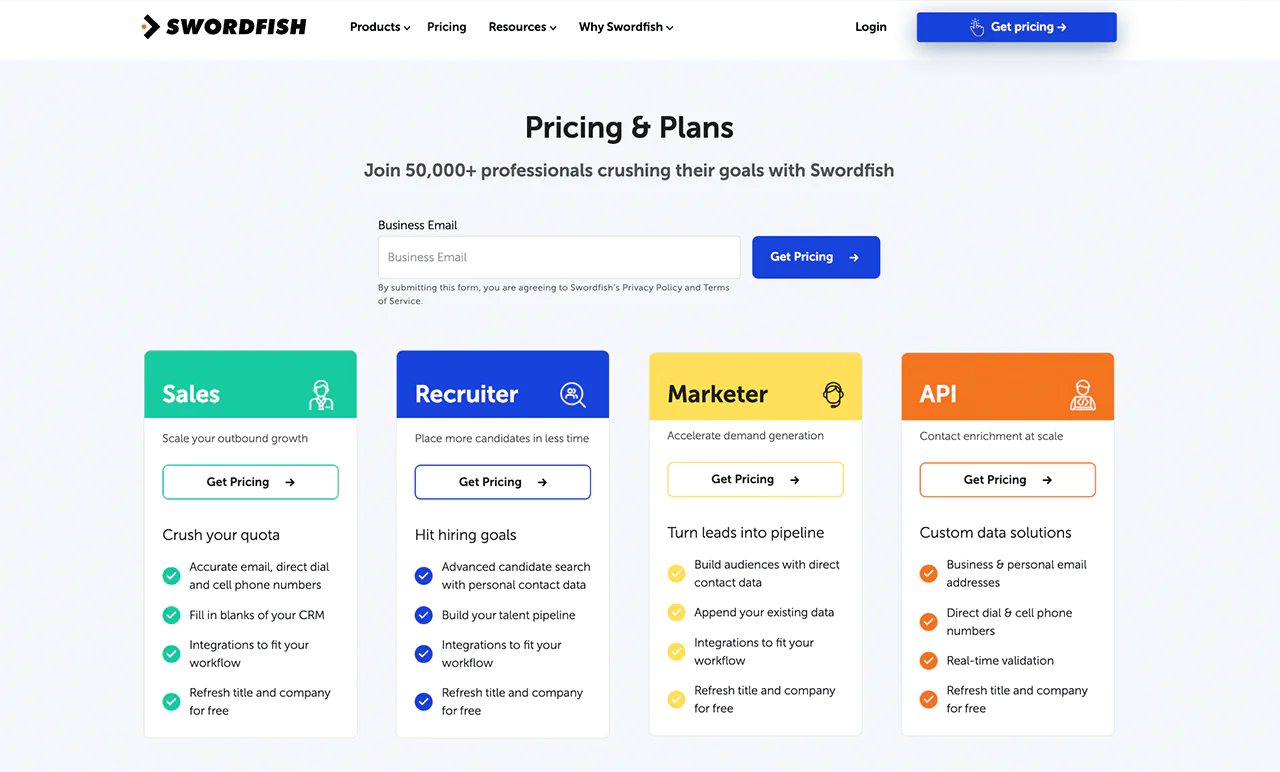
Swordfish AI offers customized pricing plans for different industries, including sales, recruitment, marketing, and API integrations. Pick the plan that fits your objectives, whether it’s enhancing outbound campaigns, improving recruitment, or expanding your market.
A free trial is available to explore the platform before committing. Each package includes accurate email addresses and cell phone numbers, along with updates on job positions and company data.
Reach out directly for a pricing quote tailored to your business needs.
2. ZoomInfo
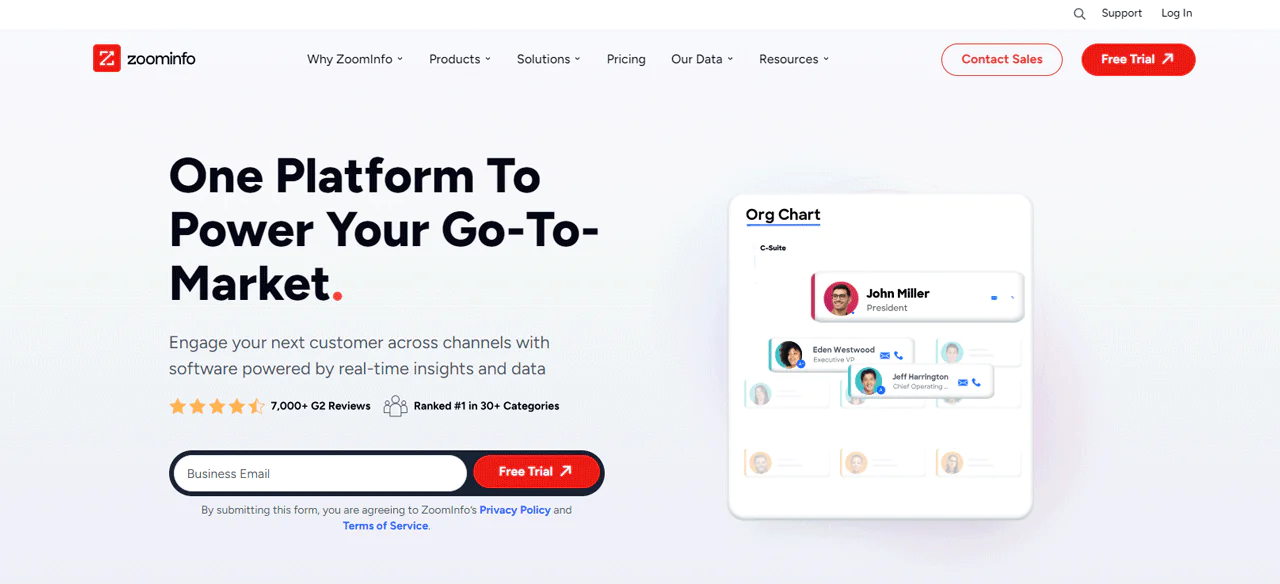
ZoomInfo is one of the largest players in B2B data, built around a very large contact database and a suite of connected products for sales, marketing, and recruiting.
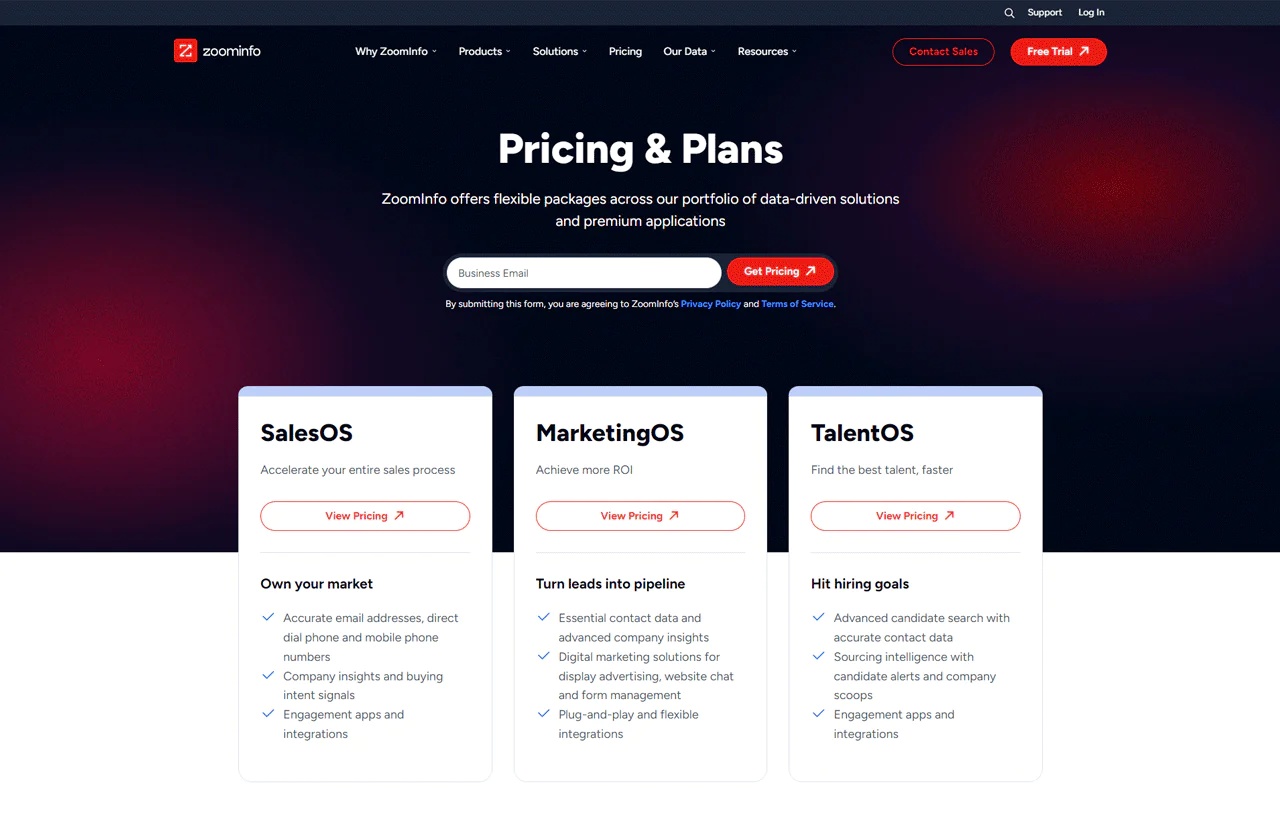
ZoomInfo assembles its database from public records, business websites, and data collection methods across the web, then layers in direct contact details alongside broader product lines like SalesOS, MarketingOS, OperationsOS, and TalentOS.
Compared with Snov.io, a lighter CRM and sales automation platform, ZoomInfo carries a noticeably wider feature set and larger database, though that comes with a steeper price and a longer onboarding curve.
About ZoomInfo
- Founding year: 2007
- Founding team: Henry Schuck
- Company Size: 1,001 to 5,000 employees
Features of ZoomInfo
A quick rundown of ZoomInfo’s core modules —
- Intent: This tool observes the online search activities of potential customers, offering companies insights into who is looking for their services. It acts as a bridge to understanding what prospects are searching for.
- Scoops: Scoops keep you updated on important events happening within companies you’re targeting, like changes in leadership or new investments. This timely information helps you contact potential clients at the moment they’re most likely to need your services.
- Websights: Websights identify anonymous visitors on your website and track what they’re interested in. This insight allows you to reach out to potential clients more effectively.
- FormComplete: This feature makes contact forms less daunting by asking for minimal information. By simply entering an email address, it gathers a full contact profile, boosting the chances of visitors completing your forms.
- ZoomInfo Chat: By integrating ZoomInfo’s database with chat features, this tool offers immediate information on who’s visiting your site. It allows sales teams to personalize their conversations, leading to better engagement with potential leads.
- Engage: Engage automates the process of reaching out to potential clients by analyzing the best times for contact. It removes the uncertainty from sales strategies, making your efforts more efficient and targeted.
- Enrich: Enrich keeps your CRM data current by continuously updating and validating contact information. This ensures you always have the latest data at your fingertips, making your database a reliable source for sales and marketing.
- Chorus: As a tool that examines sales conversations, Chorus identifies successful tactics and areas needing improvement. It offers clear guidance on enhancing your sales approach and making team communication more effective.
Pros
- Enable to customize your approach to fit your interests
- Transform website visitors into leads
- Real-time insights into potential customer interests.
- Automated sales outreach tailored to optimal times.
- Simplifies lead generation with detailed contact info.
Cons
- Smaller businesses might find it relatively costly.
Pricing
You won’t find ZoomInfo pricing published on their site, and quotes are handled through sales. Based on current third-party pricing research, the Professional plan runs around $14,995 per year, Advanced around $24,995 per year, and Elite starts near $39,995 per year, with real-world totals often landing higher once seats, credit overages, and add-ons are factored in.
These figures reflect annual contracts, and ZoomInfo does not currently offer month-to-month billing, so your actual cost will depend on team size and the specific bundle you negotiate.
What Users Say About ZoomInfo
- G2: 4.4 out of 5 (7,898 reviews)
- Capterra: 4.1 out of 5 (280)
“What do you like best about ZoomInfo?Our company is new to using ZoomInfo & our marketing team are the main users (also our first time using an intent topics tool). So far so good! SalesOS has been great at helping us pinpoint our ideal clients and gives an unbelievable amount of helpful information.What do you dislike about ZoomInfo SalesOS?ZoomInfo has been a little challenging to get used to when it comes to tagging & exporting our leads, but we’re new to this process & learning more everyday.” – Brandi S.
Is ZoomInfo Better than Lusha?
ZoomInfo leads with database size and depth, making it a stronger fit for broad market research and enterprise-level prospecting where comprehensive company detail and intent signals matter more than speed of setup.
Lusha tends to win on simplicity and speed of access, which fits small to mid-size teams that want quality leads without a long ramp-up period.
Our Review of ZoomInfo
ZoomInfo’s database size and connected products like SalesOS and MarketingOS make it genuinely useful once a team is set up, and integration with CRM data enrichment workflows cuts down on manual list-building.
Getting started takes real effort, though, and the learning curve can be steep for smaller teams without dedicated resources to manage the platform. For organizations that can absorb that ramp-up cost, the depth of contact and intent data is hard to match.
3. Lead411
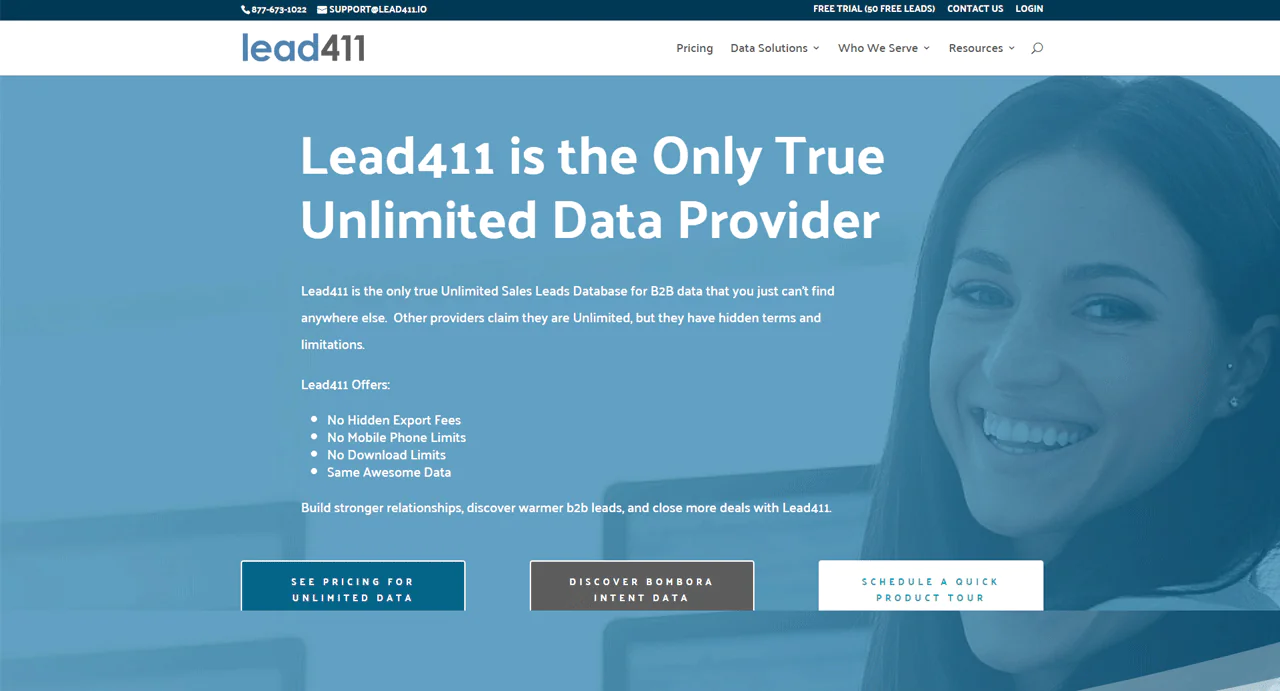
Lead411 stands out for combining unlimited access to its B2B database with intent data, a combination that’s less common at this price point.
That pairing helps sales teams identify who’s actually in-market before reaching out, which tends to raise conversion rates on cold outreach compared with contact lists alone.
Against ContactOut, which focuses tightly on email and phone lookups, Lead411 offers a more rounded data set, particularly around intent signals and broader company coverage.
For teams that want both depth and breadth in their data, Lead411 is worth serious consideration.
About Lead411
- Founding year: 2011
- Founding team: Tom Blue
- Company Size: 11 to 50 employees
Features of Lead411
Here’s what Lead411 offers to help increase engagement and conversions —
- Intent Data: With Lead411, you can see which companies are currently looking for the services or products you provide. This insight helps you reach out to prospects who are already interested, making your efforts more likely to succeed.
- Re-verification Data: The platform regularly checks and updates its contact data every 90 days. This process ensures that nearly all your messages reach their intended recipients, ensuring the most relevant contacts receive them.
- Chrome Extension: The Lead411 Chrome Extension gives you instant access to detailed B2B contact information as you browse. Regardless of social media profiles, whether it’s on LinkedIn or a company website, this tool provides immediate insights.
- Contact Enrichment: This feature keeps your CRM filled with the latest and most accurate contact information. Having reliable details means your sales conversations can be more impactful, increasing the chances of conversion.
- Sales Engagement Reach: Lead411 simplifies setting up outreach campaigns across email, phone, and SMS. It automates many of the steps, freeing you up to concentrate on leads that show real promise, guiding them smoothly through the sales funnel.
Pros
- Offers real-time intent data for targeted outreach.
- Regularly update contact information for accuracy.
- Simplifies outreach with automated campaign tools.
- Provides direct access to B2B contacts via Chrome extension.
- Improves CRM with valuable contact enrichment.
- Supports a wide range of industries for broad applicability.
Cons
- Premium features may stretch smaller budgets.
Pricing
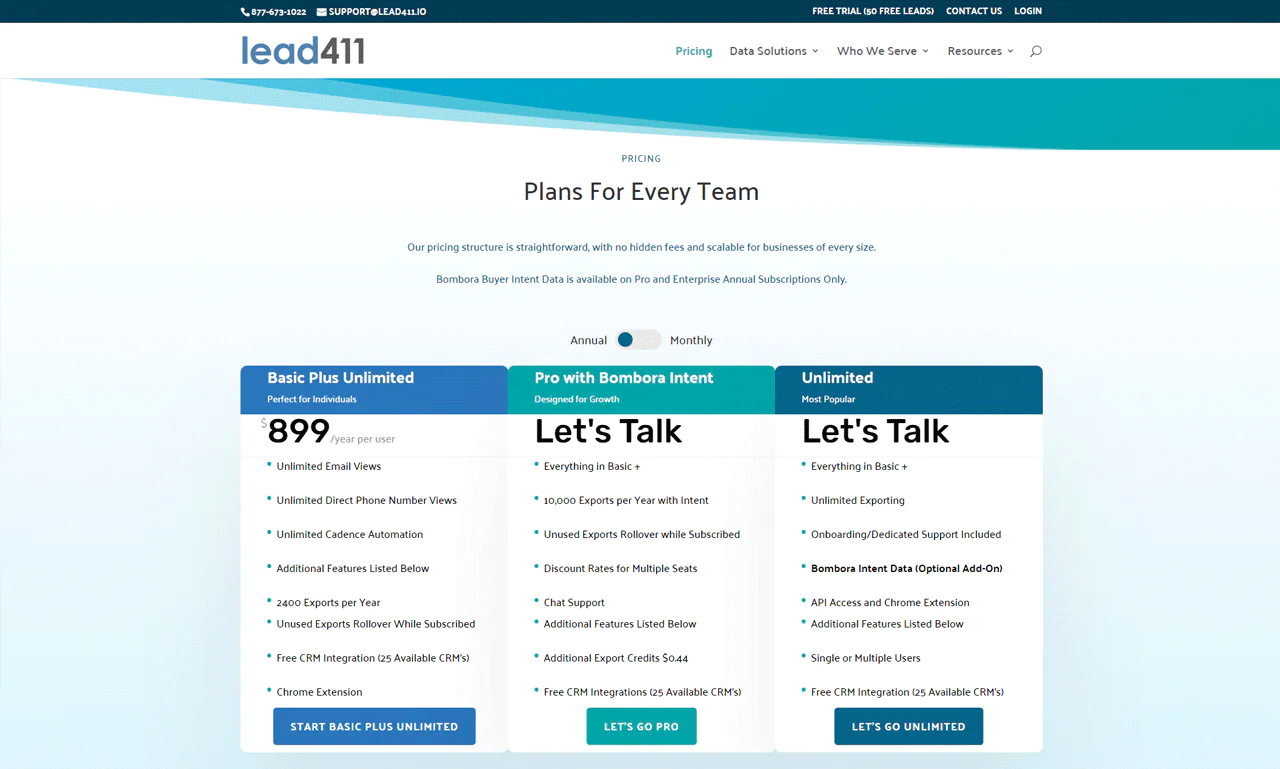
Begin with a 7-day free trial to sample the service, with exports priced at $0.50 each during the trial, up to 50 exports.
For solo users, the Basic Plus Unlimited plan runs $99 monthly and includes 200 exports per month, which roll over if unused.
Teams looking for more capacity should consider the Enterprise Limited package, which offers adaptable features, priority support, and volume discounts for multiple seats.
What Users Say About Lead411
- G2: 5 out of 5 (424)
- Capterra: 4 out of 5 (60)
“What do you like best about Lead411?The widget add on for LinkedIn is great to reference throughout the day. Its a quick way to add more context to contacts you’re are actively assisting.What do you dislike about Lead411?No complaints. The intent feature could be expanded more to show more company data.” – JB G.
Is Lead411 Better than Lusha?
Lead411’s combination of detailed B2B data and intent signals gives it an edge over Lusha for teams that need comprehensive insight into who’s actively shopping for what they sell, with verified contact info to simplify outreach.
Lusha, meanwhile, is geared toward quickly filling a CRM with updated company and contact information, and pairs well with marketing data enrichment workflows for teams that want fast, automated list-building.
Our Review of Lead411
Lead411’s extensive database, enriched with intent data, made it noticeably easier to identify and connect with the right prospects during testing, with direct outreach paired against timely sales signals.
That said, the sheer volume of data took some getting used to at first, and cost may be a real consideration for smaller teams working within tighter budgets.
Overall, it smooths out both the sales and marketing process despite that initial learning curve.
4. RocketReach
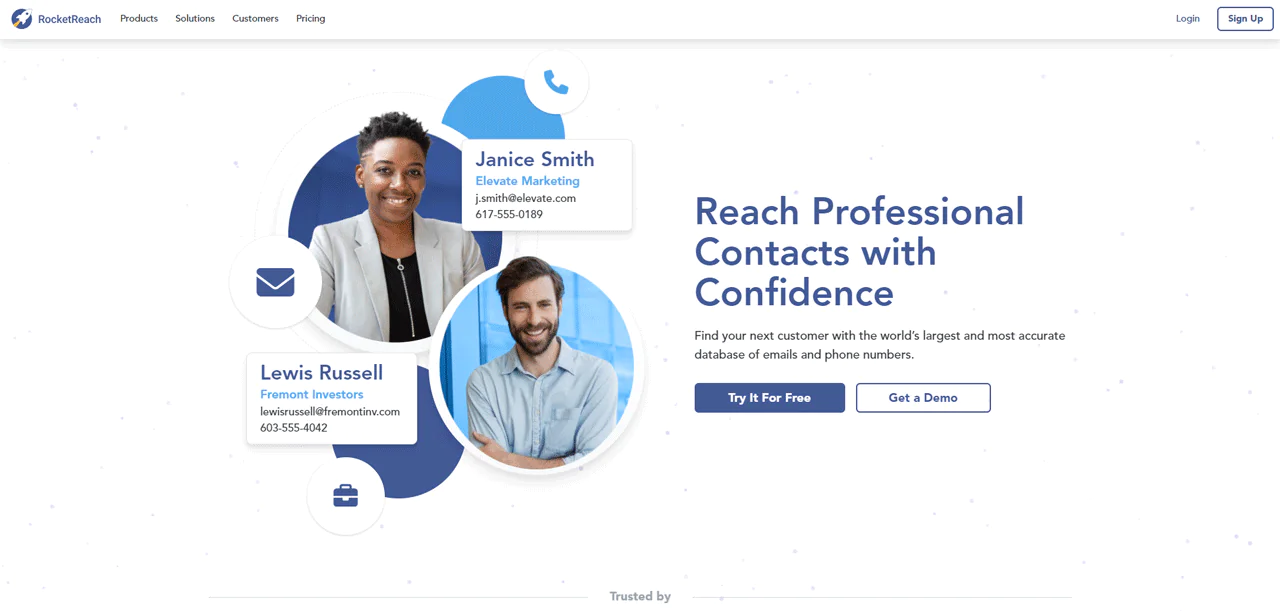
RocketReach is built for reach: it gives access to contacts across more than 450 million professionals worldwide, with AI-backed verification behind the emails and phone numbers it surfaces.
It plugs into existing CRM and marketing workflows fairly easily, and its intent data adds a layer of prioritization by flagging who’s actively researching relevant solutions.
Against Hunter.io, RocketReach has the edge on the size of its B2B contact database and its AI-driven recommendations, which sharpen targeting more than Hunter.io’s email-first approach.
It’s a solid fit for any business trying to widen its reach while keeping sales strategy focused.
About RocketReach
- Founding year: 2015
- Founding team: Amit Shanbhag and Andrew Tso
- Company Size: 51 to 200 employees
Features of RocketReach
A few standout features and what they offer —
- Advanced Search: With Advanced Search, finding the exact people you need becomes straightforward. You can filter by industry, revenue, job title, and more, making it simple to zero in on your perfect customer or candidate.
- Extensions: RocketReach’s Chrome extension makes finding contact and company information easy while you’re browsing the web. This feature keeps you efficient by letting you gather data without switching tabs or windows.
- Create Lead Lists: This tool lets you quickly put together lists of potential leads. Whether you’re kicking off a new campaign or looking to expand your current database, RocketReach makes contact management easy.
- Integrations: It works seamlessly with top CRM and marketing tools like Salesforce and HubSpot. This compatibility ensures that you can maintain a smooth workflow and get the most out of the software you already use.
- API: The RocketReach API enriches your systems with detailed data from their vast database. With over 4.5 billion records at your disposal, this integration is key for enhancing your contact intelligence efforts.
Pros
- AI-powered recommendations for targeted prospecting.
- Automated list-building accelerates lead generation.
- Extension offers instant data lookup on social platforms.
- High data accuracy with regular updates.
- Broad CRM compatibility optimizes workflow.
Cons
- There are restricted features in the free version.
Pricing
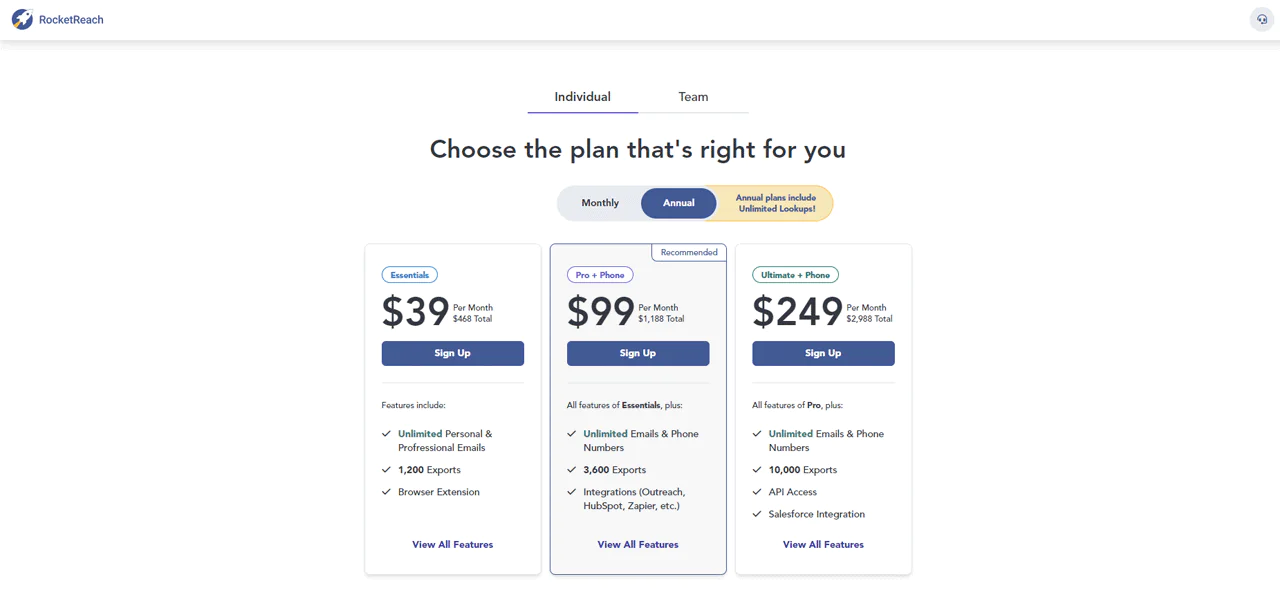
RocketReach’s Essentials plan runs $80 monthly, geared toward email-focused searches with unlimited access over the year, suited for individuals or small teams running email campaigns.
The Pro plan, priced at $150 monthly, adds company searches, integrations, plus both email and phone data.
The Ultimate plan at $300 per month adds API access and Salesforce integration for more comprehensive needs.
For team-based needs, the Team Pro Email + Phone plan at $83 per user per month allows for 3,600 searches annually, fitting small to medium-sized groups.
The Team Ultimate Email + Phone plan, at $207 per user monthly, provides expanded search options for larger teams.
What Users Say About RocketReach
- G2: 4.5 out of 5 (636 reviews)
- Capterra: 4.2 out of 5 (126 reviews)
“What do you like best about RocketReach?The most helpful of RocketReach is you can find the number of features social media of the person like facebook,twittwe, linkedin etc.What do you dislike about RocketReach?The least helpful of Rocketreach is maybe lack of provided email of the person.” – Bobbet Q.
Is RocketReach Better than Lusha?
RocketReach is the stronger option for companies chasing global reach, thanks to its scale and AI-assisted precision across email, phone, and social contact data.
Lusha, on the other hand, is built around precise, up-to-date insights for warmer, more direct connections, leaning on behavioral data and intent signals to identify decision-makers in a target market.
Our Review of RocketReach
RocketReach’s scale, backed by AI-guided search, made it noticeably easier to find the right people to contact across a large pool of global professionals, and its CRM compatibility kept daily workflows moving.
The volume of data can feel like a lot at first, particularly for teams new to a platform this size, and cost is worth weighing carefully for smaller businesses. Even so, it’s proven valuable for improving sales conversations overall.
5. Adapt.io
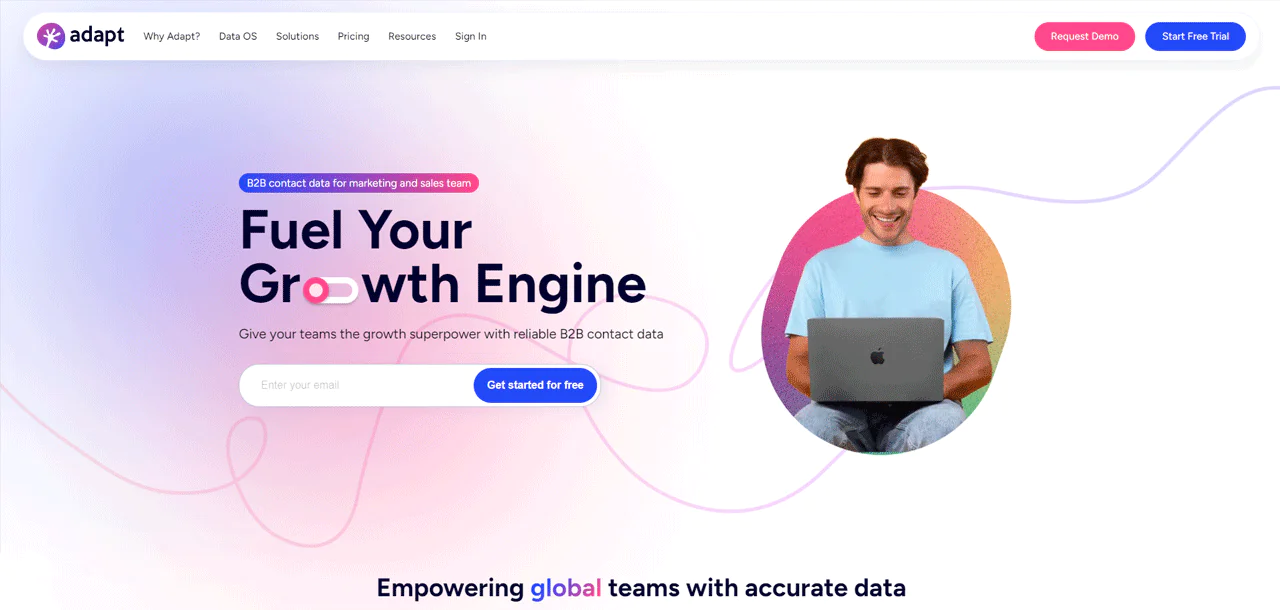
Adapt.io offers a B2B lead intelligence platform built around access to more than 200 million contacts, with a simpler interface than some competitors and solid CRM compatibility.
Users consistently mention how easy it is to work with day to day, and the accuracy of the contact data it surfaces helps build more effective outreach.
Against ZoomInfo, Adapt.io tends to win on ease of use and simpler CRM integration, making it a better fit for teams that want efficient lead generation without a heavy setup process.
About Adapt.io
- Founding year: 2016
- Founding team: Pradeep Muruganandam and Gautam Balasubramanian
- Company Size: 25 to 100 employees
Features of Adapt io
A look at Adapt.io’s main features —
- B2B Prospecting Tool: This tool helps you find potential leads by providing over 200 million verified contacts, including emails and phone numbers. It simplifies how sales and marketing teams connect with key decision-makers and tailor their campaigns.
- Data Enrichment: Adapt.io’s data enrichment keeps your lead data current and organized. It updates your database with vital details like company size, industry, and revenue, so that your team is equipped with the insights for targeted outreach.
- API Integration: The API integration feature allows you to expand your data handling capabilities seamlessly. You can integrate Adapt.io’s detailed B2B data into your existing systems to simplify workflows and improve efficiency.
- Email Finder: Find verified email addresses of key decision-makers quickly with the email finder tool. By filtering through company details, industry, revenue, and more, you can ensure the right people receive your communications.
- Hyper-Personalization: With Adapt.io, you can take personalization to the next level. Utilizing detailed data points, you can create personalized experiences that engage and convert your audience.
- Lead Scoring & Routing: Adapt.io’s lead scoring and routing feature helps you identify and focus on your most promising prospects. It enriches your data system with detailed parameters for accurate lead qualification and efficient distribution to your sales team.
- LinkedIn Email Finder: The LinkedIn Email Finder Chrome extension by Adapt.io makes lead generation easier. It allows you to quickly find verified emails on LinkedIn and across the web, enabling you to gather more leads cost-effectively.
Pros
- Simplifies targeting with advanced filtering options.
- Improves CRM with accurate, enriched data.
- Offers comprehensive API for custom integration.
- Facilitates creating personalized communication strategies.
- Optimizes lead generation with cost-effective tools.
- Supports global outreach with extensive database coverage.
Cons
- Some may find the interface less intuitive.
Pricing
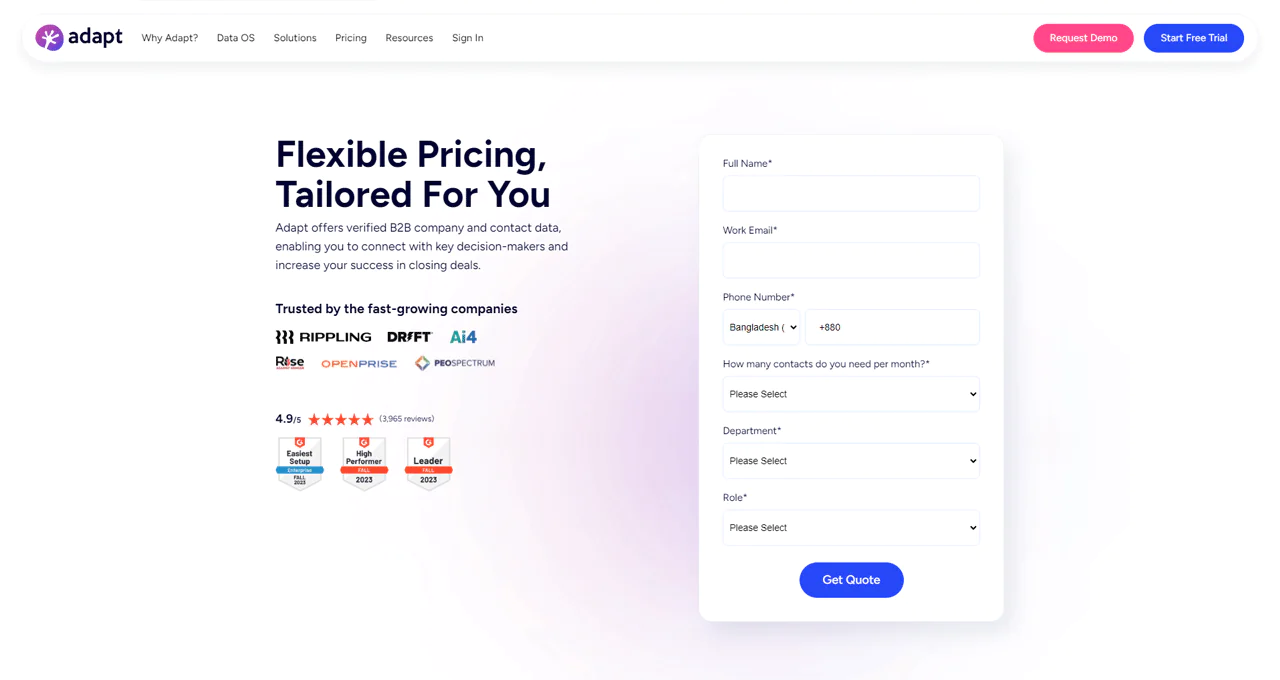
Adapt.io offers tiered plans built around different feature sets, credits, and licenses, with demos and trials available on request. Payment is accepted via credit card or bank transfer, and their sales team can provide specifics based on your needs.
What Users Say About Adapt.io?
- G2: 4.6 out of 5 (2,748 reviews)
- Capterra: 4.5 out of 5 (51 reviews)
“What do you like best about Adapt?I can easily create filters and download leads in a minute. Customer Support is fast to reply to my questions. The account manager assigned to our company is very helpful.What do you dislike about Adapt?I saw a few leads with incomplete information, before, like family name and/or company name. But I think that was already corrected since I’m no longer seeing leads with the same issue.” – Elzon V.
Is Adapt.io Better than Lusha?
Adapt.io’s strength is scale combined with usability, offering access to more than 200 million contacts and email-finding tools that fit companies focused on growing lead volume.
Lusha instead emphasizes verified, current contact and company details for direct outreach to decision-makers, paired with sales pipeline automation, making it a good fit for teams that want to simplify the process and increase CRM leads without a heavy setup.
Our Review of Adapt io
Adapt.io’s database made finding and connecting with potential customers noticeably easier during testing, and its CRM integration cut down on manual data entry.
New users may find the range of functionality a bit much to absorb at once, and the depth of information can make it easy to lose sight of the most promising leads. Even with that learning curve, Adapt.io held up as a strong option for teams working on customer acquisition.
6. Hunter.io
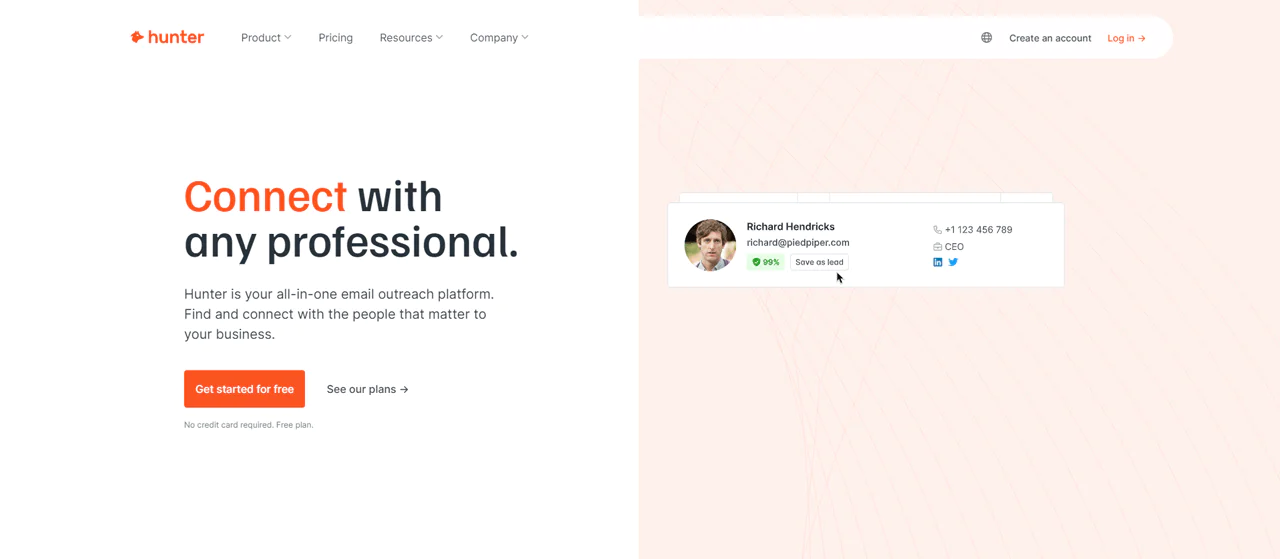
Hunter.io is built specifically around email outreach, focused on finding and confirming professional email addresses quickly through tools like Domain Search, Email Finder, and Email Verifier.
It’s straightforward to use, which is part of the appeal for teams that don’t want a steep learning curve just to send accurate emails.
Against Lead411, Hunter.io wins on email verification accuracy and integration simplicity with popular CRM and outreach tools, making it a strong pick for teams focused specifically on direct email outreach.
About Hunter.io
- Founding year: 2015
- Founding team: Antoine Finkelstein and François Grante
- Company Size: 11 to 50 employees
Features of Hunter.io
Here’s a simplified overview of Hunter.io’s main features —
- Email Finder: Finding professional email addresses is a breeze with Hunter.io’s Email Finder. It combines different sources and checks to give you accurate emails in no time, helping you reach out to professionals easily.
- Domain Search: Hunter.io makes it easy to find email addresses linked to a specific domain. Just enter the company’s website, and you get a list of emails with details about their reliability and which department they belong to.
- Email Verifier: To make sure the emails you have are correct, the Email Verifier checks them thoroughly. It looks at the email’s format, the domain’s details, and even how the email server responds to ensure the address is valid.
- Chrome Extension: The Chrome extension by Hunter.io is a convenient way to identify email addresses as you browse websites. A single click reveals all emails related to the site, including how reliable they are.
- Cold Email Software (Campaigns): Hunter.io simplifies sending personalized cold emails on a large scale with its Campaigns tool. It lets you schedule emails, track opens and clicks, and manage responses, all of which enhance your campaign’s impact.
- Intent Data (Signals): With Signals, Hunter.io helps you find prospects actively looking for solutions like yours. This feature uses intent data, making your outreach efforts more focused and timely.
- API: The Hunter API allows you to incorporate Hunter.io’s capabilities into your own applications or systems, automating tasks like email search and verification to make your processes more efficient.
- Bulk Tasks: When you need to handle email addresses in large quantities, Hunter.io’s bulk tasks come in handy. Whether you’re looking to find, verify, or search emails in bulk, this tool makes the job faster and easier.
- TechLookup: This feature helps you find websites using specific technologies, perfect for targeting companies that might need your tech-related product or service.
Pros
- Effortlessly uncovers emails across entire domains.
- Accurately pinpoints contacts with advanced email search.
- Offers comprehensive validation checks for email reliability.
- Utilizes intent data for precision-targeted outreach efforts.
- Simplifies mass email campaign management and personalization.
Cons
- Limited searches on the free plan.
Pricing
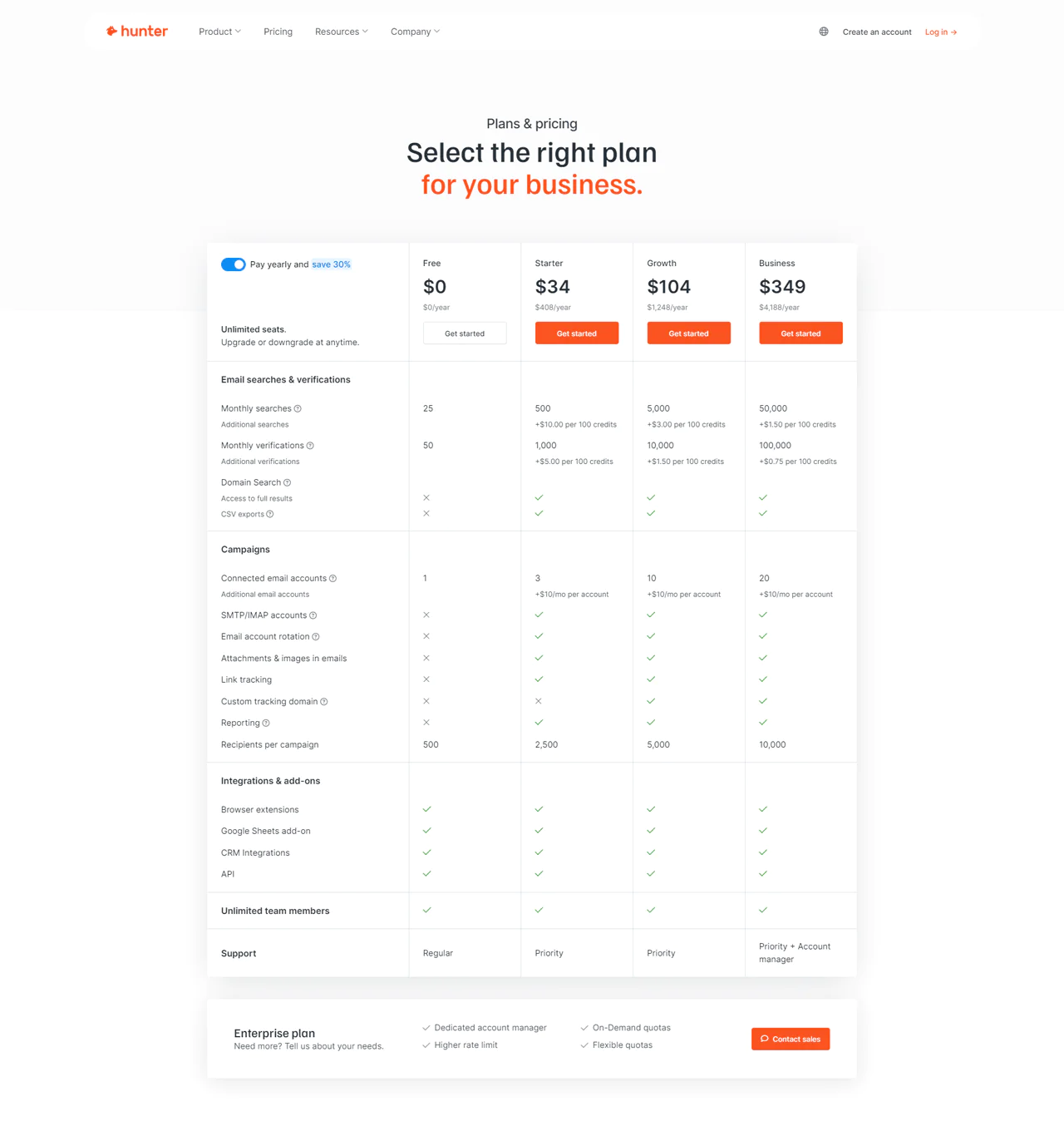
Hunter.io’s Free plan lets you try out basic features at no cost. The Starter plan runs $49 a month, giving access to 500 monthly searches and 1,000 verifications.
The Growth plan at $149 a month expands capacity, and the Business plan at $499 a month covers more significant enterprise needs.
What Users Say About Hunter.io?
- G2: 5 out of 5 (526 reviews)
- Capterra: 4 out of 5 (608 reviews)
“What do you like best about Hunter?It is very innovative. The innovative things can make your work super efficient. For example they made an Inbox, where you can answer people right away from Hunter as opposed to entering the email addresses and particularly answering people.They are also useful and fast in customer support questions and things. I can’t remember that i had times when they did not approach me with sensitiveness and empathy.What do you dislike about Hunter?Maybe they are not perfect. But I cannot think right now of things that I would disgrace while using Hunter.” – Liviu Nemtanu P.
Is Hunter.io Better Than Lusha?
Hunter.io is the better pick if efficient, accurate email outreach is the priority, thanks to Domain Search, Email Finder, and Email Verifier working together well.
Lusha’s advantage is quick access to up-to-date, verified contact and company information, along with automation for growing a sales pipeline, which suits teams that want ease of use and a steady flow of qualified leads into their CRM.
Our Review of Hunter.io
Hunter.io made it noticeably easier to find and verify email addresses during testing, and its CRM integrations kept our lead generation workflow moving without much friction.
The cap on free searches could hold back smaller teams trying to scale outreach without added cost, and the lack of built-in social research tools means pairing it with another tool for a fuller picture.
7. Apollo.io
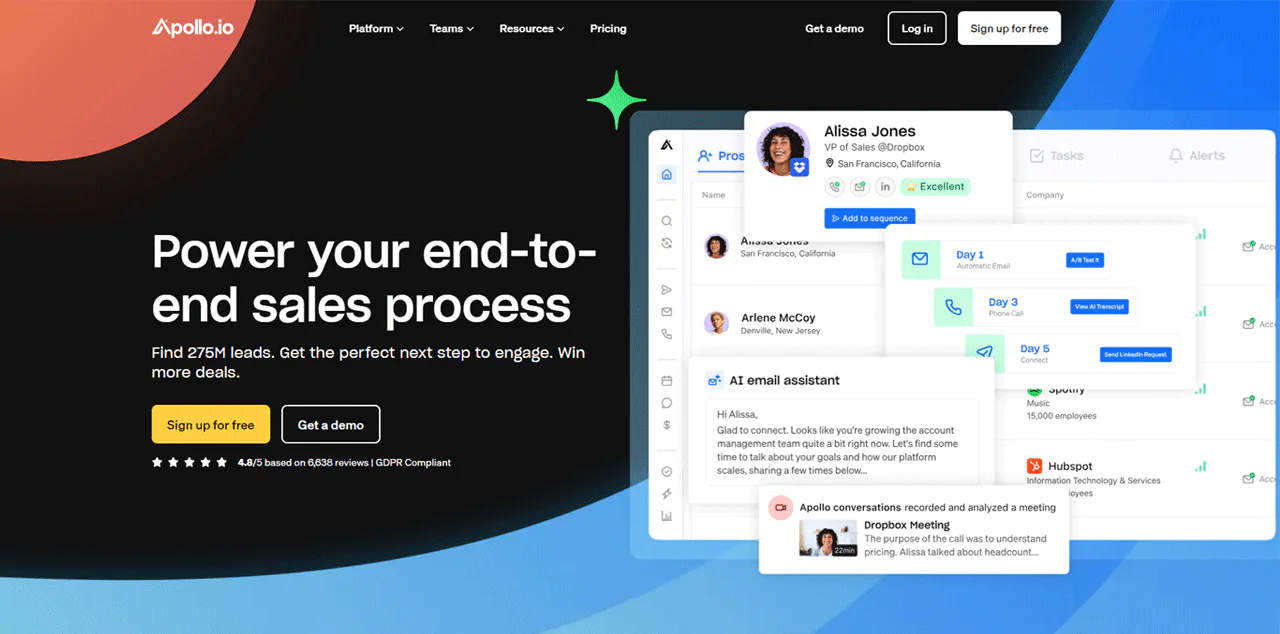
Apollo.io combines a large B2B database with tools for finding, engaging, and converting leads in one platform, backed by access to more than 275 million contacts and 73 million companies.
Against RocketReach, Apollo.io stands out for its integrated approach: rather than just providing a database, it folds sales intelligence, engagement, and CRM updates into a single workflow.
That combination makes it a strong option for teams trying to run outreach and pipeline management from one place rather than stitching together multiple tools.
About Apollo.io
- Founding year: 2015
- Founding team: Tim Zheng
- Company Size: 501 to 1001 employees
Features of Apollo.io
A look at Apollo.io’s main features —
- Updating Your Information: Apollo.io keeps your database fresh with the latest contact and company details. It automatically refreshes your CRM, making sure your communication is always on point and relevant.
- Improving Outreach: The platform combines email, calls, and social media outreach in one place. It uses automated sequences and AI to make your messages more personal.
- Finding Leads: With Apollo.io, you have access to over 275 million contacts. It allows you to use more than 65 different criteria to find the right leads, allowing you to find and focus on the right customers.
- Closing Deals: Apollo.io offers tools to analyze your sales discussions and outcomes, giving you insights to close deals more effectively. It provides detailed analytics and customized advice to boost your team’s success and increase sales.
- Understanding Your Buyers: Apollo.io gives you detailed information and insights on potential buyers. It helps you spot prospects who are ready to buy, so you can reach out to them at the perfect time.
- Scheduling Meetings: Apollo.io simplifies arranging meetings with automated booking and insights before meetings. This helps reduce the hassle of planning meetings, allowing you to concentrate more on selling.
- Using the Chrome Extension: The Apollo.io Chrome browser extension integrates the platform’s capabilities into your browser. This LinkedIn extension makes it even easier to prospect on LinkedIn and manage emails in Gmail now.
- Keeping Data Fresh: The platform maintains an up-to-date database, giving you reliable and detailed B2B information. By getting accurate data on contacts and companies, you can support your market entry strategies.
Pros
- Keeps your CRM updated with fresh contact details.
- Combines email, calls, and social outreach in one platform.
- Offers insights to close deals more effectively.
- Maintains an up-to-date database for reliable B2B information.
- Identifies ready-to-buy prospects for timely outreach.
Cons
- It might overwhelm new users with its extensive features.
Pricing
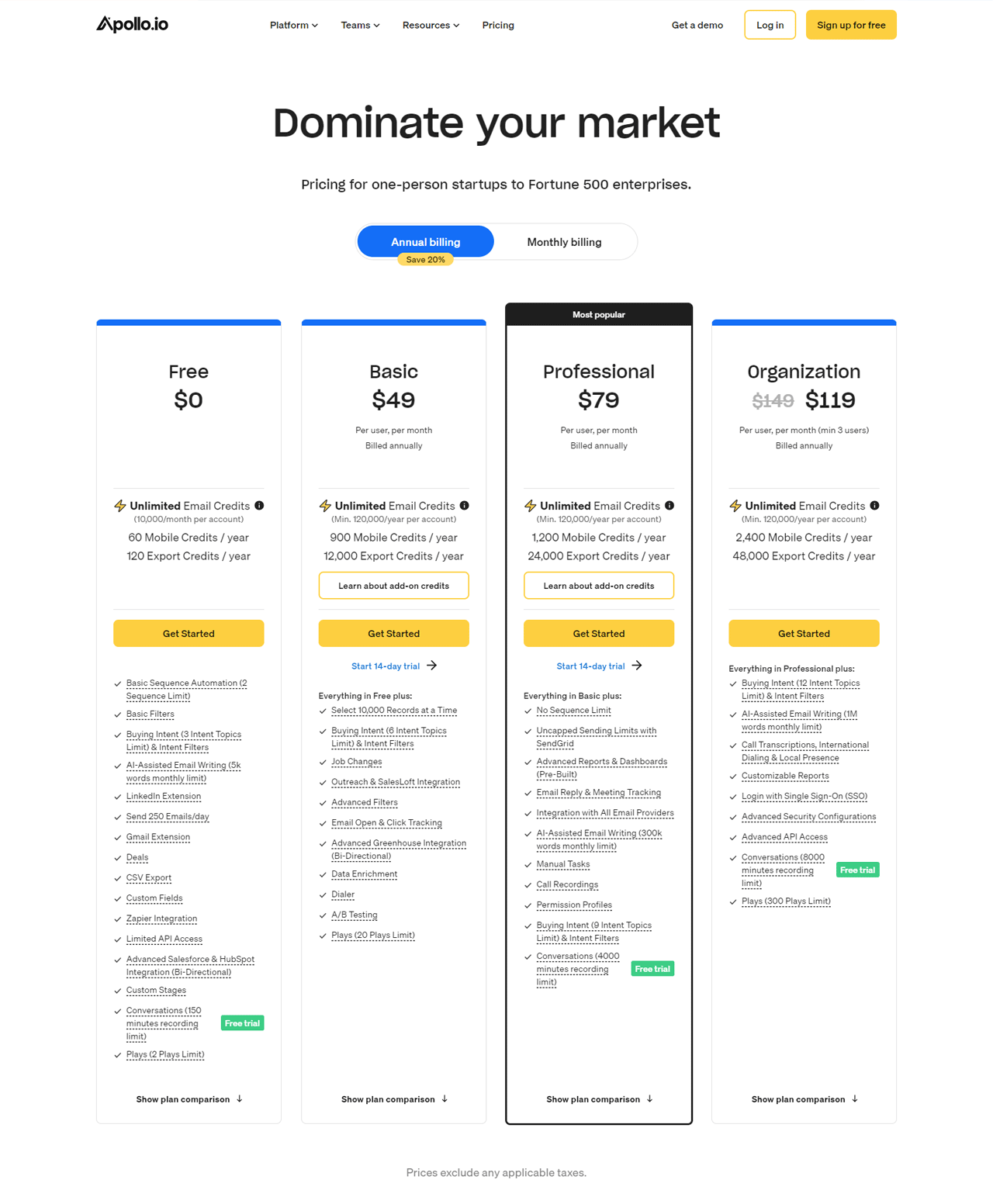
Apollo.io pricing starts with a Free plan offering unlimited email credits and basic features.
The Basic plan is available at $49 per month, offering up to 10,000 records and improved tools. The Professional plan costs $79 monthly and includes unlimited sequences and AI assistance for crafting emails.
The Organization plan is designed for larger teams (requiring at least 5 users) and starts at $99 per month, including advanced API access and call transcription.
These rates reflect annual billing.
What Users Say About Apollo.io
- G2: 5 out of 5 (6,639 reviews)
- Capterra: 4 out of 5 (338 reviews)
“What do you like best about Apollo.io?Email tracking, easy-to-use data enrichment, and easy-to-use search filters to find based on your ICP( Ideal customer profile).What do you dislike about Apollo.io?Honestly, there’s nothing I dislike about Apollo io, but if I had to get picky, it would not have a feature to request and verify phone numbers. Cognism has that feature but had terrible data quality, but that was a good feature in theory with them.” – Isaiah M.
Is Apollo.io Better Than Lusha?
Apollo.io outperforms Lusha for teams that want both a large database and built-in engagement tools, with more than 275 million contacts and over 65 filters for narrowing down a search.
Lusha wins out when quick access to verified, current contacts and company information is the priority, particularly for teams that value straightforward, user-friendly workflows over an all-in-one platform. Its intent data and automated CRM enrichment help focus outreach and expand pipeline with less manual effort.
Our Review of Apollo.io
Apollo.io’s filters and AI-based lead scoring made it easier to identify and prioritize the right prospects during testing, and its email sequencing and CRM updates helped keep engagement moving.
New users may find the depth of features and data a bit much to absorb initially, and the pricing could be a real consideration for smaller companies or startups watching their budget. Even with those hurdles, it made a measurable difference in outreach effectiveness.
8. Snov.io
Snov.io is built to handle the full lead lifecycle: finding and verifying emails, running drip campaigns, and managing the sales process with a built-in CRM.
That combination lets teams personalize outreach and automate follow-ups without juggling several separate tools.
Against Adapt.io, Snov.io covers more of the sales process end-to-end, with stronger engagement and automation features specifically.
For teams wanting one platform to handle prospecting through closing, Snov.io is the stronger fit.
About Snov.io
- Founding year: 2014
- Founding team: Sujan Patel and Robert Senoff
- Company Size: 2 to 10 employees
Features of Snov.io
A look at Snov.io’s key features —
- Email Finder: This feature simplifies the process of locating email addresses online. By entering a domain name, you can quickly find all associated email addresses, improving your prospecting efforts.
- Email Drip Campaigns: With Snov.io, creating personalized email sequences is straightforward. These automated campaigns allow for unlimited follow-ups, increasing conversion rates and nurturing leads.
- Email Verifier: This tool helps maintain the cleanliness of your email list by verifying email addresses. It ensures that your outreach efforts reach valid inboxes, reducing bounce rates and improving campaign performance.
- Email Warm-up: The Email Warm-up feature automates the process of warming up your email account. That way it improves your sender reputation and ensures your emails land in the inbox, not the spam folder.
- Sales CRM: Snov.io’s CRM system is designed for ease of use and efficiency, integrating sales processes, leads, and deals. It supports unlimited teamwork, making collaboration within your sales team seamless.
- Email Tracker: This free extension for Gmail tracks email opens and clicks, providing insights into recipient engagement. It also offers features like email scheduling and engagement reports, enhancing your email productivity.
- Extension: Snov.io’s Chrome extension allows you to verify email addresses directly from LinkedIn, company websites, and other online sources. This tool makes LinkedIn lead generation more accessible by providing accurate contact information in just a few clicks.
Pros
- Effortlessly locates decision-makers’ emails in seconds.
- Integrates with LinkedIn for enhanced lead generation.
- Offers unlimited follow-ups in email campaigns for deeper engagement.
- Ensures high email deliverability to keep sender reputation strong.
- Allows for seamless team integration within its CRM system.
- Provides real-time notifications for email opens and link clicks.
Cons
- Some advanced features require a subscription plan.
Pricing
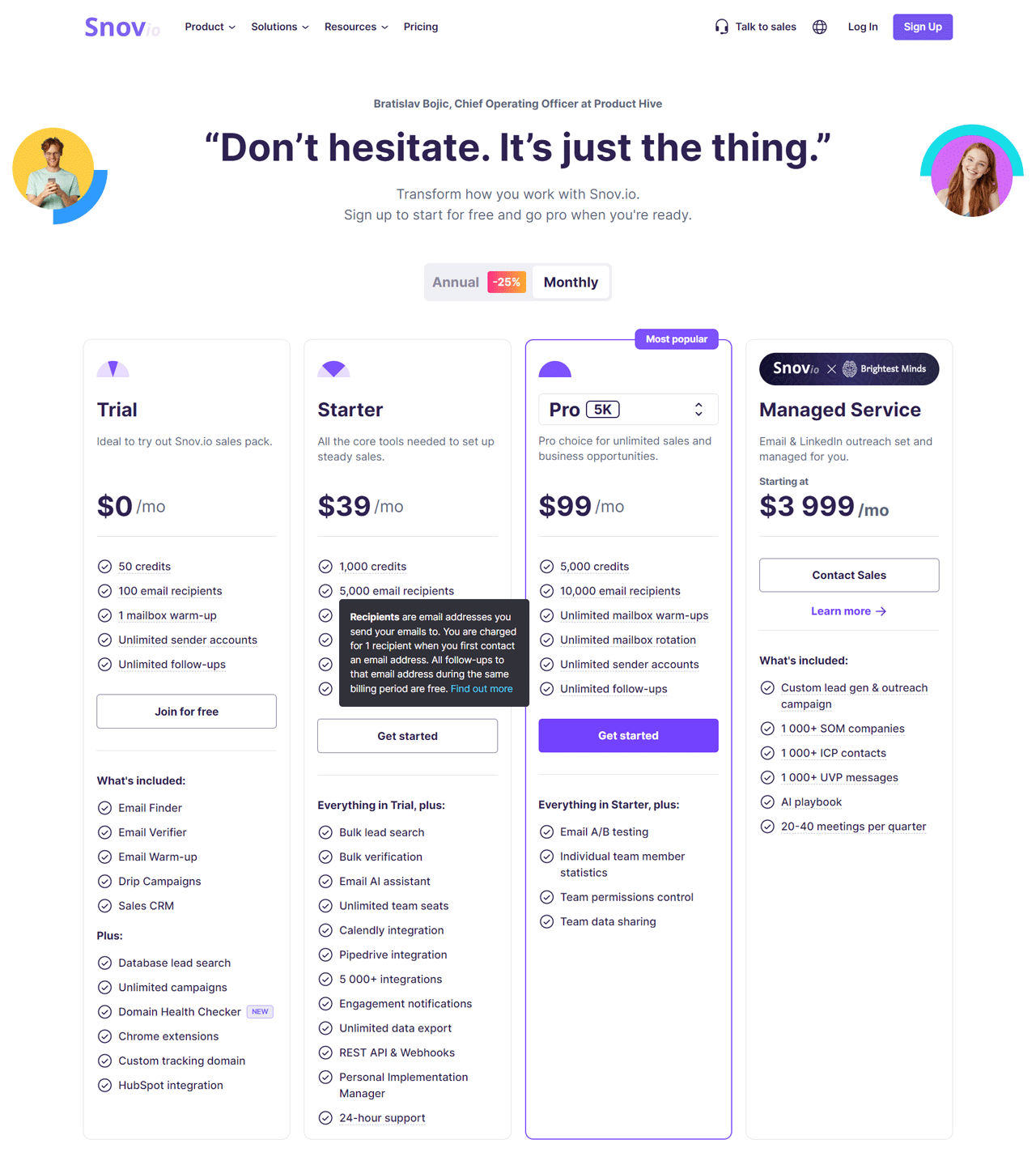
Snov.io’s free trial includes 50 credits to email up to 100 people, a reasonable way to test the platform. The Starter plan runs $39 per month, providing 1,000 credits and sales tools suitable for small teams.
The Pro plan is available at $99 per month, including 5,000 credits and upgraded features. Managed Service plans begin at $3,999 per month for businesses needing full-service lead generation and outreach support.
What Users Say About Snov.io?
- G2: 4.5 out of 5 (353 reviews)
- Capterra: 4.6 out of 5 (207 reviews)
“What do you like best about Snovio?Despite I didn’t have an experience in email marketing automation before I started using Snov.io, the interface and the process of campaign creation was super intuitive. Smooth UX, very smart feature to warm-up your email, comfortable campaign builder, very friendly and responsive support.What do you dislike about Snovio?I’m enjoying it 100%. Also I’m super curious why it’s not yet world popular.” – Dmytro H.
Is Snov.io Better Than Lusha?
Snov.io is a strong pick for teams that want email finding, campaign automation, and CRM management in one platform, especially if personalized email sequences are a core part of the strategy.
Lusha remains the better choice when accurate, compliant B2B contact and company data is the top priority, since it’s built specifically around precise, privacy-conscious data collection for sales and marketing outreach.
Our Review of Snov.io
Snov.io’s combination of email finding, verification, and automated email marketing campaigns made lead management noticeably simpler during our testing.
The range of features can feel like a lot for newcomers, and cost may be a real factor for small teams or individuals just getting started, particularly if budgets are tight.
9. ContactOut
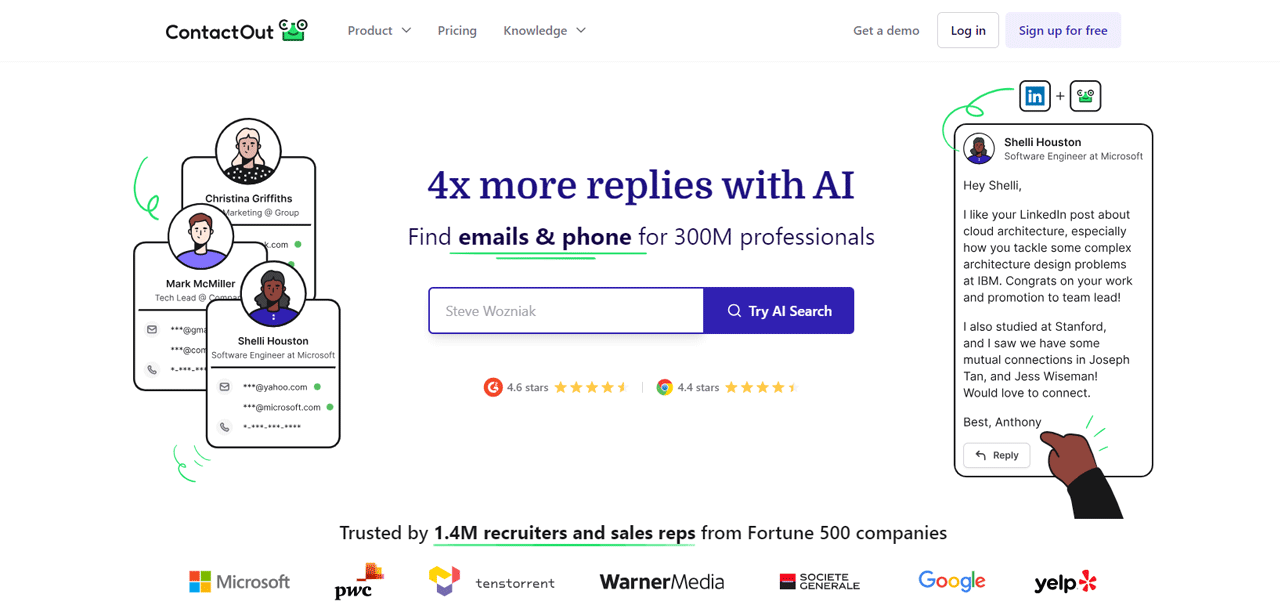
ContactOut focuses on digging up email addresses and phone numbers beyond what’s visible on LinkedIn, which widens the pool of prospects you can actually reach.
Its data goes through multiple verification passes, and the platform provides access to a large database spanning personal emails, work emails, and direct phone numbers.
Against Apollo.io, ContactOut’s edge is precision and stronger adherence to data compliance standards like GDPR and CCPA, making it a solid choice for teams that prioritize accuracy and compliant sourcing over an all-in-one feature set.
About ContactOut
- Founding year: 2015
- Founding team: Rob Liu
- Company Size: 51 to 200 employees
Features of ContactOut
A look at what ContactOut offers —
- Email Finder: With ContactOut, you can easily find email addresses and phone numbers for over 300 million professionals from different fields. This tool helps you quickly get the contact details you need, whether for finding new leads or contacting job candidates.
- Chrome Extension: The Chrome extension makes it possible to look for prospects directly on LinkedIn and company websites. It’s a quick way to find email addresses and phone numbers, making your search process faster.
- Email Campaigns: Creating and running email campaigns is made easier with ContactOut. You can customize emails for a lot of recipients at once and track how well your campaigns are doing.
- Search Portal: You can narrow down your search for potential contacts by using filters like job level, department, and the technology they use. It makes finding the right people to contact much simpler.
- API: The API allows ContactOut’s data to be easily integrated into your existing systems or processes. It gives you quick and reliable access to contact information and LinkedIn profiles.
- Data Enrichment: ContactOut also improves your current records by adding detailed contact, company, and profile information. This service gives you a fuller picture of your leads, providing all the details you need for successful outreach.
Pros
- Easily finds email and phone numbers for professionals.
- Simplifies creating and managing email campaigns.
- Chrome extension for fast prospecting on LinkedIn.
- Improves records with detailed contact information.
- Easily integrates with existing systems via API.
Cons
- Annual billing could be pricey for small teams.
Pricing
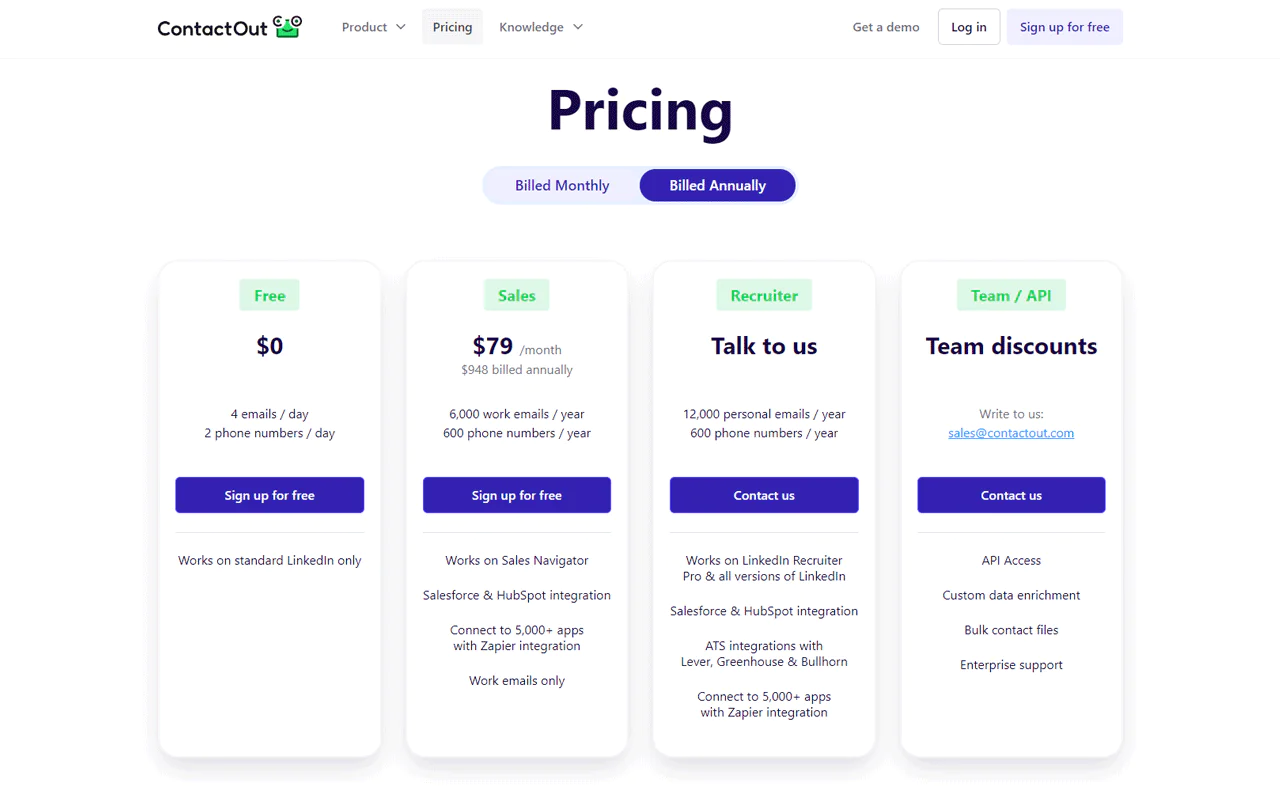
ContactOut’s free tier includes 4 emails and 2 phone numbers each day, useful for testing the platform. The Sales package runs $79 a month, including 6,000 work emails and 600 phone numbers.
For recruiting-focused teams, the Recruiter package offers 12,000 personal emails and 600 phone numbers per year.
What Users Say About ContactOut?
- G2: 4.5 out of 5 (99 reviews)
- Capterra: 4.4 out of 5 ((10 reviews)
“What do you like best about ContactOut?What I like best about this tool is the ability to get emails on LinkedIn if you cannot get their contact info manually if the email is not publicly available in their profile.What do you dislike about ContactOut?What I most dislike about this tool is that sometimes when you check in the extension about the LinkedIn profile, it shows that there is an email but when you press Show, it will suddenly show Email Unavailable which is it will reduce the search credit in your account plan.” – Christian Oliver R.
Is ContactOut Better Than Lusha?
ContactOut is the stronger pick for finding email addresses and phone numbers across a wide range of professionals, with repeated data verification supporting accuracy for direct outreach and hiring.
Lusha shines for B2B sales growth specifically, thanks to timely insight on potential buyers, automated CRM updates, and message tailoring built around when a prospect is likely to buy.
Our Review of ContactOut
ContactOut’s ability to find contact details beyond LinkedIn’s own reach opened up more direct paths to decision-makers during testing, backed by data verified through multiple passes.
The sheer volume of information can be overwhelming at times, making it harder to pinpoint the most useful contacts, and smaller businesses may find the cost a barrier to using the platform to its full potential.
10. Seamless.AI
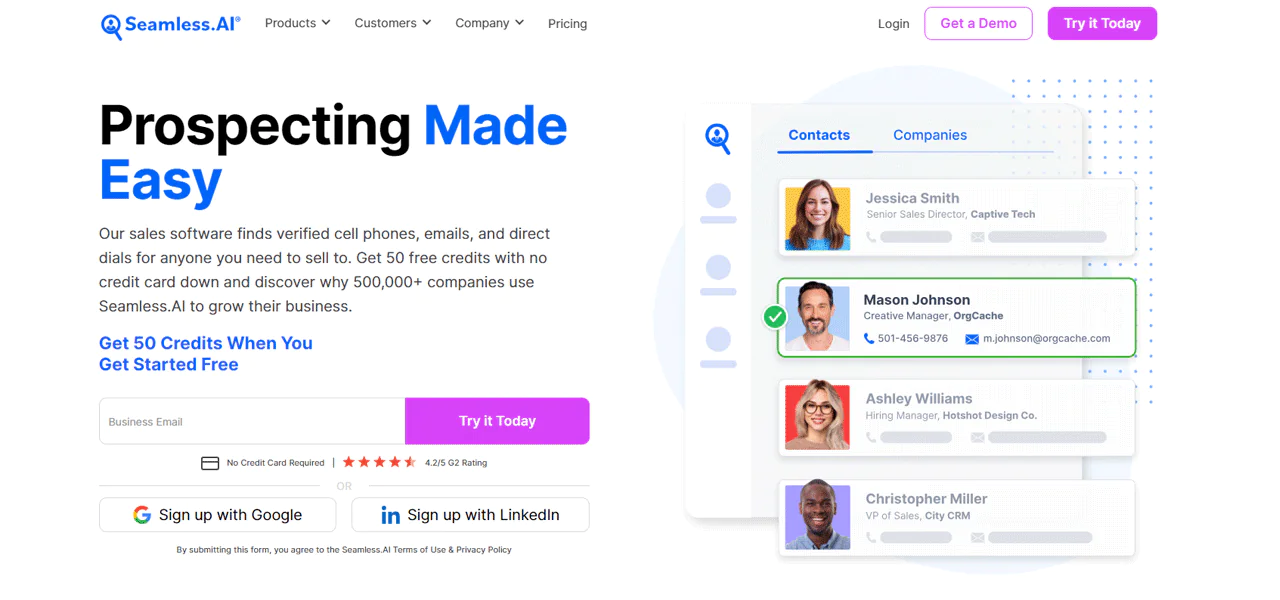
Seamless.AI positions itself as a real-time search engine and go-to-market platform for B2B sales leads, built around AI-driven prospecting rather than a static database.
That real-time approach is meant to help build a stronger sales pipeline, shorten sales cycles, and close deals more effectively using its large pool of verified contacts and company records.
Against Hunter.io, Seamless.AI leads with real-time data verification and AI-driven prospecting, updating and confirming contact info on the spot rather than relying purely on a static index.
For teams that want the latest approach to sales prospecting technology, Seamless.AI is worth a close look.
About Seamless.AI
- Founding year: 2014
- Founding team: Brandon Bornancin
- Company Size: 500 employees
Features of Seamless.AI
A look at Seamless.AI’s main features —
- Intelligence for Your Pitch: This feature takes on the heavy lifting by providing personalized insights for every contact. It ensures your message resonates by highlighting what’s most important to your prospects.
- Enriching Your Data: Stale data can slow down your outreach. The Data Enrichment tool refreshes your B2B database, filling in any gaps and ensuring your data is current and accurate.
- Putting List-Building on Autopilot: Autopilot simplifies the creation of sales and marketing lists. By setting your criteria, Seamless.AI builds targeted lists quickly, letting you focus on more strategic tasks.
- Easy Integrations: Seamless.AI smoothly fits into your existing tech ecosystem, allowing for one-click exports of B2B contact and company info. This compatibility with a wide array of CRMs and platforms ensures your workflow remains uninterrupted.
- Writer: If creating sales and marketing content quickly becomes a bottleneck, Writer uses AI to generate compelling content in no time. This ranges from emails to social media posts, engaging your audience more effectively.
- Understanding Buyer Intent: With access to over 12,000 signals of buyer intent, this tool helps you spot and engage with leads at just the right moment. It allows you to focus on the most promising prospects, enhancing your chances of success.
Pros
- Helps you talk to the right people the right way.
- Keeps your contact list fresh and accurate.
- Finds the best leads for you, making sales easier.
- Quickly builds big lists of contacts for you.
- Creates good sales messages fast.
- Easily moves contact info to other apps you use.
Cons
- Takes time to learn how to use it best.
Pricing
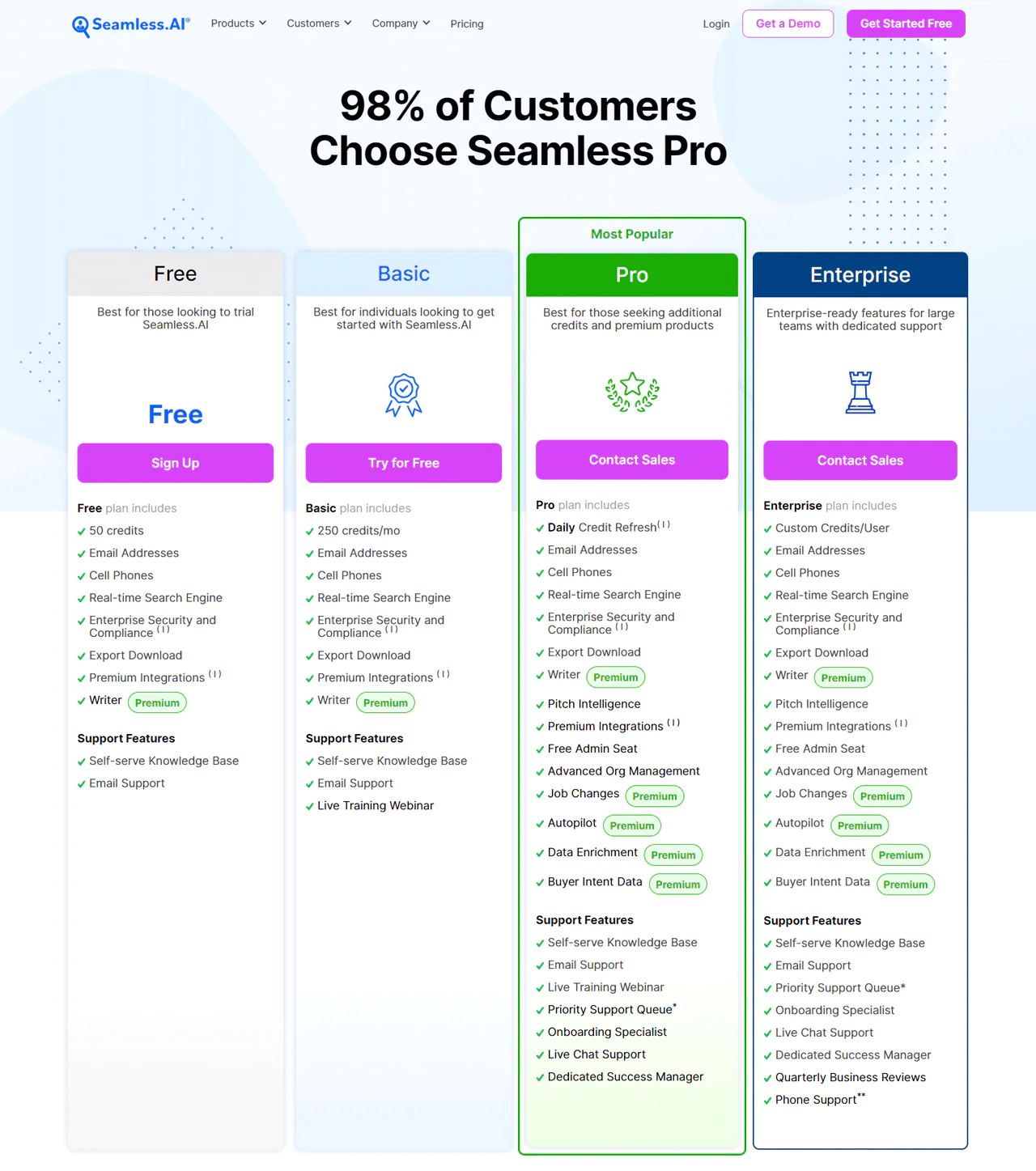
Seamless.AI’s Free plan is ideal for testing the service, offering 50 credits. The Basic plan at $147 a month gives 250 credits.
The Pro plan caters to those needing more extensive features and daily credit resets, with pricing details available on request. Large teams should consider the Enterprise plan, which includes customized credit allocations and specialized support.
What Users Say About Seamless.AI?
- G2: 5 out of 5 (1,299 reviews)
- Capterra: 4 out of 5 (143 reviews)
“What do you like best about Seamless.ai?Seamless.ai is a great product. Period! My company had been hesitant to get a product like this, in fears that it would be a tedious process. They couldn’t have been more wrong, and I wish we would have done this years ago! Day 1 we already found contact info for companies that we had been trying to get into for years! Highly recommendedWhat do you dislike about Seamless.ai?So far not much to dislike. Couple features I would tweak, but not much I would change!” – Richard L.
Is Seamless.AI Better Than Lusha?
Seamless.AI works best for sales teams that need up-to-the-minute B2B lead information, since it automates list-building and prospecting in a way that noticeably improves rep efficiency.
Lusha suits teams looking for a warmer approach that relies on behavioral data to time outreach around when decision-makers are likely to buy, with automated CRM growth for consistent, personalized communication.
Our Review of Seamless.AI
Seamless.AI’s real-time verification of contact and company records made a real difference during testing, cutting down on manual list-building while keeping data accurate. Integrating it with existing CRMs made day-to-day processes noticeably more efficient.
Getting comfortable with the AI features took some time, which could be a challenge for teams newer to this kind of platform, and relying solely on real-time data occasionally left gaps for less well-known contacts. Even with those limitations, it earned a place in our regular prospecting workflow.
How to Choose the Best Lusha Alternative for Your Business
A few questions worth running through before committing to any platform on this list —
- Know Your Goals: Start by understanding your specific goals for lead generation and prospecting. Are you looking for a large database, precise contact details, or advanced features?
- Consider Your Budget: Evaluate your budget constraints and choose a platform that offers the features you need without breaking the bank.
- Size of Your Target Audience: If you’re targeting a large audience, you may need a platform with a vast database like Swordfish, ZoomInfo or RocketReach. For niche targeting, Lead411 may be a better fit.
- Ease of Use: Consider the user-friendliness of the platform. A tool that’s easy to navigate and set up can save you time and effort.
- Integration Needs: If you use CRM systems or other sales tools, ensure that the alternative integrates seamlessly with your existing tech stack. This will streamline your workflows.
- User Reviews: Read reviews and gather feedback from other users. This can provide a comprehensive perspective on the product or service in question.
So, What’s The Best Lusha Alternative?
Swordfish AI stands out as a strong choice if you’re looking to move on from Lusha, particularly for teams that need business emails and phone numbers that are harder to find through general databases.
Swordfish AI also brings solid customer support, a broad database, and data enrichment into the mix. If you’re still weighing options, ZoomInfo and Lead411 are worth a look too, each offering a distinct combination of feature depth and database size that could match your needs better.
For teams focused on direct outreach accuracy, Swordfish AI is a reasonable starting point.
 Try Swordfish Ai
Conclusion
When you’re evaluating a Lusha alternative, weigh budget, data reliability, integration fit, and whether API access matters for your workflow.
Every tool on this list brings something different to the table, so it’s worth testing a couple before committing. Swordfish AI stands out for phone number coverage that’s harder to source elsewhere and thorough data verification, which matters most when the goal is reaching decision-makers directly.
Frequently Asked Questions (FAQs)
Which alternative offers unparalleled accuracy in contact details?
Swordfish AI and RocketReach stand out for offering accurate databases of emails and direct dials, giving businesses reliable contact information to work from.
How can I ensure that a Lusha alternative integrates well with my CRM system?
Look for alternatives that offer easy CRM integration with popular platforms like Salesforce, HubSpot, or Pipedrive, ensuring a smooth workflow for your sales team.
Which Lusha alternatives are known for their extensive data profiles?
Swordfish AI is known for providing access to a large pool of verified individual data profiles, making it a solid choice for businesses seeking a broad lead source.
Which Lusha alternative is best for boosting sales and marketing teams?
Adapt.io is built to support sales and marketing teams with a lead intelligence platform backed by a large database of contacts and companies.

