


 View Products


Key takeaways
- LinkedIn Sales Navigator focuses on prospecting within LinkedIn’s professional network, while contact-data tools may help teams find direct phone numbers or email addresses.
- Swordfish AI, Kaspr, Cognism, ZoomInfo, and Seamless.AI each offer a different mix of contact data, prospecting features, integrations, and pricing.
- Contact-data tools may complement Sales Navigator rather than replace its networking and profile features.
- Data coverage and accuracy vary, so spot-check important records and review each provider’s verification claims.
- Compare current prices, credits, plan limits, and integrations against your team’s needs before choosing a tool.
Last updated: September 3, 2026
LinkedIn Sales Navigator remains a fixture in B2B prospecting, and plenty of sales and recruiting teams still lean on it as their default lead source. But it isn’t the only option, and for many teams it isn’t the most cost-effective one either.
Sales Navigator is centered on LinkedIn’s professional network. It may not provide the direct phone numbers or personal email addresses some teams need, so contact-data tools can help extend prospecting beyond LinkedIn. These tools may complement Sales Navigator rather than replace its networking and profile features.
Below are five alternatives worth evaluating, along with the tradeoffs each one makes versus LinkedIn’s own tool.
Quick List of Top 5 Alternatives to LinkedIn Sales Navigator
Here’s a summary of the LinkedIn Sales Navigator competitors:
- Swordfish AI: Best for sourcing contact information quickly and efficiently across social media and the web.
- Kaspr: Best for businesses seeking real-time data retrieval from LinkedIn for lead generation and recruitment.
- Cognism: Best for B2B sales teams needing comprehensive data solutions for lead generation and marketing automation.
- ZoomInfo: Best for organizations requiring detailed business data for market analysis and targeted sales outreach.
- Seamless.AI: Best for sales professionals needing accurate, AI-driven insights for contact data and lead generation.
Reasons to Consider an Alternative to LinkedIn Sales Navigator
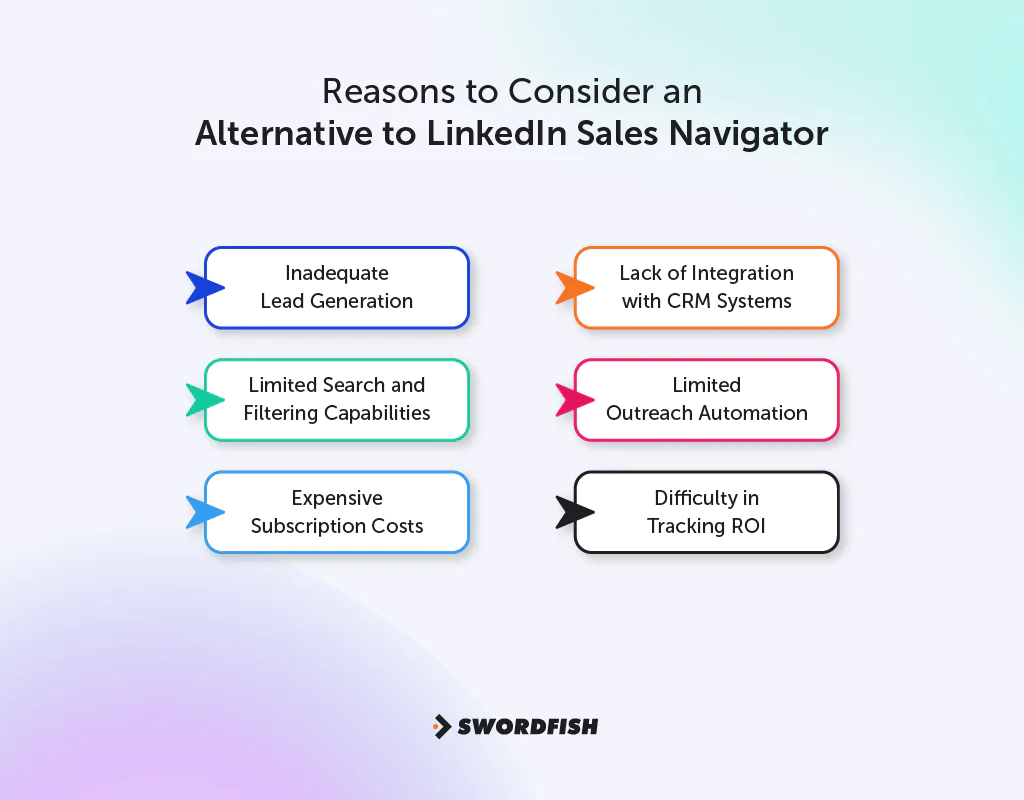
Here are some key reasons to consider an alternative to LinkedIn Sales Navigator:
Limited Contact Information
The contact details available in Sales Navigator may not include the direct phone numbers or personal email addresses a team needs. Some alternatives offer those details, but availability and accuracy vary. Having another way to reach a prospect may help teams that do not want to rely only on InMail.
No Cross-Platform Integration
Sales Navigator is centered on LinkedIn profiles and its professional network. Some alternatives draw on additional platforms or data sources, which may broaden the set of prospects available for outreach.
Restricted Customization
Customization inside Sales Navigator is fairly limited. Teams building out more advanced segmentation or scoring logic for sales and marketing often find other tools give them more room to work.
Limited Automation Features
Automation in Sales Navigator doesn’t extend to certain advanced tasks, which slows things down. Other tools build in more automation around lead generation and follow-ups.
Basic Analytics
Sales Navigator’s analytics cover the basics, but they don’t go as deep as some competing platforms. More granular reporting tends to translate into better-informed prospecting decisions.
High Cost
Sales Navigator’s per-seat pricing can add up for growing teams, especially when additional features or CRM integrations are needed. Compare current plan prices, seat requirements, and feature limits before deciding whether an alternative would cost less for your use case.
Top 5 LinkedIn Sales Navigator Competitors: Comparison Chart
The comparison table below summarizes the alternatives to LinkedIn Sales Navigator:
Company | Lead Generation | Data Enrichment | AI-Powered Insights |
 | AI-driven lead generation, predictive analytics | Real-time lead data enrichment | AI-driven prospecting insights |
 | Advanced search filters, lead recommendations | In-depth LinkedIn data, limited external data | InMail and connection tracking, TeamLink |
 | AI-powered lead discovery, automated nurturing | Behavioral tracking, engagement insights | AI-driven lead scoring |
 | Real-time data enrichment, intent data | Sales automation, cadence management | Predictive analytics, lead prioritization |
 | Extensive B2B database, advanced search | Up-to-date contact information | Advanced search and filtering |
 | AI-driven lead prospecting, data validation | Real-time data updates, enrichment | Chrome extension for lead capture |
Explore Top 5 Sales Navigator Alternatives to Boost Your Sales Strategy
These five alternatives differ in data coverage, automation, and pricing. Compare them against your team’s priorities—such as direct contact details, professional networking, integrations, and total cost—before choosing.
1. Swordfish AI
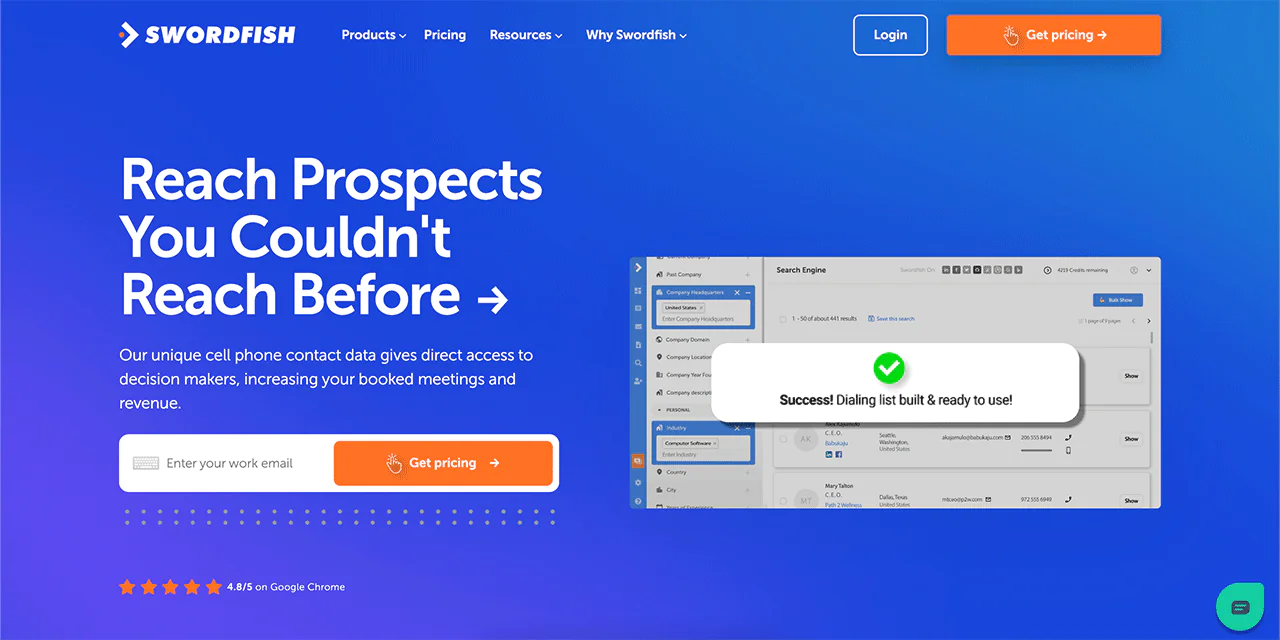
Swordfish AI addresses LinkedIn’s most common limitation head-on: shallow contact detail. Where Sales Navigator gives you a name and a title, Swordfish AI surfaces verified personal emails and phone numbers so outreach doesn’t have to run entirely through InMail credits.
Swordfish AI says it draws on sources beyond LinkedIn profiles, including public and social sources. That may offer additional prospecting paths, though data coverage and availability can vary.
Swordfish AI offers customization and automation features for lead finding and follow-up. Its pricing may suit some smaller teams, but compare current plans, included features, and usage limits with Sales Navigator before deciding.
About Swordfish AI
- Founding year: 2015
- Founding team: Ben Argeband
- No. of users: 50,000
What Sets Swordfish AI Apart?
Swordfish AI describes its database as containing over 3.5 billion entries, including direct cell phone numbers. Treat database size as a vendor-reported figure and assess whether the data is relevant and accurate for your target market.
Swordfish AI says its verification process includes checks against carrier data. The article also describes CRM integrations for transferring contact data into existing workflows; verify current coverage and capabilities with the provider.
Swordfish AI is used by sales and recruiting teams looking for a faster path from a name to a working phone number or email address.
Key Features of Swordfish AI
Here are the key features of Swordfish:
Extensive Contact Database
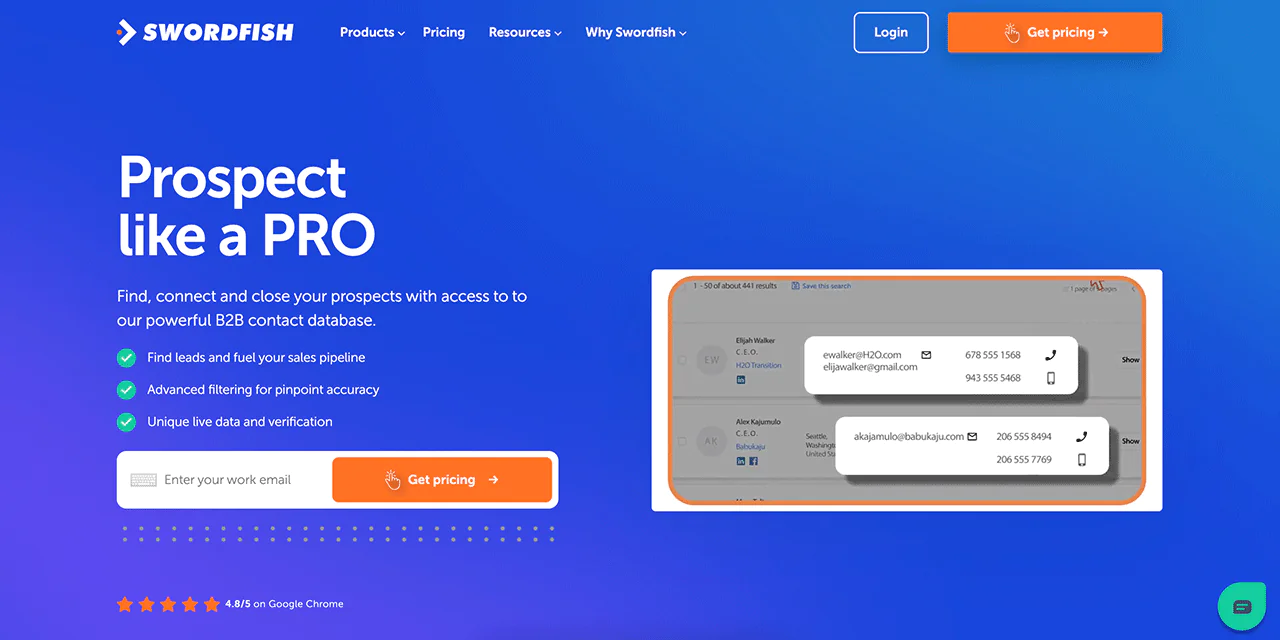
Swordfish AI provides access to a large B2B contact database containing over 3.5 billion profiles. This database includes cell phone data and business emails, giving users a broad pool of potential leads.
Advanced Verification
Swordfish AI says it works with cell phone carriers to help verify contact details. As with any contact-data provider, check sample records and confirm accuracy for your intended use.
Chrome Extension
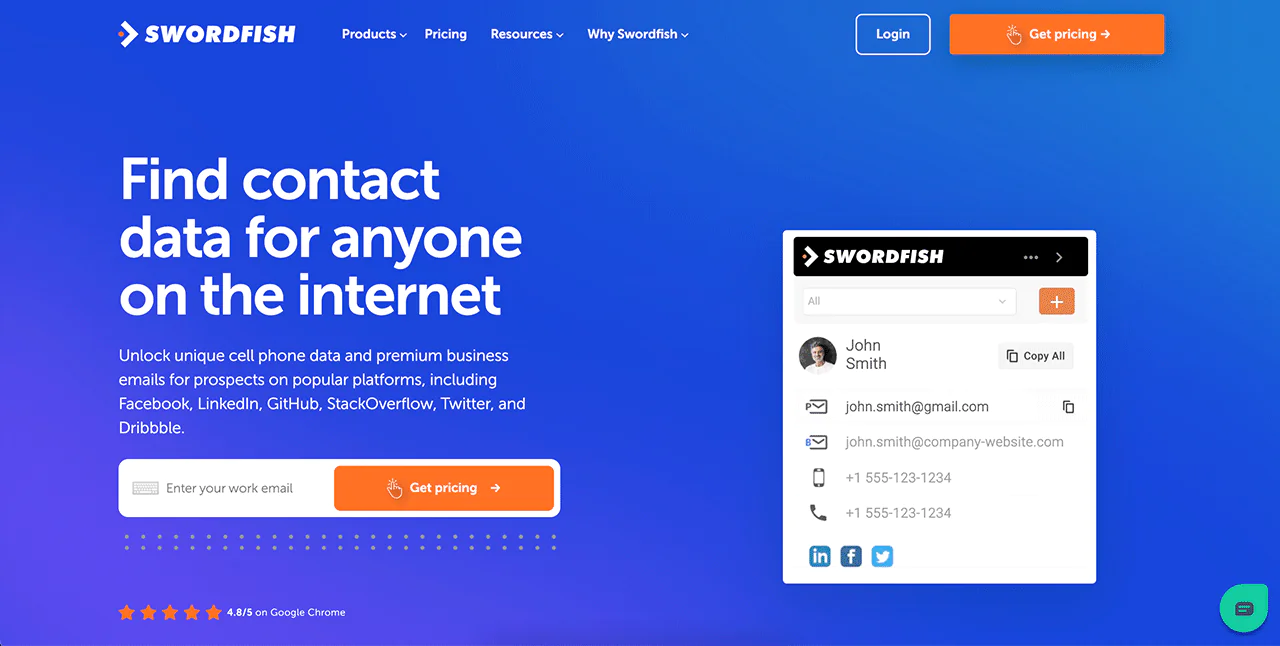
The Swordfish AI Chrome extension integrates directly into your browser, providing access to contact information without leaving the page you’re working from.
Automatic CRM Syncing
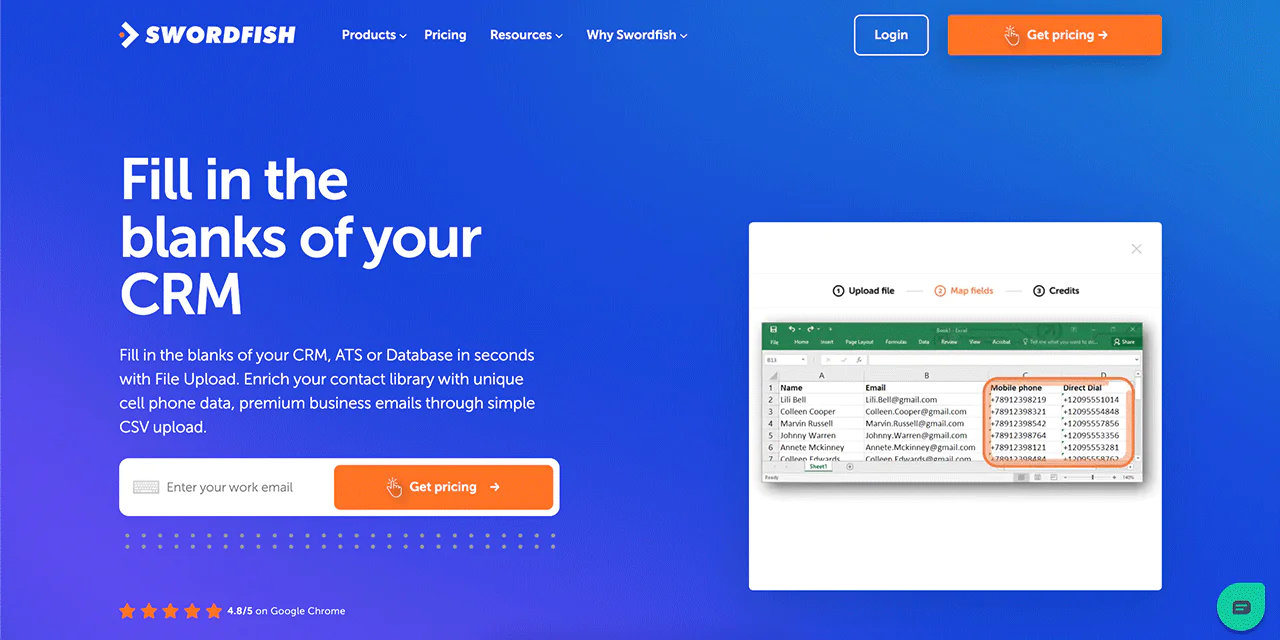
Swordfish AI supports automatic syncing with CRM and ATS systems, helping keep contact records current with minimal manual upkeep.
API Integration
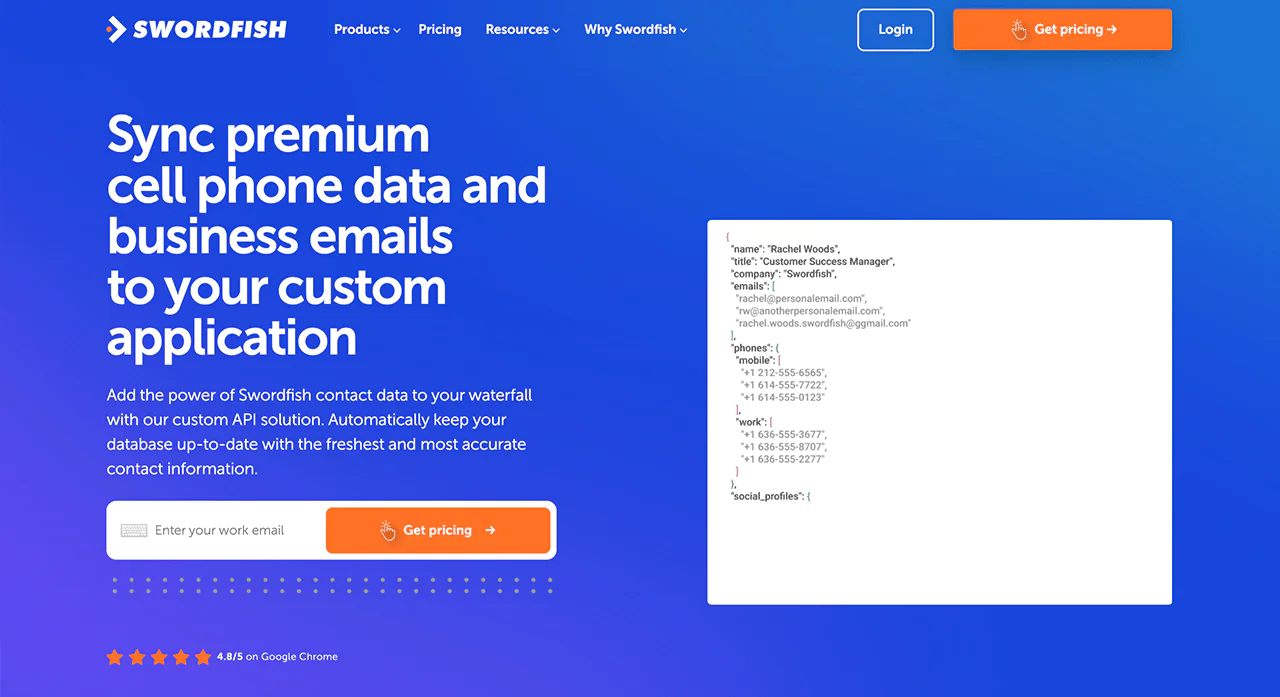
Swordfish AI offers API integration, letting users connect the platform to other applications and systems to fit contact data into existing tools rather than working around them.
Best Use Cases of Swordfish AI
Swordfish AI is a versatile tool that can be beneficial in various business areas. Here are some of the best use cases of Swordfish:
- Sales and Marketing: It supports sales and marketing efforts with real-time data updates, advanced filtering, and intent data from Bombora® to target potential clients more effectively.
- Social Media Outreach: The Chrome Extension facilitates social media outreach by enabling users to find contact information on platforms like LinkedIn, Facebook, and Twitter.
- Reverse Search: Users can locate specific individuals or companies by conducting reverse searches using available data points.
- Sales Enablement: It equips sales teams with contact data and insight to inform outreach and customer engagement.
- Market Research: Researchers can use Swordfish AI to gather contact information for surveys, interviews, and data collection across industries.
Pros of Using Swordfish AI
- Extensive industry coverage for diverse lead generation needs.
- Advanced machine learning ensures high data accuracy.
- User-friendly interface with intuitive search and filtering options.
- Supports real-time data processing, enabling timely insights and faster responses.
- Offers highly accurate data extraction, enhancing decision-making and analytics efficiency.
Cons of Using Swordfish AI
- Collects user data, potentially raising privacy issues.
- Expensive licensing fees for extended feature access.
Pricing
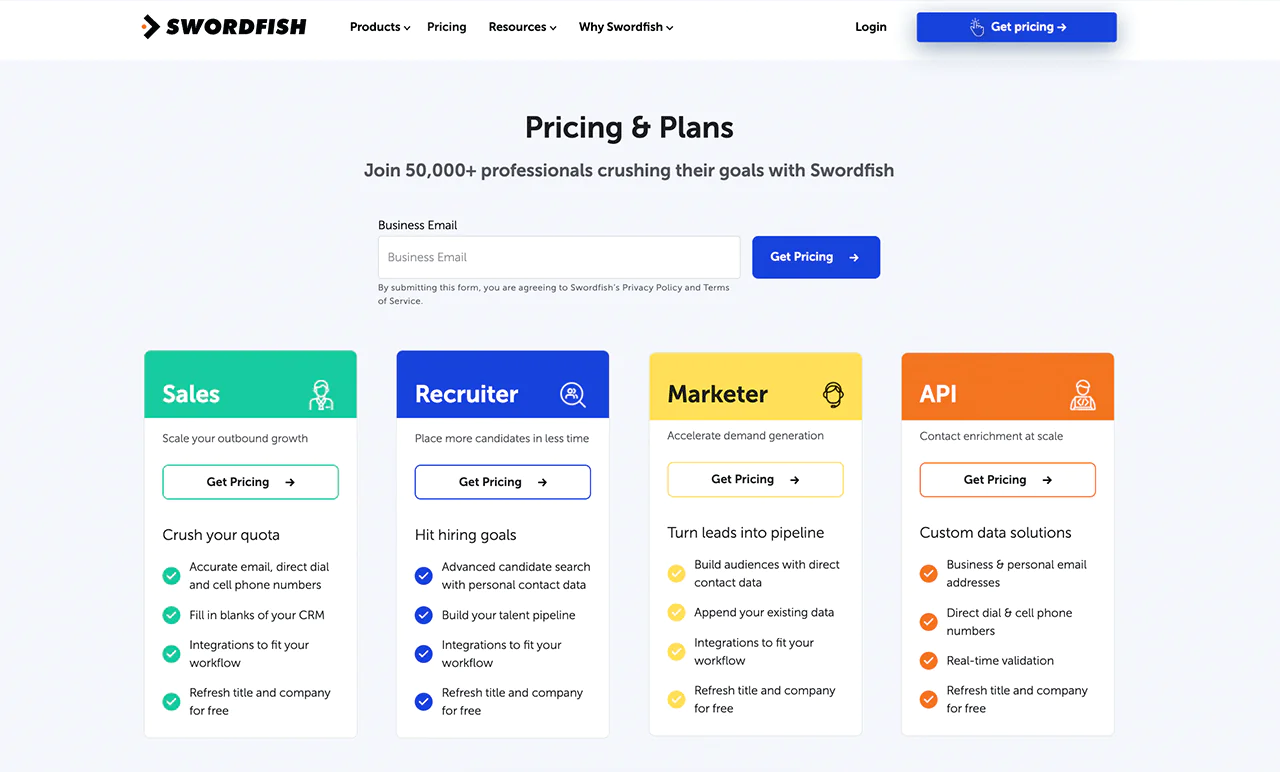
Swordfish AI offers tailored pricing plans for sales, recruitment, marketing, and API solutions, emphasizing accurate contact retrieval, CRM integration, and free updates. These plans cater to professionals seeking outbound growth, efficient candidate placement, and demand generation.
 Try Swordfish Ai
What Users Say About Swordfish?
G2: 4.5 · 84 reviews
One reviewer says that tracking credits and using the Chrome extension and bulk file enrichment reduced their work by 95%.
I evaluated and used another search engine company for the critical human data I needed for my current projects. SWORDFISH was so easy that I used up my trial credits on the first day because it gave me so much information, and I immediately signed up for the Professional Credits program, which is 400 credits per month. Andrea W.
Capterra: 4.6 · 12 reviews
“Great Contact Enrichment”
Overall great app for obtaining contact data for both sales and recruiting. Simple and easy to use, great Chrome extension and contact data results are consistently accurate. Barbara G.
Why Should You Choose Swordfish AI over LinkedIn Sales Navigator?
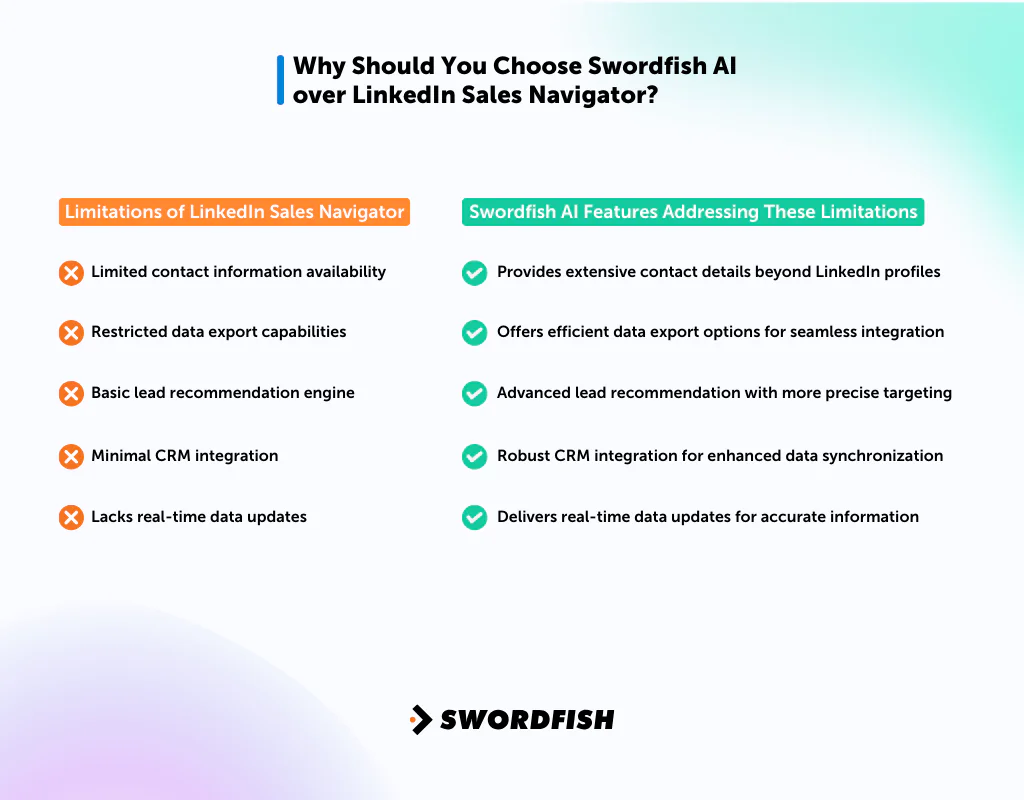
Swordfish AI addresses several limitations of LinkedIn Sales Navigator, offering features that users often seek but don’t find in LinkedIn’s platform. Below is a comparison table:
|
Limitations of LinkedIn Sales Navigator |
Swordfish AI Features Addressing These Limitations |
| Limited contact information availability | Provides extensive contact details beyond LinkedIn profiles |
| Restricted data export capabilities | Offers efficient data export options for seamless integration |
| Basic lead recommendation engine | Advanced lead recommendation with more precise targeting |
| Minimal CRM integration | Robust CRM integration for enhanced data synchronization |
| Lacks real-time data updates | Delivers real-time data updates for accurate information |
2. Kaspr
Compared with Sales Navigator, which may not provide every direct contact detail or export option a team needs, Kaspr.io focuses on retrieving contact data. Check each product’s current features and limits when comparing them.
Kaspr.io is built primarily for generating contact details from social profiles, giving users direct email addresses and phone numbers. Its working process involves extracting data from social media platforms and feeding it into existing workflows. Sales Navigator still wins on breadth of network and professional background detail, which makes Kaspr.io a useful complement rather than a full replacement.
About Kaspr
Founding year: 2018Founding team: Allan BenguiguiCompany Size: 11-50 employees
Customer Ratings
G2: 4.4 · 576 reviewsTrustPilot: 3.2 · 1 reviews
Features of Kaspr
Accurate Contact Data in One Click
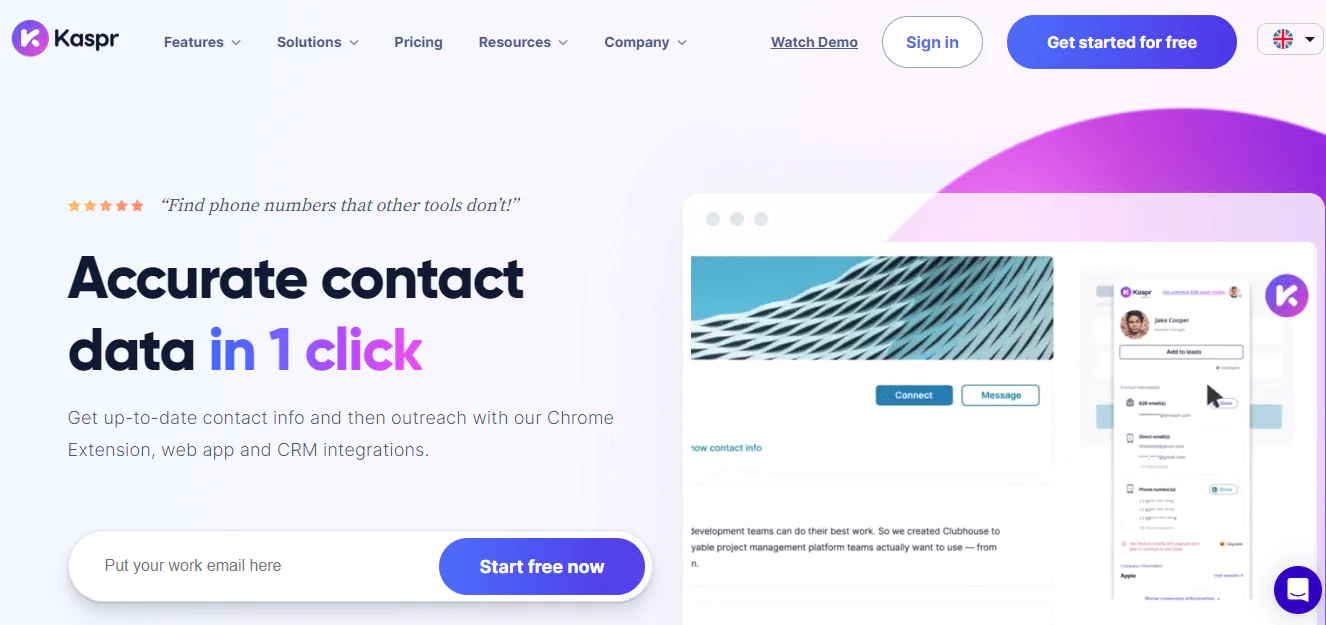
Kaspr provides up-to-date contact information, including phone numbers and email addresses, through its Chrome Extension, web app, and CRM integrations.
Database Access and Ease of Use
It offers a database of over 500 million phone numbers and email addresses, and is built for immediate use without a lengthy onboarding process.
Time-Saving and Comprehensive Tool
Users report saving several hours per week, since Kaspr goes beyond a browser extension to include lead management, automated outreach, and data syncing with other apps.
Reliable and Verified Data
Kaspr says its data is verified in real time and checked against multiple providers. Verification methods do not guarantee that every record is current or accurate, so spot-check important contacts.
Unlimited B2B Email Addresses
Kaspr includes unlimited B2B email addresses across its plans, including the free tier, which adds to its accessibility for smaller teams.
Pros of Kaspr
- Advanced data enrichment for enhanced lead insights.
- Easy-to-use platform with customizable features.
- Focus on accurate and up-to-date B2B contact information.
Cons of Kaspr
- Occasional data inaccuracies or outdated information.
- Fewer integrations with CRM systems.
Pricing
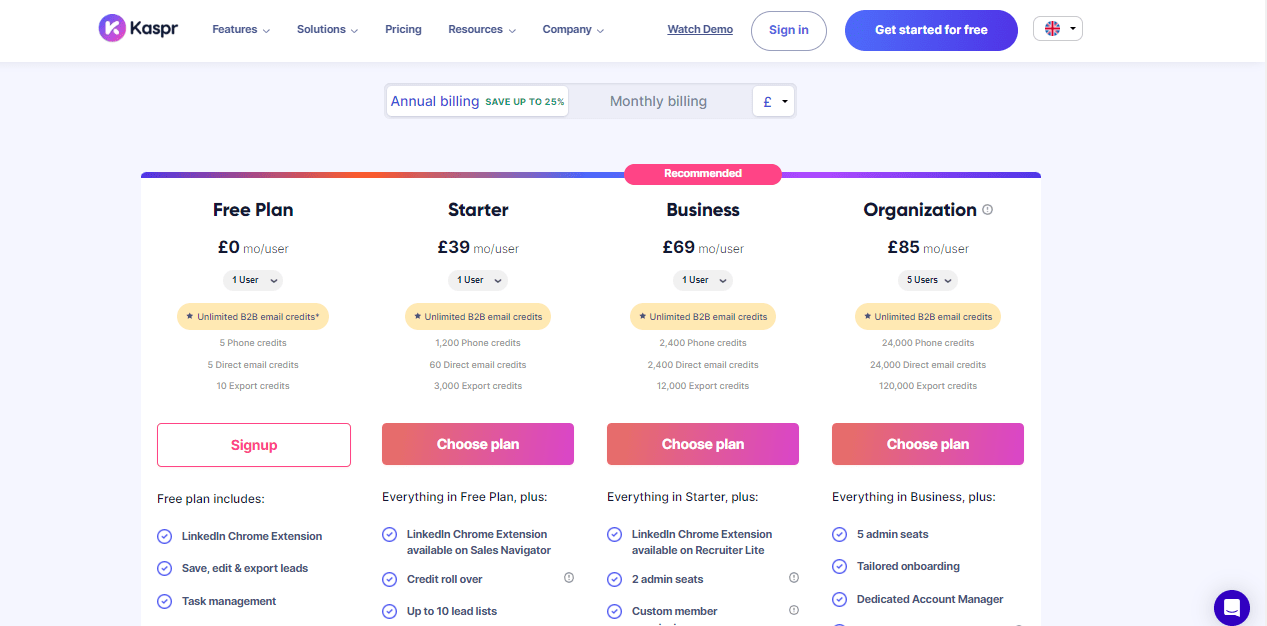
The article lists a free plan and approximate monthly prices of $49 for Starter, $79 for Business, and $99 for Organization. Prices, credits, and plan names can change; check Kaspr’s current pricing and terms before purchasing.
What Users Say About Kaspr?
“I like that it is easy to use and clear what each credit does and is separated. what is critical to me, is that they give you access to many informations that competitors or similar services do not have access to.” thomas b.
Is Kaspr Better than LinkedIn Sales Navigator?
Kaspr.io excels over LinkedIn Sales Navigator in providing direct contact details like emails and phone numbers, making it a better fit for teams that need immediate, direct outreach rather than InMail-based contact.
LinkedIn Sales Navigator remains stronger for broader professional networking and detailed business insight, with a wider network of professionals and richer company data suited to long-term relationship building and market research.
Our Review of Kaspr
Kaspr.io presents a mixed bag of features. It excels in B2B prospecting with a large contact database, tight LinkedIn integration, and real-time verification, and the interface saves time once you’re set up.
The tradeoffs are a limited free-tier credit allotment for heavy users and a reliance on LinkedIn as a data source. Even so, Kaspr is a solid option for focused B2B outreach and lead management.
Note: Explore some alternatives to Kaspr.io.
3. Cognism
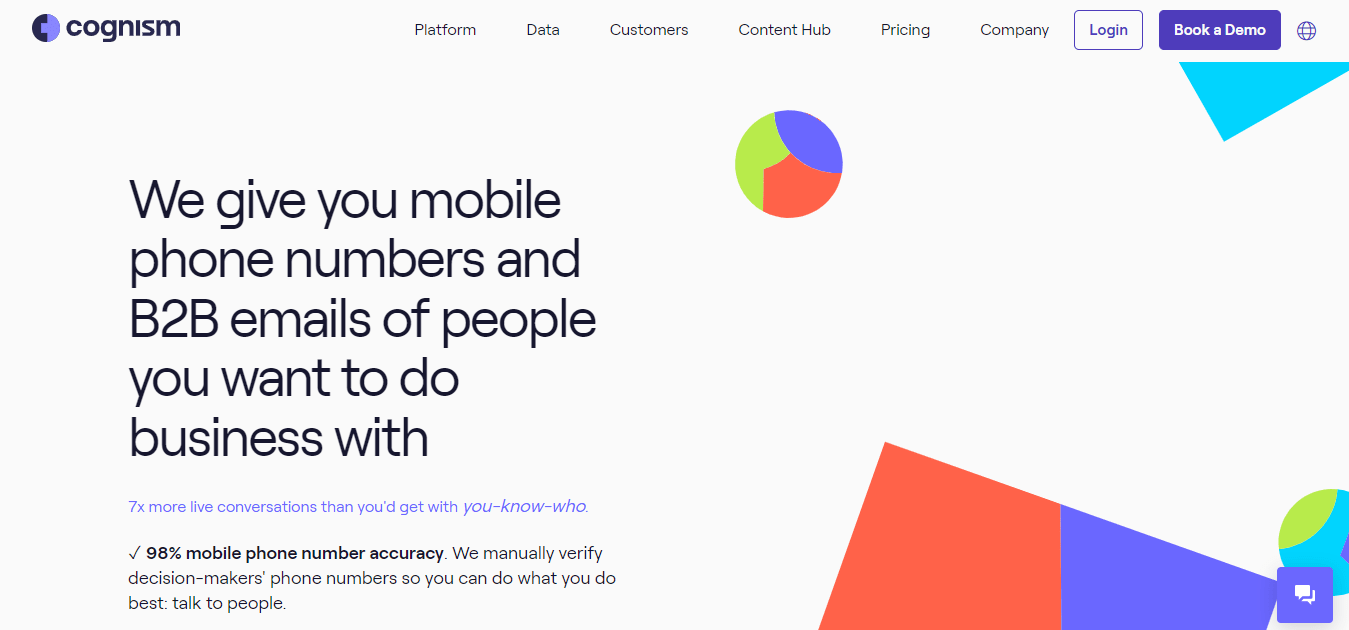
Cognism is a B2B data platform that markets contact data and prospecting features, including AI-assisted lead scoring. Review its current data sources, compliance information, and feature details to determine whether they fit your requirements.
It integrates directly with CRM systems to support sales workflows, but it doesn’t match Sales Navigator’s depth of professional network insight. That makes Cognism a strong complement for contact data, rather than a full substitute for LinkedIn’s networking layer.
About Cognism
Founding year: 2015Founding team: James Isilay and Stjepan BuljatCompany Size: 501-1,000 employees
Customer Ratings
G2: 4.5 · 556 reviewsCapterra: 4.6 · 63 reviews
Features of Cognism
High Mobile Phone Number Accuracy
Cognism advertises a 98% accuracy rate for mobile phone numbers and describes manual verification of decision-makers’ numbers. Treat the accuracy figure as a vendor claim and confirm how it is defined and measured.
Unrestricted Access to Data
The article describes access to person- and company-level data without credit limits or geographic restrictions. Confirm current plan limits and regional coverage with Cognism, as these may depend on the contract.
International Coverage
Cognism provides extensive international coverage, including EMEA, NAM, and APAC, supporting expansion into both local and global markets.
Easy Platform Integration
The platform integrates with popular CRM and sales engagement tools like Salesforce, Hubspot, SalesLoft, and Outreach.
GDPR Compliance
Cognism says it checks Do Not Call lists in multiple European countries, including the UK. Users should still confirm their own legal and compliance obligations for outreach in each jurisdiction.
Pros of Cognism
- AI-powered prospecting for better targeting.
- Global reach with access to millions of business profiles.
- Comprehensive B2B lead generation and sales intelligence platform.
Cons of Cognism
- Limited customization options for lead searches.
- Requires a reliable internet connection for optimal performance.
Pricing
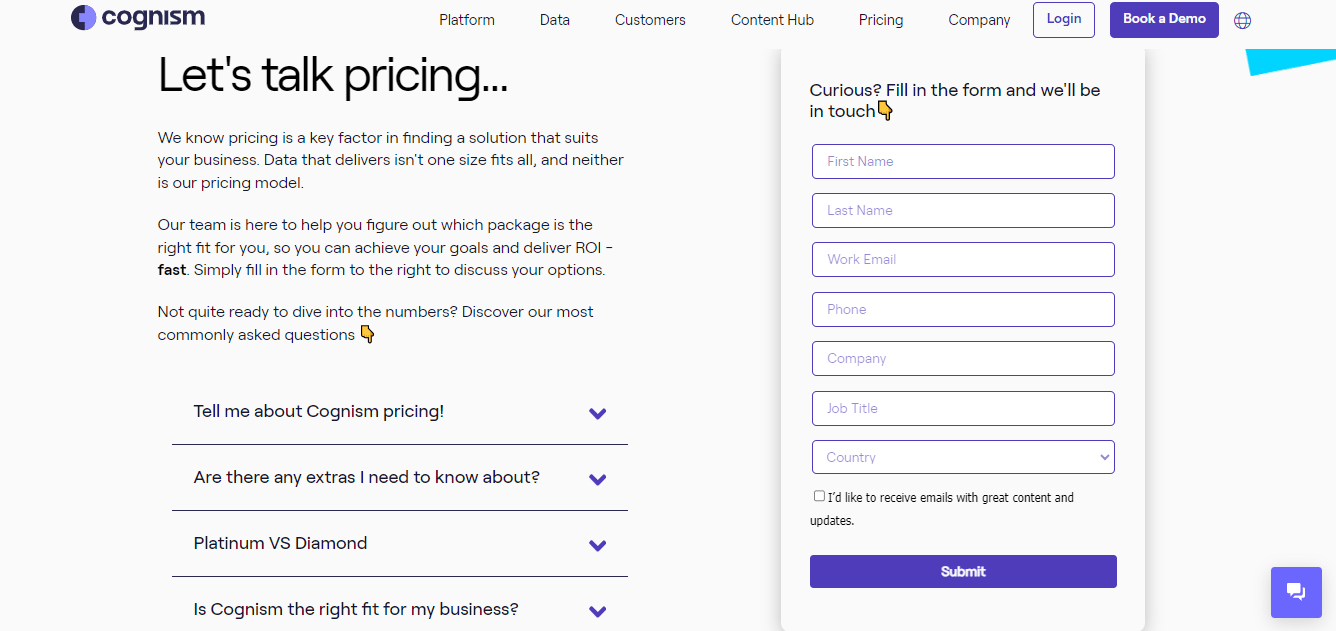
Cognism Tiered Pricing isn’t published on their site; you’ll need to contact their sales team directly for current rates.
What Users Say About Cognism?
“Cognism is fast and intuitive. It is meant to boost your outreach campaign and to get detailed contact’s informations.” Alessandro-Michele R.
Is Cognism Better than LinkedIn Sales Navigator?
Cognism excels over LinkedIn Sales Navigator in data coverage and lead generation depth, with data enrichment and prospecting tools that suit aggressive market expansion and detailed customer profiles.
LinkedIn Sales Navigator still stands out for its networking features and professional database, making it the better pick for relationship-driven sales, recruiting, and long-term connection building on its established platform.
Our Review of Cognism
Cognism is a capable sales and marketing tool with a genuinely user-friendly interface. Data quality is generally strong, lead generation delivers a steady stream of prospects, and CRM integration is smooth.
The rough edges show up as occasional data inaccuracies and a lighter analytics layer than some competitors. Even with those caveats, Cognism can meaningfully boost outreach efficiency for teams that lean on it.
4. ZoomInfo
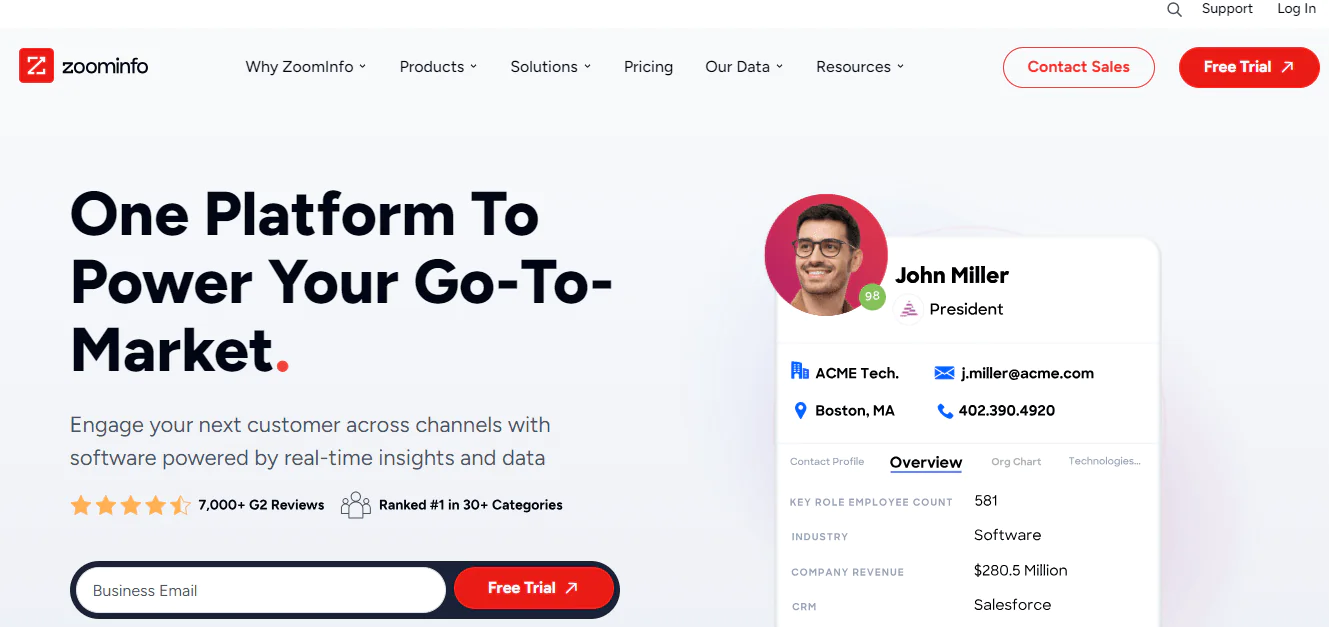
ZoomInfo fills gaps where Sales Navigator falls short on real-time data and detailed contact information. As a market intelligence platform, it’s strong on business data for lead generation and market analysis, and it integrates well with CRM systems for workflow management.
What it lacks is the professional networking depth of LinkedIn, including in-depth profile insight and a large professional community. That makes ZoomInfo a strong tool for data and market intelligence, but not a full substitute for LinkedIn’s networking layer.
About ZoomInfo
Founding year: 2007Founding team: Henry SchuckCompany Size: 1001-5000 employees
Customer Ratings
G2: 4.4 · 7,807 reviewsCapterra: 4.1 · 277 reviews
Features of ZoomInfo
B2B Contact Database
ZoomInfo maintains an extensive database of business contacts, offering email addresses and phone numbers that support sales and marketing outreach.
Sales Intelligence and Prospecting Tools
The platform helps users identify and target potential clients or partners with advanced filters and search capabilities.
Lead Scoring and Prioritization
ZoomInfo scores and prioritizes leads based on potential value, helping teams focus on the most promising opportunities.
Integration with CRM and Marketing Automation Tools
ZoomInfo integrates with various CRM and marketing automation platforms to streamline lead management and nurturing.
Real-time Alerts
The platform sends real-time alerts on key business events, such as leadership changes or funding rounds, useful for timely outreach decisions.
Pros of ZoomInfo
- Advanced search and filtering options for precise targeting.
- Real-time data updates for accuracy.
- Integration with popular sales and marketing platforms.
Cons of ZoomInfo
- Frequent updates may lead to contact data changes.
- Reports of data inaccuracies or incomplete information.
Pricing
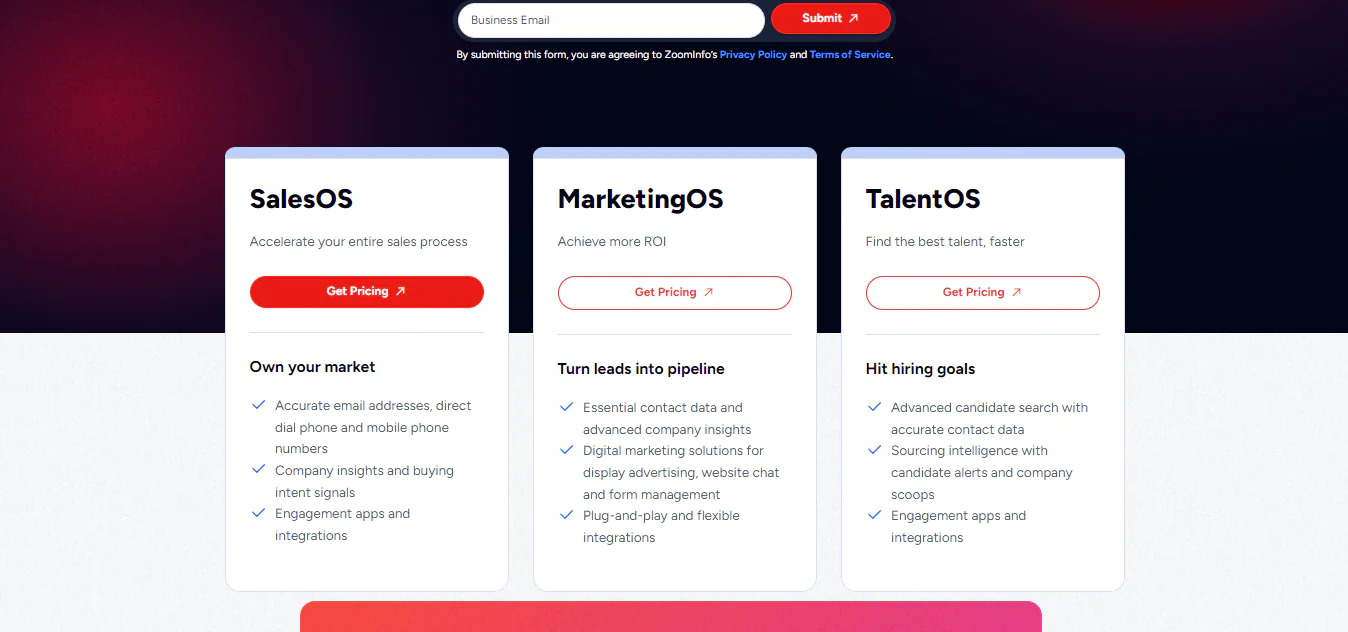
The article describes ZoomInfo’s tiered plans but does not give current rates. Plan names, included features, and prices may change, so contact ZoomInfo for a quote and compare the full contract terms.
What Users Say About ZoomInfo?
“Zoominfo makes it easy to find target prospect accounts and key decision-makers within them. The contact info is accurate 99% of the time.” David.T
Is ZoomInfo Better than LinkedIn Sales Navigator?
ZoomInfo excels over LinkedIn Sales Navigator for its comprehensive business database and deeper insight into B2B contacts and companies, particularly for teams needing company financials, technographic data, and intent signals.
LinkedIn Sales Navigator is better for relationship-driven sales and recruiting, where its professional network and personal-brand-building angle carry more weight than raw data depth.
Our Review of ZoomInfo
ZoomInfo’s extensive database of company and contact information makes lead sourcing and market research straightforward, and data accuracy is generally a strength.
Pricing can be steep for smaller businesses, and the interface takes some getting used to. Some records won’t be perfectly current, so a bit of double-checking is worth building into the workflow. Overall, it’s a strong tool for lead generation and business insight, though cost and complexity may not suit every team.
5. Seamless. AI
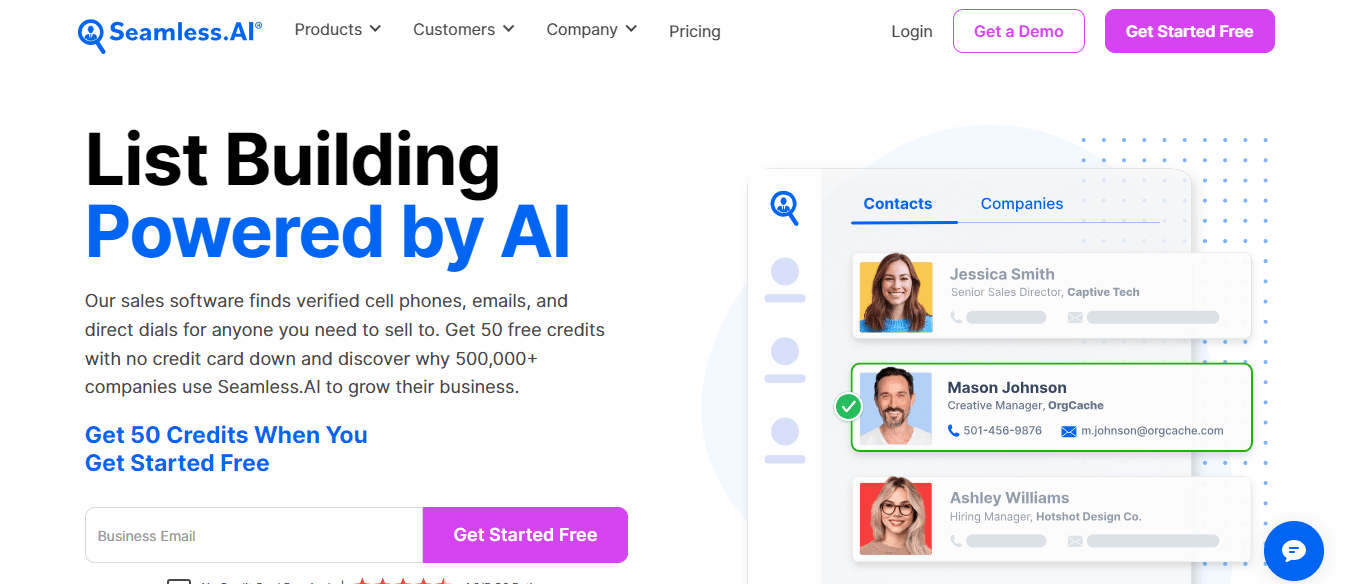
Seamless.AI addresses the limited contact access in Sales Navigator with automated email and phone number discovery aimed squarely at lead generation.
It doesn’t match Sales Navigator’s professional network depth or insight, which makes it a strong pick for quick contact retrieval rather than a standalone networking solution. Pair it with LinkedIn for broader relationship building if that’s part of your process.
About Seamless.AI
Founding year: 2015Founding team: Brandon BornancinCompany Size: 201-500 employees
Customer Ratings
G2: 4.2 · 1,276 reviewsCapterra: 3.7 · 143 reviews
Features of Seamless.AI
Real-Time Search Engine for B2B Sales Leads
It functions as a search engine connecting users directly with ideal customers, aiding in building lists of decision-makers to shorten sales cycles.
Sales Prospecting Solution
This tool helps users spend more time selling and less time building prospecting lists, aiding in accurate lead lists and finding the right people to contact.
Chrome Extension
The Seamless.AI Chrome Extension assists in finding phone numbers and emails directly from the browser, useful for on-the-go prospecting.
Writer Tool for Sales and Marketing Messaging
This feature, named ‘Writer’, helps generate sales and marketing copy, from value propositions to upsell emails.
Integration with Popular Platforms
Seamless AI integrates with Salesforce, Hubspot, Outreach, LinkedIn Sales Navigator, and Salesloft, cutting down on manual data entry.
Pros of Seamless.AI
- Customizable and scalable solutions for businesses of all sizes.
- Data accuracy and validation features.
- Integration with CRM and marketing automation tools for streamlined operations.
Cons of Seamless.AI
- Lack of advanced analytics and reporting features.
- Occasional data inaccuracies or outdated information.
Pricing
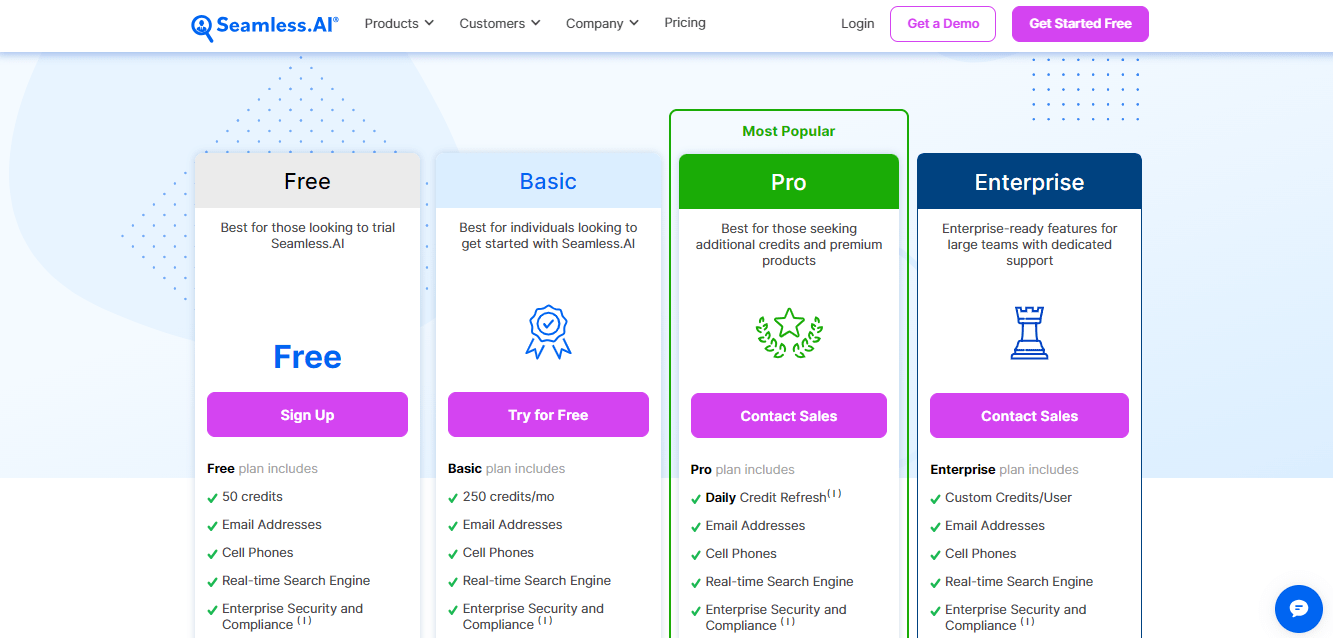
The article describes a free plan with 50 credits and a Basic plan with 250 credits, with Pro and Enterprise tiers offering other credit arrangements. Verify current credit amounts, plan features, and prices directly with Seamless.AI before purchasing.
What Users Say About Seamless.AI?
“Seamless AI brought a lot of substantial assistance to our marketing team… Everything within Seamless was simple and easy to use.” Amanda D.
Is Seamless.AI Better than LinkedIn Sales Navigator?
Seamless.AI surpasses LinkedIn Sales Navigator on real-time data and breadth of contact information, generating email and phone details quickly for teams that need fast contact discovery at scale.
LinkedIn Sales Navigator still wins on in-depth professional insight and network reach, better suited to detailed professional backgrounds and long-term relationship building.
Our Review of Seamless.AI
Seamless AI’s data-gathering is genuinely useful, and the interface is easy to pick up. The tradeoffs show up in data accuracy, which can be inconsistent enough to require extra verification, and in pricing that feels steep given the occasional gaps. It’s a tool with real potential that could use more consistency on the data side.
How to Choose the Best LinkedIn Sales Navigator Alternatives for Your Business
Choosing the right alternative to LinkedIn Sales Navigator for your business involves considering various factors. Here are key points to help you make the choice:
Extensive Contact Information Access
The best alternative should offer comprehensive contact details like emails and phone numbers. This matters most for teams focused on direct outreach rather than professional networking alone.
Real-Time Data Updates
Look for a tool that provides up-to-date information. Real-time data reduces the risk of reaching out to disconnected numbers or bounced emails.
Advanced Lead Recommendation Engine
A strong alternative should have a sophisticated algorithm for lead recommendations, helping identify the most relevant prospects and improving campaign efficiency.
Efficient Data Export Capabilities
The ability to export data cleanly for integration with other tools matters most for teams running several sales systems side by side.
Strong CRM Integration
Choose a tool with strong CRM integration. This keeps customer interactions tracked and managed consistently, which supports personalized communication with prospects over time.
So, What’s The Best LinkedIn Sales Navigator Alternative?
Based on the comparisons in this article, Swordfish AI may be worth considering for teams prioritizing contact-data coverage. Whether it is more affordable than Sales Navigator depends on current pricing, team size, and the features each team needs.
Kaspr.io and ZoomInfo are also capable options worth considering, each with a different mix of coverage, verification, and integration depth. The right pick depends on whether your priority is direct-dial phone accuracy, market intelligence depth, or budget.
Conclusion
This guide covered the tradeoffs worth weighing before committing to LinkedIn Sales Navigator alone. It’s a capable tool for professional networking, but for teams that need direct phone numbers, personal emails, or a wider data footprint, an alternative may serve better.
Among the options covered here, Swordfish AI stands out for its combination of contact coverage and usability. If you’re looking to sharpen your prospecting workflow, it’s worth a trial run alongside whatever you’re currently using.
Note: Have a look at some other review of SalesQL.
Frequently Asked Question
LinkedIn sales navigator vs premium, which one is more suitable for professional networking and sales efforts?
Sales Navigator is designed for sales prospecting, with sales-focused search and lead tools. LinkedIn Premium offers individual subscription features, which vary by plan. Compare the current feature lists to choose the option that fits your work.
Can I import my LinkedIn Sales Navigator data into other alternatives?
Some alternatives may support importing or exporting contact data, but available fields and transfer options vary by product and by LinkedIn’s terms. Check the specific tool’s migration guidance and confirm what data you can transfer before switching.
What is the difference between LinkedIn and Sales Navigator for sales professionals?
LinkedIn is a social networking platform for professionals, while Sales Navigator is a premium tool built specifically for sales professionals, offering advanced lead generation, prospecting, and contact management features.
Do LinkedIn Sales Navigator alternatives provide accurate lead and contact information?
Accuracy varies by platform and by the data sources each one relies on. Reputable alternatives typically prioritize data quality by sourcing from multiple databases and updating records regularly, but no tool guarantees perfect accuracy, so spot-checking is still worthwhile.
How can I migrate from LinkedIn Sales Navigator to an alternative?
Migration options vary by provider. Before switching, check whether the alternative supports the imports you need, what data can be transferred, and whether customer support can help with the process.
What is the pricing for LinkedIn Sales Navigator?
LinkedIn Sales Navigator is sold in three tiers: Core, Advanced, and Advanced Plus. As of 2026, Core runs around $119.99 per month (or roughly $89.99/month billed annually), Advanced runs around $159.99 per month, and Advanced Plus is custom-priced for larger organizations, typically starting near $1,600 per seat per year. Because LinkedIn adjusts pricing by region and over time, confirm current rates directly on LinkedIn’s site or in this detailed breakdown: LinkedIn Sales Navigator Cost.
Frequently asked questions
Which LinkedIn Sales Navigator alternative is best for finding direct contact details?
The article highlights Swordfish AI, Kaspr, Cognism, ZoomInfo, and Seamless.AI for contact-data features. Compare their current coverage and verify sample records to see which fits your target market.
Do Sales Navigator alternatives replace LinkedIn’s professional networking features?
Not necessarily. Contact-data tools may add phone numbers, email addresses, or other prospecting features, while Sales Navigator centers on LinkedIn’s professional network and profile information.
Are contact details from Sales Navigator alternatives always accurate?
No. Accuracy varies by provider and record, and verification claims do not guarantee every detail is current. Spot-check important contact information before outreach.
How should I compare pricing for Sales Navigator alternatives?
Check current prices, billing terms, credits, seat requirements, feature limits, and integration costs for each product. Pricing and plan details can change, so confirm them directly with the provider.

