


 View Products


Key takeaways
- Kaspr is a LinkedIn-focused prospecting tool that provides phone numbers and email addresses.
- Kaspr offers a free tier and paid plans; confirm current prices, allowances, and features before choosing a plan.
- A free plan may suit occasional searches, while frequent users may need a paid tier if they run out of credits or need additional features.
- Kaspr emphasizes LinkedIn prospecting and CRM syncing; Swordfish AI emphasizes verified direct phone numbers.
- Hunter.io focuses on professional email discovery, Leadfeeder on identifying companies visiting a website, and Apollo.io on a broader contact database.
Last updated: September 3, 2026
Kaspr is a LinkedIn-focused prospecting tool that can surface phone numbers and email addresses for people found on LinkedIn profiles and Sales Navigator lists. Sales, recruiting, and marketing teams use it to move from a profile to contact details.
For teams sourcing healthcare providers or clinical staff, plan fit can depend on the contact data they need and how often they search. Contact details can become outdated, and credit-based tools may use up allowances quickly on specialized searches—particularly when direct phone numbers are a priority.
This guide walks through what Kaspr costs, what each plan includes, when the free tier is enough, and how Kaspr stacks up against Swordfish AI and a few other well-known alternatives.
Kaspr: A Quick Overview
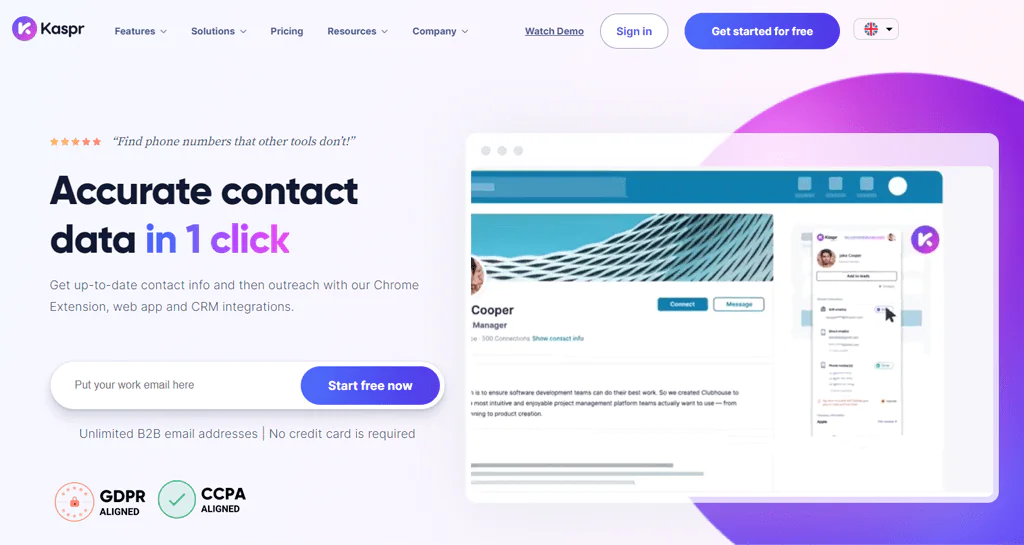
Kaspr is a B2B contact discovery tool focused on LinkedIn. It is available as a Chrome Extension for browsing profiles and through a web app, and provides phone numbers and email addresses.
Sales reps, founders, and recruiters tend to like Kaspr because it’s fast: you find a profile, click the extension, and get contact details without leaving the page. It’s also simple enough for a solo user or a small team to pick up without much training.
Kaspr says it checks contact data against multiple sources and connects with common CRM systems. These features can help teams verify details and transfer contacts into their existing workflows; results may still need checking.
Features of Kaspr
Kaspr’s feature set is built around one core job: turning a LinkedIn profile into usable contact data. Here’s what that looks like in practice.
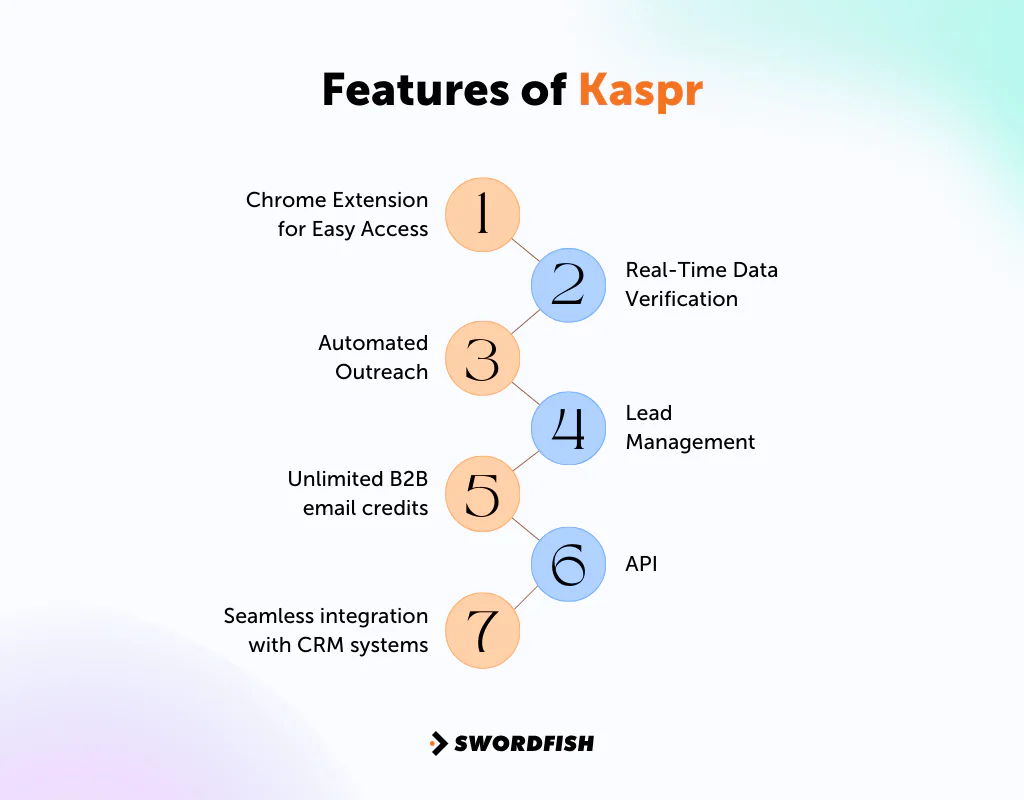
Chrome Extension for Easy Access
Kaspr’s Chrome Extension helps you find someone’s email on LinkedIn. It works well if you spend a lot of time on LinkedIn sourcing new leads or candidates.
Real-Time Data Verification
Kaspr says it checks contact details against its network of sources when you retrieve them. This may reduce the chance of using a disconnected number or inactive email address, but no verification system catches every error, so spot-check details before a large outreach campaign.
Automated Outreach
You can build workflows and sequences ahead of time so outreach happens on a schedule rather than one message at a time. This is most useful once you have enough volume that manual follow-up becomes a bottleneck.
Lead Management
Kaspr lets you tag leads (hot, cold, and so on) and attach notes so you remember where a conversation left off. That’s helpful, but tagging only pays off if your team is disciplined about using it consistently, and it’s worth pairing with a clear view of the different stages of the B2B customer journey so leads get routed to the right kind of follow-up.
Unlimited B2B Email Credits
Kaspr advertises unlimited B2B email credits on its plans and says users can unlock additional email credits by referring colleagues. Check Kaspr’s current plan details for applicable credit allowances and referral terms, as these may change.
API
Kaspr’s API turns LinkedIn profile URLs into contact data, including phone, email, and company details, which is useful if you’re trying to enrich a list at scale rather than one profile at a time.
Seamless Integration with CRM Systems
Kaspr connects with HubSpot, Salesforce, Lemlist, Pipedrive, Sendinblue, Aircall, Ringover, and Zapier, so contacts and activity can sync into whatever system your team already uses.
Key Benefits of Kaspr
Here’s where Kaspr tends to earn its keep for sales, recruiting, and marketing teams:
- Quick LinkedIn Data Access: You can pull contact details straight from a LinkedIn profile in a few clicks, which speeds up list-building considerably.
- Real-Time Data Accuracy: Contact information is checked against multiple sources, which cuts down on chasing outdated leads.
- Smooth CRM Integration: It fits into platforms like HubSpot, Salesforce, and Pipedrive, so lead management doesn’t require extra manual steps.
- Automated Outreach Tools: Pre-built workflows save time once you’re sending outreach at any real volume.
- Effective Lead Management: Tagging and notes make it easier to track who’s been contacted and plan next steps.
- GDPR and CCPA Compliance: Kaspr states it aligns with these data privacy frameworks, which matters if you’re contacting people in the EU or California.
- Flexible Pricing Options: Kaspr pricing per user is tiered, so you can start small and step up as your volume grows.
Kaspr Pricing Breakdown
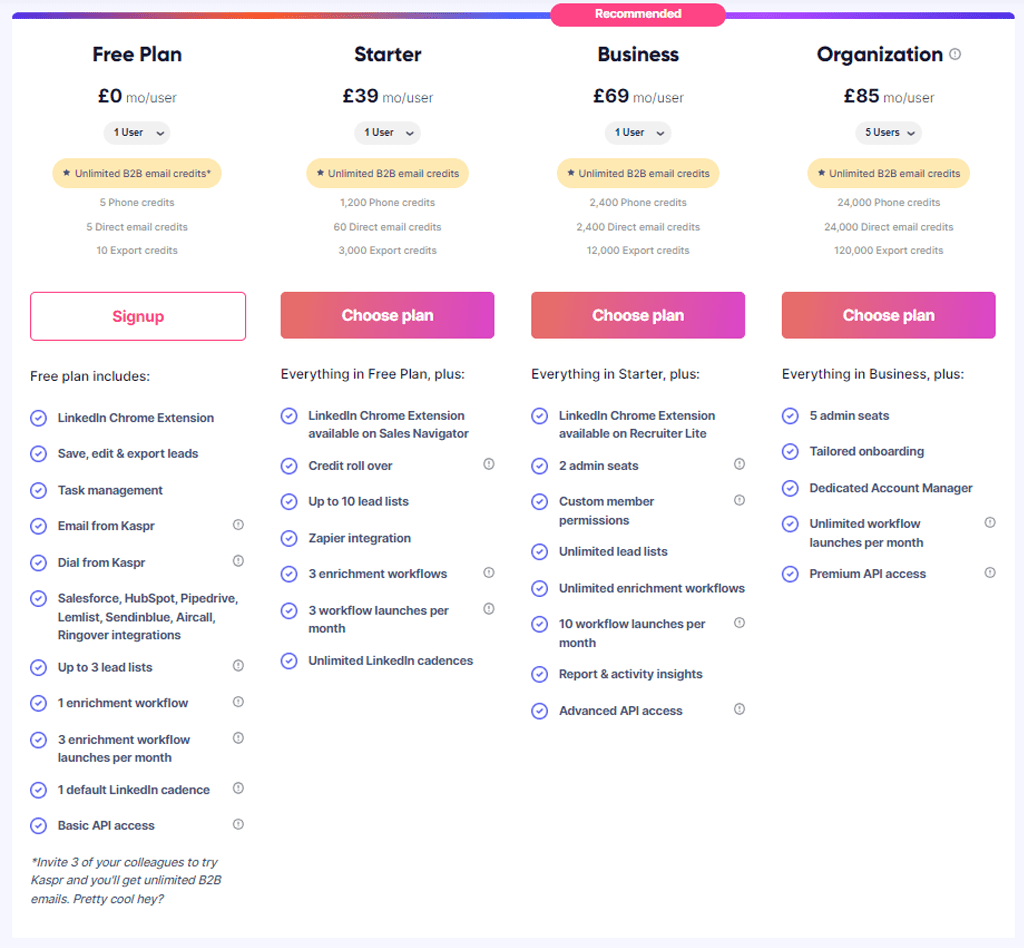
Kaspr offers a free tier and paid plans, which the article’s comparison tables describe as adding credits, integrations, and account management support. The plan structure and prices shown here reflect previously published information; confirm current pricing, credit allowances, and included features with Kaspr before budgeting.
When Should I Pay for Kaspr?
Whether Kaspr’s free plan is enough depends mainly on your contact-search volume and the CRM features you need.
If you’re testing the tool or only need a small number of LinkedIn contacts each month, the free tier may be a reasonable starting point.
Consider a paid plan if you regularly run out of credits or need features beyond the basic Chrome Extension. This may matter if LinkedIn prospecting is a regular part of your work and a credit limit interrupts list-building.
The article describes deeper CRM sync, reporting, and account management as paid-tier features. Check the current plan details to confirm which features are included and whether they meet your team’s needs.
In short, consider paying for Kaspr when your outreach volume or reporting needs exceed what the free plan currently supports.
Swordfish AI is the #1 Kaspr Alternative
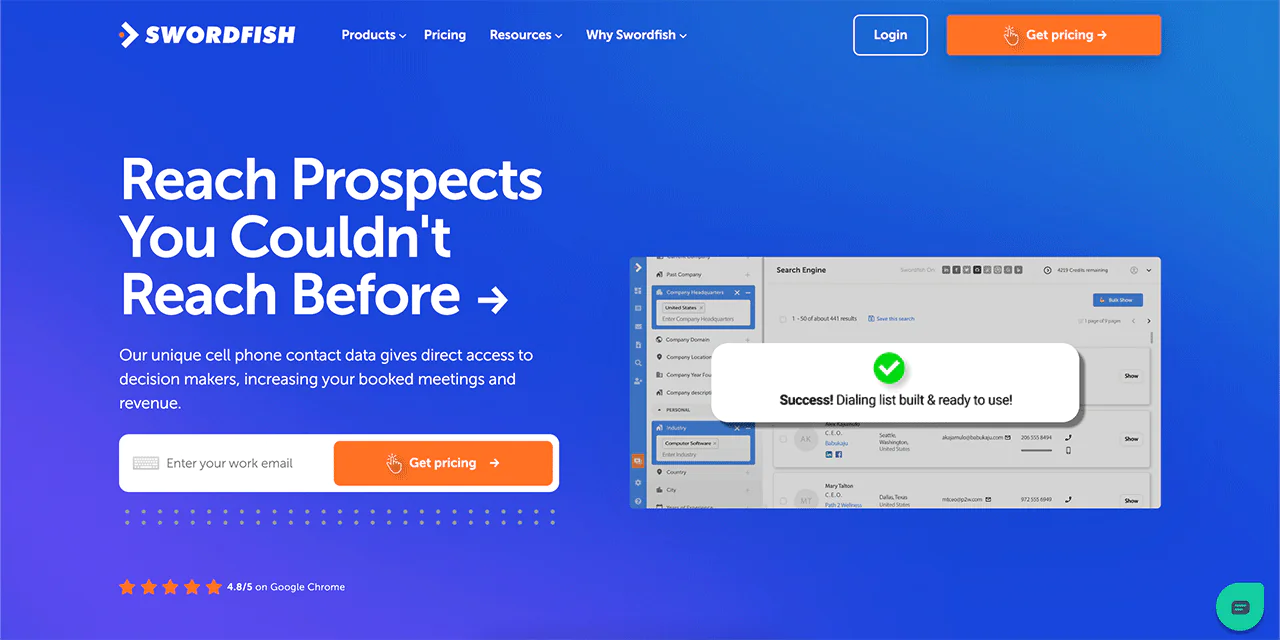
Swordfish AI takes a different approach than Kaspr. Instead of centering on LinkedIn, it’s built around finding direct, verified cell phone numbers, which is a particularly good fit for healthcare recruiters and sales teams who need to reach a provider by phone rather than relying on a shared clinic line or a generic inbox. That’s backed by a proprietary verification system that checks numbers before they reach you.
Swordfish AI also draws on a database of 3.5 billion data profiles, and its reverse search lets you find email addresses by phone number, which is a workflow Kaspr doesn’t offer in the same way.
In short, Kaspr focuses on finding contacts on LinkedIn and syncing them with a CRM. Swordfish AI takes a different approach, emphasizing verified direct phone numbers for outbound calling—a distinction that may matter to healthcare recruiting and sales teams.
Swordfish AI vs Kaspr: A Quick Comparison Table
Here’s how the two compare on cost, functionality, and focus:
|
Features |
Swordfish AI |
Kaspr |
| Pricing | Offers customized free trial with 500 credits. Other paid plans are available, and the price is provided upon request. | Free |
| Starter at $65 a month per user | ||
| Business at $99 a month per user | ||
| Organization at $99 a month per user (up to 5 users) | ||
| Unique Selling Points | Unique cell phone number database and proprietary cell phone verification system. | LinkedIn Chrome Extension for easy data collection. |
| Target Audience | Sales and recruitment professionals need direct phone numbers and verified contacts. | Sales development representatives, founders, and recruiters using LinkedIn for prospecting. |
| Data Collection | Extensive cell phone data with real-time validation. | LinkedIn-based data collection with a focus on email addresses and phone numbers. |
| Integration | Integrates with various platforms for enhanced data collection and management. | Integrates with popular CRM systems like Salesforce, HubSpot, and Pipedrive. |
| Compliance | Adheres to GDPR and CCPA regulations. | GDPR and CCPA aligned. |
 Try Swordfish Ai
What are the Other Alternatives to Kaspr?
Beyond Swordfish AI, there are a few other Kaspr competitors worth a look, depending on what part of prospecting matters most to you.
1. Hunter.io
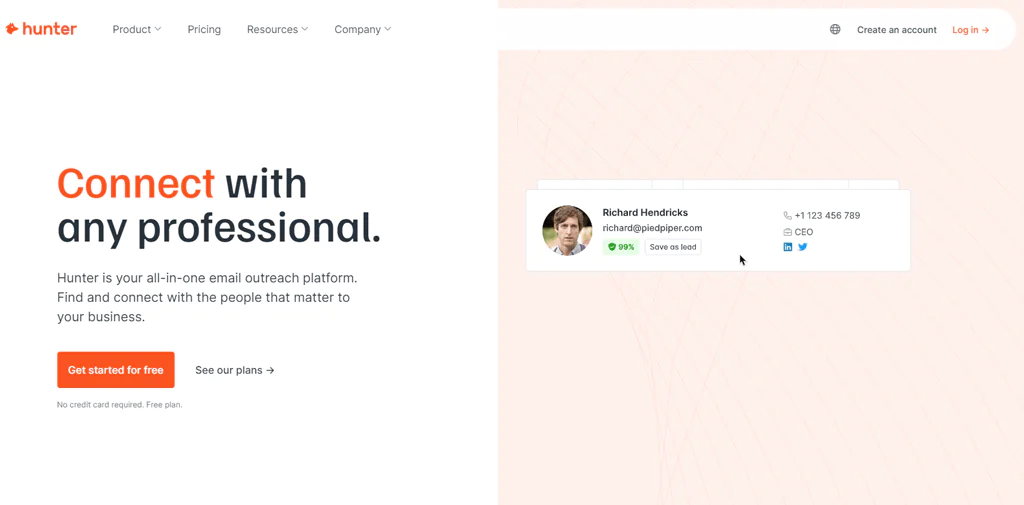
Hunter.io focuses specifically on finding and verifying professional email addresses. It’s built to identify the right person at a company, surface their email, and confirm the address is deliverable before you send anything.
It integrates with Google Sheets and common CRMs, and its user base runs into the millions, largely because it’s straightforward and treats data accuracy as the core feature rather than an add-on.
Read More: The cost of hunter io.
Hunter.io vs Kaspr: A Quick Comparison Table
Both are solid tools, but they solve slightly different problems:
|
Features |
Hunter.io |
Kaspr |
| Pricing | Free (25 searches monthly) | Free |
| Starter $49 (500 searches monthly) | Starter at $65 a month per user | |
| Growth $149 (5000 searches monthly) | Business at $99 a month per user | |
| Business $499 (50,000 searches monthly) | Organization at $99 a month per user (up to 5 users) | |
| Data Collection | Focuses on email addresses with high accuracy. | Collects phone numbers and email addresses. |
| Key Tools | Domain Search, Email Finder, Email Verifier. | LinkedIn Chrome Extension, CRM integration. |
| User Base | Over 4 million users. | Used by SDRs, founders, and recruiters. |
| Compliance | Adheres to data protection regulations. | GDPR and CCPA aligned. |
| Unique Feature | AI-driven data enrichment and verification. | Real-time data verification. |
| Integrations | Integrates with CRMs, Google Sheets, APIs. | Integrates with popular CRM systems. |
2. Leedfeader
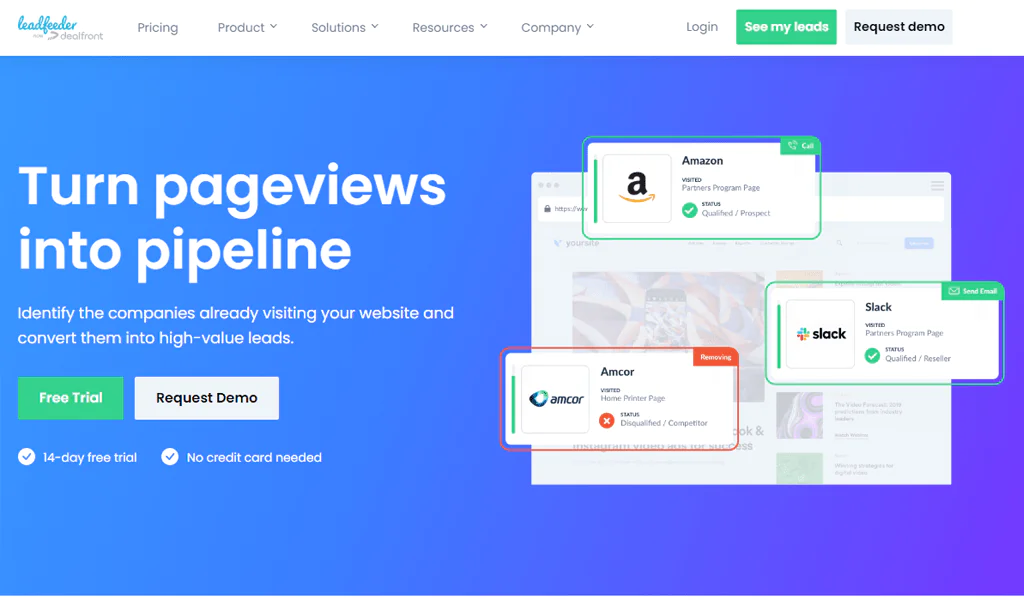
Leadfeeder takes a completely different angle: instead of prospecting on LinkedIn, it identifies which companies are visiting your website and what pages they’re viewing.
It relies on website analytics and cookies rather than LinkedIn profiles, which makes it a better match for teams trying to convert inbound traffic into qualified leads rather than teams doing outbound LinkedIn prospecting.
Leedfeader vs Kaspr: A Quick Comparison Table
Since Leadfeeder and Kaspr address different parts of the funnel, the comparison is less head-to-head and more about fit:
|
Features |
Leadfeeder |
Kaspr |
| Pricing | Leadfeeder cost Free(last week’s data only) | Free |
| Starter at $65 a month per user | ||
| Paid $139 (monthly, paid annually) | Business at $99 a month per user | |
| Organization at $99 a month per user (up to 5 users) | ||
| Data Collection | Identifies companies visiting your site, provides contact details. | Collects phone numbers and email addresses from LinkedIn. |
| Key Tools | Website visitor tracking, automatic lead scoring, email alerts. | LinkedIn Chrome Extension, real-time data verification, CRM integration. |
| Target Audience | B2B companies focusing on website traffic conversion. | Sales development representatives, founders, and recruiters using LinkedIn. |
| Integration | Integrates with major CRM platforms, Google Analytics. | Integrates with popular CRM systems like Salesforce, HubSpot, and Pipedrive. |
| Unique Features | Advanced lead filtering | Automated outreach tools. |
3. Apollo.io
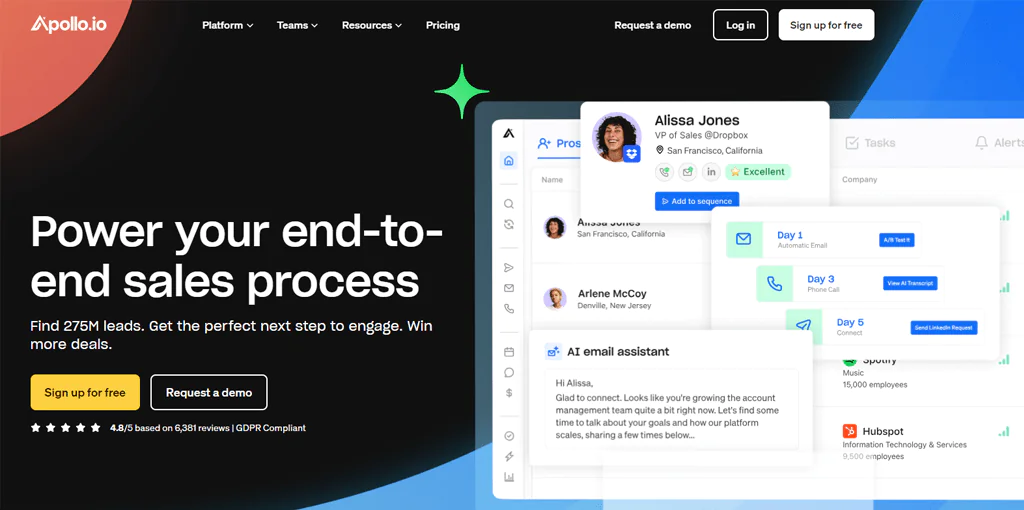
Apollo.io leans on a broad contact database rather than a LinkedIn-first workflow, with roughly 275 million contacts to search against directly.
It also bundles in message personalization and performance tracking, so sales and marketing teams get sourcing, outreach, and reporting in one place, with lead scoring and a browser extension rounding out the toolkit.
Apollo.io vs Kaspr: A Quick Comparison Table
Apollo.io and Kaspr both solve prospecting, but from different angles:
|
Features |
Apollo.io |
Kaspr |
| Pricing | Free | Free |
| Basic $59 monthly paid yearly | Starter at $65 a month per user | |
| Professional $99 monthly paid yearly | Business at $99 a month per user | |
| Organization $119 monthly paid yearly | Organization at $99 a month per user (up to 5 users) | |
| Data Collection | A database with more than 275 million contacts. | Collects phone numbers and email addresses from LinkedIn. |
| Key Tools | Lead generation, email sequences, analytics. | LinkedIn Chrome Extension, real-time data verification, CRM integration. |
| Target Audience | Sales and marketing professionals. | Sales development representatives, founders, and recruiters using LinkedIn. |
| Integration | Integrates with major CRM platforms, Google Analytics. | Integrates with popular CRM systems like HubSpot, Salesforce, and Pipedrive. |
| Unique Features | Personalized engagement | Lead management. |
Conclusion
Kaspr may suit teams that source prospects on LinkedIn and want contact data and CRM syncing in one workflow. Its Chrome Extension, verification features, and outreach tools are presented as options for sales reps, founders, and recruiters.
The free plan can help you test Kaspr, while frequent users may need a paid tier if they exceed its current limits. Whether upgrading makes sense depends on your contact volume and reliance on LinkedIn as a sourcing channel.
Compare Kaspr with alternatives before committing. Swordfish AI focuses on verified direct phone numbers, while Kaspr centers on LinkedIn prospecting; the more relevant option depends on whether your team’s workflow relies on outbound calling or LinkedIn.
FAQs
Is Kaspr free?
Yes, Kaspr offers a free plan. Many users start there to see how it compares against whatever tool they’re currently using before deciding to upgrade.
What does the free version of Kaspr provide?
The free version includes limited access to the LinkedIn Chrome Extension along with a small number of credits for finding phone numbers and email addresses. Exact credit counts have varied across plan updates, so check Kaspr’s current pricing page for the latest figures.
Can I tailor Kaspr’s pricing plans to fit my specific needs?
Kaspr’s published plans don’t offer custom, negotiated pricing tiers in the way enterprise software sometimes does; you generally choose among its set plan levels.

