


 View Products


Key takeaways
- Choose a Kaspr alternative by comparing contact coverage, data validation, integrations, bulk-processing needs, and budget.
- Hunter.io is presented as an option focused on finding and verifying professional email addresses.
- Snov.io and Apollo.io are described as combining contact data with sales-engagement features.
- ZoomInfo, SalesIntel, and Lead411 are presented as options with broader sales-intelligence or company-data features.
- Verify current pricing, plan limits, accuracy claims, and compliance information directly with each provider.
Last updated: September 3, 2026
If Kaspr does not provide the contact data, integrations, or workflow fit your team needs, compare alternatives against your specific requirements. For recruiters and sales teams, assess contact coverage, data quality, privacy practices, and compatibility with existing tools before choosing a provider.
Below, we break down ten Kaspr alternatives, what each does best, where they fall short, and how to think about the tradeoffs before you commit budget to one.
Quick List of 10 Alternatives to Kaspr
Here’s a quick rundown of what each tool is best suited for:
- Swordfish AI: Best for recruiters and sales professionals seeking deep data insights and multi-platform integration.
- ZoomInfo: Best for large-scale businesses needing in-depth market intelligence and extensive databases.
- Lusha: Best for recruiters and sales teams looking for quick contact information retrieval.
- Hunter.io: Best for professionals needing efficient email verification and domain search capabilities.
- Snov.io: Best for smooth CRM integration and efficient lead nurturing through email outreach.
- SalesIntel: Best for those valuing precision to ensure the highest data accuracy for your outreach efforts.
- RocketReach: Best for global reach to connect with professionals worldwide and improve campaign efficiency.
- UpLead: Best for ensuring high-quality leads with real-time email verification to reduce bounce rates.
- Apollo.io: Best for comprehensive sales intelligence and engagement tools to find, engage, and convert prospects.
- Lead411: Best for actionable sales insights with growth intent data to identify high-conversion leads.
Reasons to Consider an Alternative to Kaspr
Kaspr is a recognized name in data enrichment and lead generation, but it isn’t automatically the right fit for every team. A few gaps in its feature set push many buyers toward alternatives.
Here are the most common reasons teams look elsewhere:
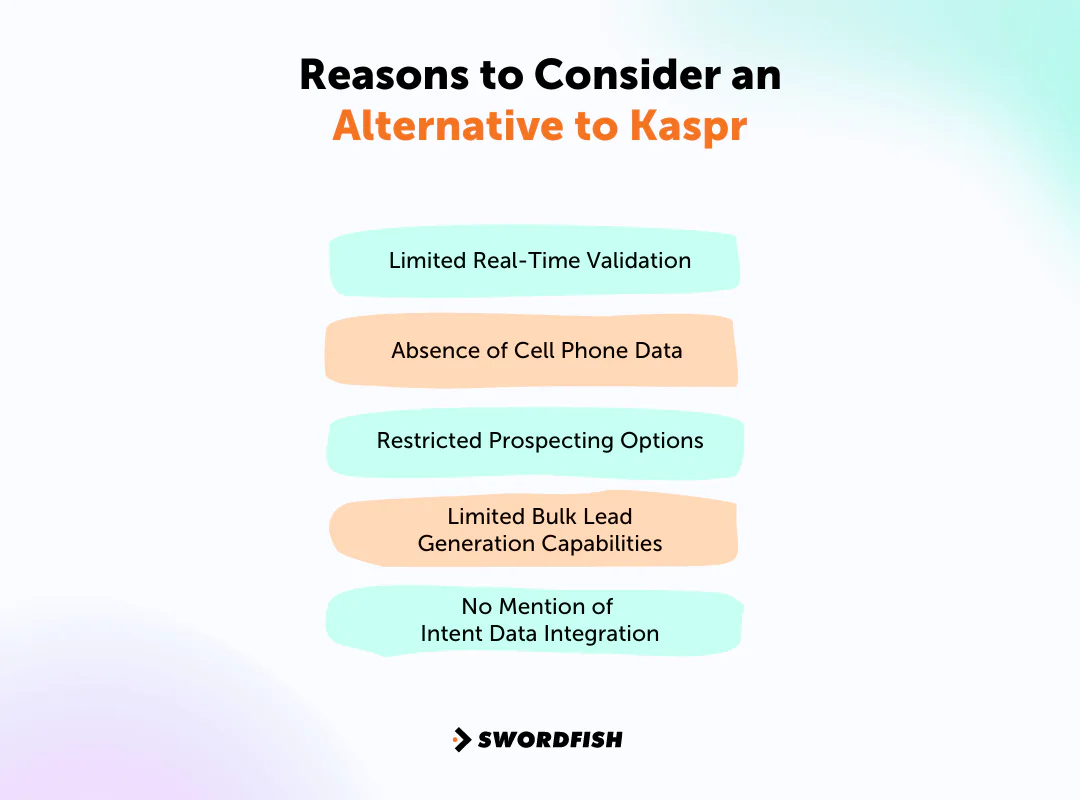
Limited Real-Time Validation
The article says Kaspr places less emphasis on real-time validation than some alternatives. Contact details can become outdated, so check each provider’s validation process and coverage before relying on its data.
Absence of Cell Phone Data
The article says Kaspr’s public materials do not highlight partnerships with dedicated cell phone data providers. If direct phone outreach is important, compare providers’ stated phone-data coverage and sourcing.
Restricted Prospecting Options
Kaspr is described here as relying heavily on LinkedIn for data extraction. Teams seeking additional sourcing channels should confirm which platforms and data sources each provider supports.
Limited Bulk Lead Generation Capabilities
The article characterizes Kaspr as less suited to bulk lead generation. If your team needs to build lists at scale, confirm available bulk-search and enrichment limits with each provider.
No Mention of Intent Data Integration
The article says Kaspr does not advertise intent-data integration. Intent signals can help teams prioritize accounts, but availability and coverage vary; confirm whether a provider offers the specific intent data your workflow requires.
Top 10 Kaspr Competitors: Comparison Chart
In the data enrichment and lead generation tools space, Kaspr faces several strong competitors, each with different pricing, features, and ease of use. Here’s a comparison chart of the top 10 Kaspr competitors:
Tools | Database | Contact Information | Integration |
 | 3.5 billion data profiles | Email, phone, social media | Salesloft, Salesforce, LOXO, Outreach, Zapier, Lever, etc. |
 | 321 million professional contacts | Email, direct dials | Salesforce, Zoho, HubSpot, Microsoft Dynamics 365, etc. |
 | 50 million enterprise business profiles | Email, phone numbers | Salesforce, HubSpot, Zoho, Bullhorn, Pipedrive, etc. |
 | 107 million professional email addresses | Email, verification status | Salesforce, Pipedrive, Copper, HubSpot, etc. |
 | Over 550 million prospects | Email, phone, CRM data | Pipedrive, HubSpot, Calendly, Gmail, Salesforce, Zapier, etc. |
 | 7.2 million contacts worldwide | Email, direct dials | Salesloft, Outreach, HubSpot, Zoho, LiveRamp, etc. |
 | Over 450 million professionals | Email, phone, social media | Salesforce, Outreach, HubSpot, and Salesloft |
 | Over 155 million B2B contacts | Email, phone numbers | Outreach, Zapier, Salesforce, ZOHO, Copper, etc. |
 | Over 275 million contacts | Email, phone, social media | LinkedIn, Zapier, Salesloft, Outlook, Outreach, etc. |
 | 50 million B2B email addresses | Email, direct dials | Salesforce, HubSpot, Copper, Zoho, Capsule, Pipedrive, etc. |
Top 10 Kaspr Alternatives for More Effective Lead Generation
The comparison considers database coverage, integrations, features, pricing, and user feedback. Check current product details and terms directly with each provider before making a purchasing decision.
Here’s a closer look at each option and where it fits.
1. Swordfish AI
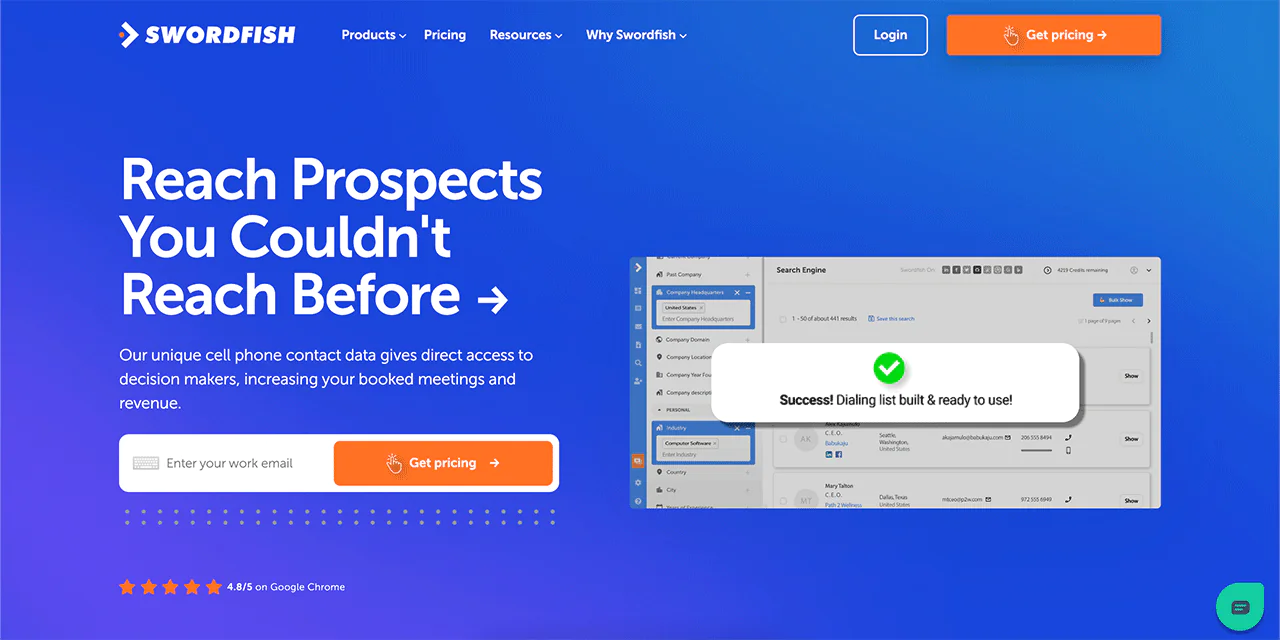
Swordfish AI is a contact-finding tool used mainly by sales and recruitment professionals to reach decision-makers directly. It’s built around accuracy in cell phone numbers and emails, aiming to outperform other providers on both the quantity and quality of data returned.
Swordfish AI may suit teams prioritizing direct contact details and database coverage. Compare its accuracy claims, data coverage, integrations, and pricing with your requirements.
Among the main advantages of Swordfish AI is real-time validation of contact information, so you’re working with data that’s current rather than stale. Its Chrome Extension also lets you pull contact details from platforms like LinkedIn, Twitter, and Facebook as you browse.
Swordfish AI also supports bulk lead generation, so users can build targeted contact lists efficiently, and its CRM compatibility makes it straightforward to bring new contact data into existing workflows.
About Swordfish AI
- Founding year: 2015
- Founding team: Ben Argeband
- No. of users: 50,000
What Sets Swordfish AI Apart?
Swordfish AI stands out among contact data providers with access to a pool of over 3.5 billion data profiles. It runs a dedicated database for cell phone numbers alongside a verification system built to check those numbers, which is a big part of how it reaches a reported first-call accuracy of 82% and 95% accuracy for each profile.
Swordfish says its cell phone matching technology is intended to support cold calling and direct outreach. Verify the provider’s accuracy claims and test data quality against your own target audience.
Another standout is its offering of professional and premium business emails that aren’t as readily available elsewhere, giving users a data edge for outreach. Over 50,000 professionals trust Swordfish for its data precision and unique sourcing, which positions it as a meaningful step up from Kaspr for teams that need reach beyond LinkedIn.
The article contrasts Kaspr’s stated data sources with Swordfish AI’s proprietary cell phone data and verification processes. Confirm current sourcing and coverage details with both providers; the article does not establish that these processes are unique to the market.
Key features of Swordfish AI
Swordfish AI lists tools for sales, recruitment, and data management. Compare each feature with the functions and integration options available in your Kaspr plan.
-
Email Verifier
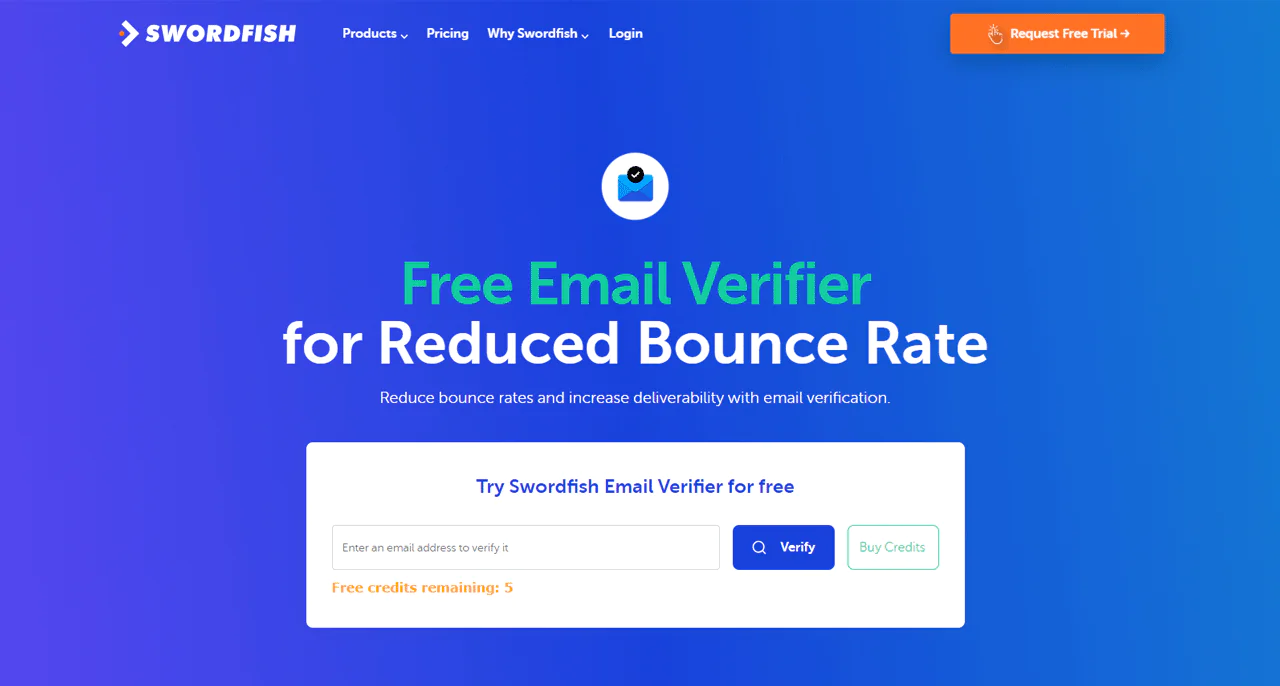
Swordfish AI’s Email Verifier quickly validates email addresses to help ensure your emails reach their intended destination. It’s a feature that directly reduces bounce rates and protects deliverability, something Kaspr doesn’t emphasize.
-
Prospector
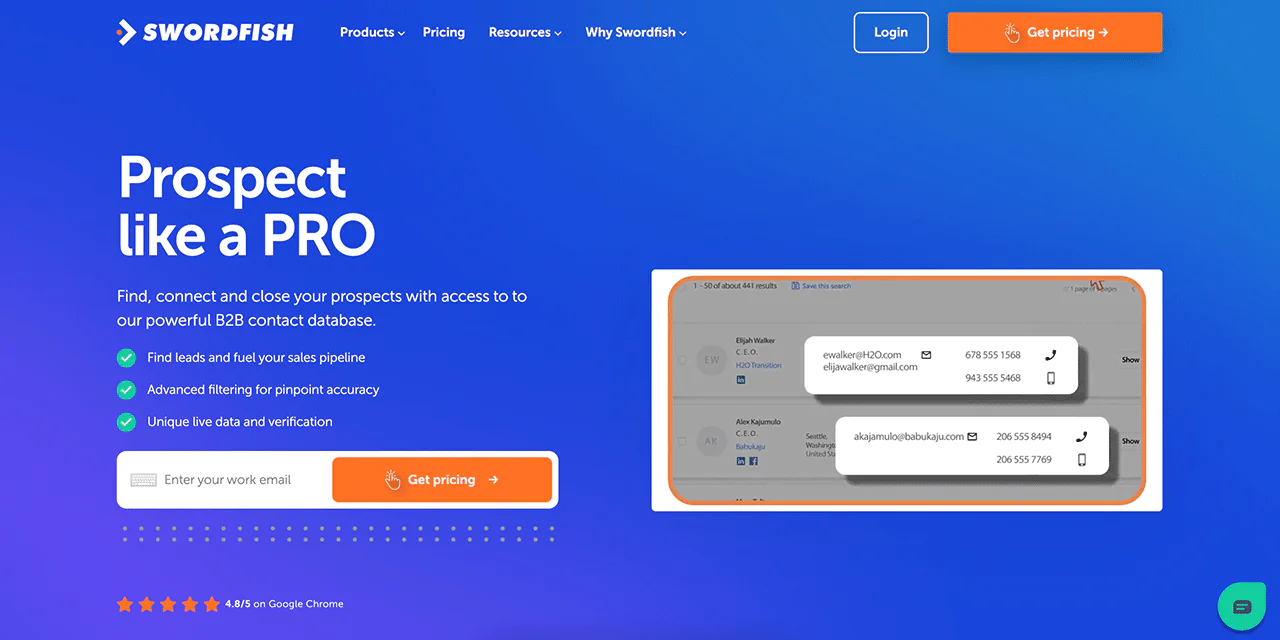
With Swordfish AI’s Prospector, you can search across a database of more than 3.5 billion profiles. Its filtering options let you narrow in on exactly the right person, with a depth and scope Kaspr struggles to match.
-
File Upload
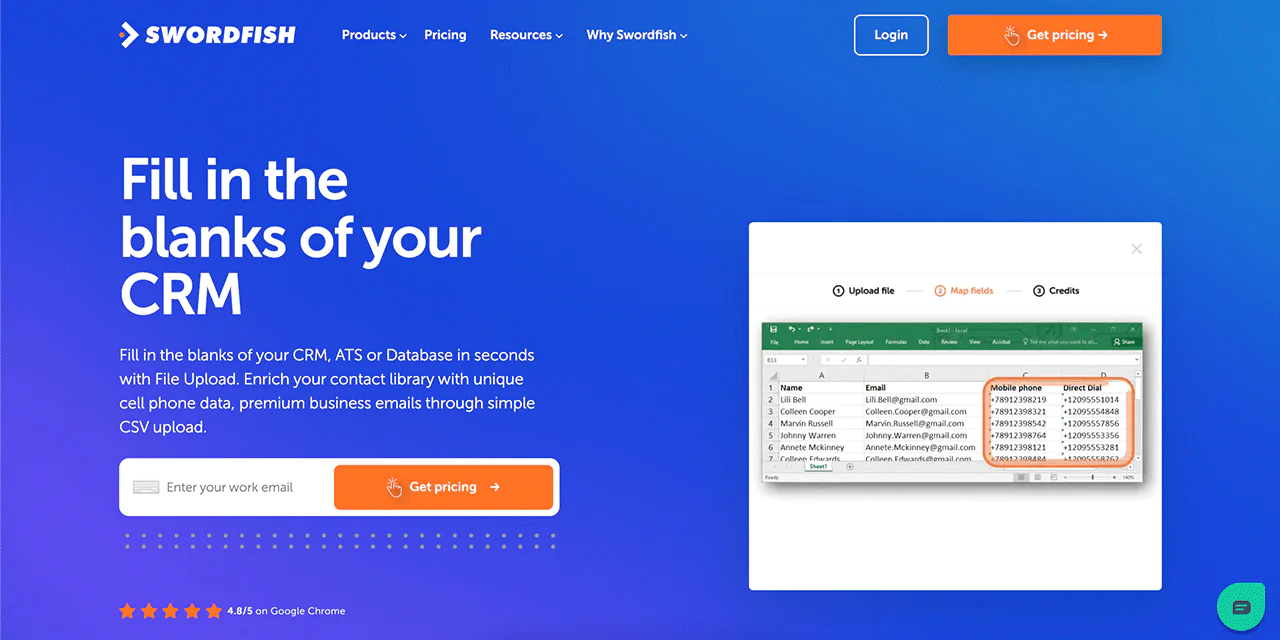
Swordfish AI’s File Upload feature simplifies enriching your CRM. Upload a CSV and fill in missing phone numbers and email addresses instantly, a more direct process than Kaspr’s setup.
-
Chrome Extension
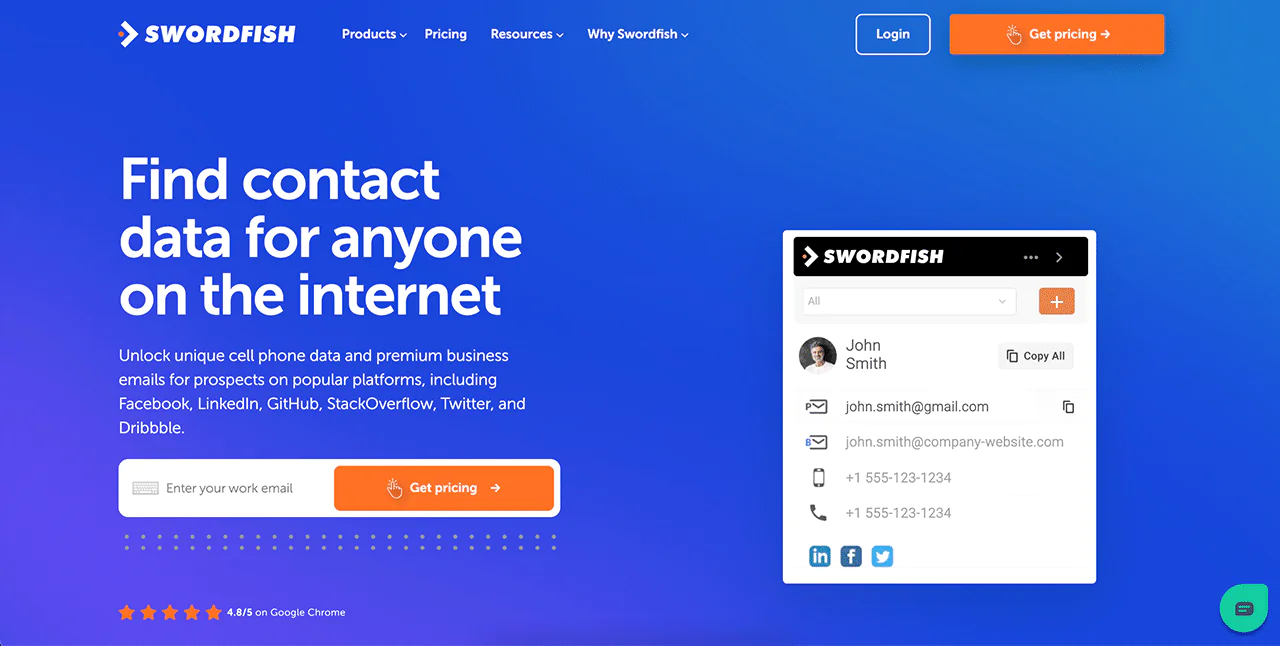
The Chrome Extension by Swordfish AI works from inside your browser to gather contact information from LinkedIn, Twitter, and other platforms. It shaves real time off prospecting.
-
API Integration
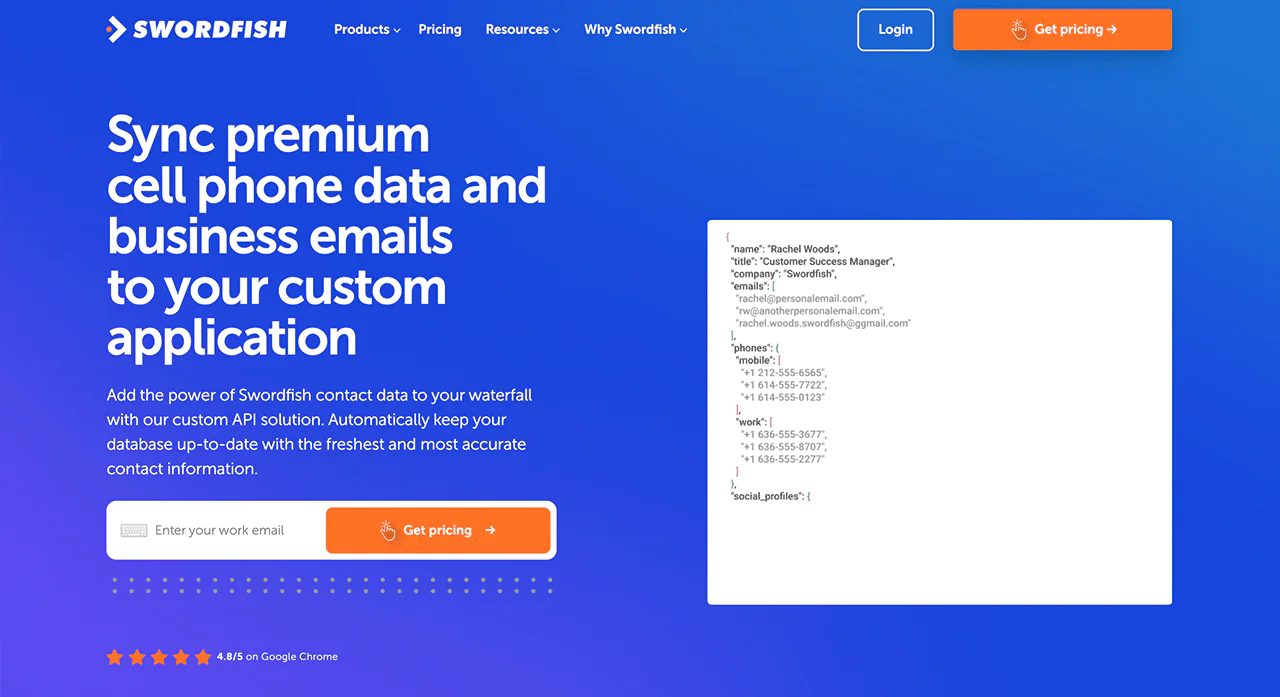
Swordfish AI’s API Integration keeps your database continuously refreshed with current contact data. Kaspr doesn’t offer the same level of customization for data integration.
-
Reverse Search
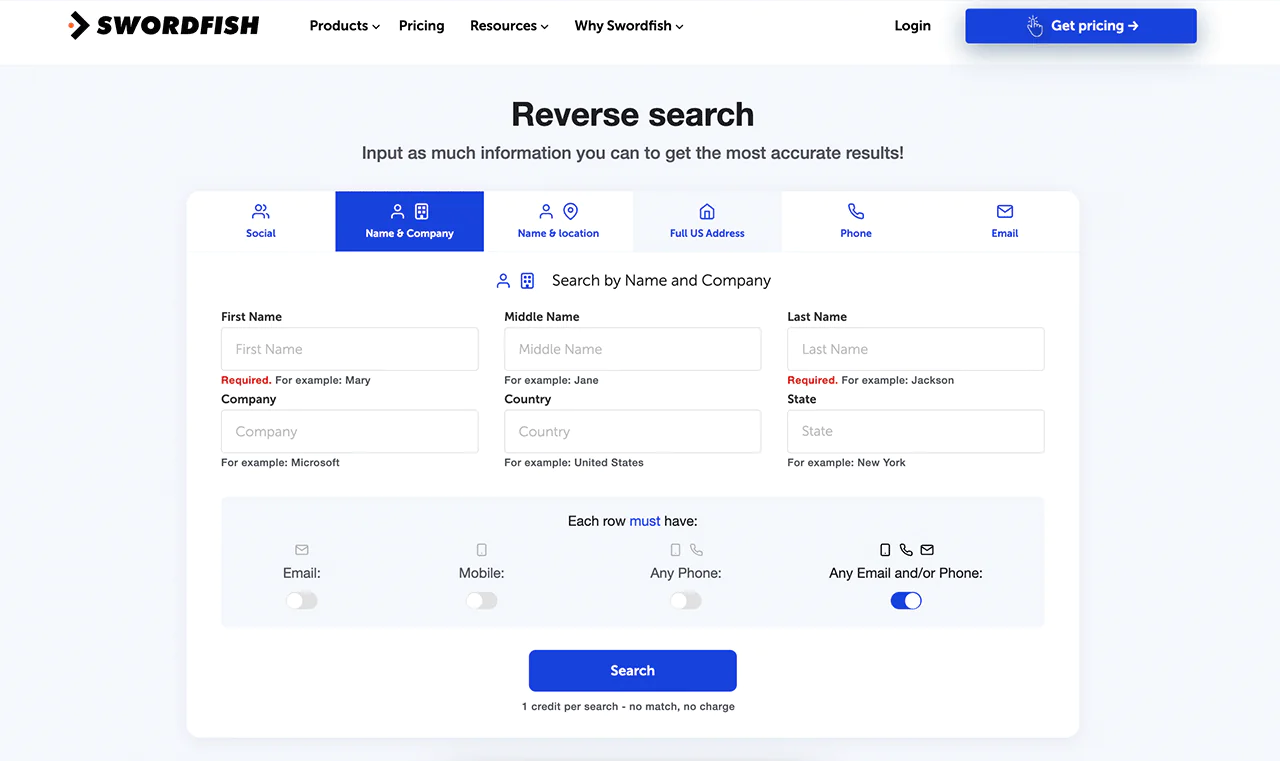
When you only have partial information, Swordfish AI’s Reverse Search fills in the missing pieces, giving you more complete contact records than a partial-data tool would provide.
-
Bombora Intent Data
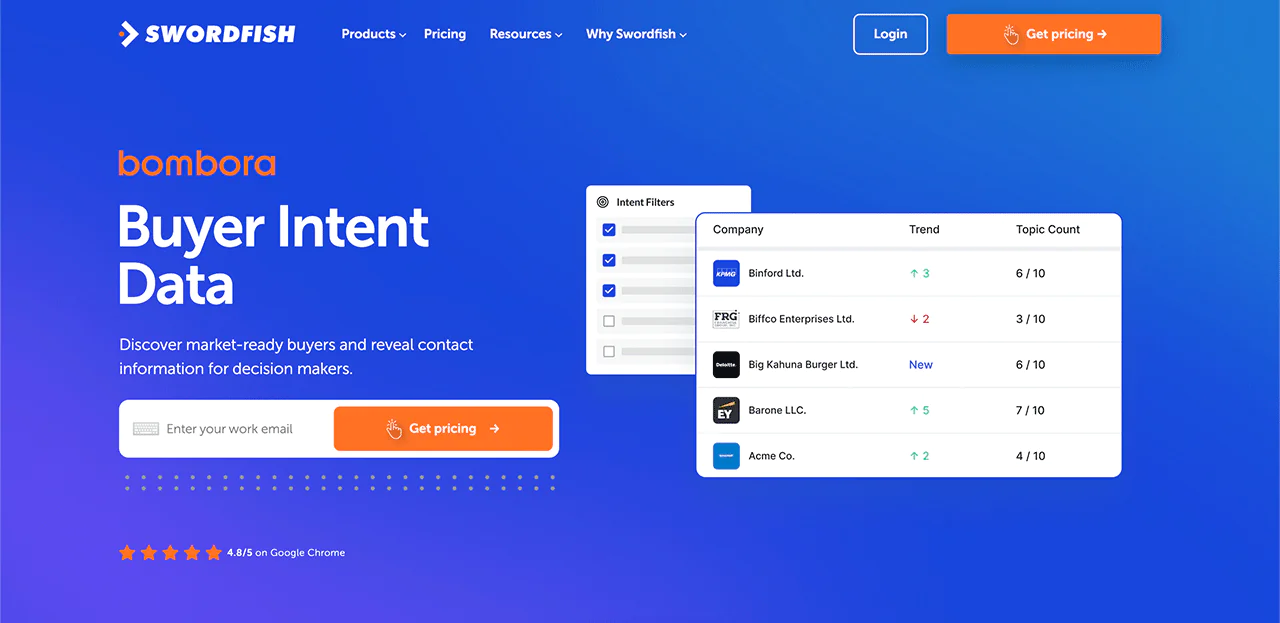
Bombora Intent Data helps you focus sales effort on businesses that show buying signals. This is a feature Kaspr doesn’t offer, and it enables more strategic targeting.
-
Refresh Title-Data
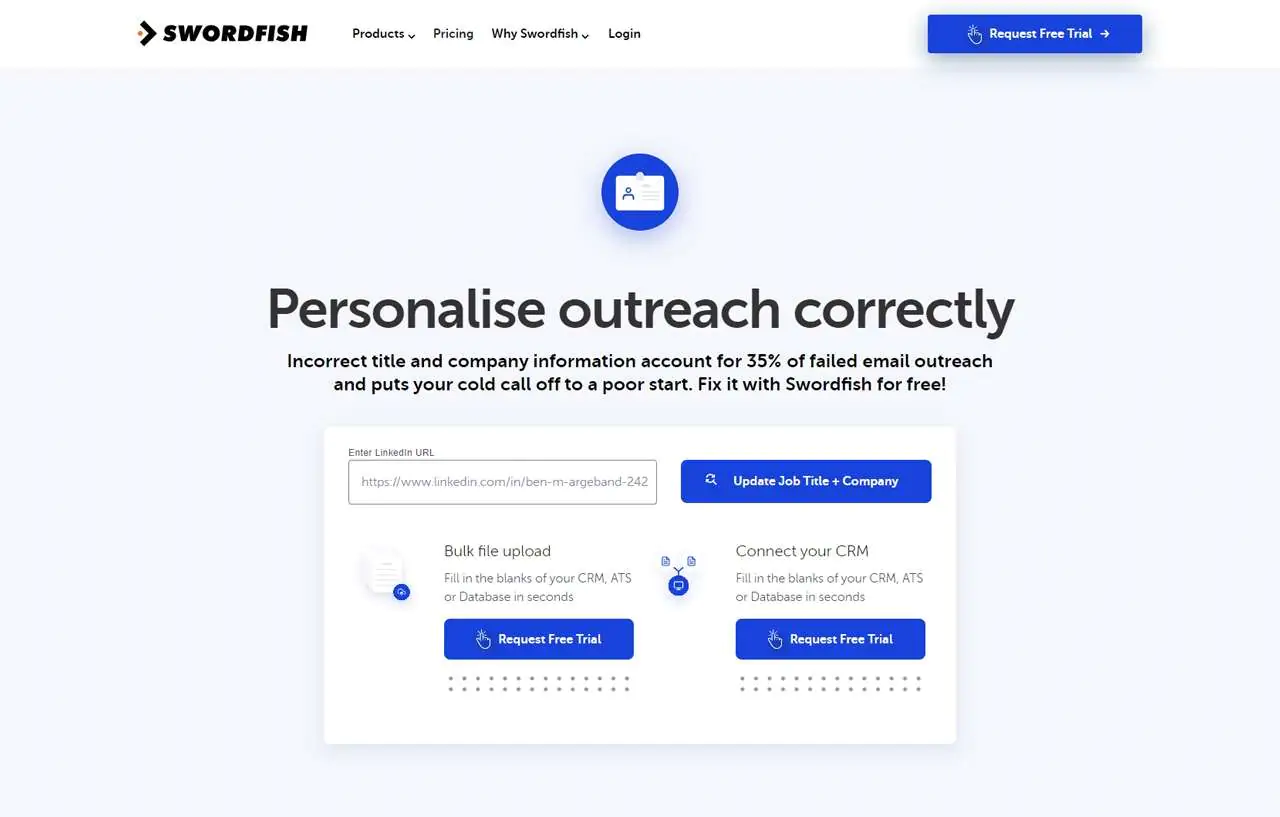
Updating Job Titles and Company Information is simple and included free for Swordfish customers, helping prevent outdated records, an issue Kaspr doesn’t directly address.
Best Use Cases of Swordfish
Here are some of the best use cases for Swordfish AI:
- Sales Outreach: Swordfish AI provides accurate contact information. It helps sales teams reach potential clients directly and efficiently.
- Recruitment Processes: Recruiters can quickly find and contact potential candidates, streamlining the talent acquisition process.
- Business Development: The tool is ideal for business development professionals seeking to connect with key decision-makers in various industries.
- Marketing Campaigns: Marketers can use Swordfish AI to build targeted contact lists for personalized marketing efforts.
- Lead Generation: It assists in generating high-quality leads by providing reliable contact details for follow-up and engagement.
- Networking and Relationship Building: Professionals can leverage the tool to expand their network by finding and connecting with industry peers.
- Customer Research: Swordfish AI is useful for gathering contact information for market research. This helps businesses understand their customer base better.
Pros
- Streamlines filling gaps in contact databases
- Integrates easily with web browsers for data retrieval
- Quickly updates missing or outdated contact details
- Helps finding contacts with minimal information
- Custom API solutions for real-time data syncing
- Offers free updates for contact job titles and companies
- Unique intent data assists in pinpointing ready buyers
Cons
- Initial setup takes 1 to 2 minutes for beginners
Pricing
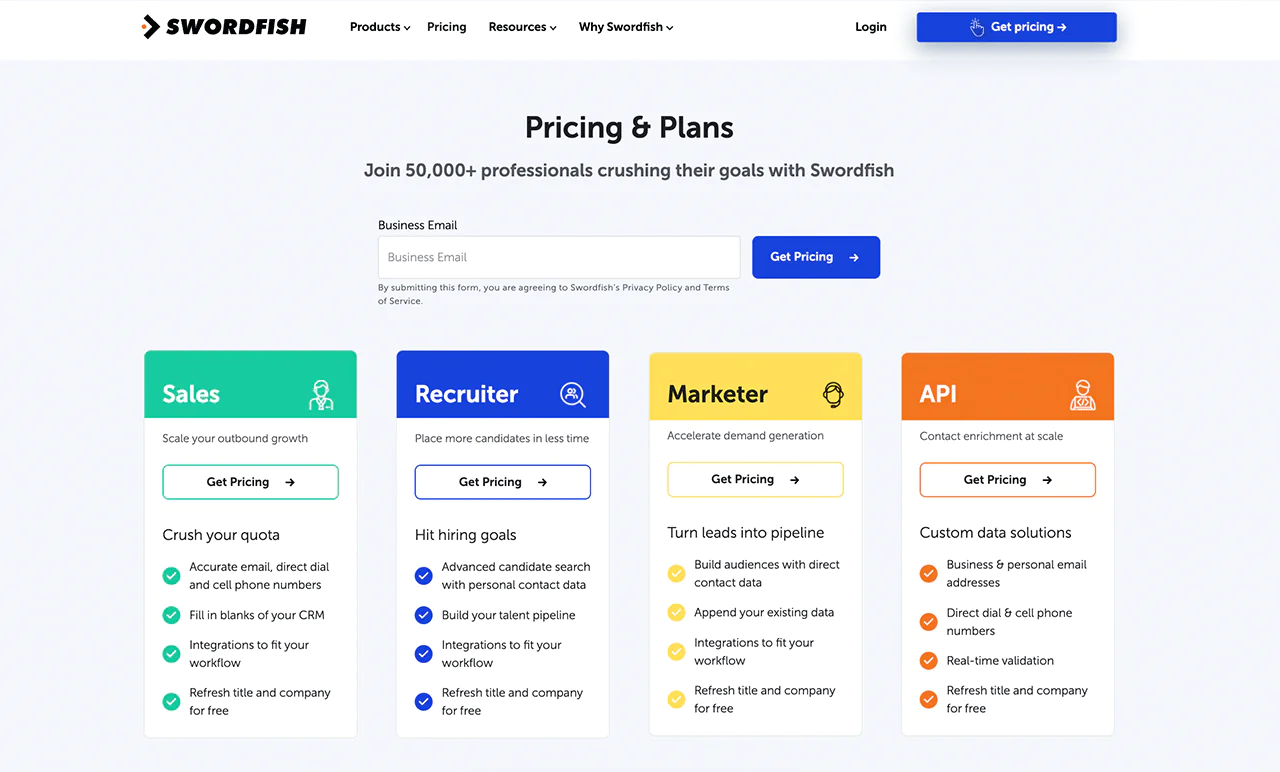
Swordfish AI describes its pricing as tailored to different use cases, including sales, recruitment, marketing, and API integration.
Because Swordfish AI describes its pricing as customized, contact the provider for a current quote for your use case.
The article says Swordfish AI includes updates to job titles and company information. Confirm the scope and terms of these updates with the provider.
 Try Swordfish Ai
What Users Say About Swordfish?
- G2: 4.5 out of 5 (84 reviews)
“Super easy to use. It helps me manage my credits and links seamlessly with the Chrome Extension and Bulk Enrich Files, saving me a ton of time.
I tried another search engine, but Swordfish was so user-friendly that I used up my trial credits on the first day. I immediately subscribed to the Professional Credits program, which offers 400 credits per month.”
– Sarah M.
- Capterra: 4.6 out of 5 (12 reviews)
“Currently, phone and email validation are only available on the Chrome Extension, but I’ve been told that this will change soon.”
– David B.
Why Should You Choose Swordfish AI over Kaspr?
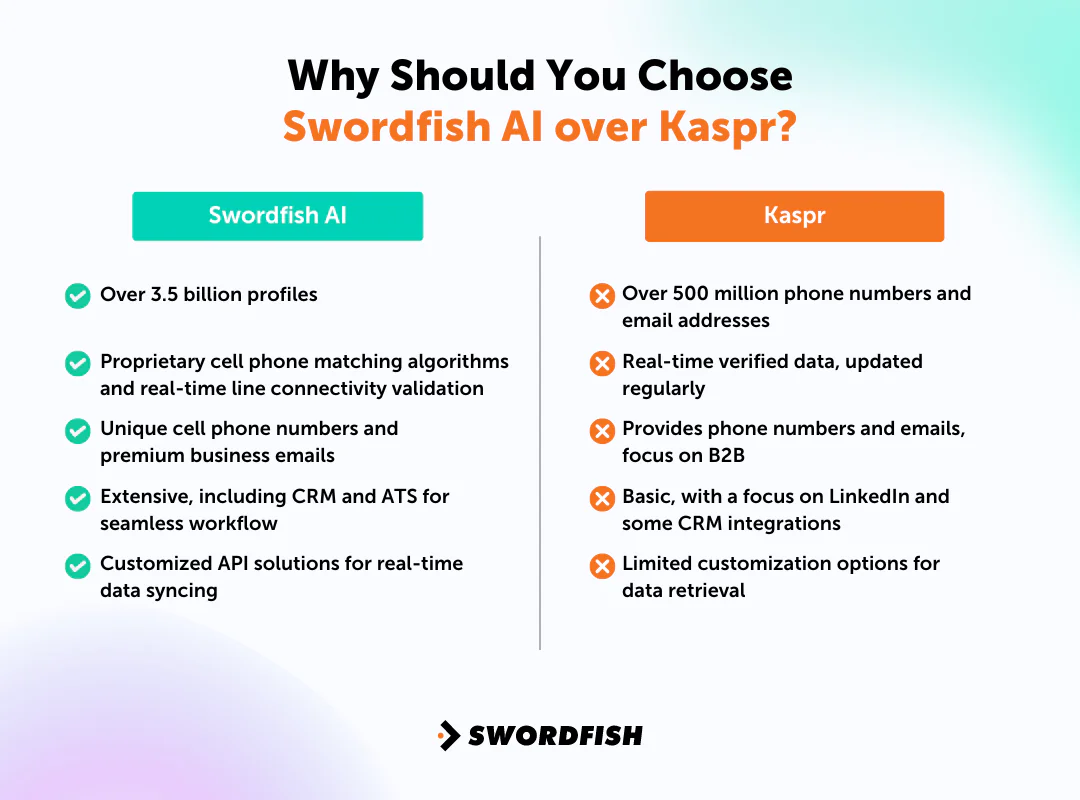
Swordfish AI may be worth comparing with Kaspr if your team prioritizes direct phone outreach and broad contact-data coverage. Review current data coverage, accuracy information, integrations, and pricing before deciding.
|
Swordfish AI |
Kaspr |
|
Over 3.5 billion profiles |
Over 500 million phone numbers and email addresses |
| Proprietary cell phone matching algorithms and real-time line connectivity validation |
Real-time verified data, updated regularly |
|
Unique cell phone numbers and premium business emails |
Provides phone numbers and emails, focus on B2B |
| Extensive, including CRM and ATS for seamless workflow |
Basic, with a focus on LinkedIn and some CRM integrations |
| Customized API solutions for real-time data syncing |
Limited customization options for data retrieval |
2. ZoomInfo
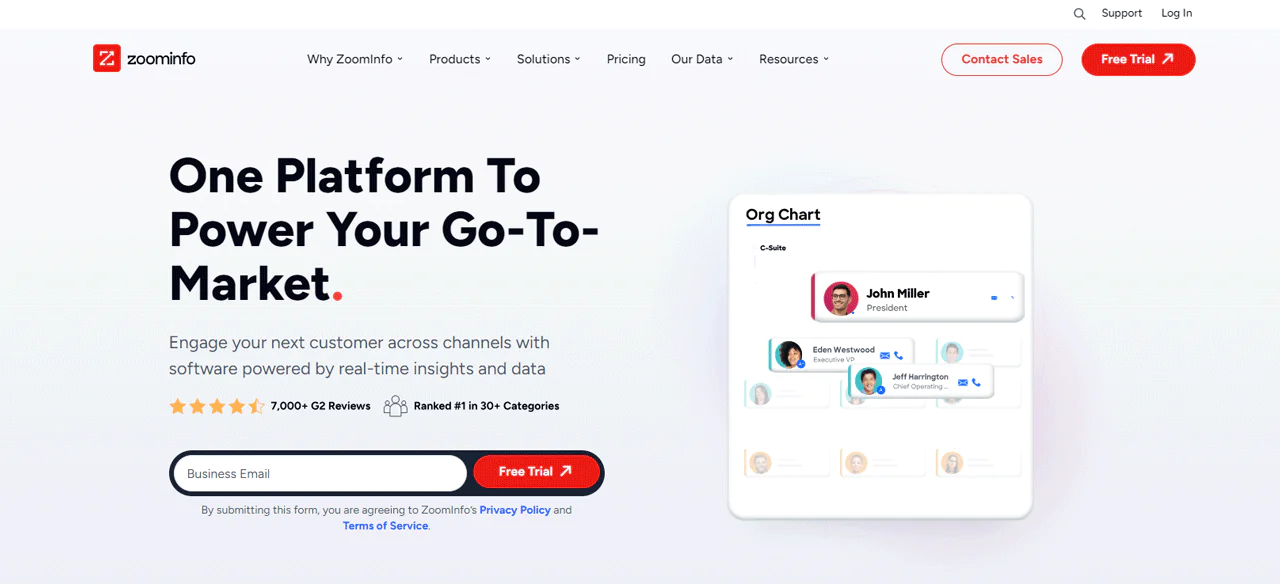
If you’re looking for strong B2B contact data to support sales, ZoomInfo is a common comparison point against Kaspr. It began as a fairly simple database and has grown into a much broader platform that pulls together detailed business information, which speeds up finding leads and closing sales.
ZoomInfo describes its data processes as combining automated technology with human checks. Review its current documentation for details about verification, refresh frequency, and CRM integrations.
Both Kaspr and ZoomInfo offer sales-intelligence features, but the best fit depends on your team’s needs. Compare current database coverage, integrations, and pricing rather than relying on general claims about which has the larger database.
That makes it especially useful for companies that want a thorough view of the market and the people in it.
About Company
- Founding year: 2007
- Founding team: Henry Schuck
- Company Size: 1,001 to 5,000 employees
Features of ZoomInfo
ZoomInfo has evolved into a full platform for B2B connections, well beyond a simple contact database. Here’s a breakdown of how it helps businesses grow:
- Intent: This lets you in on what potential customers are searching for online. By picking search terms that matter to your business, you get updates when companies look for your solutions.
- FormComplete: It solves the puzzle of how much information to ask for on your forms. Even with fewer fields, it still gets you full contact info from just an email, making your website more lead-generating.
- Websights: This feature identifies visitors to your website, showing you what they’re interested in. This way, you can reach out with messages that are more likely to catch their interest and turn them into leads.
- Scoops: It alerts you to big changes or events in companies, like leadership changes or new funding. This means you can contact potential clients at the perfect time, boosting your chances of success.
- Engage: Engage shows you the best ways and times to contact potential customers, based on data. It helps you make your outreach efforts more organized and successful.
- Chorus: It uses data to analyze sales conversations, identifying what works and what doesn’t. Using real-life examples, it provides tips on how to improve your sales approach.
- Enrich: Enrich makes sure your CRM always has up-to-date and complete contact info. It automatically checks and updates your records, so your sales and marketing efforts are always based on reliable data.
- ZoomInfo Chat: It combines the power of ZoomInfo’s database with live chat, making your website more interactive and informative. You know who you’re chatting with and what they need, making conversations more productive.
Pros
- Offers real-time updates on potential customer interests.
- Enhances live website chat with detailed visitor insights.
- Alerts about significant events within target companies.
- Simplifies contact form information collection for better leads.
- Identifies website visitors and their interests effectively.
- Organizes and optimizes outreach with data-driven strategies.
Cons
- Initial setup can be time-consuming and complex.
Pricing
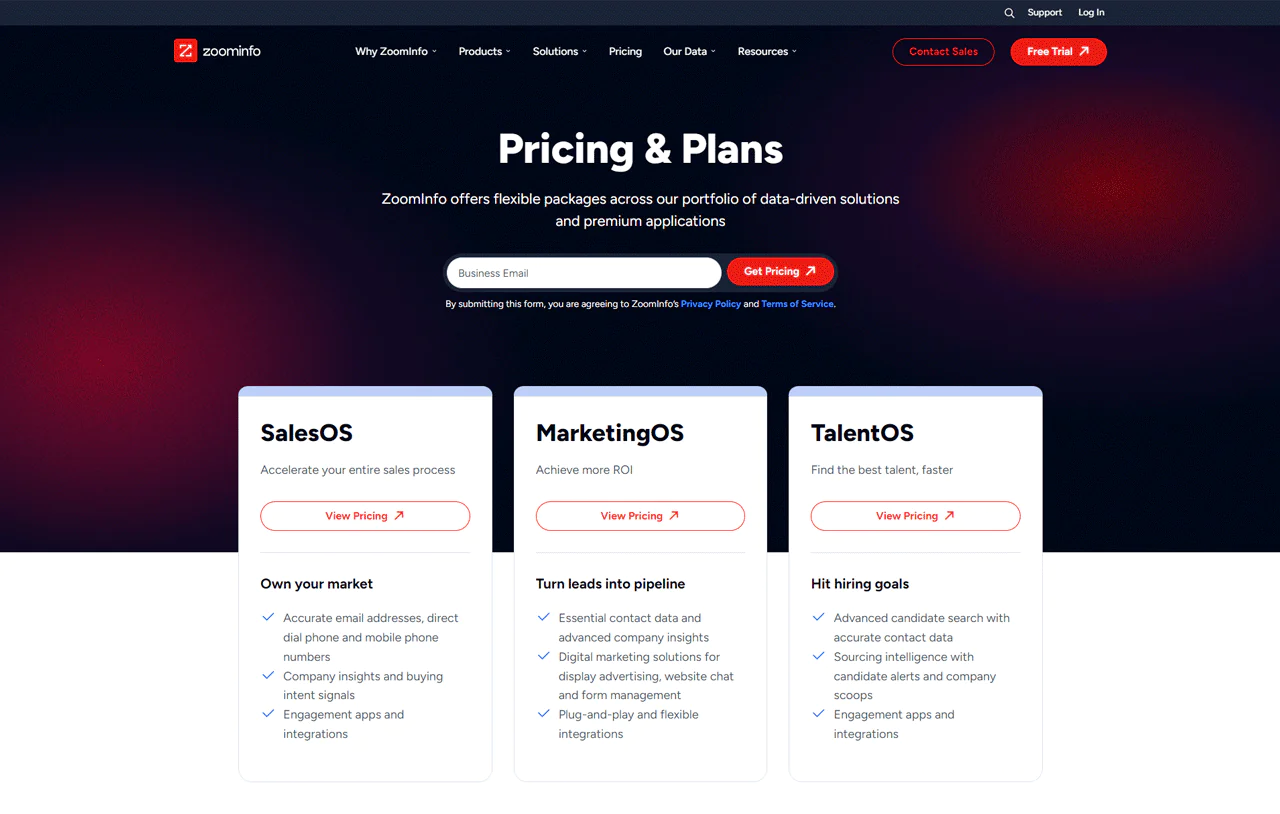
ZoomInfo’s pricing isn’t published openly, and it varies with business size and negotiated terms. As of recent reporting, ZoomInfo’s SalesOS plans generally fall into three tiers.
The article lists approximate annual base prices of $14,995 for Professional, $24,995 for Advanced, and $39,995 for Elite. Treat these figures as estimates: pricing and plan names can change, and quotes may include additional seat or credit costs.
Because contract terms may include seat fees and credit costs, request a current itemized quote based on your team’s expected usage.
What Users Say About ZoomInfo?
- G2: 4.4 out of 5 (7,898 reviews)
- Capterra: 4.1 out of 5 (280)
“What do you like best about ZoomInfo Sales?
What I like best about ZoomInfo SalesOS is that I can look up multiple contacts for a prospect that I am going after. The tool is easy to use and seamless. It not only provides contacts across all departments, but it lists their title, email and phone number, all in one location. The huge upside to this, is that it saves me time and prevents me from having to use multiple resources to run down the contacts I want to reach out to.
What do you dislike about ZoomInfo Sales?
The only negative I have is that occasionally I find that the contact info is not up to date; meaning, that I find that a contact listed in ZoomInfo, has left the organization and there is no new updates for the person that is now in that same role. The downside to this, is I end up having to use another resource to get the current contact for that position.” – Steve M.
Is ZoomInfo Better than Kaspr?
ZoomInfo is a strong fit for teams that need detailed market and customer information. Its large database and CRM integrations make it well-suited to sales and marketing teams who want depth and timely alerts for B2B strategy.
Kaspr, meanwhile, excels at helping businesses gather lead contact info directly from the internet quickly. If email addresses and phone numbers need to be sourced fast, Kaspr fits easily into existing workflows without much setup.
Our Review of ZoomInfo
ZoomInfo combines contact data and analytics, which may help teams researching markets and prospective customers. Evaluate its features and costs against your use case.
The article describes ZoomInfo’s search and CRM integration features, while noting that cost and setup may be considerations for smaller teams. Confirm requirements and pricing before committing.
Still, for teams that commit to it, ZoomInfo delivers real efficiency gains in lead generation and market research.
3. Lusha
Lusha is a solid option for teams that need detailed B2B contact information. Its straightforward platform gives marketers and sales teams easy access to precise, current contact details.
Lusha simplifies reaching decision-makers by surfacing email addresses and phone numbers directly. Its integration with popular CRM systems and its focus on data accuracy add to that efficiency.
Compared with RocketReach, both tools offer broad databases and effective prospecting features. Lusha’s emphasis on accuracy and ease of use may edge out RocketReach for teams that prioritize lead quality and a smooth user experience.
Which one fits better ultimately depends on whether breadth of data or precision in targeting matters more to you.
About Company
- Founding year: 2016
- Founding team: Assaf Eisenstein, Yoni Tserruya
- Company Size: 340 employees
Key Features of Lusha
Lusha stands out in the B2B data space with tools that ease the process of finding and connecting with key business contacts. Here are some of its standout features:
- Lusha Extension: This browser extension puts Lusha’s capabilities at your fingertips, no matter where you are on the web. Whether you’re browsing LinkedIn or a company’s webpage, you can instantly access valuable contact and company data.
- Verified B2B Data: Lusha’s database is meticulously compiled, offering users access to verified email addresses and direct dial numbers. It ensures that when you reach out to a prospect, you’re using the most accurate and up-to-date information available.
- CRM Integration: The integration capability of Lusha with CRM platforms simplifies managing your sales pipeline. In your CRM, it automatically updates contact information and company information, keeping your data current and your team productive.
- Warm Outbound Intent Data: Lusha provides insights into which companies are actively seeking solutions that you offer. It allows you to prioritize these warm leads, making your outreach efforts more timely and relevant.
- Lusha API: The Lusha API facilitates the enrichment of your applications with powerful B2B data. Whether it’s enhancing your CRM or custom applications, the API ensures you have the data you need, where you need it.
Pros
- Directly reach decision-makers with accurate contact info.
- Automatic updates keep CRM data fresh and reliable.
- Identifies high-potential leads with behavioral intent data.
- Simplifies prospecting with seamless CRM integrations.
- Compliant with major data privacy regulations.
Cons
- High-tier plans might stretch the budget of small teams.
Pricing
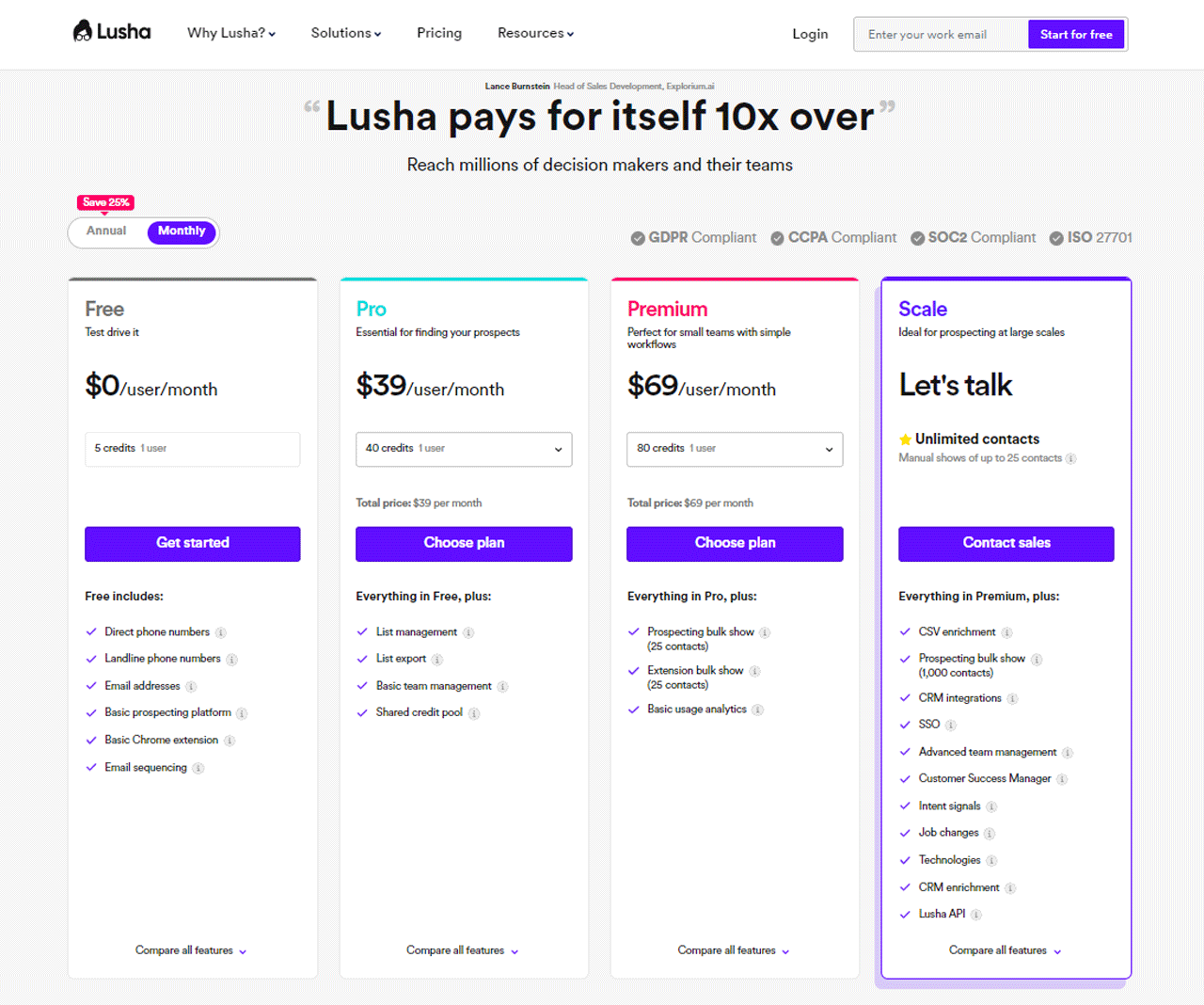
Lusha’s pricing options are designed with your needs in mind. Starting at no cost, the Free plan offers you 5 credits to explore its essential features, such as getting direct and landline phone numbers, along with email addresses.
For more comprehensive tools, the Pro plan costs $39 per user per month and grants you 40 credits. It’s perfect for those keen on managing and exporting lists to find prospects effectively.
Small teams might prefer the Premium plan at $69 per user per month, which comes with 80 credits and extra analytics for a deeper insight. Lastly, for those aiming to prospect on a larger scale, the Scale plan provides unlimited contacts and a range of advanced features, with details available upon contact.
What Users Say About Lusha?
- G2: 5 out of 5 (1,427 reviews)
- Capterra: 4 out of 5 (359 reviews)
“What do you like best about Lusha?
Multiple contact details (email IDs & phone numbers) increase the probability of reaching the potential client or person to be connected. Also, helps to get information about recent employers based on the work email address.
What do you dislike about Lusha?
The initial trial credit limit is not sufficient for certain natures of business. It can be extended for better understanding and decision-making for the purchase.” – Meenal G.
Is Lusha Better than Kaspr?
Lusha stands out for an all-encompassing approach. It supplies contact details and integrates smoothly with existing systems, while following GDPR and CCPA guidelines for teams that treat privacy seriously.
That combination makes it a solid pick for companies that want a deep data dive while staying compliant and streamlined.
Kaspr, on the other hand, in the world of sales prospecting tools, is your ally if you’re targeting LinkedIn. Its Chrome Extension lets you grab contact info right when you need it, directly from LinkedIn profiles, making it a strong fit for heavy LinkedIn users who want a straightforward tool.
Our Review of Lusha
The article presents Lusha as an option for finding B2B contacts and reaching decision-makers. Review its coverage and data-quality information for your target audience.
Buyer intent data combined with automated contact collection simplifies identifying and engaging potential clients. That said, the credit-based access model can limit outreach volume for some businesses.
Even with that constraint, Lusha’s precise insights and user-friendly design make it a valuable tool for sales and marketing teams.
4. Hunter.io
Hunter.io is a strong choice for teams that want a focused alternative to Kaspr for email discovery and verification. Its intuitive interface simplifies finding and connecting with business professionals.
Hunter.io offers tools for finding and verifying professional email addresses. Search and verification results vary, so review the service’s current methods and limitations.
Compared directly, Hunter.io offers simplicity and effectiveness for finding emails, distinct from SalesIntel’s broader suite. Where SalesIntel spreads across more services, Hunter.io stays focused on precise email data.
About Hunter.io
- Founding year: 2015
- Founding team: Antoine Finkelstein and François Grante
- Company Size: 11 to 50 employees
Key Features of Hunter.io
Hunter.io simplifies finding and verifying email addresses for outreach and lead generation. Here’s a breakdown of its key features:
- Campaigns: With Hunter.io’s Cold Email Software, users can create, personalize, and schedule email campaigns with ease. It offers tools for managing replies and tracking the performance of your campaigns.
- Email Finder: The Email Finder tool helps you locate the email address of a specific professional. Combining email formats, addresses found on the web, and verification statuses, it can help you connect with those who matter most.
- Email Verifier: Hunter.io’s Email Verifier thoroughly checks an email’s validity across multiple levels, including format and server response. You need this function to maintain your outreach efforts and protect your sender reputation.
- TechLookup: This feature enables users to create lists of websites using specific technologies. You can target prospects based on their tech stack, from eCommerce platforms to web servers.
- Bulk Tasks: For those who need to find or verify emails at scale, Bulk Tasks allows for the processing of large volumes of email addresses. With Bulk Email Finder, Bulk Domain Search, or Bulk Email Verifier, you can save time and improve productivity.
- API: Hunter.io’s API provides developers and businesses with robust access to its functionalities. This allows for the automation of email searches, verification, and more within your own systems.
- Domain Search: This feature enables you to discover email addresses associated with a specific domain. Hunter.io gives you the option of searching for email addresses by entering a company’s domain name, along with confidence scores.
- Chrome Extension: The Hunter Chrome Extension simplifies finding email addresses as you browse the web. With just one click, you can see all email addresses associated with the website you’re viewing, along with their public sources.
Pros
- Using the platform is straightforward and quick.
- Testing the service doesn’t require a financial commitment.
- Custom solutions can be easily created with its API.
- Personalizing mass outreach efforts becomes significantly easier.
- Always working with the latest available contact data.
Cons
- Limited searches on the free plan.
Pricing
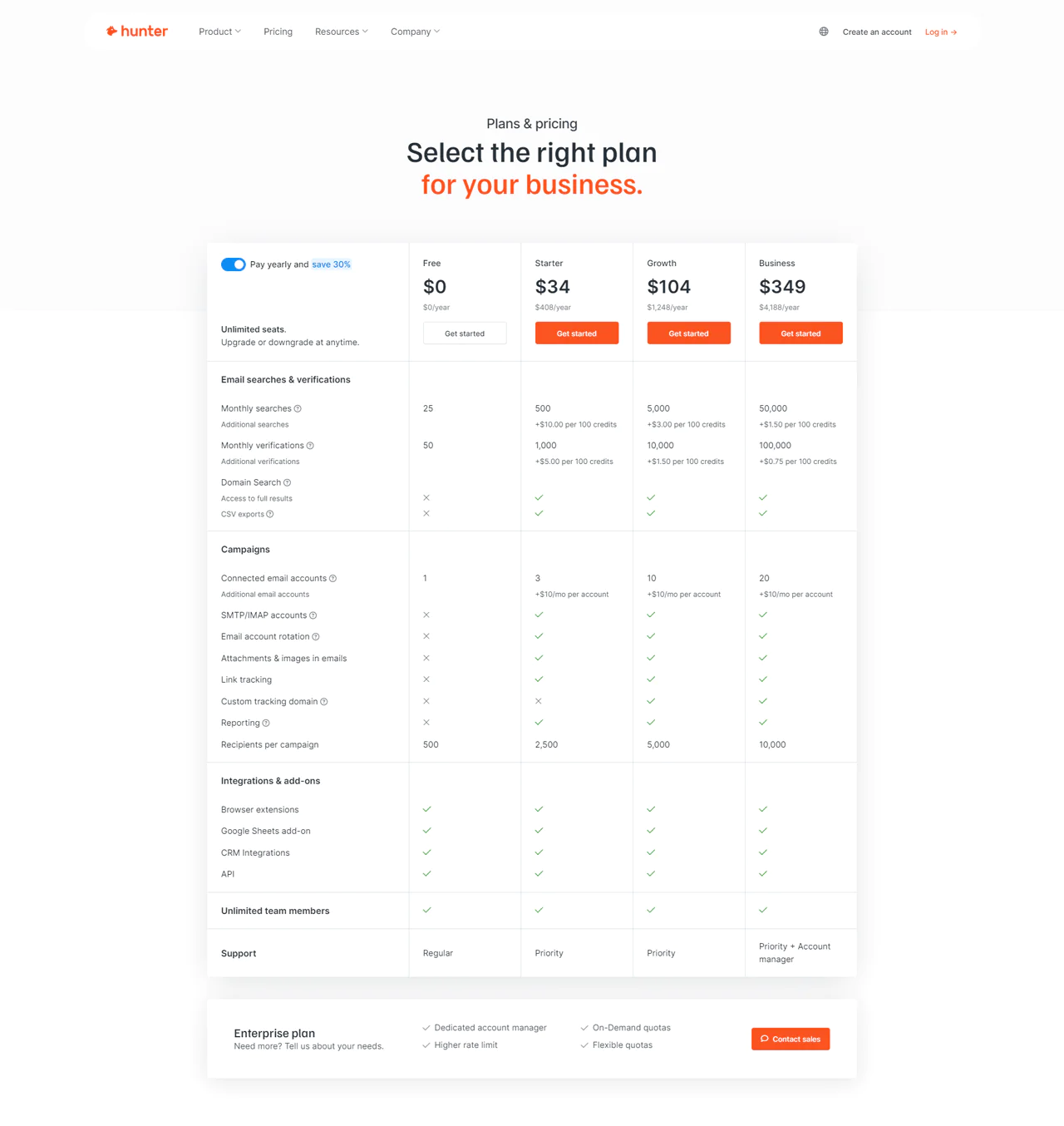
Hunter.io’s pricing is structured to match your needs at any stage. Start with the Free plan, which allows 25 searches and 50 verifications per month, at no cost. It’s great for anyone just beginning and looking for Kaspr free alternatives.
If you’re a small team or a solo entrepreneur ready to take the next step, the Starter plan at $49 a month offers 500 searches and 1,000 verifications.
For businesses in growth mode, the Growth plan at $149 a month provides 5,000 searches and 10,000 verifications, supporting your expansion efforts.
Large teams with high demands will find the Business plan at $499 a month, including 50,000 searches and 100,000 verifications, plus dedicated support from an account manager, to be a perfect fit.
Hunter.io grows with you, from your first outreach to large-scale campaigns.
What Users Say About Hunter.io?
- G2: 5 out of 5 (531 reviews)
- Capterra: 4 out of 5 (608 reviews)
“What do you like best about Hunter?
One reviewer says Hunter is easy to use and can be used at no cost for occasional searches. Check the current free-plan limits before relying on it.
What do you dislike about Hunter?
It’s always a bummer when the confidence level of an email address is high, but it ends up bouncing when attempting to send away an email. The confidence level tend to be fairly accurate though so not a commonly occurring problem.” – Amanda Z.
Is Hunter.io Better than Kaspr?
If you need to find and verify emails quickly across many domains, Hunter.io is a strong bet. Its highly rated Chrome extension makes finding professional emails straightforward, which is valuable for anyone running email outreach at scale.
Kaspr may suit teams that prospect primarily on LinkedIn. Check its current free-plan limits and confirm which contact types and features are included.
Our Review of Hunter.io
Hunter.io combines email-finding and verification tools for outreach and prospecting. Check the current feature set and plan limits to see whether it fits your needs.
Hunter.io’s tools include Email Finder and Domain Search. Because results can depend on information available on the public web, coverage may vary for less visible contacts.
Despite that limitation, Hunter.io remains a useful addition to an email outreach strategy.
5. Snov.io
Snov.io stands out for teams searching for Kaspr alternatives, with a wide range of tools built to speed up sales processes. It simplifies finding leads, verifying emails, and reaching out by combining a large database with user-friendly tools.
Features like the Email Finder and Drip Campaigns help reach prospects and convert them. Snov.io’s commitment to accuracy and CRM integration adds to its value for sales teams.
Snov.io and Apollo.io offer different combinations of contact data and engagement features. Compare their current databases, campaign tools, usability, and plan limits rather than assuming one has a broader feature set.
If a full sales toolkit that’s easy to navigate with strong nurturing capabilities is the priority, Snov.io may be the better fit.
About Snov.io
- Founding year: 2014
- Founding team: Sujan Patel and Robert Senoff
- Company Size: 2 to 10 employees
Key Features of Snov.io
From lead generation to closing deals, Snov.io offers a complete toolkit to enhance your sales process. Here’s a look at some of its standout features:
- Email Finder: This feature allows you to effortlessly locate email addresses by domain, company, or individual names. By aggregating data from various online sources, Snov.io ensures you can quickly build a list of relevant contacts to reach out to.
- Email Verifier: Snov.io’s Email Verifier minimizes your bounce rate by checking the validity of email addresses in real-time. This tool is vital for maintaining a clean email list and preserving your sender reputation.
- Email Warm-up: To ensure your emails reach the inbox and not the spam folder, Snov.io offers an Email Warm-up service. It uses AI-generated conversations to gradually increase your email sending reputation over time.
- Drip Campaigns: Snov.io simplifies the creation and management of drip email campaigns. With customizable email sequences and triggers based on recipient behavior, it helps you engage leads at critical moments.
- Sales CRM: The platform includes a Sales CRM that integrates seamlessly with its other tools. This CRM organizes your deals, tasks, and contacts in one place, making it easier to manage your sales pipeline and focus on closing more deals.
- Email Tracker: With Snov.io’s Email Tracker for Gmail, you can see real-time notifications when your emails are opened or links are clicked. This feature helps you follow up at the perfect time, directly influencing your campaign’s success rate.
Pros
- Simplifies finding accurate email addresses quickly.
- Significantly reduces email bounce rates.
- Gradually improves email sending reputation.
- Personalized and automates drip email campaigns.
- Improves sales pipeline management with an integrated CRM.
Cons
- Learning curve for maximizing all available tools.
Pricing
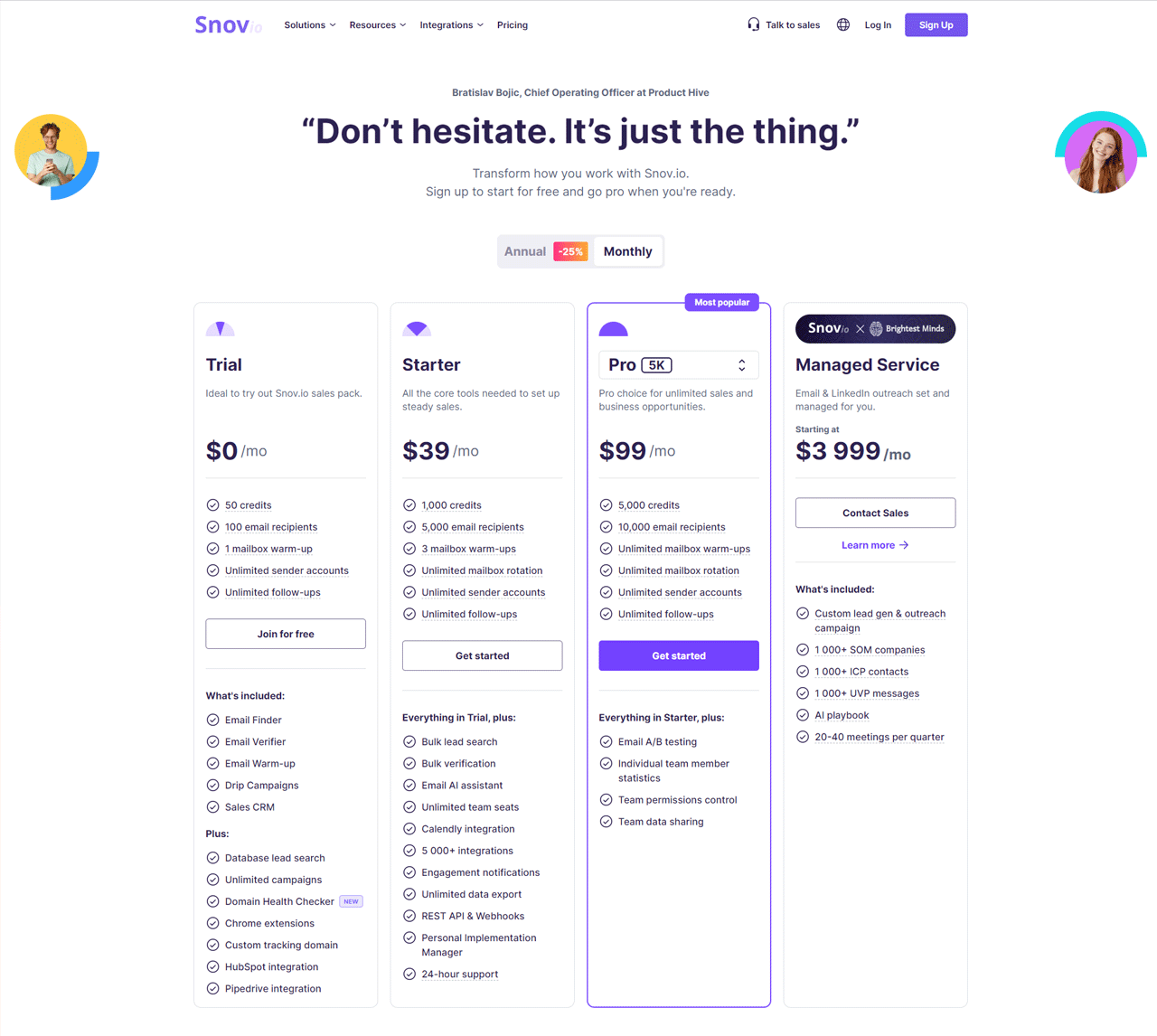
Snov.io offers a range of pricing plans to fit everyone, from beginners to large companies needing advanced sales tools. Start with the Trial plan for free, which gives you 50 credits and a taste of what Snov.io can do.
The article lists Snov.io’s Starter plan at $30 per month with 1,000 credits. Verify current pricing, credit definitions, and included features with the provider.
The article lists the Pro plan at $75 per month with 5,000 credits and the Managed Service from $3,999 per month. These figures and included services may change, so confirm current terms directly with Snov.io.
Snov.io’s plans are designed to grow with your business, so you can easily find one that suits your current needs.
What Users Say About Snov.io?
- G2: 4.5 out of 5 (370 reviews)
- Capterra: 4.6 out of 5 (207 reviews)
“What do you like best about Snovio?
It’s very easy to use, and the onboarding was excellent! The campaigns tool is beneficial for people that don’t have experience with marketing automation platforms, and it’s also perfect for testing the e-mail marketing channel.
The prospecting tool is excelent and has different ways to find new leads.
What do you dislike about Snovio?
I didn’t have any bad experience, I would love it if it were possible to add more design to the e-mail templates, but on the other hand, it was very useful and I had good results without it.” – Thiago H.
Is Snov.io Better than Kaspr?
Snov.io may suit teams that want email finding, verification, and sales-management tools in one platform. Compare its current features and integrations with Kaspr’s for your workflow.
Kaspr, on the other hand, is great for getting B2B contacts fast, especially from LinkedIn. It’s user-friendly and integrates well with CRM systems, which suits salespeople and recruiters who rely on LinkedIn for finding leads.
Our Review of Snov.io
In our exploration of Snov.io, we found a suite of tools uniquely designed for improving sales processes and CRM strategy. Central to its offerings are the Email Finder and Verifier, Drip Campaigns, and a user-friendly CRM system.
We consider Snov.io a comprehensive tool for businesses looking to improve their sales approach, though newcomers might feel overwhelmed by its extensive functionality, and smaller companies may have cost concerns.
Snov.io blends advanced capabilities with ease of use, but it does require some commitment to get the most out of it.
6. SalesIntel
Looking for a tool to boost B2B outreach? SalesIntel is worth a look, particularly against Kaspr. It’s built to give your business highly accurate contact data.
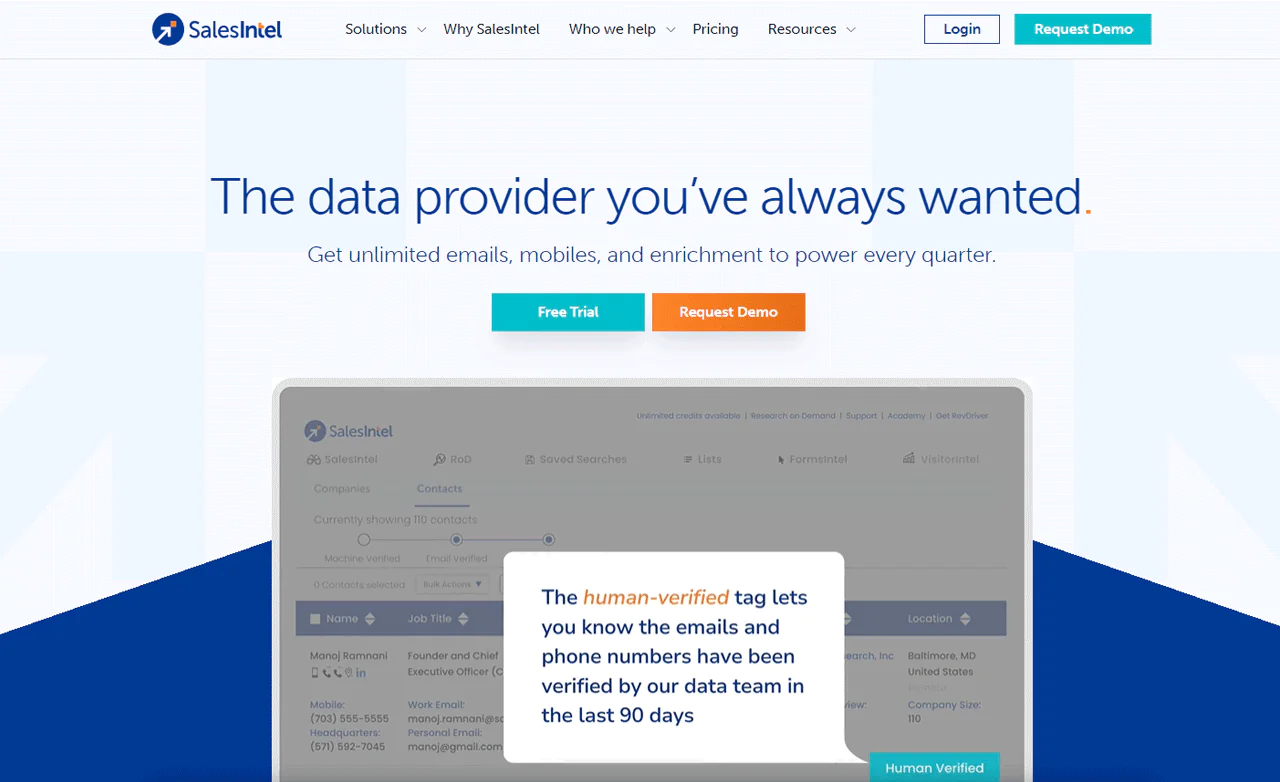
What sets it apart is the human verification layer. Every piece of contact information is checked by real people to keep the data fresh and reliable. SalesIntel also provides insight into companies and their technology stacks, which helps in designing inside sales strategies.
SalesIntel and Lusha both offer B2B contact data. If human verification is important, confirm SalesIntel’s current verification process and compare it with Lusha’s stated methods.
About
- Founding year: 2018
- Founding team: Manoj Ramnani
- Company Size: 11 to 50 employees
Key Features of SalesIntel
SalesIntel is one of the top sales intelligence tools designed to streamline B2B marketing and sales strategies. Here’s a look at some of its key features:
- Human-Verified Contact Data: SalesIntel provides access to a vast database of contact information that is verified by humans every 90 days. It ensures high accuracy, enabling you to connect confidently with decision-makers.
- Intent Data: The platform gathers intent signals from multiple sources, including Bombora and SalesIntel’s PredictiveIntent. This data allows you to prioritize accounts showing interest in products like yours, allowing you to reach out more quickly.
- Firmographics: SalesIntel offers in-depth firmographic filters, allowing you to quickly locate companies that need your product. This feature simplifies the process of targeting your marketing efforts to the right audience.
- Technographics: Understanding the technology stack of your prospects is made easier with SalesIntel’s technographic data. It helps you tailor your pitch so that it addresses the needs and challenges of potential customers.
- Data Enrichment: This feature ensures your CRM and marketing platforms are always updated with the most current and clean data. SalesIntel’s data enrichment process automatically updates your records, saving you time and reducing the risk of errors.
- B2B Contact Data: With access to a global database of B2B contacts, SalesIntel makes it easier to reach out to potential buyers across different regions. Whether you’re targeting the US, Canada, EMEA, or APAC, you’ll find the contact data you need.
- CRM Integrations: SalesIntel integrates directly with CRMs, ensuring that your sales team always has the latest contact information. This compatibility with leading CRM systems simplifies your sales process.
- Chrome Extension: The RevDriver Chrome Extension by SalesIntel transforms how you gather prospect information online. It allows sales and marketing professionals to access comprehensive contact information instantly from LinkedIn profiles.
Pros
- Improved connection rates with verified contacts.
- Significant time savings in lead research and prospecting.
- Increased campaign conversions using detailed intent data.
- Cleaner CRM data leads to improved marketing efficiency.
- Access to global contact data broadens outreach.
- Custom data requests filled quickly by the research team.
Cons
- Might be an expensive option for smaller teams.
Pricing
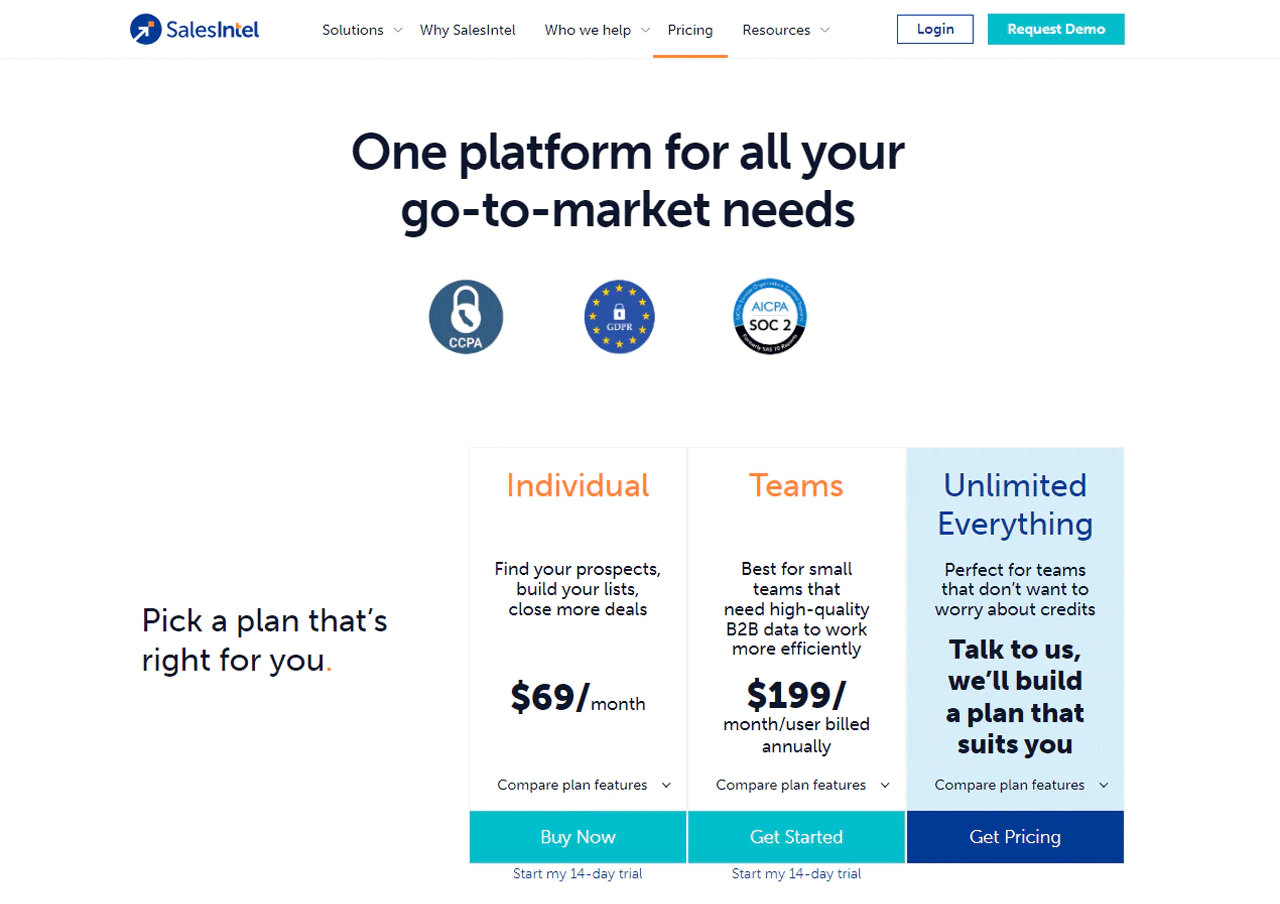
SalesIntel three straightforward pricing simplifies your search for the right data. If you’re on your own, trying to connect with more prospects, the Individual plan at $69 a month is just right for you. It’s designed to help you expand your lists and secure more agreements.
For smaller groups aiming to work smarter with top-notch B2B data, the Teams option at $199 per user every month, paid yearly, could be the ideal fit. And if your team is bigger, the Unlimited Everything package offers a solution tailored just for you, with prices adjusted to fit your budget.
Each package is packed with useful features like data credits and essential contact details, positioning SalesIntel as a key tool to advance your sales efforts.
What Users Say About SalesIntel?
- G2: 4.3 out of 5 (315 reviews)
- Capterra: 4.3 out of 5 (28 reviews)
“What do you like best about SalesIntel?
The RevDriver extension that eables easy Sales Navigator contact data sourcing and integration with HubSpot to push direction to MAP. Our CSM is always very quick to respond and troubleshoot any issues with us. When we first contracted with SalesIntel they seemed slightly behind the the competition, however, we have watched them innovate and grow quickly over the last 18 months and feel confident in their momentum. Setup is about as easy as it gets.
What do you dislike about SalesIntel?
If anything, the UI feels a bit dated, but that’s just cosmetic 🙂 functionality is there!” – Katie D.
Is SalesIntel Better than Kaspr?
SalesIntel describes its contact data as human-verified. Confirm the current verification process and coverage, and assess whether its integrations fit your existing tools.
It integrates smoothly with CRMs and marketing tools, making it a strong pick for sales and marketing teams.
Kaspr is the better pick if quick, easy access to contacts right from LinkedIn matters more. Its Chrome extension pulls email addresses and phone numbers fast, well-suited to straightforward, efficient lead generation.
If you’re just getting started with sales tech or have simpler needs, Kaspr is a reasonable starting point.
Our Review of SalesIntel
After thoroughly testing SalesIntel, we’ve gained some valuable insights. The platform is strong on accurate, human-verified B2B contact data, and its range of CRM integrations helped simplify operations and improve workflows.
SalesIntel’s detailed firmographic and technographic data support targeted prospecting and better marketing and sales outcomes. Beginners might find the feature set daunting, and pricing could be steep for smaller businesses or startups.
Even with those challenges, SalesIntel offers real benefits for companies looking to improve outreach and sales efforts.
7. RocketReach
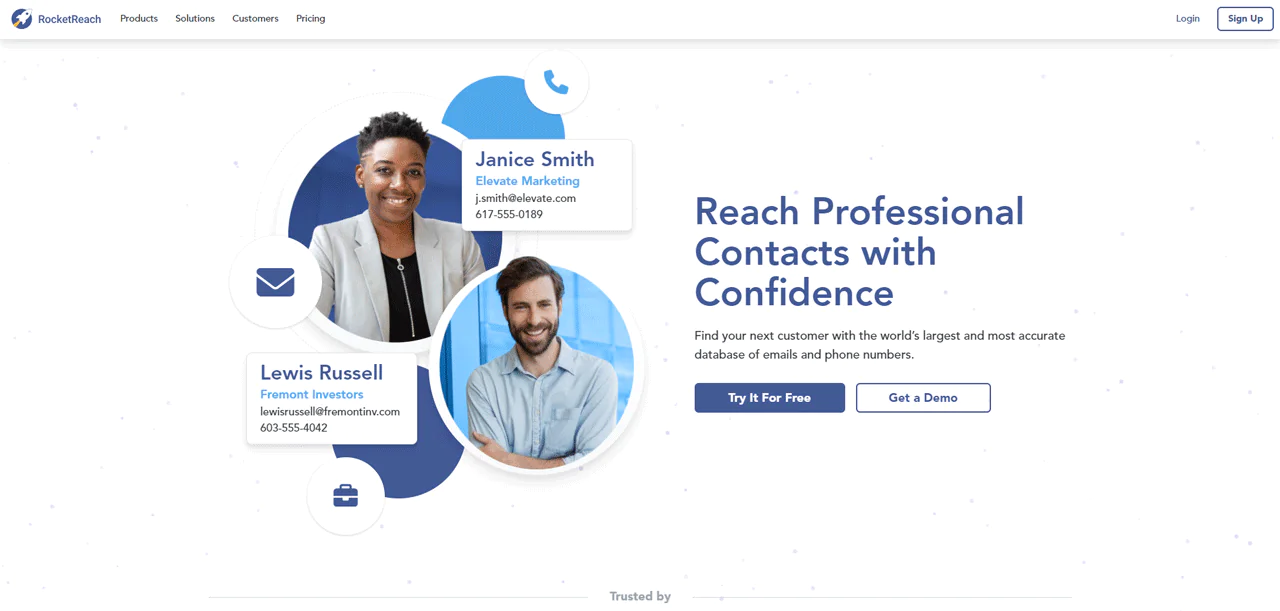
RocketReach stands out for teams looking for Kaspr alternatives with a wide global reach into professional contacts. It delivers reliable email and phone data from a large database, aiming for high success rates in outreach.
RocketReach offers search and list-building features, including filters such as location, job title, and industry. Check the current product details to confirm available filters and recommendation features.
RocketReach and Hunter.io differ in their emphasis: RocketReach is presented here as offering broader prospecting and list-building features, while Hunter.io focuses more on email finding and verification. Compare their current sourcing and privacy documentation.
About RocketReach
- Founding year: 2015
- Founding team: Andrew Tso
- Company Size: 100 to 150 employees
Key Features of RocketReach
The RocketReach platform offers a range of features designed to enhance prospecting and outreach. Here’s a closer look at some of its key functionalities:
- Global Contact Database: RocketReach maintains an expansive database, regularly updated to ensure access to accurate emails and phone numbers worldwide. It improves campaign efficiency by connecting users with professionals across various industries.
- AI-Powered Recommendations: The platform uses artificial intelligence to suggest profiles similar to those in your searches. So, you can discover potential leads you hadn’t considered, broadening your outreach opportunities.
- Advanced Search: RocketReach’s advanced search capabilities allow you to apply multiple filters simultaneously. It’s easy to narrow down your target profiles, whether you’re looking for Python developers, C-level executives, or global investors.
- Create Lead Lists: You can quickly compile comprehensive lead lists for their campaigns. Whether starting a new project or enriching existing data, RocketReach simplifies list creation.
- API: The RocketReach API offers a scalable solution to enrich your applications with accurate contact intelligence. With access to over 4.5 billion records, your business can integrate a wide range of data into your systems.
- Extensions: With its desktop Chrome extension, RocketReach enables you to find contact and company information without leaving their web browser. This easy integration saves time and improves workflow efficiency.
- Integrations: RocketReach integrates smoothly with popular CRM and marketing platforms like Salesforce and HubSpot. You can easily integrate RocketReach data into their preferred sales and marketing tools, simplifying processes.
Pros
- Improves outreach with extensive global contacts.
- Broadens lead discovery with intelligent suggestions.
- Allows fast, easy finding specific targets with detailed filters.
- Speeds up campaign setup with fast list generation.
- Simplifies data access directly from your browser.
Cons
- Higher cost for accessing a full suite of premium features.
Pricing
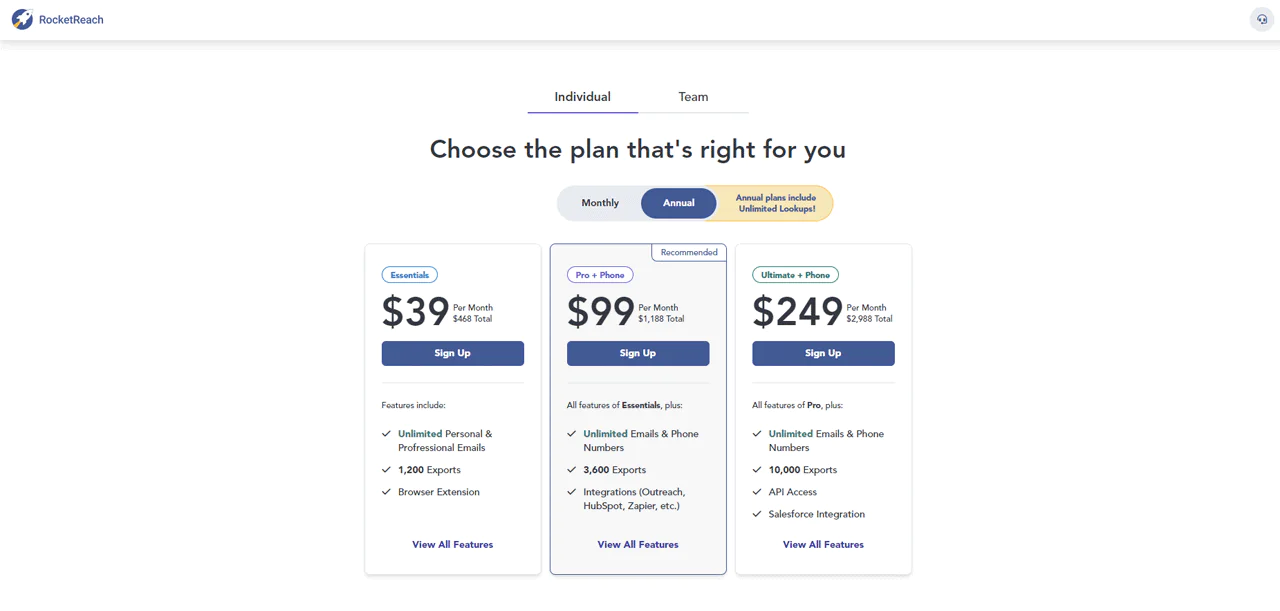
RocketReach tailors its offerings to everyone, from solo professionals to big teams, through three main pricing plans. Starting at $80 per month when billed yearly, the Essentials plan gives you limitless email searches and 1200 exports each year. It’s great for those who primarily reach out via email.
The article lists RocketReach’s Pro plan at $150 per month and describes it as including phone numbers, additional exports, and integrations. Verify current pricing, billing terms, and plan limits with the provider.
The article lists RocketReach’s Ultimate plan at $300 per month and describes it as including API access, up to 10,000 exports, Salesforce integration, and company insights. Confirm current pricing and limits directly with RocketReach.
The article mentions a 40% discount for an annual plan. Check the provider’s current offer and eligibility terms.
What Users Say About RocketReach?
- G2: 4.5 out of 5 (702 reviews)
- Capterra: 4.2 out of 5 (126 reviews)
“What do you like best about RocketReach?
I can check that my team are using the allocated lookups and that the data is flowing directly into our Salesforce CRM. The traffic light system that highlights the potential accuracy of the contact information is great. I really like how we can customise the CRM import into contacts or leads.
What do you dislike about RocketReach?
Sometimes it can be difficult to find contacts for smaller prospective companies or niche industries. Some industries have a high turnover of employees and Rocketreach may still only have the old contacts details.” – Steve M.
Is RocketReach Better than Kaspr?
RocketReach may suit teams looking for broad contact coverage, search features, and CRM integrations. Compare its current database coverage, integrations, and pricing with Kaspr’s.
Kaspr may suit individuals or small teams that want contact information while prospecting on LinkedIn. Check current coverage and data-quality information for your target market.
The article describes Kaspr as a straightforward LinkedIn prospecting tool. Confirm its current verification practices and feature set before choosing it.
Our Review of RocketReach
RocketReach offers a global contact database, according to the article. Check its current coverage for the countries, roles, and industries you plan to target.
The article highlights RocketReach’s search features and recommendations as potential aids to prospecting. Test these features against your team’s actual workflow.
That said, the wealth of features could be overwhelming for newcomers, and pricing might be a stretch for smaller teams. Even so, RocketReach can meaningfully advance outreach activities despite those challenges.
8. UpLead
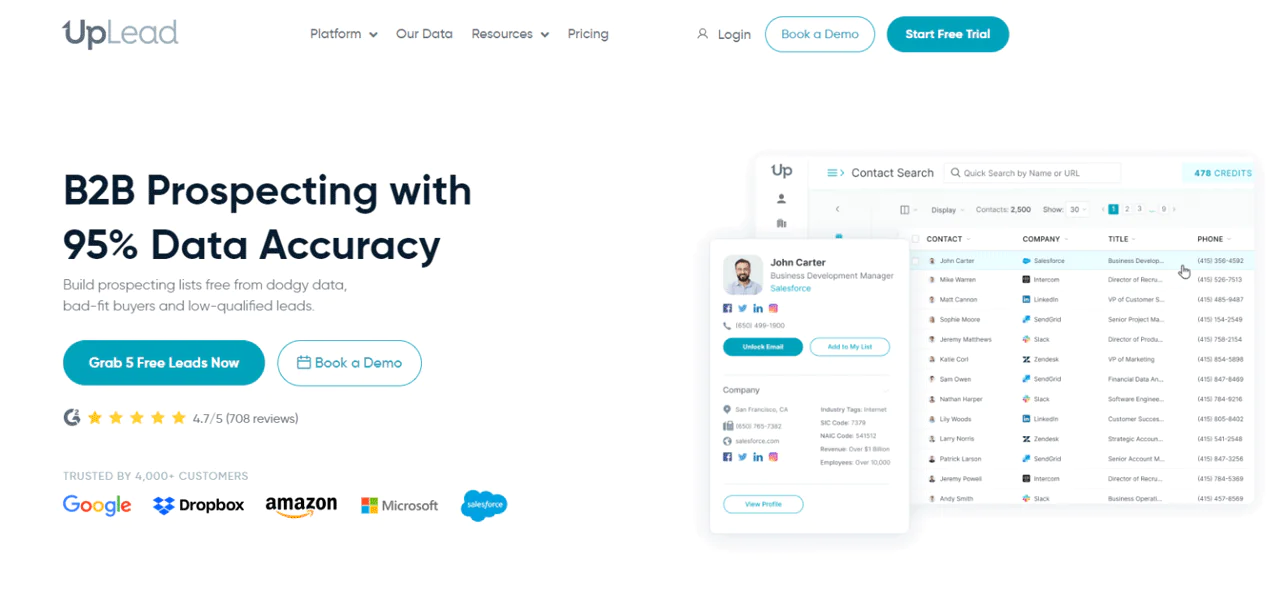
UpLead stands out for teams seeking high-quality B2B data solutions beyond what Kaspr offers. It reports a 95% data accuracy guarantee, backed by a massive database of verified contacts.
UpLead distinguishes itself with real-time email verification and a wide array of filtering options. Its smooth CRM integration capabilities also make it a valuable tool for sales and marketing professionals aiming to optimize prospecting.
Comparing UpLead with Snov.io shows UpLead leading with real-time data verification and a data accuracy guarantee. Snov.io, meanwhile, offers a full platform for lead engagement, including LinkedIn prospecting and email campaigns.
The choice between UpLead and Snov.io comes down to whether precise data accuracy or a multifaceted approach matters more.
About UpLead
- Founding year: 2017
- Founding team: Will Cannon
- Company Size: 51 to 200 employees
Key Features of UpLead
UpLead is a dynamic tool designed to transform the way businesses approach B2B prospecting and sales strategies. In addition to lead generation and outreach, it incorporates a suite of features.
- Real-Time Email Verification: UpLead ensures the accuracy of email contacts by verifying them in real time. This feature reduces bounce rates whether soft bounce or hard bounce and makes outreach more reliable.
- Prospector: With access to over 155 million contacts, UpLead’s Prospector allows you to search using more than 50 filters. It enables a highly targeted approach to finding the right prospects.
- Technographics: Tracking over 16,000 technologies, UpLead helps you identify companies using specific technologies. It’s vital for finding prospects that could be looking for your solution or are using competitor technologies.
- Chrome Extension: UpLead’s Chrome extension simplifies the process of gathering lead information from websites and LinkedIn profiles. It’s an invaluable tool for quick LinkedIn lead generation without leaving your browser.
- Data API: Offering a strong Data API, UpLead allows for the seamless integration of rich, verified data into your own applications or CRM. This feature supports a wide range of sales intelligence and lead enrichment initiatives.
- Data Enhancement: This service enriches your existing contact and company data with over 50 accurate data points. It’s designed to turn incomplete lists into comprehensive databases of sales opportunities.
Pros
- Highly accurate data boosts successful outreach efforts.
- Simplifies lead generation with targeted search options.
- Instantly verifies emails, increasing campaign effectiveness.
- Improves sales strategies with in-depth technology tracking.
- Ensures efficient data management and usage in CRMs.
Cons
- Comprehensive tools may present a steep learning curve.
Pricing
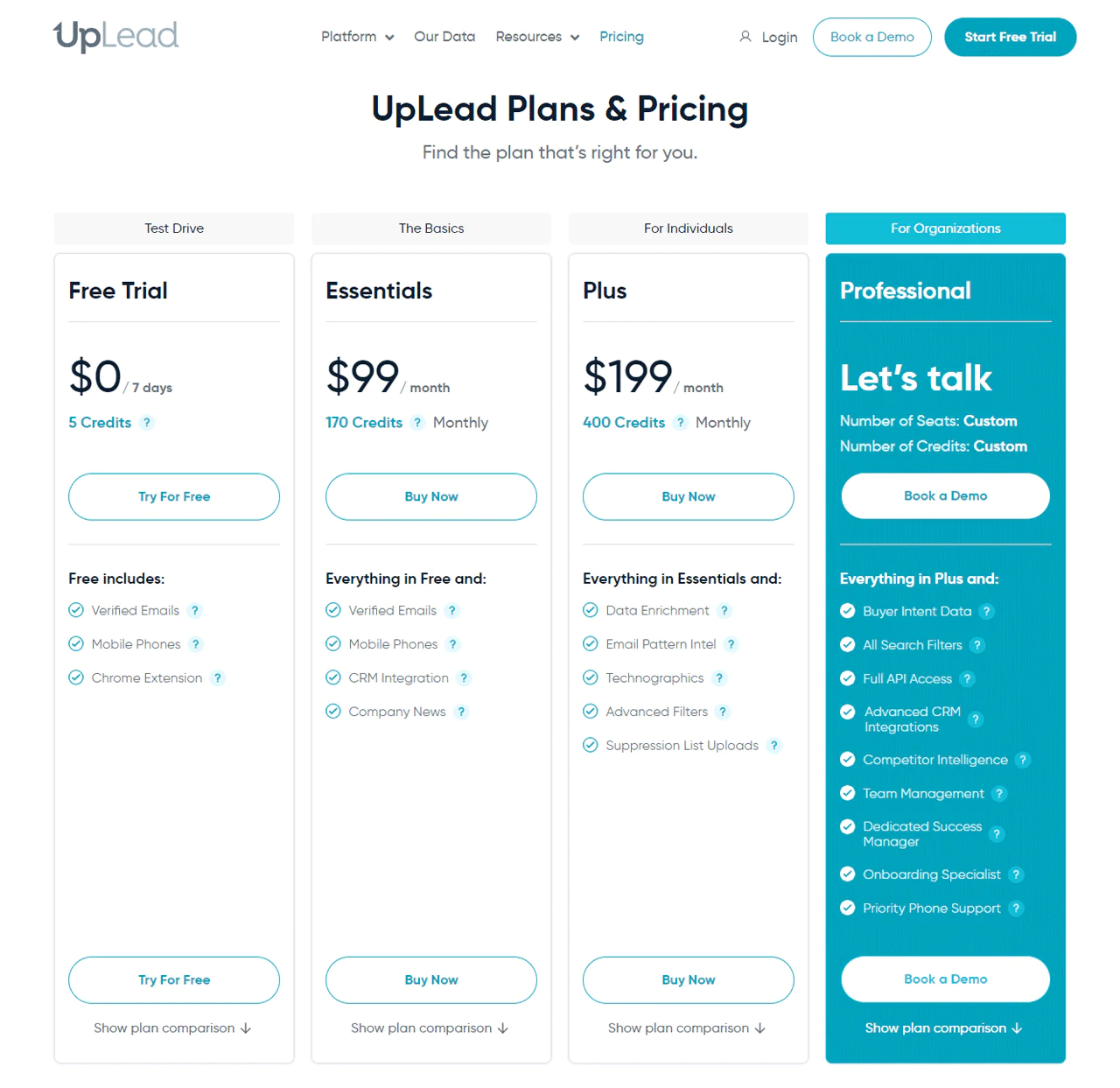
UpLead pricing plans that fit everyone, starting with a Free Trial to give you a glimpse of its features using 5 credits for a week. For those needing more, the Essentials plan costs $74 a month, offering 170 credits and basic services like verified emails and phone numbers.
If you require deeper insights, the Plus plan at $149 a month includes 400 credits plus extras like data enrichment and tech tracking. For large teams, the Professional plan provides detailed buyer data and API access to detailed credit numbers.
Regardless of your size or needs, UpLead has a plan designed to help you reach your sales goals more effectively.
What Users Say About UpLead
- G2: 4.7 out of 5 (747 reviews)
- Capterra: 4.7 out of 5 (74 reviews)
“What do you like best about UpLead?
Uplead is Value! Great lead quality (especially for the price), Company news, industry over views. Allows me to prospect for quality leads. No more relying on questionable sources.
What do you dislike about UpLead?
No downsides – there is so much information!” – avery M.
Is UpLead Better than Kaspr?
UpLead reports a 95% data-accuracy guarantee. Review the guarantee’s definition, scope, and current terms, and test data quality against your own target audience.
The article says Kaspr checks data against thousands of sources. Confirm the current sourcing and verification details with the provider.
Easy to use, it’s designed for teams in the US, Europe, and Asia who need to connect quickly and directly.
Our Review of UpLead
UpLead lists real-time email verification and prospecting tools, and reports a 95% accuracy guarantee. Review the guarantee’s terms and test its data quality for your use case.
The article describes UpLead as offering data enhancement and intent-data tools. Confirm current availability, plan requirements, and pricing with the provider.
UpLead is a powerful tool for companies that rely heavily on data, but it does require some learning and investment.
9. Apollo.io
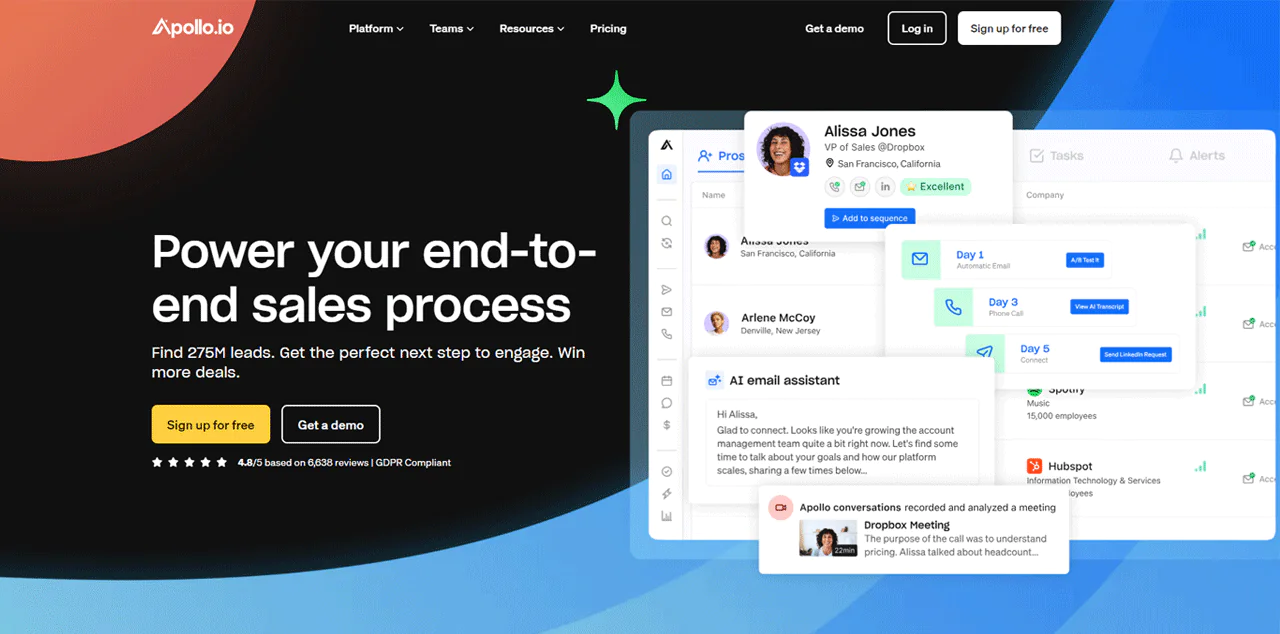
Apollo.io stands as a leading contender for a strong Kaspr alternative built around comprehensive sales intelligence. With access to over 275 million contacts and 73 million companies, Apollo.io helps fine-tune market approach.
Apollo.io combines prospect search, engagement, and CRM features, according to the article. Review its current product details and plan limits to see which functions your team needs.
Compared with Lead411, Apollo.io and Lead411 offer unique strengths in sales intelligence and data accuracy. Apollo.io’s wider feature range, larger database, and AI-enhanced tools make it stand out as a broad sales solution.
Lead411, by contrast, specializes in precise lead prospecting and enrichment, making it a solid choice for accurate sales triggers.
About Apollo.io
- Founding year: 2015
- Founding team: Tim Zheng
- Company Size: 501 to 1001 employees
Key Features of Apollo.io
Apollo.io is a sales intelligence and engagement platform built around customer engagement. Here’s a closer look at some of its standout features:
- Sales Intelligence: Apollo.io offers the largest B2B database with over 275 million contacts, enabling users to find leads using precise filters. With a continuously updated B2B contact database, you’ll always have the latest lead information.
- Engagement Tools: The platform offers a suite of engagement tools that include email sequencing, calling, and social media outreach. The tools are integrated into one seamless workflow, allowing for effective and personalized communication.
- Meeting Scheduler: Apollo.io simplifies the process of booking meetings with prospects. Its intelligent scheduling features reduce the back-and-forth, finding the best time for both parties and integrating easily with your calendar.
- Deal Management: The close feature simplifies deal management through AI-powered insights, offering sales teams actionable recommendations. It offers a clear view of the sales pipeline and helps in making informed decisions to close deals faster.
- Chrome Extension: The Apollo Chrome Extension enables sales professionals to access lead data directly from LinkedIn, Gmail, and other platforms. This feature ensures that valuable contact information is just a click away, no matter where you are working online.
- Data Enrichment: Apollo.io enriches your CRM with up-to-date data, maintaining a healthy database that your team can rely on. It automatically updates contact and account information, keeping your sales efforts informed by the latest data.
Pros
- Saves time by managing sales tasks in one place.
- Cuts down on back-and-forth when setting up meetings.
- Increases the likelihood of closing deals with smart analytics.
- Gives instant lead information while browsing online.
- Keep your customer data up-to-date effortlessly.
Cons
- Might overwhelm those new to sales automation tools.
Pricing
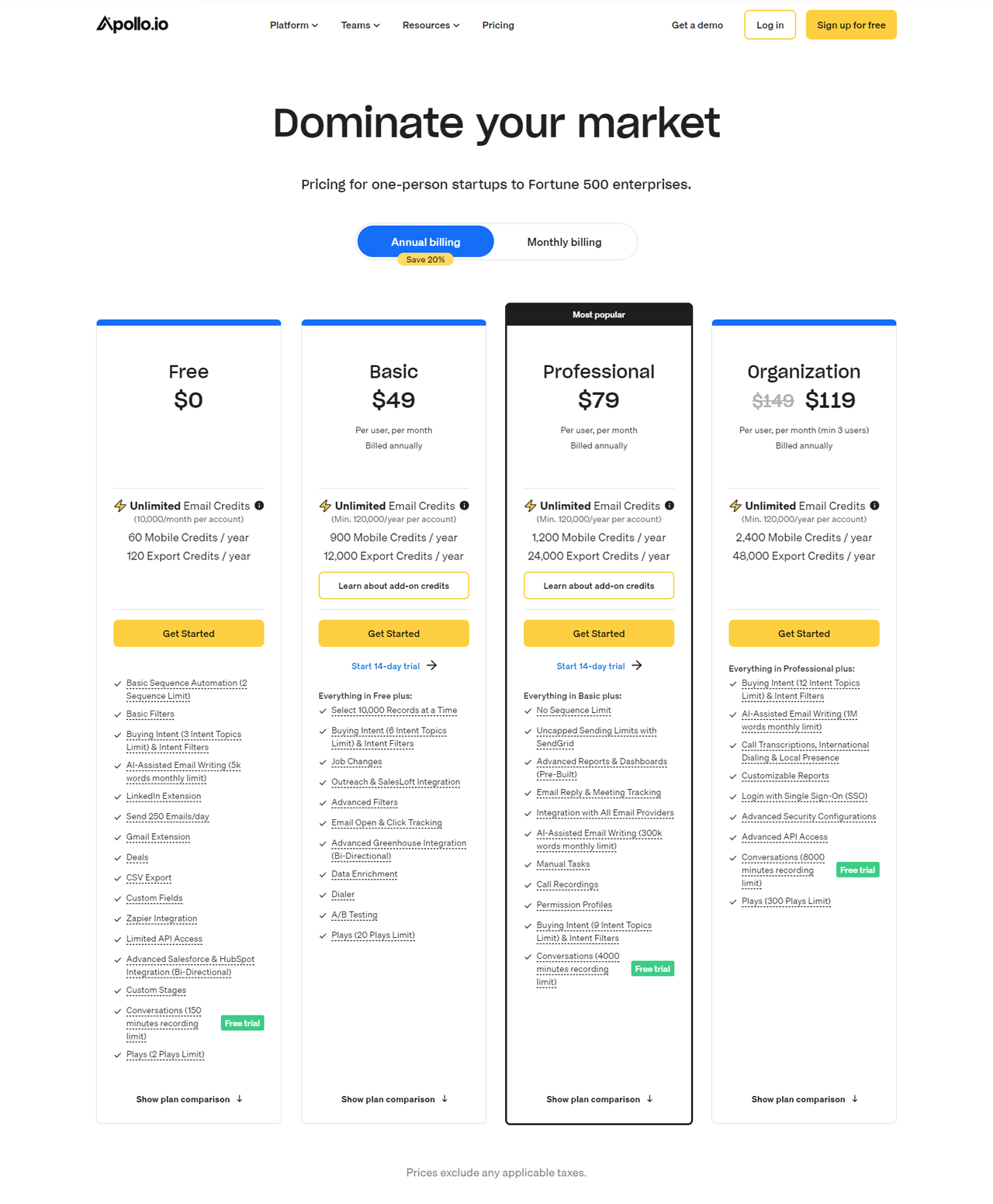
Apollo.io’s pricing options are designed to grow with you, from solo ventures to large-scale operations. Start for free and enjoy key features like up to 10,000 email credits monthly, basic sequence automation, and LinkedIn integration—great for those just dipping their toes in.
At $59 a month, the Basic plan broadens your reach with more credits, job change alerts, and key integrations, making it a good fit for small teams looking to expand.
Professional’s $99 plan delivers advanced features for serious growth, including unlimited sequences and advanced analytics tailored to driven salespeople.
For teams of three or more, the Organization plan at $149 per user each month is the pinnacle of what Apollo.io offers, from call transcription to advanced security.
What Users Say About Apollo.io?
- G2: 5 out of 5 (6,872 reviews)
- Capterra: 4 out of 5 (338 reviews)
“What do you like best about Apollo.io?
Email tracking, easy-to-use data enrichment, and easy-to-use search filters to find based on your ICP( Ideal customer profile).
What do you dislike about Apollo.io?
Honestly, there’s nothing I dislike about Apollo io, but if I had to get picky, it would not have a feature to request and verify phone numbers. Cognism has that feature but had terrible data quality, but that was a good feature in theory with them.” – Isaiah M.
Is Apollo.io Better than Kaspr?
Apollo.io may suit companies seeking sales intelligence and lead-engagement features in one platform. Compare its current contact coverage, automation tools, and pricing with Kaspr’s.
The article describes Kaspr as supporting LinkedIn-focused prospecting and real-time data checks. Verify current features and terms with the provider.
If a straightforward tool that improves LinkedIn prospecting without needing a huge database is what you’re after, Kaspr is the better bet.
Our Review of Apollo.io
Apollo.io combines contact search and sales-engagement features. Evaluate its current database coverage and workflow tools against your team’s needs.
Standout features like smart lead scoring powered by AI and detailed buyer information help identify and target high-value customers. That said, Apollo.io can be a bit challenging for smaller or budget-conscious teams given its pricing and learning curve.
Despite those hurdles, Apollo.io is a powerful tool that can meaningfully increase sales efforts, worth weighing carefully against your team’s size and budget.
10. Lead411
Lead411 ranks as a standout choice for sales intelligence and prospecting compared with Kaspr. It delivers a rich mix of quality data, including growth intent signals and actionable sales triggers.
That combination lets businesses efficiently pinpoint and engage potential leads. Detailed contact information supplemented with company growth insights helps you reach the right people.
Both Lead411 and UpLead offer contact data and enrichment features, according to the article. Lead411 is described as adding growth and intent signals; confirm current data coverage and availability with each provider.
UpLead, meanwhile, offers an extensive B2B database and data accuracy guarantees, suited to those who value a broad range of verified contacts. The right choice depends on whether targeted insights or a comprehensive database matters more.
About Lead411
- Founding year: 2001
- Founding team: Tom Blue
- Company Size: 11 to 50 employees.
Key Features of Lead411
Lead411 is a powerful sales and marketing tool in the B2B data provider sector. With a focus on simplicity and effectiveness, here’s an overview of its core features:
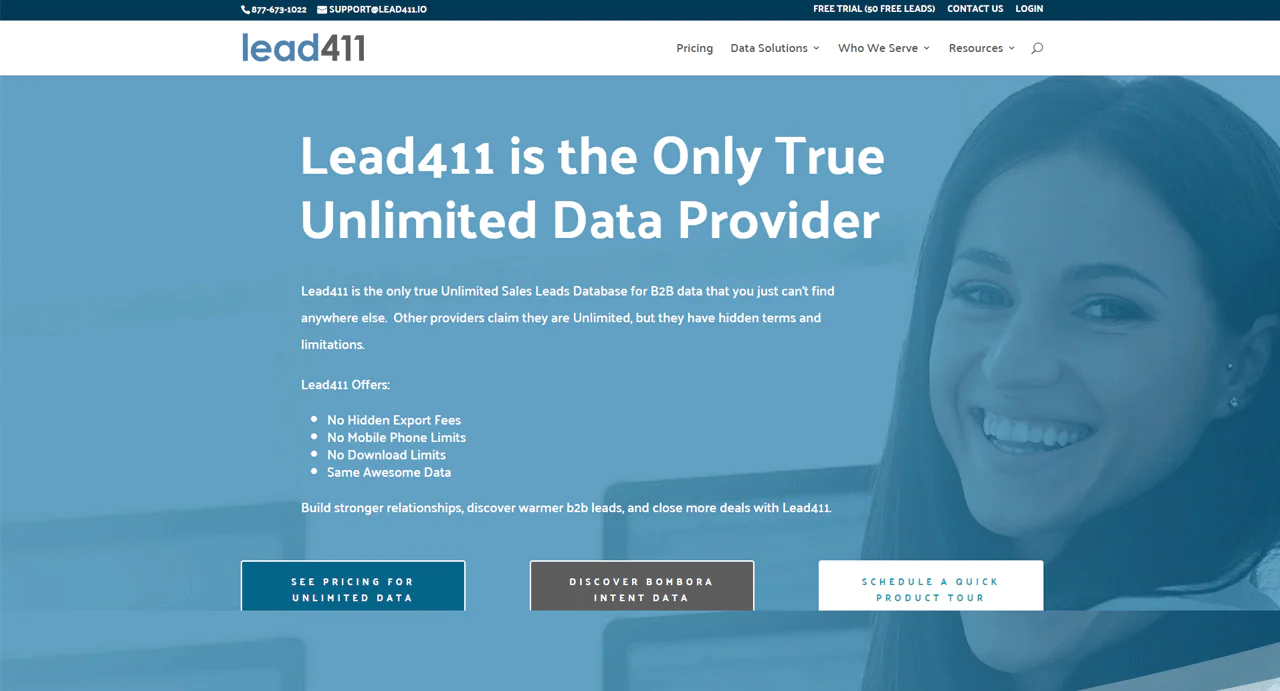
- Unlimited Sales Leads: Lead411 provides access to an unlimited database of B2B sales leads. Using this feature, you can access a large number of potential contacts without worrying about hitting a cap.
- Intent Data: The platform includes intent data, which gives insights into the purchasing intentions of potential leads. Data like this helps market and sales efforts target prospects who are actively looking for solutions.
- Lead Scoring: Lead411 scores leads based on growth indicators, helping you prioritize prospects likely to convert. Companies displaying multiple growth signals receive higher scores, indicating they are ripe for outreach.
- B2B Direct Dials: You get access to double-verified B2B direct dials, both mobile and office numbers. For sales teams, this feature ensures they spend time reaching out to accurate and current numbers.
- Sales Engagement Reach: This tool enables the creation of email, phone, and SMS outreach campaigns directly from the Lead411 platform. From prospect discovery to nurturing leads, it simplifies the sales process.
- Contact Enrichment: Lead411 can enrich existing contact data, ensuring CRMs are always updated with the most accurate and comprehensive information. This feature supports sales teams by providing all necessary data for meaningful sales conversations.
- Data Verification: Lead411 prides itself on offering data that is re-verified every 90 days, maintaining a 96% deliverability rate. The rigorous verification process ensures that businesses’ outreach efforts are backed by the highest quality data.
Pros
- Reduces the risk of engaging with outdated or irrelevant contacts.
- Saves time by prioritizing high-value leads for immediate follow-up.
- Increases successful connection rates with accurate contact information.
- Simplifies lead management and outreach with integrated tools.
- Offers peace of mind with consistently reliable data quality.
Cons
- Subscription costs can be steep for early-stage companies.
Pricing
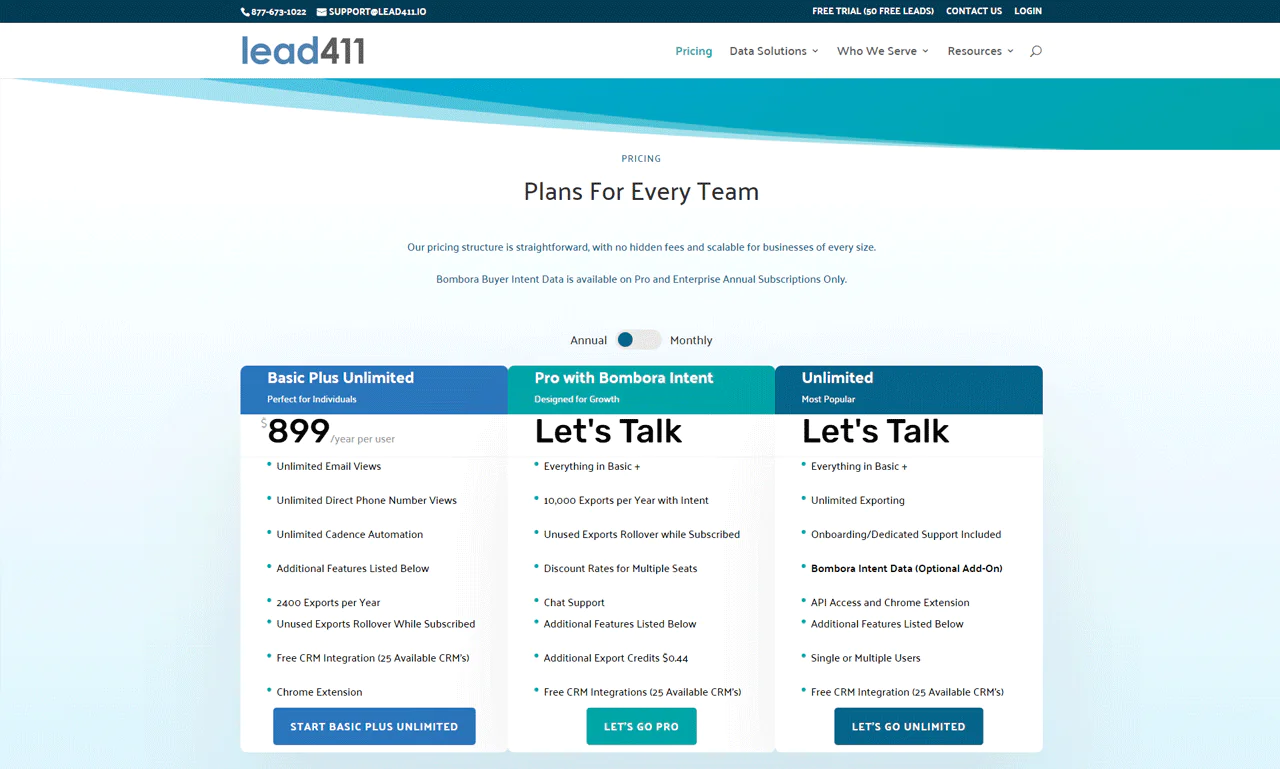
Lead411 has various pricing options to suit everyone, from solo professionals to large teams. Start with the 7-day Free Trial, which lets you try out 50 exports at no cost. You’ll get verified emails, direct phone numbers, and much more. If you need more, each additional export is just $0.50.
The article lists Lead411’s Basic Plus Unlimited plan at $99 per user per month, with 200 monthly exports and more than 25 CRM/SaaS integrations. Verify current pricing, export limits, and integration availability.
The article describes Lead411’s Enterprise Limited plan as having flexible exports and outreach automation, with an export price of $0.40. The wording does not clearly explain the pricing unit; request an itemized quote and confirm current terms.
The article says Bombora intent data is available with Lead411 annual plans. Confirm current plan requirements and pricing with the provider.
What Users Say About Lead411?
- G2: 4.5 out of 5 (433 reviews)
- Capterra: 4.6 out of 5 ( 60 reviews)
“What do you like best about Lead411?
Lead411 an attractive option for prospects looking for a reliable, user-friendly, and comprehensive sales intelligence platform to support their business development and marketing efforts. Easy if implementation, customer support are great.
What do you dislike about Lead411?
Accuracy of its contact information, not all records are updated timely. More frequent updates to the database to ensure all contact details are current would improve the user experience.” – Donald H.
Is Lead411 Better than Kaspr?
Lead411 is a top pick for companies that need rich data and precise marketing tools, with a wide-ranging database of up-to-date contact info and sales triggers like job changes and tech use.
That makes it useful for targeted marketing efforts and gaining an edge in lead identification and engagement.
Kaspr, on the other hand, is ideal for those who value speedy access to contacts through LinkedIn. It quickly delivers emails and phone numbers, catering to professionals eager to boost social selling.
Kaspr’s focus on fast, straightforward data access suits anyone looking for efficient prospecting, a real advantage when time is tight.
Our Review of Lead411
Lead411 is described as offering B2B contact information and sales signals such as job changes and company growth. Check current coverage and update frequency for your target market.
Its ability to deliver the right data at the right time helps outreach hit the mark more consistently. That said, getting used to the extensive information Lead411 offers might take a moment, especially for new users.
And while its advanced features are useful, they come at a cost that may not fit every budget. Overall, Lead411 combines detailed data with user-friendly features to help businesses fine-tune sales and marketing efforts.
How to Choose the Best Kaspr Alternatives for Your Business
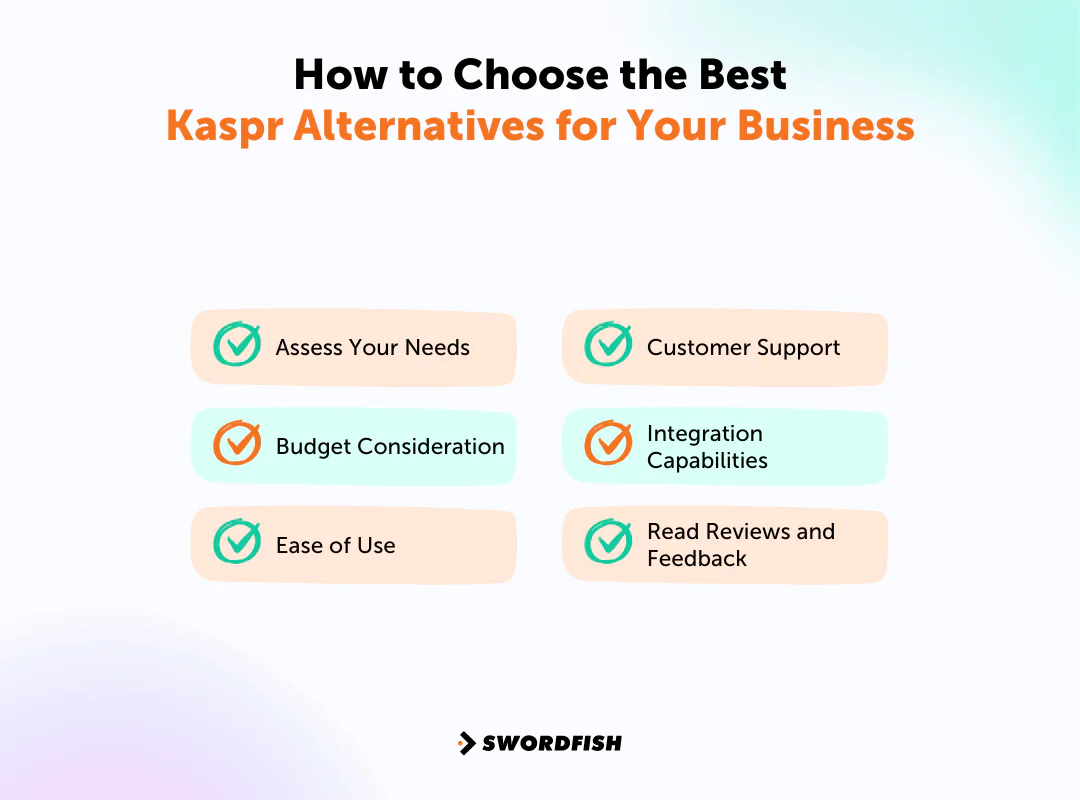
To choose a Kaspr alternative, compare providers against a short list of practical requirements.
Assess Your Needs
Start by identifying your requirements: lead volume, data coverage and validation, integrations, and ease of use. Prioritize the capabilities your team will use rather than choosing based on the longest feature list.
Budget Consideration
Set a realistic budget for the tool. Look for alternatives that offer good value within your price range; the most expensive option isn’t automatically the best. Aim for a balance between cost and the features your team will actually use.
Ease of Use
Pick a tool with a clear interface and straightforward functions. That makes it easier for your team to adopt quickly and cuts down on training time.
Customer Support
Check the support channels and service terms available to your team. Support options and response commitments can vary by provider and plan.
Integration Capabilities
Check whether the tool integrates well with the CRM and other software you already use. Seamless integration saves time and avoids the friction of manual data transfer between systems.
Read Reviews and Feedback
Read recent reviews alongside product documentation. Reviews can highlight user experiences, but they may not reflect your team’s use case or the provider’s current product.
So, What’s The Best Kaspr Alternative?
Swordfish AI is one option to compare if your team needs direct phone numbers and email addresses. Assess its data coverage and verification claims against your requirements.
The article says Swordfish AI validates contact data in real time and offers a Chrome Extension. Confirm the current feature scope, pricing, and support terms with the provider.
The options serve different potential needs: Swordfish AI for direct contact data, ZoomInfo for market and company information, Snov.io for email campaigns, and Hunter.io for email finding and verification. Compare current features, pricing, and data coverage before choosing.
Conclusion
Key factors when evaluating lead-generation tools include the types and volume of data you need, your budget, data sourcing, and integration with your existing systems.
Compare providers’ data coverage, validation practices, and bulk-processing limits. These can vary by product and plan, so check current documentation and terms.
The article describes Swordfish AI as offering email verification, prospecting, a Chrome Extension, and API access. Confirm current availability and plan requirements with the provider.
Compare the options against your use case and verify current product details before deciding.
FAQs
Can I find free Kaspr alternatives?
Yes. There are free Kaspr alternatives available, generally with more limited features compared to paid tiers, but suitable for basic needs or small-scale projects.
How secure are Kaspr alternatives?
Security is a priority for most established Kaspr alternatives. They typically include data protection measures like encryption and secure servers to keep information safe, though it’s worth checking each vendor’s specific compliance certifications before relying on them for sensitive data.
Can Kaspr alternatives improve my sales process?
They can. By providing enriched data and lead generation tools, these alternatives help target the right customers more precisely, which tends to improve both process efficiency and close rates.

