


 View Products


Key takeaways
- A reverse lookup, search engine, social profile, or CRM enrichment feature may provide clues about an email address, but results can be incomplete or inaccurate.
- A name or profile photo shown by a Google account is not proof that the account holder sent a particular email.
- An email domain can suggest an organization’s association, but it does not establish that the sender represents that organization.
- Email headers do not necessarily reveal the sender’s own IP address, and an IP lookup cannot establish a person’s identity or precise location.
- For suspicious messages, verify claims through a separate trusted channel and do not click links or share sensitive information before confirming the sender.
Last updated: September 3, 2026
An unfamiliar email lands in your inbox and something about it doesn’t sit right. Maybe it’s a name you don’t recognize, a domain that looks slightly off, or a message asking you to click a link. Figuring out who actually sent it matters more than curiosity — it’s often the first line of defense against fraud.
You can find the owner of an email address through reverse email lookup tools, CRM enrichment features, browser extensions, social media searches, plain Google searches, IP address tracing, or by contacting the company tied to the email domain. Each approach fits different situations, and using more than one usually gets you a clearer answer.
Below, we walk through each method, when it works best, and where it falls short.
Why Find the Owner of an Email Address?
Business email compromise (BEC) scams rely on impersonation — someone poses as an executive, vendor, or client and asks for a wire transfer or sensitive data through a spoofed or lookalike address. These schemes are convincing precisely because they mimic real communication patterns.
The average cost of a data breach reached USD 4.88 million in 2024, up from USD 4.45 million the year before, marking the largest single-year increase since the pandemic. Healthcare organizations have seen the costliest breaches of any industry for 14 years running, with average costs reaching USD 9.77 million. For a healthcare-adjacent business handling provider contact data, that context matters: verifying who’s really behind an email isn’t just good hygiene, it’s a basic safeguard against costly incidents.
If you’re new to online security, you might also come across terms like what’s virtual private network (VPN) — tools that help mask IP addresses and make tracing online activity harder.
Beyond security, confirming email ownership has practical business benefits:
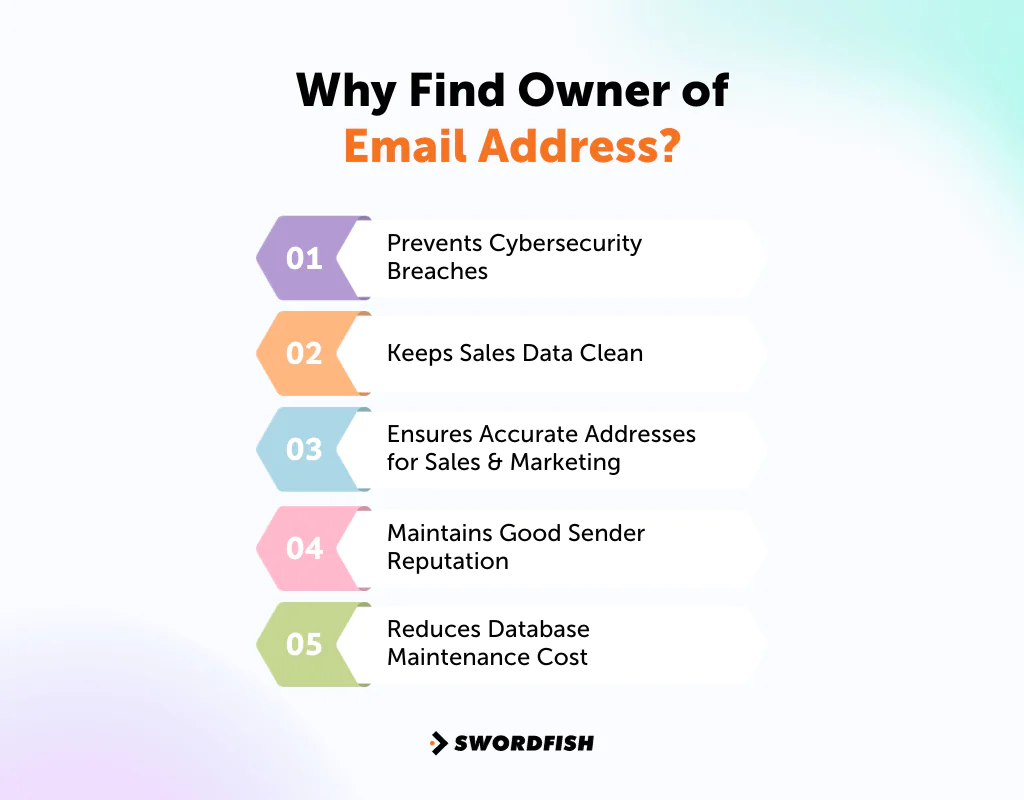
Prevents Cybersecurity Breaches
Phishing is a common way attackers try to gain access to accounts or information. Checking a sender’s identity before replying or clicking can help you assess whether a message is legitimate, but a lookup result alone does not prove who sent it.
Keeps Sales Data Clean
Email addresses are core identifiers for leads and customers. They drive outreach, nurturing sequences, and offers — so keeping that data accurate directly affects campaign performance.
Ensures Accurate Addresses for Sales & Marketing
Personalized outreach takes time to write. If the address bounces or belongs to the wrong person, that effort is wasted. Checking ownership before sending protects the work you’ve already put in.
Maintains Good Sender Reputation
Email providers and ISPs assign sender reputation scores that influence deliverability. A cleaner, verified contact list helps keep more of your emails out of spam folders.
Reduces Database Maintenance Cost
Every contact in your database costs something to store and email. Removing invalid or unverified addresses trims your list down to people who actually receive your messages, which lowers campaign costs over time.
How to Find Owner of Email Address in Gmail for Free
If the sender used their real name on their Google account, a Google Calendar sharing flow may sometimes display account details. This is only a clue, not proof of the sender’s identity:
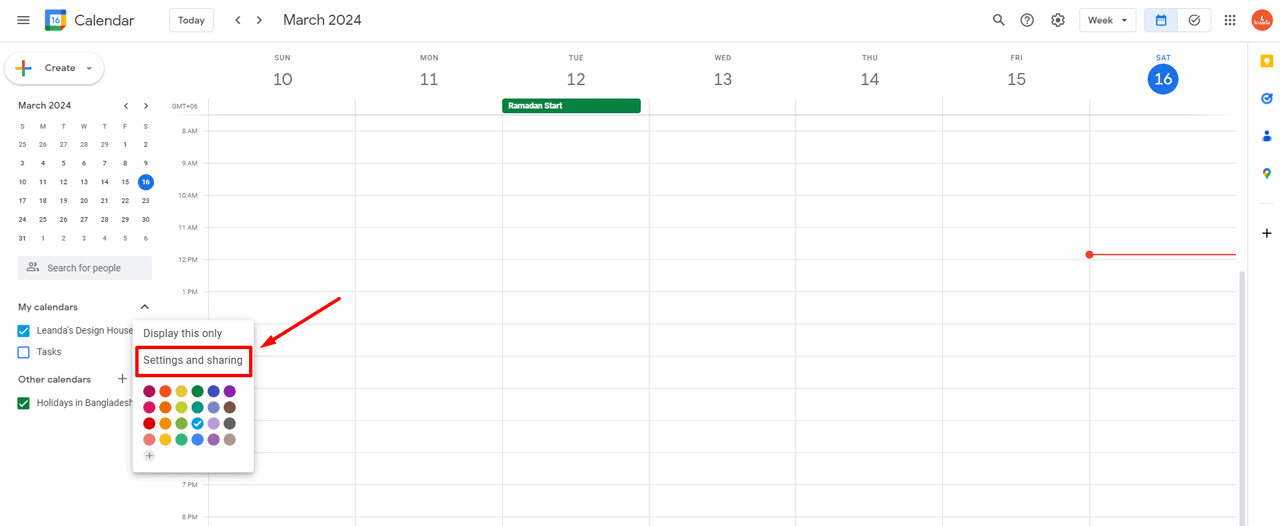
1. Go to ‘share with specific people.’
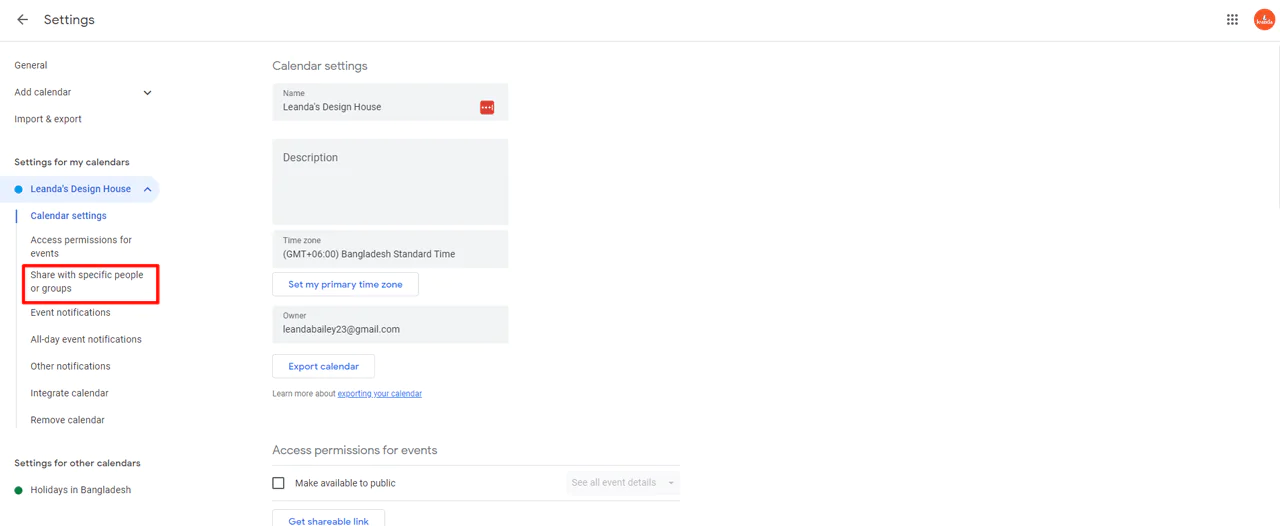
2. Click ‘add people.’
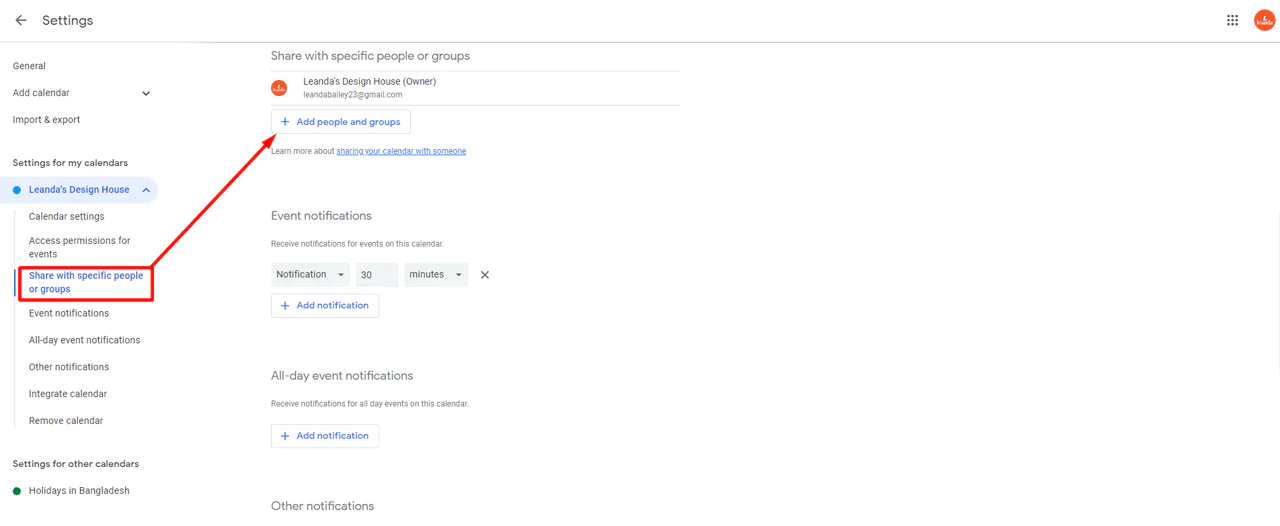
3. Type in the Gmail address.
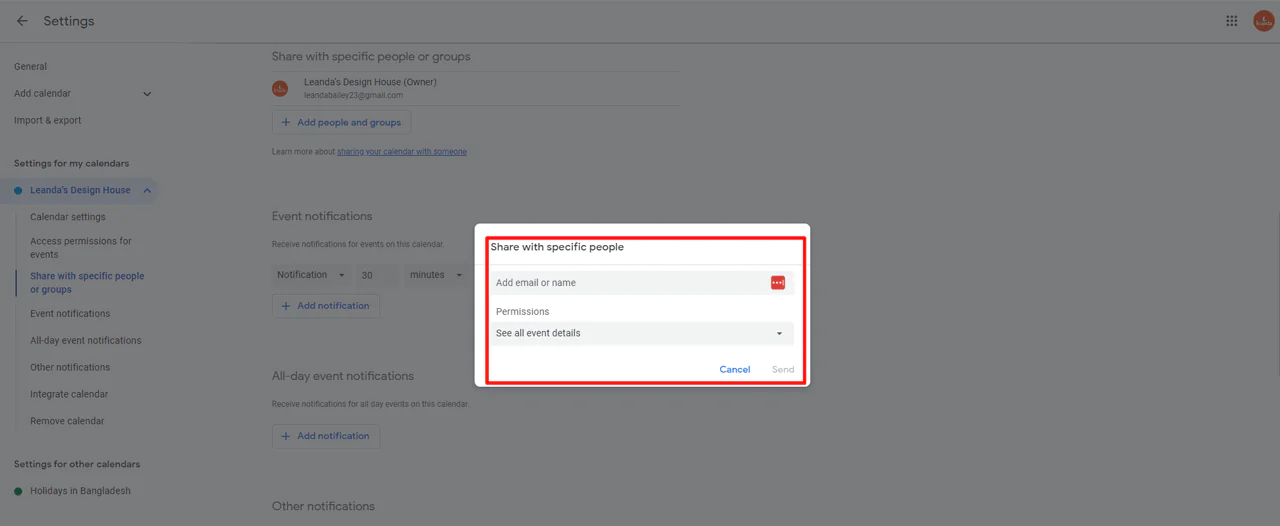
If Google recognizes the address, it may display account details such as a name or profile photo. These details may be incomplete or inaccurate and do not independently verify who sent the email.
This works only if the person shared their real name on their Google account. For a more thorough search, the methods below go deeper.
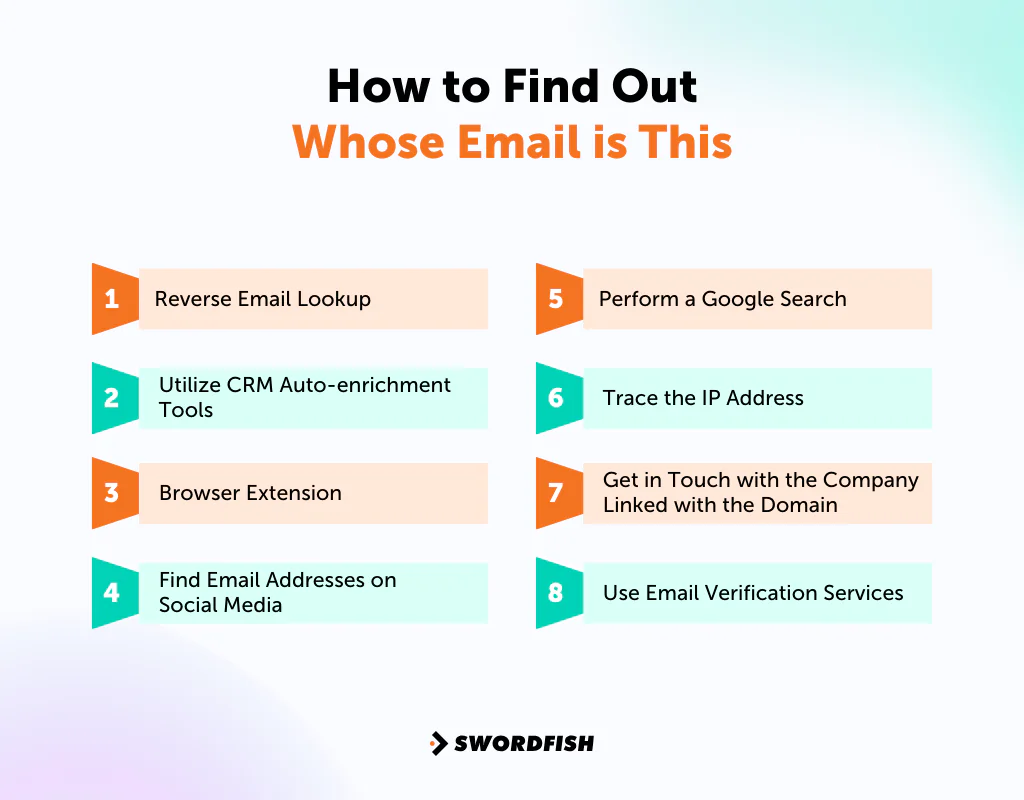
How to Find Out Whose Email is This
Not every email is what it claims to be. Some are designed to trick you into handing over money or information, so it pays to be cautious before replying to anything unfamiliar.
Here are several methods for identifying who’s behind an email address:
1. Reverse Email Lookup
If you want to check email ownership across multiple sources at once, a paid tool like Swordfish AI can save considerable time.
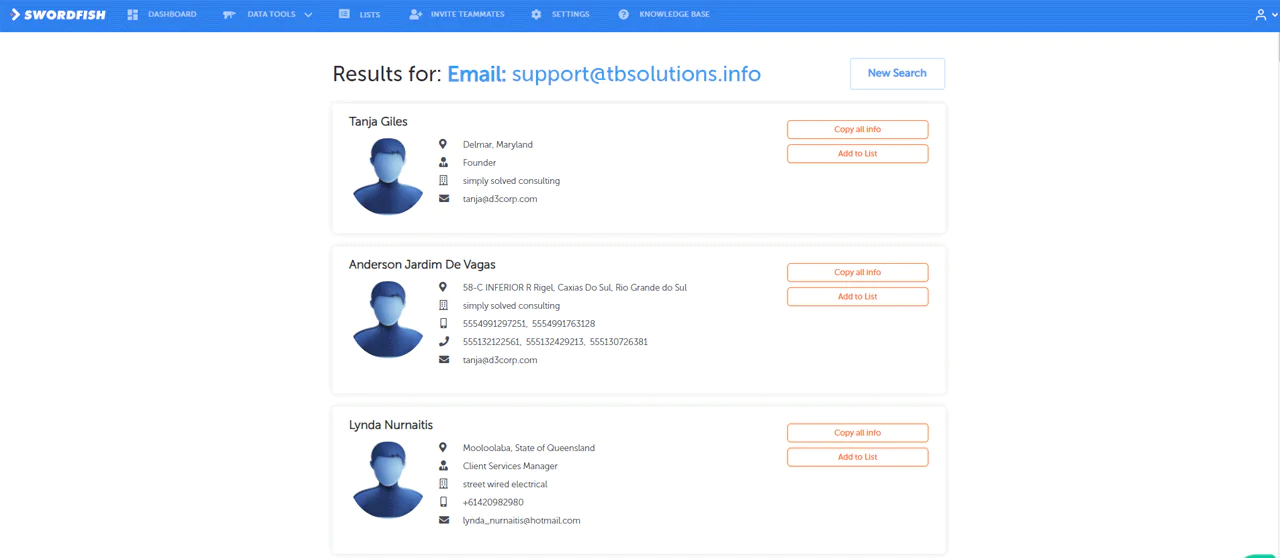
Swordfish AI describes its reverse-search feature as a way to look up an email address against its data and return available contact details, such as a name, company, or phone number. Results depend on what information is available, and any match should be independently checked.
Here’s how it works:
- Go to the Swordfish AI Reverse Search webpage.
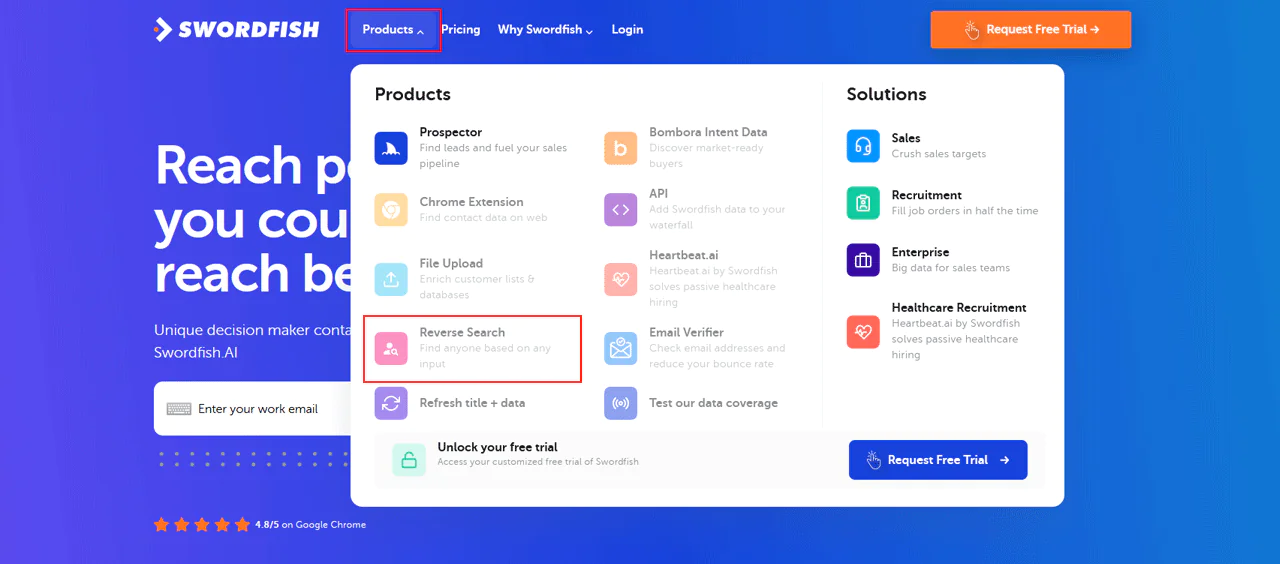
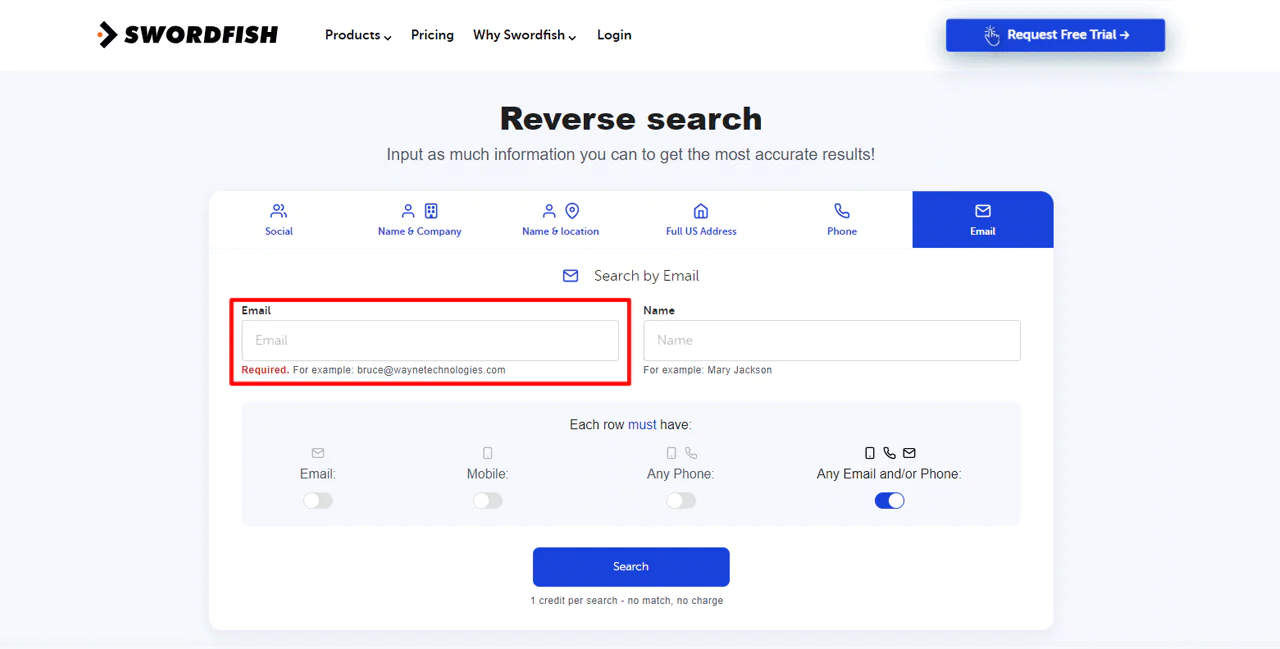
- Choose ‘Email’ from the list of choices.
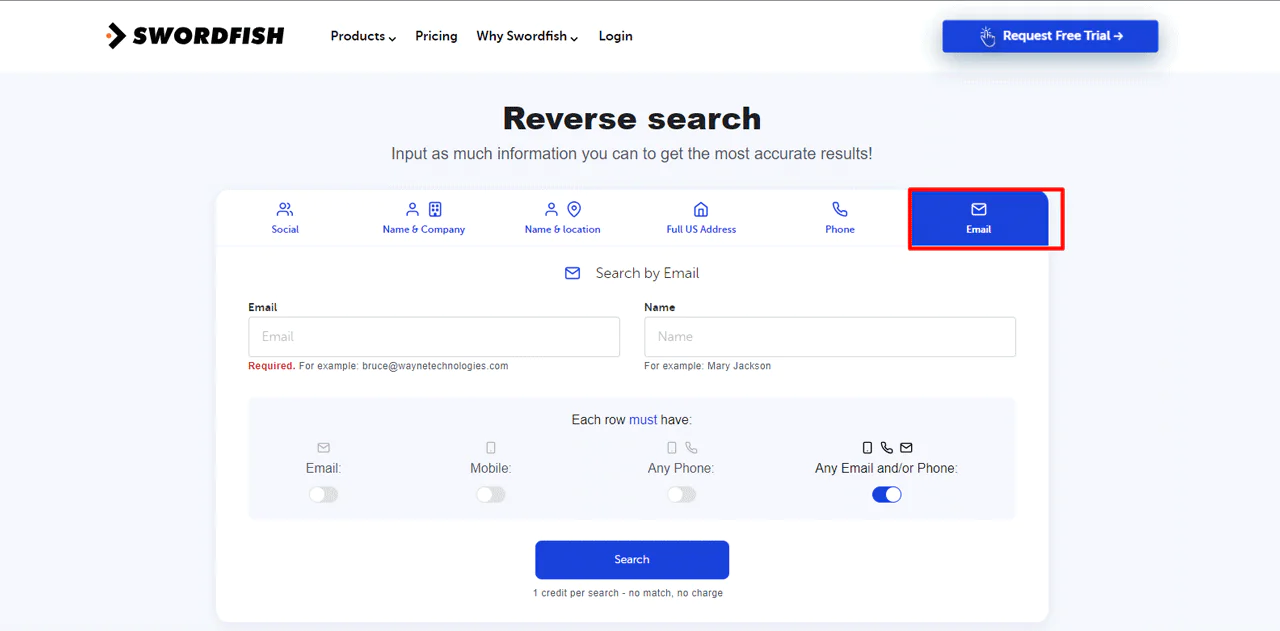
3. Type in the email address and press search.
- Swordfish AI will then show you any contact information it has.
You can also find names with email addresses using this same feature — useful when you’re trying to reach a specific person, confirm their identity, or expand a professional network.
2. Utilize CRM Auto-enrichment Tools
Some CRM platforms offer contact-enrichment features, but the available sources and functions vary by product and plan. Check the provider’s documentation to see what a particular feature searches and how it updates contact records.
You can also pair this with a contact finding tool to locate accurate professional email addresses more efficiently.
A CRM may automate some contact lookups, but it cannot guarantee that a match is current or identifies the sender. Review enriched records before relying on them or using them for outreach.
3. Browser Extension
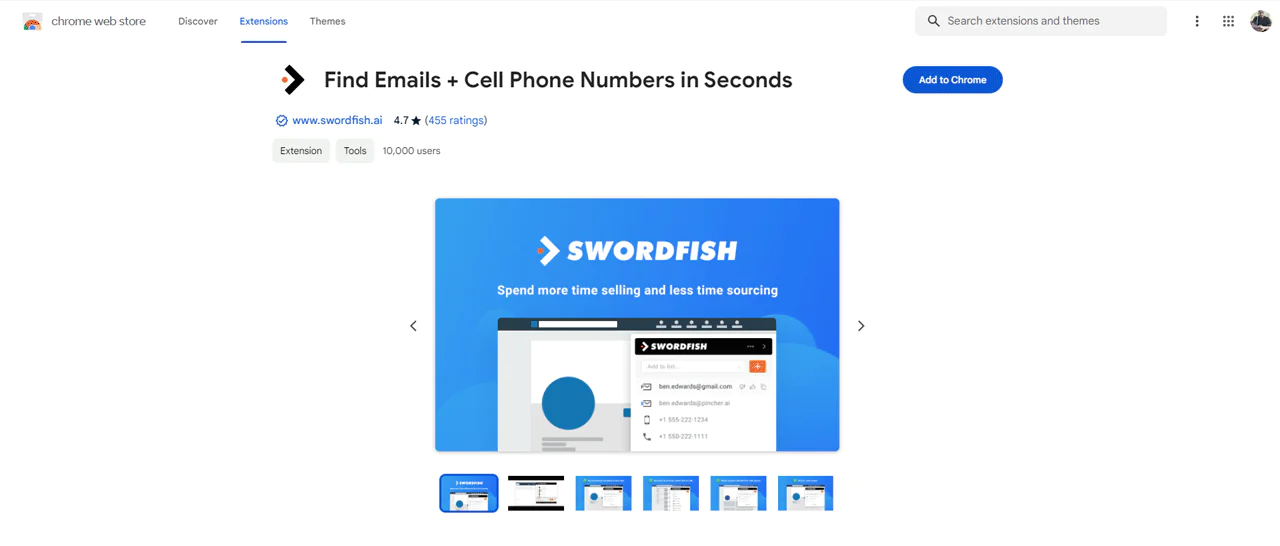
For Chrome users, a browser extension like the Swordfish AI Chrome Extension offers a fast way to check who owns an email — plus details like job title, company, phone number, and social profiles.
Here’s how to use it:
1. Search for the extension on Google.
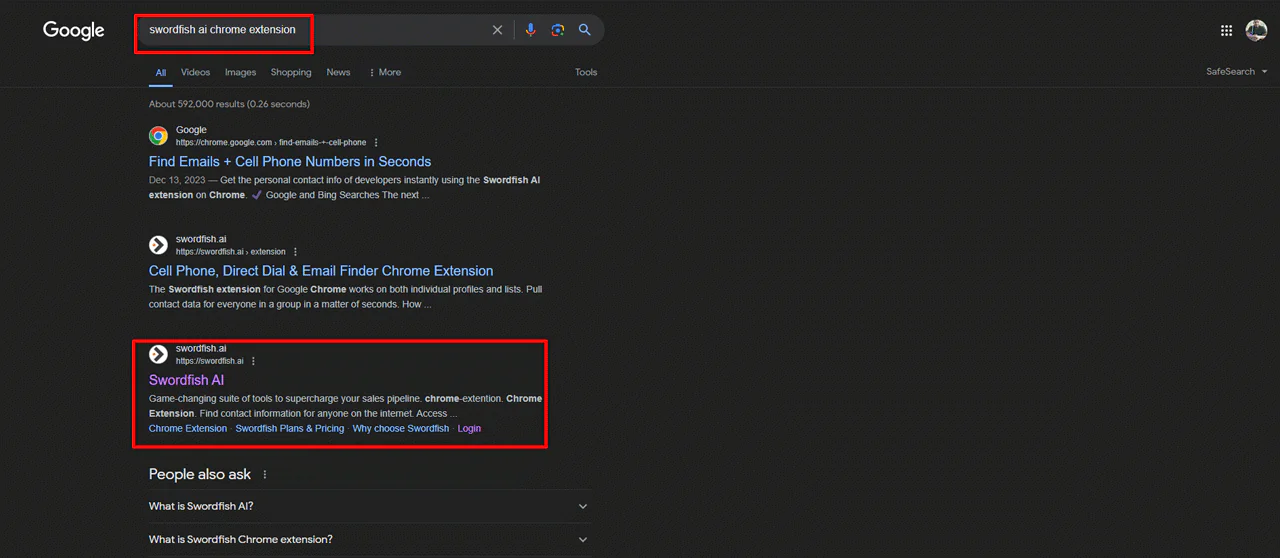
2. Install it on your Chrome browser.
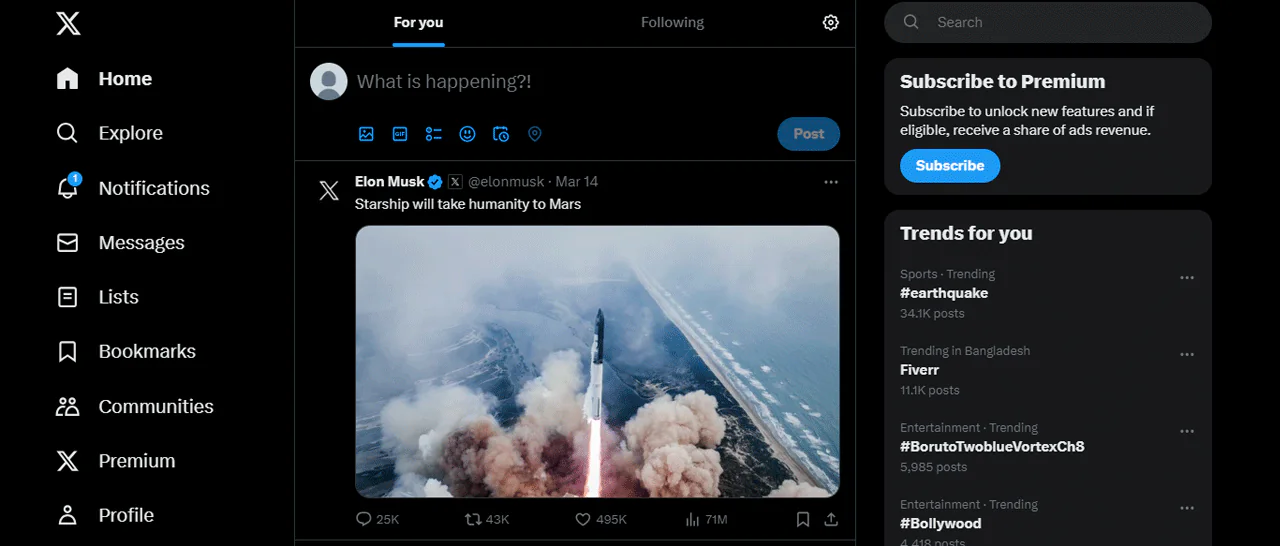
3. Then, visit a profile on Instagram, Twitter, or LinkedIn.
4. Next, click on the icon on the bar.
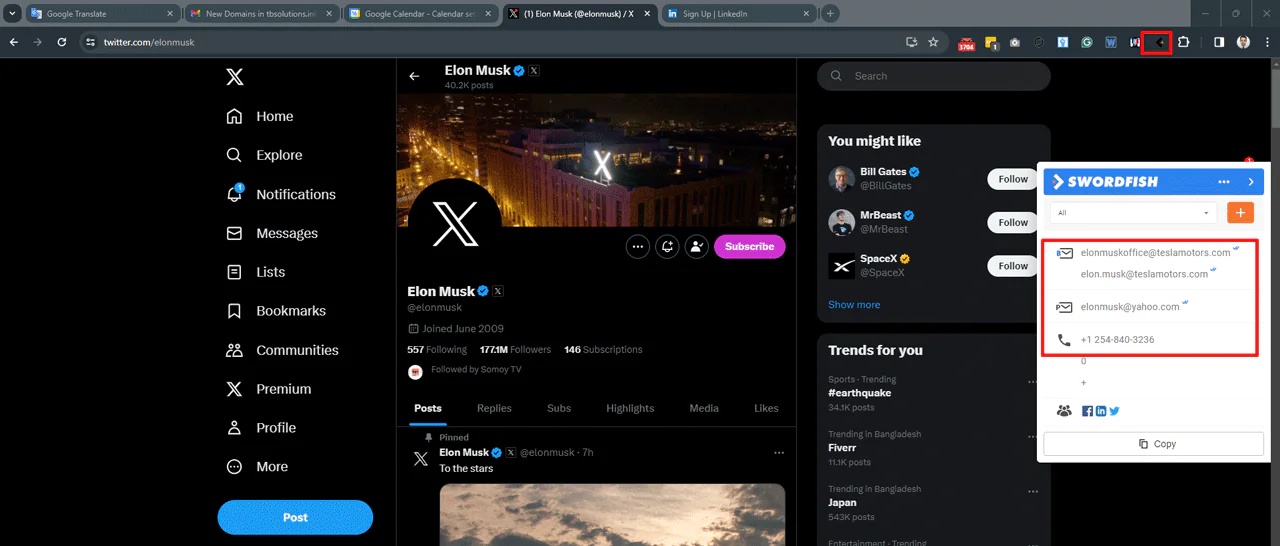
5. The extension will automatically scan the profile and pull up any available public information.
4. Find Email Addresses on Social Media
People sometimes list their email publicly on social profiles. If you’re targeting consumers, search Facebook to see if a matching profile surfaces. If you’re targeting businesses, you can use LinkedIn for someone’s email address, since many professionals list a work email directly on their page. Always confirm the address matches your intended contact before reaching out.
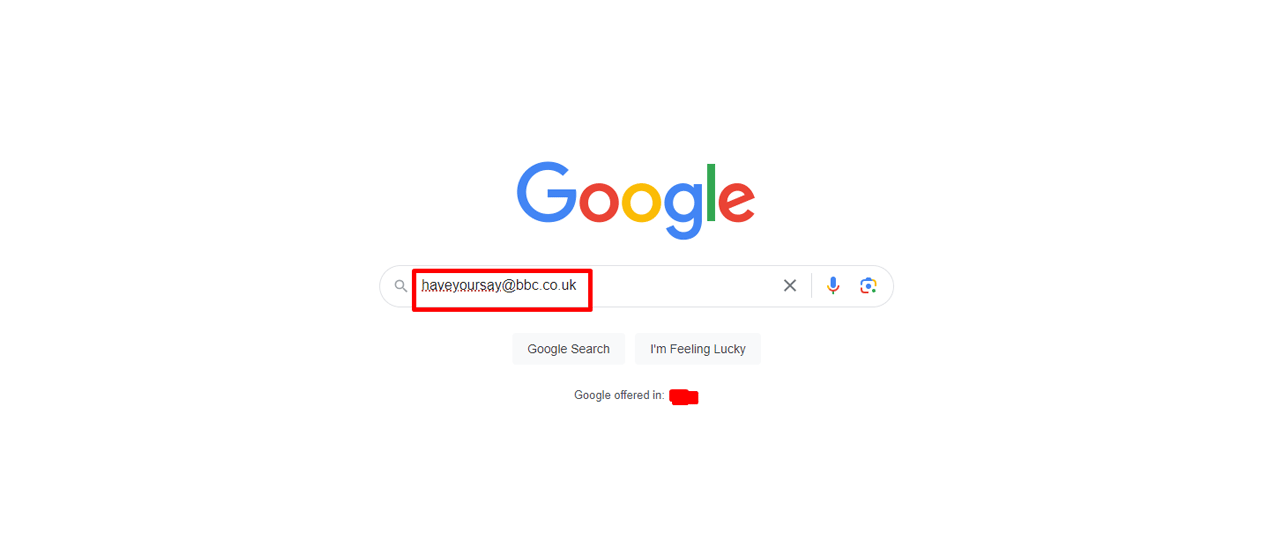
5. Perform a Google Search
A plain Google search of the email address can surface online profiles, forum posts, or blog mentions tied to that account — often enough to identify an unfamiliar sender. If Google doesn’t turn up anything useful, Bing offers similar search coverage, and DuckDuckGo provides a privacy-focused alternative without ad tracking. For outreach that extends beyond a single lookup, understanding the LinkedIn Sales Navigator fee structure can help you plan broader prospecting efforts.
6. Trace the IP Address
Email headers can help with security investigations, but they do not necessarily reveal the sender’s own IP address. Messages may pass through mail servers or other services, and providers may omit or obscure originating network details. Header interpretation can be technical; an IP lookup generally gives an approximate network location, not a person’s identity or precise whereabouts.
Open the message options and locate the email header. Somewhere in that header is the sender’s IP address. Take that IP and run it through a tool like whatismyip.com to see roughly where the email originated. This method has a real limitation: if the sender used a VPN, the IP will point to the VPN server’s location, not the sender’s actual whereabouts.
7. Get in Touch with the Company Linked with the Domain
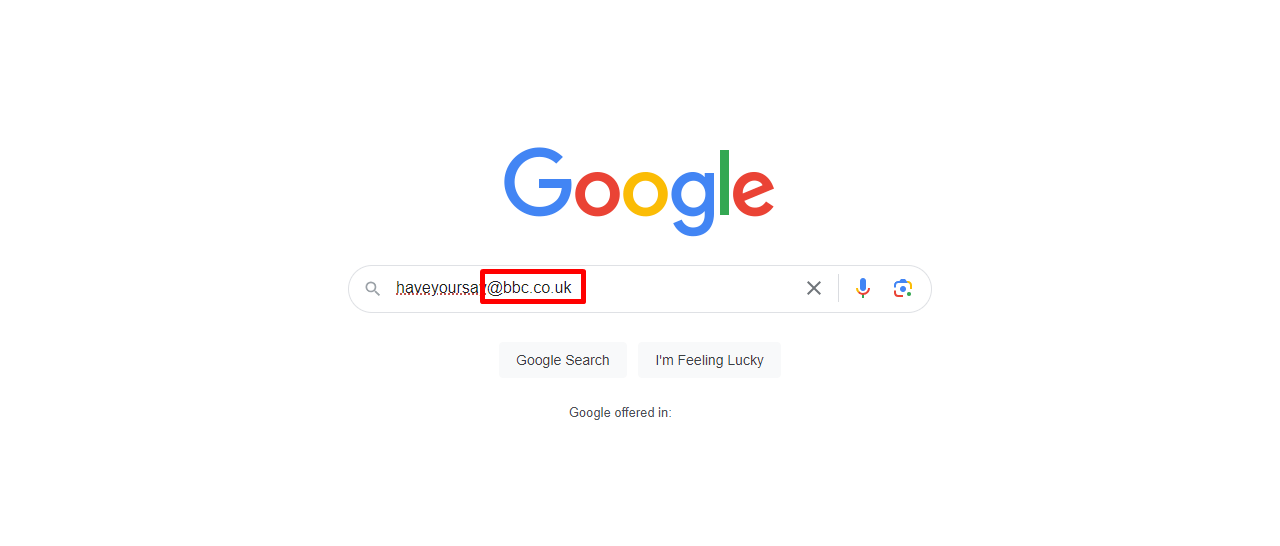
Sometimes the most direct route is simply asking. The domain after the ‘@’ symbol can offer a clue about an organization, but it does not prove that the sender represents that organization; lookalike domains and personal email services can complicate identification.
1. Look at the email address.
The part after the ‘@’ symbol is the domain. It may be associated with an organization, but it is not always the company’s name or proof that a message came from that company.
Find the organization’s contact details through a source you can independently verify, such as its official website, rather than relying on contact information in the suspicious message.
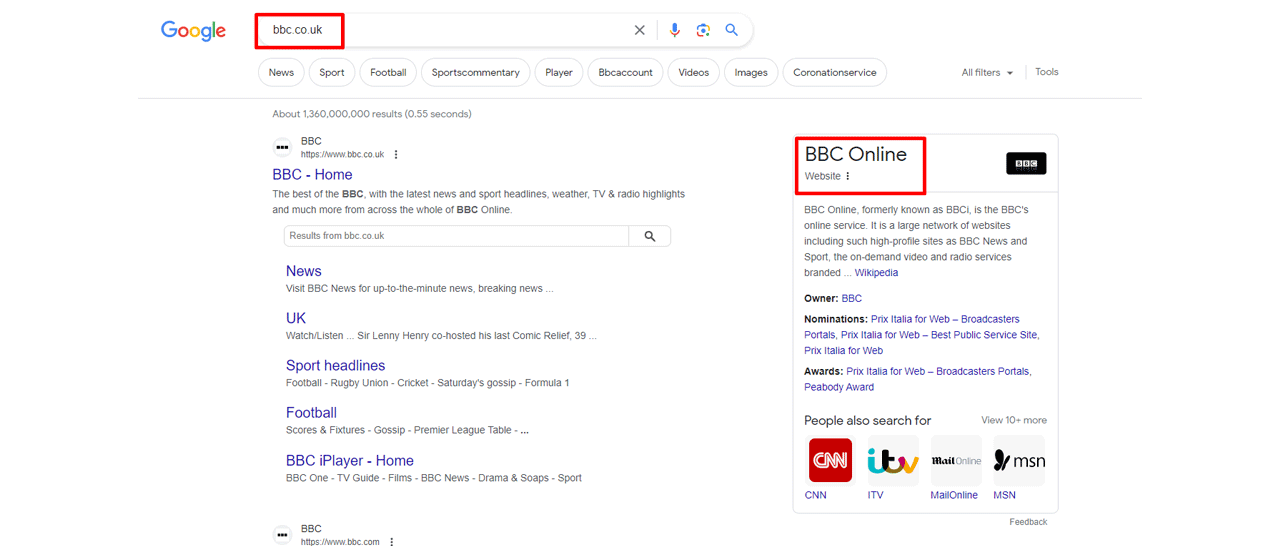
Call the organization using a number you independently verified and ask whether the address is associated with it. The organization may not be able to confirm an individual’s identity.
This approach is more direct but also slower than the others, so it works best as a backup once faster methods haven’t given you a clear answer.
8. Use Email Verification Services
You can use email verification services to confirm whether an address is real and, in some cases, uncover who it belongs to. You enter the address, and the service cross-references its data to find a match — essentially an internet search built specifically for email addresses.
Is it Legal to Find Out Who Owns an Email Address?
The rules for looking up or using information associated with an email address depend on the jurisdiction, the information involved, and your purpose. Use lawful sources, respect privacy requirements, and avoid unauthorized access:
- Legality Varies: The legality of searching for an email address owner depends on how you obtain the information and for what purpose.
- Privacy Laws: Respect privacy laws and regulations, which can differ by country. Unauthorized access to personal information can be illegal.
- Consent Matters: If you have the email owner’s consent to search for their information, it’s generally legal.
- Public Information: Using publicly available sources to find information about the email address owner is usually permissible.
- Avoid Illegal Methods: Never use hacking or unauthorized methods to access someone’s personal information.
What Steps Can I Take If I Suspect Someone Is Using a Fake or Misleading Email Address?
If you suspect that someone is using a fake or misleading email address, it’s important to proceed cautiously and responsibly. Here are steps you can take to address your concerns:
- Verify the Email: Use online tools or services to check the authenticity of the email address.
- Do Not Respond: Avoid engaging with suspicious emails to prevent potential scams or phishing attempts.
- Report It: If the email is from a service or platform, report it to their support team for investigation.
- Check for Clues: Analyze the email’s content for any inconsistencies or red flags that might indicate it’s fake.
- Use Caution: Be cautious with personal information. Never share sensitive details unless you’re sure of the recipient’s identity.
- Seek Advice: If you’re unsure, consider seeking advice from IT professionals or legal experts on how to proceed.
Conclusion
These methods can help you investigate an unfamiliar address, but none guarantees an accurate identification. For a suspicious message, verify the sender through a separate trusted channel and avoid clicking links or sharing sensitive information until you have confirmation.
Some methods, like a Google search or checking social media, cost nothing but time. Others, like a reverse email lookup service or CRM enrichment tool, require a subscription but save considerable effort. Pick the approach that fits your situation and budget — often, combining two or three methods gets you the most reliable answer.
Don’t let incomplete information slow you down. Utilize Swordfish AI to swiftly uncover reliable cell phone numbers and emails associated with any email address. Try Swordfisha AI and get in touch with key people today.
 Try Swordfish Ai
FAQs
Can I find the owner of an email address if it’s a temporary or disposable email?
Identifying the owner of a temporary or disposable email address can be challenging. These addresses are often built for short-term use and aren’t tied to a permanent identity, so traditional lookup methods tend to be less effective here.
Can an anonymous Gmail email be traced?
Tracing an anonymous Gmail account can be very difficult. Google keeps user information private, and without clues left in the message itself or legal authority to compel disclosure, identifying the sender through technical means alone is unlikely.
What steps can I take if I suspect someone is using a fake or misleading email address?
If you suspect someone is using a fake or misleading email address, consider reporting the issue to the relevant platform or service provider. They may have mechanisms in place to address fraudulent or suspicious activities.
Can I find the owner of an email if they use a pseudonym or alias online?
Finding the real identity behind an email address becomes more complex if the owner uses a pseudonym or alias online. Traditional methods may not be sufficient in such cases, and the person’s true identity may remain undisclosed.

