


 View Products


Key takeaways
- A LinkedIn email finder looks up or returns email contact data associated with LinkedIn profiles, often through a browser extension or URL lookup.
- Tools differ in their contact data, integrations, and workflows, so compare them against your outreach needs and budget.
- Personalized, relevant messages are preferable to generic outreach.
- Review applicable privacy and outreach requirements before collecting or contacting people, and provide an unsubscribe option where required.
- Verify email addresses before sending when your tool offers that feature.
Last updated: September 3, 2026
LinkedIn is where most B2B professionals go to build relationships and find new business, but turning a connection into a conversation is another matter. Cold InMails often go unanswered, and LinkedIn caps how often you can message people you haven’t connected with.
That’s why many sales reps, recruiters, and marketers pair LinkedIn with a separate channel: email. A LinkedIn email finder looks up or returns email contact data associated with a prospect’s LinkedIn profile, so you can follow up outside LinkedIn’s messaging limits.
This can be useful in healthcare sales and recruiting, where teams may want to reach providers, administrators, or other decision-makers by email as well as through LinkedIn. Below is a practical rundown of LinkedIn email finder tools and ways to avoid common outreach mistakes.
What is a LinkedIn email finder?
A LinkedIn email finder is a tool that looks up or returns email addresses associated with LinkedIn profiles, usually through a browser extension or a URL lookup. The available contact data depends on the tool and the person being searched.
Most of these tools work as Chrome extensions so you can pull contact details while browsing LinkedIn normally, and many include CRM syncing so leads flow straight into your existing pipeline instead of sitting in a spreadsheet.
For healthcare-focused outreach, this is especially useful when targeting providers, administrators, or procurement staff who are active on LinkedIn but slow to respond to platform messages.
Mistakes to avoid
These tools only help if you use them well. Here are the most common ways teams undermine their own outreach.
Overreliance on tools without personalization
Automating email collection is easy; showing genuine interest takes more work. A message that refers to something specific from a prospect’s profile or recent activity can feel more relevant than a generic template, even when the email address is accurate.
Ignoring data privacy and compliance
Email collection and outreach may be subject to rules such as GDPR and CAN-SPAM, and healthcare outreach may involve additional requirements depending on the recipient and purpose. Check the rules that apply to your campaign, provide an unsubscribe option where required, and keep records of how contact data was sourced.
Collecting emails without a strategy
A long list of addresses isn’t the same as a pipeline. Define your target audience first, build out an email sequence, and set measurable goals before you start extracting contacts in bulk.
Not verifying email addresses
Outdated or mistyped addresses can hurt your sender reputation and increase bounce rates. If your email finder offers verification, use it before sending rather than waiting until a campaign underperforms.
Spamming prospects
Repeated, low-value follow-ups get flagged as spam quickly. Space out your outreach and make sure each message adds something new rather than just repeating the last one.
Avoiding these mistakes is what separates a tool that generates real conversations from one that just fills a database.
15 LinkedIn email finders
Here’s the full list of tools worth evaluating, based on their core strengths for LinkedIn-based prospecting.
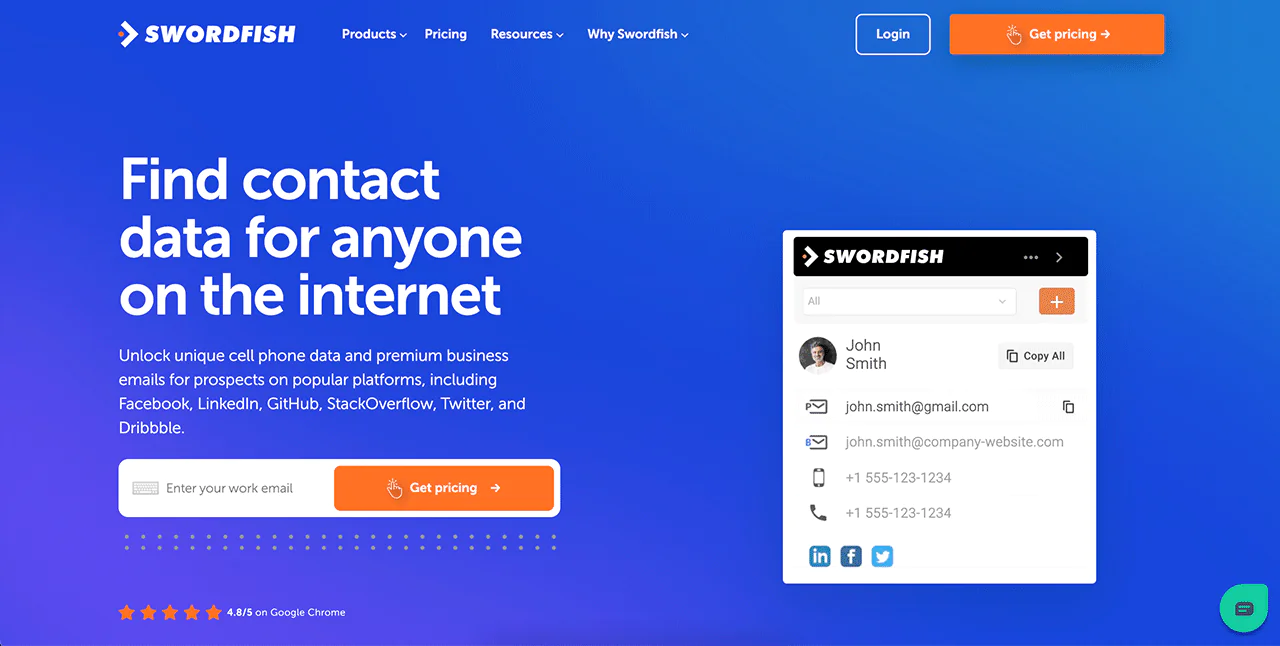
- Swordfish,ai: Find emails on LinkedIn directly from your browser with the contact-finding extension for Google Chrome, or use any LinkedIn URL to find contact data with Reverse Lookup. Swordfish.ai is built for finding both email and mobile contact data tied to LinkedIn profiles.
- Getprospect: Large database with seamless LinkedIn integration and straightforward contact management.
- Skrapp: Well suited to startups and individual users, with bulk email extraction and verification.
- Snov.io: An all-in-one outreach platform with drip campaigns and built-in email verification.
- SalesQL: Built for sales teams, with detailed lead profiles for building trustworthy contact lists.
- Prospeo: Simplifies LinkedIn prospecting with email extraction and follow-up tracking.
- Apollo.io: Strong data enrichment, suited to larger-scale prospecting needs.
- LeadLeaper: Real-time email finding for fast-moving sales environments.
- Hunter.io: One of the most widely used tools, known for precise email finding and domain search.
- ContactOut: Finds both emails and phone numbers to broaden outreach options.
- RocketReach: Large database that surfaces up-to-date professional contacts across multiple platforms.
- Lusha: High accuracy rate with integrations across many CRMs.
- Kloser: B2B focused, with detailed insights alongside email finding.
- Salesflare: CRM-centric, streamlining sales processes alongside contact retrieval.
- AeroLeads: Built for quickly assembling large email lists, with finding and verification included.
Each of these fills a slightly different niche, from bulk list-building to CRM-embedded workflows. The right pick depends on your outreach volume, budget, and whether you need phone data alongside email.
What are the benefits of LinkedIn email finders?
One potential benefit is reach. Email is a separate channel from InMail and can offer more flexibility in timing and messaging, though it does not guarantee a reply.
The second benefit is speed. Manually hunting for someone’s business email is slow and unreliable. A LinkedIn email finder automates that lookup so you can build contact lists in minutes instead of hours, which matters when you’re working healthcare provider lists at any real scale.
Turn LinkedIn prospects into qualified leads
To choose a tool, compare its LinkedIn integration, search filters, and email verification features. Verification can help identify addresses to review before outreach, but it does not guarantee delivery or a response.
Get a free trial https://swordfish.ai/
Frequently asked questions
What is a LinkedIn email finder?
It is a tool that looks up or returns email contact data associated with LinkedIn profiles, commonly through a browser extension or URL lookup.
How do LinkedIn email finder tools work?
They can provide contact details while you browse LinkedIn or let you search using a LinkedIn URL. Some also offer CRM syncing or email verification.
What should I compare when choosing a LinkedIn email finder?
Compare its LinkedIn integration, search filters, verification features, workflow, budget, and whether you need phone data as well as email.
Should I verify email addresses before outreach?
Yes, when your tool offers verification, use it before sending to help catch outdated or mistyped addresses.
What outreach practices does the article recommend?
Personalize messages, define your target audience and goals, follow applicable privacy and outreach rules, and avoid repeated low-value follow-ups.

