


 View Products


Key takeaways
- Wiza is presented as a LinkedIn and Sales Navigator export tool, not a standalone guarantee of contact reachability.
- Teams using exported contacts for outreach may need separate enrichment, validation, and CRM controls.
- Evaluate tools with the same contact sample and workflow, tracking connects or bounces, CRM duplicates, and time spent on cleanup.
- List freshness, industry, geography, seniority mix, seat count, and manual versus API workflows can affect test results.
- Teams with existing lists can assess batch processing separately from LinkedIn export workflows.
Last updated: September 3, 2026
Byline: Ben Argeband, Founder & CEO of Swordfish.AI (disclosure: Swordfish sells contact data tools, so treat this as a buyer-auditor perspective, not a neutral lab test)
Who this is for
This wiza review is written for teams running a LinkedIn export workflow who’ve discovered that an export is not the same thing as a usable outreach list. The real cost shows up later, in enrichment gaps, data decay, and the integration work needed to keep a CRM from turning into a junk drawer.
Definition: Wiza is a LinkedIn and Sales Navigator export tool that turns profile searches into downloadable contact lists. The operational question isn’t whether it can export data, it’s whether those records become reachable contacts without extra tooling layered on top.
Wiza may be enough if your only goal is creating a CSV list. If you’re evaluating it for better reachability or a different workflow, keep reading: an export alone does not establish that contacts are ready for outreach.
Quick verdict
- Core answer
- Wiza is a reasonable workflow-first LinkedIn export tool built as a Chrome extension over Sales Navigator. It is not a reachability solution on its own. If your revenue motion depends on calling or high deliverability, plan for enrichment, validation, and ongoing refresh on top of it.
- Key stat
- There is no universal “best” match or reachability rate across vendors, because outcomes vary by seat count, API usage, list quality, and industry. Any single-number claim that isn’t tied to your specific inputs isn’t auditable.
- Ideal user
- Teams who want workflow-first exporting and are willing to add downstream controls, enrichment, dedupe, and refresh, to protect outreach performance and CRM hygiene.
Bottom line: Use Wiza for export speed inside a LinkedIn-centric workflow; budget separately for enrichment and governance if reachability and CRM hygiene matter to you.
- Pros: Fast list building directly from LinkedIn and Sales Navigator searches; fits a workflow-first prospecting motion; straightforward to operationalize for export-centric teams.
- Cons: Export does not guarantee reachability; integration debt accumulates through imports, mapping, and dedupe; data decay forces refresh cycles; phone-first outreach usually needs a second tool; the workflow also depends on a separate Sales Navigator subscription, which adds to total cost.
When Wiza is enough: If your workflow ends at “build a list for research,” your outreach isn’t phone-first, or you already have a separate enrichment and validation layer you trust, Wiza can be a clean step-1 tool. In those cases, the main risk is operational: keep imports controlled so bad data doesn’t pollute your CRM.
Decision guide
Wiza can help with list export, but an export is only the first step in an outreach workflow. Treating it as a complete sales-intelligence solution may leave additional work for enrichment, validation, CRM cleanup, and measuring outreach results.
Wiza fits a workflow where you build a list from LinkedIn and enrich it later. It may be a weaker fit if you want to import contacts into a CRM and start calling without additional reachability and data-quality checks. For healthcare contacts, verify mobile numbers, titles, and direct dials against your own sample rather than assuming a general-purpose export will cover those needs.
When comparing an export tool, a contact data tool, and a phone-first outreach stack, evaluate the outcomes separately. Export tools are intended to reduce list-building time; contact data tools may help address data gaps and CRM cleanup; phone-first stacks may reduce wasted dialing when numbers are reachable. Test these outcomes with your own list.
What Swordfish does differently
A useful evaluation looks beyond the number of records created and measures whether those records support conversations. On the same input list, track connects, email bounces, and CRM duplicates to compare results.
Ranked mobile numbers and prioritized direct dials: Swordfish is designed to prioritize dialable numbers for phone-first outreach, which cuts down on rep time spent cycling through non-working numbers. Verify by running a side-by-side test and tracking connects rather than appended fields.
True unlimited with fair use: “Unlimited” is often a pricing trap that turns into a policy argument once usage scales up, as seen with export caps that sit quietly inside otherwise “unlimited” plans elsewhere in this category. Swordfish offers true unlimited access with a fair use policy intended for normal business operations. Verify by getting the fair use definition in writing and confirming whether rate limits or throttling exist.
Contract checks (what I would verify before signing): Ask for the written definition of fair use, any throttling or rate limits, what triggers enforcement, and whether overage fees exist. If those terms are vague, your cost forecast is fiction.
Cost control for list processing: If you already have lists from events, inbound forms, or CRM exports, File Upload is typically the more cost-effective way to process them than forcing everything through manual exports and re-imports.
Checklist: Feature Gap Table
| Buying requirement (what breaks in production) | Wiza (typical fit) | Where hidden costs show up | What to verify in a trial (variance explainer) |
|---|---|---|---|
| Workflow-first LinkedIn export | Strong fit for exporting and list building | Downstream enrichment spend when exported records lack usable phones | Test with your ICP list quality (freshness, seniority mix) and your seat count (more seats = more variance in usage patterns) |
| Reachability for phone-first outreach | Often requires pairing with enrichment | Rep time wasted on non-working numbers; extra tools to fill gaps | Measure connects by industry and geography; API usage vs manual workflows changes throughput and governance |
| Contact data quality controls | Export quality can be fine; enrichment quality varies by source | CRM contamination (duplicates, stale titles, wrong company) increases routing errors | Run a sample through your CRM rules; compare against your existing validation process and contact data quality standards |
| Integration into sales workflow | Depends on your stack and how you operationalize exports | Ops time building import rules, dedupe logic, and field mapping | Confirm whether your workflow needs API-based enrichment; API usage changes both speed and auditability |
| Cost predictability at scale | Can be predictable for export-only usage | Second-tool spend for enrichment plus refresh cycles due to data decay | Model by seat count, API usage, list volume, refresh cadence, and industry churn; for cost framing see wiza pricing |
Decision Tree: Weighted Checklist
This checklist focuses on three potential cost drivers: reachability gaps, data decay, and integration work. It assigns no point values because their relative importance depends on your workflow and the sources of variation in your results.
- Reachability (highest weight): If your workflow includes calling, prioritize tools that return verified mobile numbers or prioritized direct dials, since higher reachability reduces wasted SDR minutes. Validate by running the same contacts through each tool and measuring connects, not “matches.”
- Data decay resistance (high weight): If your ICP changes jobs often, which is common among clinicians and healthcare administrators, stale data becomes a recurring tax. Favor vendors with clear refresh workflows and quality controls, or you’ll re-enrich the same accounts repeatedly.
- Integration and governance (medium weight): If you can’t automate ingestion and dedupe, you’ll pay in ops hours and broken routing. API usage, field mapping, and dedupe rules determine whether your CRM stays usable.
- Workflow fit (medium weight): If your team lives inside a LinkedIn export workflow, Wiza can be efficient. If your team lives in CRM plus sequencer, exports add manual steps unless you enforce strict import rules.
- Cost predictability (medium weight): Forecast using seat count, API usage, list volume, and refresh cadence. If “unlimited” is policy-based rather than contract-based, assume future friction.
- Batch list processing (situational weight): If you already have lists, batch processing reduces handling overhead. File Upload exists for exactly this problem.
Troubleshooting Table: Conditional Decision Tree
- If your primary outcome is exporting LinkedIn contacts into a list then Wiza is a reasonable workflow-first starting point.
- If your primary outcome is increasing conversations then treat Wiza as step 1 and plan for enrichment that improves reachability, because export alone doesn’t reduce wasted outreach.
- If your ops team can’t support ongoing CSV imports, dedupe, and field mapping then avoid export-only workflows and prioritize structured ingestion via API or controlled batch processing.
- If your ICP has high churn then budget for refresh cycles, or your list decays and your team blames messaging when the real issue is stale data.
- Stop condition: If a vendor can’t run a side-by-side test on your exact list (same industry, geography, seniority mix) and report outcomes you can audit (connects, bounces, duplicates, time-to-CRM-ready), stop the evaluation.
- Stop condition: If “fair use” or “unlimited” isn’t defined in writing (rate limits, throttling, enforcement triggers), stop. You can’t govern what you can’t read.
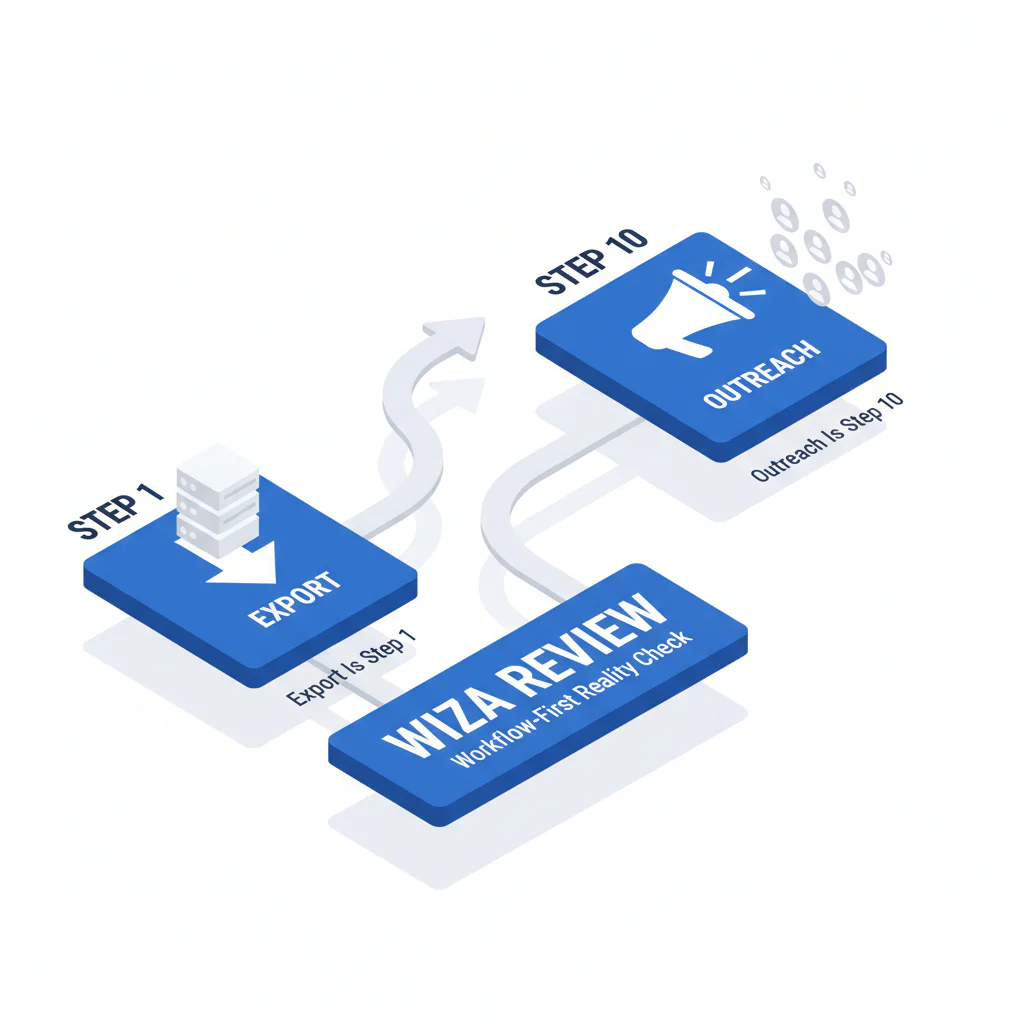
How to test with your own list (export is step 1; outreach is step 10)
Use this test plan to compare results on your own list rather than relying on vendor averages.
- Build a representative sample: Use a contact set matching your ICP by industry, geography, and seniority. Keep list freshness consistent.
- Lock the workflow: Decide whether you’re testing manual export or API usage. Don’t mix methods across vendors.
- Run the same input through each tool: Same contacts, same fields requested, same time window.
- Measure reachability outcomes: For calling motions, track connects. For email motions, track bounces. Don’t substitute “found” fields for actual outcomes.
- Measure CRM damage: Track duplicates created, overwrites of existing fields, and routing errors caused by bad company or title data.
- Measure ops time: Track time spent on mapping, dedupe rules, and import cleanup. This is where “cheap” tools get expensive.
- Model variance drivers: Re-run the test with different seat counts or usage patterns if that’s how you’ll operate in production.
- Decide against your baseline: Compare results to your current tool or process. If it doesn’t improve outcomes without increasing ops work, reject it.
Limitations and edge cases
Variance is the rule: Results change with industry, geography, seniority mix, list freshness, seat count, and whether you use API workflows. A recruiter list and an SDR list can behave like different products.
Export-heavy workflows hide integration debt: If your workflow depends on clean CRM objects, exports create recurring ops work: mapping fields, deduping, and preventing bad data from overwriting good data.
Data decay is a recurring cost: If your ICP changes jobs often, your “one-time export” becomes a refresh subscription you didn’t budget for. This is especially true in healthcare, where provider roles, affiliations, and contact channels shift frequently.
CRM hygiene pass/fail (non-numeric): A tool shouldn’t increase duplicates, shouldn’t overwrite existing fields without rules, and shouldn’t create routing errors. If you can’t enforce those controls, you’re buying future cleanup.
Phone-first outreach exposes weak enrichment fast: Email-only enrichment can look fine in dashboards while your team still can’t reach anyone by phone.
Evidence and trust notes
Evidence basis: This page is based on common failure modes seen in sales ops implementations and buyer-side audits: integration debt, data decay, and reachability gaps that show up after the export workflow looks “successful.”
Field note (auditor view): Teams rarely fail because they picked the wrong export tool. They fail because they didn’t price the downstream work: enrichment, validation, refresh, and integration. Export is step 1; outreach is step 10.
How to validate claims without vendor math: Run a controlled test using the same contact set across tools. Keep seat count constant, keep the workflow constant (manual vs API), and measure business outcomes: connects, bounces, duplicates, and time-to-CRM-ready.
Comparative analysis (group alternatives by use case): Export-first tools optimize list-building speed. Enrichment-first tools optimize reachability and reduce wasted outreach. Phone-first outreach stacks optimize dialing outcomes but require tighter governance. Choose based on which failure mode is most expensive in your workflow.
For deeper comparisons, see wiza alternatives and swordfish vs wiza.
FAQs
Is Wiza a good LinkedIn export tool?
Yes, if your goal is workflow-first exporting and list building. The risk is assuming export equals reachability, which is where wasted SDR time and bounce costs show up.
What should I measure in a Wiza trial?
Measure connects (if calling), bounces (if emailing), duplicates created in CRM, and ops time spent cleaning imports. Those are the costs that compound.
Why do results vary so much between teams?
Because outcomes depend on list quality, industry, geography, seniority mix, seat count, and whether you’re using API workflows or manual exports. If a vendor can’t explain variance, they can’t help you forecast.
What are the real Wiza pros and cons?
Pros: fast LinkedIn export workflow and quick list creation. Cons: you may need additional enrichment for reachability, plus ongoing refresh due to data decay and integration work to protect CRM hygiene.
If I already have lists, what’s the most cost-effective way to process them?
Batch processing usually beats manual workflows. Use File Upload to process lists without turning your ops team into a CSV help desk.
Next steps
- Day 1: Define the outcome you care about (export volume vs reachability) and build a representative test set.
- Days 2–3: Run side-by-side tests with the same list and the same workflow. Track connects/bounces, duplicates, and time-to-CRM-ready.
- Days 4–5: Model total cost using variance drivers: seat count, API usage, list quality, refresh cadence, and industry churn. Include ops hours.
- Week 2: If reachability is the bottleneck, add enrichment focused on verified mobile numbers and prioritized direct dials, and standardize ingestion (consider File Upload for list processing).
About the Author
Ben Argeband is the Founder and CEO of Swordfish.ai and Heartbeat.ai. With deep expertise in data and SaaS, he has built two successful platforms trusted by over 50,000 sales and recruitment professionals. Ben’s mission is to help teams find direct contact information for hard-to-reach professionals and decision-makers, providing the shortest route to their next win. Connect with Ben on LinkedIn.

