


 View Products


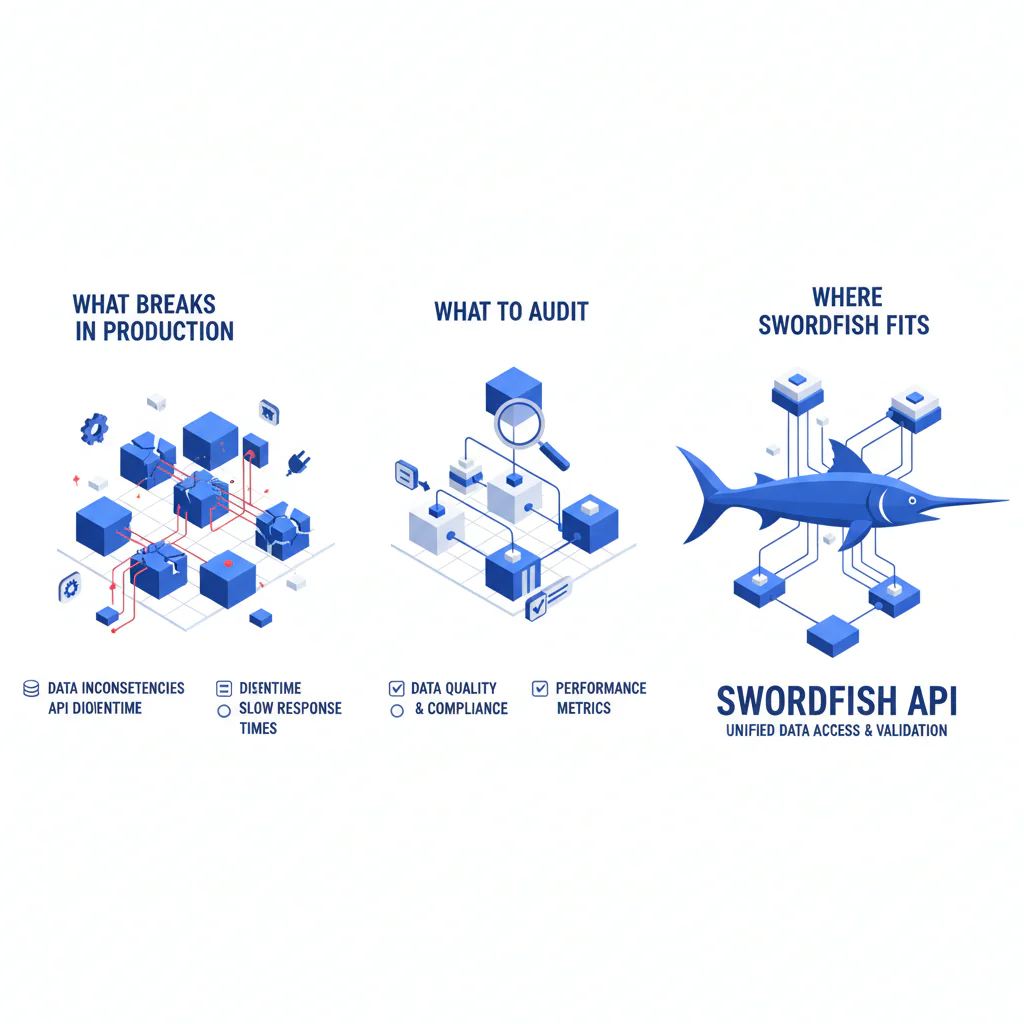
Contact Data API (what breaks in production, what to audit, and where Swordfish fits)
Byline: Ben Argeband, Founder & CEO of Swordfish.AI
Who this is for
If you’re in RevOps or recruiting ops doing bulk contact enrichment via CSV, you’re not buying “data.” You’re buying the right to maintain an enrichment pipeline, clean up duplicates, and explain to leadership why outreach performance dropped when the list got stale.
A contact data API is a service that returns phone/email fields for a person record. The cost shows up later when stale or mismatched data hits your CRM and becomes permanent cleanup work.
If you’re not a developer (or you don’t want to own retries, queues, and reconciliation), use File Upload instead of an API. It’s the same operational goal—clean identity columns, data hygiene, dedupe, validation, and safe CRM import—without building a pipeline you’ll be stuck supporting.
Quick verdict
- Core answer
- Swordfish is a contact data API for enriching people records with prioritized direct dials/mobile numbers and emails, built for bulk workflows where the real cost is bad imports and stale contact fields.
- Key stat
- Performance varies by throughput, input/list quality, industry coverage, and how you handle rate limits; validate with your own sample and measure false positives, completeness, and downstream outcomes (bounces, dead dials, duplicates).
- Ideal user
- Ops teams enriching CSVs or building a light integration who need predictable rate limits, clear compliance posture, and fewer surprises when volume spikes.
What Swordfish does differently
Most contact APIs “work” in a demo and fail in production because the demo never includes dirty identities, burst traffic, or a CRM import you can’t easily roll back.
Prioritized phone outputs (ranked mobile numbers / direct dials): A phone number is only useful if it’s the right one to try first. Swordfish prioritizes outputs (mobile/direct dial where available) so your dial sequence is rational. Using a phone number API that returns a usable order reduces wasted call attempts and rep time spent chasing dead ends.
True unlimited with fair use (read the fine print anyway): “Unlimited” often turns into throttling when you finally run a backfill. Swordfish positions usage as unlimited with fair use, which matters when your enrichment jobs are bursty. The variance you’ll see is driven by API usage patterns (steady vs spikes), seat count (how many people/tools are hitting the API), and your retry strategy under rate limits.
Bulk enrichment that assumes your CSV is messy: Bulk enrichment is where bad identity inputs multiply into bad CRM records. Swordfish is designed for workflows where you normalize identity columns (name, company, domain, location), dedupe before enrichment, validate outputs, and only then import. If you skip those steps, any contact enrichment API will look worse because you’re feeding it ambiguous identities.
Security and compliance are treated as procurement blockers, not marketing: If a vendor can’t explain security and compliance in plain language, you’re buying delays. Start with security and contact data compliance before you build anything.
Decision guide
Use this API Fit Checklist: use case → throughput → fields → compliance.
1) Use case (what you’re enriching and why)
Inbound leads, outbound lists, recruiting profiles, and CRM hygiene backfills have different tolerance for misses versus false positives. If you can’t state what “wrong match” costs you (duplicates, bad outreach, compliance risk), you’ll end up arguing about anecdotes instead of outcomes.
2) Throughput (what happens when volume spikes)
Model your expected throughput and your worst-day backfill. If you don’t design for spikes, you’ll hit rate limits, trigger retry storms, and end up with partial enrichment that’s hard to reconcile.
Developer reality check: plan for 429 handling (backoff), idempotency (so retries don’t create duplicate writes), and reconciliation (so partial batch failures don’t silently drop records).
- Log what matters: correlation/request IDs, 429 counts, retry attempts, and per-batch success/failure totals.
- Reconcile partials: keep deterministic record IDs so you can re-run only failed rows without duplicating writes.
- Protect the CRM: write to a staging table/object first, validate, then promote to production fields.
If you can’t commit to that, route ops to File Upload and keep the blast radius small.
3) Fields (only pay for what you operationalize)
Decide which fields drive action. If your team dials first, prioritize ranked mobile/direct dials and measure whether it reduces wasted attempts. If your team emails first, an email enrichment API only helps if you track bounce/invalid outcomes and feed that into suppression lists.
Inputs that reduce mismatches (and the cleanup they cause)
Identity resolution is only as good as what you feed it. If you want fewer wrong matches, give the API enough identity to disambiguate people who share names.
- Inputs that reduce mismatch risk: full name, company domain, and a location signal (city/region) when available.
- Inputs that increase mismatch risk: company name without a domain, nicknames, missing location, and recycled email aliases pasted into the wrong column.
4) Compliance (approve before you integrate)
Don’t bolt on compliance after the integration is built. If legal/IT can’t approve the vendor’s posture, you’ll either rip it out or run it in the shadows. Start with contact data compliance and map it to your internal policy.
Checklist: Feature Gap Table
| Audit area | What vendors often claim | What breaks (hidden cost) | What to require in a contact data API | Variance explainer (why results differ) |
|---|---|---|---|---|
| Unlimited usage | “Unlimited” | Soft throttles, surprise caps, or forced upgrades when volume rises | Clear fair-use language, published rate limits, and guidance for retries/backoff | Seat count and API usage patterns; bursty jobs hit limits faster than steady traffic |
| Phone coverage | “Direct dials” | Returned numbers are stale, low-connect, or not prioritized for dialing | Ranked mobile/direct dials and a recommended dial order | Industry and geography coverage; list quality (company/domain accuracy) affects matching |
| Email quality | “Verified emails” | Bounces waste sequences and can create deliverability problems | Clear email status semantics and guidance for suppression workflows | Verification semantics differ by vendor; role changes and alias churn drive decay |
| Bulk enrichment | “Bulk endpoint” | Timeouts, partial failures, and painful reconciliation | Deterministic record IDs, idempotency guidance, and predictable batch behavior | Throughput and queue design; retry strategy under rate limits |
| Identity resolution | “High match rate” | False positives pollute CRM and create duplicates | Match confidence signals and recommended input normalization | CSV hygiene (names/domains/locations), dedupe rules, and industry naming collisions |
| Security & compliance | “We’re compliant” | Procurement delays, legal escalations, blocked integrations | Documented security controls and compliance posture you can map to policy | Regulatory requirements vary by region and use case; internal risk tolerance differs |
Decision Tree: Weighted Checklist
This weighting follows standard API buyer failure points: reliability under load, rate-limit behavior, freshness/decay management, and the operational cost of bad imports. It’s ordered so you test what tends to break first.
- Reliability under your throughput profile (highest weight): If the API can’t sustain your throughput with predictable error behavior, you’ll spend engineering time on queues, retries, and reconciliation.
- Rate limits clarity and behavior (highest weight): If rate limits are vague, you can’t capacity-plan. Require explicit backoff guidance and predictable throttling behavior.
- Data freshness and refresh workflow (high weight): Contact data decays. A data freshness API only reduces decay if you schedule refreshes and track deltas so stale fields don’t linger in CRM.
- Identity resolution controls (high weight): False positives cost more than misses because they create wrong outreach and duplicates. Require match confidence signals and input requirements that reduce ambiguity.
- Field usefulness (medium weight): Prioritize mobile/direct dials and emails if those drive action. Extra fields are overhead unless they change routing, segmentation, or compliance handling.
- Security and compliance readiness (medium weight): These are table stakes, but approval delays are real. Require documentation that maps to your internal review process.
- Operational tooling for non-developers (situational weight): If ops owns the workflow, File Upload reduces integration maintenance and prevents one-off scripts from becoming production dependencies.
Troubleshooting Table: Conditional Decision Tree
- If your enrichment volume is spiky (campaigns, backfills) then design for queues + retries + backoff to survive rate limits; else a simpler synchronous flow may be enough.
- If your CSVs have inconsistent company identifiers (no domain, messy names) then normalize and dedupe before enrichment to reduce identity collisions; else you can test match precision sooner.
- If your team dials first then require ranked mobile/direct dials and measure whether it reduces wasted attempts; else prioritize email status semantics and suppression handling.
- If you can’t define a refresh cadence then you’re accepting data decay by default; set a policy before scaling usage.
- If procurement requires documented security and compliance artifacts then collect them before building; else you risk rework when the integration is already live.
- Stop condition: If your pilot shows unacceptable false positives (wrong person matched), your pipeline can’t stay stable under expected throughput and rate limits, legal/IT won’t approve the vendor posture, or you can’t stage and roll back CRM writes, stop before you scale usage.
Limitations and edge cases
Data variance is normal. Coverage and accuracy vary by industry, geography, and how clean your identities are. If your list is incomplete or missing company domains, you’ll see more ambiguity and more mismatches.
Freshness, validity, and deliverability are not the same thing. Freshness is how recently the data was likely correct. Validity is whether the field still belongs to the person. Deliverability is whether an email will accept mail or a phone will connect. If you don’t separate these, you’ll misread pilot results and blame the wrong system.
Bulk enrichment amplifies mistakes. One bad mapping (swapped first/last name, personal emails in work email columns, inconsistent locations) can create thousands of duplicates. Treat CSV import as a controlled release: normalize, dedupe, enrich, validate, then import.
Async patterns add operational debt. If you need webhook enrichment, budget time for signature verification, replay handling, and idempotency. If you can’t support that, don’t pretend you can.
Compliance depends on your use case. Your obligations depend on region, outreach method, and internal policy. Start with contact data compliance before you operationalize outreach.
Evidence and trust notes
What we will not claim: Any vendor quoting a universal match rate without your sample is selling you a story. Results vary by seat count, API usage (steady vs burst), list quality, and industry coverage.
How to evaluate without vendor theater: Run a blinded pilot on your own records and measure (1) match precision (right person), (2) field completeness (phones/emails returned), and (3) downstream outcomes (bounce/invalid, dead dials, duplicate creation). Track failure modes under rate limits so you don’t confuse throttling with “bad data.”
Procurement artifacts to request before you build: data processing terms, retention policy, access controls, and an incident response process. Use security and contact data compliance as the source of truth for your procurement packet.
Ops execution note (safe CRM import): Normalize identity columns, dedupe before enrichment, validate outputs, and only then import. Import into a staging table/object first and keep a rollback path before writing to production CRM fields. Common CSV pitfalls are mixed name fields, missing company domains, inconsistent locations, and importing personal emails into work email columns. If you want a hygiene framework, use data quality.
Source variance is a real driver: If you want to understand why two tools disagree on the same person, review contact data sources and document which segments you care about before you scale.
FAQs
What is a contact data API?
A contact data API returns contact fields (commonly phone numbers and emails) for a person record you provide. The operational risk is identity mismatch and stale data, so you should evaluate precision, freshness, and behavior under rate limits.
How do rate limits affect bulk enrichment?
Rate limits determine how fast you can process records without errors. If your job exceeds them, you’ll see throttling and failures unless you implement backoff, retries, and queueing. Your effective throughput is what matters, not a demo run.
What’s the difference between a contact enrichment API and an identity resolution API?
Contact enrichment focuses on returning fields (phone/email). Identity resolution focuses on matching the correct person/entity given imperfect inputs. In practice, you need both behaviors to be sane, or you’ll enrich the wrong record and create CRM damage.
Do I need webhook enrichment?
Only if your workflow is asynchronous and you can handle delivery guarantees, retries, and idempotency. If you can’t commit engineering time to that, keep it synchronous or use File Upload for ops-owned bulk runs.
How should I think about compliance?
Treat compliance as a constraint on your workflow, not a vendor badge. Your obligations depend on region and use case. Start with contact data compliance and align with internal policy before scaling outreach.
What are the most common CSV pitfalls before enrichment?
Mixed name fields, missing company domains, inconsistent locations, duplicate rows, and importing personal emails into work email columns. These issues increase mismatches and duplicates. Normalize and dedupe first, then enrich, then validate, then import.
Next steps
Timeline (practical):
- Day 0–1: Define use case, required fields, acceptable error rate, and expected throughput. Decide how you’ll handle rate limits (queue/backoff/retry).
- Day 2–4: Prepare a pilot CSV: normalize identity columns, dedupe, and label a ground-truth sample for precision checks. Use data quality if you don’t already have a hygiene process.
- Day 5–7: Run the pilot and measure match precision, completeness, and downstream outcomes (bounce/invalid, dead dials, duplicates). Document variance drivers (industry, list quality, API usage patterns).
- Week 2: Security/compliance review using security and contact data compliance. Decide whether you’re integrating via API or routing ops to File Upload.
- Week 3: Productionize: implement idempotency, logging, reconciliation, and a refresh cadence to manage data decay.
About the Author
Ben Argeband is the Founder and CEO of Swordfish.ai and Heartbeat.ai. With deep expertise in data and SaaS, he has built two successful platforms trusted by over 50,000 sales and recruitment professionals. Ben’s mission is to help teams find direct contact information for hard-to-reach professionals and decision-makers, providing the shortest route to their next win. Connect with Ben on LinkedIn.

