


 View Products


- Core concept
- LinkedIn Recruiter alternatives are tools that replace or supplement LinkedIn Recruiter for either discovery (finding the right people) or outreach (reaching them reliably). Placement speed improves when you pick tools based on your bottleneck and add a reachability layer for phone-first follow-up.
- Key stat
- In most teams, the limiting factor is not search volume—it’s reply rate. Improving reachability and follow-up consistency typically reduces time-to-first-conversation more than adding another database.
- Ideal candidate profile
- TA leaders and recruiters hiring for hard-to-reach roles, working passive candidates, re-engaging silver medalists, or running agency recruiting workflows who need faster contact and cleaner compliance.
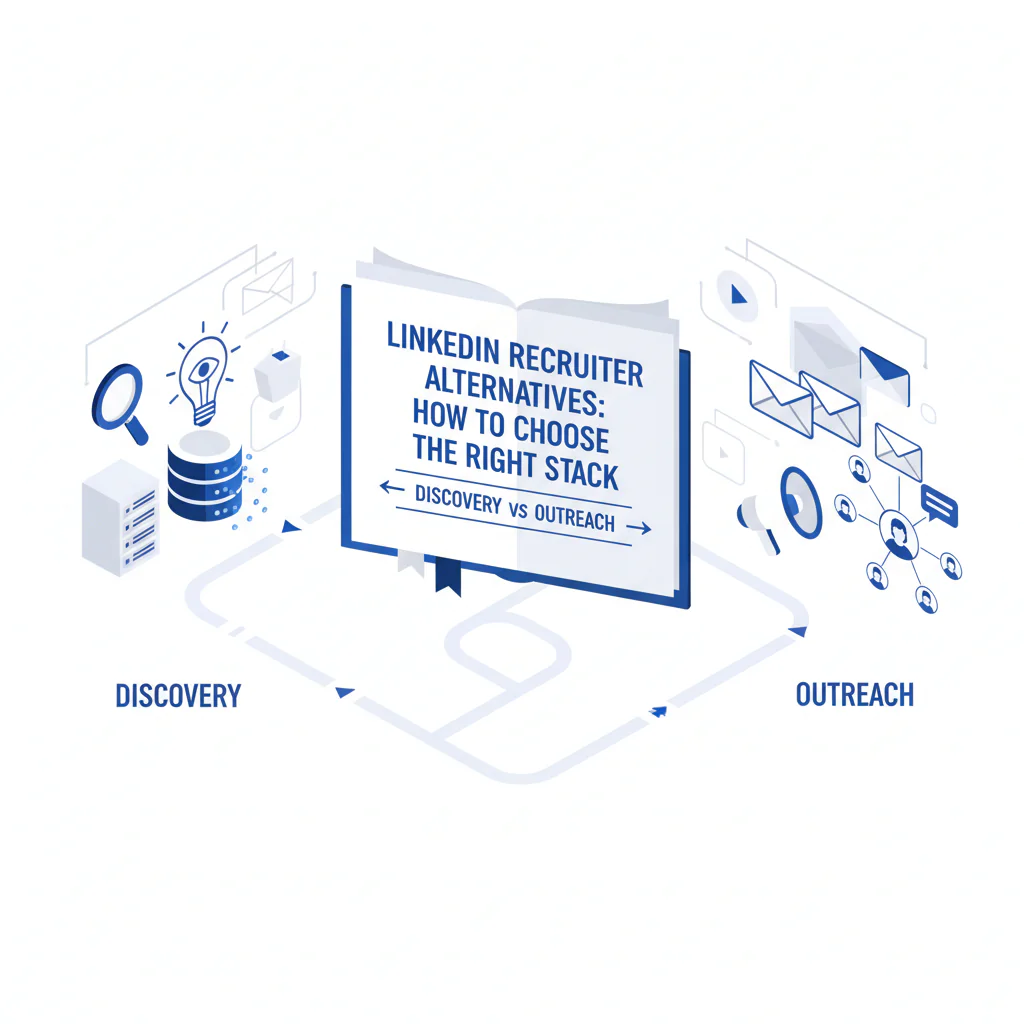
LinkedIn Recruiter Alternatives: How to Choose the Right Stack (Discovery vs Outreach)
Byline: Ben Argeband, Founder & CEO of Swordfish.AI
When teams ask for LinkedIn Recruiter alternatives, they usually mean one of two things: (1) “We need better discovery,” or (2) “We can find people, but we can’t reach them.” Treat those as separate problems or you’ll buy overlapping tools and still miss placement targets.
The framework I use as a Head of Talent is discovery vs outreach. Discovery is search access, filters, and list building. Outreach is deliverability, verified contact options, and a workflow that gets replies without creating compliance risk.
Who this is for
This is for recruiting teams evaluating LinkedIn Recruiter alternatives who want a better discovery workflow without losing outreach reachability.
- In-house TA teams with strict time-to-fill targets and a high bar for candidate experience
- Teams hiring for hard-to-reach roles where inbound is thin
- Recruiters who rely on passive candidates and need phone-first options when email and InMail stall
- Agency recruiting teams that need speed while staying disciplined on consent and opt-outs
What recruiters are trying to accomplish
The goal is more qualified conversations per recruiter-week without burning trust.
- Shorter time-to-first-touch: move from “found” to “contacted” the same day
- Higher reply rate: use channels candidates respond to, then follow up consistently
- Cleaner handoffs: log touches and outcomes so candidates don’t get contacted twice
- Compliance by design: opt-outs captured and honored fast
Discovery tools vary; a reachability layer improves outreach by reducing bounces and shortening time-to-first-touch. If recruiters can build lists but can’t start conversations, switching discovery sources won’t fix the bottleneck.
If you want a single replacement for LinkedIn Recruiter, expect a tradeoff: you’ll usually give up either discovery depth or outreach reachability. Most teams move faster by pairing a discovery system with an outreach layer that improves contact success.
Ethical use of phone numbers
Phone outreach can be respectful and compliant when you run it with clear rules and fast opt-out handling.
- Relevance first: contact only for a role that matches the candidate’s background.
- Identify yourself immediately: name, company, and why you’re reaching out.
- Offer an easy opt-out: “Reply STOP” (SMS) or “Tell me and I won’t contact you again” (call/voicemail).
- Honor do-not-contact same day: update CRM/ATS notes so the team doesn’t re-contact.
- Follow local rules: align with counsel on consent, calling windows, and SMS requirements by region.
Candidate experience is protected by limits. Cap outreach to a maximum of three touches in seven days unless the candidate engages, and suppress anyone who opts out. Ops owns the suppression list; recruiters tag opt-outs the same day.
Sourcing workflow
Use this workflow to evaluate LinkedIn Recruiter alternatives without mixing categories. The decision heuristic is discovery vs outreach.
Step 1: Diagnose your bottleneck. If recruiters spend most of their day searching and still can’t build a slate, you need better discovery. If they can build lists but struggle to get replies, you need better outreach reachability and sequencing.
Common alternative categories (and what they change): Candidate discovery tools and talent intelligence tools reduce time spent searching by improving filters and signals. A recruiting CRM reduces duplicate outreach and speeds re-engagement by making silver medalists and past finalists easy to find with message history. Candidate outreach tools improve follow-up consistency, which increases replies by reducing “one-and-done” outreach. A reachability layer reduces dead ends by improving contact success so recruiters spend time on conversations, not guessing contact details.
Step 2: Pick a discovery system that matches your hiring motion. For high-volume roles, prioritize fast filtering, dedupe, and list building. For niche roles, prioritize signals that help you qualify quickly and the ability to save and revisit searches.
Step 3: Add an outreach layer that improves contact success. “Found” is not the same as “reachable.” A reachability layer that provides verified contact options and recency signals reduces bounces and wasted cycles.
Step 4: Operationalize follow-up. Standardize timing and logging so candidates don’t get spammed by multiple recruiters. A simple cadence most teams can execute is Day 0 (first touch), Day 2 (follow-up with new info), Day 5 (final check-in), then stop unless the candidate responds. Log every touch in your CRM/ATS within 24 hours to prevent duplicate outreach.
Step 5: Close the loop with outcomes. Track which sources and channels produce qualified screens, onsite rates, and offers accepted. If you only track “profiles added,” you’ll optimize activity instead of hires.
Checklist: Diagnostic Table
| Symptom | Likely root cause | What to check (fast) | Fix that improves placement speed |
|---|---|---|---|
| Low reply rate across email + InMail | Channel mismatch for passive candidates | Compare replies by channel; check whether you have phone coverage for the same list | Add phone-first touches for top prospects; keep messages role-specific and short |
| High bounce rate or “no longer at company” | Stale contact data; no recency signal | Sample 50 sends; measure bounces; check last-verified/updated fields | Use a reachability layer with verification/recency; suppress risky addresses |
| Lots of “seen” but no response | Message is generic or too long | Audit first 200 characters; remove role ambiguity; add a clear ask | Rewrite to one role, one reason, one CTA; follow up once with a new detail |
| Great discovery, weak conversion to screens | Slow time-to-first-touch; candidates get hired elsewhere | Measure median hours from “added to list” to first touch | Trigger same-day outreach; prioritize top prospects per req |
| Duplicate outreach from multiple recruiters | No shared logging or ownership rules | Check CRM/ATS notes; look for missing touch history | Define ownership; require touch logging; suppress contacts already in process |
| Strong replies, weak show rate | Expectation mismatch; unclear process | Review first message for comp range, location, and interview steps | Set expectations early; confirm availability; send calendar + prep notes |
| Compliance concerns block phone/SMS | No policy, no opt-out handling, unclear regional rules | Confirm opt-out capture; confirm approved scripts; confirm calling windows | Implement opt-out workflow; train recruiters; audit weekly for adherence |
Decision Tree: Weighted Checklist
How to use this: score tools separately for discovery and outreach, then pick based on your bottleneck. The weighting logic reflects standard failure points: teams either can’t build a slate (discovery failure) or can’t start conversations (outreach failure).
- If your bottleneck is discovery (weight discovery higher):
- Discovery quality (high weight): Can you consistently find qualified profiles for your hard-to-reach roles with the filters and signals available?
- Workflow speed (high weight): Can recruiters build lists quickly, dedupe, and save searches without manual cleanup?
- Coverage fit (medium weight): Does the dataset match your geographies and job families?
- Collaboration (medium weight): Can you share projects, notes, and ownership to avoid duplicate outreach?
- Compliance controls (medium weight): Are there permissions, audit trails, and retention controls that match your policy?
- Outreach readiness (low weight): Can you export cleanly into your CRM/ATS and outreach system?
- If your bottleneck is outreach (weight outreach higher):
- Reachability (high weight): Do you get verified contact options and recency signals that reduce bounces and dead ends?
- Time-to-first-touch (high weight): Can a recruiter go from “found” to “contacted” without tab-hopping?
- Reply-rate enablement (high weight): Does the tool support multi-channel sequences and logging so follow-up is consistent?
- Candidate experience controls (medium weight): Can you suppress contacts, manage frequency, and prevent over-messaging?
- Compliance handling (medium weight): Opt-out capture, consent notes, and auditability for agency recruiting and in-house governance.
- Discovery integration (low weight): Can it attach to your existing sourcing tools so you don’t rebuild discovery from scratch?
Outreach templates
These templates are built for speed, clarity, and opt-out handling. Keep them short, role-specific, and consistent across the team so silver medalists and new prospects get a clean experience.
Troubleshooting Table: Outreach Templates
Template A (SMS, first touch):
Hi [First Name] — this is [Your Name] at [Company]. I’m reaching out about a [Role Title] role focused on [1 specific scope item]. Are you open to a quick 10-min call this week? If not, reply STOP and I won’t text again.
Template B (Call voicemail, first touch):
Hi [First Name], this is [Your Name] with [Company]. I’m calling because your background in [specific skill/domain] looks aligned with a [Role Title] opening on our team. If you’re open to a quick chat, call or text me at [Your Number]. If you’d rather not be contacted, tell me and I’ll update my notes. Thanks.
Template C (Email, first touch):
Subject: [Role Title] — [specific hook tied to their background]
Hi [First Name],
I’m hiring for a [Role Title] role at [Company] working on [specific project/problem]. I’m reaching out because you’ve done [specific relevant signal].
Are you open to a 10–15 minute call this week? If you’re not interested, a quick “no” is helpful and I won’t follow up.
Thanks,
[Your Name]
Template D (Follow-up, adds new info):
Hi [First Name] — quick follow-up. This role’s top priorities are (1) [priority], (2) [priority], and it reports to [leader/team]. If it’s not a fit, is there someone you’d suggest I speak with?
Template E (Silver medalist re-engagement):
Hi [First Name] — we spoke earlier about [previous role]. We have a new opening for [Role Title] with [new detail: scope/level/location]. If you’re open, I’d like to reconnect for 10 minutes. If not, tell me and I’ll close the loop on my side.
Evidence and trust notes
Discovery tools vary; reachability improves outreach. In most recruiting orgs, discovery is not the only constraint. Teams often have enough names but lack reliable ways to reach them quickly. Separating discovery vs outreach keeps tool evaluations tied to outcomes.
What to validate in a pilot: time-to-first-touch, bounce rate, reply rate by channel, and qualified screens per recruiter-week. Run the pilot on a small set of reqs and keep one side constant (either discovery or outreach) so you can attribute changes.
Compliance posture: treat contact data as regulated operational data. Store opt-outs, minimize access, and document your outreach policy. This matters more when you scale agency recruiting motions or run multiple recruiters on the same reqs.
Where Swordfish.AI fits: Prospector is positioned as the reachability layer that turns “found on LinkedIn” into “contacted successfully.” If your discovery is working but outreach is slow, start here: Prospector reachability layer for recruiter outreach.
For adjacent workflow guidance, see LinkedIn sourcing tools.
FAQs
What are LinkedIn Recruiter alternatives in practice?
They fall into two buckets: discovery (finding and organizing candidates) and outreach (reaching candidates reliably). Your best “alternative” may be keeping LinkedIn for discovery and adding an outreach reachability layer to improve reply rate.
Do I need to replace LinkedIn Recruiter to improve results?
Not always. If your bottleneck is outreach, replacing discovery won’t fix reply rates. Keep discovery stable and improve reachability, sequencing, and logging so recruiters get more conversations per day.
How do I improve outreach to passive candidates without hurting candidate experience?
Send short, role-specific messages, follow up with new information, and stop after a defined cadence unless the candidate engages. Always include an opt-out and honor it the same day.
How should we handle silver medalists?
Tag them clearly, suppress them from generic sequences, and reference the prior conversation in your re-engagement message. This reduces duplicate outreach and improves response quality.
What should I measure when evaluating tools?
Time-to-first-touch, bounce rate, reply rate, qualified screens, and offer acceptance rate by source/channel. Those metrics connect to placement speed and quality.
Next steps
Week 1 (Diagnose): Pick 3–5 open reqs (include at least one hard-to-reach role). Measure current time-to-first-touch, reply rate, and bounce rate by channel.
Week 2 (Pilot): Run a controlled test: keep discovery constant and add an outreach reachability layer, or keep outreach constant and swap discovery. Don’t change both at once.
Week 3 (Operationalize): Standardize templates, follow-up timing, and logging rules. Train recruiters on opt-outs and ownership to prevent duplicate outreach.
Week 4 (Decide): Choose the stack that improves qualified conversations per recruiter-week while maintaining compliance and candidate experience. If outreach is the bottleneck, evaluate Prospector reachability layer for recruiter outreach.
About the Author
Ben Argeband is the Founder and CEO of Swordfish.ai and Heartbeat.ai. With deep expertise in data and SaaS, he has built two successful platforms trusted by over 50,000 sales and recruitment professionals. Ben’s mission is to help teams find direct contact information for hard-to-reach professionals and decision-makers, providing the shortest route to their next win. Connect with Ben on LinkedIn.

