


 View Products


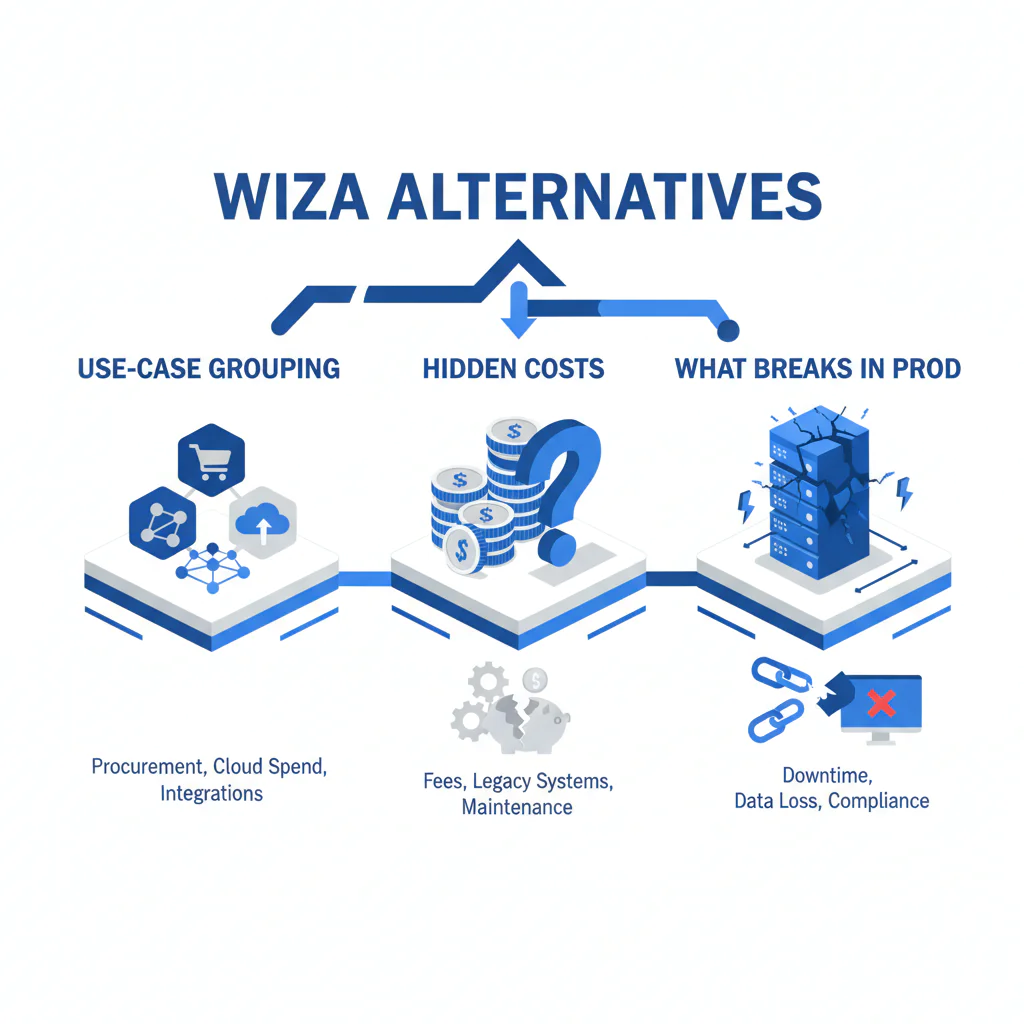
Wiza alternatives: use-case grouping, hidden costs, and what breaks in production
By Ben Argeband, Founder & CEO of Swordfish.AI
Who this is for
This is for sales and recruiting teams new to direct dial data who want a buying process that survives contact decay and integration reality. If you’re exporting from LinkedIn and trying to get phone numbers into a sequencer/ATS/CRM, this is for the person who gets stuck cleaning duplicates, explaining bad dials, and reconciling usage policies after the invoice arrives.
Quick verdict
- Core answer
- For wiza alternatives, don’t shop by feature lists. Shop by use-case grouping: pick the tool that fits your job-to-be-done, then validate it with your own list for reachability, decay control, and predictable cost under your seat count and API usage. If you need a shortlist, build it from the use-case rows in the table below, then run the same test plan on each option. If your job-to-be-done is “get prioritized direct dials (mobile first when available) from LinkedIn exports,” Prospector is the Swordfish alternative built around prioritized direct dials and true unlimited with fair use.
- Key stat
- Expect variance by seat count, API usage, list quality, and industry. Any vendor claiming one universal “accuracy” number without those inputs is not giving you something you can audit.
- Ideal user
- Operators who care about downstream outcomes (connects, replies, time-to-first-call) and who want to avoid credit math, re-enrichment surprises, and integration cleanup work.
Decision guide
If you want a top-10 list, this isn’t it. Lists don’t survive variance, and variance is what you’ll be paying for.
Framework: use-case grouping. Start with the job-to-be-done, then evaluate tools against the failure mode that would cost you the most: wasted dials from decay, CRM/ATS damage from bad merges, or unpredictable spend from usage accounting.
Baseline context (so we’re comparing the right thing). Wiza is commonly used for LinkedIn export workflows and contact enrichment. The alternative you choose should be judged on what happens after export: whether the phone data is reachable, how fast it decays, and how painful it is to operationalize.
- Sales prospecting workflow: volume punishes inconsistency; you feel decay as wasted dials and lower connects.
- Recruiting workflow: sensitivity punishes wrong-person outreach; you feel errors as complaints and manual correction work.
- Ops/RevOps workflow: integration punishes ambiguity; you feel it as duplicates, overwrites, and broken sequences.
Step 1: Write the job-to-be-done in one sentence. Examples: “Call-first outbound from LinkedIn lists” or “Enrich CRM/ATS records nightly without breaking field hygiene.” If you can’t state it, you can’t evaluate.
Step 2: Define “direct dial” in plain language. A direct dial is a phone number that routes to a specific person (or their device/line), not a company switchboard. If your workflow is calling, switchboards are noise that looks like coverage.
Step 3: Separate “found” from “reachable.” A number can be found and still be disconnected, reassigned, or routed to a gatekeeper. Freshness/verification indicators are vendor-provided recency or validation flags; correlate them to your own call outcomes, because decay is what turns “coverage” into wasted rep time.
Step 4: Decide whether you’re buying a browser workflow or a system. LinkedIn export alternatives are fine for ad-hoc. The moment you need repeatable enrichment, you’re dealing with API usage, rate limits, retries, dedupe, and overwrite rules. If the tool can’t run idempotently against stable matching keys, you’ll create duplicates every time you re-enrich.
Step 5: Price the real unit cost. Don’t compare sticker price. Compare cost per reachable contact delivered into your system of record, including the labor cost of cleanup. Seat count and usage policies change the math more than most buyers expect.
Step 6: Require a variance explanation up front. Ask the vendor to explain, in writing, how seat count, API usage, list quality, and industry affect both results and cost. If they can’t, you can’t forecast outcomes or spend.
How to test with your own list (7 steps)
- Pull a representative list. Use 150–300 contacts you actually target, and keep the original LinkedIn URLs or identifiers so you can dedupe later.
- Segment before you enrich. Split by role/seniority, region, and industry if relevant. This is where variance hides.
- Run the same list through each tool with the same settings. Don’t let a vendor “tune” one run and not the others.
- Measure coverage by output type. Track how many records get a mobile number and how many get any direct dial. If you’re calling, mobile coverage is the first filter that matters.
- Measure decay pain, not just presence. For two weeks, tag outcomes from actual calling: connected, valid voicemail, wrong person, disconnected/bad number. Use the same dialer and caller ID settings across the pilot so you don’t confuse tool output with your own calling setup.
- Audit CRM/ATS impact in a sandbox. Test field mapping, overwrite precedence, formatting normalization, and whether enrichment creates duplicates.
- Re-run enrichment on the same list. Confirm how re-enrichment is counted (usage policy) and whether records change in ways you can audit and roll back.
Checklist: Feature Gap Table
| Use case (job-to-be-done) | What usually breaks | Hidden cost you’ll actually pay | What to require in a Wiza alternative | How to validate (no invented metrics) |
|---|---|---|---|---|
| LinkedIn export alternatives for outbound lists | Coverage looks fine until you filter to mobile numbers; exports create duplicates and stale records | Rep time wasted dialing non-reachable numbers; CRM pollution; higher complaint risk when outreach is mis-targeted | Prioritized direct dials (mobile first when available), clear freshness signals, dedupe controls | Run the same list through each tool; compare mobile coverage, direct dial coverage, and duplicates created after import |
| Contact enrichment tools feeding a CRM/ATS | Overwrite rules cause silent data loss; formatting changes break sequences; matching logic creates duplicates | Ops time fixing records; broken routing; recruiters calling the wrong line | Deterministic field mapping, overwrite controls, normalization, audit logs | Use a sandbox: 50 existing + 50 new; verify overwrite precedence, dedupe behavior, and whether you can trace changes |
| Mobile number lookup tools for calling-heavy teams | Numbers are present but not reachable; reassignment shows up later as “bad number” tags | Lower connect rate; more dials per meeting; higher carrier spam labeling risk | Freshness/verification indicators, prioritized mobile numbers, suppression handling | Track call outcomes for two weeks; compare bad-number rate by vendor output type (mobile vs other) |
| Workflow tools that enrich at scale (API) | Rate limits, retries, and partial failures create gaps; usage accounting becomes unpredictable | Engineering time; backfills; surprise bills tied to API usage and reprocessing | Stable API, clear error semantics, predictable usage policy under failures and retries | Load test at expected peak; inspect error handling, retry behavior, and how usage is counted when calls fail |
| Recruiting workflows (sourcing + outreach) | Region-specific expectations and suppression needs get ignored; wrong-person outreach becomes reputational damage | Legal review time; candidate complaints; manual correction workload | Clear provenance signals, suppression options, audit logs | Run a pilot segmented by region and role type; measure correction workload and complaint handling time |
What Swordfish does differently
I’m biased because I run Swordfish, so treat this as an operator’s buying guide with a preference for predictable calling outcomes and low cleanup overhead.
Prioritized direct dials (mobile first when available). If your job-to-be-done is calling, you want the most reachable number first. That reduces wasted dials and shortens time-to-first-conversation.
True unlimited with fair use. “Unlimited credits” often turns into policy friction once you scale. Swordfish is designed for heavy usage without forcing you into credit math every time your team ramps or reprocesses lists.
Built for production workflows, not just one-off exports. When you operationalize enrichment, the pain is in normalization, dedupe, overwrite controls, and predictable behavior under load. That’s where tools either behave like software or like a browser trick with a billing layer.
If you’re specifically looking for a Wiza alternative for direct dials, start with Prospector.
Decision Tree: Weighted Checklist
The weighting here is based on standard failure points that create measurable cost: data decay (bad numbers), integration overhead (ops/engineering time), and pricing variance (seat count and API usage). Use it to compare vendors without pretending there’s one universal “best.”
- Highest weight: Reachability signals (decay control). Require freshness/verification indicators and a way to separate “found” from “likely reachable.” This reduces wasted dials and reduces downstream cleanup.
- Highest weight: Mobile number coverage and prioritization. If your team calls, prioritized mobile numbers reduce time-to-first-call compared to returning a switchboard or generic line.
- High weight: Predictable pricing under scale. Get written answers on how usage is counted for re-enrichment, failures, retries, and API usage. This is where cost variance usually hides.
- High weight: Integration controls. Deterministic field mapping, overwrite precedence, dedupe, and normalization prevent CRM/ATS damage that takes months to unwind.
- Medium weight: Workflow fit (sales vs recruiting). Recruiting tolerates less error and more suppression needs; sales punishes inconsistency at volume. Pick the tool that matches your operational risk.
- Medium weight: Auditability. If you can’t trace why a record changed, you can’t fix systemic issues or explain outcomes to stakeholders.
Limitations and edge cases
Industry variance is real. Coverage and reachability vary by industry, seniority, and geography. That’s why any “accuracy” claim without segmentation is not decision-grade.
List quality dominates outcomes. If your LinkedIn list is messy (duplicates, outdated roles, wrong locations), enrichment will amplify the mess faster than your ops team can clean it.
“Unlimited” always has a policy boundary. Even with fair use, you need to know what triggers throttling and how API usage is governed, especially when you automate.
Direct dial is not the same as consent. Having a number does not mean you should call it in every region or context. Build suppression and escalation paths into your workflow.
Troubleshooting Table: Conditional Decision Tree
- If your job-to-be-done is “call-first outbound” then require prioritized direct dials with mobile numbers surfaced first when available, plus freshness signals to manage decay.
- If your job-to-be-done is “enrich CRM/ATS at scale” then require deterministic field mapping, overwrite precedence, dedupe controls, and predictable API behavior under retries and partial failures.
- If you’re evaluating “unlimited credits” claims then request the written fair use policy plus a sample invoice explanation showing how re-enrichment, failures, and API usage are counted.
- If your team is recruiting across regions then require suppression options and audit logs to support compliance review and candidate corrections.
- Stop condition: If a vendor cannot provide written documentation explaining how seat count, API usage, list quality, and industry affect results and cost, plus how usage is counted for re-enrichment and failures, stop the evaluation.
Evidence and trust notes
This page avoids invented metrics on purpose. Contact data performance varies with seat count, API usage, list quality, and industry, and those variables change outcomes more than marketing claims do.
This is guidance, not a benchmark report. The only evidence standard that holds up is your own pilot inside your own workflow.
To keep yourself honest, run a controlled pilot with your own list and measure operational outcomes: reachable rate (connected + valid voicemail), bad-number rate, duplicate creation, and the time your ops team spends fixing records. If you want the underlying failure modes, read data quality.
If you’re comparing against Wiza specifically, read the constraints and pricing mechanics before you assume the unit economics: Wiza pricing, Wiza review, and Swordfish vs Wiza.
FAQs
What counts as a direct dial?
A direct dial routes to a specific person (or their device/line), not a company main line. If your reps are calling, direct dials reduce time wasted navigating gatekeepers.
Why doesn’t “found” mean “reachable”?
Because numbers decay: people change jobs, carriers reassign numbers, and databases lag. Without freshness/verification signals, you’ll dial more disconnected or wrong numbers, which shows up as lower connects and more rep time burned.
How should I compare Wiza alternatives without getting fooled by demos?
Use your own list, segment it, run the same settings across tools, and measure outcomes from real calling plus CRM/ATS impact. Then model cost variance using seat count and API usage, not a demo screenshot.
Are LinkedIn export alternatives enough for a real outbound system?
For one-off lists, sometimes. For production, you need repeatability: dedupe, normalization, overwrite controls, and predictable behavior when you re-run enrichment or scale volume.
What’s the simplest way to avoid pricing surprises?
Get written answers on how usage is counted for re-enrichment, failures, retries, and API usage. If they won’t put it in writing, assume you’ll learn it from an invoice.
Next steps
Day 0–1: Write your job-to-be-done and pick one workflow (sales prospecting or recruiting) to pilot first.
Day 2–4: Run the same list through shortlisted tools; track mobile/direct dial coverage, duplicates created, and call outcomes tagged by reps.
Day 5–7: Validate integration behavior in a sandbox (field mapping, overwrite precedence, dedupe, audit logs) and collect written usage policy details.
Week 2: Roll out to a small group, monitor bad-number tags and correction workload, then scale seat count only after unit cost and workflow stability are predictable.
About the Author
Ben Argeband is the Founder and CEO of Swordfish.ai and Heartbeat.ai. With deep expertise in data and SaaS, he has built two successful platforms trusted by over 50,000 sales and recruitment professionals. Ben’s mission is to help teams find direct contact information for hard-to-reach professionals and decision-makers, providing the shortest route to their next win. Connect with Ben on LinkedIn.

