


 View Products


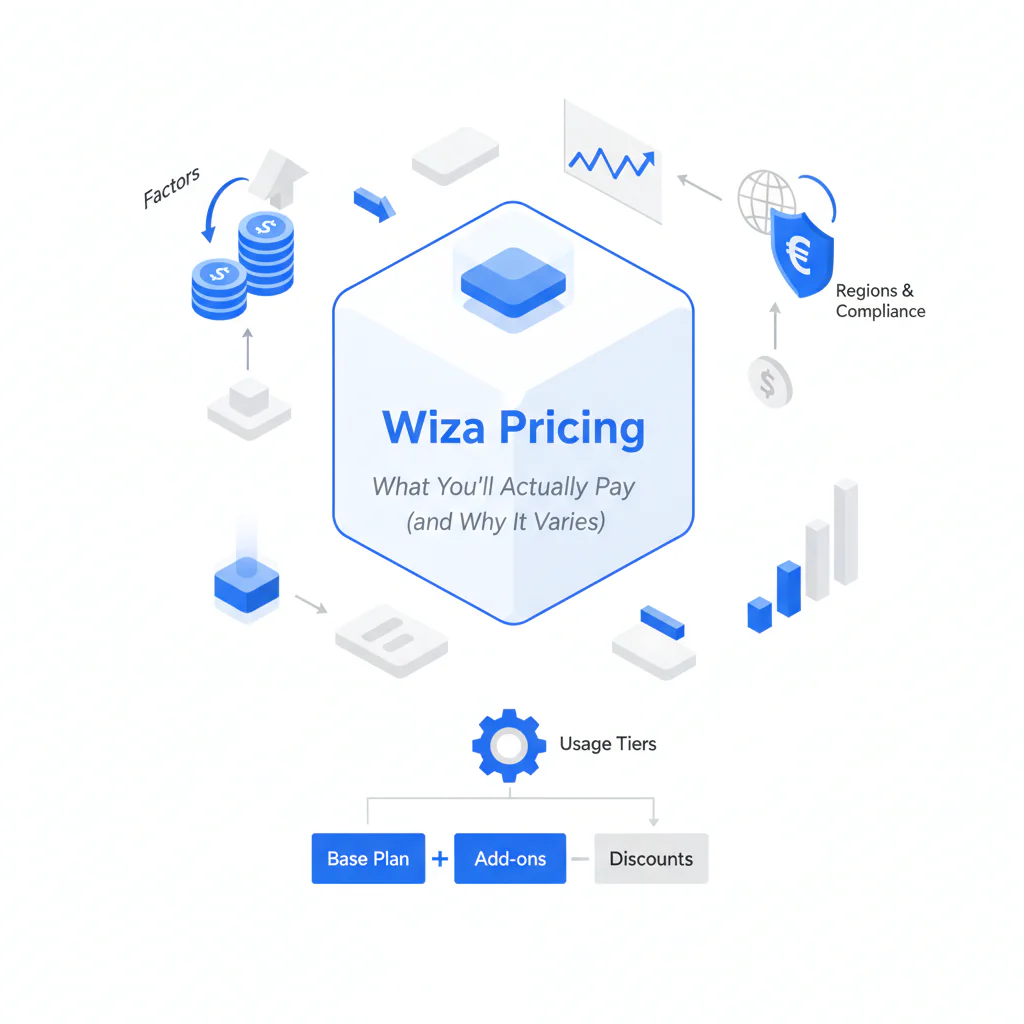
Wiza Pricing: What You’ll Actually Pay (and Why It Varies)
Byline: Ben Argeband, Founder & CEO of Swordfish.AI
Author note: Keep it workflow-first: export is step 1; outreach is step 10—evaluate based on downstream reachability.
Who this is for
You’re a recruiter or SDR reading a Wiza review and trying to sanity-check wiza pricing against what happens after the export: enrichment, deliverability, dial rates, CRM hygiene, and the admin time nobody budgets for. If you only compare the plan price, you’ll miss the cost drivers that show up once reps start working real lists.
Quick verdict
- Core answer
- Wiza pricing varies because your effective cost is driven by usage limits, export limits, seat count, list quality, and how often you reprocess the same contacts due to data decay. Treat any per-seat or per-credit quote as incomplete until you map it to your export volume and re-check cadence.
- Key takeaway
- Variance is driven by seat count, API usage, list quality, and industry targeting—so two teams can pay different totals even on the same tier.
- Ideal user
- Teams that mainly need LinkedIn exporting and can tolerate follow-on tooling for verification, enrichment, and CRM cleanup.
Assume you’ll need a quote and assume it will drift unless you pin down billable events and limits in writing.
What pricing models you’ll be quoted
- Seat-based: Predictable until headcount grows or you need contractors; then procurement becomes a seat-count argument.
- Credit-based: Predictable until you reprocess old records; then data decay turns into recurring spend.
- Export-based: Predictable until you iterate on lists; then export limits become a workflow bottleneck.
- API usage-based: Predictable until you integrate deeply; then rate limits and call volume become the pricing drivers.
Decision heuristic: 5 questions before trusting pricing
- Expect limits to be the real price lever: export limits and usage limits are where “predictable” spend turns into throttling, overages, or stalled sourcing.
- Expect rework to be billable: If duplicates, retries, and re-checks consume the same unit as clean records, your cost rises as your lists get older.
- Expect integration overhead: If exports don’t map cleanly into your CRM/sequencer, you pay in admin hours every week.
What Swordfish does differently
Most buyers evaluate export tools as if export is the finish line. It isn’t. Export is step 1; outreach is step 10. The hidden cost is paying twice: once to export, then again to make the data usable (verification, enrichment, dedupe, and reprocessing decayed records).
- Prioritized direct dials / mobile numbers: If your workflow depends on calling, you should evaluate whether the tool returns dialable mobile numbers in a way reps can use, not just “a phone field.” If you can’t consistently get a usable number, you’ll add a second vendor or burn rep hours hunting alternatives.
- True unlimited + fair use: “Unlimited” often means “until you hit a quiet cap.” If a vendor uses a fair use policy, you need to know what triggers throttling (volume spikes, automation patterns, or atypical usage) so you can plan sourcing sprints without getting rate-limited mid-week.
If your cost problem is processing existing lists (not just exporting), use File Upload to run enrichment on your data in bulk. That’s usually cheaper than re-exporting the same people repeatedly because your CRM decayed.
Decision guide
Use this decision heuristic: 5 questions before trusting pricing. It’s the fastest way to expose where the quote will drift once you hit real-world volume and list mess.
- What is the billable unit? Seat, credit, export, or API call. This is the pricing model, and it determines what behavior gets punished.
- What counts as billable usage? Ask whether duplicates, failed exports, retries, and re-checks consume the same unit as a clean net-new record. If yes, list quality becomes a direct cost driver.
- Where do export limits show up in your workflow? If you hit export limits during a sourcing sprint, you either pause work (pipeline gap) or buy add-ons (unplanned spend). Ask what happens at the limit: hard stop, throttling, or overage.
- What is the downstream tool stack? If you need separate verification, enrichment, and formatting for CRM + sequencers, your “Wiza cost” becomes a stack cost.
- What is the decay plan? Contact data decays. If you re-check records monthly/quarterly, a credit model can inflate because you pay again for the same people.
How to test with your own list (5–8 steps)
- Pick a representative sample: Use a mix of fresh LinkedIn leads and older CRM records. Old records are where decay and duplicates show up.
- Export once, then re-export later: Run the same list through your workflow again after a short interval to see what “reprocessing” looks like in practice (and whether it’s billable).
- Track duplicates and failures: Count how many rows are duplicates, missing fields, or fail to export. The question is whether those events consume credits/exports.
- Measure downstream readiness: Check whether the output imports cleanly into your CRM and sequencer without manual formatting, field mapping, or dedupe rules.
- Test reachability, not just presence: Verify whether emails and phone fields are usable for outreach in your stack. A contact record that exists but can’t be used still costs you time.
- Stress the limits: Run a sourcing sprint that matches your real cadence and see whether usage limits or throttling appear when volume spikes.
- Document admin time: Record the hours spent on cleanup, mapping, and re-runs. That’s part of your effective price even if it never appears on an invoice.
Checklist: Feature Gap Table
| Cost/Feature Area | What buyers assume | What usually happens in production | How it changes your effective cost |
|---|---|---|---|
| Pricing drivers | Plan tier determines spend | Seat count, export volume, and reprocessing frequency drive spend more than the tier name | Two teams on the same tier can pay different totals due to usage patterns |
| Export limits | Limits are high enough to ignore | Limits show up during sprints (role changes, new territories, hiring bursts) | Hard stops create pipeline gaps; overages create unplanned spend |
| Usage limits | “Unlimited” means no constraints | Fair use policies can throttle atypical volume or automation patterns | Throttling forces schedule changes or tool switching mid-quarter |
| List quality variance | All lists behave the same | Older CRM lists and scraped sources contain duplicates and stale records | If duplicates or stale records consume credits, you pay for non-working data |
| Downstream reachability | Exported contacts are ready for outreach | You still need verification, enrichment, and formatting for CRM + sequencers | Extra vendors + admin time become the real plan cost |
| Integration overhead | “Has integrations” means low effort | Field mapping, dedupe rules, and rate limits create ongoing admin work | Admin time becomes a recurring cost center, not a one-time setup |
Decision Tree: Weighted Checklist
This weighting is based on standard failure points in contact-data buying: hidden limits, reprocessing due to decay, and integration overhead. Use it to compare a quote to your workflow without pretending there’s one universal price.
- High weight: Written definition of the billable unit (seat/credit/export/API) and what consumes it (duplicates, failed exports, retries, re-checks). If this is vague, your forecast will be wrong.
- High weight: Written handling of export limits and usage limits (hard stop vs throttling vs overage). This determines whether you miss pipeline targets or just pay more.
- High weight: Downstream readiness requirements (what you still need for verification, enrichment, and formatting). If you need separate tools, your total cost rises even if the plan price looks fine.
- Medium weight: Integration friction (CRM field mapping, dedupe, rate limits). This predicts admin hours per month.
- Medium weight: Reprocessing policy (do you pay again for the same record later?). This is where data decay turns into recurring spend.
- Lower weight: UI convenience. It matters only if it reduces rework.
If you want a baseline for what “unlimited” should mean in practice, read unlimited contact credits and compare the fair use language to what you’re being sold.
Troubleshooting Table: Conditional Decision Tree
- If your team mainly needs LinkedIn exporting and you rarely reprocess the same contacts, then a plan-based export tool can be predictable until you hit export limits during a sprint.
- If you routinely re-check old CRM records because of data decay, then credit-based pricing tends to inflate over time because you pay repeatedly for the same people.
- If your outreach motion depends on calling, then prioritize tools that return usable mobile numbers/direct dials; otherwise you’ll add a second vendor and your total cost rises.
- If you need to process large existing lists (events, CRM dumps, inbound leads), then use File Upload to enrich in bulk instead of paying an export workflow to do bulk work poorly.
- Stop condition: If the vendor cannot state (in writing) what counts against limits and what happens when you exceed them (throttle, hard stop, overage), stop the purchase until they do.
- Stop condition: If the vendor cannot provide a sample export schema and basic mapping guidance for your CRM/sequencer, stop until they do. Integration surprises are where “cheap” tools get expensive.
Limitations and edge cases
- Small teams misread “cheap” pricing: A low entry plan looks fine until you add seats or increase volume. Variance comes from seat count and usage patterns, not marketing tiers.
- High-churn roles amplify decay: If you sell into roles with frequent job changes, you’ll reprocess more often. That makes credit models drift upward over time.
- Integration-heavy stacks pay an “API tax”: If your workflow relies on API usage, rate limits and per-call billing can become the real driver. Ask for examples tied to your expected call volume.
- List quality changes everything: Older lists contain duplicates and stale records. If those consume credits/exports, your effective cost per usable contact rises even if the plan price stays flat.
For how to evaluate whether outputs are usable downstream, review data quality and compare it to what your reps see in sequences and dialers.
Evidence and trust notes
- No invented metrics: This page avoids quoting specific Wiza plan prices because pricing varies and changes. The point is to explain the variance drivers: seat count, API usage, list quality, and industry targeting.
- Not affiliated with Wiza: Treat any pricing you see in a blog post as stale until you confirm it in writing with the vendor.
- Contract reality: Validate pricing and limits in the order form, not in a slide deck.
- Auditability over marketing: If a vendor can’t define billable events (what consumes a credit/export) and limit behavior (throttle/stop/overage), you can’t forecast spend or compare tools fairly.
- Workflow-first evaluation: Export is step 1. The cost you feel is in step 10: deliverability, dial rates, CRM cleanliness, and reprocessing due to decay.
What to request from sales, in writing, before you treat any quote as real:
- Billable event definition: What exactly consumes a credit/export/API unit, including duplicates, retries, and failed exports.
- Limit behavior: What happens at export limits and usage limits (hard stop, throttling, overage) and how you’re notified.
- Fair use policy triggers: What patterns trigger throttling and whether sourcing sprints are considered normal usage.
- Overage policy: Whether overages are allowed, how they’re priced, and whether you can cap spend.
- Duplicate/failed record policy: Whether you’re credited back for unusable records.
- Export schema sample: A sample export with field names so your ops team can validate mapping and dedupe rules before rollout.
If you want a direct comparison instead of abstract drivers, use Swordfish vs Wiza to map differences to admin time and reprocessing risk.
FAQs
- Why does wiza pricing vary so much between teams? Because the effective cost depends on pricing drivers like seat count, export volume, reprocessing frequency, and whether duplicates/failed exports consume billable units. Industry targeting and list quality also change how many records you have to touch to get the same number of usable contacts.
- What should I ask about export limits before buying? Ask what triggers export limits, what happens when you hit them (hard stop, throttling, or overage), and whether retries/duplicates count as billable usage.
- Is “unlimited” the same as no usage limits? Usually not. Many tools apply fair use policies. The operational question is what behavior triggers throttling and whether that aligns with your sourcing cadence.
- How do I compare credits vs unlimited pricing model options? Tie the model to decay and reprocessing. If you re-check the same contacts regularly, credits tend to compound. If you mostly do net-new sourcing with stable volume, credits can be more predictable.
- What’s the cheapest way to process a big list I already have? Bulk enrichment is usually cheaper than re-exporting the same people repeatedly. Use File Upload when the input is your list, not a sourcing session.
Next steps
- Day 0–1: Write down your forecast: seats, expected export volume, and how often you reprocess due to decay.
- Day 2: Get written answers on billable events plus export limits and usage limits: what counts, what happens at the limit, and whether duplicates/retries are billable.
- Day 3–5: Run the “test with your own list” plan above using a messy CRM slice, not a curated sample.
- Week 1–2: If you’re comparing vendors, run the same test list through each and compare admin hours plus reprocessing exposure, not feature checkboxes.
- Week 2: Decide based on downstream outcomes: usable contacts per unit of spend and admin hours per week. If list processing is the bottleneck, route it through File Upload instead of paying export tooling to do bulk work poorly.
About the Author
Ben Argeband is the Founder and CEO of Swordfish.ai and Heartbeat.ai. With deep expertise in data and SaaS, he has built two successful platforms trusted by over 50,000 sales and recruitment professionals. Ben’s mission is to help teams find direct contact information for hard-to-reach professionals and decision-makers, providing the shortest route to their next win. Connect with Ben on LinkedIn.

