


 View Products


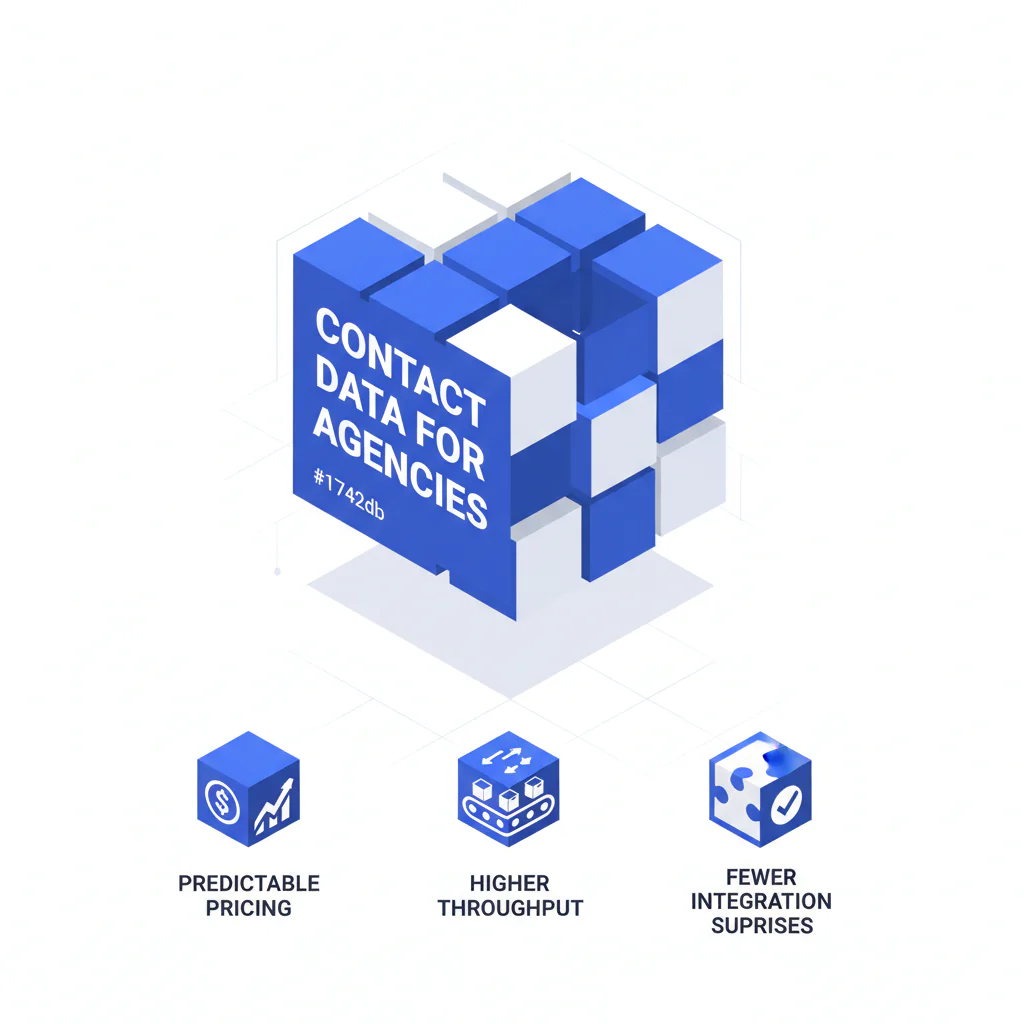
Contact data for agencies: predictable pricing, higher throughput, fewer integration surprises
Byline: Ben Argeband, Founder & CEO of Swordfish.AI
Who this is for
This is for buyers comparing suite platforms vs specialist phone-first tools for contact data for agencies. If you’re auditing margin, rep throughput, and vendor risk, you already know the trap: data decays, reps waste dials, and “simple” integrations turn into permanent ops work.
You’re not buying “more contacts.” You’re buying fewer dead ends and fewer surprise invoices.
Quick verdict
- Core answer
- For outbound-heavy agencies, pick a contact data tool that prioritizes direct dials/mobile numbers and offers predictable pricing (ideally unlimited with fair use) so your cost per connect doesn’t jump when volume increases.
- Key benchmark
- Ignore “records enriched.” Audit cost per connect and time-to-first-call after list prep, and track it by segment (industry/geo/seniority) so normal variance doesn’t get misread as vendor failure.
- Ideal user
- Staffing and lead gen agencies running high-volume agency outreach who need consistent throughput without seat-based or credit-based overage surprises.
What Swordfish does differently
Most vendors sell coverage and bury the operational tax in credits, throttles, export limits, and seat minimums. Agencies feel it when a campaign scales and the invoice starts tracking activity instead of outcomes.
- Prioritized direct dials and mobile numbers so reps spend fewer attempts on wrong lines. When the best numbers are ranked first and the ranking is accurate, connect rates improve and cost per connect drops because you burn fewer dials per conversation.
- Unlimited + fair use options (as defined in plan terms) designed for stable monthly spend. Agencies need predictable cost and throughput; unlimited pricing prevents surprise overages when volume rises.
- Bulk list enrichment for agency operations so list prep doesn’t become a hidden headcount line item. If you’re enriching client-provided lists, Client List Enrichment reduces manual lookup time and keeps throughput from collapsing when list volume spikes.
Decision guide
Use The Agency Profit Lens: margin → throughput → predictability. Contact data touches all three, but the failure modes show up in different places.
- Margin: Your real unit cost is cost per connect, not “per contact.” Bad numbers and wrong roles are paid waste.
- Throughput: The constraint is rep minutes. If list prep and retries eat the day, you’ll try to hire your way out of a data problem.
- Predictability: Credit-based pricing often looks fine until you run volume. Agencies need spend that doesn’t swing with activity.
Expect variance. Two agencies can buy the same plan and see different outcomes because of seat count, API usage, list quality, and industry mix. If a vendor can’t explain that variance up front, you’ll end up paying for it later.
To keep the pilot honest, normalize the conditions: same reps, same lists, same dialer settings, same call dispositions, same cadence. Otherwise you’re measuring noise and calling it “data quality.”
How to test with your own list (5–8 steps)
- Pull real lists from the last few weeks, including at least one segment you consider “hard” (older records, niche industry, mixed titles). This prevents cherry-picked samples.
- Define pass/fail metrics as cost per connect, connects per rep-hour, and time-to-first-call after list prep.
- Run the same workflow your team actually uses (CSV import, enrichment, dedupe, export, dial) with the same dialer settings and dispositions. If the tool only works in a demo flow, it won’t survive production.
- Track integration drag by logging manual steps: field mapping fixes, formatting, dedupe rules, and re-uploads. Document overwrite rules (when enrichment updates existing CRM fields) so you don’t corrupt good data.
- Test at your expected throughput (not a tiny sample) to surface throttling, export limits, and any “unlimited” fine print.
- Audit downstream in your CRM: duplicates created, bad fields, and how often reps report wrong numbers. Data decay shows up here first.
- Log your decay tax by checking how many records require re-enrichment after they’ve sat in your CRM for a short period. Prefer vendors that can stamp a “last verified” date so you can schedule rechecks instead of guessing.
Checklist: Feature Gap Table
| What agencies think they’re buying | What often happens in production | Hidden cost / failure mode | What to require in evaluation |
|---|---|---|---|
| “Unlimited” contact access | Fair use caps, throttling, or feature-gated exports | Spend becomes activity-based; predictable pricing breaks when volume rises | Written definition of fair use, export limits, and throttling behavior; confirm with a pilot at real volume |
| High mobile/direct dial coverage | Numbers exist but aren’t prioritized; reps dial low-quality lines first | Lower connect rates inflate cost per connect and reduce throughput | Ranking/priority logic for mobile numbers or direct dials; measure connects per 100 dials in your pilot |
| “Integrates with our stack” | Integration works, but field mapping and dedupe are on you | Ops time increases; data quality issues propagate into CRM and sequences | Documented field mapping, dedupe strategy, export formats, and overwrite rules; test with your CRM schema |
| Compliance support | Compliance is “your responsibility” with minimal controls | Risk shifts to the agency; suppression becomes manual work | Clear compliance posture and controls for compliance workflows (suppression handling, auditability where applicable); confirm whether suppression is enforced at export time or left to reps |
| API access for automation | API is priced separately or rate-limited | Automation becomes expensive; throughput gains stall | API terms, rate limits, and pricing; validate expected call volume from your workflow |
Decision Tree: Weighted Checklist
This checklist is weighted by standard agency failure points: unpredictable spend, low connect rates, and integration drag. The weighting is directional because agencies lose margin when pricing is activity-based and lose throughput when reps chase bad numbers.
- Highest weight: Predictable pricing under real volume (agencies need predictable cost and throughput; unlimited pricing prevents surprise overages). Verify how “unlimited credits” or unlimited usage is defined, including fair use and throttling.
- Highest weight: Ranked mobile numbers / prioritized direct dials (ranking improves connect rates, which lowers cost per connect). Require evidence from a pilot using your actual agency outbound lists so you’re not buying a best-case segment.
- High weight: Throughput impact per seat (throughput is the constraint). Measure time from list import to first dial, including dedupe and formatting.
- High weight: Data quality controls (data decay is constant and compounds inside your CRM). Review the vendor’s approach to data quality and confirm you can audit outcomes after import.
- Medium weight: Workflow fit (mismatched workflows create manual steps). If your recruiter agency workflow depends on fast list processing, require bulk enrichment and clean exports to protect throughput per seat.
- Medium weight: Automation reality (rate limits and per-call charges cap throughput). If your sales agency workflow relies on enrichment-on-ingest, validate API limits and pricing against your expected usage.
- Medium weight: Compliance handling (risk lands on the agency). Confirm suppression handling and how compliance requirements are supported operationally.
If you want the pricing model that’s easiest to audit, start with unlimited contact credits and confirm the plan stays usable at your actual throughput so invoice variance doesn’t become a monthly surprise.
Troubleshooting Table: Conditional Decision Tree
- If your monthly volume is variable (campaign spikes, seasonal hiring, client-driven surges), then prioritize predictable pricing with unlimited + fair use terms you can live with, because credit overages turn good performance into margin loss.
- If reps spend time hunting for the “right” number, then require ranked mobile numbers or prioritized direct dials, because higher connect rates reduce cost per connect without adding seats.
- If you routinely enrich client lists, then require bulk enrichment and consistent exports, because manual list prep reduces throughput per seat and creates integration rework.
- If you need automation (routing, enrichment-on-ingest, CRM hygiene), then validate API limits and pricing, because rate limits and per-call charges quietly cap throughput.
- Stop condition: If a vendor cannot define “unlimited” in writing (fair use, throttling, export limits) or refuses a pilot using your real lists, stop. You can’t audit what you can’t measure.
Limitations and edge cases
Suite platforms can be the right choice when you want fewer vendors and you accept their pricing mechanics. The tradeoff is common: you reduce vendor count but increase integration drag and activity-based billing exposure, which can hurt predictable pricing as volume grows.
Specialist tools can be the right choice when your bottleneck is connects per hour and list prep. The tradeoff is you may own more CRM hygiene and workflow discipline, which is still cheaper than paying for dead dials if you run volume.
List quality drives outcomes. Industry, seniority, geography, and how old your records are will change results. That’s why pilots must use your real segments and why variance should be expected, not argued away.
Evidence and trust notes
I’m biased: I run Swordfish.AI. I’m writing this like a buyer because agencies get burned by hidden pricing mechanics and integration work that never shows up in the demo.
I’m not claiming universal coverage rates or fixed performance lifts. Outcomes vary by seat count, API usage, list quality, and industry. The only honest evaluation is a controlled pilot using your own lists and your real workflow, then auditing what lands in your CRM.
If you want adjacent guidance by workflow, compare contact data for recruiters and contact data for sales. The same vendor can look “good” or “bad” depending on whether your team is filling roles or booking meetings.
FAQs
What does “contact data for agencies” mean in practice?
It means turning a name + company (or a list) into usable phone/email fields fast enough to support outbound throughput, with quality controls so you’re not paying for dead ends.
How should an agency measure ROI?
Use cost per connect and connects per rep-hour. “Contacts found” is a vanity metric if reps still can’t reach people.
Why do pricing quotes vary so much between vendors?
Variance usually comes from seat count, credit models, API usage, and how your list quality interacts with the vendor’s coverage. A low quote can assume low export volume or exclude API access.
Is unlimited always better?
Unlimited is better when it stays usable at your real volume and the fair use terms are explicit. If “unlimited” becomes throttled during peak campaigns, you lose throughput when you need it most.
Should a staffing agency and a lead gen agency buy the same tool?
Not automatically. Staffing agency contact data often needs fast list processing to protect throughput, while lead gen agency contact data often needs consistent dialing inputs to reduce cost per connect. Evaluate both with the same pilot method, but don’t assume the same segments behave the same way.
Next steps
Week 1 (Audit): Pull representative lists from recent campaigns, including one segment you consider “hard.” Define success as cost per connect, connects per rep-hour, and time-to-first-call after list prep.
Week 2 (Pilot): Run two workflows: rep-driven lookup and bulk enrichment. Track manual steps created by formatting, dedupe, field mapping, and overwrite rules.
Week 3 (Integration check): Validate exports, field mapping, dedupe behavior, and any API usage you expect. Confirm how updates flow into your CRM and sequences.
Week 4 (Decision): Choose the model that preserves margin under scale: stable spend (predictable pricing), ranked phone data that supports throughput, and integration that doesn’t create a permanent ops tax.
About the Author
Ben Argeband is the Founder and CEO of Swordfish.ai and Heartbeat.ai. With deep expertise in data and SaaS, he has built two successful platforms trusted by over 50,000 sales and recruitment professionals. Ben’s mission is to help teams find direct contact information for hard-to-reach professionals and decision-makers, providing the shortest route to their next win. Connect with Ben on LinkedIn.

