


 View Products


Key takeaways
- Not always, but it’s more variable. Total cost depends on seat count, packages, add-ons, and how usage is metered, including API usage. If you can’t model spend under realistic usage, you’re not really comparing prices.
- No. Swordfish is a specialist. If you need suite breadth across multiple teams and workflows, a suite can be the right call. If your outcome is phone-first outreach performance, buying breadth you won’t operationalize is how shelfware happens.
- Use your own list, control for segment, and measure connect rate and dials-per-connect. Expect variance by industry, region, persona, list quality, seat count, and API usage.
- Field precedence and dedupe drift. One tool writes what it considers better data into the wrong field, duplicates multiply, and reps stop trusting the CRM. Fixing it usually costs more than the tool did.
Last updated: September 3, 2026
Byline: Ben Argeband, Founder & CEO of Swordfish.AI
Who this is for
If you searched swordfish vs zoominfo, you’re probably not after a feature list. You’re trying to avoid three specific problems: hidden cost creep, contact data that decays faster than your outreach cadence, and integrations that look clean in a demo but turn your CRM into a mess three months in.
- Sales teams, including healthcare sales and staffing teams working provider lists, who measure success by connected conversations and don’t want reps burning hours on disconnected numbers.
- Recruiters, especially clinical and healthcare recruiters, who need fast outreach to hard-to-reach providers and can’t afford admin friction or rationed lookups.
- RevOps, procurement, and auditors who have to explain to finance why buying a data tool didn’t turn into pipeline.
Quick verdict
- Core answer
- In swordfish vs zoominfo, lean toward Swordfish when the goal is more connected calls using ranked mobile numbers or prioritized direct dials, with true unlimited access under fair use. Lean toward ZoomInfo when you need a big suite vs specialist platform for broad enrichment across teams and you can absorb adoption friction and a more layered pricing model.
- Key stat
- Treat vendor accuracy claims as marketing until you test them yourself. Results shift by industry, region, persona, list quality, seat count, and API usage. Define connect rate as connected conversations divided by total dials (excluding voicemails), and track dials-per-connect by segment using consistent disposition codes.
- Ideal user
- Swordfish tends to fit teams that want predictable usage and phone-first outcomes. ZoomInfo tends to fit teams that want suite breadth and have the process discipline to enforce it across Sales, Marketing, and RevOps.
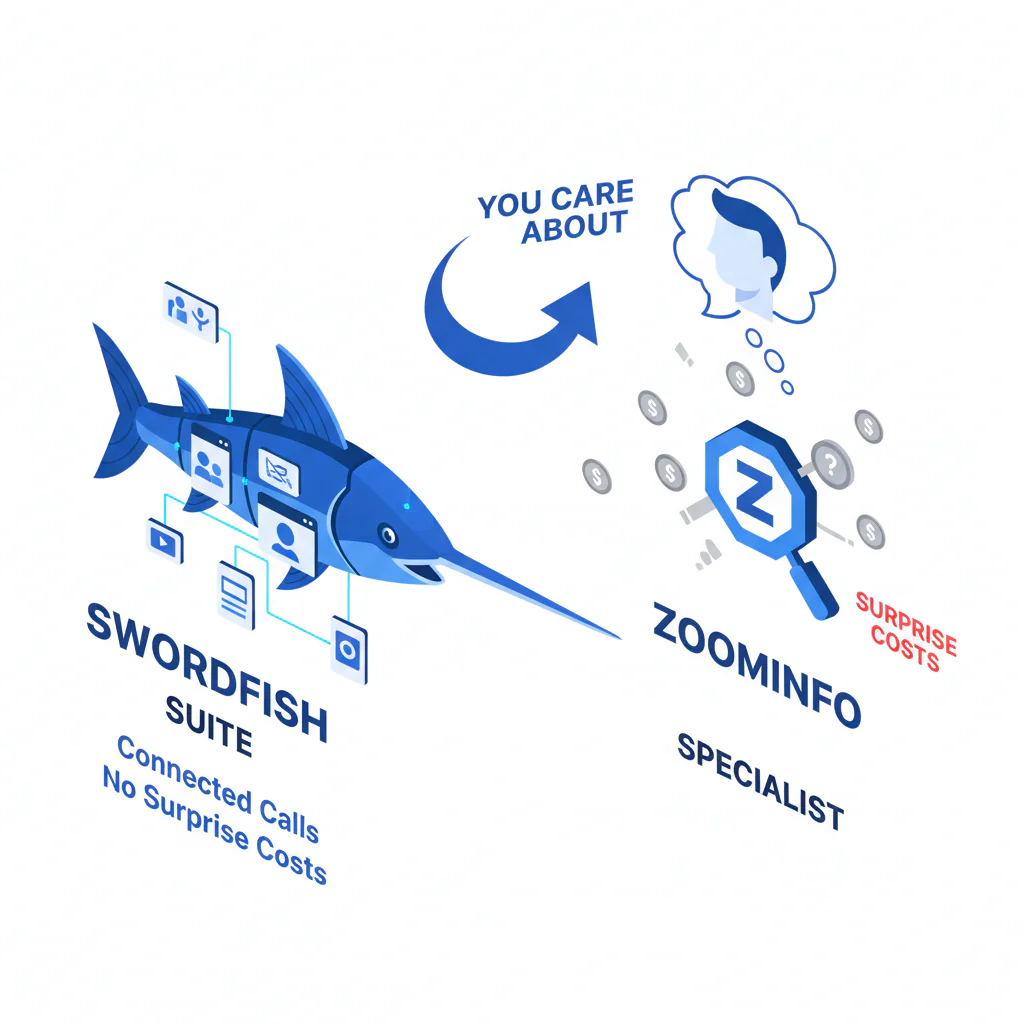
Suite vs specialist, in plain terms: a suite tries to standardize many workflows under one contract. A specialist tries to win one workflow, usually calling, with less overhead attached.
What Swordfish does differently
As a buyer, the number of records a tool claims to enrich matters less than whether reps actually reach people. That’s especially true in healthcare, where provider mobile numbers and direct lines change often as clinicians move between practices, hospital systems, and locum assignments.
- Ranked mobile numbers and prioritized direct dials: Swordfish is built phone-first. Ranking matters because a number existing in a database isn’t the same as the first number a rep dials actually connecting. Fewer wrong dials means less wasted rep time and lower operational cost from data decay.
- True unlimited plus fair use: unlimited access only helps if reps can use it without asking permission or hoarding credits. When usage gets rationed, teams stop refreshing stale contacts and decay quietly wins.
- Lower adoption friction: specialist tools generally have fewer modules and fewer admin gates, which shortens time-to-value for recruiter outreach and outbound calling programs.
ZoomInfo’s real strength is breadth. That breadth also means more admin surface area, and that surface area is usually where adoption and data hygiene break down if RevOps doesn’t have the capacity to manage it.
If you want the focused alternative to suite complexity, start with Prospector and measure calling outcomes before you expand scope.
Decision guide
Use the big suite vs specialist framework to avoid buying the wrong tool for the right reason. Suites make sense when governance itself is the product you’re buying. Specialists make sense when the workflow, not the platform, is what you’re paying for.
Most bad purchases happen because buyers compare vendor screenshots instead of comparing failure modes: usage throttling, integration drift, and list decay.
Checklist: Feature Gap Table
| Buying dimension | Swordfish (specialist) | ZoomInfo (suite) | Hidden cost / failure mode to audit |
|---|---|---|---|
| Primary outcome | Phone-first: ranked mobile numbers / prioritized direct dials for calling | Broad coverage: multi-surface data + workflows across teams | If your KPI is meetings, audit connect rate, not “records enriched.” |
| Pricing model | True unlimited under fair use (designed to reduce credit anxiety) | Typically seat + package + usage constraints (varies by contract) | Variance comes from seat count, add-ons, and how “usage” is defined (exports, API calls, enrichment events). |
| Contracting/procurement overhead | Usually simpler scope | Often broader scope with more line items | Audit renewal language, auto-uplifts, and what triggers “overage” behavior (even if it’s framed as policy). |
| Writeback controls (field precedence/overwrite scope) | Fewer writeback paths to govern | More writeback paths depending on modules and integrations | If you can’t define field precedence and overwrite rules, you’ll corrupt CRM fields and lose rep trust. |
| Adoption friction | Fewer modules; faster rep onboarding | More configuration; more training; more governance | Suite rollouts fail when reps can’t find the right workflow and revert to spreadsheets. |
| Integration surface | Focused: fewer integration points to maintain | More surfaces: CRM, enrichment, workflows (depends on what you buy) | Integration headaches show up as duplicate records, field mapping drift, and inconsistent enrichment triggers. |
| Data refresh control | Operationally easier to re-check because usage isn’t rationed | Can be workflow-driven, but usage constraints can discourage re-verification | If re-checking costs approvals or usage, teams stop doing it and decay becomes invisible until pipeline drops. |
| Recruiter outreach vs sales outbound calling | Strong fit when speed + phone reachability drives outcomes | Strong fit when you need broad org coverage + standardized processes | Recruiting lists decay fast; sales lists fragment by segment. Expect persona-driven variance. |
| Auditability | Simpler: fewer levers to explain | Harder: more modules, more contract line items | Finance will ask why spend rose. Be ready to attribute to seats, add-ons, and API usage. |
Decision Tree: Weighted Checklist
This weighting reflects the failure points that most often break ROI on contact data programs: unpredictable spend, weak rep adoption, integration drift, and unmanaged decay. The items listed first tend to break ROI first.
- Pricing model clarity (highest weight): can you predict spend as usage scales, including exports and API calls? If not, usage gets rationed and the whole program stalls.
- Phone number quality for calling (highest weight): do you get ranked mobile numbers or prioritized direct dials that lower dials-per-connect? If not, rep time waste becomes the real cost center.
- Adoption friction (high weight): can a new rep be productive without admin intervention? If not, usage concentrates in a few power users and your ROI story won’t survive an audit.
- Integration and field mapping stability (high weight): can you control field precedence, dedupe keys, and enrichment triggers? If not, you’ll pay for cleanup later.
- Data decay handling (medium-high weight): can you re-check contacts without approvals or credit anxiety? If not, stale records accumulate until performance drops.
- Suite breadth (medium weight): do you have a genuine cross-team requirement, or are you buying breadth because “one vendor” feels safer? Shelfware still costs money.
- Governance and compliance fit (medium weight): can you document sourcing, usage, and retention in a way legal will accept, especially given healthcare privacy obligations around provider outreach? If not, rollout pauses will erase whatever time you saved.
Troubleshooting Table: Conditional Decision Tree
- If your KPI is calls connected per rep and reps keep hitting dead numbers, then prioritize phone-first tools with ranked mobile numbers or prioritized direct dials and a predictable cost model.
- If your organization needs one vendor to support Sales, Marketing, and RevOps workflows and you can enforce process, then a suite can be justified even if adoption is slower.
- If your current pain is that reps can’t use the tool because usage gets rationed, then favor true unlimited under fair use so re-checking and list refreshes aren’t throttled by policy.
- If your CRM is already messy with duplicates and inconsistent fields, then reduce integration surfaces until you can control dedupe and field precedence.
- Stop condition: if you can’t run a two-to-three week pilot measuring connect rate on the same list, in the same segment, with the same dialing workflow, stop. You’re about to buy based on demos and vendor-picked samples that won’t match your actual variance drivers (industry, region, persona, list quality, seat count, API usage).
How to test with your own list (5–8 steps)
- Pick one segment (industry, persona, and region) so you’re not averaging away real variance.
- Pull a representative sample from your CRM or ATS, mixing new leads with older records so you see decay, not just fresh data.
- Keep lead source and record-age mix consistent across both tools so you’re testing the same list, not two different ones.
- Write down disposition definitions before you start, so “connected conversation” means the same thing across every rep.
- Split the list evenly across reps, or rotate daily, to reduce cherry-picking and easy-lead bias.
- Run the same workflow for both tools: same dialer, same call windows, same number of attempts, same disposition codes.
- Track outcomes: connected conversations, wrong numbers, no-answers, and dials-per-connect. Note cases where a number exists but never connects; that’s where phone number quality actually shows up.
- Model the cost using your real usage pattern, including seat count, exports, and API usage if you plan to automate enrichment.
Limitations and edge cases
- “Accuracy” doesn’t transfer across segments: contact data accuracy and mobile reachability vary by industry and persona, and healthcare providers in particular can be harder to reach by mobile than general B2B contacts. A vendor can look strong in one segment and weak in another.
- Suites win when governance is the requirement: if your real need is standardization across fields, workflows, and reporting, a suite can reduce tool sprawl. You still pay for that in rollout overhead.
- Specialists lose when you need breadth: if you need multiple data types and cross-functional workflows, a specialist may force you into additional vendors, reintroducing integration drift.
- API usage changes the economics: if you plan to enrich at scale via API, compare exactly how usage is defined and metered. This is where “predictable” pricing claims often fall apart in practice.
- Recruiters and sales behave differently: recruiters work smaller lists with high urgency; sales teams run larger sequences and care more about repeatability. Your tolerance for adoption friction should differ accordingly.
Evidence and trust notes
I’m Swordfish’s founder, so treat that as a bias. The way to neutralize it is to run a controlled pilot and audit the contract and integration plan as if you expect problems, because you should.
- Variance explainer, or why your results will differ: expect performance differences driven by seat count (who actually uses the tool), API usage (how often you enrich), list quality (freshness and sourcing), and industry or persona (some roles, including many clinical roles, are harder to reach by mobile).
- What I’d ask any vendor before signing: How is fair use defined? What counts as usage: exports, enrichment events, API calls? What triggers throttling or access limits? What happens at renewal? What’s the field precedence order when writing back to CRM?
- What I’d ask RevOps to validate: dedupe keys, overwrite rules, enrichment triggers, and whether the integration can be rolled back without corrupting fields.
For auditability, save the raw call log export, the disposition definitions used, the before-and-after CRM field mapping including field precedence, a list of fields allowed to be overwritten, and a copy of the contract’s usage definitions. If you can’t produce those later, you can’t explain variance when results change.
Run this through your compliance policy for outreach and data handling, and if you work in healthcare, make sure that policy accounts for how provider contact data is sourced and used. Don’t let a vendor demo set your risk posture.
If you’re auditing decay and verification, read data quality. If you’re trying to understand predictable usage, read unlimited contact credits. For the broader category, see contact data tools.
FAQs
Is ZoomInfo always more expensive?
Not always, but it’s more variable. Total cost depends on seat count, packages, add-ons, and how usage is metered, including API usage. If you can’t model spend under realistic usage, you’re not really comparing prices.
Does Swordfish replace a full suite?
No. Swordfish is a specialist. If you need suite breadth across multiple teams and workflows, a suite can be the right call. If your outcome is phone-first outreach performance, buying breadth you won’t operationalize is how shelfware happens.
How do I compare contact data accuracy without trusting vendor claims?
Use your own list, control for segment, and measure connect rate and dials-per-connect. Expect variance by industry, region, persona, list quality, seat count, and API usage.
What’s the most common integration failure?
Field precedence and dedupe drift. One tool writes what it considers better data into the wrong field, duplicates multiply, and reps stop trusting the CRM. Fixing it usually costs more than the tool did.
Is this only for sales outbound calling?
No. Recruiter outreach has the same decay problem, often worse, since healthcare professionals in particular change roles and numbers frequently. The difference is recruiters usually tolerate less workflow friction because speed matters more than perfect enrichment coverage.
Where’s the reverse comparison page?
Here: zoominfo vs swordfish.
Next steps
- Day 1–2: pick one segment (industry, persona, and region). Define connect rate and dials-per-connect. Write down disposition definitions.
- Day 3–7: run the pilot on the same list with the same dialer workflow. Track outcomes and operational friction. Save call logs.
- Week 2: review the pricing model against your real usage pattern, including seat count, exports, and API usage if applicable. Document what changes when usage doubles.
- Week 3: decide suite vs specialist based on what actually moved the metric. If phone reachability drove outcomes, keep scope tight. If governance and breadth drove outcomes, plan for rollout overhead.
For phone-first lookup workflows, see cell phone number lookup.
About the Author
Ben Argeband is the Founder and CEO of Swordfish.ai and Heartbeat.ai. With deep expertise in data and SaaS, he has built two successful platforms trusted by over 50,000 sales and recruitment professionals. Ben’s mission is to help teams find direct contact information for hard-to-reach professionals and decision-makers, providing the shortest route to their next win. Connect with Ben on LinkedIn.

