


 View Products


Last updated: September 3, 2026
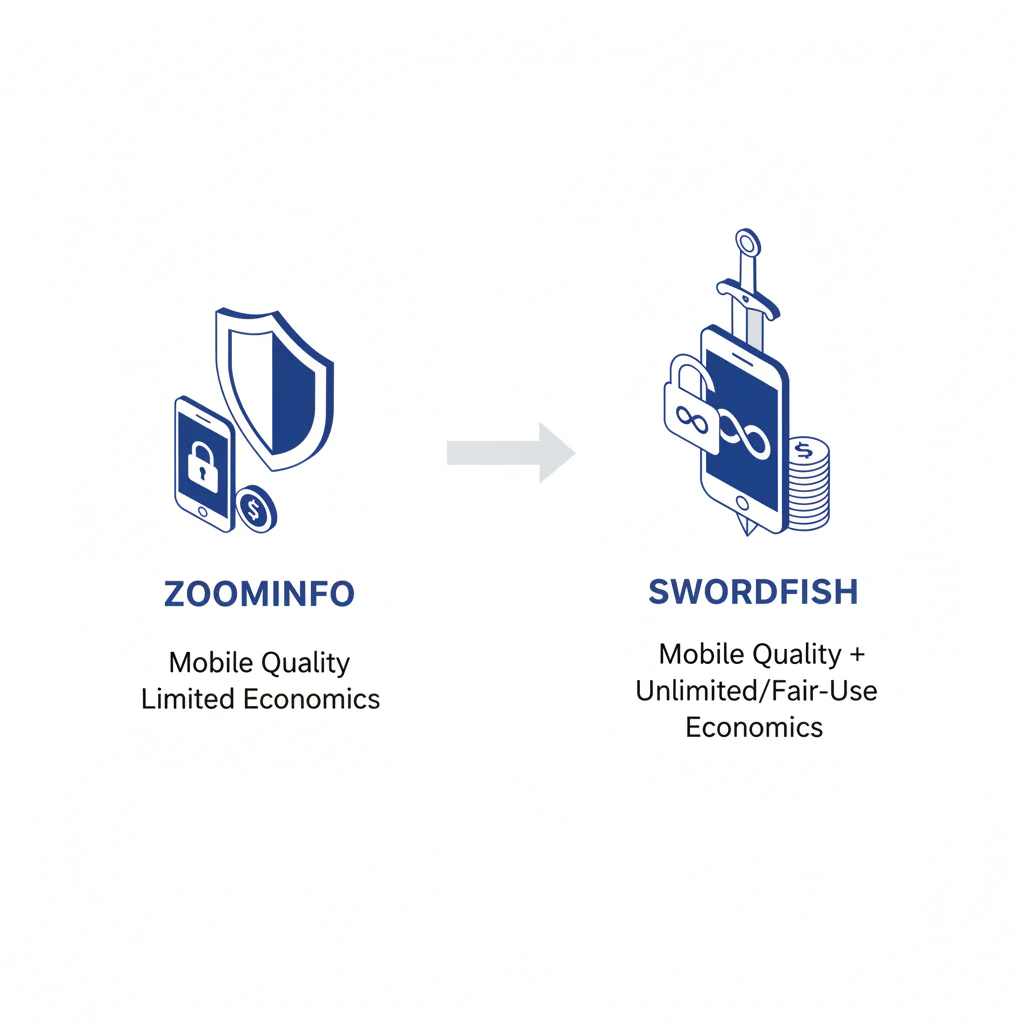
Byline: Swordfish.ai Editorial Team (reviewed from a buyer/auditor perspective focused on reachability outcomes, data decay, and integration writeback risk). Last updated: Jan 2026 (pricing model notes refreshed).
Who this is for
- Sales leaders trying to increase right-party conversations without turning outbound into a credit-management exercise.
- Recruiting leaders who need direct contact data that recruiters will actually use daily.
- RevOps and procurement who need to predict total cost: licenses, admin time, integration effort, and wasted dials from bad data decay.
Quick verdict
- Core answer
- In ZoomInfo vs Swordfish, the right pick is whichever tool increases right-party connects while keeping usage predictable. If your motion is direct outreach, where a usable number is the bottleneck, Swordfish tends to fit. If your motion depends on broad B2B account context that you actually operationalize in routing and segmentation, ZoomInfo can fit better.
- Key insight
- More contacts does not mean more conversations. The real cost sits in wrong-party dials, stale records, and reps rationing activity under a credits vs unlimited model.
- Ideal user
- Swordfish: teams that value mobile-first reachability, ranked mobile numbers by answer probability, and routine usage under fair use. ZoomInfo: teams that need account intelligence and have the governance in place to manage credit economics without slowing the field down.
Verdict in one line: if mobile reachability and daily adoption are your bottlenecks, bias toward the tool that minimizes lookup rationing and wrong-party dials, then confirm it with the test plan below.
At-a-glance: what to compare in ZoomInfo vs Swordfish
| Criterion | ZoomInfo | Swordfish | What to test |
|---|---|---|---|
| Primary job-to-be-done | Account context plus contact workflows | Direct contact retrieval for outreach | Which one your team opens daily without prompting |
| Usage behavior | Often governed by consumption mechanics | Designed for routine usage under fair-use rules | Whether reps ration lookups or “save credits” |
| Phone motion fit | Depends on how you operationalize dialing data | Emphasis on usable direct dials and dial ordering | Right-party connects per list segment |
| Ops overhead | Can be heavier in governance and integration work | Still requires writeback discipline, usually fewer moving parts | Writeback, dedupe, and permission model friction |
The buyer decision matrix: budget model x use case x quality need
This is the framework worth applying when you’ll have to defend a purchase decision six months later.
- Budget model: credits vs unlimited changes behavior directly. When lookups feel scarce, enrichment turns into “special occasion” work and overall usage drops.
- Use case: recruiting is high-frequency, person-level outreach. Sales can be person-level plus account planning. Buy for the motion you actually run, not the one on the roadmap.
- Quality need: if you dial, you need reachable mobiles and sensible dial ordering. If you plan accounts, you need consistent company context that shows up in your workflow.
What Swordfish does differently
- Ranked mobile numbers/prioritized dials: Swordfish provides ranked mobile numbers by answer probability so reps aren’t burning time on the “valid” number that never reaches the person.
- True unlimited with fair use: Swordfish is designed for routine usage under fair use, reducing the rationing behavior that kills adoption.
- Outcome-first workflow: it’s built around getting usable direct contact data into an outreach motion without turning your CRM into a conflict zone.
ZoomInfo vs Swordfish: what changes outcomes (not marketing)
Most teams don’t fail because they bought the “wrong” vendor. They fail because they measured the wrong thing and ignored operational drag.
- Right-party connect: “answered” is not “connected.” Shared lines, gatekeepers, recycled numbers, and role accounts can inflate activity while producing no pipeline.
- Adoption friction: a tool that’s theoretically powerful but rationed by credits or approvals becomes shelfware.
- Data decay: contacts change; if your workflow doesn’t suppress failures and re-enrich quickly, you keep paying to repeat the same mistakes.
- Integration headaches: field mapping, dedupe rules, and write permissions are where “easy integration” claims go to die.
For the audit lens on quality, use contact data quality. For how consumption models distort adoption and forecasting, use unlimited contact credits.
Checklist: feature gap table
| Audit gap (what breaks) | Hidden cost (what you pay) | What to measure (no vendor math) |
|---|---|---|
| Lookup rationing under credits | Underuse, stalled outreach volume, and “we’ll enrich later” behavior | Weekly lookups per active seat; rep-level variance; whether managers gate enrichment |
| Wrong-party numbers and weak dial ordering | Wasted dials, noisy activity metrics, rep distrust | Right-party connects logged separately; attempts-per-contact before first right-party connect |
| Data decay compounding across sequences | Repeated wrong numbers/bounces across campaigns | Whether failures trigger suppression plus re-enrichment, not just a note |
| CRM/ATS writeback friction | Shadow spreadsheets, duplicates, and reporting you can’t trust | Time-box a proof: field mapping, dedupe rules, permission model, and audit logs |
| Contract and renewal drag | Paying for shelfware longer than you admit | Document renewal notice, seat minimums, export rights, and admin burden before rollout |
Decision tree: weighted checklist
The weighting below reflects impact on connect outcomes and effort to verify. It follows the typical order in which teams hit trouble: adoption friction first, then reachability variance, then integration debt.
- Highest impact / low effort: run a right-party connect test on your own targets. If it doesn’t change outcomes, stop.
- Highest impact / medium effort: validate behavior under credits vs unlimited. If reps ration lookups, daily adoption won’t happen.
- High impact / medium effort: validate mobile workflow quality. If you depend on calling, require ranked mobile numbers by answer probability or an equivalent dial-prioritization approach.
- High impact / medium effort: validate suppression and re-enrichment workflow to contain data decay.
- Medium impact / low effort: confirm integration fit: can the tool write back cleanly without creating duplicates and field conflicts.
- Medium impact / medium effort: confirm compliance operations: opt-out handling, suppression lists, and access controls that don’t depend on manual heroics.
If your workflow is phone-heavy, validate it against cell phone number lookup expectations and sanity-check the vendor class in best mobile number lookup tools.
How to test with your own list
- Pull 50–100 targets you plan to contact in the next 14 days.
- Define success as right-party connect. Track “answered by wrong party” separately from “no answer.”
- Split into two groups. Enrich Group A with one tool and Group B with the other. Do not cross-enrich.
- Use the same reps, call blocks, and messaging windows to reduce noise.
- Log outcomes per record: right-party connect, wrong party, voicemail, disconnected, no answer.
- Log friction: approvals required, lookup rationing, time spent in tool vs time spent in outreach.
- Review integration reality: can the enriched fields write back cleanly and dedupe correctly.
- Decide using your own operational cost per connect (rep time plus tool behavior), not a vendor ROI slide.
Logging template fields (keep it boring):
- Target identifier (name, company)
- Number used (which line was dialed)
- Outcome category (right-party connect, wrong party, voicemail, disconnected, no answer)
- Attempts count (how many tries before outcome)
- Notes (gatekeeper, shared line, “left company,” opt-out request)
Procurement questions to ask before rollout
- How is fair use defined in writing, and what happens if usage spikes (seasonal hiring, outbound pushes, event follow-up)?
- If the model is credit-based, do credits expire, roll over, or get clawed back on renewal?
- What is the renewal notice window and the process to reduce seats?
- What are the data export and retention terms if you leave?
- What support response expectations exist for integration issues that block writeback?
- What controls exist for opt-out and suppression so outreach stays governable?
ZoomInfo and Swordfish: operational pros and risks (no vendor math)
ZoomInfo: operational pros/risks
- Pros: fits teams that actually use account intelligence in planning, routing, and segmentation.
- Risks to audit: adoption drag under credits/approvals, integration complexity, and contract governance that slows rollout or makes exits painful. ZoomInfo’s own pricing has historically run on tiered credit allowances tied to seats and add-ons, so it’s worth confirming current terms directly before you plan around them.
Swordfish: operational pros/risks
- Pros: built around direct contact retrieval and frequent usage, with emphasis on mobile workflow and dial ordering.
- Risks to audit: confirm your usage pattern aligns with fair use; ensure suppression and re-enrichment exist so decay doesn’t compound.
Evidence and trust notes
- Method: outcome-first evaluation: right-party connects, adoption friction, data decay containment, and integration writeback reliability.
- Disclosure: this page avoids vendor database size claims, accuracy percentages, and pricing specifics. Verify current terms directly with vendors, especially given that ZoomInfo has signaled changes to its pricing structure in 2026.
- Freshness signal: Last updated Jan 2026; pricing model notes refreshed.
- How to validate: run the split test above and require logging of right-party connects, not just activity.
- Privacy references: GDPR summary (European Commission) and CCPA information (California DOJ).
Operational compliance reality: have your legal/compliance team validate permissible use, required disclosures, and how opt-outs are recorded and enforced in suppression lists. If opt-out is a manual side process, it will be skipped.
For cluster consistency, cross-check with Swordfish vs ZoomInfo.
Troubleshooting table: conditional decision tree
- If your problem is “we can’t reach people,” then prioritize mobile reachability and dial ordering. Stop condition: if wrong-party connects stay common enough that reps stop trusting the tool.
- If usage is being rationed, then treat credits vs unlimited as a workflow risk. Stop condition: if managers have to police enrichment to stay on budget.
- If you need account context for planning, then favor the tool you can operationalize in routing, segmentation, and plays. Stop condition: if context doesn’t show up in dashboards or behavior within one sales cycle.
- If you can’t get clean writeback into CRM/ATS, then the tool will produce ungovernable data sprawl. Stop condition: if writeback creates duplicates or field conflicts you can’t reliably fix.
- If you can’t operationalize opt-out and suppression, then your outreach becomes a compliance headache. Stop condition: if opt-out requests can’t be enforced reliably across tools.
People also ask
Is Swordfish better than ZoomInfo?
It depends on the motion. If you’re buying right-party connects and daily adoption without lookup rationing, Swordfish often fits. If you’re buying account intelligence and you operationalize it, ZoomInfo can fit.
What’s the difference in pricing models?
The difference is behavioral. Credits vs unlimited changes how often users enrich and call. When lookups feel scarce, usage drops and outcomes follow.
Which has better mobile numbers?
If mobile calling drives outcomes, prioritize reachable mobiles and dial ordering. Swordfish highlights ranked mobile numbers by answer probability to reduce wasted attempts.
How do I evaluate data quality?
Run a right-party connect test and log outcomes. Use contact data quality to structure what “good” means in your workflow.
Which is best for recruiters?
Recruiters usually win with fast, repeatable access to direct contact data and minimal lookup friction. If a tool forces rationing or approvals, recruiters will route around it.
Compliance note
Information is for evaluation purposes; verify current vendor terms/pricing. Use contact data responsibly with opt-out.
Implementation notes
- Tables/visuals to add: A one-page “right-party connect” logging sheet that mirrors the template fields above.
- Tables/visuals to add: Two scenario cards: recruiting motion vs sales motion with decision inputs (budget model, use case, quality need).
- Tables/visuals to add: One-page ROI worksheet preview aligned to the 50–100 target test (time lost to wrong-party calls, suppression rate, re-enrichment cadence).
Next steps (timeline)
- Today: Capture your decision criteria so you don’t buy a demo. Download the Buyer Decision Matrix.
- Within 48 hours: Build the 50–100 target list and the logging template (right-party connect categories).
- This week: Run the split test and document adoption friction and writeback reliability.
- Next week: Decide based on connects, not contacts; document stop conditions and procurement terms before rollout.
About the Author
Ben Argeband is the Founder and CEO of Swordfish.ai and Heartbeat.ai. With deep expertise in data and SaaS, he has built two successful platforms trusted by over 50,000 sales and recruitment professionals. Ben’s mission is to help teams find direct contact information for hard-to-reach professionals and decision-makers, providing the shortest route to their next win. Connect with Ben on LinkedIn.

