


 View Products


- Core answer
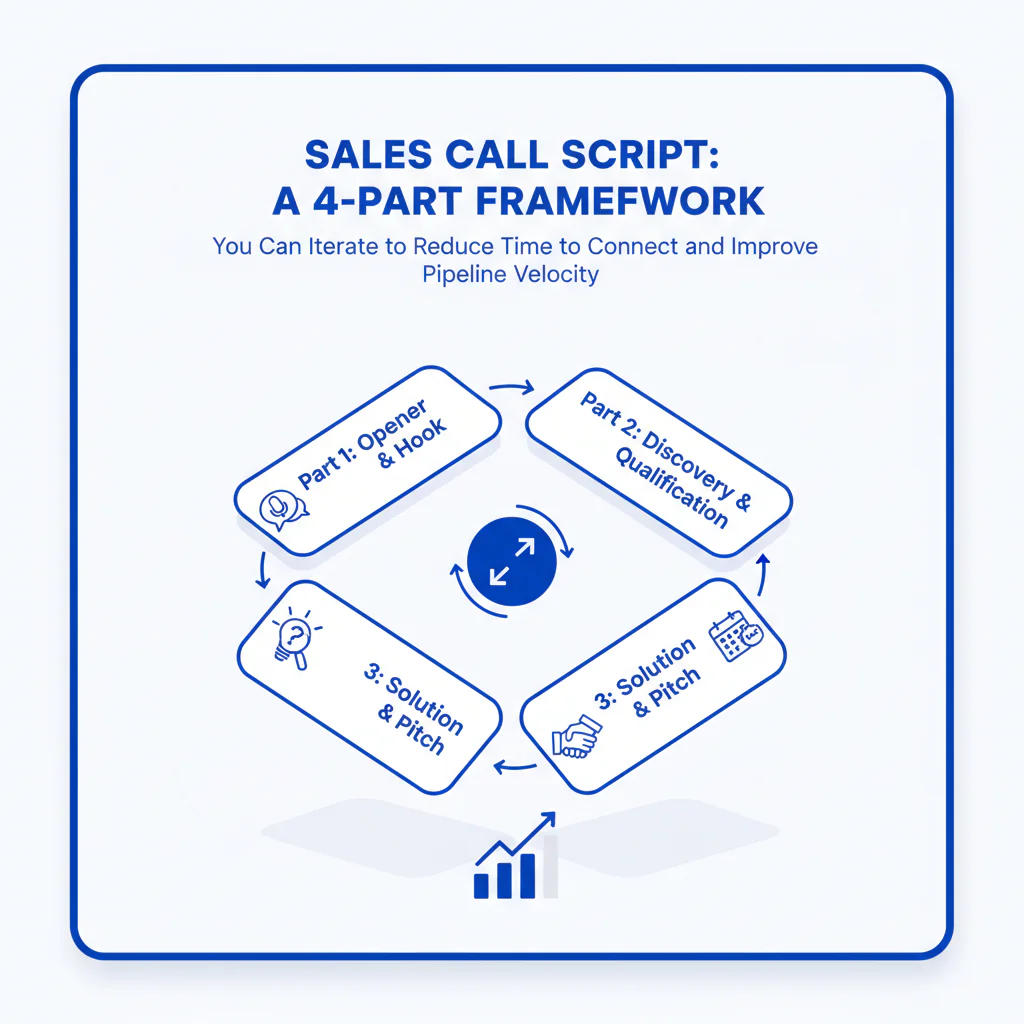
- A sales call script that performs is modular: a 4-part sales script (permission-based opener → problem → proof → ask) plus a small objection library, measured weekly against connect rate, meeting set rate, and qualified pipeline created.
- Primary metric
- Time to Connect (minutes from starting a call block to first live conversation) and downstream Pipeline Velocity (connects → meetings → qualified pipeline per 100 connects).
- Ideal role
- SDRs/AEs and Sales Ops leaders who need a repeatable call script that can be coached and iterated using call outcomes, not opinions.
Sales Call Script: A 4-Part Framework You Can Iterate to Reduce Time to Connect and Improve Pipeline Velocity
Byline: Ben Argeband, Founder & CEO of Swordfish.AI
I run outbound like an operations system: inputs (reachable numbers, call blocks, script modules) drive outputs (connects, meetings, qualified pipeline). A script only matters if it reduces wasted dials and produces consistent next steps you can measure and coach.
Who this is for
This is for SDRs/AEs who want a call script they can customize by persona and improve over time. It’s also for Sales Ops leaders who need a standard that survives scale: consistent enough to QA, flexible enough to handle real objections.
Playbook
The goal of a cold call script is to earn 30–90 seconds, confirm relevance, and secure a clear next step. Use the 4-part sales script, then iterate modules based on outcomes: connect rate, talk time, meeting set rate, and qualified pipeline per 100 connects.
Step 1: Prep the call (30 seconds)
- Pick one persona and one problem per call block.
- Pick one proof point that matches that persona (peer group, workflow outcome, or measurable waste removed).
- Define the next step as a timeboxed meeting with a clear agenda.
Step 2: Permission-based opener (10–15 seconds)
This call opener reduces early hang-ups by giving the prospect control while keeping the call moving.
Permission-based opener (template):
“Hi {{FirstName}}, it’s {{RepName}} with {{Company}}—did I catch you with 30 seconds? If it’s a bad time, I can call back.”
If they say “sure”: go straight to the problem module. If they say “busy”: ask for a specific time: “No problem—what’s better, later today or tomorrow morning?”
Step 3: Problem module (15–25 seconds)
State one testable problem hypothesis. If the prospect can’t answer with “yes/no/depends,” your problem statement is too broad.
Problem (template):
“The reason I’m calling: teams like yours often see {{symptom}} when {{trigger}}—does that show up for you?”
- Sales Ops / RevOps: “When outbound volume goes up, connect rate drops and reps spend more time hunting numbers than talking—does that happen in your team?”
- SDR Manager: “When new reps ramp, they burn dials on wrong numbers and confidence drops—are you seeing that?”
- AE: “When you’re working target accounts, you can’t get a live conversation with the right stakeholder—does that slow deals down for you?”
- Finance leader: “When pipeline targets tighten, teams push more activity but can’t prove it’s creating qualified pipeline—are you seeing that pressure?”
Step 4: Proof module (10–20 seconds)
This is your value proposition script. Keep it tied to the problem you just named so it lands as proof, not a pitch.
Proof (template):
“We help {{peer group}} reduce {{waste}} so they can increase {{outcome}}. The common pattern is {{mechanism}}.”
Example (connect-rate focused):
“We help outbound teams reduce wasted dials by prioritizing direct, reachable numbers so reps spend more time in live conversations and less time in voicemail.”
Step 5: Ask module (10–15 seconds)
Your meeting ask should be a small commitment with a clear agenda. If you ask for “a demo,” you’ll get “send info.”
Ask (template):
“Open to a quick 15 minutes this week to compare your current connect rate and list-to-meeting conversion to what we see in similar teams? If it’s not a fit, we’ll say so.”
Step 6: Objection handling library (short modules)
Build objection handling as “acknowledge → clarify → route.” The route is always one of three outcomes: book a meeting, set a follow-up date, or disqualify cleanly.
Objection: “Send me an email.”
“Able to do that. So I don’t send something generic—are you trying to improve connect rate, meeting rate, or data quality? Which one matters most right now?”
Objection: “We already have a tool for that.”
“Makes sense. Usually the question isn’t ‘do you have a tool,’ it’s ‘is it producing enough live conversations per rep per day.’ How are you measuring connect rate and time to connect today?”
Objection: “Not interested.”
“Totally fair. Before I go—are you saying it’s not a priority, or you’re already hitting your connect and meeting targets?”
Objection: “No budget.”
“Understood. When teams say that, it’s often because the cost of wasted dials isn’t visible. If we could quantify rep hours lost to wrong numbers and low answer rates, would it be worth a look?”
Objection: “Call me next quarter.”
“Happy to. Before I set that—what needs to be true next quarter for this to be worth a meeting? Connect rate target, meeting target, or something else?”
Scenario module: Gatekeeper (“What’s this about?”)
“Quick question—who owns {{problem area}} on your side? I’m trying to reach the person responsible for {{outcome metric}}.”
Scenario module: Wrong person (“I don’t handle that.”)
“Thanks—who’s the right person for {{problem area}}? I’ll keep it brief when I reach them.”
Scenario module: Competitor (“We use {{Vendor}}.”)
“Got it. When teams switch or add coverage, it’s usually because connect rate or time to connect isn’t where they need it. Are you satisfied with your current connect rate?”
Step 7: Voicemail module (8–12 seconds)
A voicemail script should support call-back behavior: who you are, why you called, and a simple next action.
Voicemail (template):
“{{FirstName}}, {{RepName}} at {{Company}}. I’m calling because we’re seeing {{problem}} in teams like yours. If it’s worth a quick compare, call me at {{Number}}. Again, {{Number}}.”
Step 8: End-to-end example (RevOps persona)
Example call (60–90 seconds):
“Hi {{FirstName}}, it’s {{RepName}} with {{Company}}—did I catch you with 30 seconds? If it’s a bad time, I can call back.”
“The reason I’m calling: teams like yours often see connect rate drop when outbound volume goes up, and reps spend more time hunting numbers than talking—does that show up for you?”
“We help outbound teams reduce wasted dials by prioritizing direct, reachable numbers so reps spend more time in live conversations and less time in voicemail.”
“Open to a quick 15 minutes this week to compare your current connect rate and list-to-meeting conversion to what we see in similar teams? If it’s not a fit, we’ll say so.”
Step 9: End-to-end example (Finance leader persona)
Example call (60–90 seconds):
“Hi {{FirstName}}, it’s {{RepName}} with {{Company}}—did I catch you with 30 seconds? If it’s a bad time, I can call back.”
“The reason I’m calling: when pipeline targets tighten, teams push more activity but can’t prove it’s creating qualified pipeline—does that pressure show up for you?”
“We help teams reduce wasted outbound effort so activity maps to measurable outcomes like meetings held and qualified pipeline created.”
“Open to 15 minutes this week to compare how you’re measuring outbound efficiency today and where time to connect is slowing pipeline? If it’s not a fit, we’ll say so.”
Step 10: Measurement plan (weekly, operational)
If you want the script to improve, you need a measurement loop that’s simple enough to run every week.
- Instrument: log call outcome, persona, objection tag, meeting set, meeting held.
- Report: build a weekly dashboard for connect rate, time to connect, talk time per connect, meeting set rate, and qualified pipeline per 100 connects.
- Review cadence: review 20–30 recorded connects weekly across the team and update only one module at a time (opener or problem or ask).
- Decision rule: keep modules that improve talk time per connect and meeting set rate; retire modules that don’t.
Scripts fail when reps can’t reach the right person. Use ranked mobile numbers by answer probability to call the best number first.
A true unlimited, fair-use model prevents reps from rationing lookups and calls.
If you need direct, prioritized numbers to support this workflow, ranked mobiles/direct dials help reps spend more time talking and less time hunting.
Metrics to track
- Connect rate: live conversations ÷ total dials.
- Time to Connect: minutes from starting a call block to first live conversation.
- Talk time per connect: average seconds/minutes once connected.
- Meeting set rate: meetings set ÷ connects.
- Meeting held rate: held ÷ set.
- Qualified pipeline per 100 connects: ties calling activity to pipeline velocity.
- Objection distribution: top objections by frequency so you know what to write and coach next.
Checklist: Diagnostic Table
| Symptom | Likely root cause | Fix (script or process) |
|---|---|---|
| High dials, low connects | Wrong numbers, low-quality direct dials, no prioritization | Prioritize reachable numbers first; tighten list sources; call in focused blocks; measure connect rate by list source |
| Connects happen, but calls end in under 20 seconds | Opener sounds like a pitch; no permission-based opener | Use a permission-based opener; remove company history; lead with one problem hypothesis |
| Prospects say “send info” on most connects | Ask is too big (“demo”) or too vague | Replace with a timeboxed compare call; state agenda and disqualify option |
| Lots of “we already have a tool” | Positioning is feature-first, not outcome-first | Route to metrics: connect rate, time to connect, list-to-meeting conversion; ask how they measure today |
| Reps improvise and scripts drift | No modular library; no coaching tied to outcomes | Standardize modules (opening/problem/proof/ask); QA 5 calls per rep per week; update modules based on objection distribution |
| Meetings set but not held | Weak next step framing; wrong stakeholder; unclear value | Confirm role and priority; restate problem and agenda; send a 2-line calendar note that matches the call |
Diagnostic: Common mistakes
- One script for every persona. If the problem statement isn’t persona-specific, you’ll get short calls and low meeting set rate.
- Overloading the opener. The opener’s job is permission and direction, not explanation.
- Proof without a problem. Proof only works after the prospect recognizes the symptom.
- Asking for too much. A timeboxed compare call converts better than a generic “demo” request.
- No objection library. Without modules, reps ramble and results vary by rep.
- No measurement loop. If you can’t tie a module change to talk time or meeting rate, you’re guessing.
Decision Tree: Weighted Checklist
How to use: Score your current script and calling motion. The weights reflect common failure points that most directly impact connect rate, meeting conversion, and coaching consistency.
- 30% — Permission-based opener is used consistently and stays under 15 seconds. If this fails, you lose the conversation before the script can work.
- 25% — Problem module is persona-specific and produces a yes/no/depends response. If this fails, you get “send info” and low meeting set rate.
- 20% — Ask is timeboxed with a clear agenda and an easy “no.” If this fails, meetings don’t set or don’t hold.
- 15% — Objection handling modules exist for the top 3 objections and are coached. If this fails, reps improvise and results vary by rep.
- 10% — Voicemail module is short and consistent. If this fails, you waste time without improving call-backs.
Tools and data checklist
- Dialer or calling workflow that supports focused call blocks and logs outcomes cleanly.
- CRM fields for call outcome, objection tag, meeting set, meeting held, and persona.
- Call recording for coaching and module QA.
- Number quality and prioritization so reps can reach the right person faster. For sourcing and usage patterns, see sales prospecting with phone numbers and b2b mobile number data.
- Calling motion standards (when to leave voicemail, when to double-tap, when to switch channels) aligned to cold calling best practices.
Troubleshooting Table: Scoring Rubric
| Category | 1 (Needs work) | 3 (Operational) | 5 (High-performing) |
|---|---|---|---|
| Opening | No permission-based opener; rep leads with company pitch | Permission-based opener used; occasional extra filler | Permission-based opener used every time; under 15 seconds; smooth transition to problem |
| Problem | Generic pain; prospect can’t answer directly | Persona-specific; gets “yes/no/depends” sometimes | Persona-specific; consistently triggers a clear response and follow-up question |
| Proof | Feature list; no link to stated problem | Outcome stated; proof is somewhat specific | Outcome + mechanism; proof matches persona and problem without turning into a pitch |
| Ask / Next step | Asks for “demo” or “time to chat” with no agenda | Timeboxed ask; agenda is present but inconsistent | Timeboxed compare call; clear agenda; easy opt-out; confirms stakeholder fit |
| Objection handling | Rep argues or rambles; no standard responses | Has responses for common objections; inconsistent routing | Short acknowledge → clarify → route modules; objections are tagged and used for iteration |
| Iteration discipline | Changes based on anecdotes | Reviews calls; updates occasionally | Weekly module testing tied to connect rate, talk time, and meeting set rate |
Evidence and trust notes
- Modular scripts are easier to coach because you can isolate what changed (opener vs. problem vs. ask) and tie it to outcomes.
- Permission-based openers reduce early hang-ups by lowering perceived risk for the prospect and creating a clear conversational contract.
- We tag objections in the CRM and review recorded connects weekly to decide which module to change.
- Prioritizing reachable numbers improves connect rate, which increases live conversations per hour and gives the script more chances to convert.
Limitations and edge cases
- Highly regulated industries: keep modules compliant and avoid claims you can’t substantiate.
- Very technical products: keep the problem module simple and move technical depth to the meeting agenda.
- Inbound follow-up: use the same 4-part structure, but replace the problem hypothesis with the inbound trigger.
- International dialing: segment metrics by region and time zone so you don’t optimize the wrong call blocks.
FAQs
What is the best sales call script structure?
Use a 4-part sales script: permission-based opener → problem hypothesis → proof tied to that problem → clear next step ask.
How long should a cold call opener be?
10–15 seconds. Longer openers tend to reduce talk time after connect.
How do I improve connect rate without changing the script?
Improve number quality and prioritization, then call in focused blocks. More connects per hour gives the script more opportunities to produce meetings.
How do I know which part of the script is failing?
If connects are low, it’s list/number quality or prioritization. If connects are fine but talk time is short, it’s the opener/problem. If talk time is healthy but meetings are low, it’s the ask or objection handling.
Should reps memorize the script?
Reps should memorize the modules and intent, then deliver naturally. You want consistent structure and measurement, not identical wording.
Next steps
- Day 1: Implement the 4 modules (opening/problem/proof/ask) and one voicemail module. Add CRM tags for persona and objection.
- Week 1: QA 5 calls per rep. Track connect rate, time to connect, talk time per connect, and meeting set rate. Identify the top 3 objections.
- Week 2: Write and coach short modules for the top 3 objections. Test one opener variant and one ask variant.
- Weeks 3–4: Retire underperforming modules, keep winners, and standardize by persona. Review metrics weekly to reduce time to connect and increase meetings per 100 connects.
About the Author
Ben Argeband is the Founder and CEO of Swordfish.ai and Heartbeat.ai. With deep expertise in data and SaaS, he has built two successful platforms trusted by over 50,000 sales and recruitment professionals. Ben’s mission is to help teams find direct contact information for hard-to-reach professionals and decision-makers, providing the shortest route to their next win. Connect with Ben on LinkedIn.

