


 View Products


- Core answer
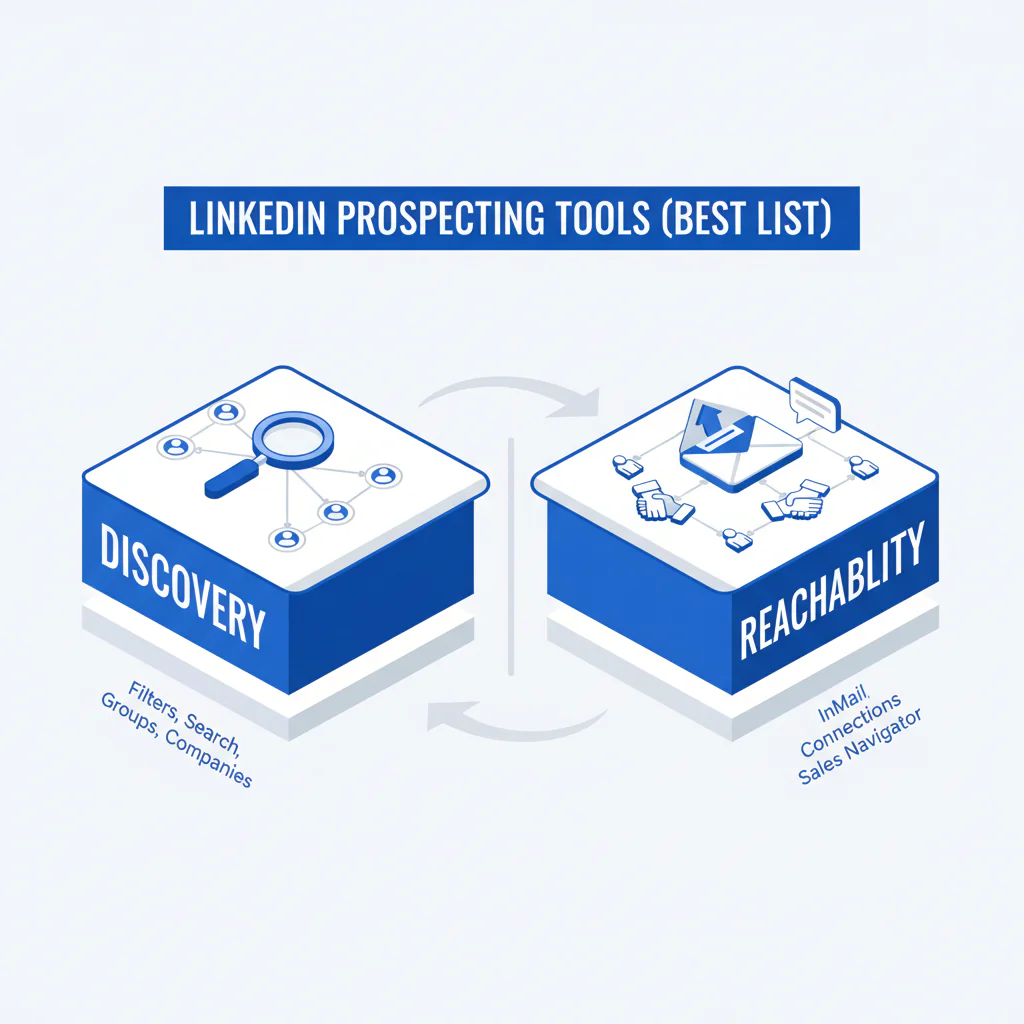
- LinkedIn prospecting tools help with discovery (finding the right people on LinkedIn). To increase meetings and pipeline velocity, pair discovery with reachability (verified phone/email) so reps can connect fast.
- Primary metric
- Time to Connect: median minutes from “right LinkedIn profile identified” to “live conversation or meeting booked.”
- Ideal role
- VP Sales Ops / RevOps, SDR/BDR leaders, and outbound operators building a reliable profile-to-call workflow with governance.
LinkedIn Prospecting Tools (Best List): Discovery vs Reachability
By Ben Argeband, Founder & CEO of Swordfish.AI
I’m writing this from a VP Sales Ops operating perspective: reduce Time to Connect, increase connects per hour, and keep pipeline velocity predictable.
The fastest way to choose linkedin prospecting tools is the discovery vs reachability framework. LinkedIn tools help you find the right people (discovery). Contact data tools help you reach them (reachability). If you buy only discovery, you’ll build bigger lists and still miss meetings because reps can’t connect.
Who this is for
Sales teams evaluating LinkedIn prospecting and building a reliable workflow from profile discovery to calls and meetings. This is also for Ops teams that need predictable output, clean attribution, and governance that doesn’t depend on rep memory.
Playbook
Step 1: Diagnose the bottleneck using discovery vs reachability.
If reps can’t consistently find the right accounts and personas, you have a discovery problem. If reps can find profiles but can’t connect, you have a reachability problem, and pipeline velocity will stall even with high LinkedIn activity.
Step 2: Standardize the profile-to-call workflow.
Run the same steps every time: identify the LinkedIn profile → enrich with mobile and email → prioritize the best number → call → log outcomes → iterate by segment. “Use ranked mobile numbers by answer probability to call the best number first.”
Step 3: Define operating rules that remove variance.
Set an SLA for speed and enforce it in the workflow: for any newly enriched profile in an active segment, require a call attempt within 15 minutes. Require call dispositions so you can separate “no answer” from “wrong number” and fix data quality instead of blaming effort.
Step 4: Remove pricing friction that changes rep behavior.
Credit limits create rationing, which shows up as fewer enrichments, fewer calls, and longer Time to Connect. “A true unlimited, fair-use model prevents reps from rationing lookups and calls.”
Step 5: Put governance into the system.
Define what data can be used, where it can be stored, and how opt-outs are handled. Enforce it with CRM field rules, required dispositions, and one approved enrichment source so reporting stays clean.
Step 6: Review weekly using outcome metrics.
Run a weekly review on three numbers: Time to Connect, connects per hour, and meeting rate per 100 enriched profiles. If Time to Connect is rising, the fix is usually reachability coverage, calling order, or SLA compliance, not “more LinkedIn outreach.”
Checklist: Diagnostic Table
| Symptom (what you see) | Root cause (what’s actually happening) | Fix (what to change this week) |
|---|---|---|
| High LinkedIn activity, low meetings booked | Discovery is fine; reachability is weak (no working mobiles/emails, slow handoff from profile to contact) | Add in-workflow enrichment from the LinkedIn profile and require a call attempt within 15 minutes of enrichment |
| SDRs spend hours building lists | Discovery workflow is manual; no saved searches; inconsistent ICP filters | Standardize ICP filters and saved searches; export only when a segment is proven to convert |
| Low connect rate on calls | Dialing unranked numbers; calling office lines; stale data | Prioritize mobile numbers with answer probability ranking and refresh contacts when dispositions show “wrong number” patterns |
| Reps default to DMs and email only | They don’t trust the numbers or they’re rationing lookups due to credits | Move to fair-use unlimited enrichment and track connects per hour by rep and segment |
| CRM is full of duplicates and partial records | No enrichment rules; no field-level governance; multiple tools writing conflicting data | Define a single source of truth for phone/email fields and enforce dedupe plus required fields at creation |
| Good reply rates, but pipeline stalls after first touch | Slow follow-up and inconsistent sequencing | Set an SLA: call within 5 minutes of a positive signal and require a next step in the first live conversation |
Metrics to track
- Time to Connect: median minutes from “profile identified” to first live conversation or meeting booked.
- Connects per hour: live conversations per dialing hour.
- Enrichment coverage: % of targeted profiles with at least one mobile number and one email.
- Answer rate by number type: mobile vs office vs unknown; use this to enforce calling order.
- Meeting rate per 100 enriched profiles: ties enrichment to outcomes, not activity.
- Pipeline created per rep-week: output metric for capacity planning.
- Data decay signals: wrong-number rate, bounce rate, and “left company” rate by segment.
To keep this measurable, standardize dispositions and review them weekly. At minimum, separate: no answer, left voicemail, connected, wrong number, and do-not-contact. If “wrong number” rises, refresh reachability data before you coach reps.
Diagnostic: Common mistakes
- Buying only discovery tools. LinkedIn is strong for discovery, but without reachability you’re optimizing list building, not meetings.
- Letting reps choose their own workflow. Variance reduces throughput and breaks attribution.
- Measuring messages sent instead of connects. Messages are an input; conversations and meetings are the constraint.
- Using credit-based enrichment that forces rationing. It reduces enrichment coverage and extends Time to Connect.
- Not ranking numbers. If you don’t prioritize the best number first, you inflate dials and slow connects per hour.
- Ignoring governance. If you can’t explain where data came from and how opt-outs are handled, you’ll end up reworking the stack mid-quarter.
Tools and data checklist
This best-list is organized by discovery vs reachability so you can choose based on your bottleneck.
- Best for discovery: LinkedIn and Sales Navigator when your constraint is finding the right people and building repeatable segments.
- Best for reachability: contact data tools when your constraint is connecting with the person you already identified.
- Best for in-workflow enrichment: a browser extension that enriches directly from the LinkedIn profile to reduce steps and reduce Time to Connect.
Category A: Discovery (LinkedIn-native)
- LinkedIn (core platform): best for profile context, job changes, and relationship mapping. Outcome link: better targeting reduces low-fit outreach and improves meeting rate per 100 prospects.
- Sales Navigator (sales navigator tools): advanced filters and saved searches for repeatable list building. Outcome link: reduces list-build time per segment and increases ICP consistency across reps. Ops should own a shared library of saved searches so segments don’t drift rep-to-rep.
Category B: Reachability (contact data + enrichment)
- Swordfish Chrome Extension: built for LinkedIn workflows where the job is find → enrich → call. Outcome link: reduces time from profile to dial by keeping enrichment in the rep’s workflow instead of a separate export step.
- LinkedIn phone number finder: when your bottleneck is “we can identify the right person but can’t call them.” Outcome link: increases mobile coverage on your target list, which increases connect rate and meeting volume.
- cell phone number lookup: when you need to validate or complete mobile data for prioritized prospects. Outcome link: reduces wrong-number dials and improves connects per hour.
Category C: Workflow (outbound workflow + CRM hygiene)
- Sequencing + dialer: use when it enforces call-first on high-fit segments and logs outcomes cleanly. Outcome link: faster follow-up increases meeting conversion from positive signals.
- CRM enrichment rules: use when it prevents duplicates and preserves source-of-truth fields for phone/email. Outcome link: reduces Ops cleanup time and improves reporting accuracy.
Decision Tree: Weighted Checklist
Use this to evaluate LinkedIn tools and reachability tools based on standard failure points: slow enrichment, low coverage, unknown number quality, and pricing that throttles activity.
- Reachability coverage (highest weight): Can it consistently produce at least one working mobile number for your ICP? This drives connect rate and Time to Connect.
- Speed from profile to usable contact (highest weight): Does enrichment happen in-flow without exports and manual copy/paste? This reduces minutes wasted per prospect.
- Number quality signals (high weight): Does it provide multiple numbers and a way to prioritize which to call first (for example, answer probability)? This increases connects per hour.
- Fair-use unlimited access model (high weight): Does the pricing model avoid per-lookup rationing behavior? This keeps activity consistent and forecasting stable.
- Data governance and auditability (medium weight): Can you track source, handle opt-outs, and control where data is stored? This reduces compliance risk and rework.
- CRM fit and dedupe behavior (medium weight): Does it prevent duplicates and preserve clean fields? This reduces downstream Ops cost and reporting noise.
- Discovery depth (medium weight): For discovery tools, do filters and saved searches reduce list-build time and improve ICP consistency? This reduces wasted outreach volume.
Troubleshooting Table: Scoring Rubric
Score each tool 1–5 in each category, then choose based on your bottleneck. If meetings are the constraint, reachability categories should dominate the decision.
If a tool scores under 3 on reachability coverage or speed to contact, expect longer Time to Connect and don’t roll it out broadly until the workflow is fixed.
| Category | 1 (weak) | 3 (acceptable) | 5 (strong) |
|---|---|---|---|
| Discovery power | Basic search, limited filters, inconsistent results | Good filters and saved searches for repeatable segments | Highly repeatable ICP segmentation with strong signal capture |
| Reachability coverage | Often missing mobiles; low match rate on your ICP | Decent coverage with gaps in key segments | High mobile coverage on your ICP with consistent results |
| Speed to contact | Multi-step exports; slow enrichment; high manual work | Some automation but still requires context switching | In-workflow enrichment from the profile with minimal steps |
| Quality signals for calling order | No ranking; unclear number type; high wrong-number rate | Some labeling (mobile/office) but limited prioritization | Clear prioritization signals that improve connect rate |
| Pricing behavior impact | Credits cause rationing and inconsistent usage | Some limits but manageable with strict Ops controls | Fair-use unlimited supports consistent rep behavior |
| Governance and auditability | Unclear sourcing; weak controls; hard to audit | Basic controls and documentation | Clear sourcing, opt-out handling, and admin controls |
| CRM hygiene | Creates duplicates; overwrites fields unpredictably | Works with CRM but needs manual cleanup | Strong dedupe behavior and predictable field mapping |
Evidence and trust notes
- Facts to anchor the decision: LinkedIn tools help discovery; contact data tools help reachability. If meetings are the constraint, reachability improvements typically show up faster in Time to Connect and connects per hour.
- Measurement plan (run this as a pilot): Pick one segment and a fixed sample of 200 LinkedIn profiles. Track enrichment coverage, connects per hour, and Time to Connect for one week before and one week after the workflow change. Keep messaging and call blocks constant so the delta is attributable to reachability and workflow.
- Decision heuristic (DECISION_HEURISTIC): Choose the tool that removes the current bottleneck. If reps already have lists, prioritize reachability and calling order signals. If reps can’t build consistent segments, prioritize discovery filters and saved searches.
About the Author
Ben Argeband is the Founder and CEO of Swordfish.ai and Heartbeat.ai. With deep expertise in data and SaaS, he has built two successful platforms trusted by over 50,000 sales and recruitment professionals. Ben’s mission is to help teams find direct contact information for hard-to-reach professionals and decision-makers, providing the shortest route to their next win. Connect with Ben on LinkedIn.

