


 View Products


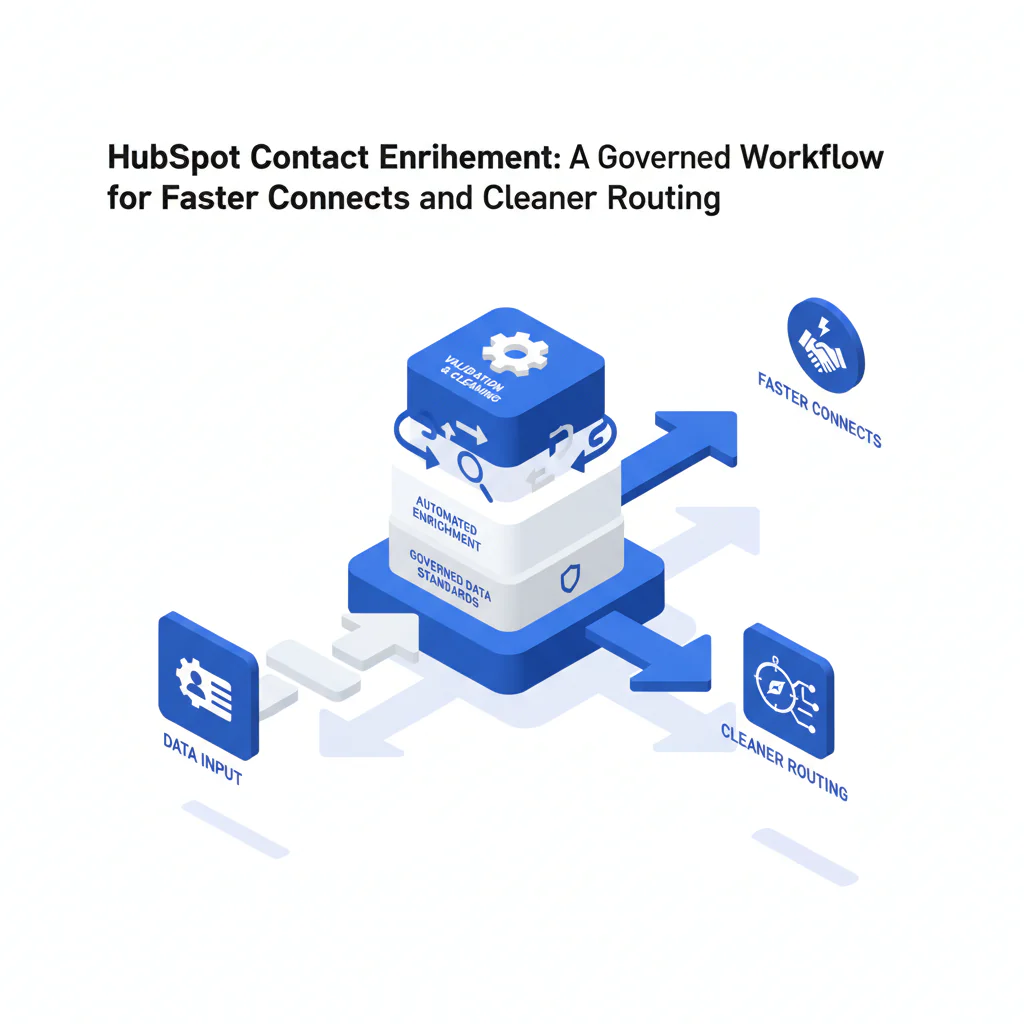
- Core answer
- HubSpot contact enrichment is a governed process to append missing contact fields to existing HubSpot records using identity matching, dedupe, and field mapping so reps reach the right person faster without damaging CRM hygiene.
- Primary metric
- Time to Connect (minutes from lead creation to first live conversation), supported by connect rate, meetings per 100 leads, and duplicate rate.
- Ideal role
- RevOps leaders and HubSpot admins who own CRM enrichment, governance, and routing performance.
HubSpot Contact Enrichment: A Governed Workflow for Faster Connects and Cleaner Routing
Byline: Ben Argeband, Founder & CEO of Swordfish.AI
In practice, hubspot contact enrichment means appending verified phones/emails and firmographics to existing records under strict field mapping and dedupe rules. If enrichment increases duplicates or delays assignment, you lose Time to Connect and your pipeline slows.
Who this is for
- RevOps and HubSpot admins setting up repeatable CRM enrichment operations.
- Sales Ops leaders accountable for connect rate, speed-to-lead, and pipeline velocity.
- Teams that need better reachability while keeping data hygiene and CRM governance intact.
Playbook
This workflow works even without a native integration. The operating principle is simple: enrichment should improve reachability and routing accuracy without creating cleanup work.
Step 1: Set the rules (Enrichment governance framework)
Use an enrichment governance framework so every enrichment write has a reason and an owner. Document these decisions before you run your first batch:
- Eligibility: which lifecycle stages get enriched (for example: New Lead, MQL, recycled leads).
- Write policy: which fields are append-only vs update-allowed.
- Confidence handling: what happens when identity is ambiguous (auto-write, queue for review, or skip).
- Auditability: which fields record source and timestamp for every enrichment write.
Step 2: Pick one trigger to start (don’t create conflicting writes)
- At creation: enrich net-new inbound leads before assignment so routing uses complete territory and segmentation fields.
- At first touch: enrich when a rep opens a lead so outreach starts with better phones/emails without delaying assignment.
- At stage change: enrich when a record moves to MQL/SQL to reduce handoff friction.
Pick one trigger, measure it, then expand. Multiple triggers without governance usually create duplicates and inconsistent field values.
Step 3: Identity matching and dedupe come before enrichment writes
Enrichment requires routing and dedupe; measure outcomes. If you can’t match reliably, you can’t trust routing, attribution, or activity history.
- Best case: update by HubSpot Contact ID when enriching existing records.
- Next best: normalized email match (lowercase, trimmed) when importing enrichment results.
- Ambiguous cases: company domain + full name should go to review unless your process includes a high-confidence match gate.
Define what “dedupe contacts” means operationally: which record wins, which fields merge, and when you block writes to avoid splitting activity across duplicates. Use HubSpot’s property history and duplicate management tools to audit changes and confirm merges didn’t break lifecycle routing.
Step 4: Field mapping that protects CRM hygiene (HubSpot-specific)
Field mapping is where hubspot data enrichment succeeds or creates rework. In HubSpot, use dedicated enrichment properties (and property groups) so imports map cleanly and you can audit changes without overwriting rep-entered fields.
- Append-only: additional phone numbers, alternate emails, LinkedIn URL, enrichment source, enrichment timestamp.
- Update-allowed (rule-based): job title (only if blank), company name (only if blank), country/state (only if blank or invalid).
Keep a source-of-truth hierarchy in writing (example: user-entered > billing system > enrichment output). Only map enrichment into core HubSpot fields when your rule is “blank-only” or “invalid-only.”
Step 5: Lifecycle routing with a timeout (protect Time to Connect)
Lifecycle routing should use the minimum set of fields required to assign correctly. If routing depends on enriched fields, enforce a timeout: route using existing fields after the timeout and enrich asynchronously so leads don’t sit unassigned.
Step 6: Make phone outreach efficient (ranked calling)
When enrichment returns multiple numbers, don’t dump them into one field. “Use ranked mobile numbers by answer probability to call the best number first.” This reduces dials per connect and improves meetings per rep-hour because the first attempt is more likely to reach a human.
Step 7: Choose your execution path: staged CSV vs API
If you need review and controlled writes, stage enrichment results before importing to HubSpot. Use File Upload to enrich a CSV, review the output, and then import with explicit mapping so you don’t overwrite trusted fields.
If enrichment must happen inside an automated workflow (for example, to support routing SLAs), use a contact data API in your middleware so identity rules, confidence gates, and write policies are enforced consistently.
If you use a HubSpot-native enrichment app, apply the same identity, dedupe, and field mapping rules before allowing writes to core properties.
Step 8: Measurement plan (baseline, pilot, scale)
Measure enrichment like an ops change, not a data project. Baseline for two weeks, pilot for two weeks, then decide whether to scale.
- Baseline: Time to Connect, connect rate, meetings per 100 leads, duplicate rate, and field fill rate for the target lead source.
- Pilot: run enrichment on one lead source or one segment; keep routing rules stable so you can attribute changes.
- Review weekly: sample 25 enriched contacts across sources and check match accuracy, duplicates created, and whether reps used the enriched fields.
Metrics to track
Report these by lead source and lifecycle stage so you can see where enrichment improves pipeline velocity and where it adds noise.
- Time to Connect: median minutes from lead creation to first live conversation.
- Connect rate: live connects / total dials (track separately for mobile vs landline when available).
- Meetings per 100 leads: meetings booked / leads created.
- SQL conversion rate: SQLs / MQLs (or your equivalent stage definitions).
- Duplicate rate: duplicates created per 1,000 contacts (before vs after enrichment workflow).
- Field fill rate: % of contacts with required fields populated (email, phone, company domain, region).
- Rep effort: dials per connect and touches per meeting.
Checklist: Diagnostic Table
| Symptom | Likely root cause | Fix (governed) |
|---|---|---|
| Connect rate doesn’t improve after enrichment | Phones appended but not ranked; reps call the first visible number | Store multiple phones in structured fields; enforce ranked dialing guidance; track dials per connect |
| Time to Connect increases for inbound leads | Enrichment blocks assignment or routing waits on enrichment completion | Add a routing timeout; route on minimum viable fields; enrich asynchronously |
| Duplicate contacts spike | No deterministic match key; imports create new records instead of updating | Update by Contact ID when possible; otherwise enforce normalized email matching and a review queue for ambiguous matches |
| Reps report “data is wrong” | Update-allowed fields overwrite rep-entered values; no audit trail | Switch sensitive fields to append-only; add Enrichment Source and Enrichment Date; restrict updates to blank-only/invalid-only rules |
| Routing assigns to the wrong owner/territory | Lifecycle routing depends on enriched fields that are inconsistently populated | Reduce routing dependencies; validate required routing fields; add fallback routing |
| Ops can’t prove ROI | No baseline and no segmentation by source/stage | Baseline Time to Connect and connect rate; pilot by lead source; report weekly deltas |
Decision Tree: Weighted Checklist
Use this to decide whether your enrichment workflow is ready to scale. Weighting reflects standard failure points that directly affect Time to Connect, duplicate rate, and routing accuracy.
- High weight: Identity matching + dedupe rules enforced before any write (prevents duplicate rate spikes and broken attribution).
- High weight: Field mapping documented with append vs update rules (prevents overwrites that degrade data hygiene).
- High weight: Routing timeout and fallback path (prevents enrichment latency from delaying assignment).
- Medium weight: Ranked phone handling and rep workflow adoption (reduces dials per connect and wasted touches).
- Medium weight: Measurement plan with baselines and weekly review (proves whether enrichment improves outcomes).
- Medium weight: Audit fields (Enrichment Source, Enrichment Date) and rollback plan (limits blast radius when data is wrong).
- Lower weight: Rep enablement docs (useful after the workflow is stable).
“A true unlimited, fair-use model prevents reps from rationing lookups and calls.” If usage limits cause inconsistent enrichment, your routing and measurement will be noisy.
Troubleshooting Table: Scoring Rubric
Score your current enrichment maturity to decide what to fix first. This rubric prioritizes pipeline velocity outcomes over “more fields.”
| Area | 0 = Ad hoc | 1 = Defined | 2 = Governed + measured |
|---|---|---|---|
| Identity + dedupe contacts | Imports create new contacts; matching is manual | Email matching exists; cleanup is reactive | Deterministic keys + review path; duplicate rate tracked and improving |
| Field mapping | Enrichment overwrites fields unpredictably | Some append-only rules exist but aren’t enforced | Append/update policy enforced; audit fields present; rollback process exists |
| Lifecycle routing | Routing breaks when fields are missing | Routing uses enriched fields but no timeout | Timeout + fallback routing; routing accuracy monitored |
| Rep workflow | Reps pick numbers/emails based on what’s visible | Guidance exists but adoption is inconsistent | Ranked dialing and sequencing; dials per connect improving |
| Measurement | No baseline; success is anecdotal | Reporting exists but not segmented | Pre/post baselines; segmented by source/stage; weekly decisions based on deltas |
Diagnostic: Common mistakes
- Measuring fill rate instead of outcomes: higher fill rate only matters if Time to Connect and connect rate improve.
- Overwriting trusted fields: this reduces rep trust and increases manual cleanup, which slows pipeline velocity.
- Running enrichment without dedupe: duplicates split activity history and break lifecycle routing.
- Blocking routing on enrichment: inbound leads wait, and speed-to-lead drops.
- Letting routing depend on too many fields: every extra dependency increases assignment failures.
Tools and data checklist
- HubSpot properties: dedicated enrichment properties plus Enrichment Source and Enrichment Date for auditability.
- Normalization rules: email normalization, phone normalization (E.164), company domain normalization.
- Dedupe process: deterministic match keys and a review queue for ambiguous matches.
- Routing logic: lifecycle routing rules with a timeout and fallback assignment.
- Execution path: staged CSV enrichment via File Upload when you need review before import; API-based enrichment via contact data API when enrichment must run inside automated workflows.
- Ongoing hygiene: a data hygiene program that monitors duplicates and field validity; see data quality.
- Bulk list enrichment: if you enrich lists for campaigns, use a controlled CSV process; see CSV contact enrichment.
Evidence and trust notes
- Outcome-first validation: treat enrichment as successful only if Time to Connect, connect rate, and meetings per 100 leads improve while duplicate rate stays flat or improves.
- Auditability: store enrichment source and timestamp so you can trace changes and reverse bad writes.
- What fails in practice: in CRM enrichment audits, most failures trace back to missing dedupe rules and uncontrolled field updates.
- Operational ownership: RevOps owns the enrichment governance policy; the HubSpot admin owns property mapping and import rules.
Limitations and edge cases
- Ambiguous identities: common names at large companies can produce false matches; route these to review instead of writing to HubSpot.
- Shared inboxes and role emails: enrichment may return generic emails that don’t improve connect rate; store separately so reps don’t waste touches.
- International dialing: if country inference is unreliable, avoid auto-formatting that breaks dialing.
- Lifecycle stage conflicts: if enrichment changes fields used in lifecycle routing, you can trigger reassignment; lock ownership after SQL unless you have an explicit reassignment policy.
- Over-enrichment: fields that don’t drive routing, segmentation, or outreach increase noise and reduce trust.
FAQs
What is hubspot contact enrichment in operational terms?
It’s a repeatable process that appends missing contact data to HubSpot records with governance: identity matching, dedupe, field mapping, and measurement tied to reachability and pipeline velocity.
Should we enrich at lead creation or later?
If routing depends on enriched fields, enrich at creation with a timeout so assignment doesn’t wait. If routing doesn’t depend on it, enrich at first touch so reps get better phones/emails without delaying assignment.
How do we prevent duplicates when we enrich contacts in HubSpot?
Update by Contact ID when possible. If you’re importing enrichment results, enforce normalized email matching and send ambiguous matches to review instead of creating new contacts.
What fields should never be overwritten?
User-entered fields that drive reporting or customer context (notes, lifecycle history, owner, and any “verified” fields). Use append-only enrichment properties and allow updates only when the target field is blank or invalid.
How do we know enrichment is working?
Track Time to Connect, connect rate, meetings per 100 leads, and duplicate rate pre/post by lead source. If fill rate rises but connect rate doesn’t, you added noise.
Next steps
- Week 1: write enrichment governance, define eligible lifecycle stages, and document field mapping plus audit fields.
- Week 2: implement identity matching and dedupe rules, routing timeout/fallback, and your execution path (staged CSV or API).
- Week 3: pilot on one lead source; keep routing stable; measure Time to Connect, connect rate, meetings per 100 leads, and duplicate rate.
- Week 4: scale to additional sources, run weekly QA sampling, and tighten rules based on measured deltas.
About the Author
Ben Argeband is the Founder and CEO of Swordfish.ai and Heartbeat.ai. With deep expertise in data and SaaS, he has built two successful platforms trusted by over 50,000 sales and recruitment professionals. Ben’s mission is to help teams find direct contact information for hard-to-reach professionals and decision-makers, providing the shortest route to their next win. Connect with Ben on LinkedIn.

