


 View Products


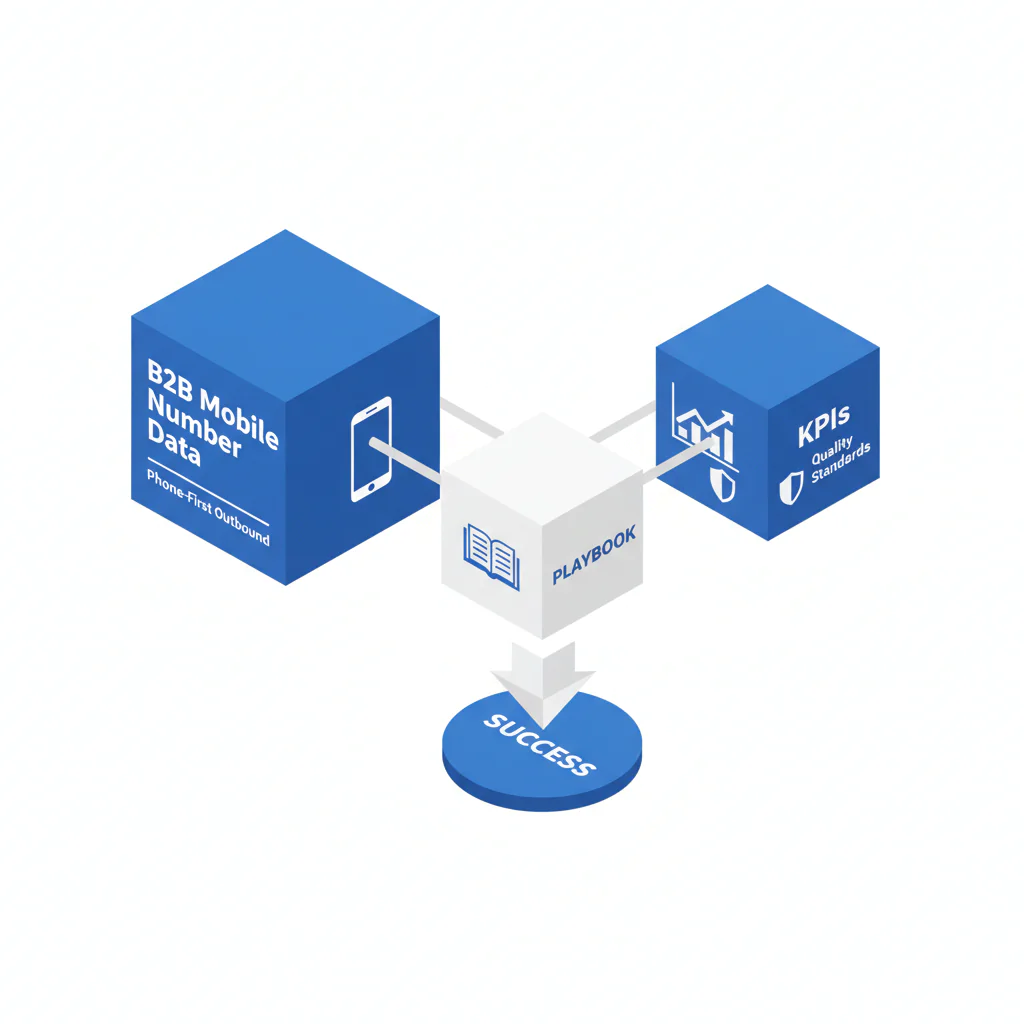
- Core Answer
- B2B mobile number data is contact data optimized to reach the right buyer by phone so reps get live conversations faster and create more meetings.
- Primary Metric
- Connect rate (live conversations ÷ dials), tracked by source, persona, segment, and time block to reduce time to connect and improve pipeline velocity.
- Ideal Role
- SDRs/AEs running phone-first outbound and Sales Ops leaders accountable for list quality, routing, and outbound calling data performance.
B2B Mobile Number Data for Phone-First Outbound: Playbook, KPIs, and Quality Standards
By Ben Argeband, Founder & CEO of Swordfish.AI
b2b mobile numbers only matter if they increase connects and meetings with less rep time. Database size doesn’t create pipeline. Connectability does.
Reps operate inside a 30-second attention window. If attempt #1 is friction-heavy or hits a dead number, the rep downgrades the account and moves on. Your job in Sales Ops is to make attempt #1 and #2 count by improving mobile reachability and ordering the best number first.
Who this is for
- SDRs who cold call daily and want more live conversations per hour.
- AEs prospecting into named accounts who need reliable mobile reachability for priority personas.
- Sales Ops/RevOps teams accountable for connect rate, meeting output, and pipeline per rep-hour.
Playbook
This playbook is built around one operating principle: reduce time to connect by improving connect rate and removing workflow friction. That increases meetings per rep-hour and improves pipeline velocity.
1) Define success as connectability, not coverage
B2B mobile data is only useful if it increases connect rate and meeting creation. A larger dataset that produces low connect rate slows pipeline velocity because reps spend time dialing non-answers, wrong people, and stale numbers.
Set a minimum performance standard you can review weekly: connect rate by source and segment, plus invalid and wrong-person rates. If you can’t measure those, you can’t manage them.
2) Use the 30-second attention window to design your first two attempts
The first two attempts are where you win or lose rep focus. Your cadence should maximize the chance that attempt #1 or #2 produces a live conversation.
- Day 1: Call + short email referencing the call.
- Day 2: Call in a different time block + follow-up email with one specific reason to talk.
- Day 4: Call. Leave voicemail only if you have a clear CTA tied to a specific reason-to-talk.
- Day 7: Final call attempt + “close the loop” email.
Voicemail is a time trade. If voicemail doesn’t improve callbacks or meeting rate in your reporting, reduce it and reallocate time to higher-probability calls.
3) Prioritize numbers so reps call the best option first
Most teams lose connects because they treat numbers as interchangeable. They aren’t. Ordering is a throughput lever because it changes how many attempts it takes to get a live conversation.
Use ranked mobile numbers by answer probability to call the best number first.
Operationally, that means your system needs to store and display: number type (mobile vs other), a reachability/quality indicator, and last verified date. If reps have to guess, they’ll call whatever is first in the CRM, and your first attempt quality drops.
4) Treat direct dials as a routing spec, not a lookup task
Teams often collect direct dials for sales and mobile numbers but fail to route them into the rep’s daily workflow. When the rep has to hunt for the number, time to connect increases and call volume becomes inconsistent.
Minimum routing spec for outbound calling data:
- Best-number-first ordering: show the highest answer-probability number at the top of the dialer view.
- Fallback order: if the top number fails, the next call action should be obvious without extra clicks.
- Field consistency: the same fields must populate CRM views, sequences, and the dialer so reps don’t context-switch.
Routing example you can implement in most CRMs and dialers:
- Dialer display order: Mobile (Rank 1) → Mobile (Rank 2) → Direct dial → Main line.
- CRM list view columns: Best number, Number type, Last verified date, Source, Persona.
- Task logic: if a rep dispositions “invalid” or “wrong person,” remove the number from the next call step and trigger re-enrichment.
This is how mobile numbers for sales translate into more connects per hour: fewer clicks, fewer dead attempts, and better first-attempt outcomes.
5) Enforce a data contract: freshness, suppression, and feedback loops
Bad numbers don’t just waste dials. They create rep distrust, and distrust kills activity. Your data contract should prevent stale and invalid records from staying in rotation.
Minimum data contract you can implement without changing your entire stack:
- Freshness: store last verified date and suppress records that exceed your internal age threshold.
- Number type: store mobile vs other so you can segment performance and prioritize correctly.
- Source tracking: store the provider/source so you can hold sources accountable to connect rate and invalid rate.
- Disposition-driven suppression: invalid and wrong-person dispositions should trigger suppression and re-enrichment, not repeated dialing.
Operating cadence for the data contract:
- Weekly: review connect rate, invalid rate, and wrong-person rate by source and segment; suppress the worst-performing stale/invalid records; queue re-enrichment for priority accounts.
- Daily: spot-check that reps are using dispositions consistently so your data feedback loop stays clean.
Ownership model that keeps this from becoming “everyone’s problem”:
- Sales Ops: fields, routing order, suppression rules, and source tagging.
- SDR/AEs leadership: disposition compliance and call-block adherence.
- RevOps: reporting definitions and weekly scorecard distribution.
If you need a framework to define and audit contact data quality in your CRM, use contact data quality to set measurable standards and fix the feedback loop.
6) Remove rep rationing so activity stays consistent
Credit scarcity changes rep behavior. Reps conserve lookups, avoid marginal accounts, and stop exploring adjacent personas. That reduces total connects and slows pipeline creation.
A true unlimited, fair-use model prevents reps from rationing lookups and calls.
If you’re evaluating pricing models, use unlimited contact credits to map economics to rep throughput and meeting output.
7) Measurement plan: prove connectability before you scale
Don’t scale a list because it looks complete. Scale it because it performs. This measurement plan is designed to isolate data performance from rep behavior by holding cohorts consistent.
- Step 1 (Instrument): Require dispositions that separate connect, no answer, invalid, and wrong person.
- Step 2 (Hold cohort constant): Compare sources on the same persona list and segment so you’re not mixing easy-to-reach and hard-to-reach targets.
- Step 3 (Sample): Each week, take a random sample of dials per source and segment so you can compare sources without cherry-picking.
- Step 4 (Report): Track connect rate, invalid rate, and wrong-person rate by source, persona, and time block.
- Step 5 (Act): If invalid/wrong-person is high, fix data and suppression. If no-answer is high, adjust time blocks and ranking before changing messaging.
This is the loop that turns outbound calling data into pipeline: measure, rank, suppress, and route. Then scale.
8) Example: turning a sales prospect list into meetings without wasting dials
Assume you have a sales prospect list of 500 accounts. The failure mode is enriching everything and dialing in arbitrary order. The operational approach is to enrich and rank only what you can work with quality.
- Week plan: pull 50–100 accounts based on ICP fit.
- Enrich: append mobile and direct dials for the priority persona.
- Rank: order by answer probability and recency so attempt #1 is your best shot.
- Work time blocks: call in at least two different time blocks across the first two attempts and track connect rate by block.
- Iterate: if connect rate is low, fix data freshness and ranking before increasing volume.
Checklist: Diagnostic Table
| Symptom (what you see) | Root cause (what’s actually happening) | Fix (what to change this week) |
|---|---|---|
| High dial volume, low connect rate | Numbers are stale or not mobile-reachable; list optimized for coverage, not connectability | Shift evaluation to connect rate by source; require number type and last verified date; suppress stale records |
| Reps skip calling tasks and cherry-pick accounts | Rep distrust from wrong numbers and low answer probability | Rank numbers by answer probability; show best number first in the dialer; publish weekly quality stats by source |
| “No answer” dominates outcomes across segments | Calling windows don’t match persona availability; no time-block learning loop | Track connect rate by time block and persona; adjust call blocks; keep the first two attempts in different windows |
| Lots of connects, few meetings | Wrong persona or weak reason-to-talk; connects are not ICP-relevant | Tighten persona targeting; enforce persona completeness; measure meeting rate per connect by segment |
| Ops buys more data, results don’t improve | Data isn’t routed into workflows; reps can’t access the best number fast | Push best-number fields into CRM views and dialer; enforce “call next” ordering; reduce clicks to dial |
| Usage drops late in month/quarter | Credit-based rationing changes rep behavior | Move to fair-use economics; set guardrails via governance, not scarcity; monitor activity consistency |
Metrics to track
- Connect rate = live conversations ÷ dials. Track by source, persona, segment, and time block.
- Time to first connect = minutes from task creation to first live conversation. This is your friction indicator.
- Connect rate by attempt number = connect rate on attempt #1 vs #2 vs #3. If attempt #1 is weak, ranking and best-number routing are failing.
- Invalid rate = invalid dispositions ÷ dials. This is a data quality problem, not a rep problem.
- Wrong-person rate = wrong-person dispositions ÷ dials. This is a targeting and data mapping problem.
- No-answer rate = no-answer dispositions ÷ dials. This is usually a time-block and prioritization problem.
- Meeting rate per connect = meetings set ÷ connects. If this is low, fix persona targeting and reason-to-talk before increasing volume.
- Pipeline per rep-hour = pipeline created ÷ (calling hours + admin time). This is the velocity metric leadership cares about.
- Coverage of priority personas = % of target accounts with a reachable mobile for the persona you need.
Disposition definitions matter because they change the fix. “Invalid” and “wrong person” are data and mapping failures. “No answer” is usually a prioritization and time-block problem. If your dialer collapses these into one bucket, you’ll spend weeks fixing the wrong thing.
Weekly review format that keeps the metrics actionable:
- Cut 1: connect rate by source and segment.
- Cut 2: invalid and wrong-person rate by source (to drive suppression and re-enrichment).
- Cut 3: connect rate by time block (to adjust call blocks before changing messaging).
- Cut 4: meeting rate per connect by persona (to confirm you’re reaching the right people).
Diagnostic: Common mistakes
- Buying for database size instead of connectability. If you can’t tie performance to connect rate, you’re guessing.
- Not ranking numbers. If reps call in arbitrary order, you waste the highest-probability attempt.
- Mixing “no answer” with invalid numbers. These require different fixes: time blocks vs data quality.
- Letting reps hunt for numbers. Every extra click increases time to connect and reduces daily throughput.
- Overusing voicemail. If voicemail doesn’t improve meeting output in reporting, it’s slowing dialing.
- Credit scarcity driving behavior. Rationing reduces activity consistency and lowers total connects over time.
Decision Tree: Weighted Checklist
How to use: This checklist is weighted by standard outbound failure points that directly impact connect rate and rep throughput. Prioritize the highest-impact items first because they most strongly affect time to connect and pipeline velocity.
- High impact: Can the system rank and present the best mobile number first in the rep workflow (answer probability, number type, recency)?
- High impact: Can you report connect rate by data source, segment, persona, and time block without manual spreadsheet work?
- High impact: Do records include number type (mobile vs other) and last verified/updated date so you can suppress stale data?
- High impact: Does the pricing model avoid rep rationing and support consistent daily activity?
- Medium impact: Can you route numbers into CRM and dialer fields with minimal clicks and a clear “call next” order?
- Medium impact: Do you have governance for invalid/wrong-person feedback loops (disposition codes that trigger suppression and re-enrichment)?
- Medium impact: Can you segment by persona and enforce persona completeness for your target accounts?
- Lower impact: Can you support multi-touch workflows (call + email) with consistent logging so you can attribute meetings to connects?
Tools and data checklist
- CRM fields: mobile number, direct dial, number type, last verified date, source, and a reachability/quality indicator.
- Dialer integration: best number visible in the calling view; click-to-call; dispositions that separate invalid vs no answer vs wrong person vs connect.
- Reporting: connect rate by source, persona, segment, and time block; connect rate by attempt number; meeting rate per connect; pipeline per rep-hour.
- Data provider: optimized for b2b mobile numbers and mobile reachability, not just contact counts.
If you need a source focused on mobile coverage for outbound, evaluate Prospector database for B2B mobile coverage for phone-first execution where connect rate is the constraint.
For teams comparing vendors and workflows across the category, use sales intelligence tools to map capabilities to your outbound operating model.
If your workflow requires targeted enrichment for specific prospects, use cell phone number lookup and direct dial lookup to fill gaps in priority accounts without rebuilding your entire database.
Evidence and trust notes
- Outcome focus: B2B mobile data only matters if it increases connects and meetings. Measure connect rate and meeting rate per connect by source.
- Connectability > database size: Larger datasets can underperform if numbers are stale or not mobile-reachable.
- Ranking improves efficiency: Prioritizing by answer probability reduces wasted dials and improves connects per hour, which improves pipeline velocity.
- Provider comparison protocol: compare sources on the same persona cohort, in the same time blocks, using the same dispositions, then review weekly before scaling volume.
- HUMAN_INSIGHT: Reps operate in a 30-second attention window. If attempt #1 is low quality, activity drops and time to connect increases.
Weekly review agenda (30 minutes) that keeps the team honest:
- 5 minutes: connect rate trend by source and segment.
- 10 minutes: invalid and wrong-person rate by source; decide suppression and re-enrichment actions.
- 10 minutes: connect rate by time block; adjust call blocks and attempt sequencing.
- 5 minutes: meeting rate per connect by persona; confirm targeting is producing meetings, not just conversations.
Troubleshooting Table: Scoring Rubric
Purpose: Score your current B2B mobile number data and workflow on what drives connect rate and rep throughput. Use this to decide whether to fix process, fix data, or change providers.
| Dimension | 1 = Weak | 3 = Acceptable | 5 = Strong |
|---|---|---|---|
| Connect rate visibility | No reliable connect rate reporting by source/segment | Basic connect rate reporting, limited segmentation | Connect rate by source, persona, segment, and time block with weekly review |
| Number prioritization | Numbers shown in arbitrary order; no ranking | Manual prioritization by reps | System ranks by answer probability/recency and presents best number first |
| Data freshness controls | No last-verified date; stale numbers persist | Some freshness fields, inconsistent enforcement | Last-verified date required; stale suppression and re-enrichment loop |
| Workflow friction | Reps hunt for numbers across tools | Numbers accessible but not in the dialer view | Best number visible in dialer/CRM view with minimal clicks and “call next” order |
| Disposition hygiene | “No answer” used for everything | Some dispositions, inconsistent usage | Clear dispositions separating invalid/wrong-person/no-answer with automated suppression rules |
| Economics and behavior | Credits cause rationing and end-of-month drop-offs | Some limits; behavior varies by rep | Fair-use model supports consistent activity with governance-based controls |
Limitations and edge cases
- Regulatory and compliance constraints: Calling and texting rules vary by region and industry. Your legal/compliance team should define permissible outreach methods and required consent handling.
- Some personas are structurally hard to reach: Certain roles screen calls heavily. In those segments, improve ranking and time blocks first, then add parallel channels.
- International variability: Mobile reachability and number formats differ by country; ensure your tooling supports normalization and local dialing rules.
- Data decay: People change roles and numbers. If you don’t enforce freshness, connect rate will drift down over time.
- High connect rate can still mean low pipeline: If connects are with the wrong persona, you’ll get conversations without meetings. Fix targeting before increasing volume.
FAQs
What are b2b mobile numbers used for in outbound?
They’re used to increase connect rate and reduce time to first live conversation in phone-first outbound, which increases meetings set and pipeline created per rep-hour.
How do I know if my mobile data is good?
If connect rate and meeting rate per connect improve after you route the data into rep workflows, it’s performing. If invalid and wrong-person rates are high, fix data quality and suppression before dialing more.
Should I prioritize mobile numbers or direct dials for sales?
Prioritize whichever produces higher connect rate for your persona and segment, then rank within that by answer probability and recency. Validate with connect rate by attempt number so you can see whether attempt #1 is improving.
What’s the fastest way to improve phone-first outbound performance?
Fix ordering and friction first: rank numbers, show the best number in the dialer view, and track connect rate by time block. Then enforce freshness and suppression so bad records stop consuming attempts.
How does contact data quality affect pipeline velocity?
Low quality increases wasted dials and admin time, which reduces connects per hour. Fewer connects means fewer meetings, which slows pipeline creation.
Next steps
- Week 1 (Baseline): Instrument dispositions and report connect rate, invalid rate, and wrong-person rate by source and segment.
- Week 2 (Workflow): Implement best-number-first ordering and reduce clicks to dial. Enforce consistent dispositions.
- Week 3 (Quality loop): Add last verified date, suppress stale/invalid records, and run the weekly 30-minute review agenda.
- Week 4 (Scale): Expand to more accounts only after connect rate and meeting rate per connect are stable in reporting.
About the Author
Ben Argeband is the Founder and CEO of Swordfish.ai and Heartbeat.ai. With deep expertise in data and SaaS, he has built two successful platforms trusted by over 50,000 sales and recruitment professionals. Ben’s mission is to help teams find direct contact information for hard-to-reach professionals and decision-makers, providing the shortest route to their next win. Connect with Ben on LinkedIn.

