


 View Products


- Core concept
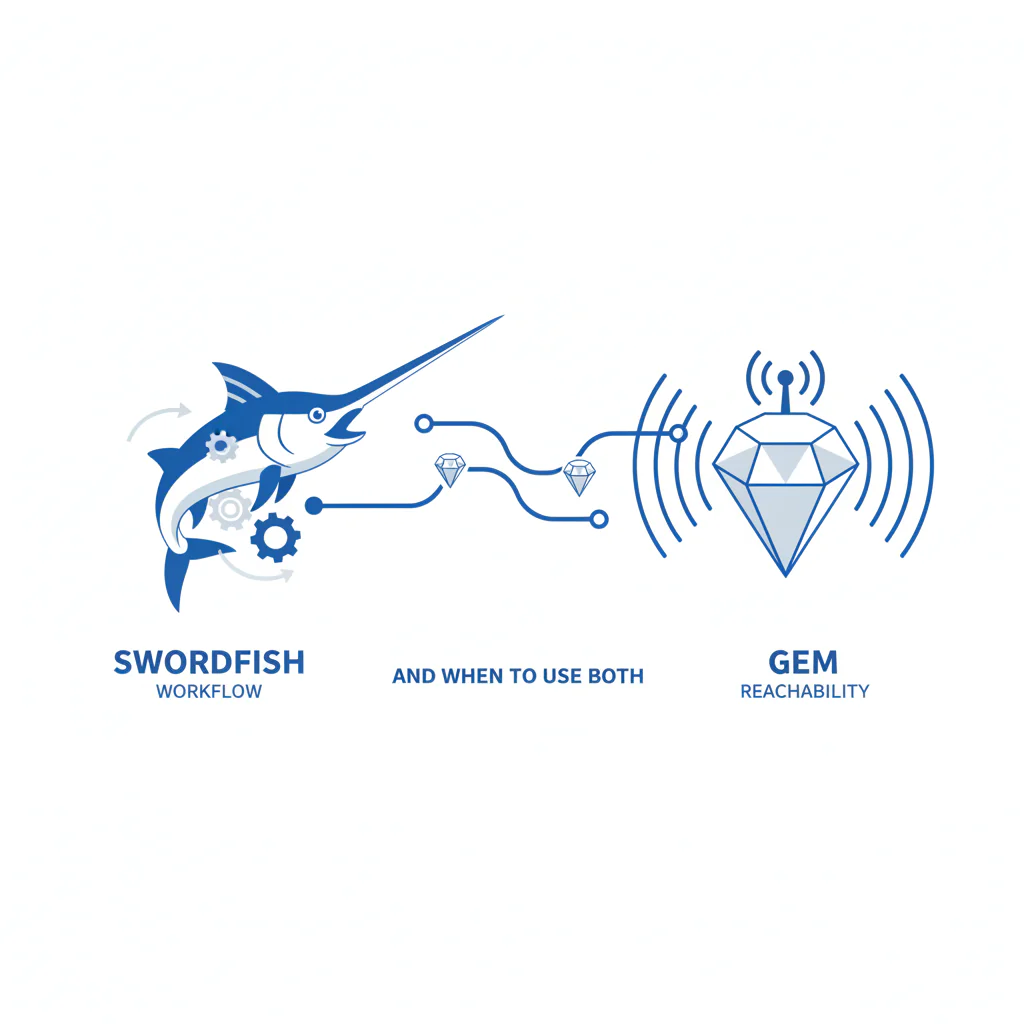
- Swordfish vs Gem is a complement decision. Gem runs recruiter workflow and engagement; Swordfish adds a reachability layer so outreach reaches the right person and produces replies.
- Key stat
- Most response-rate loss happens before messaging quality matters: missing or outdated contact endpoints create “no response” even when the sequence is solid.
- Ideal candidate profile
- Recruiting leaders using (or evaluating) Gem who need faster replies from passive candidates, better reactivation of silver medalists, and a compliant way to use candidate phone numbers for hard-to-reach roles.
Swordfish vs Gem: Workflow vs Reachability (and when to use both)
By Ben Argeband, Founder & CEO of Swordfish.AI (written from a Head of Talent Acquisition operator perspective)
Verdict (how I decide in production): Choose Gem when you need consistent recruiter workflow, sequencing, and reporting. Add Swordfish when your workflow is already running but you’re not reaching people because contact data is missing or stale. Use Gem + reachability layer when you need both: a system to run outreach and better contact endpoints so that outreach produces conversations.
Who this is for
- Teams considering Gem who also need better reachability for passive candidates.
- Leaders hiring for hard-to-reach roles where email-only outreach underperforms.
- Recruiters re-engaging silver medalists and seeing low reply rates.
- Operators running agency recruiting pods where speed-to-contact drives placements.
- Teams that want phone/SMS outreach with opt-out and suppression discipline.
What recruiters are trying to accomplish
- Placement speed: Reduce time-to-first-response so interviews start earlier and offers happen sooner.
- Candidate experience: Fewer attempts to dead emails and wrong numbers, and faster clarity when someone isn’t interested.
- Compliance control: Clear purpose, reasonable cadence, and opt-out + suppression so you don’t re-contact people who said “no.”
If your team is executing sequences consistently in Gem and replies are still low, the constraint is often reachability. Fixing reachability reduces wasted touches and improves time-to-first-conversation.
Swordfish vs Gem: what each tool is responsible for
| Need | Gem (workflow/engagement) | Swordfish (reachability/contact data) | Business outcome |
|---|---|---|---|
| Run sequences and track touches | Yes | No | Consistent execution reduces drop-offs and improves pipeline hygiene. |
| Pipeline visibility and reporting | Yes | No | Faster diagnosis of stalls improves placement speed. |
| Find candidate phone numbers and emails | Not the primary function | Yes | More reachable contacts increases replies per recruiter-hour. |
| Improve call/text connection rates | Indirect (via workflow) | Direct (mobile reachability signals) | Higher connect rates reduce time-to-first-conversation for hard-to-reach roles. |
| Data governance ownership | Workflow rules and reporting | Contact endpoint enrichment inputs | Clear ownership reduces repeat-contact errors and supports opt-out suppression. |
| Operate as a complement stack | Core system | Reachability layer feeding the system | Better contact endpoints improve sequence performance without rebuilding process. |
Most teams that ask “Swordfish vs Gem” end up with a complement stack: Gem for workflow + reachability layer for contact endpoints. That’s the Gem + reachability layer pattern: keep your engagement system, improve who you can actually reach.
Framework (Gem + reachability layer): Build the list in Gem, enrich contact endpoints before the first touch, then run the same sequence with fewer wasted steps. When reachability improves, reduce total touches and still get more replies, which improves candidate experience.
Ethical use of phone numbers
Candidate phone numbers can improve candidate experience when used to reduce back-and-forth and avoid long email threads. They create problems when used as a volume channel without context.
- Use-case fit: Use phone/SMS when speed matters, when email response is historically low, or when the candidate has signaled openness to talk.
- Identity and purpose: State who you are, why you’re reaching out, and why it’s relevant to them.
- Frequency caps: If there’s no response, stop after a small number of attempts across channels. Repeated attempts to the wrong number is a data-quality issue.
- Opt-out: Provide a simple opt-out (“Reply STOP and I won’t message again”) and honor it quickly with suppression.
- Data minimization: Store only what you need for recruiting contact and retain it only as long as needed for the hiring purpose.
If you operate across regions, confirm jurisdiction-specific outreach rules with counsel. The operating standard stays the same: relevance, restraint, and opt-out control.
Sourcing workflow
- Define the segment in Gem: Pick one list (new prospects, silver medalists, or a hard-to-reach role segment) so measurement stays clean.
- Enrich before sequencing: Add missing mobile/email fields before the first touch so the sequence has multiple valid channels from day one.
- Handoff point: Enrich campaign list → map mobile/email fields into Gem → start the sequence.
- Run a tight cadence: Better reachability should reduce total attempts, not increase them.
- Measure leading indicators: Track time-to-first-response, connect rate, wrong-number rate, and opt-out rate by segment.
- Close the loop on bad data: Tag wrong numbers and suppress them immediately so you don’t re-contact the wrong person.
Operational impact: when contact endpoints are valid on day one, recruiters spend fewer touches per conversation. That capacity shows up as faster slate building and fewer days stuck waiting for replies. This is how you protect recruiter bandwidth while keeping candidate experience clean.
If you need a baseline on what “good” looks like for recruiting operations, recruiting contact data should be evaluated on coverage, freshness, and governance. Better coverage and freshness reduces wasted touches and improves placement speed.
Checklist: Diagnostic Table
| Symptom | Most likely cause | How to confirm in 10 minutes | Fix that improves placement speed |
|---|---|---|---|
| High email send volume, low reply rate | Email-only channel mix; inbox filtering; outdated emails | Sample 50 prospects: count missing phones; check bounce/undeliverable; compare reply rate by domain | Enrich missing fields before sequencing so you can use a second channel selectively and reduce time-to-first-response. |
| Calls go to voicemail or wrong person | Wrong number, landline, or recycled number | Track “wrong number” outcomes for 1 week; listen to voicemail greetings; compare connect rate by source | Suppress bad numbers immediately to reduce wasted touches and complaints. |
| Text messages get no response | Message lacks context; sent at poor times; number not mobile | Review 20 texts: do they include role + why them + opt-out? Check send times | Use context-first SMS and only text when it fits the role and segment; fewer touches improves candidate experience. |
| Strong replies from active candidates, weak from passive candidates | Channel mismatch; slow follow-up | Split report by source: inbound vs outbound; measure time-to-first-touch and time-to-follow-up | Enrich contacts up front and respond same day to any signal of interest to shorten time-to-first-conversation. |
| Silver medalists don’t re-engage | Old contact info; message doesn’t reference prior context | Audit last-touch date and contact validity; check if outreach references prior process | Refresh contact endpoints and reference prior interaction to increase reactivation without increasing touch volume. |
| Recruiters say “the sequence works for some roles but not others” | Hard-to-reach roles need higher reachability and faster multi-channel | Compare connect/reply rates by role family; identify where phone coverage is lowest | Apply a reachability layer to the role families with the lowest contact coverage before rewriting messaging. |
| More outreach creates more complaints | Over-touching due to bad data; weak suppression/opt-out discipline | Review complaint examples; check if the same record was contacted after “no” | Implement opt-out + suppression and reduce attempts when reachability improves. |
Decision Tree: Weighted Checklist
This scoring model helps decide whether you need Gem, Swordfish, or Gem + reachability layer. The weights reflect standard failure points that affect placement speed, candidate experience, and compliance. Score each item as 0 (no), 1 (partly), or 2 (yes).
| Decision factor | Why it matters operationally | Weight | Your score (0–2) |
|---|---|---|---|
| You already have a recruiter workflow system (sequences, reporting, governance) | If workflow is already solved, the constraint is often reachability, not process | High | |
| Your reply rate is low despite consistent sequencing | Indicates contact endpoints or channel mix are limiting responses | High | |
| Phone coverage is missing or unreliable for outbound lists | Without candidate phone numbers, you lose a fast path to conversation for passive candidates | High | |
| You hire for hard-to-reach roles where email underperforms | These roles benefit most from a reachability layer and fast follow-up | High | |
| You run agency recruiting or high-volume outbound sourcing | Speed-to-contact is a direct driver of placements and revenue | Medium | |
| You have a defined opt-out and suppression process across tools | Reduces repeat-contact risk and protects candidate experience | High | |
| Your team spends time hunting for contact info instead of recruiting | Manual lookup slows throughput and increases time-to-fill | Medium | |
| Your sourcing volume is constrained by credit limits | Constraints can force channel compromises and reduce outreach consistency | Medium |
Interpretation: If 3+ “High” rows score 2, prioritize adding a reachability layer before rewriting sequences. If workflow is weak, start with Gem. If workflow is strong but reachability is weak, add Swordfish so your existing recruiter workflow produces more replies.
Outreach templates
These templates assume you run sequences in Gem and enrich contact endpoints before the first touch. They are written to reduce touches, increase clarity, and protect candidate experience.
Troubleshooting Table: Outreach Templates
Template 1: First-touch SMS (passive candidates)
Hi [First Name] — this is [Your Name], recruiting at [Company]. I’m reaching out about a [Role] because of your experience in [specific skill]. If you’re open to a quick chat this week, what time works? If not, reply STOP and I won’t message again.
Template 2: Voicemail (hard-to-reach roles)
Hi [First Name], this is [Your Name] with [Company]. I’m calling about a [Role] because your background in [skill] looks relevant. If you’re open to a quick conversation, call or text me at [number]. If I have the wrong number, text “wrong number” and I’ll remove it. Thanks.
Template 3: Email (silver medalists re-engagement)
Subject: Quick check-in — [Role] at [Company]
Hi [First Name], we spoke during your previous process for [prior role/team]. We opened a [Role] that aligns with your experience in [specific area]. If you’re open, I can share scope and comp range and see if it’s worth a conversation. If now isn’t the right time, tell me and I’ll close the loop.
Template 4: “Wrong number” cleanup (candidate experience)
Thanks — I’ll remove this number from my outreach list. Sorry about that.
Template 5: Agency recruiting intro
Hi [First Name] — I’m [Your Name]. I support hiring for [Company/Client] on [Role]. I’m reaching out because of your experience with [skill]. If you’re open to a quick call, what time works? If you’d rather not be contacted, reply STOP and I’ll opt you out.
Evidence and trust notes
FIELD_NOTE: When Gem is implemented well, the fastest improvement usually comes from fixing reachability, not adding more steps. The signal is consistent activity with inconsistent replies across segments. Better contact endpoints reduce wasted touches and shorten time-to-first-response.
To keep this measurable, track these before and after you add a reachability layer:
- Time-to-first-response: Median hours from first touch to first reply.
- Connect rate: Answered calls / total calls placed, tracked by role family.
- Wrong-number rate: Wrong-number outcomes / total calls or texts.
- Opt-out rate: Opt-outs / total SMS sends.
Run the pilot on one role family first and keep the sequence unchanged so you can attribute changes to reachability rather than messaging edits.
If time-to-first-response improves and wrong-number rate drops, reduce total touches while maintaining or improving reply volume. That’s the candidate experience win that also improves placement speed.
FAQs
Is Swordfish a replacement for Gem?
No. Gem is a recruiter workflow and engagement system. Swordfish is a reachability layer that improves contact endpoints so Gem sequences produce more conversations.
When does it make sense to use both?
Use both when you rely on Gem for workflow but you’re missing candidate phone numbers, seeing low replies from passive candidates, or struggling with hard-to-reach roles. Better reachability improves time-to-first-response without changing your recruiter workflow.
What if we only use email today?
Email-only can work for inbound or warm networks. For outbound sourcing, adding a second channel can reduce the number of days it takes to get a first reply, especially when email addresses are outdated.
How do we keep phone outreach ethical?
Use relevance, restraint, and opt-out. Provide a clear STOP option, suppress immediately, and stop after a small number of attempts across channels when there’s no response.
Does adding phone numbers increase complaints?
It can if teams increase volume. In disciplined programs, better reachability reduces complaints because recruiters stop contacting the wrong person and stop over-touching to compensate for low response.
Next steps
Week 1 (baseline): Pick one segment (passive candidates for a hard-to-reach role, or silver medalists). Measure reply rate, connect rate, wrong-number rate, opt-out rate, and time-to-first-response in your current Gem workflow.
Week 2 (pilot): Enrich contact endpoints for that segment before the first touch. Keep the sequence unchanged so you isolate reachability impact.
Week 3 (tighten cadence): If connect rate improves, reduce total touches. Add suppression rules for wrong numbers and opt-outs.
Week 4 (scale): Roll the same approach to additional role families and teams (including agency recruiting pods). Standardize reporting so leadership can see placement-speed impact.
About the Author
Ben Argeband is the Founder and CEO of Swordfish.ai and Heartbeat.ai. With deep expertise in data and SaaS, he has built two successful platforms trusted by over 50,000 sales and recruitment professionals. Ben’s mission is to help teams find direct contact information for hard-to-reach professionals and decision-makers, providing the shortest route to their next win. Connect with Ben on LinkedIn.

