


 View Products


- Core concept
- Recruiter sourcing tools work when each tool is assigned to a specific job in the workflow: source-enrich-engage across a recruiting stack map (ATS, CRM, sourcing, data).
- Key metric to run weekly
- Track reach rate (replies or live connects per outreach) alongside volume. If reach rate is flat, adding more messages usually slows placement speed and worsens candidate experience.
- Ideal candidate profile
- Sourcers and recruiters who rely on LinkedIn and need a repeatable workflow to reach passive candidates, re-engage silver medalists, and fill hard-to-reach roles in-house or in agency recruiting.
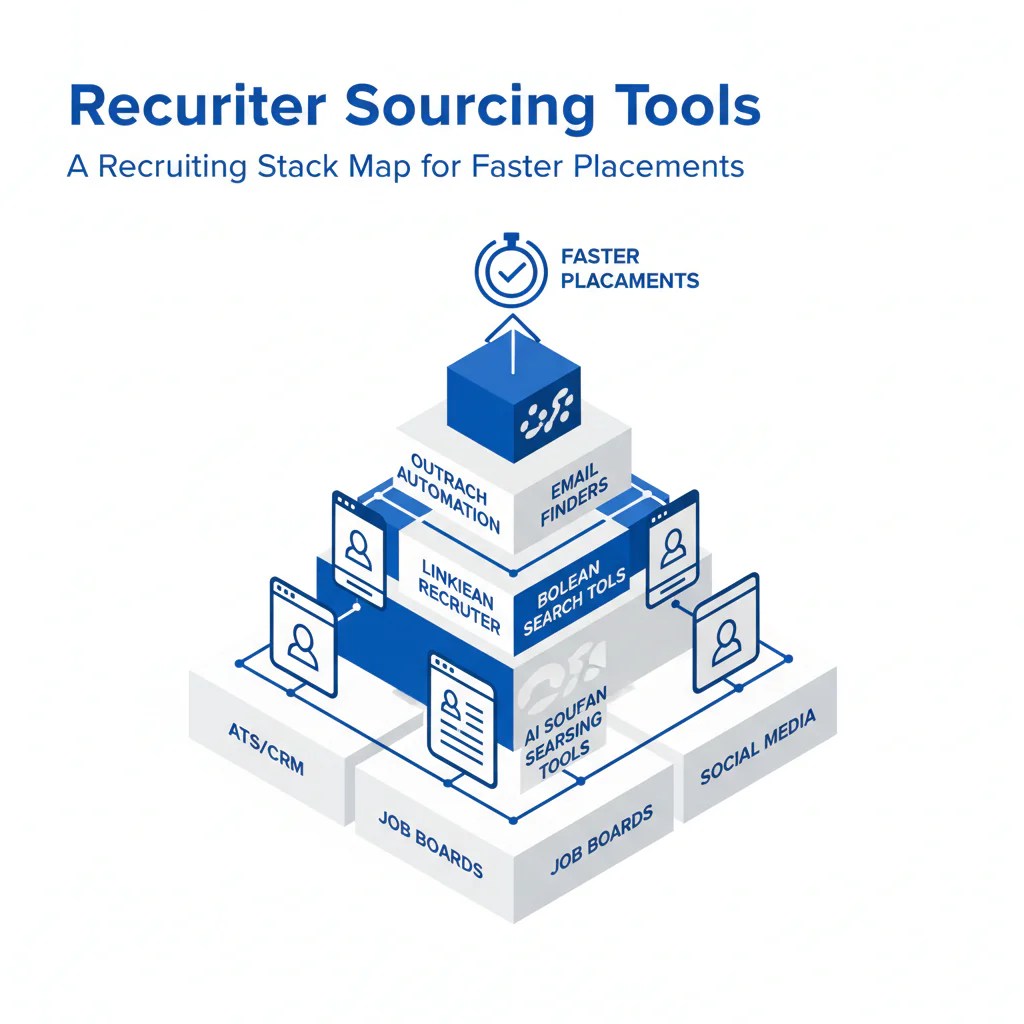
Recruiter Sourcing Tools: A Recruiting Stack Map for Faster Placements
Byline: Ben Argeband, Founder & CEO of Swordfish.AI
Sourcing stacks fail when tools aren’t mapped to a job-to-be-done, so recruiters can’t reach the right people consistently. The predictable outcome is a “full pipeline” that doesn’t convert.
This page is a recruiting stack map you can use to choose recruiter sourcing tools based on placement speed, candidate experience, and compliance. I run this as an operating system: I review reach rate and time-to-first-conversation weekly, and if either slips, we fix the stack before we add volume.
Who this is for
If your team sources on LinkedIn, you already have identity. Your bottleneck is reachability and follow-through: getting the right contact channel, sequencing outreach, and logging outcomes in the ATS/CRM so candidates don’t get duplicate messages.
What recruiters are trying to accomplish
At operator level, sourcing tools exist to improve three outcomes:
Placement speed: reduce time-to-first-conversation and time-to-shortlist by removing dead-end outreach.
Candidate experience: contact candidates on the channel they respond to, with fewer touches and clearer context.
Compliance: record why you contacted someone, where the data came from, and how opt-outs are honored.
Recruiting stack map (source-enrich-engage)
This recruiting stack map prevents category confusion and keeps your workflow measurable.
Source: find the right people. Output is a prioritized list of identities with notes on fit.
Enrich: turn identities into reachable profiles (email, phone, quality signals). Output is contactability.
Engage: run tracked outreach and capture outcomes. Output is conversations and scheduled screens.
Your recruiting stack typically includes an ATS for process control and reporting, plus a CRM for relationship memory. Sourcing and data tools feed both. If those handoffs are manual, recruiters waste time and candidates get inconsistent outreach.
Best recruiter sourcing tools by category (what to buy and why)
| Category | Where it fits (source-enrich-engage) | Primary output | What breaks without it |
|---|---|---|---|
| LinkedIn sourcing tools | Source | High-signal identity list with fit notes | Wrong-fit outreach increases, reply rate drops, and recruiters re-run the same searches |
| Candidate contact data tools | Enrich | Reachability (email/phone) with quality signals | Passive candidates stay unreachable; time-to-first-conversation expands |
| Outreach tools for recruiters | Engage | Sequencing, logging, opt-out capture | Duplicate outreach, inconsistent follow-up, and poor candidate experience |
| ATS | System of record | Stages, approvals, reporting | No reliable audit trail; sourcing outcomes can’t be measured or governed |
| CRM | Relationship memory | Re-engagement lists (silver medalists, alumni) | Warm talent gets re-sourced from scratch; recruiters lose context and history |
| Talent intelligence tools | Planning support | Market signals for intake decisions | Weeks of sourcing against an unfillable spec; slow shortlists and resets |
If you want a fast decision rule, pick the category that matches your bottleneck. If you can’t find enough qualified profiles, fix Source. If you can’t reach qualified profiles, fix Enrich. If you can’t keep outreach consistent and logged, fix Engage.
LinkedIn sourcing tools (identity-first)
LinkedIn is still the highest-signal directory for role fit and recent experience. The operational goal is a clean target list that another recruiter can pick up without rework. When identity lists are inconsistent, outreach becomes generic and reach rate falls.
Candidate contact data tools (reachability)
Once you have identity, the next constraint is reaching passive candidates. Candidate contact data tools provide email and phone so you can move beyond “only if they check LinkedIn.” Better reachability improves reach rate, which reduces time-to-first-conversation and prevents pipeline decay.
Prospector (Must-Have): identity-to-reachability in one motion
If your workflow starts on LinkedIn, you want enrichment that keeps recruiters in flow: identify the profile, enrich it, and move to outreach without tab-hopping. Swordfish Prospector supports that loop and can surface ranked mobile numbers by answer probability so recruiters prioritize calls where a live connect is more likely.
ATS and CRM (don’t confuse the jobs)
The ATS is where you control stages and reporting. The CRM is where you store relationship context and re-engagement lists. Neither replaces contact data. If you expect a CRM to solve reachability, recruiters still can’t contact candidates and the team compensates by sending more messages, which hurts candidate experience.
Talent intelligence tools (use them at intake)
These tools help you answer whether the req is fillable as written. Use them during intake to pressure-test leveling, location, and comp assumptions before sourcing starts so you don’t burn a week building lists that won’t convert.
Ethical use of phone numbers
Phone can improve placement speed, but only if you treat it as a high-trust channel.
Purpose limitation: contact only for a relevant role or a clearly related conversation, such as re-engaging silver medalists for a similar opening.
Minimum necessary outreach: use a short sequence with a stop condition. If there’s no signal, don’t keep dialing.
Transparency: state who you are, the role, and why you reached out.
Opt-out discipline: if someone opts out, record it in the ATS/CRM and suppress future outreach across the team.
Local rules: confirm regional requirements with counsel and document the outreach rules in your internal policy so recruiters can follow one standard.
Sourcing workflow
This is the LinkedIn sourcing loop I run teams on: identity-first on LinkedIn, reachability via enrichment, then structured engagement with clean logging. It is designed to improve reach rate without increasing volume.
-
Intake and scorecard alignment
Define must-haves, nice-to-haves, and disqualifiers. If the hiring manager can’t agree on the top three signals, recruiters will over-message and under-convert.
-
Build the identity list
Create a target list with consistent tags: location, seniority, core skill, and “why this person.” This reduces wrong-fit outreach and improves candidate experience.
-
Enrich only the candidates you intend to contact
Enriching everything creates data sprawl and noise in the ATS/CRM. Enrich the shortlist you will actually message so the team stays focused and governance stays simpler.
-
Engage with a two-channel sequence
For passive candidates, use one primary channel and one backup channel. The goal is fewer touches with higher relevance, not more volume.
-
Log outcomes and recycle talent
Every touch should land in the ATS/CRM with an outcome code: reached, replied, interested, not now, not interested, wrong person, opt-out. Tag silver medalists for re-engagement by role family and timing.
To keep placement speed high, define a minimum logging standard. At a minimum, capture the source (LinkedIn, referral, CRM), the channel used (email, phone, InMail), the last-touch date, and the outcome code. Without those fields, teams can’t prevent duplicate outreach and can’t diagnose why reach rate is dropping.
To protect candidate experience, set ownership rules. One recruiter owns outreach for a candidate at a time, and the ATS/CRM is the tie-breaker. If a candidate is already in process or opted out, the system should stop the next message.
Checklist: Diagnostic Table
| Symptom | Most likely cause | What to change this week | Metric to watch |
|---|---|---|---|
| High send volume, low replies | Message is role-generic; no clear “why you” | Add one specific proof point from the profile and one concrete role detail (scope, team, or tech) | Reply rate per 100 sends |
| Replies ask “How did you get this?” | Low transparency; outreach feels random | State company, role, and sourcing context in the first sentence; include opt-out line | Negative reply rate |
| InMail seen, no response | Candidate doesn’t check LinkedIn often | Use enrichment and move to email or phone for the second touch | Time-to-first-response |
| Email bounces | Outdated contact data | Use a contact data tool and keep first email short to reduce spam signals | Bounce rate |
| Calls go to voicemail repeatedly | Wrong number or low-likelihood number first | Prioritize higher-likelihood numbers first and call in consistent windows | Connect rate (live answers per dials) |
| “Not interested” with no engagement | Role framing misses motivation | Test two value props and ask a one-question CTA | Interested rate among replies |
| Candidate complains about too many messages | No sequencing rules; duplicate outreach across recruiters | Centralize logging in ATS/CRM and set ownership plus cooldown windows | Duplicate-contact incidents |
| Strong candidates respond late | Slow follow-up and scheduling friction | Same-day scheduling options and a 24-hour follow-up SLA | Time from reply to scheduled screen |
Decision Tree: Weighted Checklist
How to use: score each tool you’re evaluating against the criteria below. The weights reflect standard failure points that slow placements: inability to reach candidates, poor workflow fit, and weak compliance logging. Rate each line 0–2 (0 = missing, 1 = partial, 2 = strong) and prioritize tools that score highest on the “High” weight items.
| Criterion | Weight | Why it matters operationally |
|---|---|---|
| Clear category fit (source vs. enrich vs. engage; don’t confuse talent CRM with contact data) | High | Prevents buying overlap and still failing at reachability |
| Coverage for your target market (roles, regions, seniority) | High | Directly impacts reach rate for passive candidates and hard-to-reach roles |
| Data quality signals (verification, recency indicators, confidence scoring) | High | Reduces bounces, wrong-number calls, and candidate frustration |
| Workflow fit with LinkedIn (identity-first loop) | High | Reduces recruiter time per candidate and increases consistent output |
| ATS/CRM logging support (integration, export, or clean handoff) | High | Prevents duplicate outreach and supports compliance recordkeeping |
| Opt-out handling and suppression support | High | Protects candidate experience and reduces compliance risk |
| Team controls (permissions, shared notes, ownership rules) | Medium | Stops multiple recruiters from contacting the same person |
| Speed to value (time to train, time to first usable output) | Medium | Matters when req load is high and you need impact this quarter |
| Reporting (reach rate, reply rate, source effectiveness) | Medium | Lets you fix the workflow instead of guessing |
| Security and vendor governance readiness (controls, DPA support) | Medium | Reduces procurement delays and protects candidate data |
Outreach templates
These templates are built for speed and clarity. Use them after you’ve confirmed role fit and enriched only the candidates you intend to contact.
Troubleshooting Table: Outreach Templates
Template 1: Email to a passive candidate (first touch)
Subject: Quick question about your [skill/role] work
Hi [First name] — I’m [Name], a recruiter with [Company]. I found your profile on LinkedIn while mapping talent for a [Role] opening on our [Team/Org].
Your experience with [specific detail from profile] is close to what we need. Are you open to a 10-minute call this week to see if it’s relevant?
If you’d rather not be contacted, reply “opt out” and I’ll update my records.
— [Name]
[Title] | [Company]
[Phone] | [Calendar link]
Template 2: SMS after no response (use only if appropriate for your region and policy)
Hi [First name] — [Name] from [Company]. Reaching out about a [Role] on [Team]. If it’s easier, I can share details here or by email. Interested in a quick chat? Reply Y/N. If you prefer no texts, reply STOP.
Template 3: Phone voicemail (15–20 seconds)
Hi [First name], this is [Name] with [Company]. I’m calling because your background in [specific skill] looks relevant to a [Role] we’re hiring for. If you’re open to a quick conversation, call or text me at [number]. If not, tell me and I’ll close the loop.
Template 4: Silver medalist re-engagement (email)
Subject: Checking in — [Role family] at [Company]
Hi [First name] — we spoke previously about [prior role/process]. We have a new [Role] that’s closer to [specific preference they shared: scope/location/stack].
Would you be open to a short call to see if timing is better? If not, reply “opt out” and I’ll update my records.
— [Name]
Template 5: Agency recruiting intro (email)
Subject: [Role] — quick intro
Hi [First name] — I’m [Name] with [Agency]. I’m supporting a client hiring a [Role] in [Location/Remote]. I found your LinkedIn profile while searching for [skill].
If you’re open to it, I can share the comp range and role scope first, then we decide if a call makes sense. Interested?
If you prefer not to be contacted, reply “opt out.”
Evidence and trust notes
Tools solve different jobs: sourcing finds identities, enrichment provides reachability, and engagement tools manage touches. If you buy a CRM expecting it to solve contact data, you still can’t reach passive candidates and your team compensates with more volume.
Governance is a workflow decision: store opt-outs in the ATS/CRM, suppress across the team, and require outcome codes so you can prevent duplicate outreach. Document opt-out handling in your ATS/CRM fields so it survives tool changes.
Measure leading indicators: reach rate and time-to-first-conversation tell you whether your stack is working before you feel it in time-to-fill.
FAQs
What are recruiter sourcing tools?
They are the tools that support source-enrich-engage: finding candidate identities, adding contact channels, and running tracked outreach that produces conversations.
What’s the difference between a talent CRM and candidate contact data tools?
A CRM stores relationships, notes, and status over time. Candidate contact data tools provide reachability (email and phone) so you can contact the person. Confusing the two usually leads to high activity with low response.
How do I choose tools for hard-to-reach roles?
Prioritize reachability and workflow speed: identity-first sourcing, enrichment with quality signals, and an outreach system that logs touches and opt-outs. Then review reach rate weekly and adjust.
Where does candidate phone number lookup fit?
It fits in enrichment. Use it after you confirm role fit and before outreach so you can choose the best channel and reduce time-to-first-conversation.
Next steps
Week 1: map your current stack to source-enrich-engage and identify where contact data enters the workflow and where opt-outs are stored.
Week 2: pilot the workflow on one hard-to-reach role. Track reach rate, time-to-first-conversation, and duplicate-contact incidents.
Week 3: standardize the minimum logging fields and outcome codes in the ATS/CRM, then train the team on one sequence for passive candidates and one for silver medalists.
Week 4: scale to additional reqs and review metrics weekly. Tighten governance so logging and opt-outs happen every time.
About the Author
Ben Argeband is the Founder and CEO of Swordfish.ai and Heartbeat.ai. With deep expertise in data and SaaS, he has built two successful platforms trusted by over 50,000 sales and recruitment professionals. Ben’s mission is to help teams find direct contact information for hard-to-reach professionals and decision-makers, providing the shortest route to their next win. Connect with Ben on LinkedIn.

