


 View Products


LinkedIn is the place where professionals go to build meaningful business connections and find new clients.
Sending messages on LinkedIn is easy. Getting a lot of leads from the platform is hard. and to make things worse, LinkedIn has restrictions on continuous messaging to leads.
We get it. It’s frustrating. But you can always reach out to your LinkedIn prospects outside the platform. Use LinkedIn email finder tools to extract contact details of your LinkedIn prospects and reach out to them via email.
The good news? There are now many LinkedIn email finder tools to overcome cold outreach challenges.
? These tools can help you to gather contact lists and use email communication instead of relying on LinkedIn’s InMail feature and get more qualified leads.
In this blog we have listed the best LinkedIn email finder tools to make your LinkedIn prospecting easier. Let’s get started ?
What is a LinkedIn email finder?
A LinkedIn email finder is a tool that extracts email addresses from LinkedIn profiles. These tools are perfect for sales reps, recruiters and marketers who want to connect with leads beyond the limits of LinkedIn’s messaging system.
You’ve found the perfect prospect on LinkedIn—an individual who matches your target customer profile. You send them an InMail but get nothing back. Frustrating right? This is where LinkedIn email finders come in.
With a LinkedIn email finder you can pull the email addresses of the prospects you want to engage with. This means you’re not limited to LinkedIn’s messaging boundaries. You can follow up via email and increase your chances of getting a response.
Most of these tools have user friendly interfaces and are available as browser extensions so you can easily use them in your daily workflow. Some of these tools also have CRM features so you can manage your leads better.
If you’re serious about using LinkedIn for lead gen, adding an email finder to your arsenal can be a game changer. It’s all about working smarter not harder to reach those meaningful business connections and potential clients.
Mistakes to Avoid
Now let’s get into some common mistakes users make when using LinkedIn email finder tools and how to avoid them. After all using these tools correctly can supercharge your lead gen.
Overreliance on Tools Without Personalization
It’s easy to automate everything but forgetting to personalize your outreach is a big mistake. Personalization can make your email stand out from the many generic messages your prospect gets. Take the time to include details that show you’ve done your research. Mention something specific from the prospect’s LinkedIn profile can go a long way.
Ignoring Data Privacy and Compliance
Be aware of regulations like GDPR and CAN-SPAM. These laws have rules on how you can collect and use email addresses. Getting proper consent and making it easy to unsubscribe is key to being compliant and protecting your reputation.
Collecting Emails Without a Strategy
Yes gathering a long list of email addresses feels productive but without a clear strategy they won’t turn into qualified leads. Have a clear outreach plan. Define your target audience, craft your email sequences and set goals to measure success.
Not Verifying Email Addresses
Sending to incorrect or outdated addresses can harm your domain reputation. Most LinkedIn email finder tools have verification services to ensure the emails you collect are valid. Use these features to avoid high bounce rates and keep your sender score intact.
Spamming Prospects
Flooding someone’s inbox with messages is a sure way to get your email marked as spam. Space out your follow ups and provide value in each message. Remember quality over quantity will keep your prospects interested and responsive.
Don’t make these mistakes and you’ll see better results and your LinkedIn email finder tools will become a valuable part of your outreach arsenal. With a little thought you’ll be able to turn those LinkedIn connections into business opportunities.
15 LinkedIn email finders
We’ve done the research to bring you the ultimate list of LinkedIn email finders to help you streamline your outreach. These tools have all sorts of features to suit every professional’s needs from CRM integrations to bulk email extraction.
Here are our top picks:
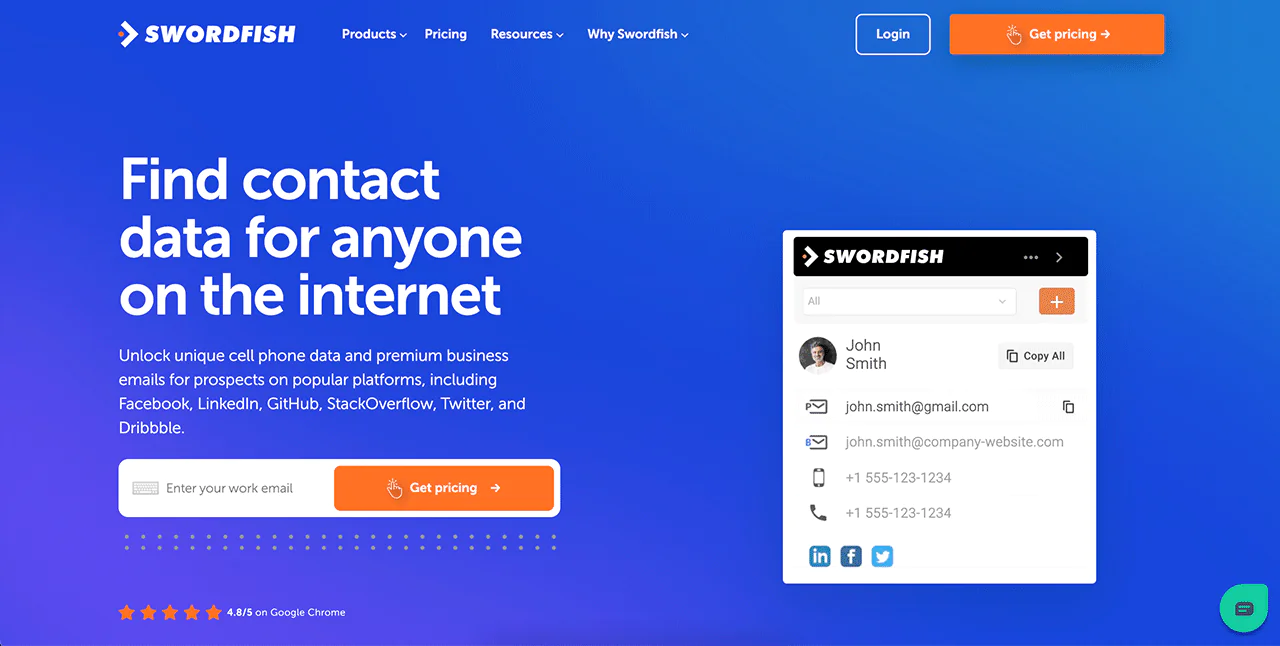
- Swordfish,ai: Find emails on LinkedIn directly from your browser with the contact-finding extension for Google Chrome or use any LinkedIn URL to find accurate contact data with Reverse Lookup. Swordfish.ai is t
he ultimate email finding tool for LinkedIn. - Getprospect: Huge database and
- seamless LinkedIn integration. Contact management made easy.
- Skrapp: Perfect for startups and individuals. Bulk email extraction and verification.
- Snov.io: All in one email outreach solution with drip campaigns and email verification.
- SalesQL: Great for sales teams. Detailed lead profiles and building trustworthy contact lists.
- Prospeo: Simplifies LinkedIn prospecting with email extraction and follow up tracking.
- Apollo.io: Robust data enrichment and great for big prospecting needs.
- LeadLeaper: Real time email finding for dynamic and fast paced sales environments.
- Hunter.io: Most popular tool. Precise email finding and domain search.
- ContactOut: Finds emails and phone numbers. Enhances your outreach.
- RocketReach: Huge database. Finds up to date professional contacts across multiple platforms.
- Lusha: High accuracy rate and integrates with many CRMs. Contact management made easy.
- Kloser: B2B focused. Detailed insights and email finding.
- Salesflare: CRM focused. Streamlines sales processes and accurate email retrieval.
- AeroLeads: For building large email lists quickly. Email finding and verification.
These will make a big difference in your LinkedIn prospecting. By using these you can go from relying solely on LinkedIn’s InMail to a more varied and effective email outreach.
What are the benefits of LinkedIn email finders?
Firstly, using LinkedIn email finders will expand your outreach. No longer limited to LinkedIn’s InMail you can contact prospects directly via email and have more flexibility and more chances of engagement.
Another big benefit is the speed these tools bring. Imagine searching for contact details manually – it’s a pain and time consuming. LinkedIn email finders automate this process so you can get the information you need to build your contact lists quickly.
Turn LinkedIn prospects into qualified leads!
It’s no secret that having the right tools makes all the difference in lead generation. Among the many LinkedIn email finders out there Swordfish is the best. Why? Swordfish has seamless LinkedIn integration, advanced search filters, real time email verification and more. It’s designed to extract contact details for you so your outreach is fast and effective.
Get a free trial ? https://swordfish.ai/

